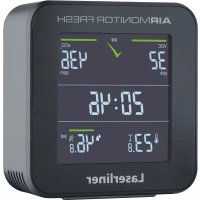
AirMonitor FRESH - Measuring equipment Laserliner - Free user manual and instructions
Find the device manual for free AirMonitor FRESH Laserliner in PDF.


| Product type | Indoor air quality measuring equipment |
| Brand | Laserliner |
| Model | AirMonitor FRESH |
| Dimensions (L x H x D) | 90 x 91 x 33 mm |
| Weight | 126 g (without power supply unit) |
| Power supply | Power adapter 5 V DC / 1 A |
| Sensor type | Multi-pixel gas sensor |
| VOC display range | 0 to 9,999 ppb |
| eCO₂ display range | 400 to 9,999 ppm |
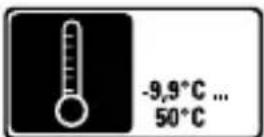
| Temperature range | -9.9 °C to 50 °C |
| Temperature accuracy | ± 1 °C |
| Relative humidity range | 1% to 99% |
| Humidity accuracy | ± 3% (30% to 70%), ± 5% (0% to 30%, 70% to 100%) |
| Main functions | VOC, eCO₂, temperature, humidity measurement; visual and audible alarm; clock; night mode |
| Automatic calibration | Yes, takes 12 hours after power-on |
| Operating conditions | 0 °C to 40 °C, max. humidity 80% non-condensing |
| Storage conditions | -10 °C to 60 °C, max. humidity 80% non-condensing |
| Maintenance and cleaning | Clean with a slightly damp cloth; avoid cleaning products, solvents |
| Safety | Compliant with EU directives (LVD 2014/35, EMC 2014/30); do not expose to moisture or rain |
| Repairability | Service by qualified technician only; no specified spare parts |
| Disposal | Selective collection according to WEEE directive; recyclable |
Frequently Asked Questions - AirMonitor FRESH Laserliner
User questions about AirMonitor FRESH Laserliner
0 question about this device. Answer the ones you know or ask your own.
Ask a new question about this device
Download the instructions for your Measuring equipment in PDF format for free! Find your manual AirMonitor FRESH - Laserliner and take your electronic device back in hand. On this page are published all the documents necessary for the use of your device. AirMonitor FRESH by Laserliner.
USER MANUAL AirMonitor FRESH Laserliner



Laserliner

Alarmeinstellung

Completely read through the operating instructions, the „Warranty and Additional Information“ booklet as well as the latest information under the internet link at the end of these instructions. Follow the instructions they contain. This document must be kept in a safe place and passed on together with the device.
Intended use
The measuring device indicates the concentration of volatile organic compounds (VOCs) in indoor atmospheres, the calculated eCO_2 content (equivalent CO_2 concentration), and the measured humidity. The device provides the user with a visual and audible signal if the VOC and eCO_2 concentrations are above average as well as a ventilation recommendation. In the event of low VOC and eCO_2 concentrations, the high indoor air quality is indicated with an easy to understand symbol. The device also provides a warning if the humidity is too high or too low. Other functions include measuring the ambient temperature and a time display. This measuring device is suitable for use in standard homes where people stay frequently and which is ventilated on a daily basis as the device recalibrates itself constantly.
General safety instructions
- The device must only be used in accordance with its intended purpose and within the scope of the specifications.
- The structure of the device must not be modified in any way.
- Do not expose the device to mechanical stress, extreme temperatures or significant vibration
- Stop using the device if one or a number of its functions fails.
- This device is to be used in enclosed spaces only; do not expose to moisture or rain as this may result in electric shock.
- Use only genuine accessories. Use of inappropriate accessories will invalidate the warranty.
- To avoid the risk of fire, electric shock or personal injury never use extension cables as well as accessories not approved by the manufacturer in connection with the battery charger.
Safety instructions
Dealing with electromagnetic radiation
- The measuring device complies with the provisions and limit values for safety and electromagnetic compatibility in accordance with the Low Voltage Directive (LVD) 2014/35/EU and the Electromagnetic Compatibility (EMC) Directive 2014/30/EU.
- Umarex GmbH & Co KG hereby declares that the electronic device AirMonitor FRESH complies with the requirements and other conditions of the European Low Voltage Directive 2014/35 EU (LVD) and the EMC Directive 2014/30/EU. The complete text of the EC declaration of conformity is available at the following internet address: https://laserliner.com

Local operating restrictions – for example, in hospitals, aircraft, petrol stations or in the vicinity of people with pacemakers – may apply. Electronic devices can potentially cause hazards or interference or be subject to hazards or interference.
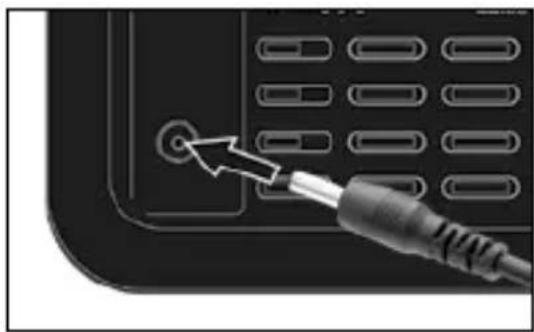
Operation with power supply unit
The device is operated using the power supply unit provided.
natural_image
Close-up of a black electronic device with a metallic cable inserted, showing a button and grid layout (no text or symbols visible)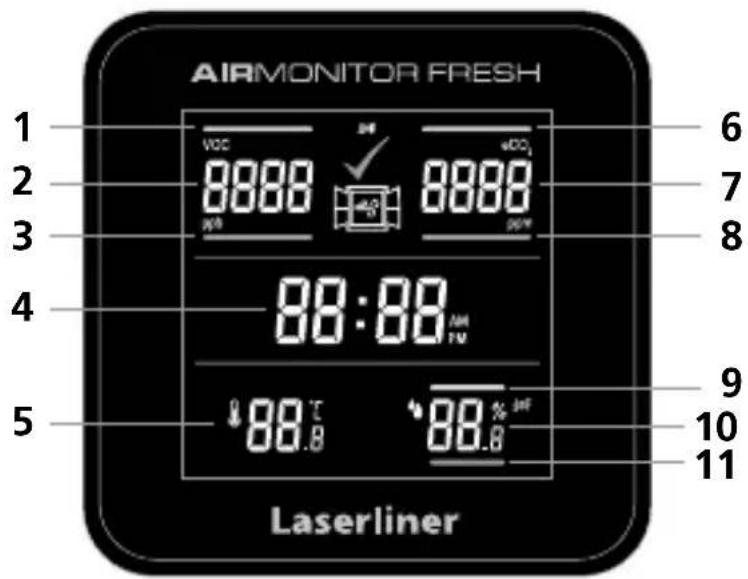
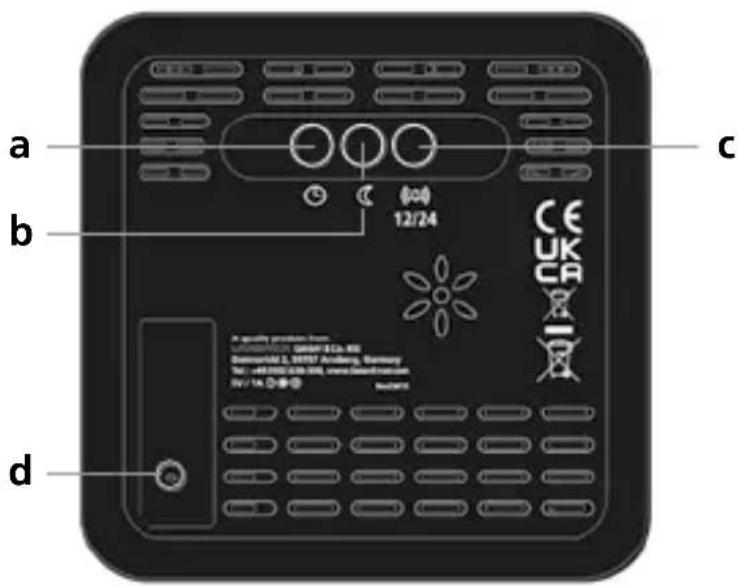
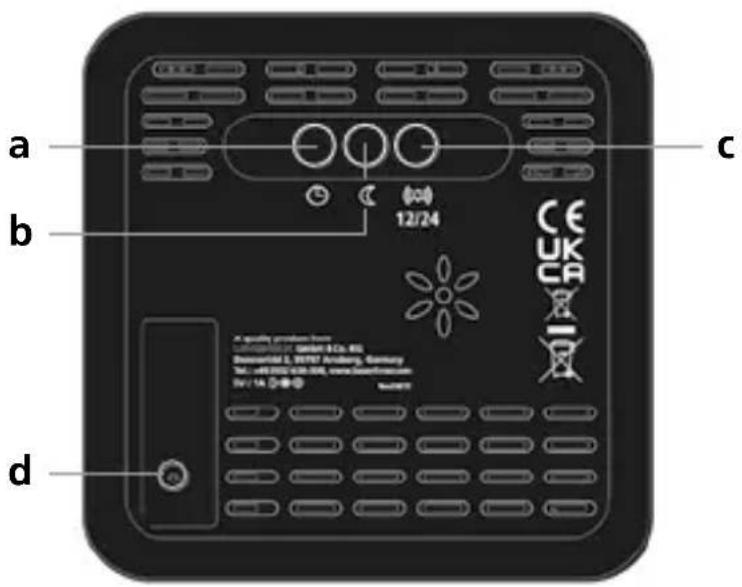
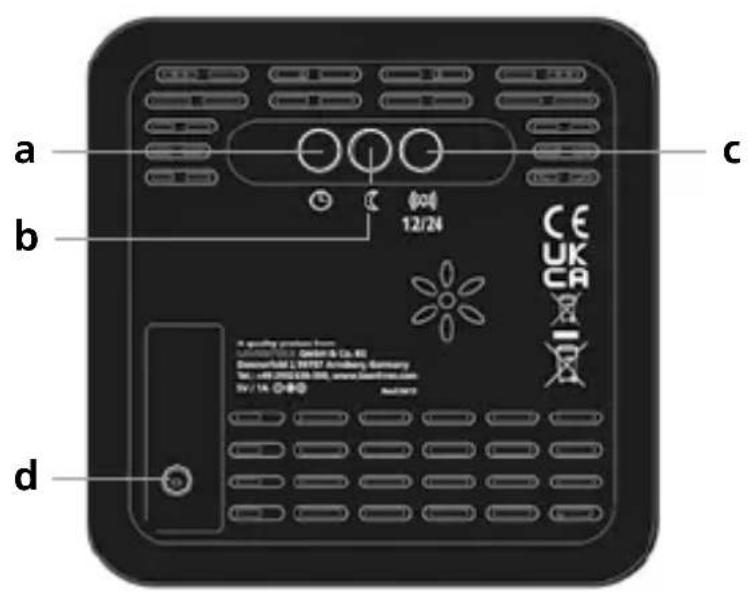
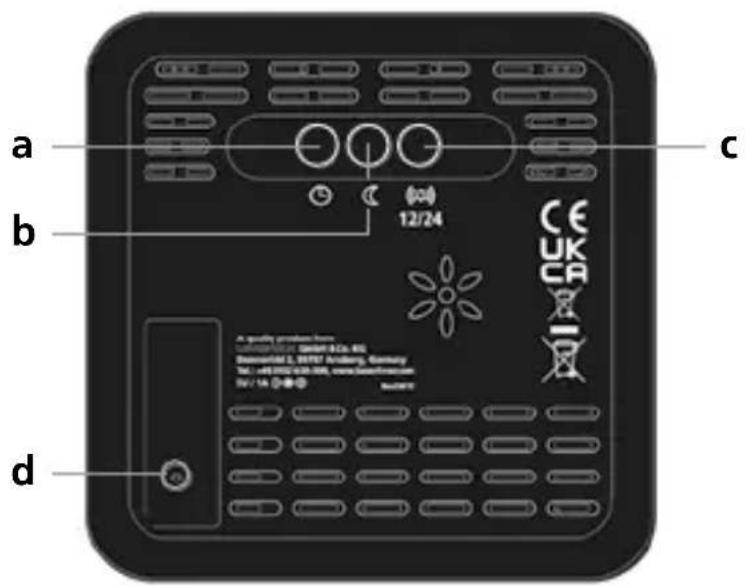
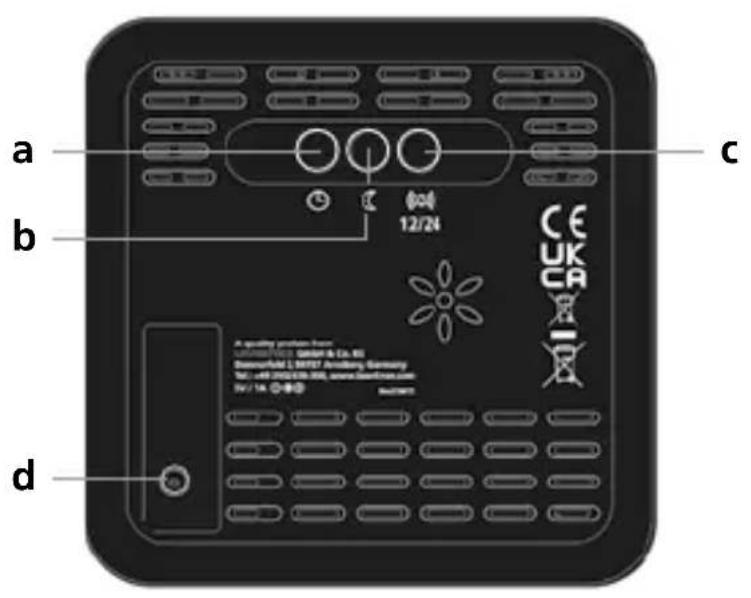
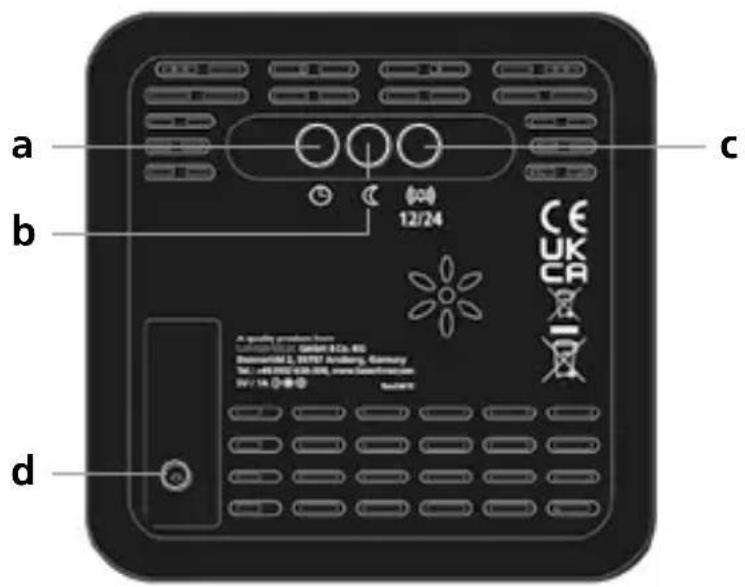
a Clock button for setting the time
b Night mode button for dimming the display at night
c Alarm button ON/OFF
Hours button for switching
between 12 and 24 hour clock
modes
d Power supply connection
1 VOC indicator display green bars: good indoor air quality
2 VOC measured value display (volatile organic compounds)
3 VOC indicator display red bars: ventilation recommended
4 Time display in 12/24 hour mode
5 Temperature display: unit of measurement °C
6 eCO 2 indicator display green bars: good indoor air quality
7 eCO _2 measured carbon dioxide display
8 eCO 2 indicator display red bars: ventilation recommended
9 eCO 2 indicator display red bars: ventilation recommended
10 rH% measured humidity display
11 rH% indicator display red bars: humidity is too high (damage to building structure) or too low (detrimental influence on health)
Symbols

Good indoor air quality

Ventilation recommended

Alarm OFF
Set time
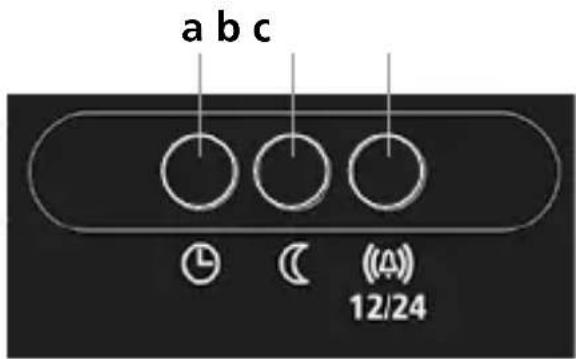
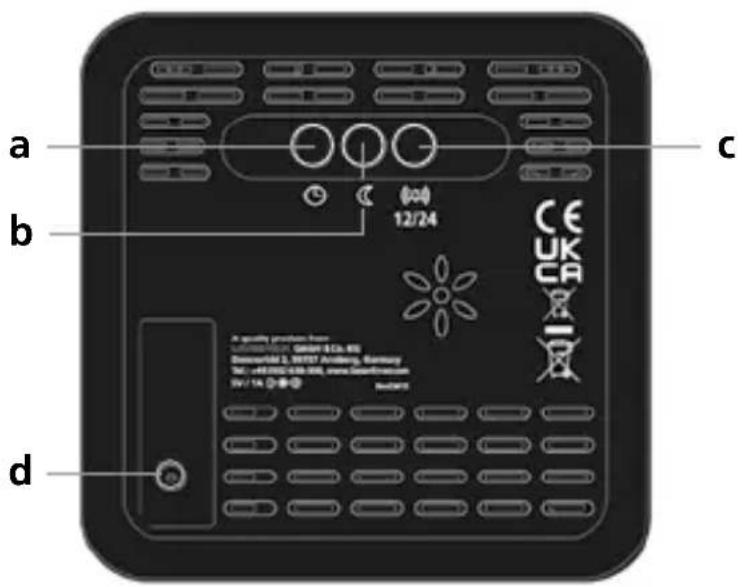
1) Hold down 'Clock' button (a) for 3 seconds. Hours display flashes.
2) To set the minutes, press the 'clock' button (a).
3) To set hours/minutes, use the 'night mode' (b) and 'alarm' (c) buttons.
Alarm setting
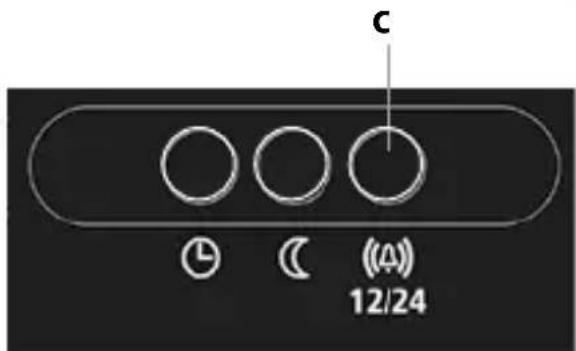
Activate the VOC, eCO _2 and humidity alarm by pressing the 'alarm button' (c).
Calibration
First use
When the device is first used, it switches to 12-hour automatic calibration mode. During this time, the measured VOC values become more and more precise and reliable.
The prerequisite for successful automatic calibration is good ventilation for approximately 10 minutes where the device is located once during the 12 hour automatic calibration.
The power supply must be continuous. If there is an interruption, the automatic calibration mode automatically restarts.
Each time the device is switched on, the sensor needs up to one minute to warm up. While this is happening, the device does not display a measured value.
If four dashes are displayed, there is no calibration or it was interrupted. If two dashes are displayed, there is calibration.
Reset
After a holiday and/or an extended period without ventilation, it makes sense to reset the calibration by pressing the 'Clock button' (a) and the 'Alarm button' (c) for more than five seconds. This deletes the current calibration and restarts the calibration process.
Saving the time and calibration values
The time and calibration values are saved for 30 minutes if the device is not connected to the power supply.
The calibration and time are no longer available if the device is disconnected from the power supply for more than 30 minutes. This results in the sensor recalibrating and the time must be reset.
VOC and eCO _2 - explanation
The VOC content of the air is given in the unit ‘parts per billion’, abbreviated to ‘ppb’. The measuring device evaluates the VOC content using the official recommendations of the German Federal Environment Agency as hygienically harmless or hygienically conspicuous.
The eCO_2 content of the air is given in the unit ‘parts per million’, abbreviated to ‘ppm’. The VOC sensor cannot detect CO_2 directly The eCO_2 value is an equivalent concentration of CO_2 which the sensor calculates using other relevant parameters.
Display indicators
| Measure-ment | Coloured indicator | Value Symbol Signal | Recommendation | ||
| VOC (PPB) | green 0 ... 400 ppb |  | |||
| red > 400 ppb |  |  | Ventilation required | ||
| eCO2 (PPM) | green 0 ... 999 ppm |  | |||
| red | ≥ 1000 ppm |  |  | Ventilation required | |
| rH% Humidity | green 30 % ... 65 % | ||||
| red < 30 % or > 65 % |  | Ventilation required | |||
Information on maintenance and care
Clean all components with a damp cloth and do not use cleaning agents, scouring agents and solvents. Store the device in a clean and dry place.
Maintenance work may only be carried out by qualified maintenance personnel. Maintenance is required if the device is damaged in any way, for example, if the power cable or plug are damaged, there has been ingress of liquids or foreign bodies into the device, if the device has been rained on or subjected to moisture, if it is no longer functioning correctly, or has been dropped.
Technical data (Subject to technical changes without notice. Rev22W48)
| Variable | VOC concentration, eCO2concentration,Ambient temperature, Humidity |
| VOC display range 0 ... 9999 ppb | |
| eCO2display range 400 ... 9999 ppm | |
| Ambient temperatureMeasuring rangeAccuracy | -9,9°C ... 50°C± 1°C |
| Humidity (relative)Measuring rangeAccuracy (absolute) | 1% ... 99%± 3% (30% ... 70%)± 5% (0% ... 30%, 70% ... 100%) |
| Sensor type Multi-pixel gas sensor | |
| Power supply | 5V/DC / 1A power supply unit |
| Operating conditions 0°C ... 40°C, max. humidity, 80% rH,no condensation, max. working altitude 2000 m above sea level | |
| Storage conditions -10°C ... 60°C, max. humidity, 80% rH,no condensation | |
| Dimensions (W x H x D) 90 x 91 x 33 mm | |
| Weight | 126 g (no power supply) |
EU directives and disposal
This device complies with all necessary standards for the free movement of goods within the EU.
This product is an electric device and must be collected separately for disposal according to the European Directive on waste electrical and electronic equipment.
Further safety and supplementary notices at:
https://laserliner.com

!
natural_image
Close-up of a black electronic device with a metallic cable inserted, showing a button and grid layout (no text or symbols visible)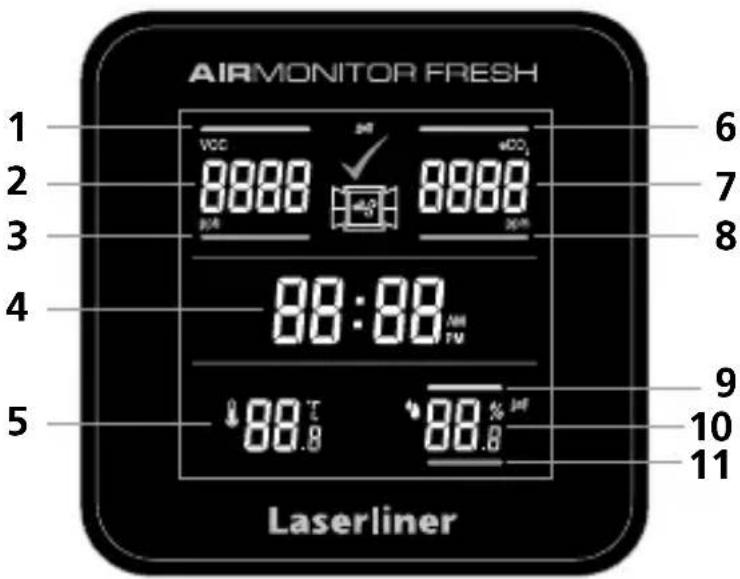
Alarminstelling
!
natural_image
Close-up of a black electronic device with a metallic cable inserted, showing a button and grid layout (no text or symbols visible)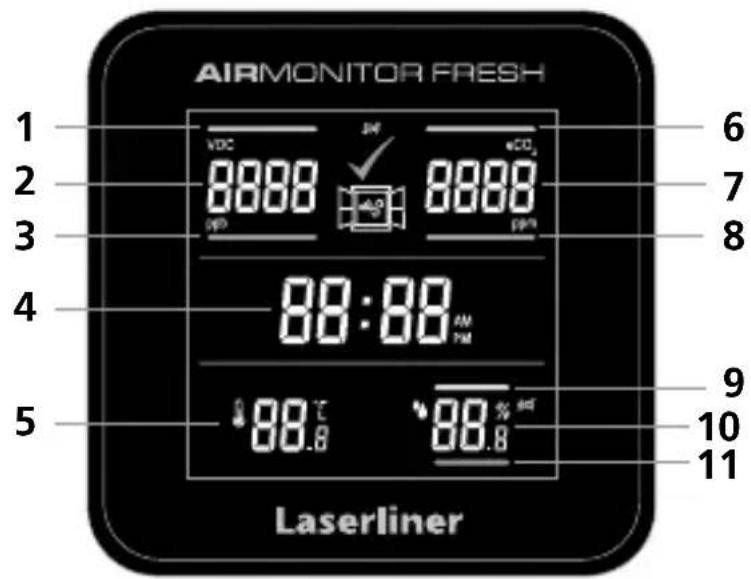
Alarmindstilling
!
natural_image
Close-up of a black electronic device's front panel with a metallic cable inserted, showing a button and arrow pointing to the control panel (no text or symbols visible)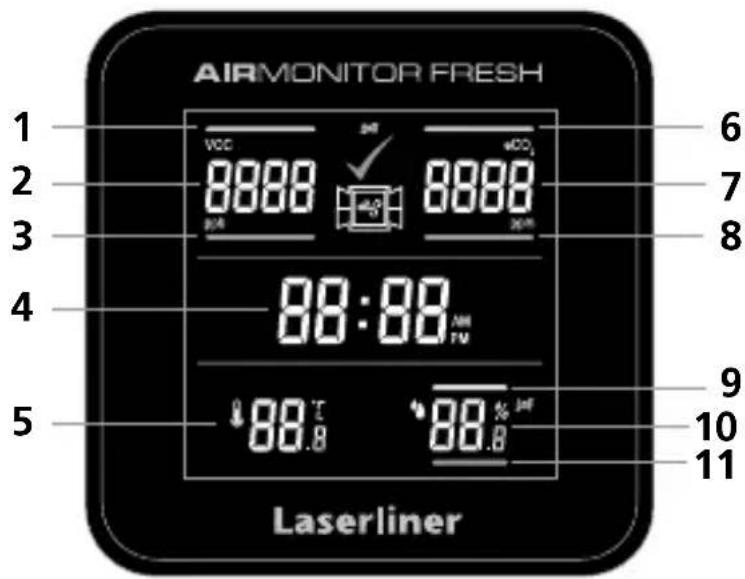
Réglage de l'alarme
!
natural_image
Close-up of a black electronic device with a metallic cable inserted, showing a button and grid layout (no text or symbols visible)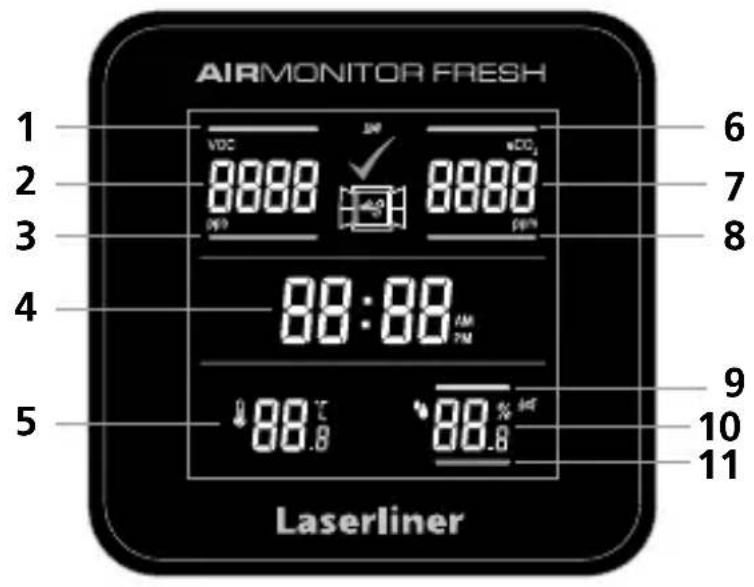
Ajuste de alarma
!
natural_image
Close-up of a black electronic device with a cable inserted, showing a button and control panel (no text or symbols visible)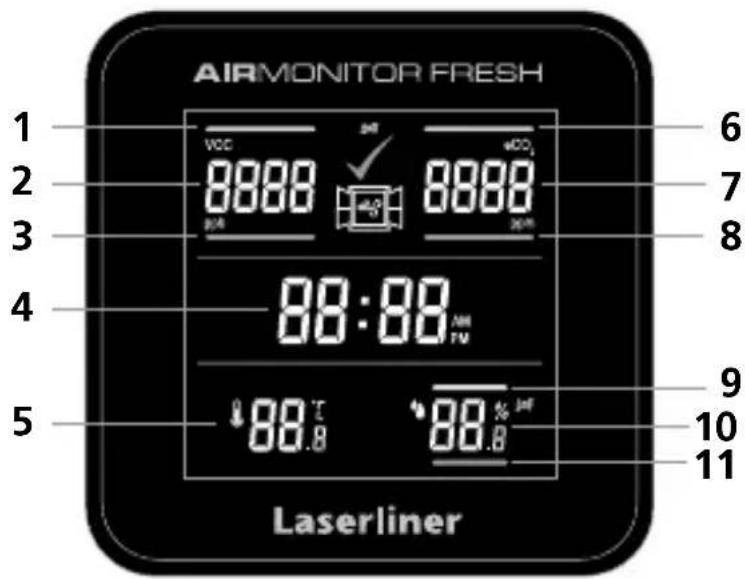
Calibrazione
!
natural_image
Close-up of a black electronic device with a metallic cable inserted, showing a button and grid layout (no text or symbols visible)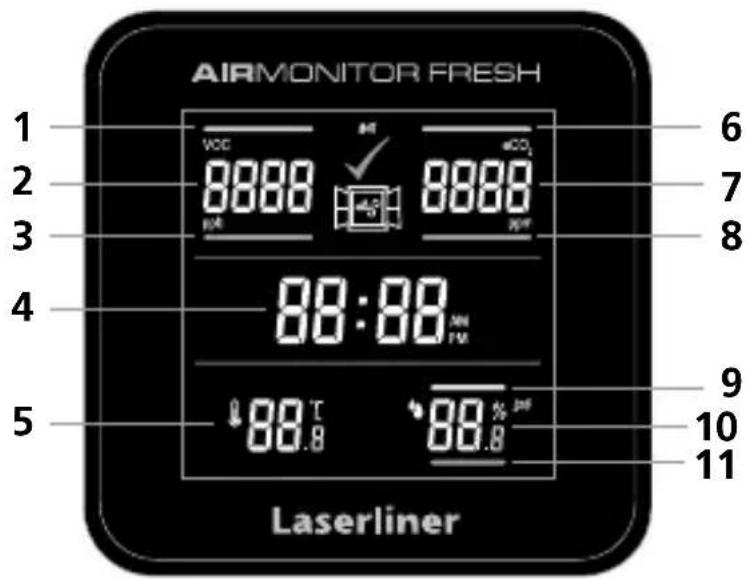
Ustawienie alarmu
Laserliner

FR
- Alarmeinstellung
- Intended use
- General safety instructions
- Safety instructions
- Operation with power supply unit
- Symbols
- Set time
- Alarm setting
- Calibration
- First use
- Reset
- Saving the time and calibration values
- VOC and eCO _2 - explanation
- Information on maintenance and care
- EU directives and disposal
- !
- Alarminstelling
- Alarmindstilling
- Réglage de l'alarme
- Ajuste de alarma
- Calibrazione
- Ustawienie alarmu
- Laserliner
Brand : Laserliner
Model : AirMonitor FRESH
Category : Measuring equipment