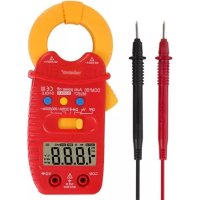
DCM100 - Measuring equipment VELLEMAN - Free user manual and instructions
Find the device manual for free DCM100 VELLEMAN in PDF.


| Brand | Velleman |
| Model | DCM100 |
| Product type | Digital clamp multimeter |
| Installation category | CAT III 600 V |
| Pollution degree | 2 |
| Display | LCD 3½ digits, 1999 counts |
| Dimensions | 131.5 x 61 x 24.8 mm |
| Weight (with batteries) | 135 g |
| Power supply | 3 AAA/LR03 batteries (1.5 V) |
| AC/DC voltage range | 200 mV to 600 V |
| AC current range | 2 A to 500 A |
| Resistance range | 200 Ω to 20 MΩ |
| Functions | Diode test, audible continuity, data hold, max hold, auto power off (15 min) |
| Range selection | Automatic and manual |
| Input impedance | 10 MΩ |
| Overload protection | 250 V DC/AC rms on resistance and diode |
| Operating conditions | Temperature 0 °C to 40 °C, max. humidity 80 %, max. altitude 2000 m |
| Maintenance and cleaning | Clean with a damp cloth and mild detergent; do not use solvents |
| Spare parts and repairability | No user-serviceable parts; replace batteries and fuse according to instructions |
| Safety | Double insulation (class II), protection against electric shock, do not use on uninsulated conductors |
Frequently Asked Questions - DCM100 VELLEMAN
User questions about DCM100 VELLEMAN
0 question about this device. Answer the ones you know or ask your own.
Ask a new question about this device
Download the instructions for your Measuring equipment in PDF format for free! Find your manual DCM100 - VELLEMAN and take your electronic device back in hand. On this page are published all the documents necessary for the use of your device. DCM100 by VELLEMAN.
USER MANUAL DCM100 VELLEMAN
CAT III 600 V
USER MANUAL 3
HANDLEIDING 13
MODE D'EMPLOI 24
MANUAL DEL USUARIO 35
To all residents of the European Union
Important environmental information about this product
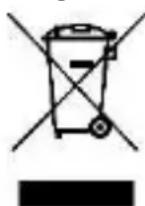
This symbol on the device or the package indicates that disposal of the device after its lifecycle could harm the environment. Do not dispose of the unit (or batteries) as unsorted municipal waste; it should be taken to a specialized company for recycling. This device should be returned to your distributor or to a local
recycling service. Respect the local environmental rules.
If in doubt, contact your local waste disposal authorities.
Thank you for choosing Velleman! Please read the manual thoroughly before bringing this device into service. If the device was damaged in transit, do not install or use it and contact your dealer.
2. Used Symbols
| AC (Alternating Current) | |
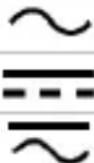 | DC (Direct Current) |
| Both AC and DC | |
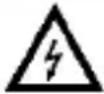 | Risk of Electric shock. A potentially hazardous voltage is possible. |
 | Caution: risk of danger, refer to the user manual for safety information.Warning: a hazardous condition or action that may result in injury or deathCaution: condition or action that may result in damage to the meter or equipment under test |
 | Double insulation (class 2-protection) |
 | Earth |
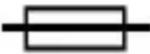 | Fuse |
 | Capacitor |
 | Diode |
 | Continuity |
3. General Guidelines
Refer to the Velleman® Service and Quality Warranty on the last pages of this manual.
 | This symbol indicates: Read instructionsNot reading the instructions and manual can lead to damage, injury or death. |
 | This symbol indicates: DangerA hazardous condition or action that may result in injury or death |
 | This symbol indicates: Risk of danger/damageRisk of a hazardous condition or action that may result in damage, injury or death |
 | This symbol indicates: Attention; important informationIgnoring this information can lead to hazardous situations. |
 | WARNING: To avoid electrical shock always disconnect the test leads prior to opening the housing. To prevent fire hazards, only use fuses with the same ratings as specified in this manual.Remark: refer to the warning on the battery compartment |
 | Avoid cold, heat and large temperature fluctuations. When the unit is moved from a cold to a warm location, leave it switched off until it has reached room temperature. This to avoid condensation and measuring errors. |
 | Protect this device from shocks and abuse. Avoid brute force when operating. |
 | Pollution degree 2-device. For indoor use only. Keep this device away from rain, moisture, splashing and dripping liquids. Not for industrial use.Refer to §8 Pollution degree. |
 | Keep the device away from children and unauthorised users. |
 | Risk of electric shock during operation. Be very careful when measuring live circuits. |
 | There are no user-serviceable parts inside the device.Refer to an authorized dealer for service and/or spare parts. |
DCM100
 | This is an installation category CAT III measuring instrument. Refer to §7 Overvoltage/installation category. |
 | Read this addendum and the manual thoroughly. Familiarise yourself with the functions of the device before actually using it. |
 | All modifications of the device are forbidden for safety reasons. Damage caused by user modifications to the device is not covered by the warranty. |
 | Only use the device for its intended purpose. Using the device in an unauthorized way will void the warranty. Damage caused by disregard of certain guidelines in this manual is not covered by the warranty and the dealer will not accept responsibility for any ensuing defects or problems. |
 | Application around and removal from UNINSULATED HAZARDOUS LIVE conductors is permitted. |
 | The current sensor must not be used on UNINSULATED conductors. |
4. Maintenance
There are no user-serviceable parts inside the device.
Refer to an authorized dealer for service and/or spare parts.
Before performing any maintenance activities, disconnect the test leads from the jacks.
For instructions on replacing battery or fuse, refer to §11 Battery and fuse replacement.
Do not apply abrasives or solvents to the meter. Use a damp cloth and mild detergent for cleaning purposes.
5. During Use
Risk of electric shock during operation. Be very careful when measuring live circuits.
- Never exceed the limit value for protection. This limit value is listed separately in the specifications for each range of measurement.
- Do not touch unused terminals when the meter is linked to a circuit, which is being tested.
- Never use the meter with CAT III installations when measuring voltages that might exceed the safety margin of 600 V above earth ground.
- Set the range selector at its highest position if the intensity of the charge to be measured is unknown beforehand.
DCM100
- Disconnect the test leads from the tested circuit before rotating the range selector in order to change functions.
- When carrying out measurements on a TV set or switching power circuits, always remember that the meter may be damaged by any high amplitude voltage pulses at test points.
- Always be careful when working with voltages above 60 VDC or 30 VAC rms. Keep your fingers behind the probe barriers at all times during measurement.
- Never perform resistance, diode or continuity measurements on live circuits. Make sure all capacitors in the circuit are depleted.
- Always hold the device behind the finger guard (see General Description, nr. 12).
- Comply with the local and national safety regulations. Use personal protective equipment, such as approved rubber gloves, face protection and flame-resistant clothing, to prevent shock and arc blast injury where hazardous live conductors are exposed.
- Do not use this device to measure a current with a frequency above 1 kHz.
- Only use this device as specified in this manual in order not to compromise the protection supplied by the device.
6. General Description
Refer to the illustration on page 2 of this manual:
- Clamp jaws
- Clamp trigger
- Selection button
- M-hold button
- D-hold button
-
Selection switch
-
Display 3 ½ digits
-
"COM" jack Insert the black (negative) test lead.
-
"VΩ▶" jack Insert the red (positive) test lead in this connector to measure voltage, resistance and frequency.
7. Overvoltage/Installation Category
DMMs are categorized depending on the risk and severity of transient overvoltage that might occur at the point of test. Transients are short-lived bursts of energy induced in a system, e.g. caused by lightning strike on a power line.
DCM100
The existing categories according EN 61010-1 are:
| CAT I | A CAT I-rated meter is suitable for measurements on protected electronic circuits that are not directly connected to mains power, e.g. electronics circuits, control signals... |
| CAT II | A CAT II-rated meter is suitable for measurements in CAT I-environments and mono-phase appliances that are connected to the mains by means of a plug and circuits in a normal domestic environment, provided that the circuit is at least 10 m apart from a CAT III- or 20 m apart from a CAT IV-environment. E.g. household appliances, portable tools... |
| CAT III | A CAT III-rated meter is suitable for measurements in CAT I- and CAT II-environments, as well as for measurements on (fixed) mono- or poly-phased appliances which are at least 10 m apart from of a CAT IV-environment, and for measurements in or on distribution level equipment (fuse boxes, lighting circuits, electric ovens). |
| CAT IV | A CAT IV-rated meter is suitable for measuring in CAT I-, CAT II- and CAT III-environments as well as on the primary supply level. Note that for all measurements on equipment for which the supply cables run outdoors (either overhead or underground) a CAT IV meter must be used. |
Warning:
This device was designed in accordance with EN 61010-1 installation category CAT III 600 V. This implies that certain restrictions in use apply that are related to voltages and voltage peaks which can occur within the environment of use. Refer to the table above.
This device is only suitable for measurements up to 600 V in CAT III
8. Pollution Degree
IEC 61010-1 specifies different types of pollution environments, for which different protective measures are necessary to ensure safety. Harsher environments require more protection, and the protection against the pollution which is to be found in a certain environment depends mainly on the insulation and the enclosure properties. The pollution degree rating of the DVM indicates in which environment the device may be used.
| Pollution degree 1 | No pollution or only dry, nonconductive pollution occurs. The pollution has no influence. (only to be found in hermetically sealed enclosures) |
| Pollution degree 2 | Only nonconductive pollution occurs. Occasionally, temporary conductivity caused by condensation is to be expected.(home and office environments fall under this category) |
DCM100
| Pollution degree 3 | Conductive pollution occurs, or dry nonconductive pollution occurs that becomes conductive due to condensation that is to be expected.(industrial environments and environments exposed to outside air - but not in contact with precipitation) |
| Pollution degree 4 | The pollution generates persistent conductivity caused by conductive dust or by rain or snow. (exposed outdoor environments and environments where high humidity levels or high concentrations of fine particles occur) |
Warning: This device was designed in accordance with EN 61010-1 pollution degree 2. This implies that certain restrictions in use apply that are related to pollution which can occur within the environment of use. Refer to the table above.
This device is only suitable for measurements in Pollution degree class 2 environments.
9. Specifications
This device is not calibrated when purchased!
Regulations concerning environment of use:
Use this meter only for measurements in CAT I, CAT II and CAT III environments (see §7).
Use this meter only in a pollution degree 2 environment (see §8).
Ideal working conditions include:
temperature: 0 °C to 40 °C (32 °F to 104 °F)
relative humidity: max. 80 %
altitude: max. 2000 m (6560 ft)
voltage 600 V
power supply 3 x 1.5 V AAA/LR03 (incl.)
display......LCD, 1999 counts
display dimensions 18 x 39 mm
over-range .... yes
continuity buzzer.....yes
diode test.....yes
low-battery indication .... yes
ranging mode .... auto/manual
data hold .... yes
backlight....
auto power-off ....yes
dimensions....131.5 x 61 x 24.8 mm
weight (with battery) 135 g
storage environment
temperature ...... -20 °C to 60 °C
humidity .... < 90 % RH
test lead probe..... CAT III 1000 V / CAT IV 600 V, 10 A; L = 84 cm
9.1 AC + DC VOLTAGE
 | Do not measure circuits that may contain voltages > 600 V AC or DC | ||
| range | resolution | accuracy | |
| AC | DC | ||
| 200 mV | 0.1 mV | / | ± (0.8 % + 3) |
| 2 V | 1 mV | ± (1.5 % + 3) | ± (1.2 % + 3) |
| 20 V | 10 mV | ||
| 200 V | 0.1 V | ||
| 600 V | 1 V | ± (1.5 % + 5) | |
Impedance: 10 MΩ
Frequency range: 40 Hz-400 Hz, 40 Hz-100 Hz on 600 V range
9.2 AC CURRENT
 | Do not measure circuits that may contain voltages > 600 V AC or DC | |
| range | resolution | accuracy |
| 2 A | 0.001 A | ± (4.0 % + 10) |
| 20 A | 0.01 A | ± (2.5 % + 5) |
| 200 A | 0.1 A | |
| 500 A | 1 A | |
Average sensing, calibrated to rms of sine wave
Frequency response: 50 Hz-60 Hz
Overload protection: 600 A rms within 60 sec
9.3 RESISTANCE
 | Do not conduct resistance measurements on live circuits | |
| range | resolution | accuracy |
| 200 Ω | 0.1 Ω | ± (1.0 % + 2) |
| 2 kΩ | 1 Ω | ± (1.5 % + 2) |
| 20 kΩ | 10 Ω | |
| 200 kΩ | 0.1 kΩ | |
| 2 MΩ | 1 kΩ | |
| 20 MΩ | 0.01 MΩ | ± (2.0 % + 3) |
Overload protection: 250 V DC or AC rms
V. 04 - 25/02/2020 9 ©Velleman nv
9.4 DIODE + AUDIBLE CONTINUITY
 | Do not conduct diode and continuity measurements on live circuits |
| range | function |
 | built-in buzzer sounds if resistance < 70 Ω ± 30 Ω |
 | testing current ± 0.6 mAopen-circuit voltage ± 1.5 V |
Overload protection: 250 V DC or AC rms
10. Operation
10.1 VOLTAGE MEASUREMENT
 | Do not measure circuits that may contain voltages > 600 V AC or DC |
 | Use extreme caution when measuring voltages higher than 60 VDC or 30 VAC rms.Always place your fingers behind the protective edges of the test probes while measuring! |
- Connect the black test lead to the "COM" jack and the red test lead to the "VΩ▼jack.
- Set the selection switch to the desired "v\~" position.
- Press the selection button to choose the AC or DC voltage measurement.
- Connect the test leads across the source under measurement.
- Read the voltage value on the LCD display.
10.2 AC CURRENT MEASUREMENT
 | Do not measure circuits that may contain voltages > 600 V AC or DC |
 | Use extreme caution when measuring voltages higher than 60 VDC or 30 VAC rms. |
- Set the selection switch to the desired "20A" or "200/500A" position.
- Open the clamp by pressing the clamp trigger and insert the cable (one cable only) to be measured into the jaw.
- Close the clamp and read the current value on the LCD display.
DCM100
Notes
- Before measurement, disconnect the test leads from the meter.
- In some occasions that the reading is hard to read, press the D-hold button and read the result later.
10.3 RESISTANCE MEASUREMENT

Do not conduct resistance measurements on live circuits. Make sure all capacitors in the circuit are depleted.
- Connect the black test lead to the "COM" jack and the red test lead to the "VΩ▼jack.
- Set the selection switch to the desired "Ω→" position.
- Press the selection button to choose the "Ω" measurement.
- Connect the test leads across the source under measurement.
- Read the value on the LCD display.
Notes
- If the resistance being measured is connected to a circuit, turn off the power and discharge all capacitors before applying the test probes.
- An over-range is indicated by OL.
10.4 DIODE MEASUREMENT

Do not conduct diode measurements on live circuits. Make sure all capacitors in the circuit are depleted.
- Connect the black test lead to the "COM" jack and the red test lead to the "VΩ▼jack.
- Set the selection switch to the desired "Ω▶+••" position.
- Press the selection button to choose the "▶" measurement.
- Connect the test leads across the source under measurement.
- Read the value on the LCD display.
10.5 CONTINUITY TEST

Do not conduct continuity measurements on live circuits. Make sure all capacitors in the circuit are depleted.
- Connect the black test lead to the "COM" jack and the red test lead to the "VΩ▼jack.
- Set the selection switch to the desired "Ω▶+••/” position.
- Press the selection button to choose the “•”)” measurement.
DCM100
- Connect the test leads to two points of the circuit to be tested. If continuity exists, the built-in buzzer will sound.
10.6 AUTO POWER OFF
When the meter has been turned on 15 minutes without any activity, the meter will automatically switch off.
10.7 DATA HOLD
Press the D-hold button to lock the displayed value. Press again to exit.
10.8 MAX HOLD
Press the M-hold button to enter the maximum data hold mode. Press again to exit.
11. Battery Replacement
 | WARNING: To avoid electrical shock always disconnect the test leads prior to opening the housing. To prevent fire hazards, only use fuses with the same ratings as specified in this manual.Remark: refer to the warning on the battery compartment |
 | There are no user-serviceable parts inside the device.Refer to an authorized dealer for service and/or spare parts. |
 | Disconnect the test leads from the test points and remove the test leads from the measuring terminals before replacing the batteries or fuses. |
- When" " is displayed, the battery should be replaced.
- Fuses rarely need replacement and blown fuses almost always result from human error.
To replace the battery:
- Switch of the meter.
- Remove the screw at the back of the case and gently open the housing.
- Remove the old battery and insert a new one.
- Close the housing and fasten the screw.
Battery: 3x AAA/LR03, make sure to respect the polarity
12. Troubleshooting
If the device acts abnormal while measuring, this means that the internal fuse is defective.
Keep in mind that a low battery level could lead to incorrect measurements. Replace the battery on a regular basis.
(tip: the reduced luminosity of the backlight/LCD display indicates a low battery level)
Use this device with original accessories only. Velleman nv cannot be held responsible in the event of damage or injury resulting from (incorrect) use of this device. For more info concerning this product and the latest version of this manual, please visit our website www.velleman.eu. The information in this manual is subject to change without prior notice.
© COPYRIGHT NOTICE
The copyright to this manual is owned by Velleman nv. All worldwide rights reserved. No part of this manual may be copied, reproduced, translated or reduced to any electronic medium or otherwise without the prior written consent of the copyright holder.
HANDLEIDING
1. Inleiding
10.3 WEERSTANDSMETING

10.7 DATA-HOLD FUNCTIE
10.1 MESURER LA TENSION
testowanie diod......tak
Velleman® Service and Quality Warranty
Since its foundation in 1972, Velleman® acquired extensive experience in the electronics world and currently distributes its products in over 85 countries.
All our products fulfil strict quality requirements and legal stipulations in the EU. In order to ensure the quality, our products regularly go through an extra quality check, both by an internal quality department and by specialized external organisations. If, all precautionary measures notwithstanding, problems should occur, please make appeal to our warranty (see guarantee conditions).
General Warranty Conditions Concerning Consumer Products (for EU):
- All consumer products are subject to a 24-month warranty on production flaws and defective material as from the original date of purchase.
- Velleman® can decide to replace an article with an equivalent article, or to refund the retail value totally or partially when the complaint is valid and a free repair or replacement of the article is impossible, or if the expenses are out of proportion.
You will be delivered a replacing article or a refund at the value of 100% of the purchase price in case of a flaw occurred in the first year after the date of purchase and delivery, or a replacing article at 50% of the purchase price or a refund at the value of 50% of the retail value in case of a flaw occurred in the second year after the date of purchase and delivery.
- Not covered by warranty:
- all direct or indirect damage caused after delivery to the article (e.g. by oxidation, shocks, falls, dust, dirt, humidity...), and by the article, as well as its contents (e.g. data loss), compensation for loss of profits;
- consumable goods, parts or accessories that are subject to an aging process during normal use, such as batteries (rechargeable, non-rechargeable, built-in or replaceable), lamps, rubber parts, drive belts... (unlimited list);
- flaws resulting from fire, water damage, lightning, accident, natural disaster, etc....;
- flaws caused deliberately, negligently or resulting from improper handling, negligent maintenance, abusive use or use contrary to the manufacturer's instructions;
- damage caused by a commercial, professional or collective use of the article (the warranty validity will be reduced to six (6) months when the article is used professionally);
- damage resulting from an inappropriate packing and shipping of the article;
- all damage caused by modification, repair or alteration performed by a third party without written permission by Velleman®.
- Articles to be repaired must be delivered to your Velleman® dealer, solidly packed (preferably in the original packaging), and be completed with the original receipt of purchase and a clear flaw description.
- Hint: In order to save on cost and time, please reread the manual and check if the flaw is caused by obvious causes prior to presenting the article for repair. Note that returning a non-defective article can also involve handling costs.
- Repairs occurring after warranty expiration are subject to shipping costs.
- The above conditions are without prejudice to all commercial warranties.
The above enumeration is subject to modification according to the article (see article's manual).
NL
- TO ALL RESIDENTS OF THE EUROPEAN UNION
- IMPORTANT ENVIRONMENTAL INFORMATION ABOUT THIS PRODUCT
- IF IN DOUBT, CONTACT YOUR LOCAL WASTE DISPOSAL AUTHORITIES
- USED SYMBOLS
- GENERAL GUIDELINES
- DCM100
- MAINTENANCE
- DURING USE
- GENERAL DESCRIPTION
- OVERVOLTAGE/INSTALLATION CATEGORY
- WARNING
- POLLUTION DEGREE
- SPECIFICATIONS
- 9.1 AC + DC VOLTAGE
- 9.2 AC CURRENT
- 9.3 RESISTANCE
- 9.4 DIODE + AUDIBLE CONTINUITY
- OPERATION
- 10.1 VOLTAGE MEASUREMENT
- 10.2 AC CURRENT MEASUREMENT
- NOTES
- 10.3 RESISTANCE MEASUREMENT
- 10.4 DIODE MEASUREMENT
- 10.5 CONTINUITY TEST
- 10.6 AUTO POWER OFF
- 10.7 DATA HOLD
- 10.8 MAX HOLD
- BATTERY REPLACEMENT
- TO REPLACE THE BATTERY
- TROUBLESHOOTING
- © COPYRIGHT NOTICE
- HANDLEIDING
- INLEIDING
- 10.3 WEERSTANDSMETING
- 10.7 DATA-HOLD FUNCTIE
- 10.1 MESURER LA TENSION
- VELLEMAN® SERVICE AND QUALITY WARRANTY
- GENERAL WARRANTY CONDITIONS CONCERNING CONSUMER PRODUCTS (FOR EU)
- NOT COVERED BY WARRANTY
- THE ABOVE ENUMERATION IS SUBJECT TO MODIFICATION ACCORDING TO THE ARTICLE (SEE ARTICLE'S MANUAL)
- NL
Brand : VELLEMAN
Model : DCM100
Category : Measuring equipment