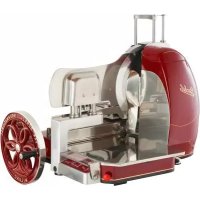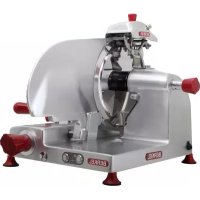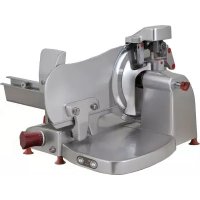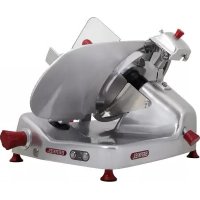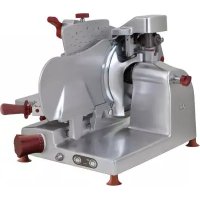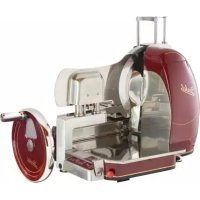
B116A - Food slicer Berkel - Free user manual and instructions
Find the device manual for free B116A Berkel in PDF.


User questions about B116A Berkel
0 question about this device. Answer the ones you know or ask your own.
Ask a new question about this device
Download the instructions for your Food slicer in PDF format for free! Find your manual B116A - Berkel and take your electronic device back in hand. On this page are published all the documents necessary for the use of your device. B116A by Berkel.
USER MANUAL B116A Berkel
- Control display
- Slice deflector
- Top clamp
- Meat table
- Carriage
- Flywheel operating handle
- Flywheel
- Casing
- Blade protection
- Vertical sliding top clamp
- Blade guard
- Foot
- Blade
- Sharpener
- Table attach/release knob
- Emergency stop pushbutton
- Presser rack grip
DESCRIPTION
Flywheel slicer machine, equipped with a circular blade, suitable for cutting only the food products of the types and within the dimensional limits indicated in this manual. The main parts of the machine are shown in the general component diagram reported in picture 2. Electrical diagrams are reported in picture 1.
DECLARATION OF CONFORMITY
The machines described in this manual comply with Directives 2006/42/CE, 2006/95/ CE, 2004/108/CE, 2003/108/ CE, 2011/65/CE, Regulation (EC) 1935/2004 and related harmonized standards as EN 1974:1998 +A1, EN60204-1, EN60335-1, EN60335-2-64.
CE
SAFETY
The machines described in this manual comply with the latest European hygiene and safety standards.
Pay attention to the following basic safety precautions:
- read all the instructions before using the machine;
- this product is not intended to be used by children;
- operate the machine only if properly trained and in perfect psycho-physical conditions;
- do not use the machine in any way other than what indicated in this manual;
- use the machines only in full structural, mechanical and system efficiency;
install the machine in conformity to the instructions
indicated in the "Installation" section;
- install the machine in a location out of the reach of personnel unauthorized to operate it and especially out of the reach of minors;
- stay highly concentrated when using the machine and avoid any distraction during use;
- do not allow the machine to be used by others who have not read and fully understood the content of this manual;
- do not wear baggy clothing or clothing with open sleeves;
- do not allow anyone else, other than the operator, to approach during product cutting operations;
- do not remove, cover or modify the tags located on the machine body and, in case of damage of these, replace them promptly;
- do not remove, modify or bypass any mechanical protective devices;
- slice only the permitted products, do not attempt cuts on prohibited type products;
- always keep clean and dry the sliced product resting surface, the work area all around the machine and the operator floor area;
- do not use the machine as a resting surface and do not place any objects on it other than food used for cutting operations;
- do not use the slicer when, due to normal wear, the distance between the edge of the blade and the blade guard ring exceeds 6mm . In this case, contact the manufacturer or one of the Authorized Service Centers to change the blade;
- do not use the machine with temporary or non-insulated cables, power strips or exten
sion cords;
periodically check the condition of the power supply cord on the machine body. When necessary, have qualified personnel replacing it;
-
immediately stop the machine in the event of a defect, abnormal operation, suspicion of breakdown, incorrect movement, unusual noises;
-
before cleaning or carrying out maintenance, disconnect the machine from the electrical supply;
-
immediately stop the machine in the event of a defect, abnormal operation, suspicion of breakdown, incorrect movement, unusual noises;
-
use protective gloves for cleaning and maintenance operations;
-
place and remove the goods to be sliced on the sliding plate only with the carriage completely pulled back and put the blade protection in safety position;
-
for movement of the meat table during cutting operations use only the flywheel;
-
never put your hands on the food product while slicing. Always keep your hands far from the blade;
-
use of cutting accessories which were not provided by the manufacturer with the machine is prohibited.
The manufacturer declines any responsibility coming from inappropriate use, modifications and/or repairs carried out by the user or unauthorized personnel, use of replacement parts, which are not original or not specific for the machine model.
Operating conditions:
- Temperature from -5^ to
+40°C
- Max. humidity 95%
DO NOT SLICE:
- frozen food products;
- food products with bones;
- vegetables in general
- any other product not intended for food use.
Residual risks
The safety ring around the blade protects the operator from incidental contact with the blade although, in order to allow the sharpening operations, the protection in the sharpening area may not entirely eliminate the risk of cutting.

WARNING! during the blade cleaning and sharp
ening operations, pay extra attention to keep your hands as far as possible from the unprotected area. Use of protective gloves is recommended.
INSTALLATION
OF THE MACHINE
If you do not use the stand (optional), install the machine on a flat, smooth and dry surface suitable for supporting the weight of the machine itself plus the goods to be sliced. The recommended height of the worktop is approximately 80 cm. Lift the machine carefully and insert all the feet in the specific lodgings in the base. For some models, the front support feet can be unscrewed and placed in the desired position depending on the depth of the worktop.
To prevent damage, some models are packaged separately from the disassembled flywheel during transport. If the
received machine flywheel is not assembled, follow these instructions:
-
insert the flywheel on the shaft, checking correct correspondence with the flywheel-shaft sleeve holes (Fig. 3-A);
-
insert the taper pin in the sleeve with the tapered end (smaller diameter) turned toward the sleeve itself (Fig. 3-B);
WARNING! If the pin is correctly positioned, it will insert almost entirely without being forced.
- hammer down the pin to insert it fully.
The machine must be installed in the immediate vicinity of an EEC standard outlet connected to an electrical supply system which is in conformity with the prevailing regulations for:
- magneto-thermic protection;
- automatic differential switch;
- earthing system.
Before carrying out electrical hook up verify that the characteristics of the electrical power supply is in accordance with those indicated on the machine information plate.
- Connect the machine to the power outlet
- Make sure that the sharpening device protection cover is positioned correctly (closed).
- Make sure that the emergency stop button is not pressed.
- Connect the electrical machine equipment to the mains, pressing button A on/off (LED on).
OPERATION
- Make sure that the sharpening device protection cover is
positioned correctly (closed).
- Make sure that the emergency stop button is not pressed. Press the red button all the way down (Fig. 4-A) to activate the stop function for all machine activations. Once activated, the emergency stop button stays in position (self-hold). To restart machine operation, rotate button in the clockwise direction and set it to the raised run consent position (Fig. 4-B).
- Press button (A) on/off (LED on).
- Manually activate the flywheel, move the carriage with the meat table toward the operator side (Fig. 5).
- Move the meat table (away from the front blade guard plate) just enough in order to cut the desired amount of product, press the button (E);
WARNING! To avoid problems with cutting (irregular thickness, incomplete slices, etc.), it is best not to set out too much product from the presser arm. If necessary if cutting a considerable quantity of product is necessary, reposition the product multiple times, re-locking the presser arm. - Set the product to be sliced on the meat table, resting the part to be cut against the front blade guard plate and lock it using the meat table arm.
WARNING! If the product has already been processed, correctly align the "cutting plate" preceding the front blade guard plate - If necessary, move the product to the front blade guard plate using the button (E).
WARNING! Quickly release the button (E) to avoid pressing the product against the front blade guard
plate. A safety device will stop the motor, stopping carriage feeding, but excessive product pressing against the plate could cause the first slice to be coarse and irregular.
- Set the desired slice thickness by means of the buttons (F).
- Slice thickness can be increased 5 hundredths of a millimetre at a time up to 1 millimetre of thickness. After one millimetre, the increase is 0.1mm at a time up to 7mm of thickness.
- Activate the blade by pressing the button (B).
SEMI-AUTOMATIC OPERATION FOR MODELS: Semi-automatic Volano B116SA, Automatic Volano B116A

WARNING! The AUTOMATIC VOLANO
B116A MODEL can be used both in semi-automatic and in automatic mode.
- Press and hold the blade start button with the left hand and activate the flywheel, having it rotate in the clockwise direction. When the blade guard plate moves, release the button (B) and continue turning the flywheel. The product will feed forward and a slice of the previously set thickness will be obtained.
TEMPORARY STOP
- Rotate the flywheel until the carriage is moved completely toward the operator, then stop rotation and stop the blade by pressing the button (I). The front blade guard plate will return to the original closed position.

WARNING! Stop fly-wheel rotation and, after
approximately 20 seconds, the front blade guard plate will automatically return to the original position.
FINAL SHUT-DOWN
- After having followed the instructions for a temporary stop, complete shut-down by pressing the button (A).
- Enable the slice counter function (G) (LED on). Set the number of slices to be cut.

WARNING!
Counter not enabled: y 000, continuous cut
Counter enabled: the number of slices to be cut, from 001 to 999, can be set on the display.
WARNING! An acoustic signal will warn the operator when the set number of slices has been reached.
AUTOMATIC OPERATION
- Completely rotate the carriage speed adjustment knob (D) in the anticlockwise direction.
- If you wish to slice automatically, switch on the slice counter device (G) (LED on) and set the number of slices by means of the buttons (H).

WARNING! If no number has been set and 000
appears on the display: cutting is not permitted.
- Fold down the flywheel grip, pulling it toward the operator, and reposition it against the flywheel itself.
- Start cutting operations by starting up the carriage (C). The product will feed forward and a slice of the previously set thickness will be obtained.
- To adjust speed, rotate the knob (D) in the clockwise direction.
DURING CUTTING
- The counter can be enabled or disabled (G).
- The value set on the slice counter display (H) can be edited.
- TEMPORARY STOP
- Press the button (L) and wait for the carriage to stop.
- Stop the blade (I); the front blade guard plate will move transversely, returning to the original closed position.
WARNING! To prevent the carriage from blocking during cutting, never stop the blade before stopping the carriage. Stop carriage movement and the front blade guard plate will move automatically after 20 seconds, returning to its original position.
- To re-start cutting, start the blade by pressing the button (B) and repeat the operations listed in the paragraph on "AUTOMATIC OPERATION".
WARNING! After a temporary stop with the counter enabled, cutting will re-start with the slice counter display showing the residual value.
WARNING! Cutting can be started in manual mode by rotating the flywheel in the clockwise direction before the front blade guard plate repositions. FINAL SHUT-DOWN
- Perform operations as with a temporary stop and then press the button (A).
EMERGENCY STOP
- For immediate blade stop, press the red mushroom-shaped button (Fig. 4-A) all the way down. In automatic operating mode, also check that the carriage has stopped.
WARNING! The button (Fig. 4-A) maintains its
position when activated. RESET AFTER AN EMERGENCY STOP
- Rotate the button in the clockwise direction and bring it to the raised position (Fig. 4-B): the blade cover gauge plate will return to its original position. Resume cutting activity in the preferred mode.
ERROR MESSAGES ON THE "SLICE THICKNESS" AND "NUMBER OF CUTS" DISPLAYS
Upon blade start-up:
- 00 - Err: emergency stop button activated - solution: rotate the button in the clockwise direction;
2.03 - Err: blade not present or incorrectly positioned - solution: check correct blade position; - 05 - Err: set number of cuts = 0 - solution: deactivate the counter or set a value.
Upon carriage start-up in automatic mode:
- 06 - Err: meat table against the front blade guard plate - solution: move the meat table away by pressing the button (E);
2.07 - Err: meat table not present - solution: verify correct table positioning.
WARNING! If error signals persist even after the appropriate checks have been made, contact Van Berkel International service assistance (see the par. on "Assistance").
During blade sharpening:
- 01 - SHR: if the mobile blade guard opens or is not present during sharpening device cover lifting;
2.02 - SHR: when the sharp
ening device is lifted;
- 03 - SHR: when the sharpening device is rotated toward the blade in the working position.
PROGRAMMING
SETTING PARAMETERS
Make sure that the slicer is in "final shut-down" mode and press the slice counter increase/decrease buttons at the same time to access parameters as follows:
- ACOUSTIC SIGNAL ENABLE (00 o 01)
PARAMETER P.00
DEFAULT VALUE: Press the + and - buttons to edit the value:
default value 00: acoustic signal only in the event of anomalies or at the end of work; default value 01: acoustic signal also when each button is pressed.
To go to the next parameter, press the + and - buttons.
2.AUTOMATIC SHUT-DOWN ENABLE (from 00 to 99)
PARAMETER P.01
DEFAULT VALUE: press + and - buttons of the default value to set minutes:
default value 00: disables this function;
default value from 01 to 99: sets the minutes after which the slicer will switch off automatically.
3.AUTOMATIC BLADE ROTATION STOP (from 00 to 99)
PARAMETER P.02
DEFAULT VALUE: press + and - buttons of the default value:
default value 00: disables this function;
default value from 01 to 99: sets the minutes after which the slicer will switch off auto
matically.
4.PRODUCT DISTANCE AWAY FROM BLADE (from 00 to 99)
After cutting slices, the carriage returns toward the operator, rubbing the product against the blade. When a distance is set, the carriage can move away from the blade before returning toward the operator, avoiding product rubbing.
PARAMETER P.03
DEFAULT VALUE: allows the user to set the distance between the meat table and the blade during the table return phase.

WARNING!! The default values corresponding to relative parame must not be changed.
DEFAULT VALUE: 10 - PARAMETER: P04
DEFAULT VALUE: 20 - P A R AMETER: P05
DEFAULT VALUE: 20 - P A R AMETER: P06
DEFAULT VALUE: 10 - PA- RAMETER: P07
DEFAULT VALUE: 08 - P A R AMETER: P09
DEFAULT VALUE: 15 - PARAMETER: P10
- AUTOMATIC FRONT BLADE GUARD PLATE CLOSING DELAY TIME (from 00 to 25)
PARAMETER P.08
DEFAULT VALUE: allows the user to set the maximum time that the carriage is stopped (no operations in progress) before the front blade guard plate automatically re-closes.
Default value 00: automatic closing is disabled; therefore, the plate only re-closes when the blade is shut down.
Press the button (A) (LED)
on) to go from programming mode to operating mode. All data previously displayed will be confirmed when you exit from programming mode. For final meat slicer shutdown, press the button (A) (LED off) again.
CLEANING
Clean the machine at the end of their use and always before using, after a long period of inactivity. Use cut and tear resistant gloves and perform all operations with great care.
Products for cleaning: use only water and biodegradable mild detergent, using a soft, spongy cloth and a semi-rigid nylon brush for the sharp areas of the plate and the product holder. Do not clean the machine with jets of water or steam or similar methods.
WARNING! Disconnect the machine from sources of energy and move the slice thickness adjuster to zero before performing cleaning operations.
WARNING! Ventilation grille control. The grille for forced ventilation of the motors (Fig. 6) is found at the bottom of the machine. Keep the exhaust slots free, cleaning them periodically with a bottle brush.
DISMANTLING
- Check that the guard is covering the blade properly (9).
- Loosen the two grips and slide off the rack (20).
-
Loosen the meat table locking lever in the anticlockwise direction to free it and remove it.
-
Rotate the slice deflector, moving it away from the blade.
- Remove the pan.
- Lift the sharpening device guard cover, then remove the mobile guard on the back (Fig. 7).
CLEANING
- The blade: press a damp cloth on the surface of the blade and move it slowly from the center toward the outside on the blade cover side and the opposite side. In the same way, dry it using a dry cloth;
WARNING! Never activate the flywheel while cleaning the blade.
- the safety ring: use a soft brush to clean the area between the blade and the safety ring;
WARNING! Sharp blade, cutting hazard! When the blade is not covered by the guard, be extremely careful to keep your hands as far away from the unprotected area as possible.
-
the machine body: use a damp cloth or a sponge. Dry carefully;
-
grinding wheel: lift the sharpener together with its support column. Tighten the grip (Fig. 9, A) and remove the grinding wheel. Remove dirt and grease using a nylon brush.
MAINTENANCE
Blade Sharpening
The frequency and duration of sharpening depends on the use made of it.
WARNING: Sharp blade, cutting hazard!
When the blade is not covered by the guard, be extremely careful to keep your hands as far away from the unprotected
area as possible. Use protective gloves.
Follow the instructions below for sharpening the blade:
- Clean the blade, freeing it of residual grease.
- Make sure that the machine is off but that the power cable plug is inserted into the corresponding electrical outlet.
- Check that the guard is covering the blade properly.
- Move the meat table away from the blade.
- Lift the sharpener cover (Fig. 10-A).
- Lift the sharpener: the outer blade cover will automatically move transversely (Fig. 10-B).
- Rotate the sharpener in the direction of the blade (Fig. 10-C).
- Carefully lower the sharpener. The blade will be automatically centred between the two grinding wheels thanks to the action of the stop spring (Fig. 10-D).
- Press the button (A) on-off, then start the blade by pressing the button (B).
- Press the sharpening button (1) for approximately 10-15 seconds and, at the same time, pull the lever 2 on the deburring wheel for a few seconds (Fig. 10-E).
- Release the two wheels at the same time. Sharpening and deburring occur simultaneously.
- Once sharpening has been completed, stop the blade and release the retaining spring on the sharpener, then lift it and rotate it to move it to its original position. The outer blade cover will move transversely, moving to its original position.
- Lower the sharpener cover.
WARNING: risk of damages! Do not over-ex
tend (no more than 2-3 seconds) the deburring operation to avoid damaging the blade.
Lubrication (Fig. 9)
Place a few drops of oil in the corresponding lubricating point.
- Carriage bar lubricating point (Fig. 11-A). Briefly activate the flywheel to slide the carriage a few times.
- Presser lubricating point (Fig. 11-B).
Only use oils without acids for lubrication (Vaseline oil is recommended). Do not use vegetable oils.
SERVICE
No user-serviceable parts are inside. Refer servicing to qualified personnel. All the repair and replacement operations (like blade replacement, repair of structural parts, repair and/or re-placement of sub-base-plate components, or similar) shall be executed exclusively by personnel authorized by the manufacturer.
In the event service is needed, you may return your food slicer to the manufacturer or to one of the Authorized Service Centers. For information about service, centers please contact us at:
service@berkelinternational.com.

WARNING: risk of injury from sharp blade!
The blade replacement is mandatory if distance between the edge of the blade and the internal edge of the guard exceeds 6mm
WARRANTY AND RESPONSIBILITY
The manufacturer supplies The
manufacturer supplies machines with a limited warranty of 24 months from the purchasing date. The warranty is extended only to defects that arise under intended use conditions and proper use. The warranty does not cover defects resulting from faults caused by transport, purchases or negligence, improper installation, unauthorized interventions, natural wear and tear greater than 10% of the nominal value. Moreover, the warranty does not cover components intrinsically subject to wear, such as blades and grinders, except in the event of evident manufacturing defects.
The manufacturer declines any direct and indirect responsibility coming from:
-
failure to observe the instructions in this manual;
-
use which does not conform to prevailing specific regulations in the country of installation;
- unauthorized modifications and/or repairs carried out on the machine;
-
use of non-original accessories and replacement parts;
-
exceptional events. machine automatically defaults the manufacturer's liability for the machine in question with the exception of observance of directive 2006/42/CE (liability for any manufacturing defects of the product).
The Identification tag on the base-plate indicates manufacturer, machine, technical information and CE marking.
DEMOLITION
OF THE SLICER
The machines are comprised of:
- aluminum alloy structure;
- inserts and various components and stainless steel;
- electrical parts and electrical cables;
- electric motor;
- plastic material, etc.
If dismantling and demolition are entrusted to third parties, use only companies authorized for disposal of the above-mentioned materials.
The appliance complies with the EU Directive 2012/19/UE. Packaging materials and appliances contain recyclable materials. Your appliance contains valuable materials that can be recovered or can be recyclable. Separation of the remaining waste materials into different types facilitates the recycling of valuable raw materials. Leave the appliances at a collection point. You can obtain information on disposal from your local authorities.
Troubleshooting
| PROBLEM REASON REMEDY | ||
| Excessive resistance to cutting of the product | The blade is dull Sharpen the blade | |
| The machine does not start when the on button is pressed | Lack of power or defective control circuit | Check that the plug has been correctly inserted. If the machine still does not start, contact the service center |
| Excessive resistance in motion of the sliding components (product holder, carriage) | The lubrication of the sliding guide may not be sufficient | Carry out periodical lubrication as described in this manual |
VOLANO B116SA-B116A
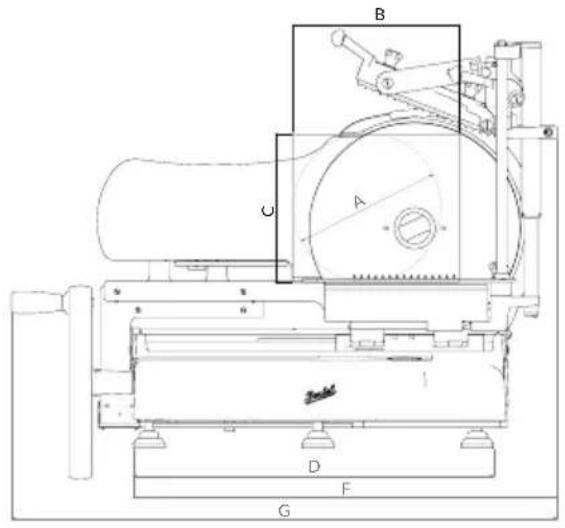
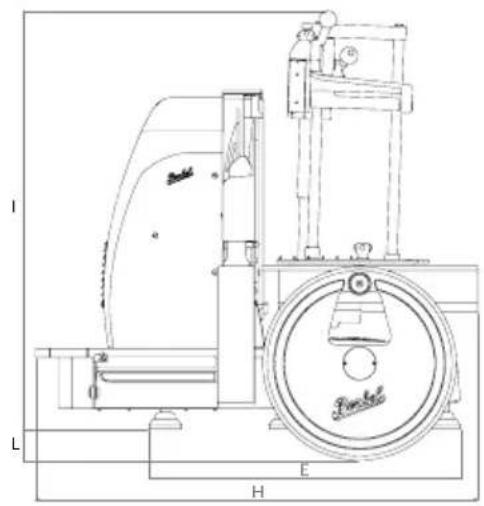
| B116SA B116A | ||
| A 260 mm 260 mm | ||
| B 290 mm 290 mm | ||
| C 260 mm 260 mm | ||
| D 590 mm 590 mm | ||
| E 550 mm 550 mm | ||
| F 755 mm 755 mm | ||
| G 960 mm 960 mm | ||
| H 780 mm 780 mm | ||
| I 720 mm 720 mm | ||
| L 55 mm 55 mm | ||
| SPECIFICATIONS | ||
| Circular cutting capacity 260 mm | 260 mm | |
| Rectangular cutting capacity 290x260h mm 290x260h mm | ||
| Max slice thickness 7 mm 7 mm | ||
| Motor rating | 0,75 kW | 0,75 kW |
| Blade diameter | 370 mm 370 mm | |
| Electrical specification | 230V 50Hz - 1ph. 400V 50Hz - 3ph. | 230V 50Hz - 1ph. |
| Weight | 100 kg 100 kg | |
Note: As we actually strive to improve our products, specifications are necessarily subject to change without notice.
MANUALE D'USO: AFFETTATRICE AUTOMATICA A VOLANO - VERSIONE EU
MODELLI: Volano B116SA, Volano B116A
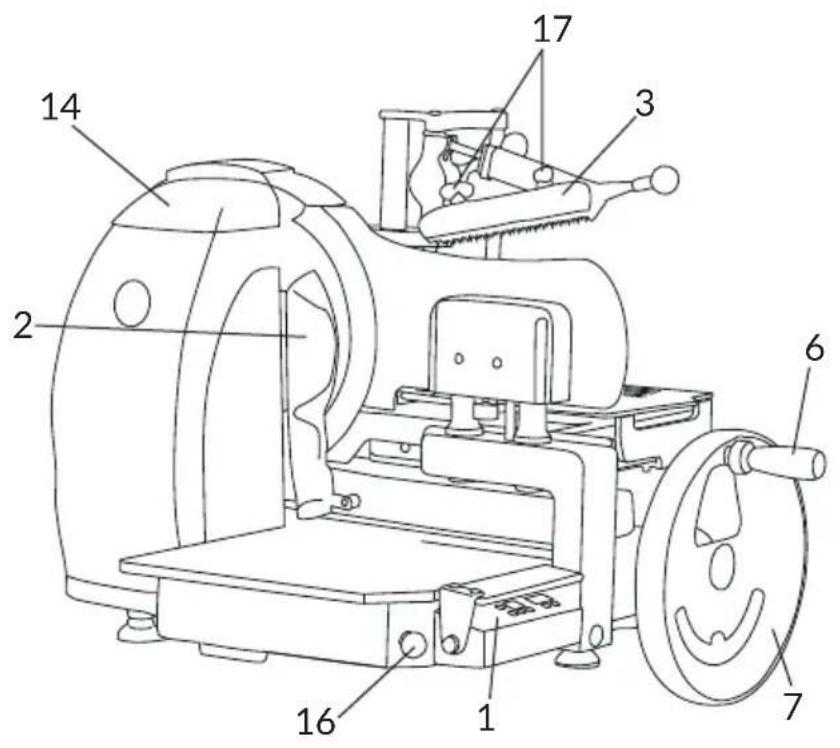
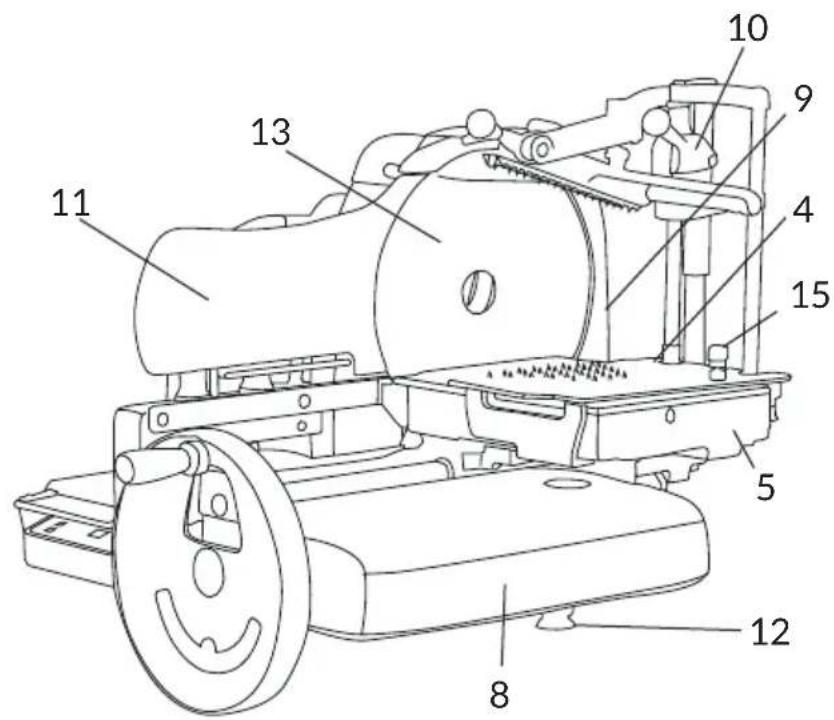
Fig. 2
COMPONENTI PRINCIPALI
Lubrification (Fig. 9)
ADVARSEL! Sliceren maybe heke startes, mens ren-gen udfore's.