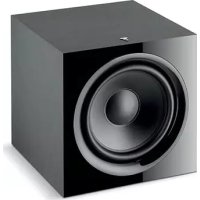
SUB 600P - Subwoofer FOCAL - Free user manual and instructions
Find the device manual for free SUB 600P FOCAL in PDF.

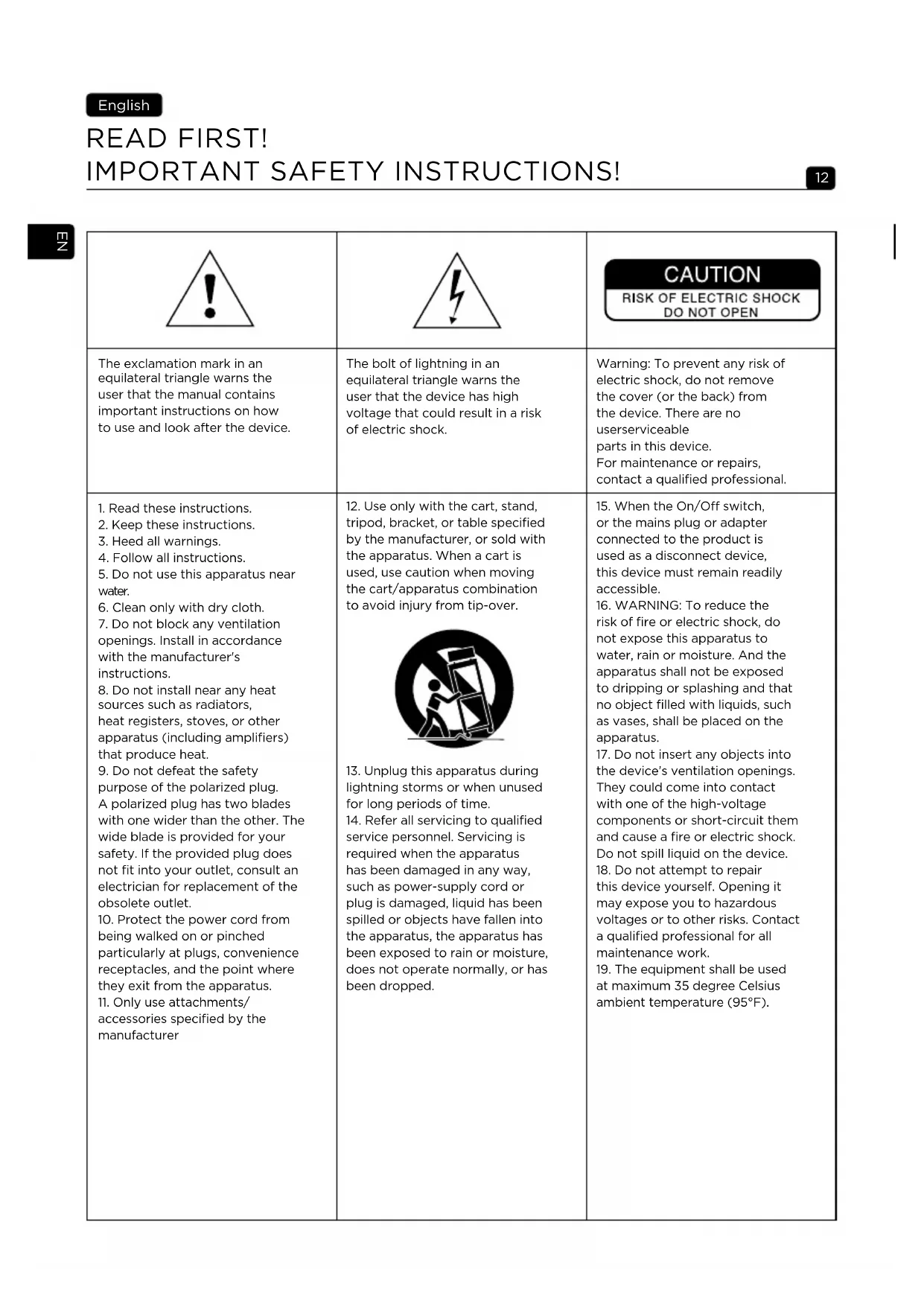


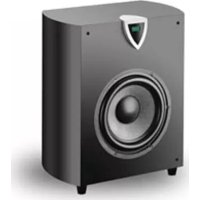
| Product type | Closed active subwoofer |
| Brand | Focal |
| Model | SUB 600P |
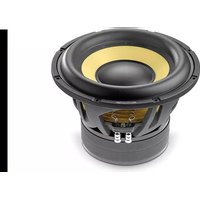
| Speaker driver | Polyflex 30 cm (12") |
| Frequency response (+/-3 dB) | 28 Hz – 270 Hz |
| Cutoff frequency at -6 dB | 26 Hz |
| Variable crossover frequency | 40 Hz – 200 Hz (for LFE input) |
| Amplifier power | 600 W Dynamic (300 W RMS) |
| Inputs | RCA right, left, and LFE |
| Phase control | 0° / 180° inverter |
| Auto Standby mode | Activatable / Deactivatable |
| Dimensions (H x W x D) | 400 x 400 x 425 mm |
| Weight | 21 kg |
| Warranty | 2 years (France) |
| Maintenance | Dry or damp cloth, no solvents |
| Break-in period | About twenty hours at medium level |
| Recommended placement | In a corner, in front of the listening position |
| Safety instructions | Do not open, do not expose to water, use on indicated mains |
Frequently Asked Questions - SUB 600P FOCAL
User questions about SUB 600P FOCAL
0 question about this device. Answer the ones you know or ask your own.
Ask a new question about this device
Download the instructions for your Subwoofer in PDF format for free! Find your manual SUB 600P - FOCAL and take your electronic device back in hand. On this page are published all the documents necessary for the use of your device. SUB 600P by FOCAL.
USER MANUAL SUB 600P FOCAL
IMPORTANT SAFETY INSTRUCTIONS!

|  |  | CAUTION RISK OF ELECTRIC SHOCK DO NOT OPEN |
| The exclamation mark in an equilateral triangle warns the user that the manual contains important instructions on how to use and look after the device. | The bolt of lightning in an equilateral triangle warns the user that the device has high voltage that could result in a risk of electric shock. | Warning: To prevent any risk of electric shock, do not remove the cover (or the back) from the device. There are no userserviceable parts in this device. For maintenance or repairs, contact a qualified professional. |
| 1. Read these instructions. 2. Keep these instructions. 3. Heed all warnings. 4. Follow all instructions. 5. Do not use this apparatus near water. 6. Clean only with dry cloth. 7. Do not block any ventilation openings. Install in accordance with the manufacturer's instructions. 8. Do not install near any heat sources such as radiators, heat registers, stoves, or other apparatus (including amplifiers) that produce heat. 9. Do not defeat the safety purpose of the polarized plug. A polarized plug has two blades with one wider than the other. The wide blade is provided for your safety. If the provided plug does not fit into your outlet, consult an electrician for replacement of the obsolete outlet. 10. Protect the power cord from being walked on or pinched particularly at plugs, convenience receptacles, and the point where they exit from the apparatus. 11. Only use attachments/ accessories specified by the manufacturer | 12. Use only with the cart, stand, tripod, bracket, or table specified by the manufacturer, or sold with the apparatus. When a cart is used, use caution when moving the cart/apparatus combination to avoid injury from tip-over.  13. Unplug this apparatus during lightning storms or when unused for long periods of time. 14. Refer all servicing to qualified service personnel. Servicing is required when the apparatus has been damaged in any way, such as power-supply cord or plug is damaged, liquid has been spilled or objects have fallen into the apparatus, the apparatus has been exposed to rain or moisture, does not operate normally, or has been dropped. | 15. When the On/Off switch, or the mains plug or adapter connected to the product is used as a disconnect device, this device must remain readily accessible. 16. WARNING: To reduce the risk of fire or electric shock, do not expose this apparatus to water, rain or moisture. And the apparatus shall not be exposed to dripping or splashing and that no object filled with liquids, such as vases, shall be placed on the apparatus. 17. Do not insert any objects into the device's ventilation openings. They could come into contact with one of the high-voltage components or short-circuit them and cause a fire or electric shock. Do not spill liquid on the device. 18. Do not attempt to repair this device yourself. Opening it may expose you to hazardous voltages or to other risks. Contact a qualified professional for all maintenance work. 19. The equipment shall be used at maximum 35 degree Celsius ambient temperature \( \left( {{95}^{ \circ }\mathrm{F}}\right) \) . |
| ! | CAUTION RISK OF ELECTRIC SHOCK DO NOT OPEN | |
| The exclamation mark in an equilateral triangle warns the user that the manual contains important instructions on how to use and look after the device. | The bolt of lightning in an equilateral triangle warns the user that the device has high voltage that could result in a risk of electric shock. | Warning: To prevent any risk of electric shock, do not remove the cover (or the back) from the device. There are no userserviceable parts in this device. For maintenance or repairs, contact a qualified professional. |
| 20. Do not use this device in tropical climates. 21. Do not use this device at altitudes of more than 2,000 m (6,500 ft). 22. Do not overload wall sockets, extension leads or multiple socket outlets as this could cause fire or electric shock. 23. The device must not be mounted to a wall or ceiling unless intended by the manufacturer. 24. If the device has been moved from a cold environment to a hot environment, make sure that no condensation appeared before connecting the power cable. 25. No naked flame sources, such as lit candles, should be placed on top of the device. 26. The product should only be connected to the mains power type shown on the label on the device. If you're not sure what type of mains electrical supply you have, ask your retailer or your electricity supplier. For devices intended for use with a battery or another power source, see the user manual. | 27. Always leave a distance of at least 5 cm (2") around the product for proper ventilation. 28. When replacement components are needed, make sure that the maintenance technician uses the components recommended by the manufacturer or components with the same technical features as the original product. Using non-compliant components could cause fires, electric shocks or other risks. 29. After any maintenance or repair work on the device, ask the maintenance technician to test it to check that it works safely. 30. The product should only be connected to the mains power type shown on the label on the device. If you're not sure what type of mains electrical supply you have, ask your retailer or your electricity supplier. For devices intended for use with a battery or another power source, see the user manual. | 31. To avoid damaging your hearing, do not listen to loudspeakers at high volumes for long periods of time. Listening to speakers at high volumes can damage the user's ears and may lead to hearing problems (temporary or permanent deafness, tinnitus, hyperacusis). Hearing system exposure to excessive sound level (over 85 dB SPL LAg) for several hours can cause irreparable damage to your hearing. (CEI 60417-6044) |

Please validate your Focal-JMlab warranty, it is now possible to register your product online: www.focal.com/warranty

Thank you for purchasing a Focal product. Welcome to our High-Fidelity world. Innovation, tradition, excellence and pleasure are our values; our one and only aim is to bring you a sound that is rich, pure and true. To get the most out of your product, we recommend that you read the instructions in this booklet, then store it in a safe place to refer to in the future.
Connections
On low-level RCA inputs:
When using a 2-channel amplifier with 'Pre-out' line outputs, Sub 600 P should be connected to the RCA stereo inputs 'Line inputs Right (R)/Left (L)' (fig. B).
On LFE input:
When a multi-channel audio/video amplifier is used, Sub 600 P's single LFE input should be connected to the audio/video amplifier's 'subwoofer' output (fig. C).
Power up (fig. A)
- Before powering up, refer to the safety instructions.
- Check the voltage selector 6 before connecting the power cable into the mains.
- Connect the subwoofer to the mains.
Home Cinema settings (fig. A)
- Connect the subwoofer to the amplifier using the subwoofer's LFE output 5.
- Move the power switch to 'ENABLE' 1.
- Set the 'CROSSOVER' knob 3 in the LFE position.
- Adjust the 'VOLUME' knob to halfway.
- Next, adjust the volume using your amplifier's settings.
Stereo settings (fig. A)
- Connect the subwoofer to the amplifier using the subwoofer's Left & Right outputs 5
- Move the power switch to 'ENABLE' 1.
- Set the 'CROSSOVER' knob 3 to the middle position (around 100Hz).
- Adjust the 'VOLUME' knob to halfway.
- Adjust the bass level depending on the other speakers used. This adjustment can be done by using as varied music programs as possible. The bass should be present without being too heavy.
- Select the phase inverter mode (0^ or 180^) 2. The correct position is the one that subjectively provides the highest and most balanced bass level.
- Fine tune the cut-off frequency to around 100Hz . The lower this value is set to, the deeper and fuller the bass will sound. The higher it is, the more forceful the impacts will be. The settings are correct when all these features are simultaneously achieved.
- Readjust the volume settings as required.
- This procedure should be repeated every time the subwoofer changes location.
'Auto Standby' mode 1

Automatic timed power on / off. The Sub 600 P has an automatic audio signal detection system. When the 'Auto Standby' detector is set to 'Enable' mode, the subwoofer will turn on immediately when an audio signal is detected at the input. In 'Disable' mode, the detector is inactive and the subwoofer remains permanently switched on.
On the other hand, if no signal is detected coming into the subwoofer after approximately 20 minutes, the detection system will automatically place the subwoofer in stand-by mode.
In the event of prolonged absence for several days, we recommend turning the power detector to 'Off'.
Cable choice
To connect the subwoofer to the amplifier, use a shielded RCA-RCA cable of an appropriate length. If in doubt, ask your retailer to advise you on the best solution for your needs.
Positioning
Unlike acoustic loudspeakers that need to be placed at a sufficient distance away from the walls and corners of the listening room, we recommend positioning Sub 600 P subwoofer in a corner.
By placing the subwoofer in a corner, the room resonances will be stimulated in a more linear, predictable way. Not only will bass perception be optimal, but this layout will also make it possible to boost the bass level by 6dB. If for practical reasons you cannot place the subwoofer in a corner, experiment with positioning it in different places within the room until you find the best compromise.
Generally speaking, it is better to place the subwoofer in front of the listening position. (fig. D and E). It isn't recommended to place it behind the listening position.
As the frequency ranges involved are omnidirectional, in principle the bass is not affected by objects or furniture placed between the subwoofer and the listening point (fig. F).
Running-in period
The woofer used in Sub 600 P is a complex mechanical component which requires a running-in period in order to operate at its best and to become acclimatised to the temperature and humidity of your environment. The length of time this takes can vary depending on the conditions and may extend over several weeks.
To reduce this running-in period, we recommend operating your subwoofer for about twenty consecutive hours at medium volume, with music which is rich in bass. Once the loudspeaker's characteristics have totally stabilised, you will be able to enjoy the full potential of your active subwoofer.
Conditions of warranty
All Focal loudspeakers are covered by warranty drawn up by the official Focal distributor in your country. Your distributor can provide all details concerning the conditions of warranty. Warranty cover extends at least to that granted by the legal warranty in force in the country where the original purchase invoice was issued.
Special precautions

The only maintenance required for the Sub 600 P is dusting with a dry cloth. If your subwoofer becomes dirty, we recommend simply cleaning it with a damp cloth.
Never use solvents, detergents, alcohol-based or corrosive products, scrapers or scourers to clean the surface of a subwoofer. Keep the product away from sources of heat.
BITTE ZUERST LESEN!
Hauano pa6oTbI (pnc. A)
-ДонayаразбыознakombteсьправлamTeхнк6e3oanachoctn.
- Ipeep noeknoeHem shypa 3JektpoNTAHnK 3Jektpocetn 6 npobepbTe nIOxoHe nepeknOHTeHaHpRKeHH.
-Подкlnунte ca6ByeK 3JneKtpocetn.
HacTpoiKn DomauHero KInHoTeaTp a (pnc. A)
-Подклioчnte ca6byeр кусиnteю c nomoьв BXOda LFE 5
- YctaHOBtpepeKIOHuaTeJIb NITAHIN B NOIOXeHne ENABLE [«BKJIHOUcEHO»]1.
- YctaHOBuTe peRyIaTOp CROSSOVER [«KPOCCOBEP»] 3 B nIOJxHeNe LFE.
- YctahOBHTpepyTJop rPOMKoCTn 3Byka VOLUME [«rPOMKOCTb»]4 Ha cpeDHee 3HaueHne.
- OtperynpyTe ypoBeH rpoMkoCTn C pmoOuB HacTpoE k ycnIteJ.
HactpoiKa cTepeo3ByaHnA(pnc.A)
-ПодклочиTe ca6Byepe KucnlnteIu chepe3 BbIXOblc a6Byepepa Left & Right 5 («Левын npabby»).
- YctahOBHTe pepeKJIIOUaTeJIb NITAHIN B NIOLOXKeHne ENABLE [ B KJIIOU EHO
- YctaHOBnTe peRyIaTOp CROSSOVER [«KPOCCOBEP»] 3 Na cpeHHee 3NaueHne (okJIo 100 T).
- YctaHOBIne peRyIaTOp rPOMKoCTn 3Byka VOLUME [«rPOMKOCTb»]4 Ha cpeJHee 3HaueHne.
- HactpoTe Hn3Kne yactObI cyueToTc npaMeTpOB dpynx nCnoB3yEmbIX akyctnuecknx cnCTem. Ioo6HyHO hAcTpoKy moXHO BblIOHHTc NOMOu cMbIX pa3Hoo6pa3HbIX CneuaIIN3npoBaHHbIX nporpamM. Bacbi doJxHbI npCyTCTBOBaTb, Ho He npebaInpoBaTb.
- Bb6epnte pexm Bb6opa 0n180°. OITMmaHbHbIM 6ydt RBAIbCTo TIOJIOXHe, INI KOTOpOM, B COOTBCTBn C NlUHbIM BOCpnaTHe mnoJIb3OBeAteJIa, 6acbl 6yDyT 3ByuTaMakcMaJIbHO Iy6oKIO n C6aIahCnpoBaHNO.
- YctaHOBtTe yactoty cpe3a npimephno Ha 100 Tc. Yem HnXe 3HaueHne yactoTbI cpe3a, Tem rny6xe n pIoThee 3Byuat 6acbl. Yem Bblie 3HaueHne yactoTbI cpe3a, Tem 6OJee OTyeTINBBIM CtaHOBtCraYUaHne. KaueCTBO HAcToPkn RaJIaETcR OITMaJIbHbIM ToTa, KOrDa oBeceYeHb I BCE BblJepeucncHeHbIe XapakTepcntKn.
-Пин Heo6xOДIMOCtN NOBTOpH OTopeyIpyTe rPOMKcTb 3ByKa.
-BbIeOnncaHny npocuEpy hacTpoKn cneJeTy nOBToRb kaKdbpa3 npn 3MeHeHH noLoKeHH ca6Byfepa.
Pekm Auto Standby{ABToMaTnueckn nepexoB peKIM OKnDaHna}
AByeep Sub 600 P cha6keh cnTeMo aBOMaTueckoro o6HapyKeHn ayDIOcRHa. Ipn yctaHOke nepeKIOUaTeJIa ABToMaTueckoro nepexOda B pexm OxndHn Ato Standby B noIooKeHne Enable KIOUeHO\r>], ca6bYep MRHOBeHHo BKIOHTc, KaTolbKO obHapyKNT BxOJaIau ayDIOcRHa. B pexIme Disable KIOUeHO\r>] DeTEKTOp HeAKTINBEH n Ca6bYep NoCTOAHNO hXoDITcBO BKIOUeHHOM COCTOAHN.
I hao6oPoT, ecn BxOJHO cnHn OTCyTCTByeT B TeueHne OKoNo 20 MIn, cnCTema ABToMaTuYeCKn nepeBoDnt ca6ByΦep B cnaui peKm.
Ecnn ycTpoiCtBO dInTeBHo, B TeueHne HeckoIbKx nHe, He nCnoIb3yeTCra, peKomeHnyeTCra yCTaHOBTb nepeKIOUaTeB HApJxKeHnB noLoXeHne Off [«BbIKIOUeH»].
Bb6op ka6e
Iyra TOrO yTo6bI NpKIOUHTb ca6Byfepe K ycunnteHIO, BocnoJIb3yItecb Ka6eIeM RCA/akpaHnpoBaHHbIM Ka6eIeM RCA HxKHO IINbI. B clyuae comHeHn peKoMeHnyem 6paTbCk npOdaBcy npoDaBpy IINpO6bopa ONtMaJIbHoro BapnaHTa IOnKIOUeHn C yueTOM BaIXN INDbNyAJIbHbIX NOTpe6HoCTeI.
Bb6op Mecta yctaHObKn
B otJnue O t akcTneckcx cntem, KOtOpbIe DOnKbI HaxoNTbcra Ha DoCTaTOHOM paCToHm OT cTeH n yrnoB nomeeHn, ca6Byep Sub 600 P peKomeHdyeTcra yctHaabNBA Tb B yroJ.

Pa3MeueHne ca6Byepea Byrny nOmeueHn no3Bolraet do6ntbc Hn6oJe IInHeHbIX npedcKayeMbIX pe30HaHcbix KOJIe6AHNI. YrnoBoe pa3MeueHne ca6Byepea no3Bolraet do6ntbcr ONTMaJIbHO BOCpIyrn Hn3Knx qactOT uCnIHT b nx Ha donoONHtElbHbe 6 d5. EcnB Cnly oc6oHenocTe nOmeueHn yrNoBoe pa3MeueHne ca6Byepea He npedctabJIaETcR BO3MOXbIM, nyTeM np6 n 3KcpePmEHTa HauDITe ONTMaJIbHOe pacNOJoxHne ycTPOCTBa.
Kak npabnlo, ca6Byeep pa3meaIOT nepei 3oHoi npocnyuBaHHa (pnc. D n E). YcTaHObka ca6Byepa no3aHn 3oHbnpocnyuBaHHa He pekOMeHNyETc.
NocKoJIbky Hn3KoUacToTHbI 3Byk YBaJIeTcB CeHaIpaBHeHbIM, paCNoIOXeHne MeJxdy Ca6ByfeOpm n CnyuataTeMe KaKnx-Ⅱn60 npEaMe6JIb, He OKaKeT pInHcunnaIbHOrO BInHnHa KaueCTBO 3ByaHn (pnc.F).
Iepno npnpa6oTkn
Диhamчeckn И3nyateNB,ИспьзуемьВ ca6Byfepe Sub 600 P, npedctabnreT co6oCNoxHoe MexaHueckoe yctpoiCTBO, ONIMaJIbHbIe xapaKTePncTnKn pa6Otbl KoToPo rdoCTnraOTcno nCteUeHN nepNoDA aAnTaun K TeMnepaTypHO-BlaXHoCThBIM XapaKTePncTnKa m OmeuEHN.ДлnteЛbHocTb nepNoDA npRuapBoTKn 3aBnCIT OT pJaY cIOBNI M oMeT CoCTaBnTB HeCKOJIbKO HeDJIb.
Дясokрашениперида прарбOTК peKOMeHdyETcЯкCnnyaTnpoBaTb ca6ByfepeHa cpeHne rpoMkoCTnHa npotЯженno20 yacOB, npOurpbIbA KOMNo3uCn, 6oratbIe Hn3KmU qactotam. Пocne noHoi CTa6nln3aunxapakTeprncTK ca6Byfepe 6ydt demOHcTpnpoBaTb onTImaJIbHbIe pa6Oue napameTpbl.
YcnoBna rapaHTn
Ha BCE MOHToPbI Focal pacnpoctpaHaeTcJeCTBne rapaHTn, oΦopMJIeHHo OΦuJbHbIM nucTp6bIOtopom KOMpaHn Focal B BaWe cTaPe.
Ioppo6na Hnfoopmaa, kacaioaacra ycnoBn rapaHTnn, npedocabTcra nctpnbTOporm. MnHMaJIbHbI rapaHTnHbI cpoK cooTBcTByeT cpoky DeNCTBYUx npaBObIX rapaTHN B CtpaHe, B KOtOpO oOpMneH opnHaJIbHbI cyET 3a npno6peTeHHbIe TObApbl.
YxOa 3a yCTpoiCTBOM

Yxod 3a ca6Byepom Sub 600 P orpaHnUbaeTc npoTnpaHnem nobepxHocTe c nomOu cyXo TkaHn.
Iy anaIeHn IyTe H c nobepxHOCTn n3deIy peKOMeHdyeTc nCnoIb3OBA Tb BlaXHyTO KaHb. HkoRda He
ncnoIb3yIte pactBopnte, moUzne u NcTaeIe CpeDCTBa, cnPtoCoOpEJaIue nIe EKnE BeIeCTBa,
a TaKxe abpa3NHBle MaTePnaJIb dIry OuncTKn nobepxHOCTn n3deIy. N36eraTe paCnoLoKeHHa
akCytueeckOn cnCTeMbI B6II3N nCTOUnHKa TeIIa.
Focal Focal Focal Focal Focal Focal Focal Focal Focal Focal Focal Focal Focal Focal Focal Focal Focal Focal Focal Focal Focal Focal Focal Focal Focal Focal Focal Focal Focal Focal Focal Focal Focal Focal Focal Focal Focal Focal Focal Focal Focal Focal Focal Focal Focal Focal Focal Focal Focal Focal Focal
尹志川

a a a a a a a a a a a a a a a a a a a a a a a a a a a a a a a a a a a a a a a a a a a a a a a a
RCA 124
RCA 125
RCA 126
RCA 127
RCA 128
RCA 129
RCA 130
RCA 131
RCA 132
RCA 133
RCA 134
RCA 135
RCA 136
RCA 137
RCA 138
RCA 139
RCA 140
RCA 141
RCA 142
RCA 143
RCA 144
RCA 145
RCA 146
LFE Jie Lfe
Sub 600 P LFE jll jy y /g/ gai i
.(C k) /g/ gao (subwoofer
(A)
jolai lalai j
6 1
-
(A)
LFE 5 ENABLE
LFE 3 CROSSOVER 4 gall ygol
(A)
5 Left & Right
ENABLE
100) 3 CROSSOVER
4 《VOLUME》gaii jia jia jia jia jia jia jia jia jia jia jia jia jia jia jia jia jia jia jia jia jia jia jia jia jia jia jia jia jia jia jia jia jia jia jia jia jia jia jia jia jia
J 1
100 100
J 1
alall 1200000000000
-
"Auto Standby"
"Auto Standby" Sub 600 P.
a 20 y 15
.Off"
J 1
a 60 P
a 6 6 6 6 6 6 6 6 6 6 6 6 6 6 6 6 6 6 6
.(E,D).
e aee eae eae eae eae eae eae eae eae eae eae eae eae eae eae eae eae eae eae eae eae eae eae eae eae eae eae eae eae eae eae eae eae eae eae eae eae eae eae eae eae eae eae eae eae eae eae eae eae eae eae e ae
jg j
a 600 P aiaaaal aaiiaia aaiia aaiia aaiia aaiia aaiia aaiia aaiia aaiia aaiia aaiia aaiia aaiia aaiia aaiia aaiia aaiia aaiia aaiia aaiia aaiia aaiia aaiia aaiia aaiia aaiia aaiia aaiia aaiia aaiia aaiia aaiia aaiia aaiia aaiie
a
Jaa
Focal Focal Focal
a 1
aill
a 600 P J aall Jae i aee

Correct elimination of this product.
This marking indicates that within the EU this product should not be disposed of with other household wastes. To prevent any risk to the environment or human health, please recycle them responsibly to encourage the reuse of material resources. To return your used device, please use the return and collection systems available, or contact the retailer where you purchased the product. They can recycle this product safely.


- IMPORTANT SAFETY INSTRUCTIONS!
- Connections
- Power up (fig. A)
- Home Cinema settings (fig. A)
- Stereo settings (fig. A)
- 'Auto Standby' mode 1
- Cable choice
- Positioning
- Running-in period
- Conditions of warranty
- Special precautions
- BITTE ZUERST LESEN!
- Hauano pa6oTbI (pnc. A)
- HacTpoiKn DomauHero KInHoTeaTp a (pnc. A)
- HactpoiKa cTepeo3ByaHnA(pnc.A)
- Pekm Auto Standby{ABToMaTnueckn nepexoB peKIM OKnDaHna}
- Bb6op ka6e
- Bb6op Mecta yctaHObKn
- Iepno npnpa6oTkn
- YcnoBna rapaHTn
- YxOa 3a yCTpoiCTBOM
- "Auto Standby"
- Correct elimination of this product.
Brand : FOCAL
Model : SUB 600P
Category : Subwoofer