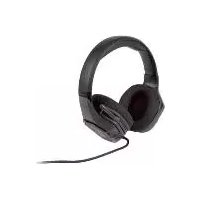
SGHE A0 - Headphones SILVERCREST - Free user manual and instructions
Find the device manual for free SGHE A0 SILVERCREST in PDF.



| Product type | Gaming audio headset |
| Brand | SilverCrest |
| Model | SGHE A0 |
| Dimensions (L x D x H) | Approx. 200 x 100 x 213 mm (microphone folded) |
| Weight | Approx. 281 g (cable included) |
| Cable length | Approx. 2.2 m |
| Connector type | 3.5 mm jack |
| Speaker diameter | 50 mm |
| Impedance | 32 Ω ± 15% |
| Speaker sensitivity | 114 dB ± 3 dB |
| Frequency response (speaker) | 20 Hz - 20 kHz |
| Microphone sensitivity | -38 dB ± 2 dB |
| Frequency response (microphone) | 100 Hz - 16 kHz |
| Operating temperature | 0 °C to +40 °C |
| Operating humidity | 45 % to 75 % RH |
| Storage temperature | -10 °C to +50 °C |
| Adjustments | Adjustable headband, volume control |
| Microphone | Foldable, adjustable |
| Care and cleaning | Soft, dry cloth; ear cushions hand washable |
| Safety | Avoid prolonged listening at high volume; do not use in traffic |
| Spare parts and repairability | Replaceable ear cushions; no user-serviceable parts |
| Warranty | 3 years (proof of purchase required) |
| Article number (IAN) | 403251_2110 |
Frequently Asked Questions - SGHE A0 SILVERCREST
User questions about SGHE A0 SILVERCREST
0 question about this device. Answer the ones you know or ask your own.
Ask a new question about this device
Download the instructions for your Headphones in PDF format for free! Find your manual SGHE A0 - SILVERCREST and take your electronic device back in hand. On this page are published all the documents necessary for the use of your device. SGHE A0 by SILVERCREST.
USER MANUAL SGHE A0 SILVERCREST
natural_image
Black and white photo of a black multi-Headed headboard with earbuds and microphone (no text or symbols visible)GAMING-HEADSET/GAMING HEADSET/GAMING CASUE
DE AT CH
GAMING-HEADSET
Operating and safety instructions
NL BE
GAMING-HEADSET
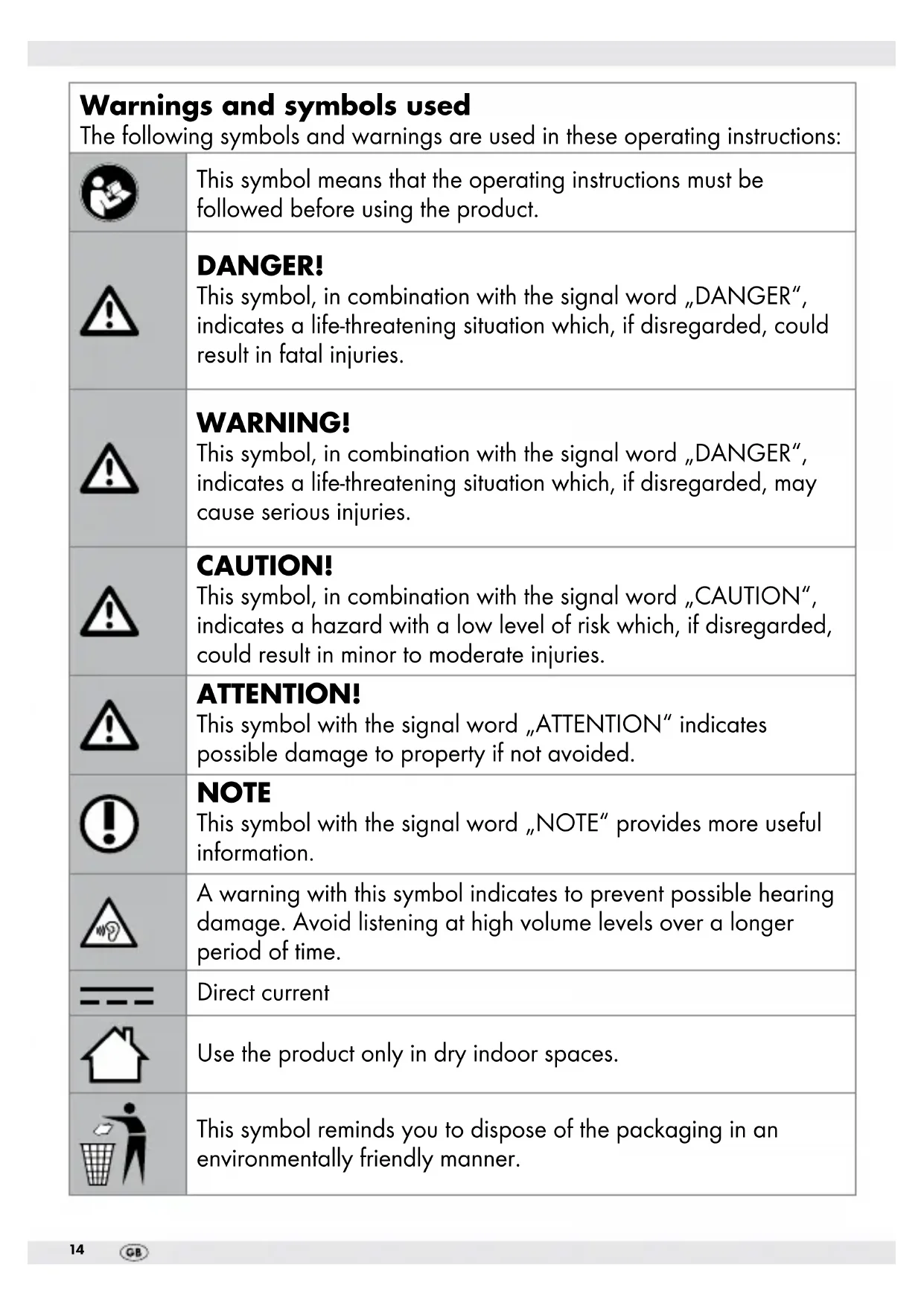
| Warnings and symbols usedThe following symbols and warnings are used in these operating instructions: | |
 | This symbol means that the operating instructions must be followed before using the product. |
 | DANGER!This symbol, in combination with the signal word „DANGER“, indicates a life-threatening situation which, if disregarded, could result in fatal injuries. |
 | WARNING!This symbol, in combination with the signal word „DANGER“, indicates a life-threatening situation which, if disregarded, may cause serious injuries. |
 | CAUTION!This symbol, in combination with the signal word „CAUTION“, indicates a hazard with a low level of risk which, if disregarded, could result in minor to moderate injuries. |
 | ATTENTION!This symbol with the signal word „ATTENTION“ indicates possible damage to property if not avoided. |
 | NOTEThis symbol with the signal word „NOTE“ provides more useful information. |
 | A warning with this symbol indicates to prevent possible hearing damage. Avoid listening at high volume levels over a longer period of time. |
 | Direct current |
| Use the product only in dry indoor spaces. | |
 | This symbol reminds you to dispose of the packaging in an environmentally friendly manner. |
 | With the CE marking, snakebyte Distribution GmbH declares that the product complies with applicable EU laws and regulations. |
 PAP PAP | The recycling symbol (3 arrows) indicates that the materials are recyclable. The material can be identified by the recycling number in the center (here: 21) and/or an acronym (here: PAP). |
GB IE NI Gaming Headset
- Introduction

Congratulations on the purchase of your new product. You have chosen a high-quality product. The operating instructions are part of this product. They contain important information concerning safety, use and disposal.
Before using the product, please familiarize yourself with all the operating and safety instructions. Use the product only as described and for the specified areas of use. If you pass the product on to a third party, please also provide them with all the documents.
Intendeduse
This gaming headset (hereinafter referred to as „product“) is an information technology device. The product is used for playback of audio signals from external audio sources (e.g., gaming controllers, CD/DVD/MP3 players, consoles, HiFi systems, desktop computers and notebooks, etc.). It can also be used to make telephone calls in conjunction with a smartphone. A 3.5 mm jack input is required for all end devices.
This product is not intended to be used by businesses or for other commercial purposes (e.g., office use).

This product is intended for home and personal use.
Any other use is considered improper. Any claims due to improper use or
unauthorized changes to the product are not covered by the warranty. Any such use is at your own risk.
•Trademarknotices
- The SilverCrest trademark and trade name are the property of their respective owners.
- Any other names and products are trademarks or registered trademarks of their respective owners.
- Scope of delivery
1 Gaming Headset 1 Instruction Manual

General safety instructions
Before using the product, please familiarize yourself with all the safety and operating instructions! When passing this product on to others, please also include all the documents!
DANGER! DANGER TO LIFE AND RISK OF INFANTS AND CHILDREN! RISK OF SUFFOCATION!
The packaging material is not a toy.
Children are not allowed to play with the packaging material. There is the risk of suffocation.
This device is not intended to be used by individuals (including children) with limited physical, sensory, or mental abilities or lack of experience and/or knowledge, unless they are supervised by or have received instructions from a person responsible for their safety on how to use the device.
■ Children must be supervised to ensure they are not playing with the device.
- Cleaning and user maintenance must not be carried out by children unless they are under adult supervision.
■ Children must be supervised when using the device.
DANGER!
- Keep the product away from moisture, dripping or splashing water!
■ Never open the product. There is a risk of electric shock if the product is opened.
Leave all repairs to qualified personnel. Servicing is required when the product has been damaged in any way. This is the case, for example, if the product is damaged, liquid has been spilled over the product, items have fallen on the product, the product has been exposed to rain or moisture, it is not functioning normally, or has been dropped.
WARNING!
■ Do not pull on the audio cable.
- Do not place any furniture or similar items on the cable. Make sure that the cable is not pinched.
■ Never tie knots with the cable or tie it together with other cables.
WARNING!
■ The product may only be used in dry indoor spaces.
ATTENTION! RISK OF PROPERTY DAMAGE!
This product does not contain any parts that can be serviced by the consumer.
Do not place burning candles or other open fire on or next to the product!
- Check the product and accessories for damage before every use. Never use a damaged product.
- Do not operate the product near heat sources, e.g., radiators or other devices emitting heat!
ATTENTION!
Ensure that:
- the product is not exposed to bright artificial lighting.
- any contact with splashing and/or dripping water and corrosive liquids is avoided and the product is not operated near water. In particular, the product should never be submerged in liquids; do not place any objects filled with liquid, for example, vases or drinks, on or near the product.
- the product is not used near magnetic fields (e.g., speakers).
- no foreign objects are inserted into the housing.
- the product is never subject to extreme temperature fluctuations, as this could result in condensation and electrical short circuits.
However, if the product has been exposed to extreme temperature fluctuations, wait (about 2 hours) until the product has reached the ambient temperature before using it again.
- the product is never subjected to extreme shocks or vibrations.
- the connected cables are always laid in such a way that nobody can step on them or trip over them, as this could cause an injury.
- no objects are placed on a connected cable and cables are not connected over sharp edges because they could be damaged otherwise.

Take care when using the headphones. Prolonged use of headphones at high volume can damage the user's hearing. Always set a low volume first and adjust it to a comfortable level.
Always use headphones in a way that ensures that you can hear the ambient sounds.
- the cable must be laid in a way as to protect it from being stepped on, pinched or kinked. Pay particular attention to plugs, inputs, and the point at which the cable connects to the product.

WARNING!
RISK OF ACCIDENTS DUE TO IMPAIRED PERCEPTION!
■ Surrounding noises may sound different than usual. Never use the headphones during activities that require you to be aware of your surroundings, especially when operating machinery or driving vehicles in traffic. (This also applies to bicycles.) You must also comply with the laws and regulations of the country where you use the device.

WARNING!
RISK OF AFFECTING THE FUNCTIONING OF CARDIAC PACEMAKERS!
The magnetic fields generated by the headphones may impair the functioning of cardiac pacemakers and implanted defibrillators. You must
therefore maintain a minimum distance of 10 cm between the headphones and the cardiac pacemaker / defibrillator.
• Description of parts
1 Adjustable headband
2 L and R markings
3 Volume control
4 3.5 mm jack plug
5 Foldable microphone arm
6 Microphone
- Technical data
Weight: approx. 281 g (including cable)
Dimensions (W x D x H): approx. 200 x 213 x 100 mm
(with microphone folded)
Jack plug: 1 x 3.5 mm
Operating temperature: 0 °C to +40 °C
Operating humidity: 45% to 75% relative humidity
Storage temperature: -10 °C to +50 °C
Storage humidity: 45% to 75% relative humidity
Cable length: approx. 2.2 m
SPCV: 127mV ±14%
Speaker
Driver size: 50 mm
Impedance: 32 ± 15%
Sensitivity: 114 dB ± 3 dB
The specifications and design are subject to change without notice. We reserve the right to make technical changes at any time.
snakebyte Distribution GmbH hereby declares that this product conforms to the fundamental requirements of the applicable regulations of the RoHS Directive 2011/65/EU.
A complete EU declaration of conformity can be requested from snakebyte Distribution GmbH, see Service Center.
- Before use
NOTE:
- All parts have to be unpacked and the packaging material has to be removed completely.
- Before use, verify the package contents are complete and undamaged!
- If anything is missing or damaged, contact the retailer from whom you purchased this product.
- Operation and use
- Putting on the headphones
☐ The headphones can be adjusted to your head size. Adjust the headband 1 so that the headphones sit comfortably on your head.
NOTE:
The „L“ (= left) and „R“ (= right) markings 2 on the inside of the band are there to make it easier to put on the product correctly.
- Listening to music and using the microphone
☐ Connect the 3.5 mm jack plug 4 with an external audio device or mobile phone.
☐ Switch on the external audio device or mobile phone and set the volume to the lowest possible setting.
☐ Put on the headphones.
Adjust the volume on your audio device or mobile phone to your liking using the product's volume control 3.
☐ Unfold the foldable microphone 5.
☐ Position the end of the detachable microphone 6 close to your mouth.
● Storage when not in use
Store the product in a dry place, protected from dust and direct sunlight.
- Cleaning
□ Clean the housing of the product with a soft, slightly damp, lint-free cloth.
☐ In case of persistent soiling, a mild cleaning agent can be used. Never use corrosive liquids.
☐ The ear pads can be changed and cleaned. First remove the ear pads from the unit and then clean them with water (hand wash).
●Troubleshooting
No sound coming out of the headset.
☐ Check the cable connection.
☐ Check the volume control 3 setting.
Headset microphone does not pick up my voice.
☐ Check that you have not accidentally set the microphone on the external device to „Mute“.
□ Check all connections.
□ Unfold the foldable microphone 5.
- Disposal
Packaging:
The packaging is made of environmentally friendly materials, which you can dispose of through your local recycling facilities.
Product:

You can find out how to dispose of the disused product from your municipality or city administration.
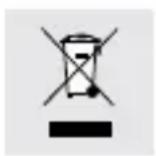
This product is subject to the European Directive 2012/19/EU. The symbol of the crossed-out wheeled bin means that the product must be sent to a separate waste collection site in the European Union.
This applies to the product and all accessories marked with this symbol.
Marked products may not be disposed of through normal household waste and must be taken to a collection point for the recycling of electrical and electronic devices.
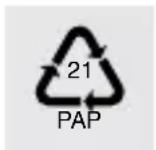
This recycling symbol marks e.g., an object or part as valuable for recycling. Recycling helps to reduce the consumption of raw materials and protect the environment.
Information on disposal and the location of the nearest recycling center can be obtained, e.g., from your municipal cleaning service or the Yellow Pages.
This disposal is at no cost to you.
Protect the environment and dispose of waste appropriately.
- Warranty and service
Warranty
The product has been manufactured to strict quality guidelines and meticulously examined before delivery. In the event of defects of this product you have statutory rights against the seller of the product. These statutory rights are not limited by our warranty set out below.
The warranty on this product is 3 years from the date of purchase. The warranty period begins on the date of purchase. Please keep the original receipt safe.
This document is required as proof of purchase.
If a material or manufacturing defect occurs within 3 years from the date of purchase of this product, we will - at our choice - repair or replace the product
for you free of charge. This warranty will become void if the product has been damaged, used or maintained improperly.
The warranty covers material or manufacturing defects. This warranty does not extend to product parts subject to normal wear and tear (e.g., batteries) or damage to fragile parts, e.g., switches, rechargeable batteries, or glass parts.
- Processing warranty claims
To ensure that your request is processed quickly, please follow the instructions below:
Please have the receipt and the article number (IAN 403251_2110) ready as proof of purchase for any future queries.
You will find the item number on the data plate, an engraving on the front page of the instructions (bottom left), or as a sticker on the rear or bottom of the product.
If functional or other defects occur, please contact the service department listed either by telephone or by email.
A product recorded as defective can then be sent to you free of charge to the service address provided to you, enclosing the proof of purchase (receipt) and the indication of what the defect is and when it occurred.
Service
GB Service Great Britain
Tel.: +44 800 096 4781
E-Mail: lidl@snakebyte.support
IE ServiceIreland
Tel.: +353 1800 851825
E-Mail: lidl@snakebyte.support
NI ServiceNorthern Ireland
Tel.: +44 800 096 4781
E-Mail: lidl@snakebyte.support
CE UK CA
Operating temperature: 0 °C a 40 °C
Pooblaščeni serviser:
snakebyte distribution GmbH
Konrad-Zuse Str. 13
58239 Schwerte
GERMANY




- GAMING-HEADSET/GAMING HEADSET/GAMING CASUE
- GAMING-HEADSET
- GB IE NI Gaming Headset
- - Introduction
- Intendeduse
- •Trademarknotices
- - Scope of delivery
- General safety instructions
- DANGER! DANGER TO LIFE AND RISK OF INFANTS AND CHILDREN! RISK OF SUFFOCATION!
- DANGER!
- WARNING!
- ATTENTION! RISK OF PROPERTY DAMAGE!
- ATTENTION!
- Ensure that:
- RISK OF ACCIDENTS DUE TO IMPAIRED PERCEPTION!
- RISK OF AFFECTING THE FUNCTIONING OF CARDIAC PACEMAKERS!
- • Description of parts
- - Technical data
- Speaker
- - Before use
- NOTE:
- - Operation and use
- - Putting on the headphones
- - Listening to music and using the microphone
- ● Storage when not in use
- - Cleaning
- ●Troubleshooting
- No sound coming out of the headset.
- Headset microphone does not pick up my voice.
- - Disposal
- Packaging:
- Product:
- This disposal is at no cost to you.
- - Warranty and service
- Warranty
- - Processing warranty claims
- Service
- GB Service Great Britain
- IE ServiceIreland
- NI ServiceNorthern Ireland
- CE UK CA
- Pooblaščeni serviser:
Brand : SILVERCREST
Model : SGHE A0
Category : Headphones