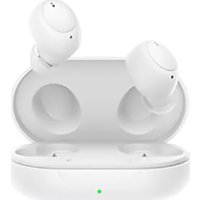
Enco Buds - Smartwatch OPPO - Free user manual and instructions
Find the device manual for free Enco Buds OPPO in PDF.


| Product type | True wireless earbuds |
| Model | ETI81 (earbuds), ETI82 (charging case) |
| Brand | OPPO |
| Bluetooth version | 5.2 |
| Bluetooth range | 10 m |
| Supported audio codec | AAC, SBC |
| Speaker | 8 mm dynamic |
| Frequency response | 20 Hz - 20 kHz |
| Microphone sensitivity | -38 dBV/Pa |
| Battery (earbuds) | Rechargeable lithium-ion 40 mAh each |
| Battery (case) | Rechargeable lithium-ion 400 mAh |
| Battery life (earbuds only) | 6 hours (at 50% volume) |
| Total battery life (with case) | 24 hours |
| Charging time (earbuds) | 2 hours |
| Charging time (earbuds + case) | 2.5 hours |
| Charging input (case) | 5 V = 1 A (USB-C) |
| Touch controls | Play/Pause, next track, volume, answer/hang up, game mode |
| Included accessories | 3 pairs of ear tips (S, M, L), USB-C cable, guides |
| Weight (per earbud) | Approx. 4 g |
| Weight (charging case) | Approx. 40 g |
| Maintenance | Clean the charging pins with a dry cloth; do not immerse in water |
| Compatibility | ColorOS 11.0+ and Android 6.0+ (via HeyMelody app) |
Frequently Asked Questions - Enco Buds OPPO
User questions about Enco Buds OPPO
0 question about this device. Answer the ones you know or ask your own.
Ask a new question about this device
Download the instructions for your Smartwatch in PDF format for free! Find your manual Enco Buds - OPPO and take your electronic device back in hand. On this page are published all the documents necessary for the use of your device. Enco Buds by OPPO.
USER MANUAL Enco Buds OPPO
Copyright © Guangdong OPPO Mobile
Telecommunications Corp., Ltd. 2021. All rights reserved.

HeyMelody

Overview and package contents
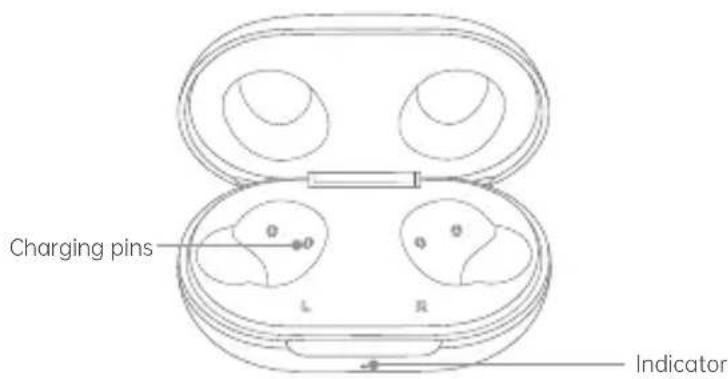
Charging case
natural_image
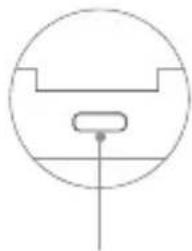
Pure technical diagram of a mechanical component without any text, numbers, or symbolsUSB-C port
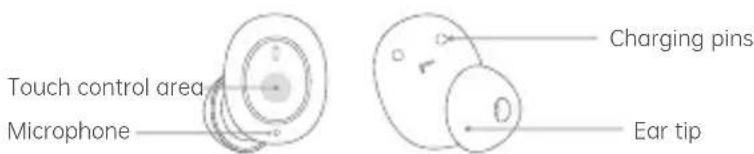
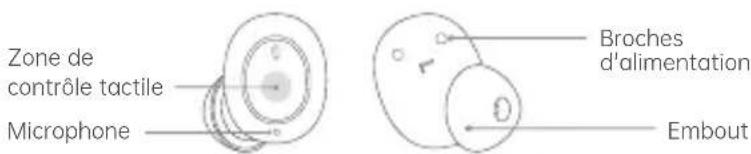
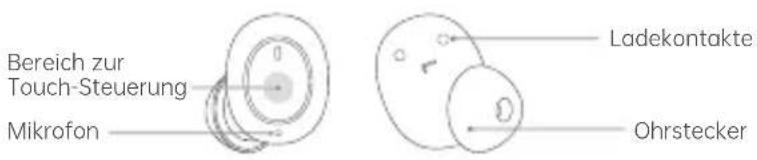
Earbuds
Quick Start Guide


Safety Guide
This box contains a pair of OPPO Enco Buds, a charging case, 3 pairs of ear tips in different sizes (the size M ear tips come mounted on the earbuds), a quick start guide, and a safety guide.
English
Bluetooth pairing
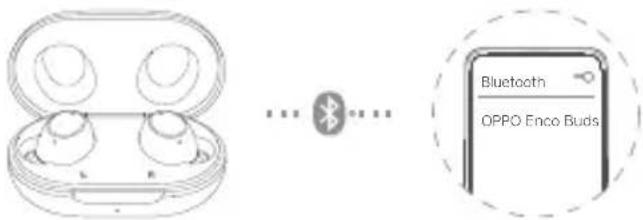
- If you are using your OPPO Enco Buds for the first time, open the charging case with your earbuds inside. The earbuds will automatically enter pairing mode.
-
Turn on Bluetooth on your phone:
-
Regular pairing: Search for and select "OPPO Enco Buds" on your Bluetooth setup page to complete pairing.
- Quick pairing: Hold your OPPO Enco Buds near an OPPO phone that has Bluetooth turned on. A setup prompt will appear on your phone. Complete pairing according to the onscreen prompts.
✗ Note: Only some OPPO phone models support quick pairing. For details, visit www.oppo.com.
Auto reconnection
After a successful connection, your earbuds will automatically connect to the most recently connected device the next time you open the charging case with the earbuds inside. If reconnection fails, your earbuds will automatically enter pairing mode.
Pairing with other devices
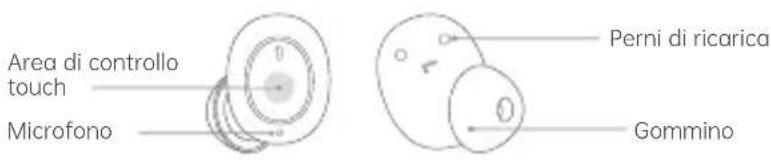
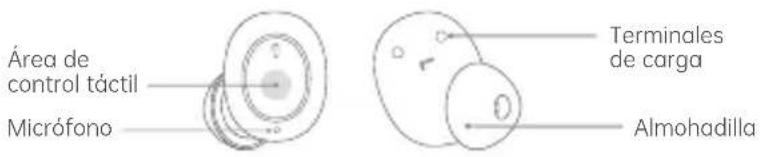
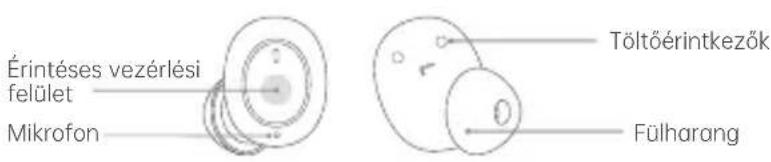
To enter pairing mode, turn off Bluetooth for the device your earbuds are connected to, or touch and hold the touch control area of both earbuds for 4 seconds. You will now be able to pair your earbuds with a new device on the device's Bluetooth setup page.
Charging
Battery level
When your earbuds are inside the charging case, the indicator shows the battery level of the earbuds. When you remove your earbuds from the charging case, the indicator shows the battery level of the charging case itself. Different indicator colors are used to show the battery level. Specifically, red indicates low, yellow indicates medium, and green indicates full or sufficient.
Charging your earbuds
To charge your earbuds, put them inside the charging case and close the case lid.
Charging the case
Use a standard USB-C charging cable to charge the case. The indicator will light up when charging. Yellow indicates charging in progress, and green indicates charging is complete.
Make sure the charging pins of the earbuds and charging case are dry and clean before charging. Otherwise, they can be damaged by corrosion.
Charge the charging case and earbuds regularly. Leaving your earbuds or charging case fully discharged for more than two months may damage the battery inside.
Touch controls
| Function | Left | Right |
| Play/Pause | * | * |
| Next track | ** | ** |
| Volume + | Touch and hold | |
| Volume - | Touch and hold | |
| Answer/End calls | ** | ** |
| Game mode | *** | *** |
※ Each "•" indicates one tap.
Custom settings
You can customize settings, such as touch controls for the left and right earbuds, on your phone.
For ColorOS devices
Go to "OPPO Enco Buds - EARBUDS FUNCTIONS" on the Bluetooth setup page of your device to customize settings.
※ Available on phones with ColorOS 11.0 and later versions.
For other Android devices
Find the "HeyMelody" app in your app store and install it. You can customize touch settings in the app.
※ Available on phones with Android 6.0 and later versions.
※ Go to the product details page on OPPO's official website to view the list of app stores where the "HeyMelody" app is available.
Reset to factory settings
- Disconnect your earbuds from your device, put them in the charging case, and leave the lid open.
- Touch and hold the touch control area of either the left or right earbud. When the indicator blinks red three times, your earbuds have been restored to factory settings.
Specifications
| • Model: ETI81 | • Battery type: Rechargeable Li-ion Cell |
| • Charging case model: ETI82 | • Battery capacity: 40 mAh (Earbuds) / 400 mAh (Charging Case) |
| • Driver: 8 mm dynamic driver | |
| • Frequency response range: 20 Hz - 20 kHz | • Music play time (50% volume): 6 h (single charge) / 24 h (with Charging Case) |
| • Microphone sensitivity: -38 dBV/Pa | |
| • Bluetooth codec: AAC/SBC | • Charging time : 2 h (Earbuds) / 2.5 h (Earbuds & Charging Case) |
| • Bluetooth version: 5.2 | |
| • Bluetooth range: 10 m | • Input (Charging Case): 5 V = 1 A |
※ The above specifications were obtained based on tests performed in OPPO laboratories. Charging times were tested in OPPO laboratories at a temperature of 25^ C using an OPPO standard charger. The actual results may differ slightly depending on environmental factors and the charger used.
※ This guide is provided for reference only. Please refer to your actual device for its final functions and features.
natural_image
Pure electrical circuit lines without any symbolsPort USB-C
natural_image
Pure technical diagram of a mechanical component without any text, numbers, or symbolsUSB-C Port
natural_image
Pure technical diagram of a mechanical component without any text, numbers, or symbolsPorta USB-C
natural_image
Simple line drawing of a circular object with a central rectangular element and a vertical line, no text or symbols present.Puerto USB-C
natural_image
Simple line drawing of a circular object with a central rectangular element and a vertical line, no text or symbols present.Порт USB-C

natural_image
Simple line drawing of a circular object with a central rectangular component and a vertical line, no text or symbols present.Port USB-C

natural_image
Pure diagram of a circular component with internal structure and a central vertical line (no text or symbols)USB-C port
natural_image
Pure diagram of a circular component with internal structure and a central dot (no text or symbols)Port USB-C