Enco X2 - Smartwatch OPPO - Free user manual and instructions
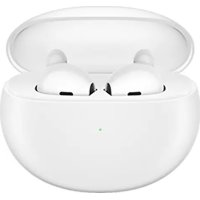
Find the device manual for free Enco X2 OPPO in PDF.


| Product Type | Wireless In-Ear Headphones |
| Brand | OPPO |
| Model | Enco X2 |
| Earbuds Model | ETE01 |
| Charging Case Model | ETE02 |
| Wireless Connectivity | Bluetooth |
| Noise Cancellation | Active Noise Cancellation (ANC) and Transparency Mode |
| Earbuds Battery Life | Approximately 5 hours (with ANC) |
| Total Battery Life with Case | Up to 20 hours |
| Charging Case | USB-C or Qi wireless charging |
| Main Features | Touch controls (play/pause, tracks, call, volume, ANC/transparency switching), in-ear detection, fit test, high-resolution mode, photo assist, dual connection |
| Maintenance and Cleaning | Clean the ear tips with a dry cloth and ensure the holes are not blocked |
| Safety | Use the appropriate ear tips for a good seal and avoid prolonged listening at high volume |
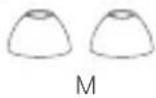
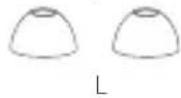
| Spare Parts and Repairability | Replacement ear tips of different sizes included (S, M, L); HeyMelody app for firmware update |
| General Information | Compatible with ColorOS smartphones (built-in settings) and others via the HeyMelody app |
Frequently Asked Questions - Enco X2 OPPO
User questions about Enco X2 OPPO
0 question about this device. Answer the ones you know or ask your own.
Ask a new question about this device
Download the instructions for your Smartwatch in PDF format for free! Find your manual Enco X2 - OPPO and take your electronic device back in hand. On this page are published all the documents necessary for the use of your device. Enco X2 by OPPO.
USER MANUAL Enco X2 OPPO
Open the charging case with your earbuds inside and press and hold the Function button for 2 seconds. When the indicator blinks white, your earbuds are in pairing mode.
※ When pairing your earbuds for the first time, open the charging case and your earbuds will automatically enter pairing mode.

flowchart
graph LR
    A["ear with ear icons"] --> B["Close-up of ear"]
    B --> C["Bluetooth / OPPO Enco X2"]
Ear tip fit
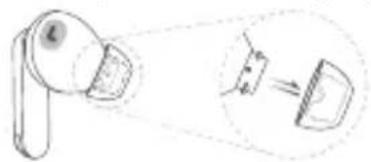
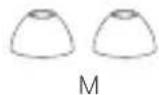
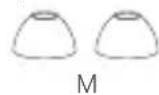
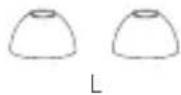
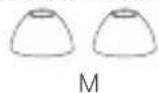
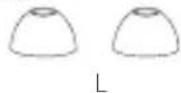
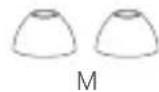
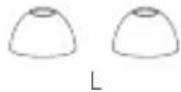
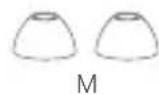
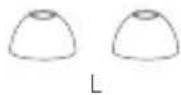
An ear tip that fits just right can provide better noise cancellation and sound quality while offering greater comfort. Try to pick a pair of ear tips that make a good seal with your ear canals. Please note that you might need different sizes for your left and right ears.
※ You can perform the earbud fit test to choose the best-sized tips. Please refer to the "Functions" section for details. Ensure that the holes of the ear tips are not blocked when you replace them.
natural_image
Diagram showing a mechanical component with an inset view of a curved component (no text or symbols)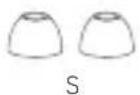
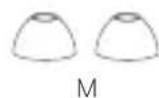
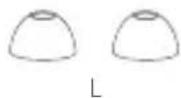
※ The medium size comes already attached.
English
Earbud controls
| ×1 | Play/Pause | Answer/End calls |
| ×2 | Next track Decline calls | |
| ×3 | Previous track | |
| 1s | Switch between Max noise cancellation/Transparency | |
| ↑ | Volume up | |
| Volume down | ||
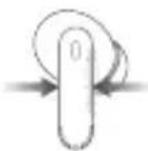
Squeeze
Touch and hold
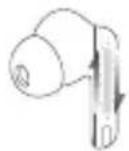
1↓ Swipe up/down
Functions
On your phone, you can customize touch control settings for the left and right earbuds and view how to use functions like earbud fit tests, Hi-Res mode, Photo-taking assistance, Voice Assistant, Dual connection, and In-ear detection.
These functions might differ depending on your phone brand, model, or system version. To learn more, visit www.oppo.com.
For ColorOS phones
Go to "OPPO Enco X2 - Earbud functions" from the Bluetooth device list on your phone to customize settings.
For other phones
Install the HeyMelody app from your app store and customize earbud functions in the app.
English
Charging
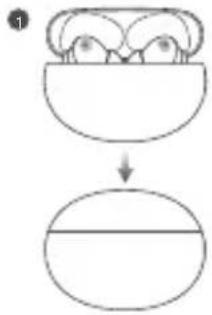
1 Earbuds
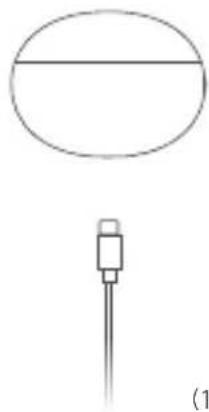
Place your earbuds into the charging case to start charging them. The indicator will show the battery level of the earbuds.
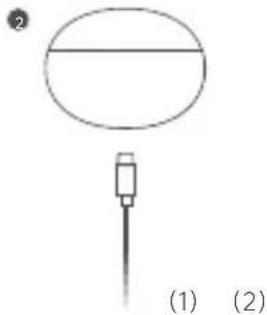
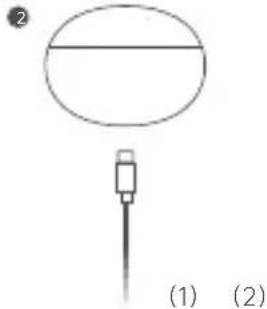
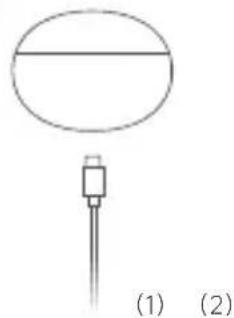
2 Charging case
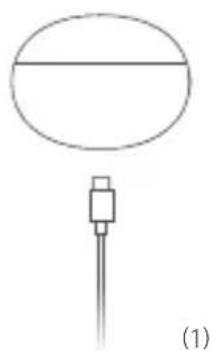
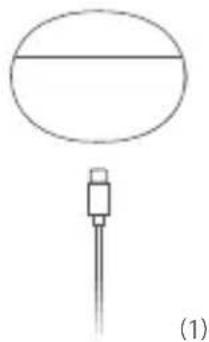
(1) Use the USB-C charging cable included with the product to charge the charging case.
(2) Place the charging case on a Qi-compatible charging base with the back of the case facing upward. You can also use a phone that supports reverse wireless charging to charge the case.
flowchart
graph TD
    A["Input Stage 1"] --> B["Output"]
    style A fill:#f9f,stroke:#333
    style B fill:#bbf,stroke:#333
natural_image
Simple line drawing of a device with a circular top and a pointer, labeled (1) and (2), no text or symbols present.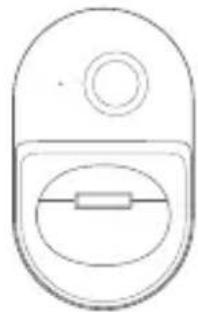
natural_image
Simple line drawing of a computer mouse (no text or symbols)Reset device
Open the charging case with your earbuds inside and press and hold the Function button for 15 seconds. When the indicator blinks red 3 times, your earbuds have been restored to factory settings.
English
Specifications
| Earbuds model | Charging case model | Charging input (charging case) |
| ETE01 | ETE02 | 5 V— 2 A |
Français
natural_image
Diagram showing a device with a magnifying glass and a close-up view of its internal components (no text or symbols)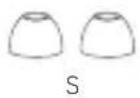
flowchart
graph TD
    A["Bowl-shaped object"] --> B["Oval shape"]
2
natural_image
Simple line drawing of a circular object and a connector (no text or symbols)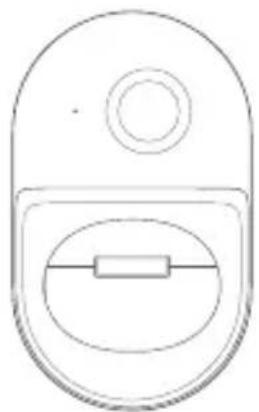
natural_image
Simple line drawing of a door with a circular top and rectangular handle (no text or symbols)(2)
Français
natural_image
Diagram showing a hand holding a device with an inset close-up of its internal components (no text or symbols)
natural_image
Six identical line drawings of a dome-shaped object labeled 'SML' (no additional text or symbols)flowchart
graph TD
    A["Input Stage 1"] --> C["Output"]
    B["Input Stage 2"] --> C["Output"]
2
natural_image
Simple line drawing of a device with a horizontal bar and a vertical rod, labeled (1) at bottom (no text or symbols on the diagram itself)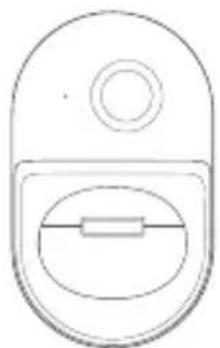
natural_image
Simple line drawing of a door with a circular top and oval side (no text or symbols)(2)
Deutsch
Gerät zurücksetzen
flowchart
graph LR
    A["Wireless Ear Product"] --> B["Wireless Signal Transmission"]
    B --> C["Bluetooth / OPPO Enco X2"]
Misura dei gommini
natural_image
Diagram showing a magnifying glass interacting with a device, with an inset illustrating the process (no text or symbols present)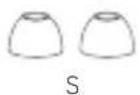
natural_image
Simple line drawing of a cylindrical object with a horizontal line above it, connected to a vertical rod (no text or symbols)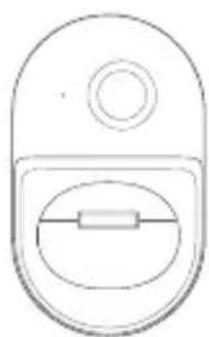
natural_image
Simple line drawing of a door with a circular top and an oval opening, no text or symbols present.(2)
Italiano
natural_image
Diagram showing a magnifying glass interacting with a device, with an inset illustrating the process (no text or symbols present)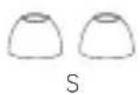
natural_image
Simple line drawing of a device with a horizontal bar and a vertical rod, no text or symbols present.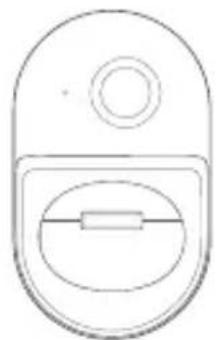
natural_image
Simple line drawing of a door with a circular top and oval side (no text or symbols)(2)
Español
Restablecer dispositivo
flowchart
graph LR
    A["Wire ear with earbuds"] --> B["Wire ear with antenna"]
    B --> C["Bluetooth"]
    C --> D["OPPO Enco X2"]
Encaixe das pontas de silicone
natural_image
Diagram showing a magnifying glass interacting with a device, with an inset illustrating the process (no text or symbols present)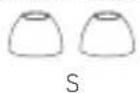
natural_image
Simple line drawing of a cylindrical object with a small protrusion and a label (1) below it (no text or symbols on the object itself)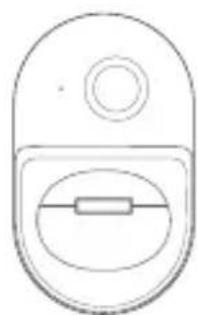
natural_image
Simple line drawing of a computer mouse (no text or symbols)(2)
Português
Repor o dispositivo
flowchart
graph LR
    A["Headphones with earbuds"] --> B["Microphone with antenna"]
    B --> C["Bluetooth / OPPO Enco X2"]
natural_image
Diagram of a mechanical device with a magnified inset showing a component (no text or symbols)
natural_image
Six identical line drawings of a dome-shaped object labeled 'SML' (no additional text or symbols)flowchart
graph TD
    A["Top Step"] --> B["Down Arrow"]
    B --> C["Bottom Step"]
2
natural_image
Simple line drawing of a cylindrical object with a horizontal line inside, connected to a vertical rod (no text or symbols)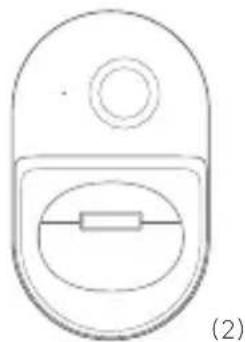
natural_image
Simple line drawing of a device with a circular top and rectangular body (no text or symbols)Nederlands
flowchart
graph LR
    A["Headphones with earbuds"] --> B["Microphone with antenna"]
    B --> C["Bluetooth / OPPO Enco X2"]
natural_image
Diagram showing a magnifying glass with an arrow pointing to a device, no text or symbols present
natural_image
Five identical dome-shaped diagrams labeled SML, no text or symbols present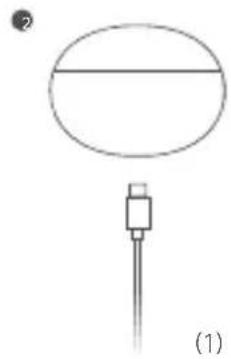
natural_image
Simple line drawing of a device with an oval top and a connector (no text or symbols)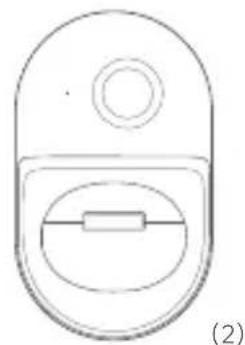
natural_image
Simple line drawing of a device with a circular top and rectangular slot, labeled (2) (no text or symbols on the diagram itself)Polski
natural_image
Diagram showing a mechanical device with a circular component and an arrow indicating direction (no text or symbols)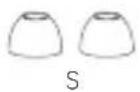
flowchart
graph TD
    A["Top Left Node"] --> B["Down Arrow"]
    B --> C["Horizontal Line"]
natural_image
Simple line drawing of a device with a circular top and a pointer, labeled (1) and (2), no text or symbols present.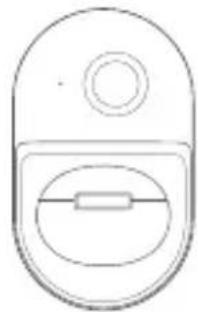
natural_image
Simple line drawing of a computer mouse (no text or symbols)Українська
Скидання пристрою
natural_image
Diagram showing a device emitting a fan or lens, with an inset illustrating the motion of the fan (no text or symbols present)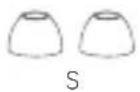
flowchart
graph TD
    A["Input Stage 1"] --> B["Output"]
    C["Input Stage 2"] --> B
2
natural_image
Simple line drawing of a circular object with a horizontal line and a small rectangular component below, labeled (1) and (2) (no text or symbols on the diagram itself)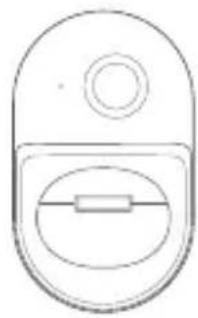
natural_image
Simple line drawing of a computer mouse (no text or symbols)Bahasa Indonesia
Mereset perangkat
Copyright © Guangdong OPPO Mobile Telecommunications Corp., Ltd. 2022. All rights reserved.