
CareStyle 7 IS 7043 - Iron BRAUN - Free user manual and instructions
Find the device manual for free CareStyle 7 IS 7043 BRAUN in PDF.
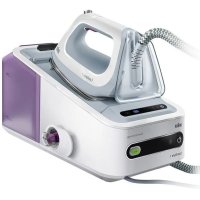

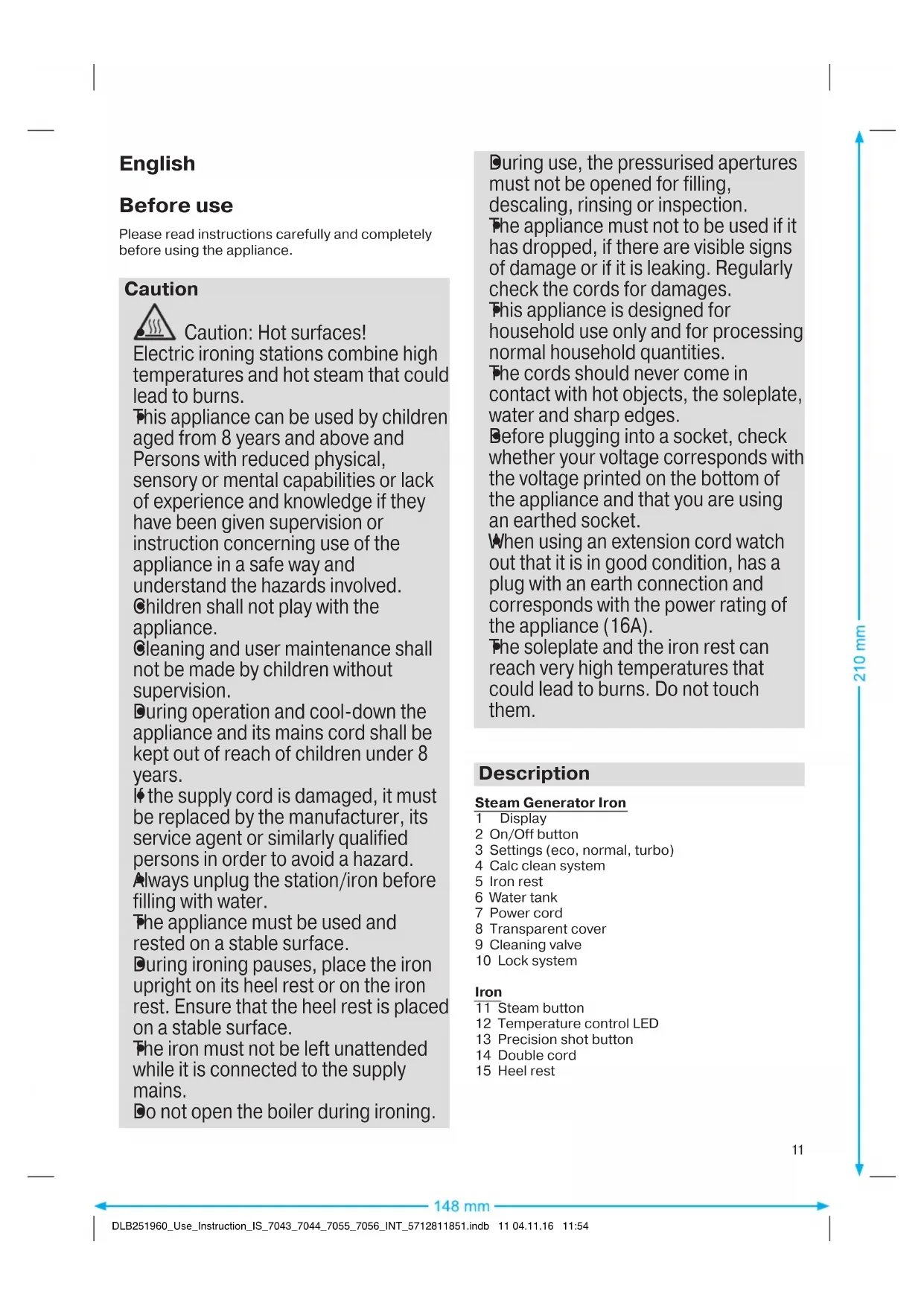


| Product type | Steam iron with steam station |
| Brand | Braun |
| Model | CareStyle 7 IS 7043 |
| Dimensions (W x D x H) | 30 x 15 x 25 cm (estimated) |
| Weight | 1.5 kg (estimated) |
| Power supply | 220-240 V ~ 16 A |
| Power | 2400 W (estimated) |
| Water tank capacity | 1.2 L (estimated) |
| Steam settings | Eco, Normal, Turbo |
| Soleplate | 3D with rounded shape to navigate around buttons and pockets |
| Steam functions | Continuous steam, precision jet, double trigger, vertical steam |
| Auto-off | After 10 minutes of inactivity |
| Locking system | For safe storage and transport |
| Descaling | Every 15 liters of water consumed (approximately 8 fills) |
| Cleaning | Soleplate: damp cloth; handle: damp cloth |
| Safety | Auto-off, child lock (keep out of reach of children under 8), unplug before filling |
| Repairability | Authorized Braun after-sales service |
| Warranty | 2 years (according to legislation) |
Frequently Asked Questions - CareStyle 7 IS 7043 BRAUN
User questions about CareStyle 7 IS 7043 BRAUN
0 question about this device. Answer the ones you know or ask your own.
Ask a new question about this device
Download the instructions for your Iron in PDF format for free! Find your manual CareStyle 7 IS 7043 - BRAUN and take your electronic device back in hand. On this page are published all the documents necessary for the use of your device. CareStyle 7 IS 7043 by BRAUN.
USER MANUAL CareStyle 7 IS 7043 BRAUN
Register your product
www.braunhousehold.com/register
CareStyle 7
CareStyle 7 Pro
Steam generator iron
Deutsch 6
English 11
Francais 16
Espanol 21
Portugues 26
Italiano 31
Nederlands 36
Dansk 41
Norsk 45
Svenska 49
Suomi 53
Polski 57
Český 62
Slovenský 66
Magyar 70
Hrvatski 75
Slovenski 79
Türkce 83
Romana (MD) 87
Eληνικα 92
Ka3ak 97
Pycckn 102
YkpaIHcbka 107
112
De'Longhi Braun Household GmbH
Please read instructions carefully and completely before using the appliance.
Caution

Caution: Hot surfaces!
Electric ironing stations combine high temperatures and hot steam that could lead to burns. This appliance can be used by children aged from 8 years and above and persons with reduced physical, sensory or mental capabilities or lack of experience and knowledge if they have been given supervision or instruction concerning use of the appliance in a safe way and understand the hazards involved. Children shall not play with the appliance. Cleaning and user maintenance shall not be made by children without supervision. During operation and cool-down the appliance and its mains cord shall be kept out of reach of children under 8 years. If the supply cord is damaged, it must be replaced by the manufacturer, its service agent or similarly qualified persons in order to avoid a hazard. Always unplug the station/iron before filling with water. The appliance must be used and rested on a stable surface. During ironing pauses, place the iron upright on its heel rest or on the iron rest. Ensure that the heel rest is placed on a stable surface. The iron must not be left unattended while it is connected to the supply mains. Do not open the boiler during ironing.
During use, the pressurised apertures must not be opened for filling, descending, rinsing or inspection.
The appliance must not be used if it has dropped, if there are visible signs of damage or if it is leaking. Regularly check the cords for damages.
This appliance is designed for household use only and for processing normal household quantities.
The cords should never come in contact with hot objects, the soleplate, water and sharp edges.
Before plugging into a socket, check whether your voltage corresponds with the voltage printed on the bottom of the appliance and that you are using an earthed socket.
When using an extension cord watch out that it is in good condition, has a plug with an earth connection and corresponds with the power rating of the appliance (16A).
The soleplate and the iron rest can reach very high temperatures that could lead to burns. Do not touch them.
Description
Steam Generator Iron
1 Display 2 On/Off button 3 Settings (eco, normal, turbo) 4 Calc clean system 5 Iron rest 6 Water tank 7 Power cord 8 Transparent cover 9 Cleaning valve 10 Lock system
Iron
11 Steam button 12 Temperature control LED 13 Precision shot button 14 Double cord 15 Heel rest
(A) Filling the water tank
- Make sure that the appliance is switched off and the system is unplugged.
- Remove the water tank (6).
- Fill the water tank with tap water, taking care not to exceed the "max" level but at least up to the mark "min" otherwise the appliance will not be ready to start steam ironing. If you have extremely hard water, we recommend that you use a mixture of 50% tap water and 50% distilled water.
- Never use distilled water exclusively. Do not add any additives (e.g. starch). Do not use condensation water from a tumble dryer.
- Insert the water tank.
- Place the appliance on a stable, level surface.
Note:
If you use filtering devices, make absolutely sure the water obtained is neutral pH.
Water reserve function
- When the water level is becoming low, the icon ♠ starts flashing. At this stage it is possible to continue steam ironing for about 10-15 minutes.
- When the icon ♠ turns permanently on, it becomes necessary to refill the tank. At the same time, the temperature control LED (12) is flashing and the icon related to the selected setting turns off.
- To continue steam ironing, refill the water tank (A).
(B) Start ironing
- Place the iron on the iron rest (5) or on its heel rest (15), plug in the appliance and press the On/Off button (2).
- Select the setting (3) most suitable for the garments to be ironed.
- The iron will start to heat up and the temperature control LED (12) on the iron will flash.
- The related icon for the setting in the display (1) will start to flash. When steam is ready the icon turns permanently on.
- Once the temperature setting is reached, the temperature control LED (12) is permanently on.
- Settings: The requested setting can be chosen by pressing the corresponding button (eco, normal or turbo). To switch from one setting to another press the dedicated button (3).
CareStyle 7
eco
It is suggested for most delicate garments like synthetics, silk and blended fabrics for which you need less steam. This setting allows less power consumption.
normal
It is suggested for garments like wool, polyester and cotton/linen.
Note: The normal setting is automatically chosen when the appliance is switched on for the first time. From the second switch on, it will be set to the last setting chosen.
CareStyle 7 Pro
eco
It is suggested for most delicate garments like synthetics, silk and blended fabrics. This setting allows less power consumption.
normal
It is suggested for garments like wool, polyester and cotton.
turbo ①
It is suggested for garments that need more powerful steam, like thick cotton/linen and jeans.
Note: Due to higher temperature in the turbo mode, do not leave unattended the iron on garments to avoid any damage.
Note: When the appliance is switched on, it will always be set to the normal steam mode, independently on the last setting chosen.
- For steam ironing press the steam button (11) below the iron handle. Steam will come out from all the holes in the soleplate.
- Double trigger: Press the steam button (11) or the precision shot button (13) twice in quick succession within 1 second. There will be a continuous steam emission for a few seconds. Press the steam button (11) or the precision shot button (13) once again to stop the function.
- For dry ironing iron without pressing the steam button (11). Please note that after 10 minutes of dry ironing, the iron switches to the auto-off mode. Vertical steam: The iron can also be used for steaming hanging clothes (B).
- 3D soleplate: The unique round shape of the 3D soleplate ensures best gliding results on difficult parts (e.g. buttons, pockets etc.)
(C) Precision shot
- Press the precision shot button (13) completely down.
- Steam will come out of the tip area of the soleplate only.
- To stop this function release the button (13).
- If you do not press it down completely, some steam may also come out from the rear steam holes in the soleplate.
(D) Iron Auto-Off
- When the iron is in the auto-off mode, the icon is flashing and the temperature control LED (12) is off. The iron will turn off to reduce power consumption. It is activated if after 10 minutes there has been no steam emission.
- To turn the iron on again, the On/Off button (2) has to be pressed. Before starting ironing again wait until the temperature control LED (12) is continuously on.
After ironing
- Press the On/Off button (2) to turn off the appliance.
- Unplug and let the appliance cool down before storing.
- Empty the water tank.
- Lock the iron.
(E) Lock system
The lock system can be used for a safe and easy storage of the steam station and the iron. Do not lift or carry the appliance on the handle of the locked iron.
- Place the soleplate into the recess on the iron mat.
- Press down the tip of the iron until you hear a "click" and the iron will be locked automatically.
- To unlock the iron slide the locking system forward. The iron will be released.
(F) Descalging
To maintain optimum performance, the system needs to be decalcified after every 15 litres of water consumption (about 8 complete refills).
The icon is flashing.
- First, switch off and unplug the appliance.
- Unlock the iron and remove it from the iron rest. Wait until the appliance has cooled down (minimum 2.5 hours).
- Remove and empty the water tank.
- Remove the transparent cover (8) and unscrew the cleaning valve (9).
- Empty the boiler.
- Pour in 500 ml tap water. Do not use any chemicals, additives or descaler.
- Screw the cleaning valve (9) to close the boiler.
- Shake the base unit to rinse, then empty the boiler.
- Repeat this procedure one more time.
After having finished the descaling procedure, plug in, switch on (2) and press the calc clean system button (4) for 2 seconds to reset.
If the appliance is switched off without descaling, the icon will start to flash again when it is next switched on.
Note: Because of the different water composition by using an installed in-house permanent descaler, it is recommended to descale the system after every
4 complete refills. Please note that in this case the icon for descaling will not automatically start flashing.
(G) Cleaning and maintenance
- Before cleaning, always make sure that the appliance is switched off, unplugged and has cooled down completely.
- Wipe the soleplate clean with a damp or dry cloth.
- Never use scouring pads, vinegar or other chemicals.
- To clean the soft material on the handle use a damp cloth.
For UK Only
Guarantee Information
All Braun Household products carry a minimum guarantee period of two years. The rights and benefits under this guarantee are additional to your statutory rights which are not affected.
Please keep your receipt as this will form the basis of your guarantee.
In the unlikely event of a breakdown you have access to professional help from our team simply by calling:
02392 392333
For service in the Republic of Ireland please call:
012475471
Braun Household undertakes within the specified period to repair or replace any part of the appliance, free of charge (with the exception of any glass or porcelain-ware incorporated in the product) found to be defective provided that;
- We are promptly informed of the defect. The product is used and maintained in accordance with the User Instructions.
- The appliance has not been altered in any way or subjected to misuse or repair by a person other than an authorised service agent for Braun Household.
- No rights are given under this guarantee to a person acquiring the appliance second hand or for commercial or communal use.
- Any repaired or replaced appliance will be guaranteed on these terms for the unexpired portion of the guarantee.
- The need for repair has not been caused by insufficient aftercare or cleaning: or damage caused by the chemical or electrochemical effects of water.
Under no circumstances shall the application of this guarantee give rise to the complete replacement of the appliance or entitle the consumer to damages.
Braun Household, New Lane, Havant, Hampshire PO9 2NH
www.braunhousehold.co.uk
Thank You for choosing Braun. We are confident that you will get excellent service from this product.
TO IMPROVE YOUR EXPERIENCE
Register now at www.braunhousehold.co.uk. By registering we may send you from time to time details on exclusive offers, promotions, recipes and inside tips.
Troubleshooting guide
| PROBLEM CAUSE REMEDY | ||
| The appliance does not switch on. | The appliance is not plugged into a mains socket. | Make sure the appliance is correctly connected and press the On/Off button. |
| Steam comes out under the base unit. | The "max" pressure safety system has opened. | Turn the appliance off immediately and contact an authorised Braun Customer Service. |
| There are some water drops from the holes in the bottom of the soleplate. | Water has condensed inside the tubes because steam is being used for the first time, or has not been used for some time. | Press the steam button several times away from the ironing board. This will eliminate cold water from the steam circuit. |
| Brown coloured fluid leaks from the soleplate. | Chemical water softeners or additives have been poured into the water tank. | Never pour products into the water tank. Clean the soleplate with a damp cloth and rinse the boiler. |
| The first time the appliance is turned on, you notice smoke or smell. | Some parts have been treated with sealer/lubricant which evaporates the first time the iron heats up. | This is normal and will stop when you have used the iron a few times. If the smoke/smell is still present after turning off the appliance, contact an authorised Braun Customer Service. |
| The appliance emits an intermittent noise associated with vibrations. | Water is being pumped into the boiler. | This is normal and no action is needed. |
| The appliance emits a continuous noise associated with vibrations. | System error. Unplug the appliance from the mains and contact an authorised Braun Customer Service. | |
| The cleaning valve is difficult to unscrew. | Lime scale has made the cleaning valve difficult to open. | Turn the cap forcefully. To avoid the problem, rinse system frequently. |
| After refilling the water tank, the light▲does not reset. | The water float does not work appropriately. | Empty the water tank, rinse out and refill. |
| The water tank is not positioned correctly. | Position the water tank correctly. | |
| All LEDs are flashing. System error. Unplug the appliance, plug it in again and press On/Off button. If this problem is still present, turn the appliance off immediately, unplug and contact an authorised Braun Customer Service. | ||
| Steam icon is permanently on, but there is no steam emission from the soleplate. | Water tank float is locked or the water tank is not correctly inserted. | Turn off and unplug the appliance. Remove and empty the water tank, rinse out and refill. Insert the water tank. Switch on the appliance and wait until the device is ready to use. Press the steam button and wait until steam comes out. Keep the steam button pressed for 10 seconds of steam emission then release the steam button. |
Subject to change without notice.
Please do not dispose the product in the household waste at the end of its useful life. Disposal can take place at a Braun Service Centre or at appropriate collection points provided in your country.

Before use
Caution: hot surfaces!
(F) Descaling
Use the steam function during ironing.
Fill the water tank with water.
Do not use the iron without water. The iron must be filled with water before use.
If the water tank is empty, do not iron without water.
Do not use the iron without water.
For descaling, use a mixture of water and vinegar, or a descaling agent.
If the water tank is empty, do not iron. If the water tank is dirty, clean it. Do not use the iron without water.
For descaling, use a mixture of water and vinegar, or a descaling agent.
Do not immerse the iron in water or other liquids.
When plugging into the socket, do not leave the iron unattended and ensure the socket is properly grounded.
When using the iron, do not leave it unattended and ensure the iron is placed on a stable surface. Do not leave the iron plugged in.
The iron and its base can become very hot. Do not touch the hot parts.
Troubleshooting
This iron
1 Steam iron 2 Steam/Spray button 3 Temperature regulator (ECO, cotton, turbo) 4 Spray button 5 Water tank 6 Water filling opening 7 Fill cap 8 Soleplate 9 Self-clean button 10 Cord
Iron
11 Steam shot button 12 Temperature indicator light 13 Anti-drip function 14 Spray nozzle 15 Press
(A) Filling the water tank
Unplug the iron and let it cool down. Open the water filling opening (6). Fill the water tank with water using a jug, but do not exceed the MAX mark, otherwise water may leak from the soleplate. If the water is hard, mix 50% tap water with 50% distilled water. Do not use pure distilled water. Do not add additives (e.g., starch, fragrance). Do not use water from air conditioners. Place the iron upright. Unplug the iron and store it in a safe place.
If applicable:
If you do not use distilled water, scale may build up and affect the iron's performance.
Water tank capacity
The water tank has a capacity of 300 ml. During use, you can refill it after 10-15 minutes. If the water level is low, the iron may need refilling. When the temperature indicator light (12) goes off, the iron is ready. To activate the steam function, press the steam button (A) to fill the tank.
(B) Starting to iron
Plug in the iron (5) or press the steam button (15), wait for the iron to heat up, then press the steam/spray button (2). Select the appropriate temperature setting (3) for the fabric. Wait for the temperature indicator light (12) to go off. The selected temperature is indicated by the light. When the iron reaches the set temperature, the indicator light will turn off. Temperature settings: select the appropriate setting for the fabric (ECO, cotton, or turbo). To switch between settings, press the temperature regulator (3).
CareStyle 7
ECO
Synthetics, silk, and blended fabrics. Iron at low temperature. Steam ironing is possible.
Cotton
For cleaning, use a soft, dry cloth.
If the soleplate is dirty, wipe it with a soft cloth. For stubborn dirt, use the recommended cleaning mode.
CareStyle 7 Pro
ECO
Synthetic, silk and delicate fabrics can be ironed. This mode is suitable for low temperature ironing.
Soleplate
For cleaning, use a soft, dry cloth.
Turbo 0
For cleaning, use a soft, dry cloth. For stubborn dirt, use a cloth dampened with water.
If the soleplate is hot, do not touch it. Allow it to cool down before cleaning.
If the soleplate is dirty, wipe it with a soft cloth. For stubborn dirt, use the recommended cleaning mode.
- Before ironing, set the iron temperature (11) according to the fabric. For delicate fabrics, use a low temperature setting. For steam ironing, press the steam button (13) repeatedly. For dry ironing, do not press the steam button. After dry ironing, wait 10 minutes before using the "AUTO-CLEAN" function.
- For steam ironing: Press the steam button (B) to release steam. 3D soleplate: The 3D soleplate allows ironing in any direction, making it easier to iron around buttons, zippers, etc.
(C) Steam shot button
Press the steam shot button (13) repeatedly. - This will release a burst of steam. - To stop this function, release the button. If you press the button repeatedly, the steam will continue to be released.
(D) Turning off the iron
To turn off the iron, unplug it from the power outlet (12). If the iron is not used for 10 minutes, it will turn off automatically. To turn it on again, press the steam button (2). To start ironing, set the temperature control dial (12) to the desired setting.
When ironing is finished
To turn off the iron, press the steam button (2). Unplug the iron from the power outlet. - Empty the water tank. - Set the iron upright.
(E) Self-cleaning
The self-cleaning function can be used to remove scale and impurities. It is recommended to use it regularly.
Fill the water tank with water, then set the temperature control dial to the highest setting. When the iron reaches the set temperature, unplug it. To activate self-cleaning, press and hold the self-cleaning button. The iron will start cleaning.
(F) Storage
To avoid scale buildup, after every 15 liters of water used, it is necessary to clean the iron (see section 8).
Unplug the iron and let it cool down.
First, unplug the iron and let it cool down.
After unplugging the iron, remove it from the ironing board. Do not immerse the iron in water (see section 2.5).
Empty the water tank and let it dry.
- Remove the scale collector (8) and clean it under running water (9).
Do not use the iron.
- 500 ml of water. Do not use chemical additives, impurities, or other contaminants.
To clean, remove the cap (9) and pour in water. - This is recommended for best results, with clean water. - Do not use other additives. - After cleaning, replace the cap (2) and press the cleaning button (4) for 2 seconds.
If the cap is not cleaned properly, when the next person touches it, it may cause contamination.
Warning: When using the cleaning function, water may splash out, so keep the device away from electrical appliances. The cleaning function is automatic.
(G) Cleaning and maintenance
After each use, rinse the cap under running water and wipe it dry. If the device is not used for a long time, clean and dry it thoroughly. - Do not use abrasive or other cleaning agents. - Use a soft cloth for cleaning.
Technical data
The device has a power rating of 3 W (204). The serial number is on the rating plate. The first two digits indicate the year of manufacture. The last two digits indicate the month of manufacture. The last two digits of the serial number indicate the year of manufacture, starting from 1992.
Example: 30421 - manufactured in 2013, April.
EAC
| Ynri IS 7043, 7044, 7055, 7056 | |
| Kephey 220 - 240 B | |
| Герц 50-60 Г. | |
| Ватт 2000-240 Вt | |
| Сактушарлары: | Темпера typa: +5°C жени +45°C billyfaльный: <80% |
Manufacturer: Braun GmbH
Manufacturer: Braun GmbH, Carl-Ulrich-Straße 1, 63263 Neu-Isenburg, Germany
For service or after-sales service, please contact the authorized Braun dealer or the Braun company's service department.
Telephone: 88002005262
This product is subject to the warranty conditions. The warranty period starts from the date of purchase.
| AKAYIbIK CEBE6I JXHIDEV | ||
| Курынfvы Косьлмайд. | Курынfvы Куат ке3иЕ Калларбafан. | Курынfvы Ксьлвп Дурьс Ксьлвп ТурfaынTekcepin, кocv/оширу Тумecin БасынБ. |
| Бу вебетин actынан 6ушыfaы. | "Max" Кысьм Кayincizdiri Кунeciашылп ketkeн. | Курынfvы Дурей Кшрр, Braun Tуьншыларfa Кызмт Керсу optalыгыххабарласынБ. |
| Утк Табанында fvпесikтөрдэн cyтмшылайд. | Бу вориш рет колдынлр otырфандытан,Тултөрдд iшду су karналын каллар hemece Kурынfvы biperaz уakbyт Калдылмafan. | Бу Түмсin Борhoe petбасынБ, bipak утікөу Тадындэн Калындэн cыкд.Бу bу кунсinderi cyык cydblxжordы. |
| Табанынан коньр тустсу boktakafд. | Су Күлви bдьсынсу жмсартын Химкалтap hemece Kocbндылар Кшлар. | Су Күлви bдьсka оndд ондд ондд ордд куюfa boлмд. |
| Курынfvы БориPet Kocьлfasнд,Тулн Hemece micШыкалын bайkanыд. | Yirkin, Keibipбьлч Мaterialapmen/Maiarapmen eHedelreH, COndытан утikipп Pet Kocьлfasнд сол 3aTAP shyfaD. | Бул kanyntbix xafdai jaxhe ytrki biphese pet KOLdaHFaH coN, e3diirhen ToKtaДы. Erep Kyrbilfvы eipilireHemet coN da TylH/mic Ketnece, Braun Tуьншыларfa Kызmeti Керсу optalыгыххабарласынБ. |
| Курынfvы Тergьелстрmen Bajmaнысты уздikтшылshыfarad. | Бу reheparotblya на су tarылunda.Бун Kaынfvы Xafdai jxhe eW epeket xacamaнБ. | |
| Курынfvы Тergьелстрп Bajmaнысты уздikсшылshыfarad. | Жуе kateniri. Курынfvы КуAT Ke3i Hen axbipatb, Braun Tуьншыларfa Кызmet Kерсу optalыfvhaхabaplacbHyd. | |
| Тазалay каланьн δуpan any Кын. | эк тазалay каланьн aшуfa Keederri KeTTipuyde. | Кaknakшын КштEN bypan aшьнБ. Мсени Кайтаманбac yшiH, by reheparopbyн xniшao kaxet. |
| Су Түлвроганн кеи, ⋆шамы кайт peTTelmeid. | Су Калымбы дурьс Кшьlic ictemeidi. | Су Күлви bдьсы bocatb,шайр, кайтТOTlbyрынB. |
| Су Күлви bдьсы dyrbcic calbHбafan. | Су Күлви bдьсы dyrbICTan calbHb3. | |
| Жарыдюды Shamdarpын bapлbfы XbyнылбтAN Tур. | Жуе kateniri. | Жуенi Kuyat Ke3iHe axbipatb, кayta xanfaHb3 da, Kocy/оширу Тумecin bocbHb3. Erep мсени олд deшшлмец, курынfvы beshipin, Braun Tуьншыларfa Kызmeti Керсу optalыfvhaхabaplacbHyd. |
| Бу вебгішісі Tураксы Турde Kocьльн Tур, bipak Табанынан 6ушькалд. | Су Күлви bдьс Калымбы Беклген hemece bдьс дурьс calbHбafan. | Курынfvы eipin, Kuyat Ke3iHEN axbipatbHb3.Су Күлви bдьсы bocatb,шайр, кaytaТOTlbyрынB. |
| Су Күлви bдьсы bocbHb3. | ||
| Су Күлви bдьсы орьынca lalbH3. Kpurfaынfvы boshuksa kuyiniz. | ||
| Бу Түмсin bocb,6ушькалша kuyiniz. | ||
| Бу Shykkanla,6ушьмсin 10 cekynd yctan TpybHb3,odaH Kein bocatbHb3. | ||

Please read this manual carefully before using the appliance.
Attention

Caution! Hot surface!
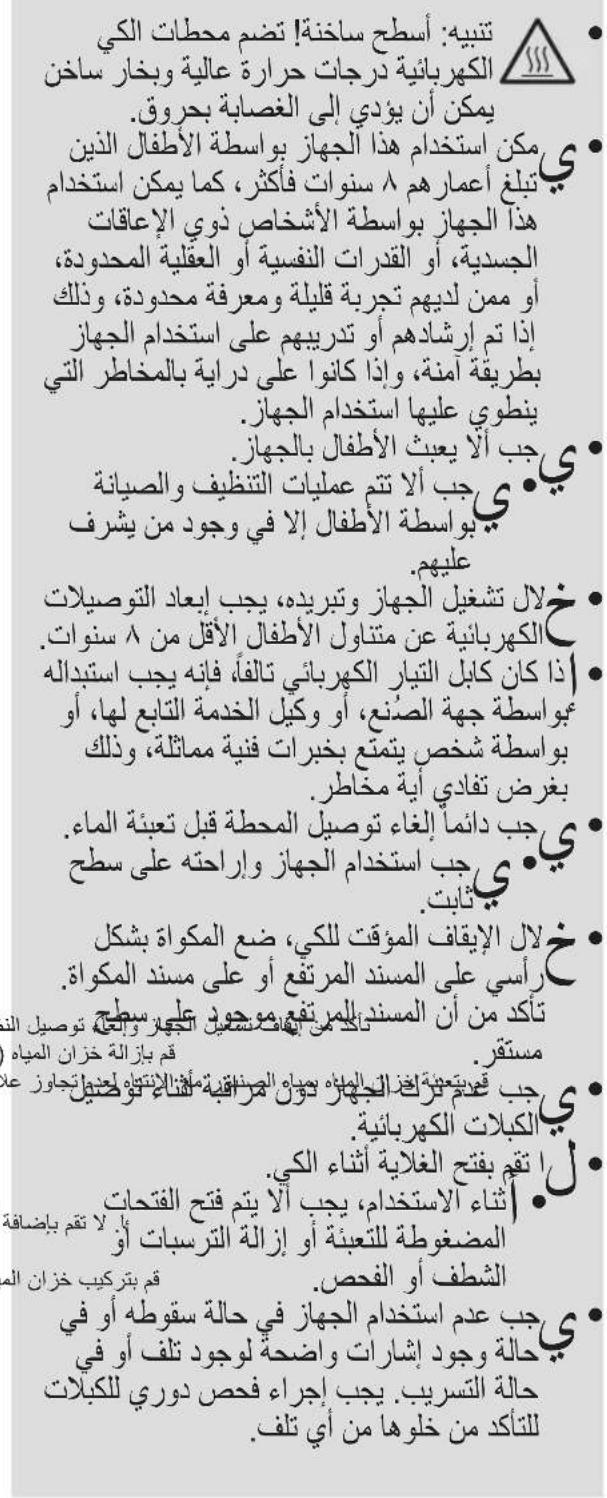
The electric iron operates at high temperatures and produces hot steam, which can cause burns. This appliance can be used by children aged 8 and above, as well as by persons with reduced physical, sensory, or mental capabilities, or with a lack of experience and knowledge, provided they have been given supervision or instruction concerning the safe use of the appliance and understand the hazards involved. Children must not play with the appliance. Cleaning and user maintenance must not be performed by children without supervision. Keep the appliance and its cord out of reach of children under 8 years of age. If the supply cord is damaged, it must be replaced by the manufacturer, its service agent, or similarly qualified persons in order to avoid a hazard. Always disconnect the appliance from the power supply before filling with water. During use, take breaks and place the appliance
Only on a stable surface.
During breaks in ironing, place the iron vertically on its heel rest and on the platform. Make sure the heel rest is on a stable surface. Do not leave the appliance connected to the power supply unattended. Do not open the water reservoir during ironing. The filling, emptying, and steam vents, which are under pressure, must not be opened during operation. Do not use the appliance after a fall if there are visible damages or leaks. Regularly check the power cord for damage. This appliance is intended exclusively for household use and is designed to process quantities of food on a domestic scale. Do not allow the cord to come into contact with hot objects, the hot soleplate, or sharp edges. Before plugging into the outlet, check that the voltage matches the voltage indicated on the appliance. The outlet must be grounded. When using an extension cord, make sure it is in good condition, has a grounded plug, and matches the appliance's rated power (16A). The soleplate and the base may become extremely hot, which can cause burns. Do not touch them.
Description of parts
Iron with steam generator
1 Steam button 2 On/Off button 3 Settings (“eco”, “normal”, “turbo”) 4 Descaling system 5 Iron platform 6 Water tank 7 Cable 8 Transparent lid 9 Descaling valve 10 Fixing system
iron
11 Spray button 12 Temperature indicator light 13 Steam boost button 14 Water cable 15 Delivery cap
(A) Filling the water tank
- Make sure the appliance is switched off and unplugged from the power supply.
- Remove the water tank (6). Fill the tank with tap water (from the faucet) up to the “MAX” mark, but not below the “MIN” mark; otherwise, the appliance will not be ready for steam ironing. If your water is very hard, we recommend using a mixture consisting of 50% tap water and 50% distilled water. In any case, do not use undiluted distilled water. Do not add any additives (e.g., starch). Do not use condensate from a tumble dryer. Insert the water tank back in.
- Place the appliance on a stable, flat surface.
Note:
If using filter devices, always make sure that the water obtained has a neutral pH value.
Water level function
- When the water level is low, the symbol 串 starts flashing. At this stage, you can continue steam ironing for another 10-15 minutes. When the symbol lights up continuously, it is necessary to add water to the tank. At the same time, the temperature indicator light (12) flashes and the symbol corresponding to the selected setting turns off.
- To continue steam ironing, add water to the water tank (A).
(B) Starting to iron
- Place the iron on the platform (5) or on the delivery cap (15), plug the appliance into the power supply and press the On/Off button (2).
- Select the setting (3) that best suits the fabric to be ironed.
- The temperature indicator light (12) starts to flash. The display (1) starts to show the symbol corresponding to the setting. When the steam is ready, the symbol starts to flash continuously. When the set temperature is reached, the temperature indicator light (12) stays on continuously.
- Settings: You can select the desired setting by pressing the corresponding button (eco, normal, or turbo). To switch between settings, press the corresponding button (3).
CareStyle 7
eco

This setting is recommended for the most delicate fabrics, such as synthetic, silk, or blended fabrics, which require less steam. It reduces energy consumption.
normal

This setting is recommended for fabrics such as wool, polyester, and cotton/linen.
Note: The setting is automatically selected at the first switch-on of the appliance; from the second switch-on, the last used setting is automatically selected.
CareStyle 7 Pro
eco

This setting is recommended for the most delicate fabrics, such as synthetic, silk, or blended fabrics. It reduces energy consumption.
normal

This setting is recommended for fabrics such as wool, polyester, and cotton.
turbo+
This setting is recommended for fabrics that require a more powerful steam output, for example, thick cotton, linen, or denim materials.
Warning: In particularly high-temperature modes, do not leave the iron on the fabric unattended, as this may damage the fabric.
Use: When the appliance is switched on, it is always in the standard steam mode, regardless of the last selected setting.
For steam ironing, press the steam button (11) under the iron handle. Steam will come out of all holes in the soleplate. - Double steam: Quickly press the steam button (11) or the pre-iron steam shot button (13) twice within 1 second. This produces a continuous steam supply for several seconds. To stop this function, press the steam button (11) or the pre-iron steam shot button (13) again. - Dry ironing: Do not press the steam button (11) while ironing. Remember that after 10 minutes of dry ironing, the iron will switch to automatic shut-off mode. Vertical steam: The iron can also be used for steam ironing hanging items (B). - 3D soleplate: The unique rounded shape of the 3D soleplate achieves the best results when ironing complex parts (e.g., elements with buttons, pockets, etc.).
(C) Steam shot
Press the pre-iron steam shot button (13) all the way down. Steam will be released intensively from the front part of the soleplate. To turn off this function, release the button (13). - If the button is not fully pressed, some steam may also escape from the holes in the rear part of the soleplate.
(D) Automatic shut-off mode
When the iron is in automatic shut-off mode, the temperature indicator light (12) flashes. The iron turns off to reduce energy consumption. - This function activates if no steam is produced for 10 minutes. - To turn the iron back on, press the “On/Off” button (2). Before starting ironing again, wait until the temperature indicator light (12) stays on continuously.
After ironing
Press the “On/Off” button (2) to turn off the appliance. - Unplug the appliance and empty the water reservoir before storing it. Follow the instructions.
(E) Locking system
The locking system is used to ensure easy and safe storage of the steam iron station. Do not lift or carry the appliance by the handle of the locked iron.
- Place the soleplate of the iron on the ironing board. Press the front part of the iron down until you hear a click; the iron locks automatically.
- To unlock the iron, press the locking element forward, and the iron will be unlocked.
(F) Descaling
To ensure maximum efficiency of the system, it should be cleaned of limescale after every 15 liters of water (approximately 8 fillings).
3HaOKX MIRaET.
- ChaçaJa BAikHouTe np6Op n OTKJIIOHTe erOOT CETn NITAHJ. Pa36Iokpyte yTIO n CHIMITE erO c nIaT-ΦOpMbI. IIOOXDITe, NOKA OH NOnHOCTbIO OCTbIHET (He MeHee 2,5 yacOB).
- CHIMMTE pe3epByap IJRA BOIbI IN CJIeITe N3 HrO BOJy.
- CHINMTE npo3paHHyIO KpbIuKy (8) IN OTBnHTN-Te KlaanH dny ONUCTKN (9).
- Onopokhnte boinep. 3aJeTe 500 Ml BOJOnpOBOHOB OBObl. He nCNoJIb3yIte KaKne-JIb6 XIMNKaTbI, DObaBKn IIN CpeIcTBa IJIy yJaJIeHnI N3BeCTKObbIX OT-JIOKeHn. 3aBHTTE Klaanah DnOuHCTKn (9),TO6bl 3akpbIb6oHnep.
- IoprrnTe 6a3OBbI 6IOK, YTO6bl npOnOLOC-KaTbeO, 3aTEM CJIeNTe BOy.
- NobTOpNTE daHnyI npOeDpy eue pa3.
- IIO OKOHuaHn npOueypbI OuNCTKn NOJKNIO-NTe npnbop K cETn, BKJIOnHTe (2) n HaxMnte Ha KHONKy «OuNCTKa CnCTEmbl» (4) B TeueHne 2 cekyHd.
PnBbIKJIOUeHn npnbopa 6e3 BbINOJIHeHnnpOceJeypbI ydaJIeHnHaKIN3HaOHcCHOBaHaHET MmraTb npn CJIeDyIOUeM BKIOUeHn.
PnmuueHne: BCJeDCTBne pa3JnH B COCTabe BOdbI, pN INCNOJb3OBaHIn BCTPOeHHOFO DOMaUHeRo yCTPoINCTBa IJRA PpeDOTBpaUeHnA Oba3OBaHnHaKnPi peKoMeHNyETcB bInONHrTb YdaJIeHne HaKnPi npIMepHO NocLe KaKdIbIX 4 HAnONHeHn. CJeDyET NOMHTb, YTO B daHHOM Clyuae INHdNKATOp, yKa3blBAIOuNn Ha Heo6XOnMOCtB yJaJIeHn HaKnPi, He HaunHaet ABTomAtNUeCKN MIRTaTb.
(G) OuNTka n yxod
- Ipeed OuchKoB BceIa CJIeIyE T yOCTOBepnTbCBA TOM, YTO npI6Op BbIKIOueH, OTKIO-yeH, H3 CETN INJHOCTbIO OCTbl.
- NaHCTO npOTpTe NOoWBy yTIOra BnaxHOI nIN cyXoN TkaHbIO.
- Hn B KOem Cnyuae He NcnoJb3yIe ry6ky, yKcyc nnHbIe XmMueckne CpeDCTBa. -Дя OУнCTКМЯгКОмаTeРиАpaPyKoTknNcNoJIb3yIteBlaXHHyTOTkAHB.
Data n3rTOBHeHn
To find out the date of manufacture, look at the serial number on the rating plate (next to the table with the series designation). The first digit indicates the last digit of the year of manufacture. The next two digits are the calendar week. The last two digits indicate the edition (automatically calculated since 1992).
Recommended for cotton, polyester and blended fabrics.
Ironing: "normal" setting
It is selected automatically when the appliance is first switched on. After the 2nd switch-on, the setting that was set last is saved.
CareStyle 7 Pro
eco
Recommended for delicate fabrics, such as synthetics, silk and blended fabrics. This setting allows you to save more electricity.
normal
Recommended for cotton, polyester and blended fabrics.
turbo
Recommended for fabrics that require more power, for example thick blended fabrics and denim.
Note: Due to the high temperature in turbo mode, do not iron clothes without a load on the soleplate to avoid any damage.
Note: When switching on the iron, the setting is always set to normal steam mode, regardless of the last selected setting.
- For steam ironing, the steam button (11) is located under the handle of the iron. Steam comes out of the holes in the soleplate. - Steam boost: Press the steam button (11) or the steam shot button (13) for 1 second. Steam comes out continuously for a few seconds. To stop this function, press the steam button (11) or the steam shot button (13) again. - For dry ironing, do not press the steam button (11). Note that after 10 minutes of dry ironing, the iron switches to automatic shut-off mode. - Vertical steam: The iron can also be used for steaming hanging clothes (B). - 3D soleplate: The unique 3D round-shaped soleplate ensures the best ironing results in hard-to-reach areas (e.g., buttons, pockets, etc.)
(C) Steam shot
- Press the button (13) to turn on.
- The steam starts coming out of the nozzle.
- To turn off the steam function, press the button (13).
- Do not press the button to turn on, as the steam may also come out of the front openings in the soleplate.
(D) Automatic steam off
The iron is equipped with an automatic steam off function. When the temperature control indicator (12) is off, the steam is turned off to save energy. It activates if there is no steam release for 10 minutes. To turn the steam back on, press the ON/OFF button (2). The iron will start heating up until the temperature control indicator (12) is constantly lit.
After use
Press the ON/OFF button (2) to turn off the iron. Unplug it from the electrical outlet and let it cool down through the holes. Empty the water from the reservoir. Store the iron.
(E) Locking system
The locking system can be used for safe and convenient storage of the iron. Do not lift or carry the iron by the handle when it is locked.
- Fill the water tank to the maximum level. Press the iron handle until it clicks. This means the iron will be locked automatically. To unlock the iron, press the locking system release. The iron will unlock.
(F) Descaling
For optimal performance, it is necessary to perform descaling of the system after every 15 liters of water used (approximately 8 full refills).
The indicator will light up.
First, turn off the iron and unplug it from the electrical outlet. Unlock the iron and remove it from the base. Wait until the iron is completely cool (at least 2.5 hours). Remove the water reservoir and empty the water. Remove the transparent cap (8) and unscrew the descaling valve (9). Empty the water from the boiler. Fill with 500 ml of tap water. Do not use harsh chemicals, additives, or descaling agents. Screw the descaling valve (9) back on to close the boiler. Shake the base unit to clean it, then empty the water from the boiler. Repeat this procedure once. After descaling, insert the plug into the socket, turn on (2) and press the descaling system button (4) for 2 seconds to reset the counter.
The device must be operated without prior dehumidification, the humidity indicator will show the need for further operation.
Note: When using a stationary device for filling ink through different containers, it is recommended to fill ink from the system after every 4 full refills. Please note that in this case, the ink filling indicator will not turn off automatically.
(G) Cleaning and maintenance
- Before cleaning, turn off the device, unplug it from the electrical outlet, and let it cool completely.
- Wipe the surface with clean water or a dry cloth. Never use gasoline, acetone, or other chemical agents. For soft material on the handle, use a damp cloth.
The device does not contain parts that require user maintenance. Maintenance must be performed by qualified personnel in accordance with the technical regulations for the safe use of electrical and electronic equipment.

Hotline: 0 800 503-507 (calls from standard phones are free).
Troubleshooting and fault correction
11
CareStyle 7 Pro
1 1
(F)
A
Therefore, (1/2 + 1/3 - 1/5 - 1/7 - 1/9 - ... - 10/2 - 10/4 - 10/9) + 1/2 = -4
15 15
y 1
C 10
a
a
G)
a 1
JalS Jy
a 1
jie
- CAUTION
- DESCRIPTION
- STEAM GENERATOR IRON
- IRON
- FILLING THE WATER TANK
- NOTE
- WATER RESERVE FUNCTION
- START IRONING
- CARESTYLE
- ECO
- NORMAL
- CARESTYLE 7 PRO
- TURBO ①
- PRECISION SHOT
- IRON AUTO-OFF
- AFTER IRONING
- LOCK SYSTEM
- DESCALGING
- CLEANING AND MAINTENANCE
- FOR UK ONLY
- TO IMPROVE YOUR EXPERIENCE
- TROUBLESHOOTING GUIDE
- BEFORE USE
- DESCALING
- TROUBLESHOOTING
- THIS IRON
- IF APPLICABLE
- WATER TANK CAPACITY
- STARTING TO IRON
- STEAM SHOT BUTTON
- TURNING OFF THE IRON
- WHEN IRONING IS FINISHED
- SELF-CLEANING
- STORAGE
- TECHNICAL DATA
- EAC
- ATTENTION
- DESCRIPTION OF PARTS
- IRON WITH STEAM GENERATOR
- WATER LEVEL FUNCTION
- TURBO
- STEAM SHOT
- AUTOMATIC SHUT-OFF MODE
- LOCKING SYSTEM
- OUNTKA N YXOD
- DATA N3RTOBHEHN
- AUTOMATIC STEAM OFF
- AFTER USE
- (F)
- G)
Brand : BRAUN
Model : CareStyle 7 IS 7043
Category : Iron