
HF3305 - Light therapy PHILIPS - Free user manual and instructions
Find the device manual for free HF3305 PHILIPS in PDF.



| Product type | Light therapy lamp |
| Brand | Philips |
| Model | HF3305 |
| Power supply | 220-240 V |
| Lamp type | Philips Original Bright Light PL-L 36 W |
| Power | 36 W |
| Adjustable light intensity | Yes (dimmer) |
| Recommended distance for light bath | 20 to 60 cm |
| Recommended session duration | 30 minutes to 2 hours (depending on distance) |
| Normal lighting | Yes (complementary use) |
| Number of lamps | 1 |
| Maintenance | Clean with a damp cloth, do not use abrasives |
| Safety | Do not use in a humid environment; unplug after use |
| Warranty | According to MDD 93/42/EEC standards |
| Lamp replacement | By Philips or an authorized center |
| Medical use | Designed to combat winter blues |
Frequently Asked Questions - HF3305 PHILIPS
User questions about HF3305 PHILIPS
0 question about this device. Answer the ones you know or ask your own.
Ask a new question about this device
Download the instructions for your Light therapy in PDF format for free! Find your manual HF3305 - PHILIPS and take your electronic device back in hand. On this page are published all the documents necessary for the use of your device. HF3305 by PHILIPS.
USER MANUAL HF3305 PHILIPS
Bright Light Energy HF3305

The appliance is suitable for both light baths and for normal lighting (you can use the dimmer switch to set the preferred light intensity). Light baths will help counteract the tiredness, low spirits and the lack of energy that many people experience in autumn and winter, when the days are darker and shorter. These symptoms, which are thought to be caused by a disruption of our biological clock, are often referred to as the winter blues.
The winter blues are characterised by a combination of symptoms: tiredness, a lack of energy and needing more sleep, unexpected mood changes, having difficulty getting out of bed in the morning and having trouble concentrating. Sometimes the winter blues can also cause you to gain weight, as your body craves food that is rich in sugar and carbohydrates, such as pasta and chocolate. The winter blues occur during the darker period of the year, i.e. from September until March. More than 60% of the population is troubled by one or more symptoms of the winter blues. Many health experts agree that the winter blues can be counteracted by exposure to bright light. 'Bright light' means daylight with a certain intensity. In winter, the light intensity is often much lower than in summer: on a gloomy winter day the light intensity will vary between 2,500 and 10,000 lux, whereas this may be as much as 100,000 lux on a bright summer day. Moreover, in winter most people spend a lot of time indoors, either at home or at work, where artificial light often has an intensity of as little as 500 lux and sometimes even less. Together with scientists and medical specialists in the field of treating the winter blues, Philips has developed this special lighting appliance. This appliance allows you to safely get the amount of light you need to make the winter blues disappear. Clinical tests have shown that bright light works. In approx. 90% of all cases, the winter blues disappear when the Bright Light is used regularly. Taking light baths is generally accepted as one of the safest and most effective ways of fighting the winter blues.
Important
▶ Check if the voltage indicated on the appliance corresponds to the mains voltage in your home before you connect the appliance.
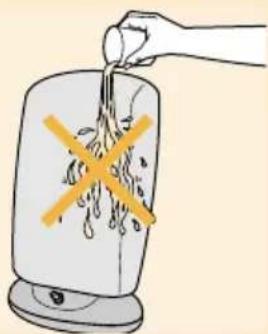
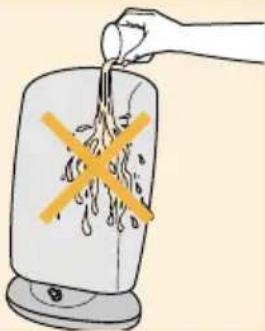
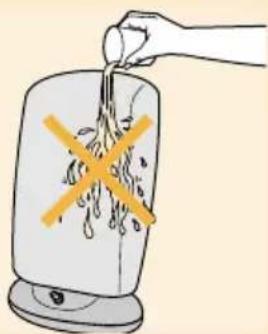
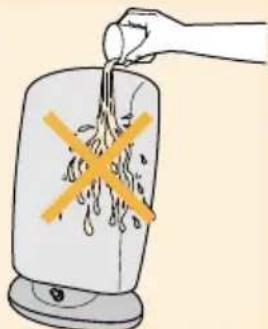
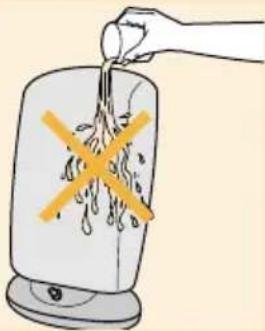
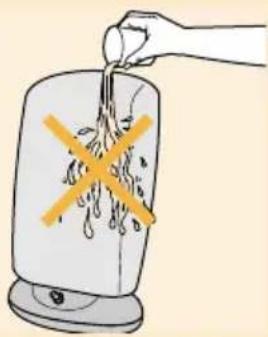
- Keep this appliance away from water! Do not use this appliance in damp environments (e.g. in a bathroom or near a swimming pool).
▶ Always unplug the appliance after use.
▶ Make sure that children cannot play with the appliance.
The duration of the light bath depends on the distance at which the appliance is used. See section 'Taking a lightbath' for the appropriate distance and duration. Repeat the light bath on at least five successive days (take them at a time that suits you and make this a daily habit during the course). You can start a new light bath course (5 or more successive days) whenever you feel like you need it.
▶ Use the light of this appliance as an addition to the normal light (sunlight, electric light) in your home. Do not use the appliance in a room that is not illuminated by any other light source.
▶ It is not advisable to look into the light too long.
▶ After the first few lightbaths you may experience some eye strain and/or a light headache. These side effects tend to disappear quickly.
- Consult your doctor before you start using the Bright Light if:
- you (have) suffer(ed) from severe depression;
- you are hypersensitive to light (e.g. diabetics and epileptics);
- you have eye complaints;
- you are on specific medication (i.e. certain antidepressants, psychotropic drugs or malaria tablets);
- you have high blood pressure.
If using the appliance causes you to become too active, we advise you to reduce the light dose. If there is no improvement, we advise you to consult your doctor.
If you feel exhausted, distressed or restless and/or suffer from sleeping problems (e.g. insomnia) after having used the appliance, it is always advisable to consult your doctor or psychotherapist.
Preparing the appliance for use
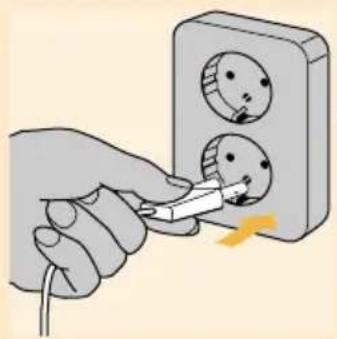
1 Place the appliance on a table top.
2 Put the plug in a wall socket (220-240V).
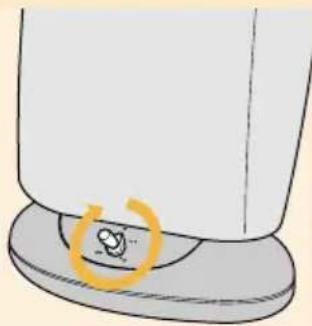
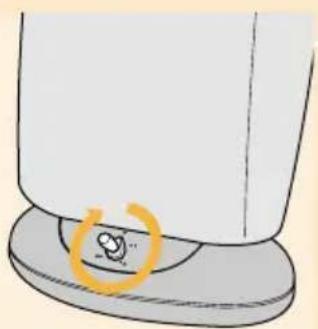
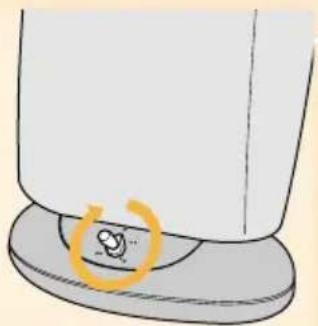
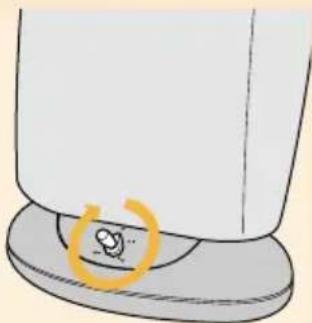
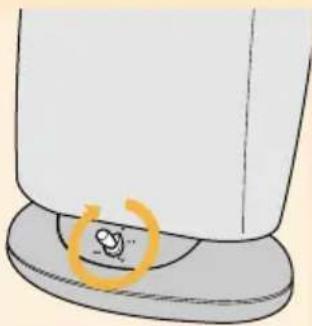
3 Switch the appliance on by turning the dimmer switch clockwise.
NB: when you switch the appliance on, it will start at the highest light intensity. After a few seconds, the light intensity will adjust itself to the level you have selected.
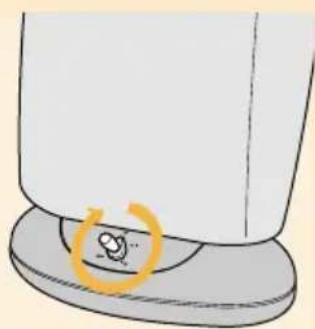
4 Use the dimmer switch to adjust the light intensity.
Select the maximum setting for a light bath.
Select a lower setting if you want to use the appliance for normal lighting.
Taking a light bath
It is advisable to start using the Bright Light as soon as you feel the winter blues coming on.
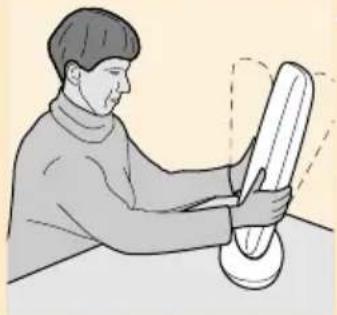
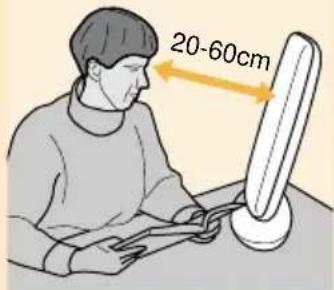
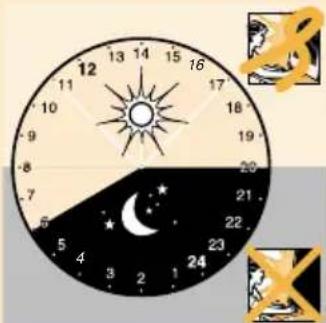
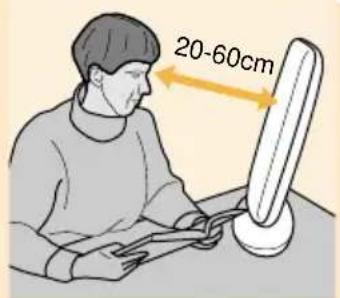
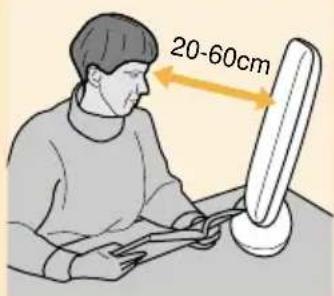
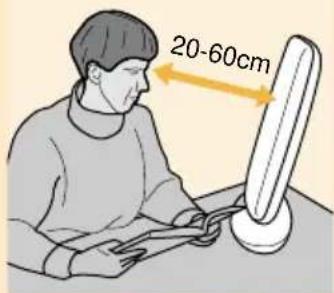
1 Position yourself near the appliance and turn the screen in such a way that you can comfortably look in the direction of the light.
▶ You do not need to sit right in front of the appliance.
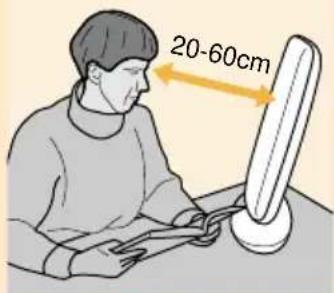
When taking a light bath, make sure there is a distance between your face and the screen of 20 to 60 cm.
The advisable duration of the light bath depends on the distance at which the appliance is used:
Time and distance table for light baths
••••Normal lighting, for instance atmosphere lighting or desk lighting.
| Dimmer position | Duration | Distance | Lux |
| 1 | 2 hours | approx. 40 cm | 2,500 |
| 1 | 1 hour | approx. 25 cm | 5,000 |
| 2 | 2 hours | approx. 60 cm | 2,500 |
| 2 | 1 hour | approx 40 cm | 5,000 |
| 2 | 30 minutes | approx. 20 cm | 10,000 |
- You do not have to take the whole light bath without interruption. If it suits your schedule better, you can interrupt your light bath and continue later.
2 Look into the light every now and then.
Do not look into the light continuously! You can simply engage in other activities such as reading, writing, embroidering or handicraft while taking a light bath and look into the light every now and then.
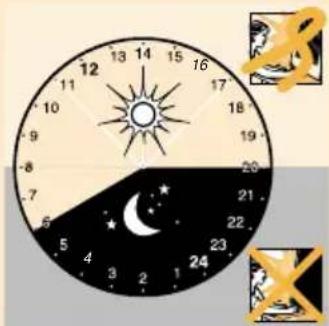
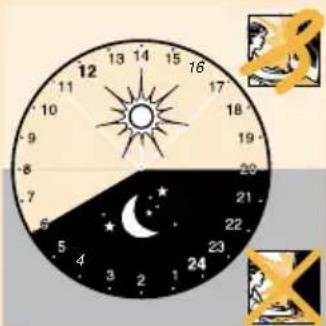
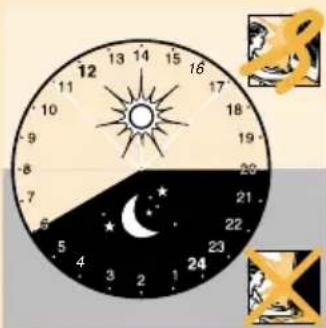
3 Preferably take your light baths between 6 o'clock in the morning and 8 o'clock in the evening.
4 Repeat the light baths until you feel better.
Generally, improvements will occur within 1 week. We advise you to repeat the light bath on at least 5 successive days.
- You may repeat the light bath as often as you like during the 'dark period' of the year. Take a light bath on at least 5 successive days.
5 Switch the appliance off after use and remove the mains plug from the wall socket.
Cleaning the appliance
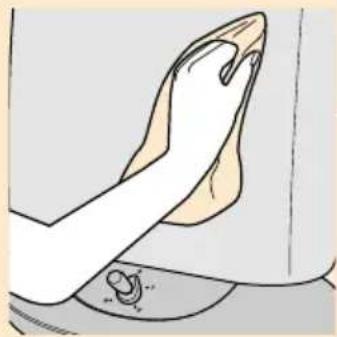
Always unplug the appliance and let it cool down before cleaning.
1 Clean the outside of the appliance with a damp cloth.
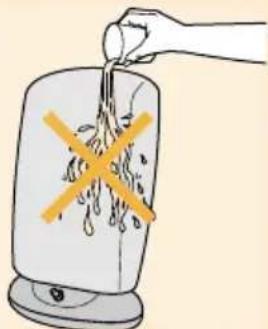
2 Make sure that no water runs into the appliance.
Do not use abrasives or scourers, or liquids such as alcohol, petrol or acetone.
Replacement
Tube lamps
If the tube lamps stop working, or after a period of 10,000 burninghours (after many years of normal use) they have to be replaced. Tube lamps must always be replaced by Philips or a service centre authorised by Philips, as special tools and/or parts are required.
The tube lamps must always be replaced with Philips Original Bright Light PL-L 36W tube lamps.
Mains cord
If the mains cord of this appliance is damaged, it must always be replaced by Philips or a service centre authorised by Philips, as special tools and/or parts are required.
Environment
Tube lamps contain substances that may pollute the environment. When discarding these lamps, please make sure that they are separated from the normal household waste and that they are disposed of at an officially assigned place.
Guarantee & service
This appliance meets the requirements of MDD 93/42/EEC for medical appliances.
If you need information or if you have a problem, please visit the Philips Web site at www.philips.com or contact the Philips Customer Care Centre in your country (you will find its phone number in the worldwide guarantee leaflet). If there is no Customer Care Centre in your country, turn to your local Philips dealer or contact the Service Department of Philips Domestic Appliances and Personal Care BV.
Einleitung
1 Placera apparaten ovanpå t.ex.ett bord.



Brand : PHILIPS
Model : HF3305
Category : Light therapy