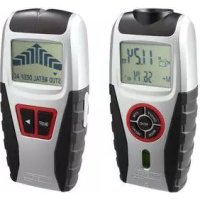
Z31697A - Laser rangefinder POWERFIX - Free user manual and instructions
Find the device manual for free Z31697A POWERFIX in PDF.

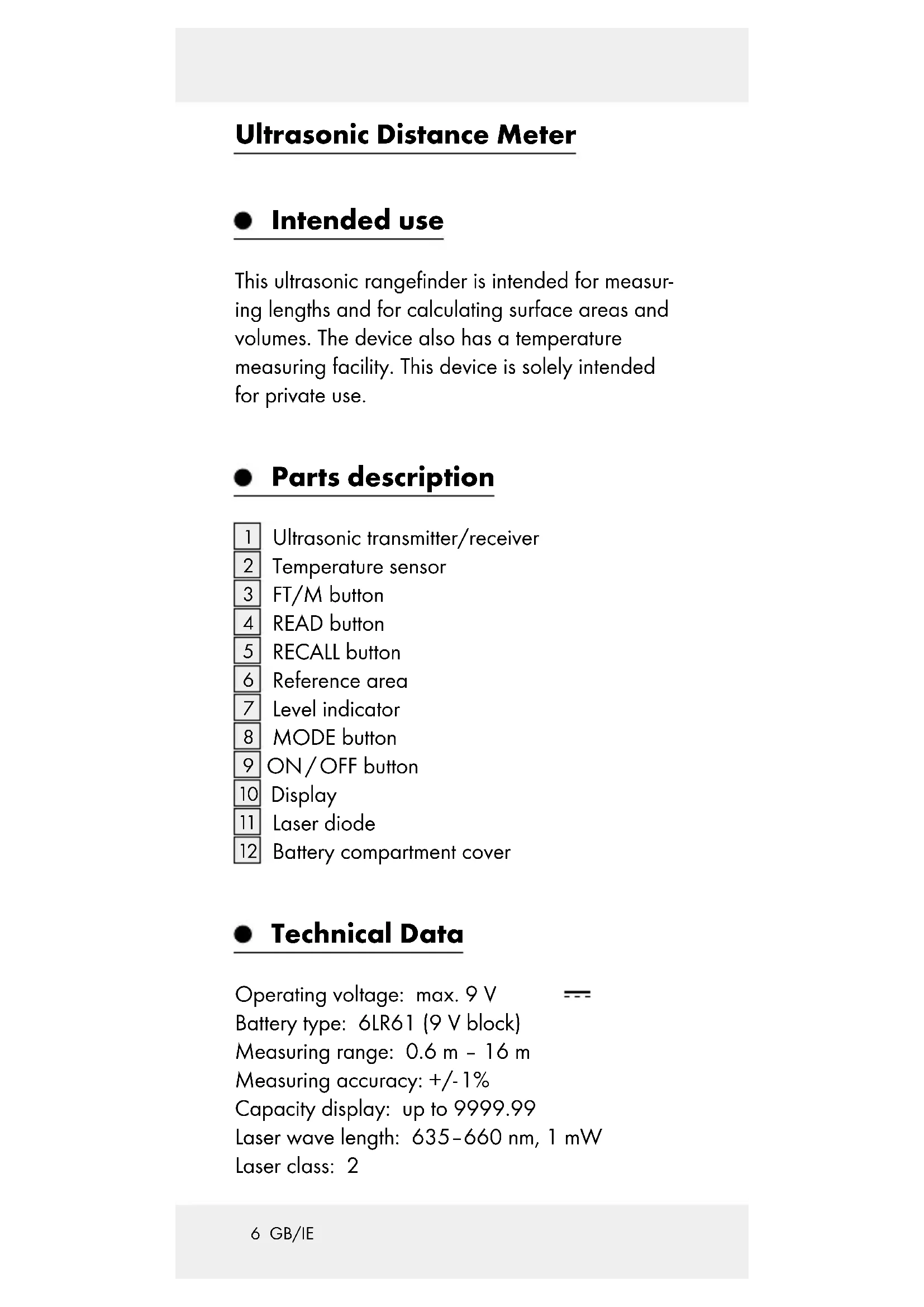


| Product Type | Ultrasonic distance meter with laser pointer |
| Brand | Powerfix |
| Model | Z31697A |
| Category | Laser distance meter |
| Power supply | 9V battery (6LR61) |
| Battery type | 1 x 9V block battery |
| Measuring range | 0.6 m to 16 m |
| Accuracy | ± 1% |
| Ultrasound frequency | 40 kHz |
| Laser wavelength | 635-660 nm, 1 mW |
| Laser class | 2 |
| Thermometer measuring range | -10°C to +40°C |
| Display capacity | Up to 9999.99 (m, m², m³) |
| Package contents | Distance meter, 9V battery, instruction manual |
| Warranty | 3 years |
| Cleaning and care | Clean the exterior with a soft, dry cloth |
| Laser safety | Do not point at eyes, class 2 |
| Battery safety | Do not recharge, short-circuit, or open |
| Intended use | Measurement of lengths, areas, volumes, and temperature |
Frequently Asked Questions - Z31697A POWERFIX
User questions about Z31697A POWERFIX
0 question about this device. Answer the ones you know or ask your own.
Ask a new question about this device
Download the instructions for your Laser rangefinder in PDF format for free! Find your manual Z31697A - POWERFIX and take your electronic device back in hand. On this page are published all the documents necessary for the use of your device. Z31697A by POWERFIX.
USER MANUAL Z31697A POWERFIX
Operation and Safety Notes
F
GB/IEOperation and Safety NotesPage 5
Intended use... Page 6
Parts description Page 6
Technical Data.. Page 6
Scope of delivery... Page 7
General safety instructions
Safety Instructions for Batteries
Before using
Inserting / changing the battery ....... Page 9
Start-up
Measuring length.. Page 10
Avoiding measuring errors... Page 11
Adding lengths together.. Page 12
Measuring surface area... Page 13
Measuring volume.. Page 13
Adding surface areas or volumes together.. Page 14
Displaying the last measured values....Page 15
Temperature display.. Page 16
Changing the unit of measurement.....Page 16
Battery state display... Page 16
Switching off / Automatic shut-down....Page 16
Cleaning and Care... Page 17
Disposal Page 17
Warranty Page 17
Ultrasonic Distance Meter
- Intended use
This ultrasonic rangefinder is intended for measuring lengths and for calculating surface areas and volumes. The device also has a temperature measuring facility. This device is solely intended for private use.
- Parts description
1 Ultrasonic transmitter/receiver
2 Temperature sensor
3FT/M button
4 READ button
5 RECALL button
6 Reference area
7 Level indicator
8 MODE button
9 ON/OFF button
10 Display
11 Laser diode
12 Battery compartment cover
Technical Data
Operating voltage: max. 9 V
Battery type: 6LR61 (9 V block)
Measuring range: 0.6m - 16m
Measuring accuracy: + / - 1%
Capacity display: up to 9999.99
Laser wave length: 635-660 nm, 1 mW
Laser class: 2
Ultrasonic frequency: 40kHz
Thermometer
measuring range: -10^ + 40^
$$ (1 4 ^ {\circ} F - 1 0 4 ^ {\circ} F) $$
- Scope of delivery
1 Ultrasonic Distance Meter
19V block battery
1 Set of operating instructions

General safety instructions
Before using the product, please familiarise yourself with all of the safety information and instructions for use! When passing this product on to others, please also include all the documents!
Check the product for damage before use! Never use a damaged product!
- Do not expose the device to moisture! This may damage it.
This appliance can be used by children aged from 8 years and above and persons with reduced physical, sensory or mental capabilities or lack of experience and knowledge if they have been given supervision or instruction concerning use of the appliance in a safe way and understand the hazards involved. Children shall not play with the appliance. Cleaning and user maintenance shall not be made by children without supervision.
Danger from laser radiation
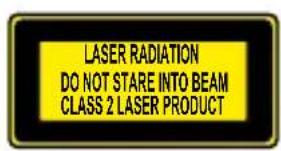
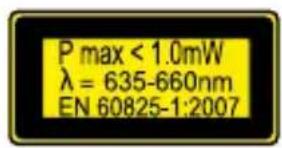

The device contains a Class 2 laser. Never point the laser beam at persons or animals. Never look directly into the beam. Even a weak laser beam can cause eye damage.
- Never point the laser beam at reflective surfaces or materials. Even a reflected laser beam can cause eye damage.

Safety Instructions for Batteries
WARNING! DANGER TO LIFE! Batteries are not intended for children. If accidentally swallowed seek immediate medical attention!
CAUTION! EXPLOSION HAZARD! Never recharge nonrechargeable batteries, do not short-circuit and / or open batteries!
Never throw batteries into fire or water!
- Do not subject batteries to any mechanical load!
Risk of battery leakage
In the event of a battery leak, immediately remove it from the device to prevent damage!
Avoid contact with the skin, eyes and mucous membranes! In the event of contact with battery acid, thoroughly flush the affected area with plenty of clean water and seek immediate medical attention!
Only use the same type of batteries! Do not mix used and new batteries!
- Avoid extreme environmental conditions and temperatures, which could affect batteries, e.g. above radiators/in direct sunlight.
Remove the batteries from the device if they have not been used for a long period!
Risk of equipment damage
Only use the specified battery type!
- When inserting the battery ensure that it is inserted the right way round! This is shown in the battery compartment!
If necessary, clean the battery and device contacts before inserting the battery!
Remove dead batteries from the device immediately!
- Before using
Before initial use, remove the protective film from the device display [10] and insert the enclosed battery.
- Inserting / changing the battery
If the battery symbol appears in the display [10], the inserted battery is almost drained and must be replaced. Empty batteries can falsify the measured result.
To insert the battery proceed as follows:
Open the battery compartment cover 12 on the back of the device. You can remove the
used battery more easily with the aid of the material strip, which is inside the battery compartment. Just pull on the material strip.
Remove the used battery.
Plug the contacts of the 9 V block battery on the contacts of the profiled plug. Make sure you fit the batteries the right way round. This is specified by the profiled shape of the contacts. Also ensure without fail that the material strip is underneath the battery.
Insert the battery in the battery compartment and close the cover again, so that it audibly latches into place.
- Start-up
- Measuring length
Press the ON/OFF button 9 to switch the device on. If you do not press any button for 60~s, the display 10 shuts down.
To switch the device off manually, hold the ON/OFF button pressed down for 3 seconds, until the display goes out and a double tone signal sounds.
Press the MODE button 8 repeatedly, until the display shows the symbol for length measurement ^ as well as the length designation 0.00m (or 0^00^ ).
Hold the reference area 6 of the ultrasonic rangefinder at the start point of your measurement. Hold the device in such a way, that the reference area is aligned parallel to the target area of the measurement.
If necessary use the level indicator 7 to align the ultrasonic rangefinder horizontally.
The air bubble of the level indicator should be between the two markings if the alignment is horizontal.
Press the READ button 4. The laser diode 11 projects a dot of light onto the end point of the measurement. This dot of light will help you to correctly align the ultrasonic rangefinder. After successful measuring, the length will appear in the display.
- Avoiding measuring errors
In order to avoid measuring errors, please note the following information:
The measurement is performed by ultrasound, which travels from the ultrasonic transmitter 1 in a conical manner. The ultrasound is reflected from the target area and received by the ultrasonic receiver. The ultrasonic rangefinder calculates the measured length (Fig. B) from the travel time of the signal.
In order to guarantee an exact measurement, the following conditions must be maintained (Fig. B):
The reference area (A) must be parallel to the target area (B).
The distance to be measured must be between 0.6m and 16m long.
There must be no objects in the conical path of the ultrasound, which could reflect the ultrasound prematurely. The conical path of the ultrasound has a width of about 5m at a length of 16m .
The target area must have a smooth surface, so that the ultrasound can be well reflected.
Transparent surfaces, such as glass, generally reflect the ultrasound.
The battery must not be empty. An empty battery is shown in the display [10] by the battery symbol
If a definitive measurement is not possible, the display shows the "Err" information. The measurement must then be repeated.
- Adding lengths together
Measure a length as described in the section "Measuring length". The length appears in the top line of the display 10.
Now press the RECALL button 5. The length is transferred to the bottom line. This means that it has been saved in the aggregate memory. The character ^ + ^ appears at the top of the display. The device displays in this way, that it is ready for a new length measurement.
Press the READ button 4. The length, which has now been measured, appears at the top of the display.
Press the RECALL button. The measured value is then transferred to the aggregate memory, and the aggregate of the two measured lengths appears at the bottom of the display. If the measurement is an incorrect measurement, do not press the RECALL button but press the READ button again. The measured value, which is displayed at the top, is overwritten. Press the RECALL button to adopt the value into the aggregate memory.
You can repeat this procedure as often as you wish, as long as the length of 9999.99 m is not exceeded.
- Measuring surface area
Note: In order to avoid errors in the measuring method, please familiarize yourself first with the information about measuring lengths.
Press the ON/OFF button 9 to switch the device on.
Press the MODE button 8 repeatedly until the symbol for surface area measurement ^ as well as the designation 0.00m (or 0^00^ ), appear in the display [10]. The symbol ^ for length measurement flashes. The device displays in this way, that it is ready for the first measurement.
Align the device and press the READ button 4. If the measurement is successful, the length will appear at the top of the display. The symbol for width measurement ^ also flashes. The device displays in this way, that it is ready for the measurement of the width.
Align the device and press the READ button again. If the measurement is successful, the width appears at the top of the display, and at the bottom appears the surface area in the m^2 unit of measurement (or sq.ft = square feet).
Press the MODE button briefly, if a further surface area measurement is required. The figures in the display are reset, and the device is ready for a new surface area measurement.
Measuring volume
Note: In order to avoid errors in the measuring method, please familiarize yourself first with the information about measuring lengths.
Press the ON/OFF button 9 to switch the device on.
Press the MODE button 8 repeatedly until the symbol 品 for volume measurement, as well as the designation 0.00m (or 0^00^ ), appear in the display 10. The symbol 品 for length measurement flashes. The device displays in this way, that it is ready for the first measurement.
Align the device and press the READ button 4. If the measurement is successful, the length will appear at the top of the display. The symbol for width measurement also flashes. The device displays in this way, that it is ready for the measurement of the width.
Align the device and press the READ button. If the measurement is successful, the width will appear at the top of the display. The symbol for height measurement also flashes. The device displays in this way, that it is ready for the measurement of the height.
Align the device and press the READ button again. If the measurement is successful, the height appears at the top of the display, and at the bottom appears the volume in the m³ unit of measurement (or cu.ft = cubic feet).
Press the MODE button briefly, if a further volume measurement is required. The figures in the display are reset, and the device is ready for a new volume measurement.
- Adding surface areas or volumes together
Measure a surface area or volume as described in the section, Measuring surface
area" or "Measuring volume". The surface area/volume appears in the bottom line of the display.
Press the RECALL button 5 to save the measured result. The symbol M+ appears in the display and this indicates that the measured result, which is shown at the bottom of the display, is saved in the device 10.
Press the MODE button 8 briefly. The device is now ready to measure the next surface area or volume.
Measure the next surface area or volume in the same way as you performed the first measurement.
Now press the RECALL button again to adopt the new result into the aggregate memory. The result of the addition is shown in the bottom line of the display.
If you would like to add further surface areas or volumes, repeat steps 3 to 5.
Hold the MODE button pressed down for 3 seconds in order to leave the Addition mode.
Displaying the last measured values
After you have measured a surface area or a volume, press the READ button 4 repeatedly in order to display the individual values of the measurement.
The symbol of the corresponding measured value flashes, and the measured result is shown in the top line of the display.
- Temperature display
Hold the FT/M button 3 pressed down for approx. 3 seconds. The current room temperature, in the official ^ C temperature unit, is shown in the display 10.
In order to switch over to the ^ F temperature unit, press the FT/M button briefly.
Press the MODE button 8 briefly in order to leave the temperature display mode.
- Changing the unit of measurement
Press the FT/M button 3 in order to switch over from the official metric unit of measurement to the imperial unit of measurement (display in feet' and inches").
Battery state display
If the battery charge status is low, the battery symbol appears in the display 10. Replace the battery as quickly as possible, if this symbol appears. Empty batteries can falsify the measured result. The battery change is described in the section „Inserting/changing the battery".
- Switching off/ Automatic shut-down
Switch the device off by holding the ON/OFF button 9 pressed down for 3 seconds.
- Cleaning and Care
The device should only be cleaned on the outside with a soft dry cloth.
- Disposal

The packaging is made of environmentally friendly materials, which may be disposed of through your local recycling facilities.
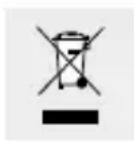
Contact your local or municipal authority for information on how to dispose of the device at the end of its operational life.
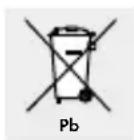
Never dispose of batteries in your household waste. They may contain toxic heavy metals and are subject to hazardous waste regulations. The chemical symbols of the heavy metals are: Cd = cadmium, Hg = mercury, Pb = lead. Therefore dispose of used batteries through your municipal collection site.
Warranty
The device has been manufactured to strict quality guidelines and meticulously examined before delivery. In the event of product defects you have legal rights against the retailer of this product. Your legal rights are not limited in any way by our warranty detailed below.
The warranty for this device is 3 years from the date of purchase. Should this device show any fault in materials or manufacture within three years from the date of purchase, we will repair or replace it - at our choice - free of charge to you. The warranty period begins on the date of purchase. Please keep the original sales receipt in a safe location. This document is required as your proof of purchase. This warranty becomes void if the device has been damaged or improperly used or maintained.
The warranty applies to faults in material or manufacture. This warranty does not cover product parts subject to normal wear, thus possibly considered consumables (e.g. batteries) or for damage to fragile parts, e.g. switches, rechargeable batteries or glass parts.
EMC (C)
Temperaturvising. Side 57
DRSIGTIG! EKSPLOSIONS
WAARSCHUWING! LEVENSGEVAAR!
Last Information Update
Tietojen tila · Informationsstatus
Tilstand af information - Version
des informations · Stand van