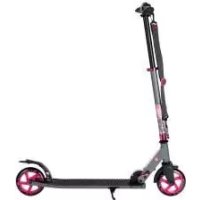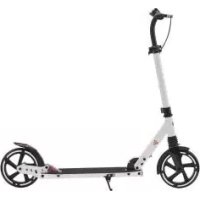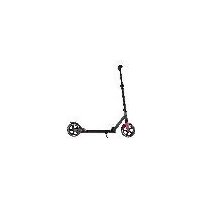
IAN 368918 - Electric scooter CRIVIT - Free user manual and instructions
Find the device manual for free IAN 368918 CRIVIT in PDF.



| Product type | Scooter with large wheels |
| Brand | CRIVIT |
| Model | IAN 368918 |
| Maximum load | 100 kg |
| Dimensions (unfolded) | 100 × 45 × 104 cm (L × W × H) |
| Dimensions (folded) | 82.5 × 14.2 × 34.5 cm (L × W × H) |
| Adjustable handlebar height | 90 to 104 cm |
| Weight | Approx. 4.3 kg |
| Wheel diameter | 200 mm |
| Bearing type | ABEC 9 |
| Manufacturing date | 11/2023 |
| Intended use | Private outdoor leisure, not on public roads |
| Number of users | 1 person at a time |
| Recommended safety equipment | Helmet, hand, wrist, elbow, knee protectors |
| Brake type | Sheet brake on rear wheel |
| Folding mechanism | Safety lever and main lever |
| Height adjustment | 4 positions with quick lock |
| Maintenance | Regular cleaning, drying, lubrication of bearings |
| Wear parts | Wheels, ball bearings |
| Warranty | 3 years (excluding wear parts and abusive use) |
| Customer service France | 0800 919 270 / deltasport@lidl.fr |
| Customer service Belgium | 0800 12089 / deltasport@lidl.be |
Frequently Asked Questions - IAN 368918 CRIVIT
User questions about IAN 368918 CRIVIT
0 question about this device. Answer the ones you know or ask your own.
Ask a new question about this device
Download the instructions for your Electric scooter in PDF format for free! Find your manual IAN 368918 - CRIVIT and take your electronic device back in hand. On this page are published all the documents necessary for the use of your device. IAN 368918 by CRIVIT.
USER MANUAL IAN 368918 CRIVIT
BIG-WHEEL-SCOOTER BIG WHEEL SCOOTER TROTTINETTE À GRANDES ROUES
DE AT CH
BIG-WHEEL-SCOOTER
Gebrauchsanweisung
FR BE
TROTTINETTE À GRANDES ROUES
Instructions for use
NL BE
BIG WHEEL STEP
Gebruiksaanwijzing
CZ
KOLOBěžKA S ODPRUŽENÍM BIG WHEEL
Návod k použití
ES
PATINETE DE RUELAS GRANDES
You have chosen to purchase a high-quality product. Familiarise yourself with the product before using it for the first time.

Read the following instructions for use carefully.
Use the product only as described and only for the given areas of application. Store these instructions for use carefully. When passing the product on to third parties, please also hand over all accompanying documents.
Package contents
1 x big wheel scooter
3xhexkeys
1x instructions for use
Technical data
Maximum load: class A - 100kg

Maximum load: 100kg
Dimensions unfolded:
approx. 100 × 45 × 104cm(L × W × H)
Dimensions folded:
approx. 85.5 × 14,2 × 34.5 ~cm(L × W × H)
Handlebar height:
adjustable from approx. 90-104cm
Weight: approx. 4.3kg
Wheels: 200mm
Bearings: ABEC 9

Date of manufacture (month/year): 11/2023
Intended use
This product is a leisure product, not a toy.
The product contains small parts which could be swallowed by children, and requires concentration and good motor skills.
This product is designed for private outdoor use with a maximum load of 100kg . This product is not suitable for jumps.
This product must not be used on public roads.
Familiarise yourself with the statutory regulations before using the product.

Safety information
Danger to life!
- Never leave children with the packaging materials unsupervised. There is a risk of suffocation.
Risk of injury!
- The product must only be assembled by adults as it contains small parts!
The product may only be used by one person at a time. - Check the product for damage or wear before each use. Always check that all connectors and fasteners, such as the folding mechanism and the height adjustment on the steering column, are tight. Only use the product if it is in perfect condition!
- Make sure that the nuts and screws retain their self-locking properties.
- Do not modify the product in such a way that it could potentially endanger your safety.
- Do not use the product indoors. The tyres may lose their grip and skid on smooth surfaces like laminate, parquet, wooden floorboards, tiles, etc.

Danger of crushed fingers!
- Pay attention to pinch and shear points when folding and unfolding the product.
year suitable protective
gear (helmet, hand protectors, wrist guards, elbow pads and knee pads) and shoes!
Always watch out for other people!
- Only use the product on appropriate surfaces that are level, clean and dry. Keep away from other traffic users, if possible. Avoid sloping terrain, stairs, and open water.
- Never ride in darkness or when visibility is poor.
- The brake gets hot if used continuously. To avoid getting burned, do not touch it before it has cooled down.
- Do not let your child use the product unsupervised, as children cannot adequately assess potential dangers.
Preventing damage to the product!
- Avoid water, oil, potholes, and very rough surfaces.
Assembly
The product is supplied folded up in its transportable state. Proceed as follows to get it ready for scooting:
Unfolding (Fig. A)
- Pull the safety lever (1) upward and hold it.
- Pull the lever (2) upward, then release the safety lever and fold the steering column (3) forward until it locks into place.
Mounting the grips (Fig. B)
- Remove the grips (4) from the brackets (5).
-
Press the locking knobs (6) down on the grips and push the grips on both sides into the T-tube (7) of the steering column. The locking knobs must snap audibly into place into the holes (8) provided.
-
Press the cover (9) flap down.
Note: tighten the retaining screws on the cover flap regularly.
Adjusting the height of the steering column (Fig. C)
The steering column can be adjusted to four different heights. The product may only be used if the locking knob is locked in place into one of the four holes provided and the steering column is then secured with the quick release fastener!
- Loosen the quick release fastener (10) on the steering column (3).
- Pull the steering column upward until the locking knob (11) locks into place in one of the four holes (12).
- Secure the steering column by locking the quick release fastener.
Note: if the quick release fastener does not fit snugly on the steering column when tightening, tighten the knurled screw firmly with the enclosed hex key. Make sure that the quick release fastener is secured before tightening.
Steering head bearing (Fig. F)
The steering head bearing (17) is pre-set when the product is supplied. If, after a while, the handlebars have too much play or become too stiff, get the steering head bearing adjusted by a specialist dealer or at a bicycle shop.
Converting the product into its transportable state
- Loosen the quick release (10) on the steering column (3) and press the locking knob (11) (Fig. C).
- Push the steering column (3) all the way down and lock the quick release (10) (Fig. C).
- Press the locking knobs (6) of the grips and pull the grips (4) out of the T-tube (7) (Fig. B).
- Attach the grips to the brackets (5) (Fig. B).
- Pull the safety lever (1) upward and hold it. Pull the lever (2) upward, then release the safety lever (1) (Fig. D).
- Press the steering column (3) toward the deck (13) until it snaps into place (Fig. D).
Use
Riding, braking, parking (Fig. E)
- Fold in the kickstand (15) before using the product.
- Put one leg on the deck (13) and create momentum by regularly pushing off with the other leg.
- Step on the brake plate (14) to brake.
- Swing out the kickstand to park. The product may only be parked on a level surface.
Maintenance
Replacing the wheels (16) (Fig. H) Important!
Pay attention to the section 'Technical data'. Wheels that have a different diameter may alter the riding characteristics and could possibly endanger the user. Do not use wheels that cannot be installed properly. Never use wheels that are larger than the original wheels on the product.
Wheels wear out. This wear depends on many factors, for example, the terrain, the size and weight of the user, the weather conditions, the material of the wheels and their hardness. It is therefore necessary to replace them regularly.
- Loosen the axle bolts (20)/(21) with two size 5 hex keys.
- Pull out the axle bolts and remove the wheel.
- Install the new wheel (16) and secure it with the axle bolts.
After replacing the wheels:
Do not use the wheel if it pulls sideways after installing it!
After the first few minutes of skating, make sure that all screws are still tight and that nothing has detached or become loose.
Tension the wheel once more to make sure that it is running quietly and that the bearings are not making any noise.
Replacing the ball bearings (Fig. G)
- Remove the wheels (16) as described in the section 'Replacing the wheels'.
- Use a hex key to lever out a bearing (18).
- Remove the spacer (19) from the wheel and turn it over.
- Lever out the other bearing with a hex key.
- Insert a new bearing. Turn the wheel over, insert the spacer, and then push in a second new bearing.
- Secure the wheel again as described in the section 'Replacing the wheels'.
Storage, cleaning
We recommend that you clean and dry the product thoroughly after use.
Remove small stones or other objects that may have got caught on the wheels. Dry wet or damp ball bearings with a clean cloth. Grease the bearings with a suitable bearing lubricant from the outside to prevent external rust. Always store the product in a dry place.
Disposal

Dispose of the product and packaging materials in accordance with current local regulations. Store the packaging
materials (foil bags, for example) out of the reach of children. For further information about disposal of the product no longer needed, contact your local council. Dispose of the product and the packaging in an environmentally friendly manner.
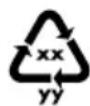
The Recycling Code distinguishes different materials to be returned for recycling. The Code consists of the
recycling symbol for the recycling process and a number that identifies the material.
Notes on the guarantee and service handling
The product was produced with great care and under continuous quality control. DELTA-SPORT HANDELSKONTOR GmbH gives private end customers a three-year guarantee on this product from the date of purchase (guarantee period) in accordance with the following provisions. The guarantee is only valid for material and manufacturing defects. The guarantee does not cover parts subject to normal wear and tear that are thus considered wear parts (e.g. batteries) or fragile parts such as switches, rechargeable batteries, or parts made of glass.
Claims under this guarantee are excluded if the product has been used incorrectly, improperly, or contrary to the intended purpose, or if the provisions in the instructions for use were not observed, unless the end customer proves that a material or manufacturing defect exists that was not caused by one of the aforementioned circumstances.
Claims under the guarantee can only be made within the guarantee period by presenting the original sales receipt. Please therefore keep the original sales receipt. The guarantee period is not extended by any repairs carried out under the guarantee, under statutory guarantees, or as a gesture of goodwill. This also applies to replaced and repaired parts.
If you wish to make a claim please first contact the service hotline mentioned below or contact us by e-mail. If there is a guarantee case, then the product will be repaired or replaced free of charge to you or the purchase price will be refunded, depending on our choice.
Your legal rights, in particular guarantee claims against the respective seller, are not limited by this guarantee.
IAN:437057_2304

Service Great Britain
Tel.: 0800 404 7657
E-Mail: deltasport@lidl.co.uk

Service Ireland
Tel.: 1800 101010
E-Mail: deltasport@lidl.ie
Felicitations!