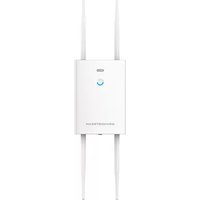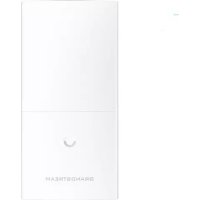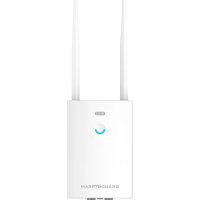
GWN7660LR - Access Point GRANDSTREAM - Free user manual and instructions
Find the device manual for free GWN7660LR GRANDSTREAM in PDF.


| Product Type | Outdoor Wi-Fi 6 Access Point |
| Brand | Grandstream |
| Model | GWN7660LR |
| Wi-Fi Standard | 802.11ax (Wi-Fi 6) 2×2:2 MU-MIMO |
| Frequency Bands | Dual-band 2.4 GHz and 5 GHz |
| Maximum Aggregate Data Rate | Up to 1.8 Gbps |
| Maximum Range | 250 meters (extended coverage) |
| Maximum Number of Clients | 256 |
| Power Supply | PoE/PoE+ (802.3af/at) via NET/POE port |
| Power Consumption | Estimated 12 W (PoE+) |
| Network Ports | 2 Gigabit RJ45 Ethernet ports: 1× NET/POE (PoE/PoE+), 1× NET (uplink) |
| Antennas | 2 detachable external antennas |
| Operating Temperature | -30°C to 70°C |
| Operating Humidity | 5% to 95% (non-condensing) |
| Protection Rating | IP65 (weather and heat resistant) |
| Weight | Approximately 600 g |
| Dimensions (L × W × H) | 220 × 220 × 50 mm (estimated) |
| Package Contents | 1 access point, 2 antennas, 1 base bracket, 4 PM3.0×7 screws, 4 expansion screws, 2 metal straps, 1 quick installation guide |
| Management Functions | Integrated controller (Web interface), cloud management via GWN Cloud, compatible with GWN Manager |
| Security | WPA2/WPA3, captive portal, wireless isolation, advanced QoS |
| Advanced Features | Wi-Fi Mesh, OFDMA, MU-MIMO, VLAN, location beacon |
Frequently Asked Questions - GWN7660LR GRANDSTREAM
User questions about GWN7660LR GRANDSTREAM
0 question about this device. Answer the ones you know or ask your own.
Ask a new question about this device
Download the instructions for your Access Point in PDF format for free! Find your manual GWN7660LR - GRANDSTREAM and take your electronic device back in hand. On this page are published all the documents necessary for the use of your device. GWN7660LR by GRANDSTREAM.
USER MANUAL GWN7660LR GRANDSTREAM
Grandstream Networks, Inc.
126 Brookline Ave, 3rd Floor
Boston, MA 02215. USA
Tel: +1 (617) 566-9250
In all EU member states, operation of 5150-5350
MHz is restricted to indoor use only.
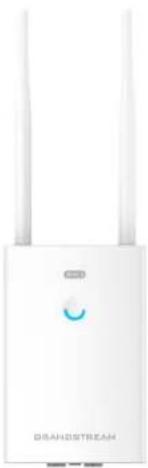
GWN7660LR
Outdoor Long-Range Wi-Fi 6 Access Point
Content
English. 1
简体中文. 7
Espanol. 13
Francais. 19
Deutsch. 25
Italiano. 31
Polski. 37
Portugues. 43
Pycckii 49
EN
OVERVIEW
The GWN7660LR is an outdoor 802.11ax 2 × 2:2 Wi-Fi 6 access point for medium-to-large businesses and enterprises who need to provide long-range coverage in both indoor and outdoor spaces. It offers weatherproof casing and heat resistant technology, dual-band 2 × 2:2 MU-MIMO with DL/UL OFDMA technology and a sophisticated antenna design for maximum network through that supports 256 clients and an expanded 250-meter coverage range. To ensure easy installation and management, the GWN7660LR includes a built-in controller embedded within the product's web user interface. It is also supported by GWN Cloud, Grandstream's free cloud Wi-Fi management platform. The GWN7660LR is the ideal Wi-Fi AP for voice-over-Wi-Fi deployment and offers a seamless connection with Grandstream's Wi-Fi capable voice and video IP phones. With support for advanced QoS, low-latency real-time applications, mesh networks, captive portals and dual Gigabit networks ports with PoE/PoE+, the GWN7660LR is an ideal outdoor Wi-Fi access point for enterprises, multiple floor offices, warehouses, hospitals, schools and more.
PRECAUTIONS
- Do not attempt to open, disassemble, or modify the device.
- Do not expose this device to temperatures outside range of -30^ to 60^ for operating and -30^ to 70^ for storage.
- Do not expose the GWN7660LR to environments outside of the following humidity range: 5 - 95% RH (non-condensing).
- Do not power cycle your GWN7660LR access point during system boot up or firmware upgrade. You may corrupt firmware images and cause the unit to malfunction.
PACKAGE CONTENTS
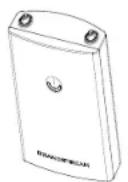
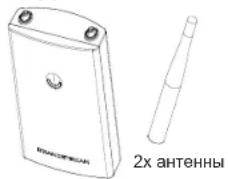
GWN7660LR
Access point

2x Antennas
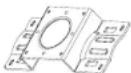
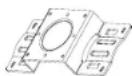
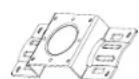
1x Base Bracket

4x Screws (PM 3.0 x 7)

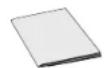
1x Quick Installation Guide

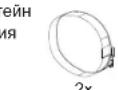
2x Metal Straps

Expansion Screws
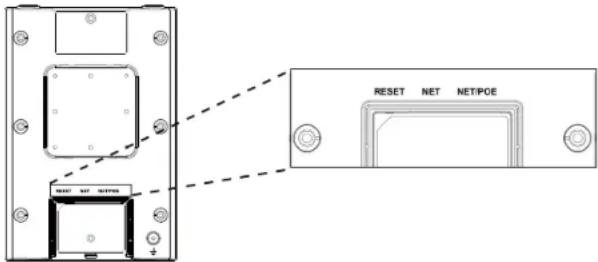
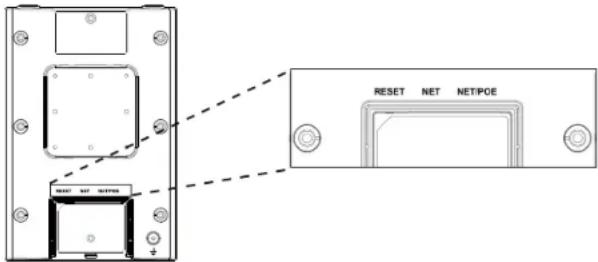
GWN7660LR PORTS
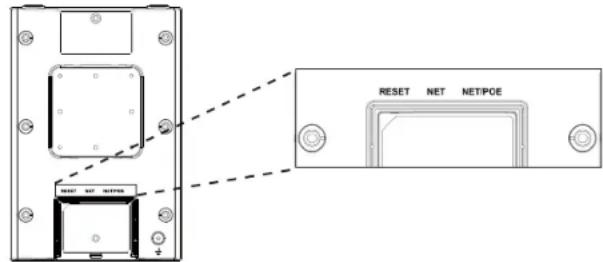
| Port Description | |
| NET/POE Ethernet | Ethernet RJ45 port (10/100/1000Mbps) supporting PoE/PoE+. |
| NET Ethernet | RJ45 port (10/100/1000Mbps) to your rout-er or another GWN76xx. |
| RESET Factory | reset button.Press for 7 seconds to reset factory default settings. |
POWERING AND CONNECTING THE GWN7660LR
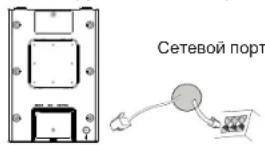
GWN7660LR can be powered on using PoE/PoE+ switch using following steps:
Step 1: Plug a RJ45 Ethernet cable into the network port of GWN-7660LR.
Step 2: Plug the other end into the uplink port of the power over Ethernet (PoE/PoE+) switch.
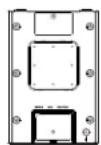

Network Port
RJ45 Ethernet Cable to power over Ethernet (PoE/PoE+) Switch
HARDWARE INSTALLATION
GWN7660LR can be mounted on the wall or on a metal bar, Please refer to the following steps for the appropriate installation.
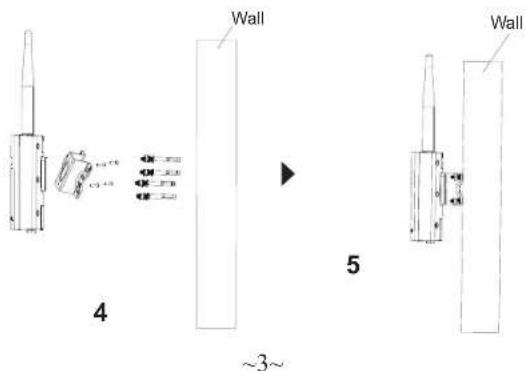
Wall Mount
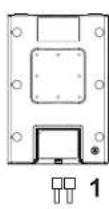
- Connect the Ethernet cable (RJ45) to the correct ports of your GWN-7660LR and insert the cover bracket.
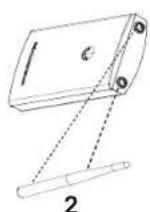
- Connect each antenna to an antenna connector by rotating it clockwise.
- Attach the Base Bracket with screws (PM 3.0 x 7) on the back of GWN7660LR access point.
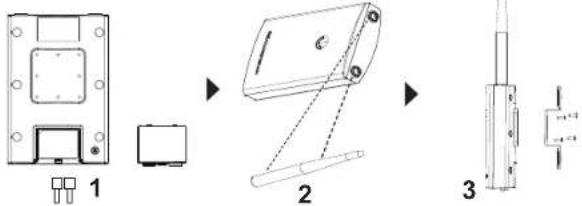
- Drill four holes on the wall referring to the positions of the ones on the Base Bracket. Then, fix an expansion screw in each hole.
- Attach the GWN7660LR access point by securing the Base Bracket with the expansion screws on the wall.
Pole Mount
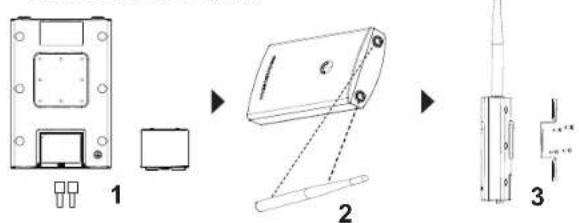
- Connect the Ethernet cable (RJ45) to the correct ports of your GWN-7660LR and insert the cover bracket.
- Connect each antenna to an antenna connector by rotating it clockwise.
- Attach the Base Bracket with screws (PM 3.0 x 7) on the back of GWN7660LR access point.
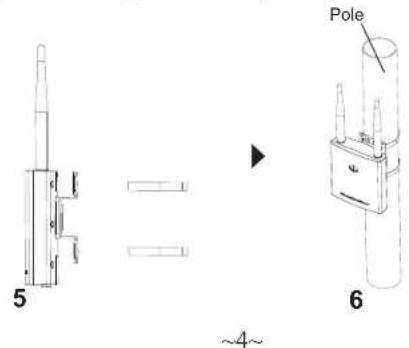
- Open the metal straps by turning the locking mechanism counter-clockwise. You can loosen it by hand or use a flathead screwdriver.
- Straighten out the end of the metal straps and slide it through the back of the base bracket.
- Wrap the metal strap around the pole and use a flathead screwdriver to tighten the locking mechanism by turning it clockwise.
CONNECT TO GWN7660LR DEFAULT Wi-Fi NETWORK
GWN7660LR can be used as standalone access point out of box, or after factory reset with Wi-Fi enabled by default.
After powering the GWN7660LR and connecting it to the network, GWN7660LR will broadcast a default SSID based on its MAC address GWN[MAC's last 6 digits] and a random password.
Note: GWN7660LR's default password information is printed on the MAC tag at the back of the unit.
ACCESSING THE CONFIGURATION INTERFACE
A computer connected to the GWN7660LR's SSID, or to the same network as the GWN7660LR can discover and access its configuration interface using one of the below methods:
Method 1: Discover GWN7660LR using its MAC Address
- Locate the MAC address on the MAC tag of the unit, which is on the underside of the device, or on the package.
- From a computer connected to same network as the GWN7660LR, type in following address using GWN7660LR's MAC address on your browser https://gwn_
.local
Example: If a GWN7660LR has the MAC address 00:0B:82:8C:4D:F8, this unit can be accessed by typing https://gwn_000b828c4df8.local on the browser.
Method 2: Discover GWN7660LR using GWN Discovery Tool
- Download and install GWN Discovery Tool from the following link: http://www.grandstream.com/tools/GWNDiscoveryTool.zip
- Open the GWN DiscoveryTool, and click on Scan.
- The tool will discover all GWN76xx Access Points connected on the network showing their MAC and IP addresses.
- Click on Manage Device to be redirected directly to the GWN-7660LR's configuration interface, or type in manually the displayed IP address on your browser.
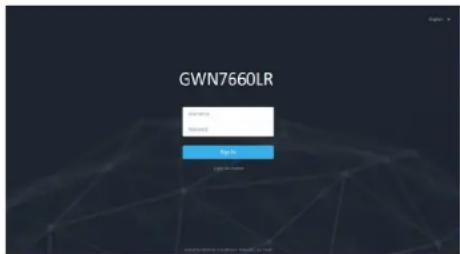
- Enter username and password to login. (The default administrator username is "admin" and the default random password can be found at the MAC tag on the GWN7660LR).
Notes:
- Make sure that the GWN7660LR is not already paired with another GWN76xx Access Point as slave, GWN7000 Router Series or GWN. Cloud, otherwise the configuration interface cannot be accessed
- If the GWN7660LR is already paired, make sure to unpair it first, or do a factory reset.
- It is customer's responsibility to ensure compliance with local regulations for frequency bands, transmit power and others.
To manage GWN7660LR over cloud, please refer to https://www.gwn.cloud. - To manager GWN7660LR over on-premise controller, please refer to http://www.grandstream.com/products/networking-solutions/wi-fi-management/product/gwn-manager
The GNU GPL license terms are incorporated into the device firmware and can be accessed via the Web user interface of the device at my_device_ip/gpl_li-
cense. It can also be accessed here:
http://www.grandstream.com/legal/open-source-software
To obtain a CD with GPL source code information please submit a written re
quest to info@grandstream.com
Refer to online documents and FAQ for more detailed information:
http://www.grandstream.com/our-products
ZH
概述
CONECTAR AL GWN7660LR CON LA RED Wi-Fi PRE-DETERMINADA
CONNEXION AU RESEAU WI-FI PAR DEFAULT DU GWN
7660LR
GWN7660LR ANSCHLUSSE
Port Beschreibung
http://www.grandstream.com/legal/open-source-software
http://www.grandstream.com/our-products
PL
INFORMACJE OGOLNE
POŁACZYC Z DOMYSLNA SIECIA Wi-Fi GWN7660LR
http://www.grandsstream.com/our-products
PT
RESUMO:
CONTEUDO DO PACOTE
Access Point GWN7660LR
1x Suporte Base

4x Parafuso (PM 3.0 x 7)

2x Cinta de metal
http://www.grandsstream.com/our-products
RU
OB3OP NPOdYKTA
3ra Wi-Fi TOnKa DoCTyna C 60nbWOn 3OHOH NOKpbTnna Co3aHa dIra TOrO, QTo6bl ObScEneHTb 60nbUxyo 3OHy NOKpbTnna n CTAnet nideAbeBn BBybOpom DnA yNtNbHbX Wi-Fi peuHneH, 6nArOpadap BOdoHenPoHnuaemomy Koxyxy n TePmoyctOnuHOBCTn. Moenb GWN 7660LR O6OpYobDana DBxduan3AOHHoTeXHoONrpey 2x2:2 MU-MIMO n AHTHeNo C coNxoHKn KOHCTpyKuJe n DnA KMcMaHbNo pOnycKHO cnOC6hOCTn cEt n paCunpeHHo 3OHe b NOKpbTnna WiFi do 250 MeTPOB. Dn PocToT UcTaHOBKn uypBaNEHn B GWN7660LR nOnlBcyETc ynpaBHeNe PaoPepDeHnO cEt n 6e3 OTeJbHoro KOHTpNOpe, KOHTpNOpe BCTpoEe B IITG. GWN7660LR TakoKe noDpeKHMbaeTC GWN.Floud n GWN Manager, obnAhhBMn n NokAblBMn PnATfOpMAMn ynpaBHeNe Wi-Fi Grandstream. n Dn nepeAa rOnca no Wi-Fi, KOTopar obSceneHNaer 6ecnepe6OHyu CB3b c IP-TenefoHAmn Grandstream c NoDpeKkoWi-Fi. BnaorApap noDpePke yNyUweHorno QoS, npInloKeHN peAHLBO RBeMeHN c Mano 3aDeppKo, YaeHCTbX ceTei, aAdTINbHbN noptanBo, Boone 100 odHOBpeMeHNbX KNHeHTOB Ha ToCHy DoCTyna n DByX rRab6HTbX ceTeBbX noptBo c PoE / PoE + , moDenb GWN7660LR nDeJIbHO noDxOudT dnn Pa3BePTbBAHN cpedHe/HN3KOyPoBHeB6ccspnoBDoHs ceTeBbX cpeD co cpedHe n nOBsbWeHHO nnIOTHOCTbo NOJIb3OBaTEJeN.
MEPbI NPEOCTOPOXHOCTN
He nbTaTaeTcB OTKpbItb,pa3o6paTbNIN N3MeHnTB yCTpOHTBO.
HeNoBepraTe Bo3eIeTbIO TeMnepeaTyplb BHe dnaHa0Ha ot- 30^ do 70^ npn 3KcPnyatauHn oT- 30^ do 80^ npn xpaHEnHn.
HeIcnoIb3yIte DaHHeO yCTPOeCTBO B CpeE, rTe 3HaueHMe BnaxHOCTN BixoDHT 3a Dnana3OH: OTHOCNT. BnaxHOCTb 5%-95% (6e3 KOHeHCAuIN)
He BkHouaTb-BbKIOuOaTb yCtpoCTBO GWN7660LRB npocece HauJIbHorO 3aynCa CnTeMbI INB npocece 6bHOBeHHN IpoUIMKB, BBI MOXETe TEM CAMIM NOBpeNTb 3abOckyo IpoWbKy yCtpoCTBa N BbIEcTn Ero n3 cTPOJ.
CODEPKHMOE YNAKOBKN
Točka doctyna GWN7660LR
1xKpOHTeH OCHOBAH
4x BnHTa (PM 3.0 x 7)
MeTALINHECKNX XOMYTA

1xPykoBODCTBO no b6IcTpoVCTAHOBKBe
4x Ahkepi
NOPTbl GWN7605
BKIOUeyHHe HACTPOKA YCTPOIcTBa GWN7660LR
UcpoCTBO GWN7660LR MOKET 6bIT NIOKNIOHNO,NCIOB3yPoE/ PoE+ nepeKIOVAteB B HeCKOJbKO WaOB:
War 1: BCTaBtB Ethernet ka6eB RJ45 B cTeB0n nopT yCTpoiCTBa GWN7660LR.
War 2: PoiKIOUHTe Dpyro KOHeu B nopT PoE/PoE+ nepeKIOUaTeIa.
RJ45 Ethernet kabel noKnoyen K PoE/PoE+
YCTAHOBKA YCTPOICTBA
GWN7660LR MoXHO MOHTnPoBaTb Ha cTeHy Hnn MetaJIInueckyU nHaNKy. IoxaanyIcTa, cm. cJeDyOuIe WAn dJa PpABInbHOn yCTaHOBKn.
YctahOBka Ha cTeHy MoTax HA cToJ6
- Pooknounte Ethernet k6ebb (RJ45) K BepHomy npTy Ha GWN-7660LR n yctaHOBTe KPOHHTeKpbluKn.
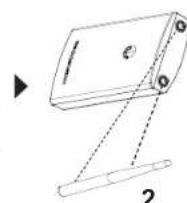
- POncoeINHnTe KaJdyo aHTeHHy K KOHHeKTopaM, NOBopaumBaI IN No YacBOI cTpeKe.
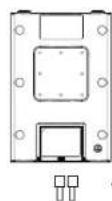
3.YCTAHOBHTe KPOHHTeH OCHOBAHn, INCIOHB3y BNHTbI (PM 3.0 x7) HA 3aHHOu cAcb ToKn Doctyna GWN7660LR.



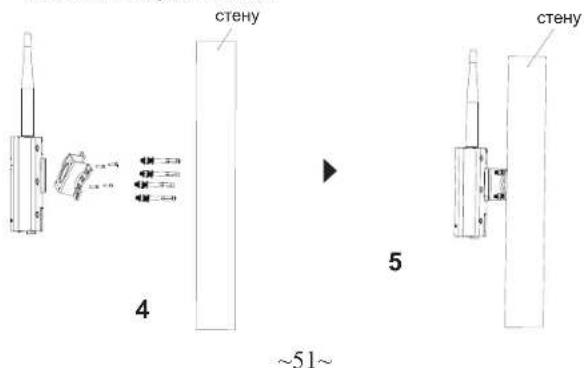
- PocBepnIte YeTbIpe OTBepCTnB CTeHe B COOTBeTCTBN C no3uJMyN OTBepCTnB KpoHHTeHHe. 3aTeM 3akpeNITe aHkepbI B KaKDM OTBepCTnN.
- YctahOBInTe TOnkY DoCTyna GWN7660LR, 3aKpeINb KpoHHTeIH c NOMOJIbO aHKePOB Ha CTeHe.
PnmeaHne: nra HauyUero noKpbTna peKOMeHdyETc yCTaHOBka Ha notoNOK.
- Pookhounte Ethernet kAben (RJ45) K BepHomy npTy Ha GWN7660LR n yctahOBITE KPOHHTeN KpbuKn.
- POnCOeINHInTe KaXdyo aHTEHy K KOHHeKTopaM, NOBOpaUBaI IN No YacOBn CTpeKe.
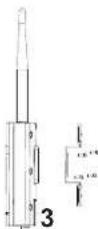
3.YCTAHOBINTe KPOHHTeIH OCHOBAHnI,HCNONb3yBnHTbl (PM 3.0 x7) Ha 3aHHIOUacTb TOKn DOctyNa GWN7660LR.


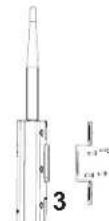
- OTKPOIte MeTAnIIueckne XOmyTbI, NOBepHyB 3aOpHbI MExAHN3M npOTIN YacBOB CTpeKN. Bbl MoKeTe OcnaBnB IN BPyHuYIO INI pNOMOUI NIOCKON OTBETPKM.
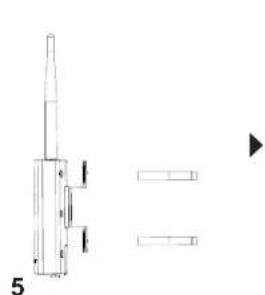
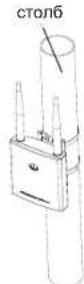
5.BbnpaMTe KOHcBt MeTANmecXxOMYTOB INPpOyCTnTe INxpe3 3aHIOU qACTb KPOHTeHa OCHOBHn. - 06ePHnTe XOMyTbI BOKpyr CTOn6a N npN NMOUIN PNOCKOY OTBepTKN 3aTnHnTe 3aONpHbMexAHnM No YacOBn CTpeKe.
6
52
IPOKNIQUHTb K Wi-Fi CETH GWN7660LR NIOYMOJUAHNIO
GWN7660LR MOKHO IICNIOB3OBAb KAc OTDeNbHYo rTObyO TOky IOCTyna, INI NOcNE C6pOca K 3aBOckIM HAcTpoiKaM C BKNIOHHeHbIM no yMOuHaHNo Wi-Fi.
Nocne 3aunbtaHnGWN760LR nokknoeHna 8K cTeH, GWN760LR nepaact SSID no yomuaHnHO, na OHOBc MAC-apeca GWN[6nocneDnHex uHp Mac] npOnuBbHn NapoB.
PnmuueHHe: HOpmaun o napone no ymoJuaHHo GWN7660LR haneataHa Ha Tere MAC ha 3aDne naneu yctpoCTBa.
BXOD B HHTEPΦEHC HACTPOIKN
Meto1:ObnapykeHne GWN7660LR no eMac-apecy.
- HauTe MAC aPec yka3aHHb Ha hakneKe Ha o6paTHoI CTopoHe ycTpoCTBa,JIb6o Ha KOp6ke.
2.ИсользуКOMblIOTeP,норДиLOHHeHHKТоЛжЕСТИ,ЧТО И GWN7660LR,В 6рayЗeBEBdIte MAC-aIpec GWN7660LR B cnEDyUOuE M BdE:https://gwn_local
Ipnmep: Ecnny GWN7660LR MAC-aDpec 00:0B:82:8B:4E:28, to 1ocTyn K cyTropoCTBy MOKHO NOyUHTb BBeTe rhttps://gwn_000b- 828b4e28.local B 6pa7pee.
Metod 2:06hApxKeHne GWN7660LR npn noMoUnporpaMMbl GWNDiscoveryTool
http://www.grandstream.com/our-products