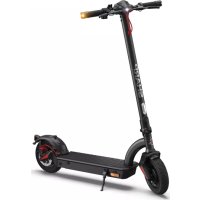
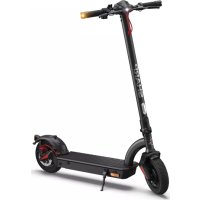
USER MANUAL EMKS1 SHARP
Product images are for illustration purpose only. Actual product may vary.
Trademarks:

Bluetooth
The Bluetooth® word mark and logos are registered trademarks owned by Bluetooth SIG, Inc.
www.sharpcomer.com/ contact/
www.sharpcomer.com/ support/
www.sharpconsumer.com/ documents-of-conformity/
Important safety instructions
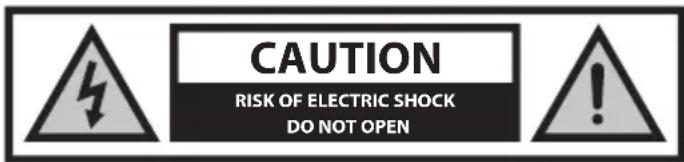
Please, read these safety instructions and respect the following warnings before the appliance is operated:

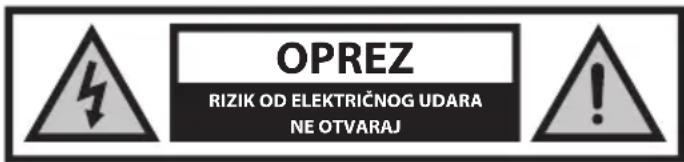
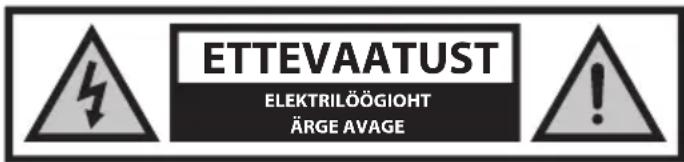
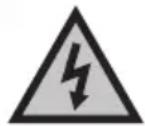
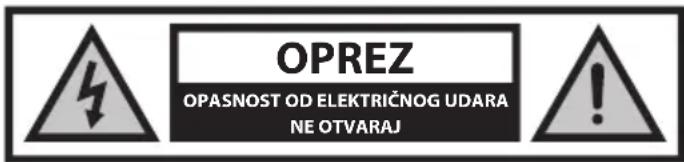
The lightning flash with arrowhead symbol, within an equilateral triangle, is intended to alert the user to the presence of uninsulated "dangerous voltage" within the product's enclosure that may be of sufficient magnitude as to constitute a risk of electric shock to persons.

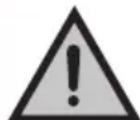
The exclamation point within an equilateral triangle is intended to alert the user to the presence of important operating and maintenance (servicing) instructions in the literature accompanying the appliance.

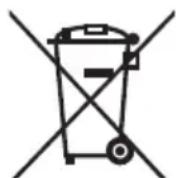
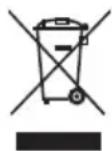
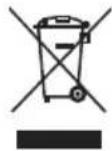
This symbol means that the product should be disposed of in an environmentally friendly manner and not with general household waste.

AC voltage

Class II equipment
In order to prevent fire always keep candles and other open flames away from this product.

IMPORTANT: Read the following carefully and keep for future reference.
- Sharp is not liable for injury or death caused by misuse.
- Sharp is not liable if the user does not follow local laws and restrictions.
- Always abide by local traffic rules and national laws and regulations while using your e-scooter.
- Always adhere to the local speed limit. Do not exceed the speed limit for your e-scooter. Always wear safety protection equipment when in use. Always wear a safety helmet when riding your e-scooter. Always ride with both hands holding the handles, never ride with one hand.
- Do not ride in bad weather.
- Stand on the deck of the e-scooter with both feet.
- Do not use this e-scooter to perform stunts or dangerous maneuvers. This scooter is designed for domestic use.
- Do not carry people or items such as bags.
- Ride slowly in crowded places.
- Ensure that all screws and fasteners are tight and normal before use.
- Make sure that the folding shaft enters the slot when unfolding the e-scooter.
- Do not ride on uneven roads, water, oil, or ice.
- Do not weave through traffic or make moves that are unpredictable to other people.
- Do not ride the e-scooter if outside of the country's age limits.
- Do not ride the e-scooter over the country's legal speed limit for e-scooters.
- Do not use the e-scooter if it is damaged.
- Do not use the e-scooter if the battery emits a peculiar smell and/or heats up.
- Do not use the e-scooter if liquid leaks out of it, avoid contact and place out of the reach of children.
- Before use, ensure that the e-scooter is not damaged. Do not ride if there is any damage.
- Ensure that you read all of this User Manual before using the e-scooter.
- Learn how to ride your e-scooter before using in a public space.
- This scooter can be identified by the model and serial number located on the rating plate.
- Propulsion is via an electric motor located in the driving wheel. Only one person may ride on the e-scooter.
- Do not modify this scooter in any way.
- Do not use any parts or accessories unless recommended or approved by SHARP.
- Ride the e-scooter on level surfaces. Do not exceed the specified incline.
- Excessive use will reduce the lifetime of this e-scooter.
- Caution, brakes and associated parts may become hot during use. Do not touch after use.
Battery and Charger Warnings
- Do not power on the e-scooter while charging. After the battery is fully charged, disconnect the charging cable.
- The battery indicator in the display will show the battery lifetime.
- If the battery charge indicator flashes on the display, stop riding and charge the battery.
- Charge the battery after every use.
- If the e-scooter is not used for a long time, charge it at least once a month. Note that if the battery is not charged for a long time, the battery will enter a self-protection state and will fail to charge. In this case, please contact your dealer.
- When charging, plug the charger into the charging port before plugging to the wall socket.
- While charging the indicator light of the charger is red; this means the charging is normal. When the indicator light turns green, charging is complete.
- Only use the original charger to charge the battery.
- The charger has an overcharge protection function, if the e-scooter is 100% fully charged, the charger will automatically stop charging.
- Dispose of batteries and scooters in compliance with the applicable regulations in your country.
Batteries
- Observe the correct polarity when inserting the batteries.
- Do not expose batteries to high temperatures and do not place them in locations where the temperature might increase quickly, e.g. near fire or in direct sunshine.
- Do not expose batteries to excessive radiant heat, do not throw them into the fire, do not disassemble them and do not try to recharge non-rechargeable batteries; they could leak or explode.
- Disposal of a battery into fire or mechanically crushing or cutting a battery can result in an explosion.
- Leaving a battery in an extremely high temperature surrounding environment can result in an explosion or the leakage of flammable liquid or gas.
- A battery subjected to extremely low air pressure may result in an explosion or the leakage of flammable liquid or gas.
- CAUTION: Risk of explosion or damage to equipment, if incorrect type batteries are used.
- Never use different batteries together or mix new and old batteries together.
- Do not use any batteries other than those specified.
Removal of Battery
EM-KS1A
- To remove the battery, peel up the rubber foot mat and remove the 6 screws on the wooden deck, then the 10 screws securing the metal plate. Now unplug the battery connector and remove. Ensure that the battery terminals are not shorted out. Dispose of the battery as required by your local regulations.
EM-KS2A
- To remove the battery, peel up the rubber foot mat and remove the 11 retaining screws from the metal plate, the plate can now be taken off to reveal the battery. Now unplug the battery connector and remove. Ensure that the battery terminals are not shorted out. Dispose of the battery as required by your local regulations.
Disposal of this equipment and batteries
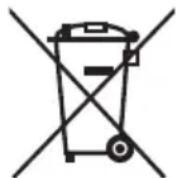
- Do not dispose of this product or its batteries as unsorted municipal waste. Return it to a designated collection point for the recycling of WEEE in accordance with local law. By doing so, you will help to conserve resources and protect the environment.
- Most EU countries regulate the disposal of batteries by law. The recycling symbol appears on electrical equipment, packaging, and batteries to remind users to dispose of these items correctly. Users are requested to use existing return facilities for used equipment and batteries. Contact your retailer or local authorities for more information.

CE and UKCA statement:
- Hereby, Sharp Consumer Electronics Poland sp. z o.o. declares that this e-scooter is in compliance with the essential requirements and other relevant provisions of RED Directive 2014/53/EU, UK Radio Equipment Regulations 2017, and PN-EN 17128: 2021-03.
- The full text of the EU declaration of conformity is available by following the link www.sharpcomer.com and then entering the download section of your model and choosing "CE Statements".
Cleaning
- When cleaning your e-scooter, please make sure that it is turned off, the battery charger has been unplugged, and the charging port cap on the device is covered.
- It is recommended to use a soft and slightly damp cloth. If there are stubborn dirt residues that are difficult to clean, use a toothbrush and repeatedly brush to remove it. After removing the stain, use a soft and slightly damp cloth with an appropriate amount of detergent to remove residue.
NOTES:
- Do not use alcohol or other solvents to avoid corrosive chemical products from damaging the paint on the surface of the body and its internal structural parts.
- Do not use high-pressure water jets to clean the scooter. Clean the e-scooter regularly.
Care and Maintenance
- When not using the e-scooter, please store it in a dry environment to avoid damage to electronic components due to moisture.
- Do not store the e-scooter outside for an extended period of time. This will provide excessive exposure to sunlight, high temperature, or low temperature may damage the e-scooter and accelerate the wear of tires and batteries.
- Do not touch the disc brake disc immediately after using the disc brake of the electric scooter, as there is a danger of high temperature burns!
- Disc brake adjustment: If the brake is too tight, use the provided hex wrench to slightly loosen the screw holding the brake cable on the disc brake to release the brake tension. Then slightly extend the position of the brake cable bolt compared to the last time. If the brake is too loose, perform the opposite operation and adjust the brake cable.
- If any damage is found on your e-scooter, do not store indoors due to potential fire risk.
- Should you experience any issues with the care and maintenance of your e-scooter, contact your dealer or SHARP Support or advice.
What's in the Box:
E-scooter - User manual Warranty card - 1 x Allen key - 4 x Handlebar screws - 1 x Charger - 1 x Power cord
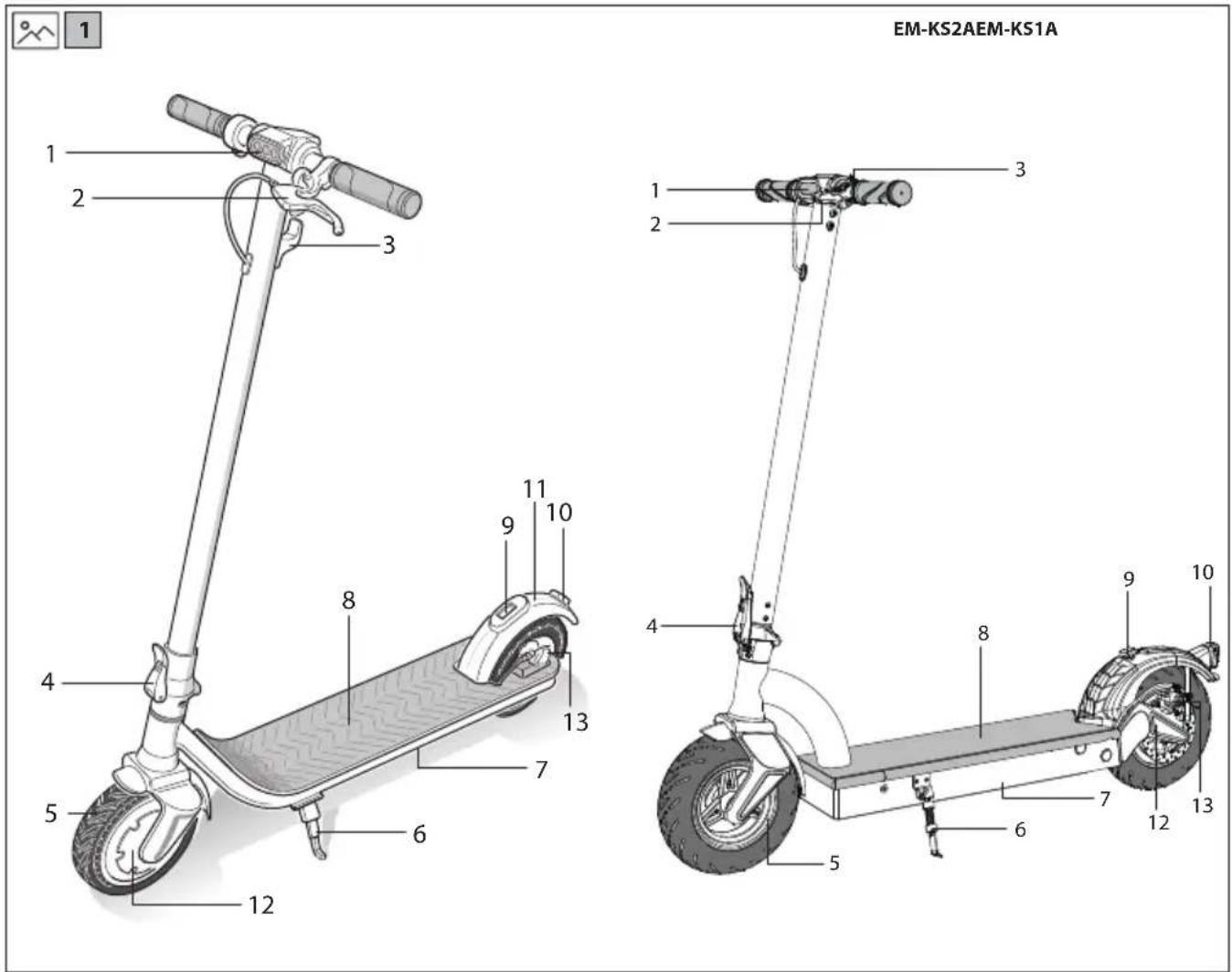
Location of Parts
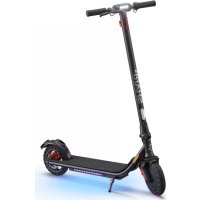
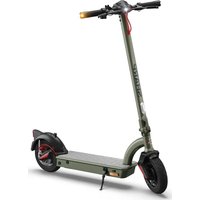
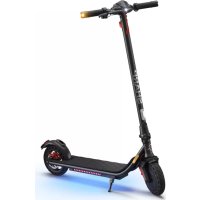
Refer to the pictures 1 and 2 on page 1.
- Front Light
- Rear Brake Lever
- Hook/Stem Fold Lock Catch
- Stem Lock Lever
- Front Wheel
- Stand
- Battery Location
- Foot Pad
- Handlebar Lock
- Rear Light
- Foot Brake
- Electric Motor
- Rear Brake 14. Bell
- Display
- Throttle
- Fold Lock Catch (EM-KS2A only)
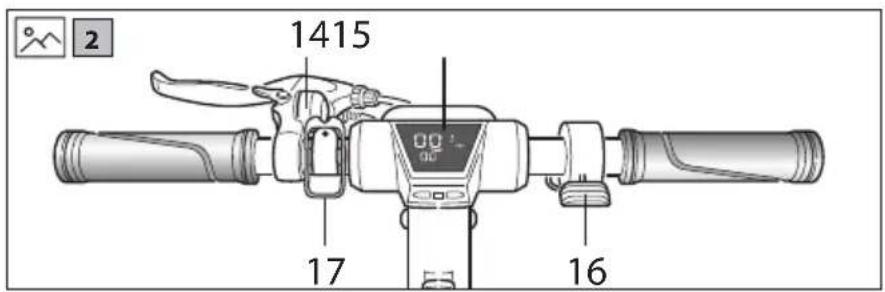
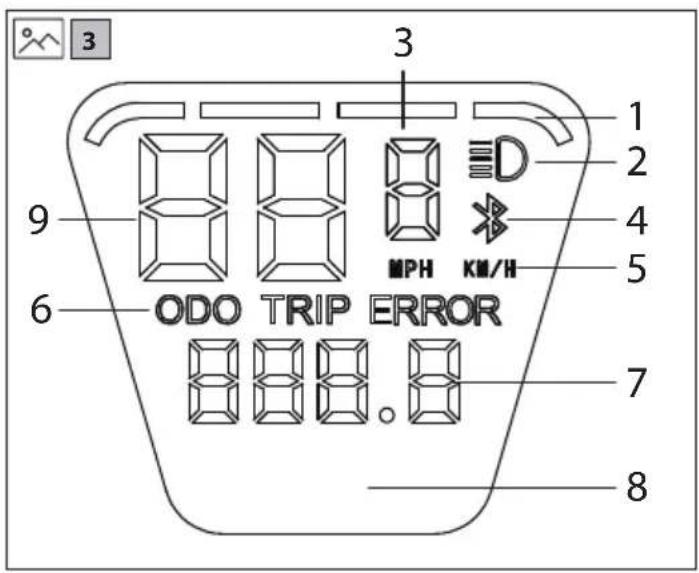
Display
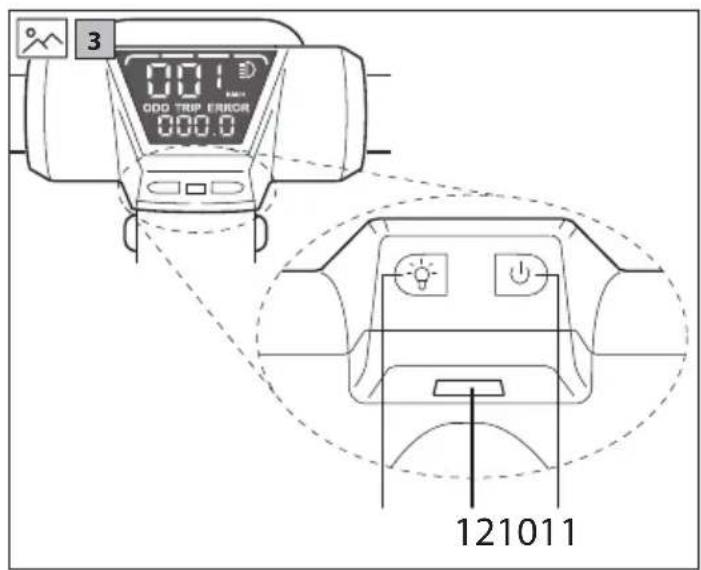
Refer to the pictures 3 on page 2.
- Battery level
- Lights on
- Speed Mode
- Bluetooth mode (for use with app)
- Speed unit 6. ODO/TRIP mode indicator 7. ODO/TRIP details
- Power (this will appear on the display for about 2 seconds after turning on)
- Speed 10. Light Button
- Power Button
- USB Charging Socket
Odo/Trip
Odo will show the total distance covered by the e-scooter; Trip info that indicates the single driving distance. It is possible to toggle between the Odo and Trip by short pressing the power-button.
Lights
To turn the front and rear lights on, press the Light Button for a few seconds. To turn off the lights, press the button for a few seconds.
NOTE: the front and rear lights cannot be controlled independently.
Speed Mode
To change gear, press the light button quickly. The Speed Mode with Change will go up then down.
Maximum speed in each mode:
- Walk Mode - 6km/h Medium Mode - 20km/h Maximum Mode - 25km/h
The maximum speed for Maximum Mode is 25 km/h.
Note that these are the maximum speeds attainable in each Speed Mode; the e-scooter will not go faster than these speeds in the selected Speed Mode.
Speed
Speed units can be changed in the app.
Cruise Control
Your e-scooter is equipped with cruise control. To enable it, when you reach the desired speed, hold down the thumb throttle control for 9 seconds. A beep will sound when cruise control is engaged. To release cruise control, engage the handbrake.
Assembling the Handlebars
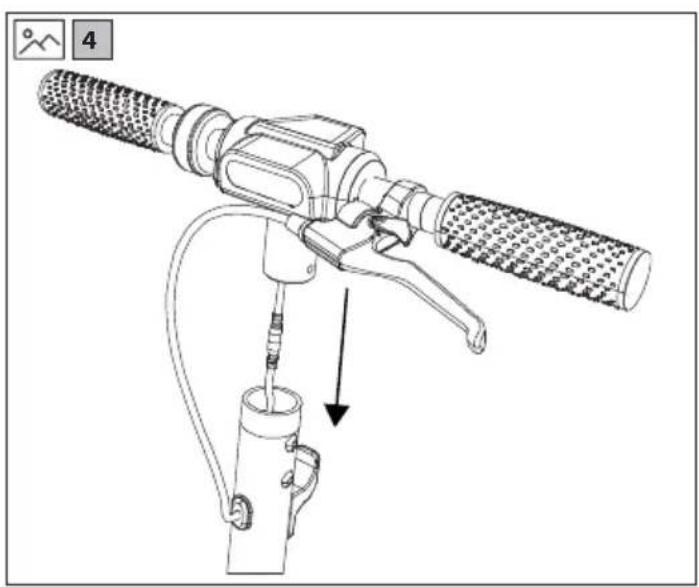
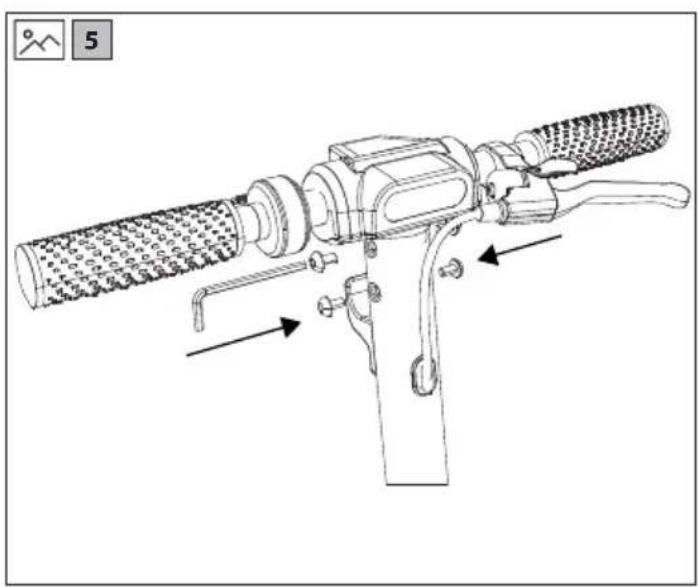
- With reference to pictures 4 and 5 on page 2, assemble the handlebars with the supplied Allen key. This only has to be done when the product is unboxed; the handlebars do not need to be removed after being attached.
- Insert the handlebars into the handlebar stem as shown in the pictures. The handlebars must be oriented as shown. While assembling the handlebars, be careful not to bend or break any parts.
- Ensure that the screws are not overtightened and that the handlebars are secure and do not wobble after construction.
- Ensure that the brake cable is not bent or damaged.
Unfolding and Folding the e-scooter
How to unfold?
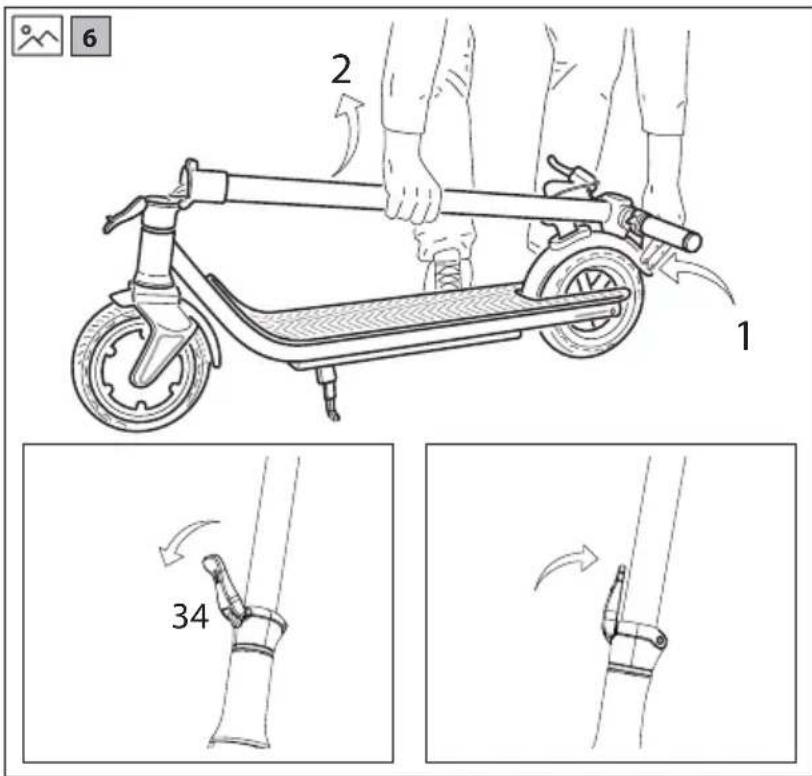
Refer to pictures 6 on page 3 to unfold the e-scooter.
Press down on the rear fender with one hand and use the other to lift up the handlebar stem so that it is straight, refer to picture 6 step 3. When straight, it will not move any further. Once locked, use the fold lock lever to secure it in place. This lever must be as close to the handlebar stem as possible when in the lock position. See picture 6 steps 3 and 4.
How to fold?
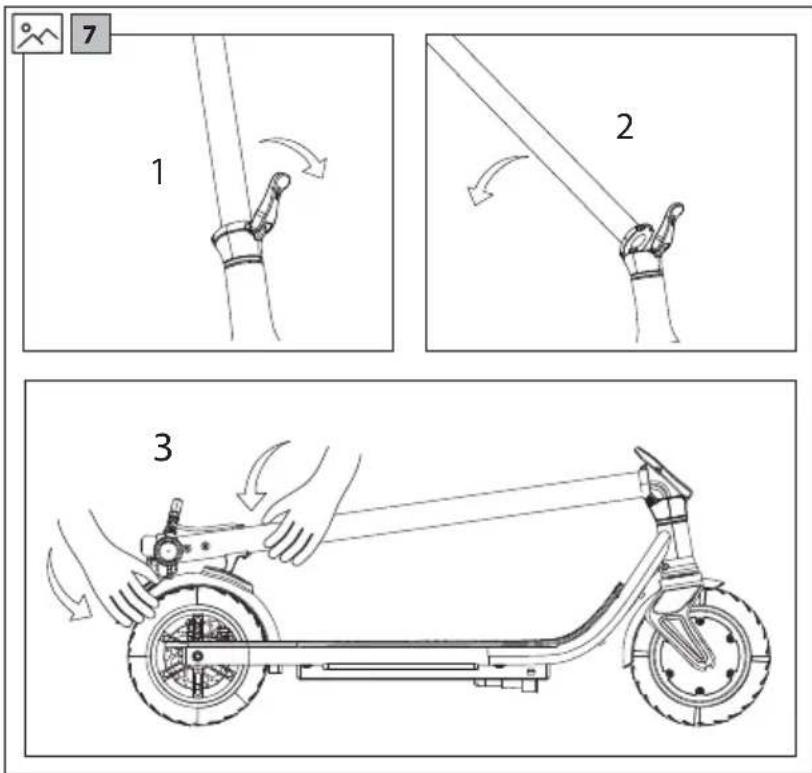
Refer to the pictures 7-9 on page 3 to fold the e-scooter for storage. Lift up the Fold Lock Lever as shown in step 1 to release the Handlebar Stem. Push the Handlebar Stem down as shown in step 2 until it is touching the Rear Fender. Press down so that it connects with the hook in the Rear Fender as shown in step 3.
Note that on the EM-KS2A, the Fold Lock Catch is located on one side of the display, and this results in the handlebar stem being slightly diagonal to the Foot Pad when correctly located.
Using Your e-scooter
Riding
- Before riding, ensure that it is safe to do so and that the e-scooter is being operated in accordance with this User Manual. It is important that safety equipment is worn and that the scooter is in good condition.
- If you are using your e-scooter for the first time, practice how to use it away from public spaces and wear safety equipment. When you are confident to use your e-scooter, you can operate near other people and vehicles.
- When riding, always follow your country's legal requirements.
- Check that the brakes, lights, and tyres are working, adjusted correctly, and in good condition before riding.
To ride your e-scooter safely:
- Make sure that you are wearing suitable safety equipment. Power on the e-scooter.
- Put one foot on the Foot Rest first, and the other foot on the ground. Kick the scooter to move forward, and slowly press down the accelerating throttle.
NOTE:
- When accelerating, lean backwards to maintain your centre of gravity. When decelerating, move your centre of gravity by leaning forward. This will make your riding more comfortable and safer.
Braking
- To brake correctly, release the accelerating throttle and engage the disc brake by squeezing the brake lever on the handlebars. By using the disc brake, the electronic brake will also operate and your scooter will decelerate and stop. It is also possible to use the fender brake on the KS1.
NOTE: model KS2 does not have a rear fender brake.
Walk Mode
- While in Walk Mode the brake light will flash to indicate that your scooter is travelling slowly. When changing to Medium Mode the brake light will stop flashing.
Using the Kick Stand
- Your e-scooter has a built-in stand which allows it to be parked without the need to lean it up against anything or having to collapse for storage.
- To use the Kick Stand, use your foot to press it downwards until it locks in place. Lean the e-scooter so that it rests on the ground. Do not use the Kick Stand on uneven or soft surfaces.
- To release the Kick Stand, use your foot to push it upwards and into the body of the scooter. It will lock into place. Ensure that the Kick Stand is stowed correctly before riding.
- Be careful when deploying the kick stand as it may cause injury if used incorrectly.
Charging
- Ensure that the battery fitted to your e-scooter is charged correctly by following the instructions as below:
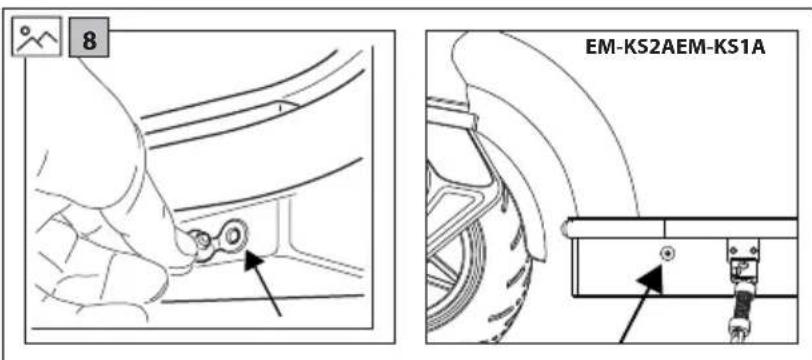
- Plug the charger lead to the e-scooter charge port. Refer to picture 8 on page 3 for the location of the charging port on your e-scooter.
- Plug the charger mains lead into the mains wall socket.
- When connected to the battery charger, the battery will start to charge and the charge indicator will turn red. After the charging is complete, the charge indicator will turn green.
- Disconnect the battery charger when fully charged and replace the rubber cap on the e-scooter charge socket.
NOTES:
- If the scooter is not being used regularly, it is recommended to charge the battery every month.
- Do not charge the battery outside.
- Do not charge if the cable or scooter is wet.
- Do not charge when the scooter is powered on.
- Do not charge the battery if the ambient temperature is below 1°C.
USB Charging Socket
- For your convenience, a USB charging socket is located on the display module. To access the socket, pull the socket cover to one side.
- The USB charging socket is designed to enable your mobile device to be kept charged while being used with your e-scooter.
SHARP Life App
Add the SHARP Life app to your mobile device to start enjoying the benefits of additional functionality. This includes:
- Speed monitoring on your device.
- Changing the speed/distance units between kilometers and miles.
- Setting the maximum speed.
- Lock the functions on your e-scooter.
- Activation of the cruise control.
Click on "Add Device" when the e-scooter is turned on and the Bluetooth icon is flashing on the display.
Your device will scan automatically for your e-scooter. Make sure that the Bluetooth function is enabled on the e-scooter. Allow location services if requested.
Once the device is found, Bluetooth pairing is complete.
To add your scooter to the App, use one of the methods below:
- Create groups.
- Remove device from previous account.
- When the e-scooter is powered on, press the power button 4 times quickly.
https://www.sharpcomer.com/sharp-life-app
Troubleshooting
The e-scooter does not move after start-up.
Cause / Action
The brake has not restored completely, this will interrupt the operation of the power supply. / Manually reset the brake. This can be achieved by pushing the brake lever back to its normal position.
The e-scooter moves at low speed or does not move at all.
Cause / Action
Battery is low. / Battery requires replacement.
The motor starts and switches off again.
Cause / Action
Battery is low. / Battery requires replacement.
The controller is damaged. / Controller requires replacement.
The Battery connection is loose. / Battery connections need to be checked.
The battery cannot be charged or has charged slowly.
Cause / Action
Voltage is not correct. / Battery requires replacement.
The battery does not charge.
The Battery life cycle has come to an end. / Battery requires replacement. The battery charger does not provide power. / Replace the battery charger. The charging lead is damaged. / Replace the battery charger.
Error codes
It is possible that errors codes may be displayed. The e-scooter will stop operating under these conditions.
E0 - Communication error
E1-Abnormal current
E2-Throttle failure
E3-Brake failure
E4 - MOS failure / Over current failure
E5-Hall/Motor failure
E6-Motor failure
E7 - Low voltage error
Should you experience any issues which cannot be resolved, contact your dealer or SHARP Support for advice.
Technical Specification
| Model EM-KS1A EM-KS1B EM-KS1C EM-KS2A | EM-KS2B EM-KS2C | | | | |
| Unfolded Size (W x H x L in mm) 470 x 1190 x 1065 | 470 x 1200 x 1180 | |
| Folded Size (W x H x L in mm) 470 x 455 x 1065 | 0 x 498 x 1180 | |
| Wheel Size (inches) 8,5 10 | | |
| Foot Plate Size (W x L in mm) 162 x 460 160 x 483 | | |
| Foot Plate to Top of Handlebars (mm) 1020 | 1025 | |
| Ground to Foot Plate (mm) | 145 | 180 |
| Other Specifications |
| Brake Type | Disc brake / Power off brake / Foot brake | Disc brake / Power off brake |
| Motor Type | brushless energy-saving motor |
| Driving Wheel | Front | Rear |
| Maximum Climbing Angle (degrees) | 15° |
| Maximum Load (kg) | 120 |
| Maximum Speed (km/hour) | 25 | 25 | 20 | 25 | 25 | 20 |
| Motor Power (Watts) | 350 W | 250 W | 350 W | 350 W | 250 W | 350 W |
| Range per Full Charge (km) | 25 | 40 |
| Tyre Pressure | - | 2,5 bar (36psi) |
| Wheel Type | honeycomb tyre | inflatable tyre |
| Weight (kg) | 16 | 18,3 |
| USB charging socket | 5 V; 0,5 A |
| Battery |
| Battery Type (Ah) | 18650 lithium battery |
| Battery Capacity (A/hour) | 6,6 | 10,4 |
| Battery (Voltage) | 36 |
| Battery (Wattage) | 237,6 | 374,4 |
| Charging Time (Hours) | 4 to 5 | 6 to 8 |
| Battery Charger |
| Effecency - charging | 87% |
| Standby Power | TBA |
| Model Name | FY0634201500 |
| Input | 100 - 240 V AC, 50/60 Hz, 1,8 A (Max) |
| Mains Connector Type | "Figure 8" type. Lead - C7, Charger - C8 |
| Output | 42 V DC, 1,5 A |
| Manufacturer and Address | Shenzhen Fuyuanian Power Co., Ltd. 8F, A9 Bldg, Tianui Industrial Park, Fuyong Town, Baoan District, Shenzhen, Guangdong, China |
| Bluetooth |
| Version LE5.0 /BT7L 8.30 | |
| Maximum power transmitted 10 dbm | |
| Frequency bands 2,4 GHz | |
| Connectivity Used to connect mobile device to e-scooter for app functionality |
| Standards The Bluetooth® word mark and logos are registered trademarks owned by Bluetooth SIG., Inc. |
| Working enviroment |
| Temperature -10 °C to +45 °C | |
| Storage Temperature -10 °C to +25 °C | |
| Relative humidity up to 75% RH | |
AS PART OF A POLICY OF CONTINUOUS IMPROVEMENT, WE RESERVE THE RIGHT TO ALTER DESIGN AND SPECIFICATIONS WITHOUT NOTICE.


PpmeHnB0 3axpaHbso HnpeXeHne
O6opyBaHe KlaI II
C ue npedotbpaTbaHe Ha noxap BnHaRn dpbXkTe CBeuN nn dpyru n3TOUHmU Ha OTkpNT orbH daJeU OT To3n npodyKT.

BAJKH0:ПpoyeTeBнIMaTeHNo HactoTo pIbKOBoDCTBOи ro 3ana3eTe 3a 6bdeu nCnpaBKn.
Sharp He HocT OTROBOPHOCT 3a HapaHbAHn INm CmbpT, npuHHeHn BCJeCTBnE Ha HenpaBnHa yNoTp6a. Sharp He HocT OTROBOPHOCT 3a CnA3BaHEno Ha MeCTHNTe 3aKOH N OrpaHueHnO TcPaHa Ha Notpe6nteNtE. BnHaTn CnA3BaIe MeCTHNe npaBnla, 3aKOHn Hape6n 3a DnBxKeHne NO NtuaTa, DOKaTO n3NoN3BaTe eNEKTPOHHn CkyTe. Bunar nca3BaIe orpaHueHnTa Ha ckopocTt. HE IPEBUNABAIte npenopbUHTeHnTO orpaHueHne Ha ckopocTt 3a CkyTepa. BHHaHn HocTe 3aunTHO O6OpuBaHe,doKaTo n3non3BaTe npOdyKT. BnHaHn noCTaBnTe Kaca,doKaTo n3nO3BaTe CkyTepa. CkyTepbT MoKeJa 6bJe ynpabraBaH eHNCTBHeO c DBe pbCe. HnKora He npbXTe KOpMnIoTO caMo c eHa pbKa. He n3no13BaIte ckyTepa npn looM MeTeOpOIoRUnH yCIOBIA. CTbNBaIteHaIIaTΦOpMaTaNcDbTaCnKpaKa. He n3n03BaIte To3n npOdyKT 3a n3nBnHeHne Ha KAcKaI INn OAnCHn DnBIXeHH. To3n npOdyKT e npedHa3NaHcH 3a 6ntoBA ynoTpe6a. - He npebo3baTe npTu xopa mnppeMeTn (hAp. qaHTn). Korato CeHAMnPate BOKINBEHN paOHO, ce DnHexe 6aBHO. -Ппсдунгтба поровете ДИВСИКИ Крелжни сялдбpe npnterHaTи И ВHopMaHNo CbCTOЯnE. Korato pa3rBbate eneKtpnueckn ckyTepe, ye uHHT ha MExaHn3Ma 3a CtbBaHe eJeIHaI IbTHo B rHe3dTo. He n3no3BaIte To3n npOdyKT Bbpxy HepaBn NOBbpxHOCTN, BOJa, MacNo nn ne.
He KpbctocBaTMe MExky aBtOMo6nIte No BpeMe Ha DnJxHne Hn H3nblnHaBaiTe MaHeBpN, KOITcA He npEaBnIMM 3a ocTaJIte Xopa. - EneKtpnuecknTcKyTeP He 6NbA da 6bJe ynpabIbAHOTnIuca, KOITOnHe nonadat BbB Bb3pactOBTO ORpaHNeHne 3a CbOTBeHTaTa CTpaHa. -ПиИЗПОЛЗВАЕНЯТОЗИпpoДУКТ He npeBИшаВайTe DoNуCTIMNTeOrpaHnueHIN3a CkOPOCT B CbOTBeTHaTaNbPkaBa. He n3n03BaIte ckyTepa aKe o nobpehen. He n3no3BaIte To3n npOyKT aKO 6aTePnraTa ce HapRbA nn ot Hee Ce yceua ocO6eHa Mnpn3Ma. - PpOdyKtBt He TpR6Ba Da 6bDe I3NoI3BaH npn HAnuHne Ha TeU OT Hero. 136aRaBaiTe CbPnKoCHOBHe Nc TeUHOCTTa I rO NoCTaBeTHa Macto 13BbH DoCTbNa Ha Deua. -Ппсдунуnotрба оглеладиTe 3a nobpeDi. He nI3pon3BaIte ckytepa,akO yctahOBnTe TAKINbA. - PpOyETePbKOBoDCTBOTO HaNtpe6HTeY DOKpa, npEi Da H3NoJ3BaTe eNEkTpuCeckn 4cyTep 3a npBb T. Haye Ce ka Da ynpabnaBate enektpueckn ckyTe npen da ro n3no3BaTe Ha ny6nHm Mecta. CkyTepbT MoKeJa 6bJe NIDENTHnIuNpuH NocpeCTBOM MoEa N cepuHnHaHomep Bbpy TaBeNkata CTexHnueckn DaHH. 3aBnKBAHeTo Ce 3nBnHBA OTe eNeKTpuYeCKn DnRatEn, pa3noJoxeH B 3aBnKBaIooT KOneNo. PpoDyKbT He MoKe Za 6bDe n3NON3BaH OT NOBHe OTe EDHO NInCe. - He n3BbPwBaIe HnKaKbMoIuΦnKaIu VBpxy CkYTepa. - He n3n03BaIte qaTm nn akcecoap, oCbeH aKO He ca npenopbauH nn oO6peHn ot SHARP. - I3noI3BaIte eIeKtpnueckn ckyTeP caMo Bbpy paBHN NOBbpxHocTN. He n3no3BaIte npn HAKLOH, no-tonm OT NOCOeHna. - Pnp npekomepha ynoTpe6a ekcnloatauohnHrT XNBOT Ha ckytepa 6bnde cbkpaten. BHIMAHHE:NoBpeMaHynoTpe6aCnnpaHaTaCnCTemaNCbbp3aHHTe CHeKOMNHOENTM MoRt Da ce HAropeJr. He rN DOKOCBaIte HENOCPeDCTBeHo CNe KaTO npOyKTbTe 6uN n3NON3BaH.
The battery and the charging device
- Do not turn on the electric scooter while charging. Before charging the battery, it should be fully charged, then connect the cable.
- The battery status indicator light shows the charging status. If the indicator does not light up, stop using the product and charge the battery. Charge the battery before each use of the scooter. If the scooter is not used for a long period, charge the battery at least once every three months. Please note that if the battery is not charged for a long period, the self-protection mode may not activate, which could lead to overcharging. In this case, you need to contact your local dealer. To charge the product, first connect the charging device to the charging port, then plug it into the electrical outlet.
- During charging, the indicator on the charging device lights up red. This indicates that charging is in progress. When the indicator turns green, charging is complete. Use only the original charging device. It has a function to protect against overcharging, i.e., once the battery is charged to 100%, the charging device will stop charging automatically. Batteries and scooters must be disposed of in accordance with the attached instructions.
Battery
- When installing the batteries, pay attention to the correct polarity. Do not expose the batteries to high temperatures or leave them in places where the temperature could rise quickly (e.g., near fire or direct sunlight). - Do not expose the batteries to excessive heat, do not throw them into fire, do not disassemble them, and do not attempt to open batteries that are not specifically designed for that. Otherwise, there is a risk of leakage or explosion. - When disposing of batteries, do not throw them into fire, mechanically damage them, or crush them, as this may cause an explosion. - Leaving the battery in an environment with very high temperature may lead to explosion or leakage of flammable liquid or gas. Exposing the battery to very low air pressure may cause explosion or leakage of flammable liquid or gas. WARNING: Improper use of the battery poses a risk of explosion or damage to equipment. Never use batteries of different types together, and do not mix new and old batteries. Do not use batteries with different capacities.
Battery removal
EM-KS1A
To remove the battery, you need to detach the rubber cover and unscrew the 6 fixing screws from the front base. After that, unscrew the 10 screws, lifting the metal plate. Disconnect the battery connector and remove it. Make sure the battery terminals are not damaged, so that they can make good contact. The battery must be disposed of in accordance with local laws and regulations.
EM-KS2A
Remove the battery cover, then it is necessary to unscrew the screws and remove the battery cover. After that, you can lift the cover and gain access to the battery. Disconnect the battery connector and remove it. Make sure the battery terminals are not damaged, so that the connection is secure. The battery should be disposed of according to local laws and regulations.
Disposal of the product and batteries
Do not dispose of this product and its batteries with other household waste. Return them to designated recycling centers in accordance with the Waste Electrical and Electronic Equipment (WEEE) Directive and local regulations. By doing so, you help conserve resources and protect the environment. In every EU country, the disposal of batteries is regulated by law. The recycling symbol is placed on electrical devices and battery packaging to remind consumers that these items must be disposed of separately. Consumers are required to use existing collection points for waste electrical and electronic equipment and batteries. For more information, contact your local retailer or local authorities.
https://www.sharpcounter.com/sharp-life-app
Troubleshooting
The scooter does not start after being turned on.
Cause/Possible solution
The brake lever is not released. This may have an effect
on the start. / Release the brake lever fully. Try to push the brake lever back to its normal position.
The scooter moves slowly or does not move at all.
Cause/Possible solution
Battery is discharged. / Battery needs charging.
The charger is plugged in, but the scooter does not charge.
Cause/Possible solution
Battery is discharged. / Battery needs charging.
Check the controller for damage. / The controller needs maintenance.
Connection to the battery. / The connections to the battery must be checked.
The battery does not charge or charges slowly.
Cause / Possible cause
Incorrect voltage. / The battery needs maintenance.
The battery does not charge.
The battery terminals are corroded. / The battery needs maintenance.
The charging device does not work. / Replace the charging device. The charging device is damaged. / Replace the charging device.
Error codes
It is possible that error codes are displayed on the display. Under these conditions, the electric scooter must function.
E0 - Error when sending commands
E1 - Abnormal shutdown
E2 - Fault in the sensor
E3 - Fault in the controller
E4 - Fault in the motor / Overcurrent
E5- Engine speed irregularity
E6- Engine malfunction
E7- Low oil pressure warning
In case of problems that cannot be resolved, contact your local dealer or SHARP's customer service department.
Technical specifications
| МоSEN EM-KS1A EM-KS1B EM-KS1C EM-KS2A | EM-KS2B EM-KS2C | | | | |
| Размер в разьнато сбстаянue (Ш x В x Д В ММ) | 470 x 1190 x 1065 470 x 1200 x 1180 | | | |
| Размер в сбнато сбстаянue (Ш x В x Д В ММ) 470 x 455 x 1065 470 x 498 x 1180 | | | |
| Рazмер на колелату (Ичове) 8,5 10 | | | | |
| Рazмер на платформata (Ш x Д В ММ) 162 x 460 | 60 x 483 | | | |
| Рazмер на платформata до горна част на ръкхваткіte (ММ) | 1020 1025 | | | |
| Пъten пrosвет (ММ) 145 180 | | | | |
| Другххарakтөрөдөдэngü |
| Тил спрачka Д��кова / При издочьанe / Кразна | Д��кова / При издочьанe | | | |
| Тил дыratел | Бзүүковеөнэр oscпесядүүател | | | |
| Задвигвацю колело | Изгелд оtmред | Изгелд оtmрed |
| Мakсимален bгл на Изkaчbaнe (гадуси) | 15° | | | |
| Мakсимален товар (Кг) | 120 | | | |
| Мakсимална скорost (КМ/ч) | 25 | 25 | 20 | 25 | 25 | 20 |
| Мошноct на дыratел | 350 W | 250 W | 350 W | 350 W | 250 W | 350 W |
| Пробет рoni пьлно зарожданe (КМ) | 25 | 40 |
| Налгане в Гуmitе | - | 2,5 бара (36psi) |
| Тил колела | Пчелна пITA | Надуваем уми |
| Тerglo (Кг) | 16 | 18,3 |
| USB гөдzo за зарожданe | 5 V; 0,5 A | | | |
| Батерия |
| Тил сbatерия (Ah) | Литnevва 18650 | | | |
| Кашитет на сbatерияа (Ah) | 6,6 | 10,4 |
| Батерия (нарөжени) | 36 | | | |
| Батерия (мошноct) | 237,6 | 374,4 |
| Вөрeme за зарожданe (ч) | 4do 5 | 6 do 8 |
| Зарадно устөдөдэngü |
| Ефektинoc't на зарожданe | 87% | | | |
| Консмачина[eнөргий в рөжим на гоговoc't | Пrelдстонда sixdatt onobesteni | | | |
| Наименоваиме на мделя | FY0634201500 | | | |
| Вх. наөрөжени | 100 - 240 V AC, 50/60 Hz, 1,8 A (макс.) | | | |
| Тил зхарваш көнөтөр | Тил "ФигURA 8". Зхарваш - C7, Зардно устөдөдэngbo - C8 | | | |
| Изх. наөрөжени | 42 V DC, 1,5 A | | | |
| Адrec на пюизвдагаig� | Shenzhen Fuyuanian Power Co., Ltd. 8F, A9 Bldg, Tiarui Industrial Park, Fuyong Town, Baoan District, Shenzhen, Guangdong, China | | | |
| Bluetooth |
| Версан LE5.0 /BT7L 8.30 | |
| Мakсимална пedingавана мошист 10 dbm | |
| Чебтын лentes 2,4 GHz | |
| Вьзможност за CBьрзвае | Свьрзвае на моблино устрийстwo кы мелектуески скутор с цел поюбрева Функутоанност
на моблино то р��ложения |
| Стандарту | Mapkaia и noroto Bluetooth® ca Perictrupаи Тьproвски марки, рпіт胶囊и на Bluetooth SIG.,
Inc. |
| Равотна среа |
| Tempepatура -10 °Do +45 °C | |
| Tempepatура на сьхсане -10 °Do +25 °C | |
| OTnocителна влажност Do 75% RH | |
As part of our policy of continuous improvement, we reserve the right to make changes to the specifications without prior notice.
Important safety instructions
https://www.sharpcomer.com/sharp-life-app
Troubleshooting
The electric scooter does not move after starting. Cause/Action
https://www.sharpcounter.com/sharp-life-app
Troubleshooting
https://www.sharpcomer.com/sharp-life-app
Troubleshooting
In order to prevent fire, always keep candles and other open flames away from this product.

https://www.sharpcounter.com/sharp-life-app
Troubleshooting
Unfolding and folding the e-scooter
Method of unfolding
It is shown in figures 6 to 3 how to unfold the e-scooter.
Place the product on the floor, hold it with one hand, and use the other hand to lift the handlebar stem until it is upright, as shown in figure 6 or 3.
When it is unfolded, it cannot be moved. Once it is locked, use the safety locking mechanism to secure its position. This mechanism should be as close as possible to the handlebar stem in the locked position. Refer to figures 6, 3, and 4.
Method of folding
https://www.sharpcounter.com/sharp-life-app
Troubleshooting
Battery/Energy
The brake does not work properly, which interrupts the power supply. Perform manual reset of the brake. This can be done by turning the brake lever to return it to its normal position.
The e-scooter moves at low speed or does not move at all.
Artia / Evépyelia
Xaunn ot aun nputapiac./Anaitai avtikataoataon nputapiac.
O kivtnpac Eekiva ka anevepyonoeita xava.
Artia/Evpeyia
Xaunn n aTbun n unatapiac. / Anatei tai avikataoan mntatapiac. BlaBn Tnc movadac eeyktn. / Anatei tai avikataoan movadac eeyktn. Xaapan ouvveon mntatapiac. / npenei va eeyxOuv ouvdeoeic tnC mntatapiac.
H matapia 8ev mopei va opptoei npoptie apya.
Artia/Evpeyia
Epaalvnta. /Anateiatavtikatotaanatapiac.
https://www.sharpcomer.com/sharp-life-app
Olulised ohutusjuhised
https://www.sharpcounter.com/sharp-life-app
Törgete lahendamine
https://www.sharpcomer.com/sharp-life-app
Vianmäritys
https://www.sharpcounter.com/sharp-life-app
Troubleshooting

https://www.sharpconsumer.com/sharp-life-app
n-1
mynn- E2
072n-83
mnnn mnn /MOS n -E4
ynn/ynnynn -E5
ynn-6
nnn nyn-87
197 197
1
#
y 1
2.
.
.
.
.
USB
SHARP Life
SHARP Life
17
.0707 12nnn nn nnnn
annn nnnn nn nnnn
.01ynnnyn -
noi ynnn nn (wnn) Add Device y n
.
.
nnoe Bluetooth- n y nn, jnnn nn
| | | | | | | | | | | | | | |
| n"n 1180 X 1200 X 470 | n"n 1065 X 1190 X 470 | (n"n"n"n"n"n"n"n"n"n"n"n"n"n"n"n"n"n"n"n"n"n"n"n"n"n"n"n"n"n"n"n"n"n"n"n"n"n"n"n"n"n"n"n"n"n"n"n"n"n"n" n"n"n"n"n"n"n"n"n"n"n"n"n"n"n"n"n"n"n"n"n"n"n"n"n"n"n"n"n"n"n"n"n"n"n"n"n"n"n"n"n"n"n"n"n"n"n"n"n"n" | | |
| n"n 1180 X 498 X 470 | n"n 1065 X 455 X 470 | (n"n"n"n"n"n"n"n"n"n"n"n"n"n"n"n"n"n"n"n"n"n"n"n"n"n"n"n"n"n"n"n"n"n"n"n"n"n"n"n"n"n"n"n"n"n "n" | | |
| | (n"n"n"n"n"n"n"n"n"n"n"n"n"n"n"n"n"n"n"n"n"n"n"n"n"n"n" n" | | |
| 483 x 160 | 460 x 162 | (n"n"n"n"n"n"n"n"n"n"n"n"n"n"n"n"n"n"n" n" | | |
| | (n"n"n"n"n"n"n"n"n"n"n"n"n"n" n" | | |
| .180 | .145 | (n"n"n"n"n"n"n"n"n"n"n" n" | | |
| d' | | |
| m'' | m'' | (###) | | |
| m'' | | |
| m'' | | |
| m'' | | |
| m'' | | |
| m'' | | |
| m'' | | |
| m'' | m'' | (###) | | |
| m'' | | |
| m'' | | |
| m'' | | |
| m'' | | |
| m'' | | |
| m'' | m'' | (###) | | |
| m'' | | |
| m'' | | |
| m'' | | |
| m'' | | |
| m'' | | |
| m'' | m'' | | |
| m'' | | |
| m'' | | |
| m'' | | |
| m'' | | |
| m'' | | |
| m'' | | | | | | | | | | | |
| m'' | | | | | | | | | | | |
| m'' | | | | | | | | | | | |
| m'' | | | | | | | | | | | |
| m'' | | | | | | | | | | | |
| m'' | | | | | | | | | | | |
| m'' | | | | | | | (###) | | |
| m'' | | | | | | | | | | | |
| m'' | | | | | | | | | | | |
| m'' | | | | | | | | | | | |
| m'' | | | | | | | | | | | |
| m'' | | | | | | | | | | | |
| m'' | | | | | (###) | | |
| m'' | | | | | | | | | | | |
| m'' | | | | | | | | | | | |
| m'' | | | | | | | | | | | |
| m'' | | | | | | | | | | | |
| m'' | | | | | | | | | | | |
| m'' | | | (###) | | |
| m'' | | | | | | | | | | | |
| m'' | | | | | | | | | | | |
| m'' | | | | | | | | | | | |
| m'' | | | | | | | | | | | |
| m'' | | | | | | | | | | | |
| m'' | m'' | (###) | | |
| m'' | m'' | (###) | | |
| m'' | m'' | (###) | | |
| m'' | m'' | (###) | | |
| m'' | m'' | (###) | | |
| m'' | m'' | m'' | m'' | m'' | m'' | m'' | m'' | m'' | m'' | | |
| m'' | m'' | m'' | m'' | m'' | m'' | m'' | m'' | m'' | m'' | | |
| m'' | m'' | m'' | m'' | m'' | m'' | m'' | m'' | m'' | m'' | | |
| m'' | m'' | m'' | m'' | m'' | m'' | m'' | m'' | | | | |
| m'' | m'' | m'' | m'' | m'' | m'' | m'' | m'' | | | | |
| m'' | m'' | m'' | m'' | m'' | m'' | m'' | m'' | | | | |
| m'' | m'' | m'' | m'' | m'' | m'' | m'' | m'' | | | | |
| m'' | m'' | m'' | m'' | m'' | m'' | m'' | m'' | m'' | m'' | | | | |
| m'' | m'' | m'' | m'' | m'' | m'' | m'' | m'' | m'' | m'' | | | | |
| m'' | m'' | m'' | m'' | m'' | m'' | m'' | m'' | m'' | m'' | | | | |
| m'' | | | | | | | | | | | | | |
| m'' | | | | | | | | | | | | | |
| m'' | | | | | | | | | | | | | |
| m'' | | | | | | | | | | | | | |
| m'' | | | | | | | | | | | | | |
| m'' | | | | | | | | | | | | | |
| m'' | | | | | | | m'' | m'' | m'' | m'' | m'' | | |
| m'' | | | | | | | | | | | | | |
| m'' | | | | | | | | | | | | | |
| m'' | | | | | | | | | | | | | |
| m'' | | | | | | | | | | | | | |
| m'' | | | | | | | | | | | | | |
| m'' | | | | | | | | | m'' | m'' | m'' | | |
| m'' | | | | | | | | | | | | | |
| m'' | | | | | | | | | | | | | |
| m'' | | | | | | | | | | | | | |
| m'' | | | | | | | | | | | | | |
| m'' | | | | | | | | | | | | | |
| m'' | m'' | m'' | m'' | m'' | m'' | m'' | m'' | m'' | m'' | m'' | m'' | m'' | | |
| m'' | m'' | m'' | m'' | m'' | m'' | m'' | m'' | m'' | m'' | m'' | m'' | m'' | | |
| m'' | m'' | m'' | m'' | m'' | m'' | m'' | m'' | m'' | m'' | m'' | m'' | m'' | | |
| m'' | m'' | m'' | m'' | m'' | | | | | | | | | | |
| m'' | m'' | m'' | m'' | m'' | m'' | m'' | m'' | m'' | m'' | m'' | m'' | m'' | | |
| m'' | m'' | m'' | m'' | m'' | m'' | m'' | m'' | m'' | m'' | m'' | m'' | m'' | | |
| m'' | m'' | f#e#e#e#e#e#e#e#e#e#e#e#e#e#e#e#e#e#e#e#e#e#e#e#e#e#e#e#e#e#e#e#e#e#e#e#e#e#e#e#e#e#e#e#e#e#e#e#e#e#e# e#e#e#e#e#e#e#e#e#e#e#e#e#e#e#e#e#e#e#e#e#e#e#e#e#e#e#e#e#e#e#e#e#e#e#e#e#e#e#e#e#e#e#e#e#e#e#e#e#e# #e#e#e#e#e#e#e#e#e#e#e#e#e#e#e#e#e#e#e#e#e#e#e#e#e#e#e#e#e#e#e#e#e#e#e#e#e#e#e#e#e#e#e#e#e#e#e#e#e#e #e#e#e#e#e#e#e#e#e#e#e#e#e#e#e#e#e#e#e#e#e#e#e#e#e#e#e#e#e#e#e#e#e#e#e#e#e#e#e#e#e#e#e#e#e#e#e#e#e# e #e#e#e#e#e#e#e#e#e#e#e#e#e#e#e#e#e#e#e#e#e#e#e#e#e#e#e#e#e#e#e#e#e#e#e#e#e#e#e#e#e#e#e#e#e#e#e#e#e# # e #e#e#e#e#e#e#e#e#e#e#e#e#e#e#e#e#e#e#e#e#e#e#e#e#e#e#e#e#e#e#e#e#e#e#e#e#e#e#e#e#e#e#e#e#e#e#e#e#e # e #e#e#e#e#e#e#e#e#e#e#e#e#e#e#e#e#e#e#e#e#e#e#e#e#e#e # e #e#e#e#e#e#e#e#e#e#e#e#e#e#e#e#e # e #e#e#e#e#e#e#e#e#e#e#e # e #e#e#e#e#e#e#e#e#e # e #e#e#e#e#e#e#e # e #e#e#e#e#e#e # e #e#e#e#e#e # e #e#e#e#e # e #e#e#e # e #e#e#e # e #e#e#e # e #e#e#e # e #e#e#e # e #e#e#e # e #e#e#e # e #e#e#e # e #e#e#e # e #e#e#e # e #e#e#e # e #e#e#e # e #e#e # e #e#e # e #e#e # e #e#e # e #e#e # e #e#e # e #e#e # e #e#e # e #e#e # e #e#e # e #e#e # e #e#e # e #e#e # e #e#e # e #e#e # e #e#e # e #e#e#e # e #e#e # e #e#e # e #e#e # e #e#e # e #e#e # e #e#e # e #e#e # e #e#e # e #e#e # e #e#e # e #e#e # e #e#e # e #e#e # e #e#e # e #e #e # e #e#e # e #e#e # e #e #e # e #e # e # e # e # e # e # e # e # e # e # e # e # e # e # e # e # e # e # e # e # e # e # e # e # e # e # e # e # e # e # e # e # e # e # e # e # e # e # e # e # e # e # e # e # e # e # e # e # e # e # e # # e # e # e # e # e # e # e # e # e # e # e # e # e # e # e # e # e # e # e # e # e # e # e # e # e # e # e # e # e # e # e # e # e # e # e # e # e # e # e # e # e # e # e # e # e # e # e # e # e # c # d # d d d d d d d d d d d d d d d d d d d d d d d d d d d d d d d d d d d d d d d d d d d d d d d d d d d d d d d d d d d d d d d d d d d d d d d d d d d d d d d d d d d d d d d d d d d d d d d d d d d d # d d d d d d d d d d d d d d d d d d d d d d d d d d d d d d d d d d d d d d d d d d d d d d d d d d d d d d d d d d d d d d d d d d d d d d d d d d d d d d d d d d d d d d d d d d d d d d d d d # d # d d d d d d d d d d d d d d d d d d d d d d d d d d d d d d d d d d d d d d d d d d d d d d d d d d d d d d d d d d d d d d d d d d d d d d d d d d d d d d d d d d d d d d d d d d d d d d d d # d d # d d d d d d d d d d d d d d d d d d d d d d d d d d d d d d d d d d d d d d d d d d d d d d d d d d d d d d d d d d d d d d d d d d d d d d d d d d d d d d d d d d d d d d d d d d d d d d d d #d d d d d d d d d d d d d d d d d d d d d d d d d d d d d d d d d d d d d d d d d d d d d d d d d d d d d d d d d d d d d d d d d d d d d d d d d d d d d d d d d d d d d d d d d d d d d d d d d d d d D D D D D D D D D D D D D D D D D D D D D D D D D D D D D D D D D D D D D D D D D D D D D D D D D D D D D D D D D D D D D D D D D D D D D D D D D D D D D D D D D D D D D D D D D D D D D D D D D D D D # D D D D D D D D D D D D D D D D D D D D D D D D D D D D D D D D D D D D D D D D D D D D D D D D D D D D D D D D D D D D D D D D D D D D D D D D D D D D D D D D D D D D D D D D D D D D D D D D D D D O E E E E E E E E E E E E E E E E E E E E E E E E E E E E E E E E E E E E E E E E E E E E E E E E E E E E E E E E E E E E E E E E E E E E E E E E E E E E E E E E E E E E E E E E E E E E E E E E E E E E A E E E E E E E E E E E E E E E E E E E E E E E E E E E E E E E E E E E E E E E E E E E E E E E E E E E E E E E E E E E E E E E E E E E E E E E E E E E E E E E E E E E E E E E E E E E E E E E E E E E C E E E E E E E E E E E E E E E E E E E E E E E E E E E E E E E E E E E E E E E E E E E E E E E E E E E E E E E E E E E E E E E E E E E E E E E E E E E E E E E E E E E E E E E E E E E E E E E E E E E F E F F F F F F F F F F F F F F F F F F F F F F F F F F F F F F F F F F F F F F F F F F F F F F F F F F F F F F F F F F F F F F F F F F F F F F F F F F F F F F F F F F F F F F F F F F F F F F F F F F F F f F F F F F F F F F F F F F F F F F F F F F F F F F F F F F F F F F F F F F F F F F F F F F F F F F F F F F F F F F F F F F F F F F F F F F F F F F F F F F F F F F F F F F F F F F F F F F F F F F F F I F F F F F F F F F F F F F F F F F F F F F F F F F F F F F F F F F F F F F F F F F F F F F F F F F F F F F F F F F F F F F F F F F F F F F F F F F F F F F F F F F F F F F F F F F F F F F F F F F F F T F F F F F F F F F F F F F F F F F F F F F F F F F F F F F F F F F F F F F F F F F F F F F F F F F F F F F F F F F F F F F F F F F F F F F F F F F F F F F F F F F F F F F F F F F F F F F F F F F F F P F F F F F F F F F F F F F F F F F F F F F F F F F F F F F F F F F F F F F F F F F F F F F F F F F F F F F F F F F F F F F F F F F F F F F F F F F F F F F F F F F F F F F F F F F F F F F F F F F F F E E E E E E E E E E E E E E E E E E E E E E E E E E E E E E E E E E E E E E E E E E E E E E E E E E E E E E E E E E E E E E E E E E E E E E E E E E E E E E E E E E E E E E E E E E E E E E E E E E E B E E E E E E E E E E E E E E E E E E E E E E E E E E E E E E E E E E E E E E E E E E E E E E E E E E E E E E E E E E E E E E E E E E E E E E E E E E E E E E E E E E E E E E E E E E E E E E E E E E E #E E E E E E E E E E E E E E E E E E E E E E E E E E E E E E E E E E E E E E E E E E E E E E E E E E E E E E E E E E E E E E E E E E E E E E E E E E E E E E E E E E E E E E E E E E E E E E E E E E E E H E E E E E E E E E E E E E E E E E E E E E E E E E E E E E E E E E E E E E E E E E E E E E E E E E E E E E E E E E E E E E E E E E E E E E E E E E E E E E E E E E E E E E E E E E E E E E E E E E E E S S S S S S S S S S S S S S S S S S S S S S S S S S S S S S S S S S S S S S S S S S S S S S S S S S S S S S S S S S S S S S S S S S S S S S S S S S S S S S S S S S S S S S S S S S S S S S S S S S S S #E E E E E E E E E E E E E E E E E E E E E E E E E E E E E E E E E E E E E E E E E E E E E E E E E E E E E E E E E E E E E E E E E E E E E E E E E E E E E E E E E E E E E E E E E E E E E E E E E E #E #E #E #E #E #E #E #E #E #E #E #E #E #E #E #E #E #E #E #E #E #E #E #E #E #E #E #E #E #E #E #E #E #E #E #E #E #E #E #E #E #E #E #E #E #E #E #E #E #E #C # D # D # D # D # D # D # D # D # D # D # D # D # D # D # D # D # D # D # D # D # D # D # D # D # D # D # D # D # D # D # D # D # D # D # D # D # D # D # D # D # D # D # D # D # D # D # D # D # D # D # # D # D # D # D # D # D # D # D # D # D # D # D # D # D # D # D # D # D # D # D # D # D # D # D # D # D # D # D # D # D # D # D # D # D # D # D # D # D # D # D # D # D # D # D # D # D # D # D # D # 0000000000000000000000000000000000000000000000000000000000000000000000000000000000000000000000000000 00000000000000000000000000000000000000000000000000000000000000000000000000000000000000000000000000 1000000000000000000000000000000000000000000000000000000000000000000000000000000000000000000000000000100000000000000000000000000000000000000000000000000000000000000000000000000000000000000000000000000 2000000000000000000000000000000000000000000000000000000000000000000000000000000000000000000000000000
m'' |
| m'' | | |
| m'' | | |
| m'' | | |
| m'' | | |
| m'' | | |
| m'' | | |
| m'' | | |
| m'' | | |
| m'' | | |
| m'' | | |
| m'' | | | | | |
| Bluetooth |
| non E5.0 /E 10
dbm 10
GHz 2.4 |
| non n3n3n3n3n3n3n3n3n3n3n3n3n3n3n3n3n3n3n3n3n3n3n3n3n3n3n3n3n3n3n3n3n3n3n3n3n3n3n3n3n3n3n3n3n3n3n3n3n3n3n3 |
| . Bluetooth SIG T2X X2Y X2Z X2W X2H Bluetooth® n3n3n3n3n3n3n3n3n3n3n3n3n3n3n3n3n3n3n3n3n3n3n3n3n3n3n3n3n3n3n3n3n3n3n3n3n3n3n3n3n3n3n3n3n3n3n3n3n3n | |
| +45 °C |
| +25 °C |
| +75% |
Important safety instructions
https://www.sharpcounter.com/sharp-life-app
https://www.sharpcomer.com/sharp-life-app
Troubleshooting
https://www.sharpcounter.com/sharp-life-app
https://www.sharpcomer.com/sharp-life-app
Setup and disposal
When trying to start the electric scooter, it does not move.
https://www.sharpcomer.com/sharp-life-app
Problem solving
The electric scooter does not move after switching on. Cause/solution
The brakes are not fully released, which may interrupt the power supply./ Manually reset the brakes. This can be done by pressing the brake lever back to its original position.
The electric scooter moves slowly or does not move at all. Cause/solution
Low battery level./Battery needs to be replaced.
The motor starts and stops again. Cause/solution
Battery charge level low. / Battery needs to be replaced. Faulty controller. / Controller needs to be replaced.
Disconnect the battery connection. / Check the battery connections.
Battery cannot be charged or charging is slow. Cause/remedy
Voltage is correct. / Battery needs to be replaced.
Battery cannot be charged.
Battery nearing end of service life. / Battery needs to be replaced.
Battery charger is not delivering current. / Replace the battery charger. Faulty charging cable. / Replace the battery charger.
Error codes
The following error codes may appear on the display. In these cases, the electric scooter will stop working.
E0 - communication error E1 - abnormal current E2 - throttle fault E3 - brake fault
E4 - MOS fault/overvoltage fault
E5 - Hall effect sensor/motor fault
E6 - motor fault
E7 - low voltage fault
If any problems occur that cannot be resolved, contact the dealer, SHARP support service, or seek advice from a specialist.
Technical data
| Modelis EM-KS1A EM-KS1B EM-KS1C EM-KS2A | EM-KS2B EM-KS2C | | | | |
| Izméri salocità veidă (PI x A x G mm) | 470 x 1190 x 1065 | 470 x 1200 x 1180 |
| Izméri salocità veidă (PI x A x G mm) | 470 x 455 x 1065 | 470 x 498 x 1180 |
| Ritenu izméri (collas) 8,5 10 | | |
| Kajas plaksnes izméri (PI x G mm) | 162 x 460 | 160 x 483 |
| No kajas plaksnes lidz rokturiem (mm) | 1020 | 1025 |
| No zemes lidz kajas plaksnei (mm) 145 180 | | |
| Citas specifikácjas |
| Bremžu veids | disku bremzes/izslédzamas bremzes/kajas bremze | disku bremzes/izslédzamas bremzes |
| Motora veids | bezsuku energoefektīvais motors |
| Piedziñas ritenis | Priekspuse | Aizmugure |
| Maksimālais slipums (grádos) | 15° |
| Maksimālais svars (kg) | 120 |
| Maksimālais ātrums (km/h) | 25 | 25 | 20 | 25 | 25 | 20 |
| Motora jauda (vati) | 350 W | 250 W | 350 W | 350 W | 250 W | 350 W |
| Nobraukums ar pilnibā uzlădetu akumulatoru (km) | 25 | 40 |
| Spiediens riepās | - | 2,5 bārì (36 psi) |
| Ritěna veids | honeycomb riepa | piepūšana riepa |
| Svars (kg) | 16 | 18,3 |
| USB uzlădes ligzda | 5 V, 0,5 A |
| Akumulators |
| Akumulatora tips (Ah) | 18650 litija akumulators |
| Akumulatora kapacitàte (A/h) 6,6 | 10,4 | |
| Akumulators (spiregums) | 36 |
| Akumulators (juda) | 237,6 | 374,4 |
| Uzlădes laiks (stundas) | 4-5 6-8 | |
| Akumulatora lădētājs |
| Efektivitàte — uzlăde | 5%~87% |
| Gaidstāves jauda | TBA |
| Modeja nosaukums | FY0634201500 |
| levade | 100-240 V mainstrāva, 50/60 Hz, 1,8 A (maks.) |
| Strāvas savientā je veins | "8. attēla" veins. Vads — C7, lădētājs — C8 |
| Izvade | 42 V lidzstrāva 1,5 A |
| Izgavotājs un adrese | Shenzhen Fuyuanian Power Co., Ltd. BF, A9 Bldg, Tianui Industrial Park, Fuyong Town, Baoan District, Shenzhen, Guangdong, Kina |
| Bluetooth |
| Versija LE5.0 /BT7L 8.30 | |
| Maksimălă pãrraidîță jauda | 10 dbm |
| Frekvenču joslas 2,4 GHz | |
| Savienojamiba | Tiek izmantots, lui pievienotu mobilo icerici pie elektriskă skrejriteni liacotnes funckionalitătes nodrošinăsanai |
| Standarti | Bluetooth® nosaukuma zime un logotips ir Bluetooth SIG., Inc. registrēta Inc. prežime. |
| Darba vide |
| Temperatura No -10 °C lidz +45 °C | |
| Uzglabăšanas temperatura | No -10 °C lidz +25 °C |
| Relativais mitrums lidz pat 75% RH | |
IN ACCORDANCE WITH OUR POLICY OF CONTINUOUS IMPROVEMENT, WE RESERVE THE RIGHT TO CHANGE THE DESIGN AND TECHNICAL PARAMETERS WITHOUT PRIOR NOTICE.
https://www.sharpcomer.com/sharp-life-app
Troubleshooting
https://www.sharpcomer.com/sharp-life-app
Troubleshooting
https://www.sharpcounter.com/sharp-life-app
https://www.sharpcounter.com/sharp-life-app
https://www.sharpcounter.com/sharp-life-app
Troubleshooting
The electric scooter does not move after starting.
Cause / Action
E5 - Motor/Hall fault
E6 - Motor fault
https://www.sharpcounter.com/sharp-life-app
Troubleshooting
https://www.sharpcounter.com/sharp-life-app
Troubleshooting
The e-scooter does not move after starting.
Cause / Action
The brake has not fully recovered, so the electric power supply is interrupted. / Manually restore the brake. This can be achieved by pushing the brake lever back to its normal position.
The e-scooter moves at low speed or does not move at all. Cause / Action
https://www.sharpcomer.com/sharp-life-app
Troubleshooting
The e-scooter does not move after starting.
Cause / Action
The brake is not properly adjusted, this will interrupt the power supply. / Manually adjust the brakes. This can be achieved by pushing the brake lever back to its normal position.
The e-scooter moves at low speed or does not move at all.
Cause / Action
The battery is low. / The battery needs to be replaced.
https://www.sharpcomer.com/sharp-life-app
Troubleshooting
In order to prevent fire always keep candles and other open flames away from this product.

IMPORTANT: Please read the following information carefully and keep it for future reference.
Sharp is not liable for accidents, injuries, or death resulting from improper use. Sharp is not liable for non-compliance with local laws and restrictions. When using the electric scooter, follow all applicable laws and traffic rules. Never exceed the maximum permitted speed set for your location. Riding an electric scooter above its own maximum speed is prohibited. - When riding an electric scooter, always use protective gear. - When riding an electric scooter, always wear a helmet. - When riding an electric scooter, keep both hands on the handlebar. Riding with one hand is prohibited. Do not ride an electric scooter under the influence. Stand on the platform of the electric scooter with both feet. Do not perform tricks or unsafe maneuvers on your electric scooter. This electric scooter is intended for household use. Do not transport heavy objects or items, such as shopping bags. - In areas with a high density of people, ride slowly. - Before using the electric scooter, make sure that all screws and parts are properly and securely tightened.
- When unfolding the electric scooter, make sure that the unfolding latch is fully engaged. Do not ride on roads with poor maneuverability, wet surfaces, or icy roads. Do not ride in traffic lanes and do not make movements that could cause accidents. Do not use the electric scooter if it does not comply with the age restrictions for using transport vehicles in your country. - While riding the electric scooter, do not exceed the maximum speed limit for electric scooters set in your country.
- Do not use the electric scooter if it is damaged. Do not use the electric scooter if the battery heats up or emits a peculiar smell. Do not use the electric scooter if liquid leaks from it; do not touch it and place it in a place inaccessible to children. - Before using the electric scooter, check if it is damaged. Do not ride the electric scooter if it has damage.
- Before using the electric scooter, read the operating instructions completely.
- Before riding the electric scooter in public places, learn how to use it. This electric scooter is identified by model and serial number.
- Its movement is driven by an electric motor located in the front wheel.
- Only one person can ride the electric scooter. Do not make modifications to the electric scooter. Do not use any parts or accessories that are not recommended or approved by SHARP.
- Ride the electric scooter on flat surfaces. Do not ride on surfaces that exceed the specified incline.
- Working with a load leads to a reduction in the service life of the electric scooter.
- WARNING! The battery and the charger may heat up to high temperatures during use. Do not touch them immediately after use.
Battery and charger care
Do not plug in the electric scooter while charging. - Fully charge the battery, then unplug the charging cable. The charge level is indicated by the battery charge indicator on the display. - When the battery charge indicator on the display blinks, turn off the scooter and charge the battery. Charge the battery after each use. - If the electric scooter is not used for a long time, charge it once a month. Note that if the battery is not charged for a long time, it will enter a protected state and stop charging. In that case, contact the dealer. - To charge the battery, first insert the charger plug into the charging port of the electric scooter, then plug the charger into a power outlet. - While the battery is charging, the charger indicator lights up red; this means charging is in progress. When the indicator lights up green, it means the battery is fully charged. Charge the battery only with the original charger. The charger has a protection function against overcharging: when the battery is fully charged, the charger stops charging. - Dispose of batteries and electric scooters in accordance with the laws of your country.
Batteries
For inserted batteries, observe correct polarity. Do not expose batteries to high temperatures or place them in areas where temperature may rise, such as near fire or in direct sunlight. Do not expose batteries to excessive heat, do not throw them into fire, do not disassemble them, and do not attempt to recharge non-rechargeable batteries. Such actions may cause electric shock or explosion. If you throw a battery into fire, disassemble, or damage it, it may explode. Exposure to high temperatures may cause the battery to explode and release harmful substances. Exposure to strong vacuum may cause the battery to explode and release harmful substances or gas. WARNING: Improper use of batteries may cause explosion and injury. Never mix different types of batteries, or old batteries with new ones. Do not use batteries other than those specified.
Removing the battery
EM-KS1A
- Turn off the scooter, remove the rubber cover, and unscrew the 6 screws from the wooden deck, then the 10 screws that secure the metal plate. After that, remove the connector from the battery contacts and lift out the battery. Avoid creating a short circuit between the battery contacts. Dispose of the battery according to the norms, as per your local regulations.
EM-KS2A
- Disconnect the battery, lift the rubber cover, unscrew the 11 screws with the metal plate, and lift it. Do not disconnect the battery. After removing it, disconnect the battery contacts and remove the battery. Avoid short-circuiting the battery contacts. Dispose of the battery according to local regulations.
Disposal of this device and batteries
Do not dispose of this product or its batteries with unsorted household waste. Take them to a collection point for recycling of electrical and electronic equipment, which is subject to separate recycling requirements. By doing so, you contribute to the conservation of resources and the protection of the environment. The disposal of batteries is regulated by law. The recycling symbol is marked on electrical equipment, packaging, and batteries to remind users of proper disposal. Users are obliged to use the recycling system.
Used equipment and batteries must be returned through the available means. For more detailed information, contact your local authorities or the store where the product was purchased.
Declaration of Conformity with EU and UK norms:
Sharp Consumer Electronics Poland sp. z o.o. declares that this electric scooter complies with the essential requirements and other relevant provisions of Directive 2014/53/EU and the UK Radio Equipment Regulations 2017. The full text of the EU Declaration of Conformity can be found at: www.sharpconsumer.com. On the website, select your country and click on "CE Statements".
Cleaning
- Before cleaning the electric scooter, make sure it is turned off, the charger is disconnected, and the charging port is closed. Use a soft, damp cloth. If there is stubborn dirt, remove it with a toothbrush. For stubborn stains, use a mild detergent with a soft cloth.
Note:
Do not use solvents or abrasive cleaners, as they may damage the surface and internal components. Do not rinse the electric scooter with water or high-pressure water. Clean the electric scooter regularly.
Maintenance
Do not use the electric scooter if it has been stored in a dry place, as moisture can damage electronic components. Do not store the electric scooter outdoors for a long time. It may be exposed to direct sunlight and high or low temperatures, which can damage the battery and electronics. Do not charge the electric scooter immediately after use with the charging system: it may be hot, and you could get burned! - Adjusting the brake lever: If the brake is too tight, loosen the brake cable by turning the adjuster counterclockwise. To tighten the brake, turn the adjuster clockwise. If the brake needs adjustment, follow the instructions and adjust the brake cable. - If the electric scooter is not in use, store it indoors, as there is a potential risk of theft. - If you need to perform any maintenance or repair on the electric scooter, contact an authorized dealer or the SHARP customer service.
Accessories:
Electric scooter control - User manual - Warranty card 1 - Charging cable - 4 screws - Charger 1 - Carrying strap
Layout
See Figures 1 and 2, page 1.
- Front fender
- Handlebar stem
- Folding mechanism lock
- Stem lock lever 5. Front wheel
- Deck
- Charging port 8. Kickstand
- Handlebar clamp 10. Rear fender
- Lower handlebar
- Electric motor 13. Rear handlebar 14. Sound signal 15. Display
- Gas regulator 17. Folding mechanism lock (only for EM-KS2A)
1. Power button 2. Turning on 3. Speed modes 4. Bluetooth modes (for use with the app) 5. Speed regulator 6. Odometer and distance traveled indicator 7. Additional information about the odometer and distance traveled indicator 8. Turning off (the display turns off automatically 2 seconds after turning off) 9. Speed 10. Light button 11. Power button 12. USB port for charging.
Odometer and distance traveled indicator
The odometer shows the total distance traveled by the electric scooter, and the distance traveled indicator shows the distance of a single trip. To select the odometer or distance traveled indicator mode, briefly press the power button.
Lights
To turn on the front light and rear light, press and hold the light button for a few seconds. To turn off the lights, press this button for a few seconds.
NOTE: The operation of the front and rear lights is synchronized.
Speed modes
To switch to another gear, briefly press the light button. The speed mode indicator changes from simple to complex, and then back.
Maximum speeds in different speed modes:
- Low speed mode - 6 km/h; medium speed mode - 20 km/h
- High speed mode - 25 km/h
The maximum speed in high speed mode is 25 km/h.
Note that the maximum speeds indicated in the corresponding speed modes are the maximum speeds at which the electric scooter can move; do not exceed the speed limit in the selected mode.
Adjusting the speed of the electric scooter.
Cruise control
The electric scooter is equipped with cruise control. To activate it, you need to press and hold the throttle for 9 seconds. Activation of cruise control is accompanied by a sound signal. To deactivate cruise control, press the brake lever.
Installing the handlebar
The handlebar is installed using the hex key included in the kit, according to the figures on page 2. This operation is required only during the first use; after installation, the handlebar does not need to be removed. Insert the handlebar into the stem as shown in the figures. The handlebar must be positioned as shown. When installing the handlebar, be careful not to bend or damage the cables. Do not overtighten the screws, but securely close the handlebar so it does not wobble. - Make sure that the brake cable is installed without kinks or damage.
Folding and unfolding the electric scooter
Unfolding
Unfolding the electric scooter is done according to figure 6 on page 3.
Press the rear fender with one hand, and with the other hand lift the handlebar stem to a vertical position. Figure 6, step 3. In the vertical position, the stem should not move. Secure the stem in the vertical position by pressing the folding lock lever. This lever must be close to the stem in the locked position. Figure 6, steps 3 and 4.
Folding
Folding the electric scooter into the storage position, see figure on page 3.
Release the handlebar stem by pulling the lock lever, as shown in step 1. Lower the handlebar stem until it rests on the rear fender. Do not press it so that it fits into the groove on the rear fender, as shown in step 3.
Please note that on the EM-KS2A electric scooter, the folding mechanism lock is located on one side of the display, so the correctly installed handlebar is positioned at a slight angle to the platform.
https://www.sharpcounter.com/sharp-life-app
Battery discharged. / Need to charge the battery.
Do not start the engine by towing.
Cause / Remedy
Battery discharged. / Need to charge the battery.
Fault in the controller. / Need to replace the controller.
Battery is poorly connected. / Need to check the battery connection.
Battery does not charge or charges slowly.
Cause / Remedy
Incorrect charging voltage. / Need to replace the battery.
Battery does not charge.
Battery service life expired. / Need to replace the battery.
Charger does not output voltage. / Need to replace the charger.
Charger is damaged. / Need to replace the charger.
Error codes
The display may show error codes. The electric scooter may also operate under such conditions:
E0- Nominal voltage error
E1- Overheated instrument
E2- Incorrect accelerator
E3- Incorrect pedal
E4- Exit from memory / instrument overload
E5- Incorrect diaphragm / Incorrect spring
E6- Incorrect drive
E7- Error related to low voltage
If any problems occur that you cannot fix, contact your dealer or the company's customer service.
Technical specifications
| Моев EM-KS1A EM-KS1B EM-KS1C EM-KS2A | EM-KS2B EM-KS2C | | | | |
| Розиму у розкаденomy стони (Ш × В × Д), ММ | 470 x 1190 x 1065 | 470 x 1200 x 1180 |
| Розиму у скаденomy стони (Ш × В × Д), ММ | 470 x 455 x 1065 | 470 x 498 x 1180 |
| Дiamетр колic, дюм 8,5 10 | | |
| Розиму платформи (Ш × Д), ММ 162 x 460 160 x 483 | | |
| Висота вд платформи до verх hbоі точkn ручк Керma, ММ | 1020 1025 | |
| Висота платформи над поерх не земл, ММ 145 | 180 |
| Ишт tekнчни Харсторпки |
| Тил гальм | Ди SCOBе raNBMO /ЕLEKTRUЧNE raNBMO /Ножнec RAJBMO | Ди SCOBe raNBMO /ЕLEKTRUCHNE raNBMO |
| Тил дыгуна | Бezшитковий eheprooшадни дыгун |
| ПробODE калесо | Переднс | Заднс |
| Мakсимальни кут пidуому, Гадусib | 15° |
| Мakсимальни Наван taxжени, Кг | 120 |
| Мakсимальнишидкістб, KM/rod | 25 | 25 | 20 | 25 | 25 | 20 |
| ПOTУЖність дыгуна, Вт | 350 Bt | 250 Bt | 350 Bt | 350 Bt | 250 Bt | 350 Bt |
| Запас:xуду на повиму заюд, KM | 25 | 40 |
| Тик ушихax | - | 2,5 бар (36 ФNT/КВ. дюм) |
| Тил shin | стльниковішин | пhevматчни shin |
| Масa, Кт | 16 | 18,3 |
| Гизdo USB для заюдань | 5В, 0,5 A |
| Актуларot |
| Тил akumларota, A-rod | Літіевий akumларot 18650 |
| Mістість akumларota, A-rod | 6,6 | 10,4 |
| Hаруга akumларota, В | 36 |
| Вихідна потукість akumларota, Вт | 237,6 | 374,4 |
| Час заюдань, rod. | 4-5 | 6-8 |
| Зардий пирстри |
| ККД під час заюдань | 87% |
| ПOTУЖність у рекимi очікваньня | уTOUCHIOETьСЯ |
| Назва мodyелi | FY0634201500 |
| Живления | 100 - 240 B зм..stчум, 50/60 Г, 1,8 A (макс.) |
| МodySEL рознattая лувения | ДиВ. рис. 8. Кабель - C7, заюдni - C8 |
| Вихідна наразугă | 42В пост..stчум, 1,5 A |
| Виробник ta adrecа | Shenzhen Fuyuanian Power Co., Ltd. B.F, A9 Bidg, Tiarui Industrial Park, Fuyong Town, Baoan District, Shenzhen, Guangdong, China (Kitai) |
Sharp Consumer Electronics Poland sp. z o.o.
Ostaszewo 57B, 87-148 Lysomice, Poland
Made in China
SDA/MAN/0192
www.sharpcounter.eu
SHARP