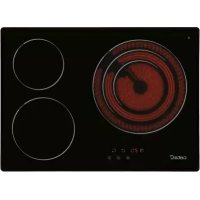
TT 5003 - Cooker CATA - Free user manual and instructions
Find the device manual for free TT 5003 CATA in PDF.



| Product type | Induction hob |
| Brand | CATA |
| Model | TT 5003 |
| Category | Cooker (hob) |
| Number of cooking zones | 4 (according to diagram: front left, rear left, front right, rear right) |
| Control type | Touch control with touch-sensitive keys |
| Power levels | 9 levels (1 to 9) |
| Cooking zones | Dual and/or triple circuit depending on model (indicator light for external circuit) |
| Timer | Programmable up to 99 minutes, two modes (simple countdown or automatic shutdown of a zone) |
| Child safety lock | Key lock (activation by long press on front left key and MINUS) |
| Residual heat indicator | Display "H" on hot zones (temperature > 60°C) |
| Automatic shutdown | 20 seconds of inactivity after switch-on; zone shutdown after time limit (depending on power) |
| Protection against unintended activation | Detection of continuous press >10 seconds → shutdown and error code "ER03" |
| Power supply | Connection to 230 V / 400 V mains (depending on installation); earthing mandatory |
| Installation | Built-in into worktop (adhesive supplied for joint) |
| Care and cleaning | Clean with scraper and suitable product after use; do not use metal sponges or steam cleaners |
| Surface material | Ceramic glass |
Frequently Asked Questions - TT 5003 CATA
User questions about TT 5003 CATA
0 question about this device. Answer the ones you know or ask your own.
Ask a new question about this device
Download the instructions for your Cooker in PDF format for free! Find your manual TT 5003 - CATA and take your electronic device back in hand. On this page are published all the documents necessary for the use of your device. TT 5003 by CATA.
USER MANUAL TT 5003 CATA
EN Installation, use and maintenance instructions
THIS APPLIANCE IS DESIGNED FOR DOMESTIC USE ONLY. THE MANUFACTURER SHALL NOT IN ANY WAY BE HELD RESPONSIBLE FOR WHATEVER INJURIES OR DAMAGES ARE CAUSED BY INCORRECT INSTALLATION OR BY UNSUITABLE, WRONG OR ABSURD USE.
The manufacturer declares that this product meets all basic requirements regarding low-voltage electrical equipment established in the 2014/35/EU Directive and electro-magnetic compatibility established in the 2014/30/EU Directive.
PRECAUTIONS
- When one makes use of heating elements, we advise receptacles with flat bottom having same diameter or lightly higher than that of the hot area.
- Avoid overflows of liquid, therefore when boiling has happened, or in any case when liquid is heated, reduce the heat supply.
- Don't leave the heating elements on without receptacles on the top or with void pots and pans.
- Do not use any aluminium foil or place any foodstuffs wrapped in aluminium foil directly on the hob - do not place any metal objects such as knives, forks, spoons and lids on the hob surface as they will heat up.
- When cooking in a non-stick pan without seasoning, do not exceed 1-2 minutes' preheating time.
- When cooking food that may easily stick, start at a low power output level and then
slowly increase while regularly stirring.
- If the surface of the hob is damaged, immediately disconnect the appliance from the mains to prevent the possibility of electric shock.
- Never use a steam cleaner to clean the hob.
- The appliance and accessible parts may be hot during operation.
- Take care to avoid touching the heating elements.
- Children less than 8 years of age should be kept at a safe distance unless continuously supervised.
- This appliance may be used by children aged 8 or over and by persons with reduced physical, sensory or mental capabilities or lack of experience and knowledge, if they are supervised and have received suitable instructions on safe use of the appliance and understand the dangers involved. Children must not play with the appliance. User maintenance and cleaning should not be carried out by children except under constant supervision.
- Cooking with grease or oil may be dangerous and cause a fire if left unattended. NEVER try to extinguish a fire with water. Rather, disconnect the appliance and then cover the flames with a cover or fire blanket, for example.
- The cooking process has to be supervised. A short term cooking process has to be supervised continuously.
-
Unattended cooking on a hob with fat or oil can be dangerous and may result in a fire.
-
Fire hazard: do not store elements on cooking surfaces.
-
Only counter top protectors designed for use with the cooking appliance and listed in the manufacturer's instructions should be used as suitable protection for the counter top incorporated in the appliance. Use of unsuitable protectors may cause accidents.
-
WARNING: Accessible parts will become hot when in use. To avoid burns and scalds children should be kept away. Insert in the fixed wiring a mean for disconnection from the supply mains having a contact separation in all poles that provide full disconnection under overvoltage category III conditions, in accordance with the wiring rules. The plug or omnipolar switch must be easily reached on the installed equipment.
This appliance is not intended to be used via an external timer or a remote control system.
The manufacturers decline any responsibility in the event of non-compliance with what is described above and the accident prevention norms not being respected and followed.
To avoid all risk, if the power cable becomes damaged, it must only be replaced by the manufacturer, by an authorised service centre, or by a qualified electrician.
User's Instructions Installation
All operations relative to installation (electric connection) should be carried out by skilled personnel in conformity with the rules in force.
As for the specific instructions see part pertaining to installer.
Use
Touch sensitive keys
All operations can be performed using touch sensitive keys (capacitive sensors) located on the front of the control board; each key has a corresponding display. All actions are confirmed by an audible signal.
TOUCH CONTROL (Fig. 2)
1ON/OFF
2 Minus -
3 Plus +
4 Double / Triple Circuit
5 Cooking zone
6 Setting level display
7 Dual circuit pilot light
8 Illuminated Segment Multiple Circuits
9 Child Lock
10 Timer
Switching the Touch Control on/off
After mains voltage is applied, the touch control initialises for approximately one second before it is ready for use.
All displays and LEDs flash for approximately one second after resetting. Once this period is complete, all displays and LEDs switch off and the touch control is in standby mode.
Press the ON/OFF (1) button to switch the touch control on. The cooking zone displays indicate "0". If a cooking zone is in "hot" (high temperature) mode, the display will alternately indicate "H" and "0".
After switching the touch control on, it will remain active for 20 seconds. If no cooking zone is selected, the touch control automatically switches back to standby mode.
The touch control can only be switched on by pressing the ON/OFF (1) button.
Pressing the ON/OFF (1) button at the same time as other buttons will have no effect and the touch control will remain on standby. The touch control can be switched off at any time using the ON/OFF (1) button. This is even the case when the control has been locked by the child safety feature.
The ON/OFF (1) button always takes priority in the switching off function.
Automatic off
Once switched on, the touch control automatically switches off after 20 seconds of inactivity. After selecting a cooking zone, the automatic off time is divided into 10 seconds, after which the zone is deselected and, after another 10 seconds, the touch control switches off.
Switching a cooking zone on/off
If the touch control is switched on, the cooking zone can be selected by pressing the button (5) of the corresponding zone.
The display (6) of the zone selected lights up, while the remaining displays are dimmed. If the cooking zone is "hot", "H" and "0" are alternately displayed.
Press the PLUS (3) or MINUS (2) button to select a setting and the
zone will begin to heat up.
Once the cooking zone has been selected, the setting can be selected by keeping the PLUS (3) button pressed down. The setting begins at level 1 and increases by 1 level every 0.4 seconds. When setting "9" is reached, the setting will not be changed further. If the setting level has been selected using the MINUS (2) button, the start level is "9" (maximum level). Keep the button pressed down to lower the active level by 1 every 0.4 seconds. When setting "0" is reached, there will be no further setting changed. The setting can only be changed by pressing the MINUS (2) or PLUS (3) button again.
Switching a cooking zone off
Select the zone to be switched off using the corresponding button (5). The display (6) of the zone selected lights up, while the remaining displays are dimmed. Press the PLUS (3) and MINUS (2) buttons at the same time and the setting level of the zone is changed to 0. Alternatively, the MINUS button (2) can be used to reduce the setting level to 0.
If a cooking zone is "hot", "H" and "0" will be alternately displayed.
Switching all cooking zones off
Press the ON/OFF (1) button to immediately switch off all zones at any time. In standby mode, an "H" is displayed in all cooking zones that are "hot". The remaining displays will be switched off.
Setting level
The cooking zone can be set to 9 levels that are indicated by the numbers "1" to "9" on the seven-segment LED displays (6).
Residual heat indicator
This informs the user that the glass is at a dangerous temperature in the event of touching the area located around the cooking zone. The temperature is determined by a mathematical model and any residual heat is indicated by a "H" on the corresponding 7-segment display.
Heating and cooling are calculated based on:
The selected setting level (between "0" and "9")
The ON/OFF time.
After switching off the cooking zone, the corresponding display will indicate "H" until the temperature in the zone has dropped below the critical level (≤ 60^)
Automatic off function (operating time limitation)
In terms of the setting level, if no operation occurs each cooking zone switches off after an established maximum time.
Each operation in the cooking zone condition (using the PLUS (3) and MINUS (2) or dual zone) restarts the maximum operating time of the zone by resetting it to its initial value.
Protection against unintended switching on
- If the electronic control detects a button being held down for approx. 10 sec, it will switch off automatically. The control sends out an audible error signal to warn the user that the sensors have detected the presence of an object. The displays indicate error code "ER03". If the cooking zone is in "hot" mode, "H" will be
indicated alternately on the display with the error signal.
- If no cooking zone is activated within 20 seconds after switching on the touch control, it will return to standby mode.
- When the control is switched on, the ON/OFF button has priority over all other button and, therefore, the control can be switched off at any time, even when several buttons are pressed at the same time or a button is kept held down.
- In standby mode, no effect will be caused by buttons being kept held down. However, before the electronic control can be switched back on, it has to detect that no button is pressed down.
Button lock (child safety feature)
- Child safety feature:
Button lock:
To activate the child safety feature after having switched on the Touch control, press de rear left cooking zone selection button at the same time as the MINUS button (2) for 3 seconds, followed by just the rear left cooking zone selection button. An "L" standing for LOCKED (child safety feature preventing unintended switch on) will be indicated on all displays. If a cooking zone is in "hot" mode, "L" and "H" will be alternately displayed.
This operation must take place within a 10 successive seconds and no button other than those described must be pressed. Otherwise, the sequence will be interrupted and the hob will not be locked.
The electronic control remains locked until it unlocked by the user, even if it has been switched off and back on meanwhile. Not even touch control resetting (after a voltage drop) will interrupt the button lock.
Cancelling the button lock:
After switching the touch control on, the child safety feature can be disabled. Press the rear left cooking zone selection button and the MINUS button (2) for 3 seconds, followed by just the MINUS button (2). If all operations are carried out in the right order within 10 seconds, the button lock will be cancelled and the touch control switched off. Otherwise, the sequence will be considered incomplete and the touch control will remain locked and will switch off after 20 seconds.
Switch the touch control back on using the ON/OFF button and all displays will be indicate "0", the decimal points will flash and the touch control will be ready for cooking. If a cooking zone is in "hot" mode, "0" and "H" will be alternately displayed.
Control of multiple circuits
Hobs without double or triple circuit, see Fig. 2A
Hob with double zone. (Fig. 2B)
When a dual cooking zone is activated, the two circuits are switched on at the same time. Activation of the external circuit is indicated by a pilot light (7) in the bottom right corner of the display. If only the internal circuit is to be switched on, the external circuit can be switched off using the dual circuit button (4). Press the dual circuit button (4) again to re-activate the external circuit and the corresponding pilot light (7) will switch on.
Hob with triple zone. (Fig. 2C) / Hob with double and triple zone.
(Fig. 2D)
When a dual / triple cooking zone is activated, the 3 circuits are switched on at the same time. The activation / deactivation of each circuit is done with button 4 and it is indicated with an illuminated segment (8).
Sound signal (buzzer)
The following activities are indicated by a buzzer during use:
- Normal button pressing by a short sound.
- Buttons kept pressed down for more than 10 sec. by a long, intermittent sound.
Maintenance (Fig. 4)
By means of a scraper immediately remove any aluminium foil bits, food spills, grease splashes, sugar marks and other high sugarcontent food from the surface in order to avoid damaging the hob.
Subsequently clean the surface with some towel and appropriate product, rinse with water and dry by means of a clean cloth. Under no circumstance should sponges or abrasive cloths be used; also avoid using aggressive chemical detergents such as oven sprays and spot removers.
Installer's Instructions
Installation
These Instructions are for the qualified technician, as a guide to installation, adjustment and maintenance, according to the laws and standards in force. These operations must always be carried out when the appliance has been disconnected from the electric system.
Positioning (Fig. 5)
1 Front view
2 Front side
The appliance can be fitted into a working area as illustrated on the figure. Apply the seal supplied over the whole perimeter of the working area.
Electrical connection
Prior to carrying out the electrical connection, please ensure that: the plant characteristics are such as to follow what is indicated on the matrix plate placed at the bottom of the working area;
-
that the plant is fitted with an efficient earth connection, following the standards and law provisions in force.
-
The earth connection is compulsory in terms of the law.
Should there be no cable and/or plug on the equipment, use suitable absorption material for the working temperature as well, as indicated on the matrix plate. Under no circumstance must the cable reach a temperature above 50^ of the ambient temperature.
Using the timer
You can use the timer in two different ways:
You can use it as a minute minder. In this case, the timer will not turn any cooking zone off when the set time is up.
You can set it to turn one cooking zone off after the set time is up
You can set the timer for up to 99 minutes.
Using the timer as a minute minder
If you are not selecting any cooking zone
1.Make sure the cooktop is turned on.
Note: you can use the minute minder even if you're not selecting cookingzone. any
2. Touch the Timer key (7) " 10". The minder indicator will start flashing and "10" will show in the timer display.
3. Set the time by touching the "or" control of the timer.
Hint: > Touch the “-” or “+” control of the timer once to decrease or increase by 1 minute.
Touchand hold the " - " or " + " control of the timer to decrease or increase by 10 minutes.
Touching the " - " and "+" together, the timer is cancelled, and the timer indicator will turn off.
4. When the time is set, it will begin to count down immediately. The display will show the remaining time.
5. Buzzer will dip for 50 seconds and the timer indicator will turn off when the setting time finished.
Setting the time r turn one or more cooking zones off If the timer is set on one zone:
- Select the relevant cooking zone which is working by touching the zone select key (1).
- Press the Timer key (10) " ", the timing indicator flashes, and you can setthe timer at this point.
- Using the "+" and "-" buttons, you can realize the settingoff timing from 1 to 99 minutes.
Hint: Touch the " - " or " + " control of the timer once will decrease or increase by 1 minute.
"Touch and hold the " - " or "+"control of the timer will decrease on increase by 10 minutes
Touching the " - " and "+" together, the timer is cancelled, and the timer indicator will turn off. - When the time is set, it will begin to count down immediately. The display will show the remaining time and the timer indicator flash for 5 seconds.
NOTE: The red dot next to power level indicator will illuminate 5. indicating that zone is selected. - When cooking timer expires, the corresponding cooking zone will be switch off automatically.
Other cooking zone will keep operating if they are turned on previously.
Safety mode (Child lock)
You can lock the controls to prevent unintended use (for example children accidentally turning the cooking zones on).
When the controls are locked, all the controls except the OFF control are disabled.
To lock the controls
Touch the key lock control for 3 seconds. The timer indicator will show "Lo"
To unlock the controls
- Make sure the Induction hob is turned on.
- Touch and hold the key lock control for a while
3.You can now start using your Induction hob.
QUESTO PRODOTTO è STATO CONCEPITO PER UN IMPIEGO DI TIPO DOMESTICO. IL COSTRUTTORE DECLINA OGNI RESPONSABILITA NEL CASO DI EVENTUALI DANNI A COSE O PERSONE DERIVANTI DA UNA NON CORRETTA INSTALLAZIONE O DA USO IMPROPRIO, ERRONEO O ASSURDO.
VOORZORGSGMAATREGELEN
Knappsparr (sakerhetsmekanism for barn)
- Sakerhetsmekanism for barn:
Knappsparr:
HctpyKunn IJIa IIOJb3OBateJIa MoHTaX
Bce onepaunn no MOHTaKy (3JIeKtpnueckne IIOKIIIOUyeHNA) IOJKNbI IIPOHN3BOINbCRA TOJBKO KBAJIHΦNHPoBAHHbIM IepcoHaJIOM H B COOTBeTCTBHN C cyuieCTByIOUHMH HopMaTHBaMn.
B Pa3JeIe “ДлЯ MOHTaЖнka” IIpHBeIeHbI BCE IIOJPO6HOCTM MOHTaJa.
PpHmchHc
3JIEMEHTbI HAFPEBAHnA TOUCH CON-TROL (yipabJeHHne IIpHKoCHOBcHHem) KJIaBHnJa JcIKoro HaKaTHa
KJIaBnHJIeRKOHOHaKaTHN(HJIHceHCopbITIIa eMKoCTHBIX DaTUnKOB)IpeHa3HaueHbI JJI BBIIOJIHeHHIIO6OJIepaHHIpaNOJOKeHbI Ha
ΦpoHTaJIbHOJ qACTH KAPTOUKN, INPHyEM JIA KaKdoJ KAPTOUKN IpeDyCMOTpeH COOTBeTcTBYIOUII INCIIJIeBbIIIOJIHeHne IIO6OTo DeHCTBnI IOITBepKJaTeC83ByKOBBIM CNrHaJOM.
CEHCOPHOE YIIPABJEHNE (Pnc.2)
1 BKJIIOueHHe/BBIKIIOueHHe - «BKJI/BbIKJI»
2 KhoIIka «MHHYC» -
3 Khoonka «ΠΙΙΟC» +
4ДBoHOn/TpoHOnKoHTyp
5 Bb6op BapouHoi 3OnBb
6Дисплій уровь мошноctн
7 INHINKATOP BKIOUeHHN IBOHOI 3OHbI HArpeBa
8 IOncBeueHHbI ceMent HeckoJIbKO KOHTypOB
9bloknpoBkArTei
10 TaHMepp
BkJIOueHn H BbIKJIOueHn ceHcOpHOrO ynpabJeHH
IocHe IIOKJIIOHcHHK 3IEKTOpcTH ceHCOPHO ynpabJIeHne HnHnHaJIN3HpyETc npHMepHO B TeHeHne 1 c.
IpnB BKIOHcEHHN BCE IHCIIJIEN H HINKATOpbIMrAOT B TeueHHe IIp6JIIN3HTeJIbHO OINOH cekyHbI. IocJIe TOro KaBce IHCIIJIEN H HINKATOpbI IORacHyT,dyHKINn ceHCOPHO ynpaJIeHHraCTaHyT IOCTyIHbIMN dJIa HCIOJIb3OBAHH.
IIBAKJIIOHcHnCeHCOPHOYIpaBJIeHHHaKMHTe KHOINKY BKLIOHcHnR1
HaIHCIIIEX BapOHHbIX 30H IIOBHTc3HauHeHHe 0 Ecn KaKaJ-Im6o H3 BapOHHbIX 30H rOpqa, Ha IHCIIIEe 6yUyt IOnepemHNO OTo6paKaTbcra H n 0
Cencophoe ynpaBJeHne ocTaeTcraKTHBbIM B TeeHHe 20 cekynPiocJIe BKJIOUeHn. Ecln B TeeHHe OTOro BpeMeHH He IPOHCXODHT BblOpa 3OHBi HArpeBaHH, ceHCopHoe ynpaBJeHne aBTOMaTHueCKn IepexOHT B peKHM OKNHaHH.
Cehcophoe yipabJIeHHe BKIIIOuayetc npn HaKaTHN TOJIbKO Ha OJHy KHOIIKY BKIIIOUeyHn (1).
EcJH OJHOBpeMeHHO c KHOJIKOI BKJIIOueHHN (1) IPOIN3BOIDNTcHaKaTHe Ha KaKyIO-JIN6O dpyrYIO KHOIIky, ceHCOPHoe ynpaBJIeHHe ocTaETcB peKHMe OKHJaHH.
BbIKIOueHHe ceHCOPHO ynpaJIeHHI pOHN3BOJNTcI c IOMOIIbIO TOI JKe KHOIIKN. 3TO MOKHO cJeIaTb JaKe B tex ClyuAx, KOrJa ynpaJIeHHe 3a6IOKHpOBaHO OT JeTei.
KHOIIKa BKIOUeHn(1)HMeeT IpnOpHTETIpn BbIKIOUeHH.
ABTomathueckOe BbIKJIOueHc
IocJIe BkIOUcHnYycTpoNCTBa ceHCOPHOyeIpaBJIeHHe ABTomATnueCKN BbIKIOUaTeCyape3 20ceKynB Clyuae OTCyTCTBnKaKoJ-IAIO aKTINBHOCTN IIOJB3OBaTeJy. Upe3 10 cekynIIOcJIe TOrO KaK BBbopaHa BapouHnA 30Ha, Bb6Op 30HbI OTMeHAcTc, a eIe Upe3 10 cekynBbIKIOUaTeCyaCEHCOPHOe yipabJIeHHe.
BkJIOueHHe/ByIKJIOueHHe BapOCHo30HbI
PbB KJIIOCHHOM CECHOPHOM yIpaJBICHH MOKHO BB6paTb JIO6yIO BapOHyIO 3OHy HaKaTHEm KHOTKN BB6opa COOTBeCTByIOIIe 3OHbI (5).
IinCIIeBbI6paHHoH 30HbI (6) 3aropaeTc cHbHee, a OCTaJIbHbIE INcIIeH rachyT. EcJIN 3OHa HArpeBaETc, TO IIOOuepeHNO OTo6paKaaiOTc CHMBOJIb H N 0
HaKHMa KHOIIKN JIOC 3)N MNHVC (2), MOxHO BbI6paTb Heo6XoIMbI yPOBeHb MoHOCTH, H 3OHa HaUHeT HaPebaTbc.
Bb6paB BapOHyIO 30Hy, MoXHO HAcTpOHTb yPoBeHb MOIHCTH, HaKHMa KHOINKy «IIJIOC» (3);
HaHHa c ypoBn 1 yBeJIHueHHe Ha OINH IIar 6yIeT IPOHCxoJNTb KaKDbie 0,4 c. YpOBeHb 9 ABJAEtCn MaKcHMajHBHm yPOBHEM MOIIHOCTH.
Ipn HacTpOKe ypoBn MOHOCTH np NOMOIN KHOIIKN «MHHYC》(2) IepBOHaaybHbIypoBeHb
6yIeT paBeH 9 (MaKcHMaJIbHbI yPOBeHb).EcJIN yIepKnBaTb 3Tu KHOIIKy HaKaToI, yPOBeHb MOIHOCTH 6yIeT cHNaKaTbcHa OINN KaKdIbc 0,4 cckyHbl.
YPOBCHb0 ABJCTCMMHHMAJIbHbIM yPOBHCMOIOHOCTN.JIpeRyJINPObaHHy yPOBHR MOIOHOCTH HcO6XoIIMO cHOBa HaKaTb KHOIIKy OC (2) HJIN
BbIKJIIOUeHHeBaOpuHOI30HbI
Bb6epHTc 30Hy, KOtOpyo HcO6xOJHMO OTKJIIOUHTb, IIpn IIOMOIIN COOTBeCTByIOIIe KHOIIKN (5). IHCIIJIe Bb6paHHoH 30HbI (6) 3aIopHTcra CHJBHcc, a OCTaJIbHBic IHCIIJIEN IORachyT. IIpn OIHOBpeMeHHOM HaKaTHN KHOIIOK «IJIIOC» (3) n «MHHYC» (2) ypOBCHb MOIIOHCTn Bb6paHHo 30HbI yCTaHaBJIINBaCTcra Ha «0». B KaueCTBe aJIbTePHaTHBBi MOKHO HcIOJIb3OBaTB KHOIIKY «MHHYC» (2), YTO6bl cHn3HTb ypOBChb MOIIOHCTn IO «0».
EcJHKaKaJ-JHbO H3 BApOuHbIX 3OH TOpRJa, Ha JInCJIiEc 6ydyT IIIOIepeMeHHO OTo6paKaTaBcK «H» N «0».
BbIKIOueHHe BcEx BapOuHbIX 301
HaKaB KHOIIky BKJIOHcHn (1) MoKHO cpa3y BbIKIHOHTb BCE BApOuHBie 3OHbl. BpeKHMc OKnJaHHa HINCIJIe CBeX TOpRnX BApOuHBIX 3OH oTo6paKaaeTc CHMBOJ «H». BCE ocTaJIbHbe INCIIeH 6ydyT OTKJIIOUeHbl.
YpOBeHb MoIIOHOCTH
HacTpoKMOHOCHTBapOHbIX 3OH
IpeYcMOTpeHb9yOBHei, KOToPbIE 6o03HaHaIOCTc
HfpaMHOT1do9Ha7-erMeHTbIXCBeTOHOHbIX
HncIIJEx6).
HnkaTop octaToHoro tenJa
3TOT HnHnKaTOp PpeDynpexKaet NOJb3ObaTeJI 06 ONaCHOCTH IprHKoCHOBeHHK K KepaMHueckoI HOBepxHOCTN BapOuHOH 3OHb, HMeIOeBbICOKYIO TeMIIepaTpy. 3HaueHHe TEmIIepaTpybI OIIpeJeTcR HCXODI N3 MaTeMaTHueCKoM OMeJIH, H B CJIyuae HAJIHyN OcTaTOUHO TEPJa Ha COOTBeTCTBYIOeM 7-CErMeHTHom DnCIIee OTo6paKaeTc CMBOJ «H».
CteIeHbHarpeBa H OXJaKJdeHnPaCCHTbIiBaetcHa OCHOBcJeIyIOIIHXnapaMeTpOB:
BbI6paHHbI yPOBeHb MOIIHOCTN (OT 0 Do 9);
Bpcmpa0bbl.
IocJIe BbIKJIOUcHnB BApOuHO 3OHbHa HcIIIE6yJeT OTo6paKaTbCnMBOJI «H》,Noka pacyeTHaTeMInepaTypa 30HbHeOnyCTHTcI Do 6e3oNaChOrO ypOBHn (≤ 60^) BCOTBeTCTBHH C MaTeMaTHueckoM MoJeJIbIO.
ФункинabTOMaTHueckoro OTKJIIOyeHH (orpaHnueHHe BpeMeHH pa6OtbI)
B 3aBHCIMOCTH OYcTaHOBJIeHHORO yPOBnMoIIOHOCTH KaJDA BApOuHa 3oHa OTKJIIOHaTeCn IIO HCTeueHHN OIIpeJeJIeHHoro BpMeHN, ecJIN B TeueHHe 3aJaHHORO IIpOMeKytKa BpMeHN 3oHa He peRyJIInpoBAJIocb.
KaJIOe H3MeHeHHe COCTOHHN 30HbI IIpH IOMOII KHOIOK «JIIOC》 (3), «MHHYC》 (2) IN KHOIIKN BKIOUeHn IBOHON 30HbI HaRpeBa IIpHBOINT K TOMy, YTO IIpeJeHbHOe Bpempa6OTbI NaHHaET OTCHTBtBaTc8 3aHOBO.
3aHTa oT cIyauHOr BkJIOueHH
-ПиДЛNTeJIbHOM HaKaTHN Ha KHOIIKy (JOJIbIe 10 c)HarpeB 6yIeT aBTOMaTHueCKn OTKJIIOUeH. EcJIN Ha ceHCOPHOH KHOIIKe HaxOHTcKaKOH-JIN6o IIpeIMet, ycTpoIcTBO H3dAcT 3ByKOBoi CnIHaJI OIN6KN. IIpH 3OM Ha INCIIIEE OTO6pa3HTc KaO IN6Kn «ER03». EcJIN 3OHa TOpYaH, Ha INCIIIEe 6byT INONEpeMeHHO OTO6paKaTbc KaO INH6KN H CMBOJI «H».
BcIyueeecJINB TeueHne 20cekyHIOscJIe BKIOUeHHa ceHCOPHO yIpaBJIeHHHe 6yIeT aKTHBnPOBaHa HN OHa H3 BapOuHbIX 3OH, IIHTa aBTOMaTHueCKH IIpeKJIIOHTcB PcKHM OKNJaHH.
- Pn BKIOHCHHOM cHcOpHOM yIpaJIeHHN KHOIIKA BKIOUcHHN HmecT IIpHOpHTc HA Bd BCCMH OCTaJIbHbIMN KHOIIKAMN. 1TO IO3BOJIACT BbIKJIOHTb IINTy B JIO60MOMCHT,JaKe B Clyuac OIOHBpCMCHHOrO HIN IINTCJIbHOHaKaTHN HcCKOJIbKHX KHOIIOK.
BpcKHMcOKNHdAHNIIpHJINTEJBHOMHaKaTHN KHOIOKHeIPOHCXODHTHHKaKHXH3MeHCHN.BJIHO6OM cIyHaeTTOIYTObCICHOBABKIOUHTb3JIckTpOHHOc yipabJIeHNC,y6eINTccb,YTObHN0DHaKHOIIKA Hc 6bJIaHakata.
BIOKHPOBKa KHOHOK (3aHTa oT JeTei)
-ФункиязaintbIOTJeTei:
Блорвка Кногк
Дя BKJIOueHЯ ΦyHKIJIa 6e3OIIacHocTHJeTei, IOCJIe BKJIIOueHЯ ceHCOPHO yIpaBJIeHЯ,HaKMHTe KHOIIky Bb6opa JIeBOI 3aIHeI 3OHbI IIpHIOTOBJIeHЯ OINHOpeMeHHo c KHOIIKOJ MINUS (MHNyc) (2)В TeueHHe 3ceKYHcpa3y Jke IOcJIe KHOIIKN Bb6opa JIeBOI 3aIHeI 3OHbI IIpHIOTOBJIeHЯ. Ha BCex IINCIJIeX OTO6pa3HTcI cHMBoI «L», o6O3HauaIOIHJ 6JIOKHPOBKy (6JIOKHPOBKaOT CJyauHOrO BKJIIOueHЯ). EcII NaKaJa-ⅡIbO 30Ha ropJyaI, 6yUyt IOnepMeHHO OTO6paKaTbc cHMBOJIb «L» n «H».
BpeM OINHOpeMeHHORo HaxaTHRe He JIOJHKHO
IpeBbHAtb 10 cekyH. Pn EToM HeJIb3a HaKHMaTb
HNKaHX KHOIOK, KpOme OINcAHHBIX BblIE. B
IIPOTHBHom Cnyae IocJIeIOBaTeJBHoCTb DeIcTBH
6yET IpeBaHa H IIHTa He 3a6IOKHyetc.
3JIeKtpoHHoe yIpaBJIeHHe 6yIeT 3a6IOKpOBAHO JaKe IIpn BBIKJIOUeHH HIOcJIeDyIOIIeM BKJIOUeHH
IO MOMcHTa CHrTHN 6JIOKHPOBKN IIOJIb3OBaTeJIcM. IOBTOpHOC BKJIHOChHn IIINTbI (IOcJIe OTKJIHOChHn IINTaHH) He cHmaeT 6JIOKHPOBKN yIpabJIeHHN.
CHTHE 6JIOKUPOBKN KHOON ynpabJeHH
IocJIe BKIOUOHeHHceHCOPHO yIpabJIeHHyHKnH3aHTbOTDeTeM oKet 6bIT DeaKTINBnPOBaHa.ДЛTOrO Heo6xOJHMo OJHOBpeMeHHo HauKaTbHydepKHBaTb B TeueHHe 3 cekyHKnpaHHIO JEBYIO KHOIIky BB6opa BapOHn 30hI N KhoIIky «MHYC》(2), a 3aTeM eIe pa3 HaKaTb KHOIIky «MHYC》(2).EcIIN BCE OTn ONepaHHn BblIOJIHeHb B yka3AHOM IopAKe B TeueHHe 10 cekyH, 6IOkpOBKa KHOIIOK 6yET CHrTa, n ceHCOPHoe yPpABJIeHne 6yET BbIKIOUeHO. B IpOTNBHom CJyue PioeCC ChrTHN 6IOkpOBKn 6yEt IIpeBaH Ka He3aBepIeHHbI, 6IOkpOBKa OCTaHETcA kTtBHO, n CeHCOPHoe yIpaBJIeHne OTKIIIOHTcA Hepe3 20 cekyH. IIpn IocJIeDyIOUeM BKIOUeHHn ceHCOPHO yIpaBJIeHHn IIpn IIOMOUHN KHOIIKN BkIOUeHHn Ha BCEX IIncIIeX OTO6pa3HTc3 HAueHne «0», DecrTHHbIE TOKn HaHyT MHRatb, a IIInTa 6yEt rOToba IIra HCIOJIb3OBaHHN. EcJIn KakaJ-Jn6o 30Ha rOpua, Ha IIncIIiEe 6yIyt IOIpcMeHHO OTO6paKaTbc3 HAueHHN «0» n «H».
YIIpaBJIeHHe HeCKOJIbKHMN KOHTypaMH
KoHΦopKN 6e3 IBOHOrO HJIN TpoHOrO KOHTypa, CM. pnc.2A
KoHΦopKa c IBOHoi 3OHOi. (Pnc.2B)
AKTHBaIIHaIBOHOBAPouHOI 3OHbI
03Haayet, YTO IBA HArpeBaTeJIbHbIX CeIMHTa
6yUyt BkJIIOueHbI OJIOHBpeMeHHo. BKJIIOueHne
BHeIIHeRo HArpeBaTeJIbHbO CcEMeHTa
OTOpkaAcTc CBtOBbIM HINIKaTOPOM
(7) B HnKHeM IIpaOM yIpy IINCIJIeE. Ecln
HcO6XoIHMO BkJIIOuHTb TOJIbKO BHyTPcHHN
HArpeBaTeJIbHbI CcIMcHT, BHeIIHH N CcIMeHT
MOJKHO BbIKJIIOHTb, HaxKaB KHOIIKY IBOHoi
3OHbI HaIPCBA (4). IIoBtOPHOC HaxKaTHC KHOIIKN
1BOHoi 3ObHI HaIPCBA (4) cHOBA aKTHBHPcyET
BHCIIHH HaPCBaTeJIbHbI CcIMcHT, IIpN 3TOM
KoHΦopKa c TPOHoi 3OHOi. (Pnc.2C)/KoHΦopKa c IBOHoi N TPOHoi 3OHOi. (Pnc.2D)
IIpn aKTHBaIIHN IBOHoi/ TPOHoi 3OHbI
IIpHiToOBJIeHHa 3 KOHTypa BKJIIOuaIOTcR
ODHOBpeMeHHo. BKJIIOueHne/OTKJIIOueHne
KaKJOrO KoHTypa OcyIeCTBJIeTcR KHOIIKO 4 N
IIOITBePKJaTeC TIOcBceHHbIM ceImHTOM (8).
3BykoBoi cHrHaJ (3yMMep)
HCIOJIb3OBaHHI IJNTbI 3BYKObIe CnHajbI pa3JaIOTCB B CJIeIyIOUHX CJIyuaX: KpaTKOBpeMeHHoe HaKaTHe KHOIIOK -KOPOTKN CHHaJI;
JInHTeJIbHoE HaKaTHe KHOIIKN (6oJIee 10 ceKyH) - JInHHbI IIpepbIBNCTbI CNHajI.
YxoD(Pnc.4)
Ipn IIOIaHaHH Ha KOHΦopKn ocTaTKa aIIOMHHeBOH OJIbH, oCTaTKOB IIuH, KHPbIX IITeH HIN 6pb3r Knpa, caxapa HIn OueHb caxapnctbIX
IPOJyKTOB, CJIcIyEcT HX HeMcIICHHO yJaJIHTb C BapOuHOH IOBcpxHocTHI
IOcpeIcTBOM cIeIHaJIbHOrO CKpe6Ka BO H36eKaHHe
IapaIIaHnBaPoyHOH IOBepxHocTH. IocJIe 3ToT O
IpOMbITb IOBepxHocTB cIeIHaJIbHbIM IPOJyKTOM C HCIOJIb3OBAHNEM
6ymaxHOrO IIOJIoTeHua, 3aTeM cIOJIOChHyTB BOIoH N BbCyIHtB YHCToH TpIIOUkOH. KaterOpHueCKN
3aIpeIIaETcR hCIOJIb3OBAbT abpa3HBhIE rY6Kn HIN IIeTKH, a TaKKe
3aIpeIIaETcR IIOJIb3OBAtbcra arpeccHBHbIMN XHMNUeCKHMn YHCTraIIMn CpEICTBaMH HIN IITHOBBIOBDHTeJIaMH.
HctpyKHHI MoHTaKHHka
Mohrak
HactoIHe HhctpyKuHH PpeHa3HaYeHbI IJIa HCIOJIb3OBAHn
B IIepHOJ MOHTaKa H IJIa MOHTaKHnKa, 3TO
pYKOBOcTBO IJIa
MOHTaKa, peYInpOBKn H yXoJa 3a IJIHTOIB COOTBeTcTBHe C
cyIeCTByIOUHMn HopMaTHBaMn. He 3a6bIbAaTe O TOM, YTO
HC06xOIMO OTKJIIOHTb IJIHTy IJIa BBIIIOJIHeHHa KaHX-JINBO
OIIcpaHn.
YcTaHOBka (Pnc.5)
1BnCnpeHn
2IpcdHyaactb
JaHHbI aIIIapAT IIpeHa3HaueH IJIaYCTaHOBKn B COOTBcTCTByIOUeN 3OHe TaK, KaK 3TO yKa3aHO Ha PnCyHKc. OChb BaJHo IIOITROBHTb IJIa YCTaHOBKn BECb IICpHMctp IIOBepxHOCTN C HIOJIb3OBAHHem BOIOHCIIPOHHuaCM OJIeKH, BXOJIHcB KOMIIICKT IOCTaBKn.
3Jektpnueckne noKIOeHHN
IpeEIIIOIKJIIOHcHHeM K cETN IHTaHHy, y6eINTEcB V TOM, YTO:
-XapaKTepHCTKN yCTaHOBKn COBIIaIaOT c
XapaKTepHCTNKAMN, IIpHBeDEHHbIMN Ha yCTaHOBOUHOI
IIaCTINHe, HaxOJIaIeICsHa IHe IIaHEJIN IJIa BApKN;
- YcTaHOBKn IpeDyCMOTpeHo IOCTaTOHOMOIIHoe 3a3EmJIeHHe, B COOTBeTCTBHN C HopMaTHBaMNI Tpe6OBAHnM NcHTByIOIeRo 3aKOHOJaTeJIbCTBa.3a3EMJIeHHe IpeDyCMOTpeHO B yCTaHOBJeHHbIX HopMaTHBaX.
B TOM cIyuae, ecII nIaI IaIapata He IIpeDyCMOTpeH IIIHyp H - IIIN pO3eTKa BKJIIOueHHN, Heo6XoJIMHOHCIOJIb3OBaTb MaTePnaI, IIpHIoIbHbI IJIa 3HaueHHN 3JIeKTpHuEcKOToKa, IIpHBeJIeHHbIX Ha ycTaHOBOUHOI IIJaCTnHe C XapaKTEpHcTHKaAMH, H IIJIa DAHHo PAboyei TEMIIepaTypbl.
3aIIpeIaTcHcIOJIb3OBaTb IIHyp B cIyuae erO IpeIepBaHHn IIpyBbIIeHHN 50^ TeMIIepaTypbI OKpyKaIOIIe CpeIbI.
IcnoJIb3OBAHne TaIMepa
Bb mojete nCnoB3oBaTb TaMep dIa DByx ceJeI:
KaK TaMep 06paTHoro 0CTceta B 3TOM CNYyae TaMep He BbIKIOHT BB6paHHyO 30HYBapKN NOCNE ICTeEHN YCTaHOBHeHORo BpEmHN.
INHnHactpontb ero,406bl OH BbIKIOaH NyKHyIO 3OHy BapKn Nocne nCTeHnA yCTAHOBJIeHHOROBpeMeHN.
Bbl MoXTe YeCTaHOBtTaIMeP Ha BpeMaI Do 99 MInHyt.
IcnoB3OBaHne TaMepa dIg o6paTHORoTcyeTabpeMeHH
EcnH BbI He BbI6paII 30Hy BapKn
1.y6edmtteb,TOBapouhnaHnAeBVKIOUeHa
PpHMeaHHe: Bb MoKTe HcNtB3oBaTb TaMep 6paTHoro OTCyTa, daxe ecn Bbl He BbIpaNN 30Hy BapKn.
2. HaxMMTE KlaBmUy TaHMePA (10) « ».ИнДиКaTOp yCtpoIcTBa HaUHET MURrB, ИHAДиСПЕЕТаMepA NOBHTCЯ «10».
3.YctahOBNTB BpemHaXmAm KnaBnWy TaMepa(-)Hnn(+)。
Ione3HbI coBET: HaxMMTe N OTNcyTMe KnaBnUy TaMepa - Nnn + ,YTO6bl yMeHbWntbNN
YBENHHTB BpEMHa Ha 1 MMHyT.
HaxMMTE n ydepKMBaIe KJIaBnUy TaIMepa «» mN «+», YTO6bl yMeHbIMTb mN
YBENHHTb BpemHa 10MHNYT.
ПиОДНБРЕМEHOMHAЖATNHaKNaBnH«-»N«+»TaNMEp NHHdNKaTOp BbIKNoUaIOCT.
4. Nocle yctahOBKn BpemEn HEmeJeHn HaunHaetcero OTCeT. Ha dncnnee OTObpaKaAeTcOCTabWeecrBpema.
5.3ByKOBo CnHAn 6yDen 3ByaTb B TeeHne 30 ckyH, HnHnKAtOp TaMepa BBIKIOHTcR, KOrJa NCTeHr3aHaHHe Bpemr.
HactpoKa TaMepa IJIy BbIKIOUeHHN OJHOI HIN HeCKOJIbKHX 30H BapKN
Ecn taHmep yctaHOBJIEN IJIA OHOH 30HbI
1.BbIepeHteHyKHyO30HyBapKnIaPa60TbI,HaKaABHa KlaBnUy Bbl6pa 30HbI (1).
2. HaxMMTE KONKJY Taimepa(10) « «, INHUNKAtop HAHT MURTaB, IN Bbl CMOXETe YCTAHOBITbTaimep Ha HyxHoe Bpemr.
3.CnMOOJIbIO KHOJIOK 一 + 一 I N-MOXHOYCTAHOBITb Bpemr O1 109 MInHyt.
Ione3hboCBet:HaXMnTe HOTyCTMe KnaBnuy TaMepa «-» HIN «+», YTO6bl yMeHbWntbHn
YBENHHTb BpemHa 1 MHHyTu.
Haxmnte u ydepKnBaIte KlaBmUytaiMepa «-» mN «+», UTo6bIyMeHbWHTb MIn yBeJIuNTb BpeMa Ha 10 MNHyT.
PnOJHOBpeMeHHOM HaxaTHN Ha KNaBmH N «> N «+» TaJImeP INHdNKATOp BbIKIOaIOTc.
4.Поссустановский Времени Немедлесно нашинает сег оточет. Ha
DnCnnee OTO6pa3NTCA OCTaBWeecr Bpemra, a HNdkatop TaMepa 6ydt Mrratb BTeueHne5 cekyHd.
IPNMEAHVE: PAnOM C INHnKAtOpOM ypOBH MaUHOCTn 3aOpNTc KpaCHa ToKa yKa3bIBaHa Ha Bbl6Op 30Hbl.
5. Korda yctahOBHeHoe Ha TaHmepe Bpemr NCTeET, COOTBETCTBYIOua 30Ha BapKN ABtOMaTnueckn OTKIOUHTCRA.
IpyrHe 30hbl, KOtOpbIe 6blIN BkIIIOueHbI Do yka3aHHoH, 6yDyT npOdoJXaTb pa6oTaB.
Pekn6e3oNaChOTH (6IoKnpOBKa oTeei)
Bby MoKeTe 3a6NkMPOBaTb OpraHb ynpabJIeHHy, YTO6bl npEOTBpaNTb HnpeHaMepeHHoe N CIOJb3OBAHne (HnpiMep, CNYaHHe BKIOUeHHe 30Hb BApKn DeTbMn)
EcnoprAhyynpBHeH36nKpObaHb, Bce OH, KpOMe 3eMeHTa ynpBHeHBBkI.(OFF),6ydyT OKJIOueHb.
Kak3a6loKnpoBaTbopraHbI ynpaBHeHH
Haxmnte u yepkmbante KhoNky 6IokpOBKn B TeueHne 3 ckyHd. Ha HndkatopetaaMepa oTo6pa3ntc4Lo
Kak pa36IokpoBaTbopraHbI ynpaBHeHH
1.y6eIMTeCb,HTO INHdyKUNOHnA HNJTA BKNIOUeHa.
2. Haxmte n HeKOTOpoe Bpema yIepKbaiTe KhONkY 6IOKnPOBKN
3.TenepbHnDyKUHOHHoIIMTOMOXHOIOJIb30BaTbCA.
PRODUKT TEN ZAPROJEKTOWANY ZOSTAL DO UZYTKU W GOSPODARSTWIE DOMOWYM. PRODUCENT NIE PONOSI ZADNEJ ODPOWIEDZIALNOSCIA ZAWENTUALNE SZKODY RZECZOWE I OSOBOWE POWSTALE WSKUTEK JEGO NIEPRAWIDLOWEJ INSTALACJI ORAZ NIEWLA SCIWEGO, BLEDNEGOLUB NIEUZASADNIONEGO UZYTKOWANIA.
:J L b 1 J o L 1 J L 1 a b g p1 d
Jus Jus Jus Jus Jus Jus Jus Jus Jus Jus Jus Jus Jus Jus Jus Jus Jus Jus Jus Jus Jus Jus Jus Jus Jus Jus Jus Jus Jus Jus Jus Jus Jus Jus Jus Jus Jus Jus Jus Jus Jus Jus Jus Jus Jus Jus Jus Jus Jus
L 100 L 100 L 100 L 100 L 100 L 100 L 100 L 100 L 100 L 100 L 100 L 100 L 100 L 100 L 100 L 100 L 100 L 100 L 100 L 100 L 100
Lg 11111111111111111111111111111111111111111

a1 = 2,an + 1 = n1 - nn + 1 = + 121 - 12 = + 12
gbl 1 o jia Lai 1 a jia 0 g b Jb Jy A k
jLg jhdu liKai .JgJ
j 1 99!
j0 1
A 11111111000
1
.00" j 1
i 1
99 1 0 8
J 1
1000 1000
iHaJI 5 Jyoo aIbJ I sG
iIbI 1
jblill i jg wol 1 jg j j
.
i 1saiy aiaa 1j 1 jao aai 1oji !
.2g1 8ghj
j 1
y
Lw
- aolxl aJl
gloscbwolc lksj jaooo oJ 0
wJg 0
aJgall aLwll aBbI bswill gilo
gall.
yJySll Jgill:
J 1
- 1o go qIbIuJUgJUgJUgJUgJUg
aobio 8g ggsgogall ggeoall sLc 20
Joell.
- 1j 1bji 0g j0 gjj
a c 10000000000000000000000000000000000000000000
1.
- 1
g,0dX1 g 11w g2c Jg
slll aaiioll oJrJlIaiaol algo Jlosyly
sccssglo w,glglll
J 1
aJrJggl JgJgJg
50 50
a.
slebiXl aegg g0 gJ I loI .acwll.
JXn nn nnnn nn nnnnnnnnnnnnnnnnnnnnnnnnnnnnnnnnnnnnnnnnnnnnnnnnnnnnnnnnnnnnnnnnnnnnnnnnnnnnnnnnnnnnnnnnnnnnnnnnnnnnnnnnnnn
aJgJbJgJbJgJgJ.
KsJyR yg
yloic JooJyckjI yoww
jglgbll lgbjsd
goll 1r|e|j r) o)
y j
Jooic JjLg 1s 1s
a|d|g|d|dzjw|zjgbl|gblj
gblsla|pI yloic. j5g aogao 50
X 1111111111111111
J 11111111
50 50
4JgJr)aiJdJ):
gI gJgJgJgJgJgJgJgJgJgJgJgJgJgJgJgJgJgJgJgJgJgJgJgJgJgJgJgJgJgJgJgJgJgJgJgJgJgJgJgJgJgJgJgJgJgJgJgJgJgJgJ
o g, sll lglg, gdl g
a
gall 1r J
g g a b g abwglb wll b b, llo
abwIg aegj jolly alwcl, wlio
abIbglgJx JooX .aBb
Joo 1, JSS. g0g
a a a a a a a a a a a a a a a a a
gJyJgJgJ.
.
J:
iill 1
aalaaalll aalaeill albcX
2J)JgJgJgJgJgJgJgJgJgJgJgJgJgJgJgJgJgJgJgJgJgJgJgJgJgJgJgJgJgJgJgJgJgJgJgJgJgJgJgJgJgJgJgJgJgJgJgJgJgJgJ g JI J I J I J I J I J I J I J I J I J I J I J I J I J I J I J I J I J I J I J I J I J I J I J I J I J J J J J J J J J J J J J J J J J J J J J J J J J J J J J J J J J J J J J J J J J J J J J J J J J J J J J J J J J J J J J J J J J J J J J J J J J
aJgJgJgJgJgJgJgJgJgJgJgJgJgJgJgJgJgJgJgJgJgJgJgJgJgJgJgJgJgJgJgJgJgJgJgJgJgJgJgJgJgJgJgJgJgJgJgJgJg
- 2d1 ole slc kshbfoa jy
0000000000000000000000000000000000000000000 - d alc jKb bJz Jr 10 10 10 10 10 10 10 10 10 10 10 10 10 10 10 10 10 10 10 10 10 10 10 10 10 10 10 10 10 10 10 10 10 10
- klll jy
-0rJl - gblgbi D
- 10000000000000000000000000000000000000000000000000000000000000000000000000000
JLOCKED. (JbL) Lw yg .(L) LL Jy Dg y g y G y H" HOT". 5w sH y H" jIy. 10 Jx y g aal o y S y n y y y y y y y y y y y y y y y y y y y y y y y y y y y y y y y y y y y y y y y y y y y y y y y y y y y y y y y y y y y y y y y y y y y y y y y y y yy yy yy yy yy yy yy yy yy yy yy yy yy yy yy yy yy yy yy yy yy yy yy yy yy yy yy yy yy yy yy yy yy yy yy yy yy yy yy yy yy yy yy yy yy yy yy yy yy yy yy yy yy yy yy yy yy yy yy yy yy yy yy yy yy yy yy yy yy yy yy yy yy yy yy yy yy yy yy yy yy yy yy yy yy yy yy yy YY YY YY YY YY YY YY YY YY YY YY YY YY YY YY YY YY YY YY YY YY YY YY YY YY YY YY YY YY YY YY YY YY YY YY YY YY YY YY YY YY YY YY YY YY YY YY YY YY YY YY YY YY YY YY YY YY YY YY YY YY YY YY YY YY YY YY YY YY YY YY YY YY YY YY YY YY YY YY YY YY YY YY YY YY YY YY YY YY YY YY YY YY YY YY YY YY YY YY YYYYYYYYYYYYYYYYYYYYYYYYYYYYYYYYYYYYYYYYYYYYYYYYYYYYYYYYYYYYYYYYYYYYYYYYYYYYYYYYYYYYYYYYYYYYYYYYYYYYYYYYYYYYYYYYYYYYYYYYYYYYYYYYYYYYYYYYYYYYYYYYYYYYYYYYYYYYYYYYYYYYYYYYYYYYYYYYYYYYYYYYYYYYYYYYYYYYYYYY
g G g G
10 10
J L J
J
J
ER03"
.0.5 0.5 0.5 0.5 0.5 0.5 0.5 0.5 0.5 0.5 0.5 0.5 0.5 0.5 0.5 0.5 0.5 0.5 0.5 0.5 0.5 0.5 0.5 0.5 0.5 0.5
J
J
J
J
J
J
J
J
J
J
J
J
J
J
J
J
J
J
J
J
J
J
J
J
J
J
J
J
J
J
J
J
J
J
J
J
J
J
J
J
J
J
J
J
J
J
J
J
J
J
J
J
J
J
J
J
J
J
J
J
J
J
J
J
J
J
J
J
J
J
J
J
J
J
J
J
J
J
J
- 200000000000000000000000000000000000000000000000000000000000000000000000000000000000000000000000000
ksbJy.0) 0g2bll Sgssbbsj
LsSgssbbsj (2) jzjj
Sg sbj Jg .0) 0g2bll
Sg bsj
"H" g "O" bbl
Jl l 1gK gBbI aIgBn JI:
SLJLSS 1gKgBbIaIgBn JIaIgBn Ss
.JI/JIyIe IJyIe IJyIe IJyIe IJyIe IJyIe IJyIe IJyIe IJyIe IJyIe IJyIe IJyIe IJyIe IJyIe IJyIe IJyIe IJyIe IJyIe IJyIe IJyIe IJyIe IJI yIe IJI yIe IJI yIe IJI yIe IJI yIe IJI yIe IJI yIe IJI yIe IJI yIe IJI yIe IJI yIe IJI yIe IJI yIe IJI yIe IJI yIe IJI yIe IJI yIe IJI yIe IJI yIe IJI yIe IJI Y
()JSSS:
()JI 10000000000000000000000000000000000000000000000000000000000000000000000000000000000000000000000000000
"0" jorjrrll aLw oLc yps
Jrrll "H" wgl.
(2) (3)
jbi d jn no s gio 1sX
eJyU
S y wlll "H" g"O" .J J
20 20 1
00 Jx gds jg sb glj 1
Jg jg g 1
2.
b#ll Jx no ssoaill a>gl Soy
a 100
JkSrsI jieo slebea Jg.
a aolll aylooll gbo 10
g a Joo
Soo 10000000000000000000000000000000000000
Sd 29. goll baw aJlloi
g gJl aLio jc yloa Jooi
g boll 1rj jir:
Ld .JooaiXsI sI aI g Jg
0,ddJy gG JbX aLx
o o 000000000000000000000000000000000000000000
LdXgJgBg. gol
y
0g 0
(a)gll) gill 1
3 aIb gJ J
Jl Jn Jn Jn Jn Jn Jn Jn Jn Jn Jn Jn Jn Jn Jn Jn Jn Jn Jn Jn Jn Jn Jn Jn Jn Jn Jn Jn Jn Jn Jn Jn Jn Jn Jn Jn Jn Jn Jn Jn Jn Jn Jn Jn Jn Jn Jn Jn Jn Jn Jn J n J n J n J n J n J n J n J n J n J n J n J n J n J n J n J n J n J n J n J n J n J n J n J n J n J n J n J n J n J n J n J n J n J n J n J n J n J n J n J n J n J n J n J n J n J n J n J n
U
- 1i jie iie iie iie iie iie iie iie iie iie iie iie iie iie iie iie iie iie iie iie iie iie iie iie iie iie iie iie iie iie iie iie iie iie iie
JgUkUcUc Ucr
S JdUdUdUdUdUdUdUdUdUdUdUdUdUdUdUdUdUdUdUdUdUdUdUdUdUdUdUdUdUdUdUdUdUdUdUdUdUdUdUdUdUdUdUdUdUdUdUdUdUdUd Ugl Ugl Ugl Ugl Ugl Ugl Ugl Ugl Ugl Ugl Ugl Ugl Ugl Ugl Ugl Ugl Ugl Ugl Ugl Ugl Ugl Ugl Ugl Ugl Ugl Ugl Ugl Ugl Ugl Ugl Ugl Ugl Ugl Ugl Ugl Ugl Ugl Ugl Ugl Ugl Ugl Ugl Ugl Ugl Ugl Ugl Ugl Ugl Ugl Ugl Ugt - JrX, jJxJxJxJxJxJxJxJxJxJxJxJxJxJxJxJxJxJxJxJxJxJxJxJxJxJxJxJxJxJxJxJxJxJxJxJxJxJxJxJxJxJxJxJxJxJxJxJxJxJxJ
- 1 g 1g 1g 1g 1g 1g 1g 1g 1g 1g 1g 1g 1g 1g 1g 1g 1g 1g 1g 1g 1g 1g 1g 1g 1g 1g 1g 1g 1g 1g 1g 1g 1g 1g 1g

CNA group
CATA ELECTRODOMÉSTICOS, S.L.
This page will not be printed.
版本号:20221027+V1.2
尺寸:A5,70克双胶纸,骑马钉

- THIS APPLIANCE IS DESIGNED FOR DOMESTIC USE ONLY. THE MANUFACTURER SHALL NOT IN ANY WAY BE HELD RESPONSIBLE FOR WHATEVER INJURIES OR DAMAGES ARE CAUSED BY INCORRECT INSTALLATION OR BY UNSUITABLE, WRONG OR ABSURD USE.
- PRECAUTIONS
- User's Instructions Installation
- Use
- TOUCH CONTROL (Fig. 2)
- Switching the Touch Control on/off
- Automatic off
- Switching a cooking zone on/off
- Switching a cooking zone off
- Switching all cooking zones off
- Setting level
- Residual heat indicator
- Automatic off function (operating time limitation)
- Protection against unintended switching on
- Button lock (child safety feature)
- - Child safety feature:
- Button lock:
- Cancelling the button lock:
- Control of multiple circuits
- Hob with double zone. (Fig. 2B)
- Sound signal (buzzer)
- Maintenance (Fig. 4)
- Installer's Instructions
- Installation
- Positioning (Fig. 5)
- Electrical connection
- Using the timer
- Using the timer as a minute minder
- If you are not selecting any cooking zone
- Setting the time r turn one or more cooking zones off If the timer is set on one zone:
- Safety mode (Child lock)
- To lock the controls
- To unlock the controls
- QUESTO PRODOTTO è STATO CONCEPITO PER UN IMPIEGO DI TIPO DOMESTICO. IL COSTRUTTORE DECLINA OGNI RESPONSABILITA NEL CASO DI EVENTUALI DANNI A COSE O PERSONE DERIVANTI DA UNA NON CORRETTA INSTALLAZIONE O DA USO IMPROPRIO, ERRONEO O ASSURDO.
- VOORZORGSGMAATREGELEN
- Knappsparr (sakerhetsmekanism for barn)
- - Sakerhetsmekanism for barn:
- Knappsparr:
- HctpyKunn IJIa IIOJb3OBateJIa MoHTaX
- PpHmchHc
- 3JIEMEHTbI HAFPEBAHnA TOUCH CON-TROL (yipabJeHHne IIpHKoCHOBcHHem) KJIaBHnJa JcIKoro HaKaTHa
- CEHCOPHOE YIIPABJEHNE (Pnc.2)
- BkJIOueHn H BbIKJIOueHn ceHcOpHOrO ynpabJeHH
- ABTomathueckOe BbIKJIOueHc
- BkJIOueHHe/ByIKJIOueHHe BapOCHo30HbI
- BbIKJIIOUeHHeBaOpuHOI30HbI
- BbIKIOueHHe BcEx BapOuHbIX 301
- YpOBeHb MoIIOHOCTH
- HnkaTop octaToHoro tenJa
- ФункинabTOMaTHueckoro OTKJIIOyeHH (orpaHnueHHe BpeMeHH pa6OtbI)
- 3aHTa oT cIyauHOr BkJIOueHH
- BIOKHPOBKa KHOHOK (3aHTa oT JeTei)
- -ФункиязaintbIOTJeTei:
- Блорвка Кногк
- CHTHE 6JIOKUPOBKN KHOON ynpabJeHH
- YIIpaBJIeHHe HeCKOJIbKHMN KOHTypaMH
- 3BykoBoi cHrHaJ (3yMMep)
- YxoD(Pnc.4)
- HctpyKHHI MoHTaKHHka
- Mohrak
- YcTaHOBka (Pnc.5)
- 3Jektpnueckne noKIOeHHN
- IcnoJIb3OBAHne TaIMepa
- IcnoB3OBaHne TaMepa dIg o6paTHORoTcyeTabpeMeHH
- EcnH BbI He BbI6paII 30Hy BapKn
- HactpoKa TaMepa IJIy BbIKIOUeHHN OJHOI HIN HeCKOJIbKHX 30H BapKN
- Ecn taHmep yctaHOBJIEN IJIA OHOH 30HbI
- Pekn6e3oNaChOTH (6IoKnpOBKa oTeei)
- Kak3a6loKnpoBaTbopraHbI ynpaBHeHH
- Kak pa36IokpoBaTbopraHbI ynpaBHeHH
- This page will not be printed.
Brand : CATA
Model : TT 5003
Category : Cooker