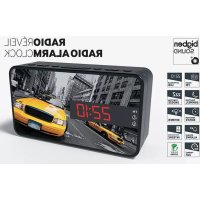
RRVP01 - Alarm clock radio BIGBEN - Free user manual and instructions
Find the device manual for free RRVP01 BIGBEN in PDF.



User questions about RRVP01 BIGBEN
0 question about this device. Answer the ones you know or ask your own.
Ask a new question about this device
Download the instructions for your Alarm clock radio in PDF format for free! Find your manual RRVP01 - BIGBEN and take your electronic device back in hand. On this page are published all the documents necessary for the use of your device. RRVP01 by BIGBEN.
USER MANUAL RRVP01 BIGBEN
customerservice@bigben-interactive.be
ESPANA, sat@bigbeninteractive.es
ITALIA, support@bigbeninteractive.it
www/bigben.eu
bigben
RRVP
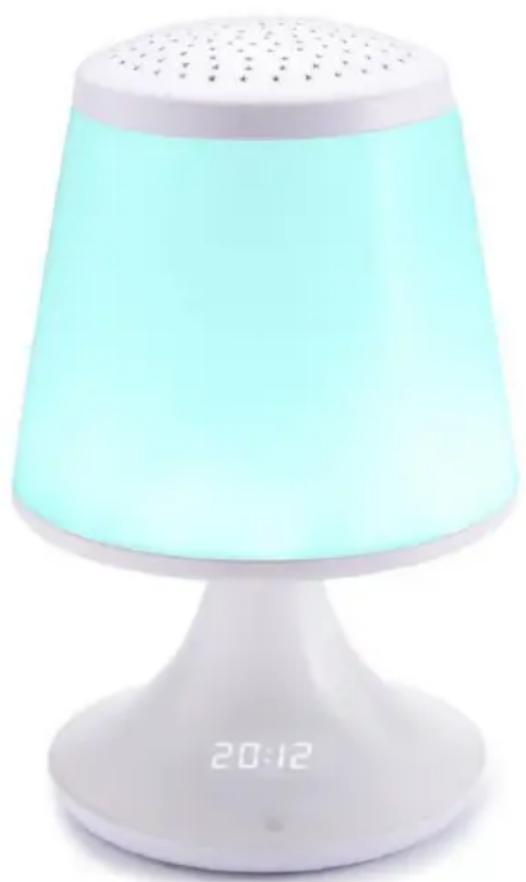
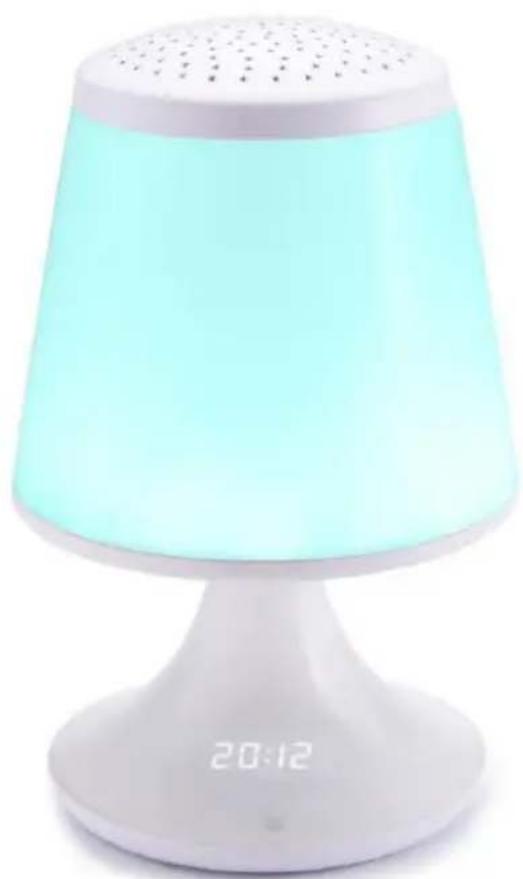
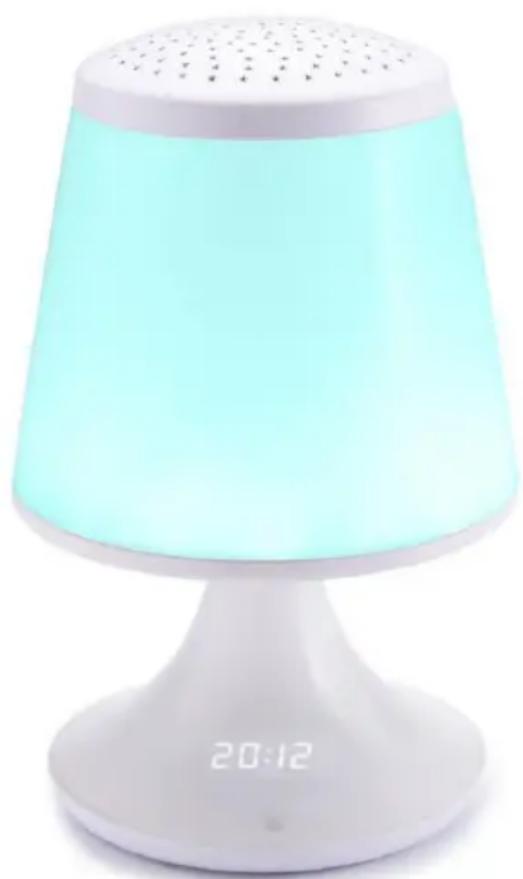
BED LIGHT ALARM CLOCK
FM RADIO PROJECTOR
OPERATING INSTRUCTIONS
PLEASE READ THIS USER MANUAL CAREFULLY BEFORE
OPERATING THIS UNIT AND RETAIN FOR
FUTURE REFERENCE
Contents
Setting Started 1
Safety and Notice
Care for your product 2
Care of the environment
What's in the box 3
Power
Battery power
General Functions
Key functions 4
Setup 5
Remarks 8
Setting Started
- Remove the appliance from the box.
- Remove any packaging from the product.
- Place the packaging inside the box and either or dispose of safely.
Safety and Notice
Read and understand all instructions before you use this product. If damage is caused by failure to follow the instructions, the warranty does not apply.
Safety
Warning
- Never remove the casing of this apparatus.
- Never lubricate any part of this apparatus.
- Never place this apparatus on other electrical equipment.
- Keep this apparatus away from direct sunlight, naked Fames or heat.
- Never look into the laser beam inside this apparatus.
- Ensure that you always have easy access to the power cord, plug or adaptor to disconnect this apparatus from the power.


- Read these instructions.
- Keep these instructions.
- Heed all warnings.
- Follow all instructions.
- Do not use this apparatus near water.
- Clean only with dry cloth.
- Do not block any ventilation openings. Install in accordance with the manufacturer's instructions.
- Do not install near any heat sources such as radiators, heat registers, stoves, or other apparatus (including amplifiers) that produce heat.
- Protect the power cord from being walked on or pinched, particularly at plugs, convenience receptacles, and the Point where they exit from the apparatus.
- Only use attachments/accessories specified by the manufacturer.
- Use only with the cart, stand, tripod, bracket, or table specified by the manufacturer or sold with the apparatus. When a cart is used, use caution when moving the cart/ apparatus combination to avoid injury from tip-over.
- Unplug this apparatus during lightning storms or when unused for long periods of time.
-
Refer all servicing to qualified service personnel. Servicing is required when the apparatus has been damaged in anyway, such as power-supply cord or plug is damaged, liquid has been spilled or objects have fallen into the apparatus, apparatus has been exposed to rain or moisture, does not operate normally, or has been dropped.
-
Apparatus shall not be exposed to dripping or splashing.
- Do not place any sources of danger on the apparatus (e.g. liquid filled objects, lighted candles).
- Where the MAINS plug or an appliance coupler is used as the disconnect device, the disconnect device shall remain readily operable.
- Make sure there is enough free space around the product for ventilation.
- Batteries (battery pack or batteries installed) shall not be exposed to excessive heat such as sunshine, fire or the like.
Care for your product
- Always unplug the appliance when not in use and before cleaning.
- Do not play music at excessive volume levels as damage to hearing and or the equipment may occur.
- Do not use this unit in wet or damp conditions.
- Always disconnect the unit from the mains power supply before cleaning. Clean the appliance with a soft, damp, lint free cloth. Do not use abrasives or harsh cleaners.
Care of the environment



Your product is designed and manufactured with high quality materials and components, which can be recycled and reused.
Your product contains batteries covered by the European Directive 2006/66/EC, which cannot be disposed with normal household waste. Please inform yourself about the local rules on separate collection of batteries because correct disposal helps to prevent negative consequences for the environmental and human health.
When this crossed-out wheeled bin symbol is attached to a product it means that the product is covered by the European Directive 2002/96/EC. Please inform yourself about the local separate collection system for electrical and electronic products. Please act according to your local rules and do not dispose of your old products with your normal household waste. Correct disposal of your old product helps to prevent potential negative consequences for the environment and human health.
What's in the box
Check and identify the contents of your package:
- Main unit
Remote control - AC adaptor with detachable cable
- 2 spare top cover
Power
CAUTION

- Risk of product damager! Make sure that the power voltage corresponds to the voltage printed on the back label.
- Risk of electric shock! When you unplug the AC power cord always pull the plug from the socket. Never pull the cord.
- Before connecting the AC power cord, ensure you have completed all other connections.
Place the unit in the desired position and unravel the mains cable. Insert the cable into the supply socket and switch on if applicable.
Battery power
- Be sure that the batteries are inserted correctly to avoid damage to the appliance. Always remove the batteries when appliance will not be used for a long period of time, as this will cause leakage to the batteries and subsequently damage to your set.
- Use batteries of the same type. Never use different types of batteries together.
- Do not throw the battery into the fire, or exposed to sunshine or the like.
- If the liquid contained in the batteries comes in contact with eyes or skin, wash the area immediately and carefully with clear water and consult a doctor.
General Functions
Bed light with built-in colour change
- Projection On top part, 3 projection plates are provided, (1 cover in solid white without a design, 2 others so that the user can change the graphics)
Dual alarm-clock setting
FM Radio
Automatic scan of up to 20 pre-set FM stations
Automatic memory-store function
Music format (2 nature sounds + Alarm On / Off / Radio On)
- Dimmer - brightness, medium, Off
Nap and Sleep Timer, 24-hour display
- UNIT SIZE: DIM:L167XW167XH264MM
Key functions
The unit
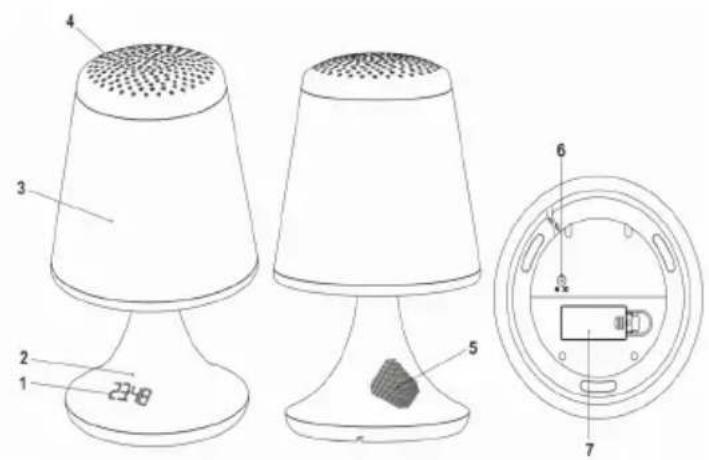
- LED Display
- IR Senor
- Lamp
- Projection Plate
- Speaker
- AC Power-input Jack
- Battery Cover
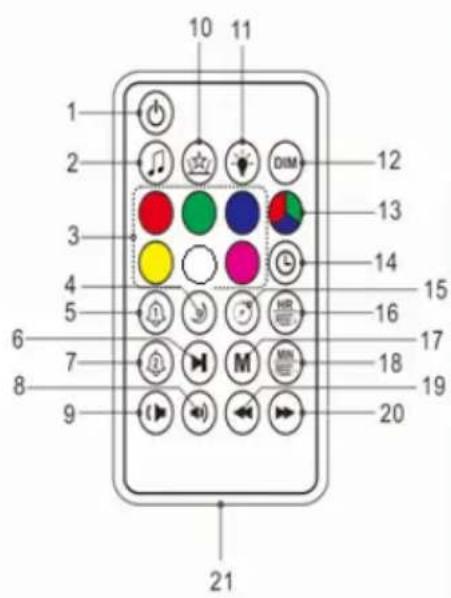
- Power On/Off
- Spund On/Off + Radio On
- Lamp Light Colour Selection (Red, Green, Purple, Yellow, White, Pink)
- Sleep Timer
- Alarm 1 Settings
- Scan
- Alarm 2 Settings
- Volume +
- Volume -
- Projector
- Light On/Off
- DIMD Dimmer
- Automatic Colour change
- Clock Settings
- Nap Timer
- Hour Set / Preset + (FM station)
- Memory
- Minute Set / Preset- (FM station)
- 品 - (Tuning-)
- 喜 k i p + ( T u n i n g + )
- Battery compartment
Setup
Power Source
This unit is designed to operate on a normal 100 -240V ~ 50/60Hz household power source. Do not attempt to operate the system using other power sources. This may result in damage to the unit and could render your warranty void.
Connect the AC power Jack (6) on the power cable to the unit and the USB jack to the AC adaptor.
Plug the cable into the power socket and switch on.
Remote Control
a. Remove the battery cover from the back of the remote control
b. Insert a CR2025 (3V) battery (included) making sure that the + and - symbols on the battery match those on the battery compartment.
c. Replace the battery cover.
Using the remote control.
a. To use the remote control, point it at the IR sensor (2) on the unit and press the button gently but firmly. Since the remote control range is reduced when the unit is used at an angle, try to aim it directly at the remote sensor.
b. Do not expose the remote sensor to strong light (direct sunlight or artificial light) and make sure that there are no obstacles between the remote IR sensor and the remote control
Most functions must be operated by remote control. Please take care of the remote control.
- Press on the remote control to switch it on, the unit automatically switches on to radio mode.
Press again to turn the unit off and switch to the clock mode (standby mode)
2. Dimmer - LED Display
Press DIM (12) to control the brightness of the lights for the LED display. There are 3 levels: High-level (brightness) Mid-level (Dim light) OFF
3. Lamp Light
The user can select their favourite light from among 7 colours. Press Power On and Choose the colour buttons The lamp will function in the selected colour.
Press 3). The colours will automatically change in sequence.
Press again to turn off the light.
4. Sound On/Off (2 nature sounds)
Press Power On and Sound (2) to switch to sound mode. Press Skip Skip ^+ select the music you want to play. There are 2 music options to choose from (SD1 or SD2).
Press Volume / - (8-9) to increase or decrease the volume when the sound is playing.
Press to turn off the function
5. Setting the clock
- Press and switch to standby mode (clock mode).
- Clock displays 24-hour format only. Press Clock Set (14). The display will flash.
- Press HR (16) to set the hour, then press Clock set (14) to confirm the hour
- Press Min (18) to set the minute. Then press Clock set (14) to confirm the minute.
6. Setting the alarm
- Press and go to standby mode (clock mode).
- Press and hold Alarm1 (5) for 3 seconds, The sign AL 1 will show on the LED display
- Press again. The unit will switch to Sound Output mode: Press HR (16) or Min (18) to select the sound output:" Buzz sound, SD1, SD2, or FM (radio) Press to confirm and the unit will switch to Time mode
-
Press Hour (16) to set the hour and to confirm the Hour
-
Press Min Set (18) to set the minute and Alarm 1(9) to confirm the Minute
- The unit switches to volume mode and press Hour (16) and Min (18) to set the volume up to 15. Press to confirm.
- To remind you that the alarm function is ON, the LED display will show the sign "1 ON" 15 seconds after the alarm has been set.
- The alarm with projection light will come on at the selected time.
- When alarm is sounding, the projection will come on automatically.
There is a dual alarm. Repeat the above steps to set Alarm 2
Turning off the alarm
To turn the Alarm OFF, press any of the stop keys:
- The Alarm clock will repeat the function at the same time the next day.
- The alarm and light will last for 60 minutes until the user presses the stop keys.
Cancelling/disabling the alarm function:
- To cancel the alarm function, press 1 or 2. To resume the function, press the button again.
7. Nap Timer
- When there is no music and radio, press [15] to activate the Nap timer. The alarm will sound after the selected time.
- It will count down from the default 10 to 90 minutes. There are several user options: 90, 80, 70, 60, 50, 40, 30, 20, 10 and OFF.
- When the alarm sounds, the projection will come on automatically. Press the stop key to turn off the sound and light.
- If the user wants to cancel the function, press the Nap timer (15) again and select "OFF".
8. Sleep Timer
- When either the music (with or without projection) or radio is ON, press [4] to activate the Sleep timer. The sound and projection will stop after the selected time.
- It will start to count down from the default 10 to 90 minutes. There are several user options: 90, 80, 70, 60, 50, 40, 30, 20, 10 and OFF.
- To remind the user that the Sleep Timer function is ON. The LED will display the sign (SL XX) with the number of minutes left 15 seconds after the user has set the Timer.
- If the user wants to cancel the function, press the Sleep timer (4) again and select "OFF".
9. Projector ON / OFF
- Press (10) to turn on the projector. The projector will project colourful designs onto the wall and ceiling. Press Projector (10) again to turn off the light.
There are 3 removable projection plates (4) for the user to fit on top of the unit and display the desired graphics
- Turn the cover right/left to open and close.
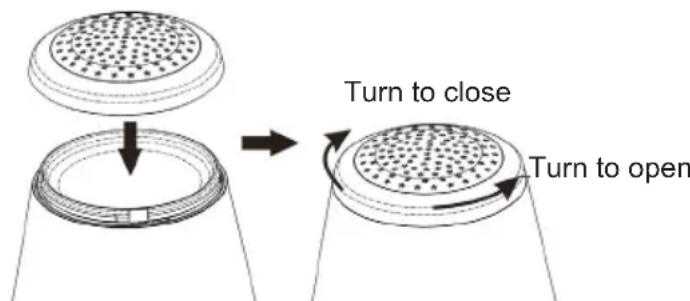
2 Plates with designs
1 plate - solid white without design.
10. Listen to FM radio
- Press Power On and [2] to turn on the radio mode. The LED will display the current frequency e.g. FM92.6 MHz
- In radio mode, press and hold skip - or skip + (19, 20) to tune the signal and hold for 3 seconds to search for the next station.
Volume+ (8) to increase or decrease the volume when the sound is playing.
10.1 Storing a station to memory - as a pre-set station
- In radio mode, Press and hold skip - or skip + (19, 20) to search for the channel.
- Press M (17) to start the memory. The display will flash the current station number. (e.g. P01, P02, etc. up to P20).
- Press HR / Pre-set + or Min / Pre-set - (16, 18) to select the desired station number, e.g. P01, P02, etc. up to P20
- Finally, press Memory [17] to confirm and save the station number
- The user can pre-set a maximum of 20 FM stations.
10.2 Returning to a pre-set station
- When radio mode is on, Press Preset + or - (16, 18) to select the desired pre-set station number, e.g. P01, P02, etc. up to P20. The display will then show the station number (P01, P02, etc. up to P20) and the FM frequency 3 seconds after the station is selected.
10.3 FM Scanning
- Switch to radio mode. Press can [6] for 2 seconds to activate SCAN mode.
- The radio will automatically scan the frequency and save the pre-set station to memory, with a total of up to 20 different radio stations. Once SCAN finishes scanning and stops automatically, it will return to pre-set station no. P01. The display will show the current time and FM frequency.
- Press Preset + or Preset - (16, 18) to select the desired pre-set station number.
When the power supply or AC power cable is reconnected, FM radio will scan the stations automatically
11. Insert or Replace clock back-up batteries at the bottom of the unit
- Make sure the unit is turned OFF. Insert 2 AAA batteries (not included). Check the polarity (+ and - at ends of the battery) and follow the instructions on the diagram near the battery compartment. Close the compartment door. The display will flash and show 0:00.
CAUTION:
Batteries must be installed by an adult.
Replace batteries when sounds play slowly or are distorted, or when the unit works erratically.
Please make sure you dispose of batteries properly (see your local regulations).
12. Basic specifications:
| Output: 0.5W | |
| FM range: 87.5 | ~ 108 MHz |
| AC 100 - 240V ~ 50 / 60 Hz AC adaptor supplied | |
| Battery: 2 X AA A UM4 | |
| DC only | |
Remarks:
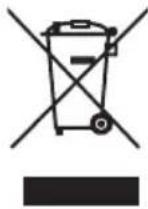
Don't discard the electrical and electronic appliances in the regular waste disposal.
- Take them to a collection point.
- Some components in these appliances may be hazardous to health and the environment.
Manufactured by BIGBEN INTERACTIVE SA
396, Rue de la Voyette
CRT2-FRETIN
CS 90414
59814 LESQUIN Cedex - France
www/bigben.eu
Made in China



REACH
2017年6月13日星期五中圆早
bigben
Fabricant:BigbenInteractiveFRANCE
- Rue de la Voyette, C.R.T. 2 Fretin,
CS 90414-59814 LESQUIN Cedex
customerservice@bigben-interactive.be
ESPANAsat@bigbeninteractive.es
ITALIA, support@bigbeninteractive.it
www/bigben.eu
bigben
RRVP
LÁMPARA DE NOCHE CON DESPERTADOR PROYECTOR CON RADIO FM
customerservice@bigben-interactive.be
ESPANA, sat@bigbeninteractive.es
ITALIA, support@bigbeninteractive.it
www/bigben.eu
bigben
RRVP
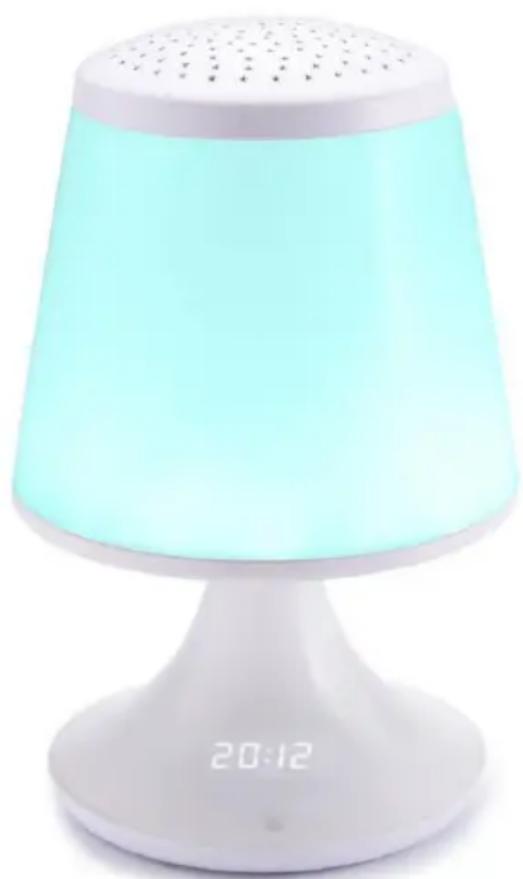
LAMPADA DA COMODINO
CON RADIOSVEGLIA E PROIETTORE
ISTRUZIONI D'USO
PRIMA DI UTILIZZARE L'APPARECCHIO, LEGGERE PER INTERO IL PRESENTE MANUALE E CONSERVARLO PER CONSULTAZIONI FUTURE.
Index
Per iniziare 1
customerservice@bigben-interactive.be
ESPANAsat@bigbeninteractive.es
ITALIA, support@bigbeninteractive.it
www/bigben.eu
bigben
RRVP
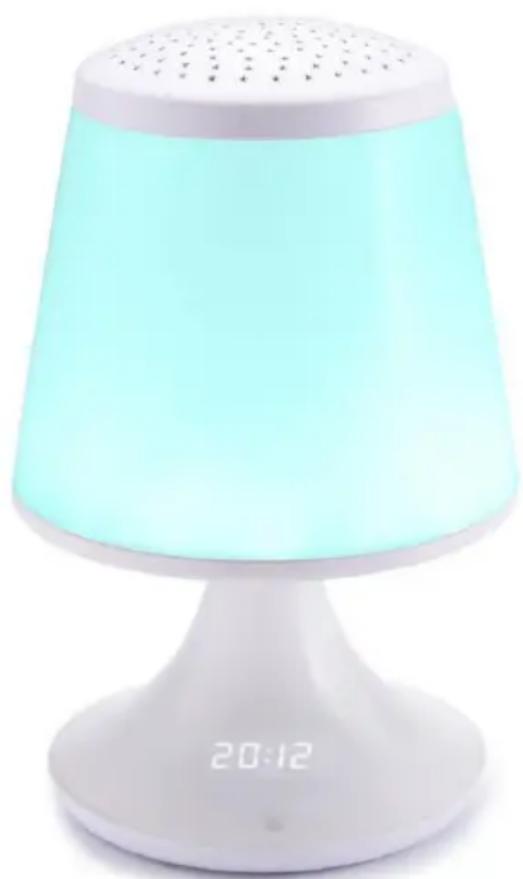
DESPERTADOR COM LUX RÁDIO FM COM PROJETOR
customerservice@bigben-interactive.be
ESPANAsat@bigbeninteractive.es
ITALIA, support@bigbeninteractive.it
www/bigben.eu
bigben
RRVP
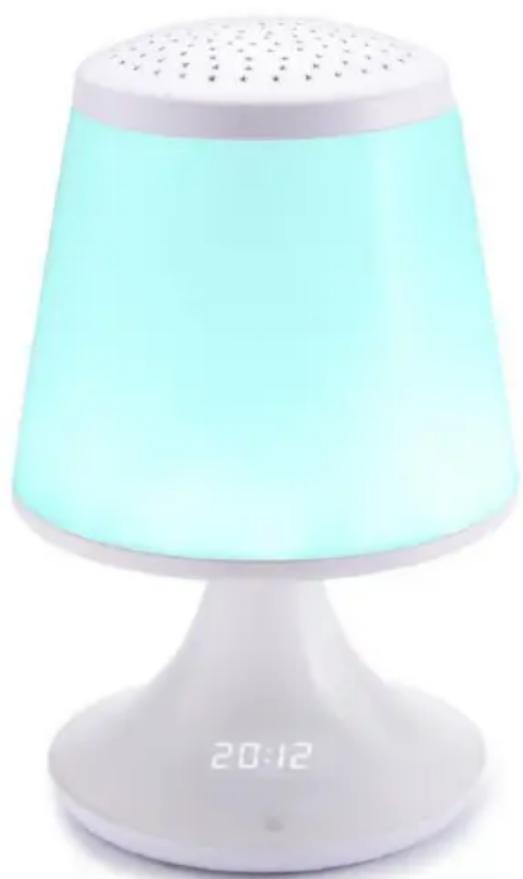
NACHTTISCHLAMPE MIT ALARMWECKER, UKW-RADIO UND PROJEKTOR
BEDIENUNGSANLEITUNG
customerservice@bigben-interactive.be
ESPANAsat@bigbeninteractive.es
ITALIA, support@bigbeninteractive.it
www/bigben.eu
bigben
RRVP
WEKKER MET BEDLAMP, FM-RADIO EN PROJECTOR
VEILIGHEIDSINSTRUCTIES
LEES DEZE GEBRUKSAANWIJZING VOLLEDIG DOOR ALVORENS DEZE EENHEID TE BEDIENEN, EN BEWAAR DIT BOEKJE VOOR UW ADMINISTRATIE.
Inhoud
Aandeslag1
12. Standard specifications:
customerservice@bigben-interactive.be
ESPANA, sat@bigbeninteractive.es
ITALIA, support@bigbeninteractive.it
www/bigben.eu