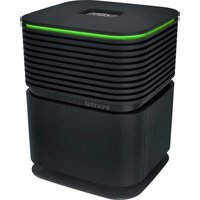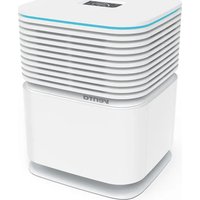
AH902 Professional - Air purifier Venta - Free user manual and instructions
Find the device manual for free AH902 Professional Venta in PDF.



User questions about AH902 Professional Venta
0 question about this device. Answer the ones you know or ask your own.
Ask a new question about this device
Download the instructions for your Air purifier in PDF format for free! Find your manual AH902 Professional - Venta and take your electronic device back in hand. On this page are published all the documents necessary for the use of your device. AH902 Professional by Venta.
USER MANUAL AH902 Professional Venta
SR UPUTSTVA ZA UPOTREBU
HR UPUTE ZA KORIŠTENJE
SL UPORABNIŠKI PRIROČNIK
RO INSTRUCTIUNI DE UTILIZARE
natural_image
Exterior view of a modern server unit with ventilation grilles and a top-mounted display (no visible text or symbols)SIMPLIFIED EU DECLARATION OF CONFORMITY
Herewith, Venta-Luftwäscher GmbH declares that the radio equipment AH902 complies with Directive 2014/53/EU. The full text of the EU Declaration of Conformity is available at the Internet address: www.venta-air.com/en_de/service/manuals/
VIELEN DANK!
natural_image
Exterior view of a gray computer tower with ventilation slots and a small screen (no text or symbols visible)5
natural_image
3D diagram of a mechanical device with labeled parts (1 and 2), showing internal components without any readable text or symbols.6
natural_image
Diagram showing a water tank with a pipe and valve, alongside a close-up view of the water outlet (no text or symbols present)7
natural_image
3D diagram of a computer case with labeled components (no text or symbols present)8
natural_image
3D rendering of a computer monitor mounted on a grid-patterned surface (no visible text or symbols)9
natural_image
Close-up of a mechanical component with a slanted top and internal cutout, mounted on a wall (no visible text or symbols)FUNKTIONEN,
text_image
SELECT YOUR LANGUAGE WIFI DISPLAY SETUP EXITtext_image
WIRELESS NETWORK Select Network: VENTA LOGIN CREDENTIALS Security type: WPA / WPA2 PSK: ********** INTERNET ACCESS Access: full access FW: 1.001.002 MAC: f8.f0.05.fb.c4.71 IP: 0.0.0.0 EXITCONNECTWIFI-AUTHORISATION INCOMING WIFI REQUEST.
YES NO

natural_image
Exterior view of a modern office building (no signage)B
natural_image
Black office computer case with open lid and ventilation slots (no visible text or symbols)C
natural_image
Close-up of a mechanical component with a circular base and gear-like top, showing a black arrow pointing upward (no text or symbols)D
natural_image
Exterior view of a modern office building (no signage)natural_image
Close-up of a mechanical component with a hatched upper section and a white arrow pointing to a feature (no visible text or symbols)We are confident that the Venta Hybrid Premium Air Purifier and Humidifier will exceed your expectations and we hope you enjoy our product.
Please register your Venta appliance here:
www.venta-air.com/en_de/Service/Product-registration/

Please read this operating manual completely, keep it for later use, and follow the safety instructions.
You can find the latest version of the operating manual
on our website www.venta-air.com
DEAR CUSTOMER,
The high-performing Hybrid AH902 with patented humidification and hygiene technology ensures efficient humidification. The integrated UVC lamp stops viruses and bacteria in their tracks.
Additionally, the appliance filters viruses, particles and fine dust out of your indoor air with a coarse dust filter and a HEPA filter. It creates natural feel-good zones in your home, especially if you suffer from allergies or are susceptible to breathing difficulties.
TABLE OF CONTENTS
| Safety Instructions 20 | Venta App 29 | ||
| Scope of Delivery 22 | Cleaning & Maintenance 29 | ||
| Symbols | 22 | Accessories | 32 |
| Intended Use 22 | Privacy Policy 32 | ||
| Technical Data 23 | Recycling & Disposal | 32 | |
| Overview | 24 | Guarantee | 33 |
| Putting into Operation 24 | Venta Service Team | 33 | |
| Functions, Settings & Displays 26 | What to do if ... 33 | ||
| WiFi Configuration 28 |

SAFETY INSTRUCTIONS
- This appliance is suitable for use by children over the age of 8 years and people with restricted physical, sensory, or mental capacities or lack of experience and knowledge, providing they are supervised or have received instructions on the safe use of the appliance and understand the existing hazards.
- Read the operating instructions completely before putting the appliance into operation and keep them for later reference.
• The appliance is not a toy for children. - Cleaning and user maintenance may not be performed by children under the age of 8 years or without supervision.
- Keep the appliance and its power cable out of the reach of children under the age of 8 years.
- Improper use can damage the appliance and cause physical injuries.
- Plug the appliance into suitable power outlets only – the mains voltage must correspond to the nameplate data on the appliance.
- Only use the appliance with the following power cable: low-heat device socket with IEC 320 C5 cloverleaf connector.
- Never use the appliance if it has a damaged power cable.
- Disconnect the power plug before every cleaning or maintenance operation and before transportation of the appliance.
- Never use the appliance if it has been dropped or damaged in any other way.
- Electrical appliances should only be repaired by professional specialists. Amateur repairs could result in considerable danger to the user.
- Do not sit on the appliance and do not place any objects on it.
- Do not put any foreign objects into the appliance.
- Never immerse the appliance in water or any other liquid.
- Never overfill the appliance.
- Never transport or tilt the appliance when the tank is full.
- Never disconnect the power plug by pulling on the cable or with wet hands.
- The appliance should only be operated when it is completely assembled.
- Place the appliance on a stable surface which is flat and dry.
- Set up the appliance so that it cannot be knocked over, and so that no one can trip over it or the cable.
- Leave at least the following distances from other objects and walls:
- At the front and above: 50 cm
- At the left and right: 20 cm
- At the back: 5 cm
• Maximum installation altitude: 2,000 meters
- Never cover or block the vents to prevent overheating/damage to the appliance.
- A persistent relative ambient humidity of more than 60 %, especially in winter, can enable the formation of biological organisms.
- The design of the appliance and the cold evaporation technology make it impossible for water to leak directly from it in the form of droplets, vapour, mist or lime deposits, providing you use it correctly.
- Do not look directly at the UVC light.
- Warning: UV radiation is dangerous to the eyes and skin. Do not operate the UVC lamp outside the unit.
- Do not manipulate the UVC unit in any way.
- Unintended use of the device or damage to the housing can lead to the escape of dangerous UVC radiation.
- UVC radiation, even at low doses, can cause damage to the eyes and skin.
- Never operate the device in case of a damaged UVC light.
- Only operate the appliance with original Venta accessories designed for the purpose. Do not use aromatic oils or other additives. Venta-Luftwäscher GmbH accepts no liability for damage due to aromatic oils or other unsuitable additives.
- If you do not use the appliance for several days or put it into storage for a longer period, empty the water tray completely, clean it and dry thoroughly to prevent odours or biological organisms from developing in standing water or water residues.
- Disconnect the power plug from the power supply when the appliance is not in use.
- Do not permit the area around the humidifier to become damp or wet. If dampness occurs, turn the output of the humidifier down. If the humidifier output volume cannot be turned down, use the humidifier intermittently. Do not allow absorbent materials, such as carpeting, curtains, drapes, or tablecloths, to become damp.
- Danger of chemical burns and swallowing. Keep new and used batteries out of the reach of children. This product contains button batteries. Swallowing button batteries can cause severe internal chemical burns and lead to death within 2 hours. Therefore, always keep the battery compartment securely closed. If the battery compartment does not close securely, do not use the product any more, remove the batteries and keep them out of the reach of children. If you suspect that batteries have been swallowed or have otherwise got into the body, get medical help immediately.
SCOPE OF DELIVERY
1 Venta Hybrid AH902, Premium Air Purifier and Humidifier
1 HEPA filter (integrated in the appliance)
1 Coarse dust filter (pre-installed)
1 VentWave™ disk stack with hygiene disk (pre-installed)
1 UVC lamp (pre-installed)
1 remote control
1 set of operating instructions
If any parts are missing or damaged, please contact
DE
service@venta-air.com
CH
service-ch@venta-air.com
AT
office@venta.at
SYMBOLS

Please read the Safety Instructions carefully. Follow the instructions to prevent injuries or damage to property.

Additional information

Helpful tips
INTENDED USE
The Venta Hybrid is a domestic appliance for purifying and humidifying air. The appliance is not suitable for outdoor areas. Any other use or modification of the appliance is considered to be improper use. Venta is not liable for damage or injuries resulting from improper use.
Using the appliance for something other than the intended purpose can endanger health and lives. This includes use under the following conditions:
- in rooms or locations where there is risk of explosion and/or where there is an aggressive atmosphere.
- in rooms where there is a high concentration of solvents.
- in the vicinity of swimming pools or other wet areas.
TECHNICAL DATA
| Model AH902 | |
| Colours grey | |
| For room sizes* ≤ 70 m2 | |
| Interactive touch display Standard | |
| App control Standard WiFi | |
| Measuring sensors Air quality + humidity + temperature | |
| Water hygiene Standard | |
| UVC hygiene Standard | |
| Coarse dust filter Standard, single | |
| HEPA filter Standard, single | |
| Power levels 5 + automatic | |
| Noise emission (speeds 1-5) 17/ 26/ 37/ 43/ 47 dB(A) | |
| Power consumption (speeds 1-5) | approx. 7/ 8/ 14/ 20/ 32 W, maximum 42 W |
| Mains voltage | 220-240 V 50 / 60 Hz |
| Water capacity | Total 12 l / water tank 8 l + water tray 4 l |
| Dimensions (L × W × H) | 61 x 30 x 52 cm |
| Weight | approx. 13 kg |
| WLAN frequency range | 2.4 GHz |
| WLAN transmission power | maximum 19 dBm |
* based on a max. ceiling height of 2.5 m
Suitable room size depending on room air contamination:
- Low contamination: room sizes up to approx. 75 m ^2 (> AQI 0 - 100)
- Medium contamination: room sizes up to approx. 50 m² (> AQI 101 - 200)
- High contamination: room sizes up to approx. 25 m ^2 (> AQI 201 - 500)
Subject to modifications and errors
OVERVIEW
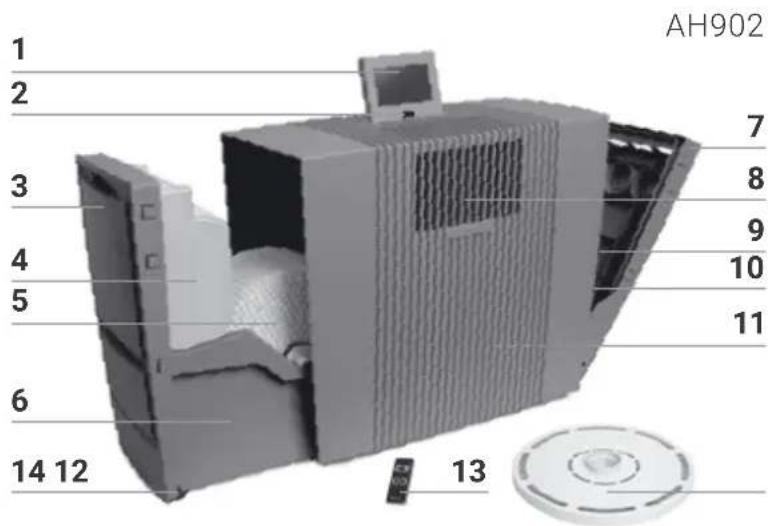
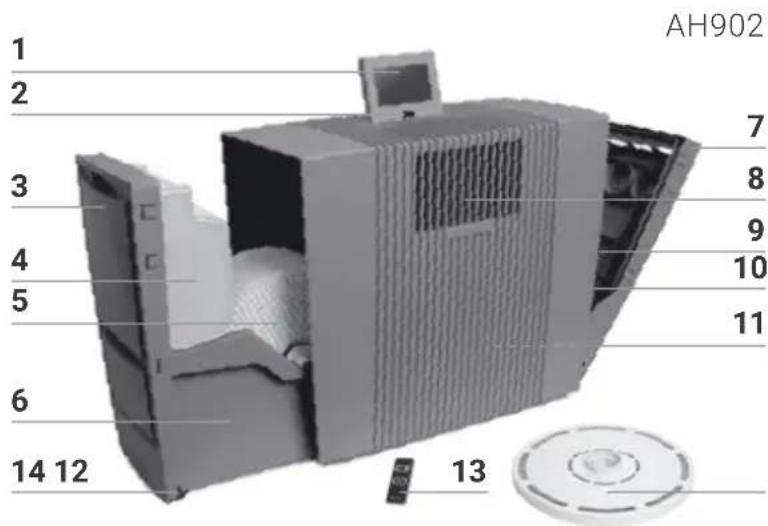
1 Display
2 On/off switch
3 Evaporator compartment
4 Water tank
5 VentWave disk stack
6 Water tray
7 Filter compartment
8 UVC lamp (pre-installed)
9 Coarse dust filter
10 HEPA filter
11 Cable compartment
12 Hygiene disk (pre-installed)
13 Remote control
14 Transport castors
text_image
AH902 1 2 3 4 5 6 14 12 7 8 9 10 11 13Attention! Make sure the device is switched off and the power plug is disconnected before you start!
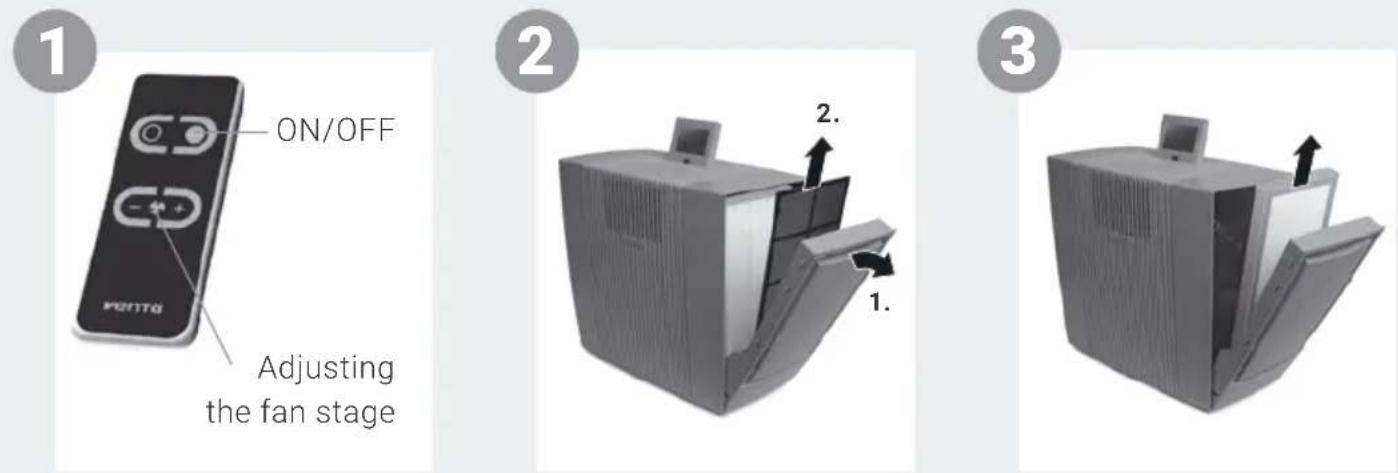
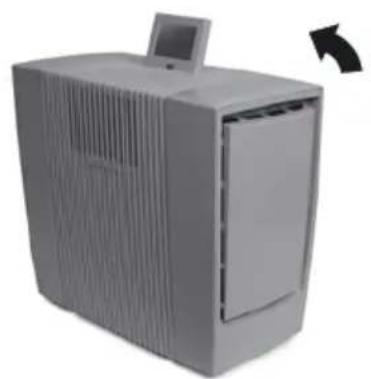
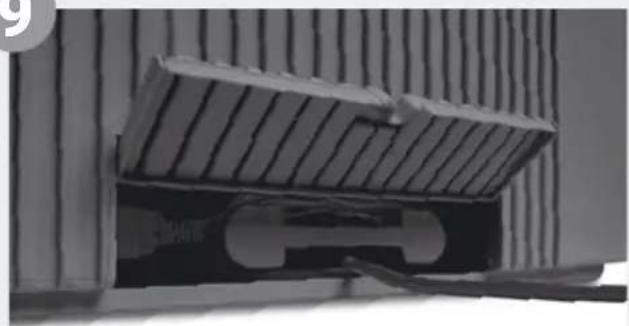
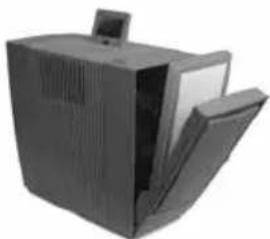
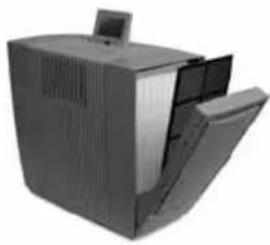
1 Unpack the appliance, set it up and use the transport castors 14 to move it to the place you want. To do this, lift slightly on the right-hand side. Remove battery protection and protective foil from remote control 13.
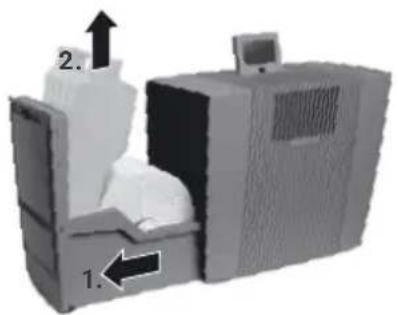
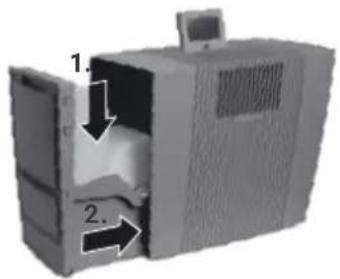
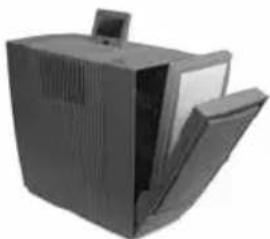
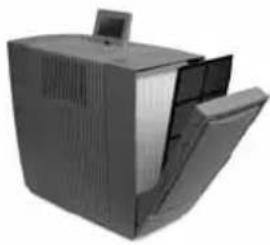
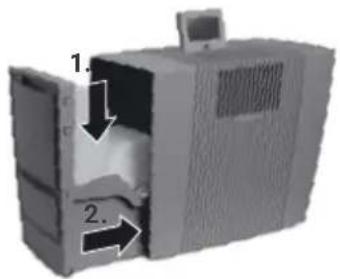
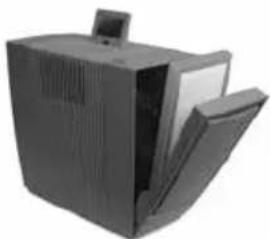
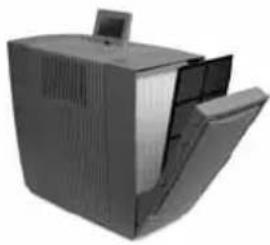
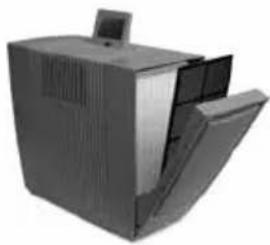
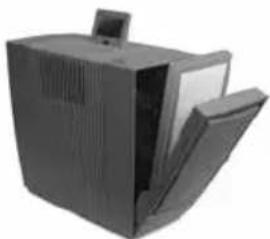
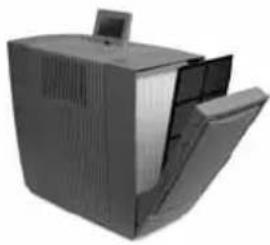
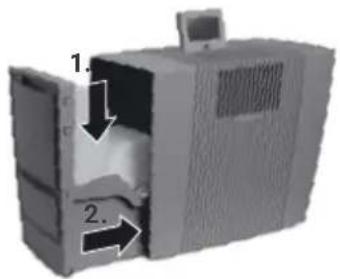
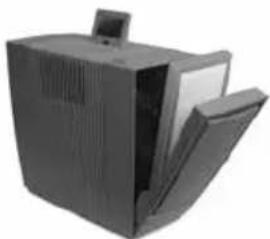
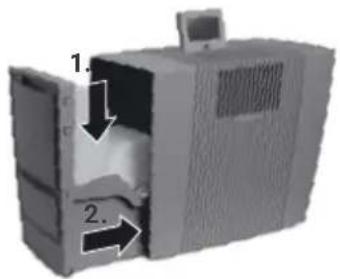
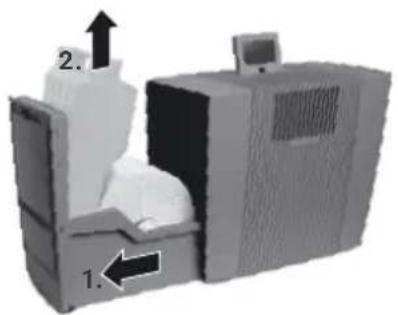
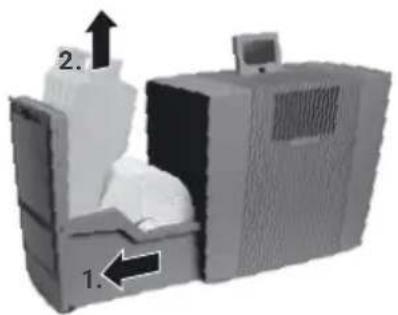
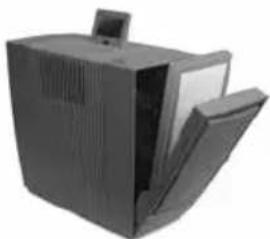
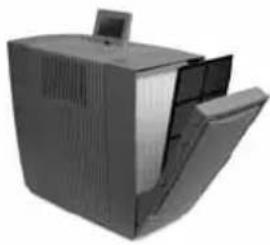
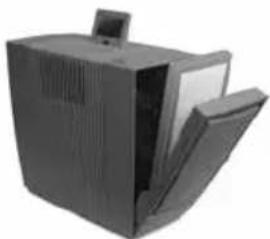
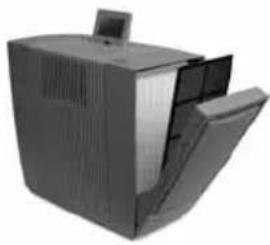
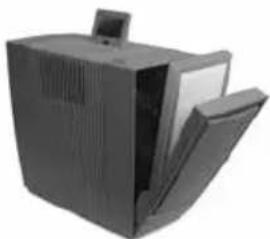
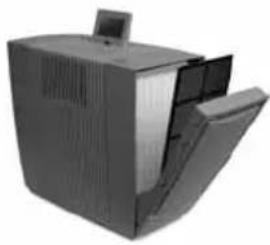
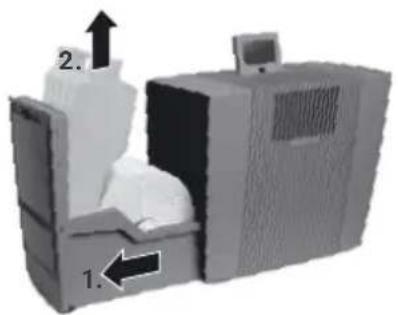
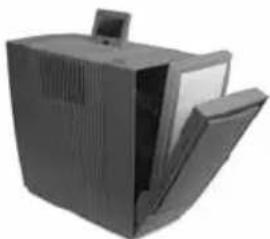
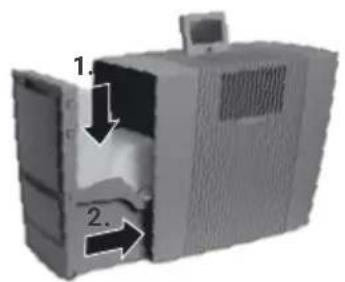
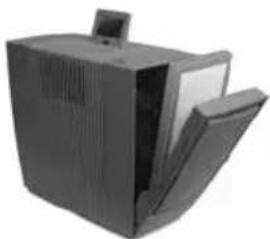
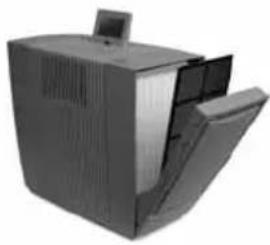
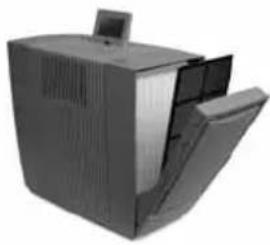
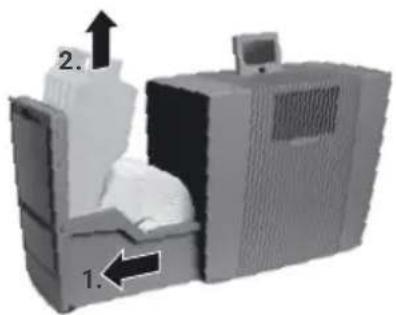
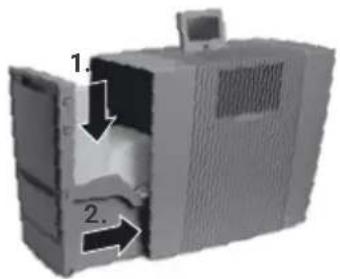
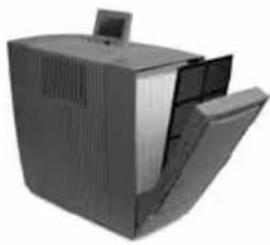
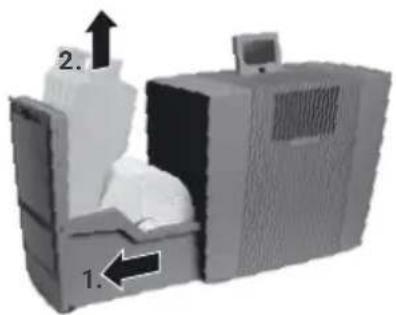
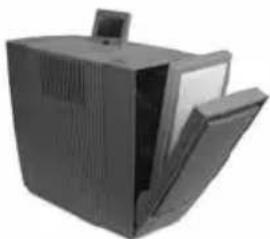
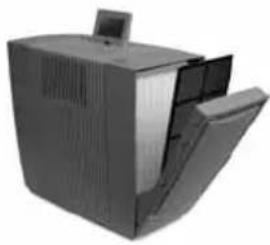
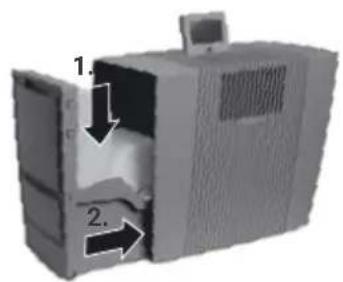
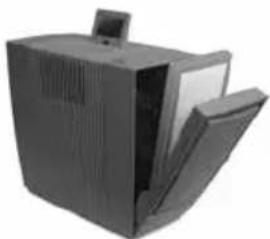
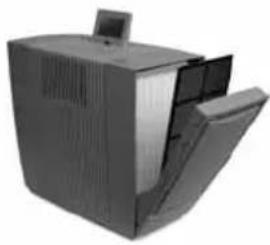
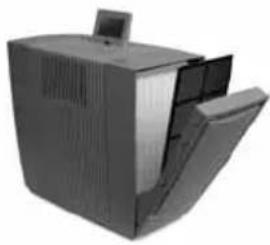
2 Open filter compartment 7 and remove coarse dust filter 9.
3 Remove and open HEPA filter 10.
4 Re-insert opened HEPA filter 10 and coarse dust filter 9 and close filter compartment 7.
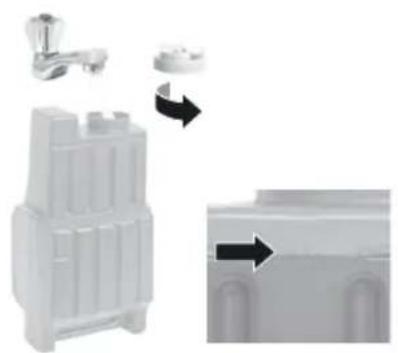
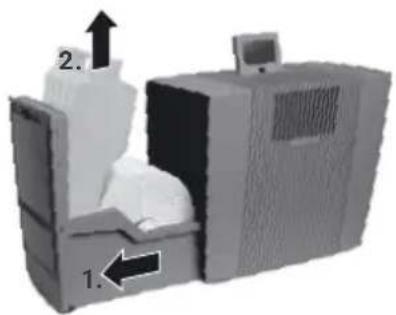
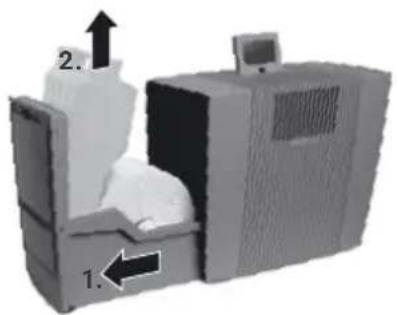
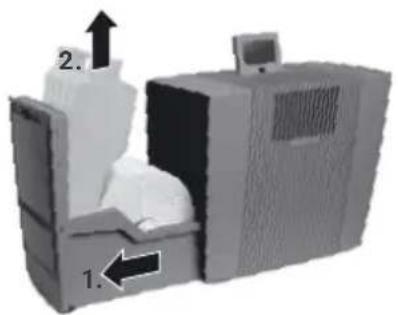
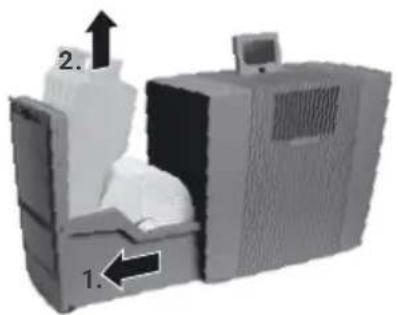
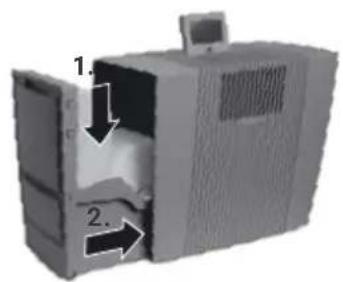
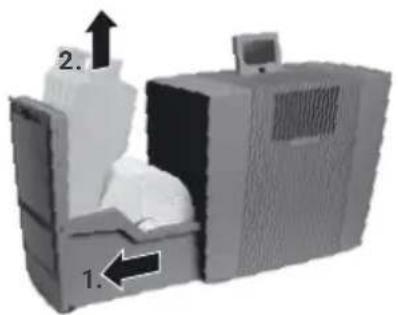
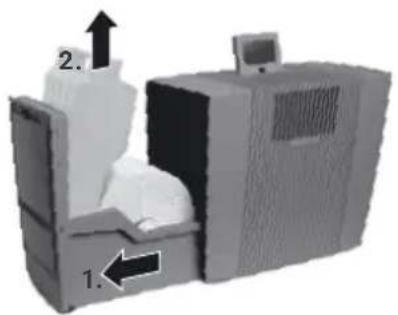
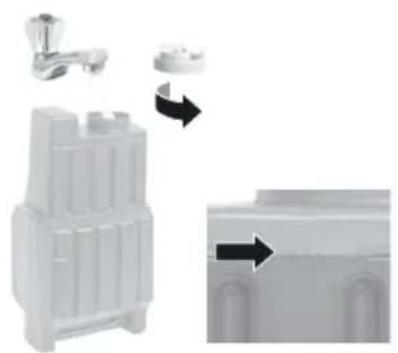
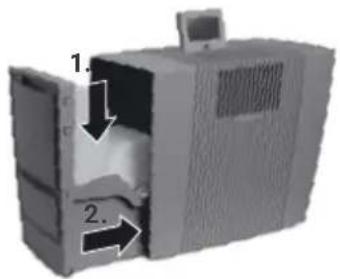
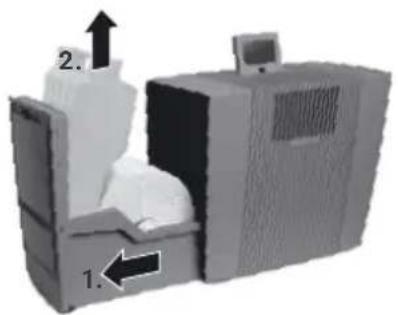
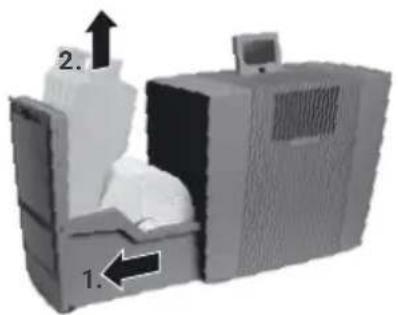
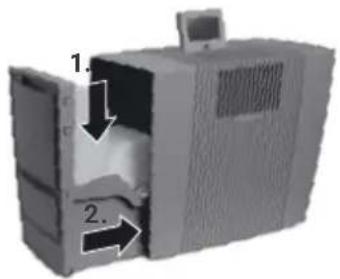
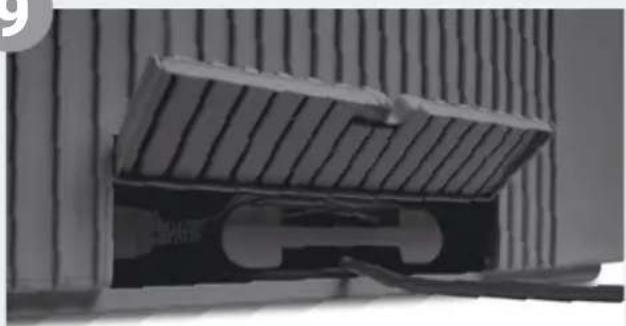
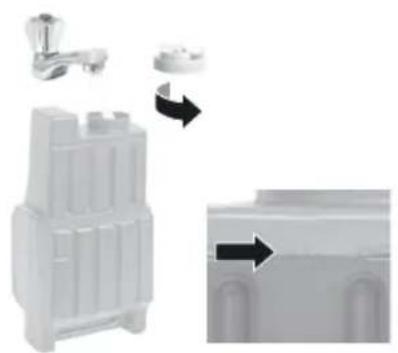
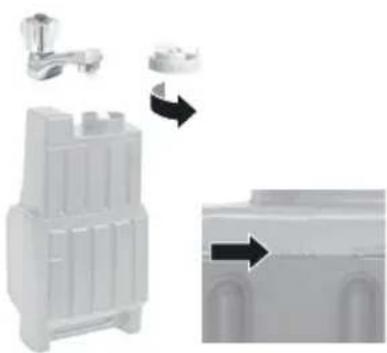
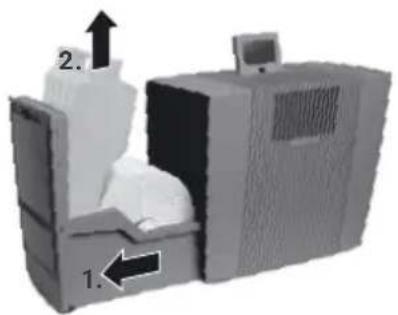
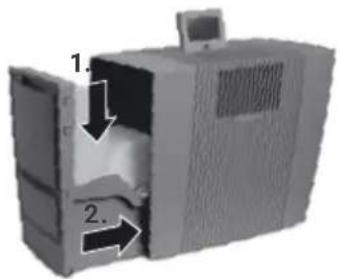
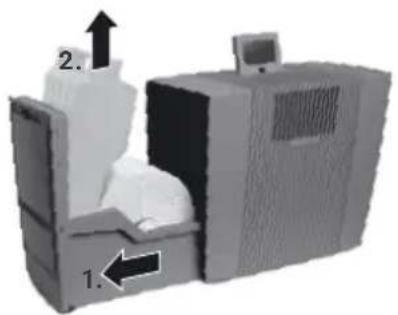
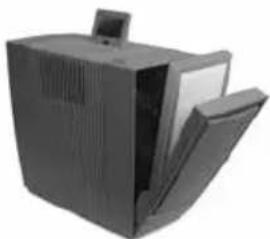
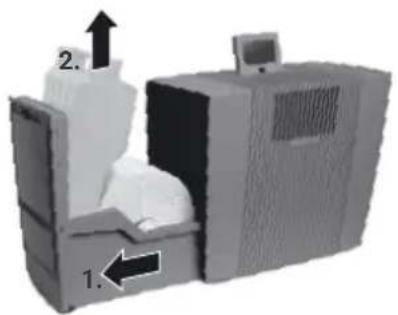
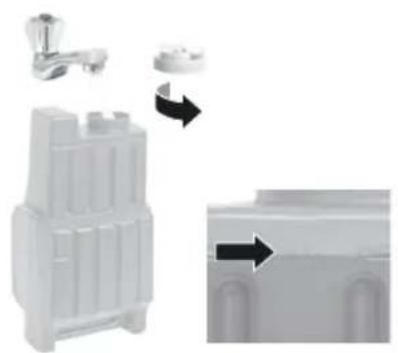
5 Open evaporator compartment 3 and remove water tank 4.
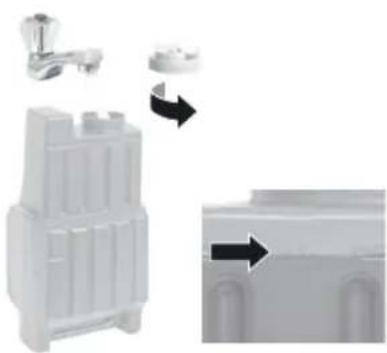
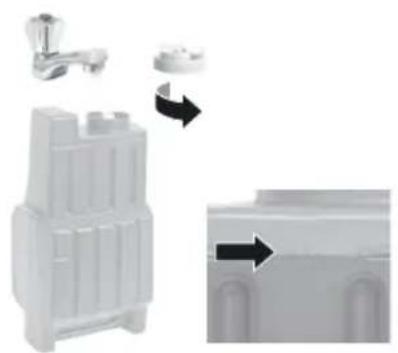
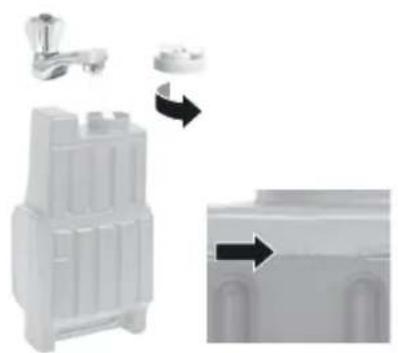
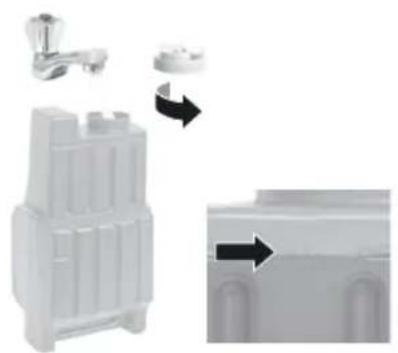
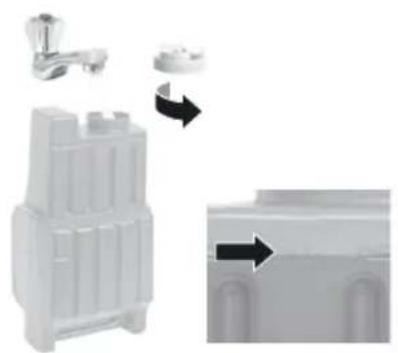
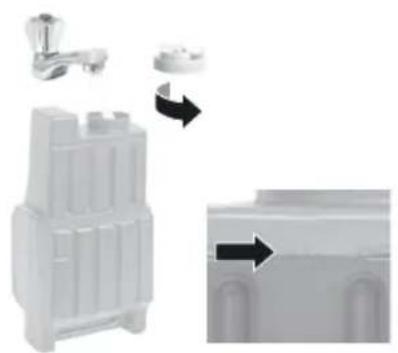
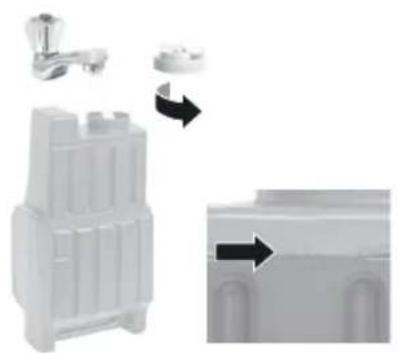
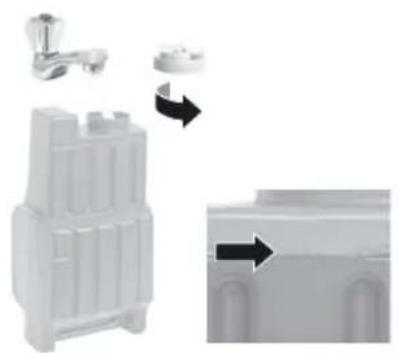
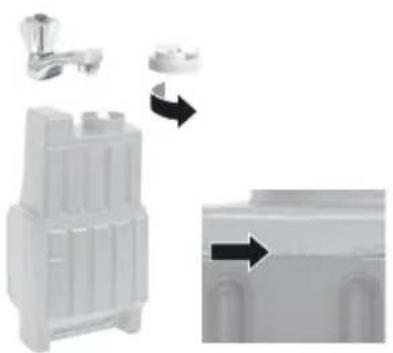
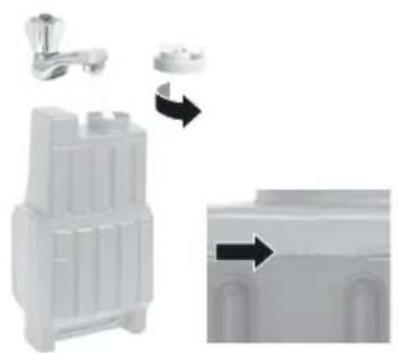
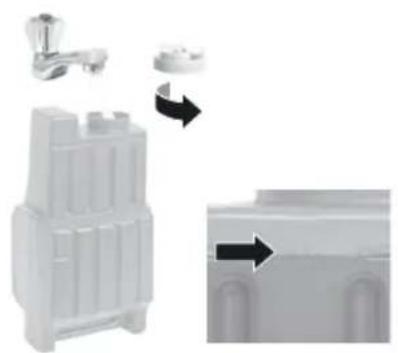
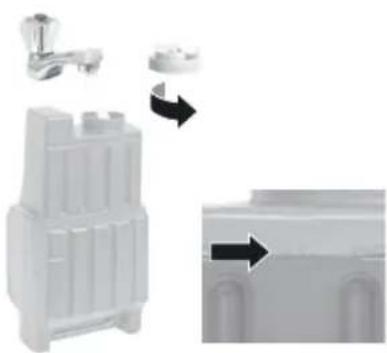
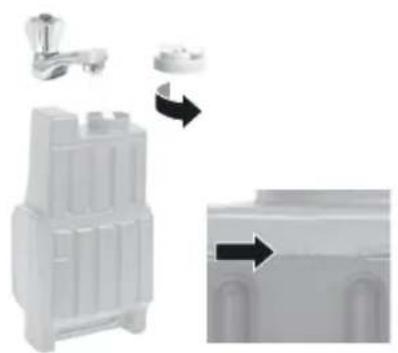
6 Open water tank 4 and fill up to the MAX marker with cold water.
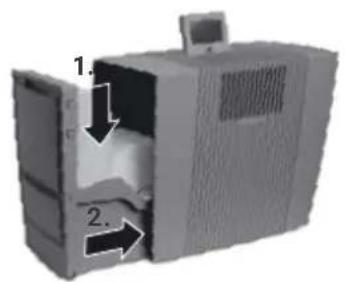
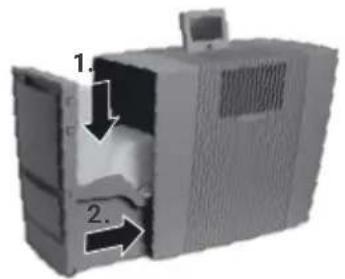
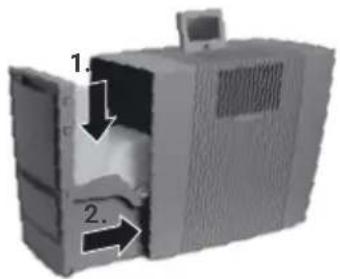
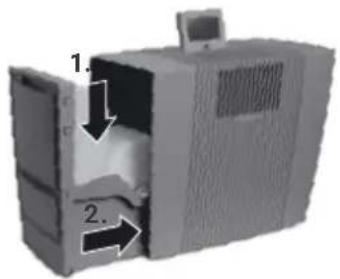
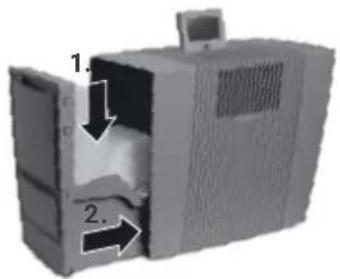
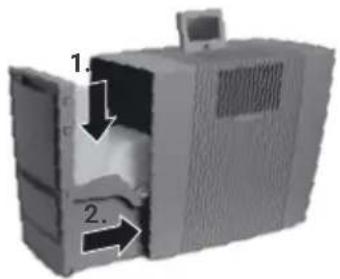
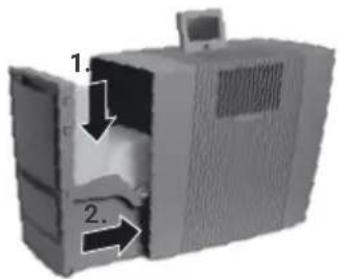
7 Close water tank 4 securely and place into water tray 6, close evaporator compartment 3.
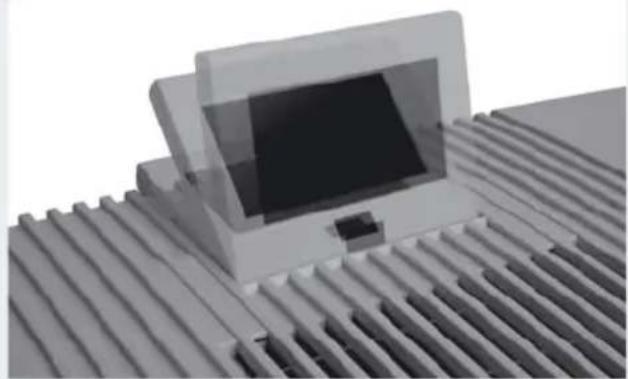
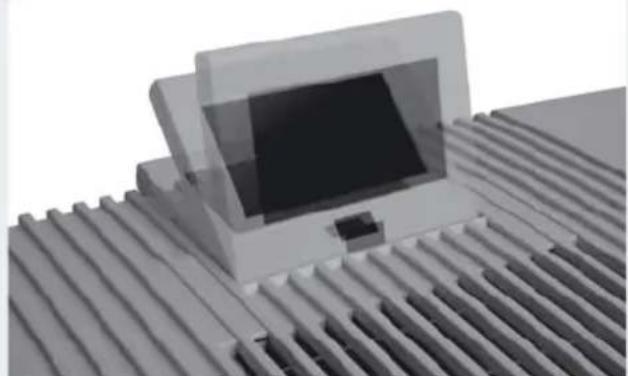
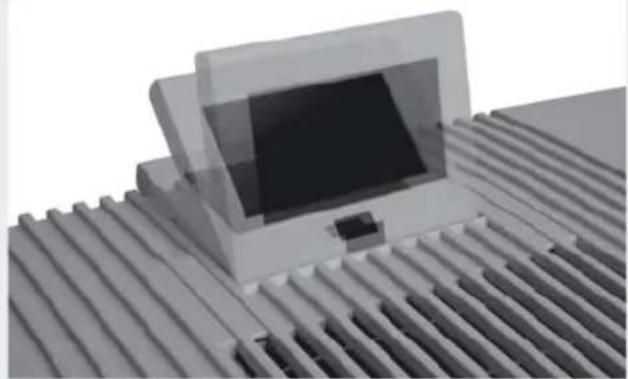
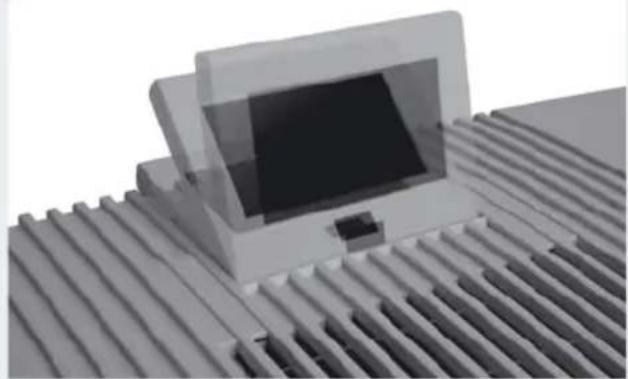
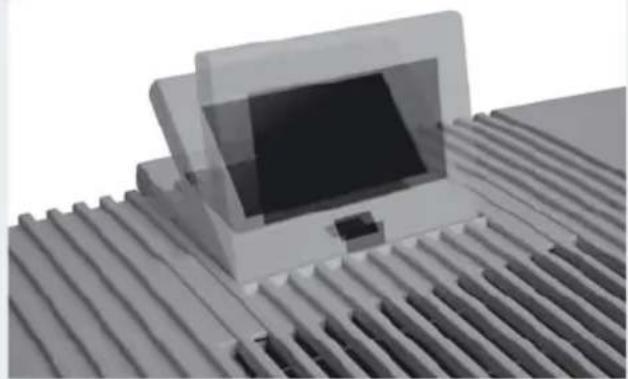
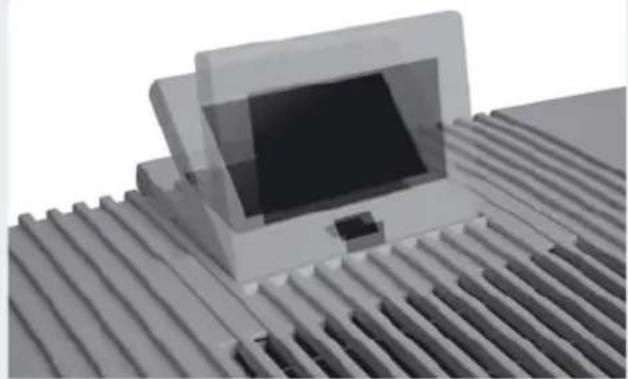
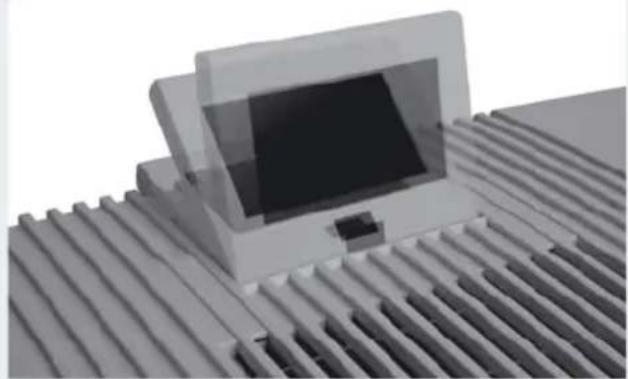
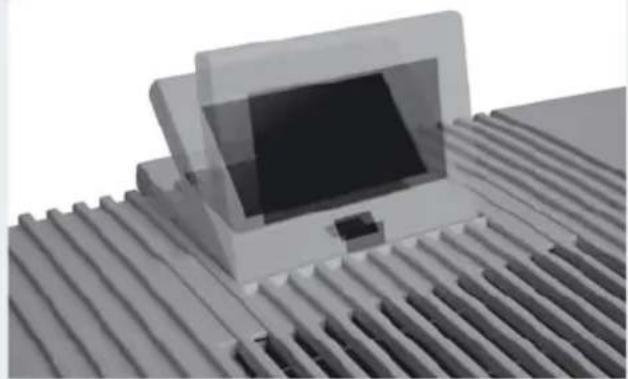
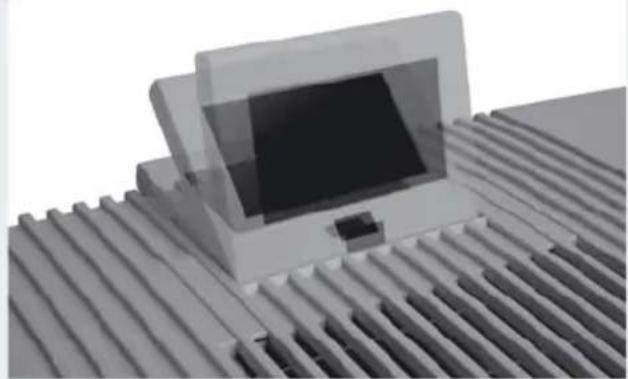
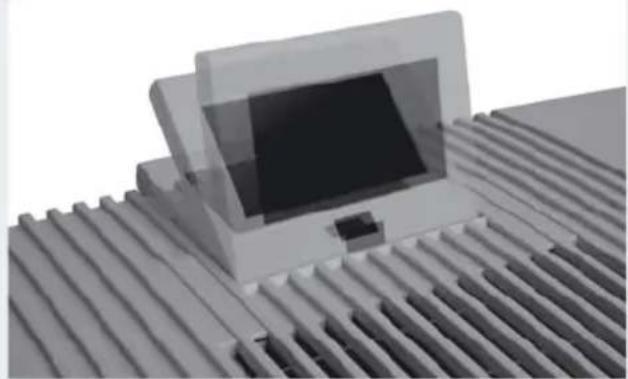
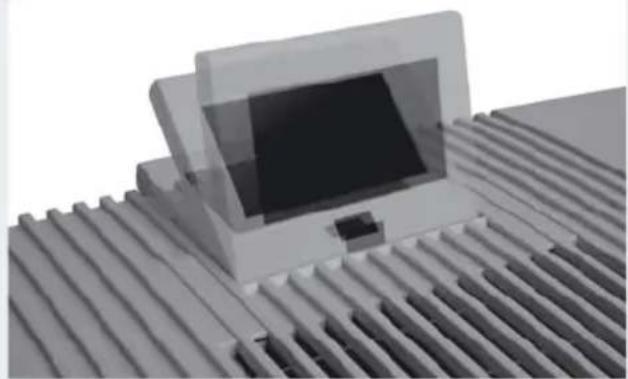
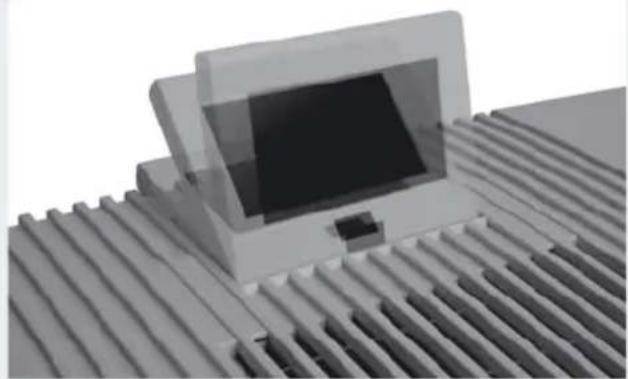
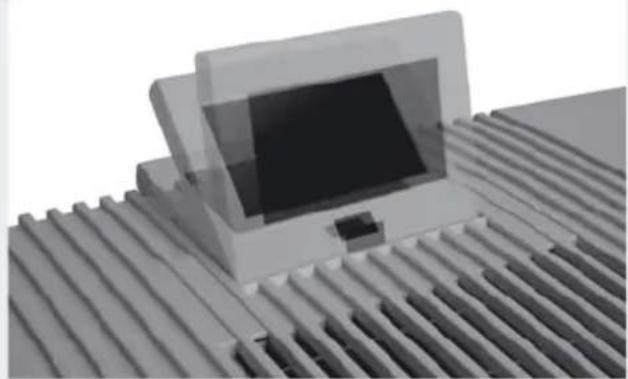
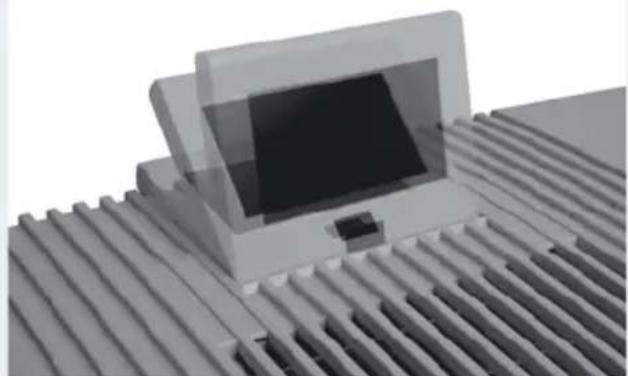
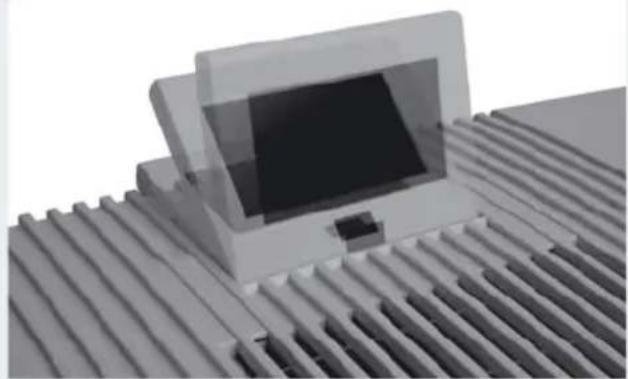
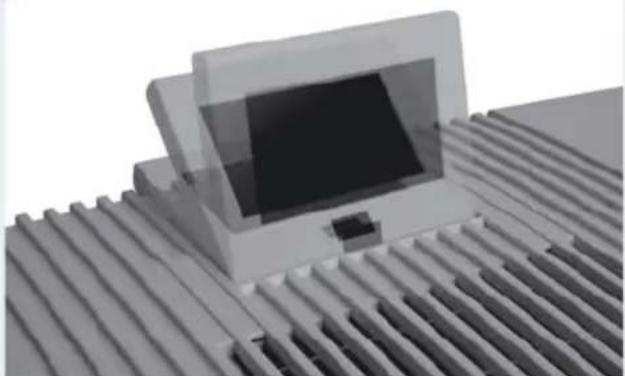
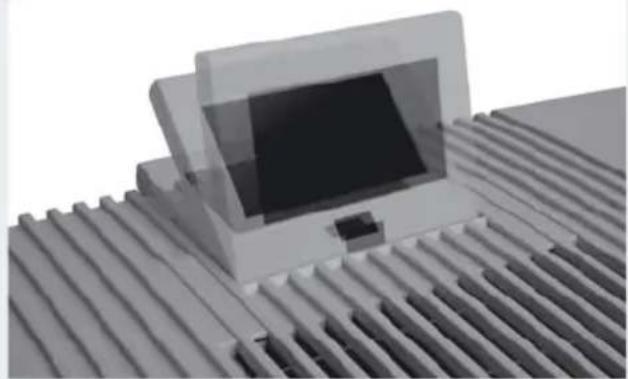
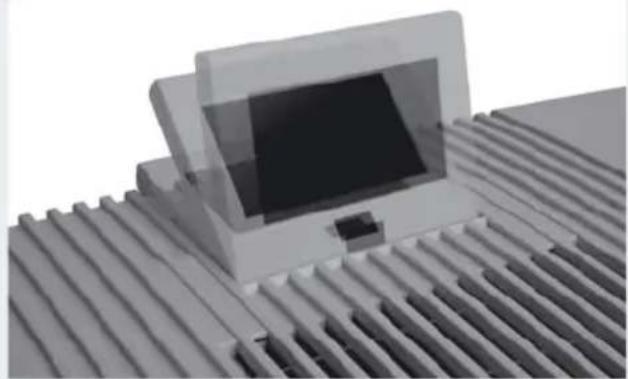
8 Adjust display 1 to the position you want (3 positions possible).
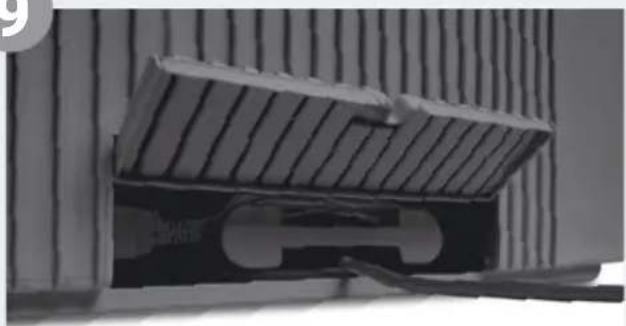
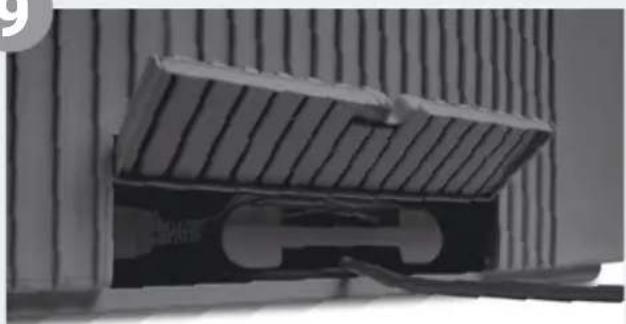
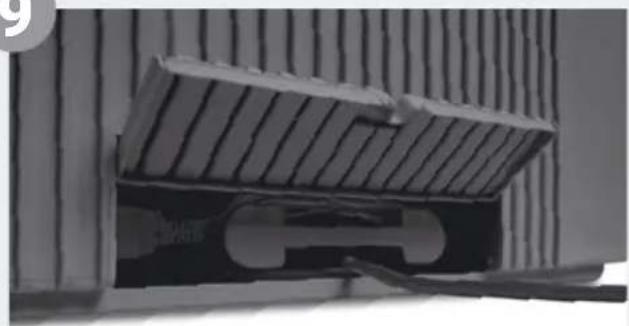
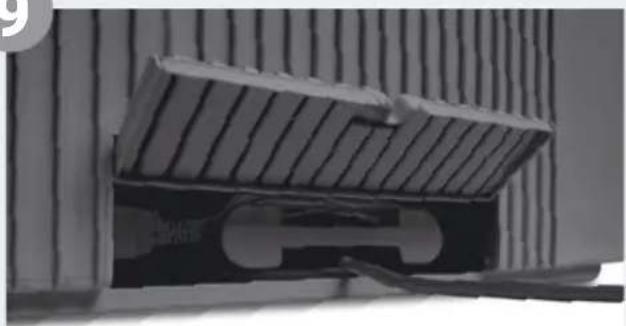
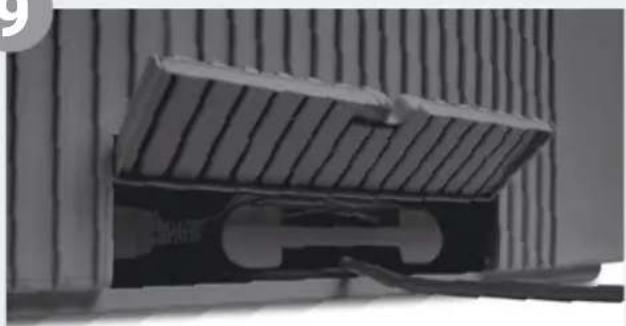
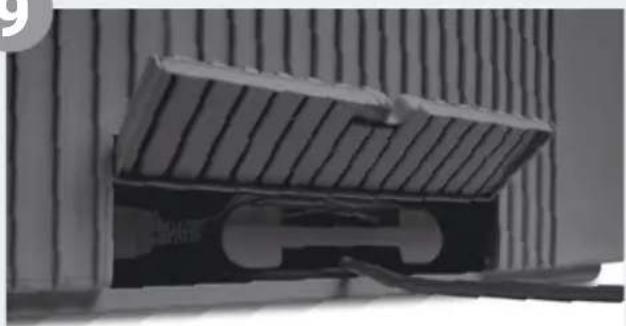
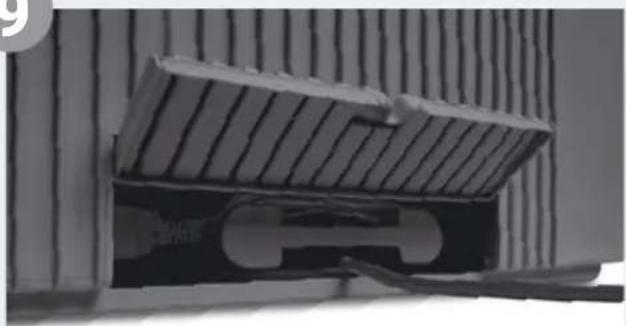
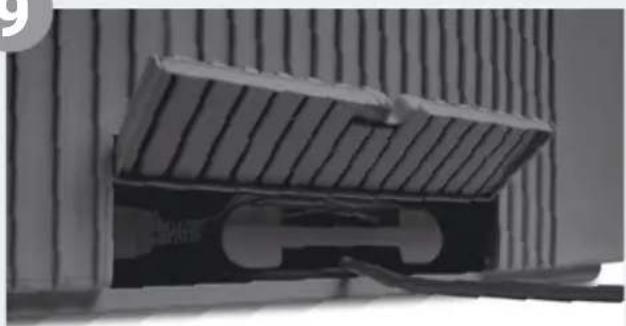
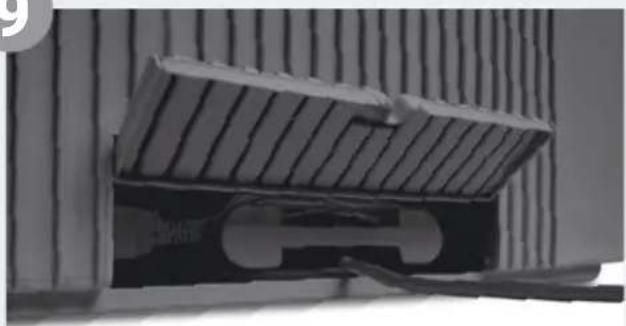
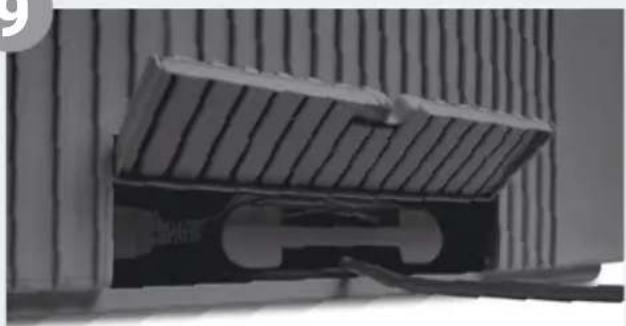
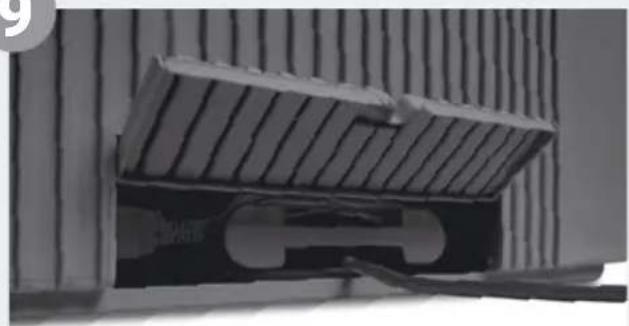
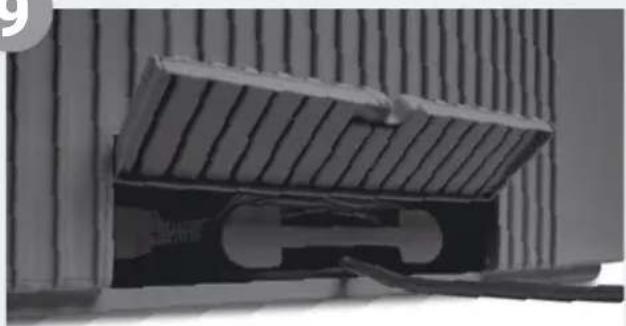
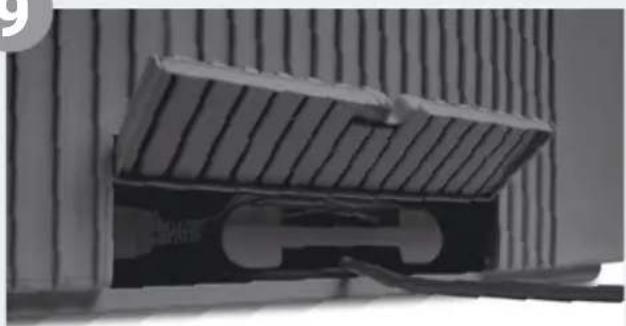
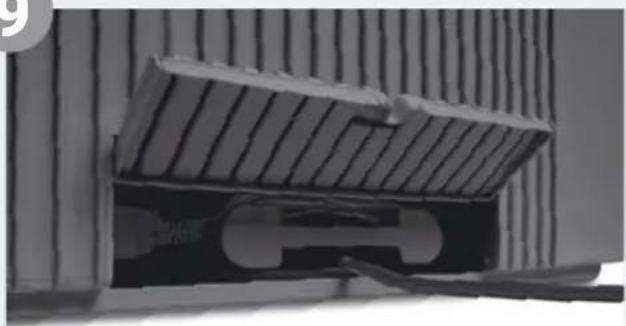
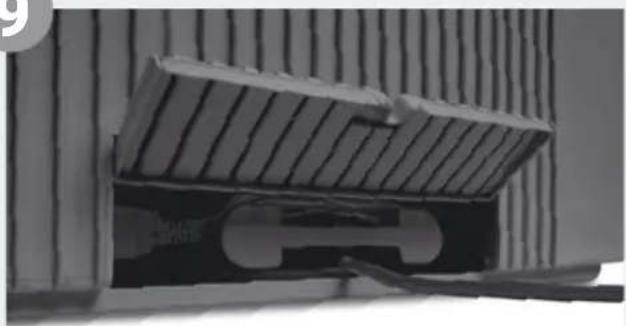
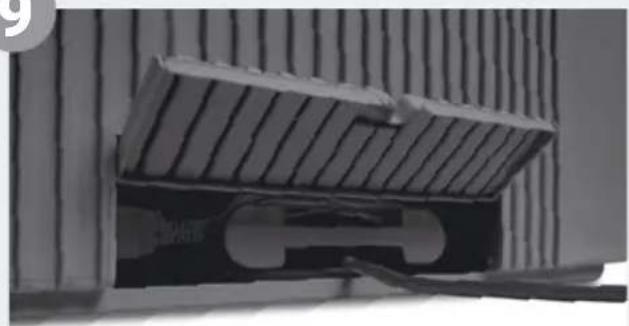
9 Adjust cable connector to the length you want by winding/unwinding in cable compartment 11. Connect power plug to mains and switch appliance on using on/off switch 2 or remote control 13.
It can take approx. 60 seconds for the appliance to start up and the red light on the display to go out. You will be able to hear a noise (gurgling), which is not a quality defect.
4
natural_image
Exterior view of a gray computer tower with ventilation slots and a small screen (no text or symbols visible)5
natural_image
3D diagram of a mechanical device with labeled parts (1 and 2), showing internal components without any readable text or symbols.6
natural_image
Diagram showing a water tank with faucet and valve, alongside a close-up of its internal structure (no text or symbols)7
natural_image
3D diagram of a computer case with labeled components (no text or symbols present)8
natural_image
3D rendering of a laptop mounted on a grid-patterned surface (no text or symbols visible)9
natural_image
Close-up of a mechanical component with a U-shaped cutout, mounted on a wall with vertical stripes (no visible text or symbols)FUNCTIONS, SETTINGS & DISPLAYS
text_image
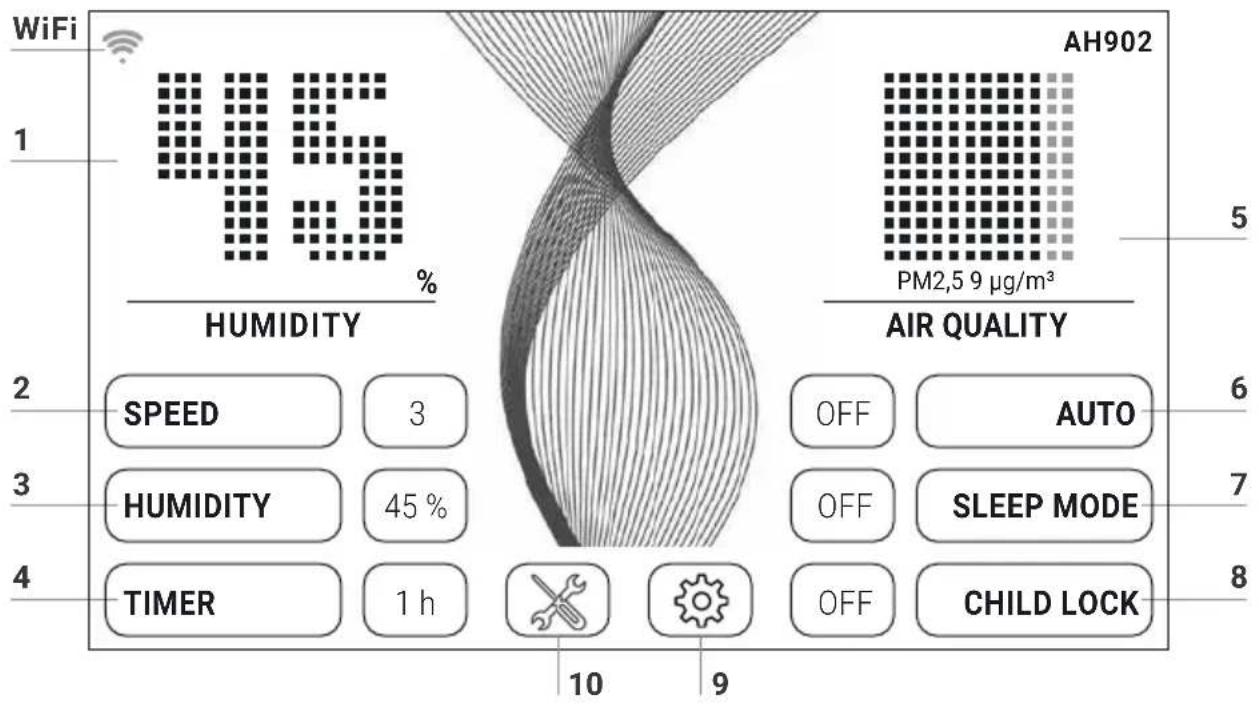
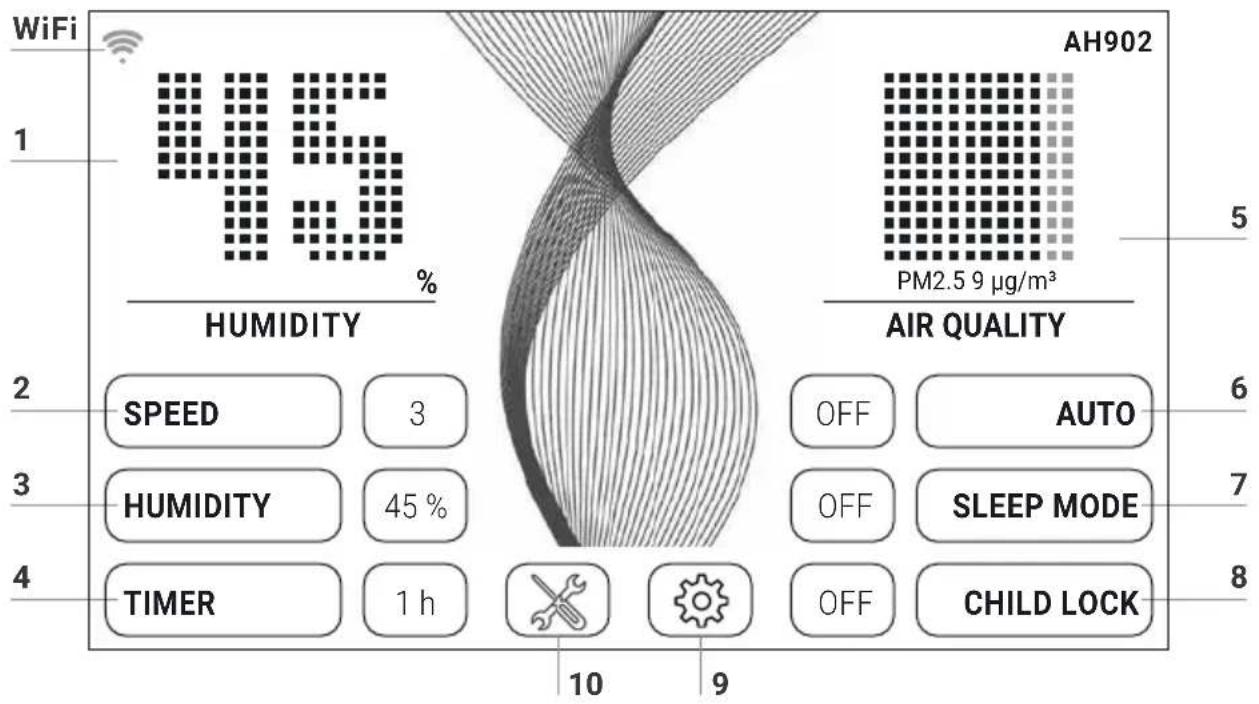
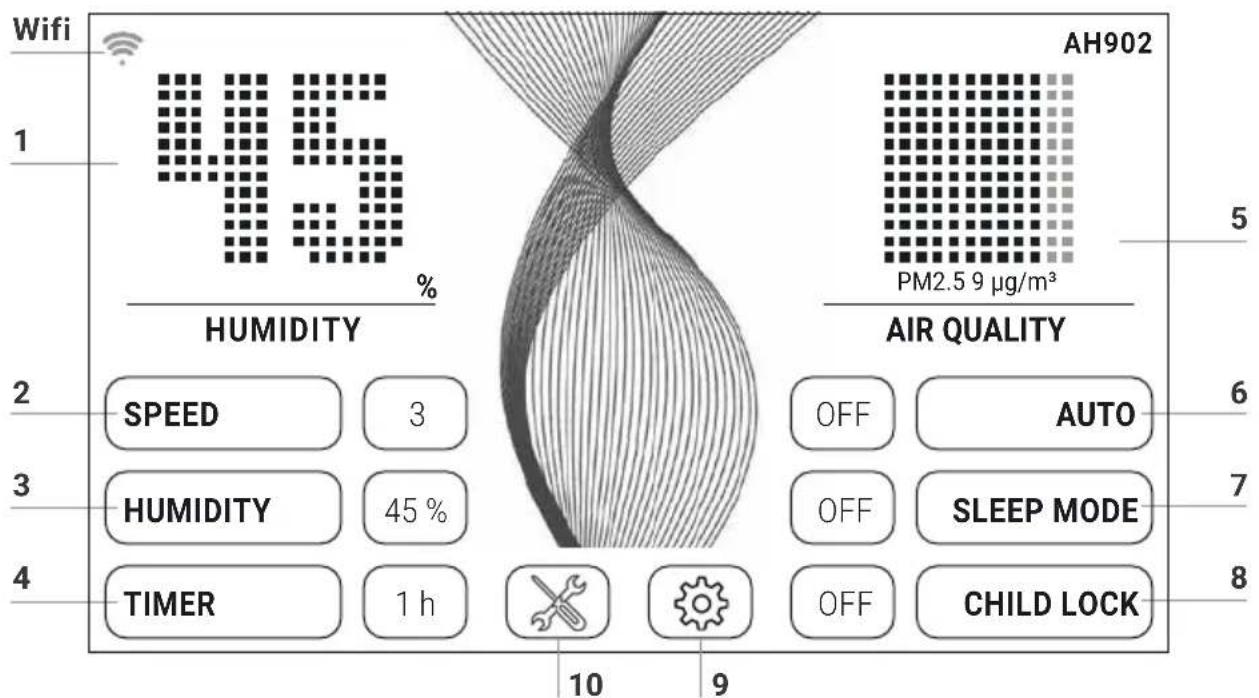
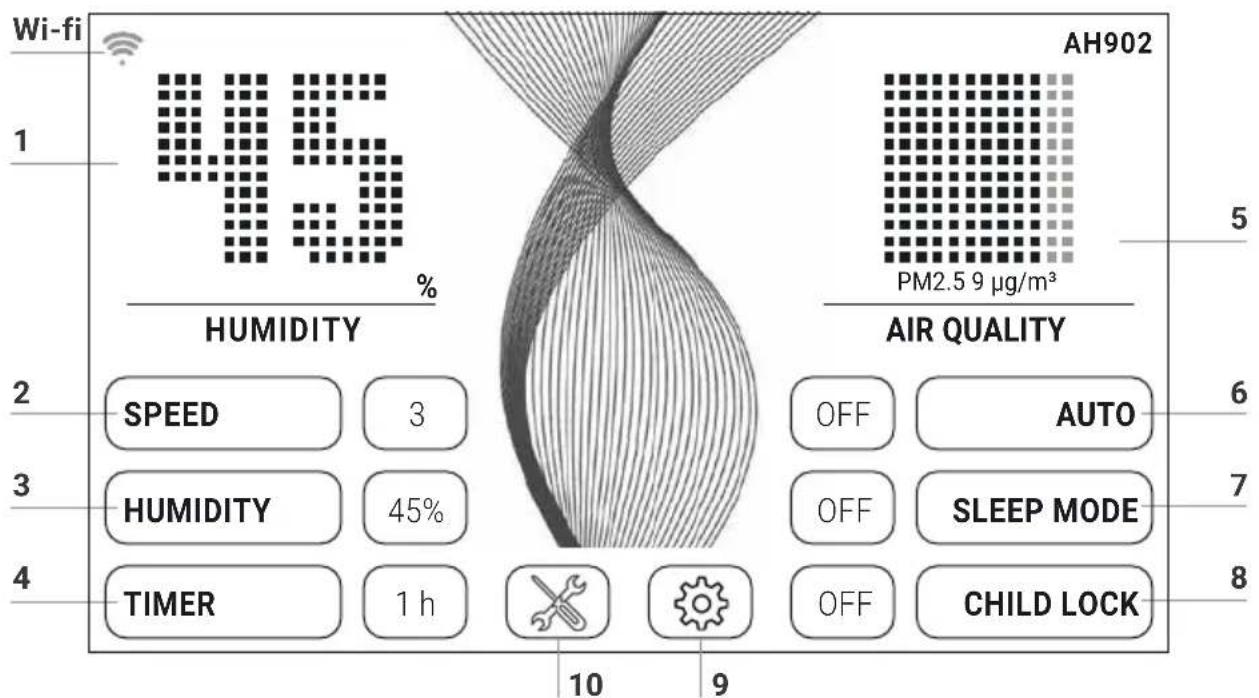
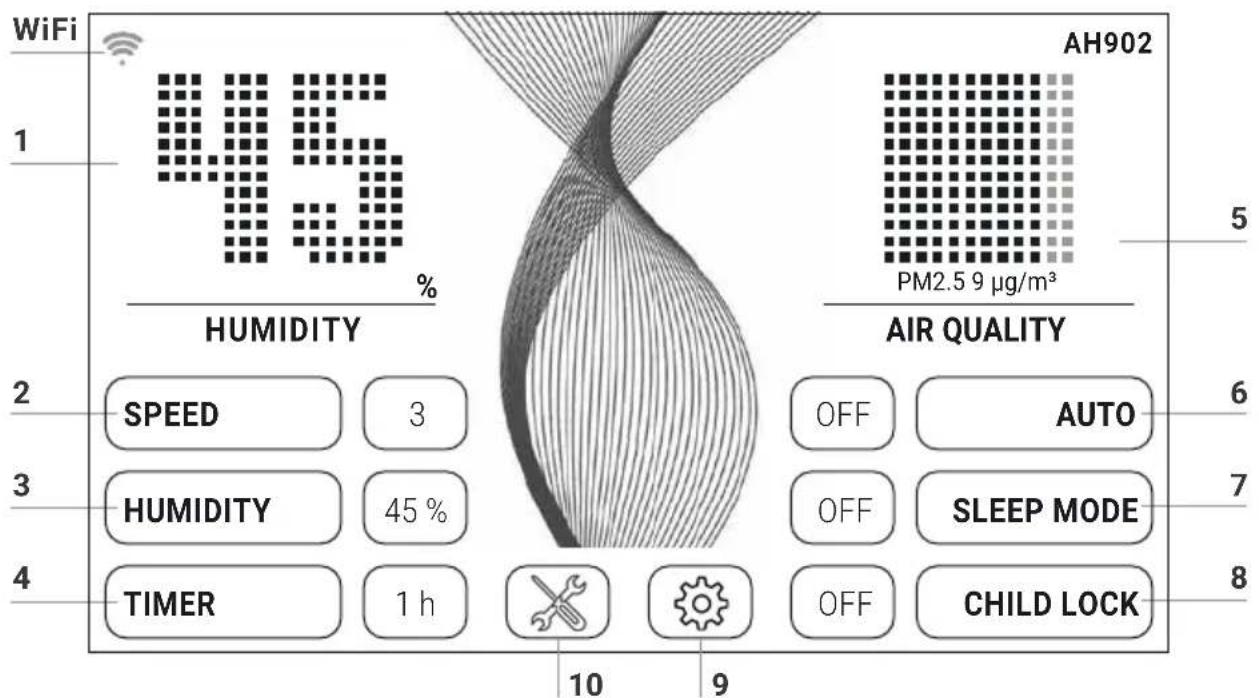
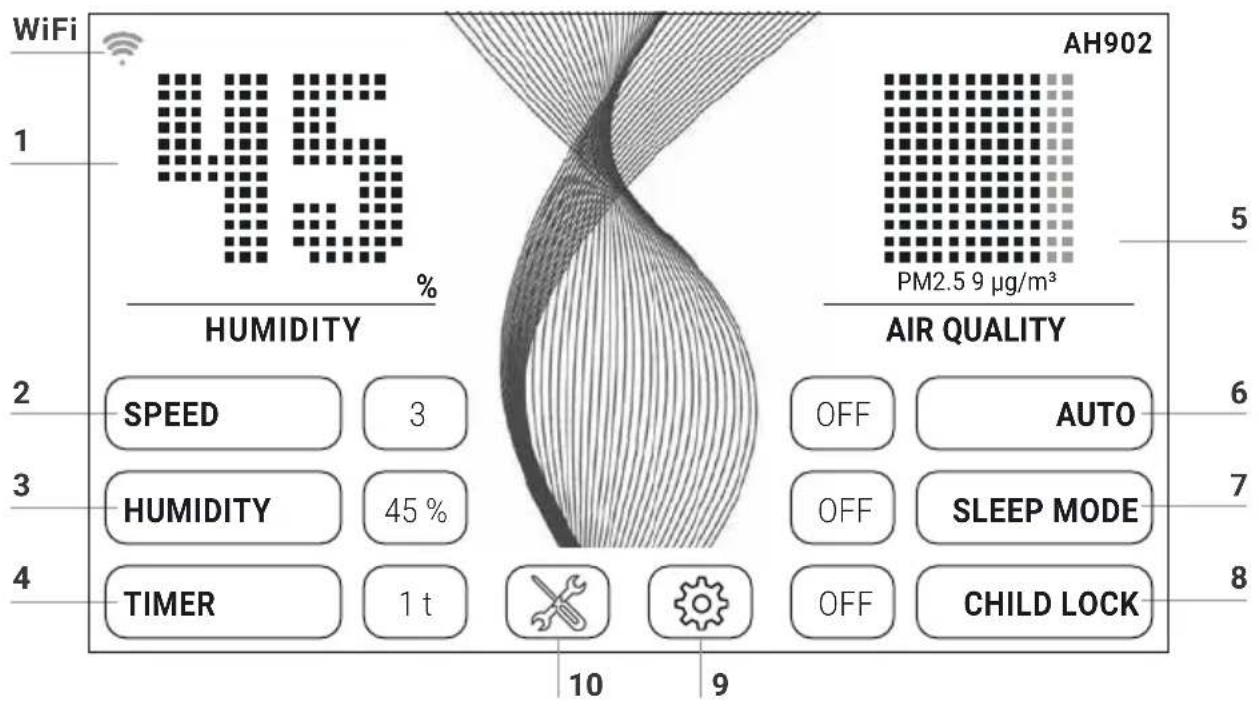
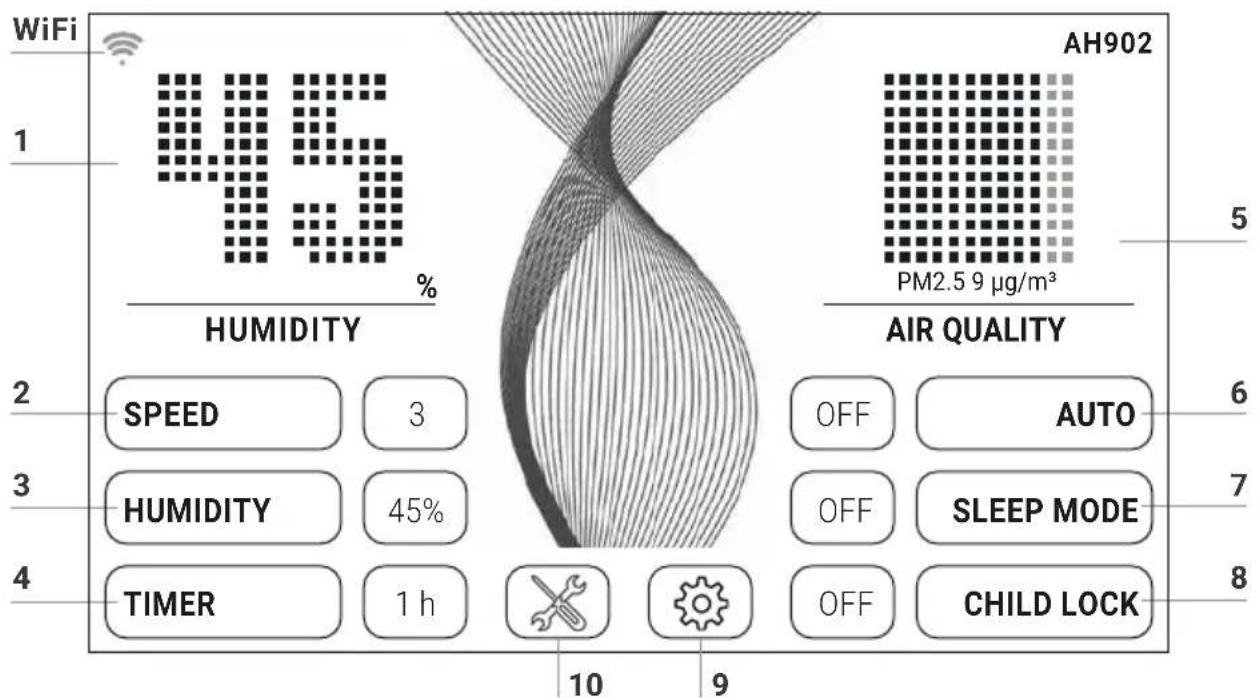
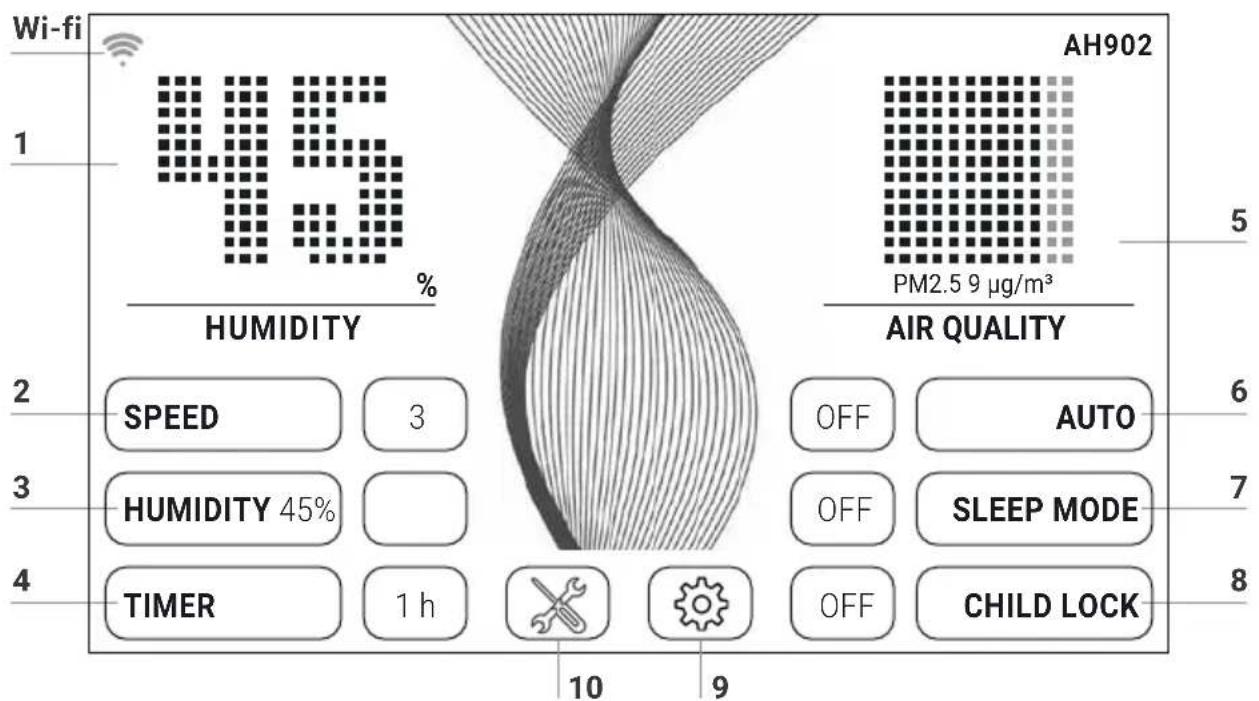
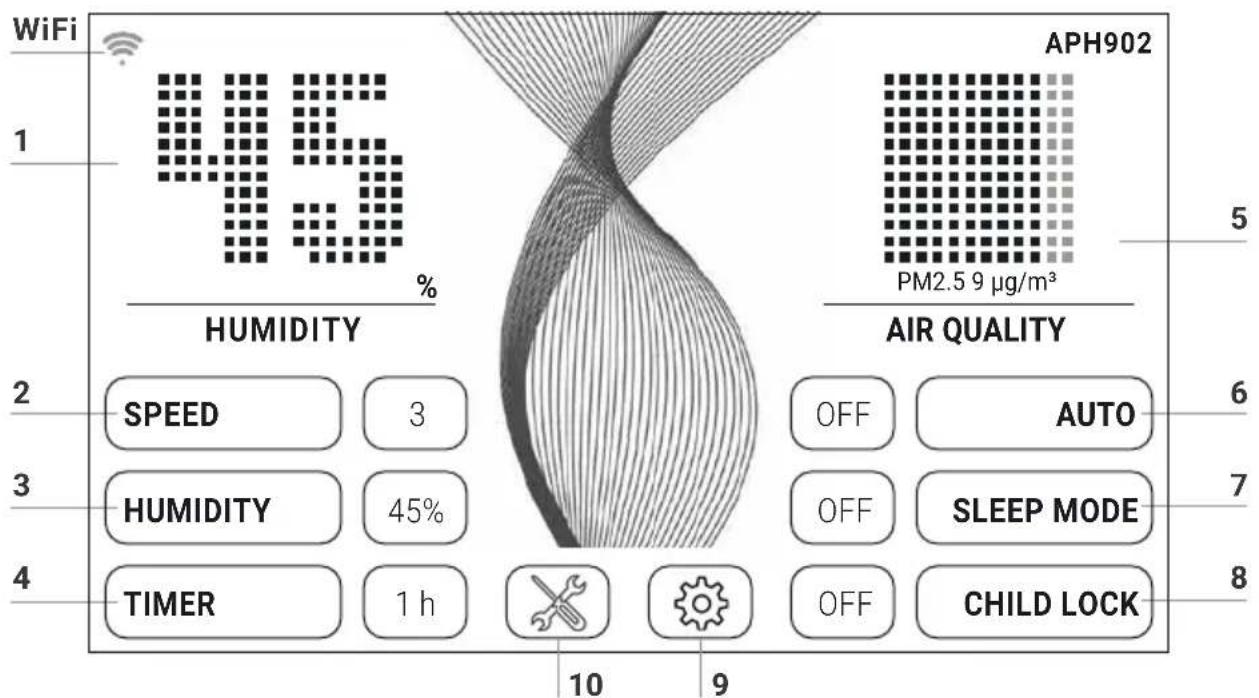
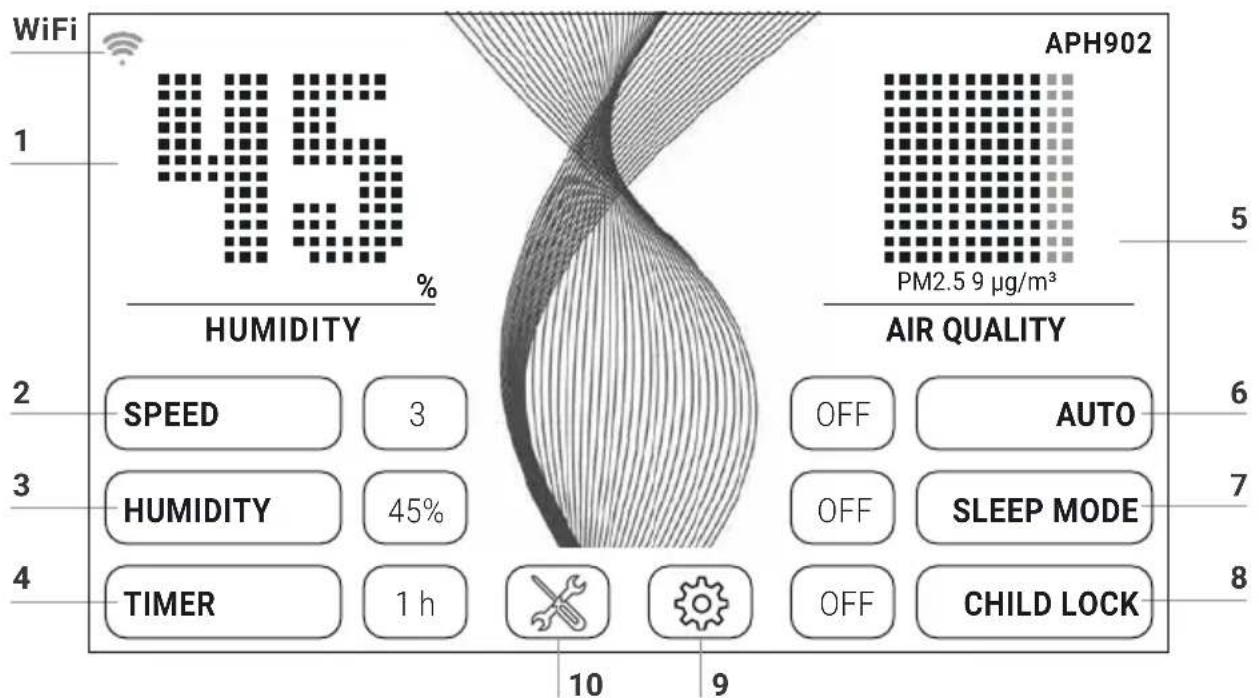
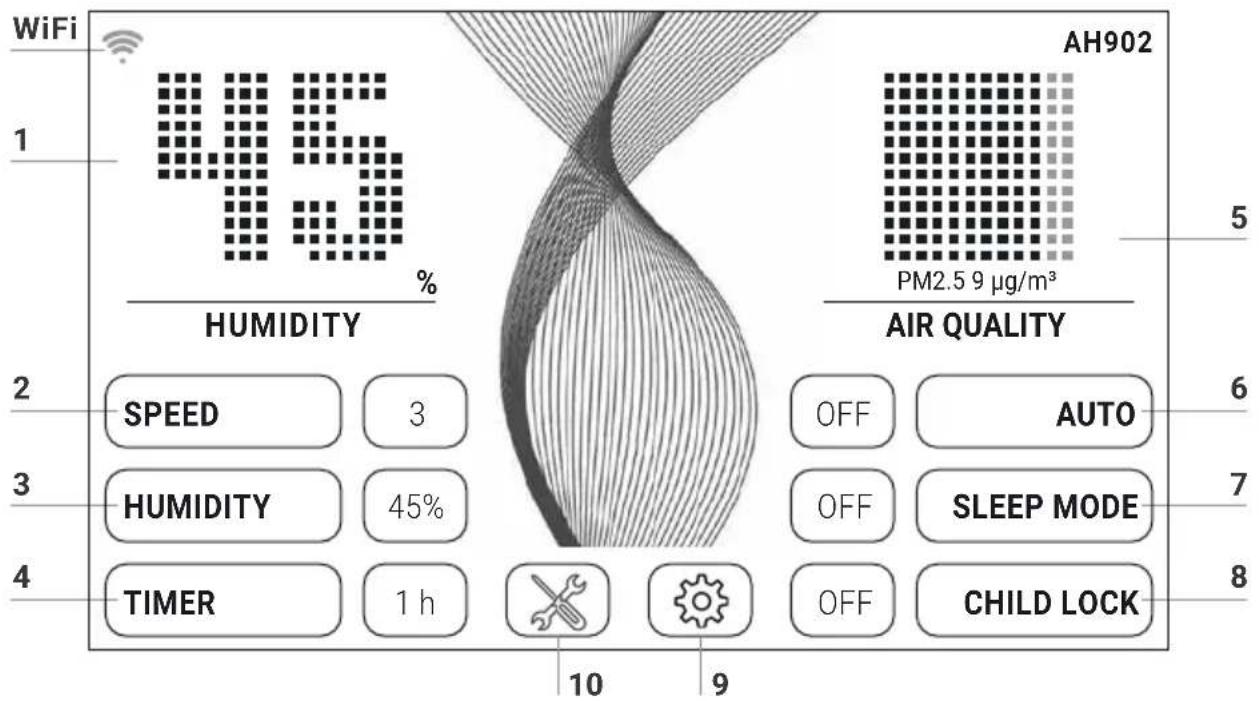
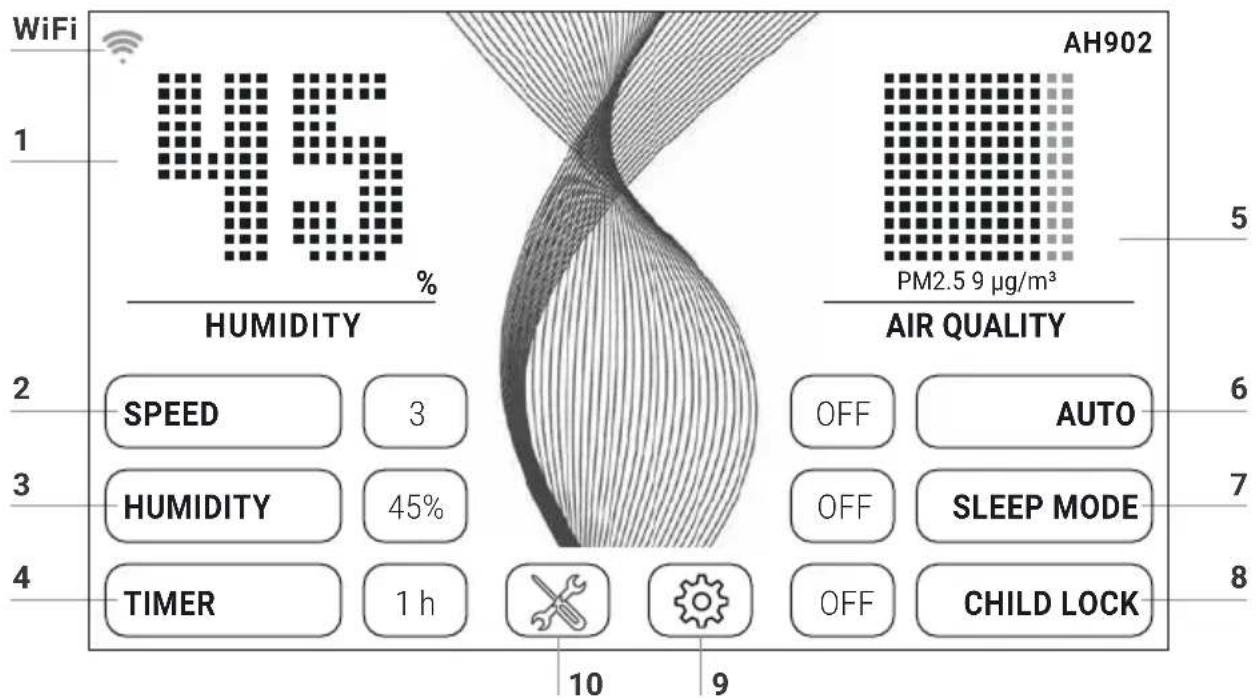
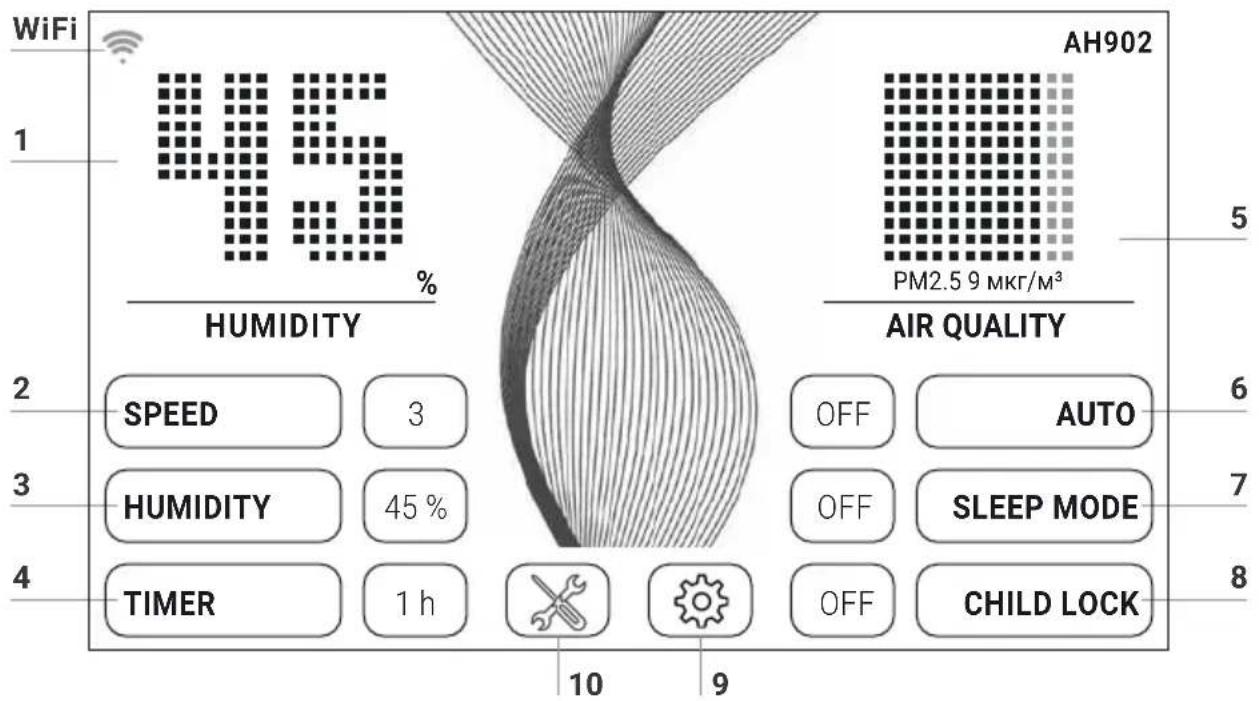
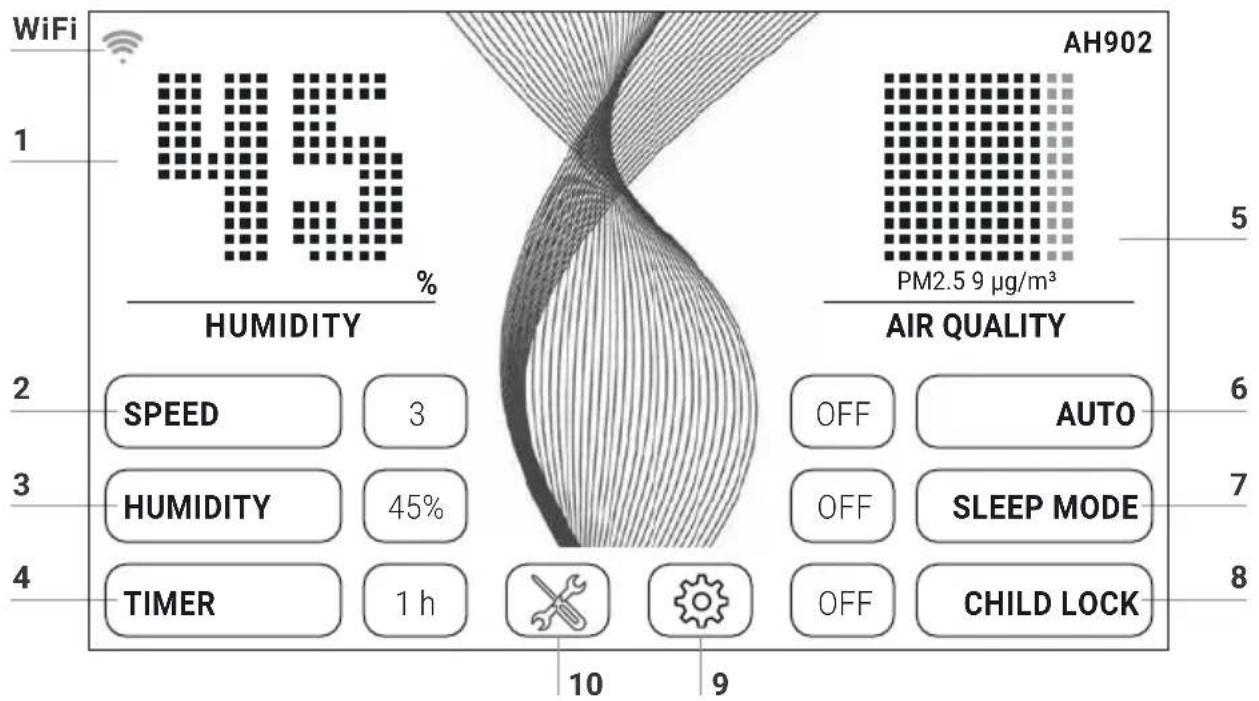
WiFi 1 45 % HUMIDITY AH902 PM2.5 9 µg/m³ 5 2 SPEED 3 AIR QUALITY 6 3 HUMIDITY 45 % OFF AUTO 7 4 TIMER 1 h OFF SLEEP MODE 8 10 9 OFF CHILD LOCKSelect or change the setting by tapping the function.
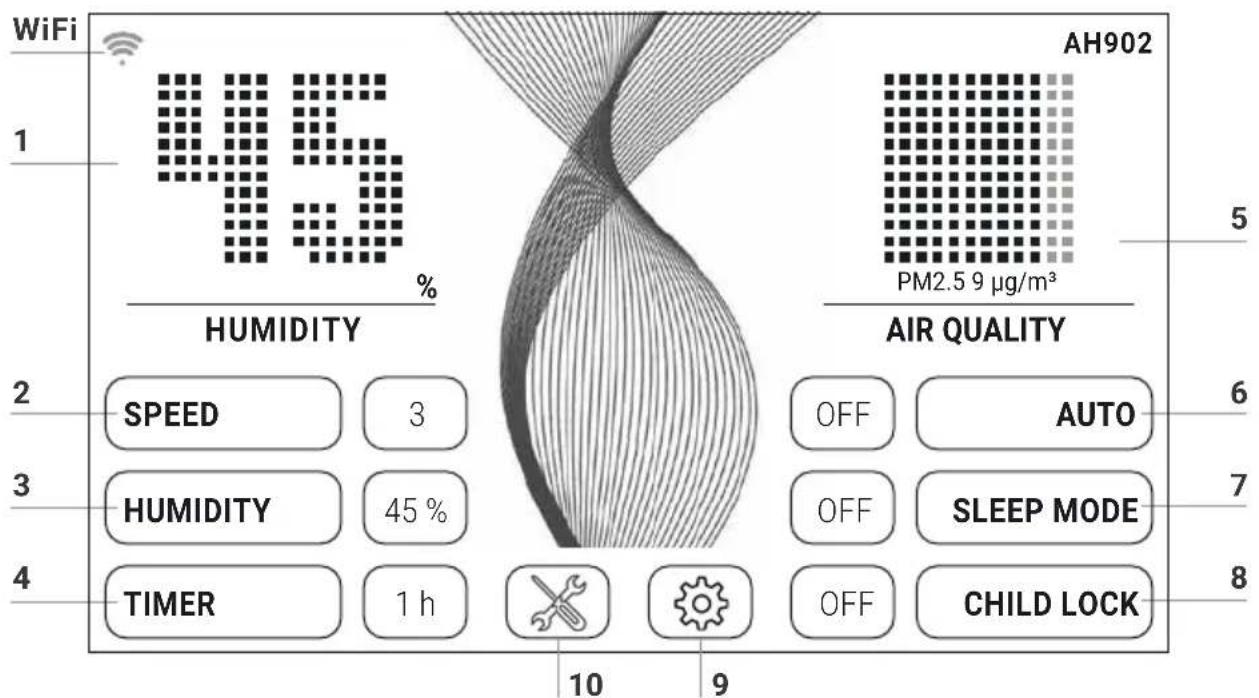
Function Setting
| 1 Humidity/temperature | Display humidity or temperature.Hold for 3 sec. to switch back and forth between °C and °F. | ||||
| 2 | Speed | Fan stage 1 (low) – 5 (high). | |||
| 3 | Humidity | OFF No humidification. 30 – 70 % (in 5 % increments). When the set humidity is reached, the disk stack stops rotating. | |||
| 4 | Timer | OFF / 1 / 3 / 5 / 7 / 9 h (hours)The appliance shuts off automatically after the preset hours have expired. | |||
| 5 Air quality(EPA) | PM2.5μg/m3 AQI US | ||||
| 0–12 | 0–50 | Good | GREEN | ||
| 13–35 | 51–100 | Moderate | YELLOW | ||
| 36–55 | 101–150 | Unhealthy for sensitive people | ORANGE | ||
| 56–150 | 151–200 | Unhealthy | RED | ||
| 151–250 | 201–300 | Very unhealthy | VIOLET | ||
| 251–500 | 301–500 | Dangerous | BROWN | ||
| 6 Auto | OFF Appliance operates at preset fan stage 1 - 5.ON The appliance automatically regulates the fan stage depending on the air quality and humidity in the room. |
| 7 Sleep mode OFF / ONThe appliance reduces the fan stage to 1 and dims the display. You can change the air flow rate manually in sleep mode at any time. The air quality is not displayed. | |
| 8 Child lock OFF / ONHold for 3 sec. to activate/deactivate the key lock. | |
| 9 [3Y04] | Tap the button to open the Settings menu.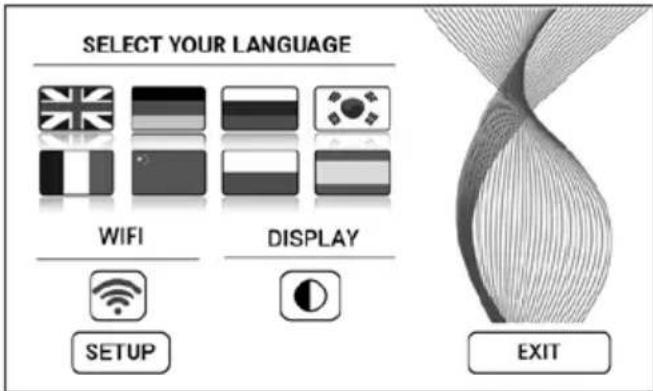 |
| Language | Tap the national flag to select language. |
| Display | Tap the button to select black or white display background colour. |
| WIFI | Display WiFi connection.Enable or disable WiFi by tapping the button.grey: WiFi disabled.blue: WiFi connection to Venta server enabled (full access).green: WiFi connection to the local network established (local access).red: No WiFi connection. |
| SETUP | Set up the WiFi function. For a precise description, see sections "Configure WiFi" and "Venta App". |
| 10 ✗ | Tap the button for instructions and maintenance information.white: No instruction.red: Observe instruction.For a precise description, see section "Cleaning & Maintenance". |
WIFI CONFIGURATION
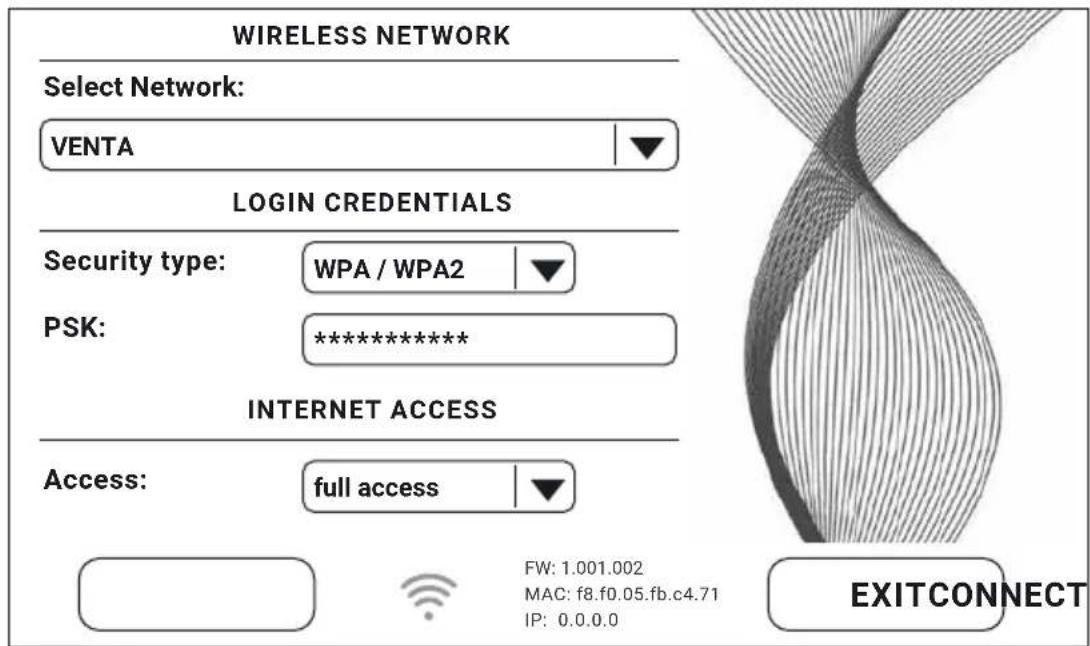
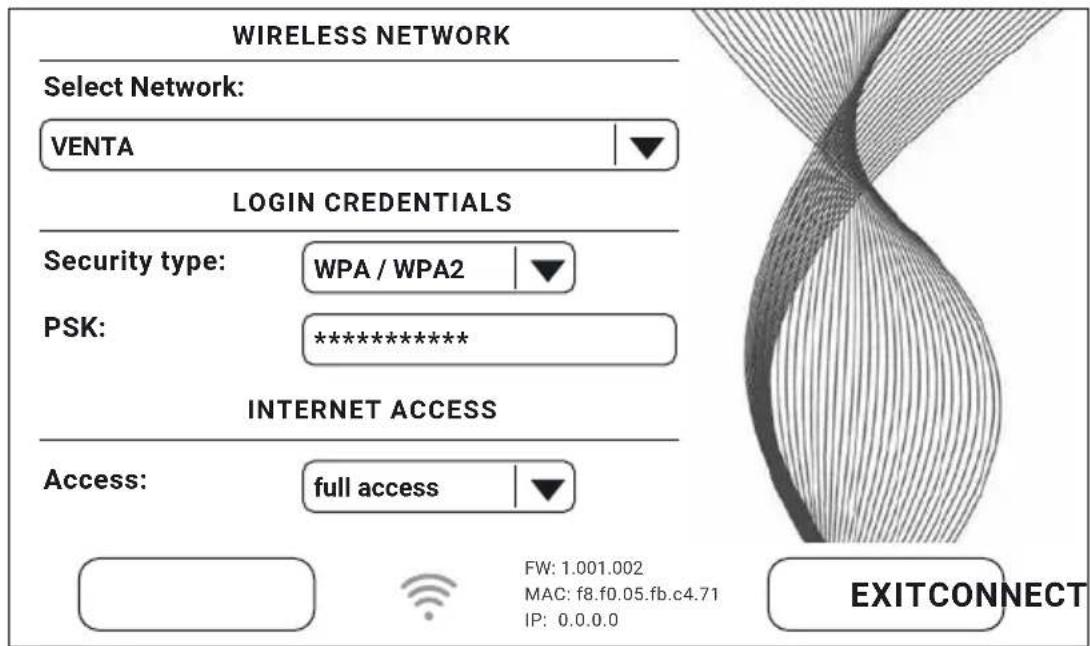
To access WiFi configuration, first tap button 9, ✉ then the SETUP button. Select "Select network", then your network in the dropdown list. The "Security type"
text_image
WIRELESS NETWORK Select Network: VENTA LOGIN CREDENTIALS Security type: WPA / WPA2 PSK: ********** INTERNET ACCESS Access: full access FW: 1.001.002 MAC: f8.f0.05.fb.c4.71 IP: 0.0.0.0 EXITCONNECTis automatically set as soon as you select the network. In the "PSK" box, please enter your WLAN password/key (ASCII entry mode) and confirm with ENTER. If your password contains special characters or umlauts which are not shown on the keypad, you can generate your full password as a HEX code on our website: www.venta-air.com. Now enter your generated HEX code into the "PSK" box (HEX entry mode) and confirm with ENTER. Under "Access", select the internet access type you require.
full access: access to all the comfort features of the app.
local access: local access to use the app.
Tap CONNECT to create the WiFi connection.
WiFi symbol green: WiFi connection established (local access).
WiFi symbol blue: WiFi connection established (full access).
WiFi symbol red: No WiFi connection. Check your network and WLAN password.
WiFi symbol grey: WiFi disabled.

If problems occur during the setup process, read the information in the section "What to do if WiFi connection is not possible?"
Tap the EXIT button to return to the previous menu.
VENTA APP
You can use the Venta app to expand and control the appliance functions. The app is available for smartphones and tablets. Please download the Venta app at: www.venta-air.com, or use the QR code.

Please log in to the ≡ menu or register as soon as you have downloaded and opened the Venta app.
You must register so that you can control and check your Venta appliance when you're on the go.
You can use the search function + to automatically find all local Venta appliances. Please select your appliance.
The appliance emits an audio signal while the app is connecting to it. Please confirm connection to your smartphone/tablet on the appliance.
WIFI AUTHORISATION INCOMING WIFI REQUEST.
YES NO

If WiFi connection is disabled, the appliance does not connect to the Venta app.
CLEANING & MAINTENANCE
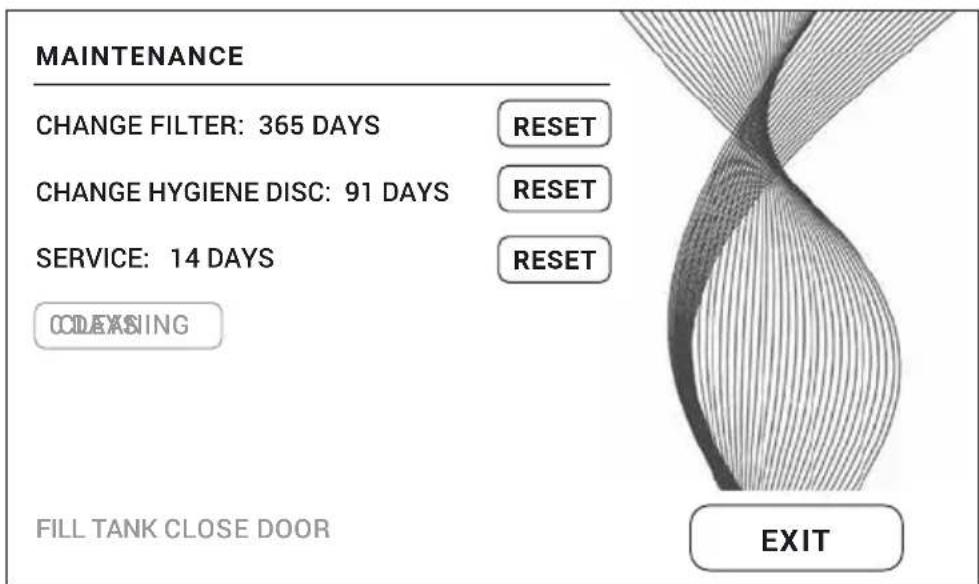
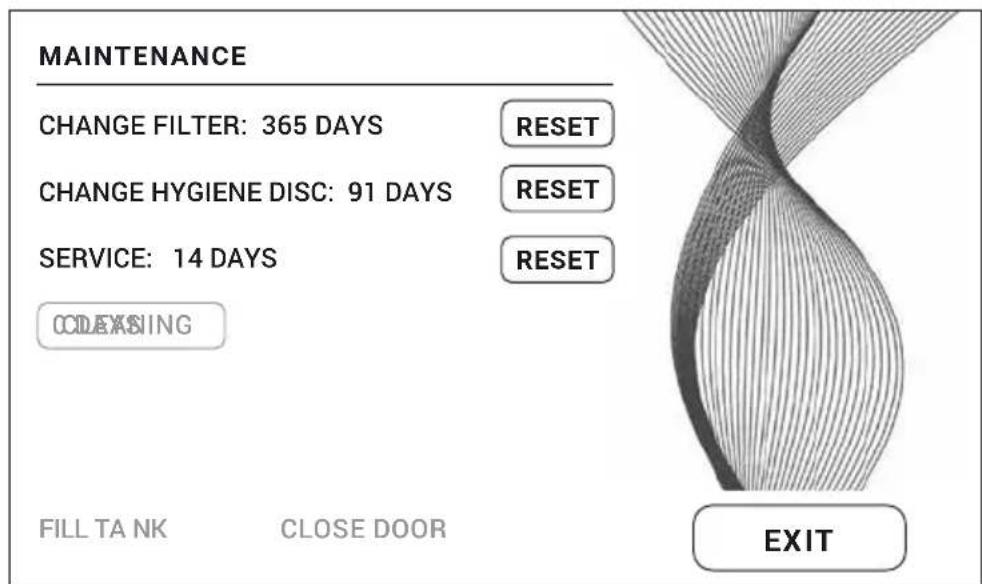
Tap button 10 ✗ on the display to see information about maintenance. Red light indicates that this type of maintenance is due.
text_image
MAINTENANCE CHANGE FILTER: 365 DAYS CHANGE HYGIENE DISC: 91 DAYS SERVICE: 14 DAYS CODEXING FILL TANK CLOSE DOOR RESET RESET RESET EXITA
natural_image
Exterior view of a modern office building (no signage)B
natural_image
Black office computer case with open lid and ventilation slots (no visible text or symbols)C
natural_image
Close-up of a mechanical component with a circular base and gear-like top, showing a black arrow pointing upward (no text or symbols)D
natural_image
Exterior view of a modern office building (no signage)Reminder/Interval Actions
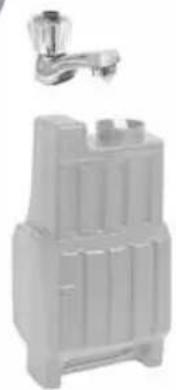
A FILL TANK Water tank empty, fill with fresh water.
Yellow: Humidification is still taking place.
Red: No humidification is taking place.
CLEANING For the cleaning process, you need a (250 ml) bottle of Venta appliance cleaner. Start the cleaning program by tapping the CLEANING button on the display, then follow the instructions. Cleaning takes approx. 4 h.
After 6 months (of continuous 24-hour operation), the maintenance button lights up in red and indicates that this action is necessary.
!
Attention! Ensure that the device is switched off during the following actions and the power plug is disconnected from the power supply!
B CHANGE FILTER
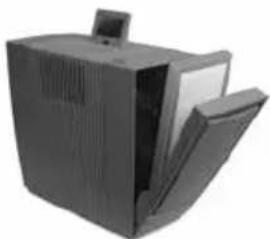
When changing the HEPA filter, use suitable protective equipment (e.g. mask and gloves). Place the used HEPA filter in a bag and dispose of it in household waste.
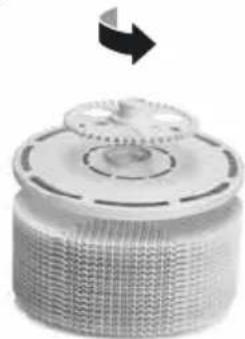
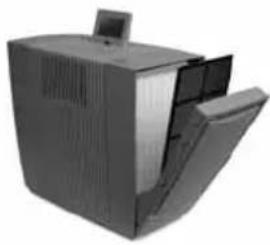
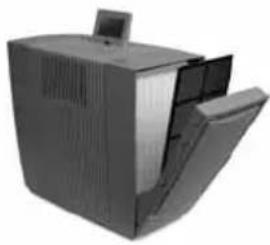
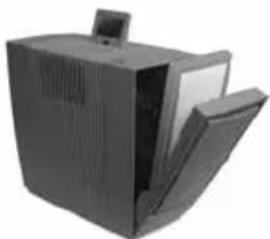
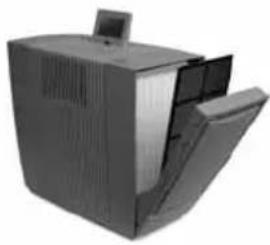
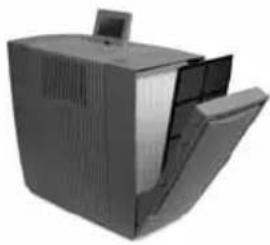
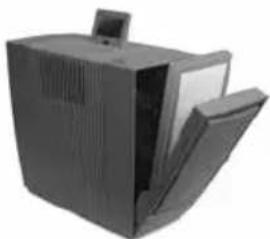
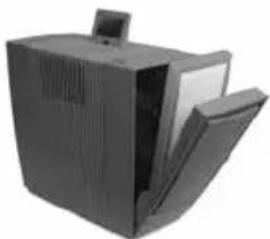
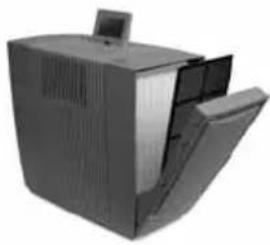
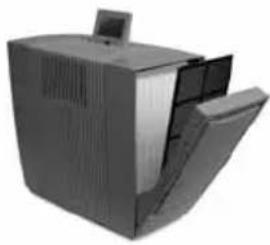
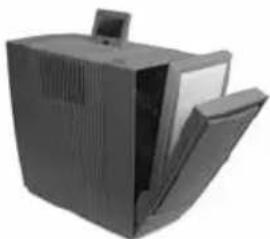
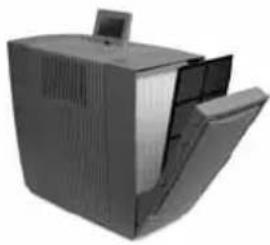
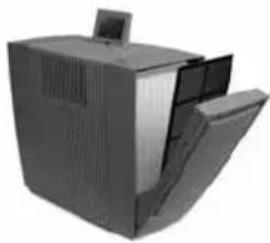
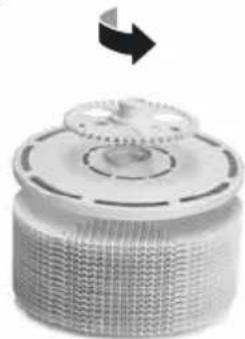
Open filter compartment, remove coarse dust filter. Remove and replace HEPA filter. Re-assemble the appliance and switch it on. Tap ✗ button on the display to access the maintenance menu. Then tap RESET next to CHANGE FILTER and hold for 3 seconds until the time is reset.
i After one year, the maintenance button lights up in red and indicates that this action is necessary. The filter service life is approx. 1 year (of continuous 24-hour operation). The lifetime of the filter depends on the hours of operation and the air quality in the room.
Reminder/Interval Actions
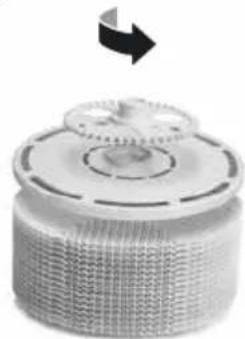
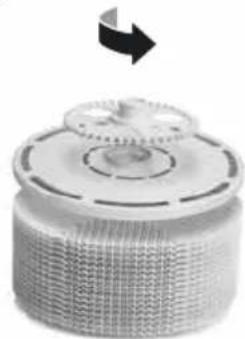
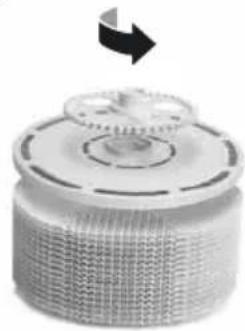
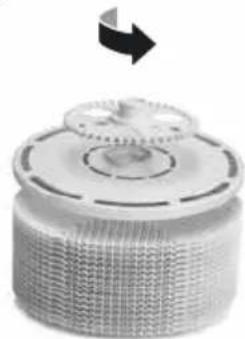
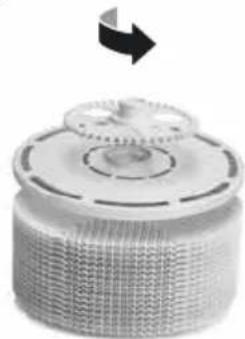
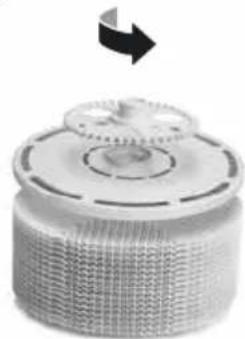
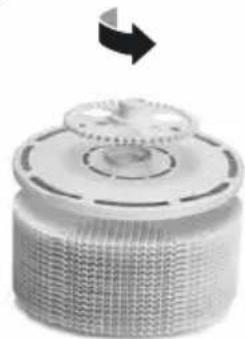
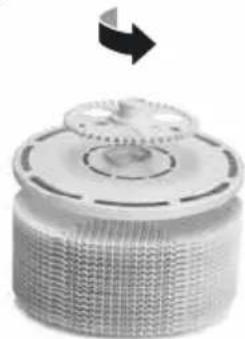
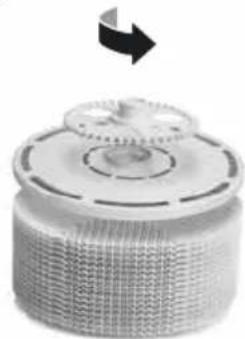
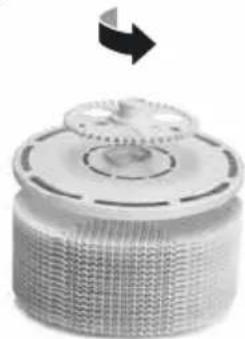
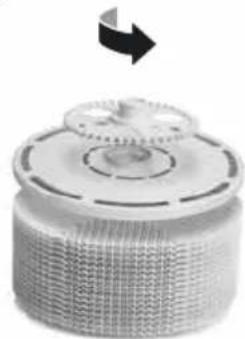
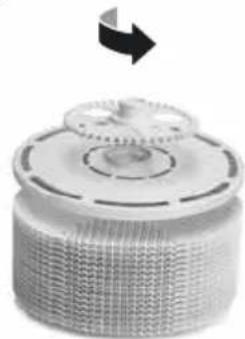
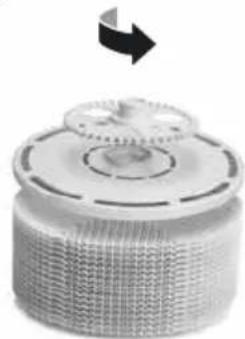
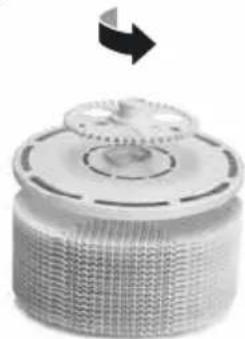
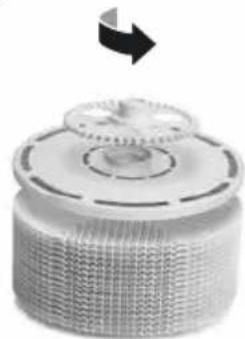
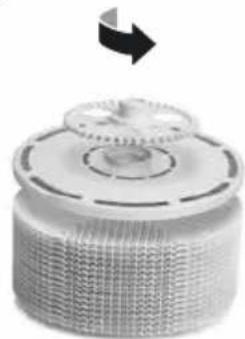
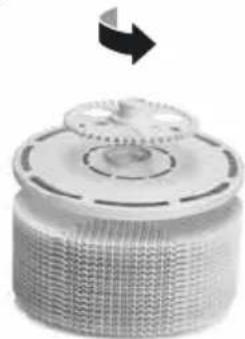
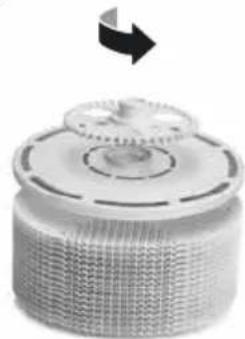
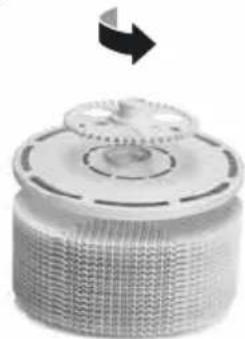
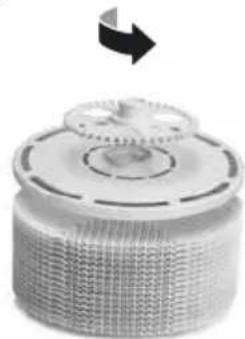
| C CHANGEHYGIENE DISC | Open evaporator compartment. Remove VentWaveTM disk stack and unlock the drive wheel. Remove hygiene disk and replace it. Re-assemble the appliance and switch it on. Tap ✗ button on the display to access the maintenance menu. Then tap RESET next to CHANGE HYGIENE DISC and hold for 3 seconds until the time is reset. |
| After 3 months, the maintenance button lights up in red and indicates that this action is necessary.The service life of a hygiene disk is approx. 3 months (at continuous 24-hour operation) and depends on the water hardness, water quality, daily evaporation performance and number of operating hours. | |
| You can use the Venta ReNew recycling program to return the hygiene disk to us (see RECYCLING & DISPOSAL). | |
| SERVICE Empty the residual water out of the water tank and water tray.Clean the water tray, VentWaveTM disk stack and water tank under running water. Fill the water tank up to the MAX marker with fresh water. Re-assemble the appliance and switch it on. Tap ✗ button on the display to access the maintenance menu. Then tap the RESET button next to SERVICE and hold for 3 seconds until the time is reset. | |
| After 14 days, the maintenance button ✗ lights up in red and indicates that this action is necessary. | |
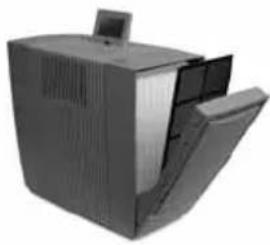
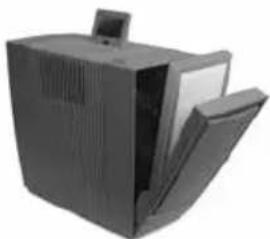
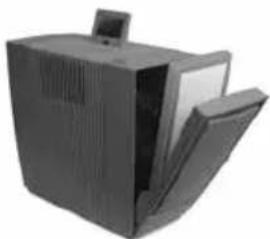
| D Recommendation every 1–2 months or as required | Open filter compartment, remove coarse dust filter and vacuum or rinse it off. Please note: The coarse dust filter must be completely dry before you install it. Re-assemble the device. |
| Recommendation every 3 years | To ensure the full performance of the UVC lamp, you should change the bulb every 3 years.Note: UVC lamp is on for 4 h per day or 1 h in timer mode. |
You can carry out the maintenance steps CHANGE FILTER, CHANGE HYGIENE DISC, SERVICE and CLEANING whenever necessary. When you are finished, simply tap the relevant RESET button in the maintenance menu ✗ and hold for 3 seconds until the time is reset. The next reminders for the actions performed will be indicated at the normal intervals.
Any residues in the water tray and on the VentWave™ disk stack (white, green-yellow or brown deposits or discolorations) do NOT impair the function of the device.
ACCESSORIES
You can order accessories by phone or online at www.venta-air.com.
PRIVACY POLICY
Venta Luftwäscher GmbH treats your data confidentially. You can find more information about data protection in our Privacy Policy at www.venta-air.com
RECYCLING & DISPOSAL
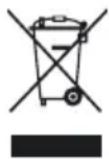
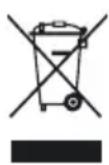
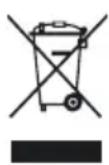
The “crossed-out bin” symbol indicates that you must dispose of waste electrical and electronic equipment (WEEE) and waste batteries separately. Such equipment may contain dangerous and environmentally hazardous substances. These products should be disposed of at an appropriate collecting point for recycling electrical and electronic equipment and may not be disposed of in unsorted household waste. Do not dispose of used batteries in household waste. Hand them in to collection points or retailers. This way you can help to protect resources and the environment. For more information, please contact your local authorities.
Children must not be allowed to play with plastic bags and packaging material as there is a danger of injury or suffocation. Store such materials safely or dispose of them in an environmentally friendly way. Please put used HEPA filters in a bag and dispose of them in household waste.
FREE Venta hygiene disk recycling programme for environmental protection
The Venta ReNew recycling programme means original Venta hygiene disks can be recycled to a degree of 100 %. By returning used Venta hygiene disks to us, you help conserve our planet's resources. You also receive your personal Venta ReNew eco-bonus which you can redeem with your next order for hygiene disks from Venta Luftwäscher GmbH. Our Service Team will be happy to give you more information.
NOTE: The Venta ReNew recycling programme is limited to sales and shipping within Germany. Our Venta companies in other countries will be happy to give you information about their local/national programmes. If no ReNew recycling programme is available in your country, simply dispose of the hygiene disk in household waste.
GUARANTEE
Due to the high quality of our products, Venta-Luftwäscher GmbH guarantees that this product will remain defect-free for two years as from the purchase date, provided it is used correctly. If, as an exception, a material or processing error should occur, please contact the Venta Service Team or your dealer. Venta's general guarantee conditions also apply: www.venta-air.com/en_de/Service/Warranty/
VENTA SERVICE TEAM
Do you need additional information about your Venta appliance, do you want advice or to order accessories? Our Service Team is there for you! Call us directly, or visit the Venta website: www.venta-air.com.
DE +49 751 5008 88
AT +43 5572 202 539
CH +41 41 781 15 15
WHAT TO DO IF ...

Attention! Before carrying out any of these actions, ensure that the appliance is switched off and disconnected from the power supply!
... the appliance won't switch on?
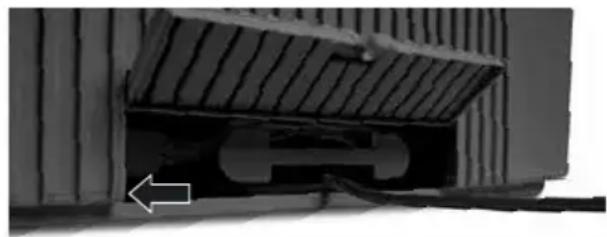
Please check whether the appliance is plugged in to the mains.
... the appliance won't switch on even though it is plugged in to the mains?

Action: Please check whether the mains power cable is correctly
plugged into the appliance. Then switch the appliance on again.
natural_image
Exterior view of a building corner with a sloped roof and a white arrow pointing to a detail (no visible text or symbols)... WiFi connection is not possible?
Please check that:
- you are using a 2.4-GHz or a combined 2.4/5-GHz network. This is important because the WiFi/WLAN module in the appliance does not support 5-GHz networks.
- your router supports 802.11b/g/n.
- iOS version 11.0 or higher or Android version 8.0 or higher is installed in your phone or tablet.

If necessary, update the operating system of your phone or tablet.
MERCI BEAUCOUP!
natural_image
Exterior view of a gray computer tower with ventilation slots and a small screen (no text or symbols visible)5
natural_image
3D diagram of a mechanical device with labeled parts (1 and 2), showing internal components without any readable text or symbols.6
natural_image
Diagram showing a water tank with faucet and pipe, alongside a close-up of the water surface (no text or symbols)7
natural_image
3D diagram of a computer case with labeled components (no text or symbols present)8
natural_image
3D rendering of a laptop mounted on a corrugated metal surface (no text or symbols visible)9
natural_image
Close-up of a mechanical component with a tilted top and internal cutout, mounted on a wall (no visible text or symbols)FONCTIONS, RÉGLAGES & AFFICHAGES
text_image
WiFi 1 45 % HUMIDITY 2 SPEED 3 3 HUMIDITY 45 % 4 TIMER 1 h AH902 PM2,5 9 µg/m³ 5 AIR QUALITY 6 OFF AUTO 7 OFF SLEEP MODE 8 OFF CHILD LOCK 10 9text_image
SELECT YOUR LANGUAGE WIFI DISPLAY SETUP EXITLangue
text_image
WIRELESS NETWORK Select Network: VENTA LOGIN CREDENTIALS Security type: WPA / WPA2 PSK: ********** INTERNET ACCESS Access: full access FW: 1.001.002 MAC: f8.f0.05.fb.c4.71 IP: 0.0.0.0 EXITCONNECTWIFI-AUTHORISATION INCOMING WIFI REQUEST.
YES NO

natural_image
Exterior view of a modern office building (no signage)B
natural_image
Black office computer case with open lid and ventilation slots (no visible text or symbols)C
natural_image
Close-up of a mechanical component with a circular base and gear-like top, showing a black arrow pointing upward (no text or symbols)D
natural_image
Exterior view of a modern office building (no signage)Remarque / Intervalle
Mesures
A FILL TANK
natural_image
Close-up of a mechanical component with a curved cutaway view and an arrow indicating a specific feature (no text or symbols visible)natural_image
Exterior view of a gray computer tower with ventilation slots and a small screen (no text or symbols visible)5
natural_image
3D diagram of a mechanical device with labeled parts (1 and 2), showing internal components without any readable text or symbols.6
natural_image
Diagram showing a water tank with a pipe and valve, alongside a close-up of the water surface (no text or symbols)7
natural_image
3D diagram of a computer case with labeled components (no text or symbols present)8
natural_image
3D rendering of a computer monitor mounted on a grid-patterned surface (no visible text or symbols)9
natural_image
Close-up of a mechanical component with ribbed texture and a U-shaped cutout (no visible text or symbols)FUNCIONES, AJUSTES E INDICACIONES
text_image
WiFi 1 45 % HUMIDITY 2 SPEED 3 3 HUMIDITY 45 % 4 TIMER 1 h AH902 PM2.5 9 µg/m³ AIR QUALITY OFF AUTO OFF SLEEP MODE OFF CHILD LOCK 10 9text_image
SELECT YOUR LANGUAGE WIFI DISPLAY SETUP EXITtext_image
WIRELESS NETWORK Select Network: VENTA LOGIN CREDENTIALS Security type: WPA / WPA2 PSK: ********** INTERNET ACCESS Access: full access FW: 1.001.002 MAC: f8.f0.05.fb.c4.71 IP: 0.0.0.0 EXITCONNECTWIFI-AUTHORISATION INCOMING WIFI REQUEST.
YES NO

natural_image
Exterior view of a modern office building (no signage)B
natural_image
Black desktop computer with monitor and tower (no visible text or symbols)C
natural_image
Close-up of a cylindrical mechanical component with a circular top and textured base, no visible text or symbols.D
natural_image
Exterior view of a modern office building (no signage)Aviso / intervalo Medidas
natural_image
Close-up of a mechanical component with a sloped top and internal cutaway view, showing no visible text or symbols.natural_image
Exterior view of a gray computer tower with ventilation slots and a small screen (no text or symbols visible)5
natural_image
3D diagram of a mechanical device with labeled parts (1 and 2), showing internal components without any readable text or symbols.6
natural_image
Diagram showing a water tank with a pipe and valve, alongside a close-up view of the water outlet (no text or symbols present)7
text_image
1. 2.8
natural_image
3D rendering of a computer monitor mounted on a grid-patterned surface (no visible text or symbols)9
natural_image
Close-up of a mechanical component with a slanted top and internal cutout, mounted on a wall (no visible text or symbols)text_image
WIRELESS NETWORK Select Network: VENTA LOGIN CREDENTIALS Security type: WPA / WPA2 PSK: ********** INTERNET ACCESS Access: full access FW: 1.001.002 MAC: f8.f0.05.fb.c4.71 IP: 0.0.0.0 EXITCONNECTWIFI-AUTHORISATION INCOMING WIFI REQUEST.
YES NO

natural_image
Exterior view of a modern office building (no signage)B
natural_image
Black office computer case with open lid and ventilation slots (no visible text or symbols)C
natural_image
Close-up of a mechanical component with a circular base and gear-like top, showing a black arrow pointing upward (no text or symbols)D
natural_image
Exterior view of a modern office building (no signage)natural_image
Close-up of a structural component with a sloped roof and a small arrow pointing to a detail (no visible text or symbols)natural_image
Exterior view of a gray computer tower with ventilation slots and a small screen (no text or symbols visible)5
natural_image
3D diagram of a mechanical device with labeled parts (1 and 2), showing internal components without any readable text or symbols.6
natural_image
Diagram showing a water tank with a pipe and valve, alongside a close-up view of the water outlet (no text or symbols present)7
natural_image
3D diagram of a computer case with labeled components (no text or symbols present)8
natural_image
3D rendering of a computer monitor mounted on a grid-patterned surface (no visible text or symbols)9
natural_image
Close-up of a mechanical component with a slanted top and internal cutout, mounted on a wall (no visible text or symbols)FUNCTIES, INSTELLINGEN EN WEERGAVES
text_image
Wifi 1 45 % HUMIDITY AH902 PM2.5 9 µg/m³ 5 2 SPEED 3 AIR QUALITY 6 3 HUMIDITY 45 % OFF AUTO 7 4 TIMER 1 h OFF SLEEP MODE 8 10 9 OFF CHILD LOCKtext_image
WIRELESS NETWORK Select Network: VENTA LOGIN CREDENTIALS Security type: WPA / WPA2 PSK: ********** INTERNET ACCESS Access: full access FW: 1.001.002 MAC: f8.f0.05.fb.c4.71 IP: 0.0.0.0 EXITCONNECTWIFI-AUTHORISATION INCOMING WIFI REQUEST.
YES NO

natural_image
Exterior view of a modern office building (no signage)B
natural_image
Black office computer case with open lid and ventilation slots (no visible text or symbols)C
natural_image
Close-up of a mechanical component with a circular base and gear-like top, showing a black arrow pointing upward (no text or symbols)D
natural_image
Exterior view of a modern office building (no signage)natural_image
Close-up of a mechanical component with a sloped top and internal cutaway view, showing no visible text or symbols.natural_image
Exterior view of a gray computer tower with ventilation slots and a small screen (no text or symbols visible)5
natural_image
3D diagram of a mechanical device with labeled parts (1 and 2), showing internal components without any readable text or symbols.6
natural_image
Diagram showing a water tank with a pipe and valve, alongside a close-up of the water surface (no text or symbols)7
natural_image
3D diagram of a computer case with labeled components (no text or symbols present)8
natural_image
3D rendering of a computer monitor mounted on a grid-patterned surface (no visible text or symbols)9
natural_image
Close-up of a mechanical component with a slanted top and internal cutout, mounted on a wall (no visible text or symbols)FUNKTIONER, INDSTILLINGER OG VISNINGER
other
| Metric | Value | |--------|-------| | Wi-fi % | 45 | | HUMIDITY | 45 | | SPEED | 3 | | HUMIDITY | 45% | | TIMER | 1 h | | OFF | AUTO | | OFF | SLEEP MODE | | OFF | CHILD LOCK | | PM2.5 9 µg/m³ | 5 | | AIR QUALITY | 6 | | 10 | 9 |text_image
WIRELESS NETWORK Select Network: VENTA LOGIN CREDENTIALS Security type: WPA / WPA2 PSK: ********** INTERNET ACCESS Access: full access FW: 1.001.002 MAC: f8.f0.05.fb.c4.71 IP: 0.0.0.0 EXITCONNECTWIFI-AUTHORISATION INCOMING WIFI REQUEST.
YES NO

natural_image
Exterior view of a modern office building (no signage)B
natural_image
Black office computer case with open lid and ventilation slots (no visible text or symbols)C
natural_image
Close-up of a mechanical component with a circular base and gear-like top, showing a black arrow pointing upward (no text or symbols)D
natural_image
Exterior view of a modern office building (no signage)Henvisning / Foranstaltninger interval
HVAD SKAL JEG G∅RE, HVIS...?

natural_image
Close-up of a mechanical component with a curved cutaway view and an arrow indicating direction (no visible text or symbols)natural_image
Exterior view of a gray computer tower with ventilation slots and a small screen (no text or symbols visible)5
natural_image
3D diagram of a mechanical device with labeled parts (1 and 2), showing internal components without any readable text or symbols.6
natural_image
Diagram showing a water tank with a pipe and valve, alongside a close-up view of the water outlet (no text or symbols present)7
natural_image
3D diagram of a computer case with labeled components (no text or symbols present)8
natural_image
3D rendering of a computer monitor mounted on a grid-patterned surface (no visible text or symbols)9
natural_image
Close-up of a mechanical component with a slanted top and internal cutout, mounted on a wall (no visible text or symbols)FUNKTIONER, INSTÄLLNINGAR OCH INDIKERINGAR
text_image
WiFi 1 45 % HUMIDITY AH902 PM2.5 9 µg/m³ 5 2 SPEED 3 AIR QUALITY 6 3 HUMIDITY 45 % OFF AUTO 7 4 TIMER 1 h OFF SLEEP MODE 8 10 9 OFF CHILD LOCKtext_image
SELECT YOUR LANGUAGE WIFI DISPLAY SETUP EXITSpråk
text_image
WIRELESS NETWORK Select Network: VENTA LOGIN CREDENTIALS Security type: WPA / WPA2 PSK: ********** INTERNET ACCESS Access: full access FW: 1.001.002 MAC: f8.f0.05.fb.c4.71 IP: 0.0.0.0 EXITCONNECTWIFI-AUTHORISATION INCOMING WIFI REQUEST.
YES NO

natural_image
Exterior view of a modern office building (no signage)B
natural_image
Black-and-white photo of a computer monitor with a small screen (no visible text or symbols)C
natural_image
Close-up of a mechanical component with a circular top and gear-like base, showing a black arrow pointing upward (no text or symbols)D
natural_image
Exterior view of a modern office building (no signage)natural_image
Close-up of a mechanical component with a sloped top and internal cavity, showing no visible text or symbols.Venta-serviceteam 138
natural_image
Exterior view of a gray computer tower with ventilation slots and a small screen (no text or symbols visible)5
natural_image
3D diagram of a mechanical device with labeled parts (1 and 2), showing internal components without any readable text or symbols.6
natural_image
Diagram showing a water tank with a pipe and valve, alongside a close-up of the water surface (no text or symbols)7
natural_image
3D diagram of a computer case with labeled components (no text or symbols present)8
natural_image
3D rendering of a computer monitor mounted on a grid-patterned surface (no visible text or symbols)9
natural_image
Close-up of a mechanical component with a slanted top and internal cutout, mounted on a wall (no visible text or symbols)FUNKSJONER, INNSTILLINGER OG VISNINGER
text_image
WiFi 1 45 % HUMIDITY AH902 PM2.5 9 µg/m³ 5 2 SPEED 3 3 HUMIDITY 45 % 4 TIMER 1 t AIR QUALITY OFF AUTO OFF SLEEP MODE OFF CHEILD LOCK 10 9text_image
SELECT YOUR LANGUAGE WIFI DISPLAY SETUP EXITSpråk
text_image
WIRELESS NETWORK Select Network: VENTA LOGIN CREDENTIALS Security type: WPA / WPA2 PSK: ********** INTERNET ACCESS Access: full access FW: 1.001.002 MAC: f8.f0.05.fb.c4.71 IP: 0.0.0.0 EXITCONNECTI «Select network» velger du ditt nettverk i nedtrekkslisten. «Security Type» stilles automatisk inn når du har valgt nettverk. I feltet «PSK» (inntastingsmodus ASCII) legger du inn WLAN-passordet/WLAN-nøkkelen og bekrefter med ENTER-tasten. Inneholder passordet ditt spesialtegn eller omlydstegn som ikke er avbildet på tastaturet, kan du opprette hele passordet ditt til en hekskode: www.venta-air.com. I feltet «PSK» (inntastingsmodus HEX) legger du inn din genererte hekskode og bekrefter med ENTER-tasten. Under «Access» velger du den internett-tilgangsberettigelsen du ønsker.
WIFI-AUTHORISATION INCOMING WIFI REQUEST.
YES NO

natural_image
Exterior view of a modern office building (no signage)B
natural_image
Black office computer case with open lid and ventilation slots (no visible text or symbols)C
natural_image
Close-up of a mechanical component with a circular base and gear-like top, showing a black arrow pointing upward (no text or symbols)D
natural_image
Exterior view of a modern office building (no signage)Merknad / intervall
Tiltak
natural_image
Close-up of a structural component with a white arrow pointing to a specific part (no visible text or symbols)text_image
WIRELESS NETWORK Select Network: VENTA LOGIN CREDENTIALS Security type: WPA / WPA2 PSK: ********** INTERNET ACCESS Access: full access FW: 1.001.002 MAC: f8.f0.05.fb.c4.71 IP: 0.0.0.0 EXITCONNECTWIFI-AUTHORISATION INCOMING WIFI REQUEST.
YES NO

natural_image
Exterior view of a modern office building (no signage)B
natural_image
Black office computer case with open lid and ventilation slots (no visible text or symbols)C
natural_image
Close-up of a mechanical component with a circular base and gear-like top, showing a black arrow pointing upward (no text or symbols)D
natural_image
Exterior view of a modern office building (no signage)natural_image
Close-up of a mechanical component with a sloped top and a small arrow pointing to a feature (no visible text or symbols)natural_image
Exterior view of a gray computer tower with ventilation slots and a small screen (no text or symbols visible)5
natural_image
3D diagram of a mechanical device with labeled parts (1 and 2), showing internal components without any readable text or symbols.6
natural_image
Diagram showing a water tank with a pipe and valve, alongside a close-up of the water surface (no text or symbols)7
natural_image
3D diagram of a computer case with labeled components (no text or symbols present)8
natural_image
3D rendering of a computer monitor mounted on a grid-patterned surface (no visible text or symbols)9
natural_image
Close-up of a mechanical component with a slanted top and internal cutout, mounted on a wall (no visible text or symbols)FUNKCIJAS, IESTATĪJUMI UN RĀDĪJUMI
text_image
WiFi 1 45 % HUMIDITY AH902 PM2.5 9 µg/m³ 5 2 SPEED 3 AIR QUALITY 6 3 HUMIDITY 45% OFF AUTO 7 4 TIMER 1 h OFF SLEEP MODE 8 10 9 OFF CHILD LOCKtext_image
WIRELESS NETWORK Select Network: VENTA LOGIN CREDENTIALS Security type: WPA / WPA2 PSK: ********** INTERNET ACCESS Access: full access FW: 1.001.002 MAC: f8.f0.05.fb.c4.71 IP: 0.0.0.0 EXITCONNECTWIFI-AUTHORISATION INCOMING WIFI REQUEST.
YES NO

natural_image
Exterior view of a modern office building (no signage)B
natural_image
Black office computer case with open lid and ventilation slots (no visible text or symbols)C
natural_image
Close-up of a mechanical component with a circular base and gear-like top, showing a black arrow pointing upward (no text or symbols)D
natural_image
Exterior view of a modern office building (no signage)natural_image
Close-up of a mechanical component with a hinged top and internal structure, showing no visible text or symbols.natural_image
Exterior view of a gray computer tower with ventilation slots and a small screen (no text or symbols visible)5
natural_image
3D diagram of a mechanical device with labeled parts (1 and 2), showing internal components without any readable text or symbols.6
natural_image
Diagram showing a water tank with faucet and internal components, alongside a close-up of the interior wall (no text or symbols)7
natural_image
3D diagram of a computer case with labeled components (no text or symbols present)8
natural_image
3D rendering of a computer monitor mounted on a grid-patterned surface (no visible text or symbols)9
natural_image
Close-up of a mechanical component with a slanted top and internal cutout, mounted on a wall (no visible text or symbols)FUNKCJE, USTAWIENIA I WSKAZANIA WYŚWIETLACZA
text_image
Wi-fi 1 45 % HUMIDITY AH902 PM2.5 9 µg/m³ 5 2 SPEED 3 3 HUMIDITY 45% 4 TIMER 1 h OFF AUTO 6 10 9 OFF SLEEP MODE 7 OFF CHILD LOCK 8text_image
SELECT YOUR LANGUAGE WIFI DISPLAY SETUP EXITtext_image
WIRELESS NETWORK Select Network: VENTA LOGIN CREDENTIALS Security type: WPA / WPA2 PSK: ********** INTERNET ACCESS Access: full access FW: 1.001.002 MAC: f8.f0.05.fb.c4.71 IP: 0.0.0.0 EXITCONNECTWIFI-AUTHORISATION INCOMING WIFI REQUEST.
YES NO

natural_image
Exterior view of a modern office building (no signage)B
natural_image
Black office computer case with open lid and ventilation slots (no visible text or symbols)C
natural_image
Close-up of a mechanical component with a circular base and gear-like top, showing a black arrow pointing upward (no text or symbols)D
natural_image
Exterior view of a modern office building (no signage)RECYKLING I UTYLIZACJA
natural_image
Close-up of a mechanical component with a sloped top and internal cutaway view, showing no visible text or symbols.natural_image
Exterior view of a gray computer tower with ventilation slots and a small screen (no text or symbols visible)5
natural_image
3D diagram of a mechanical device with labeled parts (1 and 2), showing internal components without any readable text or symbols.6
natural_image
Diagram showing a water tank with a pipe and valve, alongside a close-up of the water surface (no text or symbols)7
natural_image
3D diagram of a computer case with labeled components (no text or symbols present)8
natural_image
3D rendering of a computer monitor mounted on a grid-patterned surface (no visible text or symbols)9
natural_image
Close-up of a mechanical component with a slanted top and internal cutout, mounted on a wall (no visible text or symbols)text_image
WIRELESS NETWORK Select Network: VENTA LOGIN CREDENTIALS Security type: WPA / WPA2 PSK: ********** INTERNET ACCESS Access: full access FW: 1.001.002 MAC: f8.f0.05.fb.c4.71 IP: 0.0.0.0 EXITCONNECTWIFI-AUTHORISATION INCOMING WIFI REQUEST.
YES NO

natural_image
Exterior view of a modern office building (no signage)B
natural_image
Black office computer case with open lid and ventilation slots (no visible text or symbols)C
natural_image
Close-up of a mechanical component with a circular base and gear-like top, showing a black arrow pointing upward (no text or symbols)D
natural_image
Exterior view of a modern office building (no signage)natural_image
Close-up of a mechanical component with a hatched upper section and a white arrow pointing to a feature (no visible text or symbols)natural_image
Exterior view of a gray computer tower with ventilation slots and a small screen (no text or symbols visible)5

natural_image
3D diagram of a mechanical device with labeled parts (1 and 2), showing internal components without any readable text or symbols.6
natural_image
Diagram showing a water tank with a pipe and valve, alongside a close-up of the water surface (no text or symbols)7
natural_image
3D diagram of a computer case with labeled components (no text or symbols present)8
natural_image
3D rendering of a computer monitor mounted on a grid-patterned surface (no visible text or symbols)9
natural_image
Close-up of a mechanical component with a slanted top and internal cutout, mounted on a wall (no visible text or symbols)text_image
SELECT YOUR LANGUAGE WIFI DISPLAY SETUP EXITJazyk
Displej
WiFi
text_image
WIRELESS NETWORK Select Network: VENTA LOGIN CREDENTIALS Security type: WPA / WPA2 PSK: ********** INTERNET ACCESS Access: full access FW: 1.001.002 MAC: f8.f0.05.fb.c4.71 IP: 0.0.0.0 EXITCONNECTWIFI-AUTHORISATION INCOMING WIFI REQUEST.
YES NO

natural_image
Exterior view of a modern office building (no signage)B
natural_image
Black office computer case with open lid and ventilation slots (no visible text or symbols)C
natural_image
Close-up of a mechanical component with a circular base and gear-like top, showing a black arrow pointing upward (no text or symbols)D
natural_image
Exterior view of a modern office building (no signage)natural_image
Close-up of a structural component with a sloped roof and a curved cutout, showing no visible text or symbols.text_image
WIRELESS NETWORK Select Network: VENTA LOGIN CREDENTIALS Security type: WPA / WPA2 PSK: ********** INTERNET ACCESS Access: full access FW: 1.001.002 MAC: f8.f0.05.fb.c4.71 IP: 0.0.0.0 EXITCONNECTWIFI-AUTHORISATION INCOMING WIFI REQUEST.
YES NO

natural_image
Exterior view of a modern office building (no signage)B
natural_image
Black office computer case with open lid and ventilation slots (no visible text or symbols)C
natural_image
Close-up of a mechanical component with a circular base and gear-like top, showing a black arrow pointing upward (no text or symbols)D
natural_image
Exterior view of a modern office building (no signage)Upozornenie / Interval
Opatrenia
natural_image
Close-up of a mechanical component with a sloped top and internal structure, showing no visible text or symbols.... nie je možné vytvorit' pripojenie WiFi?
Skontrolujte, či
BEZBEDNOSNA UPUTSTVA
- Ovaj uređaj je pogodan za upotrebu od strane dece starije od 8 godina i ljudi sa ograničenim fizičkim, senzornim ili mentalnim kapacitetima ili nedostatkom iskus-tva i znanja, pod uslovom da su pod nadzorom ili su dobili uputstva o bezbednoj upotrebi uređaja i razumeju postojeće opasnosti.
- U potpunosti pročitajte uputstva za upotrebu pre puštanja uređaja u rad i sačuvajte ih za kasniju upotrebu.
- Aparat nije igračka za decu.
- Čišćenje i korisničko održavanje ne smeju da obavljaju deca mlađa od 8 godina ili bez nadzora.
- Držite aparat i njegov kabl za napajanje van domašaja dece mlađe od 8 godina.
- Nepravilna upotreba može oštetiti uređaj i uzrokovati fizičke povrede.
- Uključujte uređaj samo u odgovarajuće utičnice – napon mreže mora odgovarati podacima sa natpisne pločice na uređaju.
- Koristite uređaj samo sa sledećim kablom za napajanje: utičnica uređaja sa niskom temperaturom sa IEC 320 C5 konektorom sa listovima deteline.
- Nikada ne koristite aparat ako ima oštećen kabl za napajanje.
- Izvucite utikač iz utičnice pre svake operacije čišćenja ili održavanja i pre transporta uređaja.
- Nikada nemojte koristiti aparatj ako je pao ili oštećen na bilo koji drugi način.
- Električne uređaje treba da popravljaju samo profesionalni stručnjaci. Amaterske popravke mogu dovesti do znatne opasnosti za korisnika.
- Nemojte da sedite na aparatu i ne stavljajte nikakve predmete na njega.
- Ne stavljajte strane predmete u uređaj.
- Nikada ne uranjajte uređaj u vodu ili bilo koju drugu tečnost.
- Nikada nemojte prepuniti uređaj.
- Nikada nemojte transportovati ili naginjati uređaj kada je rezervoar pun.
- Nikada ne isključujte utikač povlačenjem kabla ili mokrim rukama.
- Aparat treba da radi samo kada je potpuno sastavljen.
- Postavite aparat na stabilnu površinu koja je ravna i suva.
- Postavite aparat tako da se ne može prevrnuti i da se niko ne može spotaknuti o njega ili kabl.
- Ostavite najmanje sledeće udaljenosti od drugih objekata i zidova:
- Napred i iznad: 50 cm
- Levo i desno: 20 cm
- Nazad: 5 cm
• Maksimalna visina montaže: 2.000 metara
- Nikada nemojte pokrivati ili blokirati otvore za ventilaciju da sprečite pregrevanje/oštećenje uređaja.
- Stalna relativna vlažnost okoline veća od 60 %, posebno zimi, može omogućiti stvaranje bioloških organizama.
- Dizajn uređaja i tehnologija hladnog isparavanja onemogućavaju da voda direktno curi iz njega u obliku kapljica, pare, magle ili naslaga kreča, pod uslovom da je pravilno koristite.
- Ne gledajte direktno u UVC svetlo.
- Upozorenje: UV zračenje je opasno za oči i kožu. Ne koristite UVC lampu van jedinice.
- Nemojte manipulisati UVC jedinicom ni na koji način.
- Nenamenska upotreba uređaja ili oštećenje kućišta mogu dovesti do izlaska opasnog UVC zračenja.
- UVC zračenje, čak i pri malim dozama, može izazvati oštećenje očiju i koje.
- Nikada nemojte rukovati uređajem u slučaju oštećenog UVC svetla.
- Aparat koristite samo sa originalnim Venta priborom dizajniranim za tu svrhu. Ne-mojte koristiti aromatična ulja ili druge aditive. Venta-Luftvascher GmbH ne prihva-ta nikakvu odgovornost za štetu zbog aromatičnih ulja ili drugih neodgovarajućih aditiva.
- Ako aparat ne koristite nekoliko dana ili ga stavite u magacin na duži period, potpu-no ispraznite posudu za vodu, očistite je i dobro osušite kako biste sprečili razvoj mirisa ili bioloških organizama u stajaćoj vodi ili
- ostacima vode.
- Isključite utikač iz utičnice kada se aparat ne koristi.
- Ne dozvolite da područje oko ovlaživača postane vlažno ili mokro. Ako dođe do vlage, smanjite izlaz ovlaživača. Ako se izlazna jačina ovlaživača ne može smanjiti, koristite ovlaživač povremeno. Ne dozvolite da upijajući materijali, kao što su tepisi, zavese ili stolnjaci, postanu vlažni.
- Opasnost od hemijskih opekotina i gutanja. Držite nove i korišćene baterije van domašaja dece. Ovaj proizvod sadrži dugmaste baterije. Gutanje dugmastih baterija može izazvati ozbiljne unutrašnje hemijske opekotine i dovesti do smrti u roku od 2 sata. Zato uvek držite odeljak za baterije dobro zatvoren. Ako se odeljak za baterije ne zatvara dobro, nemojte više koristiti proizvod, izvadite baterije i držite ih van domašaja dece. Ako sumnjate da su baterije progutane ili su na neki drugi način dospele u telo, odmah potražite medicinsku pomoć.
OBIM ISPORUKE
1 Venta Hibrid AH902, vrhunski prečišćivač i ovlaživač vazduha
1 HEPA filter (integrisan u uređaj)
1 Filter za grubu prašinu (unapred postavljen)
1 VentVave™ disk stack sa higijenskim diskom (unapred instaliran)
1 UVC lampa (unapred instalirana)
1 daljinski upravljač
1 komplet uputstava za rad
Ako bilo koji deo nedostaje ili je oštećen, molimo da kontaktirate:
MR SERVIS d.o.o.
Dugoselska cesta 5, 10370 Rugvica
+38516401111
SIMBOLI

natural_image
Exterior view of a gray computer tower with ventilation slots and a small screen (no text or symbols visible)5
natural_image
3D diagram of a mechanical device with labeled parts (1 and 2), showing internal components without any readable text or symbols.6
natural_image
3D rendering of a mechanical component with faucet and housing, showing directional arrows indicating movement (no text or symbols)7
natural_image
3D diagram of a computer case with labeled components (no text or symbols present)8
natural_image
3D rendering of a laptop mounted on a corrugated metal surface (no text or symbols visible)9
natural_image
Close-up of a mechanical component with a sloped top and internal cutout, mounted on a wall (no visible text or symbols)FUNKCIJE, PODEŠENJA I EKRANI
other
| Feature | Value | |---------|-------| | WiFi | 1 | | HUMIDITY | % | | SPEED | 3 | | HUMIDITY | 45% | | TIMER | 1 h | | OFF | AUTO | | OFF | SLEEP MODE | | OFF | CHILD LOCK | | PM2.5 9 μg/m³ | 5 |Izaberite ili promenite postavku dodirom na funkciju.
Funkcija Postavka
| 1 Vlaga /temperatura | Prikazuje vlagu ili temperaturu.Držite 3 sek. za prebacivanje između °C i °F. | ||||
| 2 | Brzina | Stepen ventilatora 1 (nisko) - 5 (visoko). | |||
| 3 | Vlaga | ISKLJ. Nema ovlaživanja. 30 - 70 % (u razmacima od 5%).Kad se dosegne postavljena vlaga, naslagani diskovi prestanuda se okreću. | |||
| 4 | Tajmer | ISKLJUČENO / 1 / 3 / 5 / 7 / 9 h (sati).Aparat se automatski isključuje nakon isteka unapred podešenih sati | |||
| 5 | Kvalitet vazduha(EPA) | PM2.5μg/m3 AQI US0-12 0-50 Dobra ZELENA | |||
| 13-35 | 51-100 | Umerena | ŽUTANARANDŽASTA | ||
| 36-55 | 101-150 | Nezdrava za osetljiva lica | CRVENALJUBIČASTA | ||
| 56-150 | 151-200 | Nezdrava | BRAON | ||
| 151-250 | 201-300 | Veoma nezdrava | |||
| 251-500 | 301-500 | Opasna | |||
| 6 Auto | ISKLJUČENO Aparat radi na zadatom stepenu ventilatora 1 – 5.UKLJ. Aparat automatski reguliše stepen ventilatora u zavisnosti od kvaliteta vazduha i vlažnosti u prostoriji. |
| 7 Režim na čekanju | UKLJUČIVANJE / ISKLJUČIVANJEAparat smanjuje stepen ventilatora na 1 i zamračuje ekran.Brzinu protoka vazduha možete bilo kada promeniti ručno u režimu mirovanja. Kvalitet vazduha nije prikazan. |
| 8 Zaključavanje zbog dece | UKLJUČIVANJE/ISKLJUČIVANJEDržite 3 sekunda da uključite/isključite zaključavanje tastera. |
| 9 [IMAGE] | Dodirnite taster da otvorite meni Podešenja.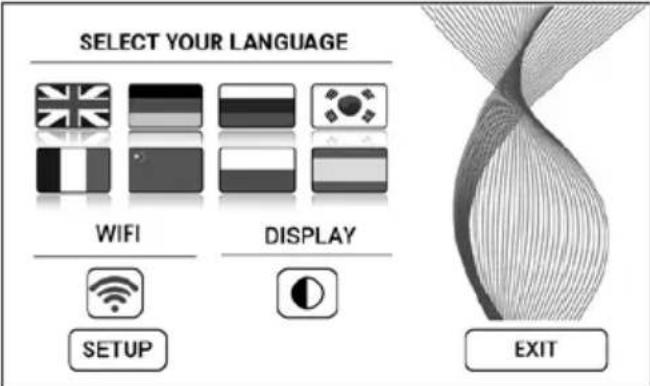 |
| Prikaz jezika WIFI | Dodirnite nacionalnu zastavu da izaberete jezik.Dodirnite taster da izaberete crnu ili belu boju pozadine ekrana.Ekran WiFi vezeUključite ili isključite WiFi dodirom na tastsiva: WiFi je onemogućen.plava: WiFi veza na Venta server je omogućena (puni pristup).zelena: WiFi veza na lokalnu mrežu je uspostavljena (lokali pristup).crvena: Nema WiFi vezePostavite WiFi funkciju. Za precizni opis, pogledajte delove "Podesi WiFi" i "Venta aplikacija". |
| PODEŠENJA | |
| 10 [IMAGE] | Dodirnite taster za uputstva i informacije o održavanju.bela: Nema uputstava.crvena: Pridržavajte se uputstava.Za precizni opis, pogledajte deo “Čišćenje i održavanje”. |
WIFI KONFIGURACIJA
za pristup WiFi konfiguraciji, prvo dodirnite taster 9, 🚙 onda taster PODEŠENJE. Izaberite „Izaberite mrežu“, a zatim svoju mrežu na padajućoj listi.
text_image
WIRELESS NETWORK Select Network: VENTA LOGIN CREDENTIALS Security type: WPA / WPA2 PSK: ********** INTERNET ACCESS Access: full access FW: 1.001.002 MAC: f8.f0.05.fb.c4.71 IP: 0.0.0.0 EXITCONNECTWIFI-AUTHORISATION INCOMING WIFI REQUEST.
YES NO

Ako je WiFi veza
onemogućena, aparat se ne spaja na Venta aplikaciju.
ČIŠĆENJE I ODRŽAVANJE
dodirnite taster 10 ✗ na ekranu da vidite informacije o održavanju. Crveno svetlo označava da je na redu održavanje tog tipa.
text_image
MAINTENANCE CHANGE FILTER: 365 DAYS CHANGE HYGIENE DISC: 91 DAYS SERVICE: 14 DAYS CCLEXSING FILL TA NK CLOSE DOOR RESET RESET RESET EXITA
natural_image
Exterior view of a modern office building (no signage)B
natural_image
Black office computer case with open lid and ventilation slots (no visible text or symbols)C

natural_image
Close-up of a mechanical component with a circular base and gear-like top, showing a black arrow pointing upward (no text or symbols)D
natural_image
Exterior view of a modern office building (no signage)Potsetnik / interval Radnje
| A FILL TANK | Rezervoar za vodu prazan, napunite svežom vodom.Žuto: Ovlažavanje se i dalje odvija.Crvena: Ovlažavanje se ne odvija. |
| CLEANING | Za proces čišćenja potrebna vam je boca (250 ml) Venta sredstva za čišćenje. Pokrenite program čišćenja dodirom na dugme ČIŠĆENJE na ekranu, a zatim pratite uputstva. Čišćenje traje oko 4h. NKon 6 meseci (neprekidnog 24-časovnog rada), dugme za održavanje svetli crveno i označava da je ova radnja nužna. |
!
text_image
WIRELESS NETWORK Select Network: VENTA LOGIN CREDENTIALS Security type: WPA / WPA2 PSK: ********** INTERNET ACCESS Access: full access FW: 1.001.002 MAC: f8.f0.05.fb.c4.71 IP: 0.0.0.0 EXITCONNECTautomatski postavljena kada se odabere. U okvir "PSK" unesite svoju WLAN lozinku/ključ (ASCII način unosa) i potvrdite s ENTER. Ako vaša lozinka sadrži posebne znakove ili prijeglase koji nisu prikazani na tipkovnici, svoju punu lozinku možete generirati kao HEX kod na našoj web stranici: www.ventaair.com. Sada unesite generirani HEX kod u okvir "PSK" (HEX način unosa) i potvrdite s ENTER. Pod "Pristup" odaberite vrstu pristupa internetu koja vam je potrebna.
WIFI AUTHORISATION INCOMING WIFI REQUEST.
YES NO
ČIŠĆENJE I ODRŽAVANJE
natural_image
Exterior view of a modern office building (no signage)B
natural_image
Black office computer case with open lid and ventilation slots (no visible text or symbols)C
natural_image
Close-up of a mechanical component with a circular base and gear-like top, showing a black arrow pointing upward (no text or symbols)D
natural_image
Exterior view of a modern office building (no signage)natural_image
Close-up of a mechanical component with a sloped top and internal cutaway view, showing no visible text or symbols.... spajanje WiFi-ja nije moguće?
Provjerite:
natural_image
Exterior view of a gray computer tower with ventilation slots and a small screen (no text or symbols visible)5
natural_image
3D diagram of a mechanical device with labeled parts (1 and 2), showing internal components without any readable text or symbols.6
natural_image
Diagram showing a water tank with a pipe and valve, alongside a close-up of the water surface (no text or symbols)7
natural_image
3D diagram of a computer case with labeled components (no text or symbols present)8
natural_image
3D rendering of a computer monitor mounted on a grid-patterned surface (no visible text or symbols)9
natural_image
Close-up of a mechanical component with a slanted top and internal cutout, mounted on a wall (no visible text or symbols)FUNKCIJE, NASTAVITVE IN PRIKAZI
other
| Feature | Value | |---------|-------| | Speed | 3 | | Humidity| 45% | | Timer | 1 h | | OFF | AUTO | | Sleep Mode | SLEEP MODE | | Child Lock | |text_image
WIRELESS NETWORK Select Network: VENTA LOGIN CREDENTIALS Security type: WPA / WPA2 PSK: ********** INTERNET ACCESS Access: full access FW: 1.001.002 MAC: f8.f0.05.fb.c4.71 IP: 0.0.0.0 EXITCONNECTWIFI-AUTHORISATION INCOMING WIFI REQUEST.
YES NO

natural_image
Exterior view of a modern office building (no signage)B
natural_image
Black office computer case with open lid and ventilation slots (no visible text or symbols)C
natural_image
Close-up of a mechanical component with a circular base and gear-like top, showing a black arrow pointing upward (no text or symbols)D
natural_image
Exterior view of a modern office building (no signage)Opomnik/Interval Ukrepi
natural_image
Exterior view of a building corner with a sloped roof and structural elements (no visible text or symbols)VĂ MULȚUMIM!
- Nu priviti direct spre lumina UVC.
natural_image
Exterior view of a computer tower with an open door and a paper clip, showing a black arrow pointing to the cover (no text or symbols visible)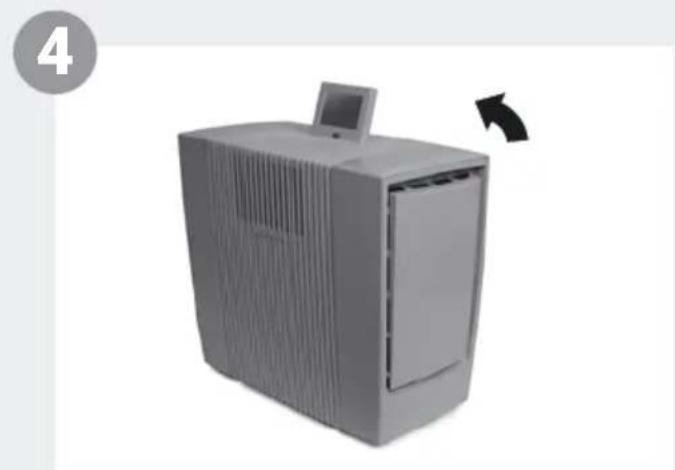
natural_image
Exterior view of a gray server tower with a monitor and ventilation slots, shown in 3D (no text or symbols visible)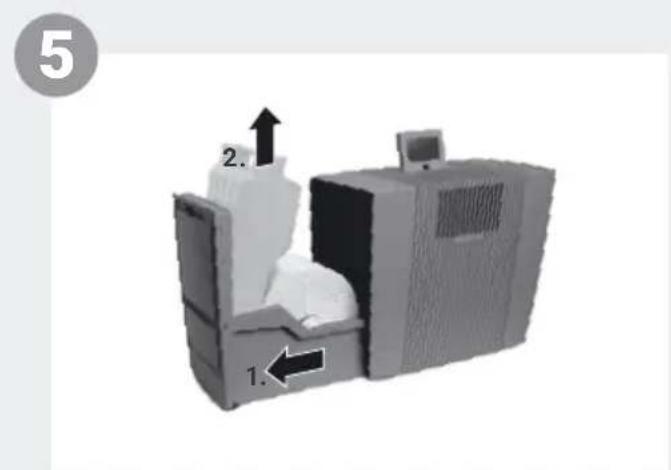
text_image
5 2. 1.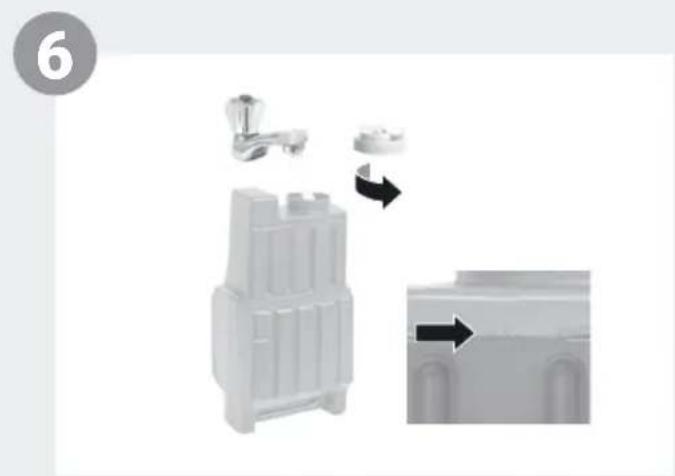
natural_image
3D model of a mechanical component with a lever and directional arrow indicating motion (no text or symbols)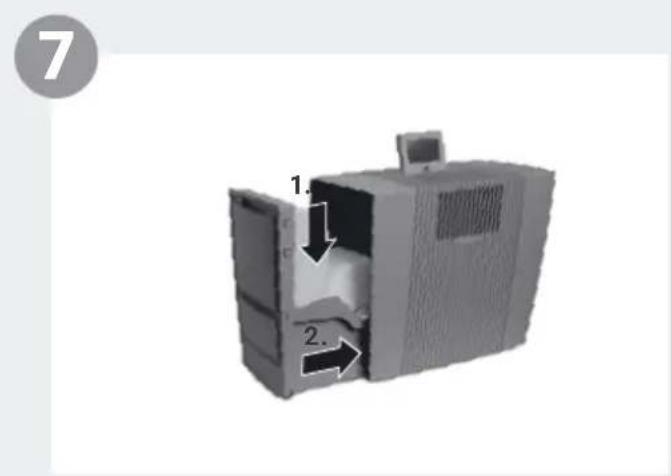
natural_image
3D rendering of a computer case with labeled parts (1 and 2), no visible text or symbols beyond labels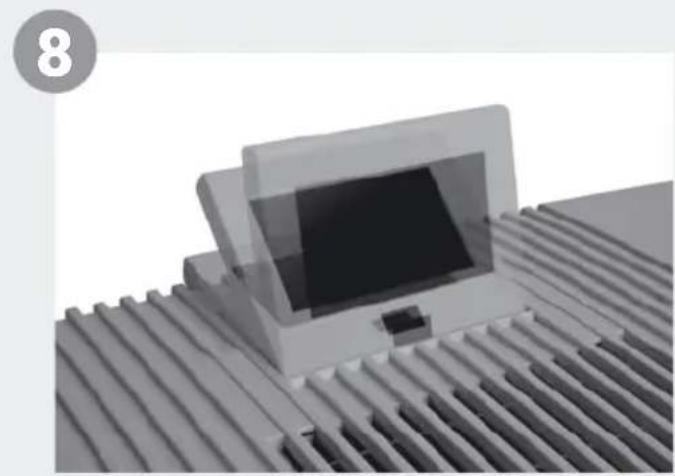
natural_image
3D rendered image of a computer monitor mounted on a corrugated metal surface (no text or symbols visible)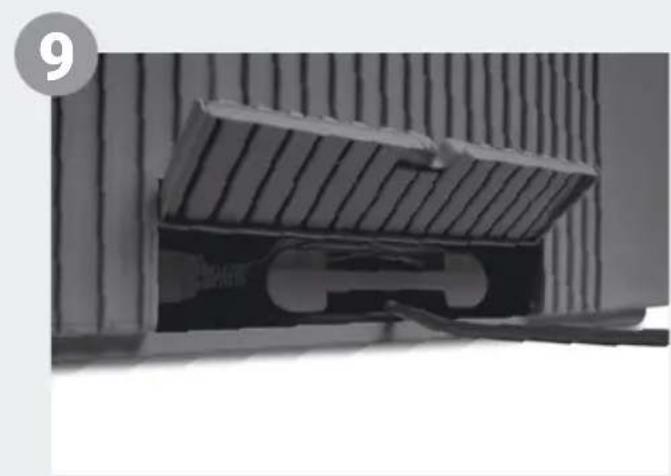
natural_image
Close-up of a mechanical component with a sloped top and internal structure, no visible text or symbolsFUNCTII, SETĂRI ȘI AFIȘAJE
text_image
WiFi 1 45 % HUMIDITY AH902 PM2.5 9 µg/m³ 5 2 SPEED 3 3 HUMIDITY 45% 4 TIMER 1 h OFF AUTO 6 10 9 OFF SLEEP MODE 7 OFF CHILD LOCK 8text_image
WIRELESS NETWORK Select Network: VENTA LOGIN CREDENTIALS Security type: WPA / WPA2 PSK: ********** INTERNET ACCESS Access: full access FW: 1.001.002 MAC: f8.f0.05.fb.c4.71 IP: 0.0.0.0 EXITCONNECTWIFI-AUTHORISATION INCOMING WIFI REQUEST.
YES NO

natural_image
Exterior view of a modern office building (no signage)B
natural_image
Black office computer case with open lid and ventilation slots (no visible text or symbols)C
natural_image
Close-up of a mechanical component with a circular base and gear-like top, showing a black arrow pointing upward (no text or symbols)D
natural_image
Exterior view of a modern office building (no signage)natural_image
Close-up of a mechanical component with a sloped top and internal cavity, showing no visible text or symbols.natural_image
Exterior view of a gray computer tower with ventilation slots and a small screen (no visible text or symbols)5
natural_image
3D diagram of a mechanical device with labeled parts (1 and 2), showing internal components without any readable text or symbols.6
natural_image
Diagram showing a water tank with faucet and valve, alongside a close-up of its internal structure (no text or symbols)7
natural_image
3D diagram of a computer case with labeled components (no text or symbols present)8
natural_image
3D rendering of a laptop mounted on a corrugated metal surface (no text or symbols visible)9
natural_image
Close-up of a mechanical component with ribbed structure and mounting bracket (no visible text or symbols)text_image
WIRELESS NETWORK Select Network: VENTA LOGIN CREDENTIALS Security type: WPA / WPA2 PSK: ********** INTERNET ACCESS Access: full access FW: 1.001.002 MAC: f8.f0.05.fb.c4.71 IP: 0.0.0.0 EXITCONNECTWIFI-AUTHORISATION INCOMING WIFI REQUEST.
YES NO

natural_image
Exterior view of a modern office building (no signage)B
natural_image
Black office computer case with open door and ventilation slots (no visible text or symbols)C
natural_image
Close-up of a mechanical component with a circular top and gear-like side, showing a black arrow pointing upward (no text or symbols)D
natural_image
Exterior view of a modern office building (no signage)natural_image
Close-up of a mechanical component with a curved cutaway section and an arrow indicating direction (no visible text or symbols)GAMBARAN KESELURUHAN
1 Paparan
2 Suis hidup / mati
3 Ruang penyejat
4 Tangki air
5 Paket plat VentWave
6 Penadah air
7 Ruang penapis
8 Lampu UVC (prapasang)
9 Penapis habuk kasar
10 Penapis HEPA
11 Ruang kabel
12 Cakera kebersihan (prapasang)
13 Unit kawalan jarak jauh
14 Penggelek penghantaran
text_image
AH902 1 2 3 4 5 6 14 12 7 8 9 10 11 13PERMULAAN

natural_image
Exterior view of a gray computer tower with ventilation slots and a small screen (no text or symbols visible)5
natural_image
3D diagram of a mechanical device with labeled parts (1 and 2), showing internal components without any readable text or symbols.6
natural_image
Diagram showing a water tank with a pipe and valve, alongside a close-up of the water surface (no text or symbols)7
natural_image
3D diagram of a computer case with labeled components (no text or symbols present)8
natural_image
3D rendering of a computer monitor mounted on a grid-patterned surface (no visible text or symbols)9
natural_image
Close-up of a mechanical component with a slanted top and internal cutout, mounted on a wall (no visible text or symbols)FUNGSI, TETAPAN & PAPARAN
text_image
WiFi 1 45 % HUMIDITY AH902 PM2.5 9 µg/m³ 5 2 SPEED 3 3 HUMIDITY 45% 4 TIMER 1 h 10 9 AIR QUALITY OFF AUTO OFF SLEEP MODE OFF CHILD LOCKtext_image
SELECT YOUR LANGUAGE WIFI DISPLAY SETUP EXITtext_image
WIRELESS NETWORK Select Network: VENTA LOGIN CREDENTIALS Security type: WPA / WPA2 PSK: ********** INTERNET ACCESS Access: full access FW: 1.001.002 MAC: f8.f0.05.fb.c4.71 IP: 0.0.0.0 EXITCONNECTWIFI-AUTHORISATION INCOMING WIFI REQUEST.
YES NO

Sekiranya sambungan WiFi
natural_image
Exterior view of a modern office building (no signage)B
natural_image
Black office computer case with open lid and ventilation slots (no visible text or symbols)C
natural_image
Close-up of a mechanical component with a circular base and gear-like top, showing a black arrow pointing upward (no text or symbols)D
natural_image
Exterior view of a modern office building (no signage)KITAR SEMULA & PELUPUSAN
natural_image
Close-up of a mechanical component with a hatched upper section and a white arrow pointing to a feature (no visible text or symbols)natural_image
Exterior view of a gray computer tower with ventilation slots and a small screen (no text or symbols visible)5
natural_image
3D diagram of a mechanical device with labeled parts (1 and 2), showing internal components without any readable text or symbols.6
natural_image
Diagram showing a water tank with a pipe and valve, alongside a close-up of the water surface (no text or symbols)7
text_image
1. 2.8
natural_image
3D rendering of a computer monitor mounted on a grid-patterned surface (no visible text or symbols)9
natural_image
Close-up of a mechanical component with ribbed texture and a U-shaped cutout (no visible text or symbols)機能、設定および表示
text_image
WiFi 1 45 % HUMIDITY 2 SPEED 3 HUMIDITY 45 % TIMER 1 h AH902 PM2.5 9 MKr/M³ AIR QUALITY OFF AUTO OFF SLEEP MODE OFF CHILD LOCK 10 9text_image
WIRELESS NETWORK Select Network: VENTA LOGIN CREDENTIALS Security type: WPA / WPA2 PSK: ********** INTERNET ACCESS Access: full access CONNECT FW: 1.001.002 MAC: f8.f0.05.fb.c4.71 IP: 0.0.0.0 EXITnatural_image
Exterior view of a modern office building (no signage)B
natural_image
Black office computer case with open lid and ventilation slots (no visible text or symbols)C
natural_image
Close-up of a mechanical component with a circular base and gear-like top, showing a black arrow pointing upward (no text or symbols)D
natural_image
Exterior view of a modern office building (no signage)指示 / 間隔 措置
natural_image
Close-up of a mechanical component with a sloped top and internal cutaway view, showing no visible text or symbols....WiFiが接続できない場合には?
以下のことを確認してください:
natural_image
Exterior view of a computer tower with an open door and a paper clip, showing a black arrow pointing to the cover (no text or symbols visible)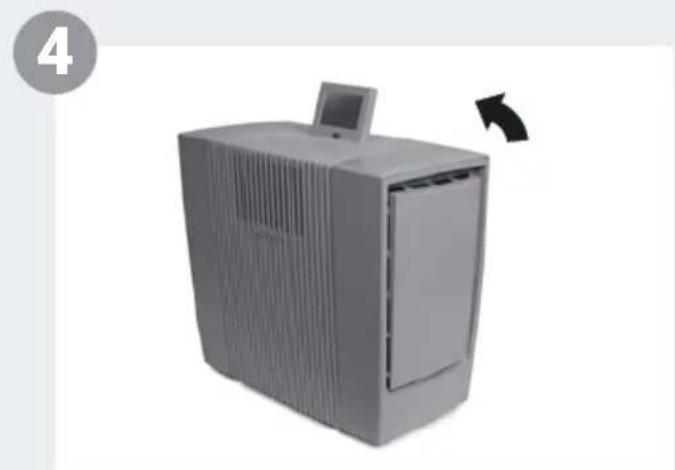
natural_image
Exterior view of a gray server tower with a monitor and ventilation slots, shown in 3D (no text or symbols visible)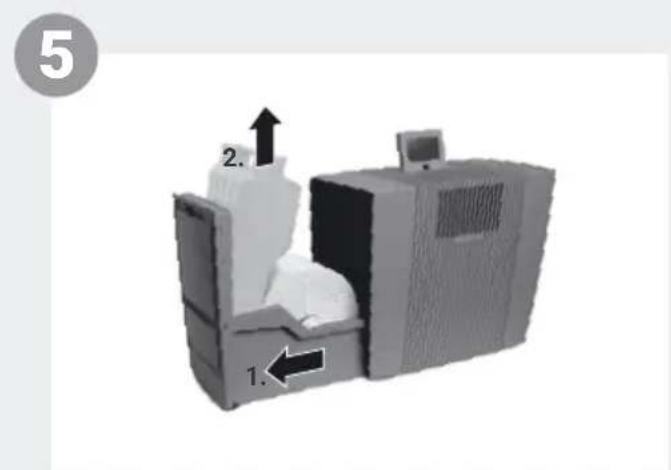
text_image
5 2. 1.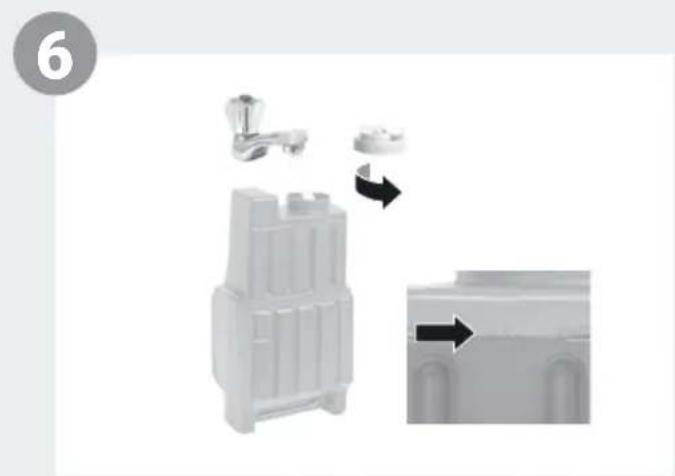
natural_image
3D model of a mechanical component with directional arrows indicating motion (no text or symbols)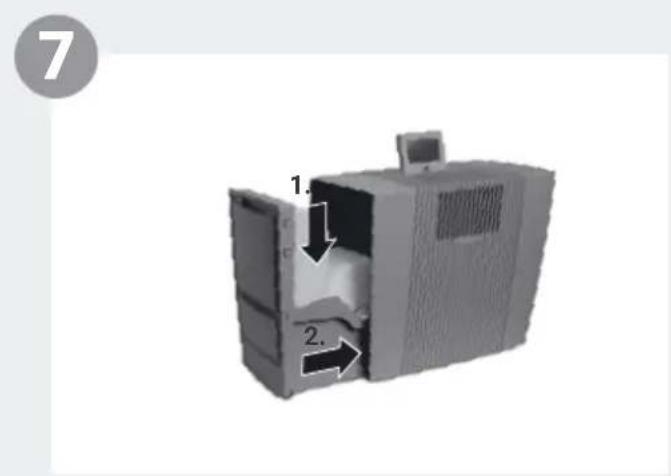
natural_image
3D rendering of a computer case with labeled parts (1 and 2), no visible text or symbols on the device itself.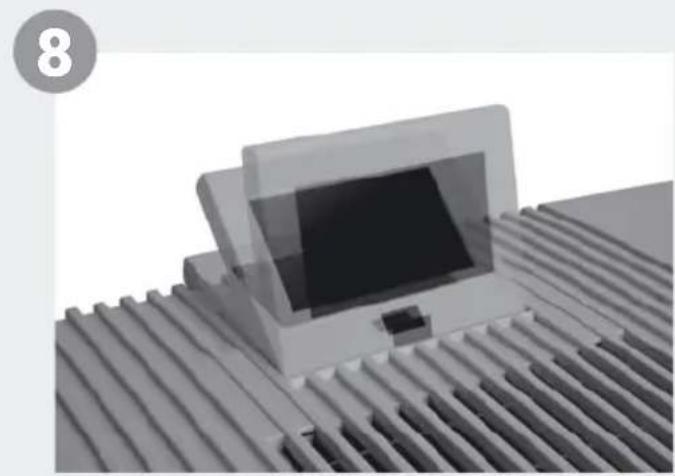
natural_image
3D rendered image of a computer monitor mounted on a corrugated metal surface (no text or symbols visible)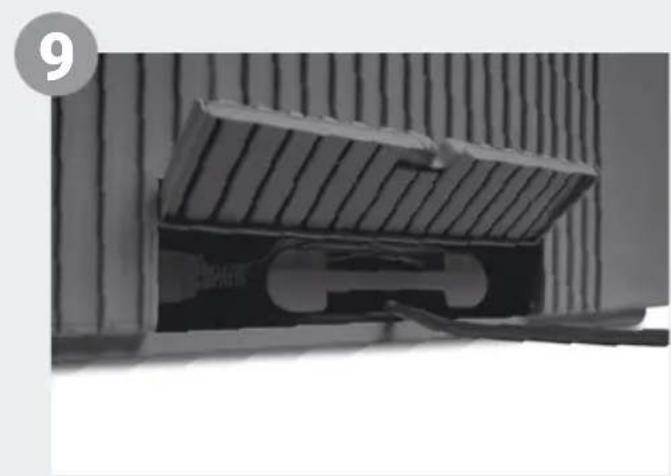
natural_image
Close-up of a mechanical component with a sloped top and internal structure, no visible text or symbols功能、设置和显示
text_image
WiFi 1 45 % HUMIDITY AH902 PM2.5 9 µg/m³ 5 2 SPEED 3 3 HUMIDITY 45% 4 TIMER 1 h OFF AUTO 6 10 9 OFF SLEEP MODE 7 OFF CHILD LOCK 8text_image
WIRELESS NETWORK Select Network: VENTA LOGIN CREDENTIALS Security type: WPA / WPA2 PSK: ********** INTERNET ACCESS Access: full access CONNECT FW: 1.001.002 MAC: f8.f0.05.fb.c4.71 IP: 0.0.0.0 EXITWIFI-AUTHORISATION INCOMING WIFI REQUEST.
YES NO
清洁和保养
natural_image
Exterior view of a modern office building (no signage)B
natural_image
Black office computer case with open lid and ventilation slots (no visible text or symbols)C
natural_image
Close-up of a mechanical component with a circular base and gear-like top, showing a black arrow pointing upward (no text or symbols)D
natural_image
Exterior view of a modern office building (no signage)注意/间隔 措施
natural_image
Close-up of a mechanical component with a hinged top and internal cutaway view, showing no visible text or symbols.SERVICE AND SUPPORT
GERMANY
United States of America
service-hu@venta-air.com
www.letmerepair.com
ITALY
LetMeRepair GmbH
Fichtestrasse 1a
02625 Bautzen
service-it@venta-air.com
www.letmerepair.com
JAPAN
Address Service Co., Ltd.
17-9, Shinoda, Togane-shi,
Chiba, 283-0013 Japan
Tel.: 0120-407-554
venta_support@adservice.
co.jp
CHILE
Venta Air Technologies Inc.
US Headquarters
300 North Elizabeth Street
Suite 220 B
Chicago, Il 60607
United States of America
No. 27, Jalan PP 11/4,
Alam Perdana Indust-
rial Park, Taman Putra
Perdana, 47130 Puchong,
Selangor, Malaysia
Tel.: +603-8322 6628
Fax: +603-8322 6066
info@gasales.com.my
MONGOLIA
AERIS LLC
SUITE 316, Barilga Archi-
tecture Building, Chinggis
Avenue, Oron Suuts Street,
2nd horoo, Khan-Uul
district, Ulaanbaatar,
Mongolia 17032
Tel.: +976-99101185,
+976-99096696
sales@aeris.mn
www.aeris.mn
PORTUGAL
LetMeRepair GmbH
Fichtestrasse 1a
02625 Bautzen
service-pt@venta-air.com
www.letmerepair.com
RUSSIA
Venta Russia TSK IMPORT
Kelvin South Business
Park, East Kilbride, G75
OYB, Scotland, UK
Tel.: +44 (0) 1355 241 222
service-uk@venta-air.com
Fax+441355246575
SLOVAKIA
LetMeRepair GmbH
Fichtestrasse 1a
02625 Bautzen
service-sk@venta-air.com
www.letmerepair.com
SPAIN
LetMeRepair GmbH
Fichtestrasse 1a
02625 Bautzen
service-es@venta-air.com
www.letmerepair.com
SOUTH AFRICA
EUROCARE Wellness
5 Star Business Park,
Unit 2, Persimmon Close,
Honeydew, Johannesburg
Südafrika
Tel.: +27 11 888 3255
Fax: +27 11 888 9874
info@eurocarewellness.
co.za
SOUTH KOREA
VENTA KOREA CO., LTD.
3/F., Seojin Bldg., 754
Seolleung-ro, Gangnam-
Gu, Seoul 135-948, Korea
Tel.: +82 22 03 40 114
Fax: +82 22 03 40 119
UKRAINE
Venta-Centre Ukrein
Schlichtera, 11
Kharkov, Ukraine
Tel.: +38 057 752 72 72
Fax: +38 057 768 01 57
venta@venta.com.ua
SERVICE AND SUPPORT
www.venta-air.com/Service/Service-Support/
VENTA WORLD WIDE
www.venta-air.com/en_de/Venta-worldwide/
EAC CE