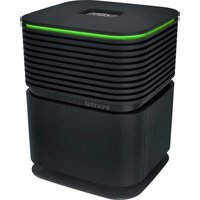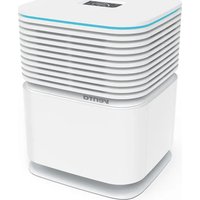
AeroStyle Compact AW730 - Air purifier Venta - Free user manual and instructions
Find the device manual for free AeroStyle Compact AW730 Venta in PDF.


| Product Type | Air purifier with humidification (air cleaner / air purifier) |
| Brand | Venta |
| Model | AeroStyle Compact AW730 (also AW735) |
| Available colors | White, black |
| Dimensions (W × D × H) | 34 × 33 × 44 cm |
| Weight | Approx. 7.7 kg |
| Power supply | 100–240 V~, 50/60 Hz |
| Power consumption | 5–60 W (depending on mode) |
| Water tank capacity | 6 liters (WATERLINE mark) |
| Recommended room size | Up to 50 m² (depending on pollution) |
| Filter type | VENTA 2-ply filter (HEPA) |
| Filter life | Approx. 1 year (24/7) |
| Noise level | 23–55 dB (SPL) depending on speed |
| Fan speeds | 5 levels + Turbo mode (purification only) |
| Display and controls | Interactive touch screen, LED strip, Smart Life app |
| Connectivity | WiFi 2.4 GHz (IEEE 802.11b/g/n), Bluetooth for pairing |
| Operating modes | Air cleaner (humidification + purification), Air purifier (purification only), Auto, Sleep |
| Humidity setting | 30–70 % RH (in 5% steps) |
| Sensors | Air quality (PM2.5) and relative humidity |
| Regular maintenance | Drain and rinse every 14 days; thorough cleaning every 6 months |
| Required additive | Venta hygienic additive (supplied with the device, available separately) |
| Maintenance indicators | Display: cleaning (CLEANING), filter change (FILTER), drain/service (SERVICE, WATER) |
| Safety | Automatic shut-off if tank empty; overheat protection; protection class II |
| Included accessories | Quick start guide, safety instructions, power supply, hygienic additive, 4 support pieces (purifier mode) |
| Warranty | 2 years (subject to proper use) |
Frequently Asked Questions - AeroStyle Compact AW730 Venta
User questions about AeroStyle Compact AW730 Venta
0 question about this device. Answer the ones you know or ask your own.
Ask a new question about this device
Download the instructions for your Air purifier in PDF format for free! Find your manual AeroStyle Compact AW730 - Venta and take your electronic device back in hand. On this page are published all the documents necessary for the use of your device. AeroStyle Compact AW730 by Venta.
USER MANUAL AeroStyle Compact AW730 Venta
natural_image
Two stacked electronic devices, one white and one black, displayed against a blue background (no visible text or symbols)VIELEN DANK!
natural_image
Two electronic devices: a black bottle with a probe and a black rectangular device connected to a cable (no visible text or symbols)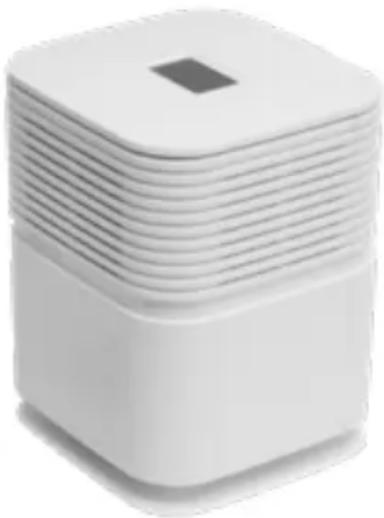
natural_image
Stacked white square electronic device with a small square top on top (no visible text or symbols)ÜBERSICHT
natural_image
Exploded view diagram of a white industrial machine with internal components (no text or symbols)INBETRIEBNAHME
natural_image
Two-step diagram showing a device being folded into a plastic housing, with blue arrows indicating the process (no text or symbols present)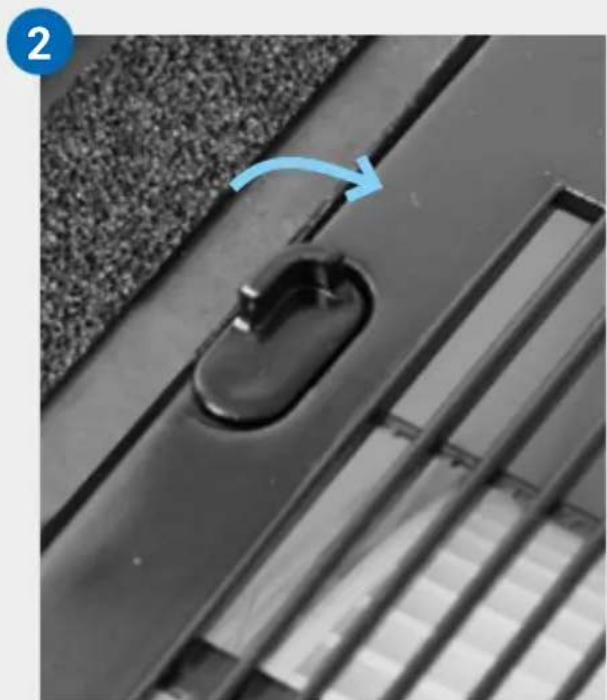
natural_image
Close-up of a black door handle with a blue arrow indicating rotation, set on a textured surface (no text or symbols)3
natural_image
Stacked electronic components with upward arrows indicating assembly or transformation (no text or symbols visible)4
natural_image
Diagram of a white electronic device with two open panels and blue arrows indicating downward motion (no text or symbols)5
natural_image
Close-up of a black plastic door handle with a curved handle, mounted on a textured surface (no text or symbols visible)6
\~61->Waterline
natural_image
White laboratory water dispenser with a pipette and tubing, no visible text or symbols7
natural_image
Close-up of a white industrial machine with internal components and a magnified inset showing its edge to the right (no text or symbols visible)natural_image
White square electronic device with layered top and base, showing a small screen icon and a blue arrow pointing to it (no text or symbols visible)9
natural_image
Close-up of a black plastic electrical plug inserted into a white socket, with a blue arrow pointing to it (no text or symbols visible)10
DISPLAY
natural_image
Two white plastic containers with a blue arrow indicating rotation or change (no text or symbols)natural_image
Two 3D blocks with a blue arrow pointing downward from one to the other (no text or symbols)natural_image
Close-up of a white industrial ventilation grille (no text or symbols visible)natural_image
Two white 3D blocks with arrows indicating a transformation or rotation process (no text or symbols)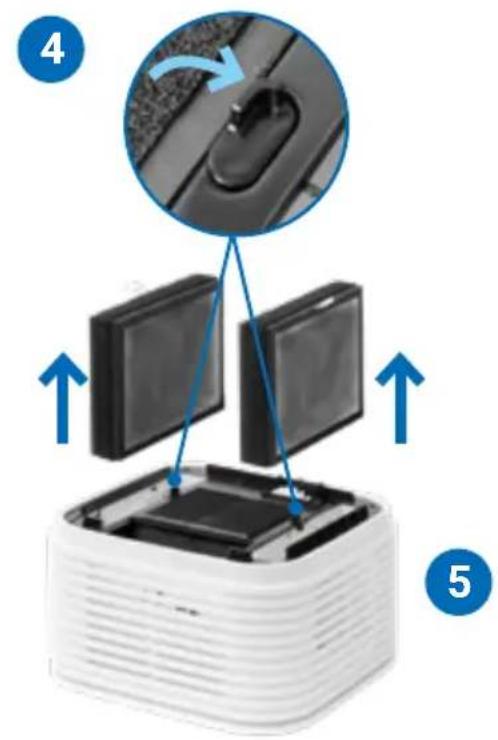
natural_image
Close-up of a white plastic electronic component with three views of its internal structure, showing internal components and a grid pattern (no text or symbols visible)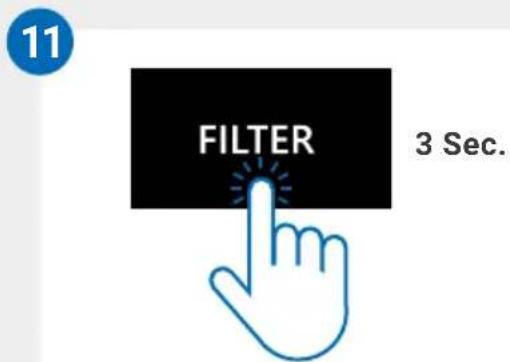
Reset-Menü
We are convinced that this VENTA model will exceed your expectations and we hope you will enjoy it.
Please register your VENTA unit: www.venta-air.com
DE

DEAR CUSTOMER,
the powerful AeroStyle Compact Airwasher humidifies indoor air and reduces fine dust, viruses and formaldehyde gases.
SYMBOLS USED

Caution: Danger to the integrity of health and product.

Read the operating instructions carefully and follow them!

The device complies with the CE, UKCA and FCC markings.

This device complies with protection class II.
TABLE OF CONTENTS
Safety instructions 27
Intended use 29
Warranty
Scope of delivery 29
Putting into operation 31
Display
Operation
Wifi / Hotspot 39
29
34
35
[Non-Text]
Configuration & smart life app 40
Cleaning / Maintenance 41
Cleaning the device 45
Technical data 46
Accessories 47
Data protection 47
Disposal 47
What if...? 48

SAFETY INSTRUCTIONS
Please read this operating manual in its entirety, keep it for later reference and note all safety instructions as well as instructions for the proper use of the appliance. You can find the latest version of the operating manual on our website www.venta-air.com
- This appliance is suitable for use by children over the age of 8 years and people with restricted physical, sensory, or mental capacities or lack of experience and knowledge, providing they are supervised or have received instructions on the safe use of the appliance and understand the existing hazards.
- Read the operating instructions completely before putting the appliance into operation and keep them for later reference.
• The appliance is not a toy for children. - Cleaning and user maintenance may not be performed by children under the age of 8 years or without supervision.
- Keep the appliance and its power cable out of the reach of children under the age of 8 years.
- Improper use can damage the appliance and cause physical injuries.
- Plug the appliance into suitable power outlets only – the mains voltage must correspond to the nameplate data on the appliance.
- Always unplug the appliance before maintenance work, during filling and when moving or transporting the appliance, unplug the power supply unit from the socket.
- Never use the appliance if it has a damaged power cable.
- Disconnect the power supply before every cleaning or maintenance operation and before transportation of the appliance.
- Never use the appliance if it has been dropped or damaged in any way.
- Electrical appliances should only be repaired by professional specialists. Amateur repairs could result in considerable danger to the user.
- Do not sit on the appliance and do not place any objects on it.
- Do not put any foreign objects into the appliance.
- Never immerse the appliance in water or any other liquid.
- Never overfill the appliance.
-
Never transport or tilt the appliance when the tank is full.
-
Never disconnect the power supply by pulling on the cable or with wet hands.
- The appliance should only be operated when it is completely assembled.
- Place the appliance on a stable surface which is flat and dry.
- Set up the appliance so that it cannot be knocked over, and so that no one can trip over it or the cable.
-
Leave at least the following distances from other objects and walls:
-
In the front and above: 50 cm
- To the left and right: 20 cm
- Behind: 5 cm
• Maximum installation altitude: 2000 meters - Never cover or block the vents to prevent overheating/damage to the appliance.
- A persistent relative ambient humidity of more than 60 %, especially in winter, can enable the formation of biological organisms.
- Do not permit the area around the appliance to become damp or wet. If dampness occurs, turn the output of the appliance down. If the appliance output volume cannot be turned down, use the appliance intermittently. Do not allow absorbent materials, such as carpeting, curtains, drapes, or tablecloths, to become damp.
- Note that high humidity can promote the growth of biological organisms in the environment.
- The design of the appliance and the cold evaporation technology make it impossible for water to leak directly from it in the form of droplets, vapor, mist or lime deposits, providing you use it correctly.
- Only operate the appliance with original Venta accessories designed for the purpose. Do not use aromatic oils or other additives. Venta-Luftwäscher GmbH accept no liability for damage due to aromatic oils or other unsuitable additives.
- If you do not use the appliance for several days or put it into storage for a longer period, empty the water tray completely, clean it and dry thoroughly to prevent odors or biological organisms from developing in standing water or water residues. Clean the appliance before the next use.
- Unplug the power supply unit from the socket when you are not using the appliance
INTENDED USE
This Venta appliance is a domestic appliance for improving indoor air quality in homes, offices and leisure facilities. The appliance is not suitable for outdoor areas. Any other use or modification of the appliance is considered to be improper use. Venta is not liable for damage or injuries resulting from improper use.
Using the appliance for something other than the intended purpose can endanger health and lives. This includes use under the following conditions:
- in rooms or locations where there is risk of explosion and/or where there is an aggressive atmosphere.
- in rooms where there is a high concentration of solvents.
- in the vicinity of swimming pools or other wet areas.
WARRANTY
Due to its high quality, Venta-Luftwäscher GmbH warrants that this product will be free from defects for a period of two years from the date of purchase, provided it is used properly. Should a material or processing defect occur, please contact the VENTA service team or your dealer. VENTA's general warranty conditions also apply: www.venta-air.com
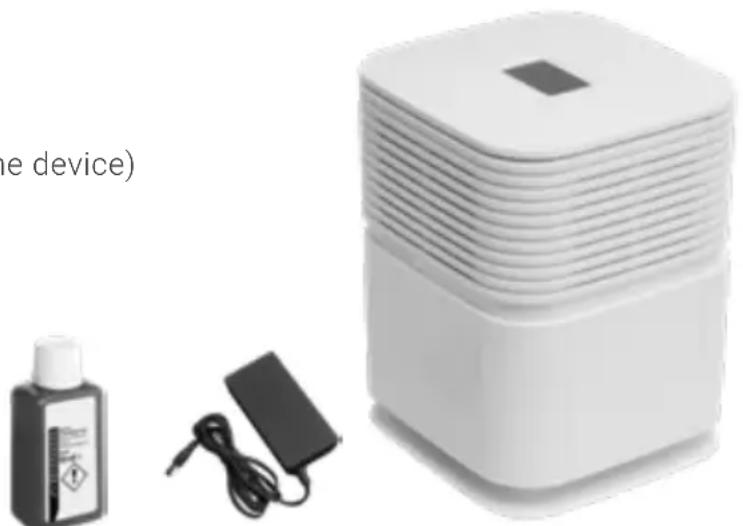
SCOPE OF DELIVERY
1 × Quick start guide
1 × Safety instructions
1 × VENTA Airwasher
1 × Filter unit (integrated in the device)
1 × Power supply
1 × Hygiene Additive
natural_image
Product photo of a white electronic device with a square base, accompanied by a small battery and charging plug (no visible text or symbols)OVERVIEW
A Display
B Upper part of the unit
C Filter
D Hygienic disk
E Disk stack
F Water tray
G 4 × support parts (only for operation as an Air Purifier without water tray)
H Lower part of unit

natural_image
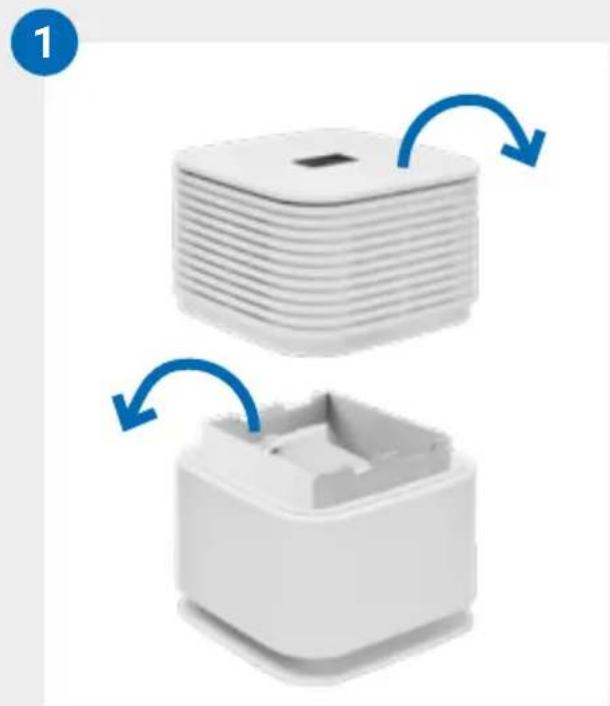
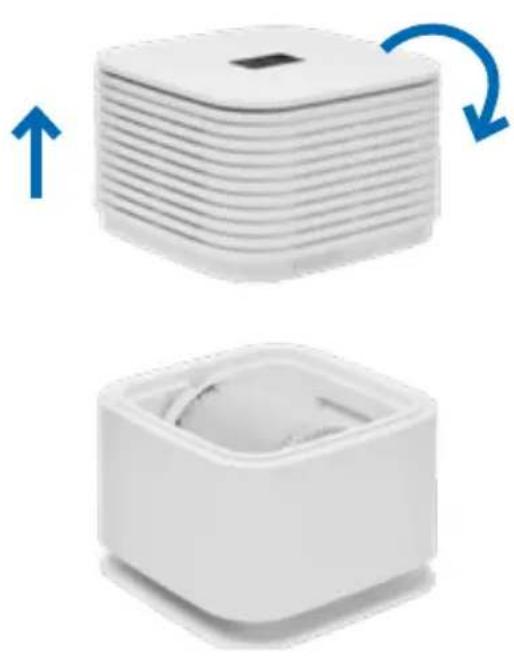
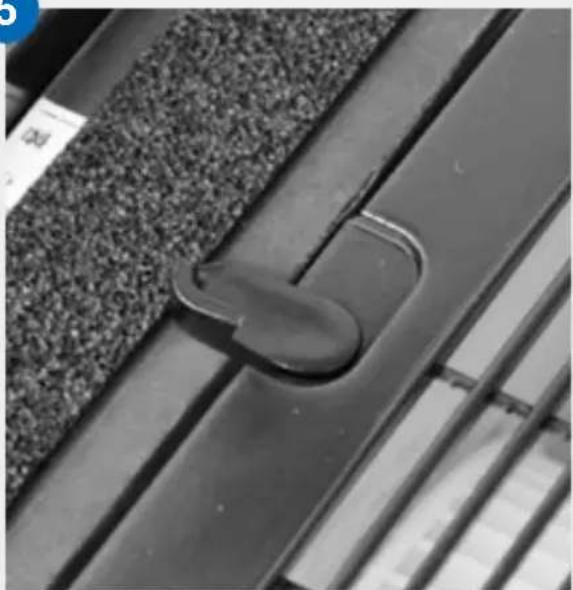
Exploded view diagram of a white industrial machine with internal components (no text or symbols)1 Remove the appliance from its packaging and set it up. Remove the upper part of the appliance (B) and place it with the top side on a soft, flat surface (e.g. a carpet). Remove the transportation lock.
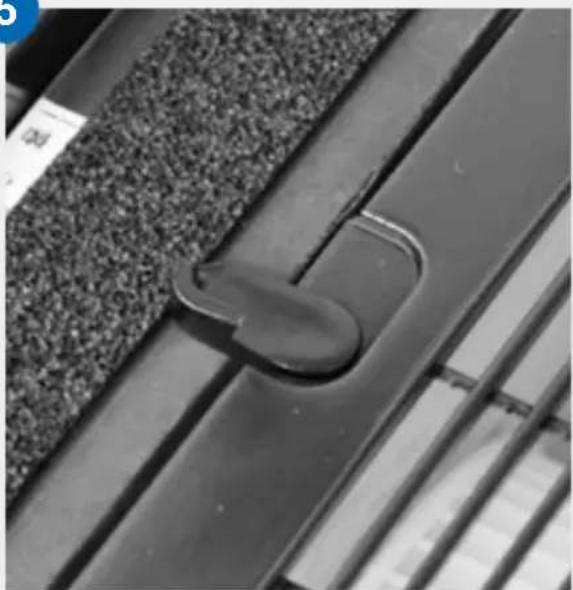
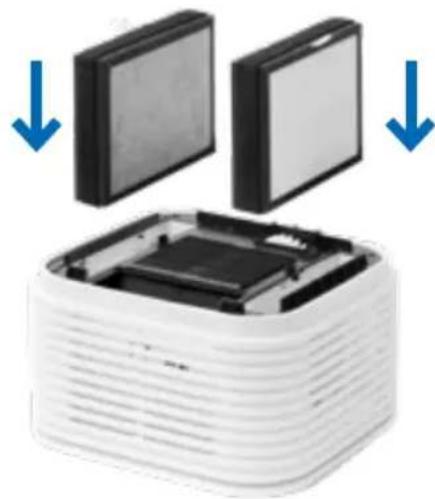
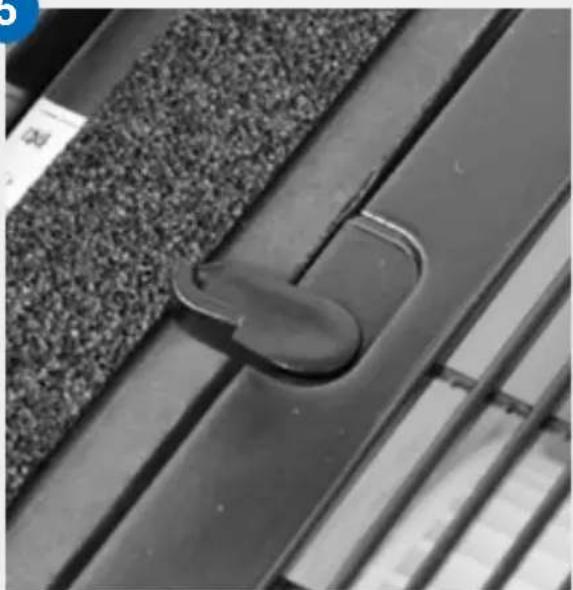
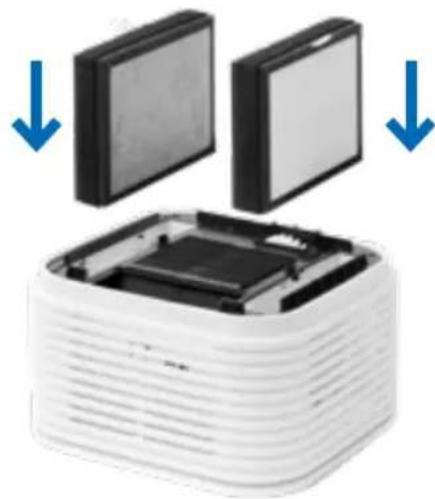
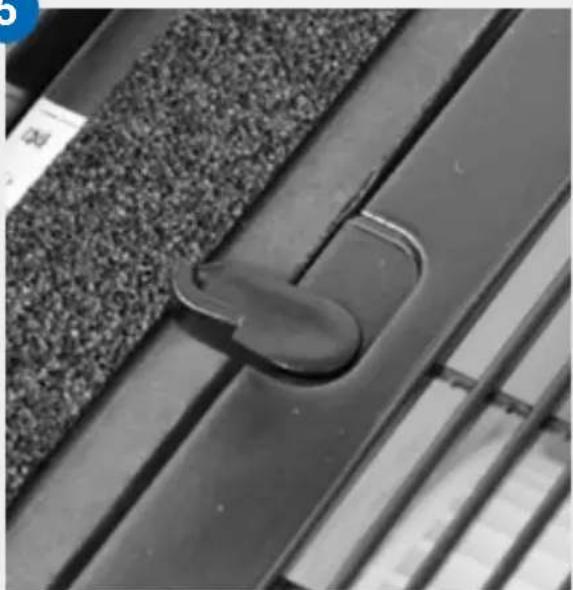
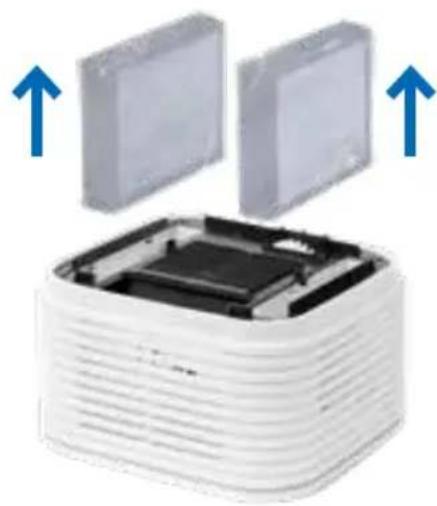
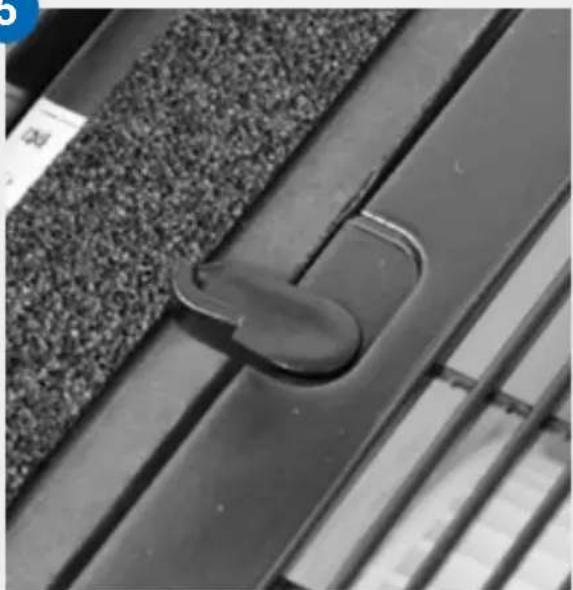
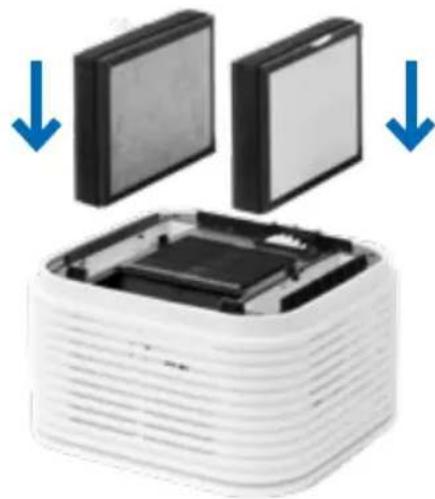
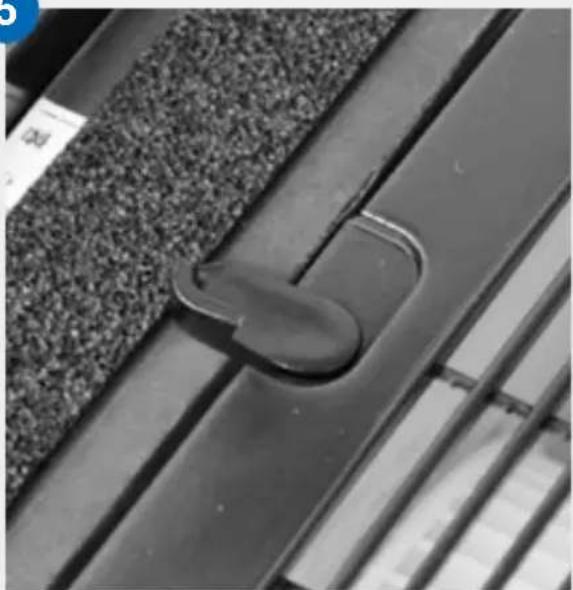
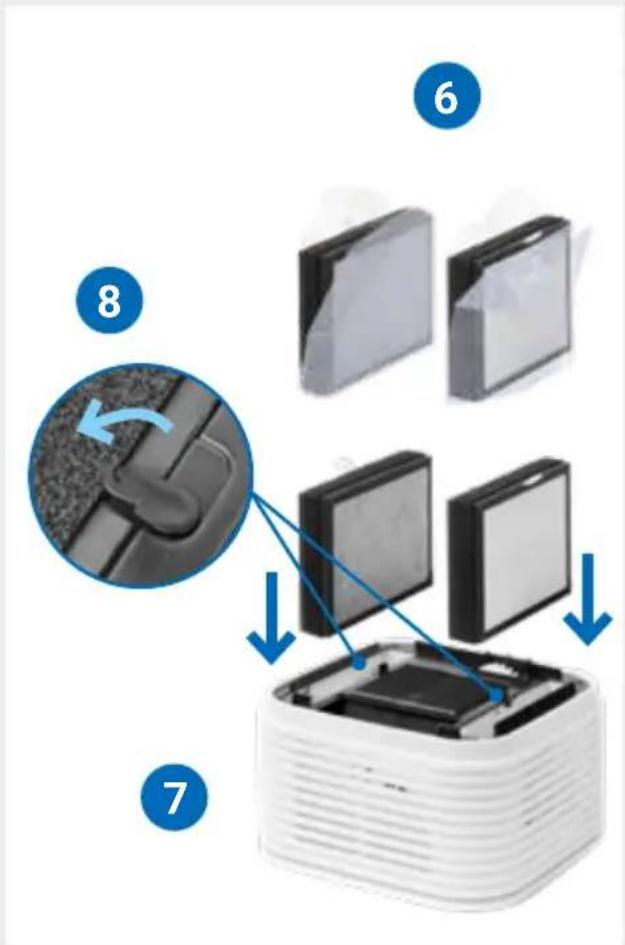
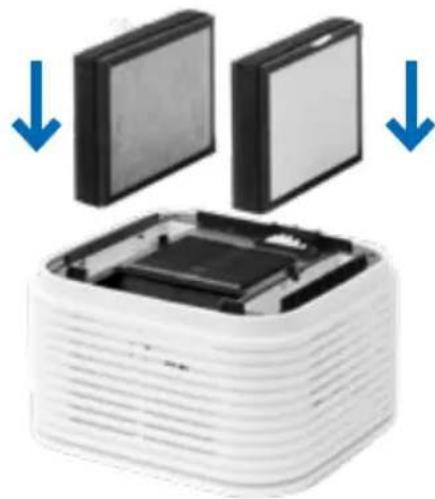
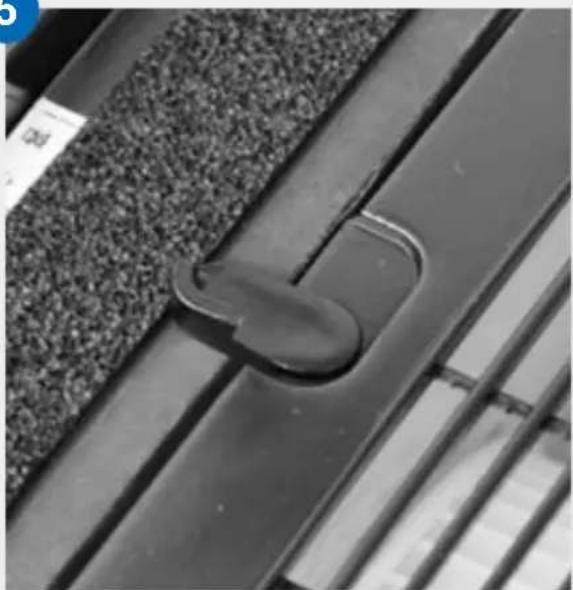
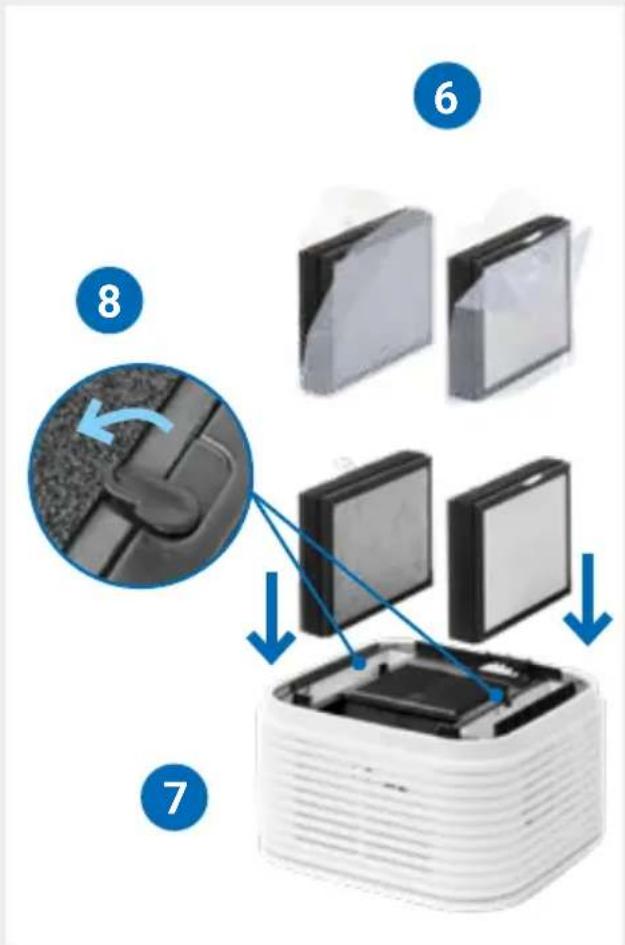
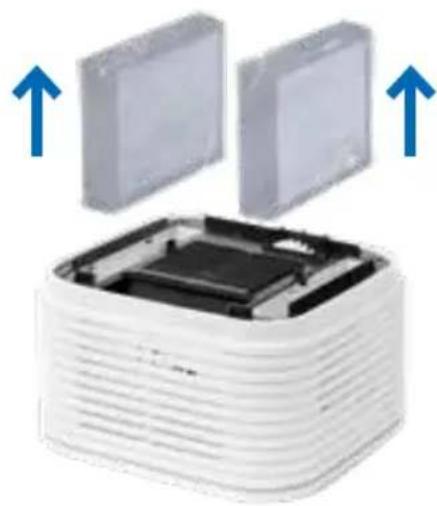
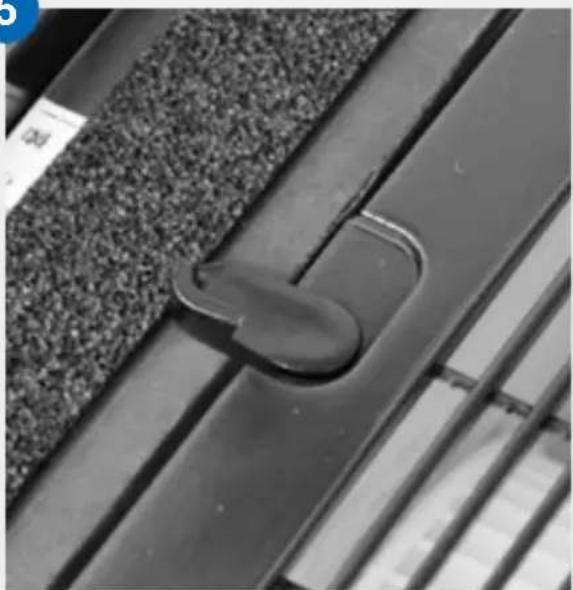
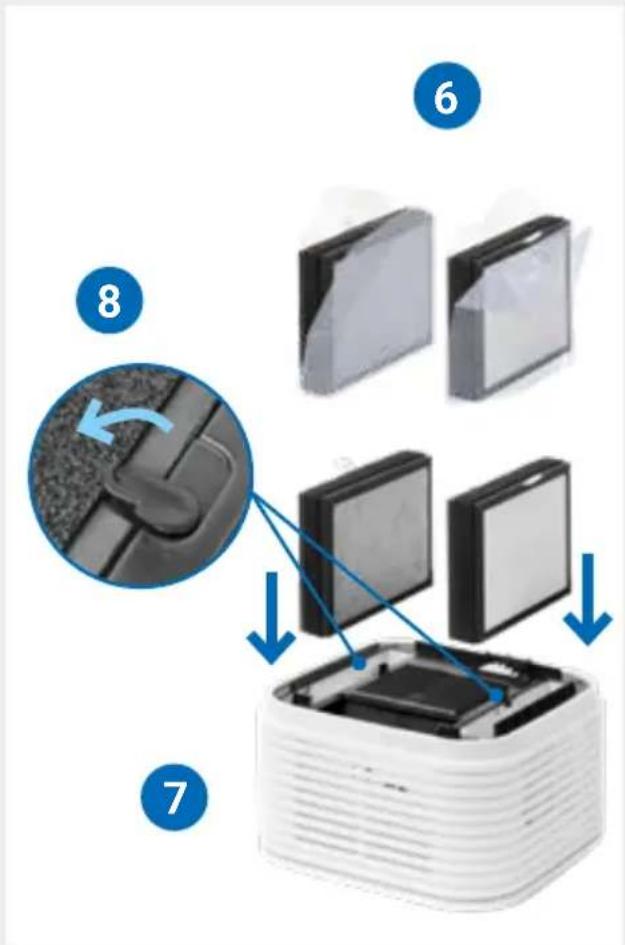
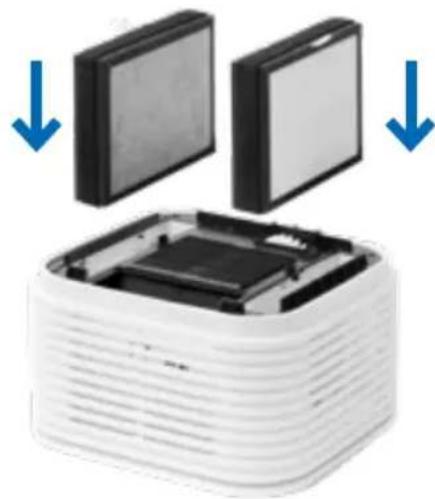
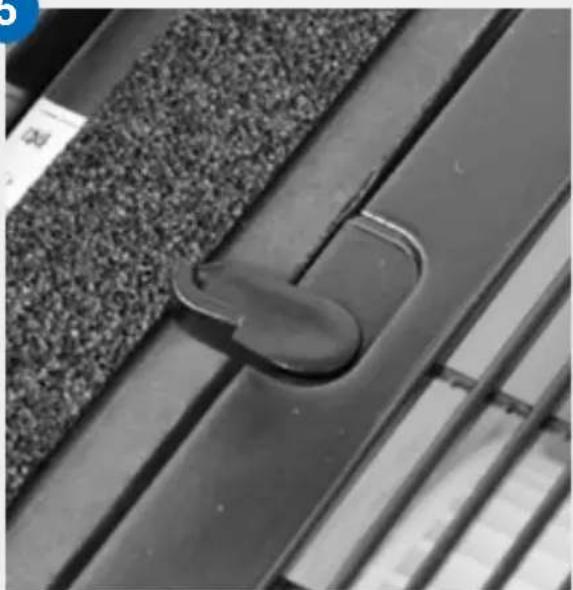
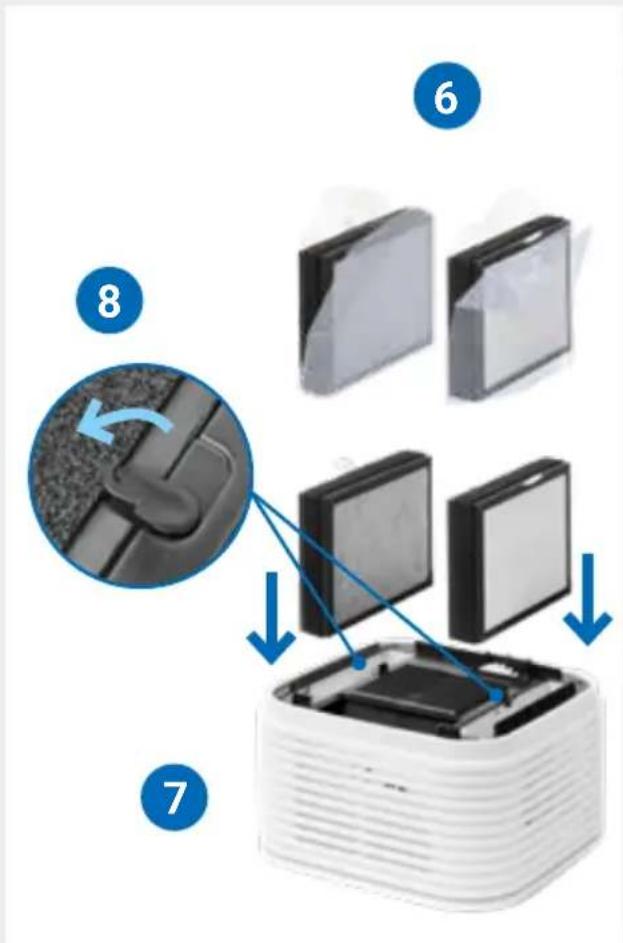
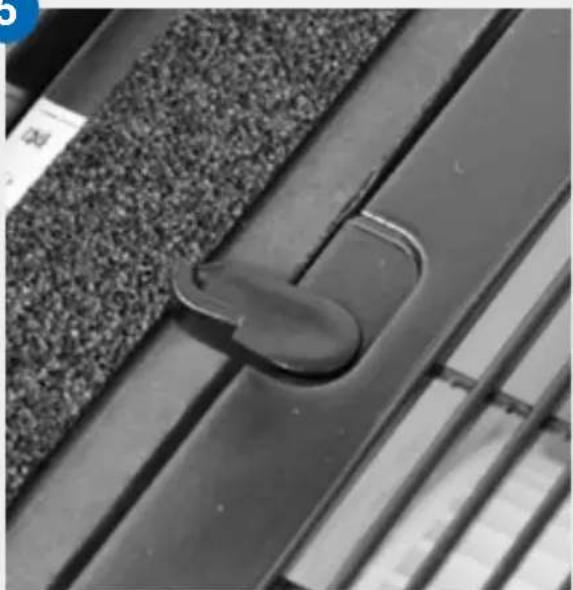
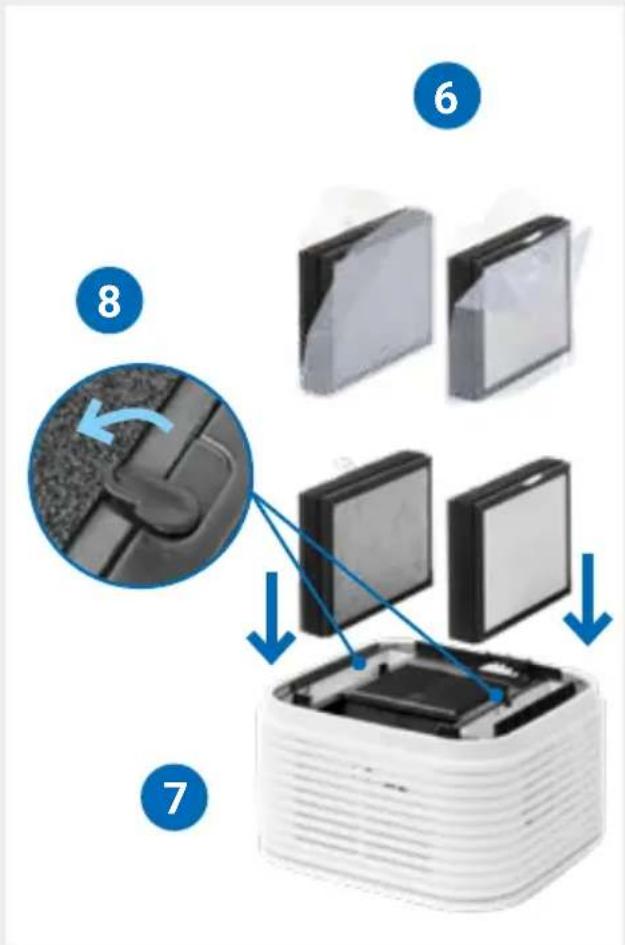
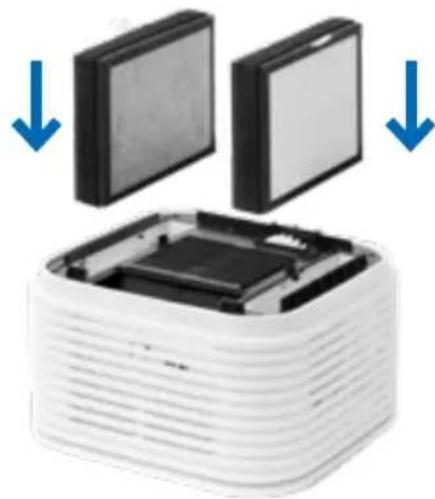
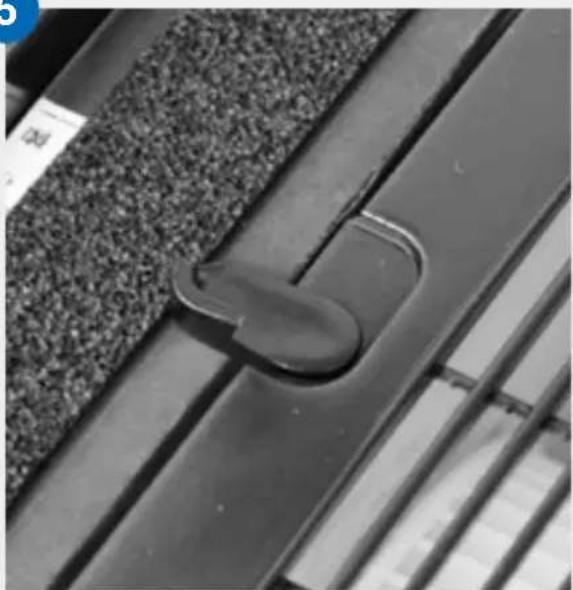
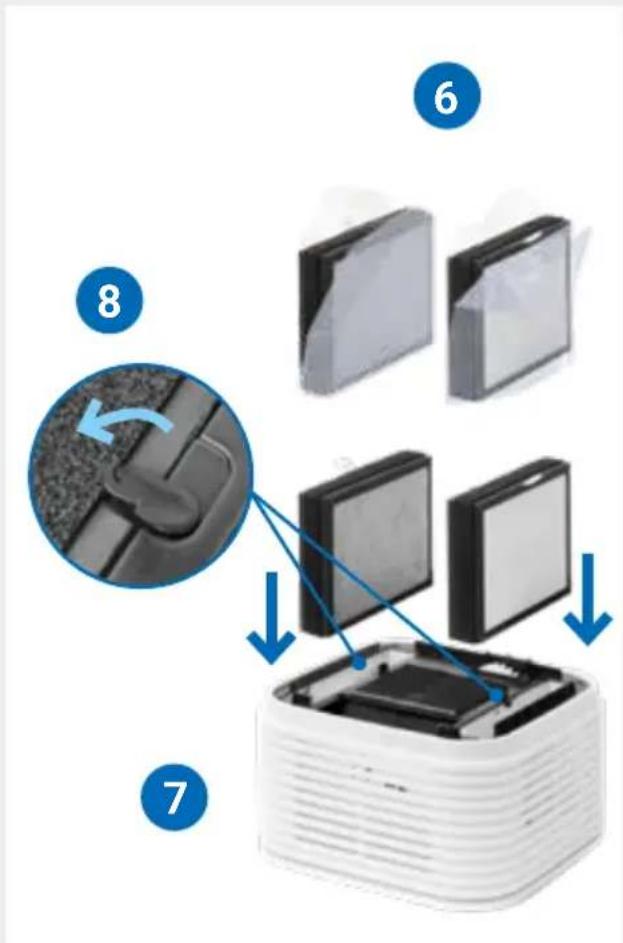
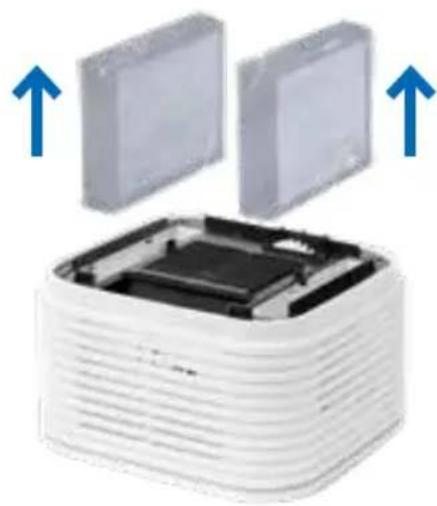
2 Open the locking mechanism in the upper part (B) of both filter inserts.
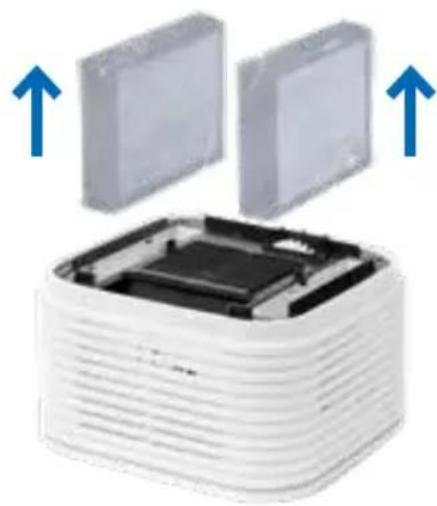
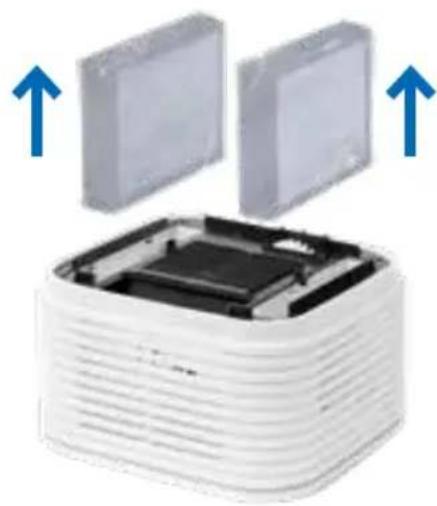
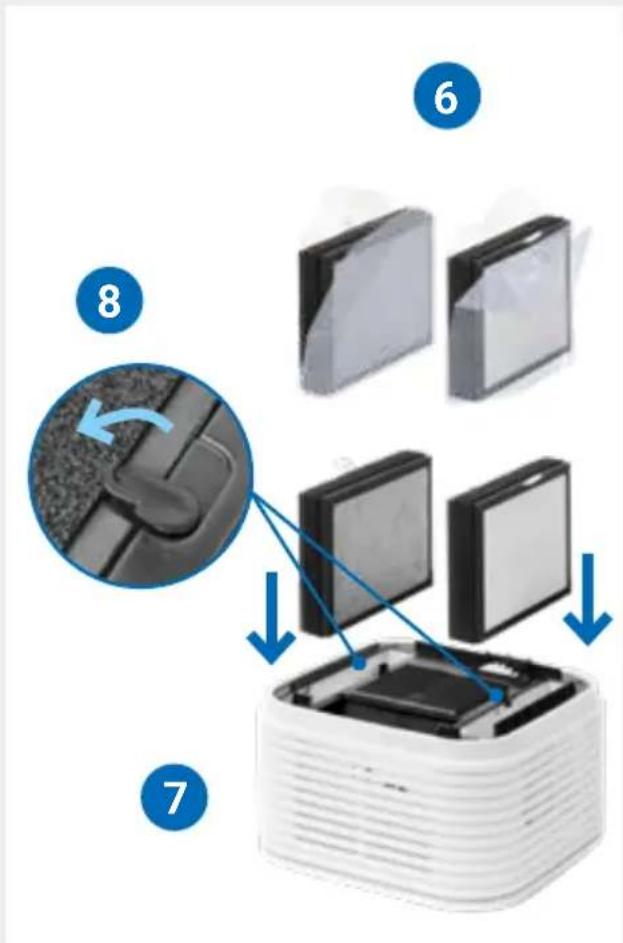
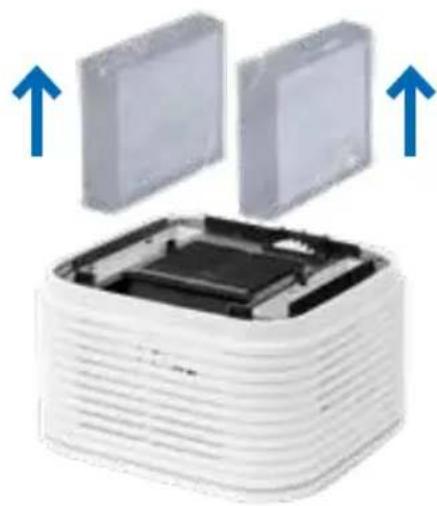
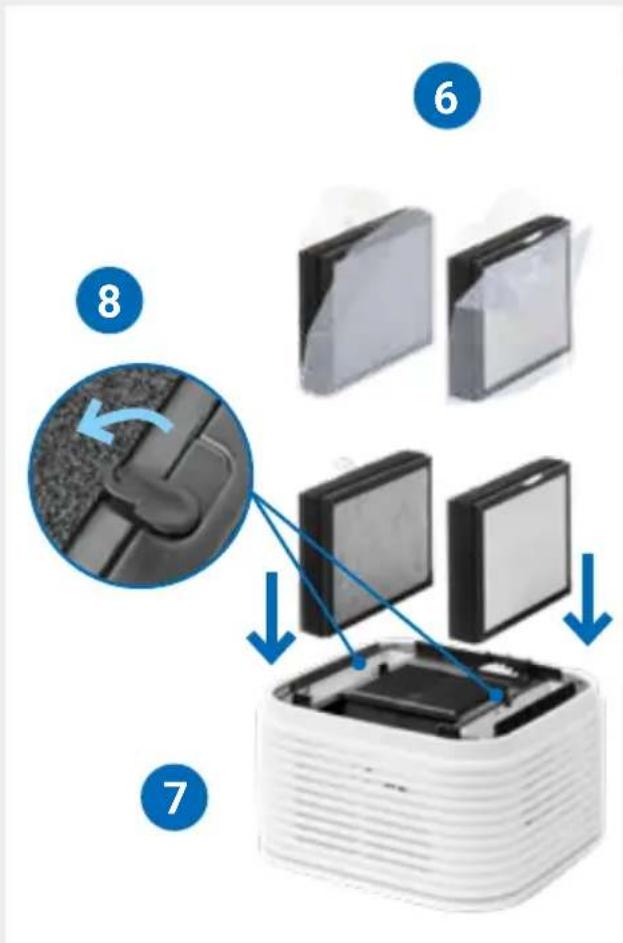
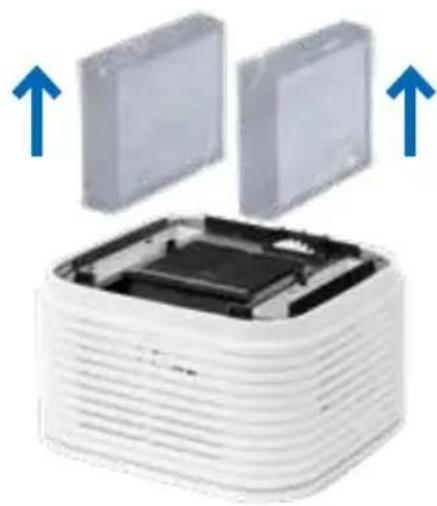
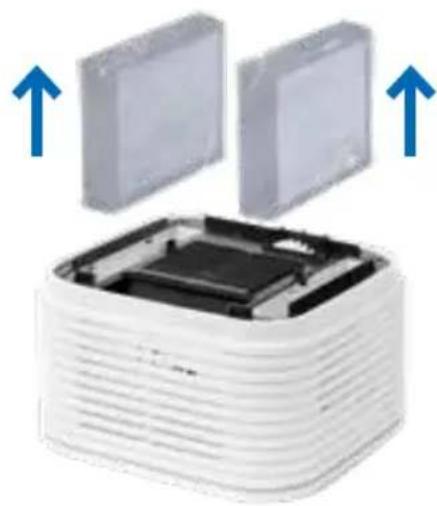
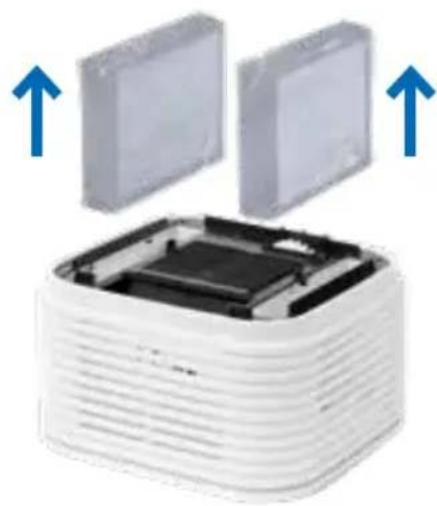
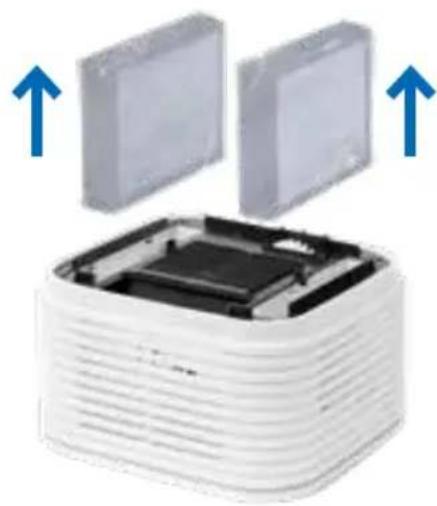
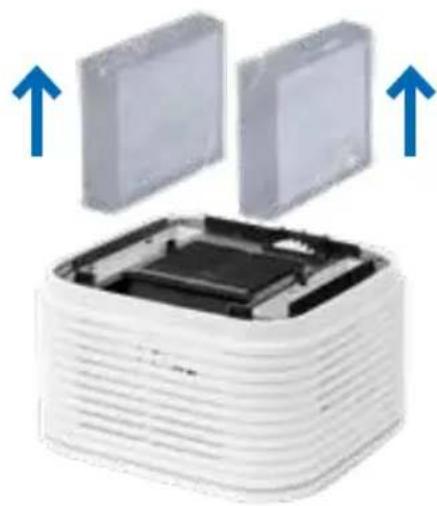
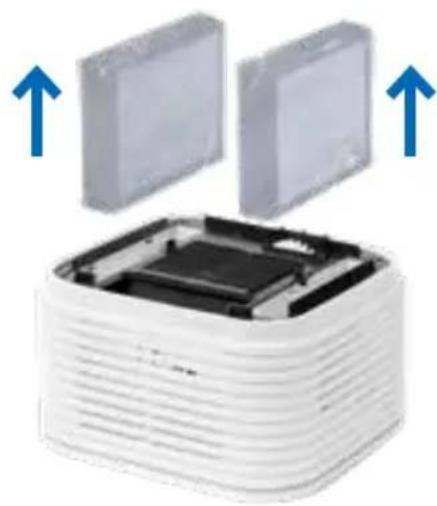
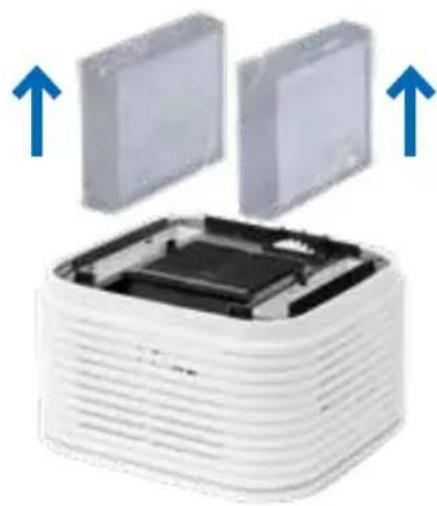
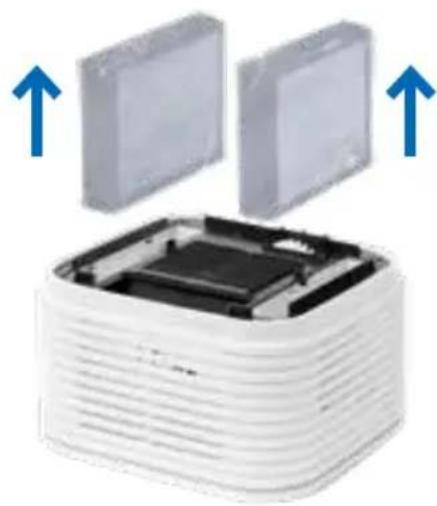
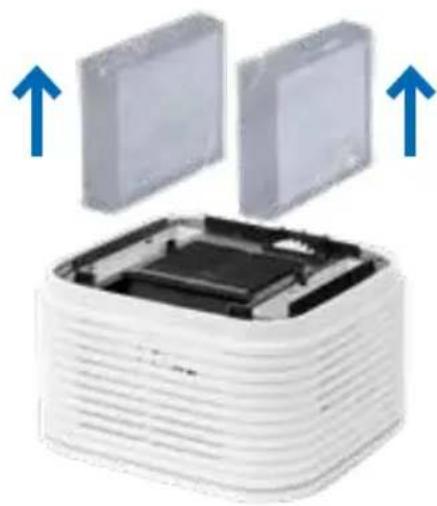
3 Pull out the two packaged filters (C) and remove the foil.
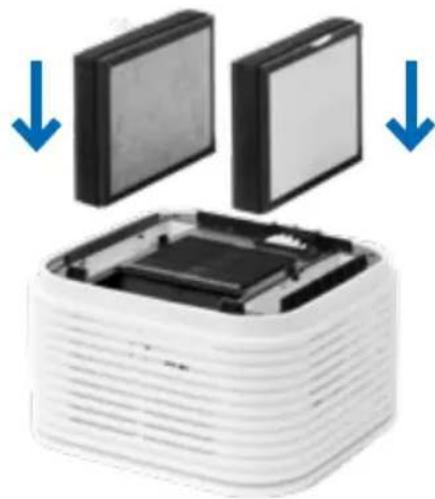
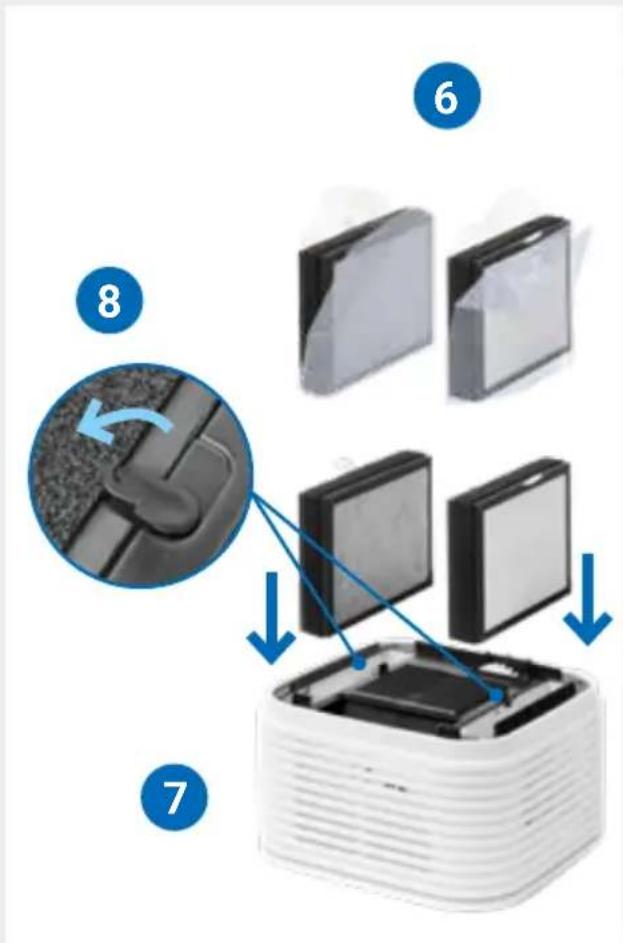
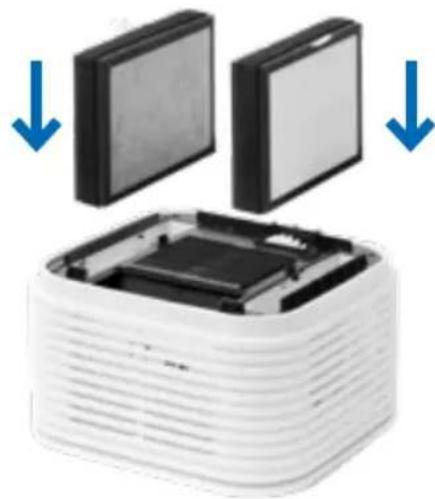
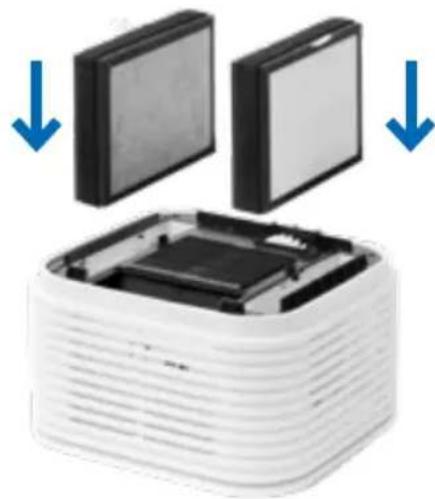
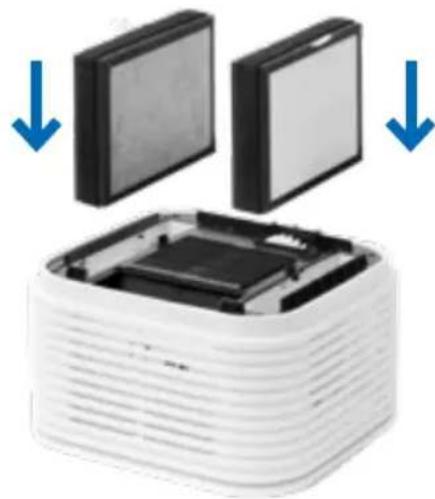
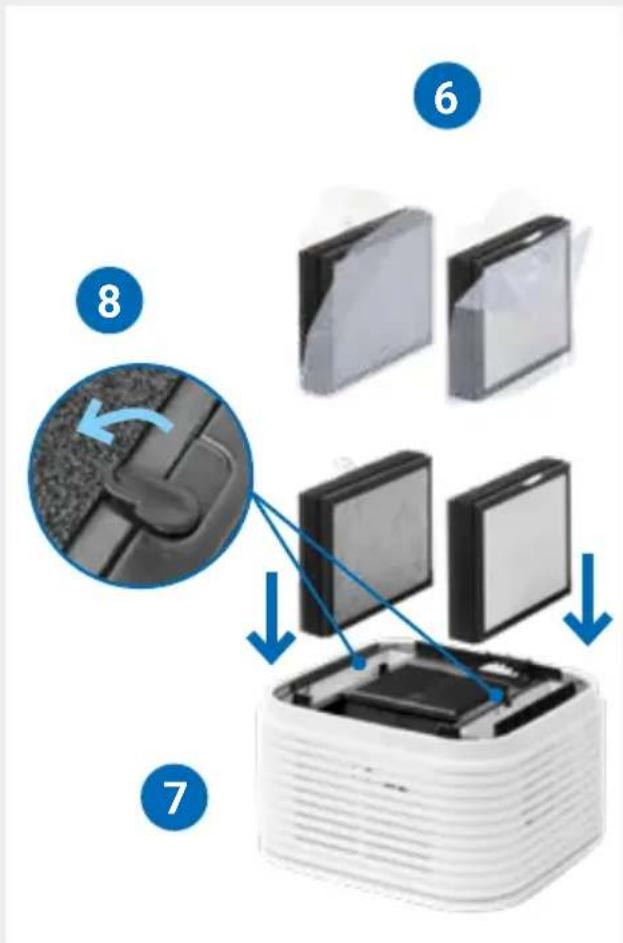
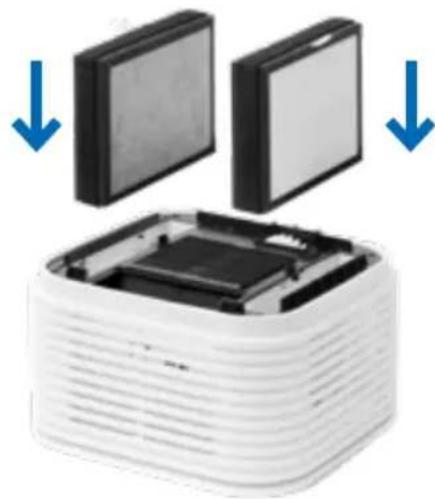
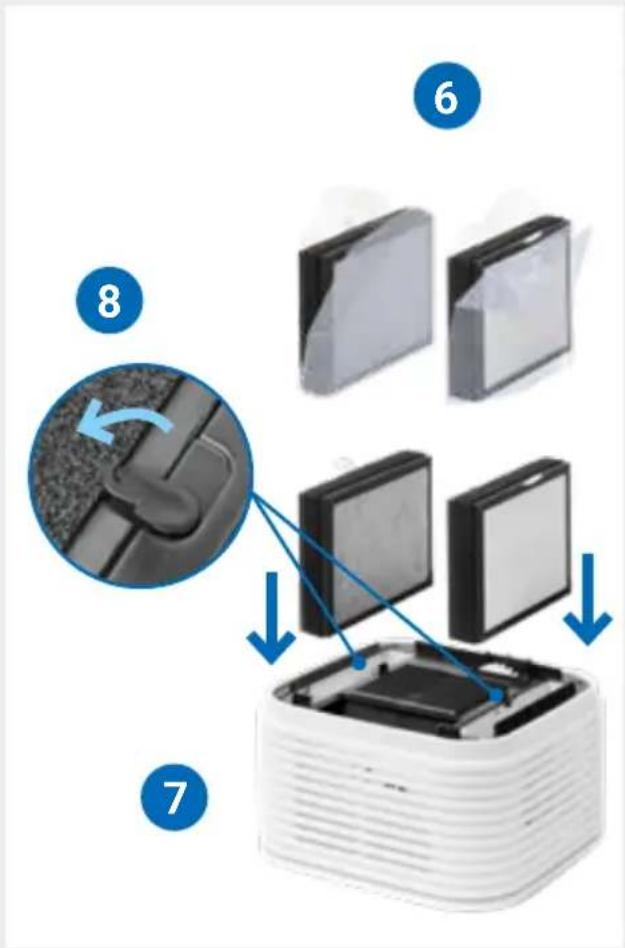
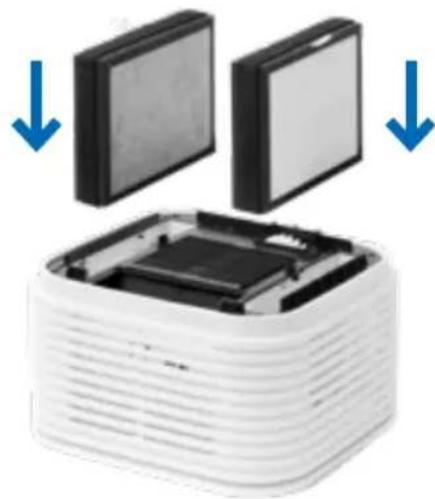
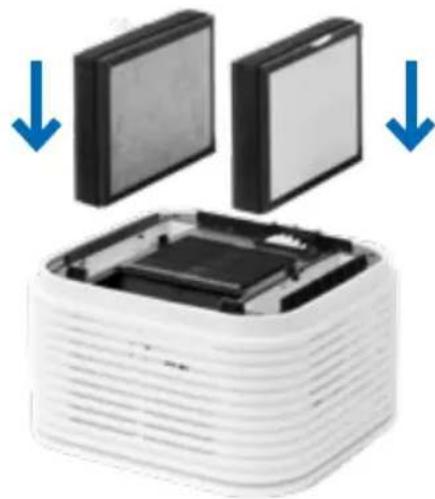
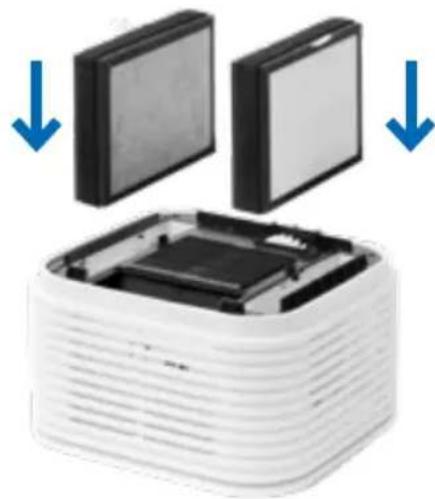
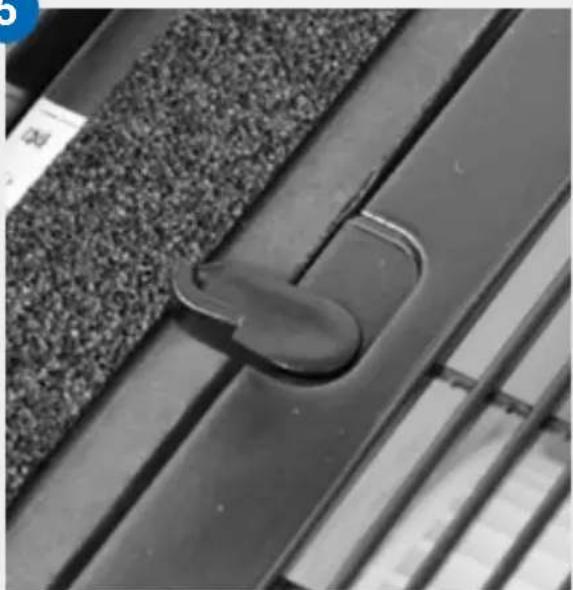
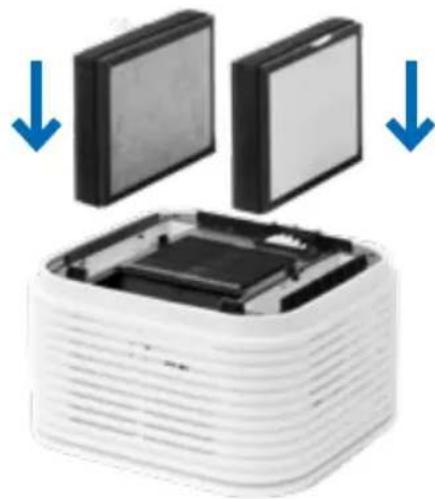
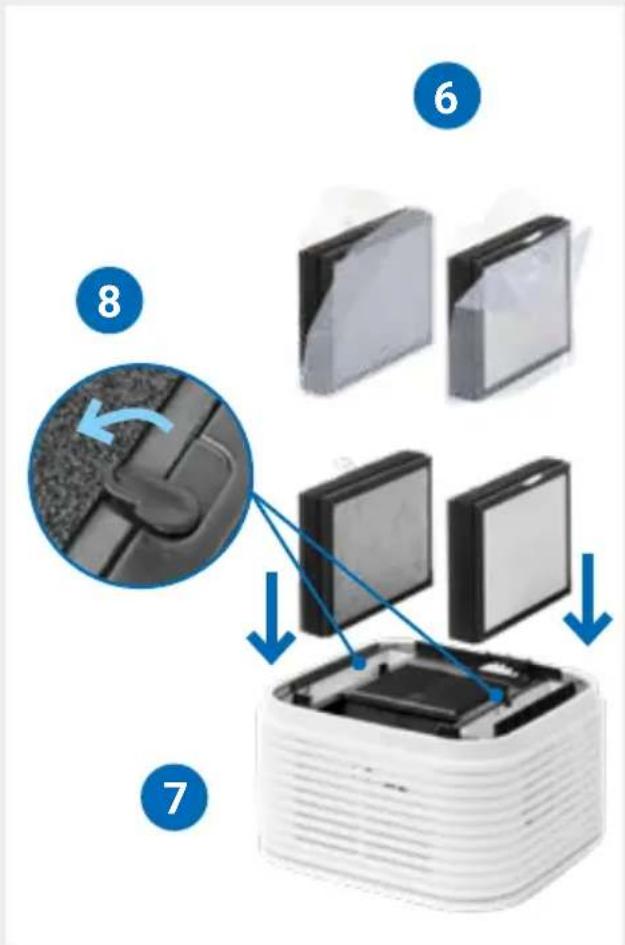
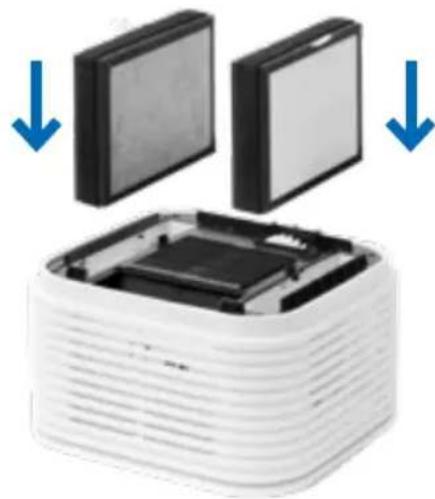
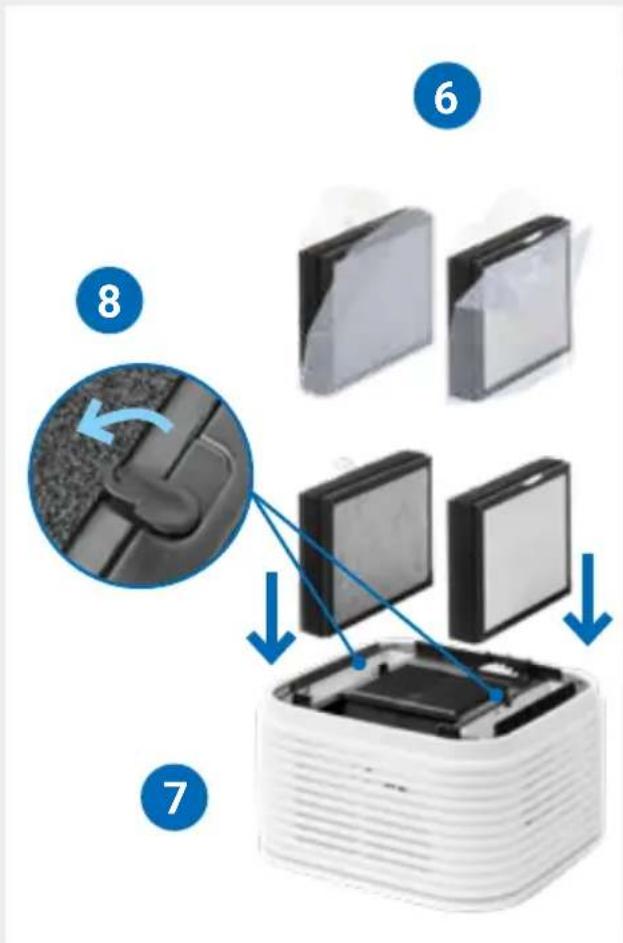
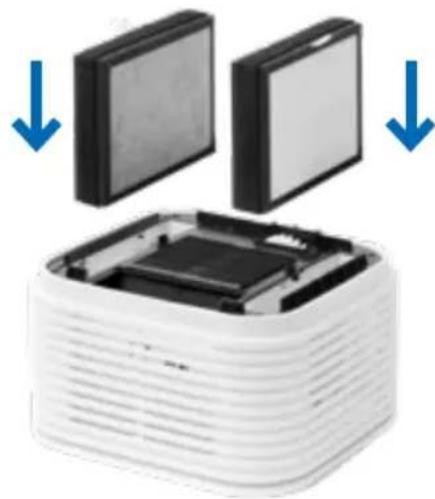
4 Then reinsert the filters so that the white loop is at the top and the white HEPA filter is facing the outside of the upper part.
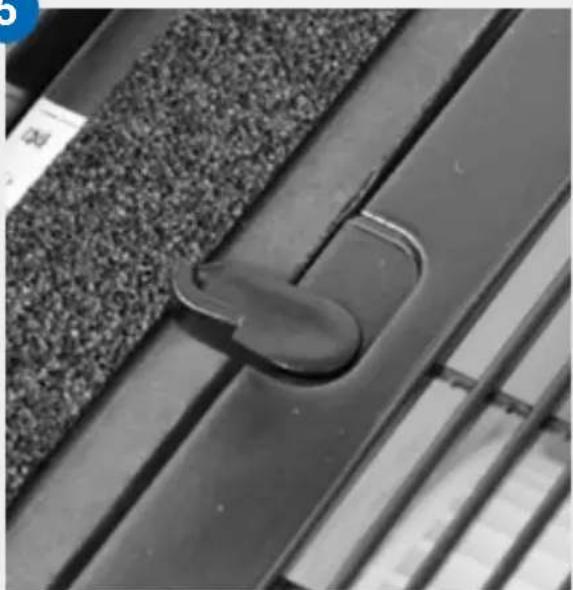
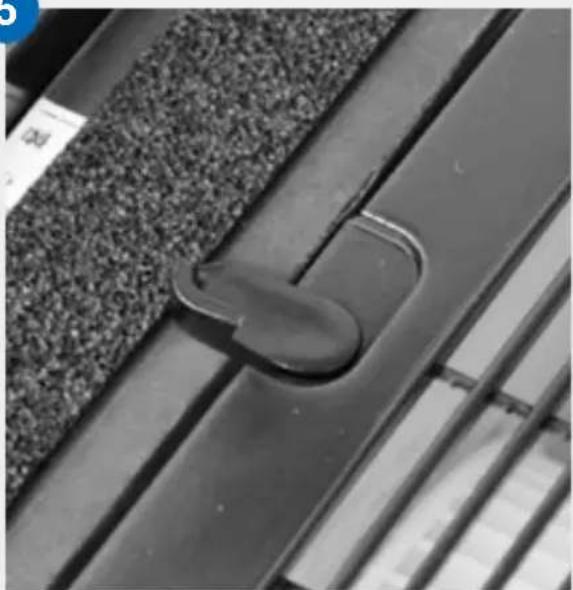
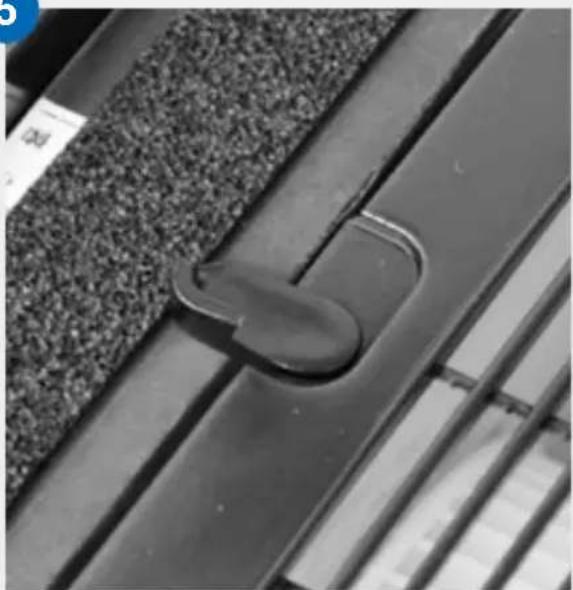
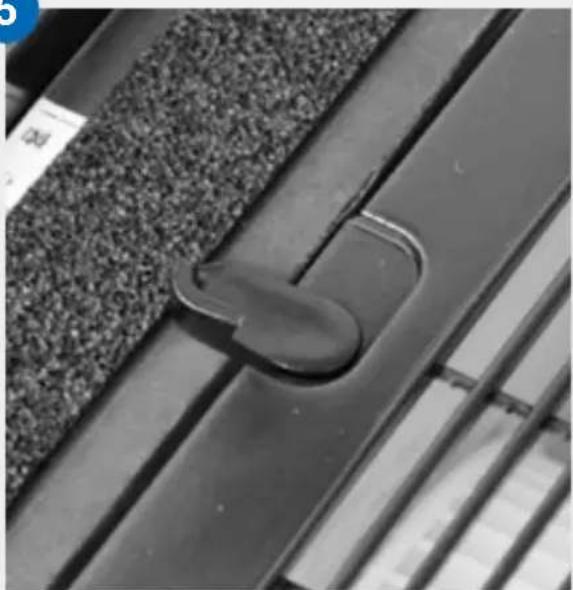
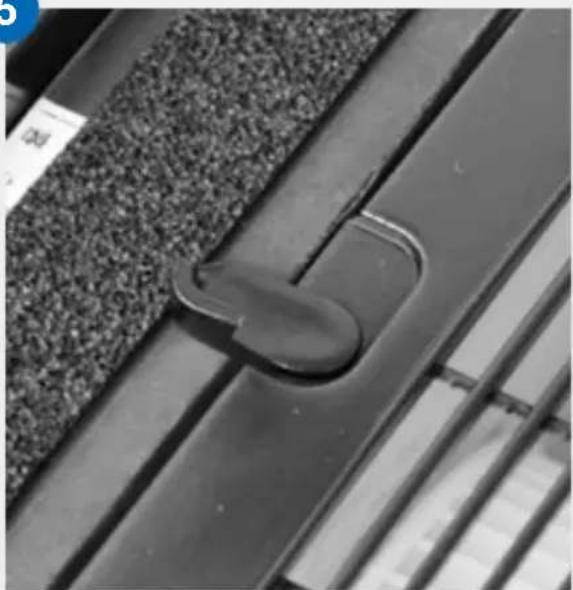
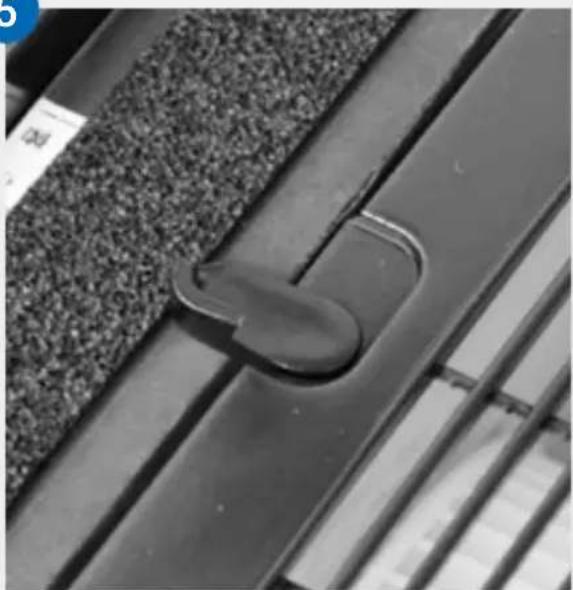
5 Close both latches.
The device must only be operated with the filters installed.
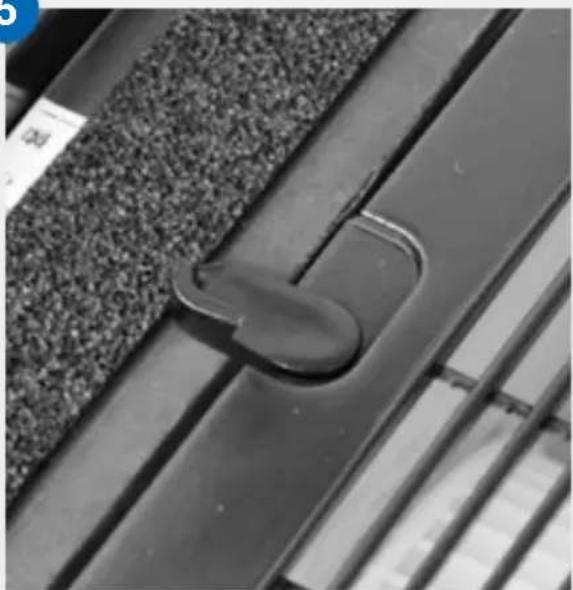
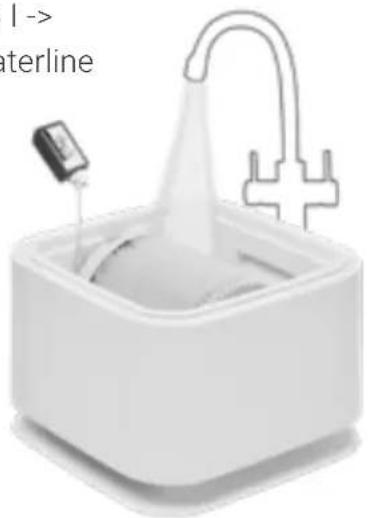
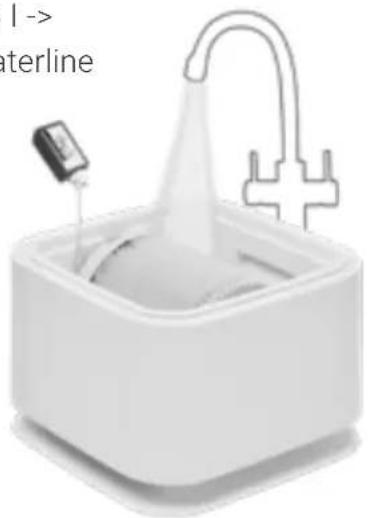
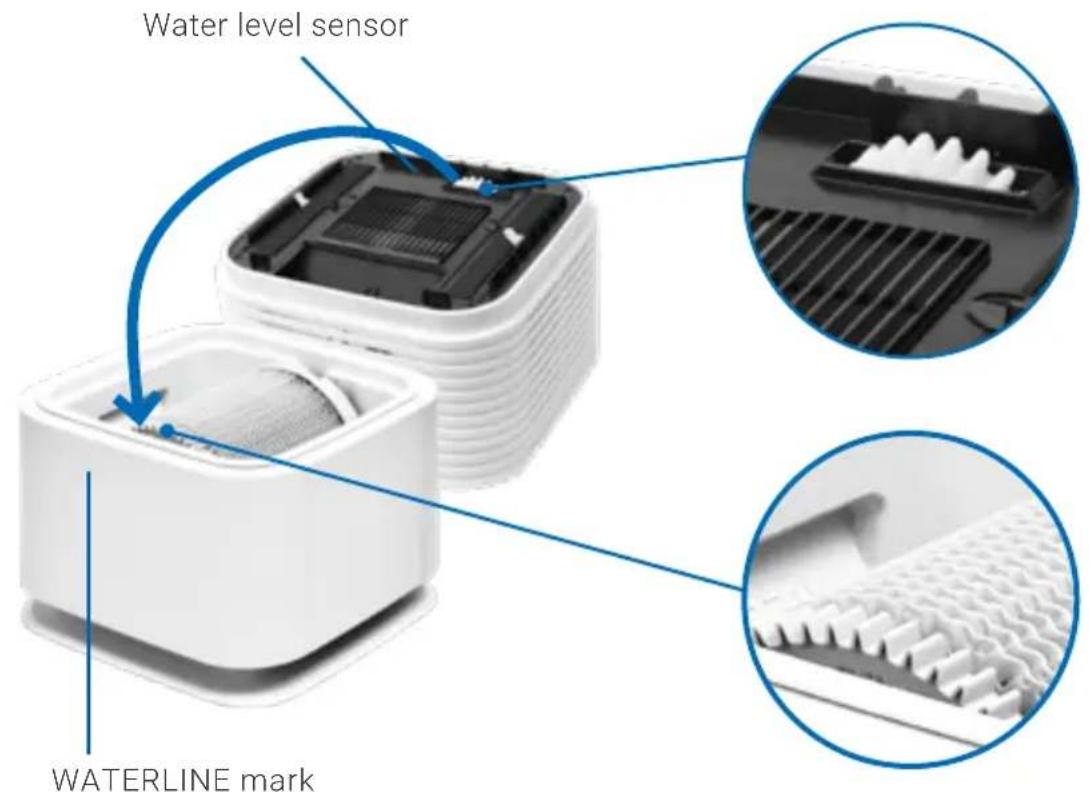
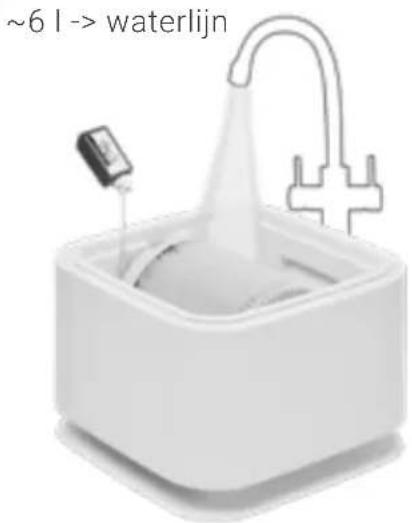
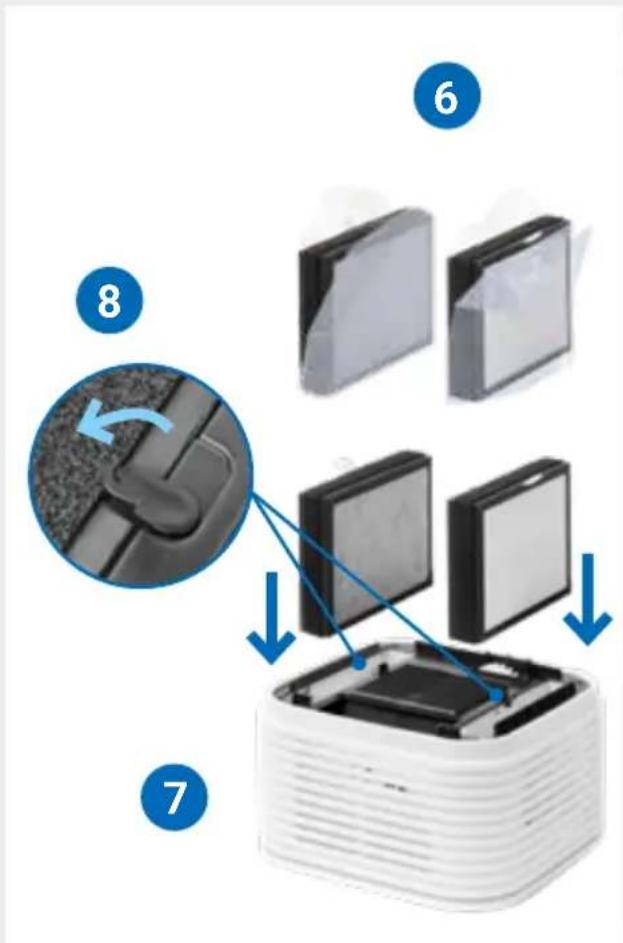
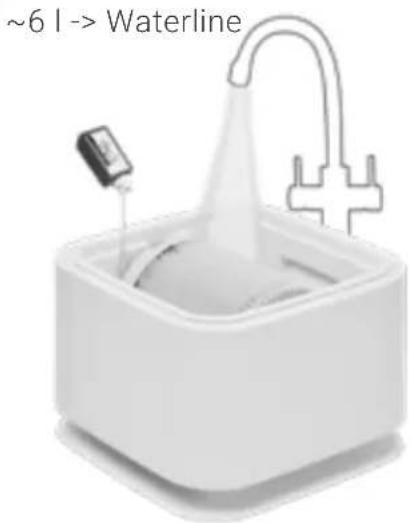
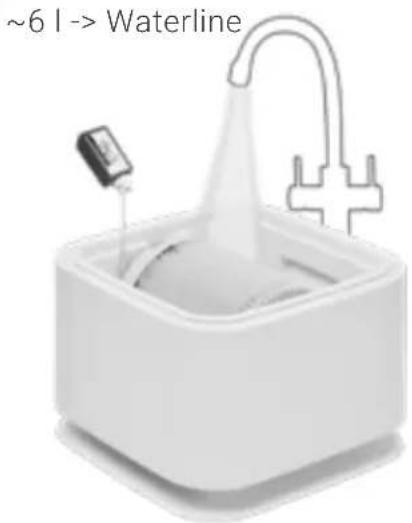
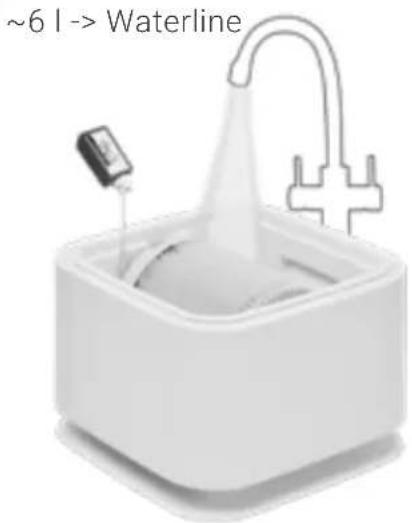
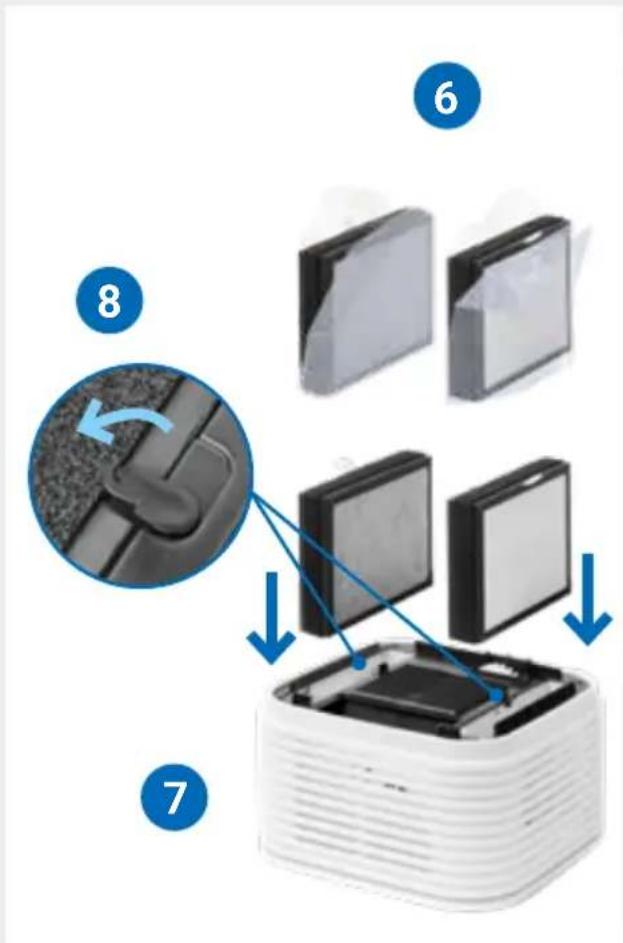
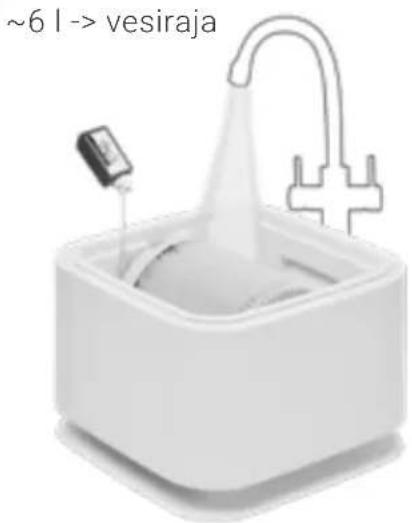
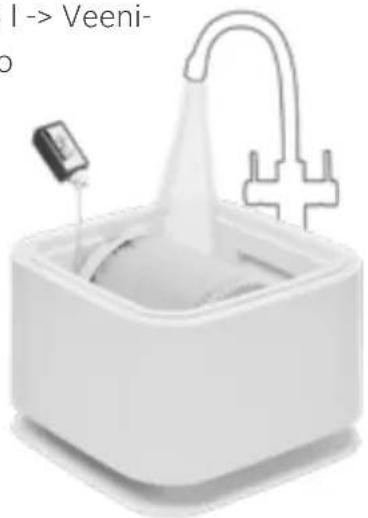
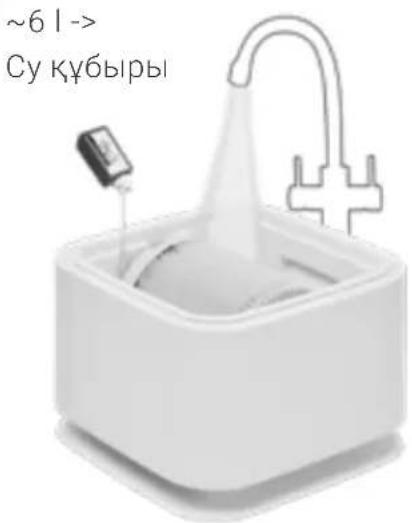
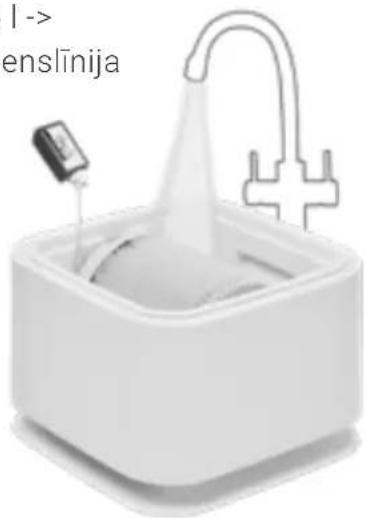
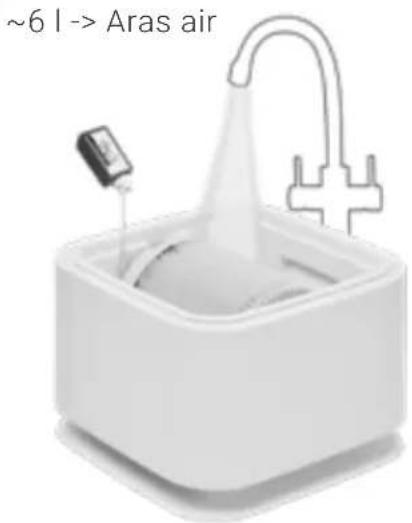
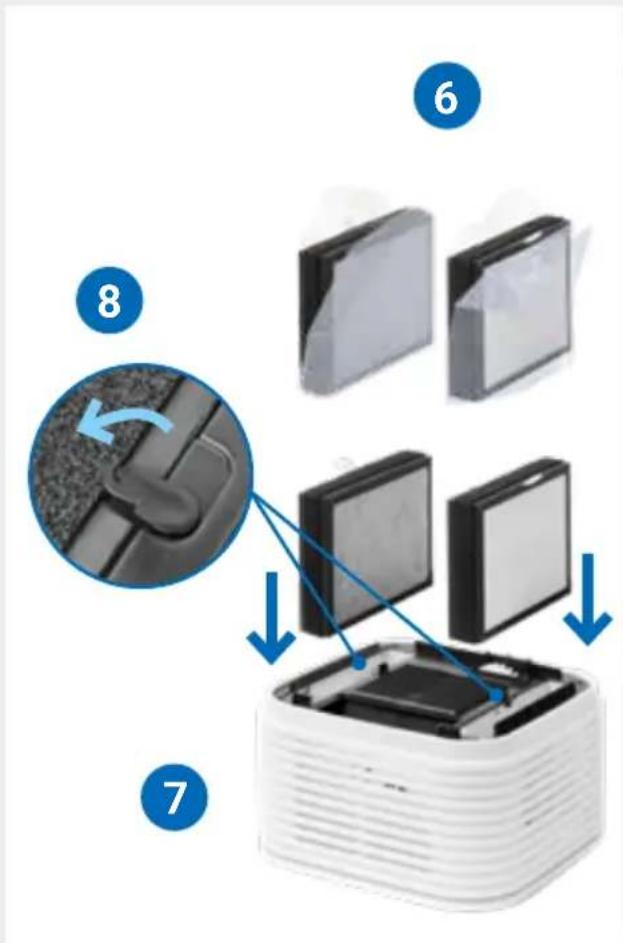
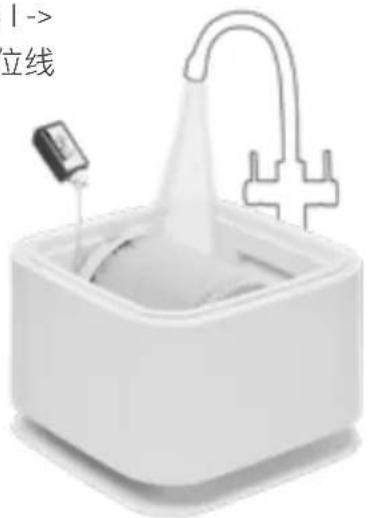
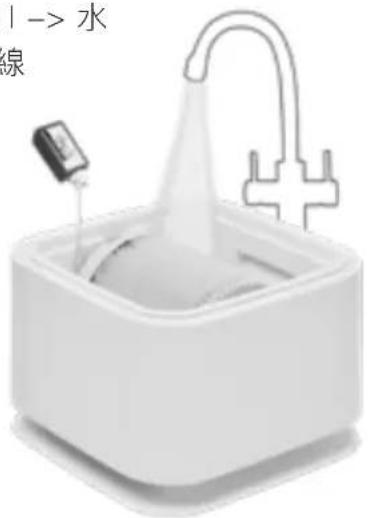
6 Fill the water tray (F) in the lower part of 6 the appliance (H) with fresh tap water up to the WATERLINE mark. Add 50 ml sample bottle of hygiene additive to the water (total bottle contents).
The hygiene additive very important because with it the air is optimally humidified.
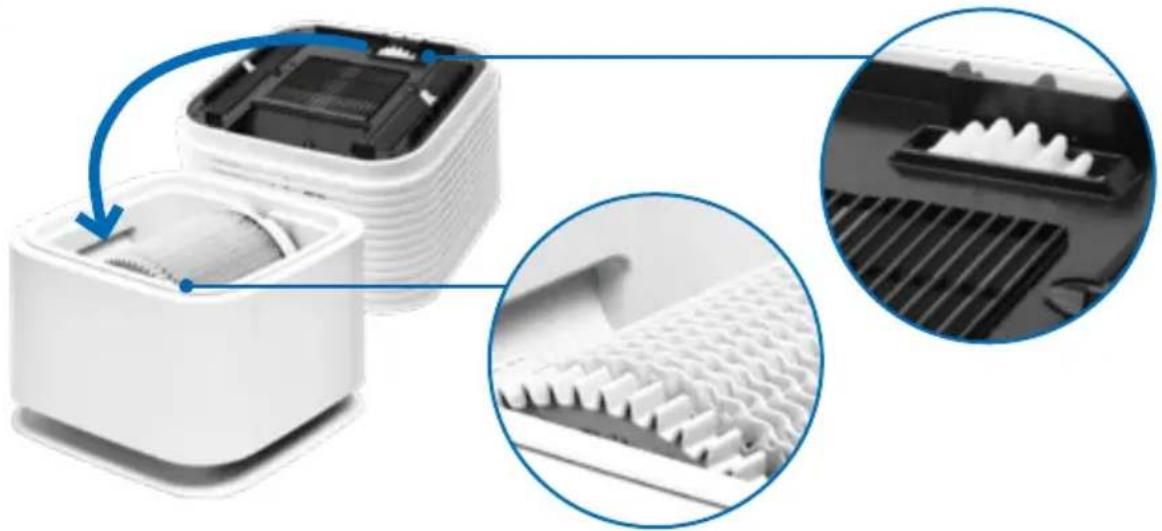
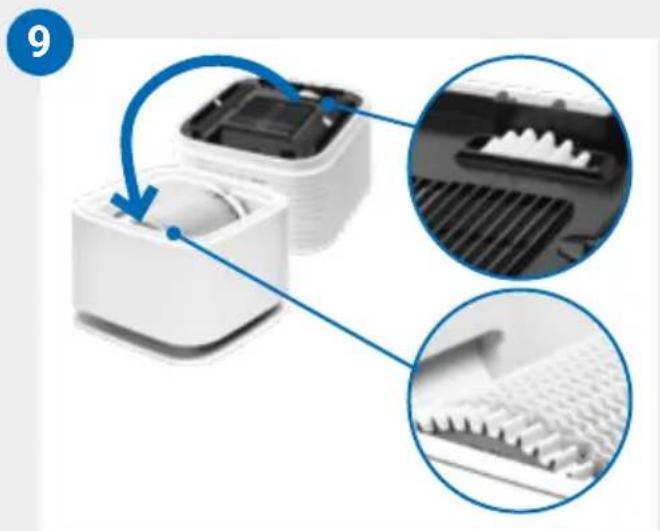
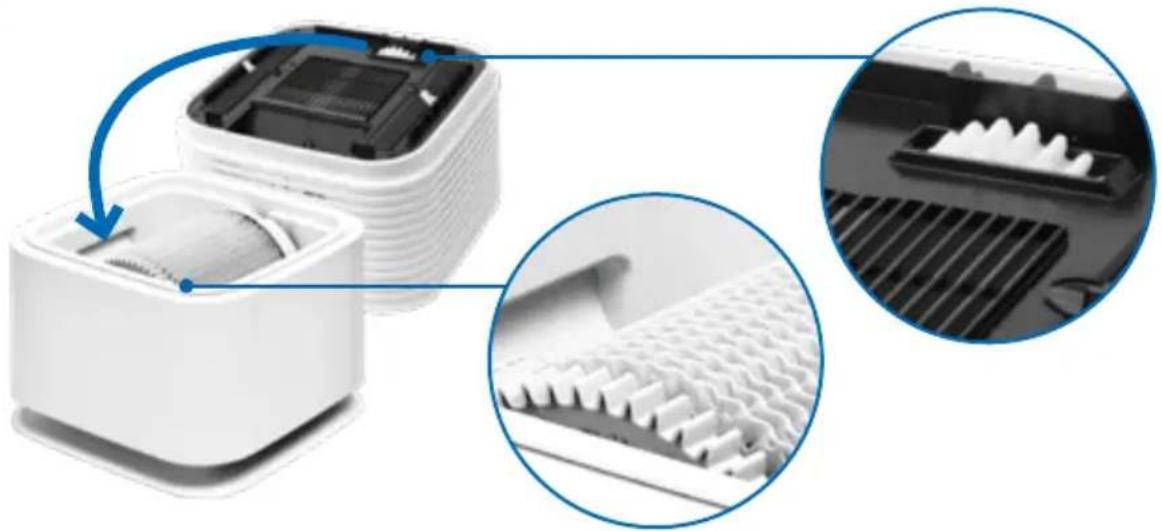
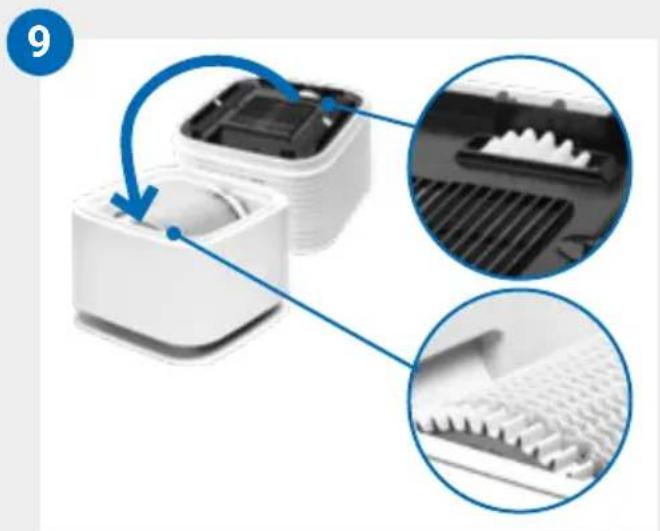
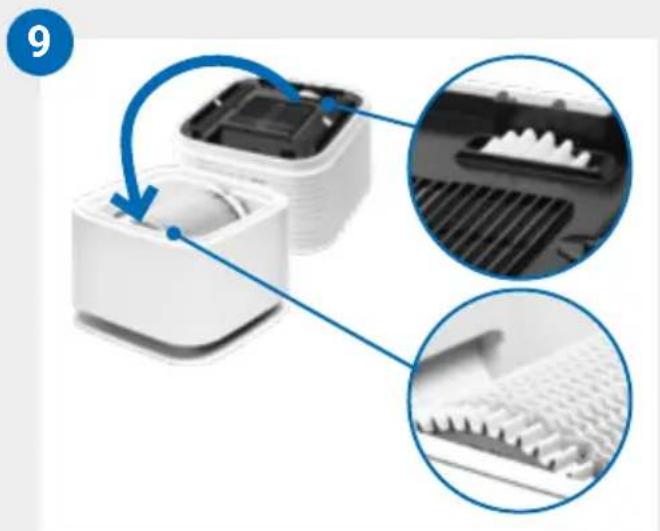
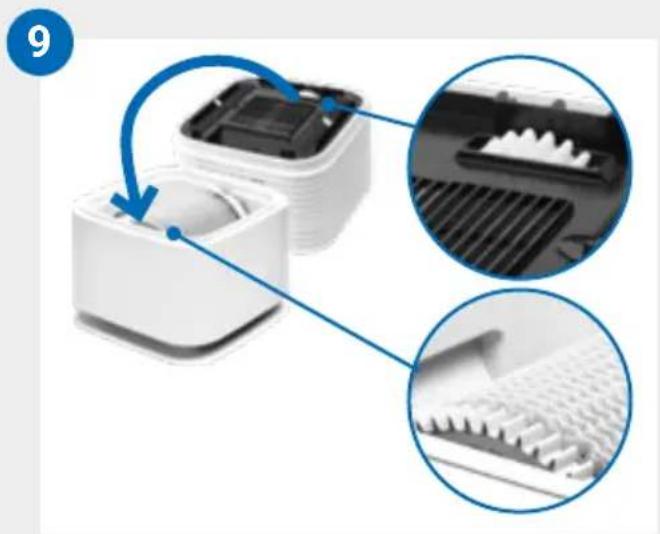
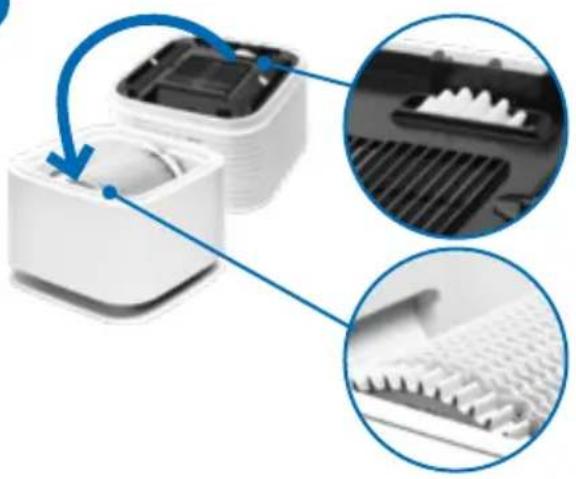
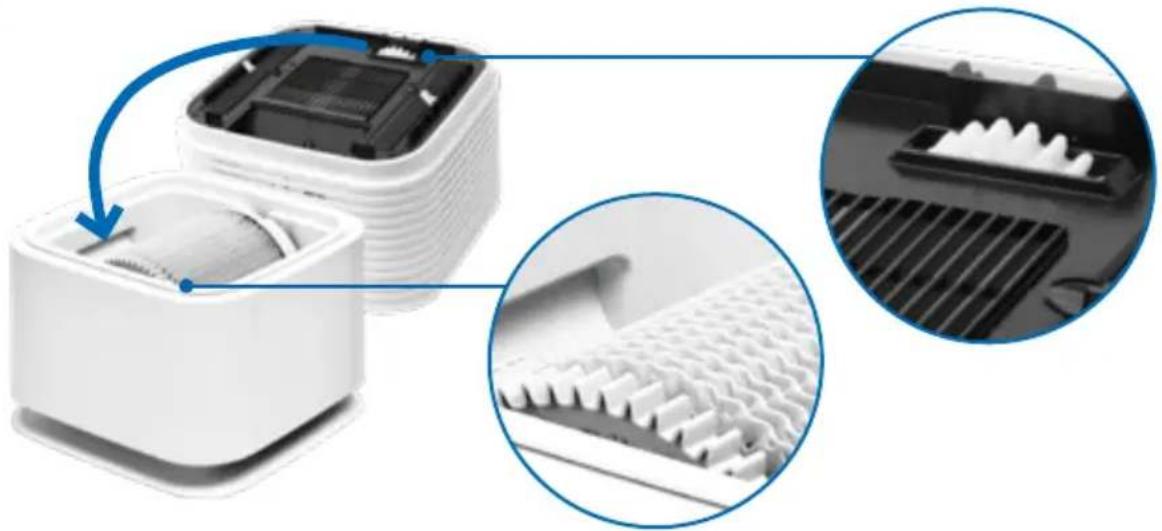
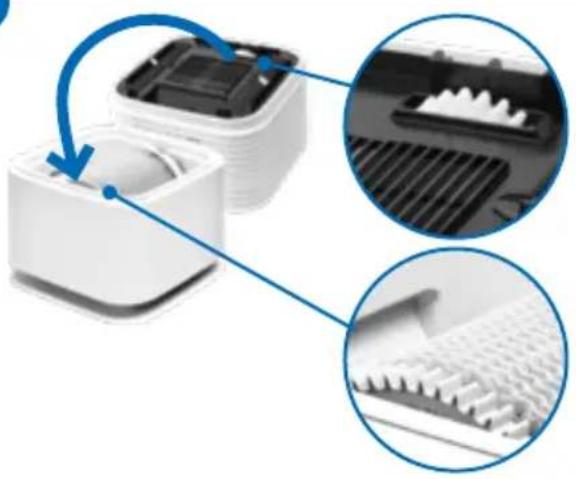
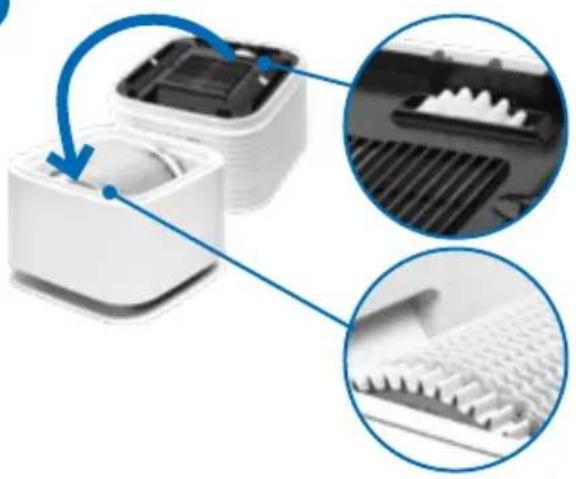
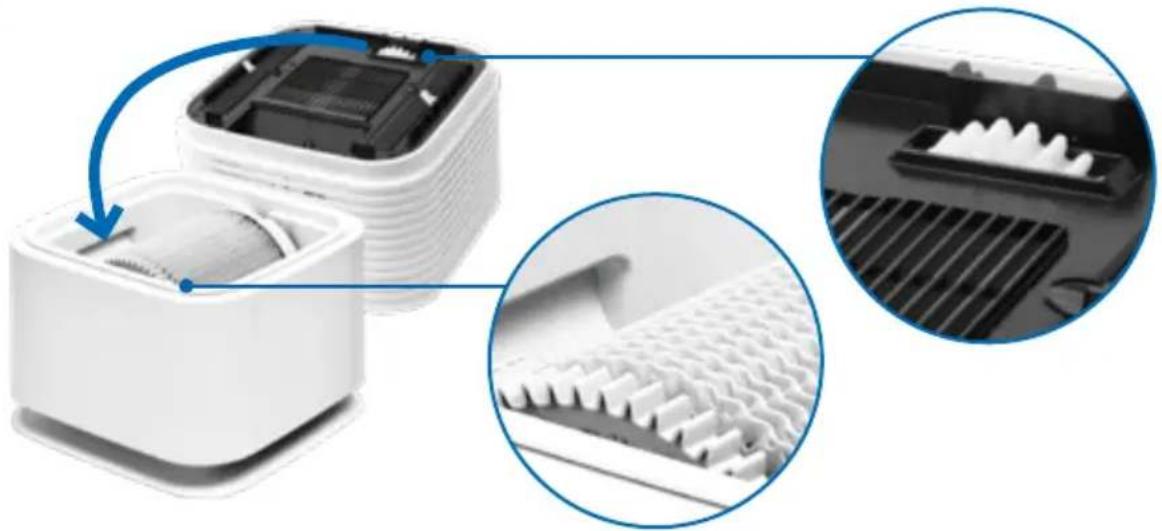
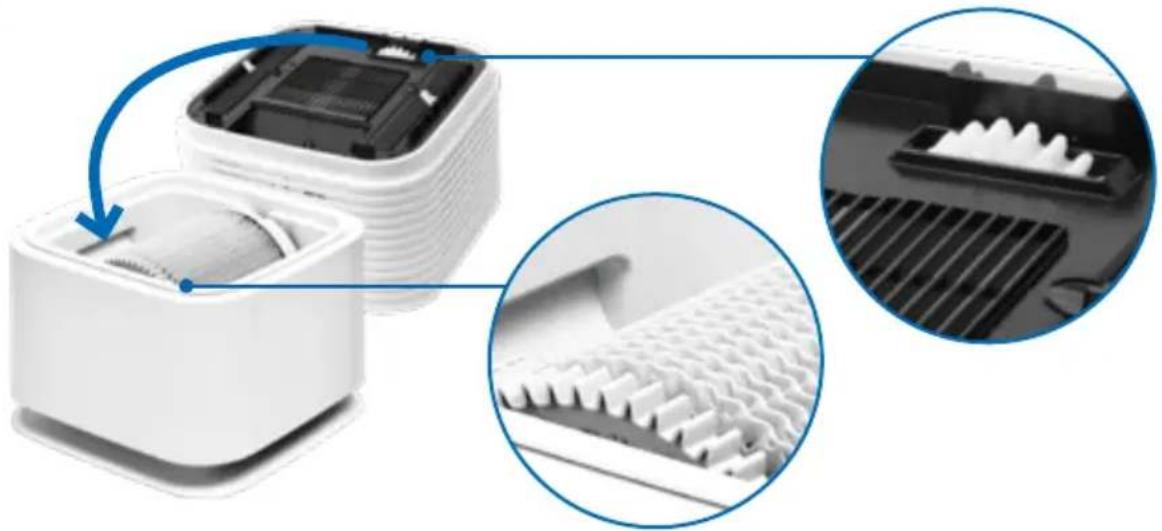
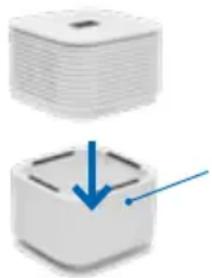
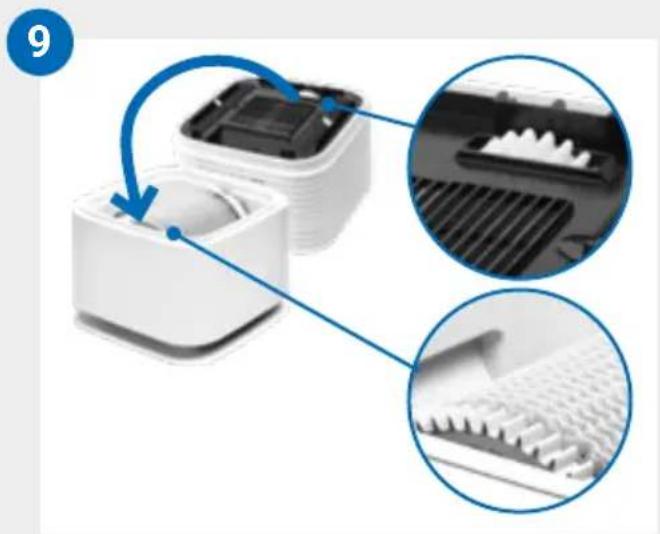
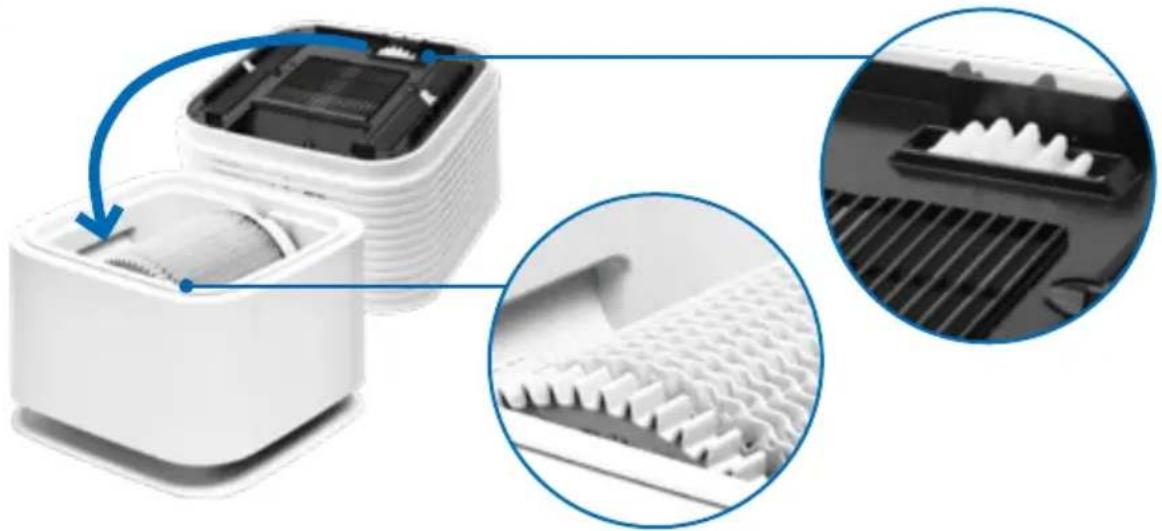
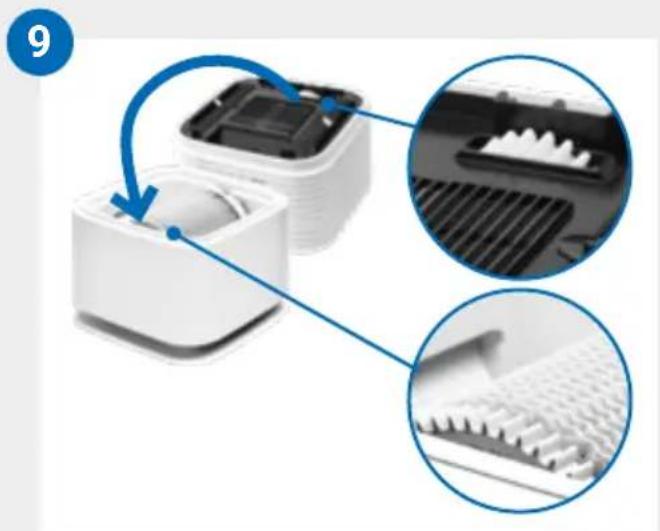
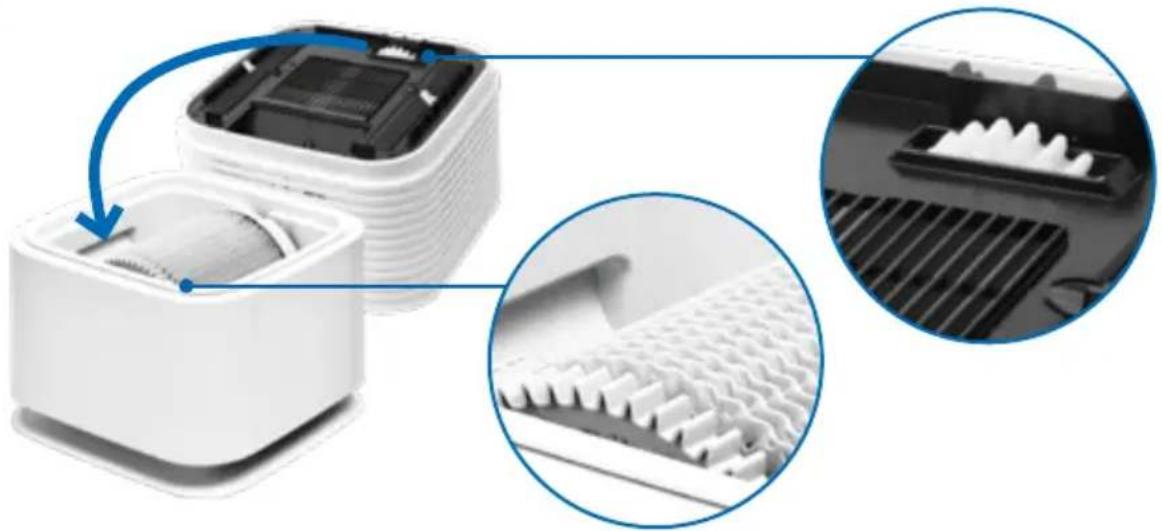
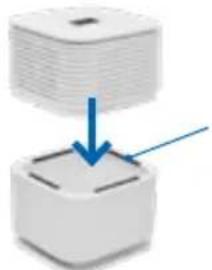
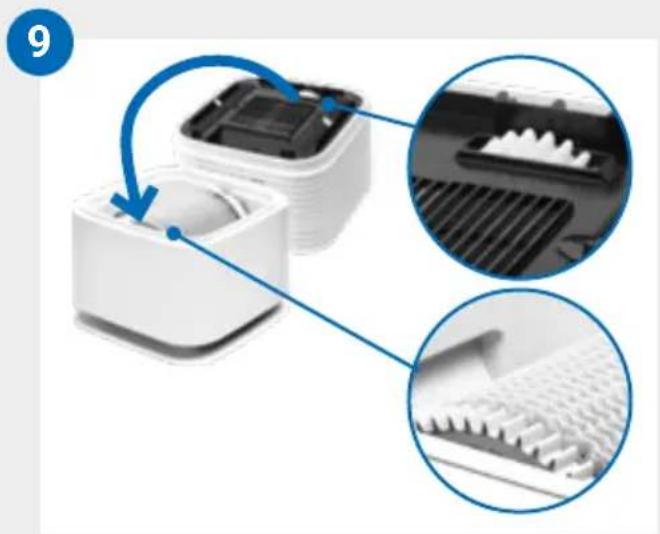
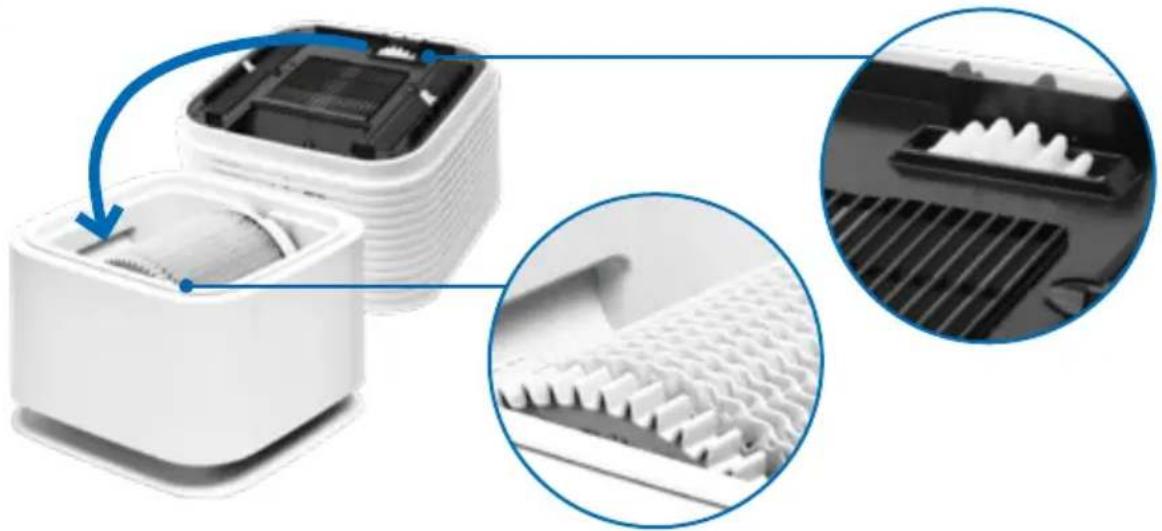
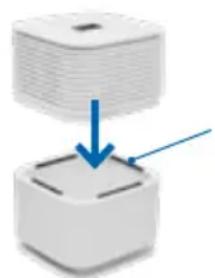
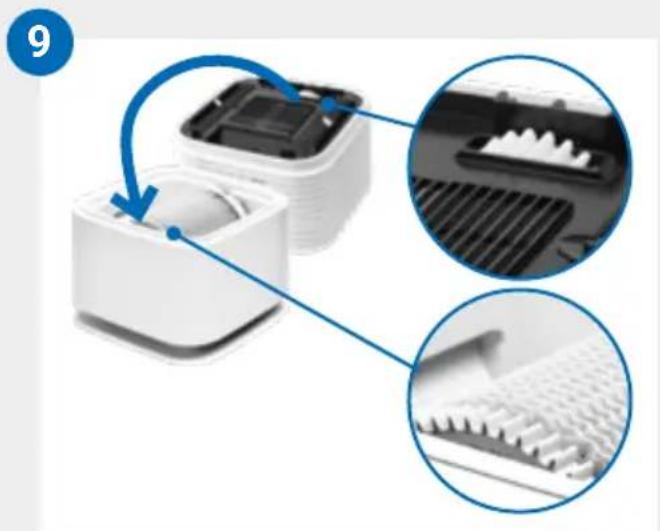
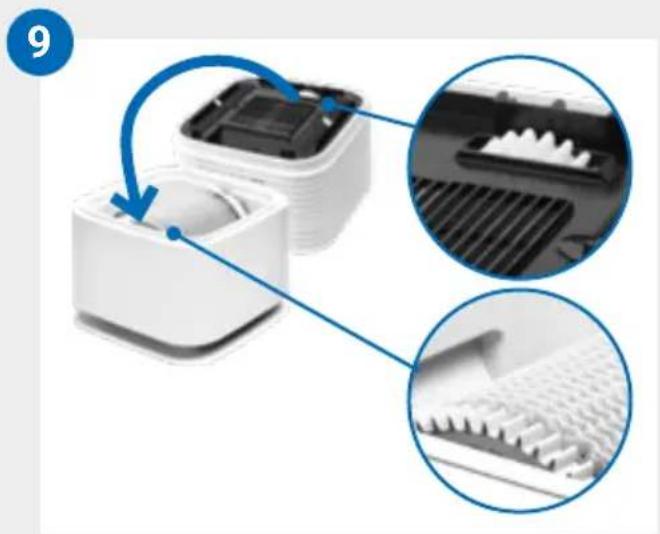
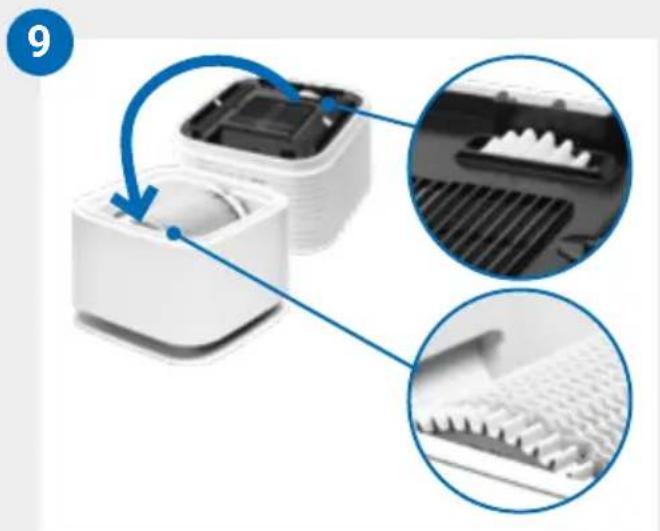
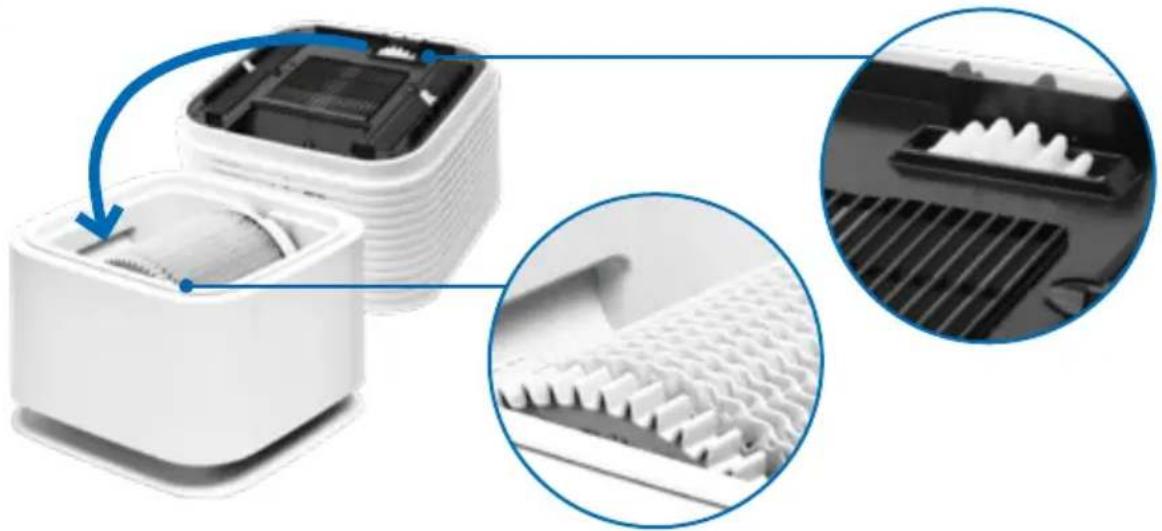
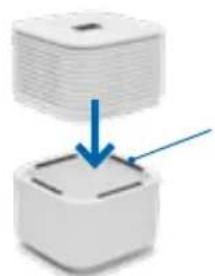
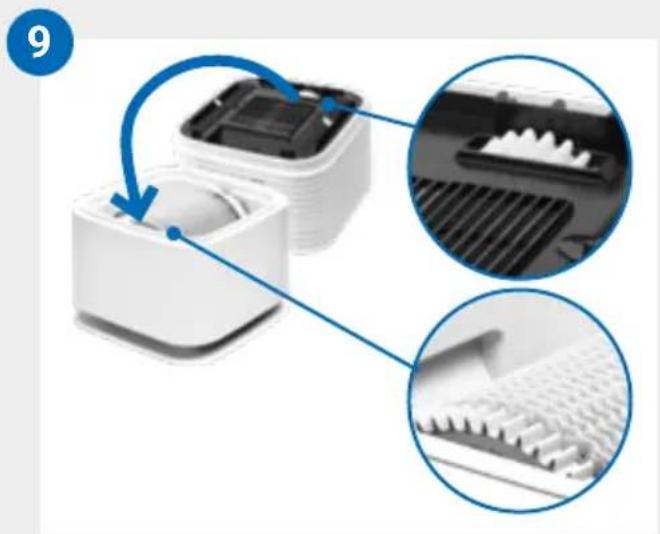
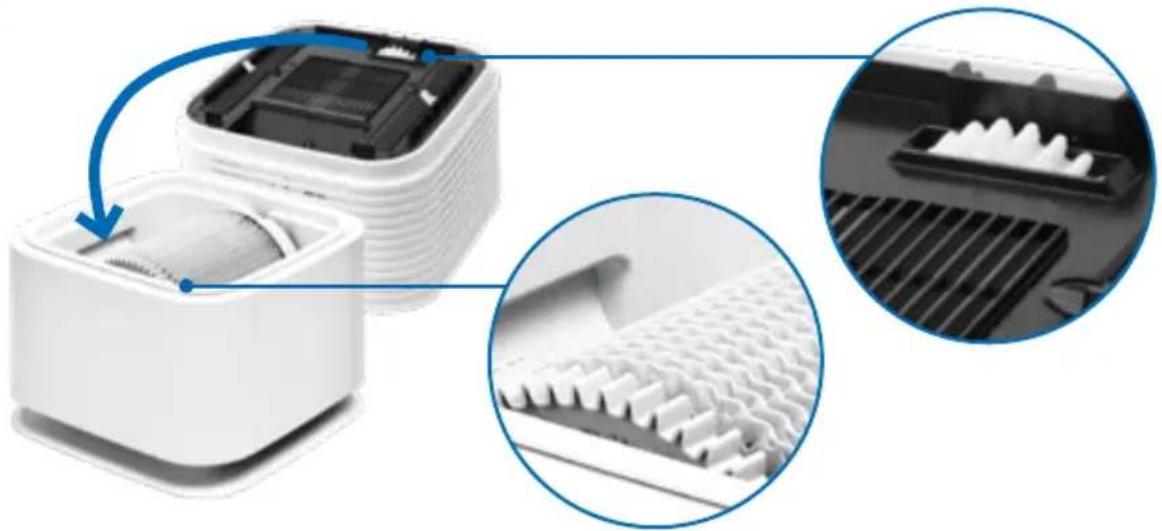
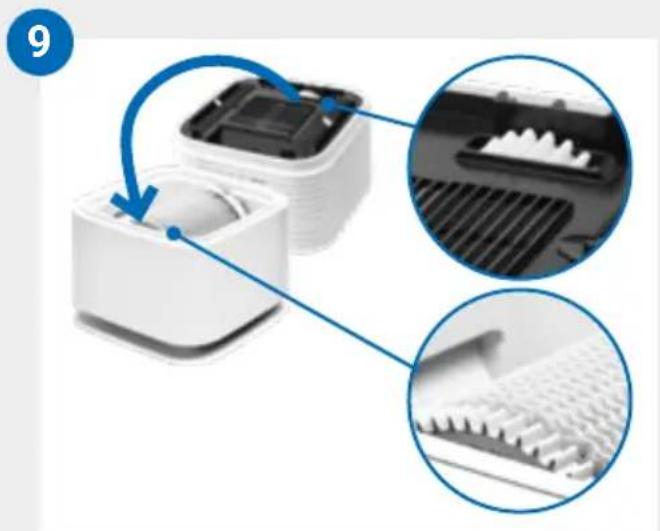
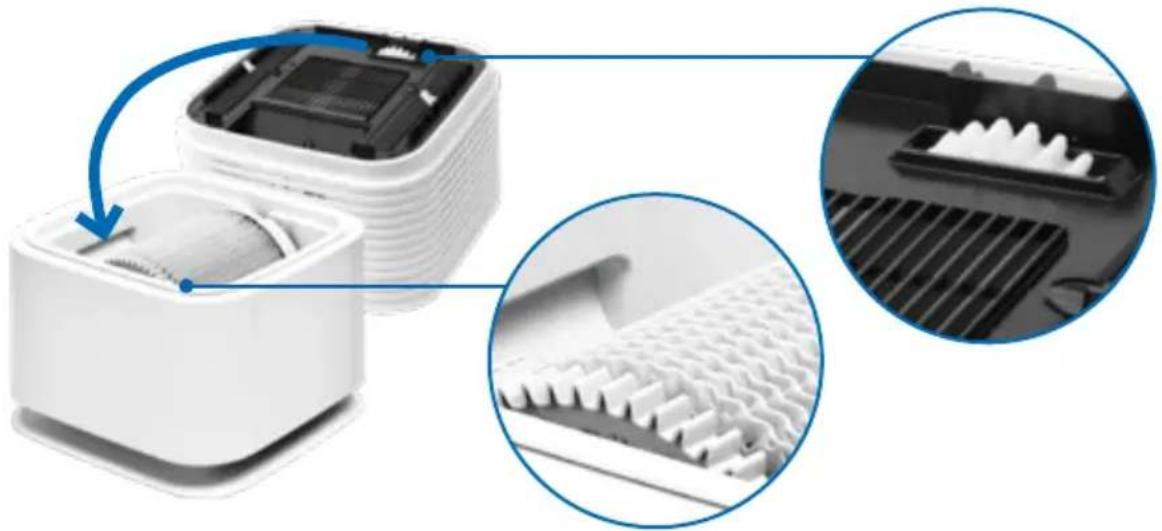
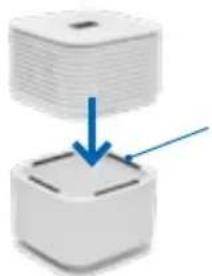
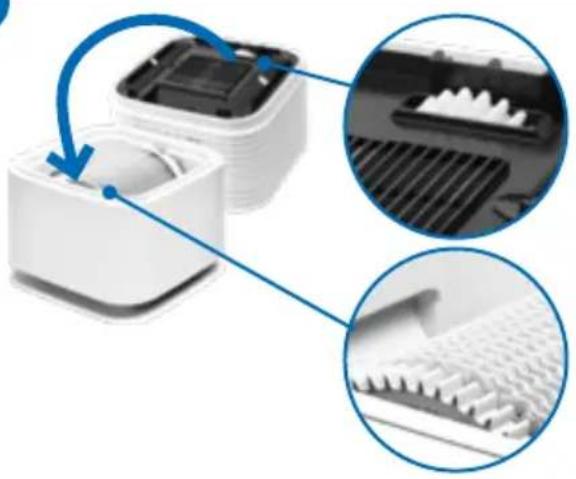
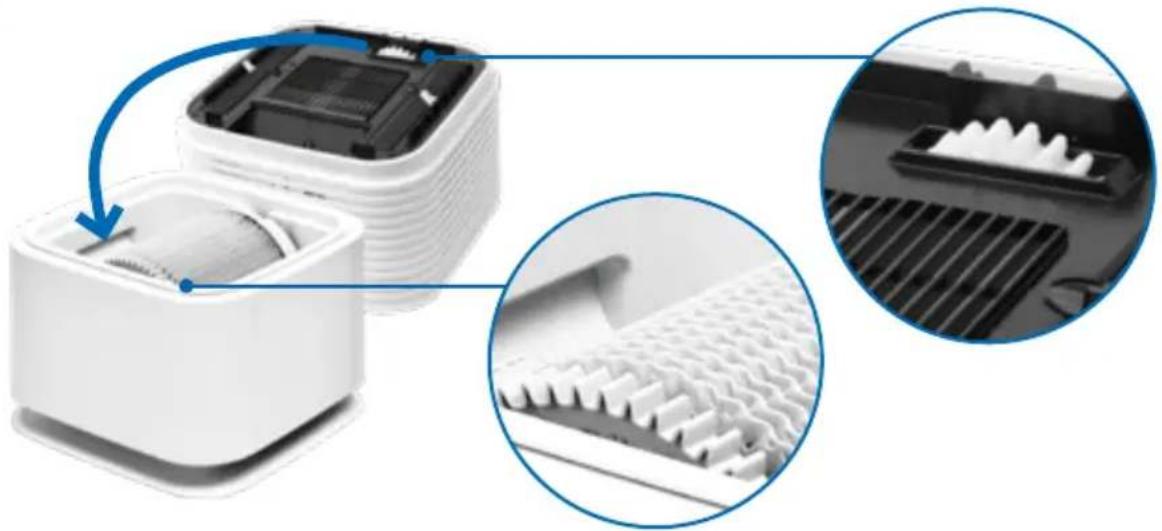
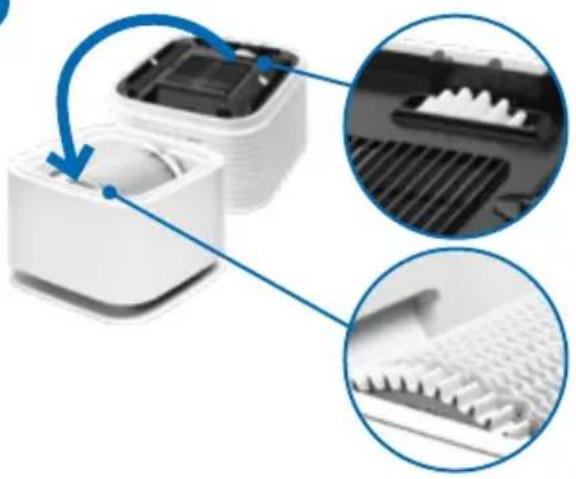
7 Place the upper part of the device (B) on the lower part so that the gear wheels of the upper and lower parts engage with each other.
natural_image
Two-step diagram showing a device being folded into a plastic housing, with blue arrows indicating the process (no text or symbols present)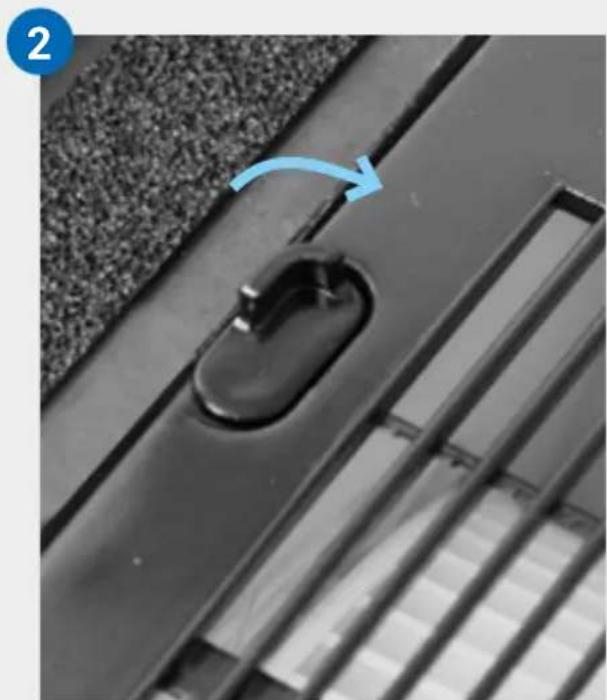
natural_image
Close-up of a black door handle with a blue arrow indicating rotation, set on a textured surface (no text or symbols)3
natural_image
Stacked electronic components with upward arrows indicating assembly or transformation (no text or symbols visible)4
natural_image
Diagram of a white electronic device with two open panels and blue arrows indicating downward motion (no text or symbols)5
natural_image
Close-up of a black plastic door handle with a curved handle, mounted on a textured surface (no text or symbols visible)6
\~61->Waterline
natural_image
White laboratory water dispenser with a syringe and tubing, no visible text or symbols7
natural_image
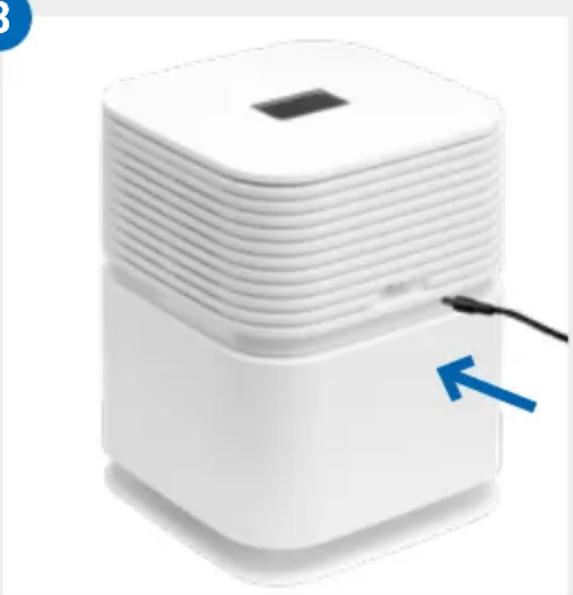
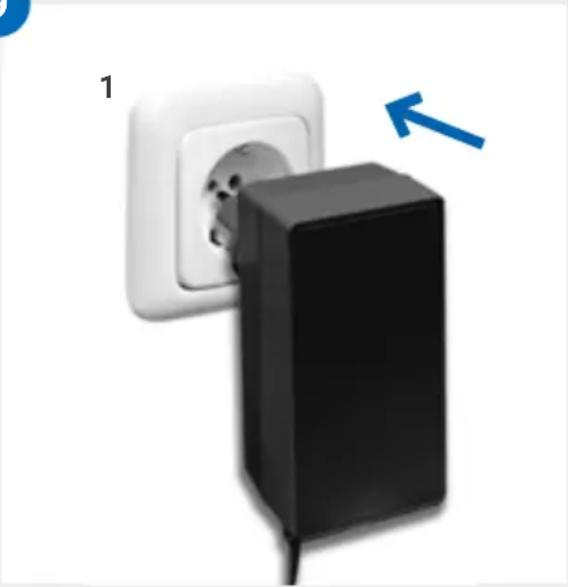
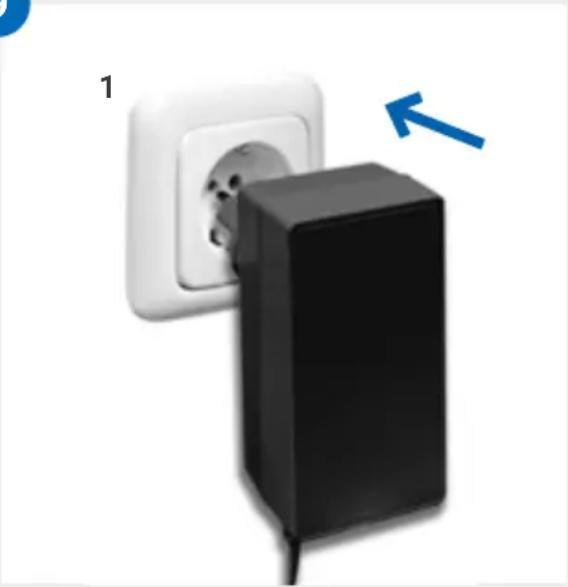
Close-up of a white industrial machine with internal components, showing a meshed base and a meshed top panel (no text or symbols visible)8 Connect the plug-in power supply unit to the socket on the back of the upper part of the device (B).
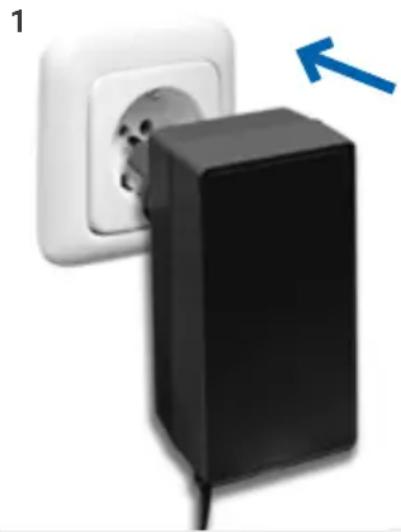
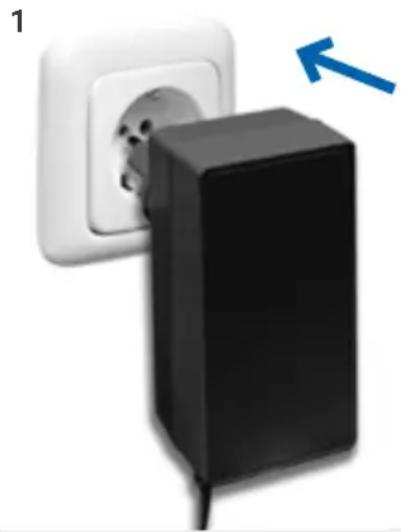
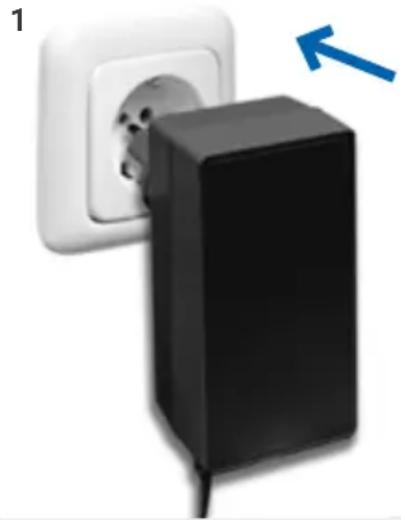
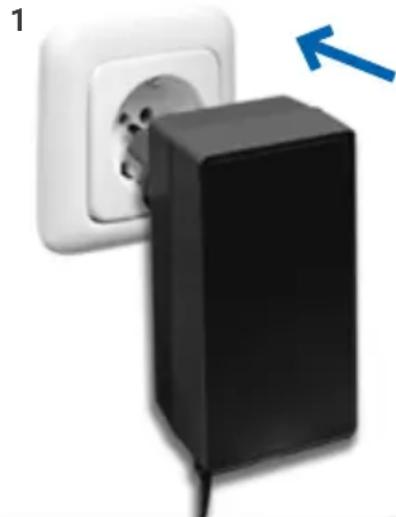
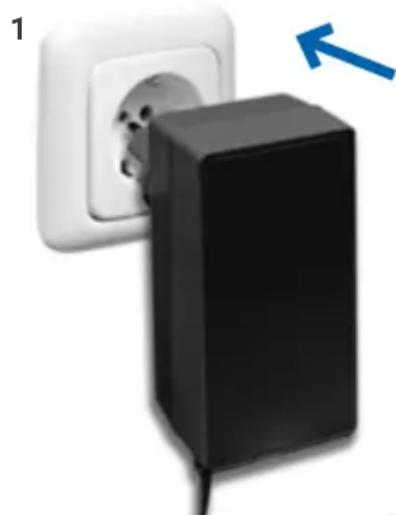
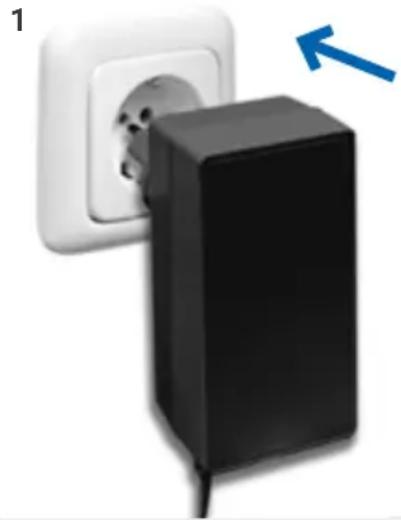
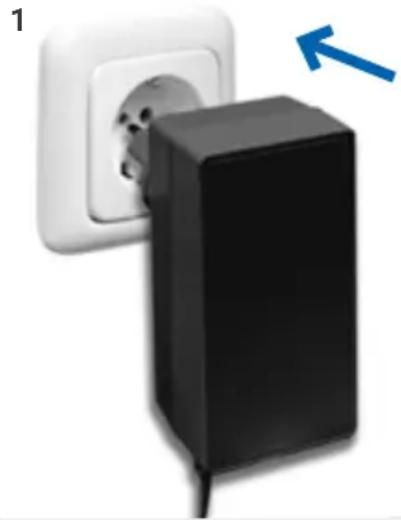
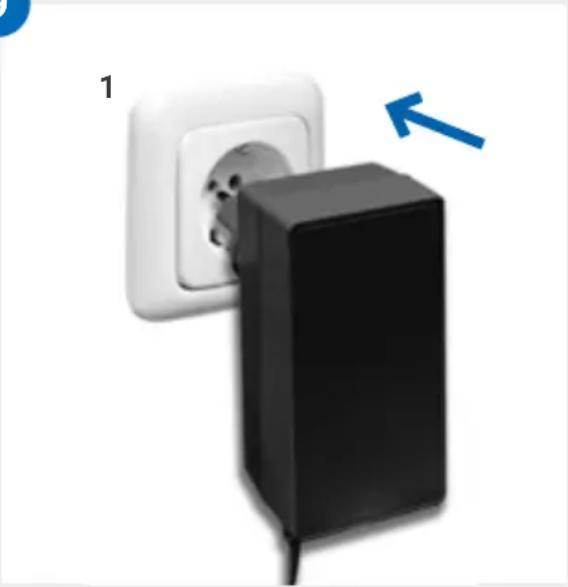
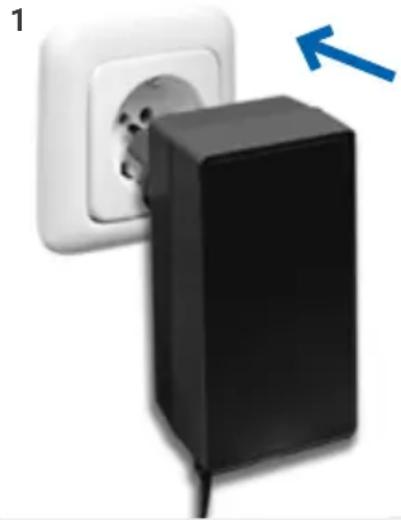
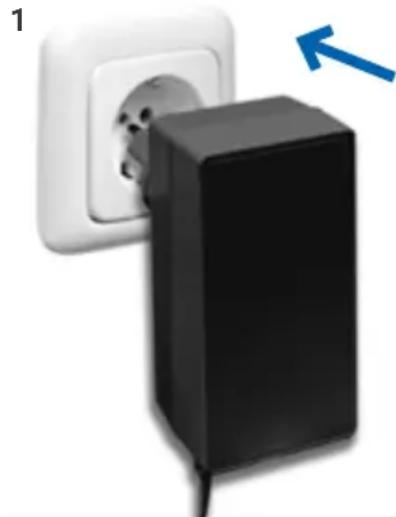
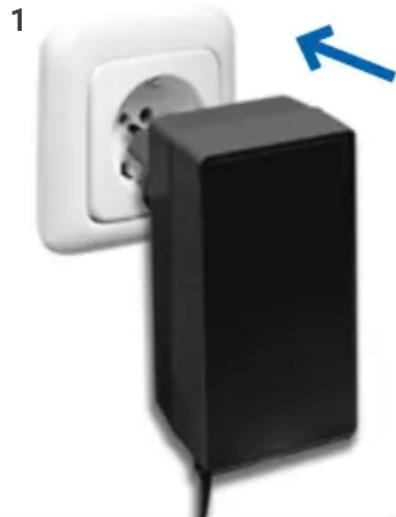
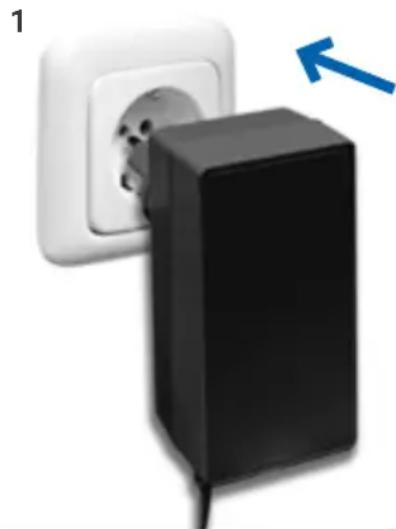
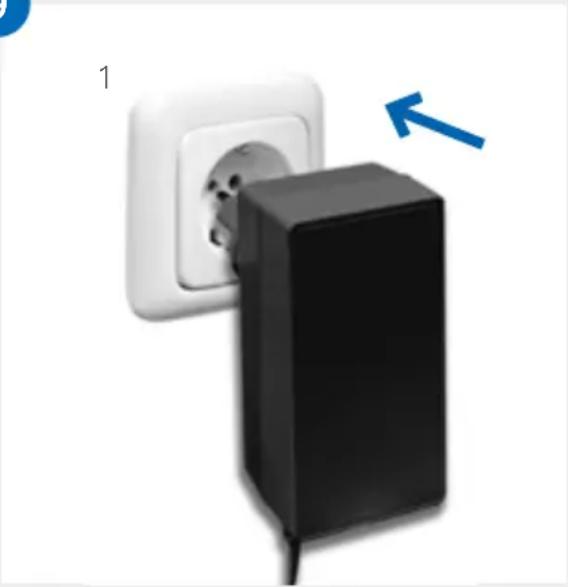
9 Make sure that the power supply complies with the specifications listed in the specifications. Connect the power supply unit to the mains.
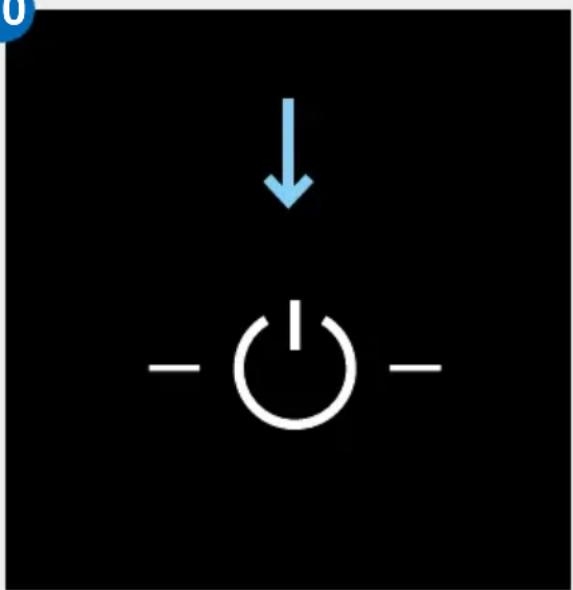
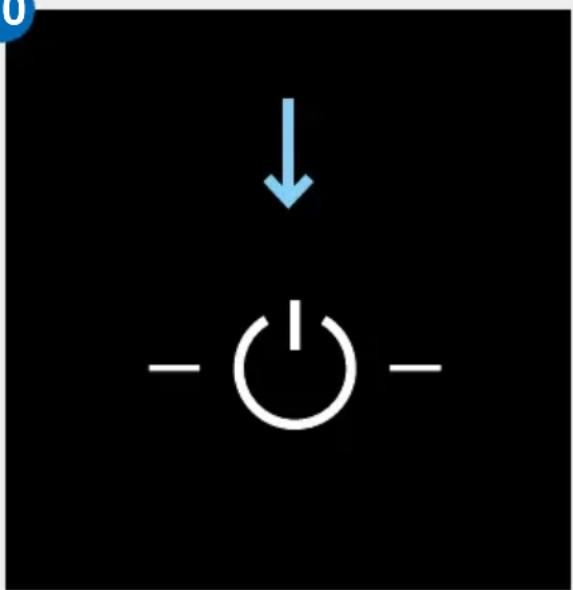
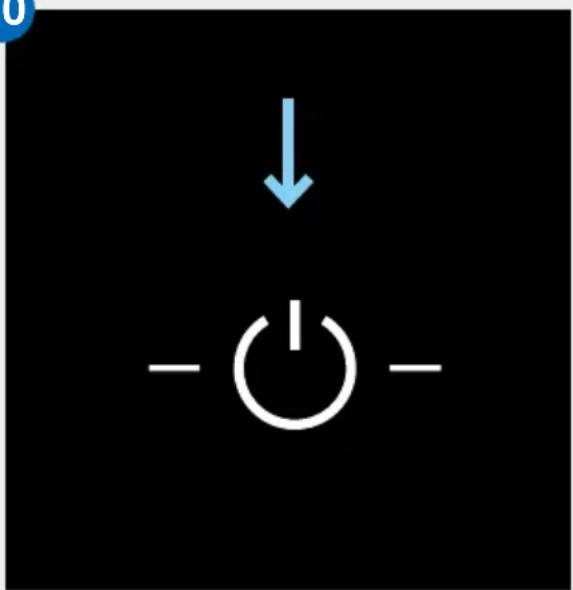
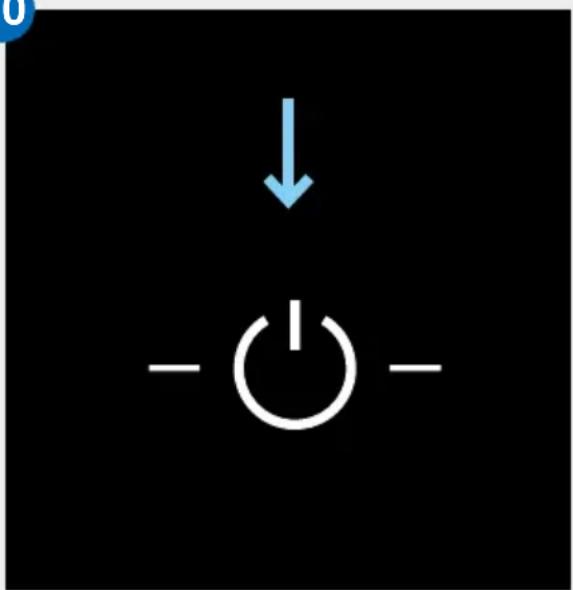
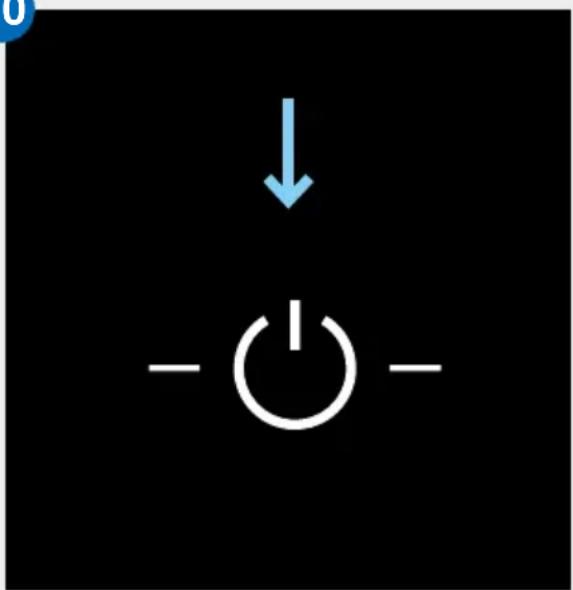
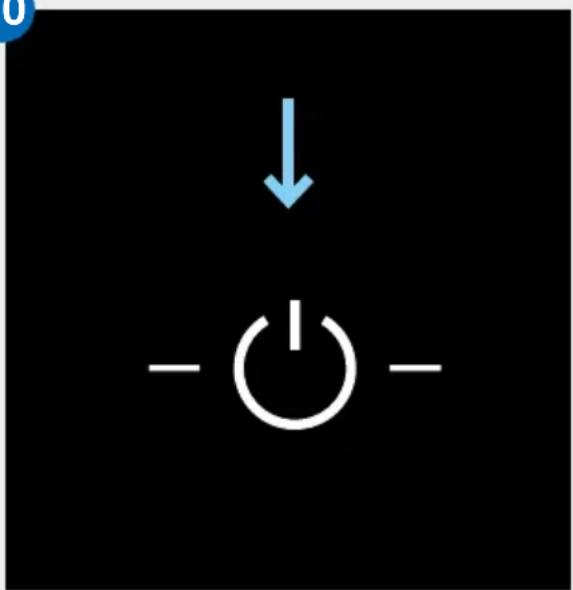
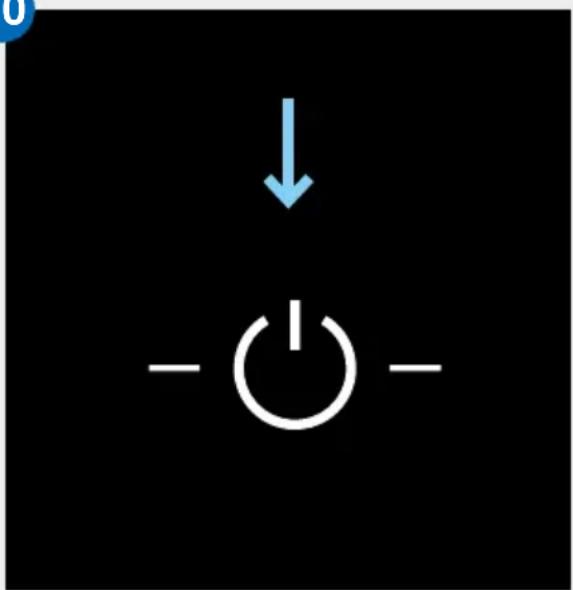
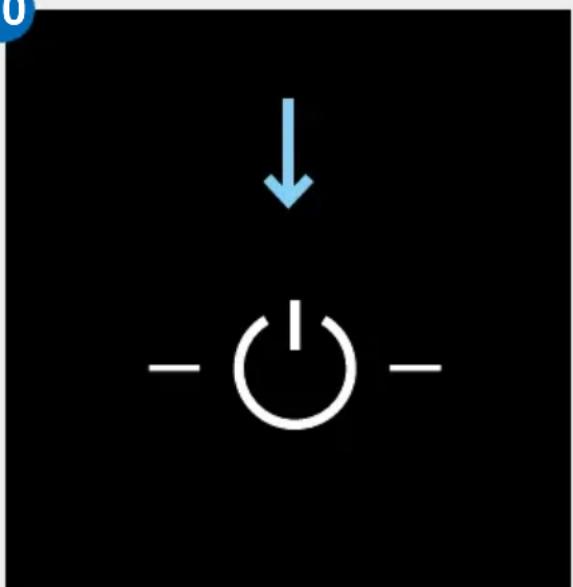
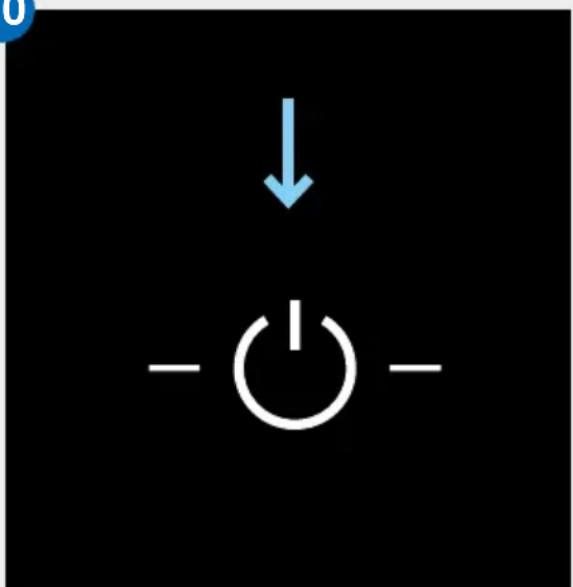
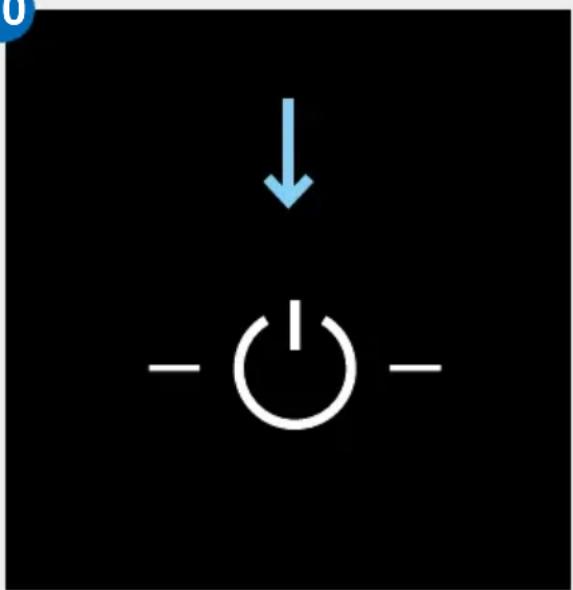
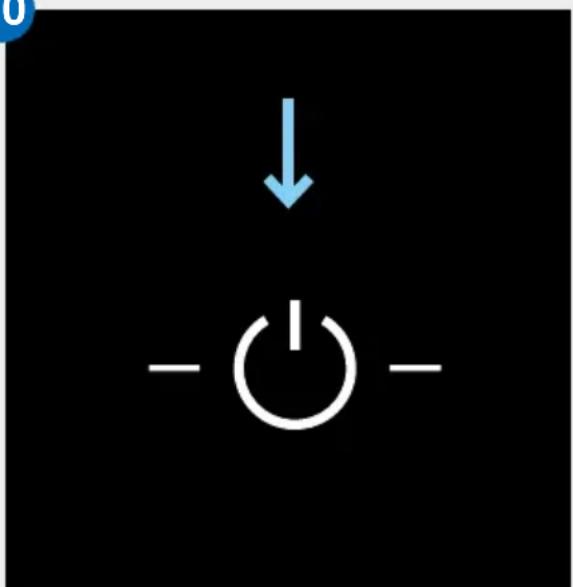
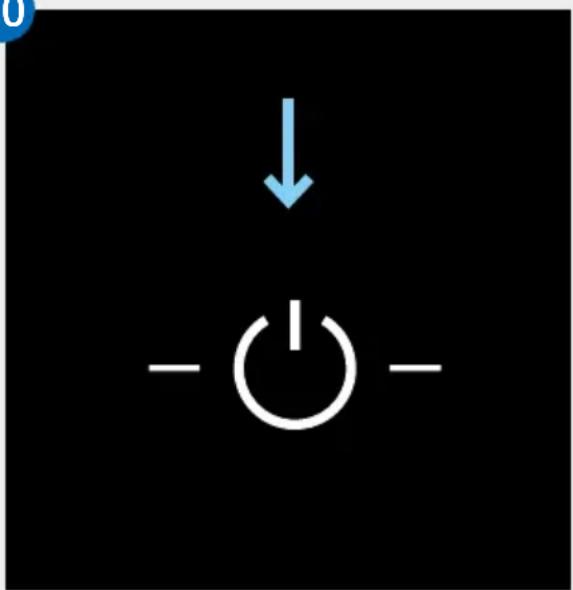
10 When the device is connected to the mains, the power button lights up to switch the device on and off. A short touch on the power button will turn the device on.
You can find out how to connect the device to your smartphone or tablet in the "Configuration of Smart Life App" section.
8
natural_image
White square electronic device with layered top and base, connected to a cable (no visible text or symbols)9
natural_image
Close-up of a black plastic electrical plug inserted into a white socket, with a blue arrow pointing to it (no text or symbols visible)10
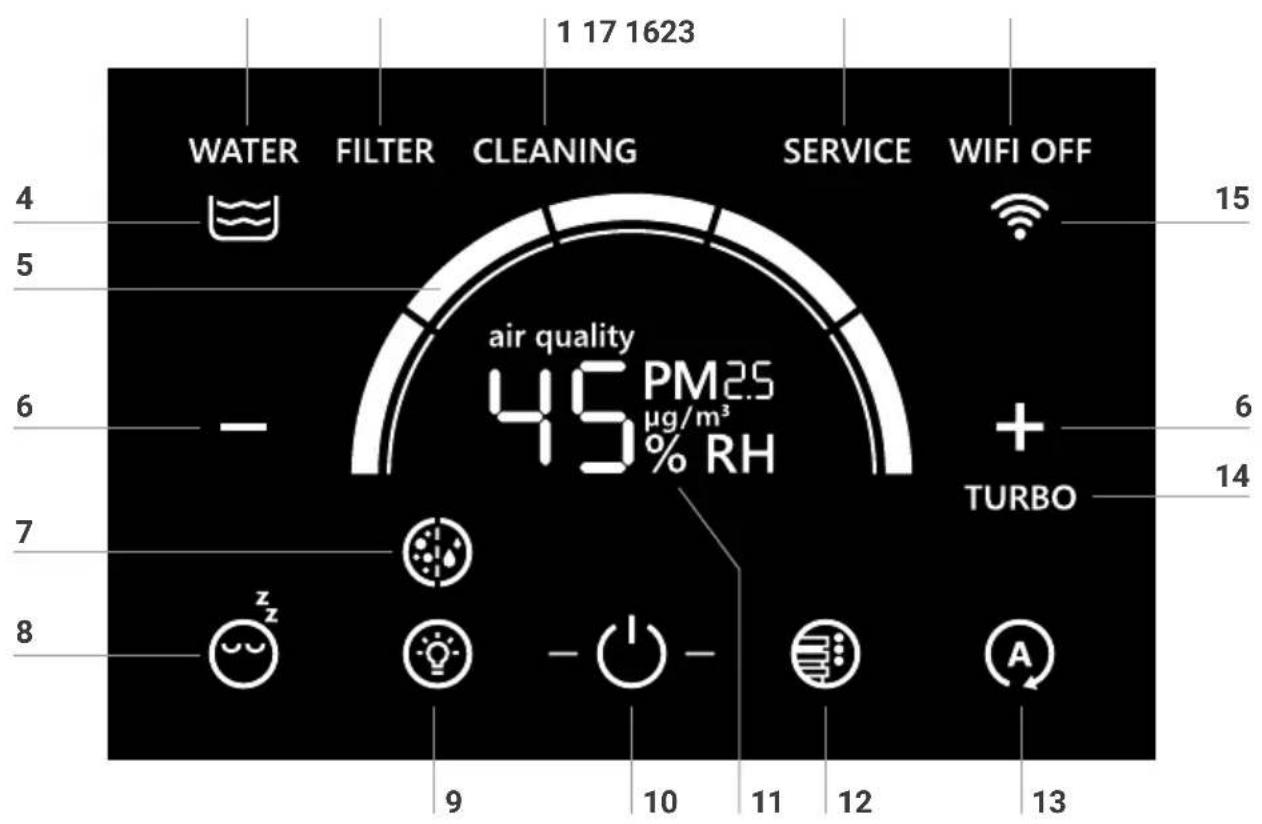
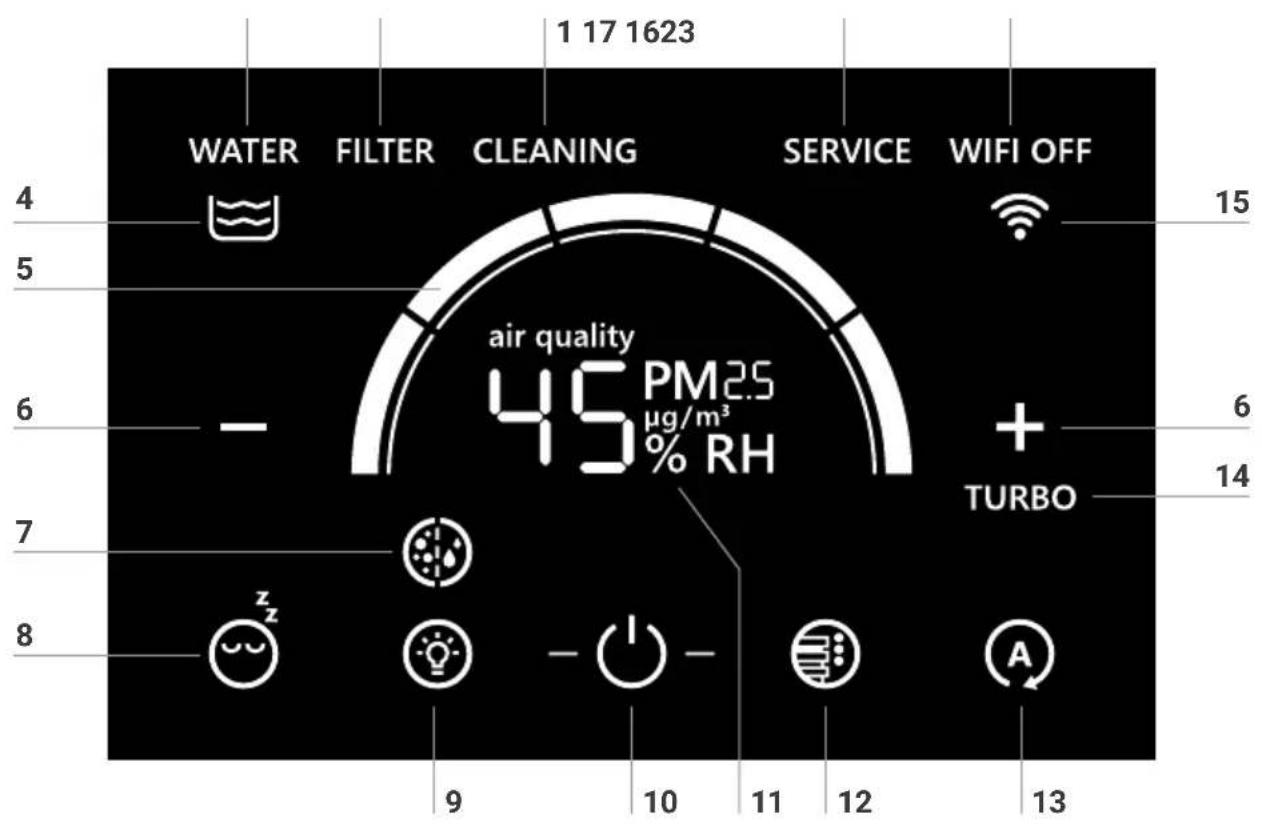
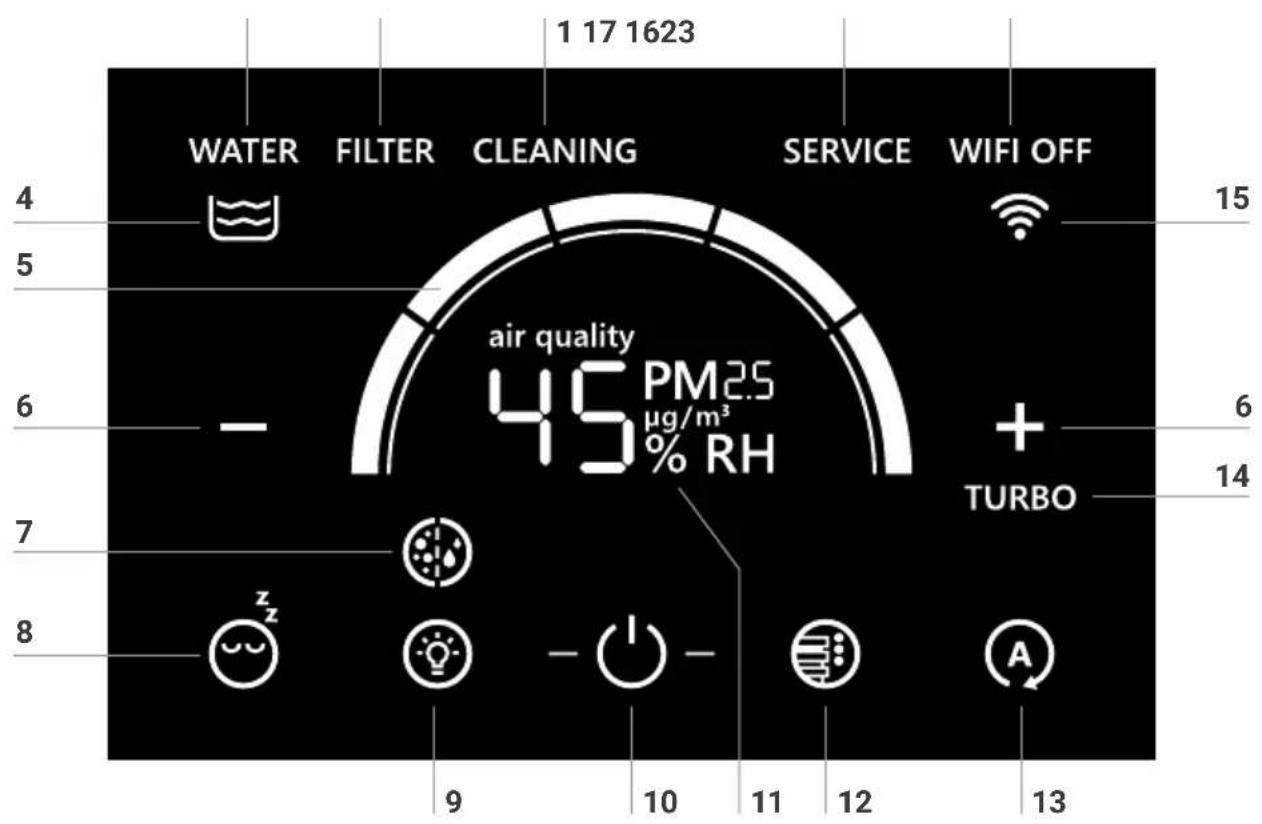
DISPLAY
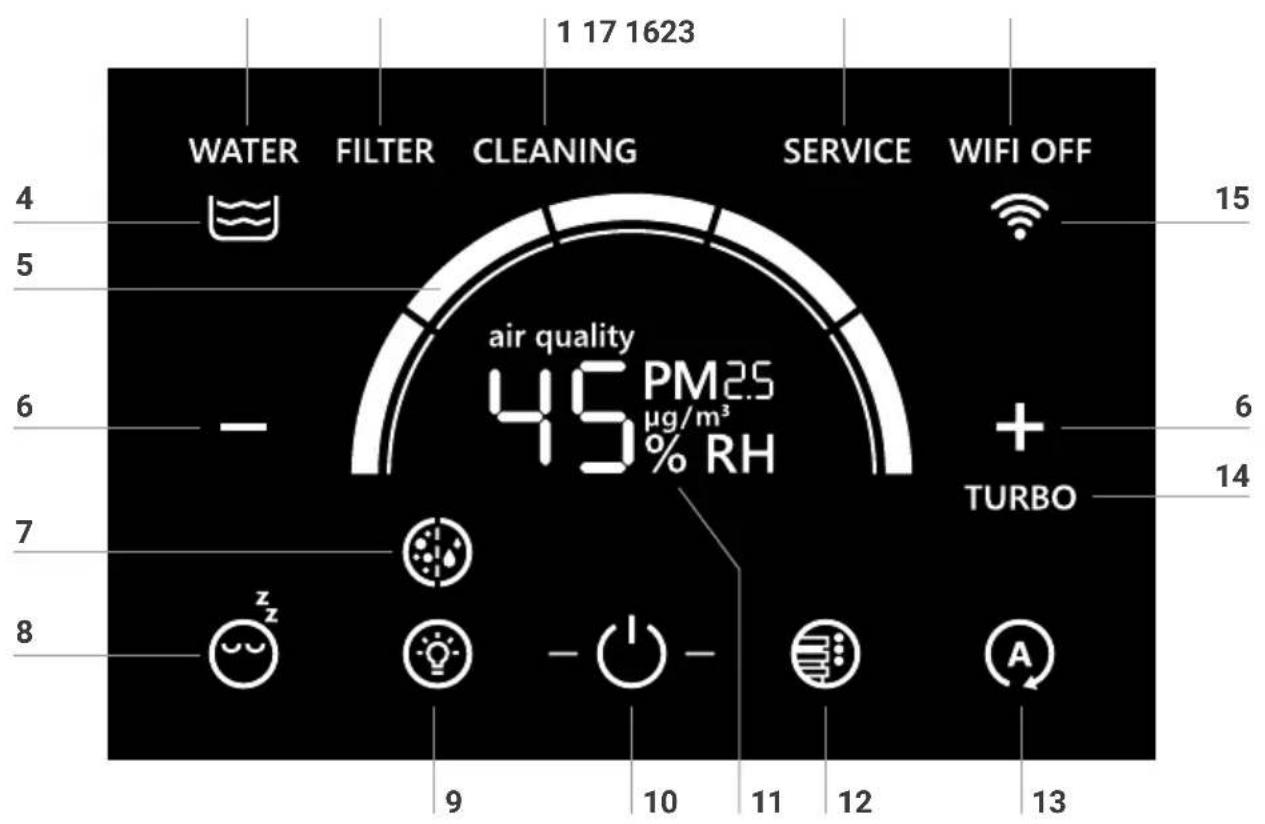
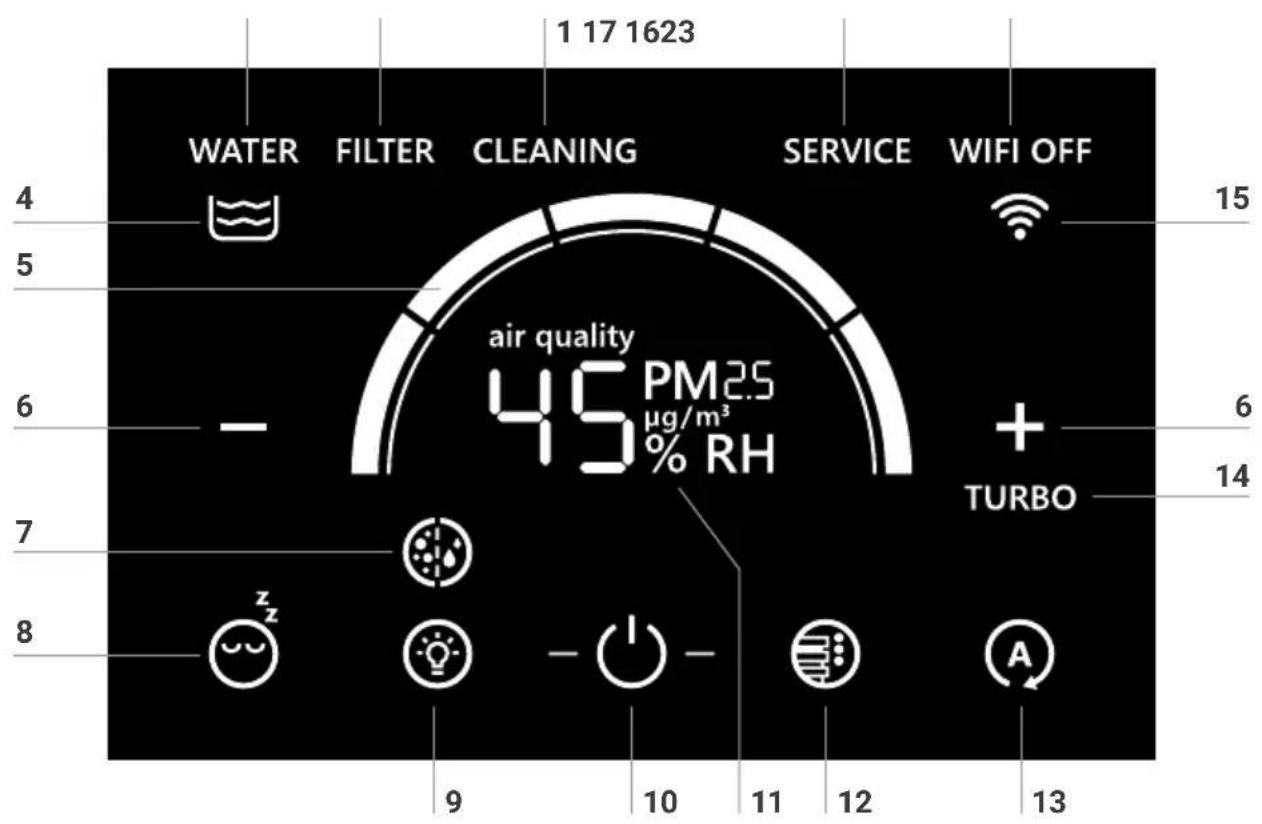
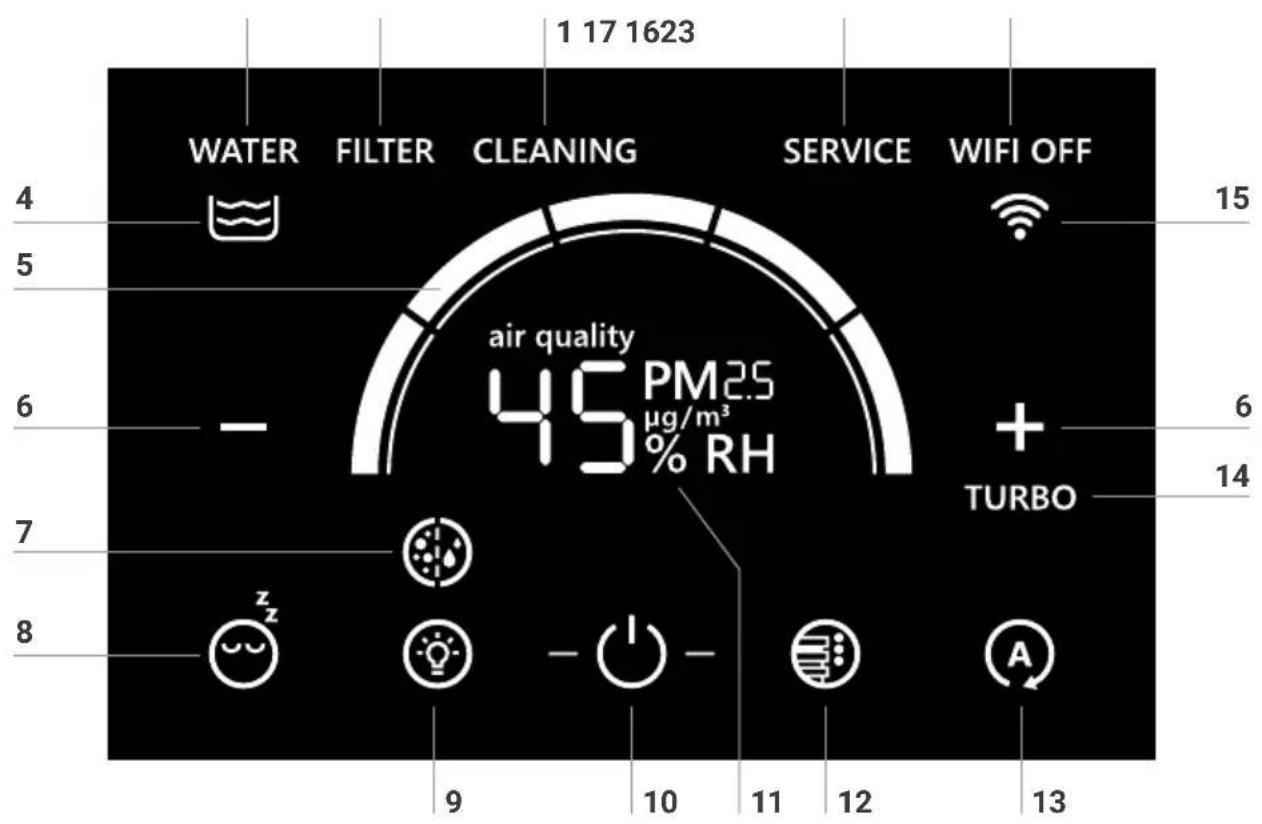
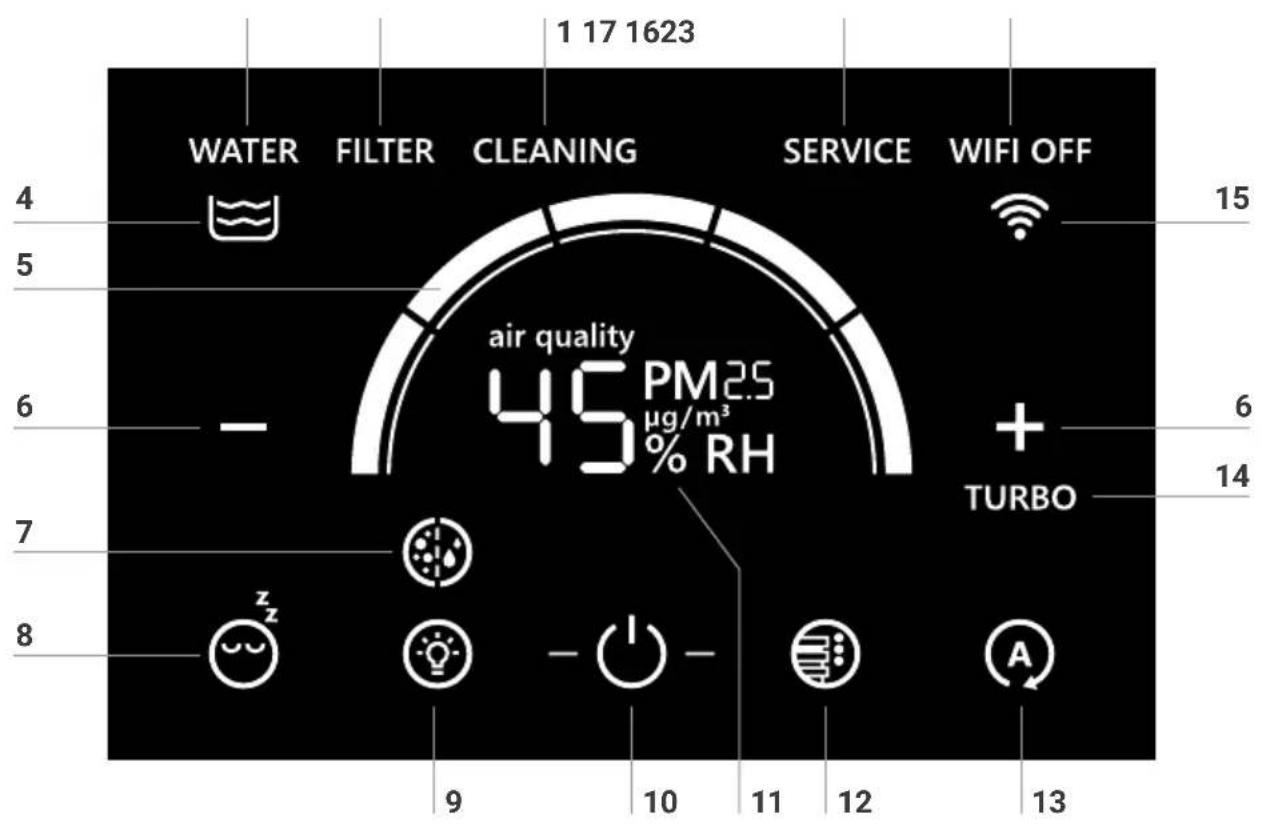
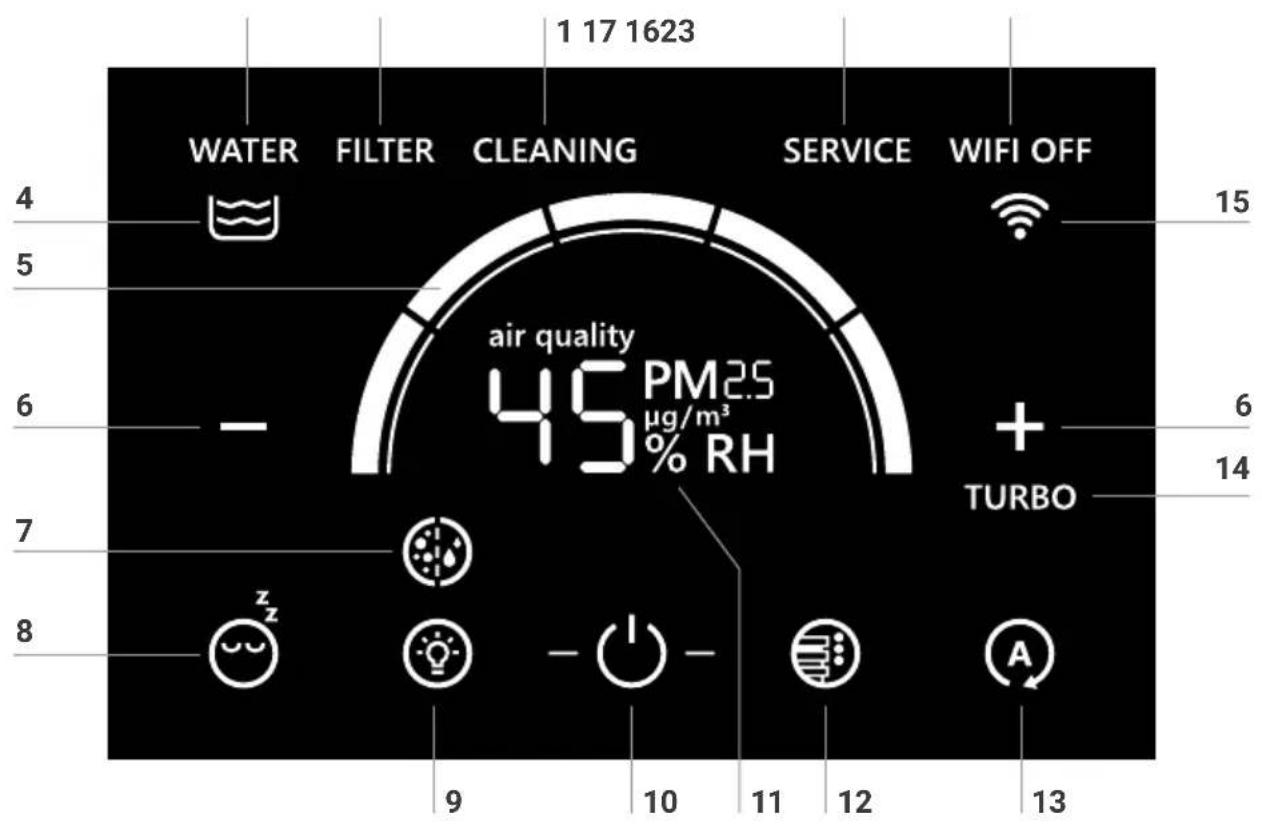
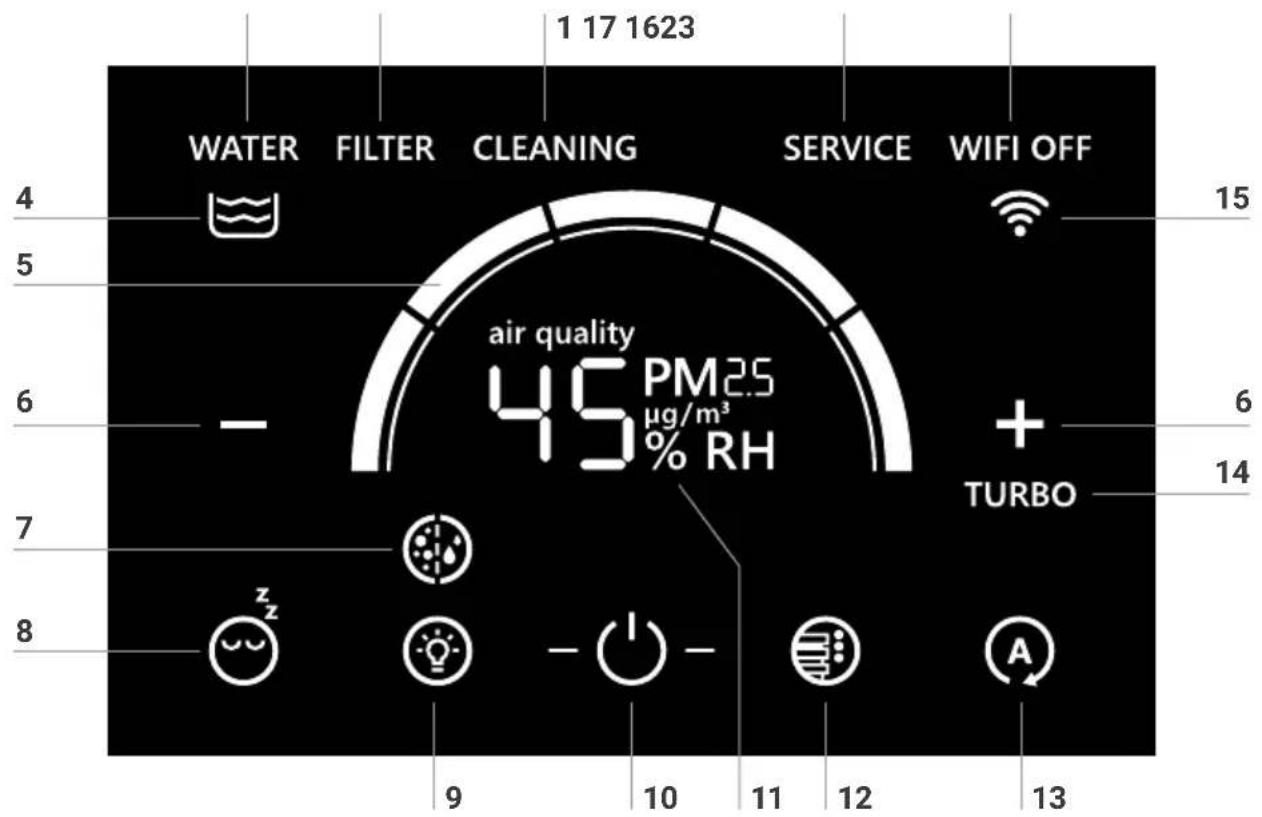
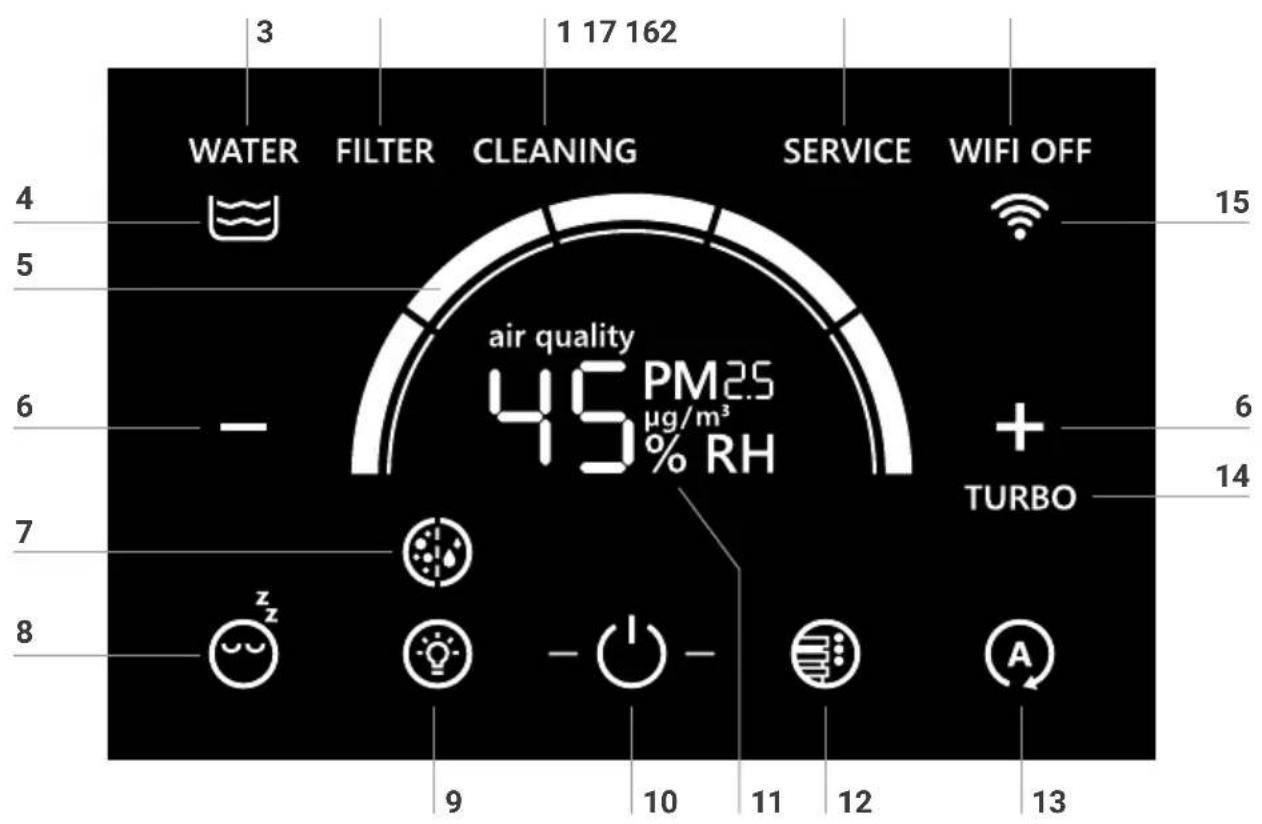
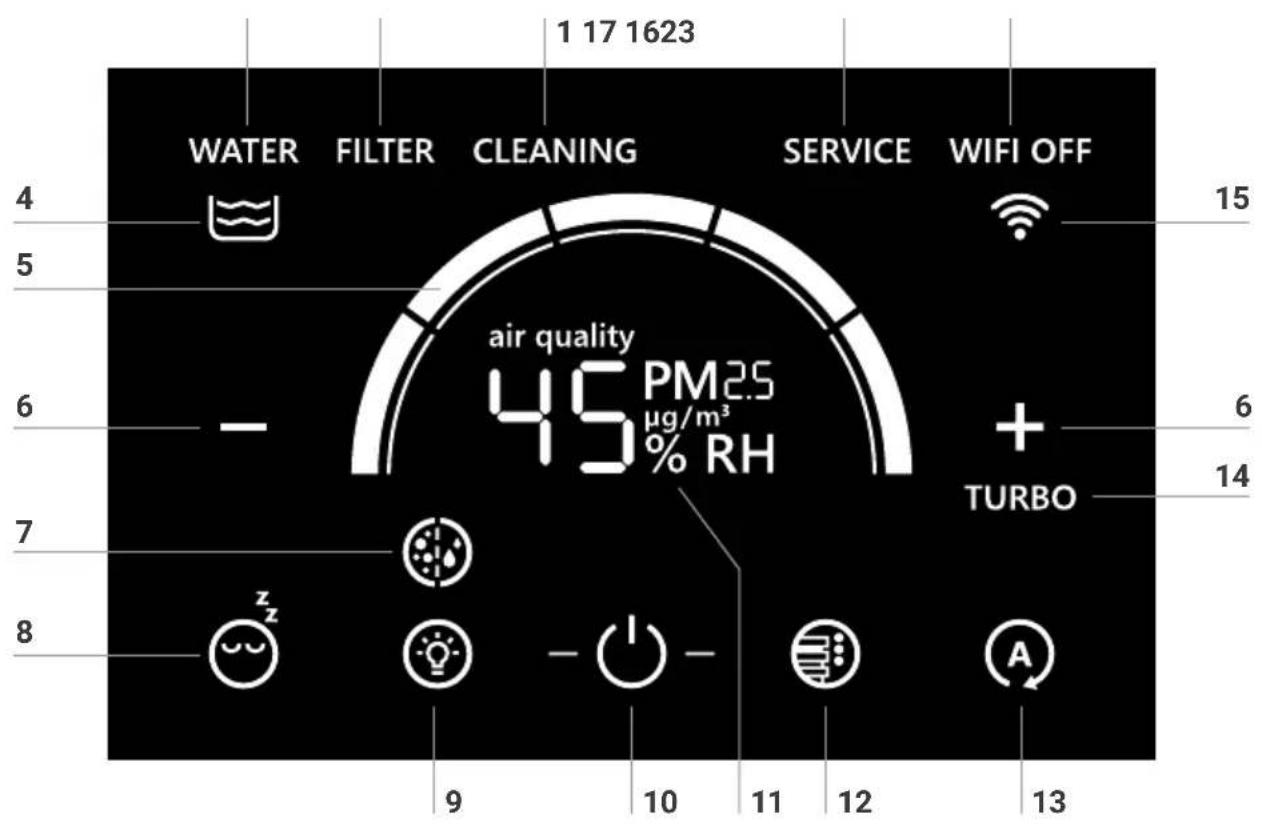
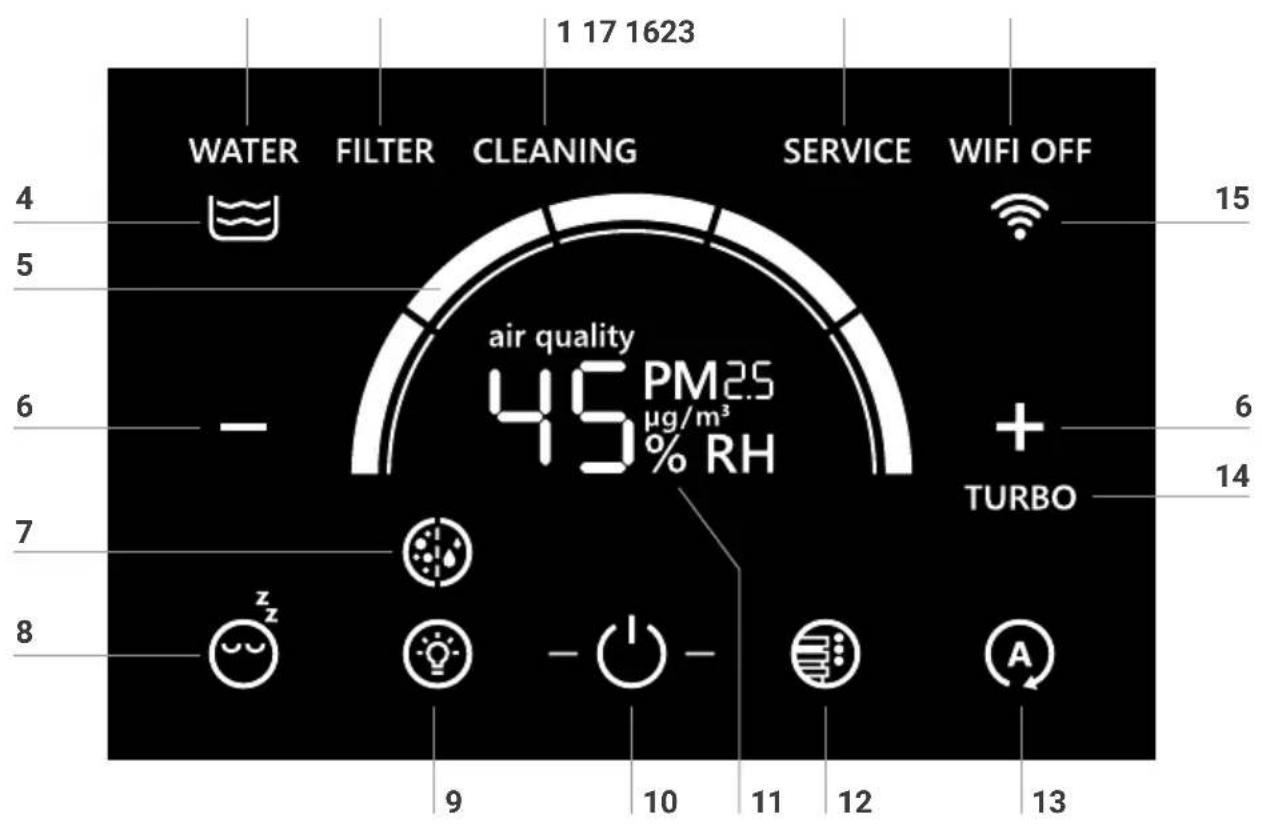
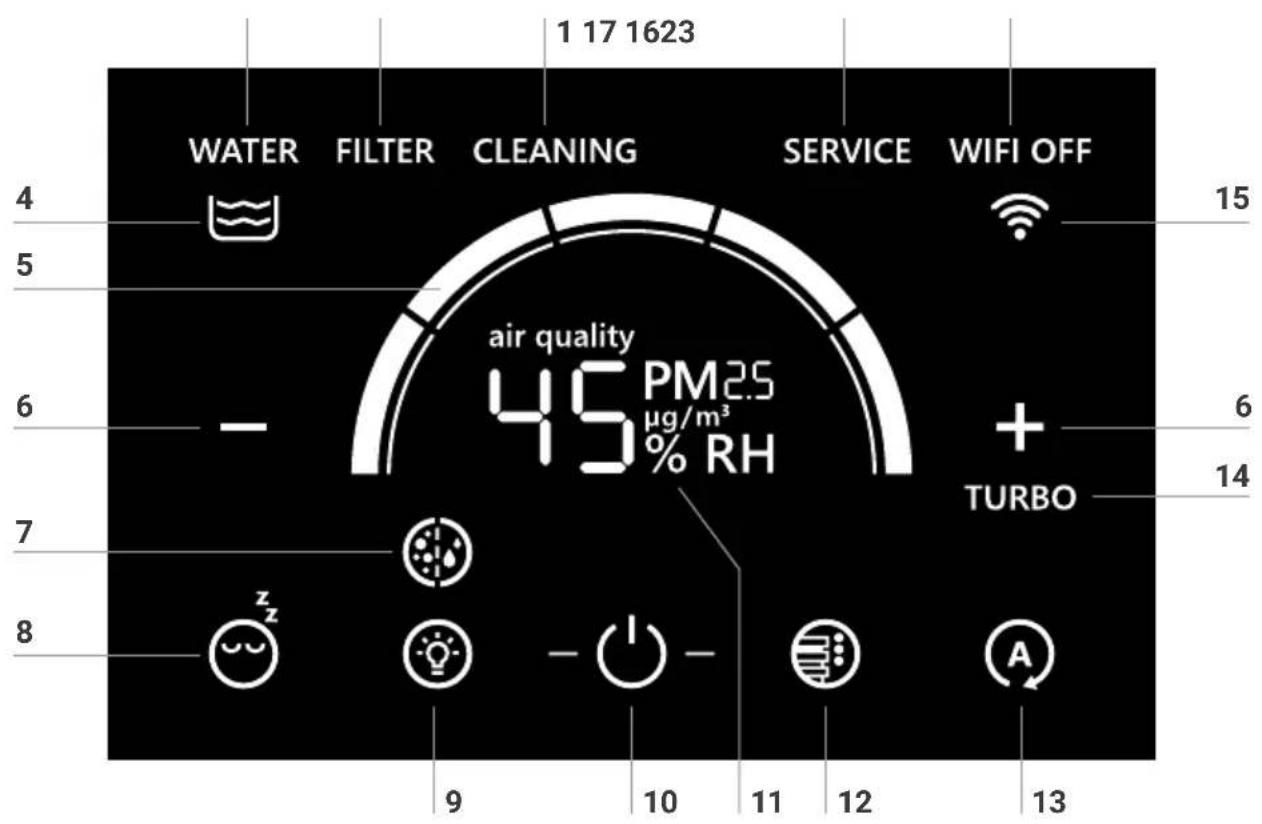
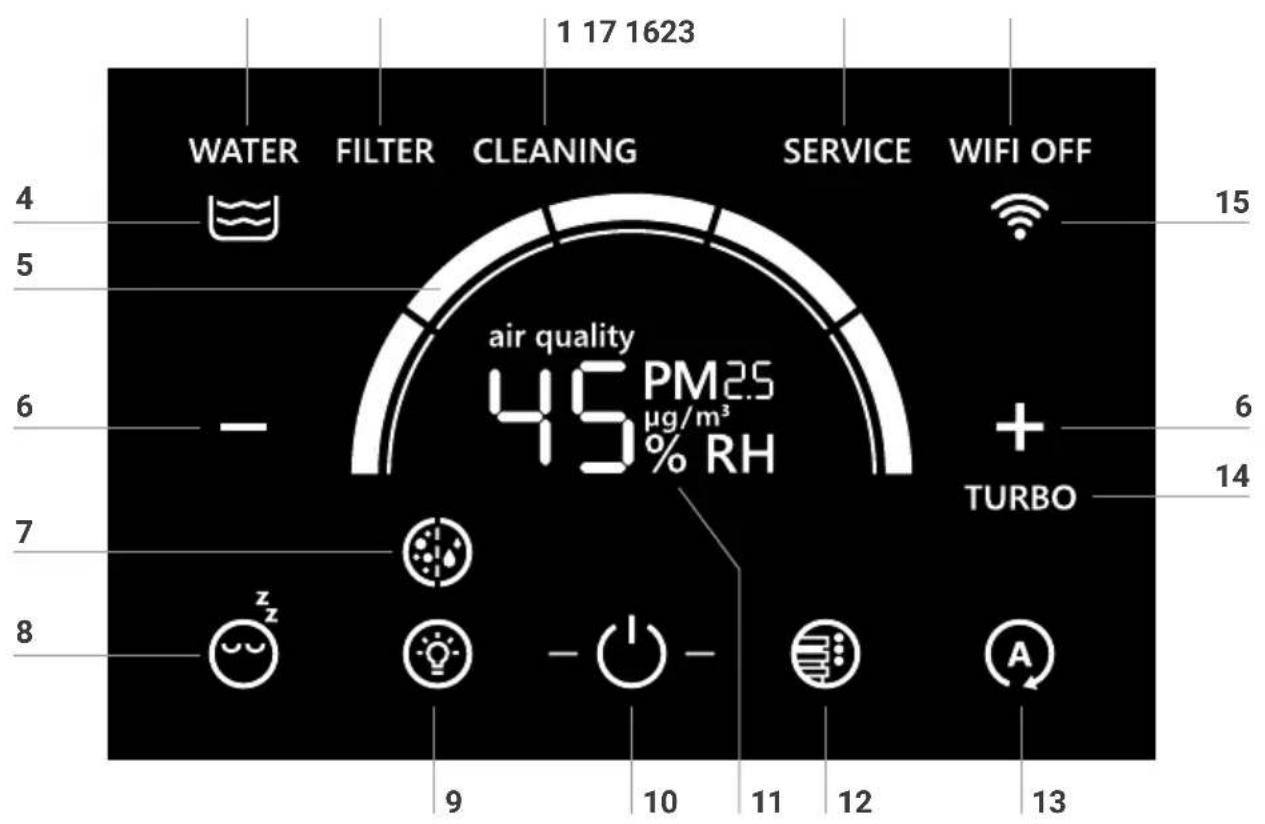
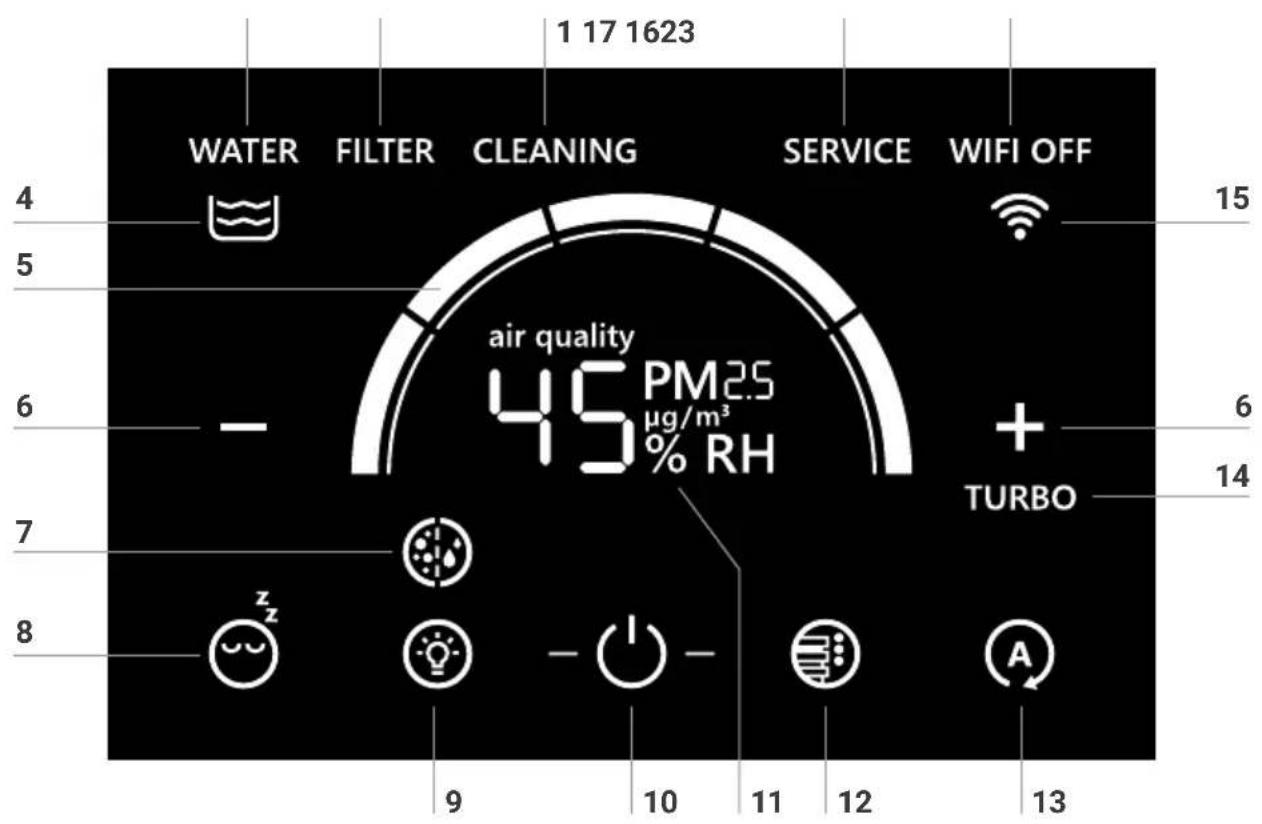
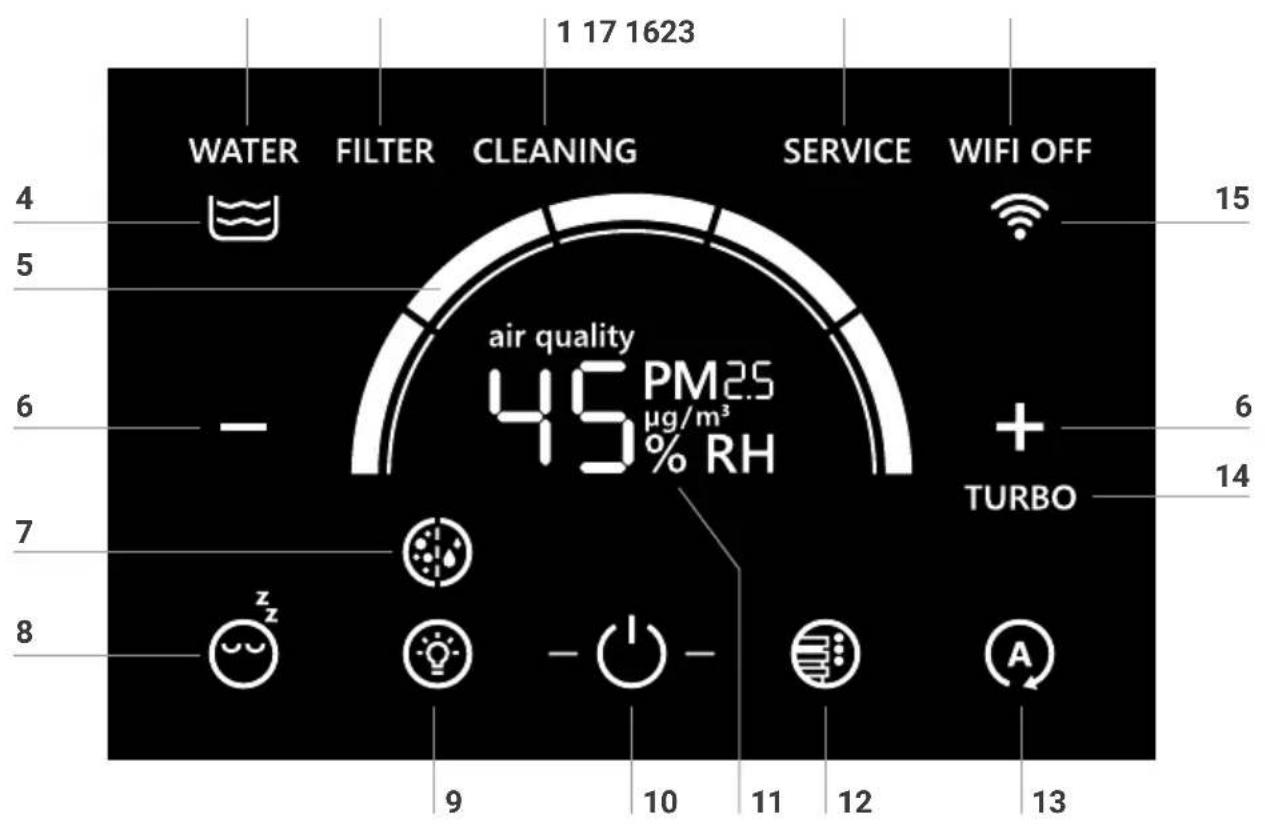
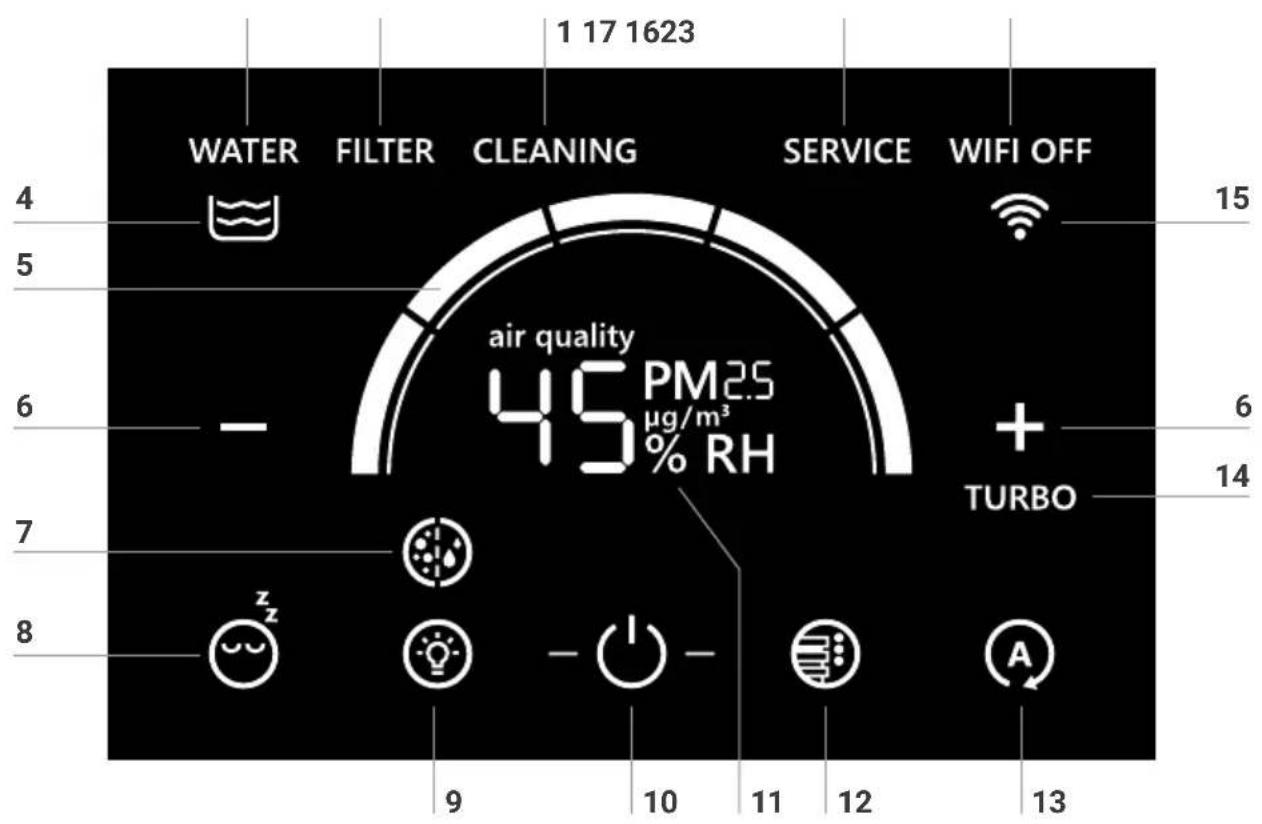
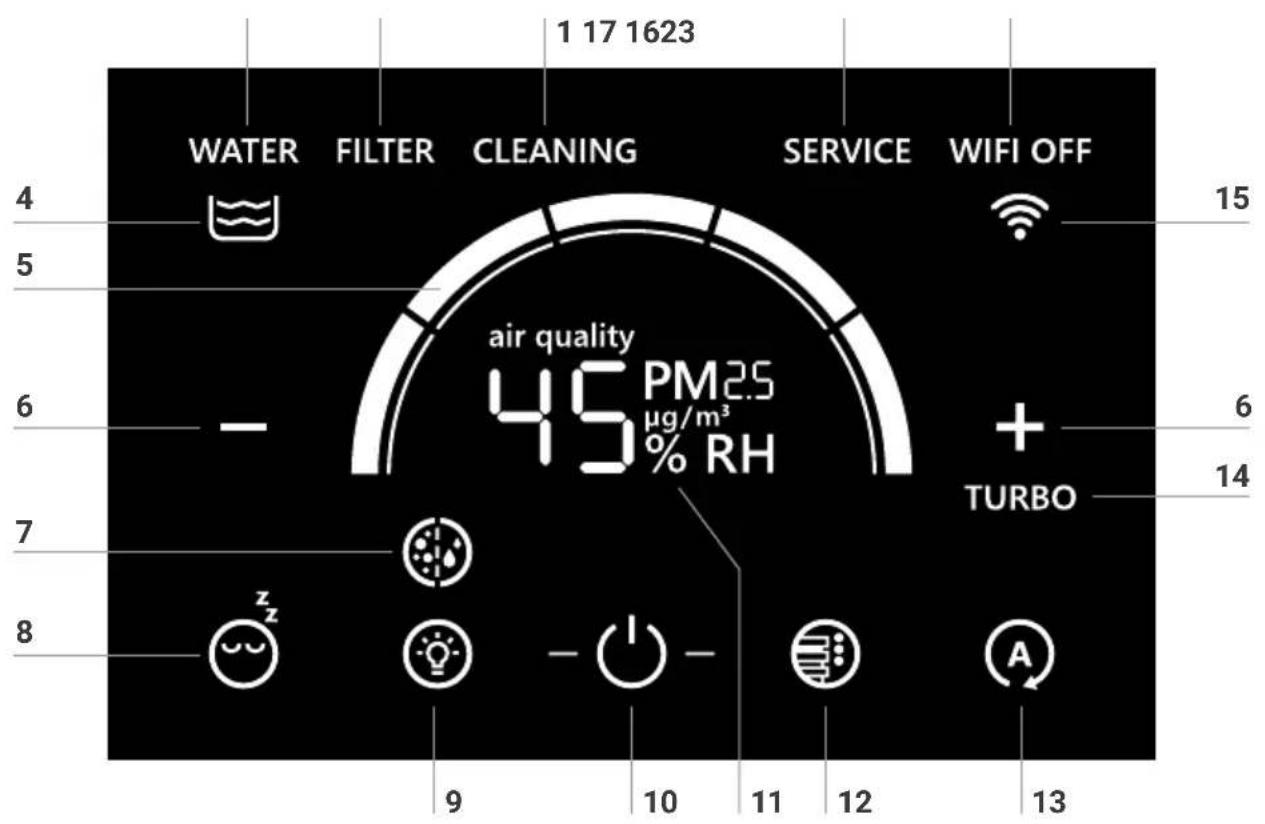
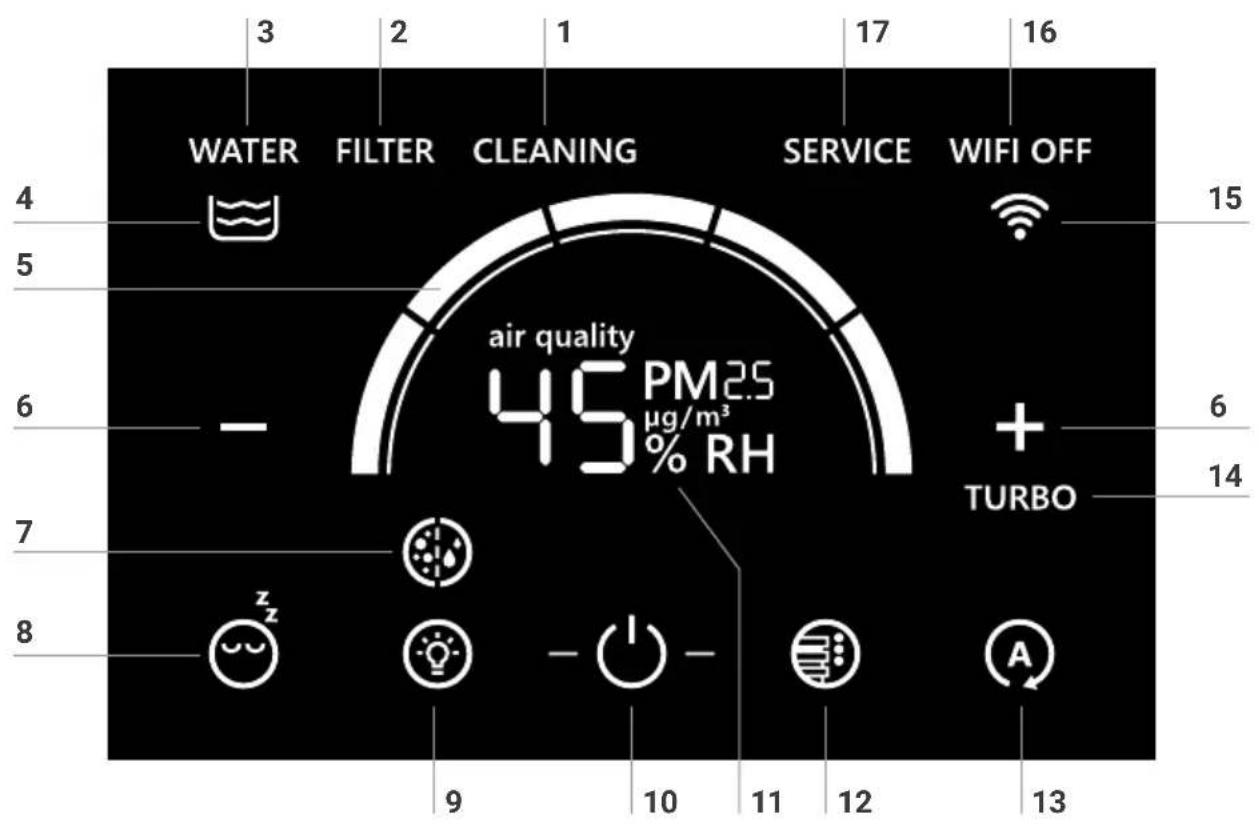
1 Cleaning necessary
2 Filter change necessary
3 Water tray empty
4 Water level
5 Speed level / Speed display
6 Regulation of the speed level: + / -
7 Airwasher / Air Purifier mode
8 Sleep mode
9 LED band ON/OFF – regulate brightness
10 Switching the device on/off
11 Air quality / relative humidity
12 Select LED colors/AQI level
13 Automatic mode
14 Turbo mode
15 WiFi status
16 WiFi ON/OFF button
17 Regular maintenance required
OPERATION
Display Function
 | Switching the device on or off (10)Briefly touching the button ⏻(10) switches the device on or off. |
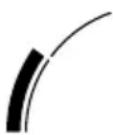 | Speed stage (5)Five speed levels can be activated.The speed steps are displayed as a ring segment. As the speed level increases, the next ring segment increases in a clockwise direction.Level 1 is shown here. |
 | Regulation of the speed level (6)Briefly touching the + button increases the fan speed. In the air cleaner mode, the turbo mode can be activated by touching the + button again.Briefly touching the - button decreases the fan speed. |
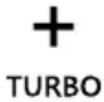 | Turbo (14)The turbo speed level can only be activated in air purifier mode. TURBO mode can be activated by touching the + button again in the fifth speed level. The TURBO indicator (14) lights up continuously in the display.TURBO mode can be deactivated by touching the - button. The turbo indicator (14) in the display goes out. |
| [GD7] | Set the desired humidity 30 - 70 %:Press and hold button Ⓐ(13) for 3 seconds. Relative humidity display (11) flashes continuously. |
 | |
| Use + or - (6) to set the desired humidity (in 5% steps).Press and hold button Ⓐ(13) again for 3 seconds until the flashing in the relative humidity display (11) stops and the measured humidity in the room is displayed again. Please make sure that the automatic mode (13) is switched on (button Ⓐ(13) in the display flashes continuously). | |
 | Automatic mode (13)Is switched on or off by briefly touching button Ⓐ(13).On: Button Ⓐflashes continuously. Depending on the air quality (see chapter "Displaying air quality") and humidity in the room, the appliance automatically adjusts the fan speed. As soon as the desired humidity level is reached, the disk stack does not rotate and humidification is no longer carried out..Off: Button Ⓐlights up continuously. The appliance runs at the set fan level 1 - 5. |

Sleep mode (8)
Switched on by a short touch 😊 and switched off again by touching for 3 seconds.
On: The unit switches to speed level 1. The LED band is switched off.
Only the Sleep mode button (8) and the on/off button (10) lights up, with reduced brightness.
By briefly touching the Sleep mode button (8), the following displays/functions are available for approx. 5 seconds:
• + and -buttons (6) for changing the speed level 1
• WiFi (15) can be switched on/off
- LED band (9) can be switched on/off and dimmed.
• LED colors (12) can be changed.
Off: To exit Sleep mode, press and hold the Sleep mode button (8) for approx. 3 seconds. All displays/functions light up in normal brightness and are available.

Airwasher / Air Purifier mode (7)
Mode can be changed by briefly touching icon.
Airwasher mode: The appliance cleans the air and humidifies it. For Airwasher mode, the water tray and the disk stack must be correctly inserted into the appliance. The TURBO function (14) cannot be activated in Airwasher mode. The button (7) shows air particles on the left and water droplets on the right.

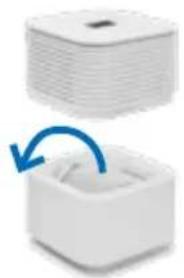
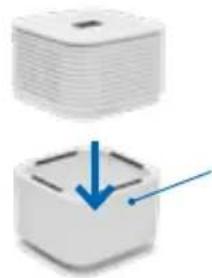
Air Purifier mode: The appliance purifies the air but does not humidify it. The TURBO function (14) can be activated. The button (7) only shows the air particles on the left. We recommend emptying the water tray in air purifier mode to prevent water from escaping from the appliance when turbo mode is activated. The water tray can be replaced by the four support parts (G) for a higher air purification performance.
Operation with support parts for higher air purification performance:
natural_image
Two white plastic storage units with a blue arrow indicating rotation or change (no text or symbols)Remove
water tray (F)
+ disk stack (E)
natural_image
Two 3D-rendered blocks with a blue arrow pointing to one, no text or symbols present.Attach support parts (G) to the lower part
| 12PM25μg/m3 | Air quality / humidity (11)Short touch switches between display of air quality and display of relative humidity. | |||
| Air qualityColor display μg/m3 PM2.5 AQI US Meaning | ||||
| Green 0-12 0-50 GoodYellow 12.1-35.4 51-100 ModerateOrange 35.5-55.4 101-150 Unhealthy for sensitive personsRed 55.5-150.4 151-200 UnhealthyRed 150.5-250.4 201-300 Very unhealthyRed ≥ 250.5 301-500 Dangerous | ||||
| 45% RH | From a particle measured value greater than 99 μg/m3, the display shows "Hi".HumidityThe display shows the relative humidity in percent. The LED band continues to signal the air quality if this function is set (see LED colors (12)). | |||
| LED band (9)Is switched on or off by a short touch.Set the desired brightness:Touch the LED strip button (9) and hold for approx. 3 seconds until the LED strip button (9) and the air quality indicator (11) flash. The + and - buttons (6) change the brightness in 8 levels.Touch the LED strip button (9) again and hold for approx. 3 seconds until it lights up constantly again. | ||||
| LED colors (12)Can be selected by briefly touching the icon.Retrieve the current air quality in the room (air quality):On: Touch and hold the LED colors button (12) for 3 seconds. The word "air quality" in the air quality display (11) lights up constantly. The LED band provides color information about the current air quality in the room. For the color description and its exact meaning, please refer to the table in the "Air quality" section.Off: Briefly touch the LED colors button (12) again. The "air quality" lettering in the air quality and humidity display (11) goes out. The LED strip lights up in the selected color. | ||||
Display Function
natural_image
Close-up of a white industrial ventilation grille (no text or symbols visible)Color information of the LED strip
Constant glow:
Flawless device operation.
A blue running light moves along the LED strip:
The firmware is being updated.
The LED strip flashes:
The water level is too low. Please top up with water (see chapter "Cleaning & care").

Water level (3)
The symbol shows the fill level of the water tray: Two wavy lines: 100 % One wavy line: 50 % Empty tub: 0 %
The following messages appear when maintenance is required:
Display Function
| WATER | Water (3)The water level is too low. Refill water see chapter “Cleaning & Maintenance” section “Refilling water”. |
| FILTER | Filters (2)The filters must be changed (see chapter “Cleaning & Maintenance” section “Changing the filters”). |
| CLEANING | Cleaning (1)The water tray and the disk stack must be cleaned with Venta cleaner (see chapter “Cleaning & Care” section “Cleaning”). |
| SERVICE | Service (17)Empty the water tray, rinse the disk stack and fill the tray with fresh tap water and hygiene additive (Chapter “Cleaning & care” under section “Changing the water”). Clean the water level sensor with a slightly damp cloth. |
Display Function
| WiFi connectionActivated and deactivated by briefly touching the WiFi icon (15). | |
| WiFi connection is activated: | |
| WiFi symbol (15) flashes: The WiFi connection is disconnected / The device is waiting for a WiFi connection. | |
| The lower two segments of the WiFi symbol (15) light up constantly, the upper two light up one after the other: WiFi connection to the cloud is established. | |
| WiFi symbol (15) lights up constantly: WiFi connection to the cloud successfully established. | |
| The VENTA device is in hotspot mode:The dot lights up continuously and the three reception bars appear in ascending order: The VENTA device is in hotspot mode and is ready for setup in the Smart Life app. | |
| WIFI OFF | WiFi connection is deactivated:WiFi Off (16) lights up: WiFi module is not sending or receiving data and is not connected to any network or device. |
CONFIGURATION & SMART LIFE APP


Hotspot mode
During initial startup, the device is automatically in hotspot mode. The hotspot mode can be activated at any time by touching and holding the WiFi symbol (15) for 3 seconds. Hotspot mode is activated when the three reception bars of the WiFi symbol light up in succession from bottom to top in the display .
Activating WLAN
Make sure your smartphone or tablet is connected to your home WLAN network and Bluetooth is turned on.

Install "Smart Life - Smart Living" App
Install the free "Smart Life – Smart Living" app on your smartphone.
Set up WiFi
After you have downloaded and installed the "Smart Life – Smart Living" app, please open the app.
- Create a user account and log in.
- Tap "Add device" if your device appears in the app. Otherwise, tap +, "Add device", "Small home appliance", "Humidifier (BLE +Wi-Fi)". Select your WiFi and enter the WiFi password.
Please make sure that ...
- the device is assigned a radio network in the 2.4 GHz band by your router. Unfortunately, radio networks in the 5 GHz band are not supported.
- Your router supports 802.11b/g/n.
- iOS version 11.0 or higher or Android version 6.0 or higher is installed. If necessary, update the operating system of your smartphone or tablet.
If problems occur during WiFi setup, please refer to the corresponding section in the "What if ...?" chapter. Further information at: www.venta-air.com
CLEANING / MAINTENANCE
Caution! For all measures, make sure that the device is switched off and the power supply is disconnected from the socket! Use a protective mask and gloves! The filters must not get wet. If hygiene additive, cleaner, or water has come into contact with the filter, the filters must first dry completely before reassembly.
Refill water
The water consumption depends on the current relative humidity, the target humidity, and the operating mode. As soon as there is too little water in the water tray in Airwasher mode (7) the appliance switches off automatically and displays the message WATER (3).
1 Switch off the device.
2 Disconnect the power plug.
3 Remove the upper part of the device.
4 Fill the water tank with fresh tap water up to the WATERLINE mark.
5 Position the upper part of the appliance so that the gear wheels in the upper part engage with the gears of the disk stack.
6 Plug in the power plug and switch the unit on again.
7 The water level display is updated when the appliance is switched on again.
Change water
To ensure perfectly hygienic continuous operation, the SERVICE indicator (17) reminds you to carry out this measure every 14 days.
1 Switch off the device.
2 Disconnect the power plug.
3 Remove the upper part of the unit.
4 Empty residual water from the water tray.
5 Rinse the water tray and disk stack thoroughly with fresh tap water. Residues in the water tray and on the disk stack (white, green-yellowish or brown deposits or discoloration) do NOT impair the function of the appliance.
6 Replace the disk stack in the water tray.
7 Fill the water tray with fresh tap water up to the "WATERLINE" mark.
8 Fill the water tray with hygiene additive (for dosage, see scale LW15 on the back of the bottle).
9 Clean the water level sensor with a slightly damp cloth.
10 Place the upper part of the appliance so that the gear wheels in the upper part engage with the gear wheels of the disk stack.
11 Plug in the mains plug and switch the appliance back on.
12 Touch the SERVICE display (17) and hold for approx. 3 seconds until it goes out.
Cleaning
The water tray and the disk stack must be cleaned with VENTA cleaner approx. every 6 months. The CLEANING indicator (1) indicates when the water tray and disk stack must be cleaned.
1 Switch off the device.
2 Disconnect the power plug.
3 Remove the upper part of the unit.
4 Empty residual water from the water tray.
5 Fill the water tray with fresh tap water up to the WATERLINE mark and add 250 ml Venta cleaner.
6 Position the upper part of the appliance so that the gear wheels in the upper part engage with the gears of the disk stack.
7 Plug in the power plug and switch on the unit.
8 Allow the unit to run for approx. 2 hours at speed level 1. Recommendation: During this cleaning process, please ventilate the unit to avoid possible odors, which can arise from very heavy soiling.
9 Afterwards, switch off the unit, disconnect the power plug and remove the upper part of the unit.
10 Empty out contaminated water.
11 Thoroughly rinse the water tray and disk stack.
12 Fill the water tray with fresh tap water up to the MAX. mark.
13 Fill the hygiene additive into the water tray (for dosage, see scale LW15 on the back of the bottle).
14 Position the upper part of the appliance so that the gear wheels in the upper part engage with the gears of the disk stack.
15 Plug in the power plug and switch on the unit.
16 Touch the CLEANING display (1) and hold it for approx. 3 seconds until it goes out.
Change filter
The service life of the VENTA filter is approx. 1 year (with 24-hour continuous operation). The filter service life depends on the number of operating hours and the air quality in the room. The FILTER indicator (2) indicates when the filter needs to be changed.
1 Switch off the device.
2 Disconnect the power plug.
3 Remove the upper part of the unit.
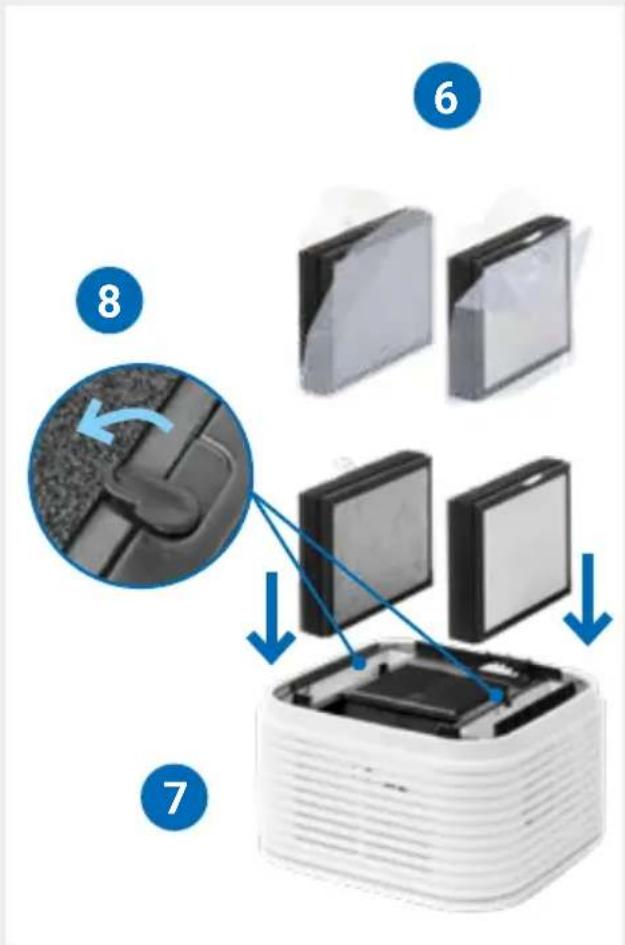
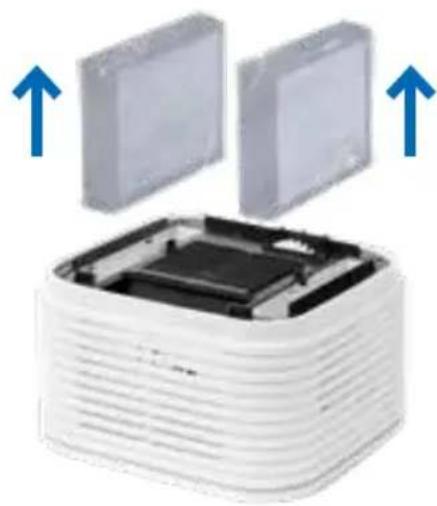
4 The locking mechanism of the two filter trays on the upper part of the appliance unlock.
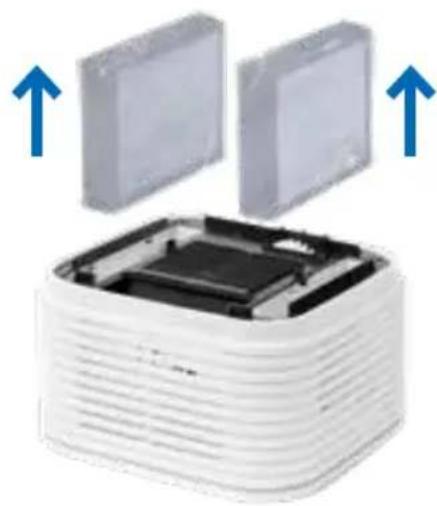
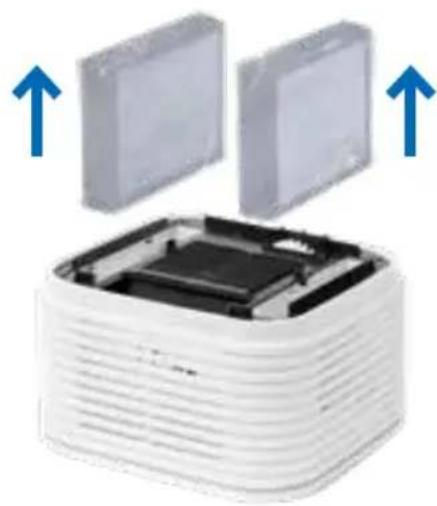
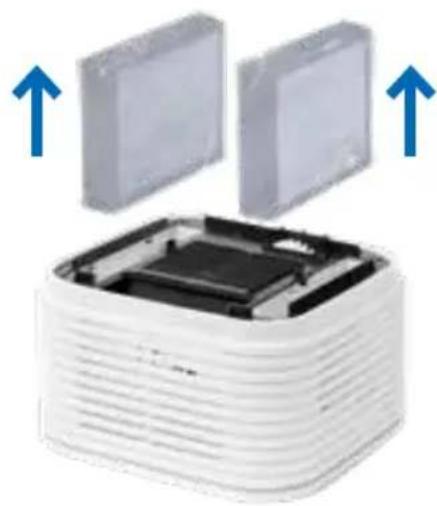
5 Remove both filters.
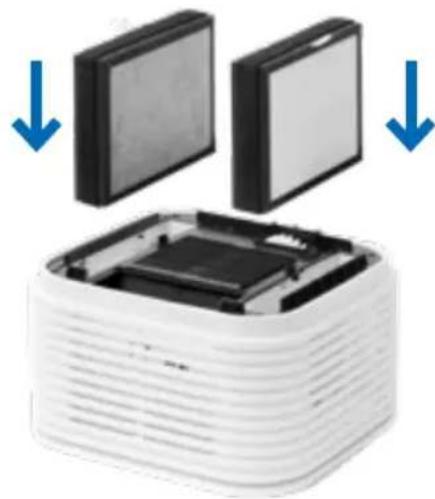
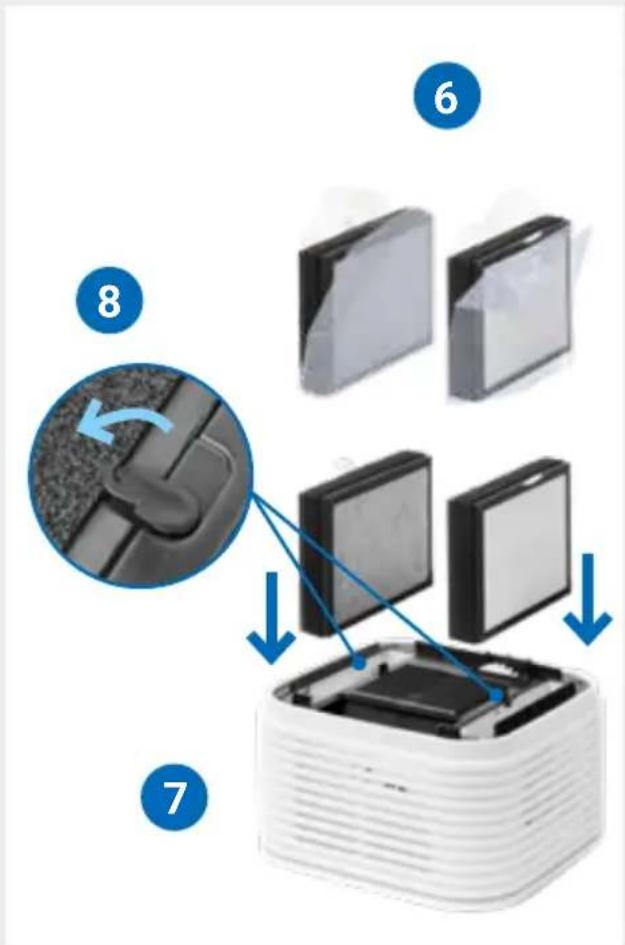
6 Remove the protective packaging from the new VENTA filters and insert the new filters.
7 Close the locks again.
8 Position the upper part of the appliance so that the gear wheels in the upper part engage with the gears of the disk stack.
9 Plug in the mains plug and switch on the unit.
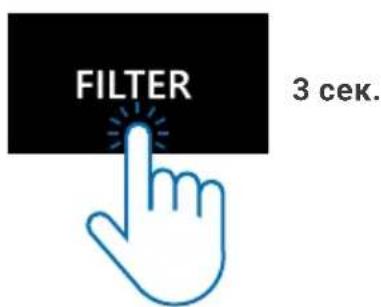
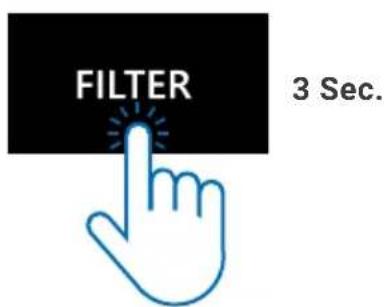
10 Touch the FILTER display (2) and hold it for approx. 3 seconds until it goes out.

Pack the used VENTA filter in a bag and dispose of it in the household waste.
Change filter
3
natural_image
Two white 3D blocks with a square top and a small circular base, each showing a blue arrow indicating rotation or transformation (no text or symbols)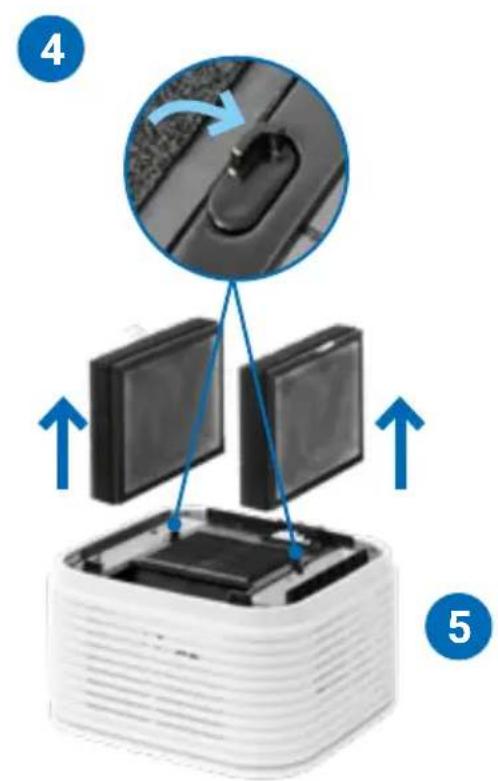
natural_image
Close-up of a white plastic electronic component being inserted into a grid, with magnified insets showing internal structure (no text or symbols visible)
Reset menu
The maintenance actions can always be carried out if necessary, even if they are not displayed.
Touch the On/Off button ⏻(10) and hold for approx. 3 seconds until the display flashes and FILTER, CLEANING, and SERVICE appear on the display. Now touch the measures that have been carried out and hold for approx. 3 sec. until they go out.
Then touch the flashing On/Off button ⏻ (10) It now lights up continuously again. The next reminders for the measures performed are now displayed again in rotation.
CLEANING THE DEVICE

Caution! Make sure that the device is switched off and the power supply is disconnected from the socket during all measures!
Cleaning the upper part of the device
Clean the upper part of the device with a dry cloth/cleaning brush or a slightly damp cloth!
Caution! The upper part of the device must not be cleaned under running water! Please do not use any cleaning agents.
Cleaning the display
Only clean the display with a dry cloth or a display cleaning cloth!
Caution! The display must not be cleaned wet or too moist! Please do not use any cleaning agents.
TECHNICAL DATA
| Model AW730/AW735 | |
| Colors white / black | |
| Room size suitability* up to 50 m2 | |
| Interactive touch display standard | |
| App Control / Voice assistant standard WiFi / Google, Alexa | |
| Measurement sensors Air quality / Humidity | |
| VENTA-Filter standard 2-fold | |
| Power levels 5 + Automatic + TURBO + Sleep | |
| Noise level 23 / 24 / 32 / 38 / 50 dB (SPL) | |
| Noise level TURBO 55 dB (SPL) | |
| Power consumption 5 / 6 / 8 / 11 / 33 W | |
| Power consumption TURBO 60 W | |
| Mains voltage | 100-240 V~, 50/60 Hz |
| Water capacity | 6 liters |
| Dimensions (L × W × H) | 34 × 33 × 44 cm |
| Weight | approx. 7.7 kg |
| WLAN frequency range | 2412 - 2480 MHz |
| WLAN transmitting power | maximal 20 dBm |
* with standard 2.5 m ceilings
Room size suitability depending on the room air load:
- Indoor air pollution Light: room size suitability up to approx. 75 m² (>AQI 0 - 100).
- Indoor air pollution Moderate: room size suitability up to approx. 50 m² (>AQI 101 - 200)
- Indoor air pollution Heavy: room size suitability up to approx. 25 m² (>AQI 201 - 500)
Subject to modifications and errors.
ACCESSORIES
Accessories can be ordered by phone or online at www.venta-air.com.
DATA PROTECTION
Your data will be processed by VENTA-Luftwäscher GmbH confidentially. Further information on the subject of data protection you can find in our data protection guidelines at: www.venta-air.com
DISPOSAL
The "crossed-out wheeled garbage can" symbol requires the separate disposal of waste electrical and electronic equipment (WEEE). Such equipment may contain hazardous and environmentally dangerous substances.
These devices must be disposed of at a designated collection point for the
recycling of electrical and electronic devices and must not be disposed of in unsorted municipal waste. By doing so, you are helping to protect resources and the environment. For further information, please contact your local authorities.
Make sure that all personal data is deleted before is deleted before disposing of the appliance. If you reset your networked Venta appliance to the factory factory settings and delete all saved WLAN settings and delete all saved please proceed as follows: In standby mode, press and hold the power button for 5 seconds to reset the device to factory settings.

The packaging material can be recycled. Please dispose of the packaging in an environmentally friendly manner and take it to the recycling collection.
Children must never play with plastic bags and packaging material as there is a risk of injury or suffocation. Store such material safely or dispose of it in an environmentally friendly manner.
WHAT IF...?
... the on/off button (10) does not appear in the display?
Please check whether the power supply is connected to a suitable outlet.
... the On/Off button (10) does not appear in the display although the power supply is connected to the mains?
Please check whether the power supply is connected to a suitable outlet.
... the display shows "Hi" instead of the particle measurement value (PM)?
The particle measured value is greater than 99 m/m^3 .
... white fields are visible in the background when touching the display?
The phenomenon is caused by electrostatic charges in dry rooms, does not represent a defect, and does not affect the device. The white fields disappear after a short time.
... no WiFi connection can be established?
Please make sure that the device is assigned a radio network in the 2.4 GHz band by your router. Unfortunately, radio networks in the 5GHz band are not supported. Your router should also support the IEEE 802.11b/g/n transmission standards. The operating system iOS from version 11.0 or Android from version 6.0 must be installed. If necessary, update the operating system of your smartphone or tablet.
... only the on/off button (10) and a sleeping face (8) are shown in the display?
This is not an error, but the sleep mode, in which the device should not be disturbing.. The device runs at the lowest speed and lights up with reduced brightness. Press the Sleep mode button (8) (the sleeping face) for 3 seconds. After that, the device runs normally again.
MERCI BEAUCOUP!
Configuration & application
Smart Life 63
natural_image
Stacked white square electronic device with a small square top on top (no visible text or symbols)PRÉSENTATION
natural_image
Exploded view diagram of a white industrial machine with internal components (no text or symbols)MISE EN SERVICE
natural_image
Two-step diagram showing a device being folded into a plastic housing, with blue arrows indicating the process (no text or symbols present)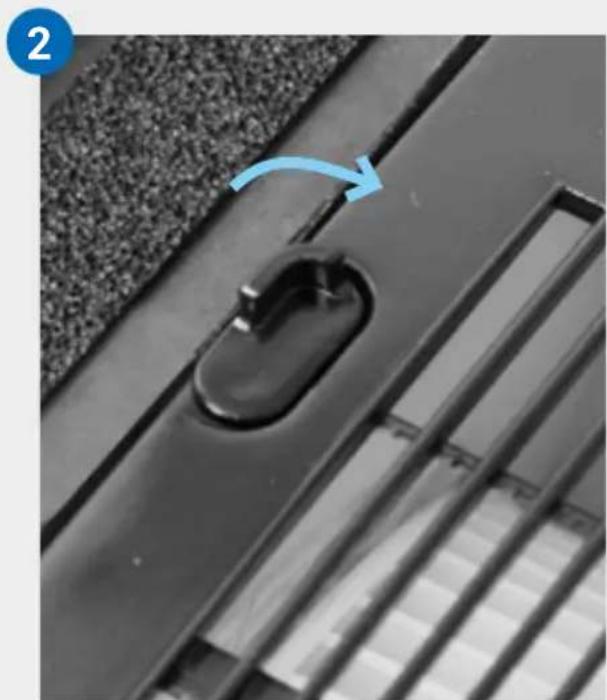
natural_image
Close-up of a black metal door handle with a blue arrow indicating rotation, set against a textured wall (no text or symbols)3
natural_image
Stacked electronic components with blue arrows indicating upward movement (no text or symbols)4
natural_image
Diagram of a white electronic device with two open panels and blue arrows indicating downward motion (no text or symbols)5
natural_image
Close-up of a black plastic door handle with a curved handle, mounted on a textured surface (no text or symbols visible)6
natural_image
Close-up of a white industrial machine component with internal structure and close-up views of its mesh texture (no text or symbols visible)natural_image
White square electronic device with layered top and base, showing a small black square on top (no text or symbols visible)9
natural_image
Close-up of a black plastic electrical plug inserted into a white socket, with a blue arrow pointing to it (no text or symbols visible)10
ÉCRAN
natural_image
Two white square electronic devices with a blue circular arrow indicating rotation or change (no text or symbols)natural_image
Two 3D-rendered blocks with a blue arrow pointing downward from one to the other (no text or symbols)natural_image
Two white 3D blocks with a small square top, one showing a blue arrow and the other a curved arrow (no text or symbols)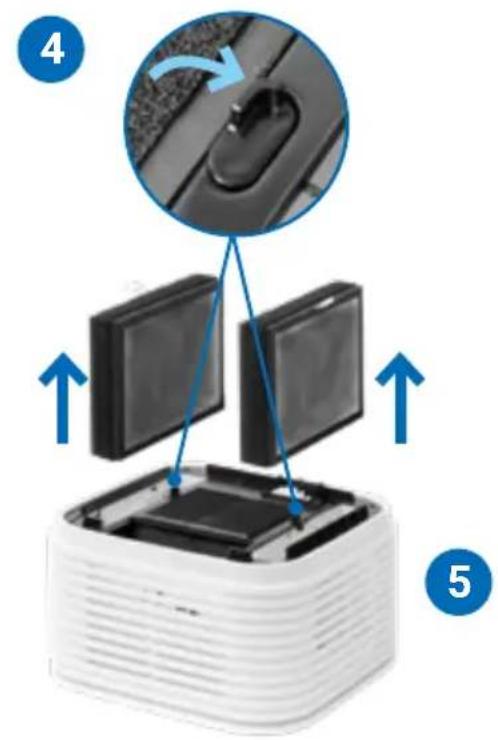
natural_image
Close-up of a white plastic electronic component with three views of its internal structure, showing internal components and a grid pattern (no text or symbols visible)
natural_image
Two electronic devices: a black bottle with a probe and a black rectangular device connected to a cable (no visible text or symbols)
natural_image
Stacked white square electronic device with a small square top on top (no visible text or symbols)PANORAMICA
natural_image
Exploded view diagram of a white industrial machine with internal components (no text or symbols)MESSA IN FUNZIONE
natural_image
Two-step diagram showing a device being folded into a plastic housing, with blue arrows indicating the process (no text or symbols present)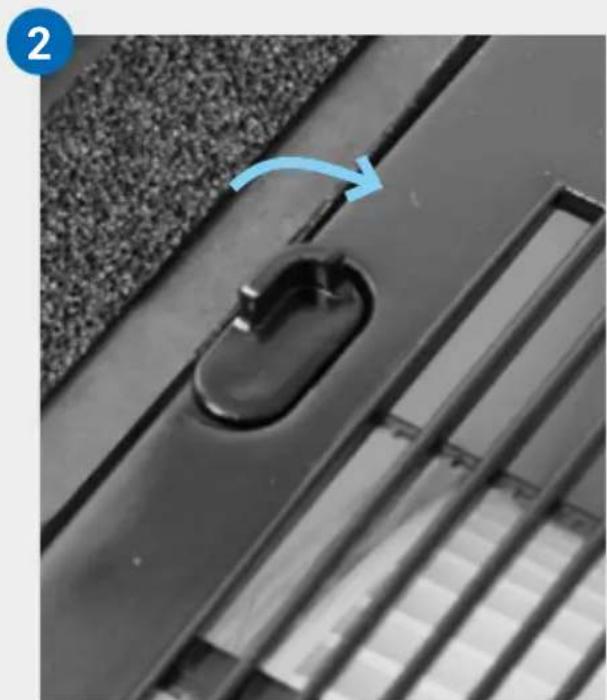
natural_image
Close-up of a black metal door handle with a blue arrow indicating rotation, set against a textured wall (no text or symbols)3
natural_image
Stacked electronic components with blue arrows indicating upward movement (no text or symbols)4
natural_image
Diagram of a white electronic device with two open panels and blue arrows indicating downward motion (no text or symbols)5
natural_image
Close-up of a black plastic door handle with a curved handle, mounted on a textured surface (no text or symbols visible)6
natural_image
Close-up of a white industrial machine with internal components and a magnified inset showing its edge to the right (no text or symbols visible)natural_image
White square electronic device with layered top and base, connected to a black cable (no visible text or symbols)9

natural_image
Close-up of a black plastic electrical plug inserted into a white socket, with a blue arrow pointing to it (no text or symbols visible)10
DISPLAY
natural_image
Two white plastic blocks with a blue arrow indicating rotation or change (no text or symbols)natural_image
Two 3D blocks with a blue arrow pointing to one block, no text or symbols presentCONFIGURAZIONE E APP SMART LIFE


Modalità hotspot
natural_image
Two white 3D blocks with a square top and a small circular base, each showing a blue arrow indicating rotation or transformation (no text or symbols)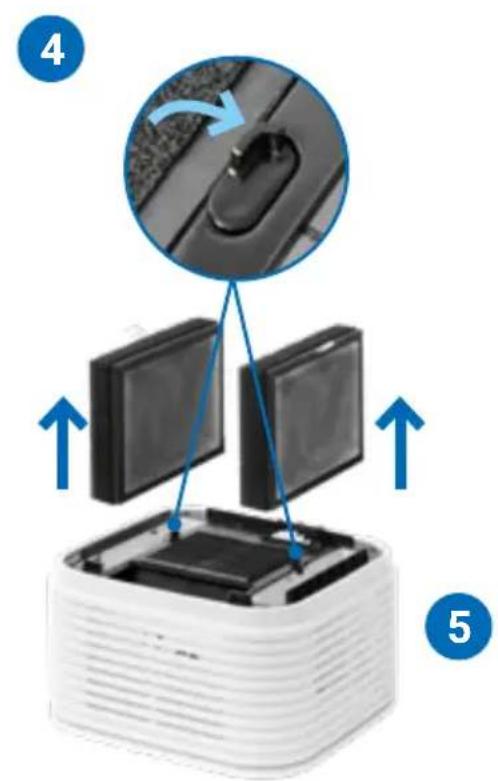
natural_image
Close-up of a white plastic electronic component being inserted into a grid, with magnified insets showing internal structure (no text or symbols visible)
natural_image
Stacked white square electronic device with a small square top on top (no visible text or symbols)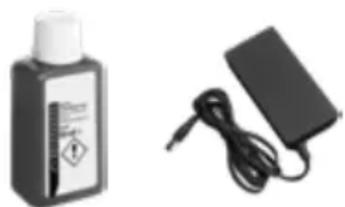
natural_image
Two electronic devices: a black bottle labeled 'Medical Sensor' and a black rectangular device with cable (no visible text or symbols)OVERZICHT
natural_image
Exploded view diagram of a white industrial machine with internal components (no text or symbols)INGEBRUIKNAME
natural_image
Two-step diagram showing a stack of white plastic components with blue arrows indicating rotation or assembly (no text or symbols)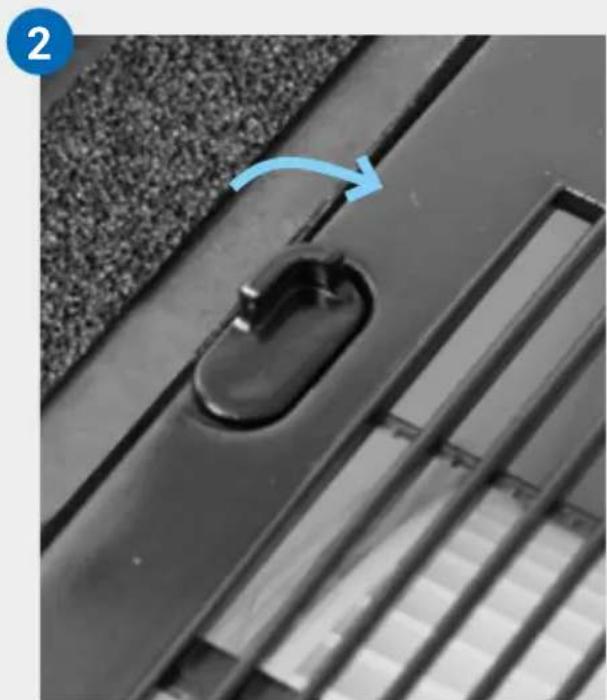
natural_image
Close-up of a black metal door handle with a blue arrow indicating rotation (no text or symbols)3
natural_image
Stacked electronic components with blue arrows indicating upward movement (no text or symbols)4
natural_image
Diagram of a white electronic device with two open panels and blue arrows indicating downward motion (no text or symbols)5
natural_image
Close-up of a black plastic door handle with a curved handle, mounted on a textured surface (no text or symbols visible)6
natural_image
Close-up of a white industrial machine with internal components and a magnified inset showing its edge to the right (no text or symbols visible)natural_image
White square electronic device with layered top and base, connected to a cable (no visible text or symbols)9
natural_image
Close-up of a black plastic electrical plug inserted into a white socket, with a blue arrow pointing to it (no text or symbols visible)10
DISPLAY
natural_image
Two white square blocks with a blue arrow indicating rotation or change (no text or symbols)natural_image
Two 3D cube-shaped objects with a blue arrow pointing to one (no text or symbols)natural_image
Close-up of a metallic ventilation grille (no text or symbols visible)CONFIGURATIE & SMART LIFE-APP



Hotspot-modus
natural_image
Stacked 3D blocks with a small diamond shape on top, showing a blue arrow indicating upward motion (no text or symbols)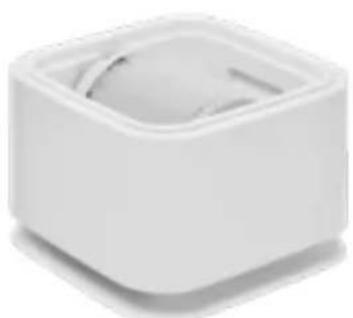
natural_image
White square-shaped object with a circular top and small curved cutout, no visible text or symbols.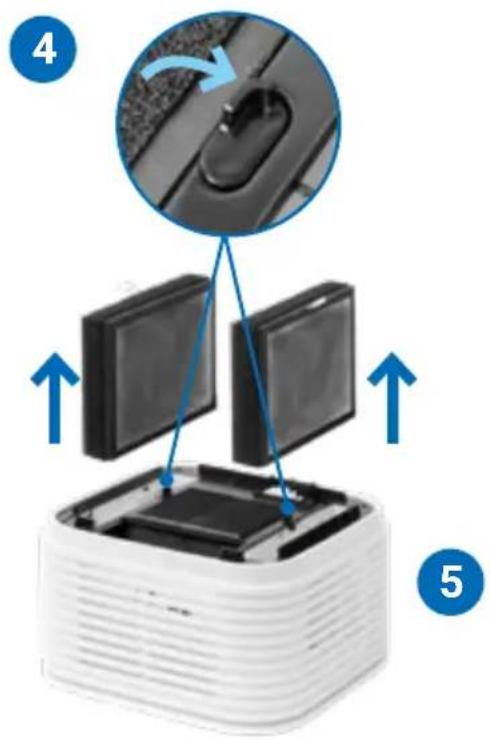
9
natural_image
Close-up of a white plastic electronic component with a blue arrow indicating rotation, alongside two circular insets showing internal structure (no text or symbols visible)11
Het menu resetten
natural_image
Two electronic devices: a black bottle labeled 'Sensit' and a black rectangular device with cable (no visible text or symbols)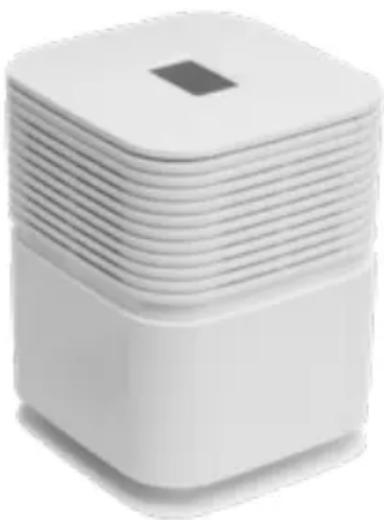
natural_image
Stacked white square electronic device with a small square top on top (no visible text or symbols)VISTA GENERAL
natural_image
Exploded view diagram of a white industrial machine with internal components (no text or symbols)natural_image
Two-step diagram showing a device being folded into a plastic housing, with blue arrows indicating the process (no text or symbols present)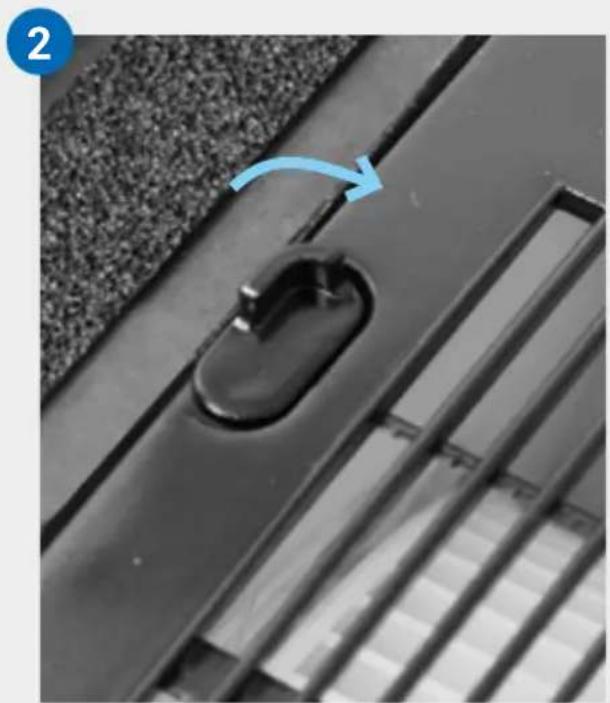
natural_image
Close-up of a black door handle with a blue arrow indicating rotation (no text or symbols)3
natural_image
Stacked electronic components with blue arrows indicating upward movement (no text or symbols)4
natural_image
Diagram of a white electronic device with two open panels and blue arrows indicating downward motion (no text or symbols)5
natural_image
Close-up of a black plastic door handle with a curved handle, mounted on a textured surface (no text or symbols visible)6
7
natural_image
Close-up of a white industrial machine with internal components and a magnified inset showing meshing (no text or symbols visible)natural_image
White square electronic device with layered top and base, connected to a cable (no visible text or symbols)9
natural_image
Close-up of a black plastic electrical plug inserted into a white socket, with a blue arrow pointing to it (no text or symbols visible)10
PANTALLA
natural_image
Two white plastic blocks with a blue arrow indicating rotation or change (no text or symbols)natural_image
3D diagram of a cube with a downward arrow pointing to its base (no text or symbols)natural_image
Close-up of a metallic ventilation grille (no text or symbols visible)natural_image
Stacked 3D cube with a small square top and blue curved arrows indicating rotation or flow (no text or symbols)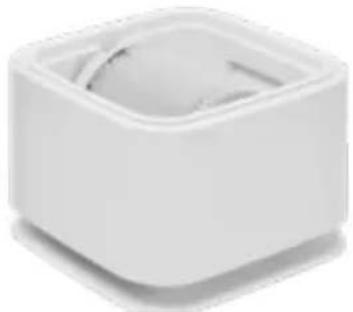
natural_image
White square-shaped object with a circular top and a small circular base, no visible text or symbols.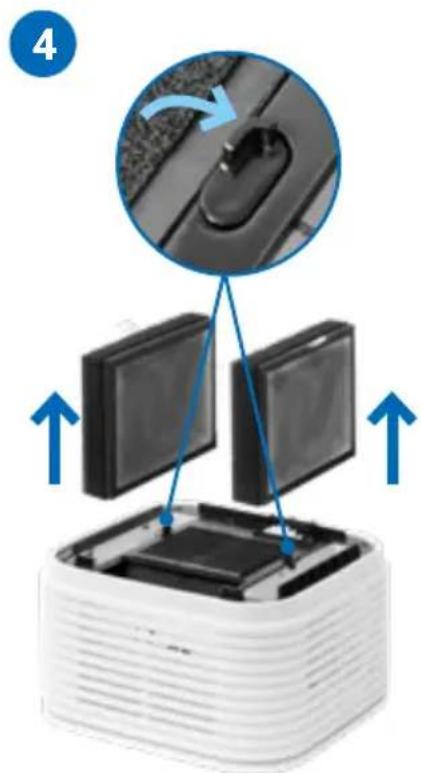
natural_image
Diagram showing a computer monitor setup with an inset close-up of the mouse, no text or symbols present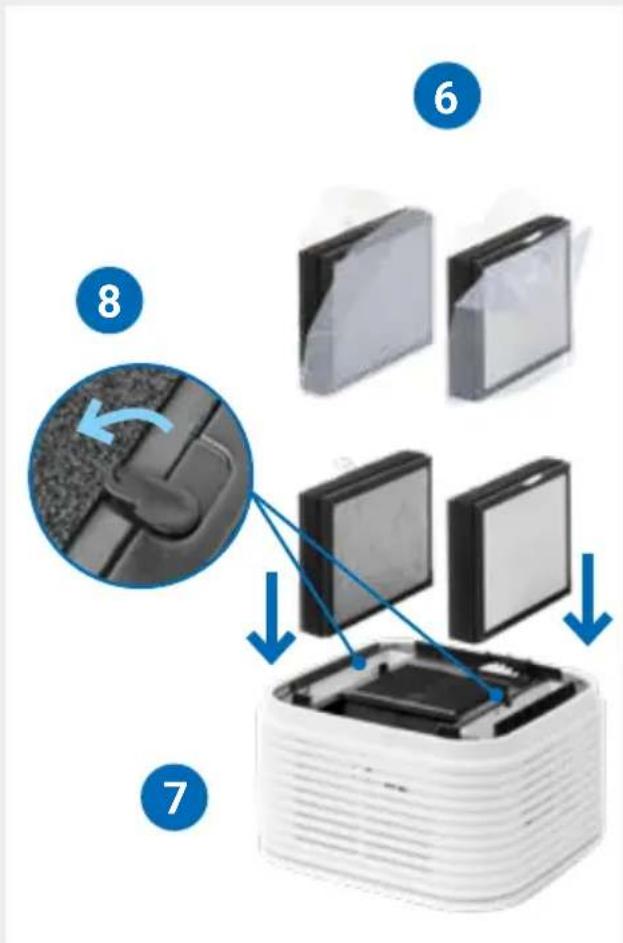
9
natural_image
Close-up of a white plastic electronic component with two circular insets showing internal structure details (no text or symbols visible)11
3 segundos
Menú de reinicio
natural_image
Product display of a modern smart appliance with a battery, charging plug, and top-tiered unit (no visible text or symbols)ОБЗОР
natural_image
Exploded view diagram of a white industrial machine with internal components (no text or labels)natural_image
Two-step diagram showing a stack of stacked blocks being rotated by blue arrows, with no text or symbols present.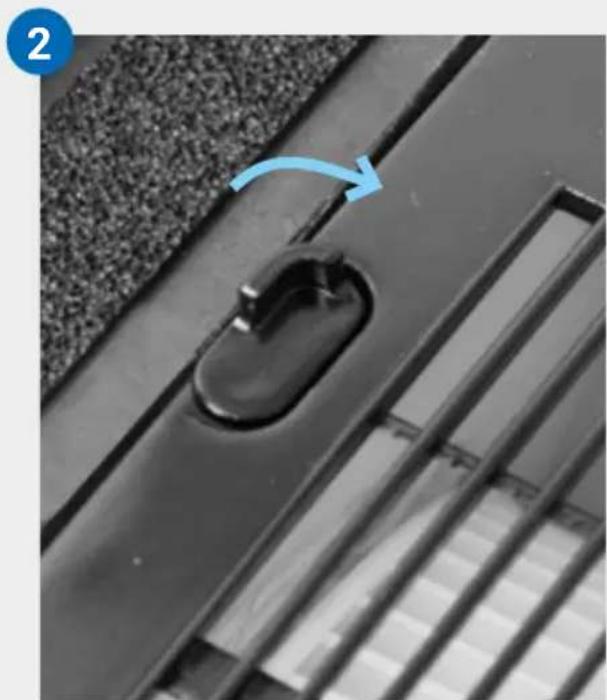
natural_image
Close-up of a black door handle with a blue arrow pointing to the lock, set on a textured surface (no text or symbols visible)3
natural_image
Stacked electronic components with blue arrows indicating upward movement (no text or symbols)4
natural_image
Diagram of a white electronic device with two open panels and blue arrows indicating downward motion (no text or symbols)5
natural_image
Close-up of a black plastic door handle with a curved clip, mounted on a textured surface (no text or symbols visible)natural_image
White square water dispenser with a small sensor and connecting pipe, no visible text or symbols7

natural_image
Close-up of a white industrial machine with internal components and a magnified inset showing its edge to the right (no text or symbols visible)natural_image
White square electronic device with layered top and base, connected to a cable (no visible text or symbols)9
natural_image
Close-up of a black plastic electrical plug inserted into a white socket, with a blue arrow indicating direction (no text or symbols)10
ДИСПЛЕЙ
natural_image
Two white plastic containers with a blue arrow indicating rotation or change (no text or symbols)natural_image
Two white square blocks with a blue arrow pointing downward from one to the other (no text or symbols)natural_image
Stacked 3D blocks with a small diamond shape on top and blue arrows indicating rotation (no text or symbols)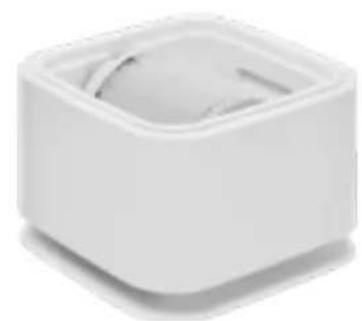
natural_image
White square-shaped object with a circular top and a small curved cutout, no visible text or symbols.
9

natural_image
Close-up of a white plastic electronic component with a blue arrow indicating rotation, alongside two circular insets showing internal structure (no text or symbols visible)11
Меню сброса
natural_image
Stacked white square electronic device with a small square top on top (no visible text or symbols)OGÓLNY OPIS URZĄDZENIA
natural_image
Exploded view diagram of a white industrial machine with internal components (no text or symbols)ODDANIE DO UŻYTKU
natural_image
Two-step diagram showing a stack of plastic components with blue arrows indicating rotation or assembly (no text or symbols)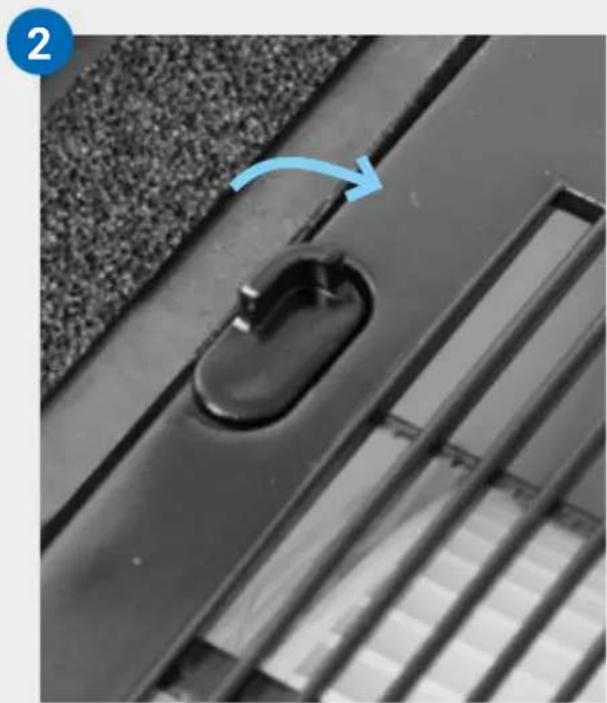
natural_image
Close-up of a black plastic door handle with a blue arrow indicating rotation (no text or symbols)3
natural_image
White electronic device with two open compartments and blue arrows indicating upward motion (no text or symbols)4
natural_image
Diagram of a white electronic device with two square panels and blue arrows indicating downward motion (no text or symbols)5
natural_image
Close-up of a black plastic door handle with a curved handle, mounted on a textured surface (no text or symbols visible)6
natural_image
Close-up of a white industrial air conditioner unit with internal components and close-up views of its internal structure (no text or symbols visible)natural_image
White square electronic device with layered top and base, connected to a cable (no visible text or symbols)9
natural_image
Close-up of a black plastic electrical plug inserted into a white socket, with a blue arrow indicating direction (no text or symbols)10
WYŚWIETLACZ
natural_image
Two white plastic blocks with a blue arrow indicating rotation or change (no text or symbols)natural_image
Two 3D geometric shapes with a blue arrow pointing to one, no text or symbols present.natural_image
Close-up of a metallic surface with horizontal grooves (no text or symbols visible)KONFIGURACJA I APLIKACJA SMART LIFE


Tryb hotspot
natural_image
Stacked 3D cube with a small square top and blue curved arrows indicating rotation or flow (no text or symbols)
natural_image
White square-shaped object with a circular top and a small circular base, no visible text or symbols.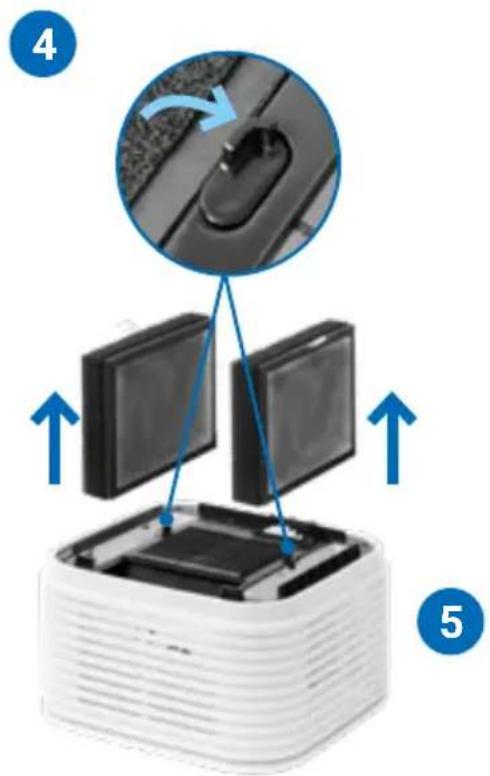
9
natural_image
Close-up of a white plastic electronic component with a blue arrow indicating rotation, alongside two circular insets showing internal structure (no text or symbols visible)11
3 sekundy
Resetowanie menu
⚠ INSTRUCTIUNI DE SIGURANTĂ
natural_image
Exploded view diagram of a white industrial machine with internal components (no text or labels)PUNEREA ÎN FUNCTIUNE
natural_image
Two-step diagram showing a device being folded into a plastic housing, with blue arrows indicating the process (no text or symbols present)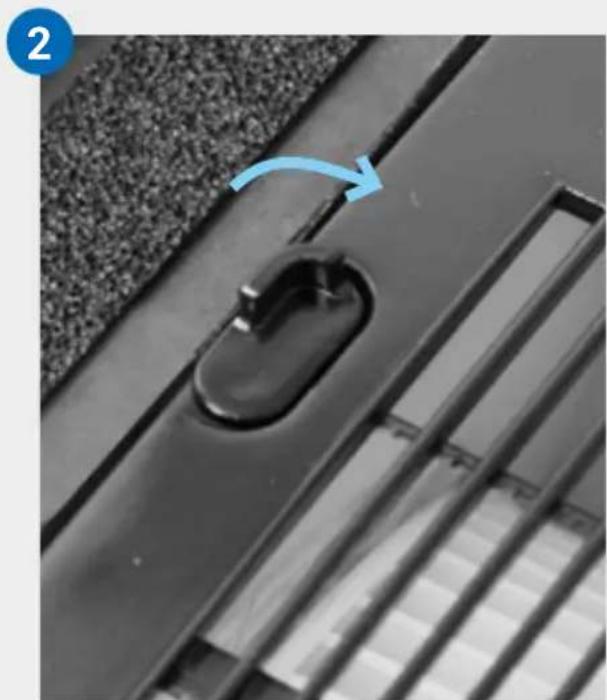
natural_image
Close-up of a black door handle with a blue arrow pointing to a side panel, no visible text or symbols3
natural_image
Stacked electronic components with upward arrows indicating assembly or transformation (no text or symbols visible)4
natural_image
Diagram of a white electronic device with two open panels and blue arrows indicating downward motion (no text or symbols)5
natural_image
Close-up of a black plastic door handle with a curved handle, mounted on a textured surface (no text or symbols visible)6

7
natural_image
Close-up of a white industrial machine with internal components, showing internal structure and meshing (no text or symbols visible)natural_image
White square electronic device with layered top and base, showing a small black square on top (no text or symbols visible)9
natural_image
Close-up of a black plastic electrical plug inserted into a white socket, with a blue arrow pointing to it (no text or symbols visible)10
AFIŞAJ
natural_image
Two white square blocks with a blue arrow indicating rotation or change, no text or symbols present.natural_image
Two 3D geometric shapes with a blue arrow pointing to one, no text or symbols present.natural_image
Close-up of a metallic ventilation grille (no text or symbols visible)natural_image
Two white 3D blocks with arrows indicating a transformation or rotation process (no text or symbols)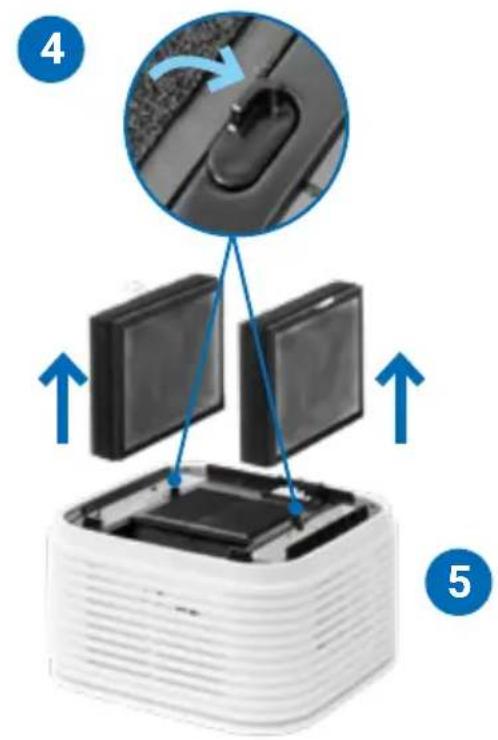

natural_image
Close-up of a white plastic electronic component with blue arrows indicating a process, alongside two magnified views showing internal structure (no text or symbols)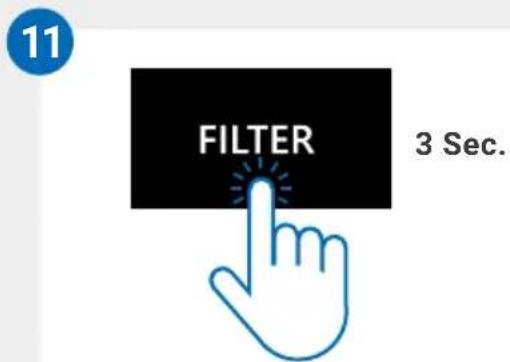
Meniul resetare
natural_image
Two electronic devices: a black bottle labeled 'Sensit' and a black rectangular device with cable (no visible text or symbols)
natural_image
Stacked white square electronic device with a small square top on top (no visible text or symbols)PREH'LAD
natural_image
Exploded view diagram of a white industrial machine with internal components (no text or symbols)UVEDENIE DO PREVÁDZKY
Pred prvým použitím
natural_image
Two-step diagram showing a stack of white plastic components with blue arrows indicating rotation or assembly (no text or symbols)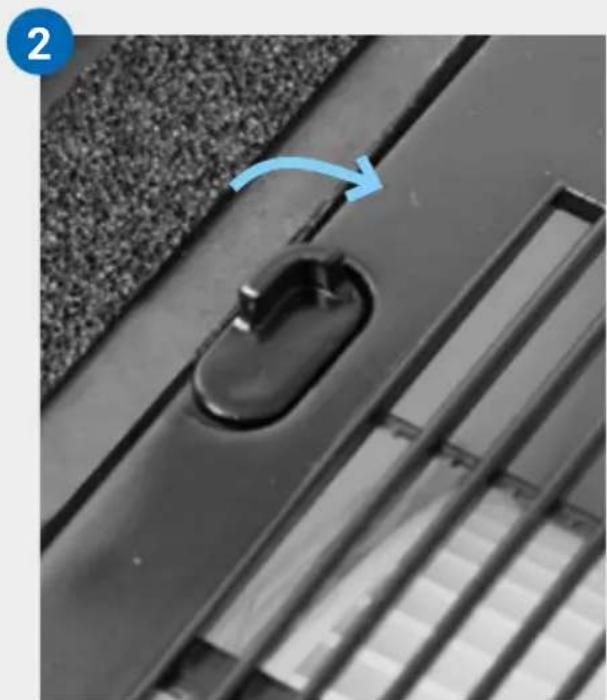
natural_image
Close-up of a black metal door handle with a blue arrow indicating rotation, set against textured fabric background (no text or symbols)3
natural_image
Stacked electronic components with upward arrows indicating assembly or transformation (no text or symbols visible)4
natural_image
Diagram of a white electronic device with two open panels and blue arrows indicating downward motion (no text or symbols)5
natural_image
Close-up of a black plastic door handle with a curved handle, mounted on a textured surface (no text or symbols visible)6
7
natural_image
Close-up of a white industrial machine with internal components, showing internal structure and meshing (no text or symbols visible)natural_image
White square electronic device with layered top and base, connected to a cable (no visible text or symbols)9
natural_image
Close-up of a black plastic electrical plug inserted into a white socket, with a blue arrow pointing to it (no text or symbols visible)10
DISPLEJ
natural_image
Two white plastic storage units with a blue arrow indicating rotation (no text or symbols)Vyberte zásobník na vodu (F) + súprava diskov (E)
natural_image
Two 3D-rendered blocks with a blue arrow pointing to a square cutout (no text or symbols)natural_image
Close-up of a white industrial ventilation grille (no text or symbols visible)natural_image
Two white 3D blocks with a square top and a small circular base, each showing a blue arrow indicating rotation or transformation (no text or symbols)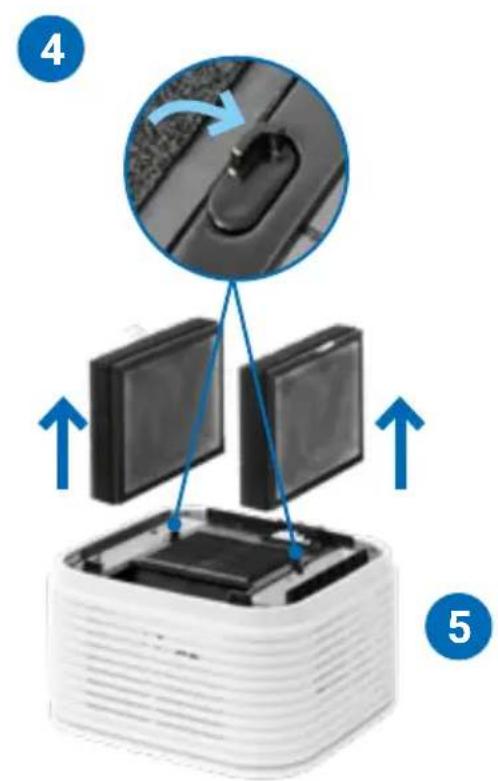
natural_image
Close-up of a white plastic electronic component being inserted into a grid, with magnified insets showing internal structure (no text or symbols visible)
Ponuka Reset
natural_image
Two electronic devices: a black bottle labeled 'Sensit' and a black rectangular device with cable (no visible text or symbols)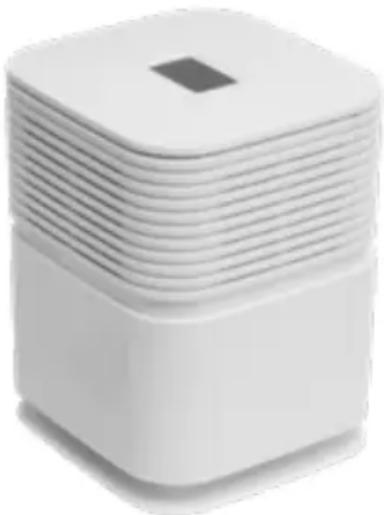
natural_image
Stacked white square electronic device with a small square top on top (no visible text or symbols)PŘEHLED
natural_image
Exploded view diagram of a white industrial machine with internal components (no text or symbols)UVEDENÍ DO PROVOZU
natural_image
Two-step diagram showing a stack of plastic components with blue arrows indicating rotation or assembly (no text or symbols)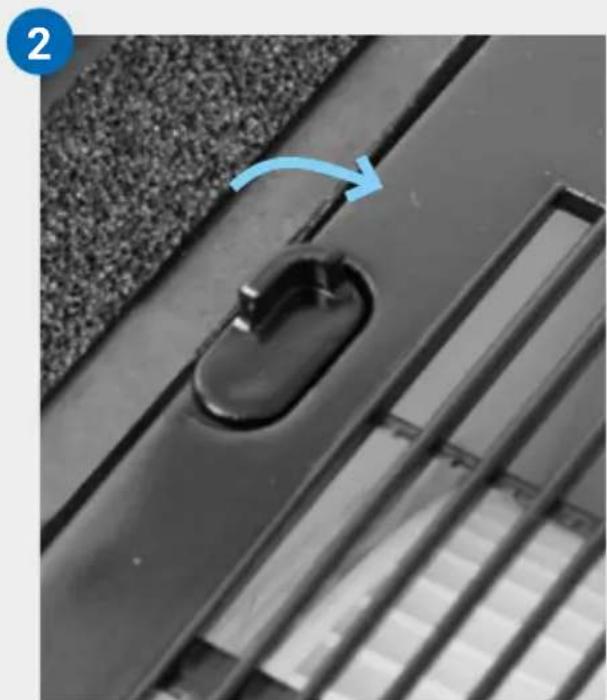
natural_image
Close-up of a black metal door handle with a blue arrow pointing to the handle area, no visible text or symbols.3
natural_image
Stacked electronic components with blue arrows indicating upward movement (no text or symbols)4
natural_image
Diagram of a white electronic device with two open panels and blue arrows indicating downward motion (no text or symbols)5
natural_image
Close-up of a black plastic door handle with a curved handle, mounted on a textured surface (no text or symbols visible)6
7
natural_image
Close-up of a white industrial machine with internal components and a magnified inset showing its edge to the right (no text or symbols visible)natural_image
White square electronic device with layered top and base, showing a small black square on top (no text or symbols visible)9
natural_image
Close-up of a black plastic electrical plug inserted into a white socket, with a blue arrow indicating direction (no text or symbols)10
DISPLEJ
natural_image
Two white square electronic components with a blue arrow indicating rotation or change (no text or symbols)natural_image
Two 3D-rendered blocks with a blue arrow pointing downward from one to the other (no text or symbols)natural_image
Close-up of a metallic ventilation grille (no text or symbols visible)KONFIGURACE A APLIKACE SMART LIFE



Režim hotspot
natural_image
Two white 3D blocks with a small square top, one showing a blue arrow indicating rotation or change (no text or symbols)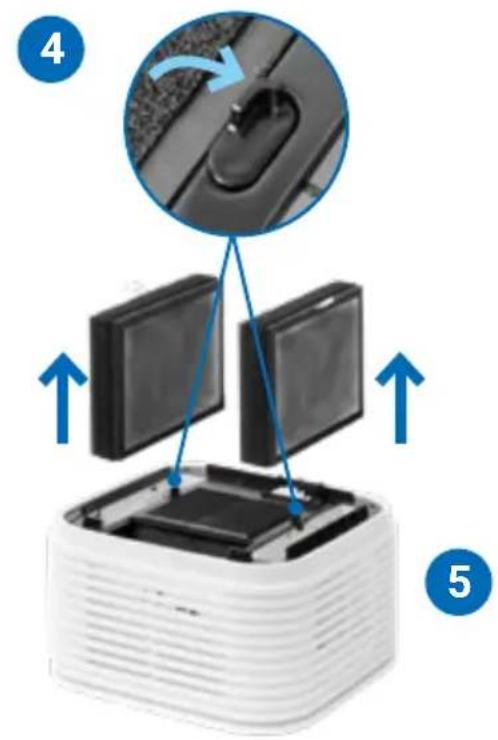
natural_image
Close-up of a white plastic electronic component with three views of its internal structure, showing internal components and a grid pattern (no text or symbols visible)
Nabídka Reset
natural_image
Product photo of a multi-tiered smart water heater with a small digital device and charging plug (no visible text or symbols)YLEISKUVA
natural_image
Exploded view diagram of a white industrial machine with internal components (no text or symbols)KÄYTTÖÖNOTTO
natural_image
Two-step diagram showing a 3D printer or scanner with blue arrows indicating rotation and assembly (no text or symbols)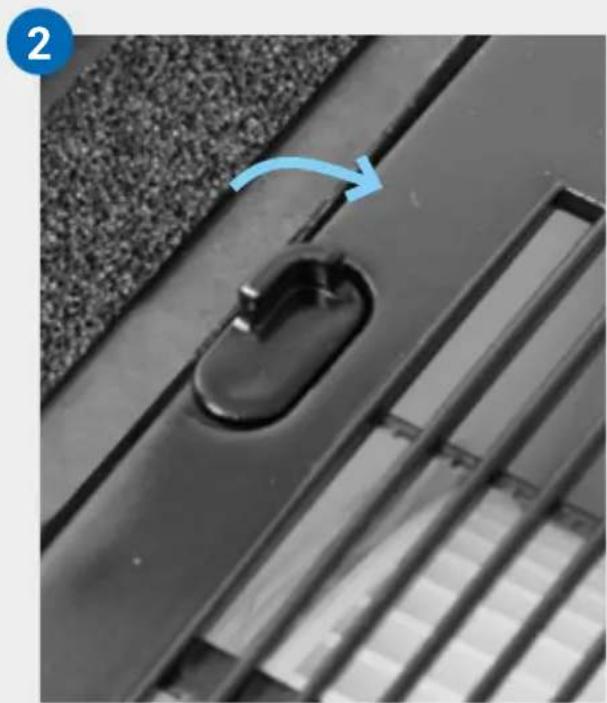
natural_image
Close-up of a black metal door handle with a blue arrow pointing to a button, set against a textured surface (no text or symbols visible)3
natural_image
Stacked electronic components with blue arrows indicating upward movement (no text or symbols)4
natural_image
Diagram of a white electronic device with two open panels and blue arrows indicating downward motion (no text or symbols)5
natural_image
Close-up of a black plastic door handle with a curved clip, mounted on a textured surface (no text or symbols visible)6
7
natural_image
Close-up of a white industrial machine with internal components, showing internal structure and meshing (no text or symbols visible)natural_image
White square electronic device with layered top and base, connected to a cable (no visible text or symbols)9
natural_image
Close-up of a black plastic electrical plug inserted into a white socket, with a blue arrow pointing to it (no text or symbols visible)10
NÄYTTÖ
natural_image
Two white plastic boxes with a blue arrow indicating rotation or change (no text or symbols)Poista vesiastia (F) + levypino (E)
natural_image
Two 3D geometric shapes with a blue arrow pointing to one, no text or symbols present.natural_image
Close-up of a metallic ventilation grille (no text or symbols visible)natural_image
Two white 3D blocks with a square top and a small circular base, each showing a blue arrow indicating rotation or transformation (no text or symbols)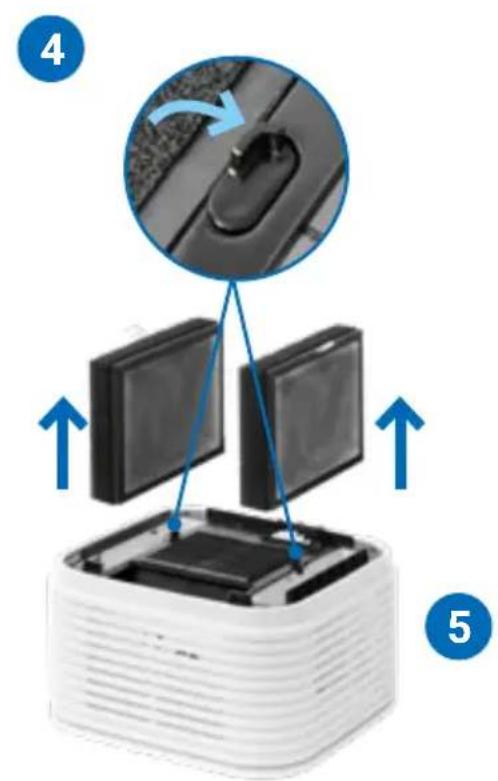
natural_image
Close-up of a white plastic electronic component being inserted into a grid, with magnified insets showing internal structure (no text or symbols visible)
Nollaa valikko
natural_image
Product display of a smart home appliance with a battery, charging plug, and stacked unit (no visible text or symbols)ÜLEVAADE
natural_image
Exploded view diagram of a white industrial machine with internal components (no text or symbols)KASUTUSSE VÕTMINE
natural_image
Two 3D-printed blocks with blue arrows indicating rotation or assembly (no text or symbols)
natural_image
Close-up of a black metal door handle with a blue arrow pointing to the lock, set against a textured wall (no text or symbols visible)3
natural_image
Stacked electronic components with blue arrows indicating upward movement (no text or symbols)4
natural_image
Diagram of a white electronic device with two open panels and blue arrows indicating downward motion (no text or symbols)5
natural_image
Close-up of a black plastic door handle with a curved handle, mounted on a textured surface (no text or symbols visible)6
\~6 l -> Veeni- voo
natural_image
White laboratory apparatus with a pipette inserted into a square basin, connected to a curved pipe and a cross-shaped outlet (no text or symbols visible)7
natural_image
Close-up of a white industrial machine with internal components and a magnified inset showing its edge to the right (no text or symbols visible)natural_image
White square electronic device with layered top and base, connected to a black cable (no visible text or symbols)9

natural_image
Close-up of a black plastic electrical plug inserted into a white socket, with a blue arrow pointing to it (no text or symbols visible)10
EKRAAN
natural_image
Two white 3D blocks with a blue arrow indicating rotation or change (no text or symbols)Eemaldage veealus (F) + kettakomplekt (E)
natural_image
Two 3D blocks with a blue arrow pointing to one block (no text or symbols)Kinnitage tugiosad (G) alu- misele osale
natural_image
Close-up of a metallic ventilation grille (no text or symbols visible)LED-riba värviteave
Pidevalt põlemine:
natural_image
Two white 3D blocks with arrows indicating a transformation or rotation process (no text or symbols)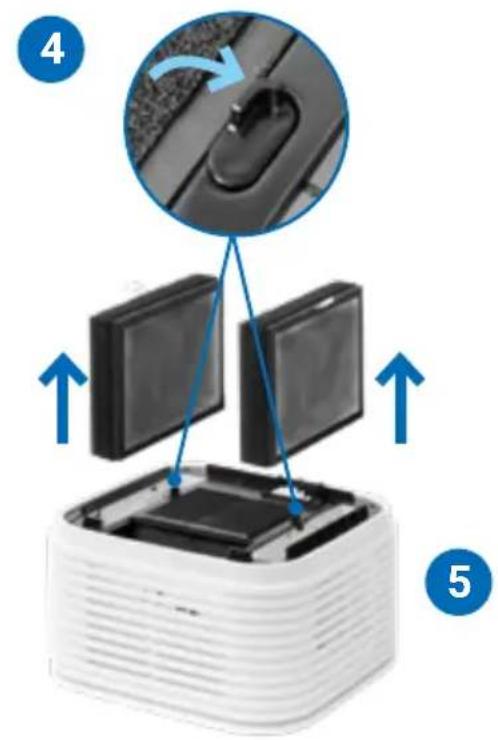
natural_image
Close-up of a white plastic electronic component with three views of its internal structure, showing internal components and a grid pattern (no text or symbols visible)
Menüü lähtestamine
natural_image
Two electronic devices: a black bottle labeled 'Schematic of the device' and a black rectangular device with cable (no visible text or symbols)
natural_image
Stacked white square electronic device with a small square top on top (no visible text or symbols)ЖАЛПЫ АҚПАРАТ
natural_image
Exploded view diagram of a white industrial machine with internal components (no text or symbols)ПАЙДАЛАНУДЫ БАСТАУ
natural_image
Two-step diagram showing a device being folded into a plastic housing, with blue arrows indicating the process (no text or symbols present)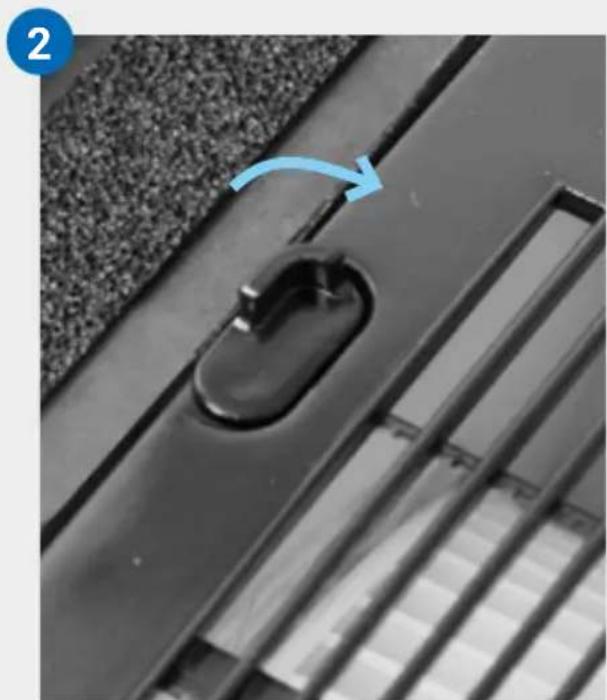
natural_image
Close-up of a black metal door handle with a blue arrow indicating rotation, set against a textured wall (no text or symbols)3
natural_image
Stacked electronic components with blue arrows indicating upward movement (no text or symbols)4
natural_image
Diagram of a white electronic device with two open panels and blue arrows indicating downward motion (no text or symbols)5
natural_image
Close-up of a black plastic door handle with a curved handle, mounted on a textured surface (no text or symbols visible)6
natural_image
Close-up of a white industrial machine with internal components, showing internal structure and meshing (no text or symbols visible)natural_image
White square electronic device with layered top and base, connected to a cable (no visible text or symbols)9
natural_image
Close-up of a black plastic electrical plug inserted into a white socket, with a blue arrow pointing to it (no text or symbols visible)10
ДИСПЛЕЙ
natural_image
Two white square electronic devices with a blue arrow indicating rotation or change (no text or symbols)natural_image
Two 3D blocks with a blue arrow pointing downward from one to the other (no text or symbols)natural_image
Close-up of a metallic shelf with horizontal grooves (no visible text or symbols)Download on the App Store

GETITON Google Play

Кіру нуктесі режимі
natural_image
Two white 3D blocks with a square top and a small circular base, each showing a blue arrow indicating rotation or transformation (no text or symbols)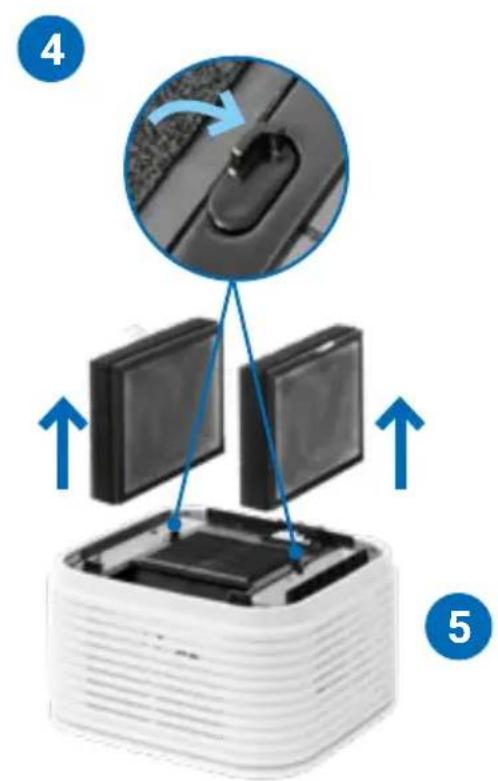
natural_image
Close-up of a white plastic electronic component being inserted into a grid, with magnified insets showing internal structure (no text or symbols visible)
Қайта орнату мәзірі
natural_image
Exploded view diagram of a white industrial machine with internal components (no text or symbols)PARUOŠIMAS NAUDOTI
natural_image
Two-step diagram showing a stack of plastic components with blue arrows indicating rotation or assembly (no text or symbols)
natural_image
Close-up of a black metal door handle with a blue arrow pointing to the handle area, no visible text or symbols.3
natural_image
Stacked electronic components with blue arrows indicating upward movement (no text or symbols)4
natural_image
Diagram of a white electronic device with two open panels and blue arrows indicating downward motion (no text or symbols)5
natural_image
Close-up of a black plastic door handle with a curved handle, mounted on a textured surface (no text or symbols visible)6
\~6 | -> Žyma „Waterline“
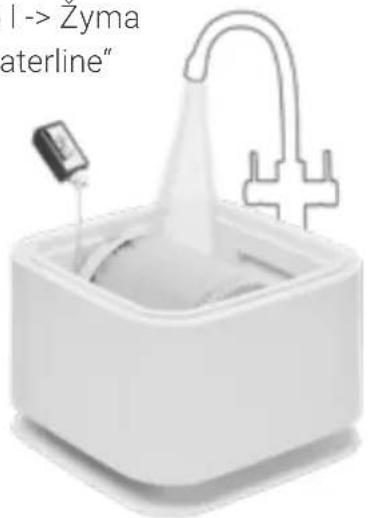
7
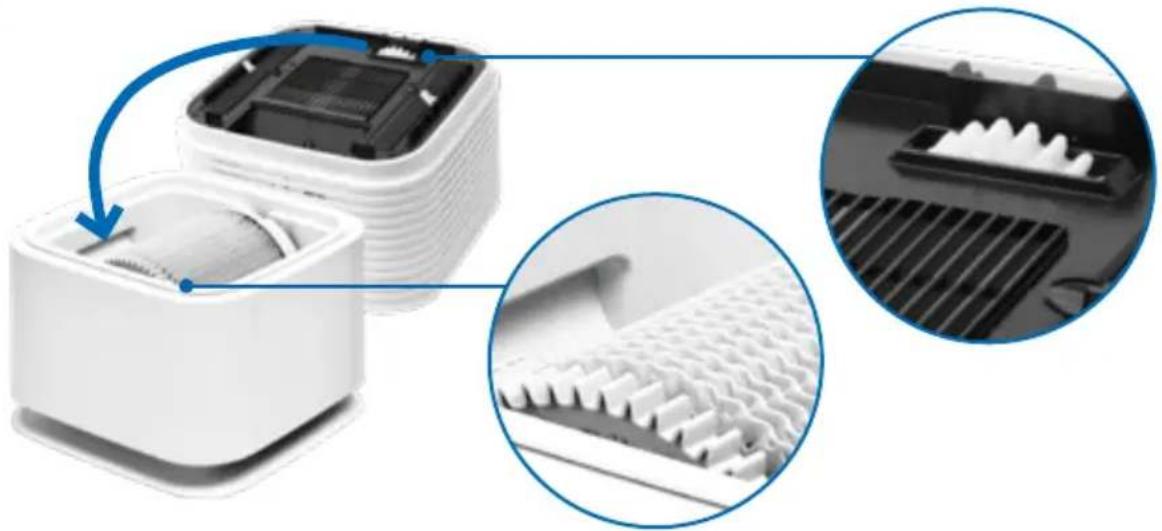
natural_image
Close-up of a white industrial machine with internal components and a magnified inset showing meshing (no text or symbols visible)natural_image
White square electronic device with layered top and base, showing a small screen icon and a blue arrow pointing to it (no text or symbols visible)9
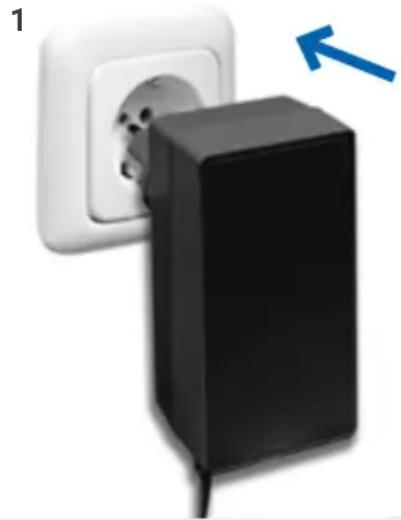
natural_image
Close-up of a black plastic electrical plug inserted into a white socket, with a blue arrow pointing to it (no text or symbols visible)10
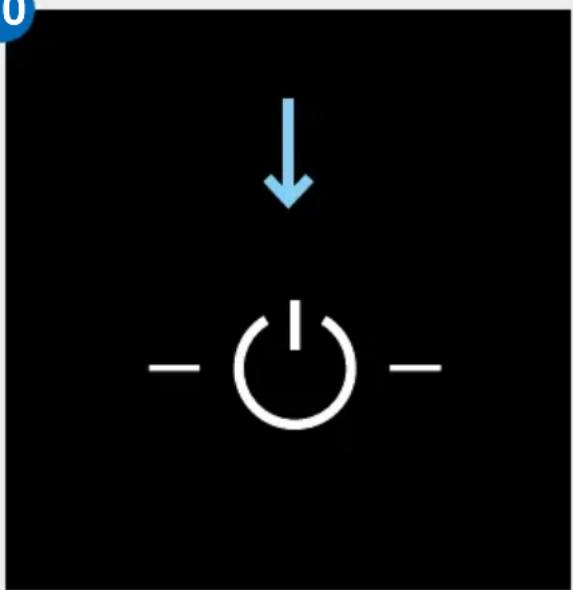
EKRANAS
natural_image
Two white 3D blocks with a blue arrow indicating rotation or change (no text or symbols)natural_image
Two 3D-rendered blocks with a blue arrow pointing downward from one to the other (no text or symbols)natural_image
Close-up of a metallic shelf with horizontal ridges (no visible text or symbols)natural_image
Two white 3D blocks with a small square top, one showing a blue arrow and the other a curved arrow (no text or symbols)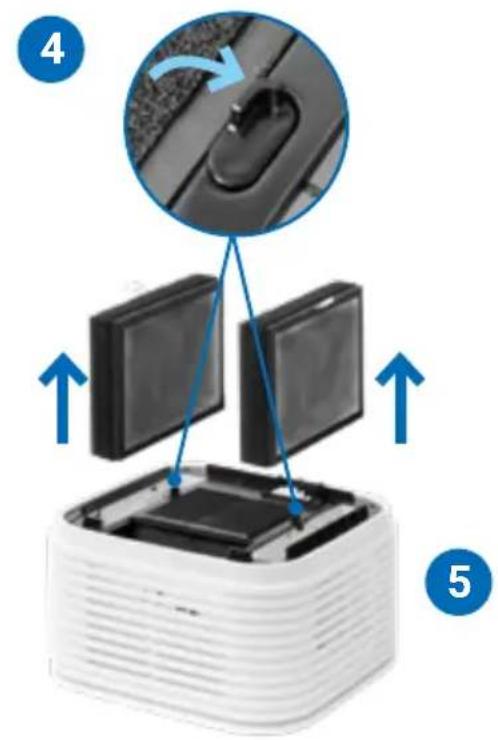
natural_image
Close-up of a white plastic electronic component with three views of its internal structure, showing internal components and a grid pattern (no text or symbols visible)
Atstatymo meniu
natural_image
Product photo of a white electronic device with a square base, a small battery, and a charger (no visible text or symbols)PĀRSKATS
natural_image
Exploded view diagram of a white industrial machine with internal components (no text or symbols)LIETOŠANAS SĀKŠANA
natural_image
Two-step diagram showing a 3D printer or scanner with blue arrows indicating rotation, no text or symbols present.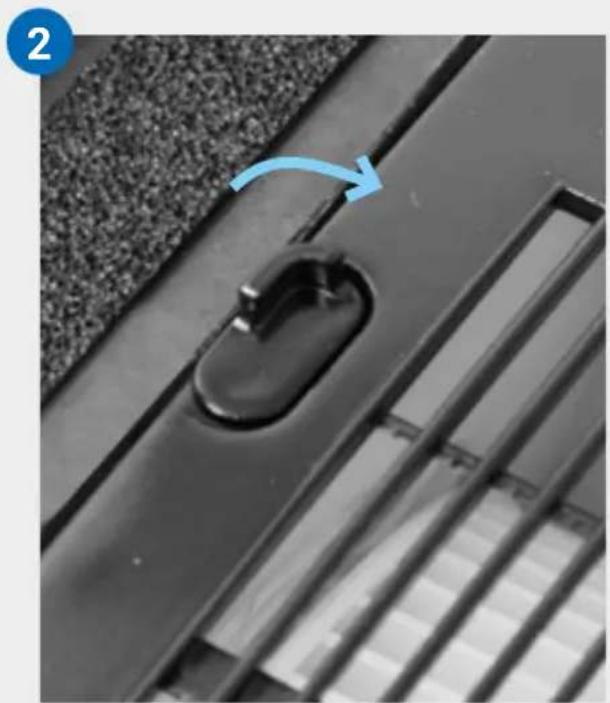
natural_image
Close-up of a black door handle with a blue arrow pointing to a circular opening, set on a textured surface (no text or symbols visible)3
natural_image
Stacked electronic components with blue arrows indicating upward movement (no text or symbols)4
natural_image
Diagram of a white electronic device with two open panels and blue arrows indicating downward motion (no text or symbols)5
natural_image
Close-up of a black plastic door handle with a curved handle, mounted on a textured surface (no text or symbols visible)6
\~6 | ->
Üdenslīnija
natural_image
White laboratory apparatus with a pipette inserted into a square basin, connected to a curved tube and a cross-shaped connector (no text or symbols visible)7
natural_image
Close-up of a white industrial machine with internal components and a magnified inset showing meshing (no text or symbols visible)natural_image
White square electronic device with layered top and base, connected to a cable (no visible text or symbols)9
natural_image
Close-up of a black plastic electrical plug inserted into a white socket, with a blue arrow pointing to it (no text or symbols visible)10
DISPLEJS
natural_image
Two white square electronic devices with a blue circular arrow indicating rotation or change (no text or symbols)Iznemiet ūdens
tekni (F)
+ disku kaudzi (E)
natural_image
Two 3D cube-shaped objects with a blue arrow pointing downward from one to the other (no text or symbols)natural_image
Close-up of a metallic ventilation grille (no text or symbols visible)natural_image
Two white 3D blocks with a square top and a small circular base, each showing a blue arrow indicating rotation or transformation (no text or symbols)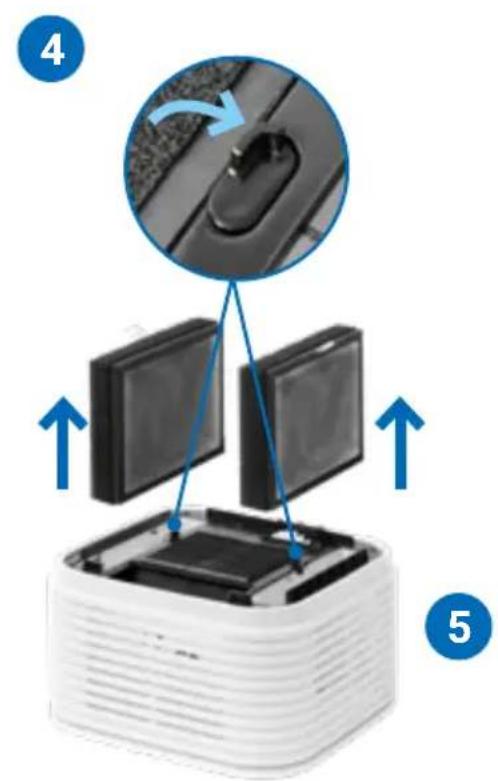
natural_image
Close-up of a white plastic electronic component being inserted into a grid, with magnified insets showing internal structure (no text or symbols visible)
natural_image
Stacked white square electronic device with a small square top on top (no visible text or symbols)IKHTISAR
A Paparan
B Bahagian atas unit
C Penapis
D Cakera bersih
E Tindanan cakera
natural_image
Exploded view diagram of a white industrial machine with internal components (no text or symbols)MEMULAKAN OPERASI
natural_image
Two-step diagram showing a stack of white plastic components with blue arrows indicating rotation or assembly (no text or symbols)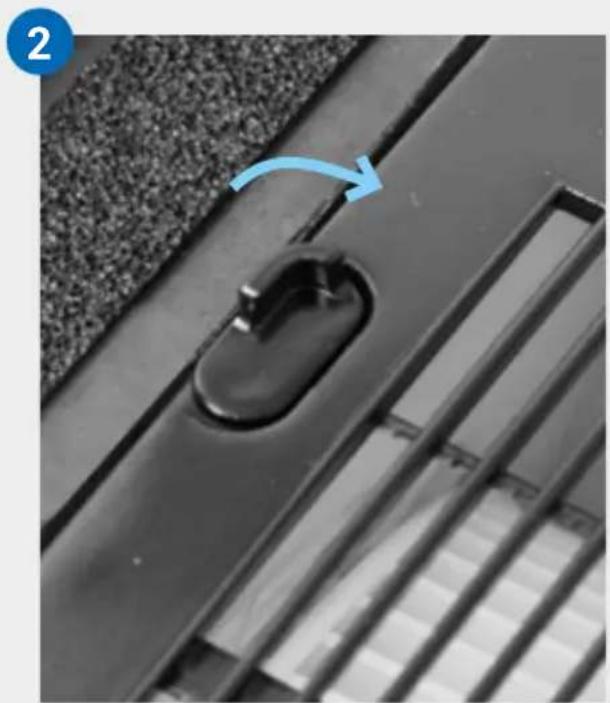
natural_image
Close-up of a black door handle with a blue arrow pointing to the lock, set against a textured surface (no text or symbols visible)3
natural_image
Stacked electronic components with blue arrows indicating upward movement (no text or symbols)4
natural_image
Diagram of a white electronic device with two open panels and blue arrows indicating downward motion (no text or symbols)5
natural_image
Close-up of a black plastic door handle with a curved handle, mounted on a textured surface (no text or symbols visible)6
7
natural_image
Close-up of a white industrial machine with internal components and a magnified inset showing meshing (no text or symbols visible)natural_image
White square electronic device with layered top and base, connected to a cable (no visible text or symbols)9

natural_image
Close-up of a black plastic electrical plug inserted into a white socket, with a blue arrow pointing to it (no text or symbols visible)10
PAPARAN
natural_image
Two white square electronic devices with a blue arrow indicating rotation or change (no text or symbols)Keluarkan dulang air (F) + tindanan cakera (E)

natural_image
Two 3D geometric shapes with a blue arrow pointing to one, no text or symbols present.natural_image
Close-up of a metallic ventilation grille (no text or symbols visible)KONFIGURASI & AP SMART LIFE

Mod hotspot
natural_image
Two white 3D blocks with arrows indicating a transformation or rotation process (no text or symbols)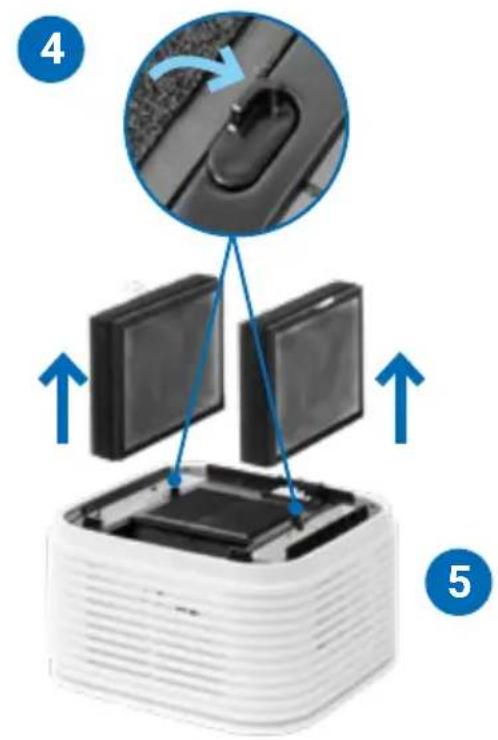
natural_image
Close-up of a white plastic electronic component with three views of its internal structure, showing internal components and a grid pattern (no text or symbols visible)
Tetapkan semula menu
natural_image
Product photo of a white square electronic device with a battery and charging plug, no visible text or symbols产品描述
natural_image
Exploded view diagram of a white industrial vacuum cleaner with internal components (no text or symbols)开始使用
首次使用指南
natural_image
Two-step diagram showing a device being folded into a plastic housing, with blue arrows indicating the process (no text or symbols present)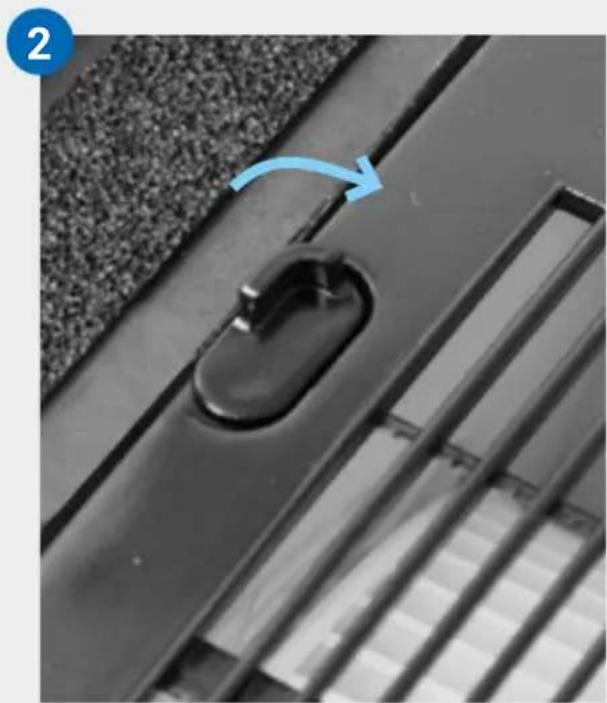
natural_image
Close-up of a black metal door handle with a blue arrow indicating rotation (no text or symbols)3
natural_image
Stacked electronic components with blue arrows indicating upward movement (no text or symbols)4

natural_image
Diagram of a white electronic device with two open panels and blue arrows indicating downward motion (no text or symbols)5
natural_image
Close-up of a black plastic door handle with a curved handle, mounted on a textured surface (no text or symbols visible)6
\~61-> 水位线
7
natural_image
Close-up of a white industrial machine with internal components and a magnified inset showing meshing (no text or symbols visible)natural_image
White square electronic device with layered top and base, showing a small black square on top (no text or symbols visible)9
natural_image
Close-up of a black plastic electrical plug inserted into a white socket, with a blue arrow indicating direction (no text or symbols)10
显示界面
natural_image
Two white square electronic devices with a blue arrow indicating rotation or change (no text or symbols)取出水箱(F)和滤网盘(E)
natural_image
Two 3D geometric shapes with a blue arrow pointing to one, no text or symbols present.将支架部件安装 (G) 至底部
natural_image
Stacked horizontal lines with a light blue highlight, no text or symbols visibleLED灯带的颜色信息
持续亮起:
表明设备运行正常。
LED灯带上有蓝色流动光:
表示固件正在进行更新。
LED灯带闪烁:
natural_image
Stacked white electronic device with a blue arrow indicating rotation or refresh (no text or symbols)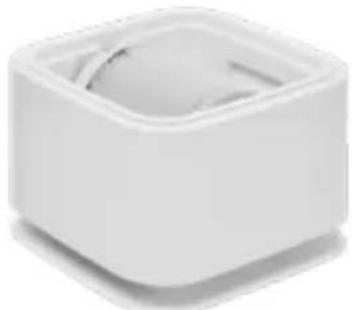
natural_image
White square-shaped object with a circular top and a small circular base, no visible text or symbols.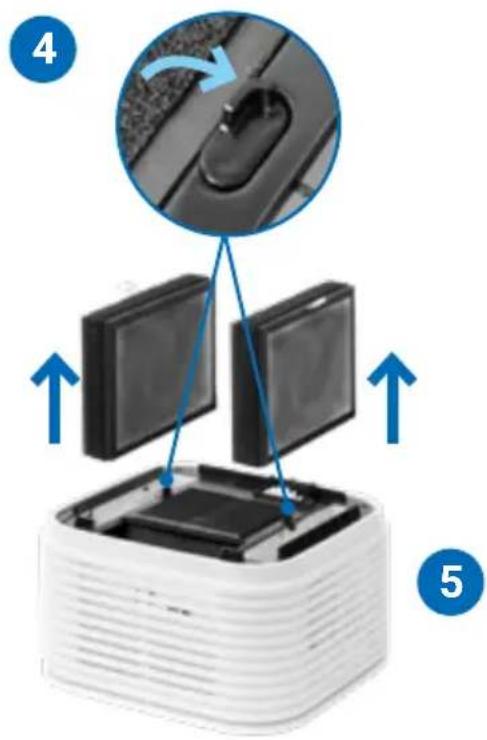
9
natural_image
Close-up of a white plastic electronic component with a blue arrow indicating rotation, alongside two circular insets showing internal structure (no text or symbols visible)11
技术规格
natural_image
Product photo of a multi-tiered smart appliance with a small bottle, charging plug, and power adapter (no visible text or symbols)概要
natural_image
Exploded view diagram of a white industrial machine with internal components (no text or symbols)使用手順
初回使用の前
natural_image
Two-step diagram showing a device being folded into a plastic housing, with blue arrows indicating the process (no text or symbols present)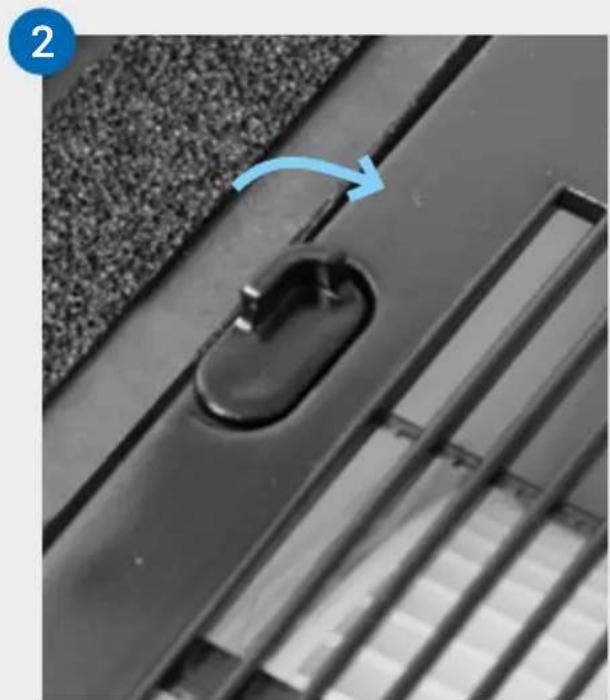
natural_image
Close-up of a black metal door handle with a blue arrow pointing to the lock, set against a textured wall (no text or symbols visible)3
natural_image
Stacked electronic components with blue arrows indicating upward movement (no text or symbols)4
natural_image
Diagram of a white electronic device with two open panels and blue arrows indicating downward motion (no text or symbols)5
natural_image
Close-up of a black plastic door handle with a curved handle, mounted on a textured surface (no text or symbols visible)6
\~6 | -> 水
位線
7
natural_image
Close-up of a white industrial machine with internal components and a magnified inset showing meshing (no text or symbols visible)natural_image
White square electronic device with layered top and base, showing a small screen icon and a blue arrow pointing to its bottom-right corner (no text or symbols on the device itself)9
natural_image
Close-up of a black plastic electrical plug inserted into a white socket, with a blue arrow pointing to the outlet (no text or symbols visible)10
ディスプレイ
natural_image
Two white plastic containers with a blue arrow indicating rotation or change (no text or symbols)natural_image
Two 3D-rendered blocks with a blue arrow pointing downward from one to the other (no text or symbols)下部にサポート部品を取り付ける (G)
natural_image
Stacked 3D blocks with a small diamond shape on top and blue arrows indicating rotation (no text or symbols)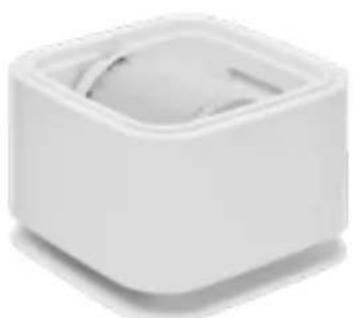
natural_image
White square-shaped object with a circular top and small curved cutout, no visible text or symbols.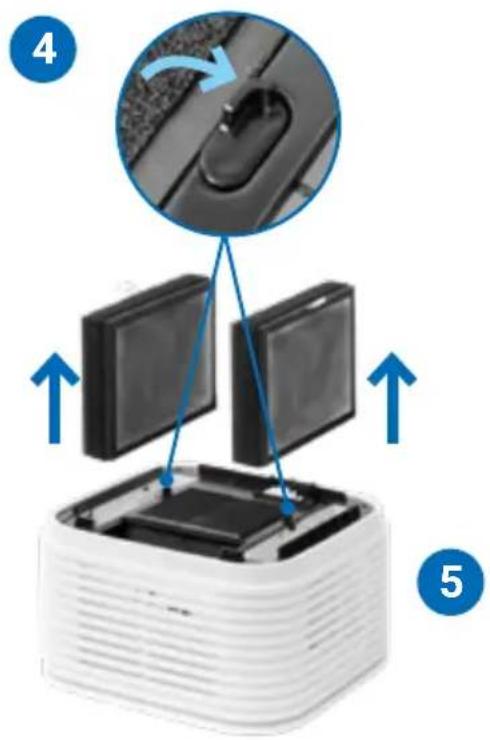
9
natural_image
Close-up of a white plastic electronic component with a blue arrow indicating rotation, alongside two circular insets showing internal structure (no text or symbols visible)11
3秒
メ ニュー のリセット
www.venta-air.com/Service/Service-Support/
VENTA WORLD WIDE
www.venta-air.com/en_de/Venta-worldwide/
BENELUX
Venta Benelux B.V.
1111 North Plaza Drive, Suite 715
Schaumburg, IL 60173
No. 27, Jalan PP 11/4,
Alam Perdana Industrial Park,
Taman Putra Perdana, 47130
Puchong, Selangor, Malaysia
Tel.: +603-8322 6628
Fax: +603-8322 6066
info@gasales.com.my
RUSSIA
Venta Russia TSK IMPORT
Nihonbashi Daiei Building 7F
1-2-6 Muromachi Nihonbashi
Chuo-ku, Tokyo 103-0022
090-4129-0399
venta_support@kikuyalogi.com
www.venta-air.jp
MONGOLIA
AERIS LLC, SUITE 316, Barilga
Architecture Building, Chinggis
Avenue, Oron Suuts Street,
2nd horoo, Khan-Uul district,
Ulaanbaatar, Mongolia 17032
Tel.: +976-99101185,
+976-99096696
sales@aeris.mn
www.aeris.mn
SOUTH AFRICA
EUROCARE Wellness
5 Star Business Park, Unit 2,
Persimmon Close, Honeydew,
Johannesburg
Südafrika
Tel.: +27 11 888 3255
Fax:+27118889874
info@eurocarewellness.co.za
KROATIEN
MR servis d.o.o.
Dugoselska cesta 5
10370 Rugvica, Kroatien
Tel.: +385060535355
info@mrservis.hr
mrservis.hr
SOUTH KOREA
VENTA KOREA CO., LTD.
3/F., Seojin Bldg., 754,
Seolleung-ro, Gangnam-Gu,
Seoul 135-948, Korea
Tel.: +82 22 03 40 114
Fax:+82 22 03 40 119