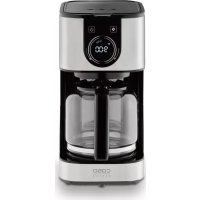
Selection C 12 - Coffee machine CASO - Free user manual and instructions
Find the device manual for free Selection C 12 CASO in PDF.

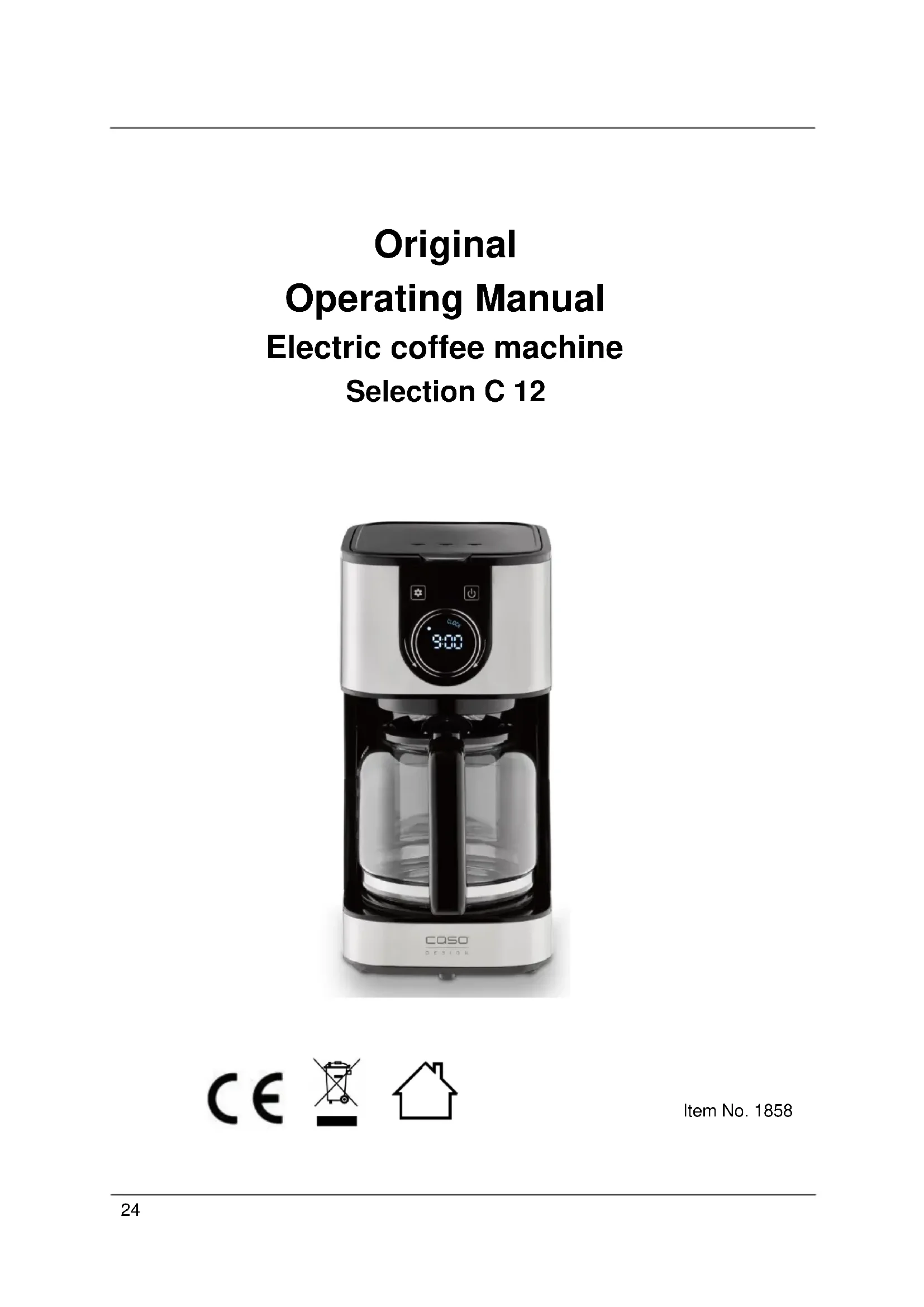


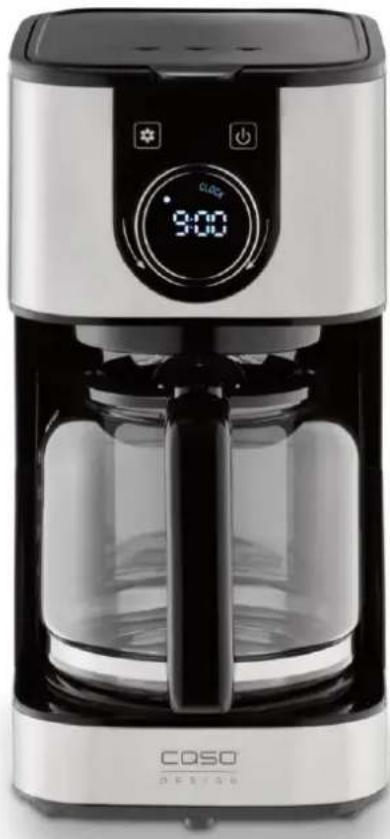
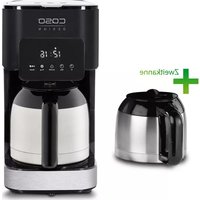
| Product type | Electric coffee machine |
| Brand | CASO |
| Model | Selection C 12 |
| Article number | 1858 |
| Dimensions (L x H x D) | 170 x 325 x 245 mm |
| Net weight | 1.723 kg |
| Tank capacity | 1.5 L |
| Power supply | 220-240 V, 50/60 Hz |
| Power | 900 W |
| Display | Digital display with clock and timer |
| Functions | Coffee preparation, Aroma Plus function, programmable timer, automatic keep warm (35 minutes) |
| Filter | Permanent filter included (size 1x4 compatible with paper filters) |
| Anti-drip system | Yes, allows serving before brewing ends |
| Delivery contents | Glass carafe, filter basket with permanent filter, coffee spoon, instruction manual |
| Maintenance | Regular cleaning of parts, monthly descaling recommended with white vinegar |
| Safety | Automatic shut-off after keep warm, hot surface indicator, burn protection |
| Warranty | 24 months (domestic use) |
| Repairability | Repairs by authorized service, original spare parts |
Frequently Asked Questions - Selection C 12 CASO
User questions about Selection C 12 CASO
0 question about this device. Answer the ones you know or ask your own.
Ask a new question about this device
Download the instructions for your Coffee machine in PDF format for free! Find your manual Selection C 12 - CASO and take your electronic device back in hand. On this page are published all the documents necessary for the use of your device. Selection C 12 by CASO.
USER MANUAL Selection C 12 CASO
10.1 General 25
10.2 Information on this manual 25
10.3 Warning notices 25
10.4 Limitation of liability 26
10.5 Copyright protection 26
11 Safety 26
11.1 Intended use 26
11.2 General Safety information 27
11.3 Sources of danger 29
11.3.1 Danger of burns 29
11.3.2 Risk of injury 29
11.3.3 Dangers due to electrical power 29
12 Commissioning 30
12.1 Safety information 30
12.2 Delivery scope and transport inspection 30
12.3 Unpacking 30
12.4 Disposal of the packaging 30
12.5 Setup location requirements: 31
12.6 Electrical connection 31
12.7 Warning notices 32
12.8 Rating plate 32
13 Operation and Handing. 32
13.1 Display & Panel 32
13.2 Making Coffee 32
13.2.1 Before first use 33
13.2.2 Setting the clock 33
13.2.3 Preparations 33
13.2.1 Aroma Plus function 33
13.2.2 Quick start 34
13.2.3 TIMER mode 35
13.3 Cleaning and Maintenance 35
13.4 Safety information 35
13.5 Cleaning 35
13.6 Descaling 35
14 Troubleshooting 36
14.1 Causes and rectification of faults 36
15 Disposal of the Old Device 37
16 Guarantee 37
17 Technical Data 38
18 Mode d'emploi 40
18.1 Généralités 40
18.2 Informations relatives à ce manuel 40
18.3 Avertissements de danger 40
18.4 Limit de responsabilités 41
18.5 Protection intellectuelle 41
19 Sécurité 41
19.1 Utilisation conforme 42
19.2 Consignes de securités générales 42
19.3 Sources de danger 44
19.3.1 Danger de brûlures 44
19.3.2 Risque de blessure 45
19.3.3 Dangers du courant électrique 45
20 Mise en service 45
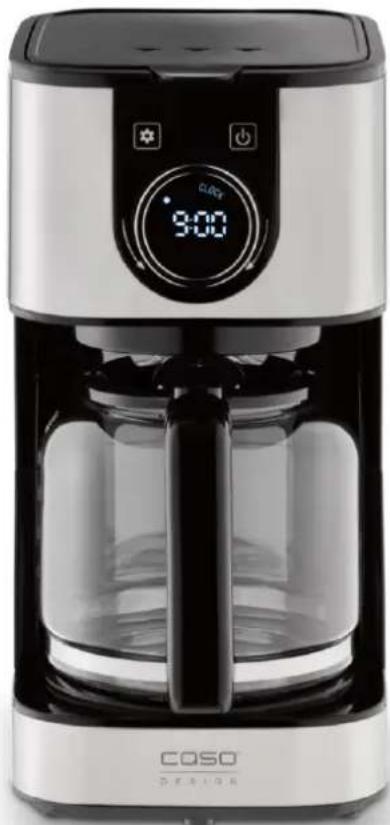
Electric coffee machine
Selection C 12
10 Operating Manual
10.1 General
Please read the information contained herein so that you can become familiar with your device quickly and take advantage of the full scope of its functions.
Your Selection C 12 will serve you for many years if you handle it and care for it properly.
We wish you a lot of pleasure in using it!
10.2 Information on this manual
These Operating Instructions are a component of the Selection C 12 (referred to hereafter as the device) and provide you with important information for the initial commissioning, safety, intended use and care of the device. The Operating Instructions must be available at all times at the device. This Operating Manual must be read and applied by every person who is instructed to work with the device:
Commissioning
Operation Troubleshooting and/or
- Cleaning
Keep the Operating Manual in a safe place and pass it on to the subsequent owner along with the device.
10.3 Warning notices
The following warning notices are used in the Operating Manual concerned here.
△GEFAHR
DANGER
A warning notice of this level of danger indicates a potentially dangerous situation.
If the dangerous situation is not avoided, this can lead to death or serious injuries.
Observe the instructions in this warning notice in order to avoid the danger of death or serious personal injuries.
WARNING
WARNING
A warning notice of this level of danger indicates a possible dangerous situation.
If the dangerous situation is not avoided, this can lead to serious injuries.
Observe the instructions in this warning notice in order to avoid the personal injuries.
AVORSICHT
ATTENTION
A warning notice of this level of danger indicates a possible dangerous situation.
If the dangerous situation is not avoided, this can lead to slight or moderate injuries.
Observe the instructions in this warning notice in order to avoid the personal injuries.
HINWEIS
PLEASE NOTE
A notice of this kind indicates additional information, which will simplify the handling of the machine.
10.4 Limitation of liability
All the technical information, data and notices with regard to the installation, operation and care are completely up-to-date at the time of printing and are compiled to the best of our knowledge and belief, taking our past experience and findings into consideration.
No claims can be derived from the information provided, the illustrations or descriptions in this manual. The manufacturer does not assume any liability for damages arising as a result of the following:
Non-observation of the manual
Uses for non-intended purposes
- Improper repairs
- Technical alterations, modifications of the device
- Use of unauthorized spare parts
Modifications of the device are not recommended and are not covered by the guarantee.
All translations are carried out to the best of our knowledge. We do not assume any liability for translation errors, not even if the translation was carried out by us or on our instructions. The original German text remains solely binding.
10.5 Copyright protection
This document is copyright protected.
Braukmann GmbH reserves all the rights, including those for photomechanical reproduction, duplication and distribution using special processes (e.g. data processing, data carriers, data networks), even partially.
Subject to content and technical changes.
11 Safety
This chapter provides you with important safety notices when handling the device.
The device corresponds with the required safety regulations. Improper use can result in personal or property damages.
11.1 Intended use
This device is only intended for use in households in enclosed spaces for cooking/brewing of coffee. This device is intended for use in the household and for similar applications such as:
- in kitchens for employees in shops, offices, and other commercial areas; - in B&Bs,
- in agricultural estates;
- by customers in hotels, motels and other residential establishments.
Uses for a different purpose or for a purpose which exceeds this description are considered incompatible with the intended or designated use.
WARNING Warning
Danger due to unintended use! Dangers can emanate from the device if it is used for an unintended use and/or a different kind of use.
- Use the device exclusively for its intended use.
Observe the procedural methods described in this Operating Manual.
Claims of all kinds due to damages resulting from unintended uses are excluded.
The User bears the sole risk.
11.2 General Safety information
HINWEIS Please note
Please observe the following general safety notices with regard to the safe handling of the device.
Read all these instructions before using the device.
This device may be used by children aged 8 and above, if they are supervised or have been instructed at to the safe use of the device and have understood the resulting hazards.
Children are not allowed to play with the device. The device and its connecting cable must be kept away from children who are less than 8 years old.
The device may be used by individuals with reduced physical, sensory or mental capabilities or a lack of experience and / or knowledge of their use if they are supervised or have been instructed at to the safe use of the device and have understood the resulting hazards.
- Cleaning and maintenance by the user must not be performed by children unless they are at least 8 years old and are supervised.
- Examine the device for any visible external damages prior to using it. Never put a damaged device into operation.
If the power cable or plug are damaged, then they must be replaced by the manufacturer or its service agent in order to avoid a hazard.
Do not leave the device unsupervised when it is in operation.
HINWEIS
Please note
- Do not operate the device if it is empty. This could damage the device.
Never fill the water tank beyond top mark.
Use the device exclusively for cooking coffee. Do not fill any other liquids (as water) or foods in the device.
Do not leave the power cord hanging within children's reach.
The power cord must never be near or in contact with the hot parts of the machine, near a source of heat or over a sharp edge.
For your own safety, only use manufacturer accessories and spare parts suited to your machine. - Do not disconnect the plug from the socket by pulling on the cord.
- Do not use the coffeepot on an open flame or on electric cooker plates.
Do not add water in the device if it is still hot.
Always keep the lid closed when the coffee maker is operating.
Never use the coffeepot without the lid. - Only customer service departments authorized by the manufacturer may carry out repairs on the device, as otherwise the guarantee entitlements will be null and void in the event of any subsequent damages. Improperly performed repairs can cause considerable dangers for the user.
Defective components must always be replaced with original replacement parts. Only such parts will guarantee that the safety requirements are fulfilled.
11.3 Sources of danger
11.3.1 Danger of burns
▲WARNUNG
Warning
The water, heated in this coffee maker, the water tank as well as the warming plate, become very hot.
Please observe the following safety notices in order not to burn or scald yourself or others.
During brewing of coffee the water tank, warming plate, coffeepot and filterholder with filter will become hot!
Hot steam can escape.
The device may still be hot after use due to residual heat.
- Please always test the temperature of the coffee, before drinking.
The lid must always remain closed during brewing of coffee.
11.3.2 Risk of injury
WARNING
Warning
There may be a risk of injury.
The coffeepot is made of glass. Glass breakage can result in sharp and fierce edges. There is a risk of injury.
Do not use the coffee pot if it is damaged.
11.3.3 Dangers due to electrical power
▲GEFAHR
Mortal danger due to electrical power!
Mortal danger exists when coming into contact with live wires or subassemblies! Observe the following safety notices to avoid dangers due to electrical power:
- Do not operate this device if it has a damaged cable or plug, if it is not working properly or if it has been damaged or dropped. If the power cable or plug are damaged, then they must be replaced by the manufacturer or its service agent in order to avoid a hazard.
▲GEFAHR DANGER
- Do not open the housing on the device under any circumstances. There is a danger of an electrical shock if live connections are touched and the electrical or mechanical structure is altered. In addition, functional faults on the device can also occur.
- Do not put the machine, power cord or plug in water or any other liquid.
Be careful and avoid water spillage on the plug.
▶ Pull out the mains plug before cleaning the device.
12 Commissioning
This chapter provides you with important safety notices during the initial commissioning of the device. Observe the following notices to avoid dangers and damages:
12.1 Safety information
WARNING Warning
Packaging materials may not be used for playing. There is a danger of suffocation.
12.2 Delivery scope and transport inspection
As a rule, the device is delivered with the following components:
Selection C 12
-
Coffee pot
-
Filterholder with permanent filter
-
Coffee spoon
-
Operating Instructions
HINWEIS Please note
Examine the shipment for its completeness and for any visible damages.
- Immediately notify the carrier, the insurance and the supplier about any incomplete shipment or damages as a result of inadequate packaging or due to transportation.
12.3 Unpacking
To unpack the device, proceed as follows:
- Remove the device out of the carton and remove the packaging material.
12.4 Disposal of the packaging
The packaging protects the device against damages during transit. The packaging materials are selected in accordance with environmentally compatible and recycling-related points of view and can therefore be recycled.

Returning the packaging back to the material loop saves raw materials and reduces the quantities of accumulated waste. Take any packaging materials that are no longer required to "Green Dot" recycling collection points for disposal.
HINWEIS Please note
If possible, keep the original packaging for the device for the duration of the guarantee period of the device, in order that the device can be re-packaged properly in the event of a guarantee claim.
12.5 Setup location requirements:
In order to ensure the safe and trouble-free operation of the device, the setup location must fulfil the following prerequisites:
- Only use this coffee maker on a flat, stable, heat-resistant surface away from water splashes and any heat sources.
- Choose the setup location in such a way that children cannot reach any hot surfaces on the device.
- Do not operate the device under delicate furniture as the escaping steam could damage them.
- Do not set up the device in a hot, wet or extremely damp environment or near flammable material.
- The electrical socket must be easily accessible so that the power lead can be disconnected easily, in the case of an emergency.
- The installation and assembly of this device in non-stationary setup locations (e.g. on ships) must be carried out by specialist companies / electricians, provided they guarantee the prerequisites for the safe use of this device.
12.6 Electrical connection
In order to ensure the safe and trouble-free operation of the device, the following instructions must be observed for the electrical connection:
- Before connecting the device, compare the connection data (voltage and frequency) on the rating plate with those of your electrical network. This data must agree in order that no damages occur in the device. If in doubt, ask your qualified electrician.
- The connection between the device and the electrical network may employ a 3 meter long (max.) extension cable with a cross-section of 1.5mm^2 . The use of multiple plugs or gangs is prohibited because of the danger of fire that is involved with this.
- Make sure that the power cable is undamaged and has not been installed under the device or over hot or sharp surfaces.
- The electrical outlet must be protected by a 16A safety cut-out switch.
- The electrical safety of the device is only guaranteed if the device is connected to a properly installed protective conductor system. If in doubt, have the house installation checked over by a qualified electrician. The manufacturer cannot be made responsible for damages that are caused by a missing or damaged protective conductor.
12.7 Warning notices
AVORSICHT Attention

Danger due to hot surface!
Do not touch the hot surfaces of the device. Danger of burns!
Do not set or lay any items on the device.
12.8 Rating plate
The rating plate with the connection and performance data can be founded on the bottom of the unit.
13 Operation and Handing
This chapter provides you with important notices with regard to operating the device. Observe the following notices to avoid dangers and damages:
WARNING Warning
Do not leave the device unsupervised when it is in operation, so that you can intervene quickly in the event of dangers.
Operate the device only with placed filterholder.
Only operate the device with the lid of the coffee pot closed.
13.1 Display & Panel
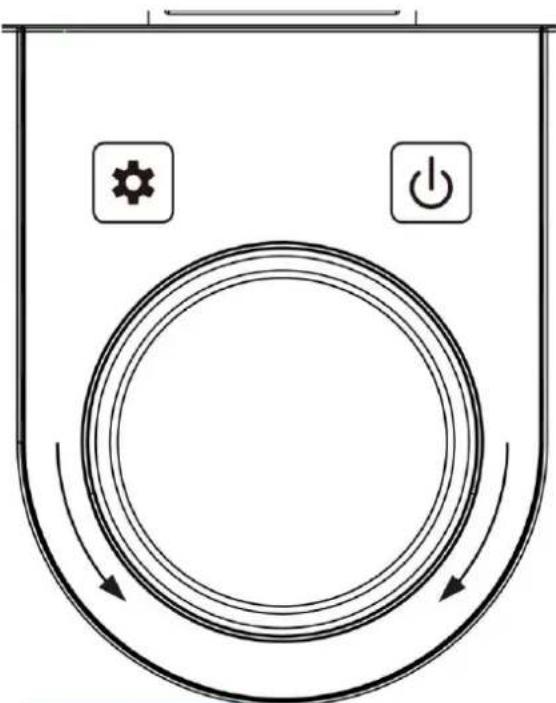
Knob: Setting the hour and minutes for the clock and timer

Setting of clock, timer and aroma strength

On/Off/cancel button
13.2 Making Coffee
WARNING Warning
Warning symbol: hot steam.
Caution hot steam can escape at device. Risk of burns.

13.2.1 Before first use
Clean the device as described under "Cleaning and Maintenance".
Fill the water tank up to the top mark.
Place the permanent filter in the filter holder. Continue without ground coffee.
Close the lid of the device. Place the coffee pot on the warmingplate under the drip protection. Insert the power plug.
"12:00" is shown on the display. Now carry out a brewing process without ground coffee to

clean the device. To do this, press the button. The red dot in the display lights up and the device starts the brewing process. When the brewing process is complete, "KEEP WARM is displayed.
Switch off the keep warm function with the button.
Pour the water away. Let the device cool down. You can now use the device as desired.
13.2.2 Setting the clock

Press button The display shows CLOCK.
When the hour digits are flashing, turn the knob to set the hours. Then wait 3 seconds until the device switches to the minute display.
When the minute digits start to flash, turn the knob to set the minute. Wait briefly (approx.
5 seconds) until the device saves the setting
13.2.3 Preparations
- Fill desired quantity of water into the watertank, depending on how many cups of coffee you want to prepare.
- Check that filterholder is placed. Insert the permanent filter into the filterholder or fold the bottom of a paper filter with 1x4 size and insert it into the filter holder. Fill desired amount of ground coffee into the filter.
- Fill desired amount of ground coffee into the filter.
HINWEIS
Please note
- Do not fill to much ground coffee into the filter, otherwise the coffee grounds could overflow.
- Close the lid of the device. Place the coffee pot on the plate below the drip stop.
13.2.1 Aroma Plus function
Activate the Aroma Plus function for more intense taste. For that hold the button until displayed.
The selected aroma intensity is safed.
Deactivating aroma mode: Press and hold the button until the display switches off.
HINWEIS
It is not possible to change the aroma setting if the brewing process has already started.
If you pull the mains plug, your settings (including the activation of the aroma strength) will be deleted.
13.2.2 Quick start
- Complete the "Preparations".
- Start the brewing process: press the button, the LED lights up and the device starts the brewing process with the previously set aroma strength.
- Keep warm mode: When the brewing process is finished, "KEEP WARM is displayed. The warming plate is heated for another 35 minutes to keep the coffee warm and then switches off automatically.
HINWEIS Please note
The device shows "KEEP WARM" and the minutes that the device is in the keep warm mode. The time can be displayed by pressing the button
The red LED and KEEP WARM light up during the holding process. To end the keep warm process, press the button The red LED and KEEP WARM switch off.
You can stop the brewing process at any time with the button . Then the red LED switches off.
The amount of brewed coffee may differ from the amount of water as coffee ground absorbs different amount of water depending on the amount and degree of grinding of the coffee ground
The device is equipped with a drip stop system which enables you to serve coffee before all the water has dripped through. Quickly put the coffee pot back in place to avoid any overflowing.
Do not fill hot water into the watertank.
Never fill the water tank beyond top mark.
Wait a few minutes before brewing coffee again. Let the device cool down.
WARNING Warning
The warming plate is hot during keep warm. Danger of burns.
Switch the device off when you have removed the last coffee from the coffee pot. Do not place empty coffee pot on the hot warming plate.
13.2.3 TIMER mode
Finish the „preparations". Press twice until TMER symbol lights up.
When the hour digits are flashing, turn the knob to set the hours. Then wait 3 seconds until the device switches to the minute display. When the minute digits start to flash, turn the knob to set the minute. Wait briefly (approx. 5 seconds) until the device saves the setting.
HINWEIS Please note
▶ You can end the TIMER mode by pressing the button again. The white LED goes out.
13.3 Cleaning and Maintenance
This chapter provides you with important notices with regard to cleaning and maintaining the device. Please observe the notices to prevent damages due to cleaning the device incorrectly and to ensure trouble-free operation.
13.4 Safety information
AVORSICHT Attention
Please observe the following safety notices, before you commence with cleaning the device:
The device must be cleaned at regular intervals and limescale should be removed.
Pull out the mains plug before cleaning the device.
The water tank, coffee pot and filter holder with filter are hot after their use. There is a danger of burns! Wait until the device has cooled down.
Do not use any aggressive or abrasive cleaning agents or solvents.
Do not scrape off stubborn dirt with hard items.
13.5 Cleaning
Remove the coffee grounds from permanent filter or discard the paper filter with coffee grounds. Thoroughly rinse the permanent filter and filter holder under running water. Rinse the coffee pot. The device can be wiped with a damp cloth.
Dry all parts thoroughly.
WARNING Warning
Do not clean the device when it is hot.
- Never put the device in water or under running water.
- Be sure to unplug the device before cleaning. To protect against electrical shock do not immerse cord, plug or device in water or liquid.
13.6 Descaling
Depending on the hardness of water you should descale the device once every month.
HINWEIS
Please note
If needed descale also the permant filter.
Fill the water tank with one quarter of white vinegar and three quarters of water.
Plug in the mainsplug and press button. Brew the mixture completely and then pour it away. Repeat the process until no limesale is left. Then brew 1-2 times 1,5 liters of water and repeat the process if necessary until there is no noticeable odor of vinegar. Pour away the water.
HINWEIS
Please note
Regularly decalcifying of your device will reduce the electricity used and prolong the life of the device.
The guarantee excludes devices which have stopped working or do not work properly due to lack of descending.
14 Troubleshooting
This chapter provides you with important notices with regard to operating the device. Observe the following notices to avoid dangers and damages:
A VORSICHT
Attention
- Only qualified electricians, who have been trained by the manufacturer, may carry out any repairs on electrical equipment.
- Improperly performed repairs can cause considerable dangers for the user and damages to the device.
14.1 Causes and rectification of faults
| Problem | Possible cause | Possible solution |
| Coffee brews too slowly (more than 10 minutes) or is not hot enough | Device is calcified | Descale the device regularly, look at chapter descaling. |
| There is coffee grounds in the coffee pot | Device needs to be cleaned. The paper filter is too small. Too much coffee ground is used. | Clean the device (especially the drip-stop valve). Us the permanent filter or paper filter in size 1x4. Use lee coffee ground. |
| Coffee has accumulated in the filter and coffee grounds overflowed. | The coffee pot was not placed on the warming plate for too long time during the brewing process, so that the filter could not empty. Too much coffee ground is used. | Unplug the mains plug. Place the coffee pot on the warming plate so that the filter can empty. Clean the device. Use lee coffee ground. |
| The drip-stop does not work | Residues of coffee at drip-stop | Clean the valve (at the bottom of the filter holder) under running water and press carefully the drip stop several times. |
| Water leaks from the bottom of the device. | Device is defective. | Unplug the mains plug. Do not use the device anymore. Contact the customer service. |
HINWEIS Please note
If you are unable to solve the problem with the steps shown above, please contact Customer Service.
15 Disposal of the Old Device
Old electric and electronic devices frequently still contain valuable materials. However, they also contain damaging substances, which were necessary for their functionality and safety. If these were put in the non-recyclable waste or were handled incorrectly, they could be detrimental to human health and the environment. Therefore, do not put your old device into the non-recyclable waste under any circumstances.
HINWEIS Please note
- Utilise the collection point, established in your town, to return and recycle old electric and electronic devices. If necessary, contact your town hall, local refuse collection service or your dealer for information.
Ensure that your old device is stored safely away from children until it is taken away.
16 Guarantee
We provide a 24 month guarantee for this product, commencing from the date of sale, for faults which are attributable to production or material faults.
Your legal guarantee entitlements in accordance with § 439 ff. BGB-E remain unaffected by this. The guarantee does not include damages, which were incurred as a result of improper handling or use, as well as malfunctions which only have a minor effect on the function or the value of the device. Consumables, transit damages, inasmuch as we are not responsible for these, as well as damages, which were incurred as a result of any repairs that were not performed by us, are also excluded from the guarantee entitlements.
This device is designed for use in domestic situations and has the appropriate performance levels. Any use in commercial situations is only covered under the guarantee to the extent that it would be comparable with the stresses of being used in a domestic situation. It is not intended for any additional, commercial use.
In the event of justified complaints, we will repair the faulty device at our discretion or replace it with a trouble-free device. Any pending faults must be reported within 14 days of delivery. All further claims are excluded. To enforce a guarantee claim, please contact us prior to returning the device (always provide us with proof of purchase).
17 Technical Data
| Device | Electric coffee machine |
| Name | Selection C 12 |
| Item No.: | 1858 |
| Mains data | 220-240V, 50/60 Hz |
| Power consumption | 900 W |
| External measurements | 170 x 325 x 245 mm |
| Capacity | 1,5 L |
| Net weight | 1,723 kg |
KocheBapka Selection C 12
CE
ApTnkyI 1858
45PykoBoDCTBONo3KcPnyaTauN
45.1 OБцие пооженя
IoxaJnyiTa, npOHTe INHOpMauIO, COePkaUoC8 B DaHHOM PyKOBODCTBE nO 3KcNpyatauIN, yTo6bl 6bICTpo O3HaKOMITbc8 C npN6OpOM N B NOJHOM o6beMe NCNoJIb3OBaTB BCE erO cyHKUIN.
PerynTOp:YcTaHOBka 3HaueHn YacOB mHyT dJa YacOB n TaMepa

YctahOBka yacob, TaMepa n
HacbIeHHOCTn apomata

BKJI/BbIKJI/OTmeHa(ON/OFF/Cancel)
48.2.2 YcTaHOBka YacOB
Hajmte KhoNky -Ha dinCnnee oTo6pa3ntcra cNoBO YACbl (CLOCK).
Korda 3haueHne yacOB hauHeT mRaTb, NOBepHnte peryIaTOp, yTo6bl yCTaHOBnTb HxKHOe 3haueHne yacOB. PdoJnte 3 cekHyDbI do Tex nop, noka npnbop nepeKnIOHTcra dny UCTaHOBKN MInHyT.
Korda 3haueHne MNHyT haHT MnraTb, NOBepHnte peryIaTOp, YTO6bl yCTaHOBntb HuxHoe 3haueHne MNHyT. IdoXdTe OKoNo 5 cekyHd, noka npnbop coxpaHNT hacTroKn.
48.2.3 Nodrotobka
- 3aNoHnTe np6op Huyxhblm KOJNueCTBOM BODbl, B 3aBNCIMOCtN OT TORO, KaKoe KOJNueCTBO Yawek KoPe Bbl PnaHpyeTe npiroTOBnTb.
- y6eIntecb, yTO depKaTeJIb IJRA qINbTp a yCTaHOBHeH ha MeCTO. BCTaBBte NOcTOrHHbI qINbTp B DEpKaTeJIb IIN6O cNoXnTe DHO 6yMaXHOro qINbTpap a3Mepom 1x4 n yCTaHOBnTe 6yMaXHbI qINbTp B DEpKaTeJIb.
- NomeCTte B nIbTp HxHoe KOJIuYeCTBO MONOTOro KoΦe.
HINWEIS PrimeyacheHne
He nomeuatae B cnIbTp cIIuKOM MHORO MOJOTORO KOpe, B npOTNBOM Clyuae cnIbTp MoKeT NepenONHITbcra.
4. 3akpoTe KpbIuKy npnbopa. NomeCTte KyBunn dJa KoPe Ha HaraBeBaTeHbHbI 3JIeMeHT IOd HocNK C 3aUnToN OT KaJIb.
KpaChbI cBeTOBoi HnDnKaTOp n CNoBO IOOIGPEB (KEEP WARM) 6ydyr ropeTB TeueHne Bcero npocecca npoOrpeBa. Po OKOHaHN npocecca npoOrpeBa haxMnte Ha
KhoNky. KpacHbI cBeTOBoi INdNKaTOp n CNoBO IOOIGPEB (KEEP WARM) IorachyT.
BbIMoKeTeOCTaHOBTbIPOeCCPnIroTOBHeHNA KOeBJIIO6oMOMeHT,HaKaBaHa
KHONKy KpaCHbI CBeTOBOH INdNKaTOP NoracHeT.
HINWEIS
Приимechanicals
KoJIyEcTBO CBapeHHoro KoOe MoKeT OTJNuHaTbCra OT KOJIyEcTBA BODbI, NocKOJIbKy MOJtBIO KoOe NorNoaet pa3JNUHoe KOJIyEcTBO BODbI B 3aBNCIMOCTH OT KOJIyEcTBA I CTeNEH N3MeJIbUeHn MOJTOrO KoOe.
Pnp6op ochaen CnCTe moKanJr-CTon, KOtopaN03BOJareT NOaBaTb KoFe do Tex np, noka He Bce KOnuYeCTBO KoFe npiroTOBnOscb. Bo n36exaHne nepenONHeHnIPOcne IODaH 6bICTpo yCTaHaBnBaIte KyBUnH dIra KoFe Ha HArpeBaTeJIbHbI 3JIeMeHT.
He 3aIbaiTe B pe3epByap IЯ BOdbI ropayu BOy.
He 3anoJIHnIe pe3epByap IJRA BObl BbIe MaKcImMaJIbHOI OTMeTKn.
Peped cIeDyUOuM uKnOM npiroTOBHeHna Kope daTe npu6opy OCTbITb HeckoJIbKO MNHyT.
WARNING
PpeDynpexKdEHe
HarpeBaTeIbHbI 3JIeMeHT CTAHOBITcRrOpyIM B IpoUeCE PpNROTOBHeHn. OnaCHOCTb OXoROB.
OTKIOUaIte np6op ot cetn, nocne toro, kak Bbl haHINn noCneHIO yauKy KoFe n3 KyBUNHa. He nOmeuaTe Ha HArpeBaTeJbHbI 3JeMeHT nyCTOn KyBUnH.
48.2.6 Pekm TAIMEP (TIMER)
BbInonHnTe noIroTOBky, kak yka3aHO B COOTBeTCTByIOUeM pa3JeIe. IBaJkbHaKmTE Ha
KhoNkU Do Tex nop, noka Ha dincPnee He oTo6pa3nTcra cNoBO TAIMEP (TMER).
Iocne TORO, Ka3haueHHe yacOB Ha dncnlee HaueHT MraTb, NOBepHnte peryIaTOp, UTo6bl yctahOBuTB yacBOe 3haueHne. IooKdTe 3 cekHyDbI do Tex nop, noka dincnnE He nepeKIOUHTc4 dJa YCTAHOBKn 3HaueHnMHyT. Iocne TORO, Ka3haueHne MHyT Ha dncnlee HaueHT MraTb, NOBepHnte peryIaTOp, UTo6bl yctahOBuTB 3HaueHne MHyT. IooKdTe OKoNo 5 cekHyd do tex nop, noka npnbop coxpaHT hAcTroKN.
HINWEIS
Приимechanicals
BbIMoKeTe BbIITn n3peXmMa TAIMEP (TIMER),CHOBa HaxaB Ha KhoNky BeIbI CBeTOBOHINKATOp BbIKIOUHTcra.

- Peryilaphoe ydaenne HaKnn C BaWero npnbopa cHnkaet notpe6nHe 3NeKTPO3Heprn N npOaBeaET cPOK cnyk6bl yCTpOcTBA.
HINWEIS
Приимechanicals
rapaHTnHe paCnpocTpaHareTcHa np6Opbl, KOtOpbIe nepeCTaII pa6oTaB nIi He pa6oTaOT DoJXHbIM O6pa3OM I3-3a HAnuH NAKIN.
49 Ipo6JIeMbI n cnoCo6bI nx peSeHnA
B daHno rnaBe coepxatc Baxhble 3ameuHaNo no kcnnyataun npnbopa.
Co6nIouaTe cneIyUoIue yka3aHna, UTO6bI n36eKaatb onaChocTe n NOBpeXdeHn:
AVORSICHT OctopoxHO
Pemont 3neKtpnpnbopob pa3peuheOcuyeCTBnTb TOnbKO KBaJIncuropOBaHbIM CneunnaNTam, npoWeDm oByeHne y npOn3BOdntela.
HekBaIuΦnUPOBaHHbIpeMOHT moKeT npVBecTu K cepBe3HbIM ONaCHOCTM dIy IOnb3OBaTeJI N IOBpeJdeHIO yCTpoiCTBa.
- Operation and Handing. 32
- Electric coffee machine
- Selection C 12
- Operating Manual
- General
- Information on this manual
- Warning notices
- △GEFAHR
- DANGER
- WARNING
- AVORSICHT
- ATTENTION
- HINWEIS
- PLEASE NOTE
- Limitation of liability
- Copyright protection
- Safety
- Intended use
- WARNING Warning
- General Safety information
- HINWEIS Please note
- Please observe the following general safety notices with regard to the safe handling of the device.
- Sources of danger
- Danger of burns
- ▲WARNUNG
- Risk of injury
- Dangers due to electrical power
- ▲GEFAHR
- Mortal danger due to electrical power!
- ▲GEFAHR DANGER
- Commissioning
- Safety information
- Delivery scope and transport inspection
- Unpacking
- Disposal of the packaging
- Setup location requirements:
- Electrical connection
- Warning notices
- AVORSICHT Attention
- Rating plate
- Operation and Handing
- Display & Panel
- Making Coffee
- Before first use
- Setting the clock
- Preparations
- Aroma Plus function
- Quick start
- TIMER mode
- Cleaning and Maintenance
- Safety information
- Cleaning
- Descaling
- Troubleshooting
- A VORSICHT
- Causes and rectification of faults
- Disposal of the Old Device
- Guarantee
- Technical Data
- KocheBapka Selection C 12
- 45PykoBoDCTBONo3KcPnyaTauN
- OБцие пооженя
- YcTaHOBka YacOB
- Nodrotobka
- HINWEIS PrimeyacheHne
- Приимechanicals
- PpeDynpexKdEHe
- Pekm TAIMEP (TIMER)
- Ipo6JIeMbI n cnoCo6bI nx peSeHnA
- AVORSICHT OctopoxHO
Brand : CASO
Model : Selection C 12
Category : Coffee machine