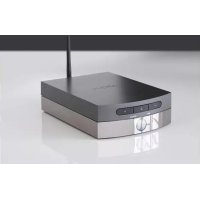
Solo Uno - Hi-fi system ARCAM - Free user manual and instructions
Find the device manual for free Solo Uno ARCAM in PDF.



| Product type | Wireless hi-fi system |
| Brand | Arcam |
| Model | Solo Uno |
| Dimensions (W x H x D) | 140 x 52 x 213 mm |
| Net weight | 1.5 kg |
| Power supply | 100-240 V AC, 50/60 Hz, 60 W max |
| Output power | 50 W at 4 Ω, 25 W at 8 Ω (1% THD) |
| Frequency response | 10 Hz - 20 kHz |
| Signal-to-noise ratio | 117 dB (A-weighted) |
| AUX input (analog) | Sensitivity 2 V |
| Subwoofer output | Level 2.1 V, crossover frequency 80 Hz |
| Network connectivity | Wi-Fi 802.11a/b/g/n/ac (2.4/5 GHz), Ethernet |
| Streaming protocols | AirPlay, Chromecast built-in, Spotify Connect, MQA |
| Antenna | Supplied Wi-Fi antenna (only one authorized) |
| Included accessories | Power cord, Wi-Fi antenna, registration card, user manual |
| Warranty | 2 years parts and labor (excluding shipping) |
| Cleaning | Soft lint-free cloth, unplug before cleaning |
| Reset | RESET button on the rear (short press = restart, long press >3s = factory reset) |
| Software update | Automatic via network (nighttime installation if idle) |
Frequently Asked Questions - Solo Uno ARCAM
User questions about Solo Uno ARCAM
0 question about this device. Answer the ones you know or ask your own.
Ask a new question about this device
Download the instructions for your Hi-fi system in PDF format for free! Find your manual Solo Uno - ARCAM and take your electronic device back in hand. On this page are published all the documents necessary for the use of your device. Solo Uno by ARCAM.
USER MANUAL Solo Uno ARCAM
Thank you for purchasing the Arcam Solo Uno wireless Hi-Fi system.
Arcam has been producing high quality audio components for over forty years. During that time, we have amassed a wealth of knowledge on both the design and construction of audio components in order to give the best sound performance for the price.
This handbook provides guidance for connecting and using your Solo Uno.
We hope that your Solo Uno will give you years of trouble-free operation. In the unlikely event of any fault, or if you simply require further information about Arcam products, our network of dealers will be happy to help you. Further information can be found on the Arcam website at www.arcam.co.uk.
The Solo Uno development team
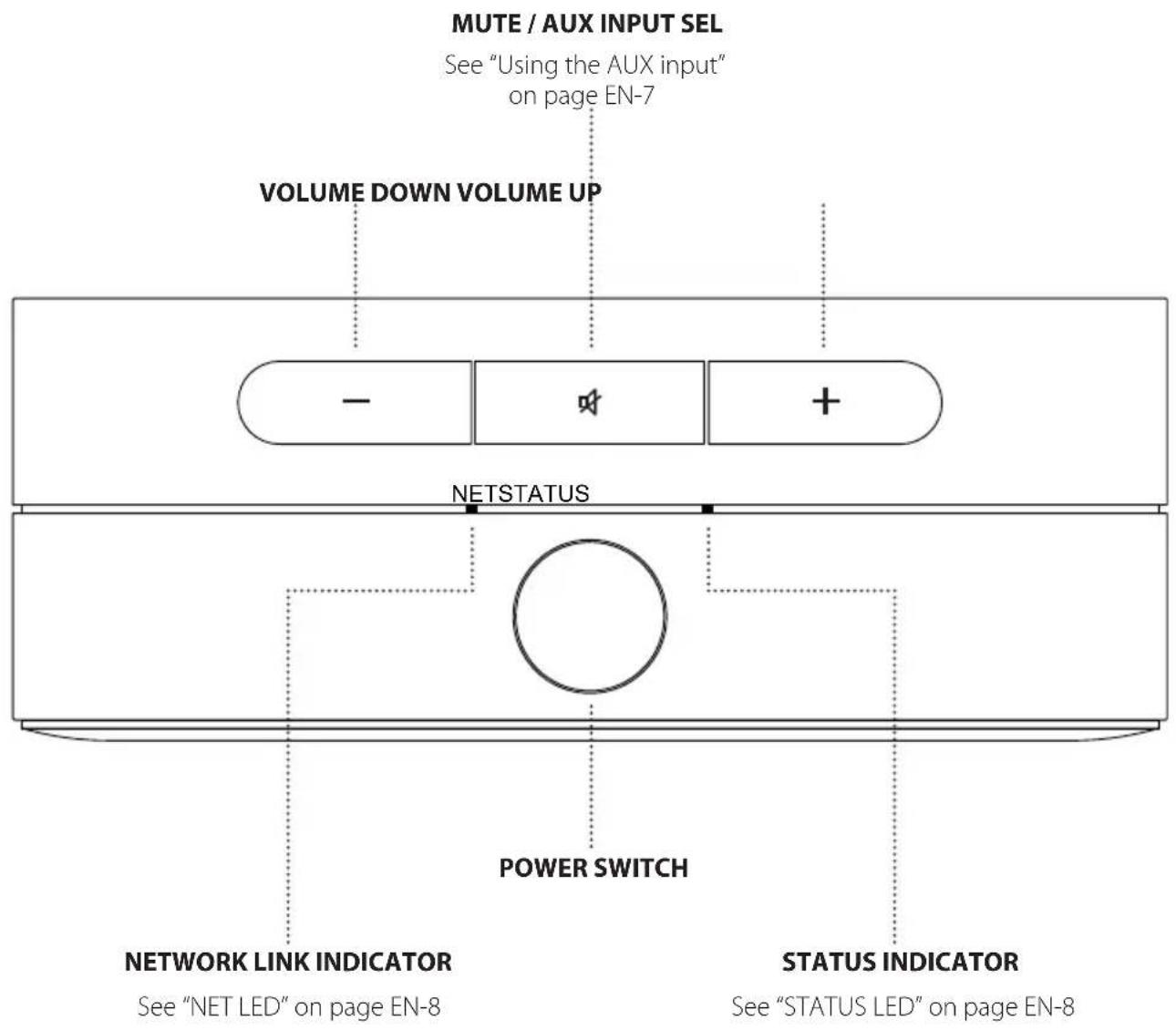
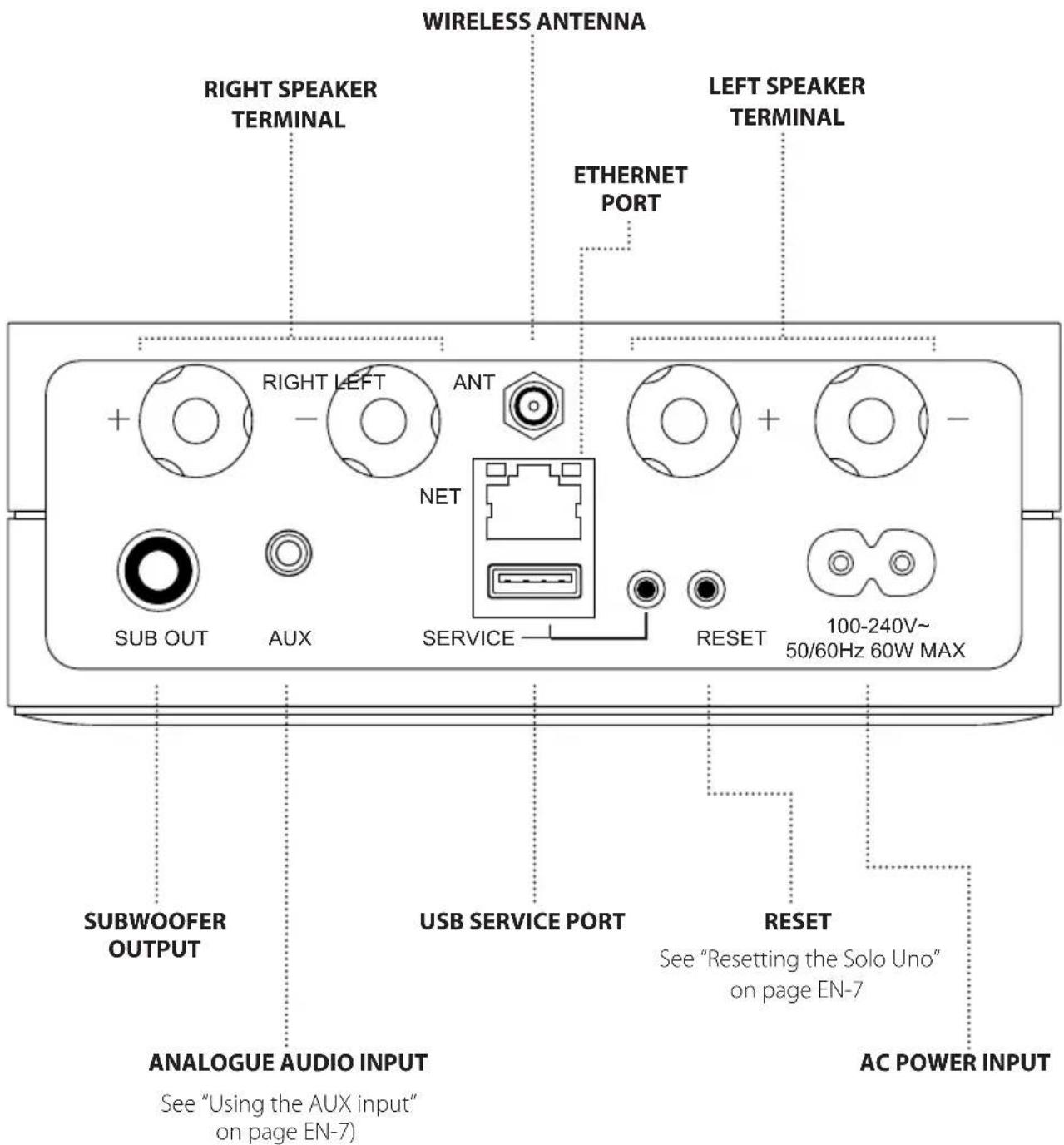
CONNECTORS, INDICATORS AND CONTROLS
EN
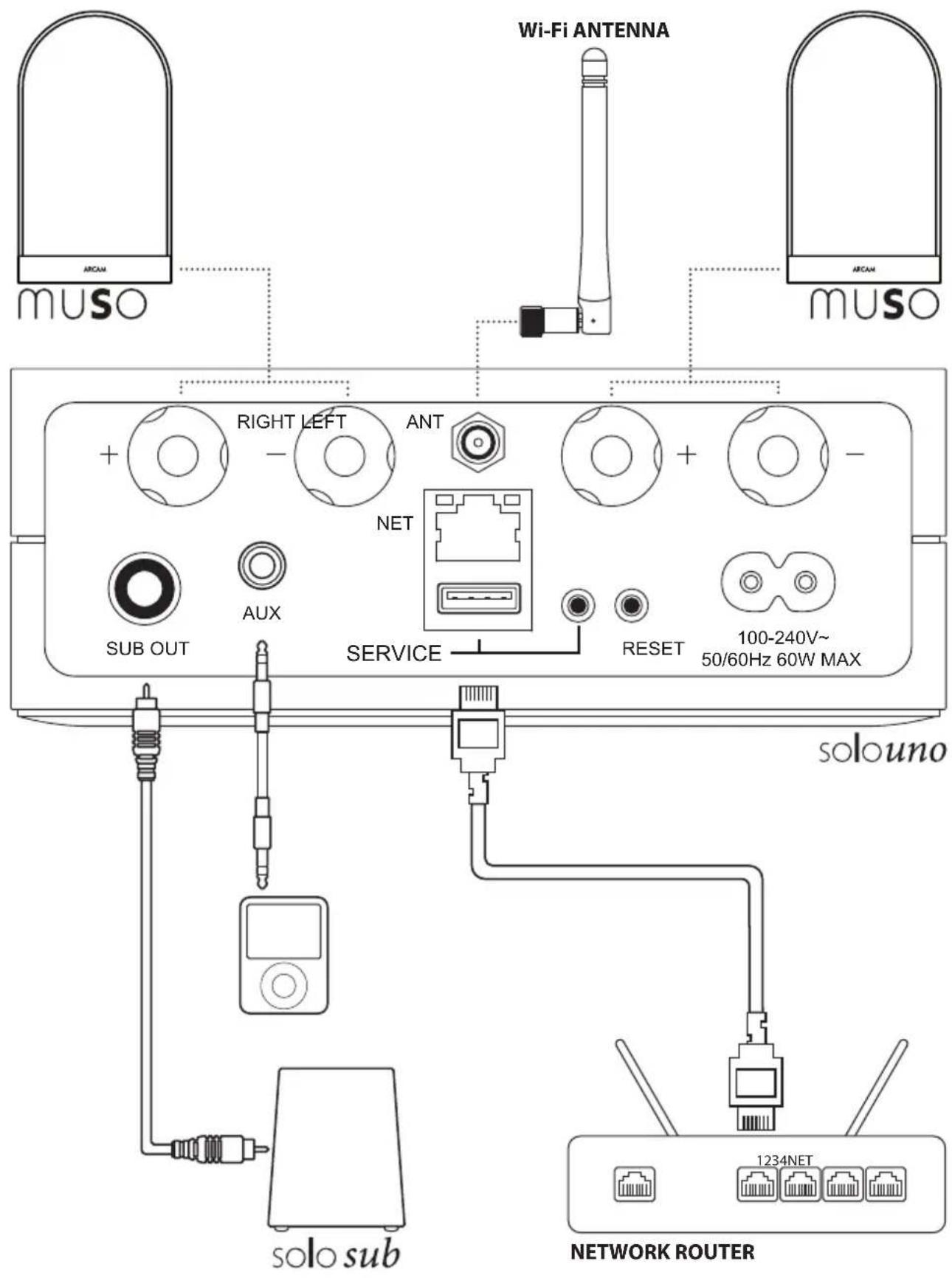
SETUP
Connecting to a Network
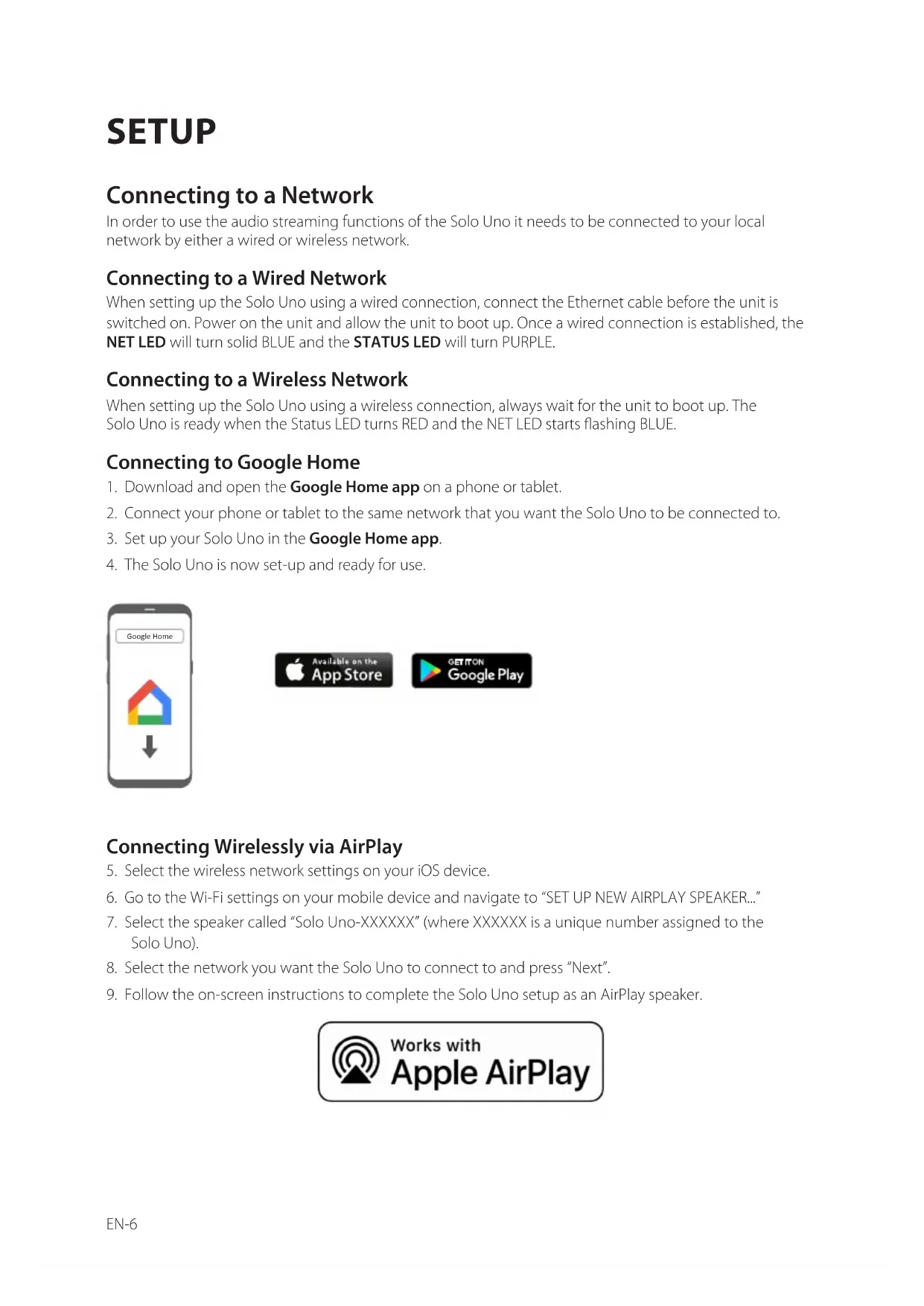
In order to use the audio streaming functions of the Solo Uno it needs to be connected to your local network by either a wired or wireless network.
Connecting to a Wired Network
When setting up the Solo Uno using a wired connection, connect the Ethernet cable before the unit is switched on. Power on the unit and allow the unit to boot up. Once a wired connection is established, the NET LED will turn solid BLUE and the STATUS LED will turn PURPLE.
Connecting to a Wireless Network
When setting up the Solo Uno using a wireless connection, always wait for the unit to boot up. The Solo Uno is ready when the Status LED turns RED and the NET LED starts flashing BLUE.
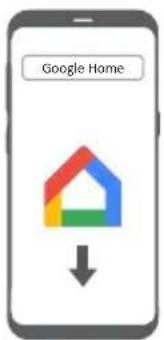
Connecting to Google Home
- Download and open the Google Home app on a phone or tablet.
- Connect your phone or tablet to the same network that you want the Solo Uno to be connected to.
- Set up your Solo Uno in the Google Home app.
- The Solo Uno is now set-up and ready for use.
Connecting Wirelessly via AirPlay
- Select the wireless network settings on your iOS device.
- Go to the Wi-Fi settings on your mobile device and navigate to "SET UP NEW AIRPLAY SPEAKER..."
- Select the speaker called "Solo Uno-XXXXXX" (where XXXXXX is a unique number assigned to the Solo Uno).
- Select the network you want the Solo Uno to connect to and press "Next".
- Follow the on-screen instructions to complete the Solo Uno setup as an AirPlay speaker.
OPERATION
EN
Play Music With Chromecast built-in
- Launch the Chromecast built-in enabled app on your phone or tablet.
- Press the icon in the app and select the Solo Uno.
- Press "Play" in the app.
Using AirPlay on your iOS device
- Locate and press the 📄 on your iOS device.
- Choose the Solo Uno as the AirPlay speaker.
- Select your music and start playing.
Spotify Connect
Use your phone, tablet or computer as a remote control for Spotify.
Go to spotify.com/connect to learn how.
Using the AUX input
To use the AUX input press and hold the MUTE key for approx 3 seconds and release. The STATUS LED will change to GREEN.
The AuxXut is active until either an AirPlay or GoogleCast audio stream is sent to the Solo Uno.
Upgrading the Solo Uno software
The Solo Uno will automatically download any available software updates when it is connected to a network.
If the Solo Uno is left powered on these updates will be installed over night when the unit is idle.
If the unit is powered off over night then the update will installed the next time the unit is powered on.
The NET LED will double flash BLUE to indicate the update is in progress.
Resetting the Solo Uno
To reset the Solo Uno without losing any stored settings simply press the button on the rear panel for less than 1 second. The LEDs will change state to indicate the unit is restarting.
To restore the Solo Uno to factory defaults including forgetting any stored WiFi networks press and hold the RESET button on the rear panel for more than 3 seconds. Both LEDs will briefly light BLUE to indicate factory reset has been initiated.
STATUS INDICATORS
NET LED
| LED state Meaning | |
| Pulsing BLUE | The Solo Uno is waiting to be configured for a wireless connection. |
| Flashing BLUE The Solo Uno is attempting to connect to a network. | |
| Solid BLUE The Solo Uno is connected to a network. | |
| Off The Solo Uno is booting up. | |
STATUS LED
| Solo Uno mode Led | State Meaning | |
| Streaming | Solid WHITE The Solo Uno is on, connected to a network and playing. | |
| Solid PURPLE | The Solo Uno is on, connected to a network, but not playing or playback is paused. | |
| Solid RED The Solo Uno is on and not connected to a network. | ||
| AUX input Solid GREEN The Solo Uno is in line-in (auxiliary) mode. | ||
| All modes | Solid ORANGE The Solo Uno is muted. | |
| Flashing ORANGE The Solo Uno is initializing or a firmware update is in progress. | ||
| Flashing RED/BLUE | Amplifier has overheated. Turn off unit and allow to cool down before restarting. | |
| Flashing PURPLE/BLUE | Amplifier fault. Turn off unit and check speaker wiring for short circuits before restarting. | |
SPECIFICATIONS
EN
| Frequency Response 10Hz - 20kHz | ||
| Signal-to-Noise Ratio (A-Weighted) 117dB | ||
| Output power (1kHz, 1% THD, One channel driven) | 4Ω 50W | |
| 8Ω 25W | ||
| AUX input sensitivity 2V | ||
| Subwoofer | Output level 2.1V | |
| Cross-over frequency 80Hz | ||
| Wireless network 802.11a/b/g/n/ac (2.4GHz/5GHz) | ||
| 2.4G Wi-Fi transmitter frequency range | 2412 – 2472MHz(2.4GHz ISM Band, USA 11 Channels, Europe and others 13 Channels) | |
| 2.4G Wi-Fi transmitter power <20dBm | ||
| 2.4G Wi-Fi modulation DBPSK, DQPSK, CCK, QPSK, BPSK, 16QAM, 64QAM | ||
| 5G Wi-Fi transmitter frequency range 5.150~5.350GHz, 5.470~5.725GHz, 5.725~5.825GHz | ||
| 5G Wi-Fi transmitter power <23dBm | ||
| 5G Wi-Fi modulation | DBPSK, DQPSK, CCK, QPSK, BPSK, 16QAM, 64QAM, 256QAM | |
| Power requirements | 100 – 240VAC, 50/60Hz | |
| Dimensions (W x H x D)(Including speaker terminals) | 140 x 52 x 213mm | |
| Net weight | 1.5kg | |
| Supplied accessories | Power cordWi-Fi antennaUser manual and registration card | |
| E&OE. All specification values are typical unless otherwise stated | ||

Chromecast built-in

Works with
Apple AirPlay
MQA
WORLDWIDE GUARANTEE
This entitles you to have the unit repaired free of charge for two years after purchase, provided that it was originally purchased from an authorised Arcam dealer. The manufacturer can take no responsibility for defects arising from accident, misuse, abuse, wear and tear, neglect or through unauthorised adjustment and/or repair, neither can they accept responsibility for damage or loss occurring during transit to or from the person claiming under the guarantee.
The warranty covers:
Parts and labour costs for two years from the purchase date. After two years you must pay for both parts and labour costs. The warranty does not cover transportation costs at any time.
Claims under guarantee
This equipment should be packed in the original packing and returned to the dealer from whom it was purchased, or failing this, directly to the Arcam distributor in the country where the product was purchased.
It should be sent carriage prepaid by a reputable carrier – not by post. No responsibility can be accepted for the unit whilst in transit to the dealer or distributor and customers are therefore advised to insure the unit against loss or damage whilst in transit.
For further details contact Arcam at luxurysupport@harman.com.
Problems?
If your Arcam dealer is unable to answer any query regarding this or any other Arcam product please contact Arcam Customer Support at the above address and we will do our best to help you.
TECHNOLOGY LICENSING
Android Google, Google Play, Chromecast, Chromecast built-in, Google Home and other related marks and logos are trademarks of Google Inc.
Apple, AirPlay and iTunes are trademarks of Apple Inc., registered in the U.S. and other countries. App Store is a service mark of Apple Inc.
MQA and the Sound Wave Device are registered trade marks of MQA Limited.© 2016
MQA (Master Quality Authenticated).
MQA is an award-winning British technology that delivers the sound of the original master recording. The master MQA file is fully authenticated and is small enough to stream or download.
Visit mqa.co.uk for more information.
The Solo Uno includes MQA technology, which enables you to play back MQA audio files and streams, delivering the sound of the original master recording.
Licenses:
The Spotify software is subject to third party licenses found here:
https://developer.spotify.com/legal/third-party-licenses/
IMPORTANT ANTENNA INFORMATION
The Solo Uno is only designed to operate with the supplied antenna. Any other antenna is strictly prohibited for use with the Solo Uno.
Important Safety instructions
- Read these instructions.
- Keep these instructions.
- Heed all warnings.
- Follow all instructions.
- Do not use this apparatus near water.
- Clean only with dry cloth.
- Do not block any ventilation openings. Install in accordance with the manufacturer's instructions.
- Do not install near any heat sources such as radiators, heat registers, stoves, or other apparatus (including amplifiers) that produce heat.
- Do not defeat the safety purpose of the polarized or grounding-type plug.
A polarized plug has two blades with one wider than the other. A grounding type plug has two blades and a third grounding prong. The wide blade or the third prong are provided for your safety. If the provided plug does not fit into your outlet, consult an electrician for replacement of the obsolete outlet.
- Protect the power cord from being walked on or pinched particularly at plugs, convenience receptacles, and the point where they exit from the apparatus.
- Only use attachments/accessories specified by the manufacturer.
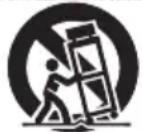
- Use only with the cart, stand, tripod, bracket, or table specified by the manufacturer, or sold with the apparatus.
When a cart is used, use caution when moving the cart/apparatus combination to avoid injury from tip-over.
PORTABLE CART WARNING

- Unplug this apparatus during lightning storms or when unused for long periods of time.
- Refer all servicing to qualified service personnel.
Servicing is required when the apparatus has been damaged in any way, such as power-supply cord or plug is damaged, liquid has been spilled or objects have fallen into the apparatus, the apparatus has been exposed to rain or moisture, does not operate normally, or has been dropped.
- Object or liquid entry
WARNING – Take care that objects do not fall and liquids are not spilled into the enclosure through any openings. The equipment shall not be exposed to dripping or splashing. Liquid-filled objects such as vases should not be placed on the equipment.
- Climate
The equipment has been designed for use in moderate climates and in domestic situations.
- Cleaning
Unplug the unit from the mains supply before cleaning.
The case should normally only require a wipe with a soft, lint-free cloth. Do not use chemical solvents for cleaning.
We do not advise the use of furniture cleaning sprays or polishes as they can cause permanent white marks.
- Power sources
Only connect the equipment to a power supply of the type described in the operating instructions or as marked on the equipment.
The primary method of isolating the equipment from the mains supply is to remove the mains plug. The equipment must be installed in a manner that makes disconnection possible.
- Abnormal smell
If an abnormal smell or smoke is detected from the equipment, turn the power off immediately and unplug the equipment from the wall outlet. Contact your dealer and do not reconnect the equipment.
- Damage requiring service
The equipment should be serviced by qualified service personnel when:
A. The power-supply cord or the plug has been damaged, or
B. Objects have fallen, or liquid has spilled into the equipment, or
C. The equipment has been exposed to rain, or
D. The equipment does not appear to operate normally or exhibits a marked change in performance, or
E. The equipment has been dropped or the enclosure damaged.

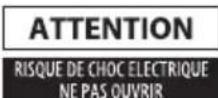

CAUTION: To reduce the risk of electric shock, do not remove cover (or back). No user serviceable parts inside. Refer servicing to qualified service personnel.
WARNING: To reduce the risk of fire or electric shock, do not expose this apparatus to rain or moisture.
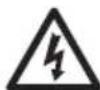
The lightning flash with an arrowhead symbol within an equilateral triangle, is intended to alert the user to the presence of uninsulated 'dangerous voltage' within the product's enclosure that may be of sufficient magnitude to constitute a risk of electric shock to persons

The exclamation point within an equilateral triangle is intended to alert the user to the presence of important operating and maintenance (servicing) instructions in the literature accompanying the product
CAUTION: In Canada and the USA, to prevent electric shock, match the wide blade of the plug to the wide slot in the socket and insert the plug fully into the socket.
Class II product
This equipment is a Class II or double insulated electrical appliance. It has been designed in such a way that it does not require a safety connection to electrical earth (“ground” in the U.S.)
Correct disposal of this product (Waste Electrical & Electronic Equipment)
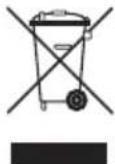
This symbol means the product must not be discarded as household waste, and should be delivered to an appropriate collection facility for recycling. Proper disposal and recycling helps protect natural resources, human health and the environment. For more information on disposal and recycling of this product, contact your local municipality, disposal service, or the shop where you bought this product.
This product is RoHS compliant.
This product is in compliance with Directive 2011/65/EU, and its amendments, on the restriction of the use of certain hazardous substances in electrical and electronic equipment.
REACH
REACH (Regulation No 1907/2006) addresses the production and use of chemical substances and their potential impacts on human health and the environment. Article 33(1) of REACH Regulation requires suppliers to inform the recipients if an article contains more than 0.1%
(per weight per article) of any substance(s) on the Substances of Very High Concern (SVHC) Candidate List ('REACH candidate list'). This product contains the substance "lead"(CAS-No. 7439-92-1) in a concentration of more than 0.1% per weight.
At the time of release of this product, except for the lead substance, no other substances of REACH candidate list are contained in a concentration of more than 0.1% per weight in this product.
Note: On June 27, 2018, lead was added to the REACH candidate list. The inclusion of lead in the REACH candidate list does not mean that lead-containing materials pose an immediate risk or results in a restriction of permissibility of its use.
HARMAN International Industries, Limited. All rights reserved.
ARCAM is a trademark of HARMAN International Industries, Limited, registered in the UK.
Features, specifications and appearance are subject to change without notice.
Hereby, Harman International Industries, Limited declares that the radio equipment type wireless hi-fi system is in compliance with Directive 2014/53/EU.
The full text of the EU declaration of conformity is available at the following internet address: www.arcam.co.uk.

CAUTION FCC AND IC STATEMENT FOR USERS (USA AND CANADA ONLY)
This device complies with part 15 of the FCC Rules. Operation is subject to the following two conditions: (1) This device may not cause harmful interference, and (2) this device must accept any interference received, including interference that may cause undesired operation.
CAN ICES-3(B)/NMB-3(B)
FCC SDOC SUPPLIER'S DECLARATION OF CONFORMITY
HARMAN International hereby declares that this equipment is in compliance with the FCC Part 15 Subpart B.
Federal Communication Commission Interference Statement
This equipment has been tested and found to comply with the limits for a Class B digital device, pursuant to Part 15 of the FCC Rules. These limits are designed to provide reasonable protection against harmful interference in a residential installation. This equipment generates, uses and can radiate radio frequency energy and, if not installed and used in accordance with the instructions, may cause harmful interference to radio communications. However, there is no guarantee that interference will not occur in a particular installation. If this equipment does cause harmful interference to radio or television reception, which can be determined by turning the equipment off and on, the user is encouraged to try to correct the interference by one or more of the following measures:
Reorient or relocate the receiving antenna.
Increase the separation between the equipment and receiver.
Connect the equipment into an outlet on a circuit different from that to which the receiver is connected.
Consult the dealer or an experienced radio/TV technician for help.
Caution: Changes or modifications not expressly approved by HARMAN could void the user's authority to operate the equipment.
FCC AND IC INFORMATION FOR USERS
This device complies with Part 15 of the FCC rules and Industry Canada license-exempt RSS standard(s). Operation is subject to the following two conditions: (1) This device may not cause harmful interference; and (2) this device must accept any interference received, including interference that may cause undesired operation.
FCC/IC Radiation Exposure Statement
This equipment complies with FCC and ISED radiation exposure limits set forth for an uncontrolled environment.
In case this equipment has to subject to FCC/IC SAR (Specific Absorption Rate) exposure test, this equipment is designed to meet the requirements for exposure to radio waves established by the FCC and ISED. These requirements set a SAR limit of 1.6 W/kg averaged over one gram of tissue. The highest SAR value reported under this standard during product certification for use when properly worn on the body or on the head, with no separation. To meet RF exposure guidelines and reduce exposure to RF energy during the operation, this equipment should be positioned at least this distance away from the body or the head.
FCC and IC Caution
High power radars are allocated as primary users of the 5.25 to 5.35 GHz and 5.65 to 5.85 GHz bands. These radar stations can cause interference with and/or damage to LE LAN (Licence-Exempt Local Area Network) devices. . No configuration controls are provided for this wireless equipment allowing any change in the frequency of operations outside the FCC grant of authorization for US operation according to Part 15.407 of the FCC rules.
IC Caution
User should also be advised that:
(i) The device for operation in the band 5150 - 5250 MHz is only for indoor use to reduce the potential for harmful interference to co-channel mobile satellite systems; (ii) the maximum antenna gain permitted for devices in the bands 5250 - 5350 MHz and 5470 - 5725 MHz shall comply with the e.i.r.p. limit: and
(ii) The maximum antenna gain permitted for devices in the band 5725 - 5825 MHz shall comply with the e.i.r.p. limits specified for point-to-point and non point-to-point operation as appropriate.
Use Restriction Attention in European Union, operation is limited to indoor use within the band 5150-5350 MHz.
FR
ARCAM|solouno
SYSTÈME HAUTE-FIDÉLITÉ SANS FIL
BIENVENUE...
OPÉRATION
https://developer.spotify.com/legal/third-party-licenses/
INFORMATION IMPORTANTE SUR L'ANTENNE
DÉCLARATION DE CONFORMITÉ DU FOURNISSEUR (SDOC) AVEC LA SCC
BETRIEB
https://developer.spotify.com/legal/third-party-licenses/
GEBRUIK
De Solo Uno software upgraden
WERELDWIJDE GARANTIE
The Spotify software is subject to third party licenses found here:
https://developer.spotify.com/legal/third-party-licenses/
BELANGRIJKE ANTENNE-INFORMATIE
OPERACIÓN
https://developer.spotify.com/legal/third-party-licenses/
ЭКСПЛУАТАЦИЯ
https://developer.spotify.com/legal/third-party-licenses/
natural_image
Simple line drawing of a trash bin with crossed lines indicating no waste or discharge (no text or symbols)
USO
https://developer.spotify.com/legal/third-party-licenses/
操作
https://developer.spotify.com/legal/third-party-licenses/
작동
KO
https://developer.spotify.com/legal/third-party-licenses/
안테나 중요 정보
PORTABLE CART WARNING
THE WEST WING, STIRLING HOUSE
WATERBEACH, CAMBRIDGESHIRE, CB25 9PB
+44 (0) 1223 203200SH294 ISSUE 7
- CONNECTORS, INDICATORS AND CONTROLS
- SETUP
- Connecting to a Network
- Connecting to a Wired Network
- Connecting to a Wireless Network
- Connecting to Google Home
- Connecting Wirelessly via AirPlay
- OPERATION
- Play Music With Chromecast built-in
- Using AirPlay on your iOS device
- Spotify Connect
- Using the AUX input
- Upgrading the Solo Uno software
- Resetting the Solo Uno
- STATUS INDICATORS
- NET LED
- STATUS LED
- SPECIFICATIONS
- WORLDWIDE GUARANTEE
- The warranty covers:
- Claims under guarantee
- Problems?
- TECHNOLOGY LICENSING
- IMPORTANT ANTENNA INFORMATION
- Important Safety instructions
- Class II product
- Correct disposal of this product (Waste Electrical & Electronic Equipment)
- This product is RoHS compliant.
- REACH
- CAUTION FCC AND IC STATEMENT FOR USERS (USA AND CANADA ONLY)
- FCC SDOC SUPPLIER'S DECLARATION OF CONFORMITY
- Federal Communication Commission Interference Statement
- FCC AND IC INFORMATION FOR USERS
- FCC/IC Radiation Exposure Statement
- FCC and IC Caution
- IC Caution
- ARCAM|solouno
- SYSTÈME HAUTE-FIDÉLITÉ SANS FIL
- BIENVENUE...
- OPÉRATION
- INFORMATION IMPORTANTE SUR L'ANTENNE
- DÉCLARATION DE CONFORMITÉ DU FOURNISSEUR (SDOC) AVEC LA SCC
- BETRIEB
- GEBRUIK
- De Solo Uno software upgraden
- WERELDWIJDE GARANTIE
- BELANGRIJKE ANTENNE-INFORMATIE
- OPERACIÓN
- ЭКСПЛУАТАЦИЯ
- USO
- 操作
- 작동
- 안테나 중요 정보
Brand : ARCAM
Model : Solo Uno
Category : Hi-fi system