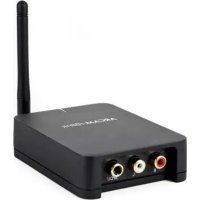
rBlink - Hi-fi system ARCAM - Free user manual and instructions
Find the device manual for free rBlink ARCAM in PDF.


| Product type | Stereo Bluetooth audio receiver |
| Brand | Arcam |
| Model | rBlink |
| Dimensions (W x D x H) | 145 x 100 x 30 mm |
| Weight | 0.3 kg |
| Power supply | 5 V DC, 1 A mains adapter (not included) |
| Power consumption | < 5 W |
| Bluetooth version | Bluetooth 4.0 |
| Supported audio codecs | SBC, AAC, aptX |
| Bluetooth range | Up to 10 m (line of sight) |
| Connectors | Stereo RCA audio output, micro-USB power input |
| Main functions | Wireless Bluetooth audio reception, compatible with all Bluetooth devices |
| Care and cleaning | Clean with a soft, dry cloth. Do not use solvents or abrasive products. |
| Safety | Do not expose to moisture or liquids. Use only the recommended adapter. Minimum distance of 20 cm between antenna and body. |
| Spare parts and repairability | No spare parts available. Any repair must be carried out by an Arcam authorized service. |
| General information | Manufacturer warranty 1 year (parts and labor). Made in China. |
Frequently Asked Questions - rBlink ARCAM
User questions about rBlink ARCAM
0 question about this device. Answer the ones you know or ask your own.
Ask a new question about this device
Download the instructions for your Hi-fi system in PDF format for free! Find your manual rBlink - ARCAM and take your electronic device back in hand. On this page are published all the documents necessary for the use of your device. rBlink by ARCAM.
USER MANUAL rBlink ARCAM
Connections and Quickstart Guide
Important Safety Instructions...
1) Read these instructions.
2) Keep these instructions.
3) Heed all warnings.
4) Follow all instructions.
5) Do not use this apparatus near water.
6) Clean only with dry cloth.
7) Do not block any ventilation openings. Install in accordance with the manufacturer's instructions.
8) Do not install near any heat sources such as radiators, heat registers, stoves, or other apparatus (including amplifiers) that produce heat.
9) Do not defeat the safety purpose of the polarized or grounding-type plug. A polarized plug has two blades with one wider than the other. A grounding type plug has two blades and a third grounding prong. The wide blade or the third prong are provided for your safety. If the provided plug does not fit into your outlet, consult an electrician for replacement of the obsolete outlet.
10) Protect the power cord from being walked on or pinched particularly at plugs, convenience receptacles, and the point where they exit from the apparatus.
11) Only use attachments/accessories specified by the manufacturer.
12) Use only with the cart, stand, tripod, bracket, or table specified by the manufacturer, or sold with the apparatus. When a cart is used, use caution when moving the cart/ apparatus combination to avoid injury from tip-over.
13) Unplug this apparatus during lightning storms or when unused for long periods of time.
14) Refer all servicing to qualified service personnel. Servicing is required when the apparatus has been damaged in any way, such as power-supply cord or plug is damaged, liquid has been spilled or objects have fallen into the apparatus, the apparatus has been exposed to rain or moisture, does not operate normally, or has been dropped.
Welcome...
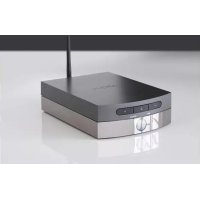
... and thank you for purchasing the Arcam rBlink wireless Bluetooth® Digital-to-Analogue converter.
Arcam has been producing high-quality audio components for over thirty years. During that time we have amassed a wealth of knowledge on both the design and construction of audio components in order to give the best sound performance for the price.
This handbook provides guidance for connecting and using your rBlink.
We hope that your rBlink will give you years of trouble-free operation. In the unlikely event of any fault, or if you simply require further information about Arcam products, our network of dealers will be happy to help you. Further information can be found on the Arcam website at www.arcam.co.uk.
The rBlink development team
Bienvenue...
natural_image
Product display image showing a black remote control unit, an ARCAM rBlink device, and connected cables (no readable text or symbols)Power Adaptor Setup
Voedingsadapter setup
natural_image
Two technical diagrams showing a plug and socket connected by wires, with no visible text or symbols.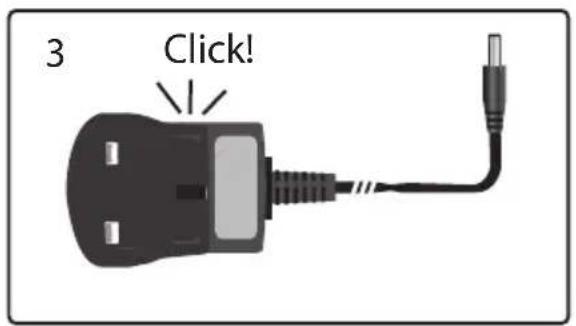
Anschlüsse - Connectors
Enable Bluetooth™ on device
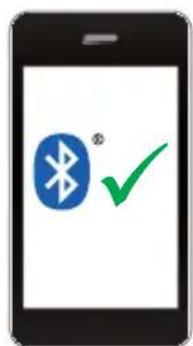

Activate pairing on rBlink
natural_image
3D illustration of a black wireless device with a vertical antenna and musical notes above it (no text or symbols)Specification
Utilisation
technische Daten
Werking
Especificaciones
Frequency response 10Hz — 20kHz, ±0.1dB
Total Harmonic Distortion + Noise 0.002%
Signal-to-noise ratio (A - Weighted, line out) 106dB (24-bit)
Line output level 2.15Vrms
Supported CODECs SBC, AAC, aptX®
Power requirements 0.7W max
Dimensions (wxdxh, mm) 75 x 100 x 26
Weight 350g
E&OE. All specifications are typical.

Legal information
The aptX ^® mark and logos are registered trademarks of CSR plc.
The Bluetooth ^® word mark and logos are registered trademarks owned by Bluetooth SIG, Inc.
FCC INFORMATION (FOR US CUSTOMERS)
1. PRODUCT
This product complies with Part 15 of the FCC Rules. Operation is subject to the following two conditions: (1) This device may not cause harmful interference, and (2) this device must accept any interference received, including interference that may cause undesired operation.
2. IMPORTANT NOTICE:
DO NOT MODIFY THIS PRODUCT
This product, when installed as indicated in the instructions contained in this manual, meets FCC requirements. Modification not expressly approved by ARCAM may void your authority, granted by the FCC, to use the product.
3. NOTE
This product has been tested and found to comply with the limits for a Class B digital device, pursuant to Part 15 of the FCC Rules. These limits are designed to provide reasonable protection against harmful interference in a residential installation.
This product generates, uses and can radiate radio frequency energy and, if not installed and used in accordance with
the instructions, may cause harmful interference to radio communications. However, there is no guarantee that interference will not occur in a particular installation. If this product does cause harmful interference to radio or television reception, which can be determined by turning the product OFF and ON, the user is encouraged to try to correct the interference by one or more of the following measures:
• Reorient or relocate the receiving antenna.
- Increase the separation between the equipment and receiver.
- Connect the product into an outlet on a circuit different from that to which the receiver is connected.
- Consult the local retailer authorized to distribute this type of product or an experienced radio/TV technician for help.
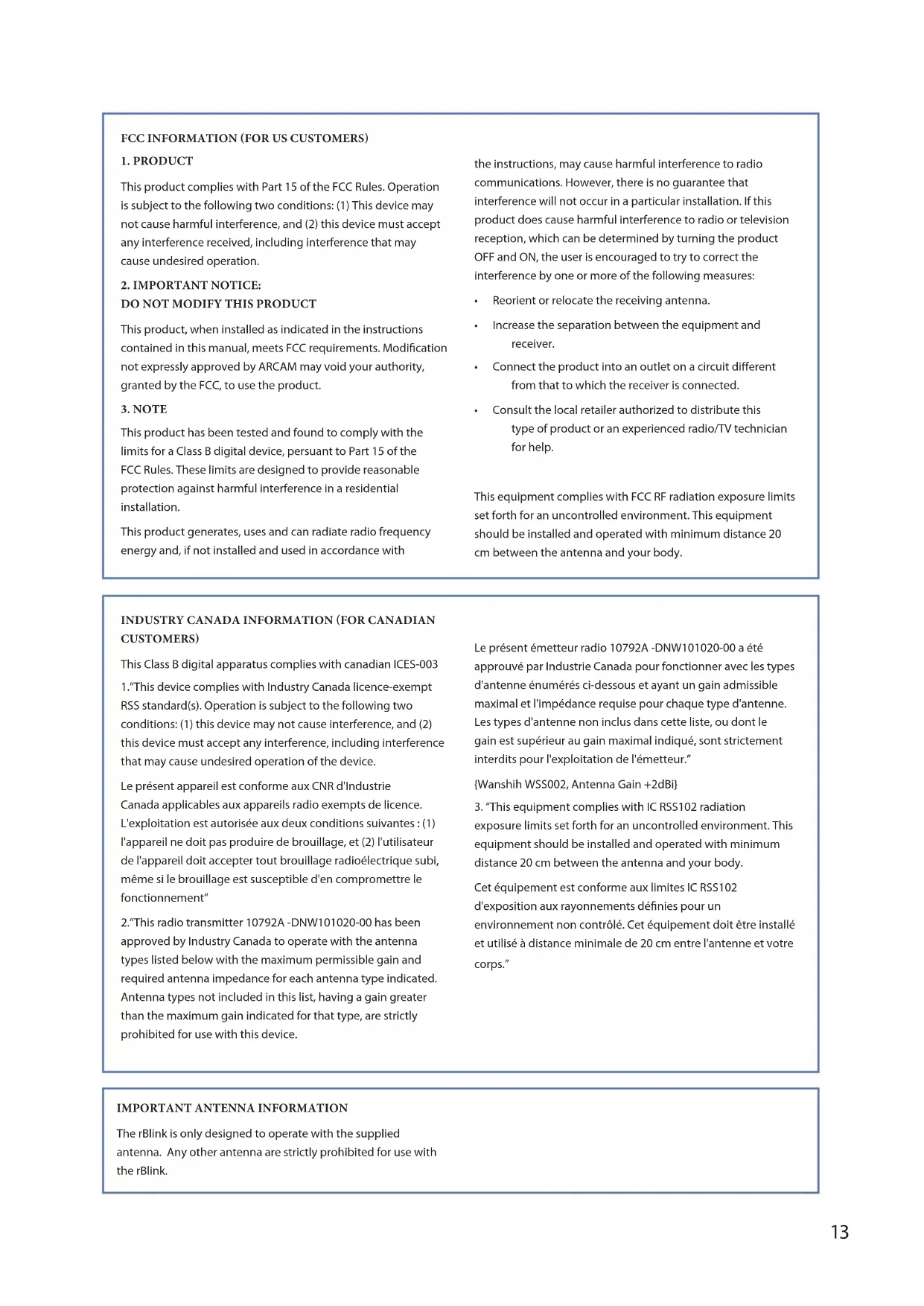
This equipment complies with FCC RF radiation exposure limits set forth for an uncontrolled environment. This equipment should be installed and operated with minimum distance 20 cm between the antenna and your body.
INDUSTRY CANADA INFORMATION (FOR CANADIAN CUSTOMERS)
This Class B digital apparatus complies with canadian ICES-003
- "This device complies with Industry Canada licence-exempt RSS standard(s). Operation is subject to the following two conditions: (1) this device may not cause interference, and (2) this device must accept any interference, including interference that may cause undesired operation of the device.
- "This radio transmitter 10792A -DNW101020-00 has been approved by Industry Canada to operate with the antenna types listed below with the maximum permissible gain and required antenna impedance for each antenna type indicated. Antenna types not included in this list, having a gain greater than the maximum gain indicated for that type, are strictly prohibited for use with this device.
{Wanshih WSS002, Antenna Gain +2dBi}
- "This equipment complies with IC RSS102 radiation exposure limits set forth for an uncontrolled environment. This equipment should be installed and operated with minimum distance 20 cm between the antenna and your body.
The rBlink is only designed to operate with the supplied antenna. Any other antenna are strictly prohibited for use with the rBlink.
Worldwide Guarantee
This entitles you to have the unit repaired free of charge, during the first two years after purchase, provided that it was originally purchased from an authorised Arcam dealer. The manufacturer can take no responsibility for defects arising from accident, misuse, abuse, wear and tear, neglect or through unauthorised adjustment and/or repair, neither can they accept responsibility for damage or loss occurring during transit to or from the person claiming under the guarantee.
The warranty covers:
Parts and labour costs for two years from the purchase date. After two years you must pay for both parts and labour costs. The warranty does not cover transportation costs at any time.
Claims under guarantee
This equipment should be packed in the original packing and returned to the dealer from whom it was purchased, or failing this, directly to the Arcam distributor in the country where the product was purchased.
It should be sent carriage prepaid by a reputable carrier – not by post. No responsibility can be accepted for the unit whilst in transit to the dealer or distributor and customers are therefore advised to insure the unit against loss or damage whilst in transit.
For further details contact Arcam at:
Arcam Customer Support Department,
Unit 15, Pembroke Avenue, Waterbeach, CAMBRIDGE, CB25 9QP, England.
or www.arcam.co.uk.
Problems?
If your Arcam dealer is unable to answer any query regarding this or any other Arcam product please contact Arcam Customer Support at the above address and we will do our best to help you.
Correct disposal of this product


This marking indicates that this product should not be disposed with other household waste throughout the EU.
To prevent possible harm to the environment or human health from uncontrolled waste disposal and to conserve material resources, this product should be recycled responsibly.
To dispose of your product, please use your local return and collection systems or contact the retailer where the product was purchased.
Garantie mondiale
Arcam Customer Support Department,
Unit 15, Pembroke Avenue, Waterbeach, CAMBRIDGE CB25 9QP, England
ou www.arcam.co.uk.
Des problèmes ?
Arcam Customer Support Department
Unit 15, Pembroke Avenue, Waterbeach, CAMBRIDGE, CB25 9QP, England.
Arcam Customer Support Department,
Unit 15, Pembroke Avenue, Waterbeach, CAMBRIDGE, CB25 9QP, England.
of www.arcam.co.uk.
Problemen?
Unit 15, Pembroke Avenue, Waterbeach, CAMBRIDGE, CB25 9QP, England.
Arcam Customer Support Department
Unit 15, Pembroke Avenue, Waterbeach, CAMBRIDGE, CB25 9QP, England
www.arcam.co.uk
Возникли проблемы?
Waterbeach, CAMBRIDGE, CB25 9QE, England
- Important Safety Instructions...
- Welcome...
- Bienvenue...
- Power Adaptor Setup
- Voedingsadapter setup
- Anschlüsse - Connectors
- Specification
- Utilisation
- technische Daten
- Werking
- Especificaciones
- Legal information
- FCC INFORMATION (FOR US CUSTOMERS)
- PRODUCT
- IMPORTANT NOTICE:
- DO NOT MODIFY THIS PRODUCT
- NOTE
- INDUSTRY CANADA INFORMATION (FOR CANADIAN CUSTOMERS)
- Worldwide Guarantee
- The warranty covers:
- Claims under guarantee
- Problems?
- Correct disposal of this product
- Garantie mondiale
- Des problèmes ?
- Problemen?
- Возникли проблемы?
Brand : ARCAM
Model : rBlink
Category : Hi-fi system