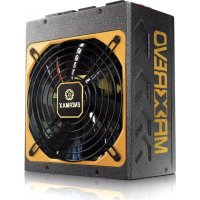
Maxrevo EMR1800EXT - Power Supply (PC) ENERMAX - Free user manual and instructions
Find the device manual for free Maxrevo EMR1800EXT ENERMAX in PDF.



User questions about Maxrevo EMR1800EXT ENERMAX
0 question about this device. Answer the ones you know or ask your own.
Ask a new question about this device
Download the instructions for your Power Supply (PC) in PDF format for free! Find your manual Maxrevo EMR1800EXT - ENERMAX and take your electronic device back in hand. On this page are published all the documents necessary for the use of your device. Maxrevo EMR1800EXT by ENERMAX.
USER MANUAL Maxrevo EMR1800EXT ENERMAX
ENERMAX MAXREVO series Power Supply Specification.... 2
ENGLISH....4
DEUTSCH 8
ESPAÑOL....12
FRANCAIS....16
ITALIANO....20
РУССКИЙ....24
POLSKI....28
日本語....32
한 국 어....36
中文....40
¶ n 44
Indonesia....48
安全注意事項....52
限用物質含有情況標示聲明書....54
Precaution Notice
Only a technician, authorized by ENERMAX, is allowed to perform maintenance service!
Warranty is subject to void under unauthorized attempt to open the power case or modification of any kinds, even attempted only, of the power supply or its components!
ENERMAX will not be responsible for damages caused by following situations:
- Opening of the PSU case and/or modification of any component or cable without ENERMAX' written authorization.
- Ignoring connector's wrong insertion prevention design by attaching a connector to a device in wrong orientation.
- Connecting too many devices to one cable unit by using additional adaptor (Y cables).
- Usage of non-genuine ENERMAX modular cables.
● The serial number label or warranty seal is defaced, modified, or removed.
● Damage caused by natural phenomena or uncontrollable forces, such as lightning, flooding, fire, earthquake, etc.
This ENERMAX Technology Corporation product is warranted to be free from defects in material and workmanship for a period of five (5) years from the date of purchase. ENERMAX Technology Corporation agrees to repair or replace the product, at its own option and at no charge, if, during the warranty period, it is returned to nearest ENERMAX Technology
Corporation subsidiary/agent with all shipping charges prepaid and bearing a return merchandise authorization (RMA) number, and if inspection reveals that the product is defective. Charges for removing or installing the product are excluded under the terms of this warranty agreement. This warranty shall not apply to any product, which has been subject to connection to a faulty power source, alteration, negligence, or accident, or to any product, which has been installed other than in accordance with these instructions. In no event shall ENERMAX Technology Corporation, or its subsidiaries, or agents be liable for damages for a breach of warranty in an amount exceeding the purchase price of this product!
If you are uncertain whether or not your ENERMAX PSU is defective, please contact your dealer/reseller for support!
Web Site: http://www.enermax.com
E-mail: enermax@enermax.com.tw
ENERMAX Technology Corporation, 15F-2, No. 888, Jing-Guo Road, Taoyuan City (330), Taiwan (R.O.C.). Tel. +886-3-316-1675, Fax. +886-3-346-6640
©2018 ENERMAX Technology Corporation. All rights reserved. Specifications are subject to change without prior notice. Actual product and accessories may differ from illustrations. Omissions and printing errors excepted. Content of delivery might differ in different countries or areas. Some trademarks may be claimed as the property of others. Reproduction in any manner without the written permission of ENERMAX is strictly forbidden.
ENERMAX MAXREVO series Power Supply Specification
| Model Number EMR1800EXT | ||||
| AC Input Voltage 115-240VAC, 50-60Hz 220-240VAC, 50-60Hz | ||||
| AC Input Current 16-8A 9-8A | ||||
| DC Output | ||||
| Rated Combined Rated Combined | ||||
| +3.3V 25A 25A | 140W | 140W | ||
| +5V | 25A | 25A | ||
| +12V1 | 20A 20A | 1596W(133A) | 1800W(150A) | |
| +12V2 | 35A 35A | |||
| +12V3 | 35A 35A | |||
| +12V4 | 35A 35A | |||
| +12V5 | 35A 35A | |||
| +12V6 | 35A | 35A | ||
| -12V | 0.5A | 6W | 0.5A | 6W |
| +5Vsb | 4A | 20W | 4A | 20W |
| Total power | 1600W | 1800W | ||
| Peak power | 1700W | 1900W | ||
| PROTECTION CIRCUIT | ||||
| Over Current Protection | DC Rail | OCP trigger range | ||
| 3.3V | 30 – 50A | |||
| 5V | 30 – 50A | |||
| 12V1/2/3/4/5/6 | 55 – 70A | |||
| (DC)Under Voltage /Over VoltageProtection | DC Rail | UVP triggerrange | OVP triggerrange | |
| 3.3V | 2.0 – 2.4V | 3.9 – 4.5V | ||
| 5V | 3.3 – 3.7 V | 5.7 – 6.5V | ||
| 12V1/2/3/4/5/6 | 8.5 – 9.5V | 13.3 – 14.5V | ||
| (AC)Under VoltageProtection | Activated when AC input voltage <65-75VAC(@70% 1600W) | |||
| Over PowerProtection | Activated when output power >108 ~130% of rated max load. | |||
| Over TemperatureProtection | Activated when PSU heat sink >100~125°C | |||
| Short CircuitProtection | Activated when any DC rails short-circuited | |||
| Surge & InrushProtection | Sustain 2KV surge stroke.Sustain up to 120A inrush current @ 240VAC at cold star. | |||
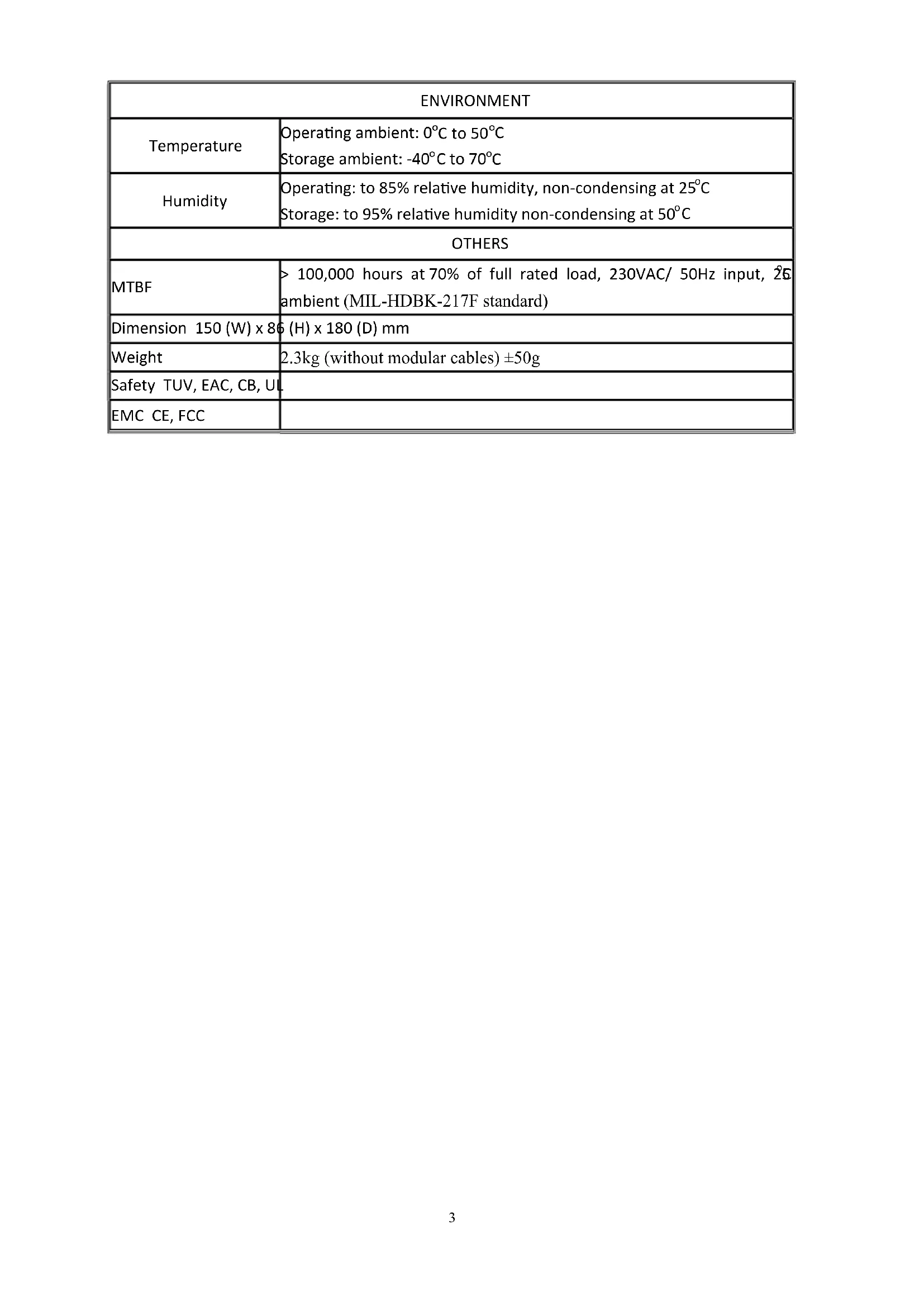
| ENVIRONMENT | |
| Temperature | Operating ambient: 0°C to 50°CStorage ambient: -40°C to 70°C |
| Humidity | Operating: to 85% relative humidity, non-condensing at 25°CStorage: to 95% relative humidity non-condensing at 50°C |
| OTHERS | |
| MTBF | >100,000 hours at 70% of full rated load, 230VAC/ 50Hz input, 25 ambient (MIL-HDBK-217F standard) |
| Dimension 150 (W) x 86 | (H) x 180 (D) mm |
| Weight | 2.3kg (without modular cables) ±50g |
| Safety TUV, EAC, CB, UL | |
| EMC CE, FCC | |
User's Manual
Dear customer,
Thank you for choosing this ENERMAX power supply unit (PSU)! Please read this manual carefully and follow its instructions before installing the PSU.
We would like to draw your attention that a computer required very specific conditions to work best for you without failing. To avoid failures and to increase lifetime of the system, we suggest that:
● Your system is NOT located near a radiator or any other heat producing device
- Your system is NOT located near a magnetic device
● Your system is NOT located in a moist and/or dusty and/or vibrating environment
- Your system is NOT exposed to direct sunshine
- Your system is sufficiently cooled by additional fans
- If you use AC extension cables, please make sure it can support all connected appliances' potential peak power draw. Or redistribute other high power consumption equipment, such as laser printers or monitors to other AC wall outlets. Exceeding the extension cable's loading capacity could trigger its circuit breaker and cut off the power.
- If you want to add the UPS (Uninterruptible Power Supply) for your system, please choose adequate Watts/VA capacity UPS. Ex.
| PSU Model | Suggested minimum UPS output power capacity(Based on efficiency & PFC at respective load) |
| EMR1800EXT 2000W/2700VA | |
* If you intend to add other appliance powered by the same UPS, such as monitor or printer, please use higher capacity UPS according to all connected devices' rated power draw.
* Please do not mistake VA capacity as Watts, or use insufficient power UPS. This would result in less UPS battery runtime or the inability to power the system in battery mode.
NAME OF PARTS
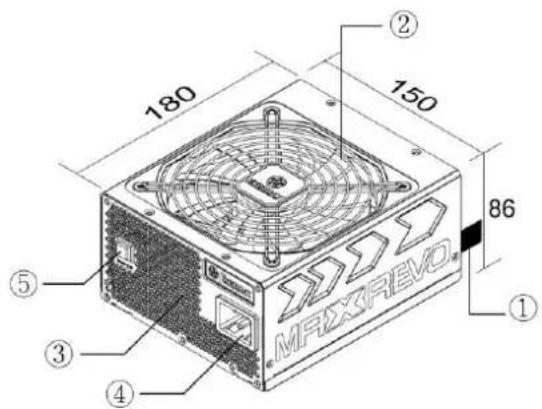
text_image
180 150 86 ① ② ③ ④ ⑤ MAXREVOOutput cable: Please check "Cables Connectors" section.
Fan. #1
Honeycomb air vent. ^#1
AC Inlet.
Turbo Switch
1 To ensure best system cooling, do not block PSU fan's air in-take and air vent area.
CABLES & CONNECTORS
All connectors are designed to prevent insertion in wrong orientation. If you cannot easily insert a connector, please check if you are inserting the connector in the right orientation. Do not try by force to insert it nor modify the connectors. This might damage power supply and system components, and warranty shall be void.
Following graphic illustrates the modular sockets layout and its DC rail distribution.
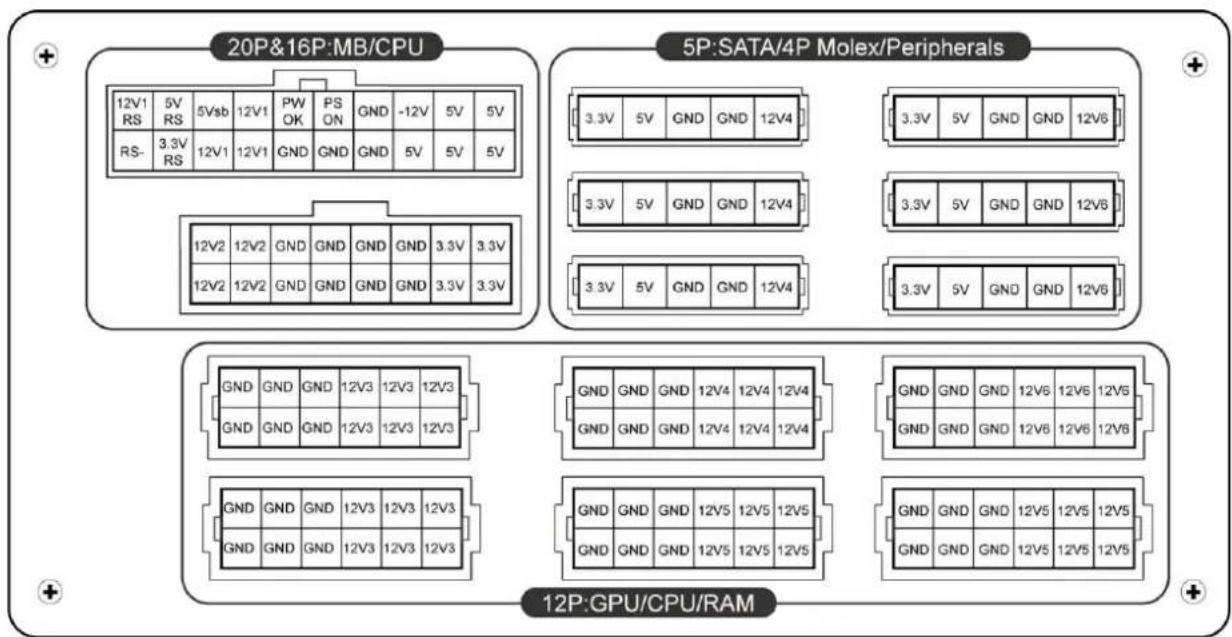
text_image
20P&16P:MB/CPU 5P:SATA/4P Molex/Peripherals 12V1 5V RS 5Vsb 12V1 PW OK PS ON GND -12V 5V 5V RS- 3.3V RS 12V1 12V1 GND GND GND 5V 5V 5V 12V2 12V2 GND GND GND GND 3.3V 3.3V 12V2 12V2 GND GND GND GND 3.3V 3.3V GND GND GND 12V3 12V3 12V3 GND GND GND 12V3 12V3 12V3 GND GND GND 12V3 12V3 12V3 GND GND GND 12V5 12V5 12V5 GND GND GND 12V5 12V5 12V5 GND GND GND 12V5 12V5 12V5 12P:GPU/CPU/RAM*You must connect 16-pin and 20-pin connectors into respective sockets to enable 24-pin MB and 8-pin CPU connectors.
*This product incorporates multiple 12V rails over current protection. If you let many peripherals consume the power on only one 12V rail, it may trigger the over current protection and shut down the system. Please re-direct certain peripheral power cable to other 12V rail to share the current loading to ensure highest stability and safety.
- CONNECTOR TYPES
 | 24P MainboardFor new generations of ATX/EEB/CEB server/workstation MB. |
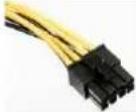 | 8P CPU +12V8-pin configuration supports multi-CPU server/workstation systems and some single extreme CPU systems. |
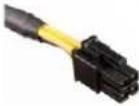 | 4P CPU +12V4-pin configuration supports certain single CPU systems. |
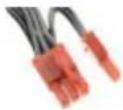 | 6+2P (8P) PCI Express, in combined mode8-pin configuration supports latest extreme graphic cards, which require 8-pin PCI-E connector. |
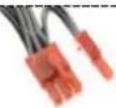 | 6+2P (8P) PCI Express, in split mode / 6P PCI Express6-pin configuration supports most performance PCI-E graphic cards, which require 6-pin PCI-E connector. |
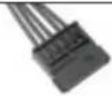 | SATA^\#1 For SATA/SAS drives. |
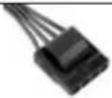 | 4P Molex ^2 For IDE/SCSI/SAS drives or some AGP graphic card with traditional 4P power in socket. |
 | FDDFor floppy drive or certain add-on card. |
1 Some SATA drives might accept SATA or 4P Molex power. Normally, use either one of power connector to power the driver, BUT NOT BOTH! Please check the drive's manual for details.
2 If you plan to put in 2 or more high end, power demanding GPU cards, please choose the motherboard
that comes with extra 4P Molex/ 4P FDD / 6P PCI-E power socket(s) on board and connect them with your power supply. This will prevent the motherboard from overloading and possibly causing damage to your system including your power supply. The damage to the motherboard and the power supply caused by failing to do the above instruction will not be covered under Enermax manufacturer's warranty. Please refer to your motherboard's user manual to configure your system properly to prevent damage to your system and your power supply.
- MODULAR CABLES SUPPLIED
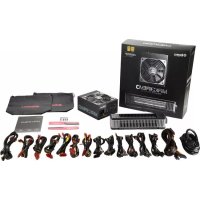
Use ONLY genuine ENERMAX modular cables coming with ENERMAX PSU. Third party cables might not be compatible and might cause damage to your PSU and/or system, and use of third party cable shall void PSU warranty.
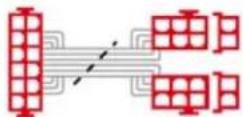 | 2 x 6+2P (8P) PCI-EModular cable for 1 or 2 performance PCI Express graphic cards, which needs 6P or 8P PCI-E connector. |
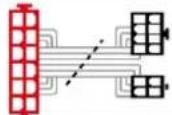 | 8P & 4P +12V CPU/RAM powerModular cable to support special heavy-duty workstation/server with more than 4 CPUs and 16 RAMs. |
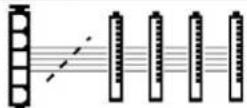 | 4 x SATA drivesModular cable for SATA/SAS drives like ODD and HDD. |
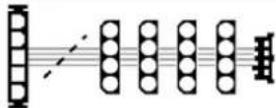 | 4 x 4P Molex (IDE/SCSI) drives & 1 x FDD connectorModular cable for IDE/SCSI/SAS drives and peripheral, plus 1 FDD power connector. |
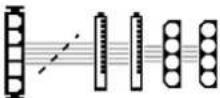
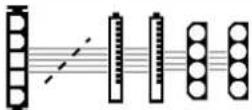 | 2 x SATA & 2 x 4P MolexModular cable for SATA/SAS/IDE/SCSI drives and other peripherals. |
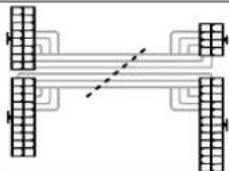
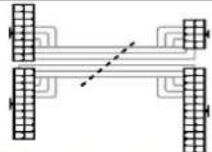 | 24P MB & 8P CPU |
Special note for System Integrators: If your system requires special modular cable configuration or design, please contact an ENERMAX sales representative.
- ATTACHING / DETACHING THE MODULAR CABLES
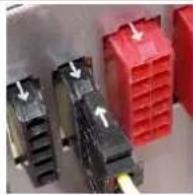 | Attaching the modular cable to PSU5-pin / 12-pin connector on modular cable and PSU’s modular socket has an arrow mark. To make correct connection is easy:1. Black connector to black socket, and red to red.2. Arrow mark to arrow mark.3. Then you can easily plug in the connector. | |
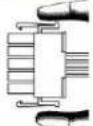 | Detaching the modular cable from PSU5-pin / 12-pin connector on modular cable has two hooks to lock with the PSU’s modular sockets. When unplug the modular cable from PSU, please press two hooks together and gently pull out the cable. |
BOOTING YOUR SYSTEM
Before booting your system, please check that:
-
Main power connector (24P) is properly connected.
-
CPU +12V power connector (4 or 8P configuration), and/or a 4P Molex connector (if required by MB) is properly connected.
-
All other needed connectors are properly connected.
-
AC cord is properly connected to wall outlet and PSU AC inlet.
-
Close your system chassis.
-
Turn on the PSU by switching the ON/OFF switch to "ON", and your system is ready.
PROTECTION, SAFETY & SECURITY
This ENERMAX PSU features multiple protections. In case of most abnormal situations, the power supply will automatically turn off to avoid potential danger to itself and other PC components. It is usually a malfunction of components or user's negligence to trigger off a protection event. In such circumstance, please check your PC devices and working environment for malfunction:
- Turn I/O switch of power supply into "O" position, or disconnect AC cord from wall plug and power supply AC inlet.
- Check PSU for temperature by simply touching it. If it is very hot, this can be caused by malfunction of case fans or the PSU fan itself and/or wrong positioning of your PC.
- Wait some minutes until PSU cools off.
- Reconnect AC cord to wall plug and power supply AC inlet.
- Turn I/O switch of power supply into "I" position, and reboot your system.
- Check, if all fans are working.
- Contact technical support of the respective manufacturer of the component which you think might be the cause to the problem. (e.g. MB, GPU or PSU)
If you have any question or need support, please contact your reseller or nearest ENERMAX subsidiary/agent or ENERMAX headquarter service center.
©2018 ENERMAX Technology Corporation. All rights reserved. Specifications are subject to change without prior notice. Actual product and accessories may differ from illustrations. Omissions and printing errors excepted. Content of delivery might differ in different countries or areas. Some trademarks may be claimed as the property of others. Reproduction in any manner without the written permission of ENERMAX is strictly forbidden.
Benutzerhandbuch
ACCENSIONE DEL SISTEMA
natural_image
Close-up of electronic component blocks with red and black connectors and white arrows indicating ports (no text or symbols)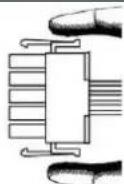
natural_image
Close-up of three electronic components with black and red connectors, some showing white arrows indicating flow or movement (no text or symbols visible)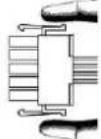
파워서플라이에 모듈러 케이블 연결
natural_image
Close-up of three electronic connectors with arrows indicating connection points (no visible text or symbols)将模块线材连接到电源供应器
| PSU Model | Suggested minimum UPS output power capacity (Based on efficiency & PFC at respective load) |
| EMR1800EXT 2000W / 2700VA | |
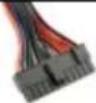 | 24P MainboardFor new generations of ATX/EEB/CEB server/workstation MB. |
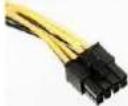 | 8P CPU +12V8-pin configuration supports multi-CPU server/workstation systems and some single extreme CPU systems. |
 | 4P CPU +12V4-pin configuration supports certain single CPU systems. |
 | 6+2P (8P) PCI Express, in combined modeN8-pin configuration supports latest extreme graphic cards, which require 8-pin PCI-E connector. |
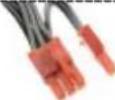 | 6+2P (8P) PCI Express, in split mode / 6P PCI Express6-pin configuration supports most performance PCI-E graphic cards, which require 6-pin PCI-E connector. |
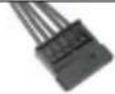 | SATA^\#1 For SATA/SAS drives. |
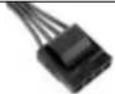 | 4P Molex ^\#2 For IDE/SCSI/SAS drives or some AGP graphic card with traditional 4P power in socket. |

FDD
For floppy drive or certain add-on card.
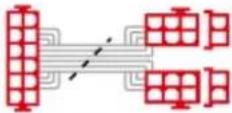 | 2 x 6+2P (8P) PCI-EModular cable for 1 or 2 performance PCI Express graphic cards, which needs 6P or 8P PCI-E connector. |
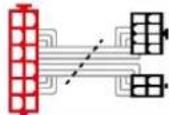 | 8P & 4P +12V CPU/RAM powerModular cable to support special heavy-duty workstation/server with more than 4 CPUs and 16 RAMs. |
 | 4 x SATA drivesModular cable for SATA/SAS drives like ODD and HDD. |
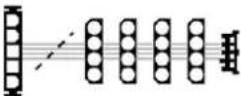 | 4 x 4P Molex (IDE/SCSI) drives & 1 x FDD connectorModular cable for IDE/SCSI/SAS drives and peripheral, plus 1 FDD power connector. |
 | 2 x SATA & 2 x 4P MolexModular cable for SATA/SAS/IDE/SCSI drives and other peripherals. |
 | 24P MB & 8P CPU |
限用物質含有情況標示聲明書
Declaration of the Presence Condition of the Restricted Substances Marking
| 設備名稱 Equipment name: 交換式電源供應器型號(型式) Type designation (Type): EMR1800EXT | ||||||
| 單元Unit | 限用物質及其化學符號Restricted substances and its chemical symbols | |||||
| 鉛Lead(Pb) | 汞Mercury(Hg) | 鎘Cadmium(Cd) | 六價鉻Hexavalent chromium( Cr^+6 ) | 多溴聯苯Polybrominated biphenyls(PBB) | 多溴二苯醚Polybrominated diphenyl ethers(PBDE) | |
| 外殼/case | - | ○ | ○ | ○ | ○ | ○ |
| 線材/wire | - | ○ | ○ | ○ | ○ | ○ |
| 主電路板/ The main circuit board | ○ | ○ | ○ | ○ | ○ | ○ |
| 副電路板 (PFC 卡)/Vice board | ○ | ○ | ○ | ○ | ○ | ○ |
| 電阻/Resistor | ○ | ○ | ○ | ○ | ○ | ○ |
| 電容/ Capacitance | ○ | ○ | ○ | ○ | ○ | ○ |
| 二極體/Diode | - | ○ | ○ | ○ | ○ | ○ |
| 貼片二極體/SMD DIODE | - | ○ | ○ | ○ | ○ | ○ |
| 集成電路/IC | - | ○ | ○ | ○ | ○ | ○ |
| 變壓器/線圈/Transformer/coil | ○ | ○ | ○ | ○ | ○ | ○ |
| 保險絲/FUSE | ○ | ○ | ○ | ○ | ○ | ○ |
| 散熱片/ Heat sinks | ○ | ○ | ○ | ○ | ○ | ○ |
| 麥拉絕緣片/Mylar insulation slices | ○ | ○ | ○ | ○ | ○ | ○ |
| AC 開關和插座/Switch and socket | ○ | ○ | ○ | ○ | ○ | ○ |
| 風扇/Fan | ○ | ○ | ○ | ○ | ○ | ○ |
| 塑膠零件/ Plastic parts | ○ | ○ | ○ | ○ | ○ | ○ |
| 包裝材料/ Packaging materials | ○ | ○ | ○ | ○ | ○ | ○ |
| 備考1. “超出0.1 wt %”及“超出0.01 wt %”係指限用物質之百分比含量超出百分比含量基準值。Note 1: “Exceeding 0.1 wt %” and “exceeding 0.01 wt %” indicate that the percentage content of the restricted substance exceeds the reference percentage value of presence condition.備考2. “○”係指該項限用物質之百分比含量未超出百分比含量基準值。Note 2: “○” indicates that the percentage content of the restricted substance does not exceed the percentage of reference value of presence.備考3. “-”係指該項限用物質為排除項目。Note 3: “The “-” indicates that the restricted substance corresponds to the exemption. | ||||||