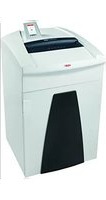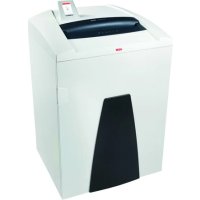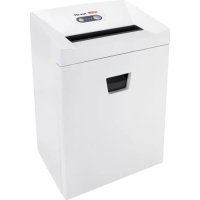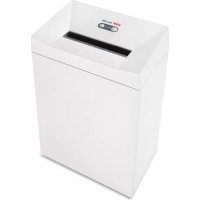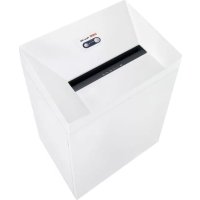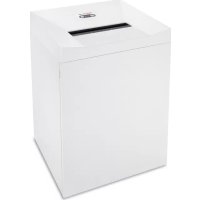
Pure 630C - Shredder HSM - Free user manual and instructions
Find the device manual for free Pure 630C HSM in PDF.


User questions about Pure 630C HSM
0 question about this device. Answer the ones you know or ask your own.
Ask a new question about this device
Download the instructions for your Shredder in PDF format for free! Find your manual Pure 630C - HSM and take your electronic device back in hand. On this page are published all the documents necessary for the use of your device. Pure 630C by HSM.
USER MANUAL Pure 630C HSM
english: Paper shredder HSM Pure 630 10
1 Explanation of symbols and safety instructions

WARNING
The safety alert sign

word WARNING and text on a grey background warns of the risk of serious to life-threatening injuries.
Note
indicates information for the effective operation of the machine without risk of danger.
Safety instructions

Before using the machine for the first time, read the operating manual, and keep it for later use and to pass on to any subsequent users.
Observe all safety instructions onto the machine.

Risk of injury from sharp blades.
Never reach into the slot of the paper feed.

Risk of injury from being pulled in!
Keep long hair, loose articles of clothing, ties, scarves, jewellery, etc. away from feed opening.

Material with the tendency to form loops, e.g. tapes, strapping material, etc. must not be shredded.

Dangerous for children and others!
The machine may not be used by persons (including children under 14 years of age) with lim
ited physical, sensory or mental capabilities or with a lack of experience and knowledge, unless they are supervised by a responsible person or are instructed by them on the use of the machine. Children must be supervised to ensure they do not play with the machine.
Do not leave the document shredder switched on when it is unattended.

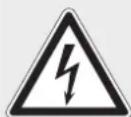
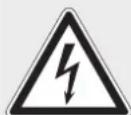
Dangerous mains voltage!
Improper handling of the machine can lead to an electric shock.
- Check the machine and cable regularly for damage.

Switch the shredder off if it is damaged or not working correctly or before relocating or cleaning it and disconnect it from the mains.
- Make sure that no water gets into the shredder. Do not immerse the power cable or the power plug in water. Never touch the power plug with wet hands.
- Never pull the plug out of the socket using the power cable. Always pull out the plug directly.
2 Proper use, warranty
The shredder is designed for destroying paper. Depending on the cutting type, it can also handle small quantities of the following materials:
| Shred width (mm) 3.9 4.5x30 | 1.9x15 | ||
| Credit and charge cards • | • | • | |
| CDs | • | • |
Its sturdy drive mechanism is not damaged by paper clips and staples.
The warranty period for the document shredder is 2 years. There is a special warranty for the HSM solid steel cutting rollers in the document shredder, which is provided independently of the guarantee, and remains valid for the entire service life of the machine (HSM Lifetime Warranty). This warranty and guarantee exclude wear and damage caused by improper handling or actions taken by third parties.
HSM guarantees the delivery of spare parts for up to 10 years after the production of this model has been discontinued.
3 Overview
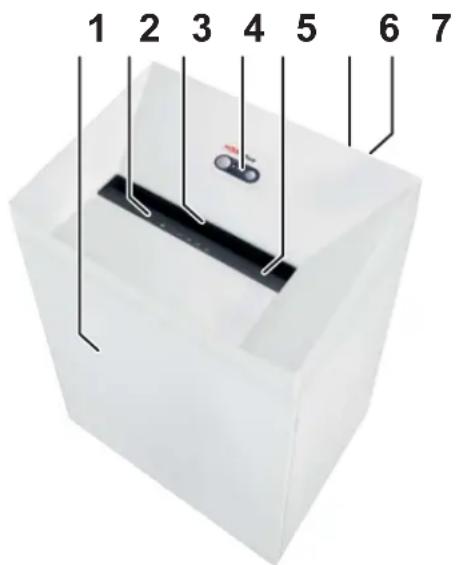
1 Door
2 Safety instructions
3 Light barrier
4 Operating and display unit
5 Safety element
6 Name plate
7 Mains switch
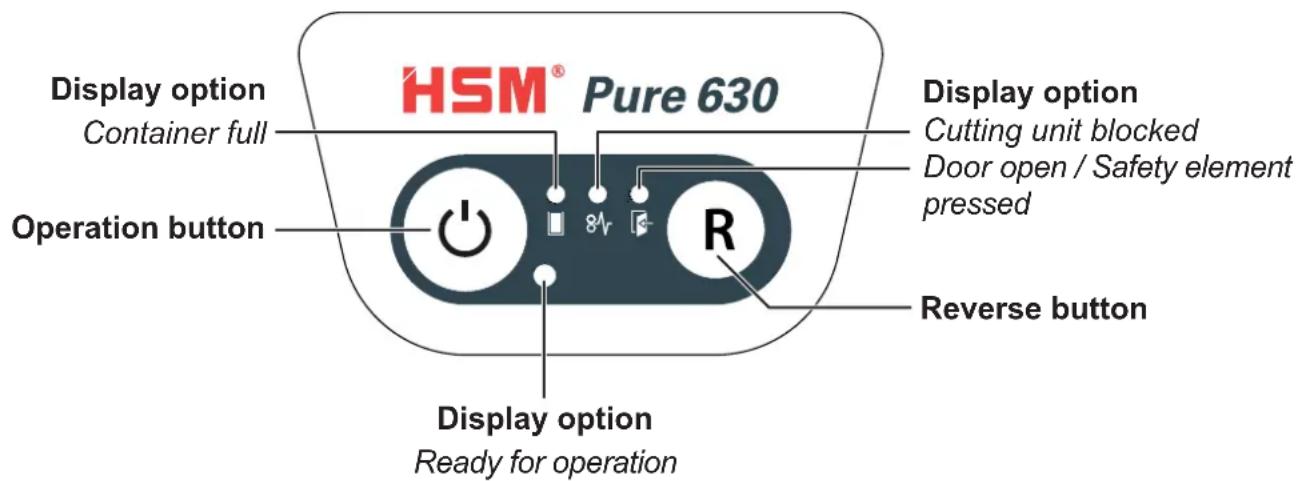
Operating and display elements
4 Initial start-up

WARNING
Dangerous mains voltage!
Improper handling of the machine can lead to an electric shock.
- Only use the machine in a dry room indoors. Never operate the machine in damp rooms or in the rain.
- Keep the machine, the plug and cable away from open fire and hot surfaces. The ventilation slots must not be blocked or covered and there must be at least 5 cm space between the shredder and any wall or furniture.
- Make sure that the power plug is easily accessible.
- Before you insert the power plug, make sure that the voltage and frequency of your power supply comply with the information on the name plate.
- Connect the power cable provided to the back of the document shredder and plug the power supply into a properly installed socket.
5 Operation
Switching on the shredder
- Set mains switch at rear of paper shredder to "l".
- Press the operation button.
The "Ready for operation" indicator lights up.
Shredding paper
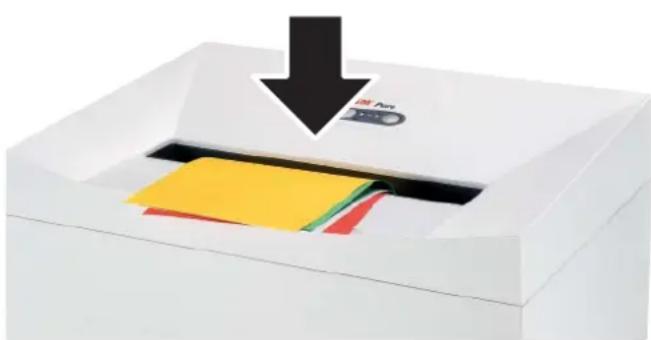
- Feed the paper into the centre of the paper slot. The light barrier starts the cutting unit automatically. Therefore, with thin paper strips, make sure the light barrier detects them.
Three seconds after the light barrier in the paper feed opening is free again, the cutting unit is switched off automatically and the shredder switches to standby.
Shredding CDs
(only in cut size: 3.9mm 4.5× 30mm )

WARNING
Danger of injury by splinters!

Depending on the type of material, splinters can fly out of the cutting unit while shredding CDs and injure your eyes.
- For this reason, wear protective goggles.
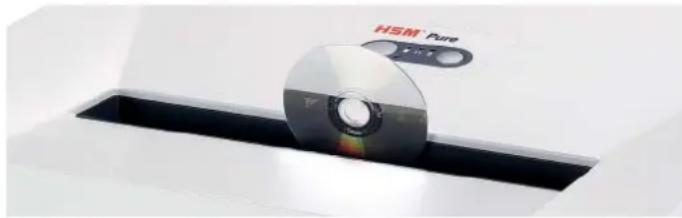
- Feed in just one CD/DVD in the middle of the feed opening.
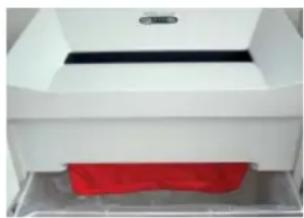
Note:
To completely separate the materials shredded, you can insert the CD bag supplied.
Shredding credit cards and store cards
- Insert credit card in centre of the feed opening. Dispose of the shredded material and the waste paper separately.
Switching off the shredder
- Press the operation button.
The "Ready for operation" indicator goes out. - Set mains switch at rear of paper shredder to "0".
Other function modes
Permanent mode
Function: Cutting unit runs continuously. If no material is fed in within a period of 2 minutes, the cutting unit shuts down and the shredder switches to standby.
Start: Press the operation button for three seconds.
Premature cancellation: Press the operation button.
- Stand-by mode
Function: Two minutes after the last paper feed operation, all consumers that are not required are switched off automatically.
The „Ready for operation“ indicator flashes briefly at regular intervals.
The shredder starts automatically when paper is fed in.
6 Troubleshooting
Note:
The safety element is fitted with contact protection. The document shredder switches off if you press the safety element during the shredding process.
| Display Problem Measure | ||
| 84 Continu-ous lamp | Paper jam | You have fed in too much paper. ➢The cutting unit runs in reverse for a few seconds and pushes the paper back out again. ➢If necessary, press the reverse button “R” to remove the stack of paper. ➢Take half the stack of paper. ➢Feed the paper in portions. |
| Overload | The motor was overloaded. Let the shredder cool down for approx. 15 - 20 mins. before using it again. | |
| Flashing light | General fault displays | ➢A fault has occurred while shedding paper. Pull the paper out of the slot to clear the light barrier. |
| Shredded material container full | ➢Empty the shredded material container. Note: ➢If you press the reverse button briefly before removing the container, part of the material is pulled back into the cutting apparatus and does not fall inside the document shredder. | |
| Door open | ➢Close the front door. | |
| Safety element pressed | ➢Do not press the safety element. | |
7 Cleaning and maintenance 8 Disposal / Recycling

WARNING
Dangerous mains voltage!
Improper handling of the machine can lead to an electric shock.

Switch the shredder off before relocating or cleaning it and disconnect the mains plug.
Service work which requires the housing covers to be removed may only be carried out by HSM Customer Service and service technicians of our contractual
partners. See page 160 for our customer service addresses.
Clean the document shredder only with a soft cloth and a mild soap-water solution. However, no water must enter the equipment.

Crosscutonly:
Oil the cutting unit when cutting performance decreases or the device becomes noisy, or every
time you empty the waste container. Only use HSM special lubricating oil for the cutting unit to do this:
- Spray the special cutting unit oil through the paper feed along the entire width of the cutting shafts.
- Let the cutting unit run in the permanent mode for about 10 seconds without any paper.
Paper dust and particles are shaken off.
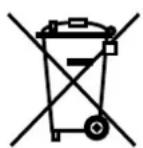
Electrical and electronic old devices contain a variety of valuable materials, but also hazardous substances which were required for function and safety. Incorrect disposal or handling can be dan
gerous to your health and the environment. Never dispose of old devices in the household waste. Observe the current applicable regulations and use the collection points for returning and recycling electric and electronic devices. Dispose of all the packaging materials also in an environmentally-responsible way.
9 Scope of delivery
- Paper shredder in carton packing
- Power supply cable
- 5 Bags for shredded material
1 CD bag - Special cutting block oil 50 ml (cross cut)
- Operating instructions
Acces sories
- 10 waste bags, order no. 1.442.995.110
- Special cutting block oil 250 ml order No.: 1.235.997.403
See page 160 for our customer service addresses.
10 Technical data
| Cutting type | Strip cut | Cross cut | |
| Cut size (mm) 3.9 4.5 x 30 1.9 x 15 | |||
| Security level DIN 66399 P-2 / O-2 / T-2 / E-2 | P-4 / O-3 / T-4 / E-3 | F-1 | P-5 / T-5 / E-4 /F-2 |
| Cutting capacity * (sheets), A4 80 g/m2702 | 26 - 2829 - 31 | 21 - 22g25 - 27 | 14 - 1517 - 19 |
| Weight 40.4 kg 40.5 kg | 40.6 kg | ||
| Cutting speed | 88 mm/s | 80 mm/s | |
| Intake width | 310 mm | ||
| Power supply | 230 V, 50 Hz | 120 V, 60 Hz | 220 V, 60 Hz |
| Power consumption with max. number of sheets | 590 W | ||
| Operating mode | Continuous operation | ||
| Ambient conditions in operation:Temperature | -10°C to +25°Cmax. 90%, without condensation | ||
| Relative humidityHeight above sea-level (MSL) | max. 2,000 m | ||
| Size W x D x H (mm) | 538 x 487 x 889 | ||
| Shredded material container volume | 130 litres | ||
| Sound pressure level emissions(Idle running/ load) | 55 dB(A) / 60 - 62 dB(A) | ||
- The maximum number of sheets (DIN A4, 70 g/m² or 80 g/m²), fed lengthways, which can be cut in one cycle. The performance data is determined when the motor is cold and the cutting device is freshly oiled. A weaker mains voltage or a different mains frequency to the one specified could result in less sheet capacity and increased noise during operation. The sheet capacity can vary depending on the structure and properties of the paper and on the way it enters.

This document shredder meets the applicable harmonisation legislation of the European Union:
Low Voltage directive 2006/95/EU
EMC directive 2004/108/EU
RoHS directive 2011/65/EU
The EU declaration of conformity can be requested from the manufacturer.
Farlig netspaending!
Farlig netspaending!
Farlig netspaending!
HnI npepaBaTe ee NocJeDyUOuM NOIb3OBaTeJAM.
Co6nIouaIte BCE yKa3aHnI NO TexHnke 6e3oNaChocTn, npBVeJeHHbIe Ha camOM WpeDepe.

Onachocmbmpaemupobahua ocmpbIM HOKOM!
HnB Koem Cnyae He BBOdnte pyKn B MexaHn3M NoadaN 6ymarN.

Onachocmbmpaemupobahu u3-3a 6mra2uaHua!
He donyckaite nonadaHnIINHBIX BOJOC, CBO6oHoi OeKdbI,raIcTyKOB,IIaTKOB,HaSeiHbIX INHapUHyBIX cenoueK B 3OHy, paCNOJIOXeHHyU B HENocpeDCTBeHHOH6bn30CTN OT npneMHoI zJI.
He yHnTuToXaIe MaTePnaIbI,CKNoHHbIe K o6pa3ObaHnIO nTeIb,HaNPmEp,JeHTbl, UHypbl, PnactMaCCOByIO pHeHKy I T. N.

Onacnocmu dna demeu u uHbIX JIOdeu!
Maunno 3a npaeTc noIb- 3OBaTbcra Nuaam (BkJIOUaA deten mnae 14 net) c orpa
HnueHHbIMNΦn3nueCKHM,CEHCOPHBIMNJIYMCTBeHHbIMN CnOCO6HOCTaMNIJIc HeIOCTaTKOM ONbITA N/INI 3HaHni,3aNCKJIIOUeHNEM CnyuAeB,KOrda OHI HAXOJATCNOI NOCTOHHbIM INPNCMOTPOMOTBECTBeHHbIX 3a HNX JIuC NII NOnyUnNIOT HNX yKa3aHna,KaK NoIb3OBaTbCpN6Opom.3a DeTbMI Heo6xOIMO NOCTOARHOCJeNTb,YTO6bl He DOnyCTNTb INx INrpbICnp6Opom.
He octabnay Te wpeep BkIIOueHHbIM 6e3 npncMOtpa.
Onachocmb, 6b13b18aemar 3JIeKmpuueckum mokom!
Onachoe HanpjaKeHne cetn! HenpaBnIbHoe o6paueHne c
MaunHO MOKeT PnBOuNTb K NopaKeHIO 3JIeKTPnueckm TOKOM.
- Perylaryno KoHTpOInpyTe yCTpoiCTBO n Ka6eNb Ha npEiMeT NOBpeXdHn.
PnIOBpeJxHnHePaBnBHO pa6Ote,a TaKke nepeCMeHO MeCTa NCNoJIb3OBaHnIIN OChTko BblIOuHTe Wpe-Dep N BbITaUHTe 7TeNCeNb n3 PO3ETK.
- Празаи Te nonaHne BObI B upeep. He norgykaTe cTeBOi Ka6eIb I ceTeByIO BVILKy B BODy. KATEropnueckn 3anpeuaeTc8 6paTbc8 3a ceTeByIO BVJIKy MOKpbIM pyKaMn.
He BbITacknBaIte BNkU n3 po3eTkn 3a ceTeBOI Ka6eJIb, a BCerIa 6epNTecb 3a camy BNkU.
2 Исторьанne по Ha3haue-HnIO, rapaHTnI
Upeep npedHa3NaueH NCKIIOHTeJIbHO dIyHnTuXeHn6bymn. Kpome TOrO, B 3aBNCIMOCtN OT TnPa pe3aHnRA MOxHO yHnTuXaTb He6oJbUne KOJINUeCTBa CJeNyUOnx MaTePnaNoB:
10 c6opHbIX MeIkoB apt. No 1.442.995.110
- BytbIka cneuHaBHO macna (250 m) apt. No 1.235.997.403
Ampca cepBnchbIX ceHTpoB cm. ctp. 160.
10 TexHnueckne daHHbIe
PpeDynpednteHnT TpNbBbHNK cnHaJIHaTa dyma PEPdYNPExEHENE n TEKCTbT Ha CNB pOH yKa3BaT ONaCHOCT OT TeXKN Do OnaCH 3a XNBOTA HapaHBAHNA.
yKa3aHne
Obo3Haayaba HOpMaun 3a eKeKTHBHa pa6ota Ha MaunHaTa 6e3 pnck OT onachOCTn.
Yka3aHnna 3a 6e3onacHOCT

Ipei nyckaHe B eKcnloaatauHa MaunHaTa npOeTe Te HcTpyK-ua Ta 3a ekCnloaatau,cbxpaHete 3a 6bDeo n3non3-
BaHe I npedaTe Ha 6bdeuNTe PON3BaU.
Cb6nIHOdaBaIte BCNUcKINocTaBeHINBbpxy MaunHaTa 3a yHnIOXkBaHe Ha DOKymEnTu yka3aHn 3a 6e3ONaCHOCT.

Onachocm om HapaHReaHe om ocmpu Hoxoee!
B HnkaKbB cnyaH He nbXaIte pKa B nOdaBaHeTo Ha xapTna.

Onachocm om HapaHyahe ue3 noemaHe Ha pbkama!
Дьлга Кoca, СвобODи Дрени, ВраTOВьЗКИ, Шалове, колиета И ГпВни пазete далей OT OTВора 3а падаВане нахар.T. He yHn- loжавaite MaTePnaI, cKnOHI KbM 3aBbP3BaHe, HanpIMep,
JIeHTN, UHypoBe, nJaCTMaCObO fOpINO.

Onachocmu 3a deua u dpyuu luca!
MaunHaTa He Tp6Ba Da ce H3NoJ3Ba OT Nua (BKNIOUHTeHNO Deua no14 roDHH) c orpaHn
YeH NcNxNueCKn, CeH3OpHn IJN yMCTBeHn CnOco6HoCTn IJN JIINca Ha ONNT IJN IIO3HaHHe, OCBeH, aKO Ca IOD HAd3Opa Ha OTROBaprao 3a TExHaTa CNrpyHocT IJnce IJN ca IONyUIn yKa3aHnry OT Hero, KaK Da I3NoI3BaT UpeDa. Deuata Tp8Ba Da ce Ha6JIOndAbat Da He IrpaarT cypeDa.
He octabraye BkIouheHa MaunHaTa 3a yHn- zoXaBaHe Ha DOKyMeHTn 6e3 HAd3Op.
Onachocm om eIekmpuuecku ydap!
Onacho MpexOBO HappeXeHne. HenpaBnHTo n3NoJ3BaHe Ha
MaunHaTa MoKe Da DoBeDe Do eNeKtpn-ueCKn TOKOB yap.
- PeIDOBHO npOBepaIte ypeHa n Ka6eNa 3a uTeN.

Pn noBpea nn He npBnHno cyHKuOHnpaHe KaKTo n npEi npMeCTBaHe nn NouchTbaHe N3KJIIOUeTe MaUNHaTa 3a yNtO
XaBaHe Ha DOKyMeHTn N3BaTeUeNcEla.
BHMaBaTe Da He nonaDHe Boda BMaunHaTa 3a yHnOxKaBaHe Ha DokyMeHTn. He notanrTe mpeXOBn Ka6en nnIeKePa BB Boa. He nnaTe HNKOra IeKePa C BlaXn pBue.
Hnkora He nbpnaIte igekepa 3a Ka6ena ot KOHTaKta, XBaUaIte BnHarN 3a igekepa.
YHnOxKaBaHe Ha KpeiHTN N KJIneHTCKN KapTN
- Пoctabete Kapta T a B cpeaTa Ha OTbopa 3a noDaBaHe. N3xBpIaTe yHnOxKeHna MaTePnAn OTdEJIHO OT XapTneHn OTna-DbU.
I3KIIIOUvBaHe Ha MaunHaTa 3a yHnOxKaBaHe Ha DOkymeHTN
- Hatachete 6yToHa 3a ynpabnene.
INdkaunra Ta,ToTOB 3a pa6oTa" n3racBa.
IocTaBeTeMpexOBnIpeKbcBaH a 3aHaTa CtpaHa Ha MaunHaTa 3a yHnOxKaBaHe Ha DOkymeHTn Ha,0".
Дугни рбоги ржимп
- NocToHHeN pexnM
Прилwxене:УншoxаBaHe Ha no-ToJemn KOINueCTBa xapTna
Функця:Рж龟иг.TИнстумент ce DBNXH HepeKbchato.
AkoB npoDbJxHe Ha 2 MmHyTn He ce nOdae MaTePnaJ,peXeUraT INHCTpyMeHT Ce N3KIOUcBa aBTOMaTNUHO mAluHaTa 3a yHnOxKaBaHe Ha DOkUMeHTn IpemHaBa B peXIM Ha rTOBHOCT.
CtapTnpaHe:HaTnchTe 6yToHa 3a ynpaBJIeHne 3a 3ceKuHdN.
IpeKdEbpeMeHNO npeKbcBaHe:HaTnchTe 6yToHa 3a ynpabJIeHne.
- Pexim CbCTOHaHne Ha ITOBHOCT
Функия: 2 MнутследноаBaHe Ha xapTЯ abTomatuHc e n3KIOvBaT BCnKn HeHyxHn NOTpe6nteJI.
Hnkaeta,ToOB 3a pa6oTa" npMURBa KpaTko Ha paBHNHTepBaJI.
88699 Frickingen / Germany
Tel. +49 7554 2100-0
Fax +49 7554 2100 160
info@hsm.eu
www.hsm.eu
Gratis Hotline
DE, AT, BE, NL, LU, IT
Tel. 00800 44 77 77 66
Fax 00800 44 77 77 67
HSM (UK) Ltd.
14 Attwood Road / Zone 1
Burntwood Business Park
Burntwood • Staffordshire
WS7 3GJ
United Kingdom
Tel. +44 1543 272-480
Fax +44 1543 272-080
info@hsmuk.co.uk
www.hsm.eu
HSM France SAS
Parc de Genève
240, Rue Ferdinand Perrier
69800 Saint-Priest
France
Tel. +33 472 210580
Fax +33 472 517481
France@hsm.eu
www.hsm.eu
HSM of America LLC
419 Boot Road
Downingtown, PA 19335
USA
Tel. +1 484 237-2308
+1 800 613-2110
Fax +1 484 237-2309
customerservice@hsm.us
info@hsm.us
www.hsm.us