SL M07 A4H B UK - Vacuum Cleaner HOTPOINT-ARISTON - Free user manual and instructions
Find the device manual for free SL M07 A4H B UK HOTPOINT-ARISTON in PDF.



| Brand | HOTPOINT-ARISTON |
| Model | SL M07 A4H B UK |
| Category | Vacuum cleaner |
| Vacuum type | Bagless multi-cyclonic vacuum cleaner |
| Power supply | 220-240 V ~ 50/60 Hz |
| Filtration | HEPA 14 filter (Pure Clean Hepa 14) with activated carbon, efficiency > 99.995% |
| Multi-cyclonic filter | Washable filter integrated into the dust container |
| Included accessories | Multi brush with adjustment pedal, parquet brush, Deluxe parquet brush, upholstery brush, precision nozzle, delicate surfaces nozzle, accessory holder |
| Telescopic tube | Two-part metal tube with length adjuster |
| Remote control | Remote power control on the handle (AAA batteries included) |
| Power regulator | Electronic with min/medium/max cycles |
| Indicator lights | Dust container full, filter cleaning, standby |
| Start&Pause function | Standby by inserting the brush into its housing |
| Cord rewinder | Automatic by button |
| Container maintenance | Emptying and washing under running water, complete drying |
| HEPA filter maintenance | Washing under running water, drying at room temperature |
| Multi-cyclonic filter maintenance | Washing under running water, drying |
| Replacement frequency | HEPA filter: at least once a year |
| Safety | Do not use without filters; do not vacuum water, ashes; check hose; keep out of reach of very young children |
Frequently Asked Questions - SL M07 A4H B UK HOTPOINT-ARISTON
User questions about SL M07 A4H B UK HOTPOINT-ARISTON
0 question about this device. Answer the ones you know or ask your own.
Ask a new question about this device
Download the instructions for your Vacuum Cleaner in PDF format for free! Find your manual SL M07 A4H B UK - HOTPOINT-ARISTON and take your electronic device back in hand. On this page are published all the documents necessary for the use of your device. SL M07 A4H B UK by HOTPOINT-ARISTON.
USER MANUAL SL M07 A4H B UK HOTPOINT-ARISTON
EN Operating instructions
FR Mode d'emploi
RU INHcTpkyuINn NO 3KcNpyaTaUIN
TR Kullanma talimatlari
BG IHHCTpyKcnn 3a yNoTpe6a
Remote Power Control
- Before using the appliance, read these safety instructions. Keep them nearby for future reference. These instructions are also available on www.hotpoint.eu
- These instructions and the appliance itself provide important safety warnings, to be observed at all times. The manufacturer declines any liability for failure to observe these safety instructions, for inappropriate use of the appliance or incorrect setting of controls.
SAFETYWARNINGS
- Very young children (0-3 years) should be kept away from the appliance. Young children (3-8 years) should be kept away from the appliance unless continuously supervised.
- Children from 8 years old and above and persons with reduced physical, sensory or mental capabilities or lack of experience and knowledge can use this appliance only if they are supervised. Alternatively these people can use if have been given instructions on safe appliance use and if they understand the hazards involved. Children shall not play with the appliance. Cleaning and user maintenance shall not be made by childern without supervision.
PERMITTED USE
- CAUTION: the appliance is not intended to be operated by means of an external timer or separate remote controlled system.
- This appliance is intended to be used in household and similar applications such as: staff kitchen areas in shops, offices and other working environments; farm houses; by clients in hotels, motels, bed & breakfast and other residential environments.
- This appliance is not for professional use. Do not use the appliance outdoors.
- CAUTION: The hose contains electrical connections, do not use it to suck up water and do not immerse in water for cleaning. The hose should be checked regularly and must not be used if damaged - risk of electrical shock.
- Do not use the appliance to vacuum ash or hot coals or any other hot substance - risk of fire. Do not use the appliance to vacuum liquid
or damp substances - risk of electrical shock.
- Do not use the appliance on persons or animals - risk of injury.
INSTALLATION
- Do not repair or replace any part of the appliance unless specifically stated in the user manual. After unpacking the appliance, make sure that it has not been damaged during transport. In the event of problems, contact the dealer or your nearest After-sales Service. Once assembled, packaging waste (plastic, styrofoam parts etc.) must be stored out of reach of children - risk of suffocation.
- Remove all packaging materials, including any adhesive label, before operating the appliance.
ELECTRICALWARNINGS
- Before connecting the appliance, verify that electrical ratings corresponds to your supply system ratings. The rating plate is on the bottom of the appliance.
- It must be possible to disconnect the appliance from the power supply by unplugging it if plug is accessible, or by a multi-pole switch installed upstream of the socket and the appliance must be earthed, in conformity with national electrical safety standards.
- Do not use extension leads, multiple sockets or adapters. Do not use the appliance when you are wet or barefoot. Do not operate this appliance if it has a damaged power cable or plug, if it is not working properly, or if it has been damaged or dropped. If the power cable is damaged, it must be replaced with an identical one - risk of electrical shock.
CLEANING AND MAINTENANCE
- WARNING: Ensure that the appliance is switched off and disconnected from the power supply before performing any cleaning or maintenance operation - risk of electrical shock. Never use steam cleaning equipment.
- Do not spay directly cleaners on the appliance - risk of electrical shock.
DESCRIPTION OF THE VACUUM CLEANER
- Multi brush*
- Bristle-adjustment pedal
- Deluxe parquet brush*
- Parquet brush*
- Upholstery brush*
- Nozzle for delicate surfaces*
- Clamp*
- Precision nozzle*
- Metal extension lower pipe
- Pipe lenght regulator
- Metal extension upper pipe
- Hose handle
- Air regulator
- Remote Power control*
- Handle grip
- Plastic flexible hose
- Release
- Suction inlet
INTRODUCTION
Thank you for purchasing our Multicyclonic vacuum cleaner. In doing so you have opted for an effective, high performance appliance. We advise you to register this product on www.hotpoint.co.uk to make sure you are entitled to all the benefits made available by Hotpoint Customer Service.
Multicyclonic vacuum is designed combining efficiency and ergonomy. They new high efficiency motors ensure optimal performances with low consumption.
BEFORE FIRST USE
Assembling (A, B)
- Fasten the plastic flexible hose (16) to the suction inlet (18) until it clicks into place. To remove it, press the release (17) and pull it out.
- Fit the metal extension upper pipe (11) into the hose handle (12) until it locks into place. Use the pipe length regulator (10) to adjust the length of the pipe.
-
Fit the attachment you need (see chapter "Attachments") into the end of the metal extension pipe until it locks into place.
-
Dustbin lid
- Lower multicyclone
- Dustbin container
- Upper multicyclone
- Dustbin handle
- Buttons + for electronic power adjustment*
- Buttons - for electronic power adjustment*
- Standby button*
- Battery compartment*
- Dustbin full indicator*
- Filter cleaning indicator*
- Standby indicator*
- Electronic power regulator*
- Start/Stop button
- Start&Pause function*
- Cord-rewind button
- Power cord
- Dustbin release button
- Multicyclonic filter
- Hepa 14 filter
-
Air grill
-
on some models only
If your appliance is equipped with a Remote Power Control, you will need to insert the batteries supplied (27) (see paragraph "Remote Power Control" under chapter "Features").
USING THE VACUUM CLEANER
Do not use the vacuum cleaner without filters or dust container, as the appliance could get damaged.
- Unwind the power cord (35) and plug the appliance into an electrical outlet (220/240V).
We suggest to unwind the entire power cord before start the appliance. - Press the start/stop button (32) to start the appliance.
- To select the desired suction intensity (based on the model) use the + / - button and electronically adjust the power (24, 25) of the Remote Power Control; or manually push the electronic power regulator (31).
We suggest to use a low suction power on delicate surfaces such as curtains, fabrics, cushions etc to avoid any damage; or at least open the air regulator (13) to reduce the suction effect.
-
To pause the vacuum cleaner, if this feature is available, you can use the standby button (26) on the Remote Power Control or the Start&Pause function (based on the model). Just insert the brush into its horizontal housing (33).
-
To switch off the appliance press the start/stop button (32) again.
- Disconnect the plug from the electrical outlet and press the cord-rewind button (34) until rewinding is complete.
Make sure the cord does not get entangled during rewinding.
7. Secure the floor head into its housing (33) and store the appliance.
Do not start the vacuum cleaner if the plastic flexible hose is entangled, as this could damage the appliance.
FEATURES
Led indicators (28, 29, 30) and Electronic power regulator (31) (if available)
Dustbin full indicator (28): the led switch on when the dustbin is full or in case of clogging. After cleaning the dustbin or unclogging, the led will automatically switch off.
Filter Cleaning Indicator (29): after used about 50 hours the led switch on. After cleaning (see chapter "Cleaning and maintenance"), to reset the indicator press the symbol "+" (24) of Remote Power Control some seconds.
Standby indicator (30): when you use the standby button (26) on the Remote Power Control, the suction power stops and the electronic power regulator (31) blinks one time. To restart the suction power press the standby button (26). The standby indicator is always on.
Electronic power regulator (31): when press this button the suction power works cyclically (min -> med -> max -> min). It allows to set the suction power required.
Remote Power Control
The Remote power control (14) (if available) enables you to adjust the suction power directly and effortlessly from the hand grip, with no need to bend. When using the vacuum cleaner, you can keep it on standby by pressing the Standby button (26).
To insert or change the batteries of your Remote Power Control:
- Open the battery compartment (27).
- Insert two AAA batteries, making sure of the positive and negative poles.
- Close the battery compartment until it clicks into place.
Start&Pause
The Start&Pause function (33) (if available) allows you to keep the vacuum cleaner on stand-by and lock
the cleaning head in the park position: just insert the brush into its housing.
Hepa 14 filter
The Hepa 14 filter (38), with active carbons treatment, ensures the maximal dust retention (>99,995%) and the filtration of odours.
CLEANING AND MAINTENANCE
Before cleaning or maintaining the vacuum cleaner, make sure it has been unplugged from the electrical outlet. Do not use aggressive substances or abrasive materials to clean the appliance, its internal parts and attachments. Use a dry or slightly damp soft cloth for cleaning.
Make sure the appliance and all its parts are thoroughly dry before restart the appliance.
We suggest to clean the filter at least every 6 months to restore its filtering power. In any case we recommend replacing the filter at least every year to ensure maximum performance.
Always operate the vacuum cleaner with the filter installed.
Cleaning the dustbin

For the routine cleaning of the dustbin (E):
- Press the dustbin release button (36) on the handle (23) and take out the dustbin.
- Keep the dustbin in vertical position with the lid facing down.
- Press the lock of dustbin lid (19) to open the dustbin (21).
- Empty the dustbin.
- Close the dustbin lid until it clicks into place and replace it into the main body.
For the washing of dustbin to remove any residual dirt (C)
- Before washing the dustbin container, make sure it has been emptied.
- Align the indicator mark on the upper multicyclone (22) with the unblock mark on the dustbin (21) to open the dustbin, turning the upper dustbin same as the picture (C)
- Take out the upper multicyclone from dustbin.
- Remove any residual dirt by washing the dustbin under running water.
- Let it dry at room temperature until its parts are thoroughly dry.
- Align the mark on the upper multicyclone (22) with the blocked mark on the dustbin to close the dustbin, turning the upper dustbin same as the picture (C)
en
- When the indicator mark on the upper multicyclone (22) and the blocked mark on the dustbin are lined up completely, the dustbin is correctly fitted.
- Replace the dustbin into the main body
Cleaning the filters (F)

This model comprises a Pure Clean Hepa 14 filter. The Pure Clean Hepa 14 filter ensures maximum protection against allergens and high air quality, because the air given back by the appliance is entirely free from dust/powder residues (filtering power >99.995% ).
To clean the Pure Clean Hepa 14 filter (38) in the back:
- Disassemble the air grill (39) using the opening tab.
- Remove the Pure Clean Hepa 14 filter by releasing the opening tab.
- Wash the filter under running water, taking care that the jet of water is not too strong.
- Hold it so that the water flows parallel to its folds.
- Let it dry at room temperature until all of it's parts are thoroughly dry.
- Re-place the Pure Clean Hepa 14 filter, paying attention to the positions of the notches.
- Fit the air grill into its housing until it clicks into place.
To clean the Multicyclonic filter (37):
- Press the dustin release button (36) on the handle (23) and take out the dustbin.
- Open using the lever of the handle on the dustbin same as the picture (F).
- Pull out the filter by the opening tab.
- Clean the filter by washing it under running water, taking care that the jet of water is not too strong.
- Let it dry at room temperature until its parts are thoroughly dry.
- Fit the filter into the special housing inside the dustbin.
- Close the dustbin handle.
ATTACHMENTS
Multi brush
The Multi brush (1) is suitable for vacuuming hard floor and carpets on a daily basis.
The Multi brush (1) is designed optimizing the air flow and is especially suitable for vacuuming hard and smooth floors as well as carpets.
Use the bristle-adjustment pedal (2) to clean:

Hard floors

Carpets
Parquet brush
The Parquet brush (4) is suitable for vacuuming delicate areas such as wooden floors. The special natural bristles enable you to use on very delicate surfaces without harm.
Deluxe Parquet brush
The Deluxe Parquet brush (3) is suitable for vacuuming delicate and parquet floors. The brush is equipped with very delicate rotating bristles, which are operated by the vacuum cleaner's suction power, and soft wheels protecting delicate floors. To clean the plastic parts of the Deluxe Parquet brush, remove the brush from the metal extension lower pipe (9) and wipe with a dry or slightly damp soft cloth. To clean the rotating bristles, turn the safety lock into position and remove, then disassemble the rotating brush and start cleaning. Remove any hairs or threads that got entangled using scissors, taking care not to damage the bristles.
Upholstery brush
The Upholstery brush (5) is suitable for vacuuming surfaces such as sofas, mattresses, blankets, cushions etc. It is equipped with rotating bristles operated by the vacuum cleaner's suction power that enable you to clean in depth and remove any fur, hairs or mites from fabrics. The protection grill prevents the bristles from touching the surfaces to be cleaned, thus ensuring maximum on fabrics.
Precision nozzle
The precision nozzle (8) in the attachment clamp (7) helps you vacuum corners, crevices and other difficult-to-reach areas.
Nozzle for delicate surfaces
The nozzle for delicate surfaces (6) in the attachment clamp (7) is suitable for vacuuming surfaces requiring special care such as radiators, furniture etc. Its special natural bristles enable you to use it on very delicate surfaces without any harm.
SAFEGUARDING THE ENVIRONMENT DISPOSAL OF PACKAGING MATERIALS

The packaging material is 100% recyclable and is marked with the recycle symbol (*) . The various parts of the packaging must therefore be disposed of responsibility and in full compliance with local au
thority regulations governing waste disposal.
SCRAPPING OF HOUSEHOLD APPLIANCES
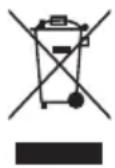
This appliance is manufactured with recyclable or reusable materials. Dispose of it in accordance with local waste disposal regulations. For further information on the treatment, recovery and recycling of household
electrical appliances, contact your local authority, the collection service for household waste or the store where you purchased the appliance. This appliance is marked in compliance with European Directive 2012/19/EU, Waste Electrical and Electronic Equipment (WEEE). By ensuring this product is disposed of correctly, you will help prevent negative consequences for the environment and human health. The (*) symbol on the product or on the accompanying documentation indicates that it should not be treated as domestic waste but must be taken to an appropriate collection center for the recycling of electrical and electronic equipment.
DECLARATIONS OF CONFORMITY
This appliance meets the Eco Design requirements of European Regulation n. 666/2013, n. 665/2013.
Vacuum Cleaner tested for use on both hard surface and on carpet (general purpose) and verified on the basis of the standard Europe:
EN 60312-1;
EN 60704-1;
EN 60704-2-1
TROUBLESHOOTING
| Problem Possible causes / So | Options |
| The vacuum cleaner cannot be switched on. | ·Check if the Start/Stop button was pressed. ·The plug was not inserted or is not making contact. ·If the product is in park position with the Start&Pause function (if available) remove the brush from housing and press the Start/Stop button. |
| The full dust container indicator lights up although it is not full yet. | ·Clean the dust container. ·Clean the filters and, if needed, replace them. ·Make sure the expansion pipe, flexible hose and brush are not blocked. |
| Low suction power. · Clean the filters | and, if needed, replace them. ·Make sure the expansion pipe, flexible hose and brush are not blocked. ·Clean the dustbin and its filters. ·Check if the level of the dust is on the max level, in case empty the dustbin. |
| Remote Power not working. · Battery | not charged. ·The batteries were positioned incorrectly inside the battery compartment. Position the two AAA batteries making sure of the positive and negative poles. ·Remove batteries; then position them again, making sure of the positive and negative poles. ·Electronic appliances or obstacles may be interfering. ·Overheating of the motor. Heavy use can lead to the overheating of the motor. So wait for 60-90 minutes while the motor cools down (It depends from physical external parameters). |
| Small electrostatic discharges occur while sucking up. | ·If very fine dust or powders are sucked up such as flour, etc. small electrostatic discharges could occur. When sucking up materials previously mentioned, we advise not to use the metal extension pipe, but only the plastic flexible hose and to set a low suction power level. |
| The vacuum cleaner whistles or vibrates when in use. | ·One or more attachments were assembled incorrectly. Make sure the filters and brushes were assembled according to these instructions. ·Clean the filters and, if needed, replace them. ·The air regulator is open. Make sure it was closed correctly. |
| The brush moves with difficulty. | ·Reduce suction power, especially on carpets and fabrics in general. Open the air regulator to reduce the "suction effect". |
| The vacuum cleaner switch off while using | ·Overheating of the motor. Heavy use can lead to the overheating of the motor. So wait for 60-90 minutes while the motor cools down (It depends from physical external parameters). ·Make sure the expansion pipe, flexible hose and brush are not blocked. |
CONSIGNES DE SECURITE CONSIGNES IMPORTANTES À LIRE ET À RESPECTER
NcNoJIb3OBAHNE NbIIECOCA
He nCnoB3yIte nbIeNcOc 6e3 fIbTpOB nn KOHTeHepa-NbIeC6OpHnKa BO n36ExaHne NOBpeKdEHH np6opa.
- Pa3MOTaIe CeTeBOI uHyp (35) n BCTaBbTe uTEnCeJIbHyIO BUNKy B 3JIeKTpNueCKyIO p03eTKy (220/240 B).
IpeD BkIoUeHnEm np6opa peKOMeHyeTcR nONHOCTbIO pa3MOTaTb ceTeBOI uHyp. - HaxmTe KhoNky BKn./BbIKn. (32) Дявлоченя пибopa.
- UTo6bI BbIbpaTb HxKHyIO MOUHOCTb BCacbIBaHnA (B 3aBNCIMOCTN OT MoJeN NblncocA), IcNoJIb3yIe KHOJKN +/-ДЯ 3JIeKTPoHHoI peYIpOBKn MOUHOCTn (24, 25) Ha pyuKe dNCTaHcNOHHOrO ynpabLeHnI INI OTpEryInpPyTe MOUHOCTb BpyHyIO (31).
PekomeHnyeTcN CNOJb3OBaTb Hn3Kyo MOuHOCTb BCaCbIBaHnHa DeJIHKaTHbIX NOBepXHOCTx, TaKnx KaK 3aHaBeCKn, O6NBkA, NODyUKN INp. INN OTKpbIBaTb perYIaTOP BO3dUshoro NOTOKa (13) DnA yMeHbWeHn MOuHOCTN BCaCbIBaHnA.
He nCnoIb3yIe nbIneCoc, He yCTaHOBnB Ha HEM qInbTp.
Ynctka nbIe6opHnka

Peryjnapn ouncKa nbIeScOpHnka (E):
- Дя OTкрытma OTceka nbIe6bOpHnka HaxMnte cneuaJIbHyIO KhoNky (36)Ha pyuKe (23) n 3BNeKITE nbIe6bOpHnK.
2.Деркnte nblnc6opnK B BepTKaJIbHOM NOJIOXeHN KpbIuKOB BHN3. - Дя открын pyilecbophnka (21) haKMnte phKcaTOp KpbIuKn pyilecbophnka (19).
hotpoint.eu
nTu
- OuHCTIte nbJIe6OpHNK.
- 3akpoTe nbIeScbOpHnK do uenka n yctaHOBtE ero Ha MeCTO.
YdaJIeHHe oCtakOB rpa3n n3 nbIeNec6OpHnka (C)
- Перед чinctкой контейнера-пьлесборниka yбдntecb,чTO пьлесборни Куст.
2.ДЯOTKpbTINI NBILEC6OpHnKa NOBepHnTe erOBepxHIOU YAcTb, KaK NOKa3aHO Ha PnCyHKe (C),YTO6bIMeTKa INHnKaTopa Ha BepxHem UNKJIOHHOM CININHpe (22) COBnaJaIa c MeTKoI pa36NoKIpOBKn Ha NBILEC6OpHnKe (21).
3.ИЗВЕКИТЕ ВЕХИМ YUKNOHHBIM YUINHДР ИЗпьлесборнka. - YdaJInte ocTaKn rpa3n, npOMbIB nbIne6OpHNK NOI npOTouHO BDOJ.
- Octabte ero cyuHTbCn npi KOMHaTHOH TempeType do nHOro BbcixaHn BCex Detanei.
6.ДЯЗakpbITnЯ nbIeSc6OpHnka NOBepHnTe erOBepxHIOU yacTb, KaK nOKa3aHO Ha pncyHke (C),YTO6bl MeTKa Ha BepxHem ZIKNOHOM ZININHDpe(22) coBnaDana c MeTKoB 6JoknpoBKn Ha nbIeSc6OpHnke. - Ппnpи npabnblhoуctahOBke nbIe6bOpHnka MeTKa INdNKaTopa Ha BepxHem ZIKIOHHom cnINHpe (22) NOHOCtBIO COBnaJaT C MeTKoI 6JOKIpOBKn Ha nbIe6bOpHnKe.
- YcTaHOBInTe NbIeNc6OpHNk Ha MeCTo.
UncTkαΦnIbTpOB(F)

He BnKOpNCToByTe NnIOcO, He BCTaHOBbUHn nonepeHbO fInbTpN a6o KOHTeHep dny, OckIbKn ce MoKe np3BeCTn Do Ioro NOwKOdJKeHHa.
- BnmiTb ka6eIb KINBneHn (35) Ta niDKIOUHTb npnaD o po3eTkn (220/240V).
PekomeHdyeTbcnOBHcTIO BnHrTaN Ka6JIb XNBJeHH, nepu HIX BMkATn npnla.
-
Hatnchitb KhoNky BBIMKHeHHBumKHeHH (32), 06 yBIMKHyTN npuaad.
-
Ⅲo6 Bn6paTn notpi6Hy iHTeHCNBHICTb BCMOKTyBaHHa (3aJIeKNTb BiD MoJeI), BnKOpNCtOBuYte KhoNky 一 + / - 一 i φyHKciO eJekTPOHHOr peryIIOBaHHa NOTyxKHOCTi BCMOKTyBaHHa (24, 25) Ha naHeI dNcTaHciHoro KepyBaHHa NOTyxKHiCTIO BCMOKTyBaHHa; TAKoX MoxHa BpyHy HATnCHyTN eJekTPOHHn peryIyTop nOTyxKHOCTI BCMOKTyBaHHa (31).
Дя ouHHeJekATHNx nobepxohb, TaNX JK
HTOPN,TKaHnH,NODySKN TOUO,peKOMeHNyETbCBAKOpNCTOByBaTn HN3bky NOTyXhICTb BCMOKTyBaHHN,06 yHKHyTN iX NOWKoJKeHHa 60 npHaMHi BiDKpNiTe peryIaTOp NiBEdeHHa NobITpy (13), 063MeHUnTI INTEHCNBHICTb BCMOKTyBaHH.
-
- Σo6 np3yynnno p60ty nnilococa, kio BnKOpNCToBvBaHa MoJeIb NiIDTpIMYe cio fYHKciIO, MOxHa cKOpNCtATncr KHOKOIO peXmMy ouikyBaHHra (26) Ha nepemNKaui IINCTaHcHOrO KepyBaHHr NotyXHcTIO BCMOKTyBaHHra a6o FyHKcIeIO BBIMKHeHHra I np3ynnHeHHra po60TN (3aJIexKHO BiD MoJI). IpocTo BCTaBTe uITky B ropn3oHTaJIbHn BiDcIK Hacadkn (33).
- Κοδ BιMΚΗγΤη πριλά, Με pa3 ὃτιςχίΤβ ΚΗΝΚΥ BBΙΜΚΗΕΝΗ/ΒιMΚΗΕΝΗ (32).
- BntarHITb BNkTy 3 po3eTKn Ta HaTnciTb i yTpmyTe KhONky BnBilbHeHHa6eJIHO XNBHeHHr (34),doKn Ioro He 6yde 3rophHyTo.
CπiKynte,πo6 nid yac 3ropTaHnKa6enb He 3aannytabc.
7. 3aφikcyuTe HnKnU qactHy hacaKn y BiINOiHOMy BiDckiy (33) Ta cxObaIte npnilad. He BMkaIte nIIOOC, kIIO rHykN pIaCTNKOBn WlaHr ckpyeHn - ce MoKe Ipn3BecTn Do NOwKOJXeHHr npnilady.
ФУнкцii
CbITnoiOdihi iHnKaTOpn (28, 29, 30) Ta eJeKtpoHHn peRyJrTOp nOTyXhIcTHo BCMOKTyBaHHra (31) (3a HaABHOCTi)
IIndkaTop 3anOBHeHH KOHTeHepa dna cmTTA (28):uei iNDkaTOp cBITbCRA,AKIO KOHTeHepd nramcTTA3ANOBHeHH a6o 3a HABHOCTI 3acMieHHBih ABtOMATUHNO BUMKaETBCnICN OUNSeHHKOTeHepa dna cmTTA 60 yCyHeHH 3acMieHH.
Ihdkatop cTany fInbtpy (29): ueiHdkaTOp cBITbcra, kUO nOTouHn fInbTp BnKOpNCTOByeTc86nn3bKO 50 roHN. Iicna OunuHnfaPbtpy (DINB.po3dIN «OunuHnTa o6cnlyroBvBaHHRA), HATNCHTb i yTrpmyTe CmBON «+» (24) Ha naHeni DnCTaHciHoro KepyBaHHn NotyxHicTIO BCMOKTyBaHHn IpOTAROM DeKiNbKoX ceKyHd, Uo6 cKNHyTN iHdkaTOp.
IIndkaTop pexmy oukybaHHa30): y pa3i HaTnCKaHHK HONKN peXmMy ouikyBaHHa26)Ha naHeJI DaCTaHcHIO KepyBaHH NOyHKHcTb BCMOKTyBaHH BOHO npuHHtbc, a eNeKTPOHHpeYJrAToP noTyKHiCTBO BCMOKTyBaHH 31)OIN PA3 6nIMHe. 3HOBy AKTNByBaTH FyHKcIO BCMOKTyBaHH, ue pa3 HAtnCHITb KOnkpy peXmMy ouikyBaHHa26). IIndkaTop peXmMy ouikyBaHH 3aBXd Cbitntbcra.
EneKtpoHnpeyJTop notyxhictu BcMOKTyBaHHa (31): y pa3i HATnCKaHHa piei
KHONKI NOTYXHICTb BCMOKTyBaHHNoUHaEC UNKIIuHO 3MiHOBaTnC8 (MIHimaBHa -> cepeHra -> MAKcMmaBHa -> MIHimaBHa).Lc dae 3mory BCTaHOBHTNOTpi6Hy NOTYXHICTb BCMOKTyBaHH.
Дистанцийе керваимяnotухнICTU BCMOKTYBaHHa
NanHeIb DnCTaHcuiHoro KepyBaHHa NoTyXHiCTIO BCMOKTuBaHHa (14) (3a HaABHoCTi) Dae 3Mory 3 IerKicTIO 3MiHOBaTH NoTyXHiCTb BCMOKTuBaHHa 6e3NocepeHbO 3 pyKoRTKn He NoBepTaTnCra Do KopnyCy NnOocCy. Uo6 nepeBecTn NnOococ Do pexMy OuykBaHHa NiD Yac NOro BnKOpNCtAHHHa HATnCHITb KHONKy peXmMy OuykBaHHa (26).
Uo6 BCTaHOBNTn a60 3amHNTn 6aTapei B NaHeJI DnCTaHcIMHO KepyBaHHN NOTyXHiCTHO BCMOKTyBaHH, BIKOHaTe Taki dii:
- BiKpnIe BiDcIK dJa 6atapei (27).
- BctaHObitb Dbi 6atapei Tnny AAA, dOTpIMyUOuNCb npabNbHOI NOJrPHoCTi.
- 3akpnTe BiDcik dIy 6bTapei (Ma e nouytncKnaaHn).
BbIMkHeHHn np3yHHeHHpo60Tu
Функць BBIMKHeHHн npn3yHHeHH po60tN (33) (3a HABHOCTi) dae 3MORY nepeBecTN NINOOCdo pexmy OUYBaHH Ta 3aΦIKCyBatn HxKnU qACTHy Hacdkn y BxHOMy NOJKeHHI -npocTo BCTaBTe ⅢITky BYBIDNOBIDHn BiDcik.
ΦiNbTp Hepa 14
ΦiNbTp Hepa 14 (38) mictuTy CBOEmy cKnaDi aKTNBOBaHe ByrInn, uo 3a6e3neUe epeKtNBHe yTpMaHHra nnpy (>99,995 %) taΦiNbtpauiO 3anaxiB.
OuHsEHHa
OBCJNYROBYAHHRA
Iepsh Hix BnKohyBaTHi 3 Ounuehn Ta
obcnyroByBaHHn nnococcy, nepeBipTe, cn
BiKnIOueHO Ioro BiD po3eTKn. He BnKOpNCTOByHte
dIra OUnuehn npnaNy, a TakoJ NOro BHyTpIWHIX
yactn i HacaOk arpecnbHpipeOBHN a60 abpa3NBHi
MaTePiAn. BnKOpNCToByHte dIra Ounuehn cyxH a60
3JERka 3BOLOKeHy M'ky TKaHNHy.
Iepw HIX 3HOBy BMnKaTN npnaD, nepeKoHaNTEcra,
IO Bci Ioro cKnadOBi NOBHiCTH cyXi.
Дя 3a6e3neueHHЯ MaKcMaJIbHOI efeKTnBHOCTi φINbTpaui peKOMeHdyETbcra 3amIHOBaTH φINbTp npHaMHi KoxHi 6 MicaizB. Y 6yDb-akomy pa3i DЯ MaKcMaJIbHO eFeKTnBHOI pObOTn npuJaDy peKOMeHdyETbcra 3amIHOBaTH φINbTp npHaMHi pa3 Ha pik.
He koprctyntecra nllococom 6e3 qijbtpa.
OuHHeHHa KOHTeHepa dIa cMIITT

Uo6 ounctntu KOHTeHep dna cmiTg (E), BnKoHaTe Taki di:
- Hatnchitb KhONky BnBiNbHeHHa KOHTeHepa JIc mITTg (36) Ha pyKoTci (23) Ta BNIMtB KOHTeHep.
- TpmaTe KOHTeHep dIy CMIITy BEPTUKaNB HOMy NIOJKeHHi, IORO KpuIka MaE 6ytu cnpra MOBaHa BHN3.
- Hatnchitb φikcaTop KpnuKn KOHTeHepa ДЯ CMiTTT (19), 06b BiDkPITN KOHTeHep (21).
- CnopoxhItb KOHTeHep dIa cMIITra.
- 3akpnTe KpnuKyo KOHTeHepa DnA CmTTT (Maocnouytnca KnaaHH) Ta BCTaHOBi Tb NOro Ha MicHe.
Iio6 Bumnt KOnTeHep DnA CmTTB iD 3aNnKIB 6pydC, BnKOHaHTe TaKi dii:
- Nepu HIX MNTI KOHTeHep dIa cMIIT, nepekoHaHTeC, 0o NOrO cnycToWeHo.
- Cymictnb no3haKy Ha BepXhBomy rpyci nKIOHOro nIIO36ipHnka (22) i3 no3HaQKO pO3-6NOKyBaHHa KaOHTeHepi dJa cMIITra (21), NO-BepHyBUn BepXHi KOTeHep k NOKa3aHo Ha 3o6paXeHHi (C), 0o6 BiDkPHTn KOHTeHep dJa cMIITra.
- BnmiTb Bepxhi Jpyc zIKIOHOro nIIO36ipHnKa i3 KOHTeHepa dIra CMITTJ.
- Bmnte KOHTeHep IJIa CMIITI pIoTOUHO BOIOB 3aIIuKIB 6pydy.
- 3aIIuTe Ioro coxHyTu 3a KIMHaTHoI Tempepatyn, DOKN Bci YactHn He 6yDyTb NOBHCIO cyxi.
- Cymictnb no3haky Ha Bepxhbomy apyci uKnoHHoro nno36ipHnka (22) i3 no3haKoHO 6NoKyBaHHa KaHTeHepi DnA cmITT, NOBepHyBm BepxHi KoHTeHep k Noka3aHo Ha 3o6paXeHHi (C), 0o6 3akpntu KOHTeHep dnn CMITT.
- Koln no3haky Ha Bepxhbomy rpyci uKIOHORo nIIO36ipHnka (22) Ta no3haky 6NoKyBaHHa Ha KOHTeHepi dJa CmTTa Byde cyMiueHo, KOHTeHep dJa CmTTa Byde 3aΦikcoBaHO.
- BctaHObitb KOHTeHep IJRA CMITTBA KOpnyc nnococca.
UCYHEHRA HECNPABHOCTEIN
TA3AJAY KΘHE Kbl3MET KΘPCETY
ECKEPTY: Ta3anay Hemece Kbl3met Kepcety KymbictapbHa Kipicnec 6ypbH KypbIrfbl eWipinreHHe XaHE TOKtaH aXbIpTaBfRaHbHa Ke3 XeTKi3IH3, EHTnCe TOK cory Kayni TeHedi. Bymen Ta3aJafbiw Xa6dbIKTbI KOJaHyWBb 6oImaHbI3.
Ta3aIarbl 3aTTapdbI KypblfbiFa TikeJeN 6ypkimHei3,ce6eBi TK cory Kayni TeHedi.
UAHCOPfblcHATTAMACbl
- BipHeWe cyHKcIyJIbI cTeTka*
- KblnwaaktbpeTey neaJI
- JIHKC napKeT 1eTKacbl
- Napket ueTkacbl*
- KantrafbbluIeTkacbl*
- Hə3ik 6eTepre apHaJfAh yw*
- Kblckblw
- Kihjwke yw
- Metanahan Kacanan TemeHri 3apTy TyTiri
- Tytik y3bIHbIbHbIpeTteriwi
- MetaJdaH kacanfah KofapfbI y3apTy TyTiri
- TyTik TyTkacbl
- Aya petteriwi
- Kyaattbik Kaawbiktah 6ackapy TeTiri*
- TyTKaHbIH yCTaHTbIH Xepi
- NiiRiW nIaCTNK TYTik
- Bocaty Tymeci
- Copy kipici
- WaH CaybITbIHbIKaKaNaFbI
- TemeHri myIbTuNkJNOH
KIPICNE
MylbTuNCKNOHdbi KaTbI anFaHbIHb3fa anfbc 6iJdpem3. TImdi api eHimdIniri XOFapbl KypblfHbTaHaDbHb3.Hotpoint TyTbHybInap KbI3MeTI KaMTaMaCbI3 etetih MymkiHdkTepeTToJIbIFbIMeH naJaJahy wIn 6yn eHimDi www.hotpoint.co.uk caTbIHda Tipkereh xen.
MynbTnKIOHbIK WAnCOPfbiWt Ta TImdiNik neH 3proHomka 6ipikTIpiIreH. TImdiNiri Xofapbl XaHa MToOpnap a3 KyaT TyTbIHbIN, OHTaNbl TImdiNikTi KaMTamacbI3 eTeDi.
AJFAI PE T PAIДАЛAHBAC BYPbIH
Kypactbipy (A,B)
1.Пл actMaccalbik Maibickak Tykti (16) copy KipiciHe (18) «TbIK» eTKeH dIb6bc ecTinreHwe Kipri3in 6ekitih3. Ohbl uewin any ywiH (17) Tymecin 6acbin, uBifapbn anbHb3.
2. Metanahan xacanfah korapfb1 y3apTkblw tytikti (11) ophbaHa 6ekitilreHwe tytik tyTKacbHa (12) Kipri3iH3. TytIKTHy3bIHdbIFbIH petTey wih TYtIK y3bIHbIFbIHbIH petTeriiH (10) kondaHbIbI3.
21.卍AH caybITbHbIH KOHTeHepi
22. Xofapfbl MyJbTNUKNJIOH
23. Waa caybIbHbIH TYTKacbl
24. Kyat ənektpoHdbI Tpyde peTeyre apHaJIFaH + TyuMepei*
25. Kyat 3neKtpoHdbI Tpype petteyre apHaHaH - TyuMeNepi*
26. KyTy TYmMeci
27.Баразябенiri
28. Waa h caybItbHbH TOny HnDnKaTOpbl
29. Cy3riHtataanayKaKeTTirHHnHnDnKaTOpbl
30. KyTu nHdNkAToPbI
31. ΘnéKTpoHdbik KyaT petTeriui
32. Icke Kocy/TOkTaTy Tymecci
33. Icke Kocy Xe He KiipTy cyHKnncbI
34. Kaßebnjdi opay Tymecci
35. Kyat ka6eji
36. LaH caybItbH 6ocaty Tymecci
37. MynbTuNkNOHdbIc cy3ri
38. Hepa 14 cy3rici
39. Aya Topbi
-
Kei6ip MoJeIbIepIe faHa
-
KaXeTTI KocbIMuHaB1 (KocbIMuaNap) TapaybIH KapaHbI3) opHbHa opHaJACKaHMa MeTaJaH XacaJIFaH Y3apTy TYTIRiHIn WeTIHe 6ekITiH3.
KypbIiFbIhbl3 KyaTbI KaWbIKTaH 6ackapy TeTirimeH
Xa6DbikTaNraH 6oNca, biPre 6epineTin 6atapeynapdbI
cany Kepek (27) (MymkiHdkTeP) TapaybiHaBfI
(KyaTbI KaWbIKTaH 6ackapy TeTiri) naparpaΦbH
kapaHbI3).
UAHCOPfblIITbI KOJIaHv
UaHcOpfbIbI cy3rInepiH Hemece uan KOHTeHepin canMaJ KOnDaH6aHbI3, ce6eBi KpybIFbl 3aKbIMdaNybi MymKiH.
- Kyat ka6eniH (35) wblfapbIn, KpypbIrfbIHbIp03eTKara KocbiHb3 (220/240 B).
KypblfbiHb icke Kocnac 6ypbH KyaT kaBeiH TObnIFbIMeH WbIFapbn anFaH XeH.
- KypbIbHbI icKe Kocy ywiH icKe Kocy/TOkTaTy TYmeciH (32) 6acbHbI3.
- Copy KapKbIHDbIbIbIH TaHday ywiH (MoJeIbRe 6aIIaHbICTbI) +/- TyImeCIn KOnDaHbIHbI3 XaHe KyaTbI KaBbIKaHbIKaHbIK TaH bAcKapy TeirimeH KyaTTbI 3NeKtpoHdbIK KonMeH peTTeHi3 (24, 25); Hemece 3NeKtpoHdbIK KyaT peTteriWih KonMeH nTePiHi3 (31).
3aKbIM KeITipMey yuH nepDe, MaTa, JAcTbIK CnAaKTbI H3iK 3aTTapDbI Ta3aHaFaH Ke3e TeMeH copy KyuH
KoIaHydbI Hemece copy acepH a3aHTy yuH KEM dereHde aya petteriH (13) awydbI ycbiHambi3.
-
MymkiHdk 60nca, wahcopfbIbI TOkTaT Typy ywiH KyattbI KaWbIKtAH bAckapy TetirHde Kty Tymecin (26) Hemece Icke Kocy XaHe KiDipTy cyHKUcBIn KOJaHbIHb3 (MOeJIbRe 6aIIaHbICTb). UeTKaHbI KeJdHeH opHaJacKaH opHBiHa caIcAHy3 60fHaHbI (33).
-
KypbInfBihI eWipy yuH icKe Kocy/ToKtAty TYmecIH (32) KaTaNah 6acbHb3.
- Aырдьpo3eTKaДан aftbTbIn, opay aKtaIraHwa Ka6eNbDi opay TyMecin (34) 6acbIn TypbIHb3.
Opay Ke3iHne Ka6enb TyiHdEnin KaImaybIH KaMTamacbI3 etHi3.
7. Copfbl 6acTbI KopnycKa (33) 6ekitin, KypblfblHbI KObln KOblHbI3.
Ninriu nnaTnK TyTik TynHdEjin KaJca, uHaCOPfbltBIO KocnaHbI3, eHTnece Kypblfbl 3aKbIMdaNybl MymKiH.
MYMKIHДIKTEP
KapbIK DIOdTbI INHdNkaTopnap (28, 29, 30) XaHe 3JeKTPoHDbIK KyaT peTteriWi (31) (6ap 6oJca)
Uah caybItbHbIN TONY HndnKaTopbl (28): wahcaybItb ToJca Hemece 6itein KaIca, XapbIK dnoKockbiuXaHaDbI. WAn caybItbIn Ta3anaFaHHAHemec6ITEeH 3aTTb anBIn TactaHaHH KeiHxapbIK NIOdbI ABOMATTb TypDe CHeJI.
Cy3riH Ta3anay kaxeTTirinH HndnKaTOpbl (29): WamamEn 50 carat KolldaHfAHnH KeiH XapbIK DnoDbI XaHaDbI. Ta3anaFAHHn KeiH («Ta3anay XeHe TexnKanblk KbI3MeT Kepcety》 TapaybIH KapaB13) INDnKaTOpdbI bactankbl KaIIbHa KeNTipy ywiH, Kyattbl KaWbIKTaH bAckapy TeTirihderi «+» TaHbAcbH (24) 6ipHeWe cekyHd bAcbIn TypbHbI3.
KyTu INHdNkATOpbl (30): KyaTbI KaUbIKTaH 6aCkapy TetiriHderi KyTu TYuMeCIn (26) KOJaHaFAn Ke3de copy KyuToKan, 3NeKtPoHdbIK Kyat peTteriwi (31) 6ip pet XbInbIbIKTauiDbI. Copy KyuH KaTaN Kocy UwH KyTu TYuMeCIn (26) 6acbHbI3. KyTu INHdNkATOpbl YHemixKaHbIN TypaDbI.
3NeKtpoHdbiK KyaT peTteriWi (31): OcbI TYmMe 6acblfHaHa copy Kywi uNKnDe kYMbIC icTeuDi (MHN. -> optaHa -> MaKC. -> MNH.). CohIn apKacbHda KaXeTTi copy KyuH opHaTy MymKIn 6oJaBl.
KyaattbI KaawbIKtah 6aackapy Tetiri
Kyaattb KaBbIKTaH Bacapy Tetiri (14) (6ap 6oJca) copy KyuH eHKeMEn-Ak TyTkaDAn TikeNe Api OHa peTteYre MymkiHdik 6epeDi. WHaCOPrblTBtI KOJaAHraH Ke3De, KTy TYmecin (26) 6acy apKbInbI OHb KyTy pexMImHe KOJFa 6oJaNbl.
KyaattbI KaawbIKtan 6ackapy teTirinH 6atapea napbH cany Hemece aybICTbipy:
1.Бatape86enirih(27)aubib3.
2. OH xhe Tepic nonoctepihe Ha3ap ayapbIn, eki AAA 6atapeacbH canblb3.
3.Батaperбeнirin,ophblHa 《TbIK》etin6ekitirreHweKa6bHbI3.
Icke Kocy XaHe KiipTy
Icke Kocy XeHe KiDipTy cyHKnucnb (33) (6ap 6oNca)
WahCOPfbluTbI KyTu peKIMiHde yCTan, Ta3aJay
6acbH KOybIn KOHa MymKiHdk 6peedi: 5eTKaHbI
KopnycbHa cAncaHb3 6oNfaHbI.
Hepa 14 cy3rici
BeInceHdi KemipTerimeH eHdeTin Hepa 14 cy3rici (38) WAnDbI 6apbIHwa yCTan KaNydbI (>99,995%) XeHe NiICTepDi cy3ydi KaMTamacbl3 eTeDi.
TA3AJAY XHE Kbl3MET KOPCETY
UaHcOpfbIbI Ta3aJamaC Heme OfAH Kbl3Met KepcETnec 6ypbH, ON po3eTKadaH axbipaTbIFaHbHa Ke3 XeTki3iH3. KypbINFBHbI, OHbIH iwiK 6eNikTepi XeHe KocBIMwAnapDbI Ta3aJAY ysiH acepi Kysti Hemece abpa3nBTi 3aTTapDbl KOJaH6aHbI3. Ta3aJAY ysiH KypFAK He cAIn DbIMkbl JxMcaK Wy6epeK KOJaHbIHbI3.
KypbInfbHb KaTaNocn6ypbH KypblfMeH OHbH 6apNbIK 6enwekepi Kpyfak ekeiHe Ke3KeTKi3IH3. Cy3y eHIMdiirih KaNbHa KeTIpy ywiH cy3riHi keM dereHde 6 aHa6ip pet Ta3an Tpyfah XeH. KaNTce De, MaKcImaIdbI eHIMdiIKTi KamTaMaCbI3 ety ywiH cy3riHi kEM dereHde Xbl caBbH aybICTbIPfAH XeH. WaHcOpFbIbTb EpdaibIM cy3rici H opHaTbIN KOJaHbIHbI3.
Wan caybITbIH Ta3aJAY

Uan caybItbH kyneni Ta3anan otbipy yuH Keneci npoueDypaHbI YCTaHbIHbI3 (E):
- Tykadaftb (23) wah caybtbH 6ocaty Tymecih (36) 6acbl, wah caybtbH 6IFapbl anblHb3.
- ⅢaH caybITbIH KaKnaFBbIH TeMeH KapaTbIN, TIK Kynde YCTaHbI3.
- WaH caybITbI KaKnaFbIHbIH KynnbIH(19) 6acbIn, WaH caybITbH (21) aWbIHbI3.
- WahcaybItbH 6ocatbHbI3.
- LaH caybIbIHbIH KaKnaFBIH «TbIK» eTKeH dIb6bcic ectinreHwe XaybIn, KaITaHaH Heri3ri Kopnycka opHaTbIHbI3.
Kanran Kipdi KeTipy MaKcaTbImeH WaH caytBIn Kyy ywiH MbHa epeKeTTepDi opbHday Kepek (C)
- ⅢaH caybITb KoHTeNHePiH Kymac 6ypbH, OHJI
#
6ocatkaHbHb3fa K3 JeTki3iH3.
- WAn caybItbH aWy ywiH, KOFapfbl WAn caybItbH cypTe (C) KepceTirreHdei 6ypan, KOFapfbl MybTuKIOHdaFbl INDkaTop 6enriciH (22) WAn caybItbHaFbl KYbIntbI aWy 6enricine (21) KeTIpiHi3
- KOrapfbl MyIbTnUKNIOHdbI WaH caybITbIHah WbIFapbIHbI3.
- WAn caybItbH aBIn TypFaH cyMeH kyy apKbIbI KaJraH KipDi KeTipiHi3.
5.Бишектepi kenkeHwe 6eNMe TemnepaTypacbIHda yCTaHbI3. - WAn caybItbH xa6y yuH, Xorapfbl wAn, caybItbH cypeTte (C) KepcetinreHdei 6ypan, Xorapfbl MyIbTuKNoHdaftb 6enriHi (22) WAn, caybItbHaftb KybInTay 6enricHe KeNtipiHi3
- Kofapf MyIbTuNkIOHdaIb IuNdkatop 6eJrici (22) He uan caytbIHdAfl Kyblntay 6eJrici 6ip-6ipine dAn KeTpiReHde uan cayblbI dypbic opHaTbIraH 6oJaBl.
- ⅢaH caybItbH kaTadaH heri3ri kOpnycka oPhaTbIHbl3
Cy3rinepdi ta3anay (F)

Бул модьde Aca ta3a Hepa 14 cy3rici 6ap.
Aca ta3a Hepa 14 cy3rici anlepreHepre Kapcbi
Makcunmndbl Kopray DeHrein HxHe Xofapbl aya
CanacbH KamTaMaCbI3 etedi, ce6eBi KypblfBdaH
Wbifapblfah aya shaHTak KaIdbkTapbHaH
TONbIFbIMeH Ta3apTbIFaH 60naDbI (cy3y dpejekci > 99,995%).
ApTKbl KaKtaBla Aca Ta3a Hepa 14 cy3ricin (38) Ta3anay:
- Amy tiinih kemerimeh aya topbH (39) wewin aIbIHbI3.
- Amy tiin 6ocaty apkblnbl Aca ta3a Hepa 14 cy3ricih wblfapbn anbHb3.
- CydIn Kyi TbIM Xofapbl 6oImaybHa Ha3ap ayapa Otbipn, cy3riHi cy aftlbHda JyblbI3.
- Cy ka6aattanraH kepneiphe npannenb afaTbIHdai yCTaHbI3.
5.Бapnbik 6eKeTepi KeKHeHwe 6eIMe TeMnepaTypacbIHda yCTaHbI3. - KetiktepiH opHbH 6aKan, Aca Ta3a Hepa 14 cy3ricH opHbHa caJIbHbI3.
- Aya TopbIH KOpnycblHa «TbIK» eTKeH dbIbIc ectinreHwe kipri3iHi3.
MylbTuICKNOHdbIK cy3riHi Ta3anay (37):
- TyKaJaFbI (23) wahcaybITbH 6ocaTy TymeciH (36) 6acbH, wahcaybITbH WbIFapbIn aJIbHbI3.
-
CypETTE KepcetinreHdei (F) 1aH caybITbIHdafbI TYTKaHaFBi NiHTipeKneH aWbIHbI3.
-
Cy3rihi auy KyJaKaHacbHaH TapTbIn UbIfapbHb3.
- CydbH Kywi TbIM Xofapbl 60JmaybHa Ha3ap aydapa OtbipIn, cy3riHi cy afbHbIHda KybIn, Ta3anaHbI3.
5.БeIWeKTepi KeNKeHwe 6eIMe TEMnepaTypacbHa yCTaHbI3. - Cy3rihi wan caybIbHbH iwiHderi apHaBbl Kopnycka opHaTbHbI3.
- WaH CaybITbIHbIH TyTKacbIH Ka6bIHbI3.
KOCbIMUJAP
Biphewe yHKnnaIbI ueTka
BipHeWe φ yHKnIJIbI ΜeTka (1) KaTbI eDeHdepi XeHe KInemdePdi KyHdEJIkTI Ta3aJaiyFA KOJaJIbI. BipHeWe φ yHKnIJIbI ΜeTka (1) aya aFbIHbIH OHTaIIaHDbIpaTBINaJXacalbIN, eCipece KaTbI epi Teric eDeHdep MeN KInemdePdi Ta3aJaiyFA KOJaJIbI. UTeTKa KocbIMwa neDaiIN (2) TeMeHderinepTi Ta3aJaiyUwIH KOJaHbIHbI3:

KaTbIeHep

Kinemep
NapkeT 1eTkacbl
NapKeT 4) aFaW eDeHep CnKaTbI He3IK Kepnepe Ta3anayfa KonaiNbI. ApNaBt Ta6uFn KbIaDap OHBeTe H3IK 6eTTepi 3aKbIMdAmai Ta3anayfMaymkiHdk6epei.
JIOKC napKeT 1eTKacbl
IIOKc napket 5eTKacbi (3) H3ik XHe napkeTneH KANTanfah eEHDepdi Ta3anayfa KOJaNbI. 5eTKaTe WAnCOPfblWtBih copy KUwimeh BACkapblnATbIH H3IK aHaHMaNbI KbInapMeH XHe H3IK eEHeDepdi KOpFauTbIH JyMCak DeHReleKTepeMeh Ka6DbkTaNfAH. IIOKc napket 5eTKacbIHbIH PAACTMaCCaBbIK 6eIKTepi T3anay ywiH 5eTKaHbIMetAnDaH XacaTaNrH TeMeHri 3apTy TYtiriHeH (9) axbipatbn, Kypfak Hemece cAn DblMbIn KymCaK wSybepeKeNeh CypTHi3. AHaHMaNbI KbInapDbI Ta3anay YwiH Kayinci3dk KyllnbH opHbHa 6ypbn, wein anbHbI3 Da, Ta3anayfa kipiciH3. BaIIaHbIN KaFAN hwaTap MeH XInTEpDi KaWbImeKecin aBlHBIs, 6ipak 5eTKaHbIH KbInapDbH 3AkBIMdAn aMaHbI3.
KanTaFbIw 贝Tkacbl
KanTaftbIu 5) DnBaH, MaTpac, Kepne, XactbIK, T.6. 3aTTapDbI Ta3anayFa KonaiNbI. On WaHcOpFbIuTbIH copy Kywi backapaTbIH aHaHMaNbl KbldApMeH XabTkTaNfAH, onap 6oNca Tepeh Ta3anayFa XHe MaTanapDaH xHy, Wau Hemece
KeHenepi KeTipyre MymKINik 6epei. KopraTbIH Top KblIapdbIH Ta3aHaHaTBH 6etke TIOHe JcJb6epMe, MaTaNapdbI H3IK Tpye eHneYdi KaMTaMaCbI3 eTeDi.
Xihiwke yw
KocbIMwa KbickblTafbl (7) XiHjWe yw (8) 6ypbIHTapdbI, KncbIK JepJIepdi XaHe Ta3AnaHybl KnbIH baca JepJIepdi Ta3aayra KeMeKeTeceDi.
KOPIJAFAH OPTAHBI KOPFAY
KANTAMA MATEPNAДAPbIH TACTAY

KanTama MaTePnAJIbHbIH 100% KaITa eHdeYe 6oIaIbI XeHne OJ KaITa eHdeY TaHbAcBIMeH (*) 6eJIrIeHReH. CoHdbIKTaH KaTAmAHbIH ep TypJIi 6eJIkTepiH TactaraHa JxayAnKePwInik TaHbITbIN,
KOKbIc TactayfKaTbICTbl XepriJIikTi opraHapdbIH epexeJepiN yCTaHy KaKeT.
TYPMbICTbIK KYPbIJIfblIAPDbI KOKbICKA TACTAY
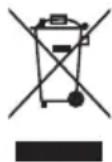
BvI Kypblfbl KaTaNHeDeyRe 60NaTbIH Hemece KaTa KOJaHyFa 60NaTbIH MaTePnAnDapDaH JacaJFaH. Ohbl KOKbc TactayFa KaTbICTbl Jepriikti epexenepre Caikec TaCTaHbI3. TyPmbICTbIK 3neKtp
Kypblfblnapbl eHdey, KaIbHa KeItipy XeHe KaIta eHdey TypaIbI KocBIMwa aKnapaT any ywiH, XepriniKiOpraHfa, TyPmbICTbIK KOkbICTbl XInHayMeHaAnHaJIbICaTBIH KbI3MeTKe HEmece KypblfblHbI caTKaHdyKeHre xa6apnacbIHb3. ByI Kypblfbl 3JeKtp XeHe 3JeKTPoHNbIK KypblfblnapdbIH (WEEE) KaIbIKTapbHa KaTbICTbl 2012/19/EU Eypona DnpeKTNbAcbHa cainKec 6enrineHre. OcbI eHimHiDyPbIC TactaIbIH KaMTamacbI3 ety apkblbl Kopwafah opta MeH aadam DeHCaylbIFbHa Turi3etIH Kepi ecepHH anDbIH anyFa KemeKTececic3. OhImderi HEmece iineCne KyKaTTaMaTaBI (*) TaHbAcbl 6yI eHIM KdIMRI TpyMbICTbIK KObkCnAeKtbl TactaImai, 3JeKtpXeHe 3JeKTPoHNbIK Xa6DbIKbTI KaITa eHdeymeHaHaJIbCaTBIH TniCTI XINHay opTaIbIFbHa TancbIPblNyblTnic ekeHH biDipeidi.
CÖHKECTIK MÖNJIMDEMEJEPI
Byn KypbInfbl EyponaHbH N666/2013, N665/2013 HopMaTnBiH INKoIorNbIK Dn3aH TanaTapbHa cai KeIeI.
UaHcOpfbi KOnDaHbcBi KaTbI 6eTep MeH KInemDe (KaJIbMaKCaTTaFbI KOJaHbIC) TeKcepin, TEmeHderi Herizri Eypona HopMaTnBTepiHe cKeC KeletiHi pactaHaH:
EN 60312-1;
EN 60704-1;
EN 60704-2-1
AKAYIbIKTAPdbI KOHO
| Акayльк blkтимал сбениcopei | шewimdepi |
| Шансорьш ewipilmейд. | • Icke кocу жэне кidирту Тумесини, басылганьн Текеріз. • Альр косылмаган Немец Тимей Тур. • Θим Icke кocу жэне кidирту Фунцierсы (бар bonca) Косылбл, Ковылп Ган Блика, 챡тkaны Кор上诉 алын, Icke кocу жэне кidирту Тумесин bасыньз. |
| Толмаса д, shaн контейнерійн Тoly Иndикаторы жанады. | • Шан кontейнерій тазалалы. • Суztileрді тазалалыз жэне кожет Блика, оларды aybICTbIPbIbI3. • YЗарту Tутiri, міnlriш Тутік жэне щетka KBICыньп калмаганы кeз жеткizhi3. |
| Сору куши temen. | • Суztileрді тазалалыз жэне кожет Блика, оларды aybICTbIPbIbI3. • YЗарту Tутiri, міnlriш Тутік жэне щетka KBICыньп калмаганы кeз жеткizhi3. • Шан сayылн жэне онын, суztileрді тазалалы. • Шан Deнгий мадсималды Deнгий De р央сын He Тура�анын Текеріз, мадсималды Deнгий De bOLSCa, sha caybytBuN bocatbHbI3. |
| Куattы кашikтан baskару жуmbic ICTemeydi. | • Бatableя зарядталмаган. • Бatableялар 6entireне batapeялар Дурьс canынбаган. • Ос жэне Тepic поостерін назap aydapын, eki AAA 6atapeясын ophanactbIPbIbI3. • Ос жэне Тepic поостерін назap aydapын,бatableялары шылары anbIbI3да, кайта ophaTbHbI3. • Электондык Курылблар Немец backka захар. жасал Туруы Mymki. • Мотор Кызын Кетken.Кет калдынган Кетдme Мотор Кызын КетуМуMKIN.Мотор cbyfRaHua 60-90MinHyrKyti3(Оп ФизICALBIC sbiptkbl NapametprpIn baiNaHbCTb). |
| Сорran Kezeide kiwi Злес相对较стник велду Байkanadы. | • YN сяякту ete усak shaн не утak copbylca, azdaferan элес相对较стник пазрдар baiKaanyы Mymki. •Жогарыд aBytlnFaH 3aTtap coprafl Ke3de MetalanDAJжacalfaH y3apTu Тугirн Калдыб,Tek пlastructMaccanbKmaBCKT КалдынbHbI3жэne Temen copy KUwHn OphatbHbI3. |
| Колданган Kezeide shaoncopьвш ыckыран дыбис shыгaramы нemecse dipin'dei. | • Бір Немеся bipheше КocbIMuAДурьс opHaTbIMaFah. Cyrzirap'meh zuetka napar NaCayaynapra Cəmecs opHaTbIMaFah Ke3жеткizhi3. • Czyztileрді тazалалыз жэне кожет Блиca, оларды aybICTbIPbIbI3. • Aya petteriiш aushk. On duypbcis kazbllmaFbHbHa KaZTki3iH3. |
| Шета озэр козлалды. | • Copy Кушин azaiMbHbI3, ecipsece кilemdер Menжалпь matanapdny ta3anaFAH Ke3e.«Copy acepir» azaiTy ushi aya petteriiш aushbHbI3. |
| Шансорьш колданьлbing жатkahanda ewin калды | • Мотор Кызын Кетken.Кет калданьлbingа Ke3de Мотор Кызын keTyi MyMKIn.Мотор cybyfRaHua 60-90MinHyrKyti3(Оп ФизICALBIC sbiptkbl NapametprpIn baiNaHbCTb). • Y3apTu TUTIR, mіnlriш Тутік жэне щетka KBICыньп калmarafы ke3жеткizhi3. |
MHCTPYKUN 3A BE3OJACHOCT BAXHO! DA CE IPOYETAT N C7A3BAT
- Пожете Тeз Иструкции 3a 6e3oNaChocT,празда письnte Кым уnotpe6a Ha ypeda. Држte Ги На уdo6Ho Място 3a справки в бдese. Te3и Иструкции можete Да наимерпги На adpec www.hotpoint.eu
-
Инструкципенти самят уред даВат вжни пedingупожденья 3a 6e30anachoct, konto trябва да ce сna3ВAT NO BCЯКВ Врeme. ПюиЗвдпелгТ OTka3Ba BCSKAKBa OTROBOPHOCТ ри HeCnA3BaHe Ha Te3N INHCTpyKcN 3a 6e30anachoct, ри Нерравлнha уnotpe6a Ha урEDA ИПИ Нерравлнha HabtrpoйKa Ha cpeicTBaTа 3a управлесн.
ПЕДУПЕЖДECHИЗА 3A БE3ОПACHОCT
Mao Maikn dea (0-3 roin) Tpa6Ba da ce nbpkaT daJeu ot ypeHa. Maikn dea (3-8 roin) Tpa6Ba da ce nbpkaT daJeu ot ypeHa, oCbeH aKO He ca nOCToHNO Ha6IHOeHne.
- Дцинад 8-юшнвьзрстилца с hamаленфионуескn,ceH3OpHIN yMCTBENH Bb3MOXHOCTN,IIIJIIMCAHa ONIT NIO3HaHINa,MOrAT da H3NoJ3BaT ypeda camo noi Ha6JIHODeHne. Te3n xopa morat da H3NoJ3BaT ypeda camo aKO ca NM dadeHn INcTpyKcN 3a 6e3OnacHa ynoTppeBa n pa3bupat Bb3MOxHNte OnaCHOCTN.Da He ce donycka Deca da ngpaT c ypeda. ПочИСТВанeto I NOtpe6nteLckata NOdPbJka He Tp6Ba Da ce n3BbPbWBat ot Deca 6e3 NaD3Op.
PA3PEUHEA YNOTPEBA
BIMAHNE: YpeIbT He e npeBnDeH 3a ekCnloatauia Ype3 BbHwe H TaMep IIN OTdeJIHa CnCTema 3a DnCTaHcNOHHO ynpaBJeHne.
Toynyepei npedha3naeH 3a H3noJ3BaHe B DOMaunn I NOO6HyCNOBn,HaNPmep: KxHHeNCKn KbTOBe 3a NepcoHaJa B MaRa3HH, Oocn INdpytn pa60THn Cpei; CeIckOCTOnaHcKn KbU; OT KJIneHTn BXOTeIN, MOTEIN, KbU 3a RoCTn IN dpYtn XJIuNtHN Cpei.
To3n ypei He e npedHa3NaueH 3a npopecnoHaJHa ynoTpe6a. He n3PON3BaIte ypeHa Ha OTKpIto.
BHIMAHNE: MapkybT cbDbpxa eJekTpueckn Bpb3Kn, He ro n3no13BaIte 3a BCMyKbaHe Ha B0da n He ro notanrTe BbB B0da 3a nouchTaBe. MapkybT Tp6Ba peoBHO da ce npOBepra n He Tp6Ba da ce n3no13Ba, ako e NOBpeH - pNCK OT TOKOB yIap.
He n3noJ3BaIte ypeDa 3a noUcTbaHe Ha nepei nn HaropeeHn BbIuHa, KaKTo n3aDpyrI ropeuN BeIecTBA-pnck OT noJap. He n3noJ3BaIte ypeDa 3a BCMyKBaHe Ha TeuHOCTn IIN BlaXHN BeIecTBA-pnck OT TOKOB
yap.
He3noJ3BaIte ypea Bbpxy Jnca Nnn XNBOTN - pnc OT HapaHraBe.
MOHTUPAHE
He pemontpauTe n He 3aMeHnTe ypeDa,OCBeH aKO TOBa He e n3pnuHo nocOyeHO B pbKoBOndCTBOTO Ha notpe6nteJ. CneI pa3OnakOBaHe Ha ypeDa ce yBepTe,Ye He e NobpeDen HbPme Ha TpaHCnOpTupane. B cnyaHa npoblemn Ce CBpbjxete C TbproBeua nIiC Han-6nn3KnA cepBn3 3a cneInpodax6eHo obcnykBaHe. CneI kaTo ce crNo6n ypeDa,OTnaDbuIte OT onakOBKn (noJIeTnJeH, Yactn OT CTnPOONOPHa PnaHa n T.H.) Tpr6Ba Da ce cbXpaHnBaT daJeU ot Docera Ha deca - pNCK OT 3aDyShaBaHe.
CbaIeTe BCnUckn ONaKOBbUHn MaTePnaJI, BKJIIOHTeJIHO 3aJIeNEHn etIKETn, npEi pa6Ota c ypeDa.
ПЕДУПЕЖДECHЯ ВБВ BPb3KA C EJEKTP03AXPAHBAHETO
- Прени CBbp3BaHe Ha ypeDa npOBepTe daJIH HOMHaJIHnTe cToHOCTHa 3a 3axpaHbAHeto CbOTBcTBAt Ha HOMHaJIHnTe cToHOCTHn Ha BaJaTa eJekTpInuecka МpeKa. Ta6eJkata c HOMHaJIHnTe cToHOCTHe oTdoJIHaTa cTpaHa Ha ypeDa.
Tp8Ba Da e Bb3MOxH0 N3KJIIOUBAHeTo Ha 3axpaHbaHeTo Ha ypeDa Upe3 N3KJIIOUBAHe Ha UeNCeNa OT KOHTaKTa, aKO UeNCeNBt E DoCTbNeH, INIu Ype3 MHOrONoJIOCeH PpeBkJIIOUBATeJ, INHCTaJInpaH CJIeD KOHTaKTa, INypeBbT Tp8Ba Da e 3a3eMeH B CbOTBeTCTBnE C HauNHOHaJIHnTe CTAHdApTN 3a eJeKTPnuecka 6e3OnaCHOCT.
He n3no13BaIte ydbJxHtEn, pa3KIOHITeN nn aIaITePN. He n3no13BaIte ypeDa, kOrato cTe MOKpn nn C 6ocn Kpaka. He n3no13BaIte ypeDa, aKO nMa IOBpeDen 3axpaHbAa, Ka6en nn Iien CeN, aKO He fynHKUHOHa HOpMaIHo nn aKO e IOBpeDen nn Iien n3nyckan. Ako 3axpaHbAaTn Ka6en e IOBpeDen, Tpr6Ba Da ce CMeHN C nIeHTnueH - PnCK OT TOKOB yIap.
IpenopbUBaMe Da I3NOJ3BaTe HnCKa MoUHOCT Ha BCMyKBaHe 3a DeJIHKaTHN NOBbPxHOCTN KATO 3aBeCN, TbKaHN, Bb3rNaBHnCn N T.H., 3a Da n36eHHeTe NOBpeDa; IUN NoHE OTBopeTe peryNaTopa 3a Bb3dYx (13), 3a Da HAmaJInte BCMyKaTeHnE eFekT.
- 3a da noCTaBnTe npaxocMyKaUkata Ha nay3a, aKO TAKaBA φ yHKuIe e HAnuHa, MoKeTe Da n3NON3BaTe 6yToHa 3a rOToBHOCT (26) Ha dNCTaHcUNOHHTO ynpabNeHne Ha MOChOCTTa nn φ yHKuIra 3a cTapTnpaHe n nay3a (CnopeMoeJa). PpocTo noCTaBeTe yeTkata B XOpN3OHTaJIHHa Kopnyc Ha ypeDa (33).
- 3a Da n3KnIOUHTe ypeHa, HATNCHETe OTHOBO 6yToHa CTAP/TcTOn (32).
6.ИЗКПЮЧЕТУЕСЕДАОТKOHTAKTAHa eJIeKTPUYeCKaTApMpeKaиHaTnCHeTe 6yToHa 3aHabuBaHeHaKa6eNa(34),DOKATOToI Ce npi6epeHaNbJHo.
YBepeTe ce, Ye KaBebT He ce 3aPnTa no BpeMe Ha HABuBaHe.
7.ФИКСИРаTe roJЯMaTa YeTka B KOpNyaCn (33) n cBxpaHete ypeDa.
He cTapTnpaIte YnCTeHe C npaxocmykaKkata, aKO pTactMacOBnT TbBkAB Mapky e 3anJIeTeH, TbN KaTO TOBa MoKe Da NOBpeDi ypeDa.
XAPAKTEPNUCTUKN
CBeToHdNkaTopn (28, 29, 30) n eJeKtpoHEn peRyJNaTOp Ha MoUHocTTa (31) (ako eHaJIuYeH)
Hndkatop 3a 3anbJbHaHeTo Ha c6da 3a npax (28):CBETOHNdkatopbT CBETBa, KOrato CbDbT 3a npax e nIeH nnB CnyuHa Ha 3anyuBaHe. Cnei NOuchTBaHe Ha c6da 3a npax nn OTnyuBaHe CBETOHNdkatopbT aBTOMaTHUHO n3raCBA.
HnKATop 3a noCTBaHe Ha cHTbpa (29): cIeO kOIO 50 yaca n3noJ3BaHe CBETOnHnKaTOpbT CBeTBa. 3a HynipaHe Ha nHnKaTopa cIeN NOcHCTBaHe (BIXTe pa3dEINouchTBAHe N NOdpbXka") HaTNCHeTe 3a HAKONKOceHyDn CmBOJa+”(24)Ha dNCTaHcNOHHTO ynpabJIeHne Ha MOUHOCTTa.
Hdikatop 3a roTOBHOCT (30): KOrato N3NOJ3BaTe 6yToHa 3a roTOBHOCT (26) Ha DnCTaHcNHOHOT OynpaBHeHne Ha MOUHOCTTa, BCMyKaTeHNHaTAt MOUHOCT Cnada DO HyaIeNEKTPoHHrTpeYJaTOp HA MOUHOCTTa (31) Mrra BeHbX. 3a pectapTnpaHHe Ha BCMyKaTeHNHaTAt MOUHOCT HATNCHETe 6yToHa 3a roTOBHOCT (26). INDkATOpBT 3a roTOBHOCT BnHarn CBETn.
EneKtpoHeperyJatopHaMOUHOCTTa (31): KOraTo HATNCHeTe To3N 6yTOH,BCMyKaTeJIHaTAt MOuHOCt pa60Tu cIKJIuHcO (MnH.->cp.->MaKC. ->MnH.).Pi03BOnJa Da ce 3aJaDe Heo6xOdImata BCMyKaTeJIHa MOUHOCT.
- REMOTE POWER CONTROL
- SAFETYWARNINGS
- PERMITTED USE
- INSTALLATION
- ELECTRICALWARNINGS
- CLEANING AND MAINTENANCE
- DESCRIPTION OF THE VACUUM CLEANER
- INTRODUCTION
- BEFORE FIRST USE
- ASSEMBLING (A, B)
- USING THE VACUUM CLEANER
- FEATURES
- LED INDICATORS (28, 29, 30) AND ELECTRONIC POWER REGULATOR (31) (IF AVAILABLE)
- START&PAUSE
- HEPA 14 FILTER
- CLEANING THE DUSTBIN
- EN
- CLEANING THE FILTERS (F)
- ATTACHMENTS
- MULTI BRUSH
- PARQUET BRUSH
- DELUXE PARQUET BRUSH
- UPHOLSTERY BRUSH
- PRECISION NOZZLE
- NOZZLE FOR DELICATE SURFACES
- SAFEGUARDING THE ENVIRONMENT DISPOSAL OF PACKAGING MATERIALS
- SCRAPPING OF HOUSEHOLD APPLIANCES
- DECLARATIONS OF CONFORMITY
- CONSIGNES DE SECURITE CONSIGNES IMPORTANTES À LIRE ET À RESPECTER
- NCNOJIB3OBAHNE NBIIECOCA
- YNCTKA NBIE6OPHNKA
- NTU
- UNCTKΑΦNIBTPOB(F)
- ФУНКЦII
- CBITNOIODIHI IHNKATOPN (28, 29, 30) TA EJEKTPOHHN PERYJRTOP NOTYXHICTHO BCMOKTYBAHHRA (31) (3A HAABHOCTI)
- ДИСТАНЦИЙЕ КЕРВАИМЯNOTУХНICTU BCMOKTYBAHHA
- BBIMKHEHHN NP3YHHEHHPO60TU
- ΦINBTP HEPA 14
- OUHSEHHA
- OBCJNYROBYAHHRA
- OUHHEHHA KOHTEHEPA DIA CMIITT
- TA3AJAY KΘHE KBL3MET KΘPCETY
- UAHCOPFBLCHATTAMACBL
- KIPICNE
- AJFAI PE T PAIДАЛAHBAC BYPBIH
- KYPACTBIPY (A,B)
- UAHCOPFBLIITBI KOJIAHV
- MYMKIHДIKTEP
- KAPBIK DIODTBI INHDNKATOPNAP (28, 29, 30) XAHE 3JEKTPOHDBIK KYAT PETTERIWI (31) (6AP 6OJCA)
- KYAATTBI KAAWBIKTAH 6AACKAPY TETIRI
- ICKE KOCY XAHE KIIPTY
- HEPA 14 CY3RICI
- TA3AJAY XHE KBL3MET KOPCETY
- WAN CAYBITBIH TA3AJAY
- CY3RINEPDI TA3ANAY (F)
- KOCBIMUJAP
- BIPHEWE YHKNNAIBI UETKA
- NAPKET 1ETKACBL
- JIOKC NAPKET 1ETKACBL
- KANTAFBIW 贝TKACBL
- XIHIWKE YW
- KOPIJAFAH OPTAHBI KOPFAY
- KANTAMA MATEPNAДAPBIH TACTAY
- TYPMBICTBIK KYPBIJIFBLIAPDBI KOKBICKA TACTAY
- CÖHKECTIK MÖNJIMDEMEJEPI
- MHCTPYKUN 3A BE3OJACHOCT BAXHO! DA CE IPOYETAT N C7A3BAT
- ИНСТРУКЦИПЕНТИ САМЯТ УРЕД ДАВАТ ВЖНИ ПEDINGУПОЖДЕНЬЯ 3A 6E30ANACHOCT, KONTO TRЯБВА ДА CE СNA3ВAT NO BCЯКВ ВРEME. ПЮИЗВДПЕЛГТ OTKA3BA BCSKAKBA OTROBOPHOCТ РИ HECNA3BAHE HA TE3N INHCTPYKCN 3A 6E30ANACHOCT, РИ НЕРРАВЛНHA УNOTPE6A HA УРEDA ИПИ НЕРРАВЛНHA HABTRPOЙKA HA CPEICTBATА 3A УПРАВЛЕСН
- ПЕДУПЕЖДECHИЗА 3A БE3ОПACHОCT
- PA3PEUHEA YNOTPEBA
- MOHTUPAHE
- ПЕДУПЕЖДECHЯ ВБВ BPB3KA C EJEKTP03AXPAHBAHETO
- XAPAKTEPNUCTUKN
- CBETOHDNKATOPN (28, 29, 30) N EJEKTPOHEN PERYJNATOP HA MOUHOCTTA (31) (AKO EHAJIUYEH)
Brand : HOTPOINT-ARISTON
Model : SL M07 A4H B UK
Category : Vacuum Cleaner