AS 98 - Smartwatch BEURER - Free user manual and instructions
Find the device manual for free AS 98 BEURER in PDF.



| Product type | Smartwatch / Activity tracker |
| Brand | Beurer |
| Model | AS 98 |
| Wrist dimensions | Circumference 14.5 to 21.0 cm |
| Weight (without cable) | Approx. 25 g |
| Charging cable weight | Approx. 10 g |
| Power supply | Lithium-polymer battery 105 mAh, recharge via magnetic USB cable |
| Battery life | Approx. 5 days (depending on usage) |
| Memory | 30 days / 30 nights |
| Display | Time, date, battery status, notifications |
| Main functions | Pedometer, calories, distance, activity time, daily goal, heart rate, sleep, call/message notifications |
| Heart rate measurement | Optical, range 40-210 bpm, training zones (Fat Burning, Aerobic, Steady, Anaerobic, Maximal) |
| Connectivity | Bluetooth 4.0 Low Energy (2.4 GHz, power < 20 dBm) |
| Compatible app | beurer HealthManager (iOS ≥ 10.0 / Android ≥ 5.0) |
| Protection rating | IP67 (dust and short immersion) |
| Care and cleaning | Clean with a damp cloth, do not immerse |
| Safety | Contains magnets - consult a doctor if you have a pacemaker |
| Spare parts | USB charging cable (ref. 164.230), bracelet with screws (ref. 164.231) |
| Warranty | 3 years |
| Operating temperature | +10 °C to +40 °C |
Frequently Asked Questions - AS 98 BEURER
User questions about AS 98 BEURER
0 question about this device. Answer the ones you know or ask your own.
Ask a new question about this device
Download the instructions for your Smartwatch in PDF format for free! Find your manual AS 98 - BEURER and take your electronic device back in hand. On this page are published all the documents necessary for the use of your device. AS 98 by BEURER.
USER MANUAL AS 98 BEURER
EN Activity sensor Instructions for use 35
- Getting to know your device..... 37
- Signs and symbols 40
3.Notes 41 - Initial use 43
- Charging the battery 44
- Putting on the activity sensor....45
- Functions 46
7.1 Overview of functions 46
7.2 Time/date/battery indicator ....48
7.3 Activity 48
7.4 Calorie consumption 49
7.5 Distance 49
7.6 Active time 49
7.7 Daily target 50
7.8 Heart rate 50
7.9 Sleep mode 53
7.10 Switching Bluetooth®
on/off 53
7.11 Notifications 54
- Transferring data to your smartphone 56
- Replacement parts and wearing parts 56
- Cleaning 57
- Frequently asked questions.....57
- Disposal 62
- Technical data 63
- Guarantee 64

Read these instructions for use carefully and keep them for later use. Make them accessible to other users and note the information they contain.
Included in delivery
Check that the exterior of the cardboard delivery packaging is intact and make sure that all contents are present. Before use, ensure that there is no visible damage to the device or accessories and that all packaging material has been removed. In case of any doubt, do not use the device, and contact your retailer or the specified Customer Service address.
1 x activity sensor
1 x USB charging cable
1 x instructions for use
1. Getting to know your device
Dear customer,
Thank you for choosing a product from our range. Our name stands for high-quality, thoroughly tested products for applications in the areas of heat, weight, blood pressure, blood glucose, body temperature, pulse, gentle therapy, massage and air. Please read these instructions for use carefully and keep them for later use, make them accessible to other users, and observe the information they contain.
With kind regards,
Your Beurer team
Why wear an activity sensor?
Exercise is a prerequisite for leading a healthy life. Physical activity keeps you fit and lowers the risk of heart disease and circulation problems. Exercise helps you to lose weight. Physical activity covers all exercises that use up energy. As a result, daily activities such as walking, cycling, climbing the stairs and household chores play an important part. In this way, it can also motivate you to increase your daily exercise. The activity sensor also has a sensor for measuring your heart rate. This allows you to measure your heart rate in real time on your wrist. With the free "beurer HealthManager" app, you can easily transfer your motion activity from the
activity sensor to your smartphone. This means that you can easily get a clear view of your recordings on your smartphone at any time. You can view the heart rate recordings via live tracking (only possible using the app) using third-party provider apps. You can also be notified of messages (text message, WhatsApp, Facebook Messenger) or calls received, all with the convenience of a device worn on the wrist. As a result, you see key information at a glance and keep up to date with all your notifications.
The activity sensor in combination with the "beurer HealthManager" app offers the following functions:
- Display of time and date
- Heart rate measurement
- Display of steps taken
- Display of calorie consumption
- Display of distance covered each day
- Display of active time
- Display of progress towards daily target (in percent %)
- Presentation of individual sleep phases
- Move reminder
- Notification of messages received on your smartphone (e.g. text message, WhatsApp).
- Notification of calls received on your smartphone.
System requirements:
For the "beurer HealthManager" app
- iOS≥10.0/
AndroidTM ≥ 5.0
-Bluetooth 已 ≥4.0
Data transfer via Bluetooth® wireless technology
The activity sensor uses Bluetooth® low energy technology, frequency band 2.4000-2.4835 GHz, the maximum transmission power emitted in the frequency band < 20 dBm, compatible with Bluetooth® 4.0 smartphones/tablets.
Technical information is subject to change without notification to allow for updates.
2. Signs and symbols
The following symbols appear in these instructions for use and on the device:
| WARNING Warning notice indicating a risk of in-jury or damage to health. | Manufacturer | ||
| CE | This product satisfies the requirements of the applicable European and national directives. | Read the instructions for use | |
| IP 67 | Dust-proof and protected against the effects of temporary immersion in water | 5 V, 0.25 A | Power supply |
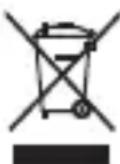
| Disposal in accordance with the Waste Electrical and Electronic Equipment EC Directive – WEEE | |||
3. Notes

WARNING
Avoid contact with sun cream and similar substances as these could damage the plastic parts.
- Keep packaging material away from children. Choking hazard!
- The activity sensor is protected against the effects of temporary immersion in water. The activity sensor is protected against splashes of water, e.g. rain. During showering or immersion of the activity sensor, it is possible in rare cases that the water pressure may be too high and cause damage to the activity sensor. Use when swimming is not recommended.
- The activity sensor contains magnets. Therefore, consult your doctor before using the activity sensor if you have a pacemaker, defibrillator or any other electronic implant.
- Consult a doctor before you start a new training programme.
- This device is not a medical device. The measured values and the heart rate measurement of the activity sensor are not suitable for diagnosing, treating, curing or preventing illnesses.
Notes on handling batteries
- If your skin or eyes come into contact with fluid from a battery cell, flush out the affected areas with water and seek medical assistance.
- Protect batteries from excessive heat.
- Risk of explosion! Never throw batteries into a fire.
- Fully charge the battery prior to initial use (see section 5).
- Do not disassemble, split or crush the batteries.
- Only use chargers specified in the instructions for use.
- Batteries must be charged correctly prior to use. The instructions from the manufacturer and the specifications in these instructions for use regarding correct charging must be observed at all times.
- Fully charge the battery at least every 3 months.
4. Initial use
To use the activity sensor for the first time, charge the battery as described in section "5. Charging the battery".
- Ensure that your smartphone is connected to the Internet.
- Activate Bluetooth® on your smartphone.
- Download the free "beurer HealthManager" app from the Apple App Store (iOS) or from Google Play (AndroidTM).
Depending on the smartphone settings, additional charges may be incurred for connecting to the Internet or transferring data.

Download on the App Store

Google Play
- Start the "beurer HealthManager" app and follow the instructions. In the settings menu of the app, select and connect the AS 98. A randomly generated six-digit PIN code is displayed on the activity sensor, and at the same time an input field appears on the smartphone in which you must enter this six-digit PIN code. After successfully connecting, you can set your personal data. If desired, you can activate/set alarms, be notified of calls/messages or activate/set a move reminder.
Tips for successfully pairing the activity sensor with your smartphone
- Position the smartphone as close as possible to your activity sensor.
- Maintain a distance of 30m from other Bluetooth® sensors/devices.
5. Charging the battery
When the battery level indicator on the activity sensor shows an empty battery, you need to charge the battery. To charge the battery, proceed as follows:
-
Turn on your computer and insert the USB plug of your USB charging cable into the USB socket.
-
As shown, connect the magnetic fastening of the USB charging cradle with your activity sensor. Ensure that the charging cradle is positioned correctly. Only then will the battery be charged.
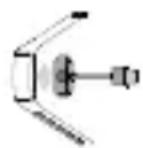
- The current charge status is shown by the battery status indicator. It usually takes approx. 2 hours to fully charge the battery. Once the device's battery is fully charged, the following message appears on the display.

WARNING
Do NOT charge the activity sensor if the two charger contacts on the rear of the device are wet. If necessary, carefully dab the two charger contacts dry with a cloth. If a battery leaks, put on protective gloves and dispose of the device.
6. Putting on the activity sensor
Wear the activity sensor on your left wrist if you are right-handed, or on your right wrist if you are left-handed.
- Wear the activity sensor approx. 3-8 cm above the wrist.
- Ensure that the light sensor on the rear has sufficient skin contact.
If you often have cold or poorly circulated hands, we recommend you complete warm-up exercises before the heart rate measurement in order to obtain a more precise measurement.
7. Functions
7.1 Overview of functions
The activity sensor has the following functions: time with date and battery state, pedometer, calorie consumption, distance covered, active time, daily target, heart rate measurement and sleep mode.
The functions are reset to zero every day at midnight. The counting then starts again from the beginning.
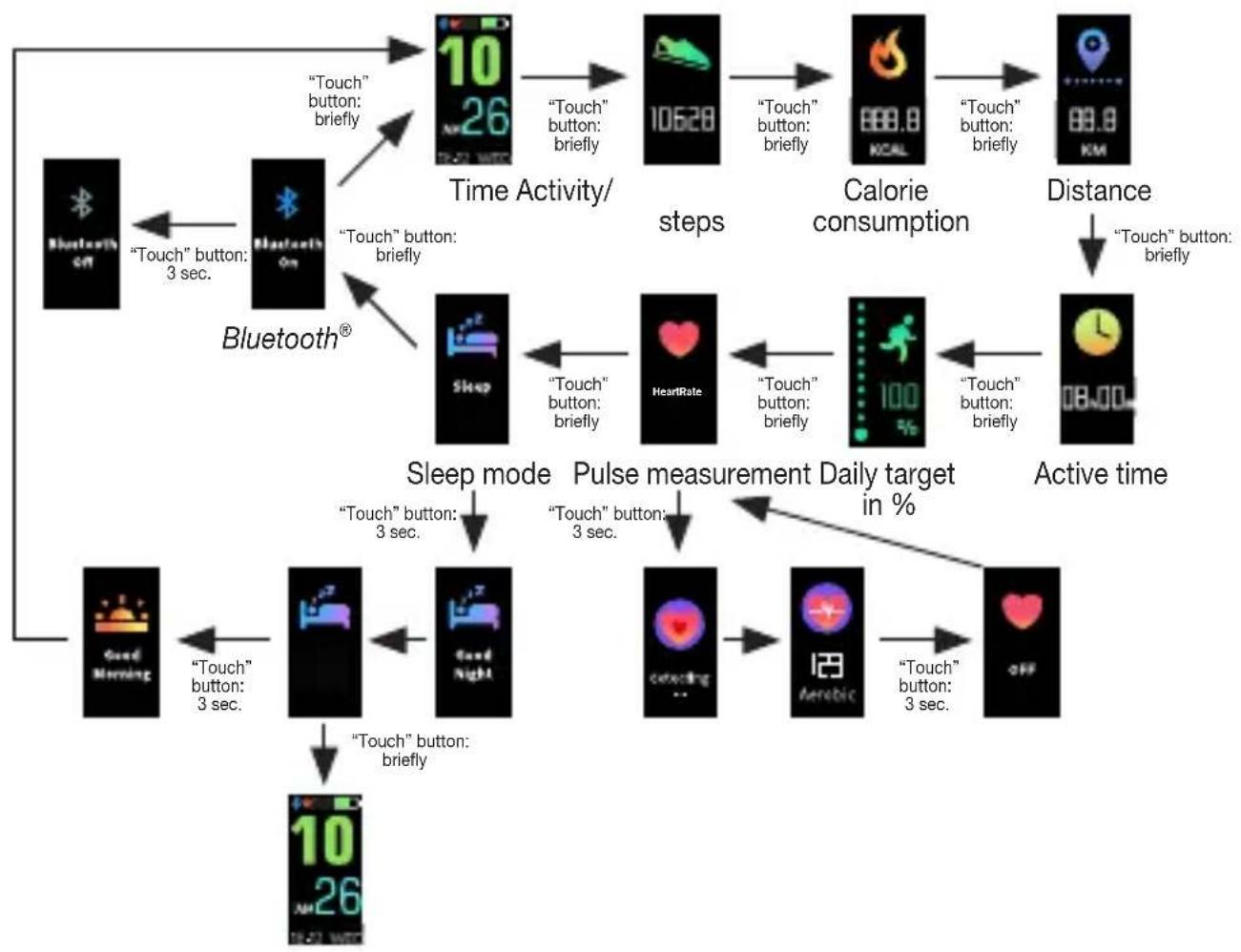
To switch between the individual functions, press the "Touch" button on the activity sensor.
7.2 Time/date/battery indicator
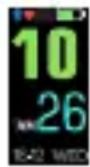
The activity sensor displays the current time and the current date. Once the activity sensor has been synchronised with the smartphone, the time and date on the smartphone are transferred to the activity sensor. The current battery state is also displayed at the top right. If you have activated Bluetooth® on the activity sensor, the Bluetooth® logo is shown in the display. The Bluetooth®
logo flashes in the display if it is searching for a connection to a smartphone. The Bluetooth® logo appears constantly if it is connected to a smartphone.
Charge your battery regularly to allow the data to be continuously recorded.
7.3 Activity
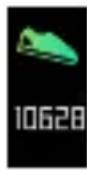
The activity sensor shows movements in steps. The steps are recorded with a 3D sensor inside the activity sensor.
7.4 Calorie consumption
The activity sensor calculates your calorie consumption using the details you have entered in the app (height, age, gender, weight) and the steps you have taken. When you wake up in the morning, the activity sensor will already show a figure for the number of calories burned, as your body also burns calories whilst resting (BMR). The activity sensor displays the total number of calories burned whilst resting (BMR) and actively burned calories (AMR).
7.5 Distance
The activity sensor calculates your stride length using the height you have entered in the app. You can also individually adjust the stride length. The activity sensor then uses the stride length and the number of steps to calculate the distance you have covered. The distance displayed is only a rough guide and does not necessarily correspond to the actual distance.
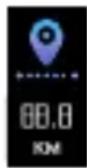
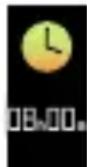
7.6 Active time
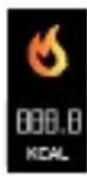
The active time shows you how long you have been active. The active time only counts the time during which you have been moving.
7.7 Daily target
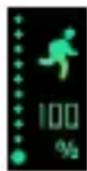
You can set a daily target in the settings of the "beurer HealthManager" app (e.g. 10,000 steps).
You can see the current progress towards the set daily target (in %) on the display of the activity sensor.
7.8 Heart rate
The activity sensor has an optical sensor that helps you to measure your heart rate in real time.
It is only possible to measure heart rate if the activity sensor is NOT in sleep mode. If the activity sensor does not have enough battery charge, you have to charge the battery first.
- In order to start heart rate measurement, press the "Touch" button repeatedly until the following screen appears in the display.
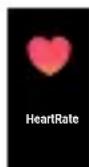
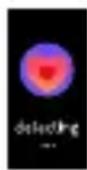
- If you press and hold the "Touch" button for 3 seconds, "detecting ..." appears
in the display and the activity sensor starts to record the heart rate.
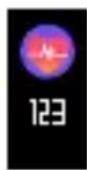
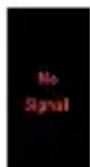
As soon as the activity sensor has recorded a heart rate, the measured value appears on the display. If the activity sensor does not record a heart rate, "No Signal" appears in the display. In this case,
check whether the light sensor on the rear has sufficient contact
with the skin and is free of skin particles and dust. Then press the "Touch" button again to activate the heart rate measurement.
- To stop the heart rate measurement, press and hold the "Touch" button for 3 seconds.
Incident light and too much movement may distort the measurement. Therefore, check that the device is fitted tightly enough but without cutting into your skin.
Heart rate training ranges
Whilst your current heart rate is shown in the display of the activity sensor, the activity sensor also alternately shows your current training range. The maximum heart rate is automatically derived from the following formula: 220 - age = maximum heart rate. The individual training ranges are calculated using the maximum heart rate. The heart rate is preset into the following training ranges. However, this can be changed in the app:
| “Fat Burning” appears on the display if your current heart rate is between 50% and 60% of your maximum heart rate. | |
| “Aerobic” appears on the display if your current heart rate is between 60% and 70% of your maximum heart rate. | |
| “Steady” appears on the display if your current heart rate is between 70% and 80% of your maximum heart rate. | |
| “Anaerobic” appears on the display if your current heart rate is between 80% and 90% of your maximum heart rate. | |
| “Maximal” appears on the display if your current heart rate exceeds 90% of your maximum heart rate. |
7.9 Sleep mode
To measure your movements when you are asleep, switch the device to sleep mode before you go to sleep. To do so, press the "Touch" button repeatedly until the following screen is shown in the display. Press and hold the "Touch" button for 3 seconds. "Good Night" appears on the display and the device switches to sleep mode.
If you briefly press the "Touch" button in sleep mode, you can switch between the views. If the device is in sleep mode, no heart rate measurements can be carried out.
When you wake up in the morning, press the "Touch" button for approx. 3 seconds to switch off sleep mode on the activity sensor. "Good Morning" appears on the display

7.10 Switching Bluetooth® on/off
Bluetooth® is switched on as standard on the device. This can be seen from the Bluetooth® logo in the display and corresponding graphic displayed.
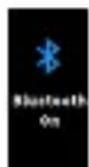
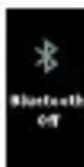
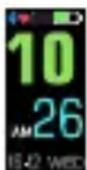
To switch off Bluetooth® on the device, press the “Touch” button repeatedly until “Bluetooth On” is shown in the display. Press and hold the “Touch” button for 3 seconds. “Bluetooth Off” appears on the display. Bluetooth® is now switched off on the device. To switch Bluetooth® on again, press and hold the “Touch” button for 3 seconds. “Bluetooth On” appears.
If you switch Bluetooth® off on the device, you cannot transfer any recorded data from your activity sensor to your smartphone.
7.11 Notifications
With the activity sensor, you can receive information about calls/messages received on your smartphone conveniently on your wrist. The activity sensor incorporates the following functions (providing the activity sensor is connected to a smartphone and the "beurer Health Manager" app is installed):
Messages:
You can be notified via the display of the activity sensor when you receive messages (e.g. text message or WhatsApp) via push on your smartphone. The prerequisites for this are that the activity sensor is connected to your smartphone via Bluetooth® and the "beurer HealthManager" app is installed. When a message is received, a notification first appears on the display.
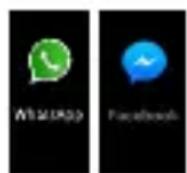
- Notification of WhatsApp messages received on your smartphone: appears on the display.
- Notification of Facebook Messenger messages received on your smartphone: □ appears on the display.
Calls:
In the settings of the "beurer HealthManager" app you can choose to be notified of calls on the activity sensor. The prerequisites for this are that the activity sensor is connected to your smartphone via Bluetooth® and the "beurer HealthManager" app is installed.
Notification of calls received on your smartphone: the name of the caller appears on the display. If no name is stored for the telephone number that is calling, only the telephone number that is calling will appear on the display.

The notifications only appear on the display of the activity sensor if you have activated the "push function" on your smartphone. If the senders are stored on your smartphone with their name and number, the name will be displayed.
8. Transferring data to your smartphone
To transfer the recorded data from your activity sensor to the "beurer HealthManager" app, proceed as follows:
- Activate Bluetooth® on your smartphone.
- Open the "beurer HealthManager" app.
- Connect your activity sensor to the app. Your data is now automatically transferred to the smartphone.
9. Replacement parts and wearing parts
Replacement parts and wearing parts are available from the corresponding service address (according to the service address list). Please state the corresponding order number.
| Designation Item number and/or order number | |
| USB charging cable 164.230 | |
| Wrist band incl. 4 screws 164 | 231 |
10. Cleaning
Regularly clean your activity sensor with a damp cloth. Remove skin residue and dirt from the strap and especially from the contact surfaces on the inside of the strap so that the material is not damaged.
11. Frequently asked questions
What is the correct way to wear the activity sensor?
Wear the activity sensor on your left wrist if you are right-handed, or on your right wrist if you are left-handed.
What benefits does the activity sensor offer me?
Exercise is a prerequisite for leading a healthy life. Physical activity keeps you fit and lowers the risk of heart disease and circulation problems. Exercising helps you to lose weight and you will notice that your well-being improves. Physical activity covers all exercises that use up energy. As a result, daily activities such as walking, cycling, climbing the stairs and household chores play an important part. The activity sensor enables you to objectively assess and record your daily motion activity. In this way, it can also motivate you to increase your daily exercise. A daily quota of at least 7,000-10,000 steps or a 30-minute activity are ideal.
(Source: according to WHO, Dr Catrine Tudor-Locke, Dr David R. Bassett Jr.)
How does the activity sensor record my steps?
The activity sensor continually records your physical activity using the in-built 3D sensor. All your physical movements are then converted into steps. The information on the distance covered can therefore differ from the actual distance.
How can I analyse my activity and sleep data?
You can use the Bluetooth® interface of your activity sensor to transfer your saved data to a smartphone (Android and iOS), where you can then analyse it. To do so, you only need the free "beurer HealthManager" app on your smartphone.
The activity sensor uses Bluetooth® low energy technology, 2.4 GHz frequency band.
How do I synchronise my data with the app?
To transfer the recorded data from your activity sensor to the "beurer HealthManager" app, follow the instructions in section "8. Transferring data to your smartphone".
The data transfer to the smartphone does not work.
There could be several reasons for this:
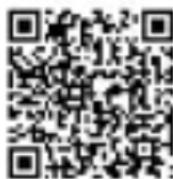
- Check that the smartphone/tablet is compatible with the "beurer HealthManager" app. For a list of all compatible mobile devices, scan the following QR code.
- The activity sensor is in "sleep mode". To exit "sleep mode", press and hold the "Touch" button for 3 seconds. "Good Morning" appears on the display of the activity sensor.
- Bluetooth® is not activated on your smartphone or on the AS 98. Activate Bluetooth® in the settings of your smartphone and on the AS 98, as described in section 7.10.
- The battery in the activity sensor is depleted. If the activity sensor does not switch on, charge it with the USB charging cable supplied.
- Check that you are using the correct app. A data transfer is only possible with the "beurer HealthManager" app.
The activity sensor is connected to another smartphone. You can tell whether the AS 98 is connected to a smartphone, as you will see a blue Bluetooth® symbol on the main screen of the AS 98.
Disconnect the activity sensor first before connecting it to another smartphone.
iPhone:
If you are using an iPhone and the Bluetooth® connection cannot be established, first disconnect Bluetooth® in the "beurer HealthManager" app. Then go to Bluetooth® in your iPhone settings and delete the AS 98 from the list of connected Bluetooth® devices. Now re-connect the AS 98 in the "beurer HealthManager" app via Bluetooth®.
AndroidTM:
If you are using an Android™ smartphone and the Bluetooth® connection cannot be established, disconnect Bluetooth® in the "beurer HealthManager" app and then re-connect the AS 98.
When should I charge the battery in the activity sensor?
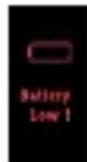
Charge the battery of the activity sensor if the following image is shown on the display when pressing the button. In order to continuously record data, never allow the battery to deplete completely.
How do I correctly charge the battery in the activity sensor?
To charge the activity sensor correctly, follow the instructions in the section "Charging the battery".
Can I wear the activity sensor whilst cycling?
You can also wear the activity sensor whilst cycling. It is crucial that you wear the sensor correctly. You can wear the sensor on your leg or in a tight or side trouser pocket. You should not wear it on your belt. Otherwise, data on the distance covered will deviate from the actual distance as the activity sensor will interpret all your physical movements as steps.
How many days/nights can the activity sensor record?
The activity sensor can record 30 days and 30 nights. If all memory spaces are full, the oldest recordings will be automatically overwritten. We therefore recommend that you carry out the data transfer at least once a week.
How do I activate sleep mode?
To do this, follow the instructions in the section "Sleep mode".
How can I activate the alarm function?
Enter the required alarm time into the "beurer HealthManager" app. Synchronise the activity sensor with the app after entering/changing the alarm time.
Can I also wear the activity sensor in the shower or whilst swimming?
The activity sensor is protected against the effects of temporary immersion in water. The activity sensor is protected against splashes of water, e.g. rain. During showering or immersion of the activity sensor, it is possible in rare cases that the water pressure may be too high and cause damage to the activity sensor. Use when swimming is not recommended.
How do I correctly dispose of the activity sensor?
You can find information about this in the section "Disposal".
How can I clean the activity sensor?
Carefully clean the activity sensor from time to time using a damp cloth. Do NOT immerse the activity sensor in water!
Where can I reorder the USB charging cable/wrist band?
See section "Replacement parts and wearing parts".
What is included in the delivery?
An activity sensor and a USB charging cable are included in the delivery.
12. Disposal
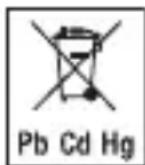
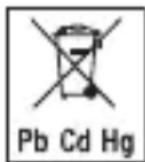
Batteries must not be disposed of in the household waste. They may contain poisonous heavy metals and are subject to special refuse treatment.
- The codes below are printed on rechargeable batteries containing harmful substances:
Pb = Battery contains lead,
Cd = Battery contains cadmium,
Hg = Battery contains mercury.
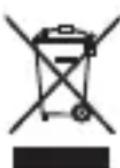
For environmental reasons, do not dispose of the device in the household waste at the end of its useful life.
Dispose of the device at a suitable local collection or recycling point in your country. Dispose of the device in accordance with EC Directive - WEEE (Waste Electrical and Electronic Equipment).
If you have any questions, please contact the local authorities responsible for waste disposal.
13. Technical data
- Weight: approx. 25g (without charging cable); charging cable approx. 10g
- Suitable for wrist circumferences from approx. 14.5 to approx. 21.0cm
- Battery charge time approx. 5 days (depending on use)
- Battery: 105 mAh lithium polymer
Memory: 30 days/30 nights - Minimum measurable heart rate: 40 bpm
Maximum measurable heart rate: 210 bpm - Permissible operating conditions: +10^ to +40^ (+50^ to +104^)
Protection type IP67 - Bluetooth® low energy technology
We hereby confirm that this product complies with the European RED Directive 2014/53/EU. The CE Declaration of Conformity for this product can be found under: www.beurer.com/web/we-landingpages/de/cedclarationofconformity.php The word mark Bluetooth® and the associated logo are registered trademarks of Bluetooth SIG, Inc. Any and all use of these brands by Beurer GmbH is done so under licence. Other trademarks and trade names are the property of the relevant holder.
14. Guarantee
Beurer GmbH, Söflinger Straße 218, 89077 Ulm, Germany (hereinafter referred to as "Beurer") provides a warranty for this product, subject to the requirements below and to the extent described as follows.
The warranty conditions below shall not affect the seller's statutory warranty obligations which ensue from the sales agreement with the buyer.
The warranty shall apply without prejudice to any mandatory statutory provisions on liability.
Beurer guarantees the perfect functionality and completeness of this product.
The worldwide warranty period is 3 years, commencing from the purchase of the new, unused product from the seller.
The warranty only applies to products purchased by the buyer as a consumer and used exclusively for personal purposes in the context of domestic use.
German law shall apply.
During the warranty period, should this product prove to be incomplete or defective in functionality in accordance with the following provisions, Beurer shall carry
out a repair or a replacement delivery free of charge, in accordance with these warranty conditions.
If the buyer wishes to make a warranty claim, they should approach their local retailer in the first instance: see the attached "International Service" list of service addresses.
The buyer will then receive further information about the processing of the warranty claim, e.g. where they can send the product and what documentation is required.
A warranty claim shall only be considered if the buyer can provide Beurer, or an authorised Beurer partner, with
- a copy of the invoice/purchase receipt, and
- the original product.
The following are explicitly excluded from this warranty:
- deterioration due to normal use or consumption of the product;
- accessories supplied with this product which are worn out or used up through proper use (e.g. batteries, rechargeable batteries, cuffs, seals, electrodes, light sources, attachments and nebuliser accessories);
- products that are used, cleaned, stored or maintained improperly and/or
contrary to the provisions of the instructions for use, as well as products that have been opened, repaired or modified by the buyer or by a service centre not authorised by Beurer;
- damage that arises during transport between manufacturer and customer, or between service centre and customer;
- products purchased as seconds or as used goods;
- consequential damage arising from a fault in this product (however, in this case, claims may exist arising from product liability or other compulsory statutory liability provisions).
Repairs or an exchange in full do not extend the warranty period under any circumstances.
FRANÇAIS
Table des matieres
Chere cliente, cher client,
Remarques relatives aux batteries
Download on the App Store

Google Play
Download on the App Store

Google Play
Download on the App Store

Google Play
Download on the App Store

Google Play
- Waste Electrical and Electronic Equipment) uygun sekilde bertaraf edin.
Ecnn aKKymyIaTOp noteK, HadeHbTe 3aunTHbIe nepuATKn I yTuIN3npyTe np6op.
6. YcTaHOBka daTUnKa aKTNBHOCTN
Hocnte daTnK aKTnBHOCTn Ha IeBOM 3aIacTbe, ecn Bbl npabwa, nHa npabom 3aIacTbe, ecn Bbl neBwa.
- Hocnte daTnK aKTINBHOCTn npimepHo Ha 3-8 cm BbIwe 3aIacTbJ.
- Obecneyte doCTaTOHbI KOHTaKT c KOKeI dIra CBETOBORO daTUnka Ha oBpaTHo CTOpOHe.
Ecn y Bac xolodhie pykn nnn pykn c nloxim KpoBOCha6XeHneM, Mbl peKOMeHdyem Bam nepei n3MepeHnem qactOTbI cepDeuHbIX COKpa- uen BblOJIHNb pa3OrpeBaIOUe ynpaxHeHnra, 3TO N03BOJNT DOCTNb 6OJee ToHbIX pe3yJbTaTob n3MepeHnra.
7.Функции
7.1 063opФункин
B B O T D E N H B I X C L U Y A X D a B L e H N E B O D b I M O X E T 6 b I T b B b I S E D O N Y C T N M O R O 3 H A C H E N I, Y T O M O X E T P P I B E C T N K N O B P E X D E H N I O d a T Y N K A. I c n o J b 3 O B a H N E B O B P E M A P I L A B A H N I H e p e K O M E H D y E T C R.
Kak cneyuET yTnIIN3npoBaTb daTynk aKTNBHOCTn?
CneyuTe yka3aHnMaB pa3dene «Ytnn3aunrA»
Kak ouhatab daTunk aKTNBHOCTn?
Bpemr O T BpeMeHn aKKypaTHO npOTnpaIe daTunK aKTUBHOCTN BlaXHoN caJIpeTko. HE KlaInte daTUnK aKTUBHOCTN B BODY!
Hg - 6aTapee copeKNT pTuTb.
B INHTepecax 3aunTbI OKpykaIOUeN Cpebl NO OKOHuaHn Cpoka clyx6bl CJeDyeT yTNIN3NPOBaTb Pnp6op OTdeJIbHO OT 6bITOBORo Mycopa.
YtJn3aunrdoJxHa npOn3BODITbcraYepe3 COOTBEcTByUOune NyHKTbI c6opa B BaWei cTpaHe. Pnp6op cJeNyET ytJn3npoBaTb corlaacHO npeKtNB E C no OTxoam 3JIeKtpnueckoro n 3JIeKTPoHnOro o6OpydoBAHnra - WEEE (Waste Electrical and Electronic Equipment).
При ВОЗнКНовени BОпрOCOB обрашаNTecьВМecTHуO KOMMyHaJIbHyU Cnyж6у, OTBETCTBEHHyU 3a yTnIIN3aCNIIO OTXODOB.
13. Texhnueckne xapaKTepeNCTnKn
Bec: ok. 25 r (6e3 3apndno kabe); 3apndn knabe bok. 10 r.
- PoiXoIIT: IJIa OKpyxHocTn 3aIaCTbY O T 14,5 Do 21,0 cm.
BpeMa pa60tbl OTKKymyIaTopa: OK. 5 dHei (B 3aBnCmOCTn OT npImeHnra)
- AkkymyJIaTOp: JNTn-NoJImEpHbI, 105 mA·u.
- Pamr: 30 dHe/30 Houe.
MHHMaJIbHaI n3MepeMaJ YCC: 40 yIapOB/MnH.
- Makcimalbna n3mepreaq YCC: 210 ynapob/MnH.
- ДустимBLE усLOBья заци: ot +10 do +40 °C (ot +50 do +104 °F)
- Pod 3aunTbI: IP67.
- Bluetooth® low energy technology.
HacToaIIM NOITBepKdaem, YTO DaHHoe I3dJIne COOTBeTCTByeT Tpe6OBAHnM eBpOeIcko dIpuKeTbBi RED 2014/53/EU no paAnoobopyoBaHnIO. DeKnapaIIO EC oCoTBeTCTBm DaHHoro I3dJIne MoXHo NaHTn No CcblKe: www.beurer.com/web/we-landingpages/de/cedclarationofconformity.php.
CIOBecnbl TOBapHbIM 3HaK Bluetooth BmecTe C COOTBeTCTByUOIm ILOROTINOM YBJIaOTcTOpROBbIMN MapKaMn, 3apeRncTpnpoBaHHbIMN opraHn3aunen Bluetooth SIG, Inc. KaXdoe nCnoIb3OBaHne daHNOm MapKn KomnaHnei Beurer GmbH ocyu- sECTBJIaETcC oRJaCHO JInCeH3nn. IpOuHe TOpROBbIe 3HaKN HAnMeHOBaHnRA JBJIaOTcCo6CTBeHHOCToCOTBeTCTByUOx npaBOO6laDaTeJeN.
14. rapaHTnA
Bolee noDpo6hna HnΦopMaunno rapaHTn/CepBnCy haoNTcB rapaHTn-HOM/cepBnCHOM TaIOHe, KOTOpbI BXoNT B KOMNJIeKT NOCTaBKn.
POLSKI
Spistresci
Download on the App Store

Google Play
The Bluetooth word mark and logos are registered trademarks owned by Bluetooth SIG, Inc and any use of such marks by Beurer GmbH is under license other trademarks and tradenames are those of their respective owners. Apple and the Apple logo are trademarks of Apple Inc, registered in the US and other countries. App Store is a service mark of Apple Inc, registered in the US and other countries. Google Play and the Google Play logo are trademarks of Google LLC. Android is a trademark of Google LLC.

Beurer GmbH · Söflinger Straße 218 · 89077 Ulm, Germany www.beurer.com · www.beurer-healthguide.com www.beurer-gesundheitsratgeber.com