IAN 40111 - Metal detector POWERFIX - Free user manual and instructions
Find the device manual for free IAN 40111 POWERFIX in PDF.



User questions about IAN 40111 POWERFIX
0 question about this device. Answer the ones you know or ask your own.
Ask a new question about this device
Download the instructions for your Metal detector in PDF format for free! Find your manual IAN 40111 - POWERFIX and take your electronic device back in hand. On this page are published all the documents necessary for the use of your device. IAN 40111 by POWERFIX.
USER MANUAL IAN 40111 POWERFIX
text_image
PDF online www.lidl-service.comMULTI-FUNCTION DETECTOR
GB IE
MULTI-FUNCTIONDETECTOR
Operation and Safety Notes
FI
RAKENNEILMAISIN
GB / IE Operation and Safety Notes Page 9
| FI Käyttö- ja turvallisuusohjeet Sivu 28 | |||
| SEBruksanvisningoch | |||
| säkerhetsanvisningar | Sidan | 46 | |
| DK Brugs- og sikkerhedsanvisninger | Side | 64 | |
| FR/BE | Instructions d’utilisation et consignes de sécurité | Page | 82 |
| NL/BE Bedienings- en | |||
| veiligheidsinstructies | Pagina 102 | ||
| DE/AT/CH | Bedienungs- und Sicherheitshinweise | Seite 121 | |
text_image
1 2 3 4 5 6 7 8 9 10 11 12 STUD ACWIRE METAL 88.8888+M 88.88 RNR MODE Laser Detector Distance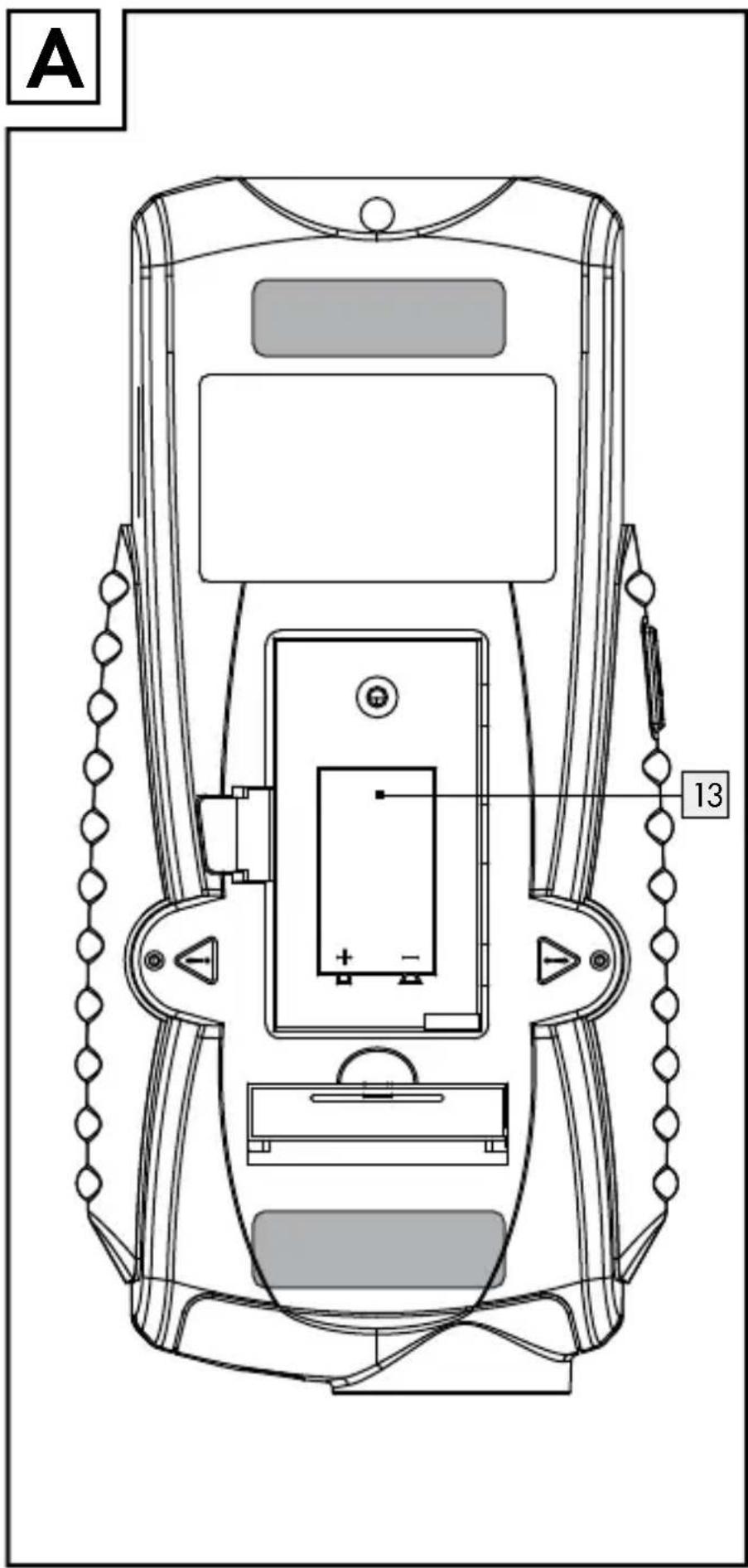
text_image
A 13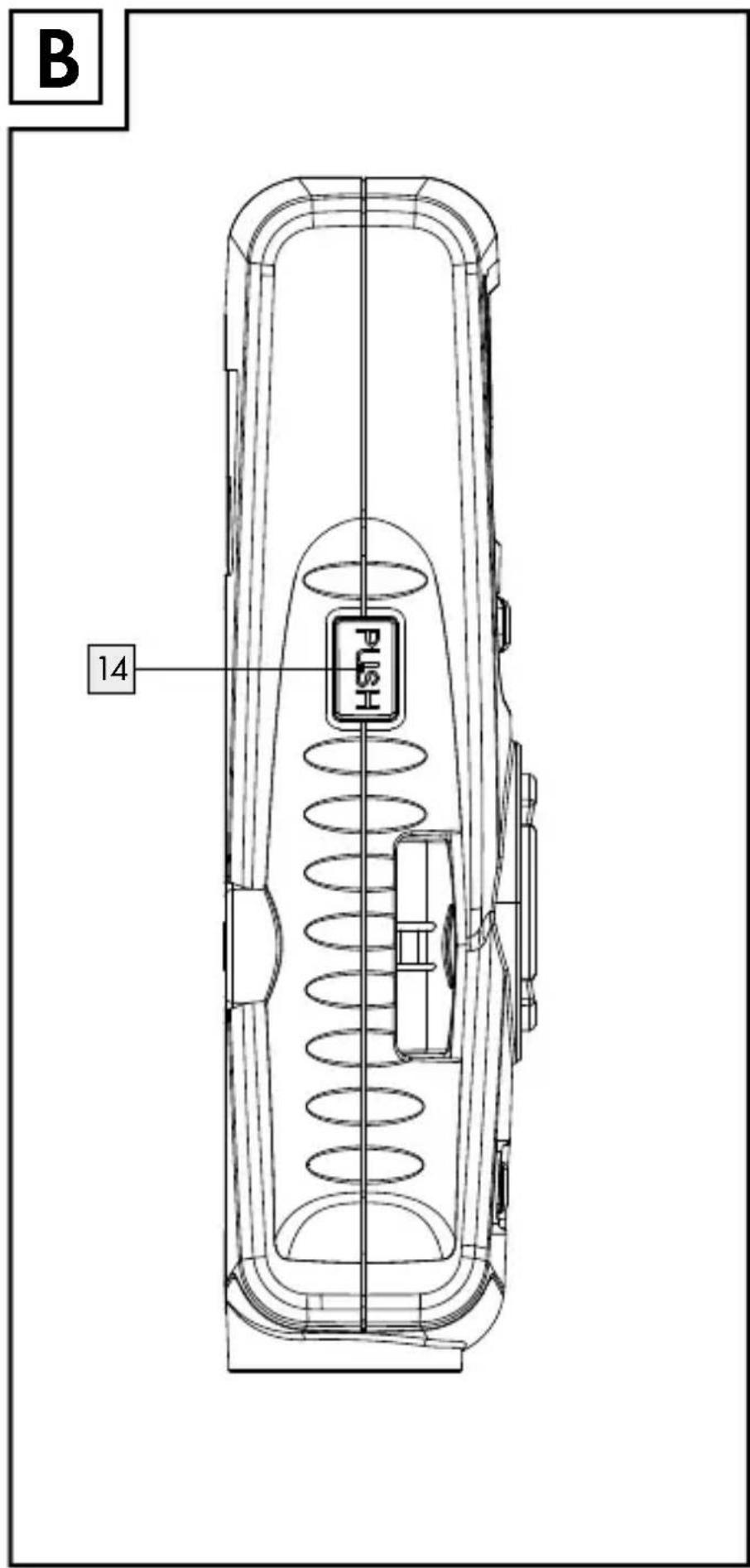
text_image
B 14 PUSH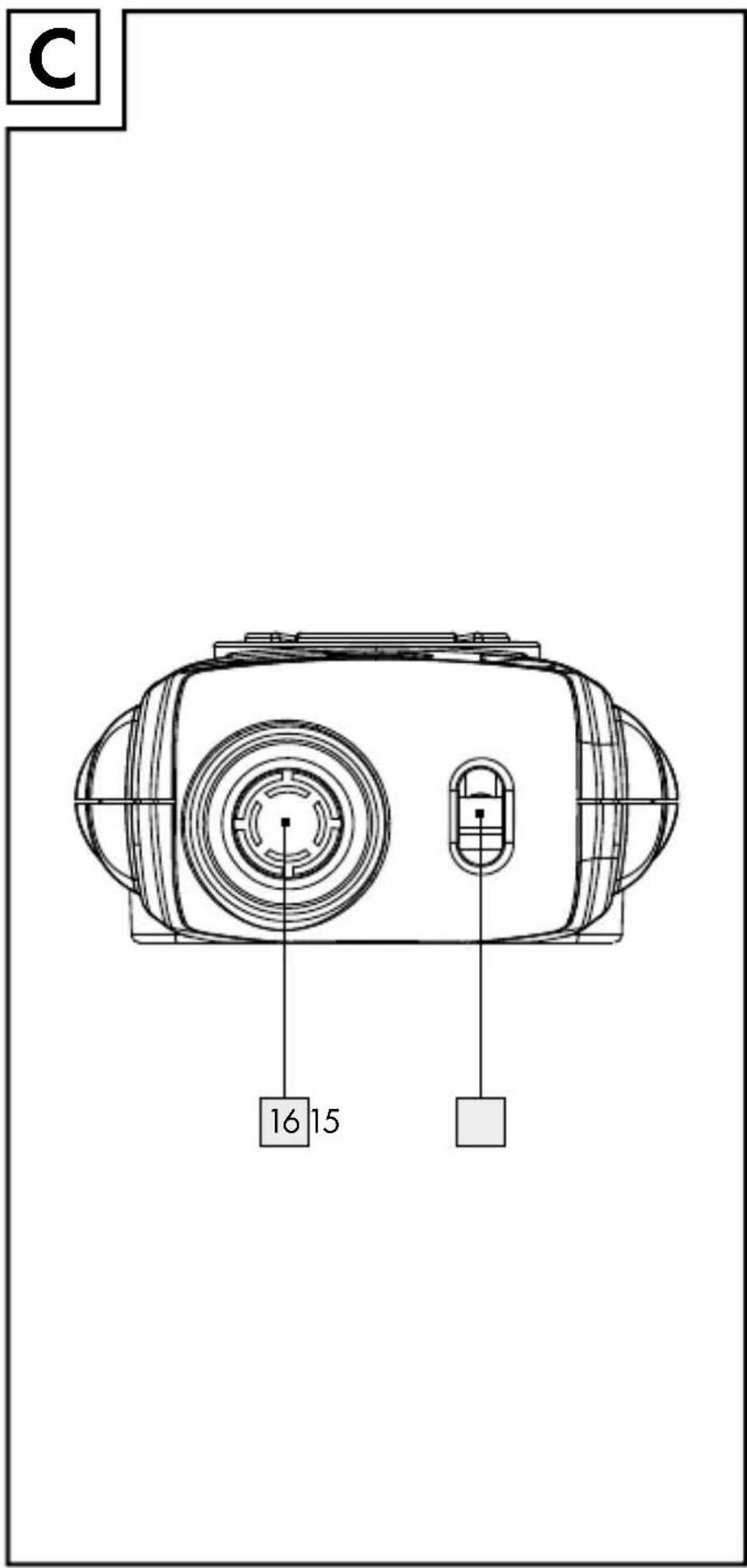
text_image
C 16 15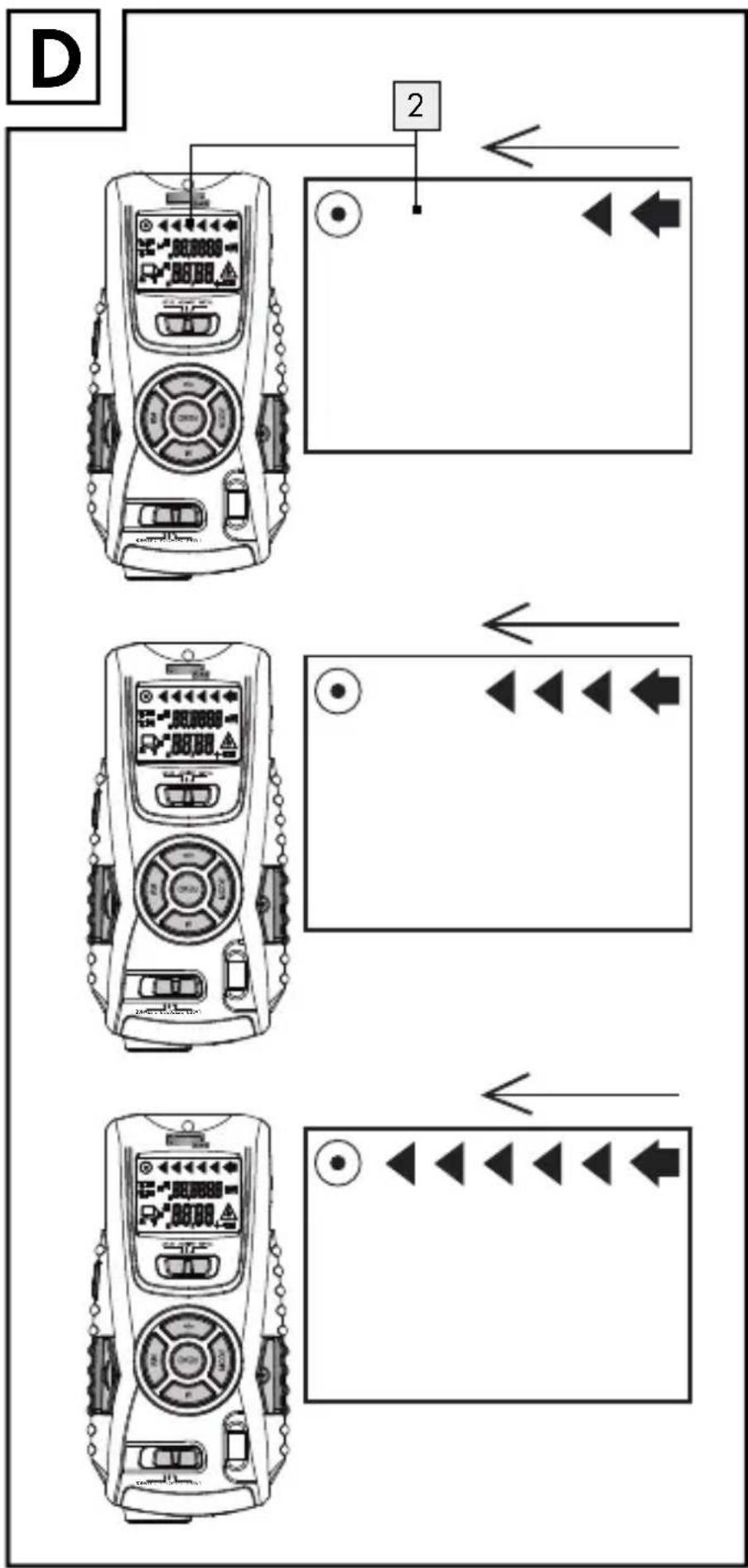
text_image
D 2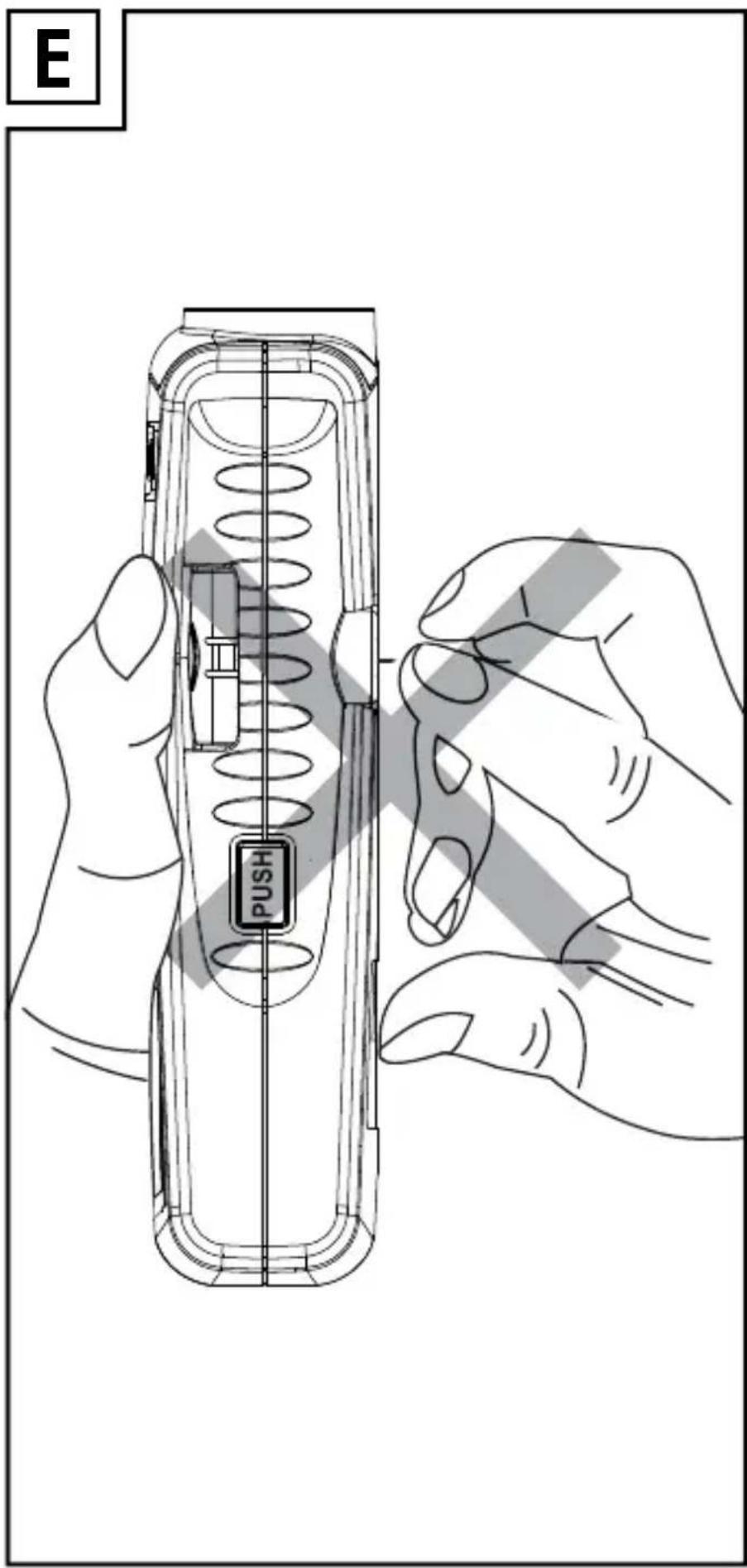
text_image
E PUSHIntended use......Page 10
Description of parts ......Page 10
Technical data......Page 11
Scope of delivery......Page 11
Safety instructions
General safety information......Page 11
Information regarding inaccurate
measurement results......Page 14
Safety instructions for batteries......Page 15
Preparing for use
Inserting / replacing the battery ......Page 16
Use
Measuring distances......Page 17
Setting the measuring unit ......Page 17
Addition of distances ......Page 18
Measuring surface areas......Page 19
Addition of surface areas......Page 19
Measuring volumes......Page 20
Addition of volumes ......Page 21
Detection of various objects ......Page 22
Detection of wooden objects ......Page 23
Laser marking ......Page 23
Troubleshooting ......Page 24
Cleaning and care......Page 25
Disposal Page 25
Warranty Page 26
Multi-Function Detector
Intendeduse
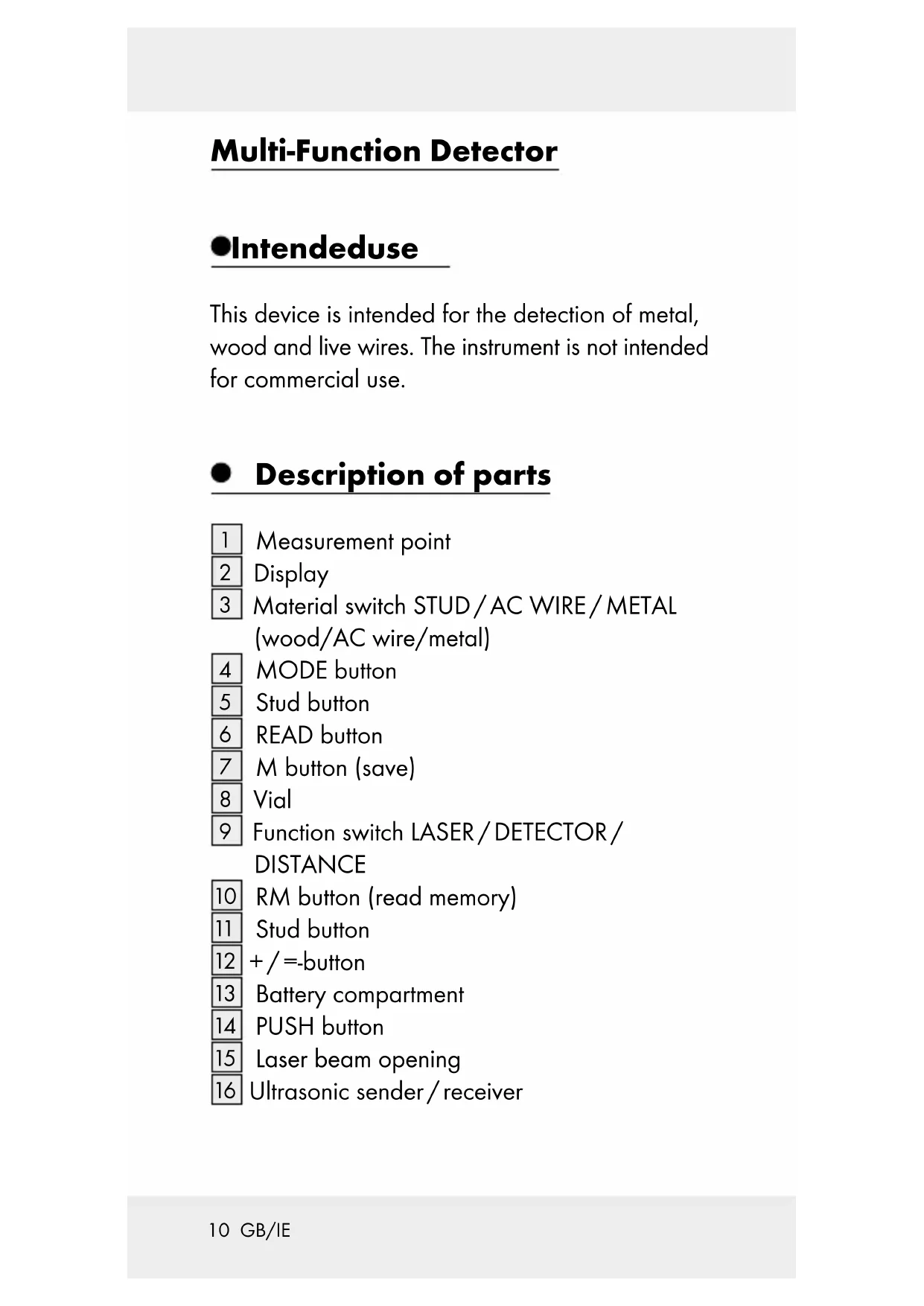
This device is intended for the detection of metal, wood and live wires. The instrument is not intended for commercial use.
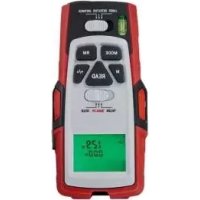
• Description of parts
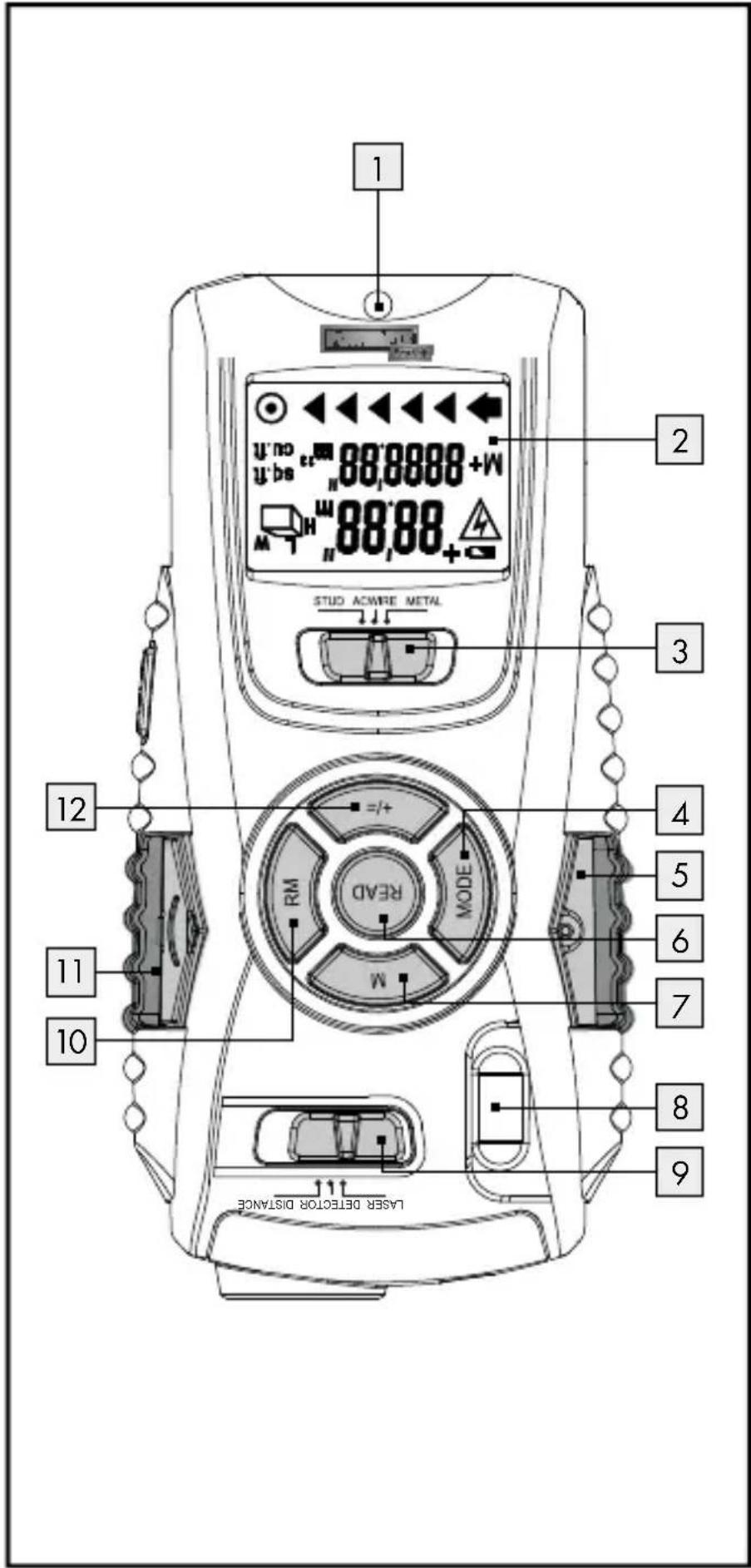
1 Measurement point
2 Display
3 Material switch STUD/AC WIRE/METAL
(wood/AC wire/metal)
4 MODE button
5 Stud button
6 READ button
7 M button (save)
8 | Vial
9 Function switch LASER/DETECTOR/
DISTANCE
10 RM button (read memory)
11 Stud button
12 + / = -button
13 Battery compartment
14 PUSH button
15 Laser beam opening
16 Ultrasonic sender/receiver
●Technicaldata
Ultrasonic distance measurement
Detects: Wood, AC wires,
metal
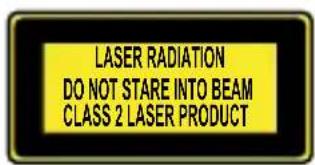
Laser class: 2
Max. power output ( P_max ): < 1 mW
Wave length: 635-660 nm
Power supply: 9 V block battery
text_image
LASER RADIATION DO NOT STARE INTO BEAM CLASS 2 LASER PRODUCT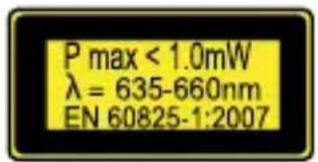
text_image
P max < 1.0mW λ = 635-660nm EN 60825-1:2007
- Scope of delivery
1 Multi-purpose detector
1 9 V block battery
1 Operating instructions
●Safetyinstructions

General safety information
This appliance can be used by children aged from 8 years and above and persons with reduced physical, sensory or mental capabilities or lack of experience and knowledge if they have been given supervision or
instruction concerning use of the appliance in a safe way and understand the hazards involved. Children shall not play with the appliance. Cleaning and user maintenance shall not be made by children without supervision.
■ Do not expose the product to
- extreme temperatures,
- strong vibrations,
- strong mechanical stresses,
- direct sunlight,
- magnetic fields,
- moisture.
These can cause damage to the product.
■ Never immerse the product in water. Never hold the product under running water. This may lead to the product becoming damaged.
- Do not use the appliance in hospitals or other medical facilities. The appliance may affect the function of life support systems.
- Check the product for damage before use.
Never use a damaged product.
CAUTION! Never open the product casing. This can result in injury and damage to the product. Repairs must only be carried out by a qualified electrician.
The device contains a class 2 laser.

Never point the device at yourself, other persons or animals. Never look into the laser beam. Even a weak laser beam can cause eye damage.
■ Never direct the laser beam onto reflective surfaces or materials. Reflected lasers beams
are dangerous and can get into the eyes. This could result in serious eye injuries.
The product is not a toy and should be kept out of the reach of children. One misapplication can lead to irreparable eye damage.
■ Only use the device in areas of application for which it was designed!
The device may neither be manipulated nor modified as they can influence the safety of the device.
No responsibility is assumed for accidents that may result from improper use and non-compliance with these Safety Instructions.
- Do not open the device housing. The guarantee lapses in cases of unauthorised tampering. Your product does not require any specific maintenance.
- Do not use the appliance to detect alternating current in exposed or uninsulated wires.
- Do not use the appliance as a replacement voltmeter.
■ Exercise caution with studs. These are sharp and can cause injury.

WARNING! Be careful when pressing the stud buttons 5, 11. The sharp needles can cause injury (see Fig. E).

Information regarding inaccurate measurement results
- Please note that inaccurate measurement results can be obtained under certain conditions. The following conditions can cause inaccurate measurement results:
- very thick walls
- weak battery
- deep-lying wires or pipes
- shielded AC wires
- thick walls with thin pipes or wires
- metal-clad walls
- very damp conditions
■ Using this appliance you cannot detect wires in an electric circuit
- that are insulated from the mains power supply.
- that have a direct current flowing through them.
- that are used for computer or telecommunication systems.
This appliance is only suitable for detecting metal pipes. You cannot detect pipes made of plastic or other non-metallic materials with this appliance.

Safety instructions for batteries
WARNING! DANGER TO LIFE! Batteries
are not intended for children. Do not leave batteries lying around. They could potentially be swallowed by children or pets. In the event a battery is swallowed seek immediate medical attention.
EXPLOSION HAZARD! Never recharge, short-circuit and / or open batteries. Battery may overheat, ignite or explode. Never throw batteries into fire or water. The batteries might explode.
- Avoid extreme conditions and temperatures that could have an adverse effect on the batteries, e.g. radiators. Batteries otherwise have a higher risk of leaking.
- Check the battery regularly for leaks.
Leaking or damaged batteries may result in chemical burns upon contact with the skin; always wear suitable safety gloves!
If fluid is leaking from the battery, avoid contact with the skin, eyes and mucous membranes. If you come into contact with corrosive battery fluids, flush the affected area thoroughly with clean water and seek medical advice immediately.
■ Remove light dirt from the battery and product contacts with a dry, non-fluffing cloth before inserting the batteries.
■ Remove the battery if the product is not going to be used for an extended period.
- When inserting the battery ensure the correct polarity! This is shown inside the battery compartment. Otherwise the battery can explode.
- Insert the battery with care. Otherwise the product can be damaged.
- Please do not dispose of used batteries in your household waste but take them to a designated collection depot for special waste.
● Preparing for use
- Inserting / replacing the battery
☐ Open the battery compartment 13 on the back of the appliance.
☐ Remove the spent battery, if necessary.
☐ Insert a new 9 V block battery into the battery compartment. Check the polarity of the battery during insertion!
☐ Ensure that the band for easy removal of the battery lies under the 9 V block battery. Press the battery firmly into battery compartment.
☐ Close the battery compartment again. The battery compartment lid locks noticeably and audibly into place.
Note: When the battery symbol appears in the display 2, replace the battery. With a weak battery you may receive an inaccurate or false measurement result.
Use
Measuringdistances
-
Slide the function switch 9 to the position „DISTANCE“. The display 2 is turned on.
-
Hold the appliance horizontally to the wall at the distance you wish to measure. The ultrasonic - transmitter/receiver 16 must point at the wall at a right angle. Use the vial to do this 8: direct the appliance so that the air bubble in the vial lies between the two marker lines.
-
Press the READ button 6. The measured distance appears in the display.
Note: Hold down the READ button and move the appliance and move the appliance further over the surface to be measured. The appliance measures the distance continuously. These are displayed in the display.
- Setting the measuring unit
You can choose between the measuring units of metre (m) and foot ('...").
☐ Measure a distance as described in the section „Measuring distances“. As an example, „2m“ will appear on the display.
☐ In order to set the measuring unit of foot, proceed as described in step 1 to 3:
- Press the MODE button 4 and keep it pressed.
- Press the READ button 6 while keeping the MODE button pressed.
- To set the measuring unit of foot release the READ button first, followed by the MODE button. As an example, "6'07"' will appear on the display if you have measured a distance of 2 m.
- In order to switch between the measuring units of foot and metre once again, proceed as described in step 1 to 3.
• Addition of distances
With the appliance you can add the measured distances together:
- Measure the first distance as described in the section „Measuring distances“.
- Press the +/ = button 12. The message „+“ appears in the display 2 and the measured distance in the row below.
-
Measure the next distance. The new distance measured is shown in the upper row of the display.
-
Press the + / = button again. The new measurement is added to the old in the lower row.
- Repeat steps 3 to 4 to add further measurements.
- Press the MODE button 4 to leave the addition mode. All the measurements will be deleted.
• Measuring surface areas
- Slide the function switch 9 to the position „DISTANCE“. The display 2 is turned on.
- Press the MODE button 4 once. The message „L” (length) appears in the display.
- Press the READ button 6 to measure the length. The measured length appears in the upper row of the display and the message „W“ (width) starts to blink.
- Press the READ button to measure the width. The measured width appears in the upper row of the display. The results of the surface area calculation appear in the lower row.
• Addition of surface areas
- Measure an area as described in the section „Measuring surface areas“.
-
Press the M button 7. The message „M+“ appears in the display 2. The measured surface area is saved.
-
Press the MODE button 4. The appliance is now ready for the second measurement.
- Measure the next surface area.
- Press the + / = button 12. The message „+“ appears in the display.
- Press the RM button 10. The result of the first measurement is shown in the lower row of the display.
- Press the +/ = button again. Both measurements are added and the result is shown in the lower row of the display.
- Repeat steps 2 to 7 to add further measurements.
- Press the MODE button 4 to leave the addition mode. All the measurements will be deleted.
Measuring volumes
- Slide the function switch 9 to the position „DISTANCE“. The display 2 is turned on.
- Press the MODE button 4 twice. The message „L” (length) appears in the display.
- Press the READ button 6 to measure the length. The measured length appears in the upper row of the display and the message „W“ (width) starts to blink.
-
Press the READ button to measure the width. The measured width appears in the upper row of the display and the message „H“ (height) begins to blink.
-
Press the READ button to measure the height. The measured height appears in the upper row of the display. The results of the volume calculation appear in the lower row.
• Addition of volumes
- Measure a volume as described in the section „Measuring volumes“.
- Press the M button 7. The message „M+“ appears in the display 2. The measured volume is saved.
- Press the MODE button 4. The appliance is now ready for the second measurement.
- Measure the next volume.
- Press the + / = button 12. The message „+“ appears in the display.
- Press the RM button 10. The result of the first measurement is shown in the lower row of the display.
- Press the + / = button again. Both measurements are added and the result is shown in the lower row of the display.
- Repeat steps 2 to 7 to add further measurements.
- Press the MODE button to leave the addition mode. All the measurements will be deleted.
• Detection of various objects
The detection of hidden objects is the same in all three modi (STUD, AC WIRE, METAL).
Please note: Test the device before initial use on a metal pipe or AC wire whose position you know exactly.
- Slide the function switch 9 to the position „DETECTOR“.
- Slide the material switch 3 to the position STUD, AC WIRE or METAL (wood, AC wire or metal).
- Calibrate the multi-purpose detector by holding it flat at the desired point on the wall.
- Then press and hold the PUSH button 14 until the signal ends. The display 2 is turned on. The appliance is now adjusted to the wall thickness. Continue holding the PUSH button.
- Move the appliance slowly over the wall surface. When you are getting near to the object you are looking for, when the arrow at the point in the display begins to move. If all the arrows appear in the display and the signal note sounds, then you should mark this position (see Fig. D).
- Repeat this process on the other side of the wall. As soon as the signal sounds, mark this position (see Fig. D).
• Detection of wooden objects
- For the detection of wooden objects, proceed as described in the section „Detection of various objects“.
- If you have found something with the multi-purpose detector, mark it.
- To be sure that the found object is made of wood, slide the function switch 9 to the position „METAL“. Look for metal at the same point.
- If the appliance does not find anything at this point in the mode „METAL“, the object is made of wood. If the appliance finds an object at this point in the modus „METAL“, then the object is made of metal.
- In this case, look in a different place in the „STUD“ mode, and repeat steps 1 to 4.
Lasermarking
Use the laser marking function to align pictures, cupboards, and other things, vertically or horizontally.
☐ Slide the function switch 9 to the position „LASER“. A laser line is produced.
Horizontal laser line
-
Hold the multi-purpose detector horizontally to the wall. To do this, direct the appliance so that the air bubble in the vial 8 lies between the two marker lines.
-
Slide the two stud buttons 5 11 firmly downwards. The nails lightly penetrate the wall to prevent the multi-detector from falling.
Note: Exercise care with the studs. These are sharp and can cause injury. Do not use the stud button on stone or metal wall, but only on walls with a soft surface.
Vertical laser line
- Attach a thread to the eye at the measuring point 1.
- Hang the multi-purpose detector to the point on the wall where you would like to project the vertical line. The appliance hangs vertically downwards like a plumb bob. The laser projects a vertical line on the wall.
●Troubleshooting
This appliance has delicate electronic components. This means that if it is placed near an object that transmits radio signals, it could cause interference. If false readings occur, remove such equipment from the vicinity of the device.
- Electromagnetic interference/high-frequency emissions can lead to the appliance failing. In cases of the appliance failing to work, remove the batteries for a short while and then replace them. Do this as described in the section "Inserting/changing the batteries".
- Cleaning and care
■ Under no circumstances should you use liquids or detergents, as these will damage the device.
☐ Only clean the outside of the appliance with a soft, slightly damp cloth.
●Disposal

The packaging is made entirely of recyclable materials which you can dispose of at your local recycling facilities.
Contact your local refuse disposal authority for more details of how to dispose of your worn-out product.
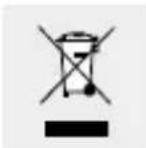
To help protect the environment, please dispose the product properly, and not in the household waste, when it has reached the end of its useful life. Contact your municipal authorities for information regarding collection points and their opening hours.
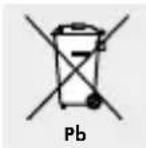
Improper disposal of batteries can damage the environment!
Never dispose of batteries in your household waste. They may contain toxic heavy metals and are subject to hazardous waste regulations. The chemical symbols of the heavy metals are: Cd = cadmium, Hg = mercury, Pb = lead. Therefore dispose of used batteries through your local collection site.
Warranty
The device has been manufactured to strict quality guidelines and meticulously examined before delivery. In the event of product defects you have legal rights against the retailer of this product. Your legal rights are not limited in any way by our warranty detailed below.
The warranty for this device is 3 years from the date of purchase. Should this device show any fault in materials or manufacture within three years from the date of purchase, we will repair or replace it - at our choice - free of charge to you.
The warranty period begins on the date of purchase. Please keep the original sales receipt in a safe location. This document is required as your proof of purchase. This warranty becomes void if the device has been damaged or improperly used or maintained.
The warranty applies to faults in material or manufacture. This warranty does not cover product parts subject to normal wear, thus possibly considered consumables (e.g. batteries) or for damage to fragile parts, e.g. switches, rechargeable batteries or glass parts.
CE