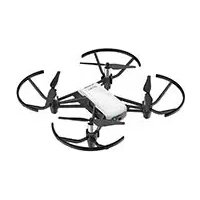
USER MANUAL Tello Ryze
KpaTkoe pyKOBOACTBO NOAb3OBaTeA
v1.2
Contents
EN Quick Start Guide 2
CHT 快速入門指南 12
JP イルクスローガイド 22
KR KrsTaeTgaii3
DE Kurzanleitung 4 2
ES Guia de inicio rápido 5
FR Guide de démarrage rapide 6
IT Guida di avvio rapido 7 2
NL Snelstartgids 8
PT-PT Guia de inicio=rápido 92
PT-BR Guia de Inicio Rápido 10 2
RU KpaTKoe pyKOBOCTBO nOa3OBaTeA 11 2
Disclaimer
This product is NOT a toy and is not suitable for children under the age of 14 (15 in Japan). Adults should keep the aircraft out of the reach of children and exercise caution when operating this aircraft in the presence of children.
This product incorporates various advanced control technologies. However, inappropriate use of the product could result in personal injury or property damage. Please read the materials associated with the product before your first use of the product. These documents are included in the product package and/or are available online on the SZ RYZE TECHNOLOGY CO., LTD ("Ryze Tech") website (http://www.ryzerobotics.com).
This product is a flying camera that offers easy flight when in good working order as set forth below. Visit http://www.ryzerobotics.com for the most current instructions and warnings. Users operating their aircraft in the United States should visit http://knowbeforeyoufly.org for more information about flight safety and compliance.
The information in this document affects your safety and your legal rights and responsibilities. Read this entire document carefully to ensure proper configuration before use. Failure to read and follow the instructions and warnings in this document may result in serious injury to yourself or others, damage to or loss of your Ryze Tech product, or damage to other objects in the vicinity.
By using this product, you hereby signify that you have read this disclaimer carefully and that you understand and agree to abide by the terms and conditions herein. EXCEPT AS EXPRESSLY PROVIDED IN RYZE TECH AFTER-SALES SERVICE POLICIES AVAILABLE AT HTTP:// RYZEROBOTICS.COM/SERVICE, THE PRODUCT AND ALL MATERIALS, AND CONTENT AVAILABLE THROUGH THE PRODUCT ARE PROVIDED "AS IS" AND ON AN "AS AVAILABLE" BASIS, WITHOUT WARRANTY OR CONDITION OF ANY KIND, Either EXPRESS OR IMPLIED. RYZE TECH DISCLAIMS ALL WARRANTYES OF ANY KIND, EXCEPT AS EXPRESSLY PROVIDED IN RYZE TECH AFTER-SALES SERVICE POLICIES, WHETHER EXPRESS OR IMPLIED, RELATING TO THE PRODUCT,
PRODUCT ACCESSORIES, AND ALL MATERIALS, INCLUDING: (A) ANY IMPLIED WARRANTY OF MERCHANTABILITY, FITNESS FOR A PARTICULAR PURPOSE, TITLE, QUIET ENJOYMENT, OR NONINFRINGEMENT; AND (B) ANY WARRANTYARISING OUT OF COURSE OF DEALING, USAGE, OR TRADE. RYZE TECH DOES NOT WARRANTY, EXCEPT AS EXPRESSLY PROVIDED IN RYZETECH LIMITED WARRANTY, THAT THE PRODUCT, PRODUCT ACCESSORIES, OR ANY PORTION OF THE PRODUCT, OR ANY MATERIALS, WILL BE UNINTERRUPTED, SECURE, OR FREE OF ERRORS, VIRUSES, OR OTHER HARMFUL COMPONENTS, AND DOES NOT WARRANTY THAT ANY OF THOSE ISSUES WILL BE CORRECTED.
NO ADVICE OR INFORMATION, WHETHER ORAL OR WRITTEN, OBTAINED BY YOU FROM THE PRODUCT, PRODUCT ACCESSORIES, OR ANY MATERIALS WILL CREATE ANY WARRANTY REGARDING RYZE TECH OR THE PRODUCT THAT IS NOT EXPRESSLY STATED IN THESE TERMS. YOU ASSUME ALL RISKS FOR ANY DAMAGE THAT MAY RESULT FROM YOUR USE OF OR ACCESS TO THE PRODUCT, PRODUCT ACCESSORIES, AND ANY MATERIALS. YOU UNDERSTAND AND AGREE THAT YOU USE THE PRODUCT AT YOUR OWN DISCRETION AND RISK, AND THAT YOU ARE SOLELY RESPONSIBLE FOR ANY PERSONAL INJURY, DEATH, DAMAGE TO YOUR PROPERTY (INCLUDING YOUR COMPUTER SYSTEM OR MOBILE DEVICE OR RYZE TECH HARDWARE USED IN CONNECTION WITH THE PRODUCT) OR THIRD PARTY PROPERTY, OR THE LOSS OF DATA THAT RESULTS FROM YOUR USE OF OR INABILITY TO USE THE PRODUCT.
SOME JURISDICTIONS MAY PROHIBIT A DISCLAIMER OF WARRANTY AND YOU MAY HAVE OTHER RIGHTS THAT VARY FROM JURISDICTION TO JURISDICTION.
Ryze Tech accepts no liability for damage, injury or any legal responsibility incurred directly or indirectly from the use of this product. The user shall observe safe and lawful practices including, but not limited to, those set forth in these Safety Guidelines. You shall be solely responsible for all your behaviors when flying Tello.
艺
Warnings
- Stay away from rotating propellers and motors.
- DO NOT touch the underside of the aircraft as it may be hot.
- Never use non-Ryze Tech batteries and DO NOT short-circuit the Flight Battery.
- Important information is included on the product package and in the documentation included in the product package. Read all of this information carefully and retain the product package and documentation for future reference.
Regulations
To avoid serious injury and property damage, observe the following rules:
- DO NOT operate in the vicinity of manned aircraft, regardless of altitude. (Land immediately if necessary.)
- DO NOT fly the aircraft in or at densely populated areas including cities, sporting events, exhibitions, and performances.
- DO NOT fly the aircraft above the relevant maximum altitude set forth in your local laws and regulations.
- Remain well clear of and DO NOT interfere with manned aircraft operations. Be aware of and avoid other aircraft and obstacles at all times.
- DO NOT fly the aircraft near or inside no fly zones specified by local laws and regulations. The no fly zone list includes: airports, borders between two sovereign countries or regions, and major cities/regions, and is continuously updated. DO NOT fly around sensitive infrastructure or property such as power stations, water treatment facilities, correctional facilities, heavily traveled roadways, government facilities, or military zones.
- Maintain visual line of sight with your aircraft at all times and use an observer to assist if needed.
- NEVER use the aircraft to carry illegal or dangerous goods/payloads.
- Make sure you understand the nature/type of your flight operation (such as for recreation, for public use, or for commercial use) and have obtained corresponding approval and clearance from the related government agencies before flight. Consult with your local regulators for comprehensive definitions and specific requirements. Users operating their aircraft in the United States
should first visit http://www.knowbeforeyoufly.org and take the most appropriate action for their circumstances.
- Please note that remote-controlled aircraft may be banned from conducting commercial activities in certain territories and regions. Check and follow all local laws and regulations before flying as those rules may differ from those stated here.
- Respect the privacy of others when using the camera. Make sure you comply with local privacy laws, regulations, and moral standards. DO NOT conduct surveillance operations such as image capture or video recording on any person, entity, event, performance, exhibition, or property without authorization or where there is an expectation of privacy, even if the image or video is captured for personal use.
- Please be advised that in certain areas, the recording of images and videos from events, performances, exhibitions, or commercial properties by means of a camera may contravene copyright or other legal rights, even if the image or video is shot for personal use.
Altitude Limit
- Fly NO higher than 33 ft (10 m) above ground level and stay away from any surrounding obstacles.
In the Box
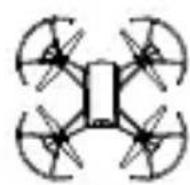
Aircraft × 1
(Propellers and Propeller
Guards included*)
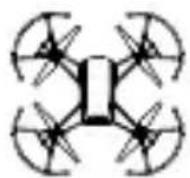
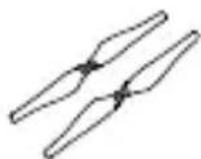
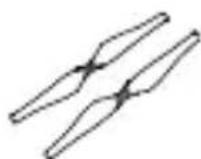
Spare Propeller × 2 (pair)
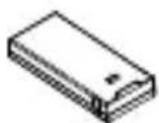
Flight Battery × 1
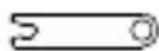
Propeller Removal
Tool × 1
Quick Start
Guide × 1

- The diagrams in this document are for reference only and may differ from the actual product.
艺
1. Introduction
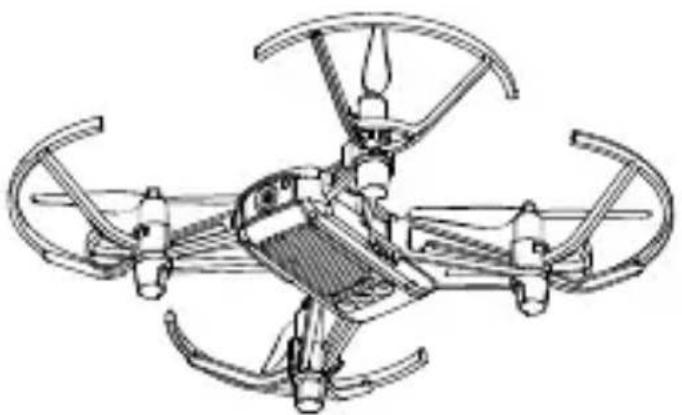
TELLO™ is a small quadcopter that features a Vision Positioning System and an onboard camera. Using its Vision Positioning System and advanced flight controller, it can hover in place and is suitable for flying indoors. Advanced features like Bounce mode, 8D Flips, and EZ Shots make using Tello fun. Tello captures 5 megapixel photos and streams 720p live video to the Tello app on a mobile device. Its maximum flight time is approximately 13 minutes*.
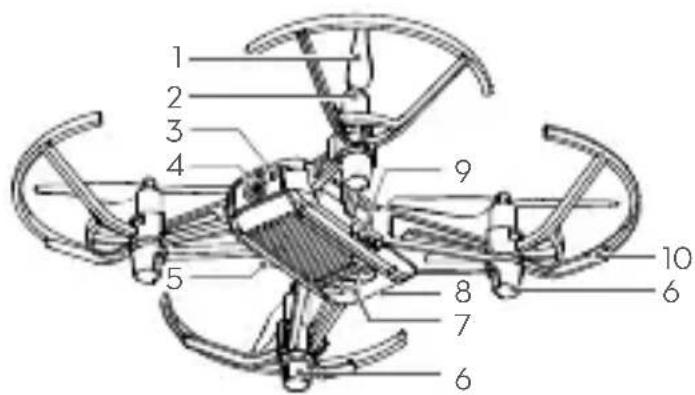
- Propellers
- Motors
- Aircraft Status Indicator
- Camera
- Power Button
- Antennas
- Vision Positioning System
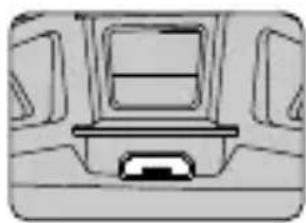
- Flight Battery
- Micro USB Port
-
Propeller Guards
-
Maximum flight time was tested in windless conditions flying at a consistent 9 mph (15 kph). This value should be taken for reference only.
2. Downloading the Tello App and Watching Tutorial Videos
Search for "Tello" on the App Store or Google Play or scan the QR code to download the app on your mobile device. To ensure flight safety, watch the tutorial videos on the official Ryze Tech website (http://www.ryzerobotics.com) before your first flight.

Operating system compatibility: iOS v9.0 or later; Android v4.4 or later.
3. Charging the Battery
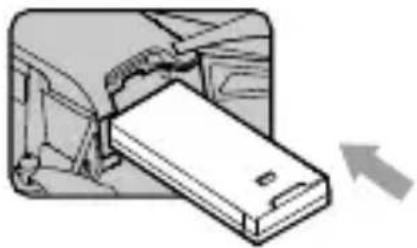
Insert the Flight Battery into the aircraft as shown.
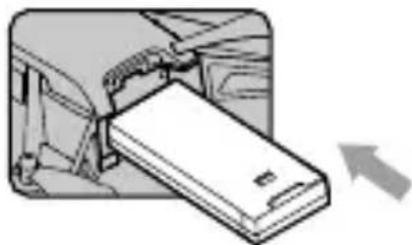
To charge the Flight Battery connect the Micro USB port on the aircraft to a USB adapter (not provided) using a standard Micro USB cable.
Charging time: Approx. 1 hour and 30 minutes.
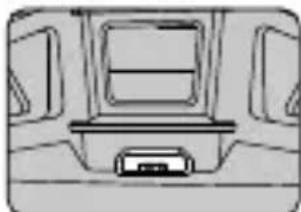
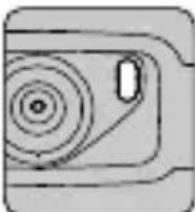

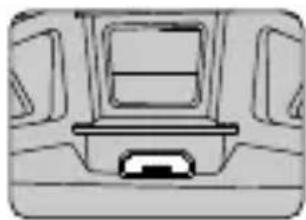
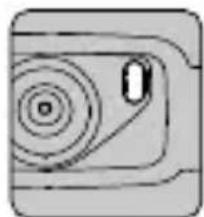
Blinking blue slowly: charging.

Solid blue: fully charged.

Always use an FCC/CE (depending on location) certified USB adapter that is rated at 5 V and 1.5 A or above.
- Ensure the aircraft is powered off before charging. It cannot be charged when it is turned on.
4. Preparing for Takeoff
艺
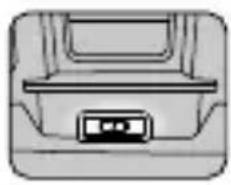
Press the power button once to turn the aircraft on. (Press again to turn off)

Enable Wi-Fi on your mobile device and connect to the TelloXXXXXX network.
Launch the Tello app. Connection has been established when the Aircraft Status Indicator blinks yellow slowly and the live camera view is shown on your mobile device.
5. Flight
In the Tello app:
- Auto Takeoff and Auto Landing


Auto Takeoff Auto Landing
- Taking Photos and Recording Videos


Tap to switch between Photo mode and Video mode.
Tap to take a photo or record video.
- Use the Virtual Joysticks in the app to control the aircraft (the default control stick mode is known as Mode 2)
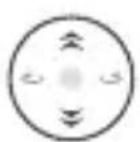
Left Stick
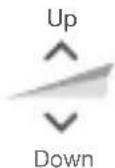
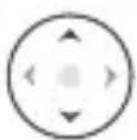
Right Stick
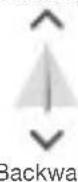
Forward
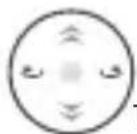
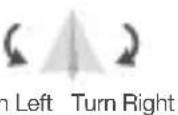
Installation Notes
1. Installing the Propellers
When mounting, ensure that the gap between the bottom of the propeller cap and the motor is no bigger than needed to insert the propeller removal tool.
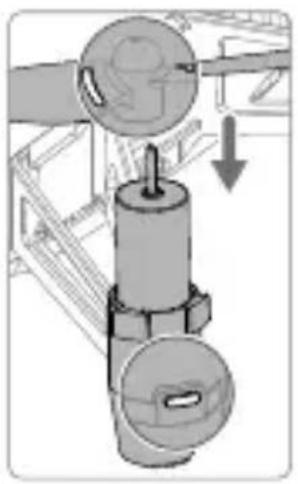
Mount marked propellers on the motors with marked landing gear.
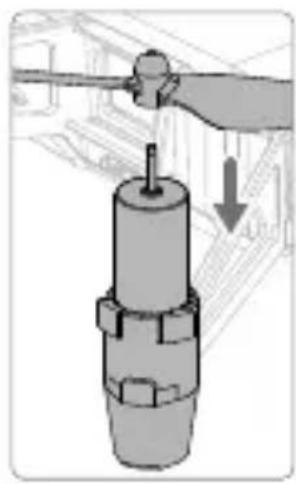
Mount unmarked propellers on the motors with unmarked landing gear.
2. Detaching the Propellers
Insert the propeller removal tool between the propeller cap and the motor. Be sure to hold the motor while detaching the propeller.
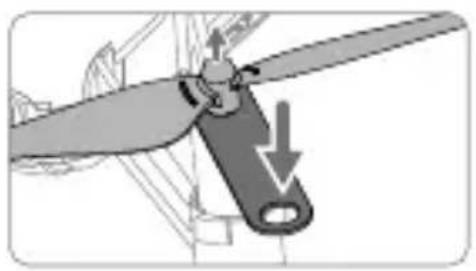

Always detach the propellers using the propeller removal tool. DO NOT remove the propellers by hand, or you may be seriously hurt, and may damage the motors.
3. Installing the Propeller Guards
Push each propeller guard inwards to wrap it around the landing gear. Make sure it clicks into position and that the protruding parts of the landing gear securely fit into the notches on the propeller guards.
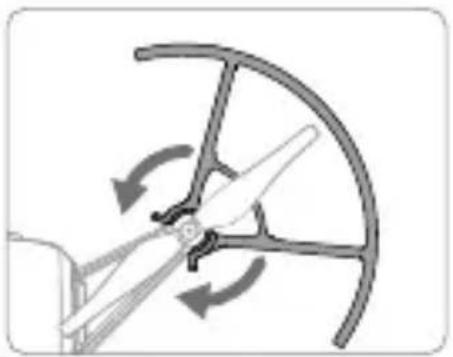
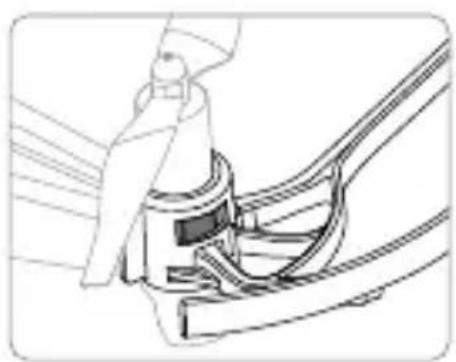
4. Detaching the Propeller Guards
To remove a propeller guard place your finger and thumb as shown in the figure below. With your thumb, gently apply a twisting force to the lip that protrudes from the propeller guard where it wraps around the landing gear.
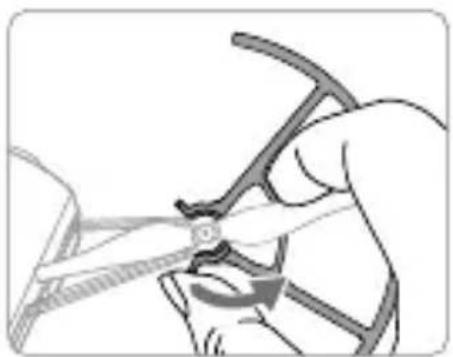
DO NOT use excessive force when removing

propeller guards as doing so may damage the aircraft's arms and you may get hurt.
Specifications
Aircraft (Model: TLW004)
Weight (Propeller 87g
Guards Included)
Max Speed 17.8 mph (28.8 kph)
Max Flight Time 13 minutes (0 wind at a consistent 9 mph (15 kph))
Operating Temperature 32^ to 104^ F (0^ to 40^ C)
Operating Frequency 2.4 to 2.4835 GHz
Transmitter (EIRP) < 20 dBm (FCC)
< 19 dBm (CE)
<19 dBm (SRRC)
Camera
Max Image Size 2592x1936
Video Recording HD:1280×730 39p
Modes
Video Format MP4
Flight Battery
Capacity 1100 mAh
Voltage 3.8 V
Battery Type LiPo
Energy 4.18 Wh
Net Weight 25 ± 2 ~g
Charging
Temperature Range 41 to 43 (5 to 45 C)
Max Charging Power 10 W
艺
免责聲明
本製品を使用すると、本書の免责事項をよく読み、記載いたします条件を理解し、但它順守するご同意くださいます。Ryze Tech フフロー・ルス・ボリシャー(http://ryzerobotics.com/serviceに揭載)に明示の規定,No限り、製品お願いいたします。ご提示Please use the following language carefully. Please use the following language carefully. Please use the following language carefully. Please use the following language carefully. Please use the following language carefully. Please use the following language carefully. Please use the following language carefully. Please use the following language carefully. Please use the following language carefully. Please use the following language carefully. Please use the following language carefully. Please use the following language carefully. Please use the following language carefully. Please use the following language carefully. Please use the following language carefully. Please use
PablaiIe T BATERlRE 3F.1000000000000000000000000000000000000000000000000000000000000000000000000000000000000
秀前:30分

……

一 四蘭書韻:吳朝前,壽前就。

Sender (EIRP) < 20 dBm (FCC)
< 19 dBm (CE)
< 19 dBm (SRRC)
Kamera
13 minutes (sans vent,
1. Instalar as hélices
2. Retirar as hélices
Transmitter (EIRP) < 20 dBm (FCC)
< 19dBm( CE)
< 19 dBm (SRRC)
Câmara
1. Instalando as hélices
Transmitter (EIRP) < 20 dBm (FCC)
< 19 dBm (CE)
< 19 dBm (SRRC)
- Camera
- BbIopHnIe Te noIeT Ha Bblcote HE 6oJIee 10 M (33 cyTa) n He npu6JIxKaiTeCb K npenrTCTBnAM.
KoMnJIeKT nOcTaBKn
DpoHx1 (Bknouy nponeJIpebI 3aunTy nponeJIepoB*)
3anachon nponeenep × 2 (napa)
AkkymyIaTOp Flight Battery × 1
Pnncoco6JeHne
IJI CHaTNI
nponeJIepOBx1
PykoBODCTBO

Cxembl, yka3aHHbIe B daHHOM DoKymente, daHbI TOJbKO JnCnpabKn mOryT OTJIuHaTbcr OTO KaKTnueckoro npoDykTa.
1. Bveedne
TELLOIMnpedctabnietco6oMaIeHbKmKBaDpOKoTep, OCHaueHHbCnCTeMoB Bu3yaJIbHOrO No3uHNOHPOBAHn 60ptobon KaMepo. Blaorapc CnCTeMe Bu3yaJIbHOrO No3uHIOHPOBAHn I yCOBepseHCTBOBaHOMy NOETHomy KOHTpoJIpepy OH MoKeT 3aBnCaTb Ha MeCTe INoXoJIT DnIPOTeA B NOMEeHNx. DOnONHtEJIbHbIe FyHKuN, TAKne KAK pexkM aBTOMATUeCKOrO B3JeTa/NoCAKn Ha pyky (Bounce Mode), 3anncb Kopotknx BuJeOpolNKOB C nOmoSbTO TexHOJOrn EZ Shots n 8D Flips, No3BOJIAOuaJ DeNaTb TpOKN B Bo3dyxe, PpeBpaauOT npapBHeHne Tello B cnIooHoe yDoBOJbCTBne. Tello No3BOJRAET CHImaTb FOToRpaΦn C pa3peSeHnem 5 Mn n BIneo 720p c nepeJaey B peKmpeaJIbHOrO BpeMeHn cheP3 npinloXeHne Tello Ha MobnlbHom yCTpoiCTBe.MakCImaJIbHOe NoIeTHOE BpeM coCTabJIeT np6JIIN3ntJIbHo 13 MInHyT*.
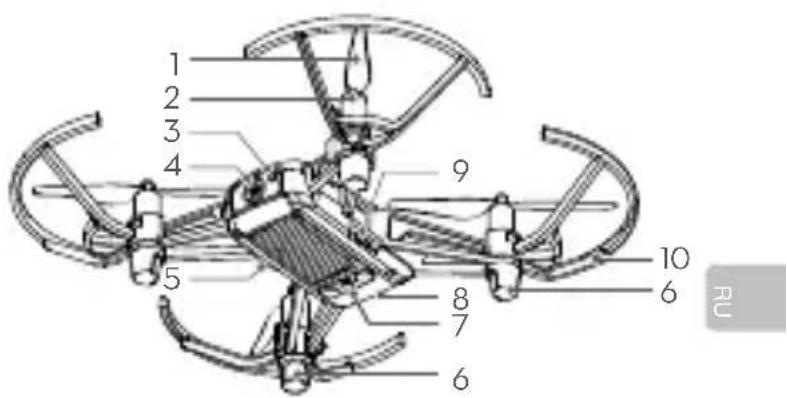
1.Прпеллеры
2. Θлектоювогати
3.Индikatop coctoHnДроHa
4. Kamepa
5. Khonka nHTaHn
6. AHTehHbI
7.CnCTemaBn3yaJbHOroNo3uHNOHPOBaHn
8. AkkMyJrTop Flight Battery
9. NopT Micro-USB
10. 3aunita nponeJIpeoB
* Pe3yIbTaT, noIyueHHbI BO BpeM yNCbItAHn npi nOJeTe B 6e3BeTpEHHbIX ycIOBnX C NOCToHHO CKOpocTbO 15 KM/4 (9 MInb/4). 3TN 3NaueHn npINBeHeH bNCKIIOHTeJIbHO B cnpaBOOHx CEJAX.
2. 3arpy3ka npiloxeHn Tello n npocmoTp obuyaioxuBXnDeopolIKOB
Haundte TelloB App Store nnn Google Play nnn otckanpynte QR-kod, yto6b3arpy3nTb npniloxhene Ha cboe moibhoe yctpOCTBO.Дя obecneueHna 6e0nacnoCTn noleta nocmOTPnte obyaHnue BIndeopolnka ha ophiunalbHom Be6-caTe Rye Tech (http://www.ryzerobotics.com) nepe nepBbIM noJeTOM.

Прилwxнe Tello noДерхиВаe iOS 9.0 (nIn 6oJee no3HIO BepCIO) n Android 4.4 (nIn 6oJee no3HIO BepCIO).
YcTaHOBnTe aKkMyJrTop Flight Battery Ha IpoH, KaK noka3aHo Ha pncyHke.
二
Для заюнakумлаяTopa Flight Battery noклочипopt Micro USB Ha дроне к USB-aanTepy (He BXoДТВ KOMПКТ), Исрльчу стандартькабел Micro USB.
Bpem3apdkn: npu6n. 1 yac 30 mnHyT.

MeHHeHHoMnraetCnHM:3apXkaeTc.

TOpNTcHIM:3apXKeH NOJHOCTbIO.

-063aTeJbHo nCnoJIb3yIte USB-aIaNTep, cePTnΦuNpOBaHHbI FCC/CE (B 3aBNCIMOCTn OT MeCTOHaXoKJeHn), C HOMHaJIbHbIMn napametpAm5 B n1,5A nn BBiWe.
- Ppe3apKoYb6eNTecb, YTO pOHN BbIKIOueH. EcnI pOHN BKIOueH, 3apKa He 6yJeT BbIOJNHTbcr.
Paboua yactota O2,4do 2,4835 T
Передатунк (ЗИМ) <20ДБМ(FCC) <19ДБМ(CE) <19ДБМ(SRRC)
Kamepa
MaKcImaJIbHbI pa3Mep 2592x1936 n3o6paXeHHa
Pa3peWeHne BnIeO HD:1280:720 30p
ΦopMaT BnIeO MP4
EMKOCb 1100MAu HanpJxKeHne 3,8B
Tn aKKyMyJrTopa JITN-NOJIIMepHbIEMKocTb 4,18 Bt-y
Macca 25± 2
Диаэон TempepaTypbI OT 5do 45^ 3apAKn (OT 41do 113F).
MaKcMmaJIbHa 10BT MOnuHOCTb3apJDKN
FCC Compliance Notice
This device complies with Part 15 of the FCC Rules. Operation is subject to the following two conditions: (1) This device may not cause harmful interference, and (2) This device must accept any interference received, including interference that may cause undesired operation.
Any changes or modifications not expressly approved by the party responsible for compliance could void the user's authority to operate the equipment.
This equipment has been tested and found to comply with the limits for a Class B digital device, pursuant to part 15 of the FCC Rules. These limits are designed to provide reasonable protection against harmful interference in a residential installation. This equipment generates, uses and can radiate radio frequency energy and, if not installed and used in accordance with the instructions, may cause harmful interference to radio communications. However, there is no guarantee that interference will not occur in a particular installation. If this equipment does cause harmful interference to radio or television reception, which can be determined by turning the equipment off and on, the user is encouraged to try to correct the interference by one or more of the following measures:
- Reorient or relocate the receiving antenna.
- Increase the separation between the equipment and receiver.
- Connect the equipment into an outlet on a circuit different from that to which the receiver is connected.
- Consult the dealer or an experienced radio/TV technician for help.
This equipment complies with FCC radiation exposure limits set forth for an uncontrolled environment. In order to avoid the possibility of exceeding the FCC radio frequency exposure limits, human body proximity to the antenna shall not be less than 20cm during normal operation.
This device complies with Industry Canada licence-exempt RSS standard (s). Operation is subject to the following two conditions: (1) this device may not cause interference, and (2) this device must accept any interference, including interference that may cause undesired operation of the device.
IC Radiation Exposure Statement:
This equipment complies with IC RF radiation exposure limits set forth for an uncontrolled environment. This transmitter must not be co-located or operating in conjunction with any other antenna or transmitter.
This equipment should be installed and operated with minimum distance 20cm between the radiator& your body. Any Changes or modifications not expressly approved by the party responsible for compliance could void the user's authority to operate the equipment.
KCC Warning Message
EU Compliance Statement: Shenzhen RYZE Tech Co.,Ltd. hereby declares that this device is in compliance with the essential requirements and other relevant provisions of the RED Directive.
A copy of the EU Declaration of Conformity is available online at www.ryzerobotics.com/euro-compliance
CAUTION: RISK OF EXPLOSION IF BATTERY IS REPLACED BY AN INCORRECT TYPE. DISPOSE OF USED BATTERIES ACCORDING TO THE INSTRUCTIONS
Environmentally friendly disposal
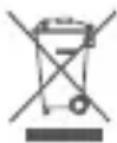
Old electrical appliances must not be disposed of together with the residual waste, but have to be disposed of separately. The disposal at the communal collecting point via private persons is for free. The owner of old appliances is
responsible to bring the appliances to these collecting points or to similar collection points. With this little personal effort, you contribute to recycle valuable raw materials and the treatment of toxic substances.
Thailand Warning Message
aannnnnnaanennnnnnnnnnnnnnnnnnnnnnnnnnnnnnnnnnnnnnnnnnnnnnnnnnnnnnnnnnnnnnnnnnnnnnnnnnnnnnnnnnnnnnnnnnnnnnnnnnnnnnnnnnnnnnnnnnnnnnnnnnnn
Mexico Warning message