
TX Ferrari Italia (Xbox One) - Video game steering wheel THRUSTMASTER - Free user manual and instructions
Find the device manual for free TX Ferrari Italia (Xbox One) THRUSTMASTER in PDF.


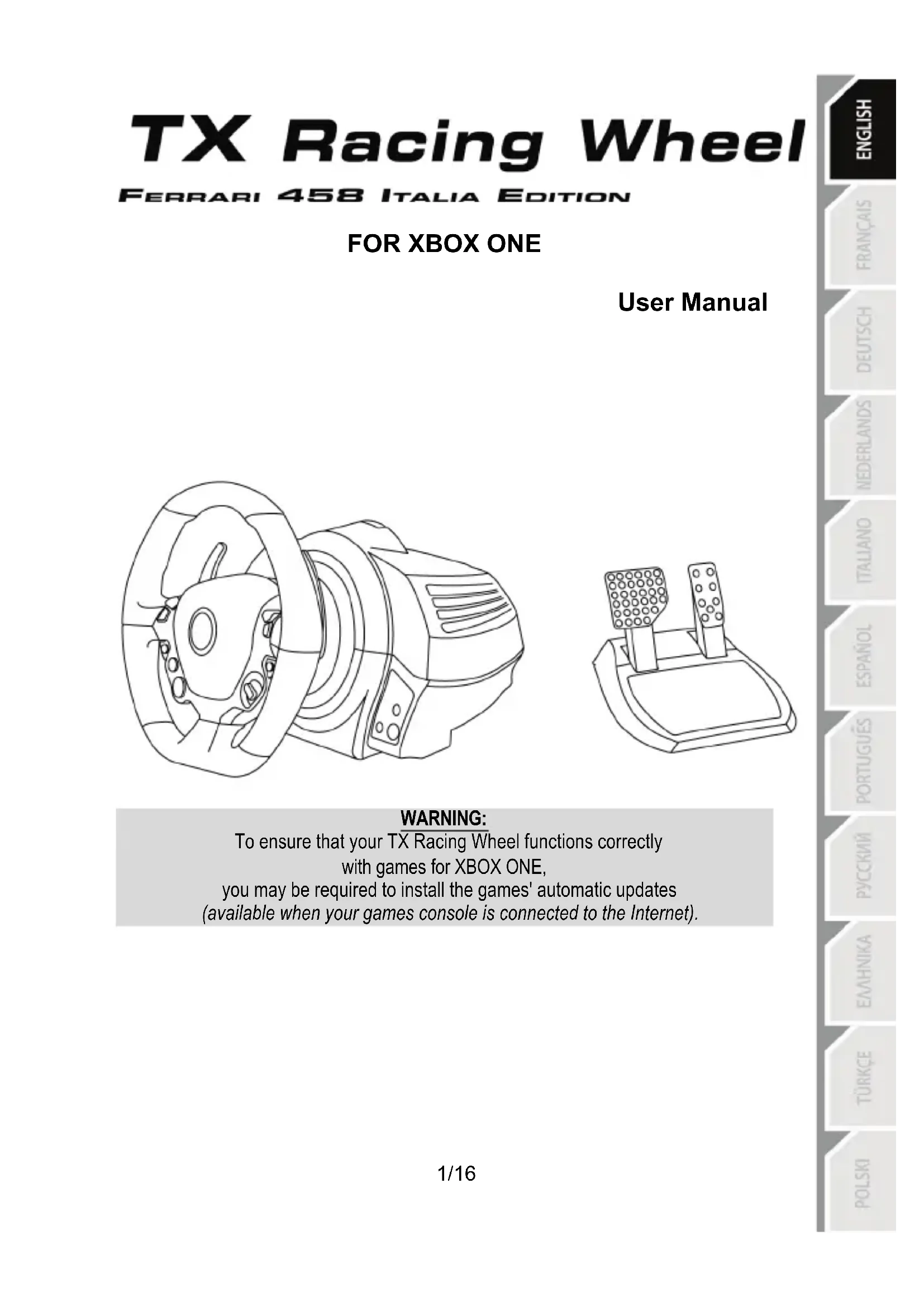


| Product Type | Video Game Steering Wheel with Force Feedback |
| Brand | Thrustmaster |
| Model | TX Ferrari Italia (Xbox One) |
| Compatibility | Xbox One, PC (via firmware update) |
| Rotation Angle | 900° (auto-calibration) |
| Attachment Technology | Thrustmaster Quick Release (rotating collar) |
| Power Supply | Internal or external depending on version: 220-240 V (type A) or 100-125 V (type A) or 110-240 V (type B) |
| Connectors | USB (console), pedal set (RJ12), gearbox (future), power supply |
| Included Pedal Set | 2 pedals (accelerator, brake) with invertible mode (long press on MODE) |
| Main Functions | Force feedback, sequential paddles, 2-position manettino, directional pad, MODE button, RGB indicator, Kinect pairing |
| Internal Temperature Sensor | Yes (safety shutdown in case of overheating) |
| Firmware Update | Via PC at support.thrustmaster.com |
| Mounting | On table/desk (clamping screw + fastening system) or on cockpit (M6 screws not included) |
| Maintenance and Cleaning | Dry cloth, avoid dust and humidity, do not obstruct ventilation grilles |
| Safety | Do not open, use only the provided cable, respect voltage, play with shoes on, take breaks, keep out of reach of children |
| Spare Parts and Repairability | No user-serviceable parts; contact technical support for any repairs |
| Weight | Approximately 4-5 kg (estimated, base + wheel) |
| Dimensions (Base) | Approximately 30 x 28 x 20 cm (estimated) |
| Warranty | Minimum 2 years (according to local legislation) |
Frequently Asked Questions - TX Ferrari Italia (Xbox One) THRUSTMASTER
User questions about TX Ferrari Italia (Xbox One) THRUSTMASTER
0 question about this device. Answer the ones you know or ask your own.
Ask a new question about this device
Download the instructions for your Video game steering wheel in PDF format for free! Find your manual TX Ferrari Italia (Xbox One) - THRUSTMASTER and take your electronic device back in hand. On this page are published all the documents necessary for the use of your device. TX Ferrari Italia (Xbox One) by THRUSTMASTER.
USER MANUAL TX Ferrari Italia (Xbox One) THRUSTMASTER
To ensure that your TX Racing Wheel functions correctly
with games for XBOX ONE,
you may be required to install the games' automatic updates
(available when your games console is connected to the Internet).
TECHNICAL SPECIFICATIONS
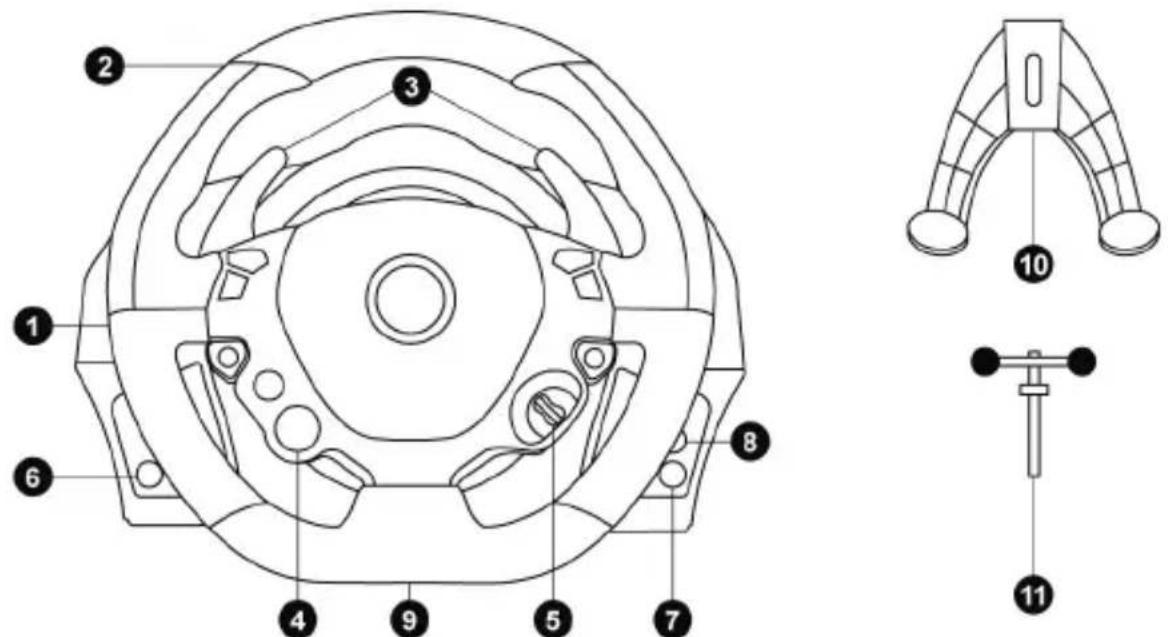
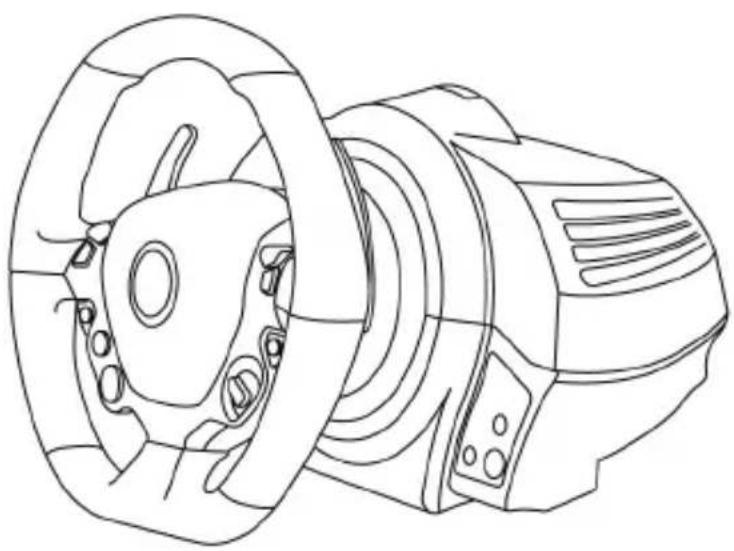
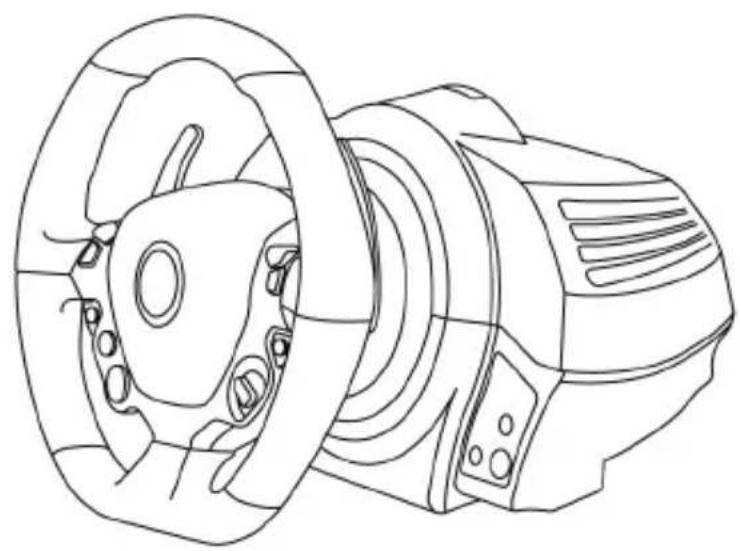
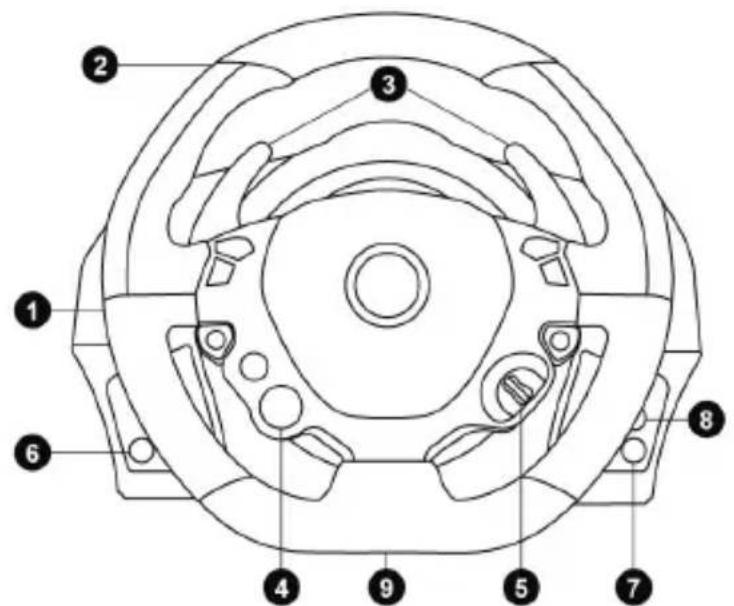
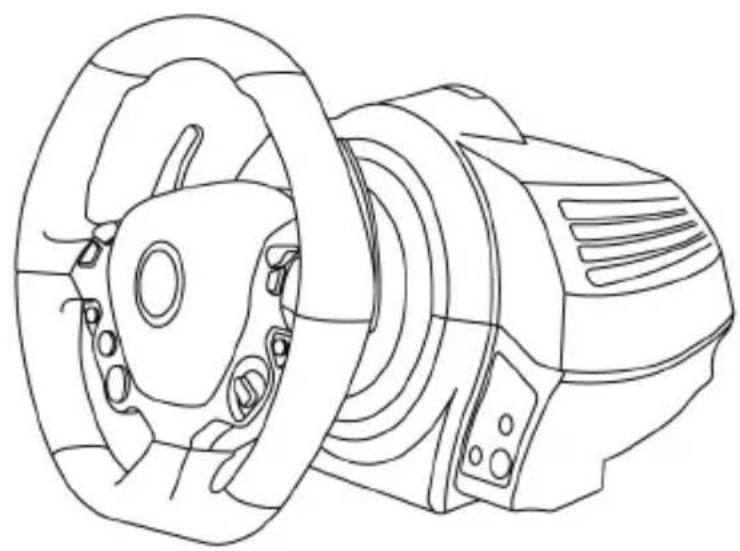
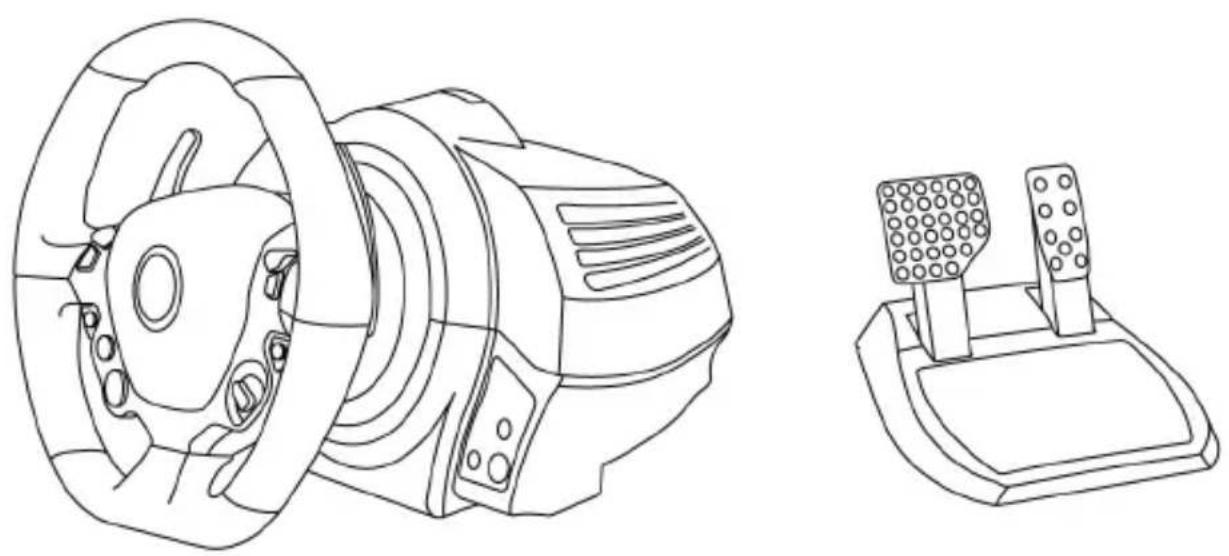
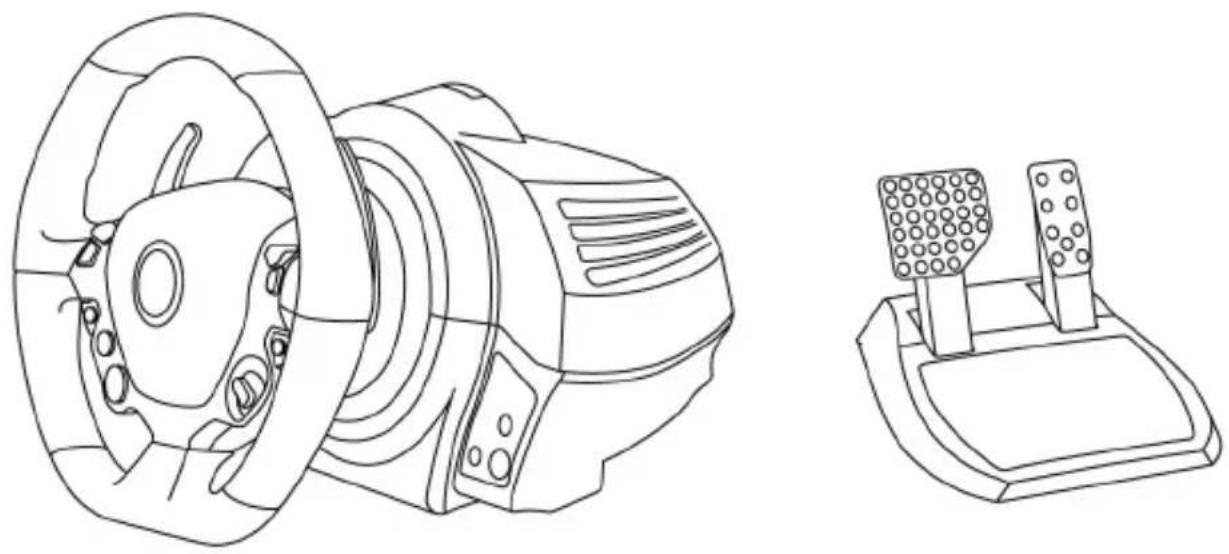
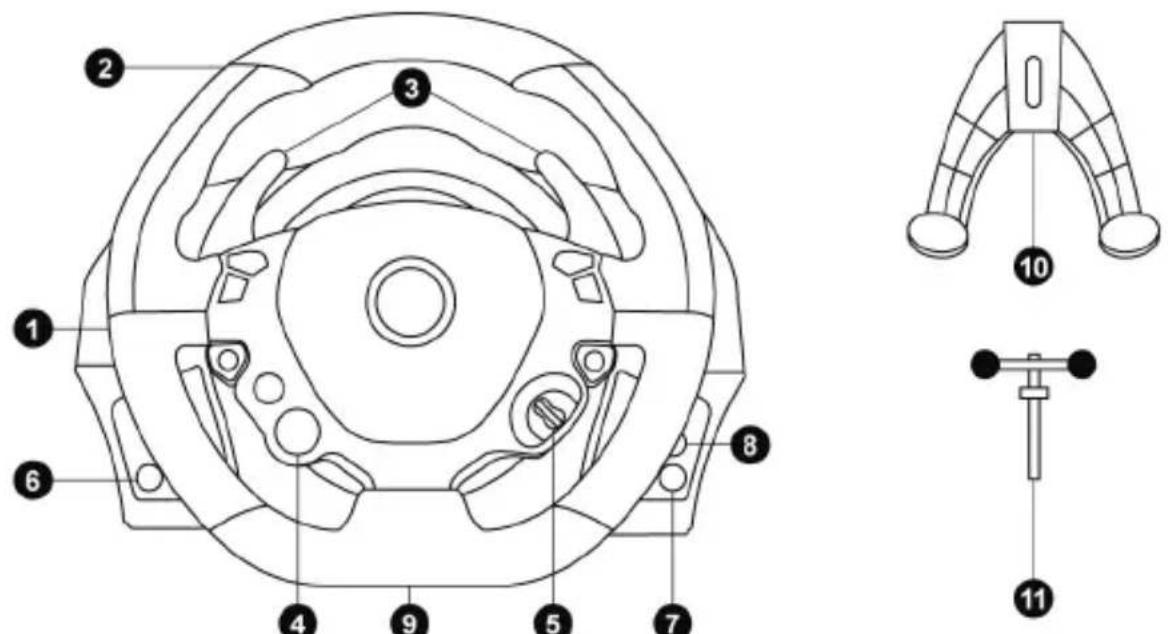
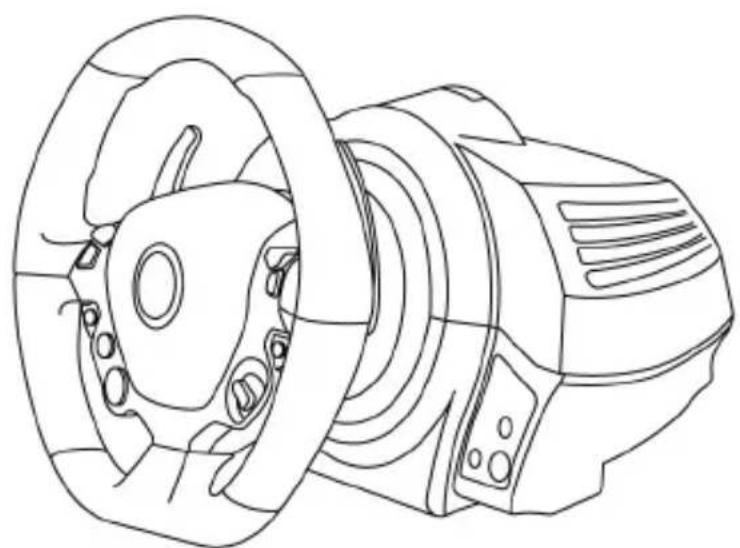
1 Racing wheel base 2 Racing wheel 3 2 sequential gear shift levers (Up & Down) 4 Multidirectional D-Pad (Engine Start) 5 Manettino (2 positions) 6 MODE button + Red/Green indicator light
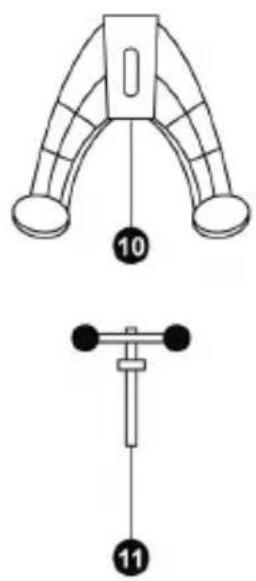
7 Xbox Guide button 8 White indicator light 9 Large threaded hole (for attachment system and tightening screw) 10 Attachment system 11 Metal fastening screw
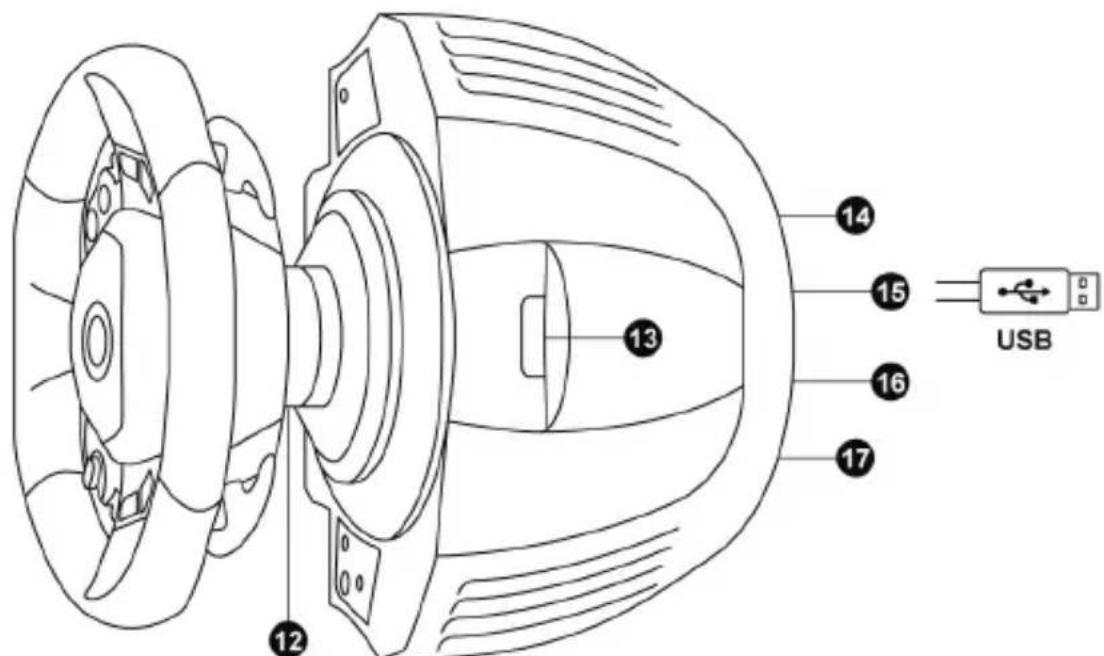
12 Thrustmaster Quick Release
13 Controller pairing (for KinectTM detection)
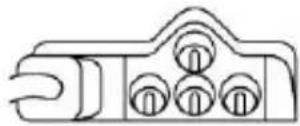
14 Mains supply connector (type A or B) (Varies from one country to another)
15 Racing wheel USB cable and connector 16 Gearbox connector (sold separately, forthcoming release) 17 Pedal set connector
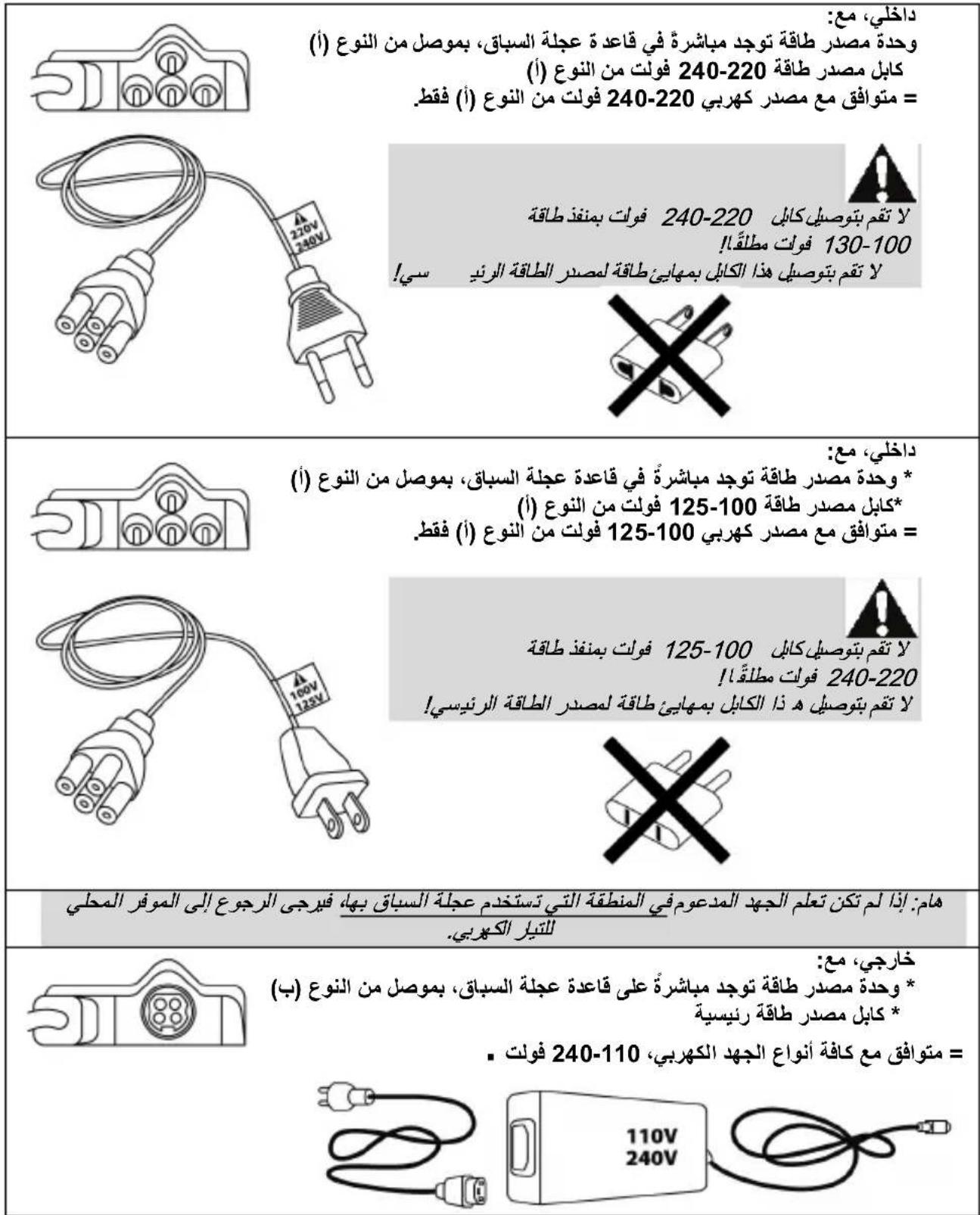
CONNECTING THE RACING WHEEL TO THE MAINS = PLEASE READ BEFORE PROCEEDING!
Your racing wheel's power supply varies according to the country where you purchased your device.
The mains supply can be:
Internal, with:
* A power supply unit located directly inside the racing wheel's base, with a type A connector
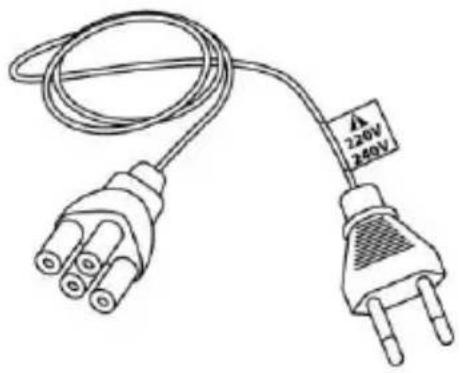
* A 220-240V mains power supply cable
= compatible only with a 220-240V electrical supply.
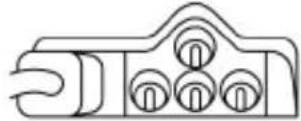
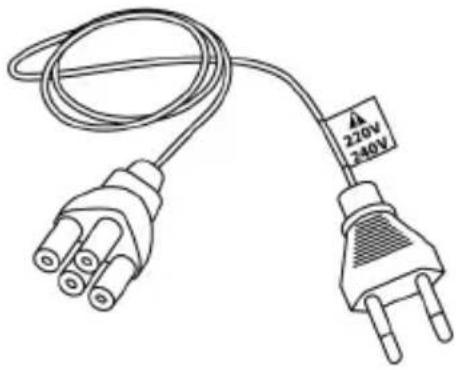
Never connect the 220-240V cable
to a 100-130V power outlet!
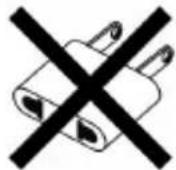
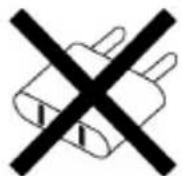
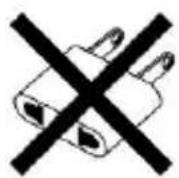
Never connect this cable to a mains power adapter!
Internal, with:
* A power supply unit located directly inside the racing wheel's base, with a type A connector
* A 100-125V power supply cable
= compatible only with a 100-125V electrical supply.
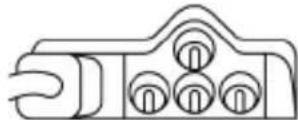
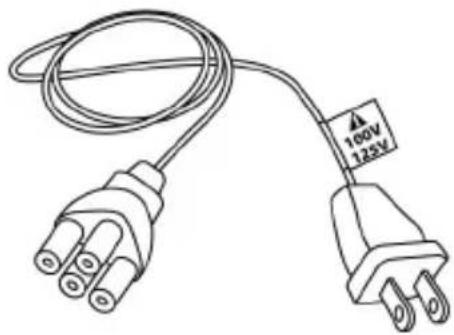
Never connect the 100-125V cable
to a 220-240V power outlet!
Never connect this cable to a mains power adapter!
IMPORTANT: if you do not know which voltage is supplied in the area in which you are using your racing wheel, please refer to your local electricity supplier.
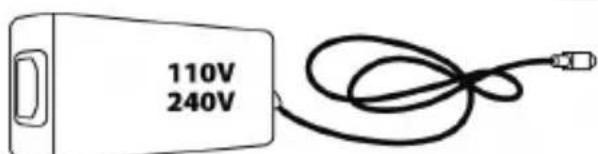
External, with:
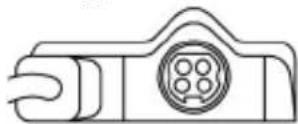
- An external power supply unit located on the racing wheel's base, with a type B connector
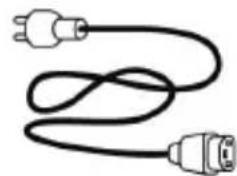
- A mains power supply cable, compatible with all supply voltages, 110-240V.
WARNING
Before you use this product, please read this documentation carefully and keep it safe should you need to consult it later.

Warning - Electric shock
- Store the product in a dry location and do not expose it to dust or sunlight.
- Respect the connection direction.
- Do not twist or pull the connectors and cables.
- Do not spill any liquid on the product or its connectors.
- Do not short-circuit the product.
- Never dismantle the product; do not throw it onto a fire and do not expose it to high temperatures.
- Do not use a power supply cable other than the one provided with your racing wheel.
- Do not use the mains power supply cable if the cable or the connectors are damaged, split or broken.
- Make sure that the mains power cable is properly inserted into the power outlet and the connector located on the rear face of the racing wheel's base.
- Do not open. No user replaceable parts inside. Refer servicing to manufacturer, specified agency or qualified technician.
- Only use attachments/accessories specified by the manufacturer.
- If the steering wheel is operating unusually (if it is emitting any abnormal sounds, heat or odors), stop using it immediately, disconnect the power cable from the socket and disconnect the other cables.
- If you are not going to be using the steering wheel for an extended period, disconnect the mains adaptor from the wall socket.
- The electrical outlet must be located near the equipment and must be easily accessible.

Air vents
Make sure that you do not block any of the air vents on the steering wheel base. For optimum ventilation, respect the points below:
- Position the base at least 10 cm away from any wall surfaces.
- Do not place the base in any tight spaces.
- Do not cover the base.
- Do not let any dust build up on the air vents.

For safety reasons, never use the pedal set with bare feet or while wearing only socks on your feet.
THRUSTMASTER © DISCLAIMS ALL RESPONSIBILITY IN THE EVENT OF INJURY RESULTING FROM USE OF THE PEDAL SET WITHOUT SHOES.

Warning - Injuries due to force feedback and repeated movements
Playing with a force-feedback steering wheel may cause muscle or joint pain. To avoid any problems:
- Avoid lengthy gaming periods.
- Take 10 to 15 minute breaks after each hour of play.
- If you feel any fatigue or pain in your hands, wrists, arms, feet or legs, stop playing and rest for a few hours before you start playing again.

Warning - Injuries due to force feedback and repeated movements (continued)
- If the symptoms or pain indicated above persist when you start playing again, stop playing and consult your doctor.
- Keep out of children's reach.
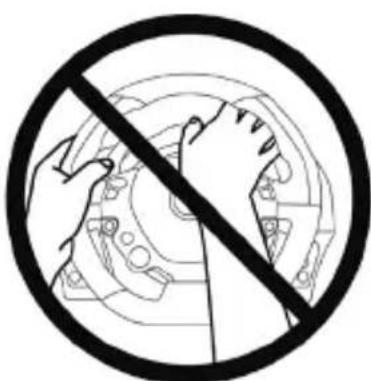
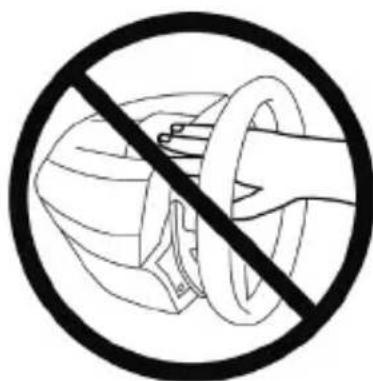
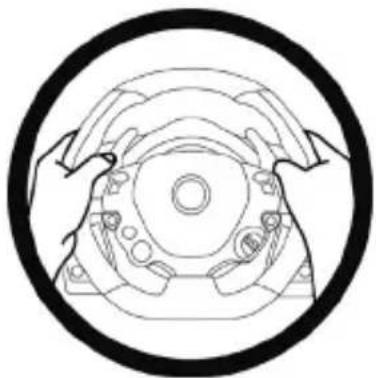
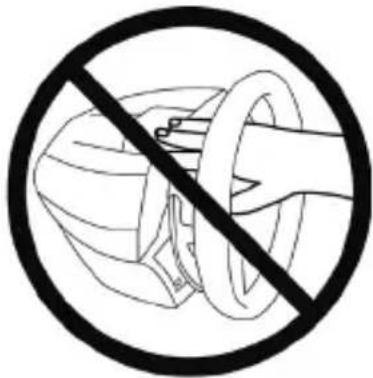
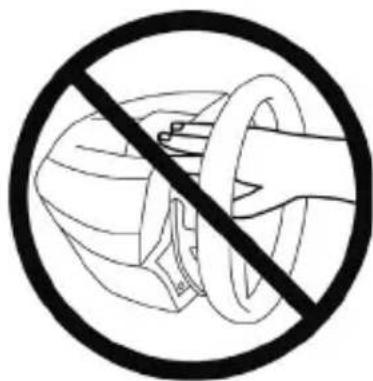
- During games, always keep both hands correctly positioned on the steering wheel without letting it go completely.
- During gameplay, never place your hands or fingers under the pedals or anywhere near the pedal set.
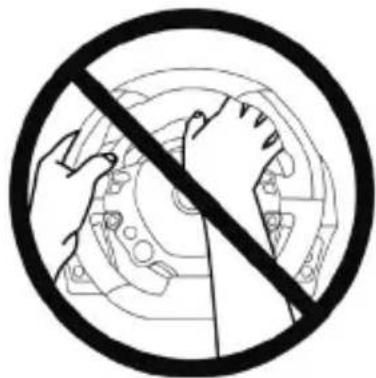
- During calibration and gameplay, never place your hand or arm through the openings in the racing wheel.
- Check that the steering wheel base is carefully clamped as per the manual's instructions.
HEAVY PRODUCT - To be handled only by users 16 years of age or older
Be careful not to drop the product on yourself or on anyone else!
ALWAYS NEVER NEVER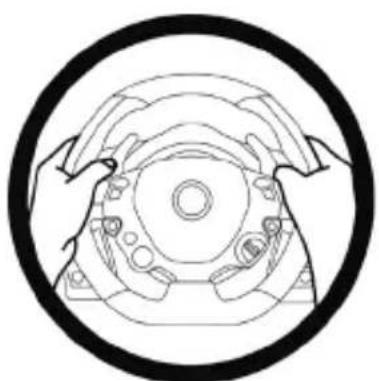

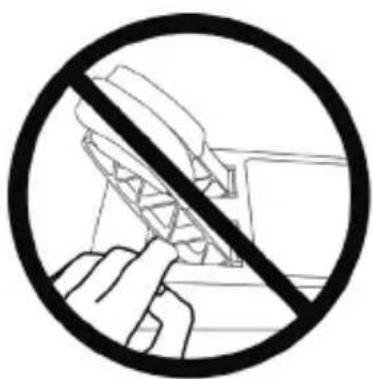
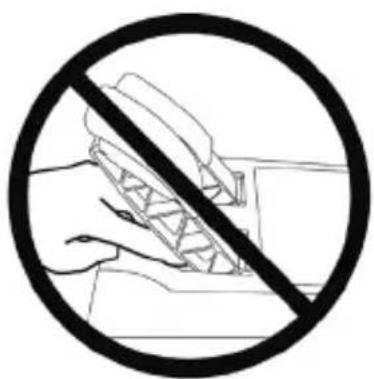
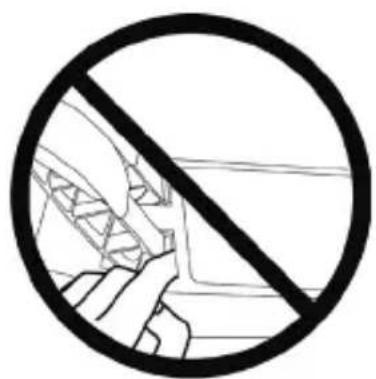
Warning - Pedal set pinch hazard when playing
- Keep the pedal set out of children's reach.
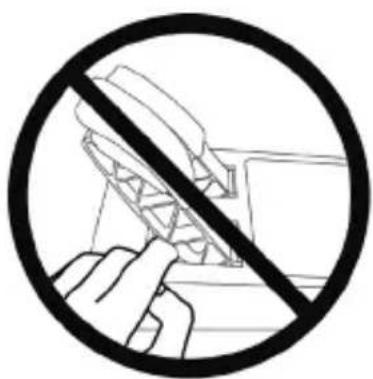
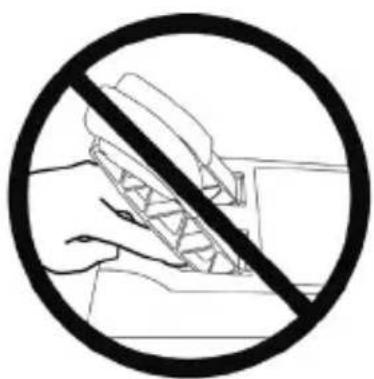
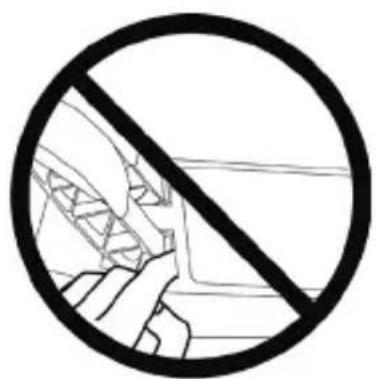
- When playing, never place your fingers on or anywhere near the sides of the pedals.
- When playing, never leave your fingers on or anywhere near the pedals' rear base.
- When playing, never place your fingers on or anywhere near the pedals' front base.
NEVER NEVER NEVER

Warning - Pedal set pinch hazard when not playing
- Store the pedal set in a safe place, and keep it out of children's reach.
ATTACHING THE FERRARI 458 ITALIA RACING WHEEL TO ITS BASE
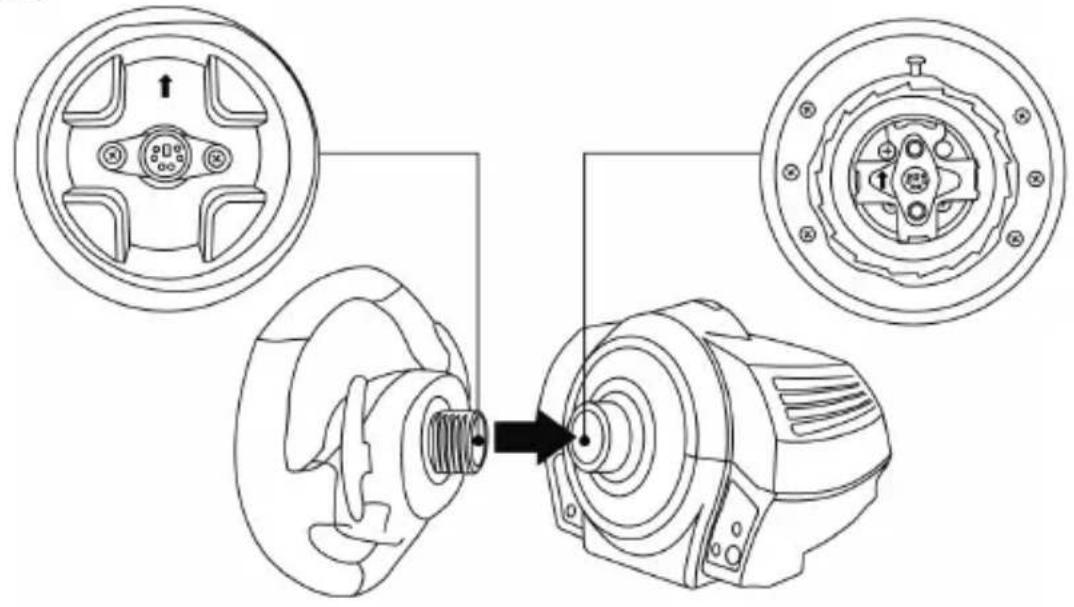
Align the connector locations using the arrows:
Base (1) connector: Arrow pointing upwards
Racing wheel (2) connector: Arrow pointing upwards
Once the connectors are correctly positioned, simply rotate the Thrustmaster Quick Release (12) device's ring counterclockwise, while holding the racing wheel (2) in position.
Then, tighten the ring as much as you can; to do so, hold the ring in position and rotate the racing wheel clockwise.
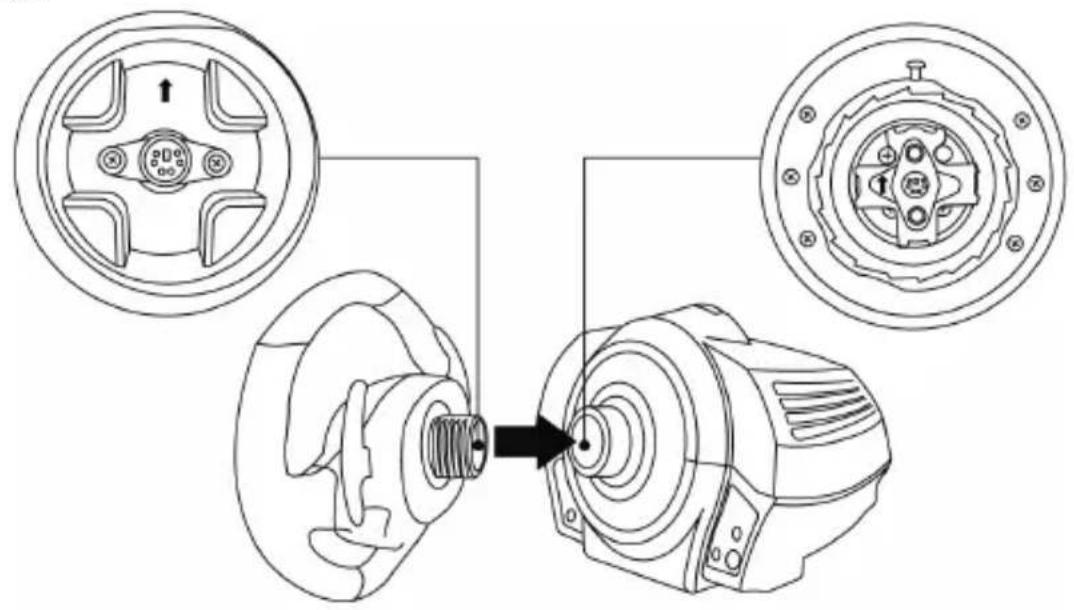
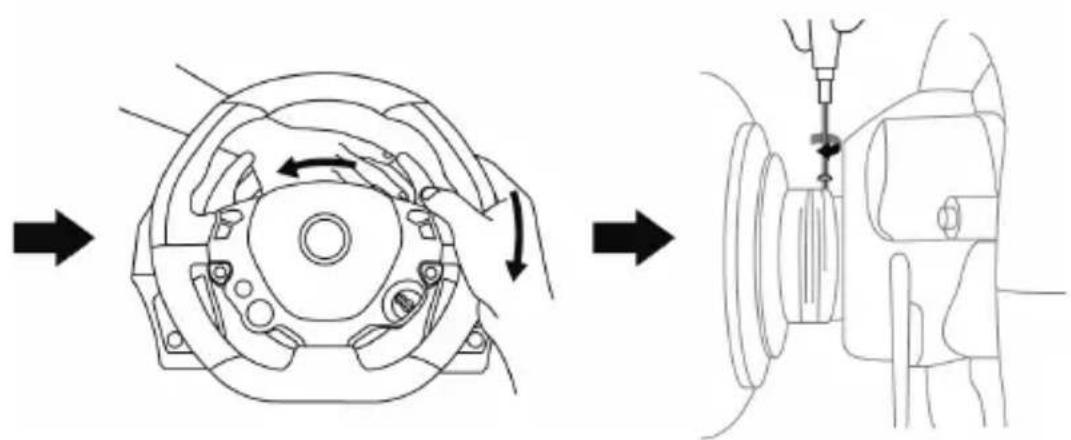
Once you have installed the FERRARI 458 ITALIA racing wheel, rotate it 180 degrees (when facing the wheel, the FERRARI logo should be upside down) to access the small attachment screw located on the Thrustmaster Quick Release (12) device. Use a large cross-slot screwdriver to tighten the small attachment screw (do not use excessive force), turning it clockwise.

Do not use excessive force when screwing the small attachment screw (using a cross-slot screwdriver)!
Stop turning the screw as soon as you feel some resistance.
ATTACHING THE RACING WHEEL
Attaching the racing wheel to a table or a desktop
- Place the racing wheel on a table or any other horizontal, flat and stable surface.
- Insert the fastening screw (11) in the attachment system (10), then tighten the device by turning the screw counterclockwise, so that it feeds into the large threaded hole (9) located beneath the racing wheel, until the device is perfectly stable.
WARNING: Never tighten the screw alone, without the attachment system! (This could damage the racing wheel).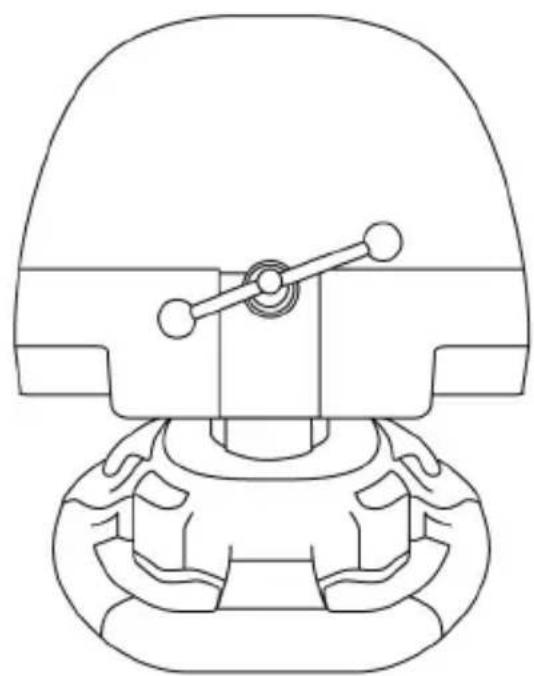
| ATTACHMENT / REMOVAL | DIRECTION |
| To tighten: Turn the screw counterclockwise | |
| To release: Turn the screw clockwise |
| POLSKI | TÜRKIKE | EMAHNIKA | PYCCKMI | PORTUGUES | ESPÁNOL | ITALIANO | NEDERLANDS | DEUTSCH | FRANZGIAS |
Attaching the racing wheel's base to a cockpit
- Place the racing wheel's base on the cockpit shelf.
- Drive two M6 screws (not included) through the cockpit shelf, then feed them into the two small threaded holes located beneath the racing wheel.
Important: The length of the M6 screws should not exceed the thickness of the shelf + 12 mm; longer screws could cause damage to internal components located in the racing wheel's base.
- If required, tighten the standard attachment system by inserting the fastening screw in the large threaded hole.
Attaching the pedal set to a cockpit
- Attach the pedal set using the small threaded holes located beneath it.
- Drive two M6 screws (not included) through the cockpit shelf, then feed them into the two small threaded holes located beneath the pedal set.
Important: The length of the M6 screws should not exceed the thickness of the shelf +10 mm; longer screws could cause damage to internal components located in the pedal set.
MAPPING
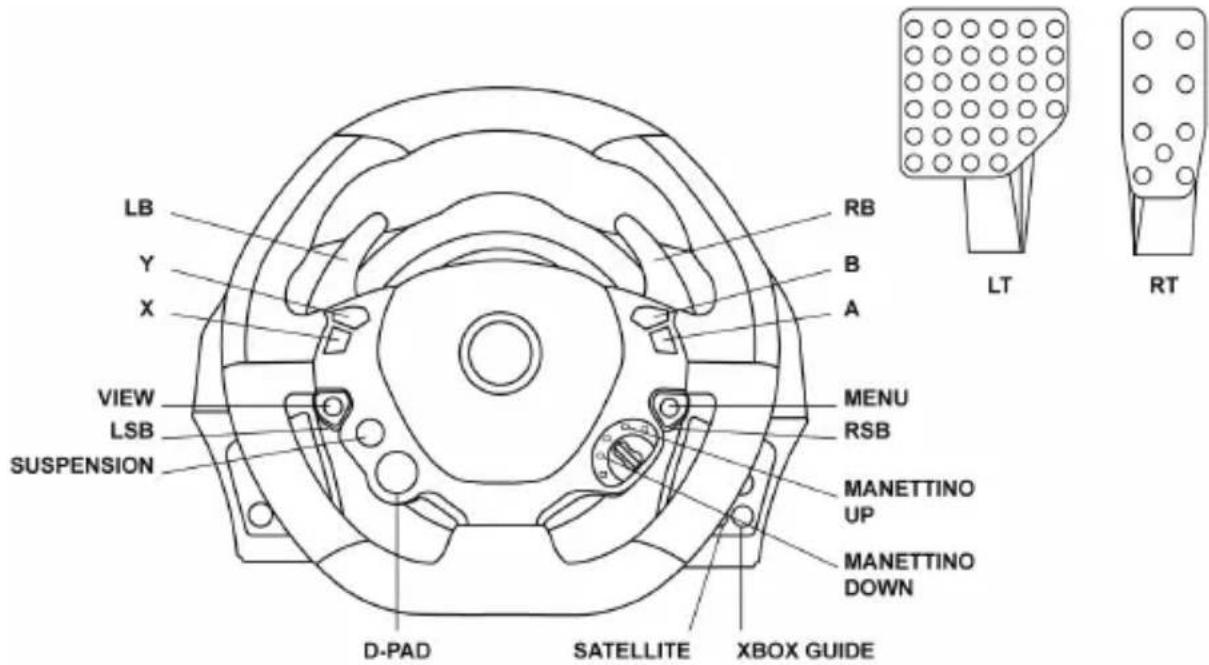
At product launch on Xbox One, different action buttons on the wheel will have identical features in the game.
In the near future, automatically updating your games (automatic updates will be available if your console is connected to the Internet) and updating your racing wheel's firmware will enable you to remove these duplicate features and increase the number of individual buttons.
UPGRADING YOUR RACING WHEEL'S FIRMWARE
The firmware included in your racing wheel's base can be upgraded to a more recent version featuring product enhancements.
To display the firmware version that your racing wheel is currently using and update it if required: on PC, visit http://support.thrustmaster.com. Click Racing Wheels / TX Racing Wheel, then select Firmware and follow the instructions describing the download and installation procedure.
SETTING UP THE RACING WHEEL FOR THE XBOX ONE
- Connect the pedal set to the connector (17) located at the back of the racing wheel's base.
- Connect the power supply cable to the connector (14) located at the back of the racing wheel's base.
- Connect the power supply cable to a mains outlet with proper voltage specifications.

For more information about this, please refer to the CONNECTING THE RACING
WHEEL TO THE MAINS section, on page 3 in this manual.
- Connect the racing wheel's USB connector (15) to one of the console's USB ports.
You are now ready to race!
AUTOMATIC RACING WHEEL AND PEDAL SET CALIBRATION
The racing wheel automatically self-calibrates when you connect the racing wheel to the mains and the racing wheel's USB connector to the console.
During this phase, the racing wheel will rotate quickly towards the left and the right, covering a 900 degree angle, before stopping at the center.

WARNING:
Never touch the racing wheel during the self-calibration phase!
(This could cause an incorrect calibration and/or personal injuries).
AUTOMATIC CALIBRATION OF THE PEDAL SET
Never connect the pedal set to the racing wheel's base (or disconnect it from the base) when it is connected to the console or during gameplay (this could cause incorrect calibration).
Always connect the pedal set before connecting the racing wheel to the console.
Once the racing wheel's calibration is done and the game has been launched, the pedals are automatically calibrated after a few presses.

WARNING:
Never press the pedals
during the racing wheel's self-calibration phase or while a game is loading!
(This could cause incorrect calibration)
If your racing wheel and pedal set do not operate correctly, or if calibration seems incorrect: Turn off your console, disconnect your racing wheel entirely, reconnect all cables (using the mains power supply cable and pedal set), then restart your console and your game.
CONTROLLER PAIRING (13)
To ensure correct detection of your racing wheel, the device's controller pairing (located on the upper section of the racing wheel's base) must always remain in the KINECT™ camera's field of vision.
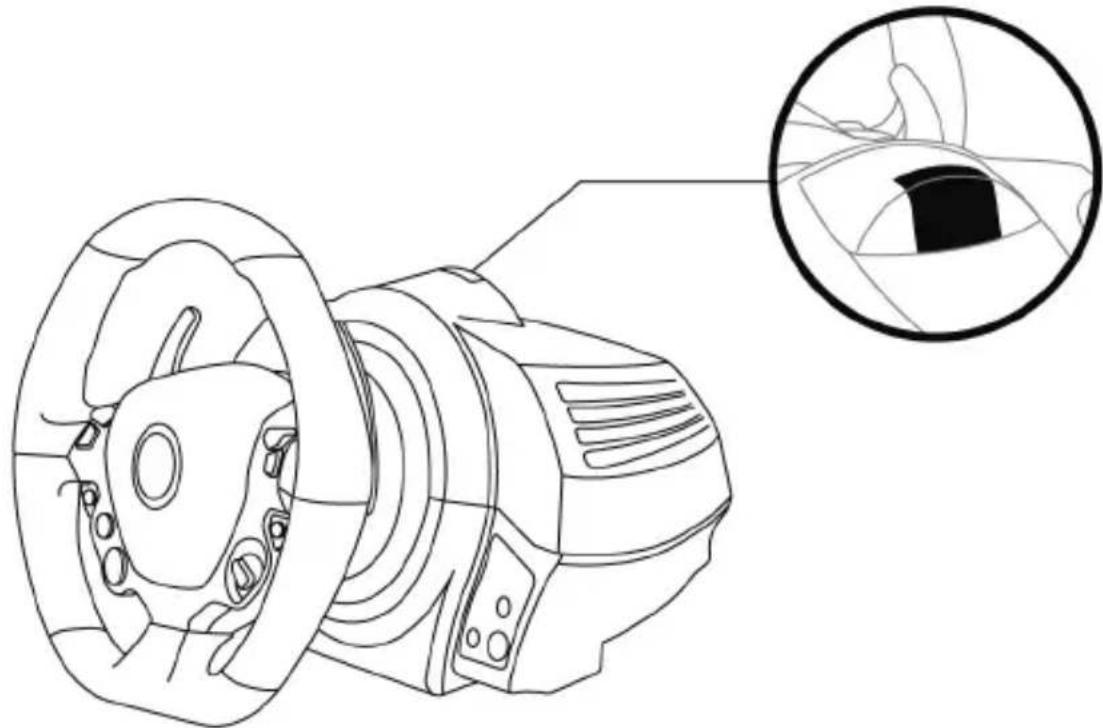
INTERNAL TEMPERATURE SENSOR
For safety reasons, the racing wheel's base features a temperature sensor. If the device's temperature becomes too high, your racing wheel can shut down suddenly. In this event:
- Unplug the mains power supply cable and the device's USB connector.
- Wait for the racing wheel's base to cool down entirely.
- Then, reconnect the device.
MODE BUTTON AND INDICATOR LIGHT (6)
MODE button for the pedal set
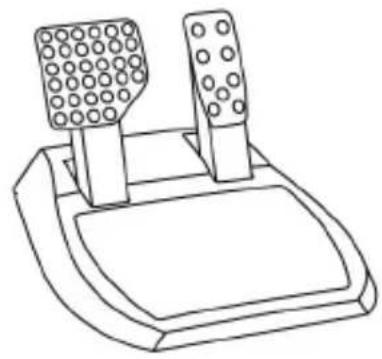
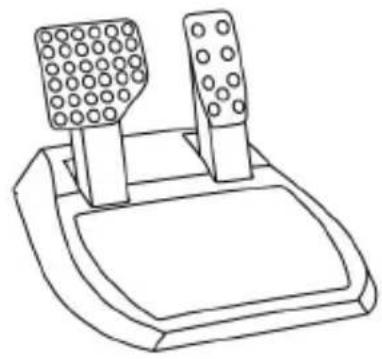
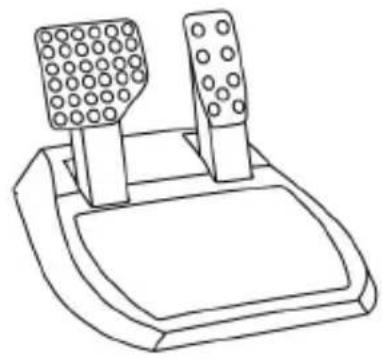
The pedal set included with the TX Racing Wheel features 2 pedals.
When using this pedal set, make sure that the indicator light remains red, or the accelerator pedal will not function correctly.
The TX Racing Wheel is also compatible with Thrustmaster pedal sets featuring 3 pedals (sold separately; forthcoming release); these enable you to electronically swap the accelerator and clutch pedals.
To do so, simply press the MODE button (6) for 2 seconds.
The racing wheel's internal memory stores whether the pedals have been swapped around or not.
| ACCELERATOR AND CLUTCH PEDALS | Color of the MODE indicator light (6) |
| NORMAL | RED |
| SWAPPED AROUND | GREEN |
Other hints for the MODE button
To learn more about the MODE button and indicator light, please visit http://support.thrustmaster.com. Click Racing Wheels / TX Racing Wheel, and then select Manual or FAQ.
HELP FILES AND FAQs (not stated in this manual)
Please visit http://support.thrustmaster.com. Click Racing Wheels / TX Racing Wheel, and then select Manual or FAQ.
CONSUMER WARRANTY INFORMATION
Worldwide, Guillemot Corporation S.A., whose registered office is located at Place du Granier, B.P. 97143, 35571 Chantepie, France (hereinafter "Guillemot") warrants to the consumer that this Thrustmaster product shall be free from defects in materials and workmanship, for a warranty period which corresponds to the time limit to bring an action for conformity with respect to this product. In the countries of the European Union, this corresponds to a period of two (2) years from delivery of the Thrustmaster product. In other countries, the warranty period corresponds to the time limit to bring an action for conformity with respect to the Thrustmaster product according to applicable laws of the country in which the consumer was domiciled on the date of purchase of the Thrustmaster product (if no such action exists in the corresponding country, then the warranty period shall be one (1) year from the original date of purchase of the Thrustmaster product).
Notwithstanding the above, rechargeable batteries are covered by a warranty period of six (6) months from the date of original purchase.
Should the product appear to be defective during the warranty period, immediately contact Technical Support, who will indicate the procedure to follow. If the defect is confirmed, the product must be returned to its place of purchase (or any other location indicated by Technical Support).
Within the context of this warranty, the consumer's defective product shall, at Technical Support's option, be either replaced or returned to working order. If, during the warranty period, the Thrustmaster product is subject to such reconditioning, any period of at least seven (7) days during which the product is out of use shall be added to the remaining warranty period (this period runs from the date of the consumer's request for intervention or from the date on which the product in question is made available for reconditioning, if the date on which the product is made available for reconditioning is subsequent to the date of the request for intervention). If permitted under applicable law, the full liability of Guillemot and its subsidiaries (including for consequential damages) is limited to the return to working order or the replacement of the Thrustmaster product. If permitted under applicable law, Guillemot disclaims all warranties of merchantability or fitness for a particular purpose.
This warranty shall not apply: (1) if the product has been modified, opened, altered, or has suffered damage as a result of inappropriate or abusive use, negligence, an accident, normal wear, or any other cause unrelated to a material or manufacturing defect (including, but not limited to, combining the Thrustmaster product with any unsuitable element, including in particular power supplies, rechargeable batteries, chargers, or any other elements not supplied by Guillemot for this product); (2) if the product has been used for any use other than home use, including for professional or commercial purposes (game rooms, training, competitions, for example); (3) in the event of failure to comply with the instructions provided by Technical Support; (4) to software, said software being subject to a specific warranty; (5) to consumables (elements to be replaced over the product's lifespan: disposable batteries, audio headset or headphone ear pads, for example); (6) to accessories (cables, cases, pouches, bags, wrist-straps, for example); (7) if the product was sold at public auction.
This warranty is nontransferable.
The consumer's legal rights with respect to laws applicable to the sale of consumer goods in his or her country are not affected by this warranty.
Additional warranty provisions
During the warranty period, Guillemot shall not provide, in principle, any spare parts, as Technical Support is the only party authorized to open and/or recondition any Thrustmaster product (with the exception of any reconditioning procedures which Technical Support may request that the consumer carry out, by way of written instructions - for example, due to the simplicity and the lack of confidentiality of the reconditioning process - and by providing the consumer with the required spare part(s), where applicable).
Given its innovation cycles and in order to protect its know-how and trade secrets, Guillemot shall not provide, in principle, any reconditioning notification or spare parts for any Thrustmaster product whose warranty period has expired.
In the United States of America and in Canada, this warranty is limited to the product's internal mechanism and external housing. In no event shall Guillemot or its affiliates be held liable to any third party for any consequential or incidental damages resulting from the breach of any express or implied warranties. Some States/Provinces do not allow limitation on how long an implied warranty lasts or exclusion or limitation of liability for consequential or incidental damages, so the above limitations or exclusions may not apply to you. This warranty gives you specific legal rights, and you may also have other rights which vary from State to State or Province to Province.
Liability
If permitted under applicable law, Guillemot Corporation S.A. (hereinafter "Guillemot") and its subsidiaries disclaim all liability for any damages caused by one or more of the following: (1) the product has been modified, opened or altered; (2) failure to comply with assembly instructions; (3) inappropriate or abusive use, negligence, an accident (an impact, for example); (4) normal wear; (5) the use of the product for any use other than home use, including for professional or commercial purposes (game rooms, training, competitions, for example). If permitted under applicable law, Guillemot and its subsidiaries disclaim all liability for any damages unrelated to a material or manufacturing defect with respect to the product (including, but not limited to, any damages caused directly or indirectly by any software, or by combining the Thrustmaster product with any unsuitable element, including in particular power supplies, rechargeable batteries, chargers, or any other elements not supplied by Guillemot for this product).

FCC STATEMENT
- This device complies with Part 15 of the FCC Rules. Operation is subject to the following two conditions:
(1) This device may not cause harmful interference, and (2) This device must accept any interference received, including interference that may cause undesired operation.
- Changes or modifications not expressly approved by the party responsible for compliance could void the user's authority to operate the equipment.
COPYRIGHT
© 2017 Guillemot Corporation S.A. All rights reserved. Thrustmaster® is a registered trademark of Guillemot Corporation S.A. Ferrari® is a registered trademark of Ferrari Idea S.p.A. All other trademarks are the property of their respective owners. Illustrations not binding. Contents, designs and specifications are subject to change without notice and may vary from one country to another. Made in China.
ENVIRONMENTAL PROTECTION RECOMMENDATION
In the European Union: At the end of its working life, this product should not be disposed of with standard household waste, but rather dropped off at a collection point for the disposal of Waste Electrical and Electronic Equipment (WEEE) for recycling.
This is confirmed by the symbol found on the product, user manual or packaging. Depending on their characteristics, the materials may be recycled. Through recycling and other forms of processing Waste Electrical and Electronic Equipment,
you can make a significant contribution towards helping to protect the environment.
Please contact your local authorities for information on the collection point nearest you.
For all other countries: Please adhere to local recycling laws for electrical and electronic equipment.
Retain this information. Colours and decorations may vary.
Plastic fasteners and adhesives should be removed from the product before it is used.
www.thrustmaster.com
*Applicable to EU and Turkey only




TX Racing Wheel
FERRARI 458 ITALIA EDITION
FOR XBOX ONE
CONSUMER WARRANTY INFORMATION
www.thrustmaster.com
FERRARI 458 ITALIA EDITION
FOR XBOX ONE
User Manual
WARNING:
www.thrustmaster.com
www.thrustmaster.com
www.thrustmaster.com
FERRARI 458 ITALIA EDITION
FOR XBOX ONE
User Manual
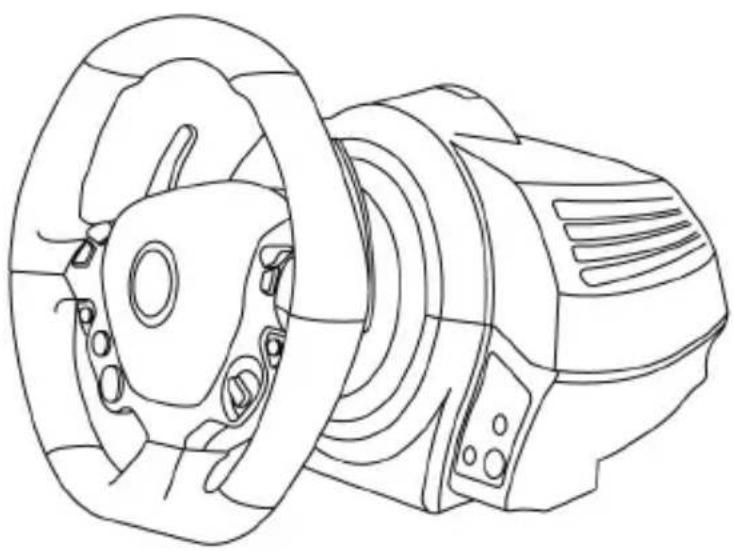
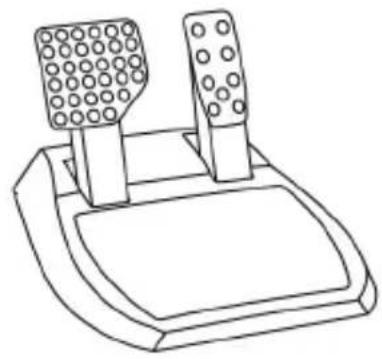
NOTICE:
www.thrustmaster.com
FERRARI 458 ITALIA EDITION
FOR XBOX ONE
User Manual
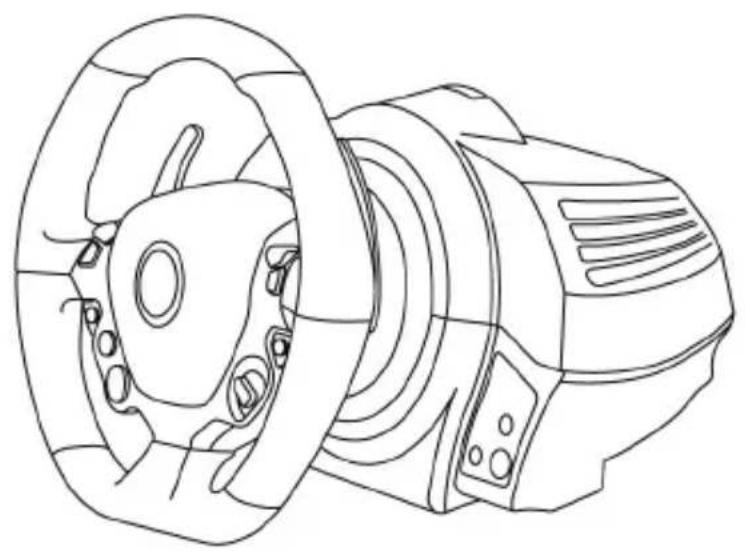
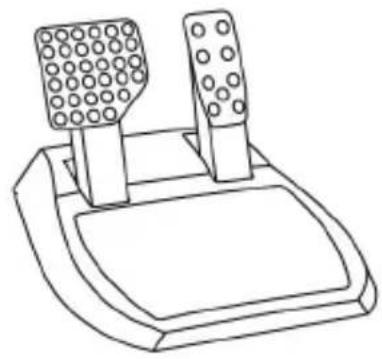
ATTENTION:
www.thrustmaster.com
FERRARI 458 ITALIA EDITION
FOR XBOX ONE
Operating Instructions
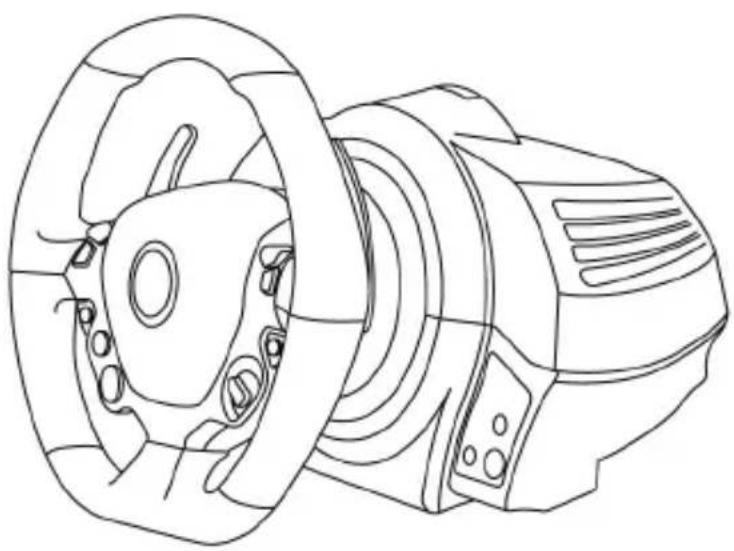
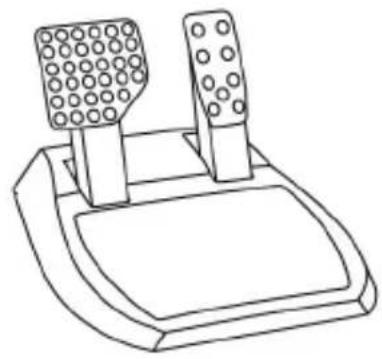
WARNING!
To ensure optimal compatibility of the steering wheel system TX with games on XBOX ONE
It may be necessary to install automatic game updates (they can be downloaded by connecting the game console to the Internet).
TECHNICAL SPECIFICATIONS
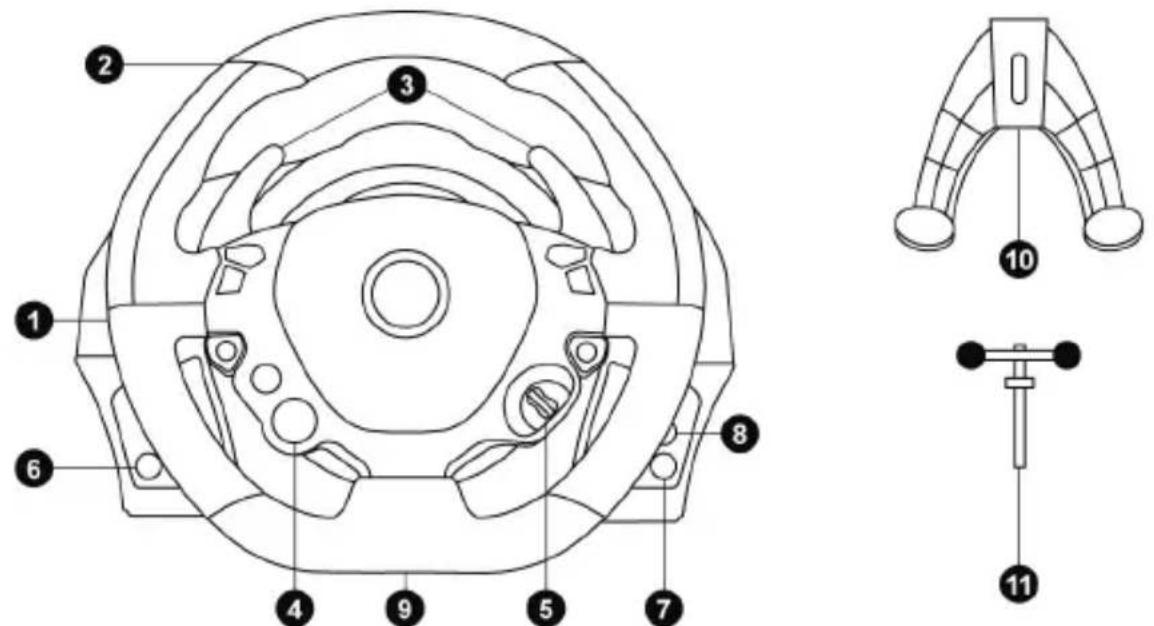
1 Base of the steering wheel 2 Thrustmaster quick-release shaft 3 Sequential gearshift paddles (up and down) 4 Multi-function D-Pad button (Engine Start) 5 Manettino switch (2 positions)
6 MODE button (Mode) + Red/Green indicator 7 Xbox Guide button 8 Directional pad 9 Thread for the large screw (for the clamping system of the quick-release screw) 10 Clamping system 11 Metal clamping screw
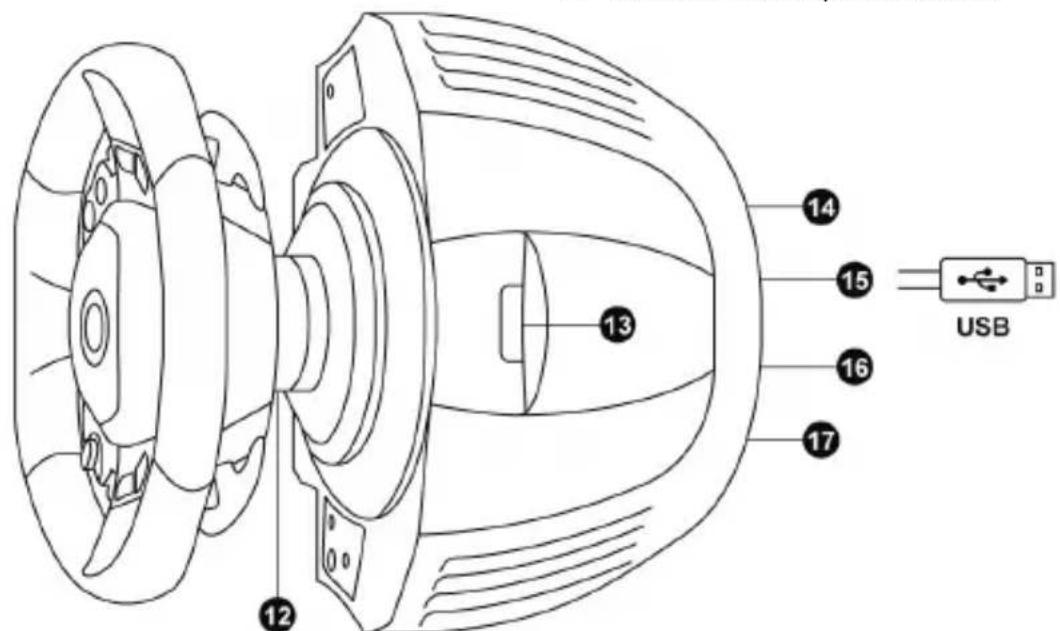
12 Thrustmaster Quick Release clamping system 13 Indicator of the controller status (for Kinetc™ recognition) 14 Connector for the pedal cable (for the pedals) (different standards for different countries)
15 USB cable of the system 16 Connector for the gearbox (sold separately, release pending) 17 Pedal block connector
- Place the base at least 10 cm away from walls;
- Do not place the base in a confined space;
- Never cover the base;
- Do not allow dust to accumulate on the ventilation openings.

For safety reasons, never press on the pedals with bare feet (without shoes).
THRUSTMASTER® ACCEPTS NO RESPONSIBILITY FOR ANY INJURY RESULTING FROM PRESSING ON THE PEDALS WITH BARE FEET.

Warning - risk of injury from repeated movements or actions
FORCE FEEDBACK
Using the force feedback steering system may cause pain in muscles or joints. Tips to prevent health problems:
- Do not play for extended periods of time; * take a 10-15 minute break after every hour of play; * if you feel fatigue or pain in your hands, wrists, arms, feet or legs, stop playing and rest for several hours before playing again. * if the above symptoms persist or reappear when you return to playing, stop playing and consult a doctor; * keep the system out of reach of children; * during play, place both hands correctly on the steering wheel and do not let it spin out of control;
- Do not insert your hands into the pedal block in any case during play; * During calibration of the game, in no case insert your hands into the steering wheel; * Make sure that the base of the steering wheel is securely fastened in accordance with the instructions for use.
WARNING: Do not allow use by children under 16 years of age.
Do not drop the product on yourself or on others!
EQUAL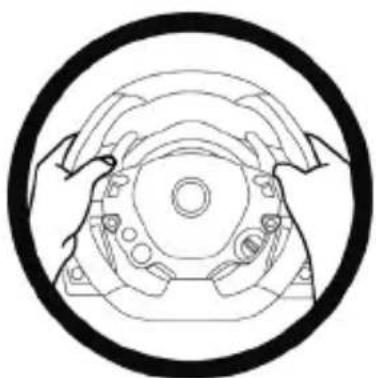
DO NOT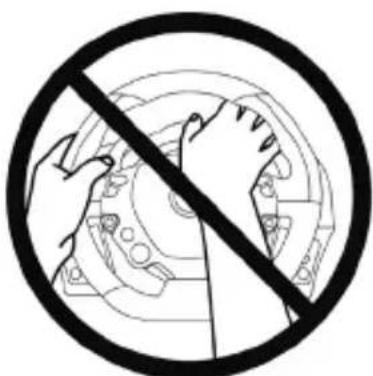
DO NOT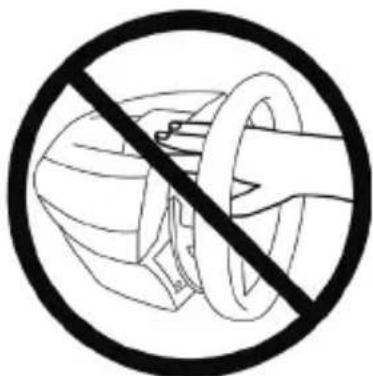

WARNING - Possible fall of the pedal block during play
* Keep the pedal block out of reach of children. * During play, in no case place your fingers on the pedals or insert them from the sides of the pedal block. * During play, in no case insert them behind the base of the pedal block. * During play, in no case insert them between the base and the pedal block.
DO NOT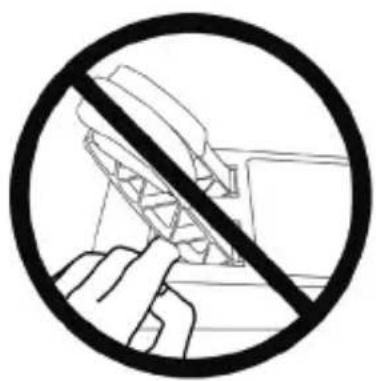
DO NOT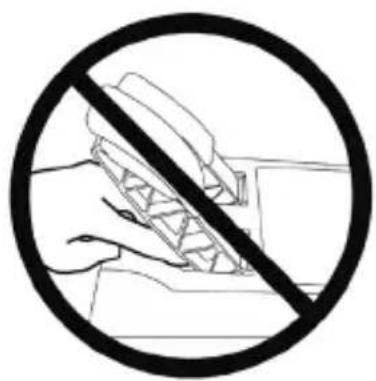
DO NOT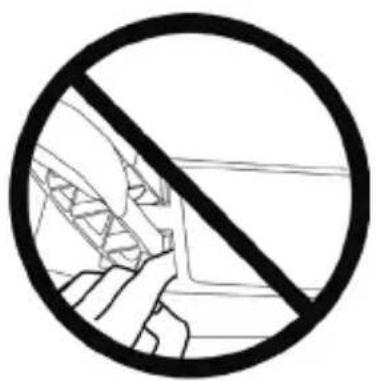

WARNING - Possible fall of the pedal block during idle time
* Store the pedal block in a safe place out of reach of children.
INSTALLATION OF THE STEERING WHEEL FERRARI 458 ITALIA ON THE BASE
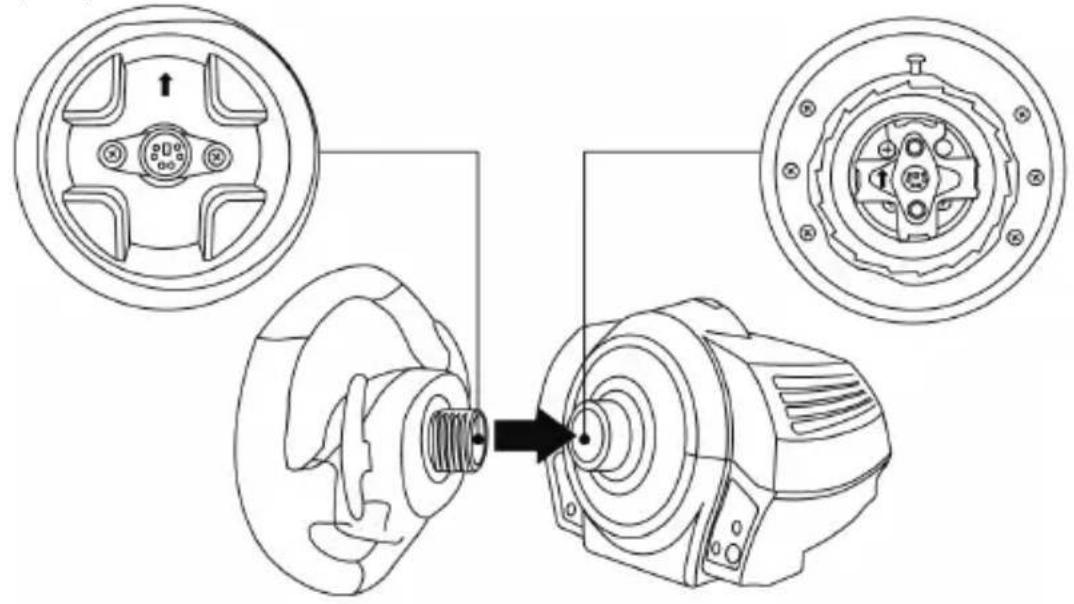
Using the arrows, align the connectors.
Mark on the base (1): the arrow points upward.
Mark on the wheel (2): the arrow points upward.
After correctly positioning the marks, simply turn the collar of the quick release system
Thrustmaster Quick Release (12) counterclockwise, while holding the wheel (2) in place.
Then, with maximum effort, tighten the collar, holding it in place and turning the wheel (clockwise).
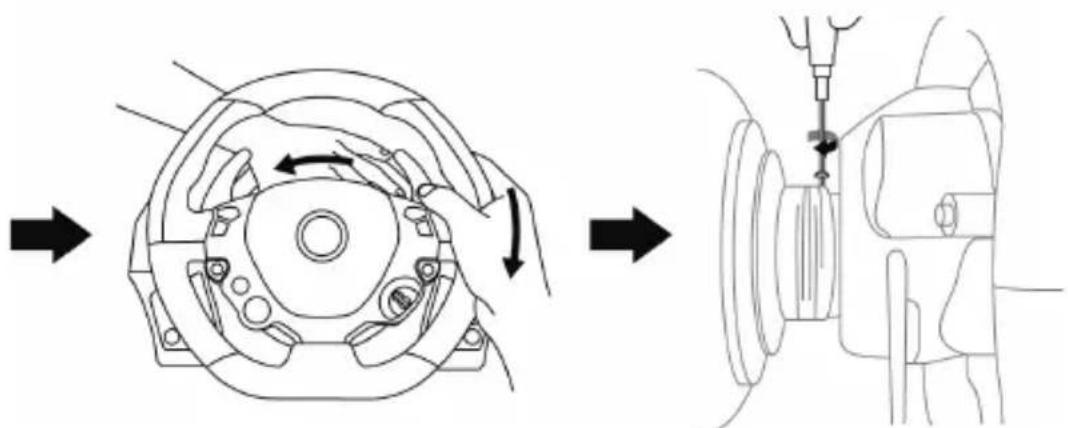
Having installed the FERRARI 458 ITALIA wheel, turn it 180° (if looking at the wheel, the Ferrari logo should be upside down) to gain access to the small locking screw on the Thrustmaster Quick Release system (12). Using a large crosshead screwdriver, tighten the small locking screw (without excessive force) clockwise.
Do not apply excessive force when tightening the small locking screw (with the crosshead screwdriver)!
Stop tightening as soon as you feel resistance.
INSTALLATION OF THE WHEEL SYSTEM
Placement of the steering wheel on the table.
- Place the steering wheel on a table or any horizontal, stable surface.
- Insert the locking screw (11) into the mounting system (10) and securely fasten the wheel by tightening the screw counterclockwise, so that it goes into the large threaded hole (9) located underneath.
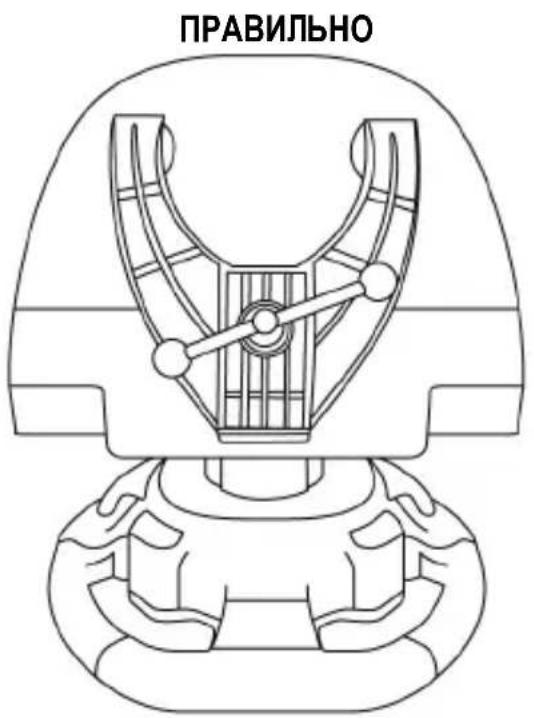
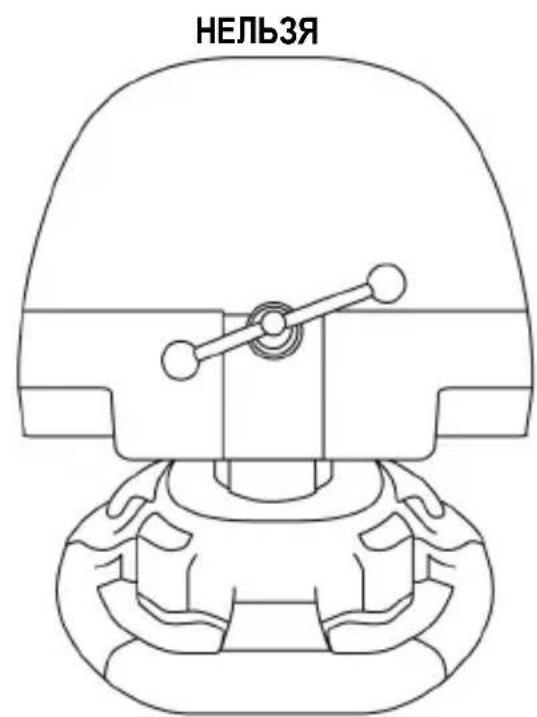
WARNING! Do not tighten the screw without the mounting system! Otherwise, the wheel system may be damaged.
| UCTAHOBKA / DEMOHTAX | НAPРABLENHIE |
| Фиksача Зakрочаиме вунmnpомue часов смрелкu | |
| ОCLASSION Рacksочьaime e вунm no часов смрелke |
Securing the base of the steering wheel to the cockpit
- Place the base of the steering wheel on the cockpit's mounting plate.
- Through the holes in the hood, insert two M6 bolts (not included) into the two small threaded holes on the underside of the steering wheel base.
Important! The M6 bolts must not protrude more than 12 mm beyond the hood; longer bolts may damage the internal parts of the steering wheel base.
- If necessary, tighten the standard mounting system by inserting the mounting bolt into the large threaded hole.
Securing the pedal block in the hood
- Secure the pedal block using the small threaded holes on its underside.
- Through the holes in the hood, insert two M6 bolts (not included) into the two small threaded holes on the underside of the pedal block.
Important! The M6 bolts must not protrude more than 10 mm beyond the hood; longer bolts may damage the internal parts of the pedal block.
FUNCTION MAPPING
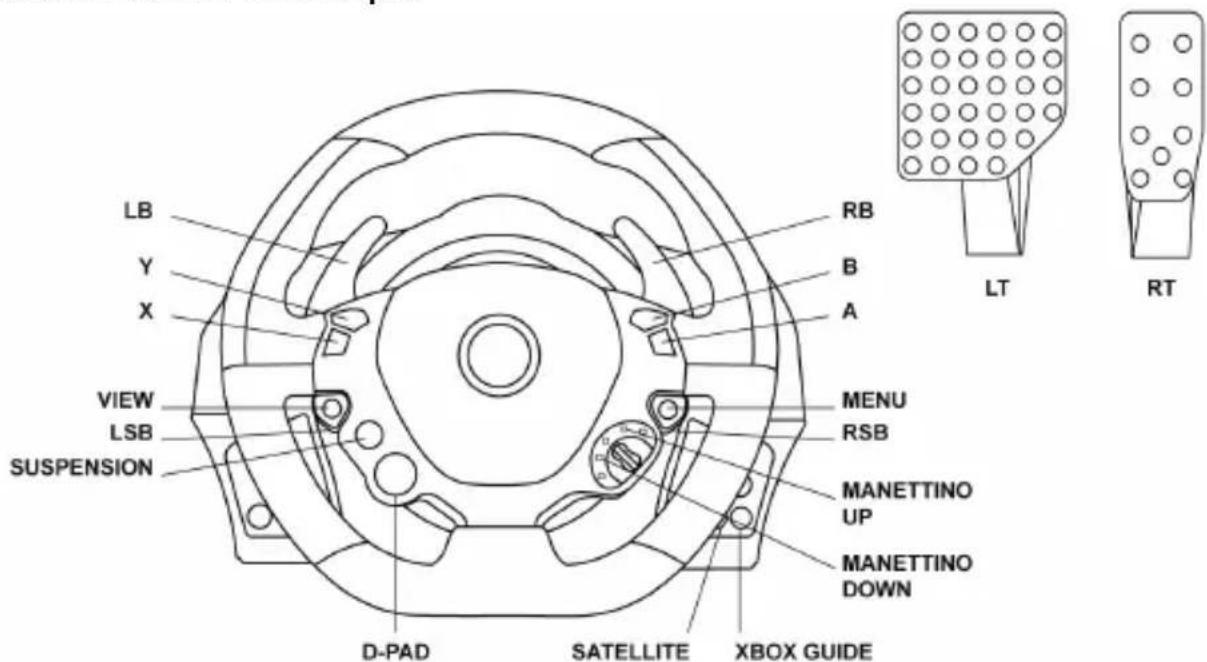
When starting the system on Xbox One, the various functional buttons on the wheel have analogous functions in the game.
In future updates, automatic firmware updates (if the console is connected to the Internet) and firmware updates for the steering system will allow duplicating functions and increasing the number of different buttons.
FIRMWARE UPDATE FOR THE STEERING SYSTEM
The base of the steering wheel can be updated to a later version, containing improvements.
To view the version of the firmware installed in your device and to update it if necessary, open the site http://support.thrustmaster.com. Select Thrustmaster / TX Racing Wheel, then Firmware, and follow the instructions for downloading and installation.
SETTING UP THE TX RACING WHEEL FOR XBOX ONE
- Connect the pedal block to the connector (17) on the back of the steering wheel base.
- Connect the power cable to the connector (14) on the back of the steering wheel base. 3. Connect the power cable to a power outlet of the appropriate voltage.

More details are described in the section "CONNECTING THE STEERING WHEEL TO THE POWER SUPPLY" on page 3 of this manual.
- Connect the USB connector (15) of the steering wheel to one of the USB ports of the console.
Now everything is ready for gaming!
AUTOMATIC CALIBRATION OF THE WHEEL AND PEDAL BLOCK
Calibration of the racing wheel is performed automatically when the steering wheel is connected to the power supply and to the game console via the USB connector.
During this procedure, the wheel quickly rotates left and right, making a turn of 900 degrees, and then stops in the center.

WARNING!
During calibration, do not touch the wheel!
(Otherwise, calibration may fail / or the wheel may malfunction).
AUTOMATIC CALIBRATION OF THE PEDAL BLOCK
You can connect the pedal block to the base of the steering wheel (and disconnect it from the base), if the system is connected to the console and during the game (otherwise a calibration failure is possible). The pedal block should be connected to the steering system before connecting it to the console. After completing the calibration, the game starts, and after several presses of the pedals, their automatic calibration is activated.

ATTENTION!
Do not press the pedals
during auto-calibration or during game loading!
(Otherwise, a calibration failure is possible).
If the pedals do not work properly or the calibration is incorrect
Turn off the console and completely disconnect the steering system, reconnect all cables (power and pedal block) and restart the console and the game.
CONTROLLER CONNECTION (13)
For correct recognition of the steering system, the controller connection indicator (8 on the upper part of the steering wheel base) must always remain in the camera's field of view.

BUILT-IN TEMPERATURE SENSOR
For safety, a temperature sensor is built into the steering wheel base. In case of excessive heating of the steering system, it may suddenly turn off. In this case:
- Disconnect the device's power cable and USB cable; - Wait for the steering wheel base to cool down completely; - Then reconnect the device.
MODE BUTTON AND INDICATOR (6)
MODE button for the pedal block
The pedal block, included in the TX steering system kit, is equipped with two pedals.
When using the gas pedal block, the indicator must be red, otherwise the gas pedal will not work properly.
The TX steering system is also compatible with Thrustmaster pedal blocks with three pedals (purchased separately; release expected), on which you can electronically swap the positions of the gas and brake pedals.
To do this, press and hold the MODE button (6) for 2 seconds.
The built-in memory of the steering system stores data about the pedal swap.
www.thrustmaster.com



TX Racing Wheel
FERRARI 458 ITALIA EDITION
FOR XBOX ONE
User manual
IMPORTANT:
To ensure that the TX Racing Wheel works properly with all games for XBOX ONE, you need to install the automatic updates for games (it is possible that the console is not connected to the Internet).
TECHNICAL SPECIFICATIONS
Included with the wheel:
* A power supply unit with a cable connected to the interior of the base
POWER, TYPE A
Power cable 220-240V
Electrical, μ in the inputs:
* A power supply unit connected to the internal power supply of the base unit, type A
Power cable 100-125V
Press the MODE button
www.thrustmaster.com
FERRARI 458 ITALIA EDITION
FOR XBOX ONE
User Manual
WARNING:
Do not plug into a 100-130V outlet!
Do not plug into a 220-240V outlet!
INTERNAL TEMPERATURE SENSOR
www.thrustmaster.com
www.thrustmaster.com
| Thrustmaster Quick Release (KinectTM sallty) pailll yajn jil13 ((w) g1 (j) gill) aaiy jil lal lal lal lal lal lal lal lal lal lal lal lal lal lal lal lal lal lal lal lal lal lal lal lal lal lal lal lal lal lal lal lal lal lal lal lal lal lal lal lal lal lal lal lal lal lal lal lal lal lal lcal lal lal lal lal lal lal lal lal lal lal lal lal lal lal lal lal lal lal lal lal lal lal lal lal lal lal lal lal lal lal lal lal lal lal lal lal lal lal lal lal lal lal lal lal lal lal lal lal lal lAL |
1
a 1
1 1 1 1 1 1 1 1 1 1 1 1 1 1 1 1 1 1 1 1 1 1 1 1 1 1 1 1 1 1 1 1 1 1 1 1 1 1 1 1
A 1
1
(g))slll
Jabsl y Jglua jy b
Jls KsIgla Jyj 12dolll alge gao gai ydi kdl qil
a 1
aalil aiee gaaagall llae e 100
a
J 1
16+
16 16

1 1
Therefore, m = 3/11
a
[⇔ {10} > 0]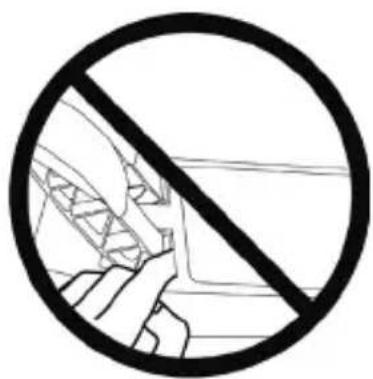
Guillemot Corporation S.A. Chantepie, France. Thrustmaster (repeated many times). (1) p5
www.thrustmaster.com


TX Racing Wheel
FERRARI 458 ITALIA EDITION
For Xbox One®
Warning:
www.thrustmaster.com

Paper: outer box


TX Racing Wheel
FERRARI 458 ITALIA EDITION
For Xbox One®
User Manual
Warning:
To ensure that the TX Racing Wheel can properly control games on the Xbox One console,
you may need to install automatic updates for the games
(available when your console is connected to the internet).
Technical Specifications
Technical specifications
www.thrustmaster.com
CE
TX Racing Wheel
FERRARI 458 ITALIA EDITION
XBOX ONE®
*
**220-240V
220-240V

220-240V 100-130V 100-130V
#

#

www.thrustmaster.com



TX Racing Wheel
FERRARI 458 ITALIA EDITION
FOR XBOX ONE®
User Manual
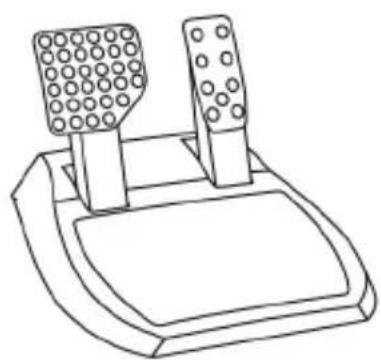
WARNING:
To ensure that your TX Racing Wheel functions correctly with games for XBOX ONE,
you may be required to install the games' automatic updates (available when your games console is connected to the Internet).
TECHNICAL SPECIFICATIONS
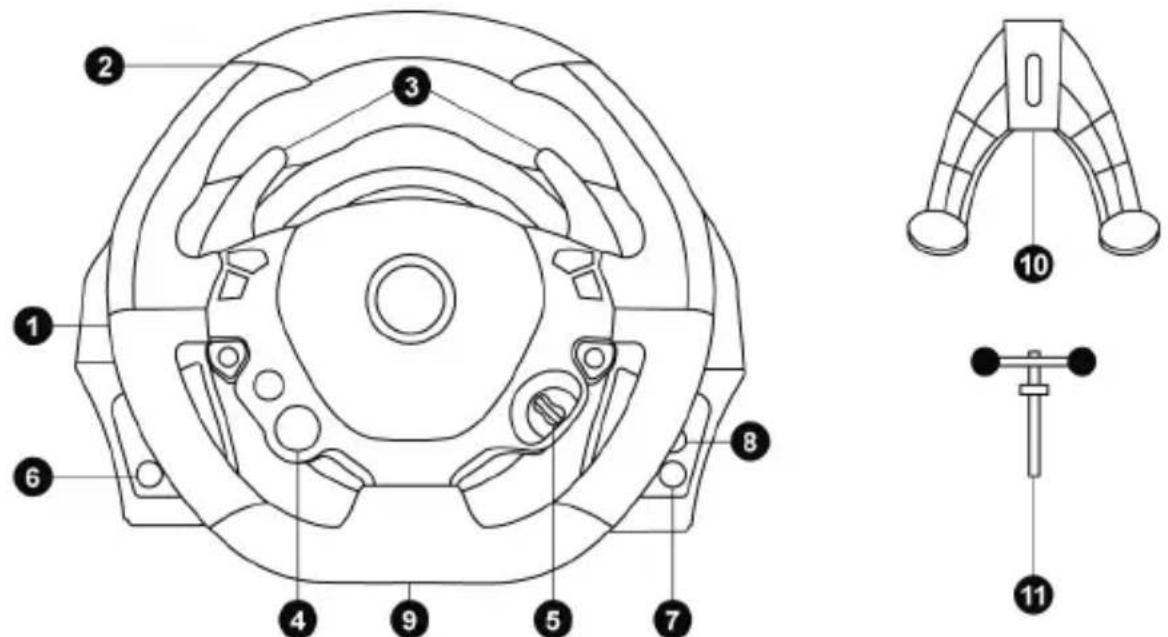
1 Racing wheel base 2 Racing wheel 3 2 sequential gear shift levers (Up & Down) 4 Multidirectional D-Pad (Engine Start) 5 Manettino (2 positions) 6 MODE button + Red/Green indicator light
7 Xbox Guide button 8 White indicator light 9 Large threaded hole (for attachment system and tightening screw) 10 Attachment system 11 Metal fastening screw
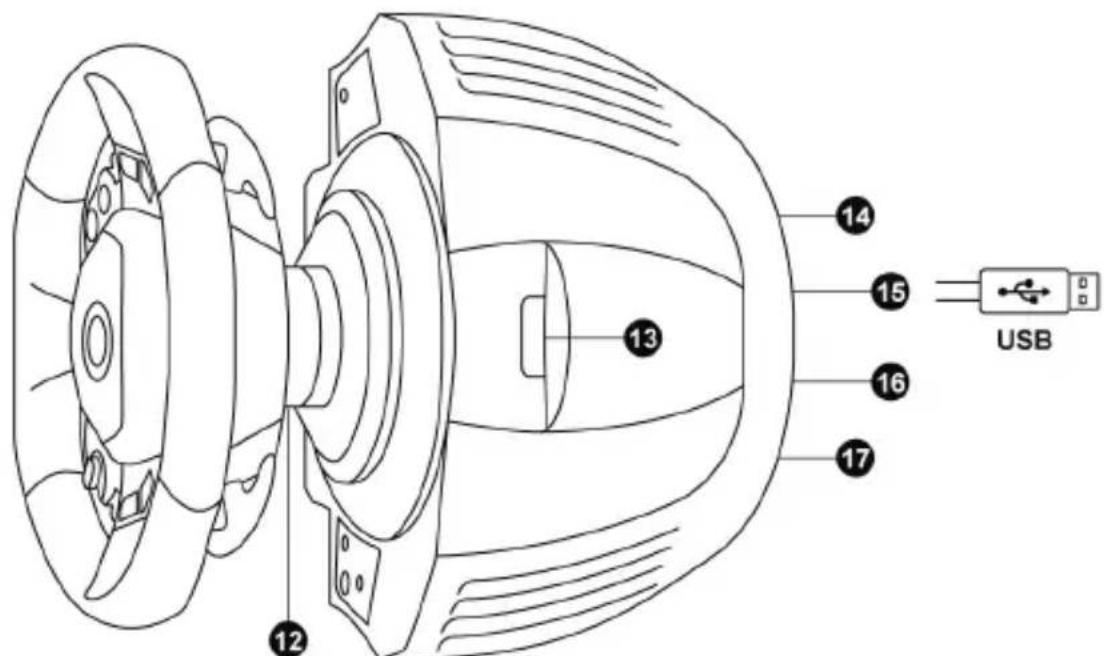
12 Thrustmaster Quick Release
13 Controller pairing (for KinectTM detection)
14 Mains supply connector (type A or B) (Varies from one country to another)
15 Racing wheel USB cable and connector 16 Gearbox connector (sold separately, forthcoming release) 17 Pedal set connector
CONNECTING THE RACING WHEEL TO THE MAINS = PLEASE READ BEFORE PROCEEDING!
Your racing wheel's power supply varies according to the country where you purchased your device. In Korea, the power supply is:
Internal, with:
*a power supply unit located directly inside the racing wheel's base, with a type C connector. * a 220-240 V power supply cable. = compatible only with 220-240 V electrical power.
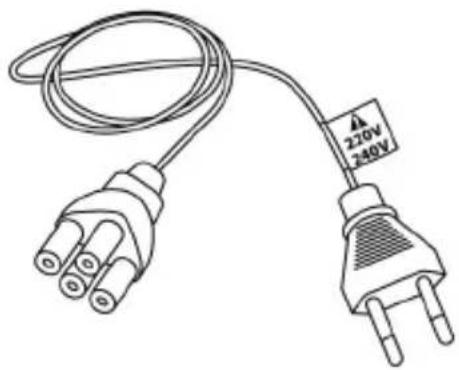
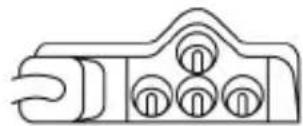
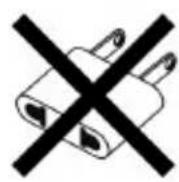

Never connect the 220-240 V cable to a 100-130 V electrical outlet!!! Never connect this cable to a power adapter!!!
WARNING
Before you use this product, please read this documentation carefully and keep it safe should you need to consult it later.

Warning - Electric shock
- Store the product in a dry location and do not expose it to dust or sunlight.
- Respect the connection direction.
- Do not twist or pull the connectors and cables.
- Do not spill any liquid on the product or its connectors.
- Do not short-circuit the product.
- Never dismantle the product; do not throw it onto a fire and do not expose it to high temperatures.
- Do not use a power supply cable other than the one provided with your racing wheel.
- Do not use the mains power supply cable if the cable or the connectors are damaged, split or broken.
- Make sure that the mains power cable is properly inserted into the power outlet and the connector located on the rear face of the racing wheel's base.
- Do not open. No user replaceable parts inside. Refer servicing to manufacturer, specified agency or qualified technician.
- Only use attachments/accessories specified by the manufacturer.
- If the steering wheel is operating unusually (if it is emitting any abnormal sounds, heat or odors), stop using it immediately, disconnect the power cable from the socket and disconnect the other cables.
- If you are not going to be using the steering wheel for an extended period, disconnect the mains adaptor from the wall socket.

Air vents
Make sure that you do not block any of the air vents on the steering wheel base. For optimum ventilation, respect the points below:
- Position the base at least 10 cm away from any wall surfaces.
- Do not place the base in any tight spaces.
- Do not cover the base.
- Do not let any dust build up on the air vents.

For safety reasons, never use the pedal set with bare feet or while wearing only socks on your feet.
THRUSTMASTER © DISCLAIMS ALL RESPONSIBILITY IN THE EVENT OF INJURY RESULTING FROM USE OF THE PEDAL SET WITHOUT SHOES.

Warning - Injuries due to force feedback and repeated movements
Playing with a force-feedback steering wheel may cause muscle or joint pain. To avoid any problems:
- Avoid lengthy gaming periods.
- Take 10 to 15 minute breaks after each hour of play.
- If you feel any fatigue or pain in your hands, wrists, arms, feet or legs, stop playing and rest for a few hours before you start playing again.

Warning - Injuries due to force feedback and repeated movements (continued)
- If the symptoms or pain indicated above persist when you start playing again, stop playing and consult your doctor.
- Keep out of children's reach.
- During games, always keep both hands correctly positioned on the steering wheel without letting go completely.
- During gameplay, never place your hands or fingers under the pedals or anywhere near the pedal set.
- During calibration and gameplay, never place your hand or arm through the openings in the racing wheel.
- Check that the steering wheel base is carefully clamped as per the manual's instructions.
HEAVY PRODUCT: To be handled only by users 16 years of age or older.
Be careful not to drop the product on yourself or on anyone else!
ALWAYS NEVER NEVER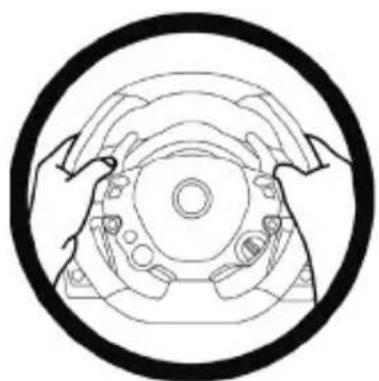
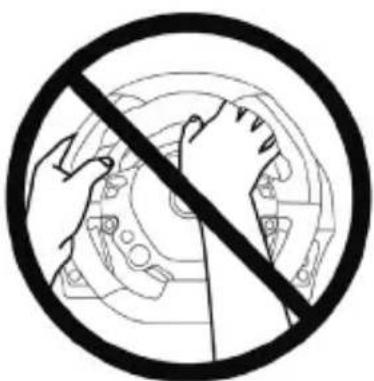

Warning - Pedal set pinch hazard when playing
- Keep the pedal set out of children's reach.
- When playing, never place your fingers on or anywhere near the sides of the pedals.
- When playing, never leave your fingers on or anywhere near the pedals' rear base.
- When playing, never place your fingers on or anywhere near the pedals' front base.
NEVER NEVER NEVER

Warning - Pedal set pinch hazard when not playing
- Store the pedal set in a safe place, and keep it out of children's reach.
ATTACHING THE FERRARI 458 ITALIA RACING WHEEL TO ITS BASE
Align the connector locations using the arrows:
Base (1) connector: Arrow pointing upwards
Racing wheel (2) connector: Arrow pointing upwards
Once the connectors are correctly positioned, simply rotate the Thrustmaster Quick Release (12) device's ring counterclockwise, while holding the racing wheel (2) in position.
Then, tighten the ring as much as you can; to do so, hold the ring in position and rotate the racing wheel clockwise.
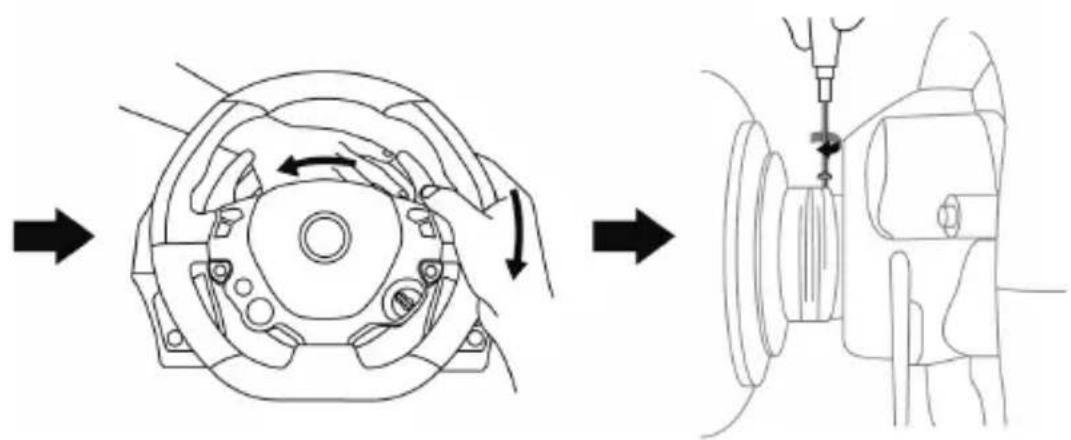
Once you have installed the FERRARI 458 ITALIA racing wheel, rotate it 180° (when facing the wheel, the FERRARI logo should be upside down) to access the small attachment screw located on the Thrustmaster Quick Release (12) device. Use a large cross-slot screwdriver to tighten the small attachment screw (do not use excessive force), turning it clockwise.

Do not use excessive force when screwing the small attachment screw (using a cross-slot screwdriver)!
Stop turning the screw as soon as you feel some resistance.
ATTACHING THE RACING WHEEL
Attaching the racing wheel to a table or a desktop
- Place the racing wheel on a table or any other horizontal, flat and stable surface.
- Insert the fastening screw (11) in the attachment system (10), then tighten the device by turning the screw counterclockwise, so that it feeds into the large threaded hole (9) located beneath the racing wheel, until the device is perfectly stable.
WARNING: Never tighten the screw alone, without the attachment system! (This could damage the racing wheel).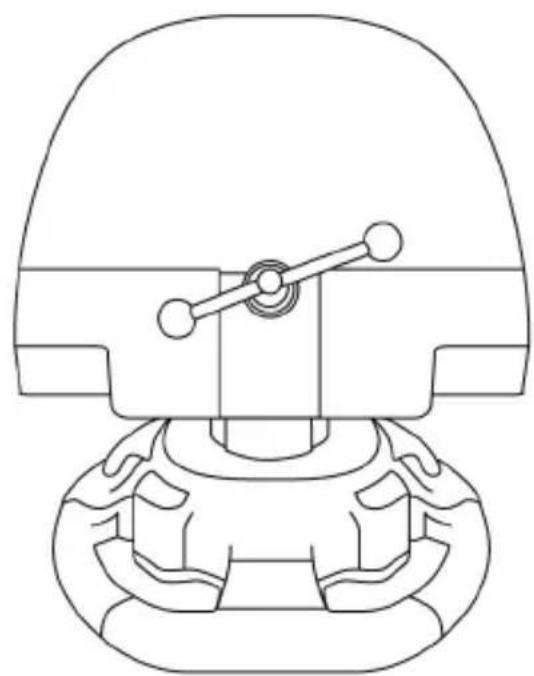
| ATTACHMENT / REMOVAL | DIRECTION |
| To tighten: Turn the screw counterclockwise | |
| To release: Turn the screw clockwise |
Attaching the racing wheel's base to a cockpit
- Place the racing wheel's base on the cockpit shelf.
- Drive two M6 screws (not included) through the cockpit shelf, then feed them into the two small threaded holes located beneath the racing wheel.
Important: The length of the M6 screws should not exceed the thickness of the shelf + 12 mm; longer screws could cause damage to internal components located in the racing wheel's base.
- If required, tighten the standard attachment system by inserting the fastening screw in the large threaded hole.
Attaching the pedal set to a cockpit
- Attach the pedal set using the small threaded holes located beneath it.
- Drive two M6 screws (not included) through the cockpit shelf, then feed them into the two small threaded holes located beneath the pedal set.
Important: The length of the M6 screws should not exceed the thickness of the shelf +10 mm; longer screws could cause damage to internal components located in the pedal set.
MAPPING
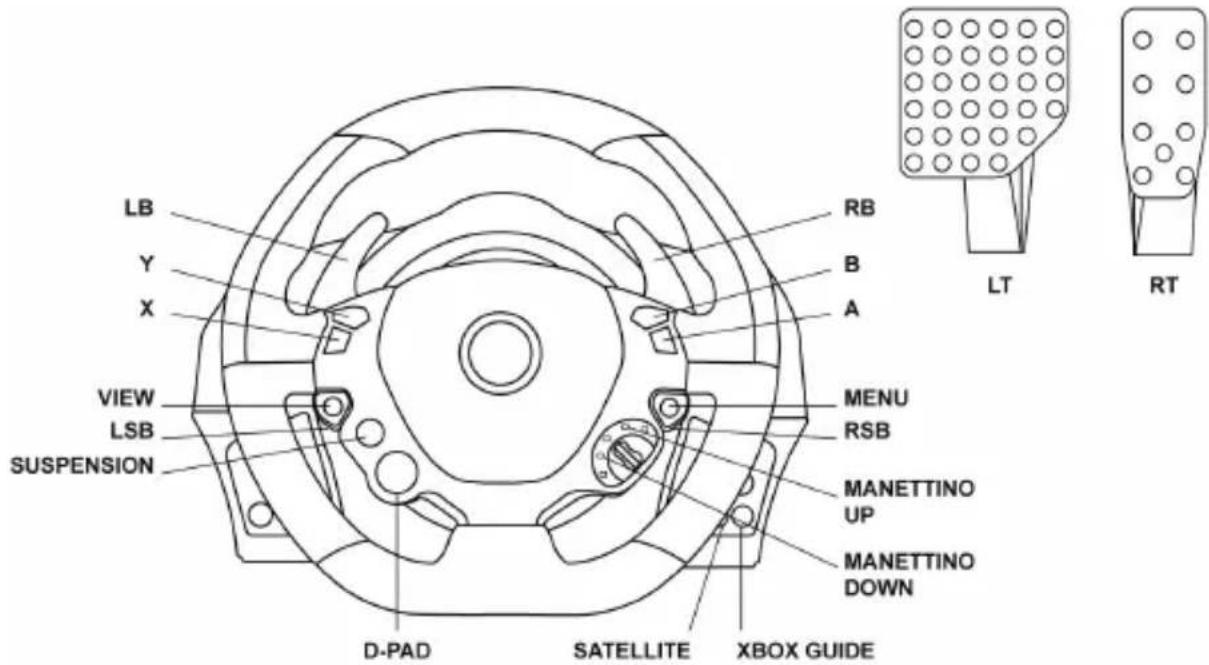
At product launch on Xbox One, different action buttons on the wheel will have identical features in the game.
In the near future, automatically updating your games (automatic updates will be available if your console is connected to the Internet) and updating your racing wheel's firmware will enable you to remove these duplicate features and increase the number of individual buttons.
UPGRADING YOUR RACING WHEEL'S FIRMWARE
The firmware included in your racing wheel's base can be upgraded to a more recent version featuring product enhancements.
To display the firmware version that your racing wheel is currently running and upgrade it if required: on PC, connect to http://support.thrustmaster.com. Click Racing Wheels / TX Racing Wheel, then select Firmware and follow the instructions describing the download and setup procedure.
SETTING UP THE RACING WHEEL FOR THE XBOX ONE
- Connect the pedal set to the connector (17) located at the back of the racing wheel's base.
- Connect the power supply cable to the connector (14) located at the back of the racing wheel's base.
- Connect the power supply cable to a mains outlet with proper voltage specifications.

For more information about this, please refer to the CONNECTING THE RACING WHEEL TO THE MAINS section, on page 3 in this manual.
- Connect the racing wheel's USB connector (15) to one of the console's USB ports.
You are now ready to race!
AUTOMATIC RACING WHEEL AND PEDAL SET CALIBRATION
The racing wheel automatically self-calibrates when you connect the racing wheel to the mains and the racing wheel's USB connector to the console.
During this phase, the racing wheel will rotate quickly towards the left and the right, covering a 900 degree angle, before stopping at the center.

WARNING:
Never touch the racing wheel during the self-calibration phase! (This could cause an incorrect calibration and/or personal injuries).
AUTOMATIC CALIBRATION OF THE PEDAL SET
Never connect the pedal set to the racing wheel's base (or disconnect it from the base) when it is connected to the console or during gameplay (this could cause incorrect calibration).
Always connect the pedal set before connecting the racing wheel to the console.
Once the racing wheel's calibration is done and the game has been launched, the pedals are automatically calibrated after a few presses.

WARNING:
Never press the pedals
during the racing wheel's self-calibration phase or while a game is loading!
(This could cause incorrect calibration)
If your racing wheel and pedal set do not operate correctly, or if calibration seems incorrect: Turn off your console, disconnect your racing wheel entirely, reconnect all cables (using the mains power supply cable and pedal set), then restart your console and your game.
CONTROLLER PAIRING (13)
To ensure correct detection of your racing wheel, the device's controller pairing (located on the upper section of the racing wheel's base) must always remain in the KINECT™ camera's field of vision.
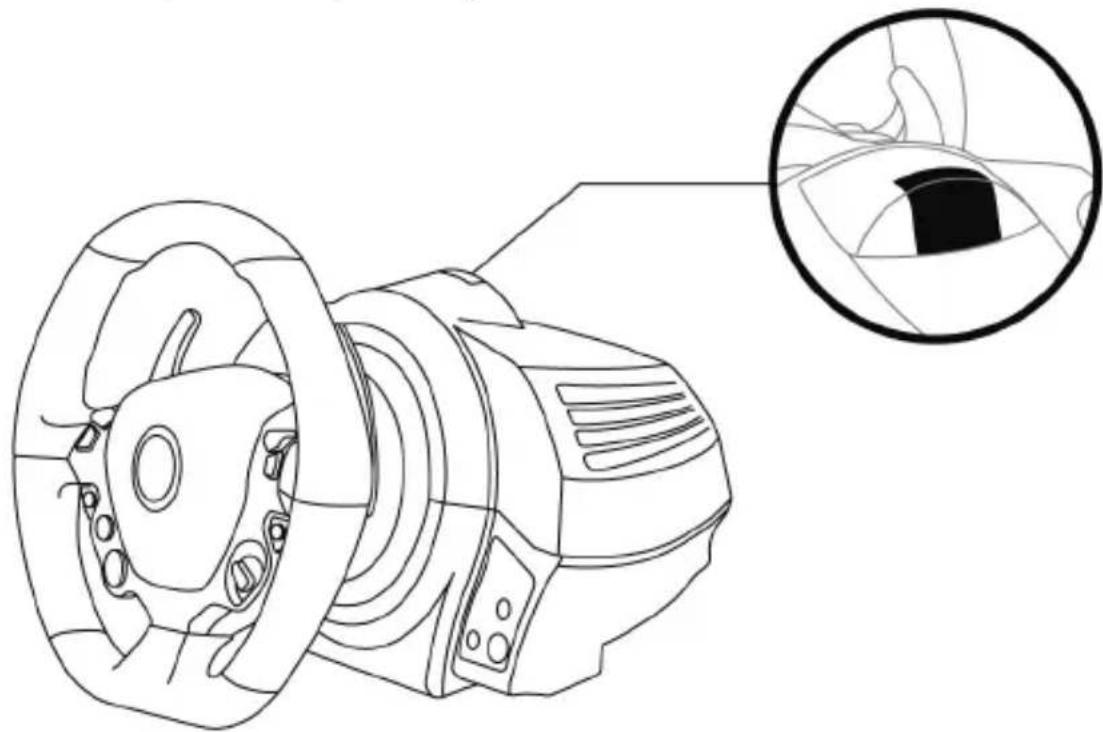
INTERNAL TEMPERATURE SENSOR
For safety reasons, the racing wheel's base features a temperature sensor. If the device's temperature becomes too high, your racing wheel can shut down suddenly. In this event:
- Unplug the mains power supply cable and the device's USB connector.
- Wait for the racing wheel's base to cool down entirely.
- Then, reconnect the device.
MODE BUTTON AND INDICATOR LIGHT (6)
MODE button for the pedal set
The pedal set included with the TX Racing Wheel features 2 pedals.
When using this pedal set, make sure that the indicator light remains red, or the accelerator pedal will not function correctly.
The TX Racing Wheel is also compatible with Thrustmaster pedal sets featuring 3 pedals (sold separately; forthcoming release); these enable you to electronically swap the accelerator and clutch pedals.
To do so, simply press the MODE button (6) for 2 seconds.
The racing wheel's internal memory stores whether the pedals have been swapped around or not.
| ACCELERATOR AND CLUTCH PEDALS | Color of the MODE indicator light (6) |
| NORMAL | RED |
| SWAPPED AROUND | GREEN |
Other hints for the MODE button
To learn more about the MODE button and indicator light, please visit http://support.thrustmaster.com. Click Racing Wheels / TMX Force Feedback, then select Manual or FAQ.
HELP FILES AND FAQs (not stated in this manual)
Please visit http://support.thrustmaster.com, click Racing Wheels / TMX Force Feedback, then select Manual or FAQ.
COPYRIGHT
© 2017 Guillemot Corporation S.A. All rights reserved. Thrustmaster® is a registered trademark of Guillemot Corporation S.A. Ferrari® is a registered trademark of Ferrari Idea S.p.A. All other trademarks are the property of their respective owners. Illustrations not binding. Contents, designs and specifications are subject to change without notice and may vary from one country to another. Made in China.
This product conforms to all standards regarding children 16 years of age and older. This product is not suitable for use by children less than 16 years of age.
www.thrustmaster.com




- TECHNICAL SPECIFICATIONS
- CONNECTING THE RACING WHEEL TO THE MAINS = PLEASE READ BEFORE PROCEEDING
- INTERNAL, WITH
- EXTERNAL, WITH
- WARNING
- WARNING - ELECTRIC SHOCK
- AIR VENTS
- WARNING - INJURIES DUE TO FORCE FEEDBACK AND REPEATED MOVEMENTS
- WARNING - INJURIES DUE TO FORCE FEEDBACK AND REPEATED MOVEMENTS (CONTINUED)
- WARNING - PEDAL SET PINCH HAZARD WHEN PLAYING
- NEVER NEVER NEVER
- WARNING - PEDAL SET PINCH HAZARD WHEN NOT PLAYING
- ATTACHING THE FERRARI 458 ITALIA RACING WHEEL TO ITS BASE
- ATTACHING THE RACING WHEEL
- ATTACHING THE RACING WHEEL TO A TABLE OR A DESKTOP
- ATTACHING THE RACING WHEEL'S BASE TO A COCKPIT
- ATTACHING THE PEDAL SET TO A COCKPIT
- MAPPING
- UPGRADING YOUR RACING WHEEL'S FIRMWARE
- SETTING UP THE RACING WHEEL FOR THE XBOX ONE
- AUTOMATIC RACING WHEEL AND PEDAL SET CALIBRATION
- AUTOMATIC CALIBRATION OF THE PEDAL SET
- CONTROLLER PAIRING (13)
- INTERNAL TEMPERATURE SENSOR
- MODE BUTTON AND INDICATOR LIGHT (6)
- MODE BUTTON FOR THE PEDAL SET
- OTHER HINTS FOR THE MODE BUTTON
- HELP FILES AND FAQS (NOT STATED IN THIS MANUAL)
- CONSUMER WARRANTY INFORMATION
- ADDITIONAL WARRANTY PROVISIONS
- LIABILITY
- FCC STATEMENT
- COPYRIGHT
- ENVIRONMENTAL PROTECTION RECOMMENDATION
- TX RACING WHEEL
- NOTICE
- ATTENTION
- WARNING - RISK OF INJURY FROM REPEATED MOVEMENTS OR ACTIONS
- FORCE FEEDBACK
- WARNING - POSSIBLE FALL OF THE PEDAL BLOCK DURING PLAY
- WARNING - POSSIBLE FALL OF THE PEDAL BLOCK DURING IDLE TIME
- INSTALLATION OF THE STEERING WHEEL FERRARI 458 ITALIA ON THE BASE
- INSTALLATION OF THE WHEEL SYSTEM
- PLACEMENT OF THE STEERING WHEEL ON THE TABLE
- SECURING THE BASE OF THE STEERING WHEEL TO THE COCKPIT
- SECURING THE PEDAL BLOCK IN THE HOOD
- FUNCTION MAPPING
- FIRMWARE UPDATE FOR THE STEERING SYSTEM
- SETTING UP THE TX RACING WHEEL FOR XBOX ONE
- AUTOMATIC CALIBRATION OF THE WHEEL AND PEDAL BLOCK
- AUTOMATIC CALIBRATION OF THE PEDAL BLOCK
- CONTROLLER CONNECTION (13)
- BUILT-IN TEMPERATURE SENSOR
- MODE BUTTON AND INDICATOR (6)
- MODE BUTTON FOR THE PEDAL BLOCK
- IMPORTANT
- INCLUDED WITH THE WHEEL
- ELECTRICAL, Μ IN THE INPUTS
- PRESS THE MODE BUTTON
- (G))SLLL
- FERRARI 458 ITALIA EDITION
- PAPER: OUTER BOX
Brand : THRUSTMASTER
Model : TX Ferrari Italia (Xbox One)
Category : Video game steering wheel