ORC 530B - Radio OK - Free user manual and instructions
Find the device manual for free ORC 530B OK in PDF.

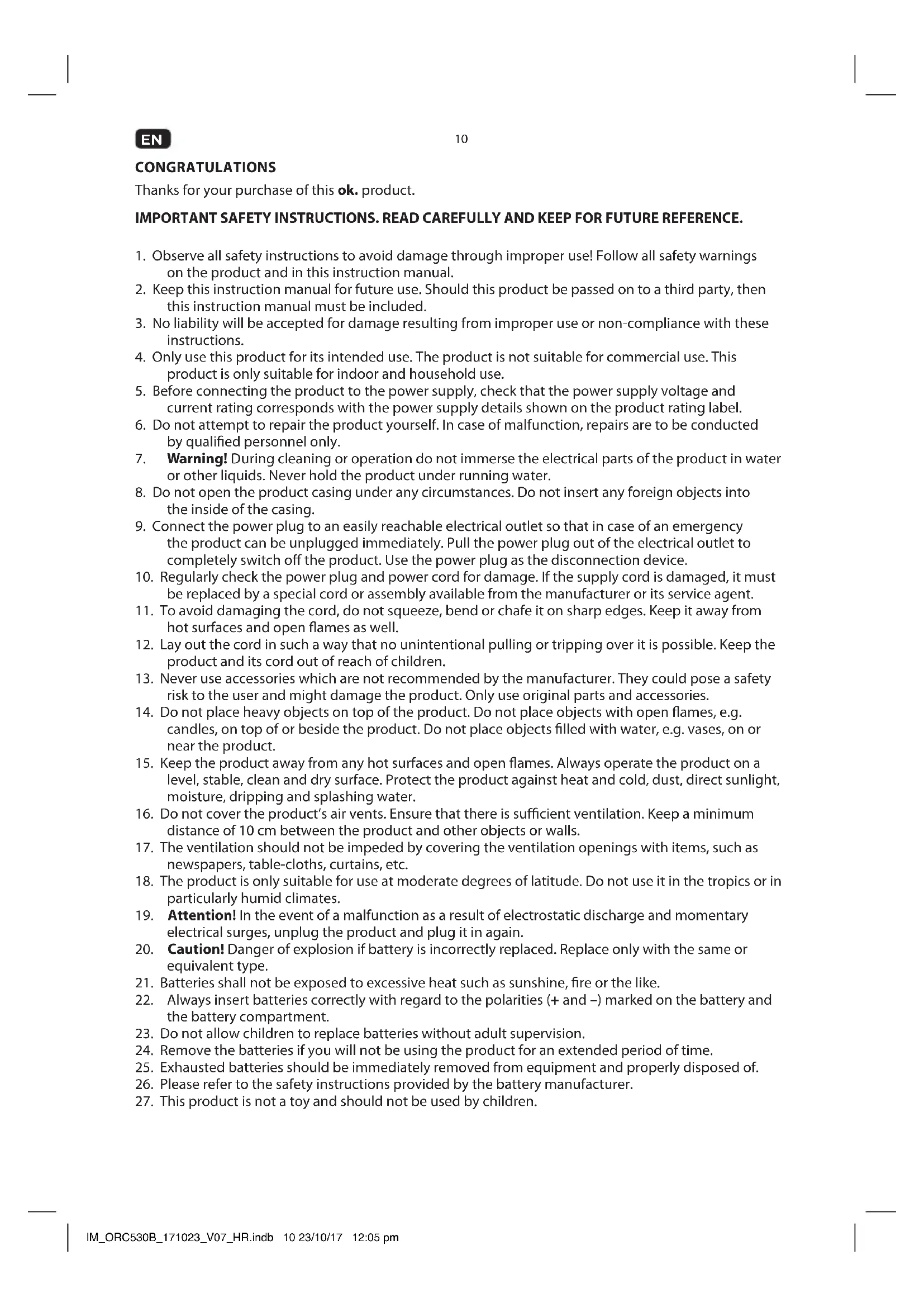


| Brand | OK |
| Model | ORC 530B |
| Device type | Radio cassette with CD player, USB and auxiliary input |
| Mains power | 230 V ~ 50 Hz, 11 W |
| Battery power | 6 type C/R14 batteries, 1.5 V (not included) |
| Radio bands | FM stereo and mono (88 - 108 MHz) |
| Supported CD formats | Audio CD, CD-R, CD-RW, MP3-CD |
| USB port | Up to 64 GB, FAT16/FAT32 systems |
| Auxiliary input | 3.5 mm jack |
| Cassette player | Yes, with play, pause, fast forward/rewind, stop/eject functions |
| Display | LCD screen with frequency and playback information |
| Antenna | Telescopic antenna for FM |
| Speaker | Built-in |
| Carrying handle | Yes |
| Dimensions (approx.) | 350 x 200 x 150 mm |
| Safety instructions | Read the manual carefully before use |
| Cleaning | Soft, slightly damp cloth, do not immerse |
| Operating temperature | Temperate climate only |
| Laser class | Class 1 (for CD player) |
Frequently Asked Questions - ORC 530B OK
User questions about ORC 530B OK
0 question about this device. Answer the ones you know or ask your own.
Ask a new question about this device
Download the instructions for your Radio in PDF format for free! Find your manual ORC 530B - OK and take your electronic device back in hand. On this page are published all the documents necessary for the use of your device. ORC 530B by OK.
USER MANUAL ORC 530B OK
CLASSI LASER PRODUCT
Thanks for your purchase of this ok. product.
IMPORTANT SAFETY INSTRUCTIONS. READ CAREFULLY AND KEEP FOR FUTURE REFERENCE.
- Observe all safety instructions to avoid damage through improper use! Follow all safety warnings on the product and in this instruction manual.
- Keep this instruction manual for future use. Should this product be passed on to a third party, then this instruction manual must be included.
- No liability will be accepted for damage resulting from improper use or non-compliance with these instructions.
- Only use this product for its intended use. The product is not suitable for commercial use. This product is only suitable for indoor and household use.
- Before connecting the product to the power supply, check that the power supply voltage and current rating corresponds with the power supply details shown on the product rating label.
- Do not attempt to repair the product yourself. In case of malfunction, repairs are to be conducted by qualified personnel only.
- Warning! During cleaning or operation do not immerse the electrical parts of the product in water or other liquids. Never hold the product under running water.
- Do not open the product casing under any circumstances. Do not insert any foreign objects into the inside of the casing.
- Connect the power plug to an easily reachable electrical outlet so that in case of an emergency the product can be unplugged immediately. Pull the power plug out of the electrical outlet to completely switch off the product. Use the power plug as the disconnection device.
- Regularly check the power plug and power cord for damage. If the supply cord is damaged, it must be replaced by a special cord or assembly available from the manufacturer or its service agent.
- To avoid damaging the cord, do not squeeze, bend or chafe it on sharp edges. Keep it away from hot surfaces and open flames as well.
- Lay out the cord in such a way that no unintentional pulling or tripping over it is possible. Keep the product and its cord out of reach of children.
- Never use accessories which are not recommended by the manufacturer. They could pose a safety risk to the user and might damage the product. Only use original parts and accessories.
- Do not place heavy objects on top of the product. Do not place objects with open flames, e.g. candles, on top of or beside the product. Do not place objects filled with water, e.g. vases, on or near the product.
- Keep the product away from any hot surfaces and open flames. Always operate the product on a level, stable, clean and dry surface. Protect the product against heat and cold, dust, direct sunlight, moisture, dripping and splashing water.
- Do not cover the product's air vents. Ensure that there is sufficient ventilation. Keep a minimum distance of 10cm between the product and other objects or walls.
- The ventilation should not be impeded by covering the ventilation openings with items, such as newspapers, table-cloths, curtains, etc.
- The product is only suitable for use at moderate degrees of latitude. Do not use it in the tropics or in particularly humid climates.
- Attention! In the event of a malfunction as a result of electrostatic discharge and momentary electrical surges, unplug the product and plug it in again.
- Caution! Danger of explosion if battery is incorrectly replaced. Replace only with the same or equivalent type.
- Batteries shall not be exposed to excessive heat such as sunshine, fire or the like.
- Always insert batteries correctly with regard to the polarities (+ and -) marked on the battery and the battery compartment.
- Do not allow children to replace batteries without adult supervision.
- Remove the batteries if you will not be using the product for an extended period of time.
- Exhausted batteries should be immediately removed from equipment and properly disposed of.
- Please refer to the safety instructions provided by the battery manufacturer.
-
This product is not a toy and should not be used by children.
-
The information on the compact disc is read by a laser through an optical lens (do not touch). If you take the product from a cold to a warm room, moisture may condense on the lens, and the playback may be hampered. In this case leave the product for one hour at room temperature before use. Take the disc out of the product. Should the problem persist, have the product checked by qualified personnel.
CLASSI LASER PRODUCT
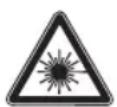
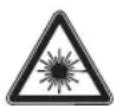
This label on the product informs the user that this is a class 1 laser product containing a laser component.
Do not touch the lens inside the disc compartment.
CAUTION! Use of controls or adjustments of procedures other than those specified herein may result in hazardous radiation exposure.
DANGER! Invisible laser radiation when open and safety interlock failed or defeated. Avoid direct exposure to the beam. Do not touch the lens.

CAUTION
RISK OF ELECTRIC SHOCK DO NOT OPEN

WARNING: SHOCK HAZARD - DO NOT OPEN AVIS: RISQUE DE CHOC ELECTRIQUE-NE PAS OUVRIR

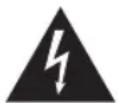
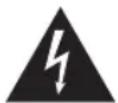
The lightning flash with arrowhead within an equilateral triangle is intended to alert the user to the presence of uninsulated "dangerous voltage" inside the enclosure of this product, which may be of sufficient magnitude to constitute a risk of electric shock to persons and animals.

The exclamation point within an equilateral triangle is intended to alert the user to the presence of important operating and maintenance instructions in the literature accompanying this product.
INTENDED USE
This product is only intended for audio entertainment. This product is only suitable for private household use and it is not designed for commercial purpose. Every other type of use can lead to damage to the product or injury.
The Imtron GmbH assumes no liability for damage to the product, for property damage or for personal injury due to careless or improper usage of the product, or usage of product which does not meet the manufacturer's specified purpose.
BEFORE FIRST TIME USE
- Remove all packaging materials.
- Check for completeness and transport damage. In case of damages or incomplete delivery please contact your dealer.
Clean the product Cleaning and care). - Important! Before first use, remove the protective sheet from the disc compartment.
EN
12
COMPONENTS
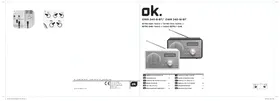
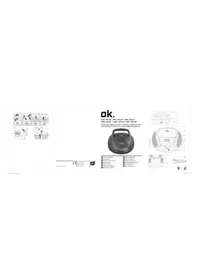
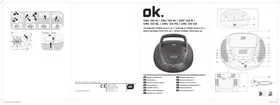
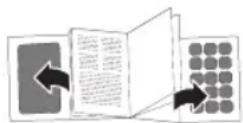
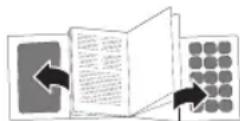
Fold out front and rear page for product illustrations.
A. RADIO/TAPE OFF/CD/USB/AUX selector
B. Volume knob VOLUME+/-
C. CD compartment lid
D. Handle
E. TUNING -knob
F. Band selector FM ST./FM
G. CD-compartment lid opener
H. Frequency display
1. Cassette operation panel
- Pause
- Stop/Eject
-Forward - Backward
-Play
J. Display
K. FM ST. Indicator
L. Play/Pause CD
M. ALBUM button
N. Skip to next title SKIP +
O. Cassette deck
P. Speaker
Q. Telescopic antenna
R. AUX-IN jack
S. Power cable with plug
T. AC-jack
U. Battery compartment
V. Skip to previous title SKIP
W. MODE button
X. STOP button CD
Y. Power indicator
Z. USB port
POWER SUPPLY
AC supply
Attention!
- Do not use this product with AC supply and battery operation simultaneously.
- Remove all of the batteries when operating this product via power supply.
1 Connect the power cable to the AC socket.
2 Connect the power plug to a suitable electrical outlet.
Note: Alternative you can use the product with batteries.
Battery operated
Attention!
- Do not use this product with AC supply and battery operation simultaneously.
- Unplug the product before inserting batteries.
3 Remove the battery compartment cover.
4 Insert 6 batteries (type C / R14, 1.5V = not included) in the battery compartment. Match the polarities + and -, as indicated on the batteries.
5 Close the battery compartment cover.
OPERATION
Switching off
Turn off the product by setting the function switch to the TAPE/OFF position.
Mode selection
Set the function switch to RADIO or CD/USB/AUX position.
8 Volume control
Turn the volume knob VOLUME to adjust the volume.
ALBUM
Press the button during playback of the MP3 file in order to select the next folder.
RADIO MODE
9 Set the function switch to RADIO. Power indicator lights up.
10 Select radio band: Select FM for mono stations and FM ST. for stereo stations. FM ST. indicator lights up.
11 Selecting desired radio station: Use the tuning knob.
Notes:
For better FM reception: Fully extend the antenna.
CD MODE
12 Set the function switch to CD/USB/AUX. The display lights up.
13 Open the CD compartment door and insert a CD with the label facing up.
14 Close the CD compartment door.
The playback will start automatically from the first track.
USB-MODE
The function switch must be in TAPE/OFF position. Connect an USB storage device to the USB port.
Note
- Connect the USB device directly to the USB port of the product. Using an extension cable is not recommended and may cause interference and failure of data transfer.
This product supports USB 1.1 and 2.0 up to 64 GB with file system FAT16 and FAT32.
External devices cannot be charged via USB with this product.
16 Set the function switch to CD/USB/AUX. Press and hold the PLAY/PAUSE button for approx. 3 seconds. In the USB mode, USB appears on the display. The playback will start automatically from the first track.
Note:
- In case a CD is placed in the CD compartment, you have to press and hold the PLAY/PAUSE button for approx. 3 seconds to change into USB mode.
If no CD or USB storage is inserted, the display shows"no".
EN
14
CD/USB PLAYBACK

- Start or pause playback: Press PLAY/PAUSE. In pause mode, track number will flash on the display.
- Stop playback: Press STOP. In stop mode, total number of tracks will appear on the display.
- Skip to next track: Press SKIP+. Press and hold to fast forward.
- Skip to previous track: Press SKIP- . Press and hold to fast reverse.
- During playback, press MODE repeatedly to switch the playback modes as follows:
Press Display Result
1x REP Repeat one track. REP will flash on the display.
2x REP ALBUM Repeat album (only for MP3).
3x REP ALL Repeat all tracks.
4x RAND Random playback.
5x - Normal playback.
Notes:
This product reads CD, CD-R/-RW. Other discs are not supported.
- When playing CD-R/RW discs the playback quality might be influenced by the quality of the burned disc. When burning CD-R/RW disks with audio files we recommend using the slowest burning speed.
PROGRAM PLAYBACK
Notes:
Up to 20 CD or up to 99 MP3 tracks can be programmed for a playback in any desired order.
- Programmed playback can only be made from one single source - it cannot include tracks from CD disc and USB storage at the same time.

- Stop playback: Press STOP.
- Enter program settings: Press MODE.PROG and P01 will show on the display.
- Select desired track: Press SKIP+ or SKIP-.
- Store selected track into the program memory: Press MODE again. P02 will now show on the display.
- Repeat step 3 and 4 to program additional tracks.
- After programming all the desired tracks, press PLAY/PAUSE to start program playback. PROG appears on the display.
- Stop playback: Press 1x STOP.
- Cancel program playback: Press 2x STOP.PROG disappears from the display.
TAPE (CASSETTE) MODE
19 Set the function switch to the TAPE/OFF position. Power indicator lights up. Press button to open the cassette deck. Insert the cassette inside the deck and close the deck.
20 Start playback: Press Pause playback: Press Press the resume the playback. Stop playback: Press Rewind or forward: Press
AUXILIARY (AUX) PLAYBACK
Warning!
Observe the relevant safety information for use with other devices when connecting an external device.
21 Set the function switch to CD/USB/AUX. Connect an auxiliary device to AUX IN socket using 3.5 mm jack audio cable (not included). If an external audio device is connected, all playback functions of this device needs to be used. For further functions please refer to the user manual of the external audio devices.
COMPATIBLE CDs
Only use CD compact discs with digital audio signals.
- The making of unauthorized copies of copyright-protected material, including computer programs, files, broadcasts and sound recordings, may be an infringement of copyrights and constitute a criminal offence under your national law. This equipment should not be used for such purposes.
TROUBLESHOOTING
If there are any problems during operation, please refer to the following table. If problems cannot be solved as indicated under Solution, please contact your retailer.
| Problem Possible causes Solution | ||
| Product does not function | Interrupted power supplyDue to electrostatic discharge | Check the power supplyUnplug and plug it in again after a while |
| Poor Audio quality | CD is scratched | Insert a new CD |
| NO appears on display | CD not correctly insertedUSB not correctly connected | Re-insert the CDEnsure correct connection of USB stick |
| No radio reception | Poor radio reception | Place the product to another place and adjust the antenna again |
EN
CLEANING AND CARE
WARNING! Before cleaning, always switch off the product and disconnect the plug from power.
- Never immerse the product in water or other liquids.
- Clean the product with a soft, slightly damp cloth. Make sure that no moisture is entering the product during cleaning.
- Never use corrosive detergents, wire brushes, abrasive scourers, metal or sharp implements to clean your product.
Dry the product thoroughly after cleaning.
- Store the product in a cool, dry location, away from children and pets.
CD MAINTENANCE
- Small amount of dust or scratches will usually not have an impact on the quality of a disc. The discs should, however, be treated with care.
- Protect your compact discs from dust and scratches.
- Store your compact discs in their covers when not in use.
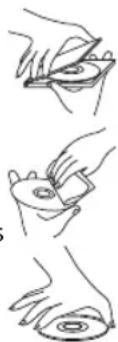
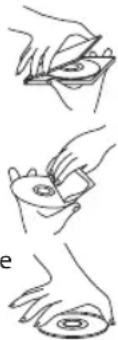
- To maintain the original quality of sound, you should occasionally wipe your compact discs with a soft cloth, from the centre to the edge (not with circular movements). Never use gasoline or other solvents for cleaning.
Only hold a compact disc by its edges!
SPECIFICATIONS
Rated voltage: 230V ,50Hz
Power consumption: 11 W
Battery: 9 V
Supported formats: CD Audio
USB Port: supports up to 64 GB
Supported MP3 bitrates: 32 kbit/sec - 320 kbit/sec
Radio frequency band: 88 - 108 MHz (FM),
DECLARATION OF CONFORMITY
Hereby, [Imtron GmbH] declares that the radio equipment type [ORC 530-B] is in compliance with Directive 2014/53/EU. The full text of the EU declaration of conformity is available at the following internet address: http://de.ok-online.com/nc/de/suche.html
DISPOSAL
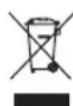
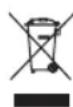
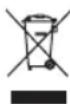
The crossed-out wheeled bin logo requires the separate collection of waste electric and electronic equipment (WEEE). Electric and electronic equipment may contain dangerous and hazardous substances. Do not dispose of this product as unsorted municipal waste. Return it to a designated collection point for the recycling of WEEE. By doing so, you will help to conserve resources and protect the environment. Contact your retailer or local authorities for more information.

Please dispose of batteries in an environmentally friendly manner Do not put batteries into the household waste. Please use the return and collection systems in your community or contact the dealer where you purchased the product.
FELICIDADES
CLASSI LASER PRODUCT
CLASS I LASER PRODUCT
CLASSI LASER PRODUCT
Autn n ETiKaTo npoiov evnuepwveTo xphoTn 0ti auto eivai eva npoiov λειερ katnyopiac 1 Nou πeipexI oToxieio λειερ.
Mny ayyiTeTo qako eowtepiKo Tnc oHKnc 6iaokou.
IPOEOXH! H xponxepiouw npooapoyw diakaiowv EKTOC EKivwovauvaepovtai oTo napov EYxepio mOpel va kataaHouv eKeOeon eNikivuynaktivoBoia.
KINADNOE! Ynapexi aopatn
aktroboia IeIep, otav exi
napaiaotei n dev exie aqpaiaoei o
unxaviooc aoqaiionc. AnoqvyeTe
tny aeon ekteon stn deoyn. Mny
ayicete Touc qakouc.

CAUTION
RISK OF ELECTRIC SHOCK DO NOT OPEN

WARNING: SHOCK HAZARD - DO NOT OPEN AVIS: RISQUE DE CHOC éLECTRIQUE-NE PAS OUVRIR
O KepauvoC ME TO BéloC MEOA O E IOIANELUPO TPIWVO EEXI OKONo VA IPOEIOIOINOEIO XPOHOTYIA TNY IAPOUIA MN MOVWEVC «ENIKIVDUVNC TAOC> OTO EOWTEPIKO TOI NEPAIHATOC TNC OUAKEUNC, O ONIOC MIOPEVA Eiva MEYEHOUC TETOIOU WOTE VA POKAÉOEI NEAKTPOINJIAC O EVOPWNOUC KA Zwa.

To auaatako meo e eva 10nlaepo
tpiywovexoiokonovnapouia
oanavtkov odnyiw leitoupyiac kai
ouvtnpoc otBiloypia nou
ouvoidei tn ouokeun.
NPOOPIZOMENH XPHSE
Autn n ouakeun npoopicietai movyia tvn anolauon nxntikou nepieoxeou. Autn n ouakeun eivai katalnnm ovo yia idwiokniokiaxpnon kai dev exoi oxdeltaotei yia emopikxpnon. Ooiadhnote aanxpnon unopei va npokaaleoei 3aBn otn ouakeun n tpaumatio.
Anevpyoioiote to npoiovpuoicovtac to diakotn aeitoupyiac otn then TAPE/OFF.
7 EπIoyn tou tponou λειούργiαc
Yπoσηριζόμενα bitrates MP3: 32 kbit/sec - 320 kbit/sec
Zwv n ouxvoTnTw v paiaoovou: 88-108 MHz (FM),
AHANJYMMOPΦΩEH
Me tynapouoa o/n [Imtron GmbH], 8nawv eto npaoEonlaiooc [ORC 530-B] nnpoi tvn odnyia 2014/53/EE.To npipec keiuevo tnc nwnoc oumuoppwoc EE diatitctai otnv akoloutheta iotoeia da stiaiktu: http://de.ok-online.com/nc/de/suche.html
ANOPPIPH
O anoppiuataw kadoa anoppiatw onaivei ot anaiteitai n xwpiotn oulloyn twv anoalntw v naektpikou kai naektpoviko u (odnyia WEEE). O nektpikoc kai o nektpovikoc c oniouc mnpei va nepieex e nikivduvc ocuiec. Mny anoppiinte tn ouokun azi me ta oikia k aonppmuata. Eniotpeyte to oe eva kaopioevo onneio oulloync yia avakukawon oupwa me tvn odnyia nepi Anoppipnc nektpikou kai nektpoviko e oniaou. Me autov tov tpno, Bonate otnv diatnpnan twv npwkv tnv npootaaia tou npbetaalovtoc. Eniokiovwnote me tvn pountheutn oac n tic tonikec apxec yia npoiooctepc nnpopopiec. Napakaoume anoppiptete tic npatapiec me evav pilko yia to npelbaalov tpono. Mny tic piyve tta okiak a onpplmuata. Napakaoue xpnojonoieite ta onneia eniotpohnc kai oukyvtpwnc otnv koivoteta oac n enikovwveite me tvos antipopoowno, otov onio ayopaoate to npoiov.
HU
38
GRATULÁLUNK
CLASSI LASER PRODUCT
CLASS I LASER PRODUCT
CLASS I LASER PRODUCT
TAPE (CASSETTE) MODUS
Radiofrequencyband: 88 - 108 MHz (FM),
CONFORMITEITSVERKLARING
CLASSI LASER PRODUCT
CLASS I LASER PRODUCT
C. Tampa do compartmento do CD
D. Pega
E. Botao TUNING
F. Seletor de banda FM ST./FM
KJIACCI JI3EPHOE YCTPOICTBO
Данная зтуке Ка на пибove coo6цаet,чTOлазерhoe устpoiCTBO Klacca 1 copejxnt la3ep.
He kacaTecb IIN3bl, paCnoIooKeHHoB BHyTpN OTceKa dIa DNCKOB.
BHUMAHNE!IcnoB3ObaHne cpeiCTB ynpabLeHnna IINI npoceDyp peryInpOBKn, OTIIuauOuXxCR OT YKa3aHHbIX B HactoIeM pyKOBOdCTBe,MOKeT PnUBeCTN K ONaCHOMY n3JIyueHIO.
ONACHOCTb! HeBnDmoe Ia3epHoe n3JyueHne npo OTkpItn OTceKa B cIyuae HncnPpABHOCTn NIN OTka3a 6JokupOBuHOro nepeKluOaTeJI.
CneInte 3a Tem, yTo6bl nasepHbI nyu He nonaadn HenocepDCTBeHHo Ha IIOJe. He KacaiTecb IINH3bl.

CAUTION
RISK OF ELECTRIC SHOCK DO NOT OPEN

WARNING: SHOCK HAZARD - DO NOT OPEN Avis: RISQUE DE CHOC ELECTRIQUE-NE PAS OUVRIR
CIMBOL MOJHIN CO CTpeKoB B paBHOCTOPOHHe TpeyroJIbHnKe yBeOMIaTeT NOIb3OBAteJe O DeTaIAX, HxOJaUxxCs BHyTpN KOpNyCa DaHHOro N3DeJIa NOD «OnaChbIM HaPjaXeHnEm», KOTOpoe MoXeT PnIBCeTNI K PNCy IopaXeHnI 3JIeKTpUcEckm TOKOM IIOdeN JKNBOTHbIX.

BocknuataTeNbHbI 3HaK B TpeyroIbHnKe yBeDomJIeT NOIb3OBATeNe O BaXhblIX HNCTpykUnx PO NcNoIb3OBAHnIO I O6CnyJbAHnIO B DOKymEHTaUN, npInaragEmoK K TOMy npOdykTy.
NCIOJIb3OBAHME NO HA3HAUYHIO
3TOT npi6op npedHa3HaueH ncklouHTeIbHO nla BocpOn3BeDeHnaydno3aHncE. YcToPoiCTBO npedHa3HaueHO TObKO dIg IINHO rCNOJb3OBAHnB NOMeUeHNx H He DOLXHO pIMMeHrTbcB KOMMepuecknx cIeJx. IIO6oe INHO eCNOJb3OBaHne MOKeT Bbl3BaTb NOBpeKJeHne n3dennn nn TpaBMbl.
Kompania Imtron GmbH He 6epet Ha ce6a OTBeTCTBHeHocb 3a noBpeXeHne n3dienra, yuep6 mUyecTBy nIIN TpaBmbl, IOnyueHHbIe B pe3yIbTaTe He6peXHoro nIIN HnPaBnHoro nCNoJIb3OBaHnI N3dienra, nIIN nCNoJIb3OBAHnI B cIeJx, OTIIuHbIX OT yKa3aHHbx npoN3BOJnteJem.
NEPEI NEPBbIM IcIOJIb3OBAHHEM
- CHIMITE BCE ynaKOBOHyIe MaTePnaJIbl.
- PpOBepbTe KOMnJIeKTHOcTb NocTaBKN I BO3MOxHbIe NOBpeXeHnI pIu TpaHCnOpTnIpOBke. B Cnyae NOBpeXeHn IIN HeKOMnJIeKTHoCTN NoCTaBKn O6paNTeCb K DnIepy.
OuHCTnTE H3dJIeNHe( YIcTka n 06CJyKJBaHne).
Baxho! Npeep npBbIM nCNoIb3OBaHHe m CnHMTe 3aunTHyIO NOLOCKy COTcKa IJRA KOMNaKT-DNCKOB.
KOMNOHEThbI
Pa3BepHnTe nepeDHOIO n oocJeHIOIO cTpaHNUy IJI npOCMOtpa pncyHKOB C npOdyKToM.
A. CeIeKtop RADIO/TAPE OFF/CD/USB/AUX
B. PeryIaTOp rPomKocTn VOLUME+/-
C. Kpbiuka oTceka dЯя KOMIaKT-DIcKOB
D. Pучka
E. PerynaTOp TUNING
F. CeIeKTop dIaIaI3oHOB FM ST./FM
G.KHONKaOTKpbITnKpblIKN OTCeKa DnKOMNaKT-DINCKOB
H. OTo6paXeHNHe YaCToTbI
I. Пань ураленя кассгов
dekoi
-Пay3a
-CTon/N3BneueHne
-Bnpe
-Ha3a
-Bocnpoun3BedeHne
J.Дицпей
K. FM ST.ИнданkaTop
L. Bocnpoun3BeDenHe/ny3a KOMnKaT-DnCKa
M. Khonka ALBUM
N. Napexod K cneyuoueKOMnO3nN SKIP+
O. KaccTeHnA DeKa
P.ДиHamNK
Q. Teneckonnuecka aHTehHa
R. Pa3bem AUX-IN
S. Ceteboi shnypc bvnkoi
T. Pa3bem ПОДКЛЮЧЕпЯ ПИТАнЯ
ПЕРЕМEHORO TOKA
U. OTeck dna 6aTaapeek
V. NpeoxoK npdebIyuee KOMN03uMN SKIP-
W. KhoJa MODE
X.KHonka STOP KOMnakT DnCKa
Y. INHINKA TOP BKJIIOUeHIN
Z.Pa3beM USB
NUCTOCHNK NITAHNA
IcToUHM nepemehHoro Toka
BhimaHne!
He nCnoB3yIte 3To N3dJIne OJHOBpeMeHHO C NITaHNeM O6Taapeek N NCTouHnKa NepeMeHHoro TOka.
- Пи ИСПОЛБ3OBAHИ ДАнHOrO ИЗДЕЛЯ OT сЕТ ИLEКТРОСHAбЖЕнЯ ИЗВLEКНЕ ИЗ HERO 6aTapeйКИ.
1 PoiKJIIOUHTe CeTeBOI shyp K pa3beme nepemEHNO ToKa.
2 POncoeHnHTe BnKy CeTeBOrO shypa K noXoJauep po3eTke cTeN 3neKTpoCha6KeHnA.
PnmeHne: N3dJIeNt TaKKe MoXHO ICNoJb3OBAbC nITaHHeM OTe 6aTaapeek.
Pa6otaHa 6atapeiKax
BhMHaHne!
He nCnoB3yIe 3TO n3dJIe ne OndHOBpeMeHHO C nITaHnEM OT 6aTapeek N nCTouHnKa nepeMeHHoro TOka.
- Ipeed yctaHOBKo 6atapeek OTcoeHNHTe np6op ot cetn 3neKTponntAHia.
3 CHIMMTe KpbIiKy OTeKa DJIa 6aTapeeK.
4 BCTaBbTe 6 6atapeek (TIN C / R14, 1.5 B---, He BXoJAT B KOMnIeKT NocTaBKN) B OTcEK dJa 6atapeek. Co6nOdaIte nolpHoctb + n -, yka3aHnyo Ha 6atapeiKaX.
5 3akpoTe Kpbikky OTecka dJa 6aTaapeek.
RU
76
NCIOJIb3OBAHNE

BbikloucheHne
BbIKIOUHTe np6Op.ДЯ 3TOrO yCTaHOBInTe φyHKcIHOHaJIbHbI IpeKJIIOuTaTeIb B nIoXeHne TAPE/OFF.

Bb6op peknma
YCTAHOBNTe yHKNUOHaBb BbIKHOpaTeB B NOJXHe NRE RADIO nN CD/USB/AUX.

PerynpoBaHne rpmKoCTn
Bpaaay pyky VOLUME,3aadaiTe Tpe6yembl ypoBeH rpoMkoCTn.
AJbBOM
Haxmnte KhoNky BO Bpemr Bocpon3BeDHeMn MP3-0aIla DJIy Bb6opa cJeDyUoSe napan.
PEKIM PAIIOINPUEMHNKA

YcTaHOBnte nepeKJIouateIb fHyKlui B nOIOKeHne RADIO. 3aropaETca HnDkKaTOp nTuHaia.

Bb6op dana3oHa yactOT: Bb6epnte FM nla cTaHcun CMOHOOHueckm CnHaJOM n FM ST. nla cTaHcun co ctepeoohueckm cnHaJOM. 3aropaetra HndkaTop FM ST..

Bb6op npedBaupnteHbNo HactpoeHHbIX paadnoctAHn; NcnoJIb3yIte pepyIaTOp HacToPoiKn.
Приимейанne:
IobbiweHne KaueCTBa npnemAb Duaana3OHe FM: POnHocTbIO BbIDBnHbTe TeNeckoNuecKyIO aHTeHHy.
PEKIM BOCIPON3BEDEHNA CD-UNCKOB

YcTaHOBInTe nepeKluOaTeIb yHKnB nNoJoxHeNc CD/USB/AUX.BkLIOaTcra ducnne.

OTKpoIe OTEcKa Ia CD-DnCKOB IV BCTaBbTe KOMNaKT-DnCK JInCeBOB CTOpOH N BBepx.

3aKpOTe KpbIshky OTeKa dJa CD-DnckOB.
ABTomuueckn HaunHaetc Bocnpoun3Beene npBo 3aIncn.
PEKUM USB

IpeeklouateIb fyHKcun IOnJxeh HaxoDntbcB noLoXeHn TAP2/FF. IocoeHNHTe K USBpa3bemy USB-HaKonTeJIb.
Птумейане
IopKlHouaTe USB-HaKoHnTeB HeNocpeDCTBeHHO K USB-pa3bemy np60pa. He peKomeHpyeTc HcNoJIb3OBaHHe ydINHHTeBHOrO Ka6eJ, KOtOpbIM MoKeT co3daTb NOMExn I HeVCnpaBHOCTH npi nepeDaue daHHbx.
3To yctpoiCTBO noDepkXnBaET hakonnteIN USB 1.1 n 2.0 o6bemOM do 64 f5 c faioboi cnCTemOI FAT16 nn FAT32.
-Данhoeустбгови He noДдержИBaeTЗapяку cToPoHHnx yctpoCTb uepe3 USB-pa3bem.

YcTaHOBnTe nepeKnHouaTeIb cyHKuB INoIOKeHne CD/USB/AUX.ydepKnBaTb HaKaToi KhoNkpy PLAY/PAUSE npImePno B TeueHne 3 cekyH, B pexnme USB Ha dinCnlee oTo6paXaetc coo6eHne USB.ABtOMaTnueckn HauHnaeTcB OBCnpOn3BeDeHne nepBoi 3aNNcN.
Pnmeuahne:
EcnBOTcEKIyCD-DnCKOB BCTaBHeKOMNaKT-DnCK, Heo6xoHmO HaxaTb N ydepXnBaTb HaxaToi KhoNkY PLAY/PAUSE npImepHo B TeueHne 3 cekHy, Uto6bl nepeKnouHTbcra B pexum IOCB.
- EcnK KomnakT-DnCK He 3arpyxH n USB-HaKonnteH He noDcoEduHe, Ha dncnnee oTo6paXaetc coo6uHne "no".
BOCIPON3BEDEHNE CD/USB

- 3anyck nnnn nay3a Bocnpon3BeDeHn: Haxmnte KhoNky PLAY/PAUSE. B pexime nay3bHa nucnnee mnaeT Hmep 3anncn.
- OctaHOBka BOCPON3BeHnHa: HaxMITE STOP. B peXmte ocTaHOBa Ha nucnnee oTo6paXaetc8 o6uee konuYeCTBO 3anCei.
- NepexoK cnedyuOe 3aunscn: HaxMnte SKIP+. HaxMnte u ydepXnBaTne HaxaToJ dJa 6bictpoi nepemOTKn Bnpeid.
- Npexod K npebdyuuey 3aunc: Haxmte SKIP-. Haxmte u ydepkuaite Haatao nn 6bictpo nepemotkn Ha3a.
5.BoBpMaBocPOn3BeHeHnHaXmMaTe KHOkky MODE HeckoIbKO pa3 nIpeKeKIOUeHnpeXmAbocPOn3BeHeHn:
HaxkTne Dncnne PezynbTa
1x REP NOBTOBPOBPOBPOBPOBPOBPOBPOBPOBPOBPOBPOBPOBPOBPOBPOBPOBPOBPOBPOBPOBPOBPOBPOBPOBPOBPOBPOBPOBPOBPOBPOBPOBPOBPOBPOBPOBPOBPOBPOBPOBPOBPOBPOBPOBPOBPOBPOBPOBPOBPOB
2x REP ALBUM TOBTOP BOCPON3BcEHeHnaIb6oma. (MP3)
3x REP ALL NObTOp BCex 3aunCeN.
4x RAND Bocnpon3BeJeHne B npon3BOhOBn IopRKe.
5x-O6bIuHoe BocIpOn3BeJeHne.
Приимechан: <|im_start|>assistant Приимechан:
-Данньи npибор подерхиBaet дскн CD, CD-R/-RW.Диckи в дуг nx Форматх He
ПОДдерхиВаютca.
- Пи ВOCпрои3бeнг ДИСКOB CD-R/RW Ha KaueCTBO BOCпрои3бeнг мОжТВь KaueCTBO 3aПиcaHного ДИСКа. Пи 3aПисн ha ДИСКи CD-R/RW aydnoфaiNob peKOMeHnyet nCNoIb3OBAt b MHHIMaIbHyIO CKOpOCTb 3aПисN.
BOCPPOU3BEDEHNEIPOPTPAMMbI
Примechанe:
Moxhno co3daT nporpaMMy Bocppon3BedeHn 20 3aInce Hc CD-dncke B IIO6om nopAKe.
- POnDepKINBaETC BOCPON3BedeHne nporpaMMbToIbKO c OndHO nCTOuHnKa. PporpaMHa He MoXeT OndHOpeMeHHo BKIOUHTb 3aIncn C CD-dncka n USB-hakonnten.

- OctaHOBka BOCnpoIN3BeHnHaXmTe STOP.
2.Переклочиесь в ржим Habсюйnpогрмь:нжмite MODE.Ндсппeeобрахаюс cooшценя PROG n P01. - Bb6epnte Tpe6yeMyo 3aIncb: HaxMnTe SKIP+ nnn SKIP-.
- CoxpaHnTe Bbl6paHHy0 3aINcB b NaMRTn npoPamMbI: HaxmTe eue pa3 MODE. Ha nCnnee oTo6paXkaETcP02.
- Nobtopte 3-4 nporpammpoBaHn dpynx 3aIncei.
- После поррамmarpoваня BCex 3aHNCeн HaKMITE KHOKNy PLAY/PAUSE nIBA BOCnpOu3BedeHnпоррamMbI. Ha dinnee OTo6paXaETcRA PROG.
- OctaHOBka BOCnpoIN3BeDeHnra: HaxMnte KhoNky STOP.
- OTMeHa Bocnpoun3BeJeHnI nporpaMMbI: HaxMnte 2 pa3a KHOInky STOP. Coo6ueHne PROG nCye3aET c DnCnnEe.
RU
78
PEKIM (KACCETHOJ) DEKU
19 UctaHOBnTe fHKUHOHaHbI nepeKIOuATEb B NOIOXeHne TAPE/OFF. 3aropaeTc HINKaTOp IITAHn.HakMTe KONKy O6bl OTKpbITb KaccETHyIO Deky.BCTaBBte KACCETy N 3aKpoTe KACCEToPnEmHNK.
20 BknIOHTe BOCnpon3BeHne:HaXMITE
Pay3a npn BOCnpoN3BeHn:HaXMITE HaXMITE npoOJKeHnBocnpoN3BeHnA.
OctahOBka BOCnpoN3BeHn:HaXMITE
BbICTpbI nepeXoD Bnpei nn Ha3ad HaXMITE
BOCPPOUN3BEDEHNE C BHEWHERO ICTOCHNKA 3BYKA (AUX)
PpeynpexkdeHne!
Pn noKluohn BHeHero ycTpoiCTBa co6IouaIte COOTBeTCTBtuOuIne npabunLaTexHKn 6e3onacnoctn npn EKcnnyataun Cdpyumnu ycTpoiCTBaMn.
21 UctaHOBHTe NepeKIOUaTeIb FyHKuB IN NOLOXKeHne CD/USB/AUX. IOnKIOUHTe BHeUHe yCTPOIcTBOKBXOyAUX INC NOMOUsbO ayDnOka6en Cpa3beMOM 3,5 MM (He BXoIT B KOMJIeKT noCTaBKn). EON NOKIOUeHO BHeUHee ayDnOyCTPOIcTBO, Heo6xOIMO NcNoIb3OBaTb BCE FyHKuIN BOCPON3BeDEHNA 3TOO yCTPOIcTBa. OINCAHne DOnONHInTeNbHbI FyHKuN CM. BpyKOBoDCTBE NO EKCNlyatauIN BHeUHrO aYdNOyCTPOIcTBa.
COBMECTMlbE DnCKN CD
IcnoJb3yIe ToJIbKO KOMnAaT-DnCKn CD c uHΦpOBBIMn 3ByKOBbIMn CnHaJaMn.
- HecanKIOHINPOBAHHe KOINPOBAHne OxpaHReMbIX ABTopCKIMn PpaBaMn MaTePnaJIOB, BKIOUaY KOMNbIOtePbIe IporpAmMbI, faiJIb, TB-NEpeJaUN 3ByKObIe 3aNcN, MoryT HApyHaTb ABTOPCKNe IpaBa N IpeDCTaBnTb co6oH HApyuEHe NaIOHaIbHOrO KpIMNuHaIbHOrO npBa. 3aNpeuaetc INcNoIb3OBaTb np6Op B TAKNX cenJX.
DAHROCTUKA
Ecn npa6oTe n3dienna NOBbIOTcnp6bEmbl, obaaauTecb K Hnke npnbEeHHO Ta6nue. Ecn npo6nemy He ydaetcpeuNTb, KaK yka3aHO B KOLOHKe YcTaPaeHne, obaaauTecb K N3rTOBHTenIO.
| HéncspabHQCTb BozMOXhBle PrunHbI Solution | |
| Издение не pa6oTaet | •Прервано заektponitahne •Всnéдст用车 эльektproctatnuecheKOrO pa3ряда |
| Плохoe качeSTBO ЗБукA | •CD-dиSC loцapanah•Вставыт eновь CD-dиSC |
| На диспee oTo6paxJaTeTcNo NO (Het) | •CD-dиSC BставLEн HeNPaВиьно •USB-устpoiSTBO noDkiLoyeHo нелравиьно |
| Нет пчema padinocuRнala | •Плoxой пчem padinocuRнala•Постаьte Издение в дуго MeCTо n choBa OTpeYuliPyIte aHTeHHy. |
YHCTKAIOBCJLYKUBAHNE
- PENEYPENKDEHNE! Npeq uCTKO o6a3aTeBHO BbIKIOHTe np6Op n 3BLeKeTBe BNky ceTeBORO shypa n3 po3ETKN cETn 3JIeKTPOCHa6xehn.
3anpeaetcnoprpykaTb yctpoNCTBO B BOy nINB npyrne KNDKOCTN. - PnOtpnte npn6op MmKo, CnerKa yBlaXHeHNo TkaHbIO. CneIte 3a Tem, YTO6bI BO BpEma YNCTKN Bnp6op He nonaDana Bnara.
3anpeaetcnaonb0BaTb arpeccNBhle uCTnne cpeCTBa, npoBOIoUHbIe uteKn, a6pa3HBhie ry6Kn, MetaJIInueckne nnn octpIe npdMeTb IJNAuCTKn npi6opa. - Pocne ouncTk TtataeIbHO BbCyuHr np6op.
XpaHnTe npu6Op B cyxOM npoxnaHOM MecTe BHe DocTyNa DeTeN I DOMaWHNX JKNBOTbIX.
YXOД 3A CD-ДИСКAMN
Hemhoro nbln nn He6oJbIe zapanHbI obuHrHO he BnraT Ha KaueCTBO DNCA.
C DnCKamn CneDyeT 6paaTaBcra cOCTopoXHOCTbIO.
3aunuainTe cBOIN KOMNaKT-DnCKN OT nbIn n LapannH.
XpaHnTe DnCKB yNaKOBKe, KOrDa OHN He NcNoIb3yOTcA.
-Для coхpaHeHЯ opuHaHaBHor KaYeCTBa 3Byka CneIyEt NepNoJnueckn npOTnpaTb KOMNaKT-DmCKN MaRKO TkaHbIO DnIXKeHnA MTo OTeHTpa Kpam (He IcNoJIb3yIte KpyROBbIe DnIXKeHn).3anpeaetcNcNoJIb3OBAbT dIry uNcTKn 6eH3IN nDpyrne pactBOpNTen.
- Depxnte KOMnKt-DnCKn ToJbKO 3a Kpa!
XAPAKTEPNCIKN
HomHaJIbHoe HapJxKeHne: 230 B\~, 50 T
Iotppe6nemamMoHoctb:11Bt
Баразецka: 9B = 12 6x1,5B=C/R14)(He BXoJNT B KOMnIeK T NOCTaBKn)
Iopdepxnbaeble opMaTb: Ayno-KomnaKT-DnCK
Pa3bem USB: nOndepkKa hakonnteJe o6bEmom Do 64 F6
IopdepKnBaemb 6ntpeT dmp3: 32 k6nt/c-320 k6nt/c
Дианазон paDNOчToT: 88-108 MΓ(FM),
DEKJIAPAUCA COOTBETCTBNA
Kompania [Imtron GmbH] Hactoim 3aBnT, yTo paNoobopyoBaHne Tnna [ORC 530-B] OTeBuAe Tpe6oBaHm DnpkTbbl 2014/53/EU. NOnHb TeKCT DeKlapaun COOTBeTcTBnE EC Doctypen B INtepHeTe no cIeMyuSei CbInke: http://de.ok-online.com/nc/de/suche.html
YTNIN3AUH
CnMBOI nepeepKHyToI TeJekK O3Haayet OTdJeBHyIO yTNIIN3aunio OTOXoOB 3NeKTPoHNO I 3NeKTPnueCKOrO 6OpUyOBAHnA (WEEE). 3NeKTPnueCKoe n 3NeKTPoHHOe 6OpUyOBAHne MoKe T coepKaTb BpeNbIe I ONaChbIe BeueCTBa. He Bbl6paCbBaIte NcNoJIb3OBaHHe O3DeIe BMeCTe C MyHInuPaNbHbIM Mycopom. OtnpaBTe erO Ha npEHa3NaueHHbI dIg 3TOrO pYHK T c6opA dIy 8TuIN3aunn 3NeKTPnueCKIX I 3NeKTPoHbIX n3deIi. TaKIM NyTEM Bbl 6yIeTe cnoCo6CTBOBaTb 3KOHOMm pecypcoB I 3aUnTE OkpykaIoSe I cpebl. DnI NOlyeHnI 6Oone NoPp6HoI INHOpMaun O6paauTeCB B BaUy TopROByIO opraHN3aunIO K MeCTHbIM BlaCTM.

N36abTne6aTapeek 6eBpeDnBIM nIg OkpykaUoSe Cpebl cnoC6om. He bIbpaBaiTe 6aTapeKn BmecTe C DomaunHm Mycopom. Iy Bo3BpaueHn CBOero NcNoIb3ObaHHoro N3dennr NcNoJIb3yIte CnCTeMbI BO3BpaueHn nC6opapecypcoB nn ObaaaiTecb K TOpROBoi opraHn3aun, y KOTopoB Bbl npno6peHn N3dennie.
SE
80
GRATULERAR
Tack forditt kop avenna ok.produkt.