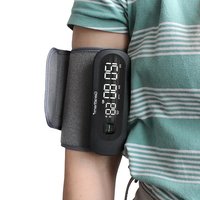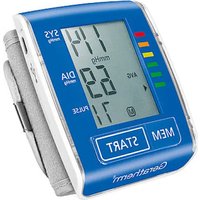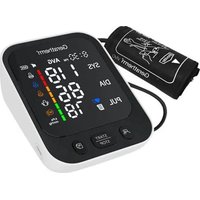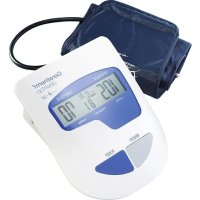
Tensio Control GP6220 - Blood pressure monitor Geratherm - Free user manual and instructions
Find the device manual for free Tensio Control GP6220 Geratherm in PDF.

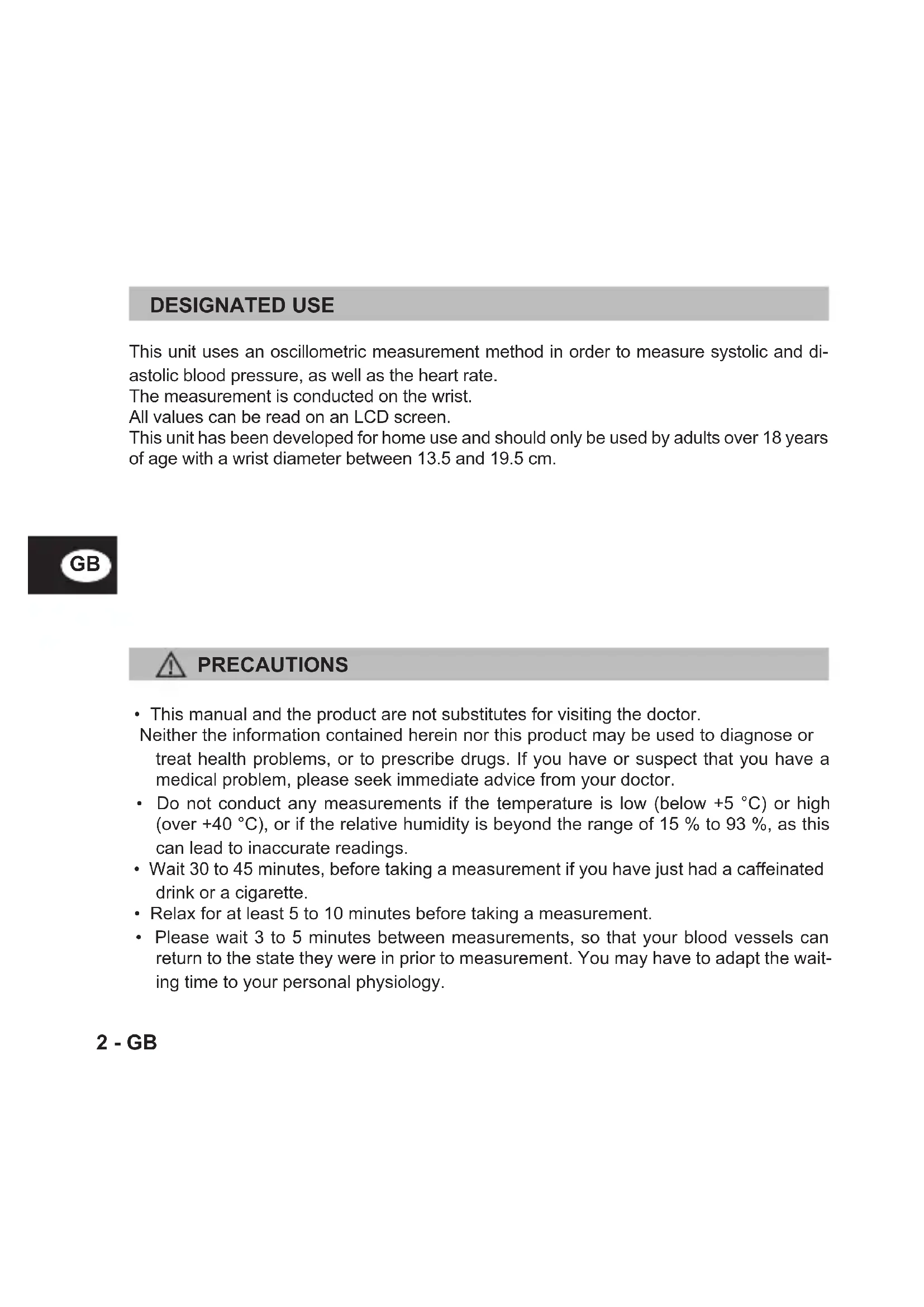


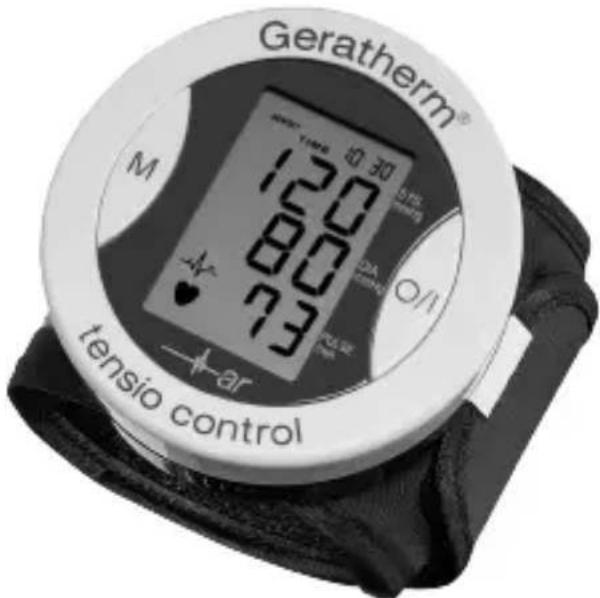
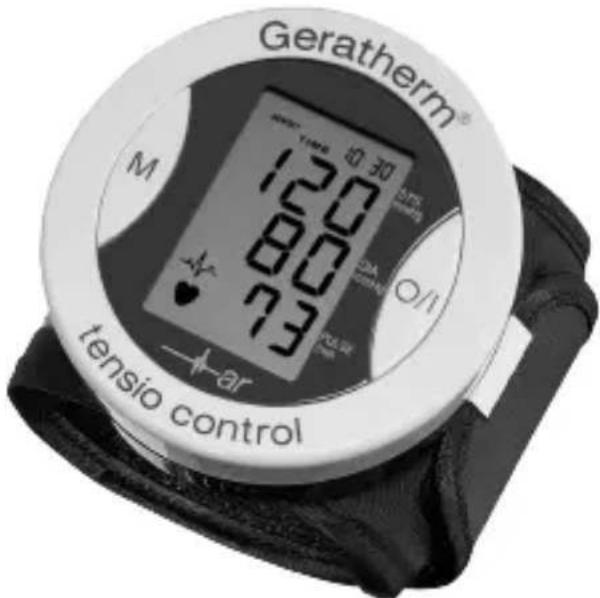
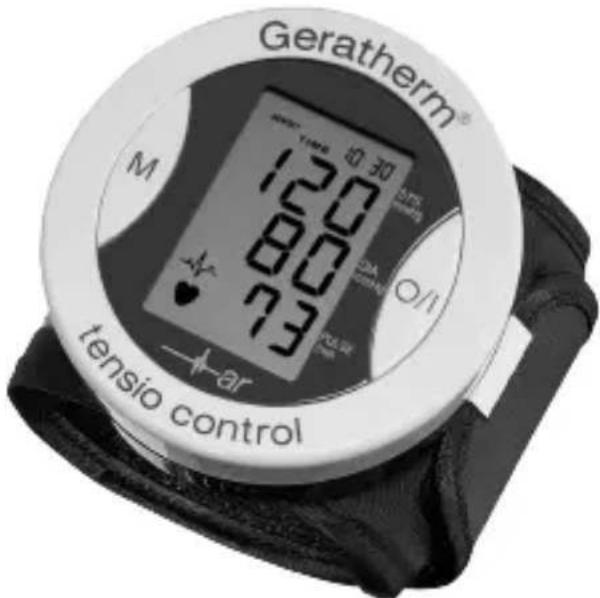
| Product type | Electronic wrist blood pressure monitor |
| Brand | Geratherm |
| Model | Tensio Control GP6220 |
| Measurement method | Oscillometric |
| Display | LCD screen |
| Power supply | 2 AAA alkaline batteries 1.5 V |
| Blood pressure measurement range | 20 to 300 mmHg |
| Pulse measurement range | 40 to 200 beats/min |
| Blood pressure accuracy | ±3 mmHg |
| Pulse accuracy | ±5% |
| Inflation | Automatic pump |
| Deflation | Automatic release valve |
| Memory | 85 measurements with date and time |
| Automatic shut-off | After 150 seconds |
| Battery life | Approximately 250 measurements |
| Protection rating | IP20 |
| Compatible wrist circumference | 13.5 to 19.5 cm |
| Operating temperature | +5°C to +40°C |
| Operating humidity | 15% to 90% RH |
| Storage temperature | -25°C to +55°C |
| Dimensions (L x W x H) | 76 x 76 x 33 mm |
| Weight (including batteries) | Approximately 136 g |
| WHO classification | Integrated color indicator |
| Arrhythmia detection | Yes, with specific symbol |
| Certifications | EN 1060-1, EN 1060-3, EN 1060-4, directive 93/42/EEC, ISO 13485 |
| Cleaning | Damp cloth with water or neutral cleaner, no solvents |
| Warranty | 3 years against manufacturing defects |
Frequently Asked Questions - Tensio Control GP6220 Geratherm
User questions about Tensio Control GP6220 Geratherm
0 question about this device. Answer the ones you know or ask your own.
Ask a new question about this device
Download the instructions for your Blood pressure monitor in PDF format for free! Find your manual Tensio Control GP6220 - Geratherm and take your electronic device back in hand. On this page are published all the documents necessary for the use of your device. Tensio Control GP6220 by Geratherm.
USER MANUAL Tensio Control GP6220 Geratherm
Geratherm Medical AG
Fahrenheitstrasse 1
D-98716 Geschwenda
Deutschland
www.geratherm.com

DIGITAL WRIST BLOOD PRESSURE MONITOR
Geratherm®
tensio control
INSTRUCTION FOR USE
GP-6220
C∈0197
1 - GB
DESIGNATED USE
This unit uses an oscillometric measurement method in order to measure systolic and diastolic blood pressure, as well as the heart rate.
The measurement is conducted on the wrist.
All values can be read on an LCD screen.
This unit has been developed for home use and should only be used by adults over 18 years of age with a wrist diameter between 13.5 and 19.5cm .


PRECAUTIONS
- This manual and the product are not substitutes for visiting the doctor.
Neither the information contained herein nor this product may be used to diagnose or treat health problems, or to prescribe drugs. If you have or suspect that you have a medical problem, please seek immediate advice from your doctor. - Do not conduct any measurements if the temperature is low (below +5^ ) or high (over +40^ ), or if the relative humidity is beyond the range of 15% to 93% , as this can lead to inaccurate readings.
- Wait 30 to 45 minutes, before taking a measurement if you have just had a caffeinated drink or a cigarette.
- Relax for at least 5 to 10 minutes before taking a measurement.
- Please wait 3 to 5 minutes between measurements, so that your blood vessels can return to the state they were in prior to measurement. You may have to adapt the waiting time to your personal physiology.

PRECAUTIONS
- It is recommended that you use the same wrist for each measurement (preferably the left) and take the measurement at about the same time every day.
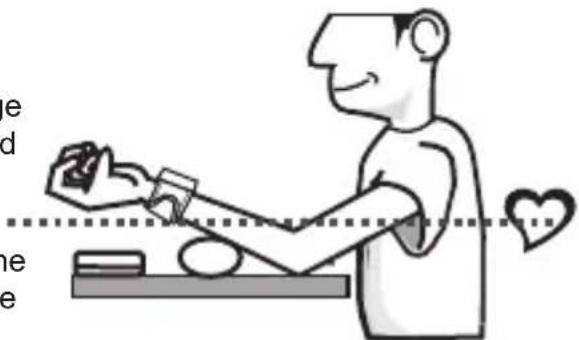
- Sit down comfortably with your elbows placed on the table and both feet on the ground. Please do not interlock your legs during the measurement.
- Place the product on level of the heart. Relax your hand. Your palm should be facing upwards.
Take the measurement at room temperature in a quiet and stress-free environment. - The unit should not be moved or shaken during the measurement. Please do not speak during the measurement.
- Please keep in mind that blood pressure naturally varies depending on the time of day and is affected by many different factors. Blood pressure is usually highest at work and reaches its lowest level during the sleep phase.
- Blood pressure measurements should be assessed by a doctor or trained healthcare professional who is familiar with your medical history. If you use the unit and regularly record the results, please keep your doctor informed with regard to the ongoing changes in your blood pressure.
- If you suffer from a cardiovascular disease (such as atherosclerosis), diabetes, a liver or kidney disease, severe hypertension or peripheral circulatory disorders, etc., please consult your doctor before using this unit.
- The blood pressure measurements conducted with this unit are equivalent to measurements obtained by a trained observer in accordance with the values achieved using the cuff/stethoscope auscultation method and are within the specified EN 1060-4 standard limits.
- If the cuff causes any discomfort during the measurement, press the "POWER" button to turn off the unit immediately.
- If the pressure is over 300mmHg and the cuff does not deflate automatically, pull off the strap to detach the cuff.
- Do not use this appliance on infants, children or persons who cannot express their own intentions.


PRECAUTIONS
- Measuring too frequently may result in circulatory disorders, which can cause unpleasant sensations such as localised bleeding under the skin or temporary numbness in your arm. These symptoms do not usually last long. However, if you have not recovered after some time, please consult your doctor.
- The unit is not waterproof. Never immerse this instrument in any liquids.
- Do not use the instrument if you think it is damaged or if you notice anything unusual.

WARRANTY
The warranty for this blood pressure monitor is valid for any error on the part of the manufacturer under normal use for 3 years from the date of purchase. If your unit does not function properly due to defective parts or assembly, we will repair it free of charge.
With the exception of the battery and cuff, all parts of the unit are subject to this warranty. Damage caused by improper handling of your unit is not guaranteed.
We recommend that the accuracy of the unit be checked after 2 years from manufacturing date by an authorized laboratory.
This checking procedure is not a service provided under the warranty.
What is blood pressure?
A force is created by the heart as the ventricle forcibly ejects blood into the blood vessels and through the vascular system. Another force is created by the arteries as they resist the blood flow. Blood pressure is the result of these two forces.
What are systolic and diastolic pressures?
Systolic pressure represents the highest pressure at the height of the heart's contraction. Diastolic pressure is the lowest pressure when the heart is resting.
Is my blood pressure normal?
See the following blood pressure classification chart released by the WHO (World Health Organization) for evaluation of your blood pressure level.
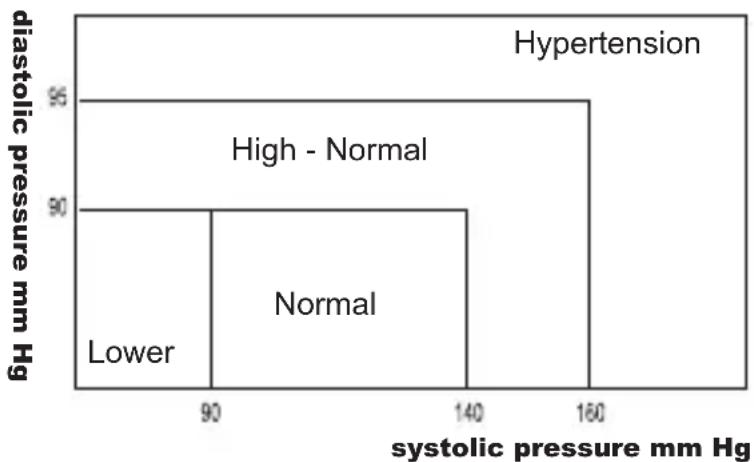

What about low blood pressure?
Generally speaking, a lower blood pressure reading is better unless it causes some uncomfortable symptoms such as fainting and/or lightheadedness.
Fluctuation and variation in blood pressure
The following chart shows possible blood pressure fluctuations during a 24-hour period.

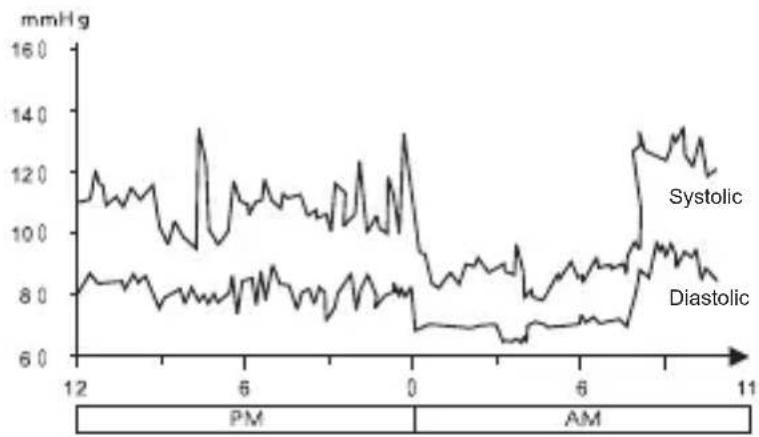
The following factors will influence blood pressure measurement results and cause variations:
Bathing Breathing
- Conversation - Meals
Smoking Exercise
- Drinking
Alcohol
.
Moving
- Thoughts - Mental tension
- Temperature change, etc.
6-GB
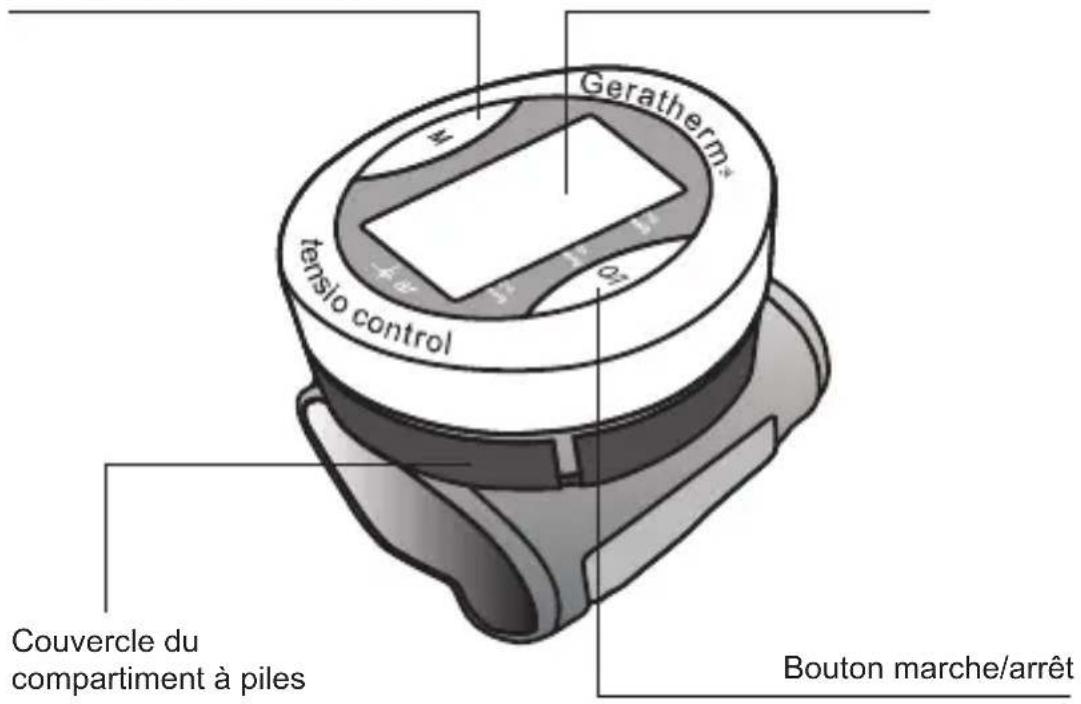
ABOUT THE DEVICE
Memory Botton LCD display
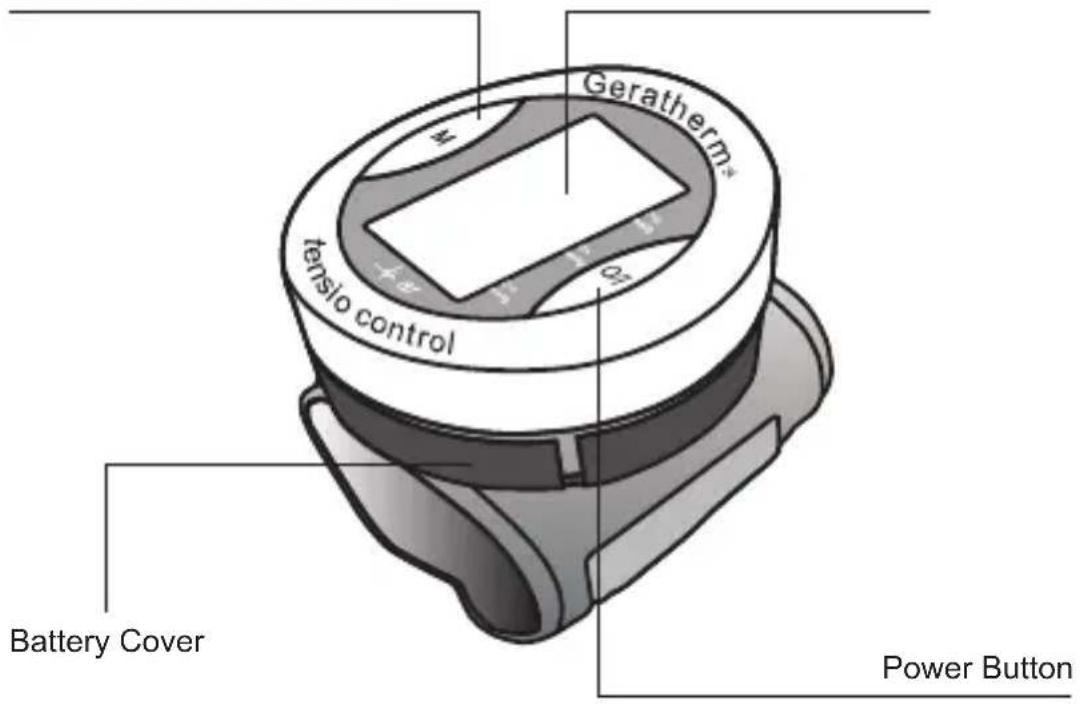
GB

The cuff is designed to fit wrist sizes between 13.5 and 19.5cm (5.35 to 7.68 inch).
EXPLANATION OF DISPLAY
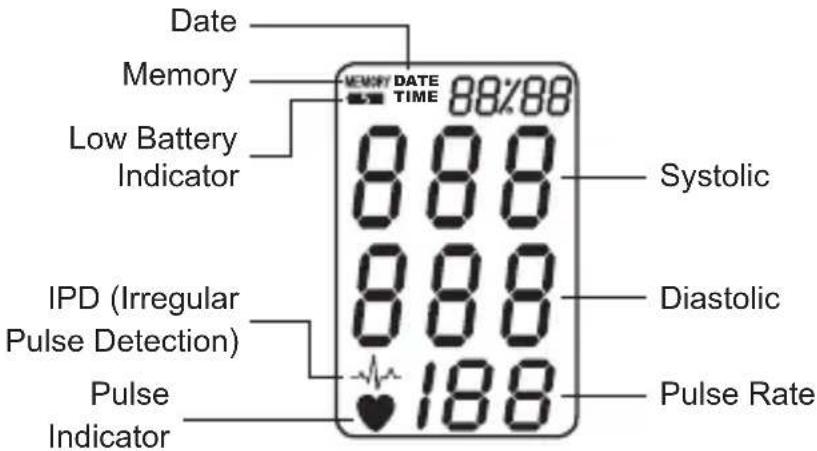
PREPARATION FOR USE
Installing/Replacing batteries
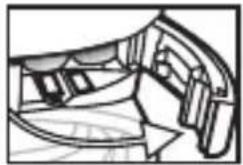
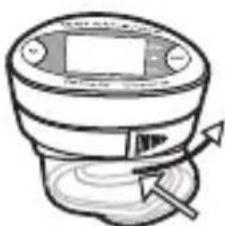
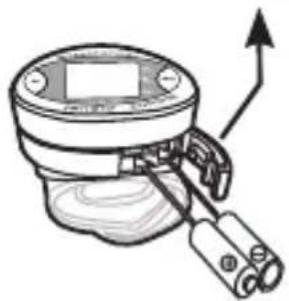
- Press lightly on the arrow and slide the battery cover in the direction of the arrow.
- Insert the batteries into the battery compartment mating correct polarities "+" and "-".
! Note:
- Replace both batteries if the low battery indicator appears.
- Remove the batteries if the device will not be used for a long period of time.
- It is recommended that the same type of alkaline batteries be used to avoid incompatibility.
Keep batteries away from small children.
Do not throw batteries into fire: they could explode.
PREPARATION FOR USE
Attaching the pressure cuff
-
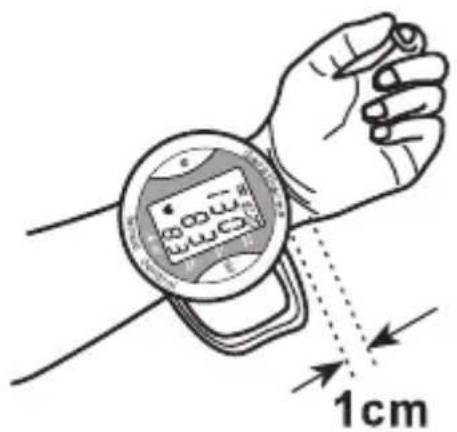
Free the left wrist of any clothing etc. and wrap the cuff directly around it. The display should be positioned on the palm side of the wrist.
-
Fasten the cuff. Make sure it is not too tight. The cuff's upper edge should be approximately 1 cm (0.39 inch) from the palm line.
-
If it is not possible to measure on the left wrist, attach the cuff on the right wrist as shown in the figure.

Measuring posture
-
Sit upright and place your forearm on the storage case so that the device is at heart level. Relax and measure in a natural position.
-
Measure and record blood pressure at the same time every day to establish your blood pressure pattern.
HOW TO OPERATURE THE DEVICE
1. Setting the Clock
Enter the clock setting mode by pressing and holding the MEMORY button for over three seconds. The display will show a flashing year. Press the POWER button to adjust the year when it is flashing. Then click the MEMORY button again, a „month_, will appear and flash to be adjusted, and then „date“, „hour“, and „minute“ will follow as you press and release the MEMORY button.
To adjust the clock:
Press the POWER button to adjust the "month", "date", "hour" and "minute" when they are flashing.

2. Measuring blood pressure
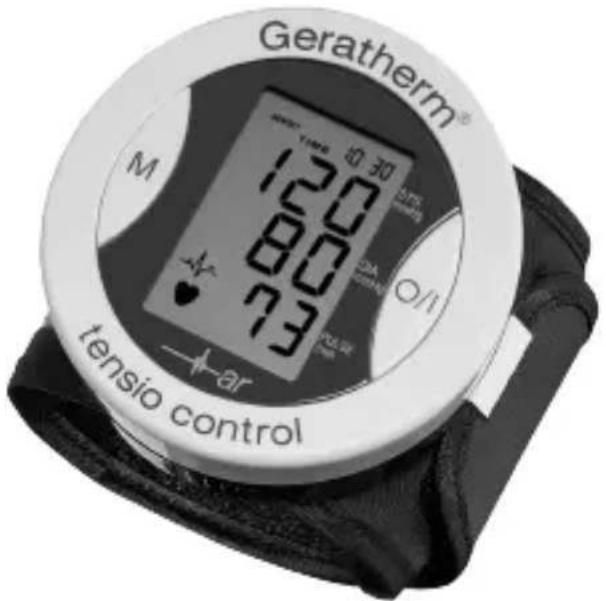
Press and release the POWER button to start measuring automatically. When the measurement is finished, the display will show the measured blood pressure and pulse rate. Press the POWER button to turn off the device.
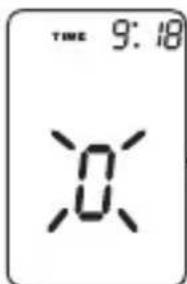
Initial display
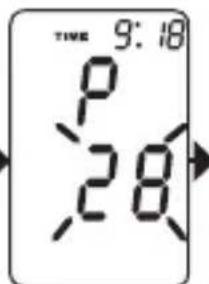
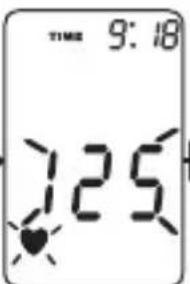
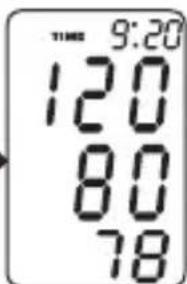
Pumping Measuring and buzzer sounds
Otherwise the device will automatically turn off after 150 seconds.
! Note:
If the symbol appears, it means the unit has detected irregular pulse during measurement. If the symbol appears regularly please consult a qualified physician for professional advice.
HOW TO OPERATURE THE DEVICE
3. Recalling Stored Values
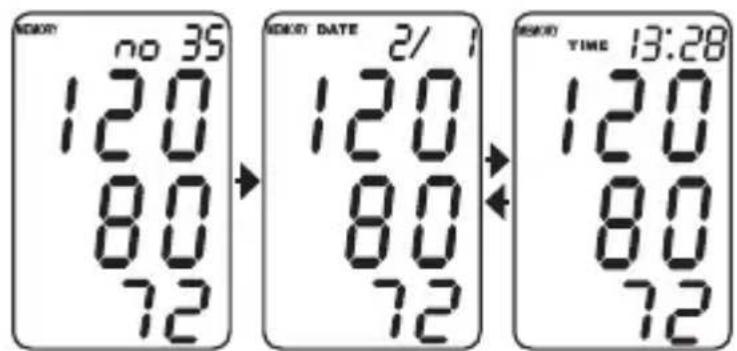
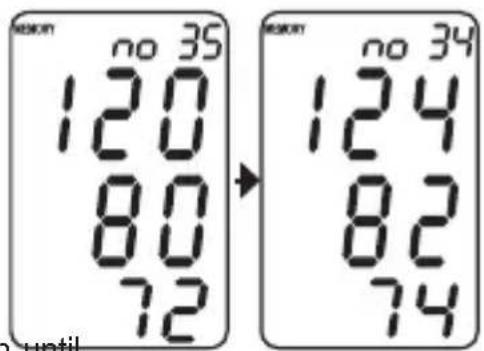
3.1 Press and release the MEMO- RY key to recall the last reading. (Example: no. 35 in the memory). The display will show the stored pressure and pulse rate.
3.2 Press the MEMORY button to go to previous stored values.

4. Erasing Stored Values
You may erase one or all records in the memory.
To delete one record:
Step 1: Press and release MEMORY button to display stored values. Press and release MEMORY button again to choose the record that you wish to delete.
Step 2: Press and hold the POWER button until the display shows "dEL".
Step 3: Press and hold the POWER button. After three beeps are heard, the selected record is deleted.
To delete all stored values:
Follow steps 1 and 2 above.
Step 3: Press the MEMORY button again and the display shows „dEL ALL".
Step 4: Press and hold the POWER button. After three beeps are heard, all records are deleted.

CARE AND MAINTENANCE
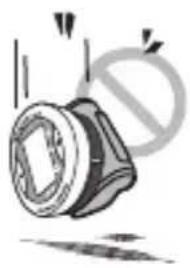
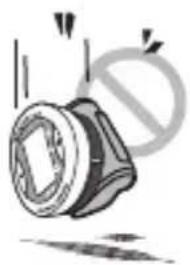
Do not drop the device.
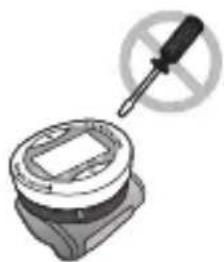
Do not modify or disassemble the body or the wrist cuff.

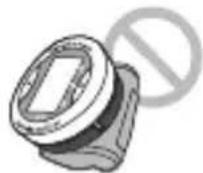
Do not twist the wrist cuff.
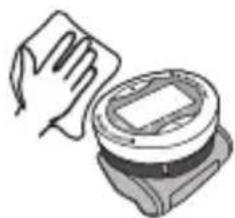
Use a cloth moistened with water or neutral detergent to clean the body of the device and then wipe it dry.
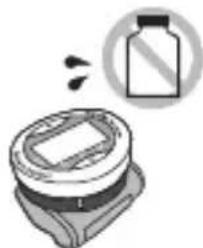
Avoid thinner, benzene, and other harsh cleaners.
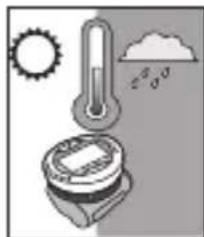
Keep the device in a suitable place. Avoid high temperatures direct sunlight, high humidity, and dust.
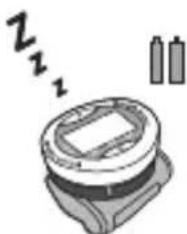
Remove the batteries if the device will not be used for a long time.
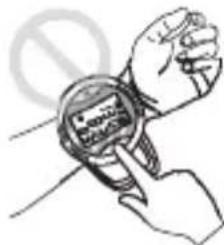
Do not press the POWER button if the cuff has not been properly wrapped around the wrist.
DISPOSAL
Observe the applicable regulations when disposing of the device and batteries.
This product must not be disposed of together with domestic waste.
All users are obliged to hand in all electrical or electronic devices, regardless of whether or not they contain toxic substances, at a municipal or commercial collection point so that they can be disposed of in an environmentally acceptable manner.
Please remove the batteries before disposing of the device/unit.
Do not dispose of old batteries with your household waste, but at a battery collection station at a recycling site or in a shop.

ERROR MESSAGES
Message
LL Err
UU Err
P Err
rrErr


or no display
Correction
The pressure measured was lower than 20mmHg Please measure again.
Excessive body movement is detected during measurement. Please measure again.
Pumping error.
Please check cuff and try again.
The pressure can not be measured due to signal noise. Please measure again.
The pumping pressure is higher than 300mmHg Please measure again.
Low battery.
Please check and, if necessary, replace the 2 batteries.

SPECIFICATIONS
| Model number GP-6220 | |
| Display system Liquid Crystal Display | |
| Measuring method Oscillometric | |
| Power Source 2 alkaline "AAA" type batteries (1.5 V) | |
| Measuring Range | 20 to 300 mm Hg (blood pressure);40 to 200 beats/minute (pulse rate) |
| Accuracy ±3 mm Hg (blood pressure), ±5 % (pulse rate) | |
| Infl ation Automatic pump | |
| Defl ation Automatic exhaust valve | |
| Memory | 85 sets |
| Display LCD (year/date/time, pressure and pulse) | |
| Low Battery indicator yes | |
| Auto Power-Off after 150 s without any operation | |
| Lifetime of battery abt. 250 measurements | |
| IP Classifi cation IP20 (protected against foreign bodies < 12,5 mm) | |
| Cuff size 13.5 to 19.5 cm | |
| Operation Environment | +5 to +40 °C; RH: 15 to 90 % R.H. |
| Storage Environment | -25 to +55 °C; RH: 15 to 90 % R.H. |
| Dimensions | 76 mm x 76 mm x 33 mm (W x D x H) |
| Weight | around 136 g (inclusive batteries) |
| Electromagnetic compatibility(EMC) | The present medical product is a device with anextremely high degree of noise immunity. There-fore, the enclosure with the EMC tables was not printed out. |
| Specifi cations are subject to change for improvement without notice. | |

QUALITY STANDARD
Geratherm® is certified in accordance with Council Directive 93/42/EEC and EN ISO 13485 and is entitled to affix the CE-mark€0197 (Notifi ed Body: TÜV Rheinland LGA Products GmbH).
The blood pressure monitor conforms to
EN 1060-1 (Non-invasive sphygmomanometers part 1: General requirements) and
- EN 1060-3 (Non-invasive sphygmomanometers part 3: Supplementary requirements for electromechanical blood pressure measuring systems)
- EN 1060-4 Non-invasive sphygmomanometers, Part 4: Test procedures to determine the overall system accuracy of automated non-invasive sphygmomanometers
SYMBOL INDEX
| Follow instructions for use Type BF Equipment | ||
| Keep dry | LOT Batch code (mm/yyyy; month/year) | |
| 90% 15% | Store between 15% and 90% R.H. | SN Serial number |
| +55°C -25°C | Store between -25°C and +55°C | Manufacturer |
| The device must not be disposed of with household waste. | Caution! Read the instruction manual! |


Geratherm Medical AG
Fahrenheitstrasse 1
D-98716 Geschwenda
Germany
www.geratherm.com
TENSIOMÉTURE ÉLECTRONIQUE POUR POIGNET
Geratherm®
tensio control
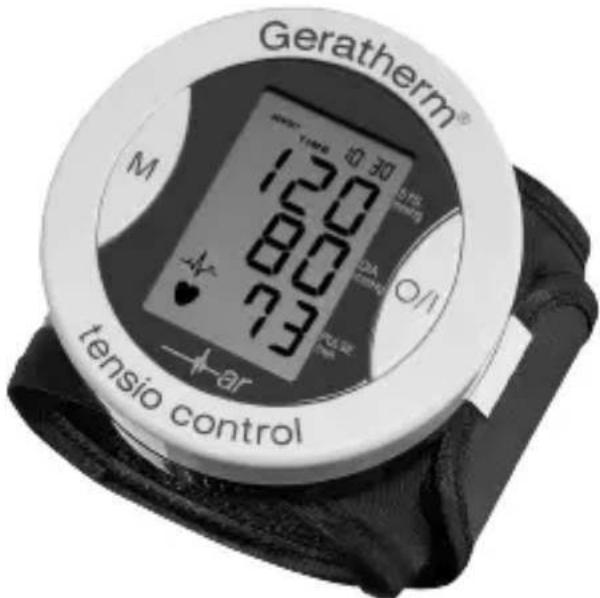
MODE D'EMPLOI
GP-6220
C€0197
1-F
FONCTIONS
Que signifie hypotension?
Bouton mémoire Cadran LCD

Geratherm Medical AG
Fahrenheitstrasse 1
D-98716 Geschwenda
Allemagne
www.geratherm.com
MISURATORE DI PRESSIONE DA POLSO DIGITALE
Geratherm®
tensio control
ISTRUZIONI D'USO
GP-6220
C∈0197

IMPIEGO PREVISTO
Geratherm Medical AG
Fahrenheitstrasse 1
D-98716 Geschwenda
Germania
www. geratherm.com
APARATO PARA LA MEDICION DE LA TENSION SANGUINEA EN LA MUNECA DIGITAL
Geratherm®
tensio control

INSTRUCCIONES DE USO
GP-6220
C€0197
1-E
COMETIDO DEL EMPLEO
Geratherm Medical AG
Fahrenheitstrasse 1
D-98716 Geschwenda
Alemania
www. geratherm.com
ESFIGMOMANÓMETRO DIGITAL DE PULSO
Geratherm®
tensio control
CONSERVACAO E MANUTENCAO
Geratherm Medical AG
Fahrenheitstrasse 1
D-98716 Geschwenda
Alemanha
www.geratherm.com
DIGITALE POLSBLOEDDRUKMETER
Geratherm®
tensio control
GEBRUIKSAANWIZING
GP-6220
C€0197

1 - NL
TOEPASSINGSGEBIED
Geratherm Medical AG
Fahrenheitstrasse 1
D-98716 Geschwenda
Duitsland
www.geratherm.com

15 - NL

Arrhytmieerkennung
Arrhythmia Detection