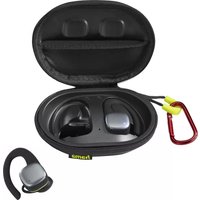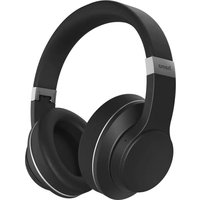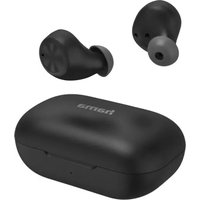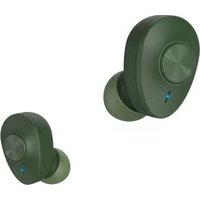
Connect Balance - Bluetooth Headset HAMA - Free user manual and instructions
Find the device manual for free Connect Balance HAMA in PDF.


User questions about Connect Balance HAMA
0 question about this device. Answer the ones you know or ask your own.
Ask a new question about this device
Download the instructions for your Bluetooth Headset in PDF format for free! Find your manual Connect Balance - HAMA and take your electronic device back in hand. On this page are published all the documents necessary for the use of your device. Connect Balance by HAMA.
USER MANUAL Connect Balance HAMA
Operating Instructions
Bedienungsanleitung
Moded'employi
Instruccionesdeuso
PykoBOOCTBOONKcNlyatauH
Gebruiksaanwijzing
Manualdeinstruções
Manualdeutilizare
GB
D
F
E
RUS
NL
P
RO
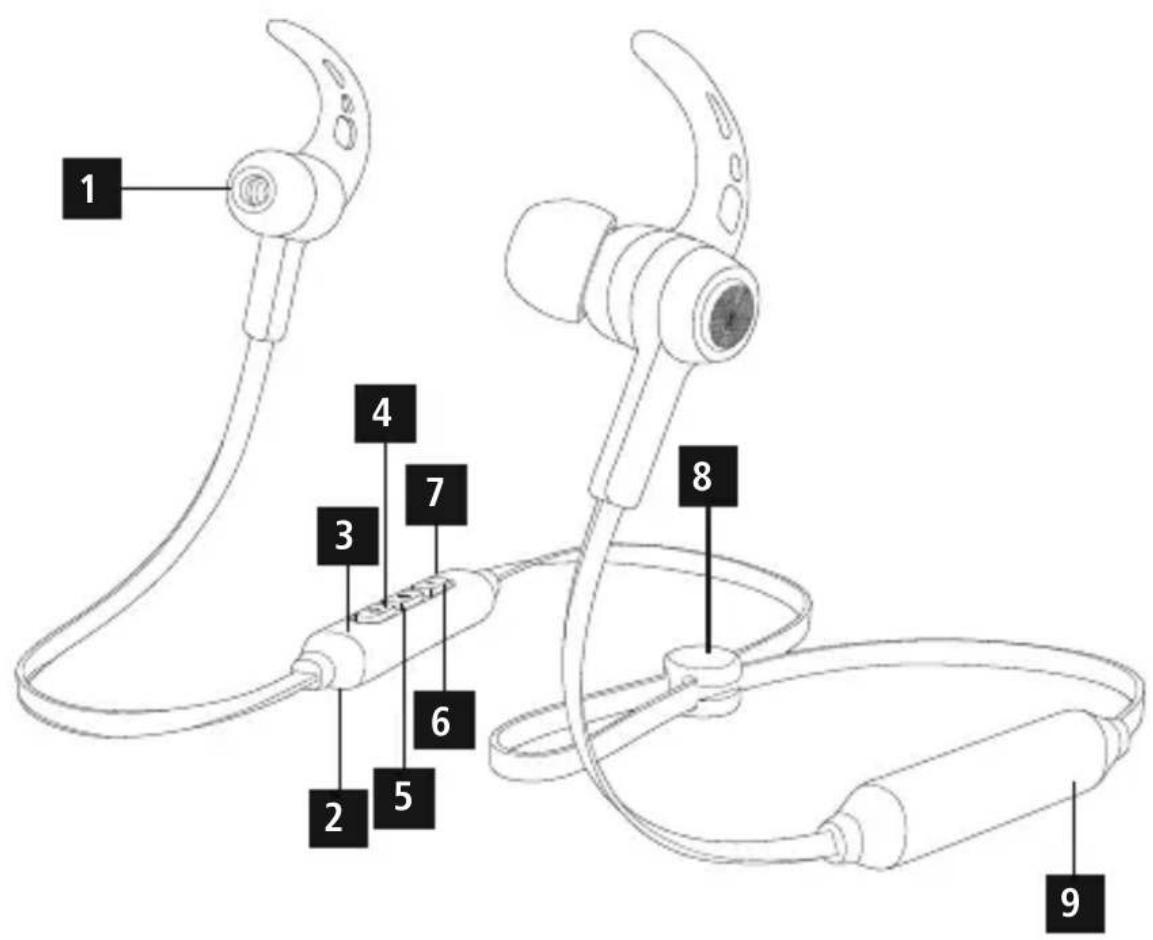
ControlsandDisplays
1.Earphones
2.Microphone
3.StatusLEDs
4.Volume+,jumpforward o nettitle
5. On/offbutton,voicecontrol,multifunction button(MF)
6.Volume-, jumpbackward or nettle
7. Chargingsocket
8.Cablemanager
9.Battery
Thankyouforchoosinga H amaproduct. Takeourtimeandreadthefollowinginstructions andinformationcompletely.P leasekeepthese instructions in a safe place for future reference.If yousellthedevic,pleasepasstheseseoperating instructionsontothewenowner.
1.ExplanationofWarningSymbolsandNotes
Warning

Thissymbolisusedtoindicatesafetyinstructions ortodrawyourattentionospecific h a z a r d s andrisks.
Note

Thissymbolisusedtoindicateadditional informationorimportantnotes.
2.PackageContents
- 1 x Bluet steroearphones
- 1 x USBcharqingcable
3 pairsofearcushions(sizeS,M,L) - 2 pairsofsiliconeearhooks(sizesM,L)
T heseoperatinginstructions
3.SafetyNotes
T heproductisintendedforprivate,non-commercialuseonly.
- U setheproductforitsintendedpurposeonly.
- P rotecctheproductfromdirt, moisture a nd overheating, andonlyuseitina d ryvironment.
- D o n otusetheproductintheimmediatevicinity of heatersorotherheatsourcesorindirect sunlight.
- D on otdroptheproductanddonotexposeitto anymajorshocks.
- D o n otoperatetheproductoutsidethepower limitsgiveninthespecifications.
- D o n otopenthedevicerecontinuetooperateitif itbecomesdamaged.
- S incethebatteryisintegratedandcannot be removed, you will need to dispose of the product as a hole. Do this in compliance with the legal requirements.
- D isposeofpackagingmaterialimmediately accordingtolocallyapplicable管理条例.
- Do not modify the product in any way. Doing so voidsthewarranty.
- Do not use the product in areas where the use of electronic devices is not permitted.
- D o n otattemptoserviceorrepairtheproduct yourself. L eaveanyandallserviceworkto qualifiedexperts.
- Do not throw the battery or the product into fire.
- D o n ottamperwithordamage/heat/disassemble thebatteries/rechargeablebatteries.
- U setheitemonlyinmoderateclimaticconditions.
Warning-Highvolumes

- Highboundpressure level!
There is a risk of hearing damage. - To prevent hearing loss, avoid listening at high volume levels for long periods.
Always keep the volume at a reasonable level. Loudvolumes, evenovershortperiods, can causehearingloss. - U singthisproductlimitsyour perceptionofambientnoise. For thisreason,donotoperate anyvehiclesormachineswhile usingthisproduct.
4. Getting Started
Warning-Battery

- O nlyusesuitablechargingdevicesorUSB connectionsforcharging.
- A s a rule, donotchargedevicesorUSB connectionsthatare d effectiveanddonottry torepairthemyourselves.
- D on otovercharge the productor allowthe battery to completely discharge.
- A voidstoring, charging or using the device inextremetemperatures and extremely low atmospheric pressure (forexample, at high altitudes).
-
W henstoredovera I ongperiodoftime, batterieesshouldbechargedregularly(atleast everythreemonths).
-
The earphones are equipped with a rechargeable battery. The battery must be fully charged before using the device for the first time.
-
Ensure that the earphones are switched off before charging them.
- B eginchargingbyconnectingtheincludedUSB chargingcabletothechargingsocket(7)as wellastotheUSBconnectionofa P C/laptop.
- A Iternatively, y oucanchargetheearphones using a suitable USB charger. Please refer to the operating instructions for the USB charger used.
- The display lights up constantly in red during the chargingprocess.
It takes around 2 hours until the battery is completelycharged. - O ncethechargingprocessiscomplete,thered lightoftheLED(3)turnstobluelight.
- D isconnectllcableandmainsconnectionsafteruse.
5. Operation Switchingtheearphoneson/off
- Press the MF button (5) until a voice says "Power ON" and the blue LED flashes.
To switch it off, press and hold the MF button (5) until a voice says "PowerOFF" and thened LED flashes.
Note
Thefunctionsdescribedinthissectionare onl y availableforBluetooth -capableterminaldevices.
5.1.Bluetooth 值 pairing
Note-Pairing
- Makesure t hatyourBluetooth®-capable terminaldeviceisonandBluetooth ® is activated.
- Makesure t hatyourBluetooth®-capable terminaldeviceisvisibleforotherBluetooth devices.
-
F ormore information, pleasereferto the operatinginstructionsofyourterminaldevice.
-
T heearphonesandtheterminaldevicesshouldbenefurtherthanonemetre a part.Thessmallerthe distance,thebetter.
- S witchchonthearphoneswiththeMFbutton(5).
- Press and hold the MF button (5) until the red and blueLEDsflashalternatingly. Theearphonesare searchingfora Bl u e to o connection.
- O pentheBluetooth® settingsyouterterminal deviceandwaituntil HamaBTHBalance appears in the list of Bluetooth® devices found.
- SelHamaBTHBalance andwaituntil theearphonesare listedasconnectedinthe Bluetooth® settingsyouterterminaldevice.
Note-Bluetop8password

Some terminal devices require a password in order to connect to another Bluetooth device.
If your terminal device requests a password for connectiontotheearphones,enter0000.
Note
- O nce the connection has been established, a voicesays, "Connected".
- If t heconnectionattempttakeslongerthan 300secondstcomplete,itiscancelledand theLEDsgoout.Inthiscase,repeatthesteps listedpreviouslyunder5.1Bluetooth ® pairing.
5.2.AutomaticBluetooth connection(after successfulpairing)
Note

- Makesure t hatyourBluetooth®-capable terminaldeviceisonandBluetooth ® is activated.
- Makesure t hatyourBluetooth®-capable terminaldeviceisvisibleforotherBluetooth devices.
-
For more information, please refer to the operating instructions of your terminal device.
-
S witchhonearphoneswiththeMFbutton(5). TheblueLEDbeginstoflashandtheearphones automaticallyconnectwiththelastterminal deviceused.
Note

- O nce the connection has been established, a voicesays, "Connected".
- If t heconnectionattempttakeslongerthan 300secondstoccomplete,itiscancelledand theLEDsgoout.Inthiscase,repeatthesteps listedpreviouslyunder5..2.
- I t m aybenecessarytochangethesettings onyourterminaldevicetoenableitto automaticallyconnecttotheearphones.
Note-C onnectionimpaired

Aftertheheadsetandterminaldevicehavebeen paired, a connectionistablishedautomatically. IftheBluetooth connectionisnotestablished automatically, check the following:
- C hecktheBluetooth® settingsofyourterminal device to see whether Hama BTHBalance is connected. Ifnot, repeat the steps listed under 5.1. Bluetooth® pairing.
Note-C onnectionimpaired

Checkwhetherobstaclesareimpairingthe range.lfso,movethedevicesclosertogether.
- T heperformancecanalsobeaffectedbyaweakbattery.
5.3.Bluetooth® multipointconnection
TheseearphonescanconnecttotwoBluetooth enabledterminaldeviceissimultaneously(multipoint).
- Firstconnecttheearphoneswiththefirstterminal deviceasdescribedin5.1.
T hendisableBluetooth® onthatterimaldevice. - N ext,connecttheearphoneswiththesecond terminaldeviceasdescribedin5.1.
- A c tivateBluetooth® onthefirstterminaldeviceonce more. Theearphonesnowconnecttothaterminal deviceautomatically.
5.4.Audiplayback

Note
- N otethatthefunctionsdescribedunder5.3. and 5.4. are only possible with an active Bluetooth® connection.
- Y ourterminaldevicemustalsosupportthe individualfunctions.
- F ormore information, pleasereferto the operatinginstructionsofyourterminaldevice.
-
F unctionscanstillbecontrolleddirectlyviathe terminaldevice.
-
S etthevolumeonyourterminaldevicetoa lowlevel.
- S witchhonearphoneswiththeMFbutton (5). Upon successful connection, a voicesays, "Connected".
- S tartaudiplaybackontheconnectedterminal device.
- Press Volume + (4) to increase the volume. There is an announcement when the maximum volume is reached.
- Press Volume - (6) to reduce the volume.
- Press the MF button (5) to start or pause audio playback.
- Press and hold Jump forward one title (4) to skiptothenexttitle.
- Press and hold Jump backward one title (6) to skiptothepreviousit.
5.5.Hands-freefunction
- P resstheMFbutton(5)oncetoansweran incomingcall.
- Press the MF button(5) twice or use your telephone torejectanincomingcall.
During a call, press the MF button (5) once to endthecall. - Press the MF button (5) twice to call the number of the last call.
Note-Callquality

To increase the call quality, make sure that you are neartheearphoneswithyourmobilephone duringthecall.
5.6.Disconnectingthearphones
- S witchofftheearphones.
- D isconnecttheearphonesviatheBluetooth® settingsonyourterminaldevice.
5.7.Batterycapacity
- An announcement is made and the display flashes inred w henthebatteryislow
C hargetheearphonesasdescribedin4.Getting started.
6.CareandMaintenance
Onlycleanthisproductwitha s lightlydamp,lint-free clothanddonotuseaggressivecleaningagents. Makesure t hatwaterdoesnotgetintotheproduct.
7.WarrantyDisclaimer
HamaGmbH& Co KGassumesnoliabilityand providesnowwarrantyfordamageresultingfrom improperinstallation/mounting,improperusef theproductorfromfailure to o observetheoperating instructionsand/orsafetynotes.
8. Technical Data
| Bluetooth® earphones | |
| Earphone/microphone impedance | 32 Ω / 1.4 - 2.2 kΩ |
| Frequency20-20 0 0 0 Hz | |
| Earphone/microphone sensitivity | 96dB/ - 4 2 d B |
| WBCV≥75mV | |
| RangeMax.10m | |
| Bluetooth® technologyv5.0 | |
| Profile | A2DPV1.3/ A VRCPV1.5/ HFPV1.6/ H S P |
| Transmissionfrequency2.4-2 .48GHz | |
| BatteryLi-Po 3 .7V | |
| Batterycapacity95mAh | |
| CurrentconsumptionMax.90mA | |
| ChargingvoltageMax.5 V USB | |
| Totalweight16g | |
| Max.TalkTime/ Max.MusicPlayTime* | 8 h / 6 h |
| Standbytime* | 10 |
| Readyforuse* | 300days |
| Chargingtime | 2h |
*afterfullcharge
9. Recycling Information
Noteonenvironmentalprotection:
Aftertheimplementationof the European Directive2012/19/EU and 2006/66/EU inthenationalalleg system, thefollowingapplies:Electric and electronicdevicesas wellas
batteries mustnotbedispersed ofwithhousehold waste. Consumers are obliged by law to return electrical and electronic devices aswellasbatteries at the end of their service lives to the public collecting points set up for this purpose or point of sale. Details to this are defined by the national law of the respective country. This symbol on the product, the instructionmanualorthe packageindicates that a product is subject to these regulations. By recycling, reusing the materials or other forms of utilising old devices/Batteries, you are making an important contributiontoprotectingour environment.
10.DeclarationofConformity
Hereby, Hama GmbH & Co KG declares that theradioequipmenttype [00184021] is in compliancewith
Directive 2014/53/EU. The full text of the EU declaration of conformity is availableatthefollowing internet address: www.hama.com->00184021->Downloads.
| Frequency band(s) | 2402MHz – 2480MHz |
| Maximum radio-frequency power transmitted | 3.5mW EIRP |
0 h
5.4. Bocnpoun3BedeHne3Byka

PpmeaHne
-ФункииИЗлгав5.3и5.4pa6oTaIToJbKOpnHaJIuHmUcoEiHHeHnBlaeBtooth
Kpome3TOROyCTPOINCTBOBOCnpon3BeDHeH NOJHXHO6bITbCOBMECTNMOC H EKOtOpBMN yHKcIaMn.
-ПоюрбнecMOTpnteHCTpyKcHNO3KcNlyaTaunNyCTpoiCTBA.
-ФункцИМIMMOxHoynpaBJIaTb HENOCpeIcTBeHHOuepe3yCTpoINCTBO BOCnpoIN3BeIeHIN.
HayctpoiCTBeBOCnpOn3BedeHnayctAHOBnte MNHMaJIbHyIgPOMKoCTb.
BKNHOnTeHayuHNKNCn OMOUbMHOOyHKNoHaJIbHOHKn(5).IpnycTaHOBKe CoeINHeHHaRapHNTypAnoDaCTcHrHan《CoeINHeHneYctaHOBNeHO》.
HAnctOuHnke 3 BykAkBIOUHTe BOCnpon3BeHeHne.
-TObIyBeJIuHtBrPOMKoCTb,HaKMnTe KHOKNy rPOMKOCTb + (4).EcnI rPOMKOCTb yBeJIuHcHApOMaKcMMya,rapHHTpApoNoact COOTBETCTByUcNcHHaJ.
4To6bIyMeHbIHTbTpOMKoCTb,HaKMnTe TpOMKoCTb-(6).
-TO6bIInpnoOCTaHOBnTBnNIMBO306HOBnTb BOCnPOnu3BeDeHHe,HaXMMTeKHoNkYyMF(5).
- TTo6bl nepeuTn K CneIyUoIeMy paIny, HaxMnte KHOIkyCneIyOuIuIpaI(4).
- TTo6bl nepeTn K npdeBnycemy faay, haxmTe KhoNkPypeBdyuynu(6).
5.5.FyHKzIaRpOMKoINCBa3N
CHTo6bIOTBetNTbHa3BOHOK,HaXMnTe MHOROOFyHKUHOHAhBYHkONky(5).
TO6bIOTK3aTbCRAOTOBETAHa3BOHOK,IBaXdbI HaxMHTeMHOrOoYHKUHOHaJIbHyIOKNKHOKy(5), IIOBOOCNOJb3yIteCbOyHKUIMrMaTeJefoHa.
-TO6b3aBepwnTbpa3rOBoP,BOBpeMpa3rOBoPa HaxMMTeMHOroФyHKUHOHaNbHyIOKHOkNky(5).
-To6bHa6paTbNocneHnHa6paHHbHINOMep,DbapaHaHXMtEmHOfpyHKUHOHaJIbHyIOKHONky(5).
IpmeaHne-KaueCTBO cnHaJa

ДллушeroКачecTBacBra3NBOBpeMЯБI3Oba TeJIeФОнДоЛЖeHHaXoДиTbCraKaKMOxHObIINKe KHaupHnKaM.
5.6.OTcoeHHeHHeHayuHnKOB
BbIKJIIOUHTeHaayHnKn.
- OTKJIIOUHTe HayuHnKn B HAcTPOkax Bluetooth yCTpoIcTBaBOCnPOn3BeDeHn.
5.7.EMKOCtbaKKymyTota
-ПрималоноctatoTuHoiEMKoCTnaKKyMyIaTopa rapHnIpyaNoaetCnHaJI,NHaunHaETMnRaTb KpaChbInnHnKaTOp.
3apAnTe HayuHnKn KaK OINcaHO BnyKTe 4. BBoB E KcNlyaTaunO
6. YxOgi Te xo6cnyKuBaHne
YnCTKyn3dJeInpnIbOBoNTbTObKO6eBOPcBOON CJIeKABJaxHoIcAnfpeTKoJ.3aNpeuaetc npMHeHbTaBpeCCNBhIeUHCTaUncpeDCTBa.CNeIte3aTeM,HTo6bIByCTPOINCTBOHEnonJa BOda.
7. 0TKa3OTrapaHTnHbIXo6a3aTeJIbCTB
KomnaHnHa Hama GmbH & Co KG He HeceT OTBeTCTBHeHHOCTb3ayUe6,BO3HNKUnBcJeDCTBVe HenpaBnIbHOrOM OHTaxa,NoDKJIOueHENa INCNoJIb3OBaHnIN3DeJInnHENoHa3NaHeuHIO,a TAKKe B CNeICTBHeNEco6JIoJEHnIHNCTpyKunNO 3KcNPyatauN INTexHKn6e3OnaNCHOCTN.
8. TexHnuecknexapaKTePnCTnKn
The Bluetooth® word mark and logos are registered trademarks owned by Bluetooth SIG, Inc. and any use of such marks by Hama GmbH & Co KG is under license. Other trademarks and trade names are those of their respective owners.
All listed brands are trademarks of the corresponding companies. Errors and omissions excepted, and subject to technical changes. Our general terms of delivery and payment are applied.