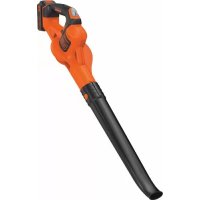
GWC1820PST - Leaf blower BLACK & DECKER - Free user manual and instructions
Find the device manual for free GWC1820PST BLACK & DECKER in PDF.



| Product Type | Cordless Leaf Blower |
| Brand | Black & Decker |
| Model | GWC1820PST |
| Input Voltage | 18 V DC |
| No-load Speed | 10,000 - 12,500 rpm |
| Weight | 1.7 kg |
| Battery Type | Li-Ion |
| Battery Model | BL2018 |
| Battery Capacity | 2 Ah |
| Charger | 400 mA |
| Usage | Household only |
| Functions | Normal and Boost (POWERCOMMAND) |
| Assembly | Tube to be attached before use |
| Safety | Safety goggles, hearing protection, remove battery before maintenance |
| Maintenance | Clean with scraper, do not use solvents |
| Warranty | 24 months |
Frequently Asked Questions - GWC1820PST BLACK & DECKER
User questions about GWC1820PST BLACK & DECKER
0 question about this device. Answer the ones you know or ask your own.
Ask a new question about this device
Download the instructions for your Leaf blower in PDF format for free! Find your manual GWC1820PST - BLACK & DECKER and take your electronic device back in hand. On this page are published all the documents necessary for the use of your device. GWC1820PST by BLACK & DECKER.
USER MANUAL GWC1820PST BLACK & DECKER
natural_image
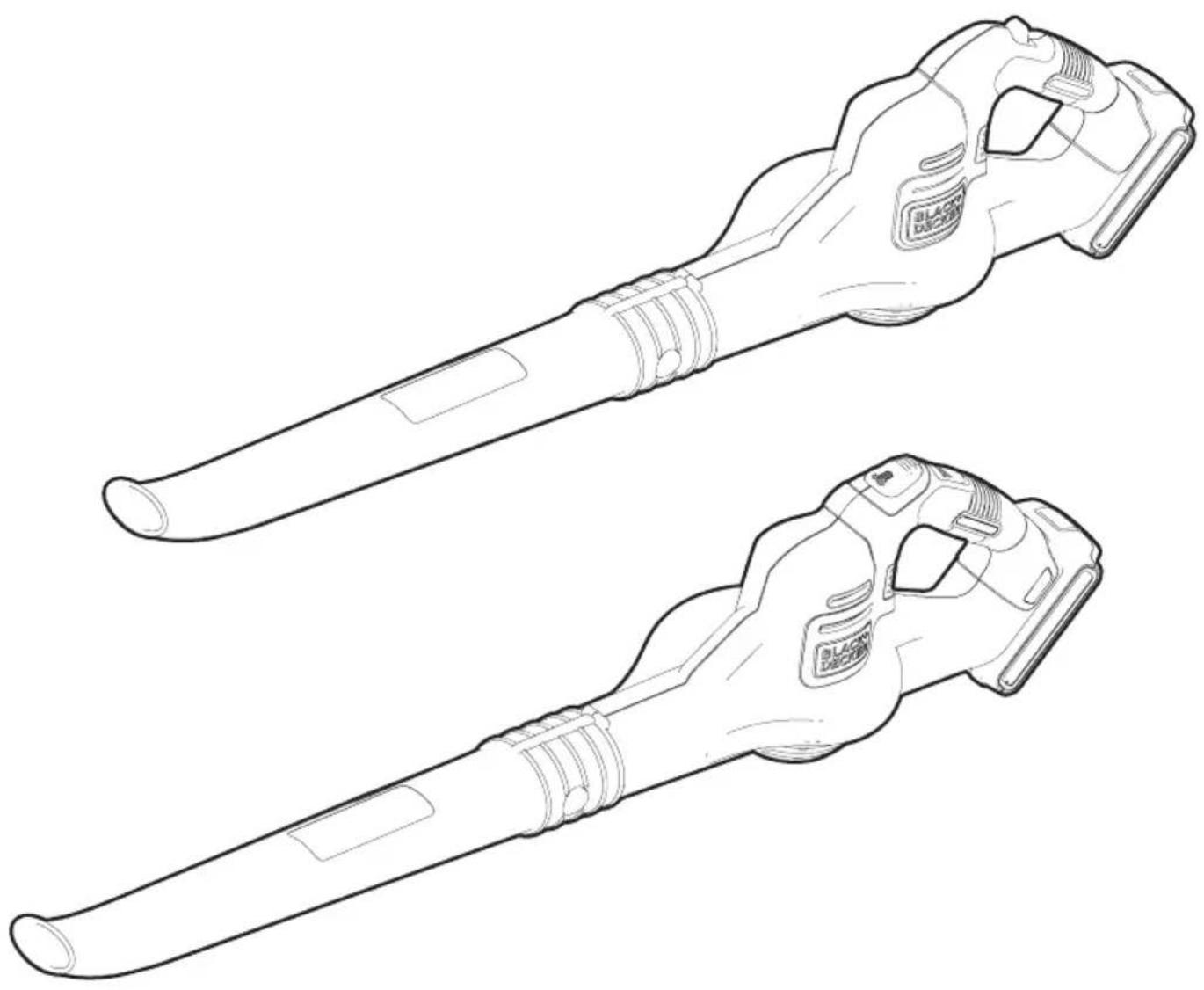
Line drawing of two black-and-white mechanical tools with no text or symbols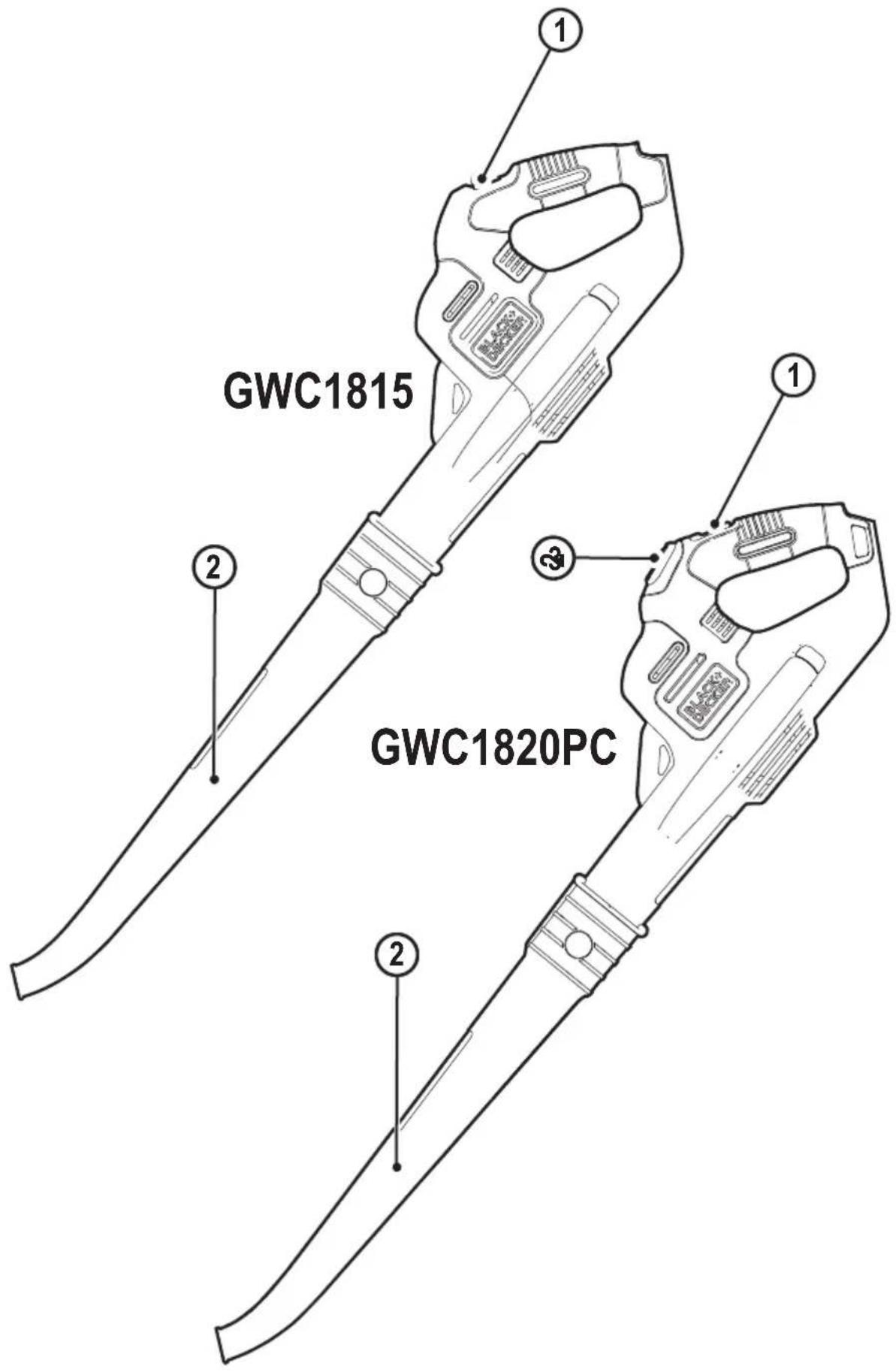
natural_image
Line drawing of a firearm with an arrow indicating motion, no text or symbols present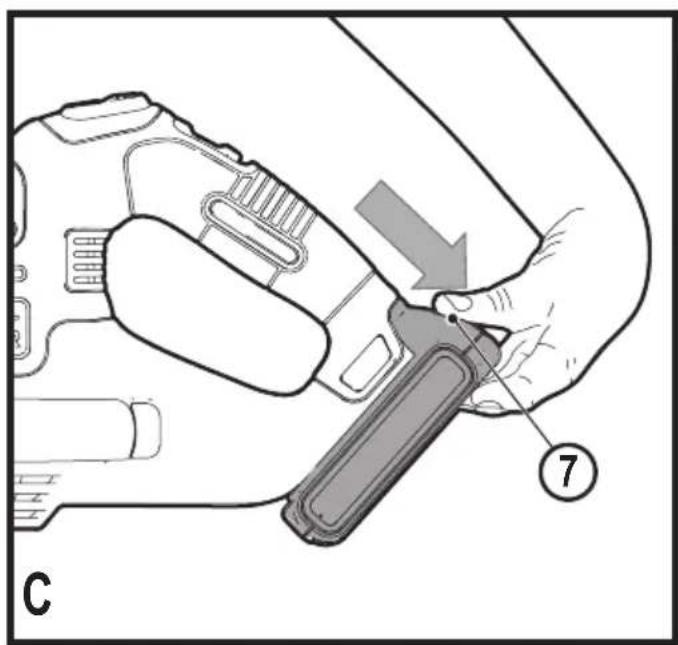
natural_image
Line drawing of a person holding a handheld device, no text or symbols present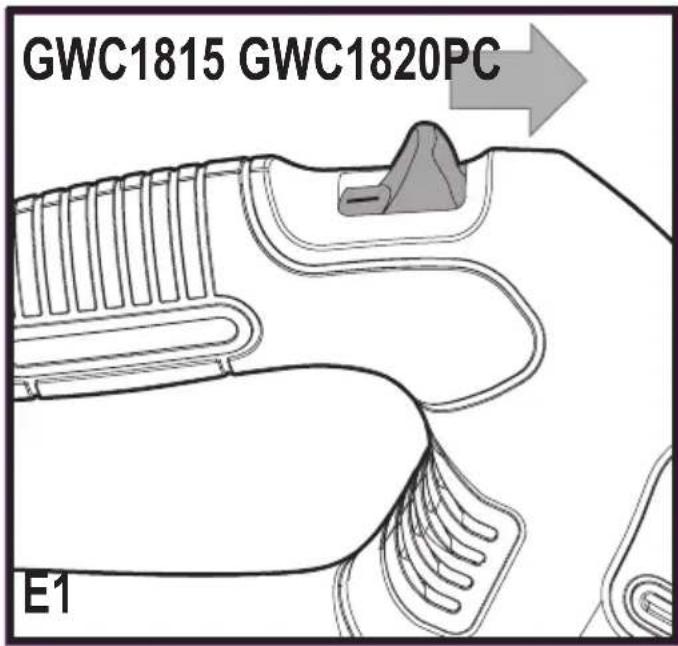
natural_image
Diagram of a mechanical component with internal channels and a directional arrow, labeled E2 (no text or symbols beyond label)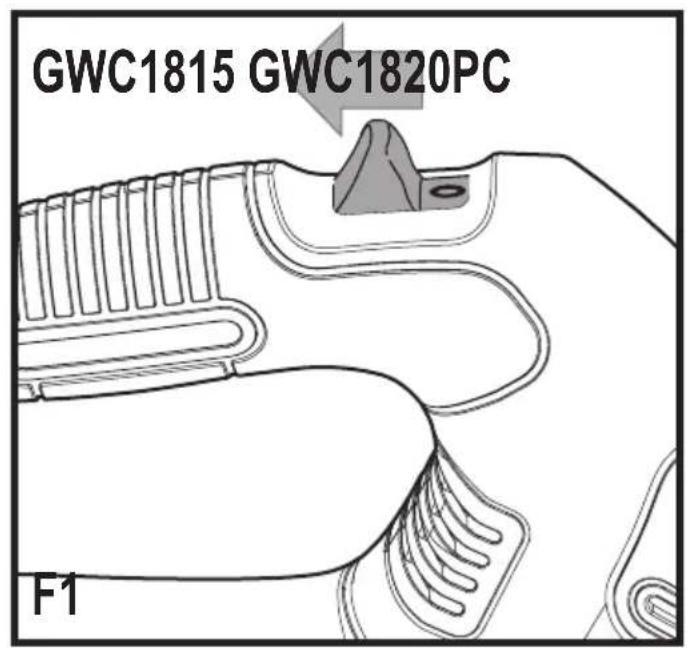
natural_image
Diagram of a mechanical component with internal channels and a directional arrow, labeled F2 (no text or symbols beyond label)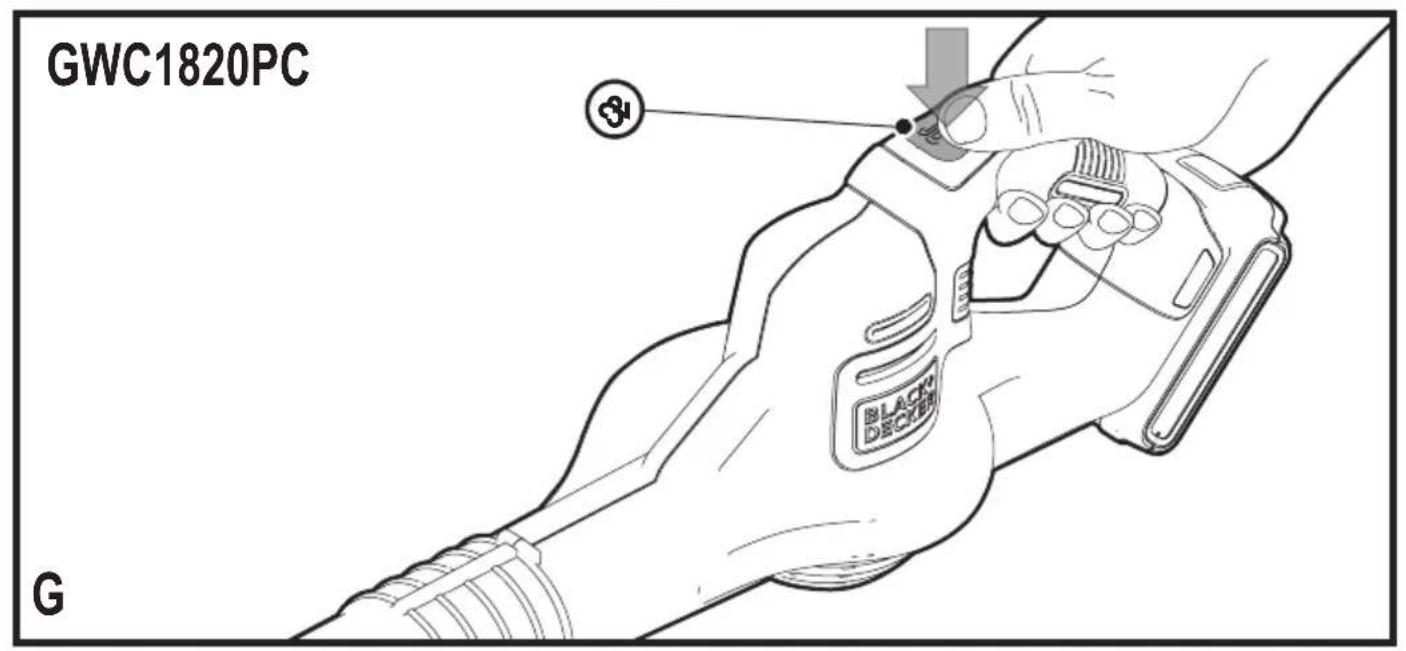
Intended use
Your BLACK+DECKER GWC1815 and GWC1820PC blower have been designed for leaf clearing. This appliance is intended for consumer use only.
Safety instructions
Warning! When using mains-powered/ cordless appliances, basic safety precautions, including the following, should always be followed to reduce the risk of re, electric shock, personal injury and material damage.
- Read all of this manual carefully before operating the appliance.
- The intended use is described in this manual. The use of any accessory or attachment or the performance of any operation with this appliance other than those recommended in this instruction manual may present a risk of personal injury.
- Retain this manual for future reference.
Using your appliance
Always take care when using the appli- ance.
◆ Always use safety glasses or goggles.
- Never allow children or people unfamiliar with the instructions to use the appliance.
- Do not allow children or animals to come near the work area or to touch the appliance or power supply cord.
- Close supervision is necessary when the appliance is used near children.
- This appliance is not intended for use by young or in rm persons without supervision.
- This appliance is not to be used as a toy.
- Only use the appliance in daylight or good arti cial light.
- Use in a dry location only. Do not allow the appliance to become wet.
- Avoid using the appliance in bad weather conditions, especially when there is a risk of lightning.
- Do not immerse the appliance in water.
- Do not open the body casing. There are not user-serviceable parts inside.
- Do not operate the appliance in explosive atmospheres, such as in the presence of ammable liquids, gases or dust.
- The appliance is only to be used with the power supply unit provided with the appliance.
Residual risks.
Additional residual risks may arise when using the tool which may not be included in the enclosed safety warnings.
These risks can arise from misuse, prolonged use etc.
Even with the application of the relevant safety regulations and the implementation of safety devices, certain residual risks can not be avoided. These include:
- Injuries caused by touching any rotating/moving parts.
- Injuries caused when changing any parts, blades or accessories.
- Injuries caused by prolonged use of a tool. When using any tool for prolonged periods ensure you take regular breaks.
- Impairment of hearing.
- Health hazards caused by breathing dust developed when using your tool (example:- working with wood, especially oak, beech and MDF.)
After use
- When not in use, the appliance should be stored in a dry, well ventilated place out of reach of children.
- Children should not have access to stored appliances.
- When the appliance is stored or transported in a vehicle it should be placed in the boot or restrained to prevent movement following sudden changes in speed or direction.
Inspection and repairs
- Before use, check the appliance for damaged or defective parts. Check for breakage of parts and any other conditions that may affect its operation.
- Do not use the appliance if any part is damaged or defective.
- Have any damaged or defective parts repaired or replaced by an authorised repair agent.
- Never attempt to remove or replace any parts other than those specified in this manual.
Additional safety instructions for blowers
The intended use is described in this manual. The use of any accessory or attachment or performance of any operation with this appliance other than those recommended in this instruction manual can present a risk of personal injury and/or damage to property.
- To protect your feet and legs while operating the appliance, always wear heavy duty footwear and long trousers.
- Always switch off your product, allow the fan to stop and remove the battery when:
- You leave your product unattended.
- Clearing a blockage.
- Checking, adjusting, cleaning or working on your product.
-
If the appliance starts to vibrate abnormally.
-
Do not place the inlet or outlet of the vacuum near eyes or ears when operating. Never blow debris in the direction of bystanders.
- Do not use in the rain or leave outdoors while it is raining.
- Do not cross gravel paths or roads whilst your product is switched. Walk, never run.
- Do not place your unit down on gravel while it is switched on.
- Always be sure of your footing, particularly on slopes. Do not overreach and keep your balance at all times.
- Do not place any objects into the openings. Never use if the openings are blocked - keep free of hair, lint, dust and anything that may reduce the airflow.
Warning! Always use your product in the manner outlined in this manual. Your product is designed to be used in an upright mode and if it is used in any other way it may result in injury. Never run your product whilst lying on it's side or upside down.
- The operator or user is responsible for accidents or hazards occurring to other people or their property.
- Do not use solvents or cleaning fluids to clean your product. Use a blunt scraper to remove grass and dirt.
- Check the collection bag frequently for wear or deterioration.
- Replacement fans are available from a Black & Decker service agent. Use on Black & Decker recommended spare parts and accessories.
- Keep all nuts bolts and screws tight to make sure that the appliance is in a safe working condition.
Safety of others
- This appliance can be used by children aged from 8 years and above and persons with reduced physical, sensory or mental capabilities or lack of experience and knowledge if they have been given supervision or instruction concerning use of the appliance in a safe way and understand the hazards involved. Children shall not play with the appliance. Cleaning and user maintenance shall not be made by children without supervision.
- Children should be supervised to ensure that they do not play with the appliance.
Additional safety instructions for batteries and chargers
Batteries
- Never attempt to open for any reason.
- Do not expose the battery to water.
- Do not store in locations where the temperature may exceed 40 °C.
- Charge only at ambient temperatures between 10 °C and 40 °C.
- Charge only using the charger provided with the tool.
- When disposing of batteries, follow the instructions given in the section "Protecting the environment".
Chargers
- Use your BLACK+DECKER charger only to charge the battery in the tool with which it was supplied. Other batteries could burst, causing personal injury and damage.
- Never attempt to charge non-rechargeable batteries.
- Have defective cords replaced immediately.
- Do not expose the charger to water.
- Do not open the charger.
- Do not probe the charger.

The charger is intended for indoor use only.

Read the instruction manual before use.
Electrical safety

Your charger is double insulated; therefore no earth wire is required. Always check that the mains voltage corresponds to the voltage on the rating plate. Never attempt to replace the charger unit with a regular mains plug.
- If the supply cord is damaged, it must be replaced by the manufacturer or an authorised BLACK+DECKER Service Centre in order to avoid a hazard.
Labels on appliance
The following warning symbols are found on the appliance along with the date code:

Read the manual prior to operation.

Wear safety glasses or goggles when operating this appliance.

Wear suitable ear protectors when operating this appliance.

Always remove the battery from the appliance before performing any cleaning or maintenance.
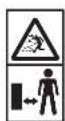
Beware of flying objects. Keep bystanders away from the cutting area.

Do not expose the appliance to rain or high humidity.

Directive 2000/14/EC guaranteed sound power.
Features
This appliance includes some or all of the following features.
-
On / Off Switch
-
Tube
-
Power command button (GWC1820PC Only).
Tube assembly
Note: Ensure the sweeper is switched off and the battery is removed before attaching or removing the sweeper tube. The tube must be assembled to the housing before use.
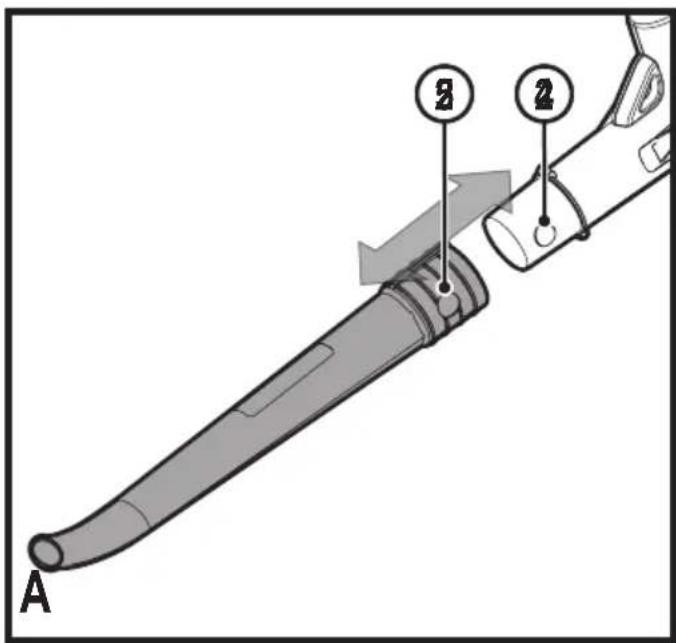
◆ To attach the tube to the sweeper, line up the tube with the sweeper housing as shown in Figure A.
◆ Push the tube into the sweeper housing until the lock button (4) engages the lock hole (5) in the tube.
To install battery pack
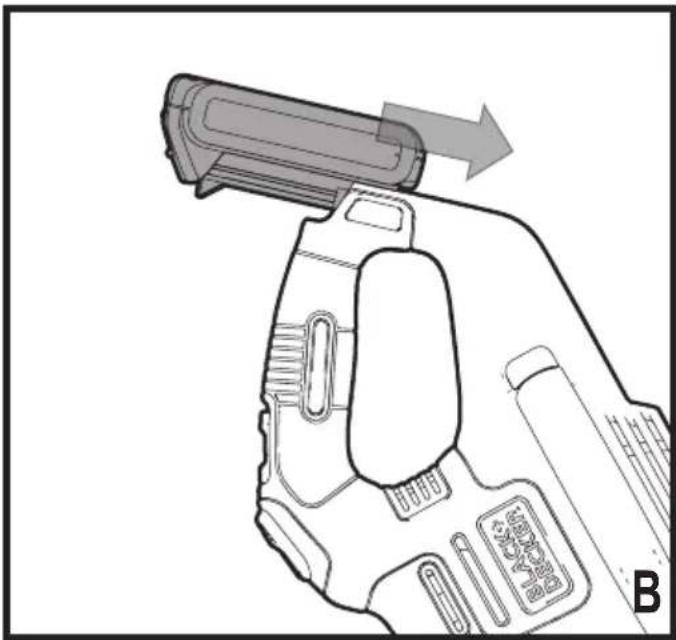
- Insert battery pack into tool until an audible click is heard as shown in Figure B. Make sure battery pack is fully seated and fully latched into position.
To remove battery pack
◆ Depress the battery release button (6) in the back of the battery pack and pull battery pack out of tool assembly as shown in Figure C.
Operation
Warning! Always wear safety glasses. Wear a filter mask if the operation is dusty. Use of gloves, long pants and substantial footwear is recommended. Keep long hair and loose clothing away from openings and moving parts. THIS SWEEPER IS FOR HOUSEHOLD USE ONLY.
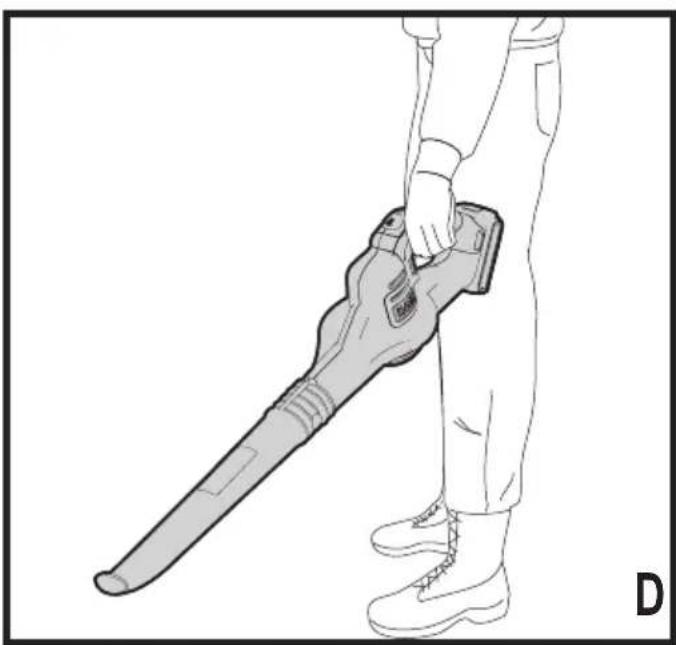
- Hold the sweeper with one hand as shown in Figure D and sweep from side to side with the nozzle several inches above the ground. Slowly advance keeping the accumulated pile of debris in front of you.
Switching on and off
Warning! Use both hands to grip the product firmly when switching on.
Warning! Do not point unit discharge at self or bystanders.
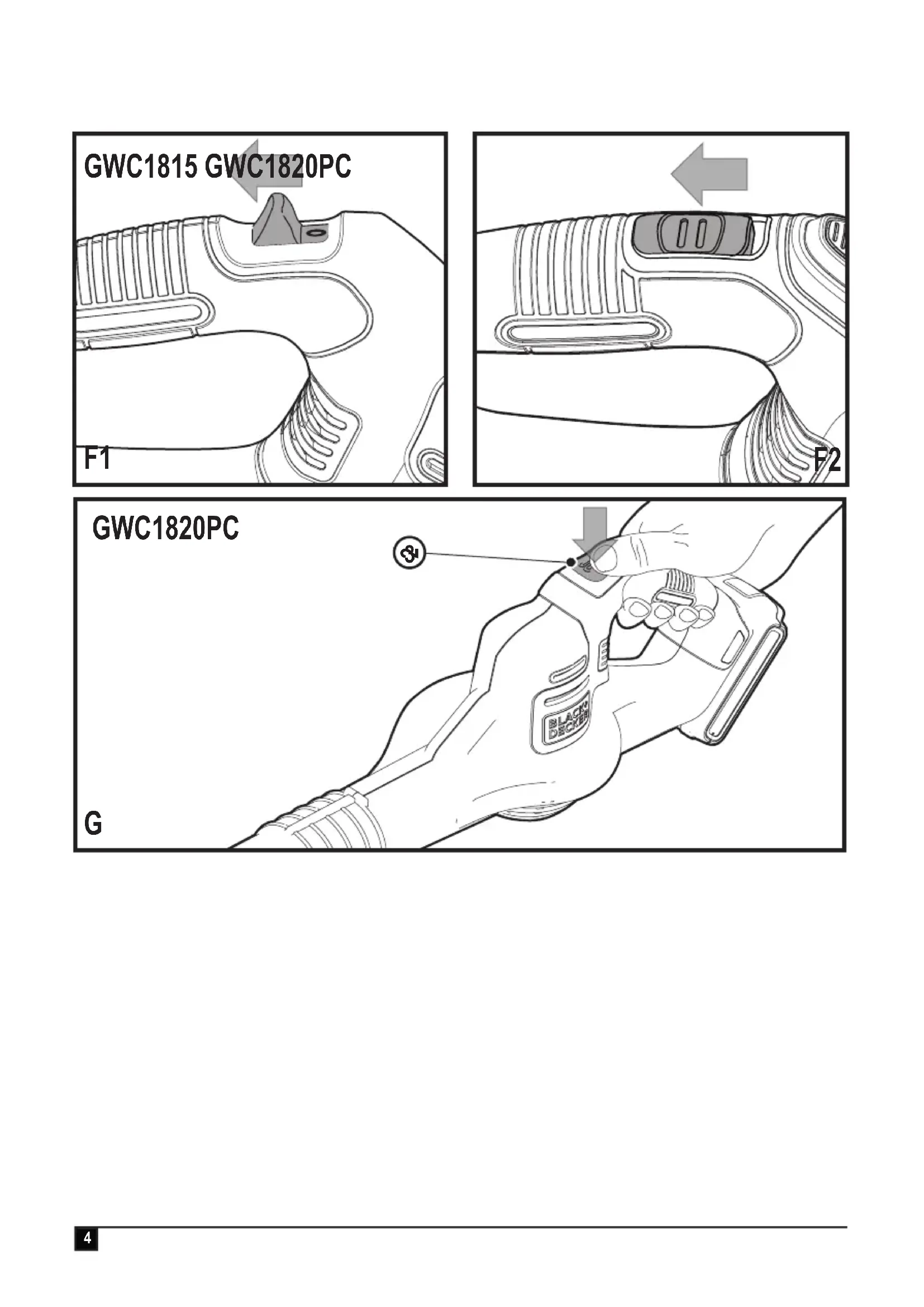
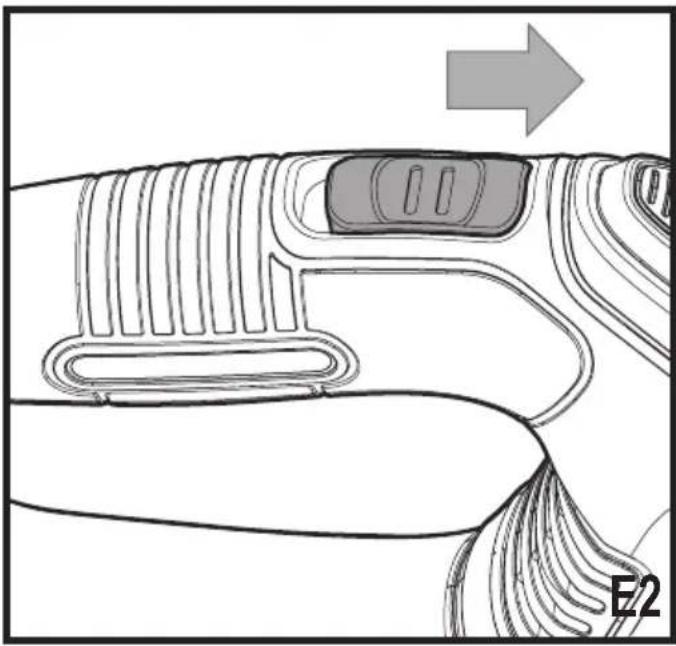
◆ To switch the sweeper on, slide the on/off switch forward as shown in Figure E1 and E2.
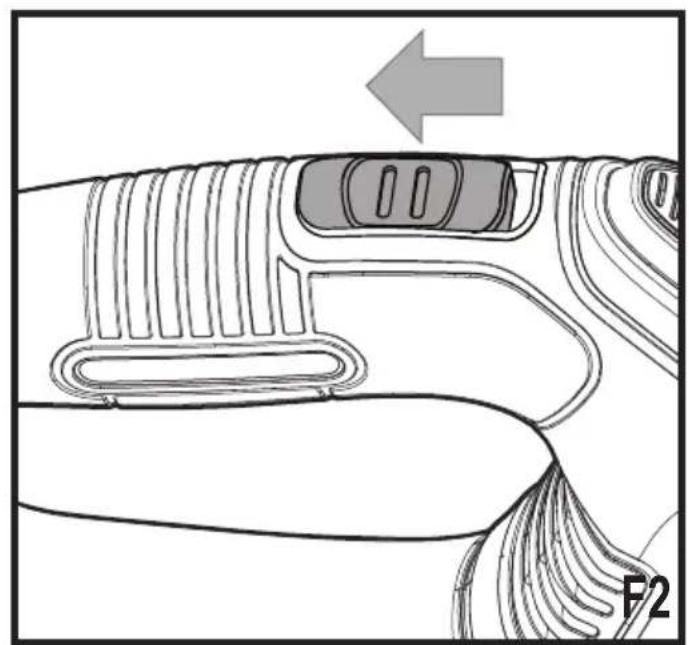
◆ To switch the sweeper off, slide the on/off switch back as shown in Figure F1 and F2.
POWERCOMMAND feature
The POWERCOMMAND feature (3) is located on the GWC1820PC tool handle as shown in Figure G. It allows you to optimise the tools performance and boost the power as needed.
◆ Switch the blower on.
◆ To activate the "Boost" mode, press and hold the POWERCOMMAND button down.
◆ To deactivate the "Boost" mode, release the POWERCOMMAND button.
◆ Operate in "Normal" mode for most sweeping needs. (Longer runtime will be achieved.)
◆ Activate "Boost" mode as needed to clear heavy or wet debris.
Troubleshooting
| Problem Possible cause | Possible solution | |
| Unit will not start. Battery | not installed properly. | Check battery installation. |
| Battery not charged. Check battery charging requirements. | ||
| Battery will not charge. | Battery not inserted into charger. | Insert battery into charger until green LED appears. |
| Charger not plugged in. Plug charger into a working outlet. Refer to "Important Charging Notes" for more details. | ||
| Check current at receptacle by plugging in a lamp or other appliance. | ||
| Check to see if receptacle is connected to a light switch which turns power off when you turn out the lights. | ||
| Surrounding air temperature too hot or too cold. | Move charger and tool to a surrounding air temperature of above 40 degree F (4.5°C) or below 105 degree F (+40.5°C). | |
Protecting the environment

Separate collection. Products and batteries marked with this symbol must not be disposed of with normal household waste.
Products and batteries contain materials that can be recovered or recycled reducing the demand for raw materials. Please recycle electrical products and batteries according to local provisions.
Batteries

At the end of their useful life, discard batteries with due care for our environment:
◆ Run the battery down completely, then remove it from the tool.
- NiCd, NiMH and Li-Ion batteries are recyclable. Place the battery(s) in a suitable packaging to ensure that the terminals cannot be short-circuited. Take them to any authorised repair agent or a local recycling station.
- Do not short-circuit the battery terminals.
- Do not dispose of the battery(s) in a fire as this may result in a risk of personal injury or an Explosion.
Technical data
| GWC1815 | ||
| Input Voltage | V_ | 18 |
| No-Load Speed | rpm | 12500 |
| Weight | kg | 1.7 |
| Battery | BL1518 | |
| Voltage | V_cc | 18 |
| Capacity | Ah 1.5 | |
| Type | Li-Ion | |
| Charger | 400mA | |
| GWC1820PC | ||
| Input Voltage | V_sc | 18 |
| No-Load Speed | rpm | 10,000 - 12,500 |
| Weight | kg | 1.7 |
| Battery | BL2018 | |
| Voltage | V_cc | 18 |
| Capacity | Ah | 2 |
| Type | Li-Ion | |
| Charger | 400mA | |
Hand/arm weighted vibration value according to EN 50636-2-91:
$$ = < 2, 5 \mathrm{m} / \mathrm{s} ^ {2}, \text { uncertainty } (\mathrm{K}) = \text { ???m } / \mathrm{s} ^ {2}. $$
$$ L _ {F A} (\text { sound pressure }) \ref {e q : 1 . 2} $$
$$ \text { uncertainty } (K) = \text { ???dB(A) } $$
EC declaration of conformity
MACHINERY DIRECTIVE OUTDOOR NOISE DIRECTIVE

GWC1815/GWC1820PC blower
Black & Decker declares that these products described under "technical data" are in compliance with: 2006/42/EC, EN 60745-1: 2009+A11 EN 50636-2-91:2014
2000/14/EC, Lawn Trimmer, L ≤ 50 cm, Annex VIII DEKRA Certification B.V., Utrechtseweg 310, 6802 ED Arnhem, The Netherlands Notified Body ID No.: 0344
Level of acoustic power according to 2000/14/EC (Article 12, Annex III, L ≤ 50 cm):
L_ (measured sound power)????? dB(A) uncertainty (K) = ????? dB(A)
L_w4 (guaranteed sound power) ????? dB(A)
These products also comply with Directive 2014/108/EC (until 19.04.2016), 2014/30/EU (from 20.04.2016) and 2011/65/EU.
For more information, please contact Black & Decker at the following address or refer to the back of the manual.
The undersigned is responsible for compilation of the technical file and makes this declaration on behalf of Black & Decker.
R. Laverick
Director of Engineering
Black & Decker Europe, 210 Bath Road, Slough,
Berkshire, SL1 3YD
United Kingdom
01/12/2015
Guarantee
Black & Decker is confident of the quality of its products and offers consumers a 24 month guarantee from the date of purchase. This guarantee is in addition to and in no way prejudices your statutory rights. The guarantee is valid within the territories of the Member States of the European Union and the European Free Trade Area.
To claim on the guarantee, the claim must be in accordance with Black&Decker Terms and Conditions and you will need to submit proof of purchase to the seller or an authorised repair agent. Terms and conditions of the Black&Decker 2 year guarantee and the location of your nearest authorised repair agent can be obtained on the Internet at www.2helpU.com, or by contacting your local Black & Decker office at the address indicated in this manual.
Please visit our website www.blackanddecker.co.uk to register your new Black & Decker product and receive updates on new products and special offer
Verwendungszweck
Director of Engineering
Black & Decker Europe, 210 Bath Road, Slough,
Berkshire, SL1 3YD
Souffleur GWC1815/GWC1820PC
Black & Decker Europe, 210 Bath Road, Slough,
Berkshire, SL1 3YD
Royaume-Uni
10/11/2015
Garantie
Black & Decker Europe, 210 Bath Road, Slough,
Berkshire, SL1 3YD
Regno Unito
10/11/2015
Garanzia
Director of Engineering
Black & Decker Europe, 210 Bath Road, Slough,
Berkshire, SL1 3YD
Verenigd Koninkrijk
10-11-2015
Garantie
Black & Decker Europa, 210 Bath Road, Slough,
Berkshire, SL1 3YD
Reino Unido
10/11/2015
Garantía
Director de Engenharia
Black & Decker Europe, 210 Bath Road, Slough,
Berkshire, SL1 3YD
Reino Unido
10/11/2015
Garantia
Director of Engineering
Black & Decker Europe, 210 Bath Road, Slough,
Berkshire, SL1 3YD
Storbritannien
2015-11-10
Garanti
Director of Engineering
Black & Decker Europe, 210 Bath Road, Slough,
Berkshire, SL1 3YD
Storbritannia
10.11.2015
Garanti
Black & Decker Europe, 210 Bath Road, Slough,
Berkshire, SL1 3YD
Storbritannien
10/11/2015
Garanti
Black & Decker Europe, 210 Bath Road, Slough,
Berkshire, SL1 3YD
Iso-Britannia
10.11.2015
Takuu
Black & Decker Europe, 210 Bath Road, Slough,
Berkshire, SL1 3YD
United Kingdom
10/11/2015
Εγγύηση


- Intended use
- Safety instructions
- Using your appliance
- Residual risks.
- After use
- Inspection and repairs
- Additional safety instructions for blowers
- Safety of others
- Additional safety instructions for batteries and chargers
- Batteries
- Chargers
- Electrical safety
- Labels on appliance
- Features
- Tube assembly
- To install battery pack
- To remove battery pack
- Operation
- Switching on and off
- POWERCOMMAND feature
- Protecting the environment
- EC declaration of conformity
- MACHINERY DIRECTIVE OUTDOOR NOISE DIRECTIVE
- GWC1815/GWC1820PC blower
- Guarantee
- Verwendungszweck
- Souffleur GWC1815/GWC1820PC
- Garantie
- Garanzia
- Garantía
- Garantia
- Garanti
- Takuu
- Εγγύηση
Brand : BLACK & DECKER
Model : GWC1820PST
Category : Leaf blower