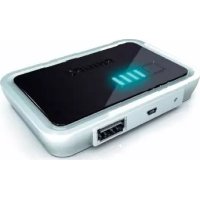
SCE4420 - Battery charger PHILIPS - Free user manual and instructions
Find the device manual for free SCE4420 PHILIPS in PDF.



| Product type | Rechargeable power bank (Power Bank) |
| Brand | Philips |
| Model | SCE4420 |
| Dimensions (H x W x D) | 60 x 87 x 16 mm |
| Weight | 88 g |
| Battery type | Lithium polymer |
| Battery capacity | 2000 mAh |
| Output voltage | 5.6 V DC, 350 mA max |
| Input voltage | 5 V DC, 500 mA max |
| Charging time | 4.5 to 6.5 hours |
| Battery life | Up to 30 hours |
| Connectors | 1 x USB (output), 1 x mini-USB (input), retractable USB cable, 6 connector tips |
| Included accessories | Retractable USB cable, 6 connector tips, carrying case, user manual, compatibility sheet |
| Operating temperature | 0°C to 45°C |
| Maintenance and cleaning | Clean with a soft, lint-free cloth. Recharge every 3 months if not used. |
| Safety | Do not expose to water, do not disassemble, do not use if damaged. Use only the provided accessories. |
| Repair and maintenance | Do not attempt to repair yourself. In case of problems, contact the distributor. |
| General information | Made with recyclable materials. Do not dispose of with household waste. |
Frequently Asked Questions - SCE4420 PHILIPS
User questions about SCE4420 PHILIPS
0 question about this device. Answer the ones you know or ask your own.
Ask a new question about this device
Download the instructions for your Battery charger in PDF format for free! Find your manual SCE4420 - PHILIPS and take your electronic device back in hand. On this page are published all the documents necessary for the use of your device. SCE4420 by PHILIPS.
USER MANUAL SCE4420 PHILIPS
Register your product and get support at www.philips.com/welcome
SCE4420
EN rechargeable power pack 3
FR bloc d'alimentation rechargeable 6
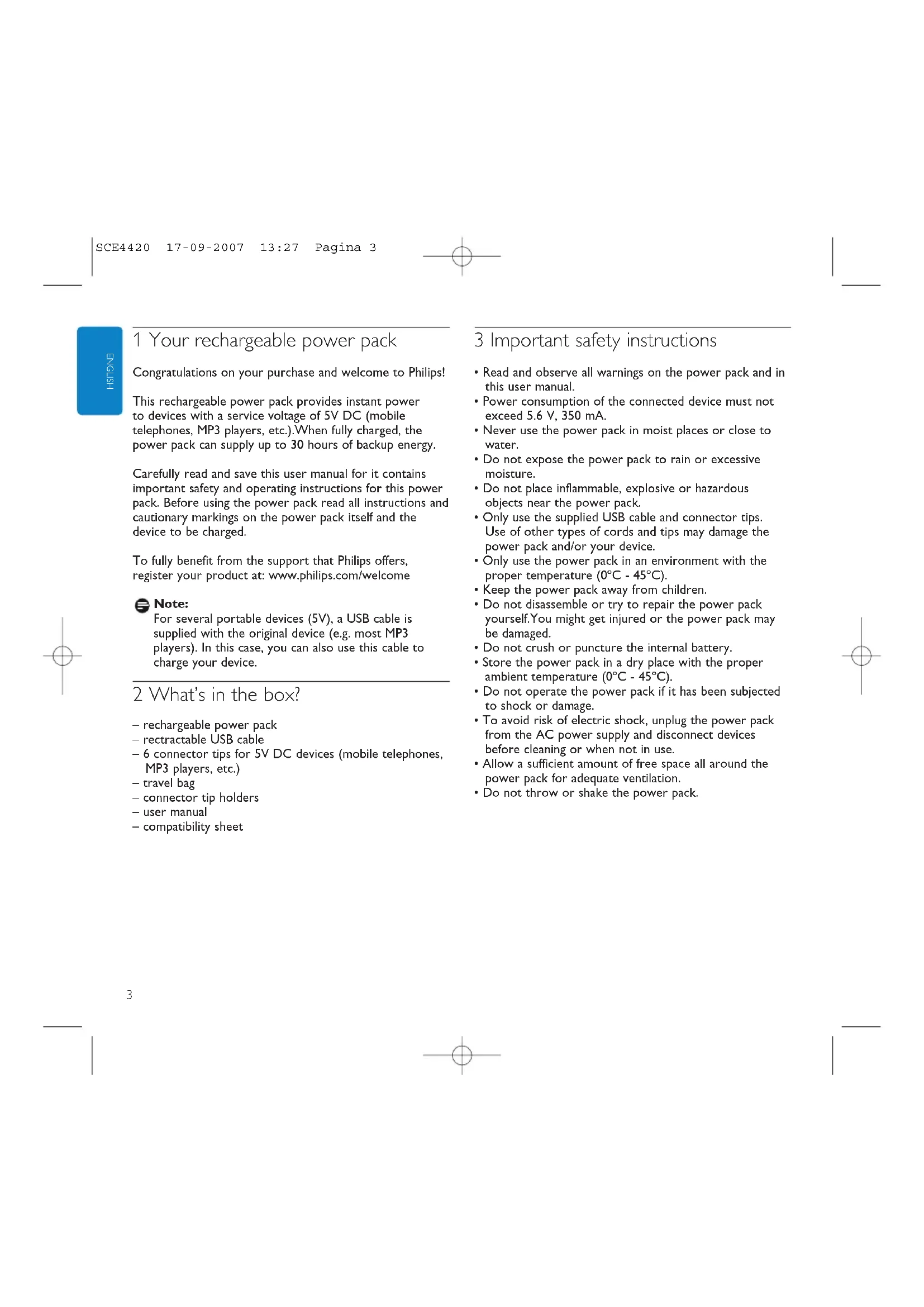
1 Your rechargeable power pack
Congratulations on your purchase and welcome to Philips!
This rechargeable power pack provides instant power to devices with a service voltage of 5V DC (mobile telephones, MP3 players, etc.). When fully charged, the power pack can supply up to 30 hours of backup energy.
Carefully read and save this user manual for it contains important safety and operating instructions for this power pack. Before using the power pack read all instructions and cautionary markings on the power pack itself and the device to be charged.
To fully benefit from the support that Philips offers, register your product at: www.philips.com/welcome

Note:
For several portable devices (5V), a USB cable is supplied with the original device (e.g. most MP3 players). In this case, you can also use this cable to charge your device.
2 What's in the box?
- rechargeable power pack
- retractable USB cable
- 6 connector tips for 5V DC devices (mobile telephones, MP3 players, etc.)
-travelbag - connector tip holders
-user manual
compatibility sheet
3 Important safety instructions
- Read and observe all warnings on the power pack and in this user manual.
- Power consumption of the connected device must not exceed 5.6V , 350mA .
- Never use the power pack in moist places or close to water.
- Do not expose the power pack to rain or excessive moisture.
- Do not place inflammable, explosive or hazardous objects near the power pack.
- Only use the supplied USB cable and connector tips. Use of other types of cords and tips may damage the power pack and/or your device.
- Only use the power pack in an environment with the proper temperature (0^ - 45^) .
- Keep the power pack away from children.
- Do not disassemble or try to repair the power pack yourself. You might get injured or the power pack may be damaged.
- Do not crush or puncture the internal battery.
- Store the power pack in a dry place with the proper ambient temperature (0^ - 45^) .
- Do not operate the power pack if it has been subjected to shock or damage.
- To avoid risk of electric shock, unplug the power pack from the AC power supply and disconnect devices before cleaning or when not in use.
- Allow a sufficient amount of free space all around the power pack for adequate ventilation.
- Do not throw or shake the power pack.
4 Functional overview (fig. A)
① Power indicator
Indicates the battery status.
② Battery check button
Activates the power indicator.
3 RESET
Resetsthepowerpackto thefactory default settings.
④ INPUT 5V DC (mini USB)
Connects to the mains supply.
⑤ USB port
Connects to 5V DC devices (mobile telephones, MP3 players, etc.).
5 Operation
Charging the power pack (fig. B)
Press the battery check button (2).
One, two or three LEDs light up in the power indicator (1), indicating the current battery status. If all four LEDs light up, the battery is fully charged.
2 Connect the mini USB connector tip to the retractable cable.
3 Connect the mini USB connector tip to the rechargeable power pack.
4 Connect the retractable cable to the USB port of your PC/notebook.
The power indicator LEDs (1) will flash one after another, indicating that the battery is being charged.
When all LEDs light continuously the battery is fully charged.
5 Disconnect the USB cable from the USB port of your PC/notebook and disconnect the other end of the USB cable from the power pack.

Note:
You can also charge the power pack via an universal USB charger (sold separately; we recommend the Philips universal USB charger SCM2280). Connect one side of the USB cable to the power pack (5V DC mini USB) and connect the other side of the retractable USB cable to the universal USB charger.
Charging devices - preparation
Check the maximum input voltage (V DC) of the device you wish to connect. For this see the user manual that came with the device.
2 Make sure the device does not consume more current (mA) than 350 mA.
3 Check what connector tip is required for your device. See the compatibility sheet for the proper tip for your device.
Charging 5V devices (fig. C)
1 Insert the plug of the USB cable into the USB port (5).
2 Connect the connector tip to the USB cable.
3 Insert the connector tip into the power supply jack of the device.
The device will now derive it's power from the power pack.
If the device has a charging indicator, it will indicate that the device is being charged.
Note:
If you are unable to solve a problem by following the above hints, try resetting the power pack by pressing RESET.The RESET button is recessed to prevent accidental reset of the power pack. Use a paperclip to gently press the RESET button (see fig. D).
Tip:
For several portable devices (5V), a USB connection cable is supplied with the original device (e.g. most MP3 players). In this case, you can also use this cable to charge your device.
HSTONE
6 Technical specifications
- Battery type: Lithium polymer
- Rated input: 5V DC, max. 500 mA
- Rated output: 5.6V DC, max. 350 mA
- Battery capacity: 2000 mAh
Recharging time: 4.5 - 6.5 hours - Operating temperature: 0^ - 45^
Size: 60 × 87 × 16 mm (h x w x d)
Weight: 88 g
7 Troubleshooting
Problem
Possible cause
Solution
The power pack does not charge connected device
Voltage of device does not correspond with that of power pack.
Refer to the user manual that came with the device.
- Improper connection between device and power pack
- Check that connection cord is properly inserted into both device and power pack.
- Damaged connection cable or connector tip.
- Replace connection cable or connector tip.
- Wrong connector tip used.
- Check connector tip and replace if necessary.
Non supplied USB connection cable/connector tip used.
- Replace with supplied USB connection cable/connector tip.
Battery power of power pack too low.
- Charge power pack.
Problems with electrical circuit of power pack.
Take the power pack to your local distributor.
Short circuit occurred in the power pack and the power pack protection function switched off the power pack.
Charge power pack
Problems with electrical circuit of power pack
- Take the power pack to your local distributor.
Power pack runs out of power quickly
Power pack not fully charged before using.
Fully charge power pack before using.
Supplied AC power adapter was not used for charging power pack.
- Only use supplied AC power adapter for charging power pack.
Power pack cannot be charged
- Improper connection between power pack and wall outlet.
- Check that power cord is properly inserted into both wall outlet and AC power adapter.
- Check that adapter plug is properly inserted into the INPUT 5V DC Jack of the power pack.
Problems with the electrical circuit of the power pack
Take the power pack to your local distributor.

Note:
If you are unable to solve a problem by following the above hints, try resetting the power pack by pressing RESET. The RESET button is recessed to prevent accidental reset of the power pack. Use a paperclip to gently press the RESET button (see fig. D).
8 Maintenance
- Recharge the power pack every three months when it is not being used for a long period of time.
- Use a soft, lint-free cloth to clean the power pack exterior. Do not use harsh chemicals, cleaning solvents or strong detergents.
- When any problems occur with the power pack or the accessories, take the adapter and accessories to your local distributor.
9 Need help?
Online help: www.philips.com/welcome
For interactive help and frequently asked questions.
1 Notre bloc d'alimentation rechargeable
Ajuda on-line: www.philips.com/support
www.philips.com/support cimen
OTo6paKaetcoCToHHe 6aTapeH.
② Khonka npOBepK3apAa AkMyAToP
AKTNBIPyET INHnKaUIO NHTaHnA.
3 RESET
Bo3Bpaaaet 6aOK NHTaHnK 3aBOACKM yCTaHOBkAM NO yMOAAHNO.
④ INPUT 5B DC (MHHN-USB)
IOnkAIOueHHe NITAHN OTOAekTPOCeTN.
5 Nopr USB
IoAkuoyehnE K yctpoiCTBam C hAnpKaeeHEm 5 B NOCTOARHHORO TOKA (MO6NAbHbIe TeAefoHbI, MP3 naepeblnT.n.).
5 3KcIaTaU
3apKa aKKyMyAToPtoHOrO 6aoka (pnc.B)
1 HaKMnTe KHOIIky npOBepKn 3apAa AkkymyAToPA (2). >OAHH, ABA HAn TPN CBETOAnOa 3aRopAOTcH a HAnKAtope NHTAHN (1), OTO6paXa coCToHHe 6aTapen Ha DaHHbIM MOMeH. Ecam RopAT BCE YeTbpe CBETOAnOaHbIX HAnKAtopa, 6aTapen 3apXkeHa NOAHOCTbIO.
IoAcoeAHHHTe HakoHeuHK AepeKaTeaMnH-USB KBTBnBaIOUeMyca Ka6eAo.
3 IoAcoeAHHTe HakoHeHHK AepeKaTeaM MHN-USB K 3apraKaemomy6AOkyNtAHn.
4 IoAkuOHTe BTRnBaIOuNc Ka6eAb K NOpTy USB Ha BAWeM KOMTbOTpe/Hoyr6yKe.
CBetoAIOAHbIe HAMKATOpbl NITaHn(1)3aropaoTcOaHn 3aPyrHM, yKa3bIbA,yTO6aTpezapkaetc.
ECANBCE CBE TOAOAbH HenpepbIBHO TOpT,6aTapey 3apKeHa NOAHOCTbIO.
5 OTCoeAHHNTe Ka6eAB USB OT nOpTa USB Ha BaWEM KOMNBIOTpe/HoyT6yKe, 3aTeM OTCoeAHHNTe APYrO KoHeu Ka6eA USB OT 6AOKa NITAHIN.
PnmuMeaHne:
MoxHO TaKke 3apKaTb 6oK nHTaHnYepe3 yHBePcaBHoe 3apAHOe yCTPOCTBOUSB (npOaetc r OTeAeBHO;MbI peKOMEHyEM yHBePcaBHOe 3apAHOe yCTPOCTBO Philips SCM2280).IOAOEAnHtE OAn H KOHeu Ka6eA USB K 6oKy NITAHN (5 B NOCTORHHoro TOKA, MHN-USB), 3aTEM IOAOeAnHtE ApyrO KoHeU BTAIRBaOHeroCk6eA USB K yHBePcaBbHOMy 3apAHOMy yCTPOCTBy USB.
YcTpoNCTBa, NOAeXaunHe 3apAKe: NOAroTOBKa
1 PpOBepbTe MAKcHMaABHOe BxOaHOe HApIpyKeHne (B NOCToRrHOrO ToKa) yCTPOINCTBa, NOAeKaUeero 3apRKe. AAR 3TOrO O6paTInTeCb K pNHaaraEMomy K yCTPOINCTBy PYKOBOACTBy NOAb3OBaTeA.
2 Y6eAnTEcB, YTO YCTPOINCTBO NOTpe6AerT He 6oAbe3AekTPnueckoro TOKa (MA), HEM 350 MA.
3 PpOBepbTe, KaKaHa HacaKa Da IIOAKnIOueHnna Heo6xoAnMa AaY cTPOcTBa, NOAeKaIero 3apAKe. Cm. TaBAnuCy COBMeCTMOCn, YTO6bl ONpeEAnTb HacaKy, IOAxOaJyU DAaHHO YcTPOcTBa.
3apAka yctpoCTB c HanpXeHem 5 B (Pnc. C)
1 BcTaBbTe BnAky Ka6eAa USB B nOpT USB (5).
2 CoeAHnHTe HacaKy Aa NoaKaHoueHHc Ka6eAEM USB.
BCTaBbTe HacaKy AaI NOAkuOyeHn Bpa3beM Aa INOKAIOUeHn NHTAHN yCTPOIcTB.
Tenepb yctpoiCTBO 6yaeT 3apKaTbcra OT aKKMyAaTOPHOrO 6aoka.
ECAN yCTPOINCTBO UMEeT HAnKATOp 3apAekn, OH YKaKeT, YTO yCTPOINCTBO 3apAaeTc.
PnmuMeaHne:
Ecam Bam He ydaetcpeWntb npoAemy, cAeya BbiueepnBeAeHHbIM yka3aHnAm, nonBtaiTecb nepe3arpy3ntb yctpoCTBO nHTaHnHa, Haxab KhoNkY RESET (C6poc). KhoNka RESET cneuaAho YcTaHOBaEHa TAKM o6pa3om, yTo6bl pdeOtBpaTHb PnCK CAYauHoro c6poca 6aoka NHTaHnHa. C NOMouIbO CKpenIKN octopoxKHO HAXMITE KhoNkY RESET (cm. pnc.D).

HacaAka:
AHEKOTOpbIX NOPTaTHBbIX yCTPOIcTB (5 B) B KOMNAEKT NOCTaBKN BXOANT Ka6eAB USB (HAnpIMep, 60AusbHCTBO MP3 NaEEPoB).B 3TOM cayae MoXHO TaKke HcNOABoBaTb 3TOT Ka6eAB AAR 3aprAKn yCTPOIcTBa.
6 TexHnueckne xapaKTepcntKu
Tun 6atape: Antheba noAmeepna
HOMHaBHaNoTpe6AemaMoUHOCTb: 5B NoCToRrHOrO ToKa, MaKc. 500 mA
HOMHaBHa BbIXoHa HAMOHOCTb 5,6B NOCToHHoro TOKa,MAKc.350 MA
BbIXOHaH MaOHocb EMKocTb 6aTapeH:2000MAu
Bpema 3ap4K:4,5-6,5acob
Pa6oaya TemnepaTypa: 0^ - 45^
Pa3Mep:60x87x16MM(BxUxr)
Bec:88rpaMM
7 YcTpaHHeH HeNCnPaBHOCTe
Henoagka
-Bo3MOXHOH npnuHHa
- PeWeHne
A
AkkymyTOpHbI 6aOK He 3apXKaET nogKIAOueHHe yCTpoIcTBO
HanpaKeHne ycmpoCmBa He coombemcmyem HanpaKeHHO aKKMyAamopHoro 6aoka.
- O6paTHeCb K npHaaerMOMy K yCTPOINCTBY PYKOBOAcTBY NOAb30BaTeA.
HenpaBnAbHoe coegHeHne ycmpoIcmba n AKKyMyAmpOpHOrO 60ka.
PpOBePbTe PpaBnAbHocTb CoeAnHeHna COeAnHHTeAbeHO THyypa C yCTPOcTBOM N C AKKyMaTOpHbIM 6AOKOM.
-NopeXgeHHb coegHmmeAbHbN RaBeN HacagKa gna noqKIOUeHHa.
3aMeHHTe coeAHHTeAbHbI Ka6eAb HAcAky AIA NOKAIOUOHeH.
Vcnoa3yemra Hnogxogaa Hocagka gA nogKaIOeHMA.
PpOBepbTe HacaKy AIA NOAIOUeHn I npH Heo6xoAMOCTN 3aMeHNTe ee.
VcnabeyemcoegnHmeBbKabe USB/Hacagka gna nogKaueHHe BXogAeB KOMNAeKM noCMAKN.
3aMeHHTe coeAHHTeAbHbI Ka6eAusbSb/HacaKy AIOKIAOHeHn HA BXoAunne B KOMnAEKT NOCTaBKn.
- Camikom Hn3Km ypoBeHb 3apqo akkyMMyamOpHoro 6Aoka.
3a4aHTe aKKMyAToPbHb6aok.
-HenogknB3Aekmpueckcn cxeme akkymyarnopnho6ka
OTHEcTe aKKyMaTOpHbI 6aOK MecTHOMy AnCTPn6bIoTopy.
- PpO30aKopomKoe 3ambkaHne aKKyMaMOPHO6Aoka, n AKKyMaMOpHB6AOK omKaIOHmC6Aarogapr 3aunmHofyHKU.
- 3apAnTe aKkMyAaTOpHbI 6AoK.
-HenogkB3Aekmpuecko cxeme akymyamopHoro 6ka.
OTHEcTe aKKyMyAToPbHbI 6aOK MecTHOMy AnCTPN6bIoTOpY.
AkkymyArTopbH 6aOK 6bictpo pacxogye3heprnHO
-AkkymyamopnbHb 6aok 6bHe noHaocmb3apxhen nepeg NCn0A6308AHHEM.
IIOAHOCbIO 3aprAHTe aKKyMyAaTOpHbI 6AoK nepeA HcnoAb3OBAHHeM.
- 433333333333333333333333333333333333333333333333333333
- NcnoAbyte ToAko BxOaBn B KOMIaKT NoCTaBKn aanTep nTahnpepeMeHHoro TOKa AAn 3apAkn aKKMyAaTOPHO6oKa.
AkkmyaTOpHbI 6oK He 3apKaTeC
HenpaBnAbHoe coeGInHenHe aKKyMyAImOpHoro 6ka npo3emkn 3Aekmpocemn.
PpOBepbTe npabHbHOCTb NOKAIOpEHnH shypaNTaHnK pO3eTke 3AekTpONtAHnN aAnTepy NTaHnNEpeMeHHORo TOka.
- PpOBepbTe, TTo6bI BnAka aaAnTepa 6blaa npaBnAbHO BcTaBaHa BO BXoADHO PA3bEM nocToaHHoro TOKa 5 B aKKMyAraTopHOrO 6AoKa.
-HenolagknB3Aekmpueckcn cxeme akkymyamopnro 6ka
OTHEcHTe aKKyMyAaTOpHbI 6AOK MecTHOMY AnCTPn6bIoTopy.
PnmuMeaHne:
EcH Bam He ydaeTcpeWntb np6Aemy, Caeyra BblIeNpIbeAeHbIM Yka3aHnAM, NOnItaTecb nepe3arpy3ntb ycToPcTBO NITAHnHA, HaxkAB KHOKNY RESET (C6poc). KHOKnA RESET cneuHaBHO yCTaHOBAEHa TaKmO 6pb3oM, YTo6bl ppeOTBpaTb PnCK CAYaHOrO c6poca 6oKA OINTAHnHA. C nOMOuBIO CKPeKNOCtOp0xHn HAXMNTe KHOKNY RESET (cm. pnc.D).
8O6cAyyKINBaHne
- IOn3apKaIte aKKyMaTOpHbI 6aOK KaKAbie TPN MeCAIa, cAn OH He MCNoA3yeTCB TeueHne AANTeAHorO nepHOa.
- HcnoAbyTe MaRkyo 6e3BOPCOyIO TKaHb AAn OChCTKn KOpNyca aKKyMaYAnTOphoro 6AoKa. He HcnoAbyTe arpeccNBhbe XmHKaTbI, paCTBOPHTaan HAN CHABHbie MOIOUne CPeACTBa.
- PnB03HKnHOBeHN HeNoAaOb K aKKMyAaTOpHOM 6AoKe HnAkCEccyapax OTheCnTe aAnTpE n AkCEccyapbl MeCTHOM dNCTPN6bIOTopy.
9 HyxHa NOMOu?
HTepaKTHBHaNoAepKa:
www.philips.com/welcome
AINHTepaKTHBHOI NOAePKKN IacTo 3aDaBaEmbIX BONPOCOB.
EN Information to the consumer
Disposal of your old product
Your product is designed and manufactured with high quality materials and components, which can be recycled and reused.
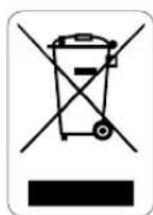
When this crossed-out wheeled bin symbol is attached to a product it means the product is covered by the European Directive 1902/96/EC.
Please inform yourself about the local separate collection system for electrical and electronic products.
Please act according to your local rules and do not dispose of your old products with your normal household waste.
The correct disposal of your old product will help prevent potential negative consequences for the environment and human health.
All rights reserved. Reproduction in whole or in part is prohibited without the prior written consent of the copyright owner. The information presented in this document does not form part of any quotation or contract, is believed to be accurate and reliable and may be changed without notice. No liability will be accepted by the publisher for any consequence of its use. Publication there of does not convey nor imply any license under patent- or other industrial or intellectual property rights.
September 2007
www.philips.com
FC C

Printed in China N'MW/RM/RR/3607
- Your rechargeable power pack
- Note:
- What's in the box?
- Important safety instructions
- Functional overview (fig. A)
- Operation
- Charging devices - preparation
- Charging 5V devices (fig. C)
- Tip:
- HSTONE
- Technical specifications
- Troubleshooting
- Problem
- The power pack does not charge connected device
- Power pack runs out of power quickly
- Power pack cannot be charged
- Maintenance
- Need help?
- Online help: www.philips.com/welcome
- Notre bloc d'alimentation rechargeable
- Ajuda on-line: www.philips.com/support
- 3KcIaTaU
- HacaAka:
- TexHnueckne xapaKTepcntKu
- YcTpaHHeH HeNCnPaBHOCTe
- Henoagka
- AkkymyTOpHbI 6aOK He 3apXKaET nogKIAOueHHe yCTpoIcTBO
- AkkymyArTopbH 6aOK 6bictpo pacxogye3heprnHO
- AkkmyaTOpHbI 6oK He 3apKaTeC
- PnmuMeaHne:
- 8O6cAyyKINBaHne
- HyxHa NOMOu?
- HTepaKTHBHaNoAepKa:
- www.philips.com/welcome
- EN Information to the consumer
- Disposal of your old product
Brand : PHILIPS
Model : SCE4420
Category : Battery charger