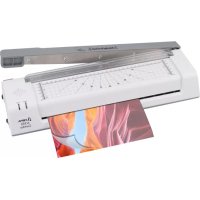
A 350 Combo - Laminating machine OLYMPIA - Free user manual and instructions
Find the device manual for free A 350 Combo OLYMPIA in PDF.



| Product type | Laminating machine |
| Brand | Olympia |
| Model | A 350 Combo |
| Dimensions (L × H × P) | 440 × 128 × 95 mm |
| Weight | 2.37 kg |
| Power supply | 220 - 240 V, 50 Hz, 1.9 A |
| Power | 430 W |
| Max. lamination width | 330 mm |
| Max. lamination thickness | 0.5 mm |
| Compatible film thickness | 80 to 125 microns |
| Lamination speed | 250 mm/min |
| Preheating time | Approximately 3 to 5 minutes |
| Hot lamination temperature | 97 - 105 °C |
| Cold lamination temperature | Max. 25 °C |
| Cutting capacity (lever shear) | Max. 8 sheets 80 g/m² or 1 laminated sheet |
| Max. cutting length | 345 mm |
| Main functions | Hot lamination, cold lamination, cutting, corner rounding |
| Safety | Overheat protection, ABS anti-jam button, cutting lever lock, blade guard |
| Roller cleaning | Insert a blank sheet of paper in hot mode |
| Blade maintenance | Silicone or anti-rust oil |
| Package contents | 1 laminator, 1 corner rounder, 15 laminating sheets, user manual |
| Intended use | Indoor, non-professional use |
Frequently Asked Questions - A 350 Combo OLYMPIA
User questions about A 350 Combo OLYMPIA
0 question about this device. Answer the ones you know or ask your own.
Ask a new question about this device
Download the instructions for your Laminating machine in PDF format for free! Find your manual A 350 Combo - OLYMPIA and take your electronic device back in hand. On this page are published all the documents necessary for the use of your device. A 350 Combo by OLYMPIA.
USER MANUAL A 350 Combo OLYMPIA
We are delighted that you have chosen this equipment. In the case of a defect, please return the device together with the receipt and original packing material to the point of sale.
Intended use
The laminating device is used for laminating laminating pouches with a thickness of 80 microns to 125 microns as well as cutting paper and laminating pouches. Any other use is considered improper use. Unauthorised modifications or conversions that are not described in these operating instructions are not permitted and will result in damage to this product. Proper installation and observance of and compliance with the instructions in this operating manual are prerequisites for the intended use of the device.
Table of contents
Warranty 11
Intended use. 11
Important safety instructions. 11
Instructions for use 12
Installation site 13
Scope of delivery 13
Product overview 13
Notes on the material 13
Notes on laminating film 14
Notes on the laminating process 14
Laminating (Cold) 15
Release jammed laminating film. 15
Cutting 16
Corner rounder 16
Cleaning 16
Troubleshooting 17
Notes on disposal. 18
Technical data. 18
Technical changes 18
GS mark 19
Symbols 19
Declaration of Conformity. 19
Manufacturer 19
Important safety instructions
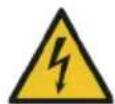
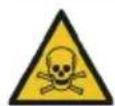
Danger! Danger of electric shock! Never open or repair the appliance yourself. Never touch bare contacts with metal objects. Never handle the product with wet hands. Do not operate the product if it is damaged.

Danger! Choking hazard due to small parts, packaging materials and protective film! Keep children away from the product and its packaging.

Warning! Risk of tripping due to improperly laid cable! Lay cables so that nobody can trip over them. Lay cables in such a way that no damage can occur to the cable/accessories.
Warning! Danger from harmful vapours! Harmful vapours may be produced during operation (lamination). Ensure adequate ventilation.
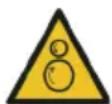
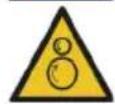
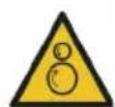
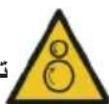
Warning! Risk of injury due to automatic retraction! Do not reach into the automatic feeder! Keep loose objects (e.g. hair, ties, scarves, jewellery, etc.) away from the automatic feeder.
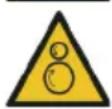
Warning! Danger due to unexpected start-up! Make sure that the appliance is switched off before connecting it to the mains.
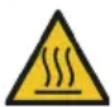
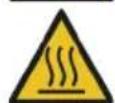
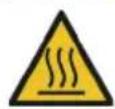
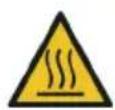
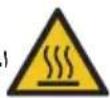
Caution! Risk of burns due to hot appliance surface! Do not touch the surface of the appliance during or immediately after operation.
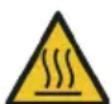
Caution! Risk of burns from hot laminating film! The laminating film is very hot immediately after lamination. When removing the laminating film, only touch the cooled end.
Caution! Risk of burns due to hot residues! The paper used for cleaning may contain hot residues. The paper is very hot immediately after cleaning. When removing the paper, only touch the cooled end.

Caution! Risk of cuts from sharp blades! Do not touch the cutting edge of the blade. Never carry the lever cutter by the blade.

Caution! Risk of cuts from sharp blades! Never use the device without the transparent blade guard.

Caution! Risk of cuts from sharp blades! When not in use, place the knife in a horizontal position / end position.

Attention! Material damage due to improper operation! Remove all staples and paper clips before laminating or cutting.

Attention! Material damage due to improper operation! Only use paper and laminating films that fulfil the requirements under Technical data.

Attention! Material damage possible! If the product exhibits unusual characteristics such as noise, odour or smoke, disconnect the power supply immediately.

Attention! Material damage due to improper operation! When not in use, place the knife in a horizontal position / end position. Cut only when the lever moves easily to the end position.

Attention! Material damage due to improper operation! Remove all staples and paper clips before cutting.

Attention! Material damage due to improper operation! Do not remove material residues after cutting with sharp or pointed objects.

Attention! Material damage possible! It cannot be ruled out that some varnishes, plastics, or furniture care products may attack and soften the material of the non-slip feet. To avoid marks on furniture, consider placing a non-slip mat under the appliance if necessary.
Instructions for use

Please read these operating instructions before connecting and using the product. Keep these operating instructions for future reference. Hand over all documents when passing the product on to third parties.
- Protect the product from direct sunlight, naked flames, heat sources, moisture, humidity and dust.
- Do not cover the product during operation.
- The product is not intended for commercial use.
The product may only be used indoors. - Connect the device only to a properly installed and easily accessible power outlet. Observe the information under Technical data.
- Only use accessories that fulfil the requirements under Technical data.
- Disconnect the appliance from the power supply when not in use to prevent accidental operation.
- Do not leave the appliance unattended during operation.
-
Ensure that the appliance is not used unsupervised by children or persons with reduced physical, sensory or mental capabilities.
-
The appliance is not suitable for continuous operation.
- Never carry the device by the lever cutter, the blade, or the handle.
- The appliance does not have an automatic switch-off function. Switch off the appliance after the laminating process, disconnect the mains plug from the socket and allow the appliance to cool down.
Installation site
Place the appliance on a stable, level surface near a power socket.
Scope of delivery
1 Laminating device 1 Corner rounder
1 Operating instructions 15 Laminating Pouches (4x A4, 3x A5, 3x A6, 3x Card)
Product overview
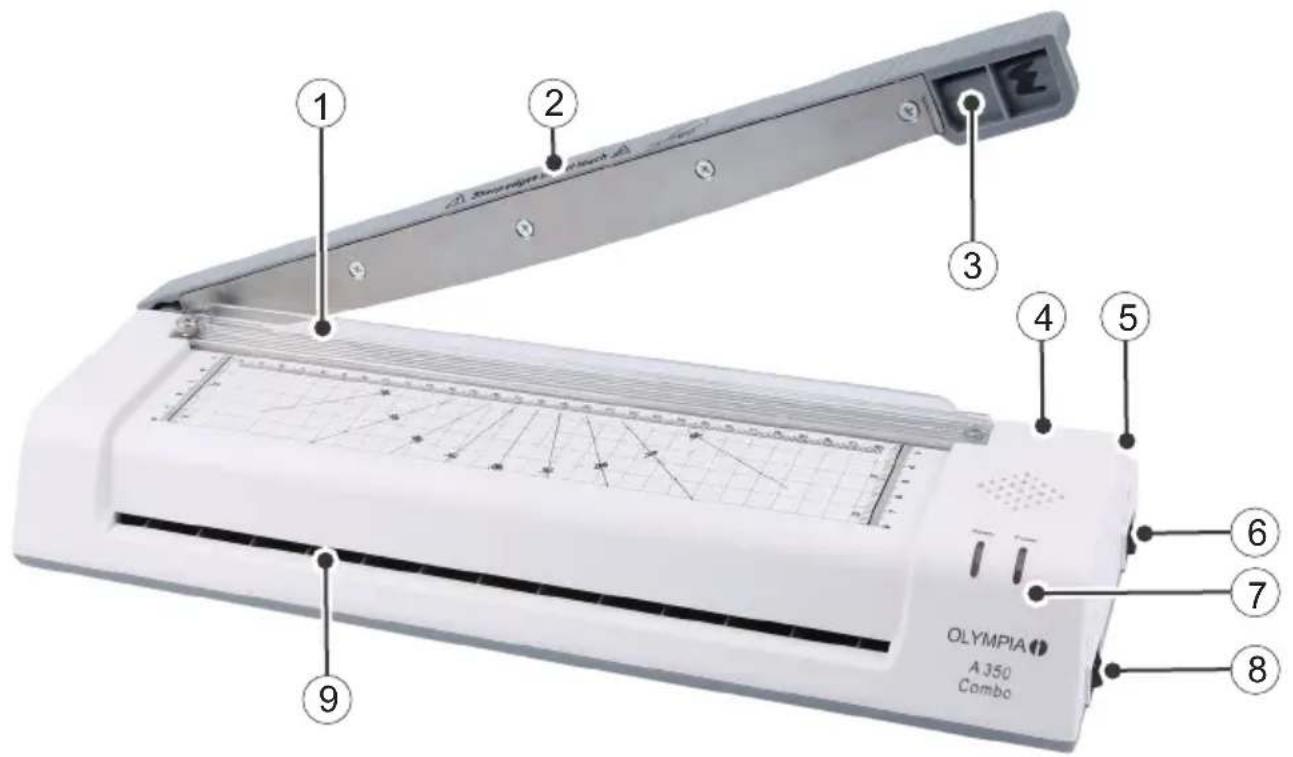
1 Print queue 6 On and off switch
2 Cutting lever 7 Indicators (Power / Ready)
3 Griffin 8 Hot / Cold Switch
4 Anti-lock button (ABS) 9 Catchment area for laminating
5 Locking (cutting lever) 10 Corner rounder (not illustrated)
Notes on the material
- Do not laminate metallic, wet or uneven materials.
- Do not laminate heat-sensitive materials (e.g. thermal paper, ultrasound images).
The material to be laminated together with the laminating film must not be thicker than 0.5mm - Laminate thin and soft materials with a stronger lamination film.
- Do not use several small pieces of material per film.
Notes on laminating film
- Only use film types intended for lamination.
- Other types of film, such as transparent film, are expressly not suitable for lamination.
- Select the size of the laminating film to suit the material to be laminated.
- Do not adjust laminating foils to size before laminating.
Notes on the laminating process
- Do not insert laminating film without contents into the feed area (front) of the laminator.
- Do not insert the laminating film rolled up into the feed area (front) of the laminator.
- Do not insert the laminating film on one side into the feed area (front) of the laminator.
- Always insert the laminating film with the closed side first - centred and in a straight line - into the feed area (front) of the ready-to-use laminator.
- Do not pull the laminating film out of the output side (reverse side) during lamination.
Laminating (Hot)
Warning! Danger due to unexpected start-up! Make sure that the appliance is switched off before connecting it to the mains.
1 Connect the power plug to a properly installed socket.
2 Switch the appliance to HOT using the hot/cold switch.
3 Switch the device on using the ON/OFF switch.
4 The indicator light Power is on. The device is not yet ready for operation. The appliance heats up.
Caution! Risk of burns due to hot appliance surface! Do not touch the surface of the appliance during or immediately after operation.
Note: Wait until the appliance is fully heated up. Do not insert the laminating film beforehand, as this will prevent it from fusing properly.
5 Place the document to be laminated in the laminating film. Make sure that there is a gap of approx. 3 - 5mm to the edge of the film on all sides.

Attention! Material damage possible! Only use laminating films that are suitable for hot lamination.
6 After about 5 minutes, the LED display lights up Ready and the device is ready for operation.

Attention! Material damage possible! Never insert the lamination foils at an angle into the feed area.

Attention! Material damage possible! Always insert the closed end of the laminating pouches into the laminator's feed area first.
Note: Make sure that the laminating film can be dispensed from the back of the device.
7 Guide the laminating film with the closed side straight into the feed area until the laminating film is caught by the transport rollers.
8 The laminating film is automatically pulled through the device.
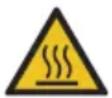
Caution! Risk of burns due to hot appliance surface! Do not touch the surface of the appliance during or immediately after operation.
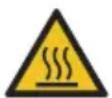
Caution! Risk of burns from hot laminating film! The laminating film is very hot immediately after lamination. When removing the laminating film, only touch the cooled end.
9 Remove the laminating film at the cooled end.
Tip: To flatten the laminated document, place a book or similar heavy, flat object on top of it.
10 Switch the device off (OFF).
Note: Allow the laminating film to cool before further use.
Laminating (Cold)
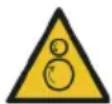
Warning! Danger due to unexpected start-up! Make sure that the appliance is switched off before connecting it to the mains.
Note: Allow the device to cool down if you have previously used the Laminating (Hot) function.
1 Connect the power plug to a properly installed socket.
2 Switch the device to cold (COLD) using the hot/cold switch.
3 Switch the device on using the ON/OFF switch.
4 The indicator lights Power and Ready are on. The device is ready for operation.
5 Remove the protective film from the laminating film.
6 Place the document to be laminated in the laminating film. Make sure that there is a gap of approx. 3 - 5mm to the edge of the film on all sides.

Attention! Material damage possible! Only use laminating films suitable for cold lamination.

Attention! Material damage possible! Never insert the lamination foils at an angle into the feed area.

Attention! Material damage possible! Always insert the closed end of the laminating pouches into the laminator's feed area first.
Note: Make sure that the laminating film can be dispensed from the back of the device.
7 Guide the laminating film with the closed side straight into the feed area until the laminating film is caught by the transport rollers.
8 The laminating film is automatically pulled through the device.
9 Remove the lamination foil.
Tip: To flatten the laminated document, place a book or similar heavy, flat object on top of it.
10 Switch the device off (OFF).
Release jammed laminating film
You can use the anti-jamming button (ABS) to release jammed or incorrectly inserted film.
1 Switch off the appliance (OFF) and disconnect the mains plug from the socket.
2 Press and hold the ABS button.
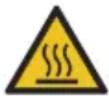
Caution! Risk of burns due to hot appliance surface! Do not touch the surface of the appliance during or immediately after operation.
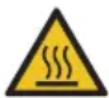
Caution! Risk of burns from hot laminating film! The laminating film is very hot immediately after lamination. When removing the laminating film, only touch the cooled end.
3 Hold the laminator in a suitable position and pull the laminating film out of the feed area.
4 Release the ABS button.
5 Then clean the transport rollers. Follow the instructions under Cleaning.
Cutting
Note: Pay attention to the maximum capacity of 8 sheets of paper (each 80g / m2 ).

Caution! Risk of cuts from sharp blades! Do not touch the cutting edge of the blade
1 Unlock the cutting lever latch.
2 Raise the cutting lever on the handle to the highest position.
3 Slide the paper to be cut under the pressure bar.
4 Position the paper to be cut using the markings as a guide.
5 Press the pressure bar down with your left hand to prevent the paper being cut from slipping.
6 Lower the cutting lever with the right hand on the handle in a smooth motion until the end position.
7 Secure the cutting lever with the locking mechanism.
Note: The cutting lever is secured against independent sinking by a special screw. The strength of this screw may decrease. Regularly check the strength of the screw. Tighten the screw with the appropriate tool so that the cutting lever does not lower by itself.
Corner rounder
Use the corner rounder to punch corners out of paper, cardboard, photo paper or laminating film.
Note: Please note the maximum capacity of 0.3mm . This corresponds to about 3 sheets of paper (80g / m2 each).
1 Slide the material into the corner rounder. Ensure that the edge of the material is correctly aligned.
2 Press the corner rounder downwards.
3 Repeat the process at each corner that is to be rounded.
Cleaning
Knives
Regularly wipe the knife with a silicone oil or another rust protection oil. Do not use any cleaning agents or solvents.
Housing
Clean the outside of the appliance with a soft, dry, lint-free cloth. Do not use any cleaning agents or solvents.
Transport rollers
Clean the transport rollers if you have removed a jammed laminating film or if the output laminating film contains adhesive residue.
1 Switch the appliance to HOT using the hot/cold switch.
2 Switch the device on using the ON/OFF switch.
3 The indicator light Power is on. The device is not yet ready for operation. The appliance heats up.
4 After about 5 minutes, the LED display lights up Ready and the device is ready for operation.
5 Feed a sheet of paper straight into the feed area until the paper is caught by the transport rollers.
6 The paper is automatically pulled through the device. Adhesive residue on the transport rollers is absorbed by the paper.

Caution! Risk of burns due to hot residues! The paper used for cleaning may contain hot residues. The paper is very hot immediately after cleaning. When removing the paper, only touch the cooled end.
7 Remove the paper at the cooled end.
8 Repeat the process with a clean sheet of paper until there are no more adhesive residues on it.
Troubleshooting
Malfunction Solution
The device does not start Check that the mains plug is plugged in correctly.
The appliance does not heat (any more) If the temperature is too high, the overheating protection function switches on automatically. Allow the appliance to cool down sufficiently.
The device does not laminate or does not laminate correctly
Check whether you are using the correct function depending on the laminating film used (80 mic or 125 mic). Clean the transport rollers.
The laminated foil is not completely transparent.
Laminate the same film again to improve the result.
The knife does not cut or not cut properly
Check the material to be cut and the maximum capacity. Check whether there is any material residue under the guide rail.
The corner rounder does not punch correctly
Check whether there are any material residues in the corner rounding.
Notes on disposal

Find out about the options for taking back old appliances free of charge from your dealer.

The packaging is made from environmentally friendly materials that can be disposed of at local recycling centres. Ask your local authority about the options for correct disposal.

Observe the labelling of the packaging material when separating waste; these are marked with abbreviations (b) and numbers (a) with the following meaning: 1-7: Plastics / 20-22: Paper and cardboard / 80-98: Composite materials.
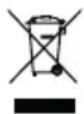
The adjacent symbol means that old electrical and electronic appliances must be disposed of separately from household waste in accordance with legal regulations. Dispose of your appliance at the collection point of your municipal waste disposal organisation.
Technical data
Laminating max. 330 mm wide / max. 0.5mm thick
Laminating film 80 - 125 Microns
Laminating speed 250 mm/min.
Laminating temperature COLD: max. 25°C
HOT: 97 - 105 °C
Warm-up time approx. 3-5 minutes
Cooling time approx. 30 minutes
Cutting capacity (lever cutter) up to 8 sheets 80g / m2 , 1 laminated foil
Cutting length max. 345 mm
Input voltage 220 - 240 V, 50 Hz, 1.9 A
Performance 430 W
Weight 2.37 kg
Dimensions (W× H× D)440× 128× 95mm
Technical changes
These operating instructions are for information purposes only. Their content is not the subject matter of the contract. All data shown are only nominal values. The equipment and options described may vary depending on the country-specific requirements.
GS mark

The "Tested Safety" seal (GS mark) certifies that the product fulfils the requirements of the German Product Safety Act (ProdSG). The GS mark indicates that the safety and health of the user are not endangered when the labelled product is used as intended and in the event of foreseeable misuse. This is a voluntary safety mark issued by a suitable testing institute.
Symbols
The following symbols can be found on the packaging or the device itself. In this section, you will find out what each of these symbols means.

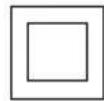
The symbol indicates that the product's design corresponds to protection class II (double insulation). A safety connection to the electrical ground (earth) is not required.

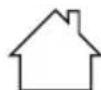
Only use the product indoors.
Declaration of Conformity

The CE mark on the device confirms conformity. The Declaration of Conformity can be found at: www.go-europe.com
Manufacturer
GO Europe GmbH
Zum Kraftwerk 1
45527 Hattingen, Germany
www.go-europe.de
service@go-europe.de
FR
Garantie
Cher client,
Lieud'st installation 22
Modifications techniques 28
Label GS. 28
Symboles 28
Modifications techniques
aiee g jn 12y JbI y I aia I aia I aia I aia I aia I aia I aia I aia I aia I aia I aia I aia I aia I aia I aia I aia I aia I aia I aia I aia I aia I aia I aia I aia I aia I aia I aia I aia I aia I aia I aia I aia I aia I aia
y 1 y 1 1 1 1 1 1 1 1 1 1 1 1 1 1 1 1 1
A 1
()
y
J 1
aill aill jie. 1i iiau aill oie e gai yaiyaiill ay!jaiall gai all jai
iLw g y 15 w 15 15 15 15 15 15 15 15


1
a
1
14
aaii iie aiee eae eae eae eae eae eae eae eae eae eae eae eae eae eae eae eae eae eae eae eae eae eae eae eae eae eae eae eae eae eae eae eae eae eae eae eae eae eae
Jill Jil 1
∴ SΔOBC = SΔBOC + SΔBOC - SΔBOC
1
Aglil Aegn gll algyn Jaiy I aal jay Lioic
14
a 1
1
a a a a a a a a a a a a a a a a a a a a a a a a
Aiiil
.
,
.
.
.
a a a a a a a a a a a a a a a a a a a a a a a a a a a
a aalaae aee aee eae ae eae
gaii 1 jall gall go ciuily lo iiaill eliee po
aill jie jil clie y
2a aie 100
∴ a + b = 3
∴ 1ai,ai2 + ai - 1
∴ a + b = 3
a. a.b. b.c. c. d
∴ a1 = 21 - q1 = 2p1
will
()
1.
J/1nss (HOT) nss
Y
.(ON)
jglll jwyy. yj wll jalz yj glll . g
.
J 1
0-1 2 2 2 2 2 2 2 2 2 2 2 2 2 2 2
J 1
7.
jol jol jol LED 0
jglll jll jll no glll clie yai kla 1n a
a jilao gaiall ilal yaiill cie 49y
V. jai
i#
∴ SΔOBC = SΔCOD + SΔBOC
y 1
a 1 1 1 1 1 1 1 1 1 1 1 1 1 1 1 1 1 1 1 1 1
jolol jolol
9.2.1.1
a 1
.(OFF)
.5jia jao gao zai jiu kuii aai bai jil:
y
l (j) 1
1.
(COLD)
Y
. (ON)
jill jia jia jia jia jia jia jia jia jia jia jia jia jia jia jia jia jia jia jia jia jia jia jia jia jia jia jia jia jia jia jia jia jia jia jia jia jia jia jia jia jia jia
class 1
中
4g 201.0-9V:
1234567890
1
(a)(1)(2)(3)(4)(5)
gai jia gai
1,9(j0·(y-+).(j0
1
a ≤ 21w ≤ r.
jkg
(gai)x(i)xj
10,90 × 14,x z
a 1

J (GS) "J (ProdSG)
jga
Jia 1
J 1 J. (j j) a a a a a a a a a a a a a a a a a a
Iaia jiall iiaaii
g
www.go-europe.com:le aaibail jxie! ie jiaai ciay. aiibao jiaai ce CE aoae 5y

aiee aee
GO Europe GmbH
Zum Kraftwerk 1
Hattingen 45527
www.go-europe.de | service@go-europe.de


- INTENDED USE
- TABLE OF CONTENTS
- IMPORTANT SAFETY INSTRUCTIONS
- INSTRUCTIONS FOR USE
- INSTALLATION SITE
- SCOPE OF DELIVERY
- PRODUCT OVERVIEW
- NOTES ON THE MATERIAL
- NOTES ON LAMINATING FILM
- NOTES ON THE LAMINATING PROCESS
- LAMINATING (HOT)
- LAMINATING (COLD)
- RELEASE JAMMED LAMINATING FILM
- CUTTING
- CORNER ROUNDER
- CLEANING
- KNIVES
- HOUSING
- TRANSPORT ROLLERS
- TROUBLESHOOTING
- MALFUNCTION SOLUTION
- NOTES ON DISPOSAL
- TECHNICAL DATA
- TECHNICAL CHANGES
- GS MARK
- SYMBOLS
- DECLARATION OF CONFORMITY
- MANUFACTURER
- FR
- GARANTIE
- MODIFICATIONS TECHNIQUES
- 2A AIE 100
- ()
- JGA
- G
- AIEE AEE
Brand : OLYMPIA
Model : A 350 Combo
Category : Laminating machine