Kickr Climb - Fitness Equipment Wahoo - Free user manual and instructions
Find the device manual for free Kickr Climb Wahoo in PDF.



User questions about Kickr Climb Wahoo
0 question about this device. Answer the ones you know or ask your own.
Ask a new question about this device
Download the instructions for your Fitness Equipment in PDF format for free! Find your manual Kickr Climb - Wahoo and take your electronic device back in hand. On this page are published all the documents necessary for the use of your device. Kickr Climb by Wahoo.
USER MANUAL Kickr Climb Wahoo
natural_image
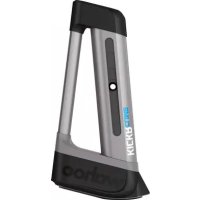
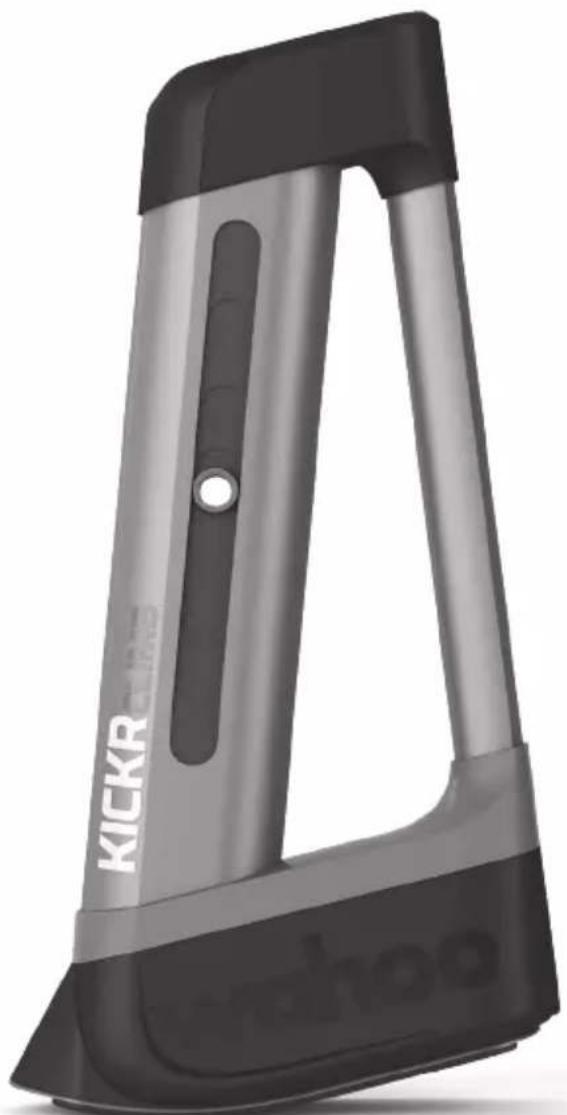
Exterior view of a gray and black KICKR device (no text or symbols visible on body)wahoo
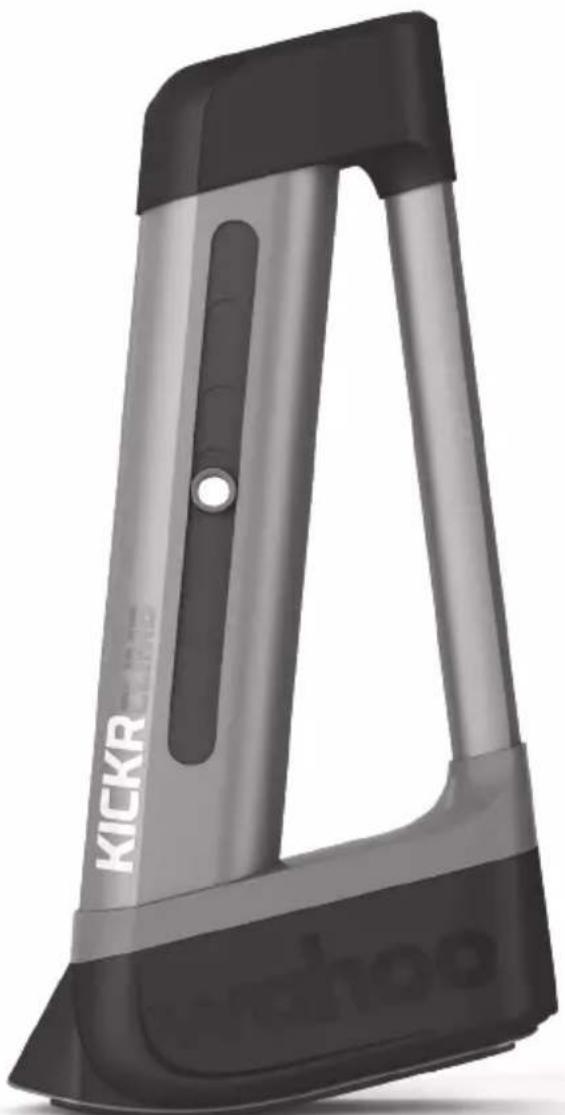
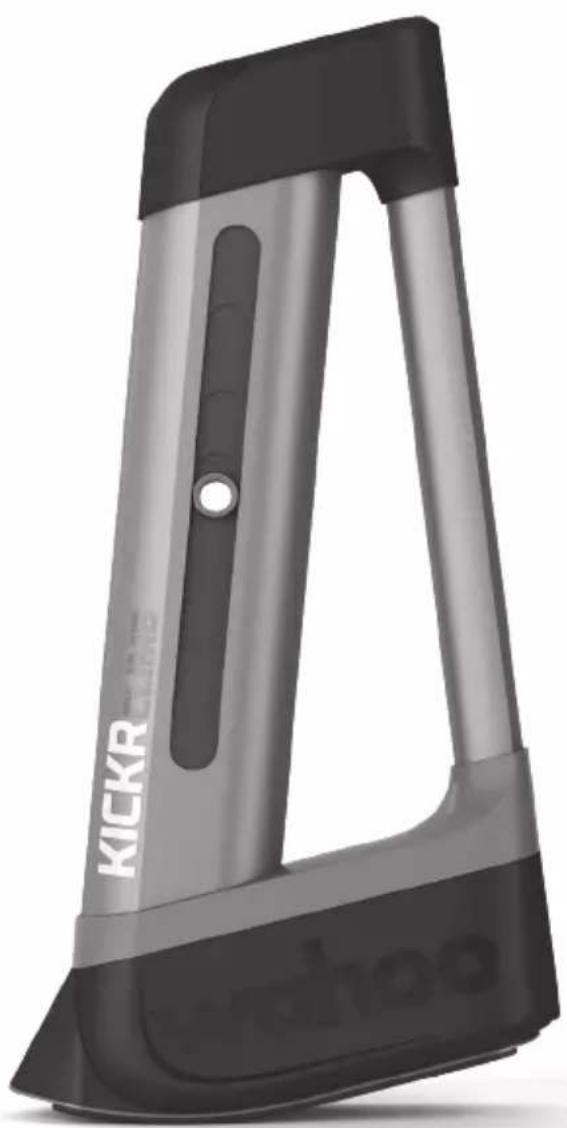
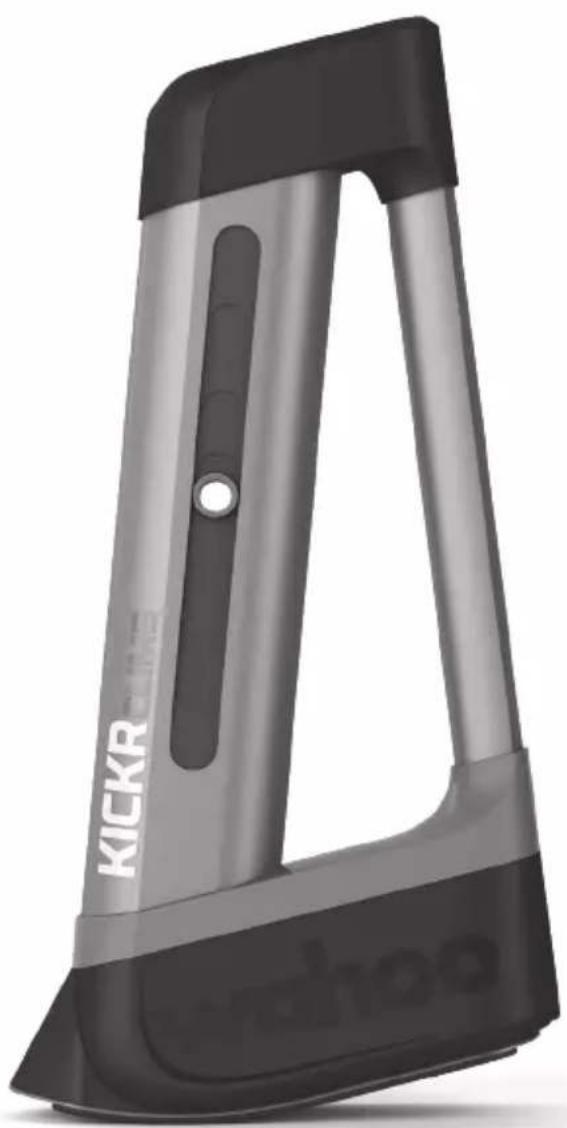
Thank you for purchasing the Wahoo KICKR CLIMB!
FOR LATEST NEWS, SUPPORT, AND FIRMWARE UPDATES BE SURE TO REGISTER YOUR PRODUCT USING THE WAHOO FITNESS APP
LEARN MORE:
For instructional videos, compatible apps, FAQs, and support requests please visit: www.wahoofitness.com/support
PLEASE CONTACT US WITH QUESTIONS OR CONCERNS AT:
Wahoo Fitness
90 W. Wieuca Rd NE
Suite 110
Atlanta, GA 30342 United States
TELEPHONE:
United States: 1-877-978-1112
Germany: +49-30-568-373827
United Kingdom: +44-800-808-5773
Phone Hours: Monday - Friday
10am-7pm Eastern Time Zone
INSIDE THE BOX
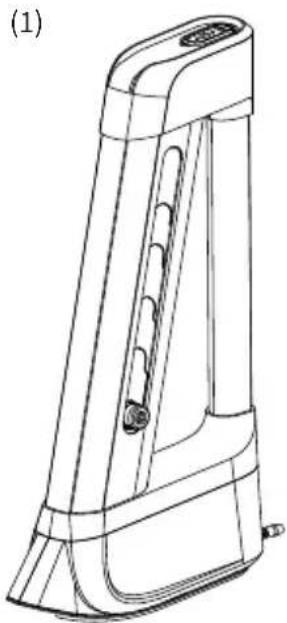
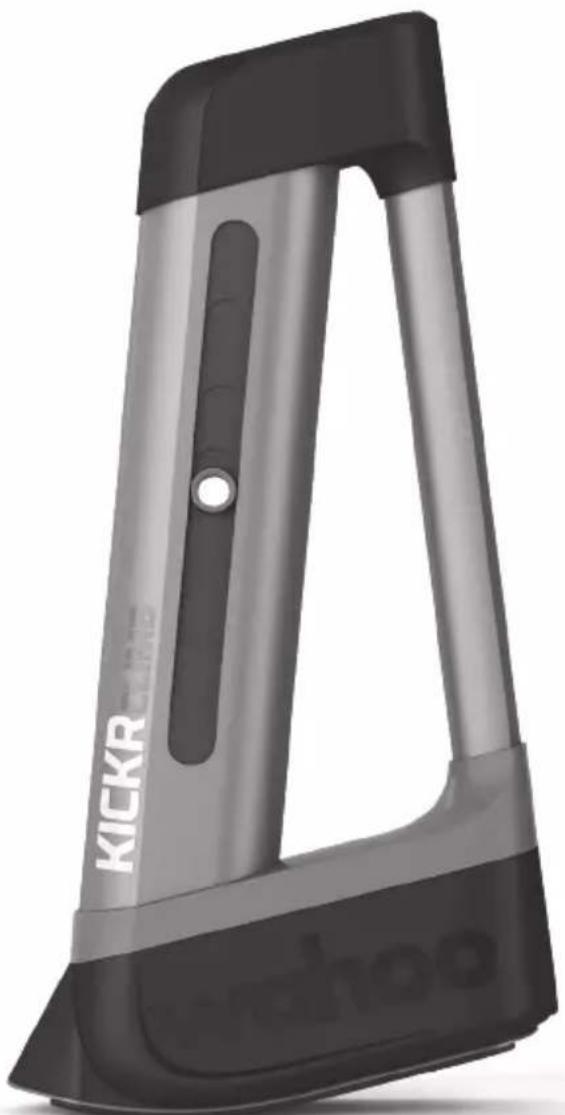
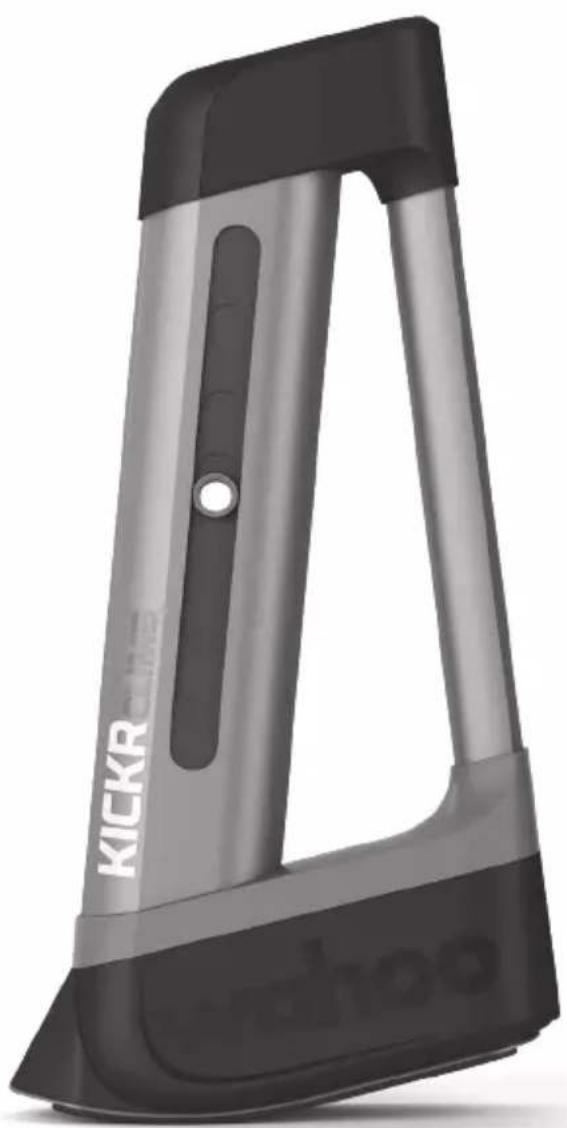
(1) KICKR CLIMB with Built-In Remote
(2) AC Power Adapter
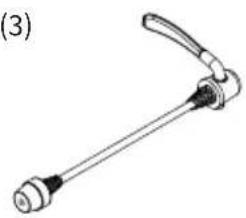
(3) Quick Release Skewer
(4) Adapter A - Quick Release Adapters
(5) Adapter B - 12mm x 100mm Thru Axle Adapters
(6) Adapter C - 15mm x 100mm Thru Axle Adapters
(7) Adapter D - 15mm x 110mm Thru Axle Adapters
(1)
natural_image
Line drawing of a mechanical device with a handle and mounting base (no text or symbols)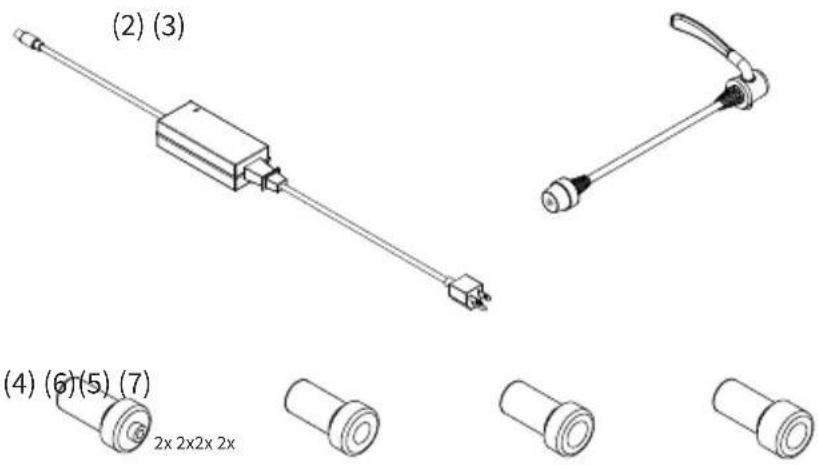
text_image
(2) (3) (4) (6)(5) (7) 2x 2x2x 2x- Before beginning or modifying any exercise program please consult your physician.
- Do not exceed the rider weight limit of 250lbs.
- Excessive or total body weight placed directly onto the KICKR CLIMB may cause the unit to stall and/or cause permanent damage to the unit.
- Use this exercise product for its intended use as described in this guide. Do not modify the product in any way.
- Never place the power cord under carpeting or place any object on top of the power cord which may pinch or damage it.
- Keep the power adapter away from heated surfaces.
- Do not put hands or objects near moving parts of the KICKR CLIMB.
- The KICKR CLIMB may become hot to the touch when used for extended periods of time.
- Do not attempt to dismount the bicycle while the KICKR CLIMB is in motion.
-
Keep children and pets away from the KICKR CLIMB while in use.
-
Only use the KICKR CLIMB on a stable and level surface.
- Use caution when standing while riding on the KICKR CLIMB.
- Keep the KICKR CLIMB away from water.
- Only use the power supply that comes with the KICKR CLIMB.
- Check to make sure the bicycle is properly secured to the KICKR CLIMB before every ride.
- Only use the KICKR CLIMB with an approved trainer.
• After removing your bicycle from any KICKR product double check all bolts, screws, skewers, and thru axles to make sure it is safe to ride outside. - Wear appropriate exercise clothing and shoes for your workout; do not wear loose clothing.
- Wahoo Fitness is not responsible for any damage that may occur due to improper installation, read installation instructions completely.

START YOUR SETUP WITH THE WAHOO FITNESS APP
Download: Download the Wahoo Fitness App for free from the Apple App Store or from the Android Google Play Store.
Setup: Follow the in app setup guide to complete your profile.
Register: Register the KICKR CLIMB in the Wahoo Fitness App by pairing the KICKR CLIMB to a compatible Wahoo Smart Trainer and pairing the trainer to the Wahoo Fitness App.
Firmware Updates: Only available when paired with a Wahoo Trainer connected to the Wahoo Fitness App. The app will check for firmware updates and send them directly to the KICKR CLIMB via Bluetooth.
KICKR CLIMB SETUP
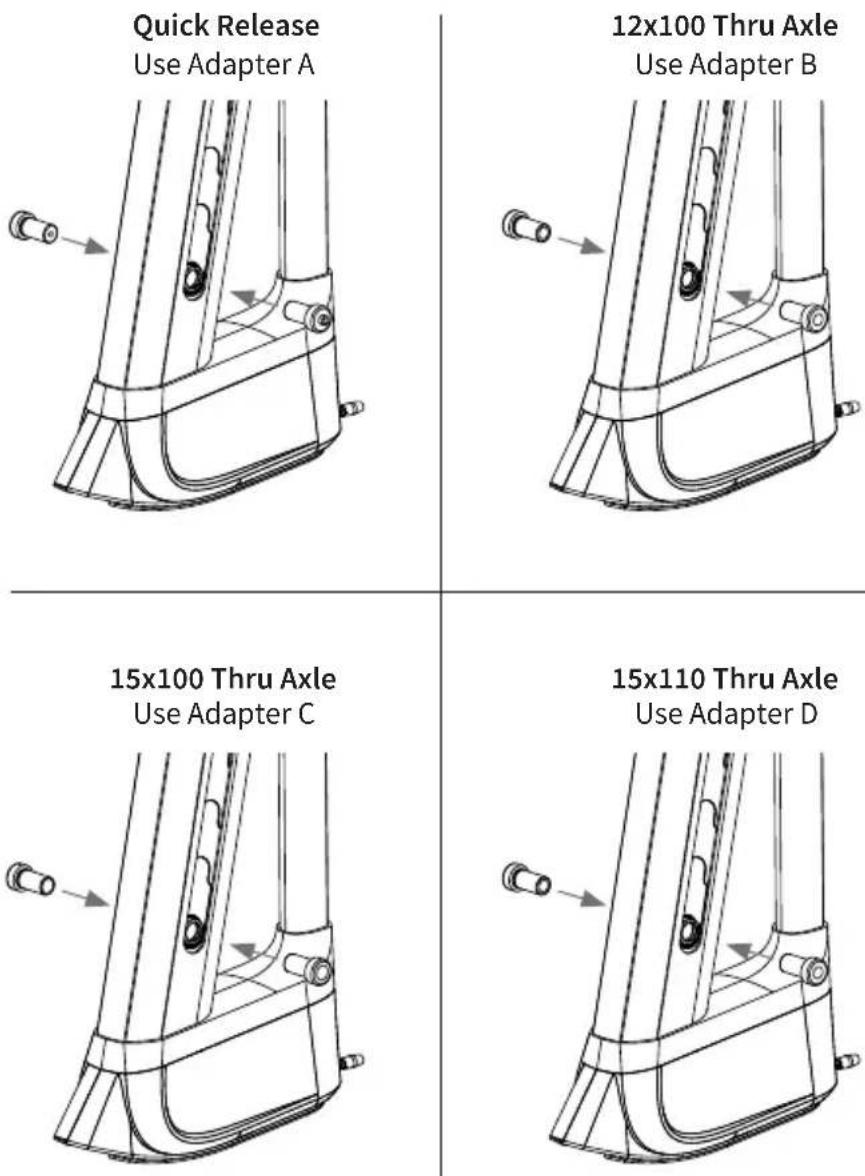
Step 1: Insert the correct adapters for your bicycle, as shown below.
Step 2: Install your bicycle on an approved trainer, see trainer's quick start guide for setup instructions.
Step 3: Remove your bicycle's front wheel and center the KICKR CLIMB just in front of the fork.
CAUTION! to avoid damaging your bicycle, use the KICKR CLIMB only with approved Wahoo Trainers. For a full list of approved trainers please visit www.wahoofitness.com/support
Step 4:
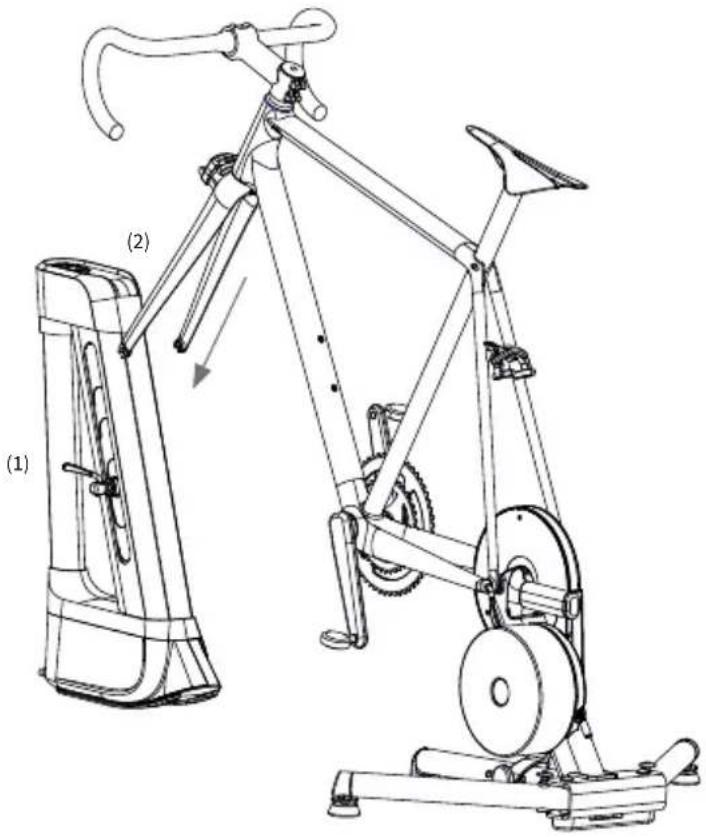
Attaching a bicycle with a Quick Release Skewer:
- Use the included quick release skewer.
- Insert the quick release skewer (1) into the KICKR CLIMB.
- Lower your fork (2) and fully seat the fork's dropouts onto the axle adapters.
- Tighten the quick release acorn nut and clamp the lever closed, securing your bicycle.
Attaching a bicycle with a Thru Axle:
- Use the thru axle included with your bicycle.
- Lower your front fork (3) to align the dropouts with the holes in the center of the thru axle adapters.
- Finish mounting your bicycle by reinserting the thru axle (4) through the fork and adapters, tightening securely.

PROTIP:
The quick release lever is "open" when it curves away from the bicycle frame the lever is "closed" when it curves towards the bicycle frame. Closing the lever should require enough force to leave an imprint on your hand.
text_image
(1) (2)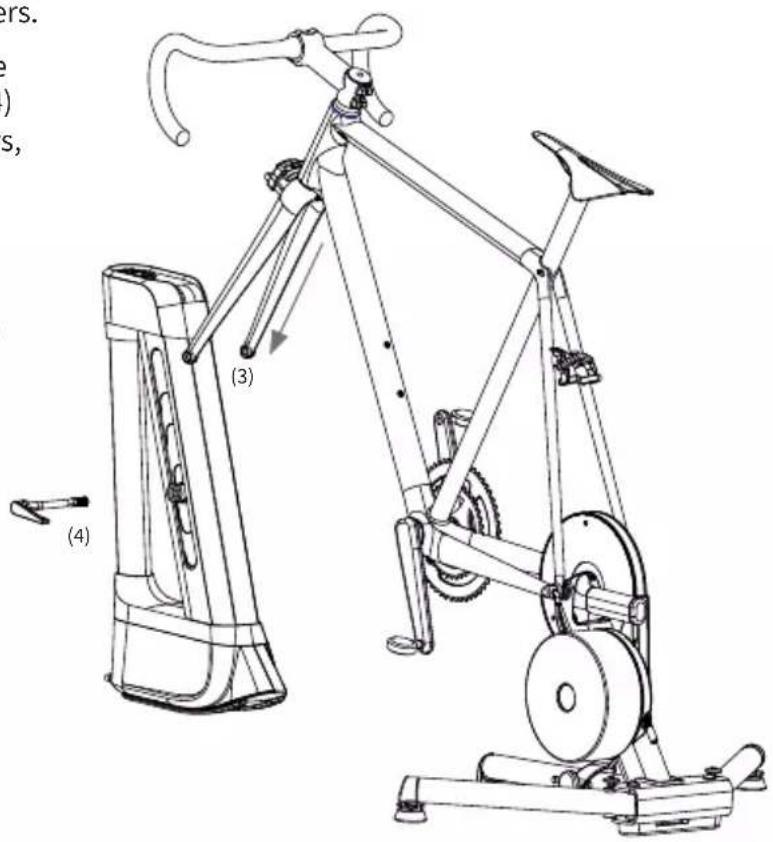
text_image
Technical line drawing of a stationary exercise bike with labeled components and motion indicatorsStep 5: Plug in the KICKR CLIMB using the included power adapter.
Step 6: Pairing the KICKR CLIMB to the KICKR or KICKR SNAP
- Ensure KICKR CLIMB and Wahoo Trainer are powered on.
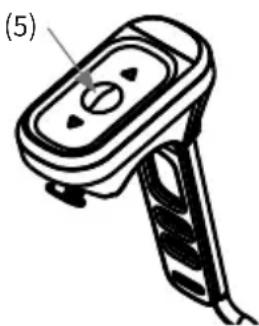
- Hold down the middle mode button (5) on the KICKR CLIMB remote until the center LED flashes rapidly.
- Hold the remote next to the Wahoo Trainer until the center LED flashes twice slowly and becomes solid.
- The KICKR CLIMB is now paired with your Wahoo Trainer and will directly receive grade changes when used with compatible apps or cycling computers.
Step 7: Leveling the KICKR CLIMB
- The KICKR CLIMB is level or at a 0% grade when the front hub and the rear hub are the same height.
- Ensure that the KICKR CLIMB is paired to a compatible trainer.
- Download and open the Wahoo Fitness App.
- Pair the compatible trainer to the Wahoo Fitness App through the sensors page.
- Follow the in-app instructions to set correct wheel size and wheelbase. The app will level the KICKR CLIMB based on these settings.
Step 8: Centering the KICKR CLIMB
Once your bicycle is secured to the KICKR CLIMB and set to level (0%), ensure the unit is properly centered by carefully lifting it off the ground by your bicycle's handlebars. The KICKR CLIMB's weighted base will hang and slightly rock, eventually resting in the ideal vertical position. When the unit is stable, gently set it back on the ground. Always use the KICKR CLIMB on level ground. Repeat the centering process before each ride to avoid bodily injury or damage. Wahoo recommends using the KICKR CLIMB with a trainer mat.
THE KICKR CLIMB HAS TWO MODES: LOCKED AND UNLOCKED
Use the middle mode button (5) to toggle between modes.
Locked Mode: Use the remote's manual controls for direct tilt control. While the lock LED is illuminated, external software will not move the KICKR CLIMB.
Unlocked Mode: The KICKR CLIMB reacts to grade changes from external software like Zwift and TrainerRoad or from your ELEMNT or ELEMNT BOLT GPS cycling computer. If the remote is used to change the grade manually in Unlocked Mode, the KICKR CLIMB will automatically switch to Locked Mode.
natural_image
Illustration of a handheld electronic device with a handle and control panel (no text or symbols)KICKRCLIMB

INSTRUCCIONES
natural_image
Exterior view of a gray and black KICKR watch device (no text or symbols visible on body)wahoo
Atlanta, GA 30342 United States
TELÉFONO:
natural_image
Line drawing of a mechanical device with a handle and internal components (no text or symbols)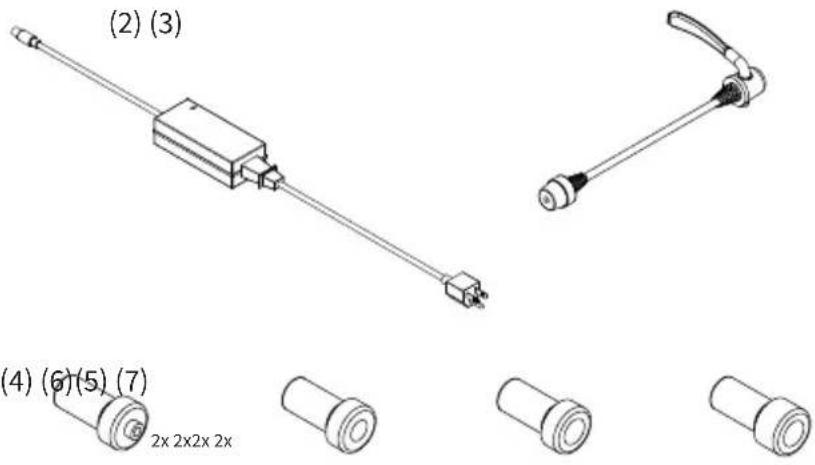
text_image
(2) (3) (4) (6)(5) (7) 2x 2x2x 2xnatural_image
Technical line drawing of a mechanical component with no visible text or symbolsnatural_image
Technical line drawing of a mechanical component with no visible text or symbolsnatural_image
Line drawing of a stationary exercise bike with labeled components (1) and (2), showing frame structure and wheel assembly (no text or symbols beyond labels)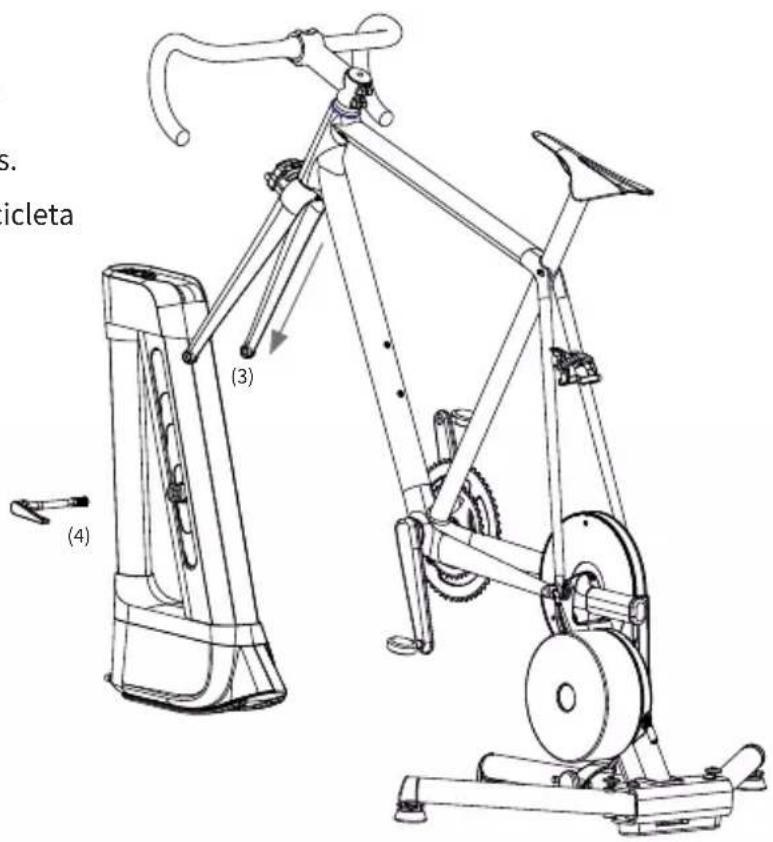
text_image
S. icleta (3) (4)natural_image
Illustration of a handheld electronic device with a handle and control panel (no text or symbols)KICKRCLIMB

INSTRUCTIONS

natural_image
Exterior view of a gray and black KICKR-branded fitness tracker (no text or symbols on body)wahoo
Atlanta, GA 30342 United States
TÉLÉPHONE:
natural_image
Line drawing of a mechanical device with a handle and internal components (no text or symbols)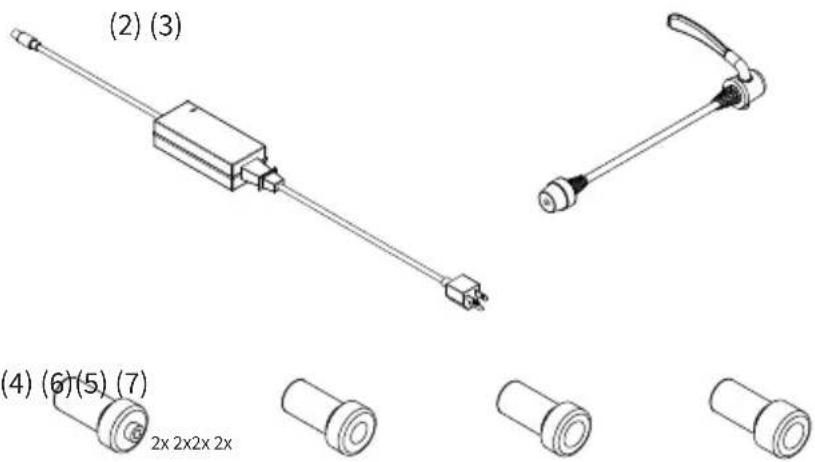
natural_image
Technical line drawing of a stationary exercise bike with visible frame and wheels (no text or symbols)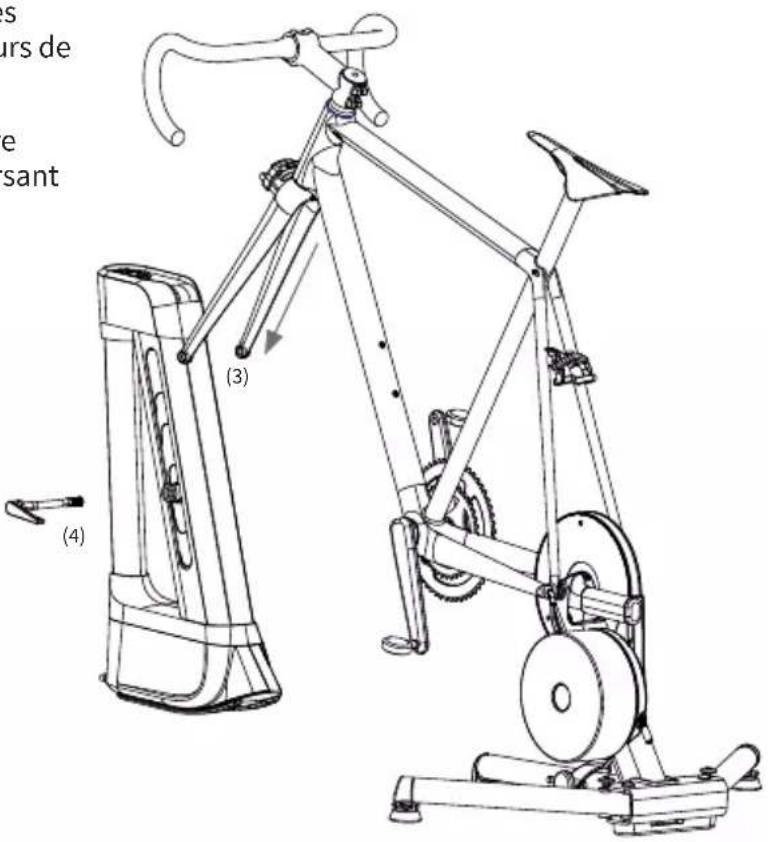
text_image
s urs de e sant (3) (4)natural_image
Illustration of a handheld device with a handle and control panel (no text or symbols)KICKRCLIMB

ISTRUZIONI
natural_image
Exterior view of a gray and black KICKR watch device (no text or symbols visible on body)wahoo
Atlanta, GA 30342 United States
TELEFONO:
natural_image
Line drawing of a mechanical device with a handle and internal components (no text or symbols)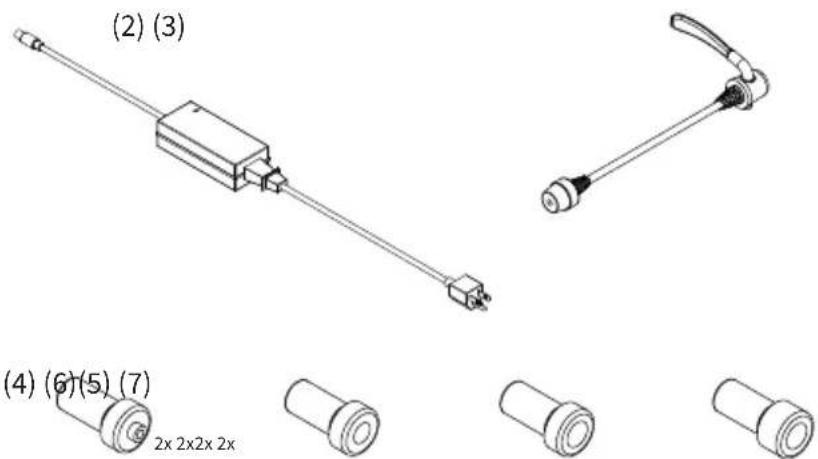
text_image
(2) (3) (4) (6)(5) (7) 2x 2x2x 2xnatural_image
Illustration of a handheld device with a handle and control panel (no text or symbols)KICKRCLIMB

ANLEITUNG
natural_image
Exterior view of a gray and black KICKR-branded fitness tracker (no text or symbols on body)wahoo
Atlanta, GA 30342 United States
TELEFONNUMMERN:
USA: 1-877-978-1112
Deutschland: +49-30-568-373827
natural_image
Technical line drawing of a mechanical device with no visible text or symbols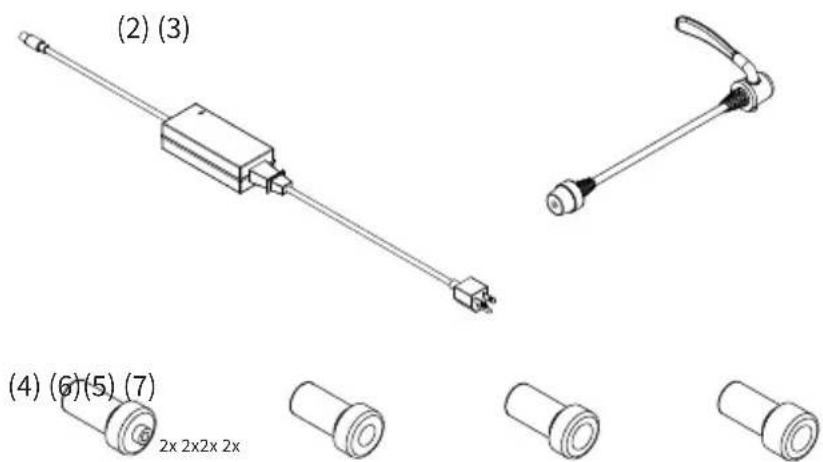
text_image
(2) (3) (4) (6)(5) (7) 2x 2x2x 2xnatural_image
Line drawing of a stationary exercise bike with labeled components (1) and (2), showing frame structure and wheel assembly (no text or symbols beyond labels)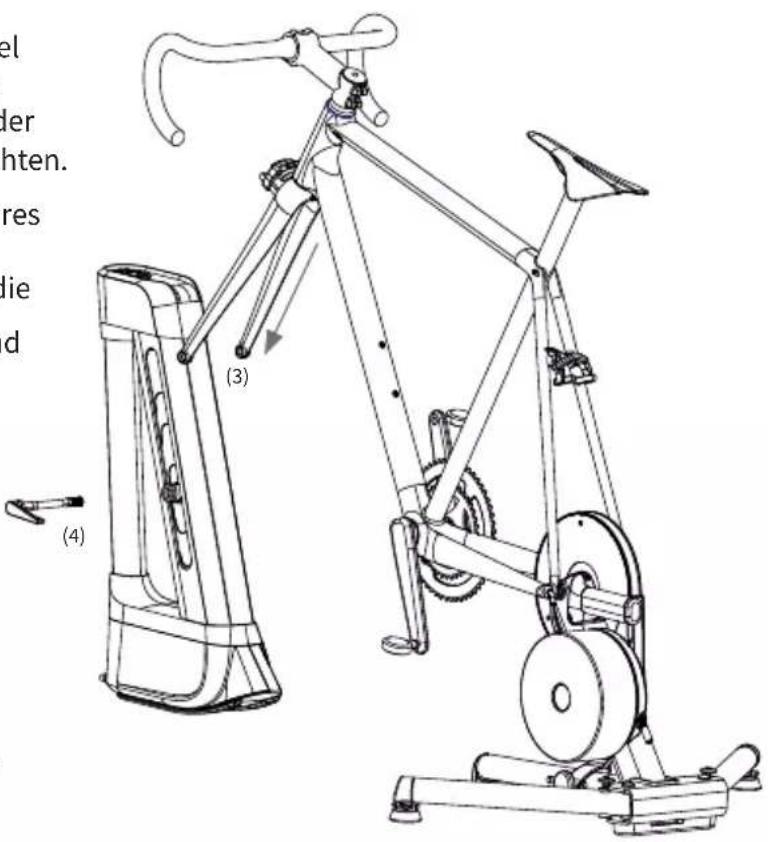
text_image
Technical line drawing of a stationary exercise bike with labeled components and German text annotationsnatural_image
Illustration of a handheld electronic device with a labeled component (5), no text or symbols present.KICKRCLIMB

说明
natural_image
Exterior view of a gray and black KICKR e-leve device (no text or symbols visible on body)wahoo
谢谢购买 Wahoo KICKR CLIMB!
Atlanta, GA 30342 United States
电话:
美国:1-877-978-1112
natural_image
Line drawing of a mechanical device with a handle and internal components (no text or symbols)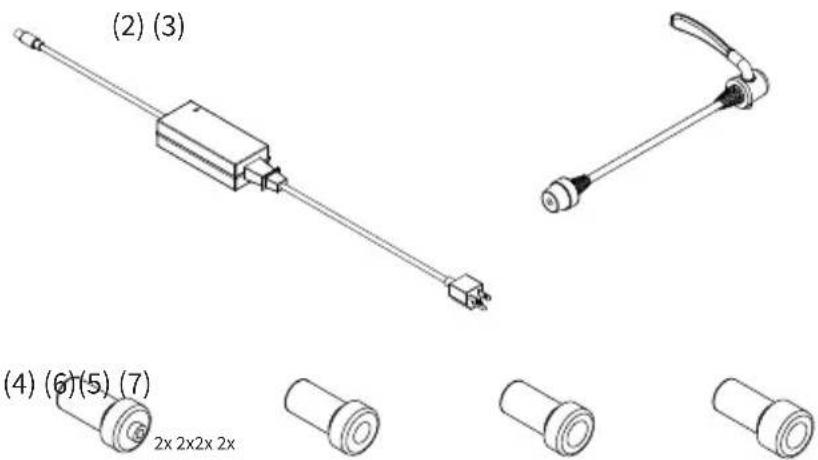
text_image
(2) (3) (4) (6)(5) (7) 2x 2x2x 2xnatural_image
Illustration of a handheld electronic device with a handle and control panel (no text or symbols)KICKRCLIMB

說明

natural_image
Exterior view of a gray and black KICKR watch device (no text or symbols visible on body)wahoo
謝謝購買Wahoo KICKR CLIMB!
www.wahoofitness.com/support
如有問題或顧慮,請聯絡我們:
Wahoo Fitness
90 W. Wieuca Rd NE
Suite 110
Atlanta, GA 30342 United States
電話:
美國:1-877-978-1112
natural_image
Line drawing of a mechanical device with a handle and mounting base (no text or symbols)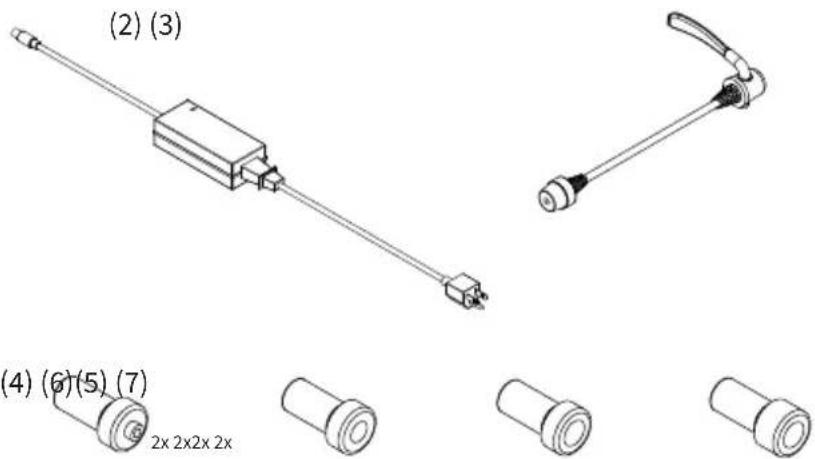
text_image
(2) (3) (4) (6)(5) (7) 2x 2x2x 2xnatural_image
Line drawing of a stationary exercise bike with labeled components and motion arrow (no text or symbols)P
natural_image
Illustration of a handheld device with a handle and control panel (no text or symbols)KICKRCLIMB

指示
natural_image
Exterior view of a gray and black KICKR-branded fitness tracker (no text or symbols visible on body)wahoo
Wahoo KICKR CLIMBをお買い上げ頂
きありがとうございます!
Atlanta, GA 30342 United States
電話:
米国:1-877-978-1112
natural_image
Line drawing of a mechanical device with a handle and mounting base (no text or symbols)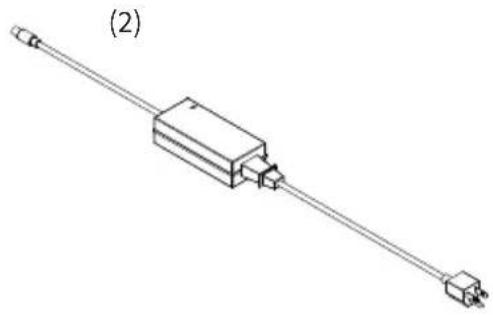
natural_image
Isometric line drawing of a mechanical component with two connectors and a central housing (no text or symbols)(3)
natural_image
Line drawing of a mechanical lever or tool with a handle and shaft (no text or symbols)(4)
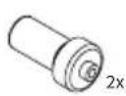
(5)
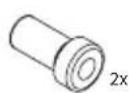
(6)
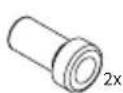
(7)
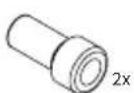
natural_image
Technical line drawing of a stationary exercise bike with labeled components (no text or symbols present)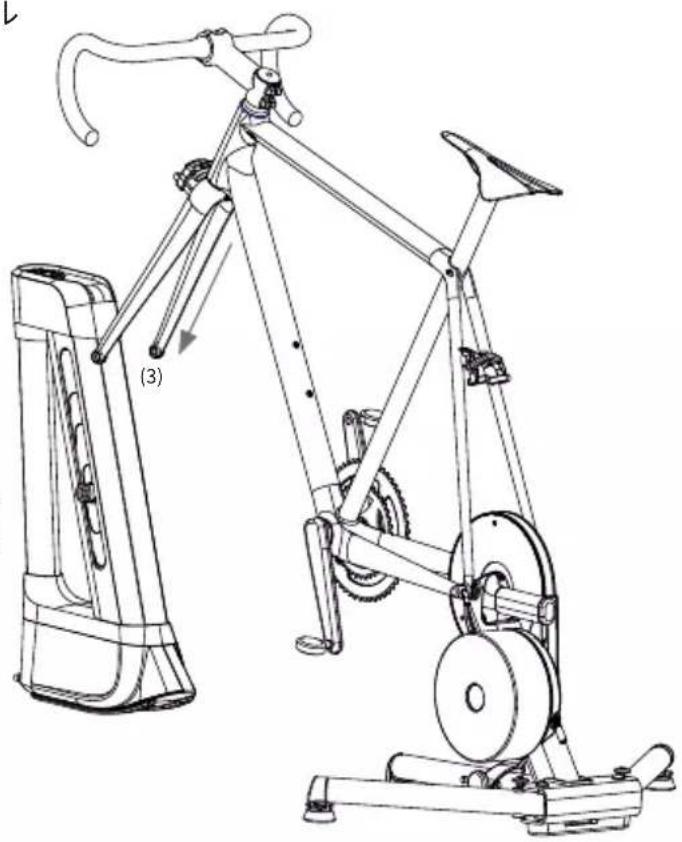
natural_image
Line drawing of a stationary exercise bike with labeled components and motion arrow (no text or symbols)natural_image
Exterior view of a gray and black KICKR device (no text or symbols visible on body)wahoo
Atlanta, GA 30342 United States
전화:
미국:1-877-978-1112
natural_image
Line drawing of a mechanical device with a handle and mounting base (no text or symbols)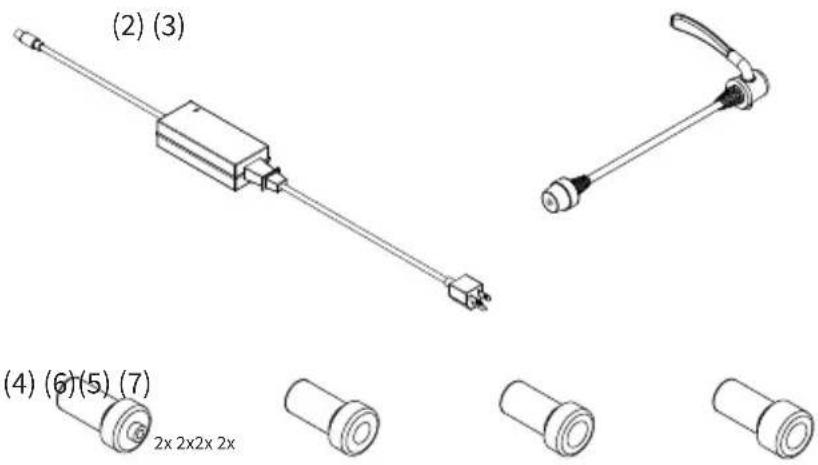
text_image
(2) (3) (4) (6)(5) (7) 2x 2x2x 2xnatural_image
Illustration of a handheld electronic device with a handle and control panel (no text or symbols)KICKRCLIMB

คำแนะ könnte
natural_image
Exterior view of a gray and black KICKR device (no text or symbols visible on body)wahoo
Atlanta, GA 30342 United States
โทรศัพท์:
natural_image
Line drawing of a mechanical device with a handle and internal components (no text or symbols)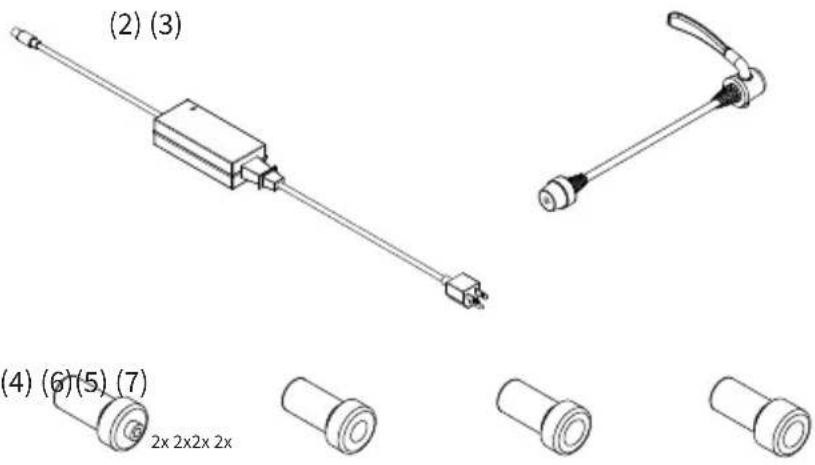
text_image
(2) (3) (4) (6)(5) (7) 2x 2x2x 2xnatural_image
Technical line drawing of a mechanical component with no visible text or symbolsnatural_image
Technical line drawing of a mechanical component with no visible text or symbolsnatural_image
Line drawing of a stationary exercise bike with visible frame and wheels (no text or symbols)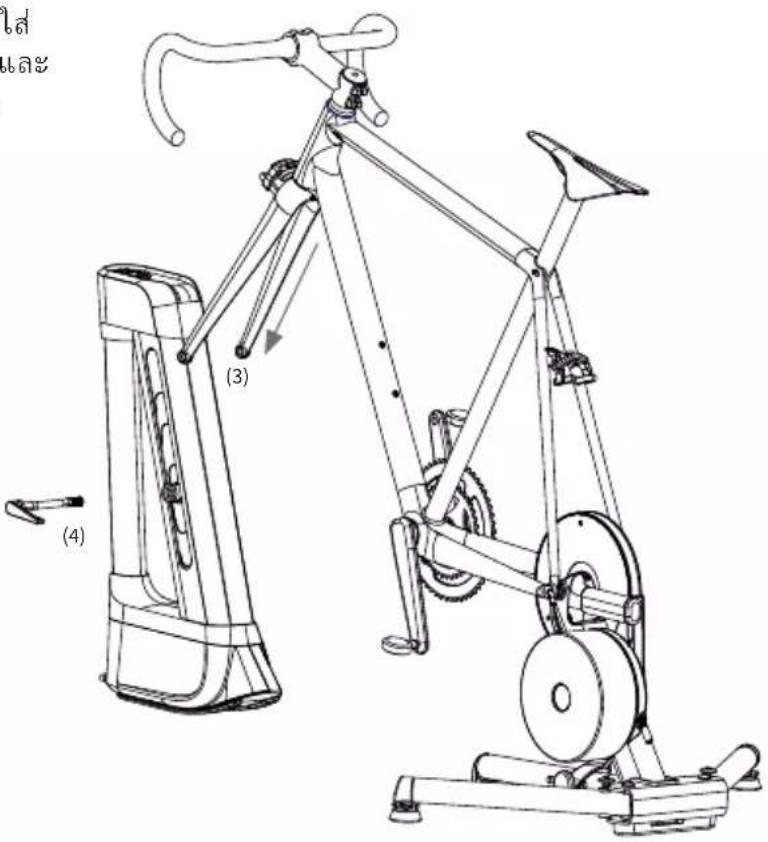
text_image
Technical line drawing of a stationary exercise bike with labeled parts (3) and (4), including Chinese text annotations.natural_image
Illustration of a handheld device with a handle and control panel (no text or symbols)[BLANK]
[BLANK]
[BLANK]