H14R.2 - Flashlight Ledlenser - Free user manual and instructions
Find the device manual for free H14R.2 Ledlenser in PDF.

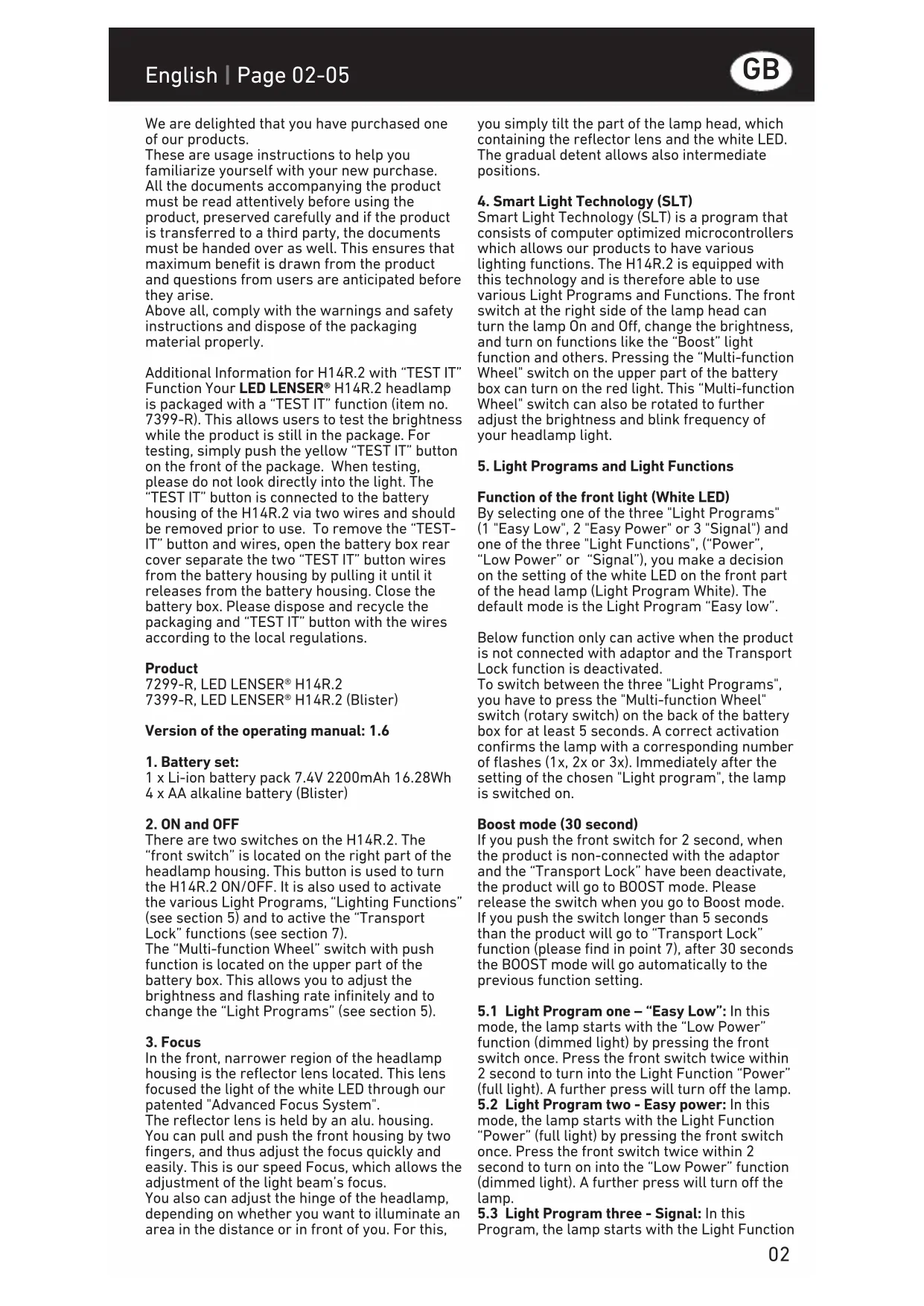


| Product type | Rechargeable headlamp |
| Brand | Ledlenser |
| Model | H14R.2 |
| Light source | White LED with Advanced Focus system |
| Power supply | Li-ion battery 7.4V 2200mAh (16.28Wh) or 4 AA alkaline batteries |
| Charging time | 4 to 5 hours |
| Lighting modes (white LED) | 3 Light Programs: Easy Low, Easy Power, Signal |
| Light functions | Low Power, Power, Signal (flashing 12Hz), Boost (temporary full power) |
| Special functions | Smart Light Technology (SLT), Transport Lock, charge indicator, red rear lights |
| Beam adjustment | Speed Focus: push the lamp head to switch from wide to focused beam |
| Switches | Front switch (click) and multifunction wheel at the rear |
| Status indicators | Red/yellow/green LED on the multifunction wheel (battery capacity, charging) |
| Operating temperature | -20°C to +50°C |
| Cleaning | Dry, lint-free cloth; headband washable at 30°C |
| Safety | Do not look directly into the light; avoid prolonged contact with eyes |
| Box contents | H14R.2 lamp, Li-ion battery, charger with plug, USB cable, extension cable, manual |
| Estimated weight | Approximately 200g |
Frequently Asked Questions - H14R.2 Ledlenser
User questions about H14R.2 Ledlenser
0 question about this device. Answer the ones you know or ask your own.
Ask a new question about this device
Download the instructions for your Flashlight in PDF format for free! Find your manual H14R.2 - Ledlenser and take your electronic device back in hand. On this page are published all the documents necessary for the use of your device. H14R.2 by Ledlenser.
USER MANUAL H14R.2 Ledlenser
Operating instructions
Bedienungsanleitung
We are delighted that you have purchased one of our products.
These are usage instructions to help you familiarize yourself with your new purchase. All the documents accompanying the product must be read attentively before using the product, preserved carefully and if the product is transferred to a third party, the documents must be handed over as well. This ensures that maximum benefit is drawn from the product and questions from users are anticipated before they arise.
Above all, comply with the warnings and safety instructions and dispose of the packaging material properly.
Additional Information for H14R.2 with "TEST IT" Function Your LED LENSER® H14R.2 headlamp is packaged with a "TEST IT" function (item no. 7399-R). This allows users to test the brightness while the product is still in the package. For testing, simply push the yellow "TEST IT" button on the front of the package. When testing, please do not look directly into the light. The "TEST IT" button is connected to the battery housing of the H14R.2 via two wires and should be removed prior to use. To remove the "TEST-IT" button and wires, open the battery box rear cover separate the two "TEST IT" button wires from the battery housing by pulling it until it releases from the battery housing. Close the battery box. Please dispose and recycle the packaging and "TEST IT" button with the wires according to the local regulations.
Product
7299-R. LED LENSER® H14R.2
7399-R,LED LENSER H14R.2 (Blister)
Version of the operating manual: 1.6
1. Battery set:
1 x Li-ion battery pack 7.4V 2200mAh 16.28Wh
4 × AA alkaline battery (Blister)
2. ON and OFF
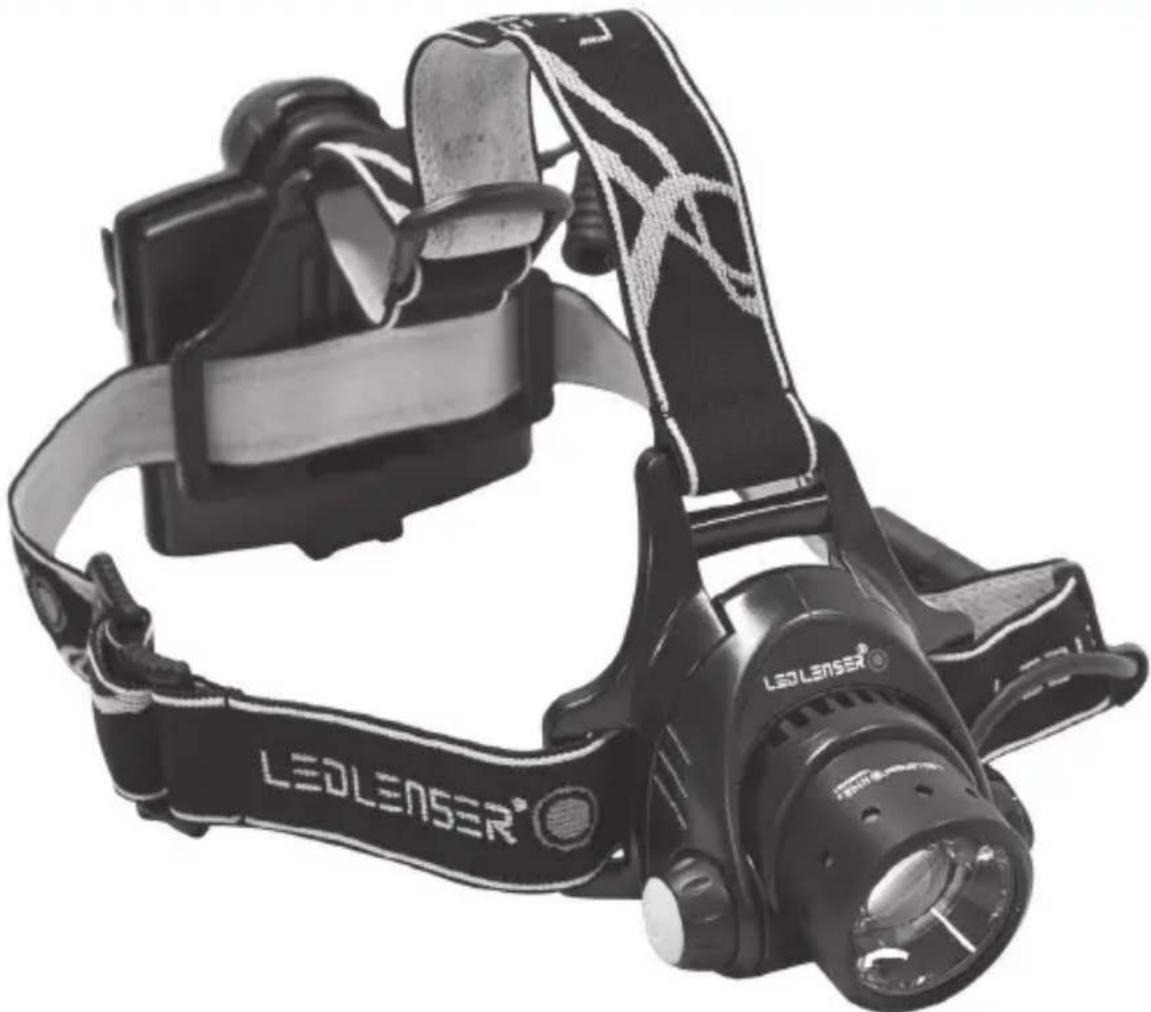
There are two switches on the H14R.2. The "front switch" is located on the right part of the headlamp housing. This button is used to turn the H14R.2 ON/OFF. It is also used to activate the various Light Programs, "Lighting Functions" (see section 5) and to active the "Transport Lock" functions (see section 7).
The "Multi-function Wheel" switch with push function is located on the upper part of the battery box. This allows you to adjust the brightness and flashing rate infinitely and to change the "Light Programs" (see section 5).
3. Focus
In the front, narrower region of the headlamp housing is the reflector lens located. This lens focused the light of the white LED through our patented "Advanced Focus System".
The reflector lens is held by an alu. housing. You can pull and push the front housing by two fingers, and thus adjust the focus quickly and easily. This is our speed Focus, which allows the adjustment of the light beam's focus.
You also can adjust the hinge of the headlamp, depending on whether you want to illuminate an area in the distance or in front of you. For this,
you simply tilt the part of the lamp head, which containing the reflector lens and the white LED. The gradual detent allows also intermediate positions.
4. Smart Light Technology (SLT)
Smart Light Technology (SLT) is a program that consists of computer optimized microcontrollers which allows our products to have various lighting functions. The H14R.2 is equipped with this technology and is therefore able to use various Light Programs and Functions. The front switch at the right side of the lamp head can turn the lamp On and Off, change the brightness, and turn on functions like the "Boost" light function and others. Pressing the "Multi-function Wheel" switch on the upper part of the battery box can turn on the red light. This "Multi-function Wheel" switch can also be rotated to further adjust the brightness and blink frequency of your headlamp light.
5. Light Programs and Light Functions
Function of the front light (White LED)
By selecting one of the three "Light Programs" (1 "Easy Low", 2 "Easy Power" or 3 "Signal") and one of the three "Light Functions", ("Power", "Low Power" or "Signal"), you make a decision on the setting of the white LED on the front part of the head lamp (Light Program White). The default mode is the Light Program "Easy low".
Below function only can active when the product is not connected with adaptor and the Transport Lock function is deactivated.
To switch between the three "Light Programs", you have to press the "Multi-function Wheel" switch (rotary switch) on the back of the battery box for at least 5 seconds. A correct activation confirms the lamp with a corresponding number of flashes (1x, 2x or 3x). Immediately after the setting of the chosen "Light program", the lamp is switched on.
Boost mode (30 second)
If you push the front switch for 2 second, when the product is non-connected with the adaptor and the "Transport Lock" have been deactivate, the product will go to BOOST mode. Please release the switch when you go to Boost mode. If you push the switch longer than 5 seconds than the product will go to "Transport Lock" function (please find in point 7), after 30 seconds the BOOST mode will go automatically to the previous function setting.
5.1 Light Program one - "Easy Low": In this mode, the lamp starts with the "Low Power" function (dimmed light) by pressing the front switch once. Press the front switch twice within 2 second to turn into the Light Function "Power" (full light). A further press will turn off the lamp.
5.2 Light Program two - Easy power: In this mode, the lamp starts with the Light Function "Power" (full light) by pressing the front switch once. Press the front switch twice within 2 second to turn on into the "Low Power" function (dimmed light). A further press will turn off the lamp.
5.3 Light Program three - Signal: In this Program, the lamp starts with the Light Function
"Power" (full light) by pressing the front switch once. Press the front switch twice within 2 second to turn into on the Light Function "Pulse" (flashing light). A further press will turn off the lamp.
Note: If you press the front button for 5 seconds or longer, then the lamp automatically turns into the transport function (lock function). Please refer to the instructions under point 7.
5.4 "Multi-function wheel" switch function
Turn left and right of the "Multi-function wheel" (rotary switch) on the battery box
a) You can steplessly adjust the brightness in the Light Function "Power" and "Low Power". Turning the "Multi-function wheel" left: the light output will lower down (min. 5 lm).Turning the switch clockwise, the light output will getting brighter. A short flashing signals that you have reached the darkest or brightest setting.
b) To adjust the blink frequency, turn left to reduce the frequency (down to 1Hz), turn right to enhance the blink frequency (24Hz max.)
In addition, the „Multi-function Wheel" switch with pushbutton has red, yellow and green LEDs. These are used for various lighting functions and status indications. (See section 5.5.)
5.5 light functions of the "Multi-function Wheel" switch
a) Rear light function (red light)
-
At the first push of the "multi function wheel" switch on the battery box, The red LEDs glow continuously.
-
At the second touch within 2 seconds, the LEDs will blink.
- A further press will turn off the red LEDs.
Info: The rear light will not work while charging (point 11) or with activated transport lock (item 7).
The red LED is not meant to illuminate a space, but as a way to be seen or identified.
b) Charging level indicator:
- The red LED will glow when charging.
- After full charge, the LED will glow green. Note, that the white LED will not work when charging.
c) Battery capacity indicator: when you start to use white LED, the red LED on the battery box will glow for 5 seconds and then turn off.
- Green means that the battery capacity is at 50% - 100% ;
- Yellow means the battery capacity is at 20-49%;
- Red means the battery capacity is lower than 19% and not suit for long time use. Therefore the rechargeable battery must be charged, or the batteries need to be replaced.
6. Energy Modes
By selecting one of the two Energy Modes (Energy Saving or Constant Current), you decide how the energy contained in the accumulator or batteries are used. And this function is only for white LED, the default mode is Energy Saving
mode.
a) Energy Saving: The light output is controlled by the integrated Smart Light Technology (SLT). The brightness is adjusted to the realistic conditions that occur during normal use of the lamp, thus providing a longer burn time.
b) Constant Current: This Energy Mode allows the continuous use of all the Light Functions with a constant light output. This Energy Mode is preferable when a high brightness level is more important than a long burn time.
6.1 Changing the Energy Modes
Changing the Energy Modes can only be done when the flashlight is in Light Program White and the lamp is turned Off. To change the energy mode, with the white LED off, press the "Multifunction Wheel" on the back 8 times, then on the 8th click keep the knob pressed for approx. 2 seconds. This should allow you change between the "energy mode" and "constant current mode."
You know which mode you are in when: a) Energy saving mode: the brightness reduce gradually to zero.
b) Constant current mode: the brightness reduces immediately in 2 seconds. With this procedure, you can switch between the two Energy Modes. It is not possible to determine in which Energy Mode the H14R.2 is. To find this out, you must carry out the procedure. If the H14R.2 is thereafter not in the desired Energy Mode any more, you must repeat the procedure again. The flashlight will reset to energy saving mode if you change the battery or cut the power.
7 "Transport Lock"
When the H14R.2 is off, push the front switch for approx. 5 seconds till the light turns off in order to enable the "Transport Lock." The LED will off to indicator you that you have active the "transport lock", Then the H14R.2 cannot be turned on again. The H14R.2 therefore cannot be switched on; either intentionally or unintentionally and inadvertently consumes energy. The red LED will blink 3 times with 8Hz to remind you that the lamps have been locked. To deactivate the "Transport Lock", just press the front switch again for 5 seconds. The headlamp will now return to the Light Program.
8. Reset function
If the batteries are taken out the battery box you have "reset" the H14R.2. Then you need to choose the function that you need according the procedure that have been described above (please check point 5).
9. Low battery indicator:
In "strong light" and "dim light", 10 minutes before the battery is empty the white LED will blink 3 times fast to indicator you that the battery is about to consume out, please change to fresh batteries.
10. Charging
Note: The H14R.2 comes with alkaline batteries. These are not rechargeable!
Charge the Accumulator-pack of your H14R.2 in
a dry place and only by using the charger that is included in the delivery or by a USB port (see below).
The following information applies only to the included accessories. You cannot charge any other accumulators or batteries in the H14R.2. In the scope of delivery of the H14R.2 there is a plug and a charger. In case both are not connected already, please connect them so that the connection clicks.H14R.2 charger has a USB port which must be connected with the corresponding port at the supplied charging cable in order to charge the battery pack. The other side of the charging cable (micro USB) must be connected to the micro USB port on the battery box. Need to charge the product in assigned voltage scope, Charge seat spc. (input 100V-240V/50Hz-60Hz). When charging is completed, unplug the charger from the socket and the charging cable (micro-USB) from the battery box. It is, however, no problem to continue charging the battery even it is already full.
Instead of connecting the charging cable to the USB port of the charger, you can also connect it to a different USB port (5 V / 500 mA) such as a computer. While using our optionally available car USB charger connection (Led Lenser Car Charger: Item no. 0380), the H14R.2 also can be charged at the cigarette lighter and sockets in vehicles. These accessory units match themselves automatically to the respective input voltage (12V 24V) . These alternatives are suitable to charge the Accumulator-pack in case a power outlet is not available.
Note - Please ensure that there is no short-circuit at the charging contacts. The charging contacts may not be touched with moist or metallic objects.
When you are charging the battery-Pack of the H14R.2 with the corresponding charger and charging cable by a USB port (see Section 10) the charging status will be shown by a glowing LED light. When the battery is still charging, it will shine red. The light will change to green when the charging is completed. You will be unable to use the white LED of H14R.2 while charging.
Only for the safe use of the following areas altitude of 2000m
Hint: The micro USB port on the battery box is not only for charging; it also can connect to the battery extender! To get more information please check our company website.
11. Changing of the Accumulator-Pack / NiMH-rechargeable batteries / Alkaline batteries
Prior to the changing batteries, please turn off the H14R.2.
On the back of the battery box, where the headband is attached, there is the gate to the inside of the battery box. Once you open the battery box, To remove the battery and then insert a new one. Alkaline batteries can also be inserted, but then the charger cannot be used! During insertion, it is always necessary that it is in the correct direction. Therefore, pay attention to the polarities (+ and -). Both in the battery box and also on the batteries. Otherwise, there is
risk for damaged Accumulators / batteries and a possible explosion.
The supplied Accumulator-Pack can only be recharged with the original charger or by a USB port (see Section 9)!
After replacing the batteries, the cover of the battery box has to be closed again.
To close the battery compartment, hold the battery compartment and battery cover against each other in the same direction, hook the battery cover above the multi-function switch and then push the cover against the bottom until you hear a 'click' sound. Now the battery cover is securely closed.
12. Batteries
Non rechargeable batteries or other accumulators that are not of the same type of accumulator as the one included in with this product and therefore not allowed to be charged by the same charger.
a) Never use non rechargeable batteries and accumulators together.
b) Always change all nonrechargeable batteries and accumulators at the same time.
c) 7299-R 2xICR18650 Li-ion battery pack / 4xAA alkaline battery / 4x AA Ni-Mh Battery /4x CR123A alkaline battery /4xCR123A 3.0V Li-ion battery /2x18650Li-ion battery can be use, but all the Li-ion battery need to have protection PCB
d) If you intend not to use the item for an extended period, please full charge the Accumulator-Pack and take it out from the sealant in order to avoid damage.
e) Used batteries and accumulators have to be taken out the item and disposed of in accordance with the national laws.
The possibility of short-circuits of accumulators and batteries must be eliminated and so they may not be opened, thrown into a fire, or enter into the human body in any way.
13. Headband
The headband can be washed by water. The headband can be washed in a washing machine at 30^ .
14. Cleaning
To clean, use a dry, lint-free, clean cloth. If salt water is spilled on the head lamp, it must be immediately entirely removed with such a cloth and water.
15. Scope of delivery
The H14R.2 headlamp is supplied with the following accessories:
1x H14R.2 headlamp
1 x battery pack
1x charger and plug
1 x USB cable (connects rechargeable battery and charger)
1 x extension cord
1x user manual
More accessories can be found on our website www.ledlenser.com.
16. General information batteries / accumulators
Do not swallow any small parts or batteries/ accumulators that are present. The products
or parts thereof (including batteries / accumulators) must be stored out of the reach of children.
For safety and approval reasons (CE), the product must not be modified and/or changed. The product is to be used exclusively as an accumulator or battery powered lamp. If the H14R.2 is used for any other purpose, or incorrectly, it can get damaged and a hazard-free use is no longer guaranteed (danger from fire, short-circuit, electric shock etc.) and therefore there will be no liability for harm anyone or damage to property. The warranty of the manufacturer is also rendered null and void. The H14R.2 can be operated between -20C^ and +50C^ (Or between -4F^ and 122F^ ). Ensure that the H14R.2 is not subjected to more extreme temperatures, intense vibrations, explosive atmosphere, solvents and/or vapors. Also continuous exposure to direct sunlight, high humidity and/or moisture must be avoided. Changes, repairs and maintenance over and above those described in the documents accompanying the product may only be carried out by authorized technical personnel. If it is found that the product is filled with full batteries / accumulators in the correct orientation (polarity!) and properly closed, and still unable to be function safely and normally, or the product shows damage, it must be rendered inoperable and not used any further. In this case, for warranty matters, contact your dealer.
17. Safety instructions
When cleaning the reflectors of the flashlights and headlamps please keep away from Aliphatic hydrocarbon, Alcohol, Oil, Grease, Surface-active agents, Aromatic hydrocarbons, Ketones, Ethers, Aldehydes, Amides, Organic acid, Strong concentrated acids, etc.; and use water and nondust cloth.
This product is not a children's toy.
Since it has small parts that can be swallowed, it is especially not suitable for those under the age of 5.
The article may not be used for examinations of the eyes (e.g. for a pupil test).
When in use, heat accumulation, e.g. by covering, must be avoided.
If the product does not work correctly, the first thing that must be checked is whether this is due to discharged or incorrectly placed battery/ accumulators.
If using in traffic, please follow the respective legal regulations.
The most hazardous threat posed by this product is the optical radiation known as Blue Light Hazard (400 nm to 780 nm). The thermal hazard threshold values are not clearly determined yet.
The risk for the viewer depends on the use or on how the product is installed. However, there is no optical hazard as long as the aversion responses limit the time of exposure and as long as the information contained in this instruction manual is observed.
The aversion reactions are triggered by the exposure and they are a natural reaction that protects the eye from hazards through optical radiation. This includes in particular conscious aversion reactions such as eye or head
movement (e.g. turning away).
When using the product it is of particular importance to bear in mind that the aversion reactions of person at whom the light is directed at may be weakened or completely suspended as a result of medication, drugs or illness. Because of the blinding effect of the product, improper use may lead to reversible, i.e. temporary impairment of sight (physiological blinding) or afterimages, or it may trigger queasiness and fatigue (through physiological blinding). The intensity of the temporary discomfort or the time until the side effects subside depends primarily on the brightness between the blinding-light source and the surrounding area. Photosensitive people in particular ought to consult a medical consultant prior to using this product.
As a matter of principle the rule is that high-intensity light sources carry a high secondary hazard potential due to their blinding effect. Just like looking into other bright light sources (e.g. headlights of a car), the temporary limited impairment of vision and afterimages may lead to irritation, inconveniences, impairments and even accidents, depending on the situation. This information applies to the use of a single product. If more light-emitting products of the same type or of a different type are used together, the intensity of the optical radiation may increase.
Every longer viewing/eye-contact with the source of radiation of this product by the user or other persons, with and without other light-bundling instruments, is to be avoided as a matter of principle! Instead, the eyes are to be closed deliberately in such cases and the head ought to be turned away from the light beam. In case of a commercial use or the product's use by public bodies, the user must be instructed to follow all applicable laws and regulations that correspond to the individual case of usage. Important rules of conduct:
Do not aim the light beam directly into the eyes of a person.
The user or any other person should not look directly into the light beam.
In the event of optical radiation hitting the eye, one must shut their eyes and turn their head away from the beam.
The instruction manual and this information must be stored safely and must always be kept together with the product.
It is prohibited to look straight into the light that is being emitted by this product.
Nota - Asegürese de que no hay cortocircuito en los contactos de energia. Los contactos de energia noSEOSEOSEOSEOSEOSEOSEOSEOSEOSEOSEOSEOSEOSEOSEOSEOSEOSEOSEOSEOSEOSEOSEOSEOSEOSEOSEOSEOSEOSEOSEOSEOSEOSEOSEOSEOSEOSEOSEOSEOSEOSEOSEOSEOSEOSEOSEOSEOSEOSEOSEOSEOSEOSEOSEOSEOSEOSEOSEOSEOSEOSEOSEOSEOSEOSEOSEOSEOSEOSEOSEOSEOSEOSEOSEOSEOSEOSEOSEOSEOSEOSEOSEOSEOSEOSEOSEOSEOSEOSEOSEOSEOSEOSEOSEOSEOSEOSEOSEOSEO SEOEEOSEOO
Pendant le remplacement de la pile, il est always necessary to be able to move the pile. It is important that the pile is kept in a good condition and that it is not filled with any杂物.
15. Scope of delivery
HaMeHOBaHne n3dEJIa:
7299-R,Линзовы CBeTOДиODHyI ΦОнapь LED LENSER® H14R.2
7399-R,Линзовы CBETОДИODHBI ΦОнapь LED LENSER® H14R.2 (o6TeKaembI)
BepnHCTpyKuNo 3KcnIyataa:1.6
1.KomnJIeKT 3JeMeHToB NHTaHnA:
5. Light Programs and Light Functions
5.PeknmbocbeeHn HfynKcHn fOhopa
OHaapb H14R.2 nMeet Odnh 6ebI CBTeOnIO
(CD).BebI CBToOnIO CBETNT OeyH bRpKO n
nDeaIbHO NOxOINT dNl o6blHoro peKIma
pa60tbl, HApnpMep, eCIn Heo6xoDMo 6bICTPO
n3MeHntb FOKyc NnN n3MeHnTb yOrJ HAKLOHa
lyuca CBeta OTHCnTeNbHO rOpN3OHTaJIbHoN
NoBepXHOCTn. Tla3a, npOweJUne TaK
Ha3bIBaEMyIO «TEMHOByo aAdnTaUIO» K
Cna6omy eCTeBHHomCy CBety, MOrYT nIoXO
pepeHOCNTb OeyH apKn 6JIb CBEt.
5.1 PexmmocBeueHn «Bebi CBET
BackedLED是咱們的。
It is the best way to get the back of the book.
Version of the operating manual: 1.5
1.使用電池
5.3FLOGLAUM3:SHGNTAL
1x锂离子电池包7.4V2200mAh16.28Wh
4xAA碱性电池(吸塑泡)
- 开关使用说明:
Hersteller - Manufactured by
ZWEIBRÜDER® OPTOELECTRONICS GMBH & CO. KG
Kronenstr. 5-7 • 42699 Solingen • Germany
Tel. +49 (0)212/5948-0 • Fax +49 (0)212/5948-200
info@zweibrueder.com • www.zweibrueder.com
Operating instructions
Bedienungsanleitung