
MH2 - Flashlight Ledlenser - Free user manual and instructions
Find the device manual for free MH2 Ledlenser in PDF.


Pick your language and provide your email: we'll send you a specifically translated version.
| Product Type | Flashlight |
| Brand | Ledlenser |
| Model | MH2 |
| Weight | 100 g (3.5 oz) |
| Dimensions (Length x Diameter) | 12.5 cm x 2.5 cm (4.9 x 1 in) |
| Power Source | Rechargeable Lithium-Ion battery (built-in) |
| Battery Capacity | 2000 mAh |
| Light Output (Max) | 200 lumens |
| Beam Distance | Up to 80 meters |
| Runtime (High) | Approx. 6 hours |
| Charging Port | Micro USB |
| Light Functions | High, Low, Strobe |
| Switch Type | Tail button |
| Body Material | Aluminum with rubberized grip |
| Water Resistance | IPX4 (splash proof) |
| Additional Features | Battery level indicator, pocket clip, removable lanyard |
| Care Instructions | Clean with a soft, damp cloth; avoid harsh chemicals |
| Safety Warning | Do not look directly into the beam; keep away from children |
| Spare Parts Available | Battery, charging cable, lanyard |
Frequently Asked Questions - MH2 Ledlenser
How do I charge the Ledlenser MH2?
Use the included Micro USB cable to connect the flashlight to a USB power adapter (not supplied). The indicator will turn red while charging and green when fully charged. Charging time is approximately 3 hours.
What is the battery life of the MH2?
The built-in 2000 mAh lithium-ion battery provides up to 6 hours of runtime on high mode and up to 20 hours on low mode. Actual runtime may vary based on usage.
Is the Ledlenser MH2 waterproof?
It has an IPX4 rating, meaning it is splash-proof from any direction. It is not fully waterproof and should not be submerged.
How do I switch between light modes?
Press the tail button once for high mode, twice for low mode, and three times for strobe. A single press from off activates high mode.
Can I use a different battery in the MH2?
The flashlight has a built-in rechargeable battery that is not user-replaceable. If the battery fails, please contact Ledlenser support for service.
How do I clean the flashlight?
Wipe the exterior with a soft, damp cloth. Do not use solvents, abrasives, or harsh chemicals. Ensure the charging port cover is closed before cleaning.
What is the warranty on the Ledlenser MH2?
Ledlenser offers a 2-year limited warranty against defects in materials and workmanship. Retain your purchase receipt for warranty claims.
Where can I buy spare parts like charging cables?
Spare parts such as charging cables and lanyards can be purchased from authorized Ledlenser dealers or online stores. Contact Ledlenser customer service for assistance.
Is the MH2 suitable for hiking or outdoor use?
Yes, its compact size, lightweight design, and weather resistance make it ideal for hiking, camping, and everyday carry.
Why is my flashlight not turning on?
Ensure the battery is charged. If the indicator does not light when charging, check the cable and power source. If still not working, contact support.
User questions about MH2 Ledlenser
0 question about this device. Answer the ones you know or ask your own.
Ask a new question about this device
No questions yet. Be the first to ask one.
Download the instructions for your Flashlight in PDF format for free! Find your manual MH2 - Ledlenser and take your electronic device back in hand. On this page are published all the documents necessary for the use of your device. MH2 by Ledlenser.
USER MANUAL MH2 Ledlenser
LEDLENSER SEO 3/iSEO 3/MH2
1
![graph TD A["Hand Hand"] --> B["2 sec Off"] B --> C["Downward Arrow"] C --> D["2 sec Off"] D --> E["Downward Arrow"] E --> F["Downward Arrow"] F --> G["2 sec Off"]](/content/2026/05/1006561/images/b5009bff97174cc7ced266771d49d84ee9dcb36246306233b110f4c75ed6a933.jpg)
4

2
![graph TD A["Hand Hand"] --> B["1 x"] B --> C["2 x"] C --> D["3 x"] D --> E["4 x"] E --> F["Off"] style A fill:#f9f,stroke:#333 style F fill:#f9f,stroke:#333](/content/2026/05/1006561/images/7cfde1f2e1f1c67e72709b6090ca0824b6af83098996134d15070b2b54ea344b.jpg)
3
![graph TD A["Hand with 'Off' label"] --> B["Power"] B --> C["Blink"] C --> D["1 x Power"] D --> E["2 x Power"] E --> F["3 x Power"] F --> G["Off"]](/content/2026/05/1006561/images/e186ca6dd6b2adf4f502cb5d63c831238d1d6d0349315823e11b48b6f1b6601f.jpg)
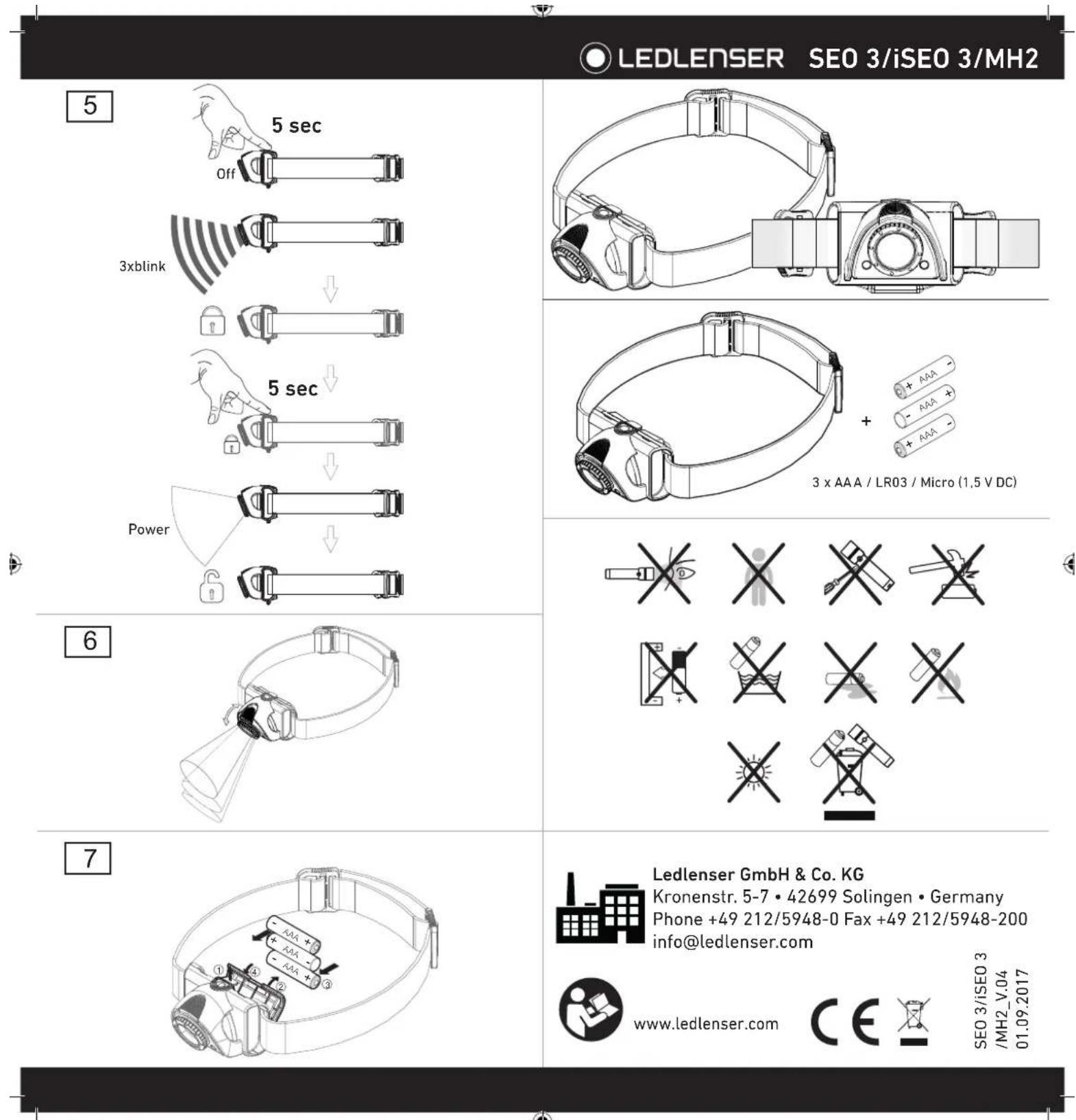
![graph TD A["Hand adjusting 5 sec Off"] --> B["3xblink"] B --> C["Downward arrow to lock"] C --> D["5 sec Power switch"] D --> E["Downward arrow to lock"]](/content/2026/05/1006561/images/86fc9de771b79c8e45ef2178546346a1e7588e6324558f717d58115be275388a.jpg)
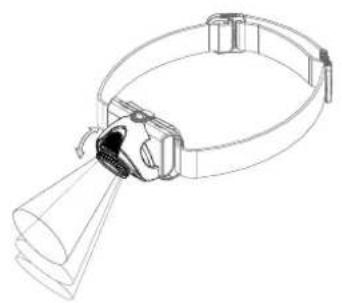
[Non-Text]





Table of contents
Click a title to access it
Manual assistant
Powered by Anthropic
Waiting for your message
Product information
Brand : Ledlenser
Model : MH2
Category : Flashlight