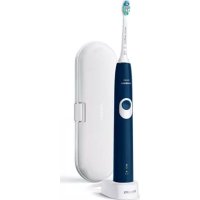
Sonicare ProtectiveClean 4300 - Electric toothbrush PHILIPS - Free user manual and instructions
Find the device manual for free Sonicare ProtectiveClean 4300 PHILIPS in PDF.

 FR
FR
 AZ
AZ
 BG
BG
 CS
CS
 DA
DA
 DE
DE
 EL
EL
 EN
EN
 ES
ES
 ET
ET
 FI
FI
 HE
HE
 HU
HU
 HY
HY
 IT
IT
 KA
KA
 KK
KK
 KY
KY
 LT
LT
 LV
LV
 MK
MK
 NL
NL
 NO
NO
 PL
PL
 PT
PT
 RO
RO
 RU
RU
 SK
SK
 SL
SL
 SQ
SQ
 SV
SV
 TG
TG
 TK
TK
 UK
UK
 UZ
UZ
| Product type | Sonic electric toothbrush |
| Brand | Philips |
| Model | Sonicare ProtectiveClean 4300 |
| Handle dimensions (approx.) | 25 cm height, 2.5 cm diameter |
| Handle weight (approx.) | 130 g |
| Power supply | Inductive charger, rechargeable lithium-ion battery |
| Full charge time | Up to 24 hours |
| Battery life | About 28 sessions of 2 minutes (14 days with twice-daily use) |
| Brushing modes | Clean (daily cleaning) |
| Intensities | Low and high (adjustable) |
| Main functions | QuadPacer (4-quadrant timer), SmartTimer (automatic 2-minute shut-off), EasyStart (gradual progression), Pressure analysis, BrushSync (head replacement reminder) |
| Pressure indicator | Yes, vibration change and orange flashing for excessive pressure |
| Head technology | BrushSync (RFID chip in smart head) |
| Head replacement reminder | Orange indicator on handle, based on wear |
| Included accessories | Charging station, travel case, UV sanitizer, 1 smart brush head |
| Maintenance and cleaning | Rinse head after use, clean handle with damp cloth, clean charger unplugged, sanitizer: tray and UV bulb cleanable |
| Head replacement | Every 3 months or as needed based on wear |
| Protection rating | Waterproof (water resistant), but charger and sanitizer should not be immersed |
| Safety | Automatic shutdown if UV compartment is opened, complies with EMC standards, compatible with orthodontic appliances and dental restorations |
| Warranty | International warranty (see Philips website) |
Frequently Asked Questions - Sonicare ProtectiveClean 4300 PHILIPS
User questions about Sonicare ProtectiveClean 4300 PHILIPS
0 question about this device. Answer the ones you know or ask your own.
Ask a new question about this device
Download the instructions for your Electric toothbrush in PDF format for free! Find your manual Sonicare ProtectiveClean 4300 - PHILIPS and take your electronic device back in hand. On this page are published all the documents necessary for the use of your device. Sonicare ProtectiveClean 4300 by PHILIPS.
USER MANUAL Sonicare ProtectiveClean 4300 PHILIPS
natural_image
White electric toothbrush with 'Philips sonicare' branding and stylized tooth model (no additional text or symbols visible)
natural_image
Illustration of an open book with a grid pattern on the left and a curved arrow pointing to the right page (no text or symbols)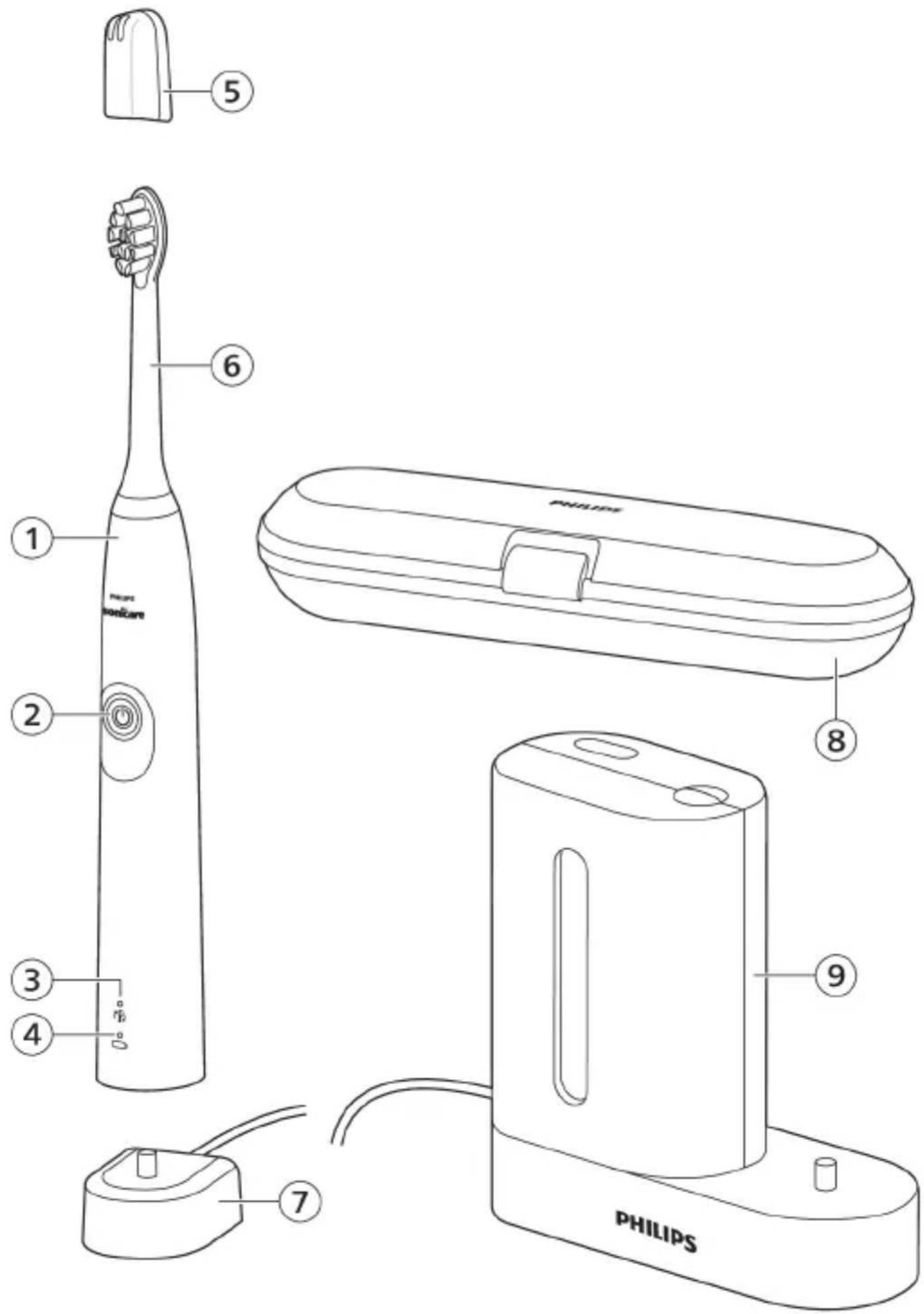
English 6
Azərbaycanca 26
Čeština 47
Dansk 67
Deutsch 88
Eesti 111
Español 131
Français 153
Hrvatski 175
Italiano 196
Latviešu 218
Lietuviškai 238
Magyar 259
Nederlands 280
Norsk 302
O'zbek 322
Polski 344
Português 367
Română 389
Shqip 411
Slovenščina 432
Slovensky 452
Srpski 473
Suomi 493
Svenska 514
Türkmençe 535
Ελληνικά 556
Български 580
Кыргызча 603
Македонски 625
Русский 648
Точикй 672
Українська 696
Қазақша 718
Ruijtntu 740
phosphorus 765
789
Introduction
Welcome to the Philips Sonicare family!
This toothbrush enables you to obtain superior plaque removal, whiter teeth and healthier gums. Using
Sonicare's combination of gentle sonic technology and clinically developed and proven features, you can be confident that you're getting the very best clean, every time.
Further support and product registration are available to you at: www.philips.com/support
Important safety information
Only use the product for its intended purpose. Read this important information carefully before you use the product and its batteries and accessories, and save it for future reference. Misuse can lead to hazards or serious injuries.
Warnings
- Keep the chargers and UV sanitizer away from water.
- After cleaning, make sure the charger and/or sanitizer is completely dry before you connect it to the wall socket.
- This appliance can be used by children and persons with reduced physical, sensory or mental capabilities or lack of experience and knowledge if they have been given supervision or instruction concerning use of the appliance in a safe way and understand the hazards involved. Cleaning and user maintenance shall not be made by children without supervision.
- Children shall not play with the appliance.
- Only use original Philips accessories or consumables. Only use the charger provided with the product. If supplied, only use the original USB cable and USB power supply unit.
- This appliance contains no user-serviceable parts. If the appliance is damaged, stop using it and contact the Consumer Care Center in your country. Devices with cord only: If the cord is damaged, replace the charger with sanitizer with a new one.
-
Do not use the charger and/or sanitizer outdoors or near heated surfaces.
-
Do not clean any part of the product in the dishwasher.
- This appliance has only been designed for cleaning teeth, gums and tongue.
- Keep the sanitizer out of the reach of children at all times.
- Stop using the sanitizer if the UV light bulb remains on when the door is open. UV light can be harmful to the human eye and skin.
- Only operate the sanitizer with the protective screen in place.
- Do not touch the UV sanitizer's UV light bulb when it is hot.
- Stop using a brush head with crushed or bent bristles. Replace the brush head every 3 months or sooner if signs of wear appear.
- Avoid direct contact with products that contain essential oils or coconut oil. Contact may result in bristles dislodging.
- Stop using the appliance and consult your dentist/doctor if excessive bleeding occurs after use, if bleeding continues to occur after 1 week of use or if you experience discomfort or pain.
- If you have had oral or gum surgery in the previous 2 months, consult your dentist before you use this appliance.
- If you have a pacemaker or other implanted device, contact your doctor or the manufacturer of the implanted device prior to use.
- If you have medical concerns, consult your doctor before you use this appliance.
- This appliance is a personal care device and is not intended for use on multiple patients in a dental practice or institution.
Battery safety instructions
- This appliance contains batteries that are only to be removed by skilled persons
- Only use the product for its intended purpose. Read this information carefully before you use the product and its batteries and accessories, and save it for future reference. Misuse can lead to hazards or serious injuries. Accessories supplied may vary for different products.
- Only use original Philips accessories and consumables. Only use detachable supply unit TCBxxxx, HX6100, HX6110, HX6160 or WAAxxxx.
- Keep product and batteries away from fire and do not expose them to direct sunlight or high temperatures.
- If the product becomes abnormally hot or smelly, changes color or if charging takes longer than usual, stop using and charging the product and contact Philips.
- Do not place products and their batteries in microwave ovens or on induction cookers.
- Do not open, modify, pierce, damage or dismantle the product or battery to prevent batteries from heating up or releasing toxic or hazardous substances. Do not short-circuit, overcharge or reverse charge batteries.
- This appliance contains batteries that are non-replaceable. When the battery is at end of life, the appliance shall be properly disposed of, see section on recycling.
- If batteries are damaged or leaking, avoid contact with the skin or eyes. If this occurs, immediately rinse well with water and seek medical care.
- When you handle batteries, make sure that your hands, the product and the batteries are dry.
- To avoid accidental short-circuiting of batteries after removal, do not let battery terminals come into contact with metal object (e.g. coins, hairpins, rings). Do not wrap batteries in aluminium foil. Tape battery terminals or put batteries in a plastic bag before you discard them.
- Charge, use and store the product at a temperature between 0 °C and 40 °C (32 °F and 104 °F).
Storage and transportation conditions
Temperature -10°C to 60°C (14 °F to 140 °F).
Electromagnetic fields (EMF)
This Philips appliance complies with all applicable standards and regulations regarding exposure to electromagnetic fields.
Radio Equipment Directive
Hereby, Philips declares that electric toothbrushes with radio equipment type (Bluetooth, NFC) are in compliance with Directive 2014/53/EU.
- The Bluetooth radio frequency interface in applicable products operates at 2.4 GHz.
- The maximum output power by the Bluetooth appliance is 3 dBm.
- The NFC radio frequency interface in applicable products operates at 13.56 MHz.
- The maximum RF power transmitted by the appliance is 30.16 dBm.
The full text of the EU declaration of conformity is available at the following internet address:
www.philips.com/support
Note: The Features of different models may vary. Some models may not be equipped with Bluetooth or NFC.
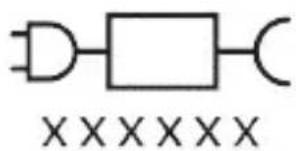
The following symbols may appear on the product: Read Operator's Manual.

natural_image
Simple line drawing of an open book with no text or symbols visible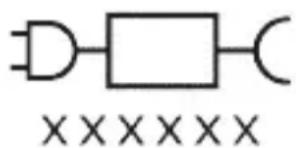
Detachable Power Supply Part: The "xxxxxx" indicates the model number of the approved chargers to be used.
(TCBxxxx, HX6100, HX6110, HX6160 or WAAxxxx)
Intended use
ProtectiveClean power toothbrushes are intended to remove adherent plaque and food debris from the teeth to reduce tooth decay and improve and maintain oral
health. ProtectiveClean power toothbrushes are intended for personal use. Use by children should be with adult supervision.
Your Philips Sonicare (Fig 1.)
1 Handle
2 Power on/off button
3 Brush Head Replacement Reminder
4 Battery indicator
Accessories:
5 Brush head cap
6 Smart brush head(s)
7 Charging base
8 Travel case
9 UV sanitizer and charger
Note: Accessories included may vary based on the model purchased.
Getting started
natural_image
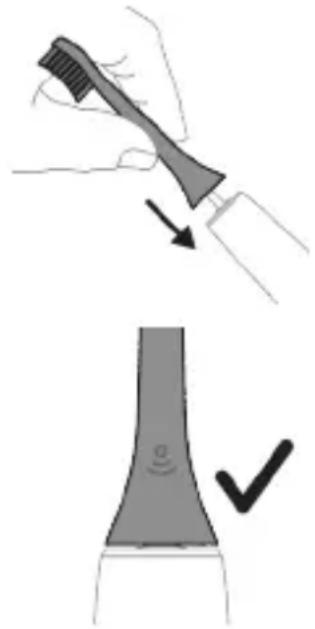
Illustration showing a hand brushing a tooth with a brush, and a close-up of a tooth being smoothed (no text or symbols)1 Align the brush head so the bristles point in the same direction as the front of the handle.
2 Firmly press the brush head down onto the metal shaft until it will not go any further.
Note: It is normal to see a slight gap between the brush head and the handle.
Using your Philips Sonicare toothbrush
If you are using your Sonicare toothbrush for the first time, it is normal to feel more vibration than when using a non-electric toothbrush. It is common for first-time users to apply too much pressure. Only apply gentle pressure and let the toothbrush do the brushing for you. Please follow the brushing instructions below for the best
experience.
For models without intensities
To help you transition to your new Sonicare power toothbrush, it comes with the EasyStart feature activated. This feature gently increases the power over the first 14 brushings to help you adapt to brushing with a Philips Sonicare toothbrush.
For models with intensities
To help you transition to your new Sonicare power toothbrush, use a lower setting for the first 1-2 weeks then transition to a higher setting.
Brushing instructions
natural_image
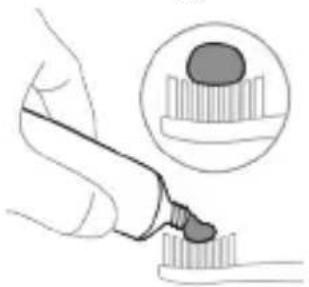
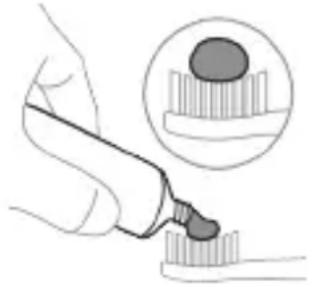
Illustration of a hand using a tool to apply a product to a textured surface, with an inset showing a magnified view of the product (no text or symbols present)1 Wet the bristles and apply a small amount of toothpaste.
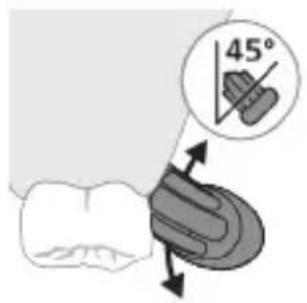
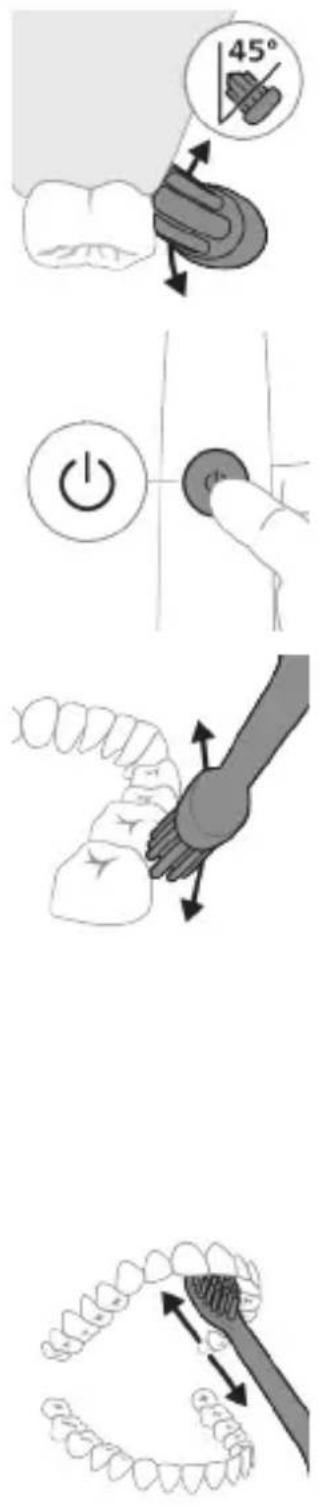
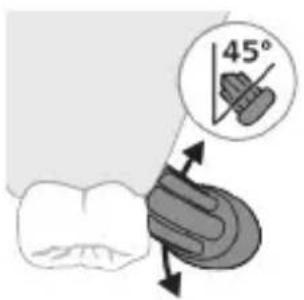
2 Place the toothbrush bristles against the teeth at a slight angle (45 degrees), pressing firmly to make the bristles reach the gumline or slightly beneath the gumline.
Note: Keep the center of the brush in contact with the teeth at all times.
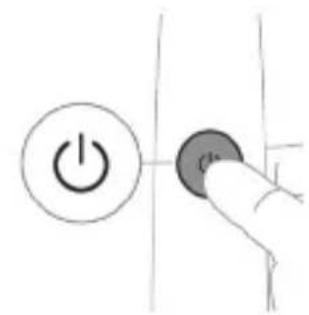
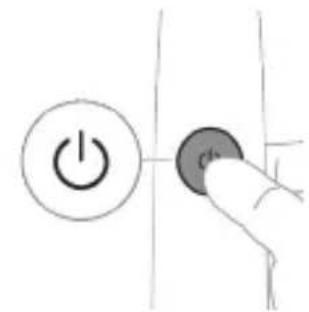
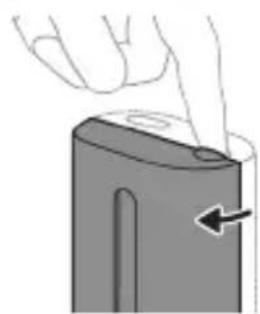
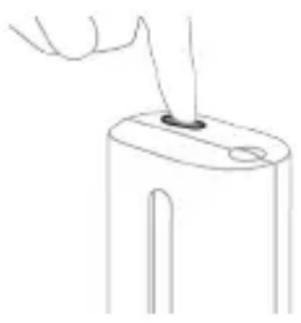
3 Press the power on/off button to switch on the Philips Sonicare.
natural_image
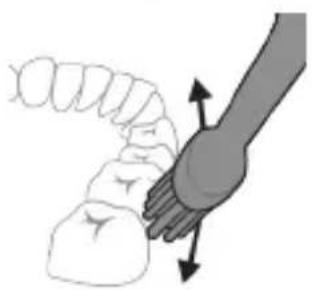
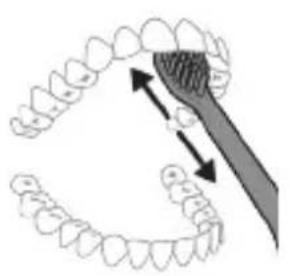
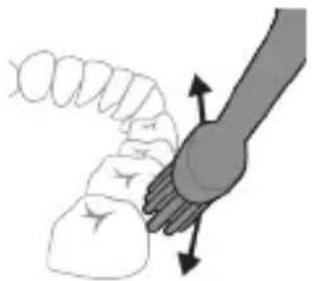
Illustration of a hand holding a curved object with directional arrows indicating movement or force (no text or symbols)4 Gently keep the bristles placed on the teeth and in the gumline. Brush your teeth with small back and forth motion so the bristles reach between the teeth. Continue this motion throughout your brushing cycle.
Note: The bristles should slightly flare. It is not recommended to scrub as you would with a manual toothbrush.
natural_image
Illustration of dental arching technique showing tooth arrangement and tool placement (no text or symbols)Note: If you apply too much pressure, you will be alerted by a change in vibration of the handle and the brush head replacement reminder flashing amber.
5 To clean the inside surfaces of the front teeth, tilt the brush handle semi-upright and make several vertical overlapping brushing strokes on each tooth.
6 After you have completed the brushing cycle, you can spend additional time brushing the chewing surfaces of your teeth and areas where staining occurs. You can also brush your tongue, with the toothbrush switched on or off, as you prefer.
Note: Your Philips Sonicare toothbrush is safe to use on braces (brush heads wear out sooner when used on braces) and dental restorations (fillings, crowns, veneers) if they are properly adhered and not compromised.
QuadPacer
flowchart
graph TD
    A["①"] --> B["②"]
    B --> C["③"]
    C --> D["④"]
    D --> A
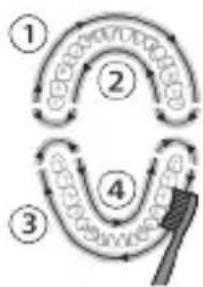
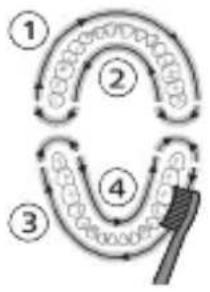
To make sure you brush evenly throughout the mouth, divide your mouth into 4 sections using the QuadPacer feature. The QuadPacer divides the brushing time into 4 equal segments and indicates when you should move to the next area. The segments are indicated with a brief pause in vibration. The toothbrush automatically stops at the end of the brushing session.
Modes
Your power toothbrush is equipped with Clean mode.
Clean
| Benefit For exceptional everyday clean | |
| Recommended intensity level (specific models only) | High |
| Total brushing time 2 minutes | |
How to brush Brush each segment for 30 seconds.
flowchart
graph TD
    A["Stage 1"] --> B["Stage 2"]
    B --> C["Stage 3"]
    C --> D["Stage 4"]
    D --> E["Arrow to final stage"]
    style A fill:#f9f,stroke:#333
    style B fill:#ccf,stroke:#333
    style C fill:#cfc,stroke:#333
    style D fill:#fcc,stroke:#333
    style E fill:#ffc,stroke:#333
Intensities (specific models only)
Your power toothbrush comes with 2 different intensity settings:
- Low
- High
Note: When you use the toothbrush for the first time, the default intensity is low intensity.
To change intensity levels:
- Press the power on/off button once to turn on the toothbrush.
- Press a second time within 2 seconds to change the intensity.
- Press a third time within 2 seconds to pause.
- After 2 seconds of brushing, pressing the power on/off button again will also pause the toothbrush.
BrushSync technology
natural_image
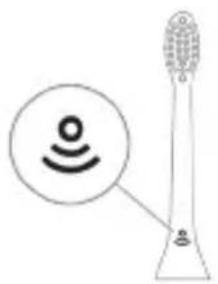
Illustration of a microphone with a sensor icon and signal symbol (no text or labels)BrushSync technology enables your brush head to communicate with your handle using a microchip. The symbol at the bottom of the brush head indicates that the brush head is equipped with this technology.
BrushSync technology enables:
- Brush Head Replacement Reminder
Philips Sonicare offers a wide range of smart brush heads, equipped with BrushSync technology. To explore our full range of toothbrush brush heads, and find the brush head that is best for you, go to
www.philips.com/toothbrush-heads for more information.
Features
- Pressure Sensor Feedback
- Quadpacer
- SmarTimer
- EasyStart
- Brush Head Replacement Reminder
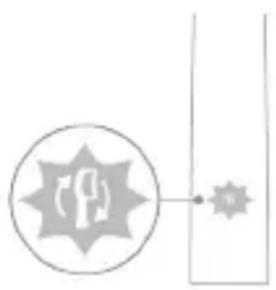
Pressure Sensor Feedback
natural_image
Simple line diagram showing a circular icon with a road sign and a star-shaped symbol connected to a vertical line (no text or labels)Your Sonicare toothbrush measures the pressure you apply while brushing, to protect your gums and teeth from damage.
If you apply excess pressure, the handle changes its vibration and the brush head replacement reminder icon flashes amber until you reduce the pressure.
Note: Your product comes with the Pressure Sensor activated. To deactivate this feature (see 'Activating or deactivating features').
Quadpacer
The QuadPacer is an interval timer that helps you to brush evenly through the mouth by dividing your mouth into 4 sections. (see 'Brushing instructions')
SmarTimer
The SmarTimer indicates that your brushing cycle is complete by automatically switching off the toothbrush at the end of the brushing cycle.
Dental professionals recommend brushing no less than 2 minutes twice a day.
Note: If you press the power on/off button after you started the brushing cycle, the toothbrush pauses. After a pause of 30 seconds, the SmarTimer resets.
EasyStart
This Philips Sonicare model comes with the EasyStart feature activated (models without intensity options only, models with intensity options can activate the feature). The EasyStart feature gently increases the power over the first 14 brushings to help you get used to brushing with the Philips Sonicare.
Disclaimer
When the Philips Sonicare toothbrush is used in clinical studies, it must be used in clean mode at high intensity with the handle fully charged and the EasyStart feature deactivated.
To deactivate or activate EasyStart (see 'Activating or deactivating features').
Brush Head Replacement Reminder
Your Philips Sonicare is equipped with BrushSync technology that tracks the wear of your brush head.
Note: This feature only works with Philips Sonicare smart brush heads with BrushSync technology.
1 When you attach a new smart brush head for the first time, the handle recognizes that you have a Philips brush head with BrushSync technology and begins tracking brush head wear.
2 Over time, based on the pressure you apply and the total time the brush head has been used, the handle tracks brush head wear in order to determine the optimal time to replace your brush head. This feature guarantees the best cleaning and care of your teeth.
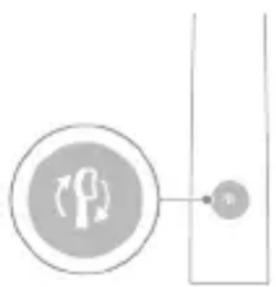
3 When the brush head replacement reminder indicator lights up amber, you should replace your brush head.
natural_image
Simple diagram showing a circular icon with a traffic symbol and a vertical line with a small circle labeled 'n' (no text or symbols beyond the label)All smart brush heads come with the brush head replacement reminder feature activated. To deactivate the brush head replacement reminder see 'Activating or deactivating features'.
Activating or deactivating features
You can activate or deactivate the following features of your toothbrush:
- EasyStart
- Brush Head Replacement Reminder
- Pressure Sensor Feedback
Note: You can only activate or deactivate the brush head replacement reminder when a smart brush head is on the handle.
Step 1: Place the handle on the plugged in charger.
natural_image
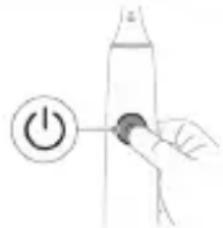
Simple line drawing of a hand pressing a button on a cylindrical object with an 'Power' icon (no text or symbols)Step 2: Press and hold power on/off button for:
EasyStart Brush Head Replacement Reminder Pressure Sensor Feedback
Up to 3 seconds Up to 5 seconds Up to 7 seconds
Step 3: Let go of the power on/off button when you hear:
1 beep 1 beep and then 1 beep, 2 beeps and 2 beeps then 3 beeps
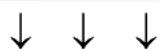
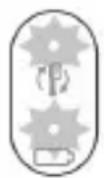
If you see the battery indicator and the Brush Head Replacement Reminder light flash green 2 times and hear 3 tones from low to high, then the feature has been activated.
OR
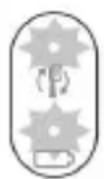
If you see the battery indicator and Brush Head Replacement Reminder light flash amber 1 time and hear 3 tones high to low, then the feature has been deactivated.
UV sanitizer
Note: Accessories included may vary based on the model purchased.
With the UV sanitizer you can clean your brush head after every use.
Unplug the sanitizer, discontinue use and call Consumer Care if:
natural_image
Illustration of four steps of a hairpin tool application: wire, pad, brush, and base (no text or symbols)- The UV light bulb remains on when the door is open.
- The window is broken or missing from the sanitizer.
- The sanitizer gives off smoke or a burning smell while it is operating.
Note: UV light can be harmful to the human eye and skin. This device should be kept out of reach of children at all times.
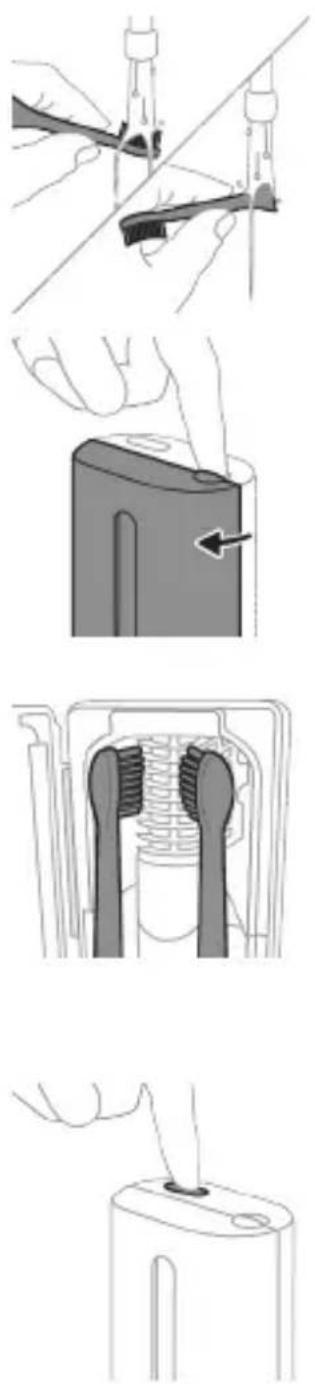
1 After brushing, rinse the brush head and shake off excess water.
Warning: Make sure that the brush head cap is not on the brush head when the brush head is being cleaned in the sanitizer.
2 Place your finger in the door recess on top of the sanitizer and pull open the door.
3 Place the brush head on one of the 2 pegs in the sanitizer with the bristles facing the light bulb.
Note: Only clean Philips Sonicare snap-on brush heads in the sanitizer.
Note: Do not clean Philips Sonicare for Kids brush heads in the sanitizer.
4 Make sure the sanitizer is plugged into a live outlet of appropriate voltage.
5 Close the door and press the green power on/off button once to select the UV clean cycle.
Note: You can only switch on the sanitizer if the door is properly closed.
Note: The sanitizer stops operating if you open the door during the sanitizer cycle.
Note: The sanitizer cycle takes approximately 10 minutes and then switches off automatically.
The sanitizer is in operation when the light glows through the window.
Charging and battery status
This Philips Sonicare toothbrush is designed to provide at least 28 brushing sessions, each session lasting 2 minutes (14 days if used twice per day) on a fully charged battery. The battery indicator shows the battery status when you complete the 2-minute brushing session, when you pause the toothbrush, or while it is charging.
Note: It can take up to 24 hours to fully charge the battery before first use, but you can use the Philips Sonicare toothbrush before it is fully charged.
Charging
natural_image
Simple line drawing of a device with a star-shaped label and an arrow pointing to a small component (no text or symbols)Charging on charger or UV Sanitizer
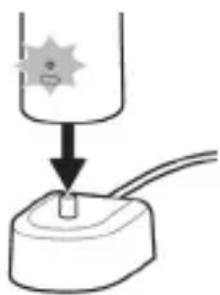
1 Plug the charger or sanitizer into an electrical outlet. 2 Place the handle on the charger or sanitizer.
- The handle emits 2 short beeps to confirm that the handle is placed properly.
- The flashing light of the battery indicator shows that the toothbrush is charging.
- When the handle is fully charged on the charger, the battery indicator lights up green for 30 seconds and then switches off.
Battery status
Battery status (handle on plugged-in charger)
When the handle is placed on the charger, the battery indicator shows the battery level.
Battery status (handle on plugged in charger/charging travel case)
When the handle is placed on the charger or in the charging travel case, the battery indicator shows the battery level.
Battery status Battery indicator
Charging Flashes green
Full Solid green for 30 seconds and then
switches off
Battery status (when handle is not placed on charger)
When the toothbrush is awake, the battery indicator at the bottom of the handle shows the battery level.
Battery status Battery indicator Sound
| Full Solid green - | |
| Partially full Flashes green - | |
| Low Flashes amber The handle emits 3 | beeps after brushing |
| Empty Flashes amber The handle emits 2 sets | of 5 beeps after brushing |
| Note: To save energy, the battery indicator will switch off when not in use. | |
| Note: When the battery is completely empty, the toothbrush switches off. Place the toothbrush on the charger to charge it. | |
| Note: To keep the battery fully charged at all times, you may keep your toothbrush on the charger when not in use. | |
| Battery status (when handle is not placed on charger/in charging travel case) | |
| When the toothbrush is awake, the battery indicator at the bottom of the handle shows the battery level. | |
Battery status Battery indicator Sound
| Full Solid green - | |
| Partially full Flashes green - | |
| Low Flashes amber The handle emits 3 | beeps after brushing |
Battery status Battery indicator Sound
Empty Flashes amber The handle emits 2 sets
of 5 beeps after brushing
Note: To save energy, the battery indicator will switch off when not in use.
Note: When the battery is completely empty, the toothbrush switches off. Place the toothbrush on the charger or in the charging travel case to charge it.
Note: To keep the battery fully charged at all times, you may keep your toothbrush on the charger when not in use.
Cleaning
Toothbrush handle
natural_image
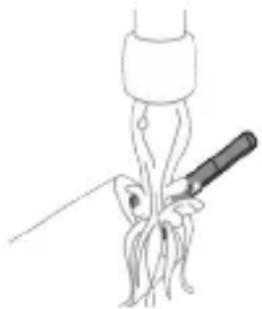
Line drawing of a medical procedure involving a tool and a surgical instrument (no text or symbols)1 Remove the brush head and rinse the metal shaft area with warm water. Make sure you remove any residual toothpaste.
Caution: Do not push on the rubber seal on the metal shaft with sharp objects, as this may cause damage.
2 Wipe the entire surface of the handle with a damp cloth.
Note: Do not tap the handle on the sink to remove excess water.
Brush head
natural_image
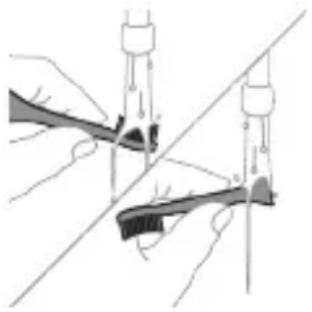
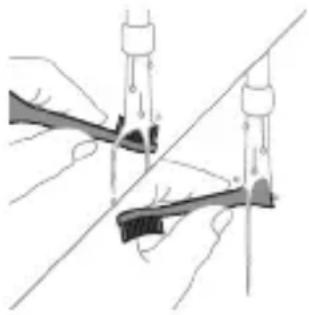
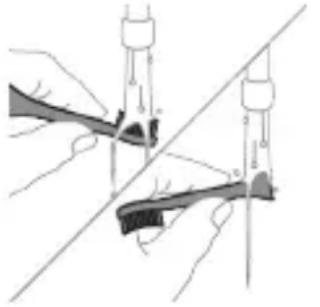
Illustration of two hands using a tool to tie a pair of pins (no text or symbols present)1 Rinse the brush head and bristles after each use.
2 Remove the brush head from the handle and rinse the brush head connection with warm water at least once a week. Rinse the travel cap as often as needed.
Charger
1 Unplug the charger before you clean it.
2 Wipe the surface of the charger with a damp cloth.
Travel case
Rinse with warm water and use a damp cloth to clean inside of travel case.
Cleaning the Sanitizer
natural_image
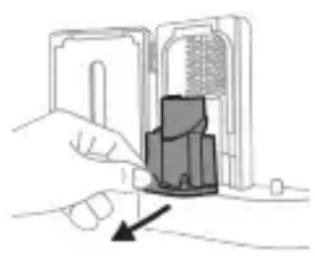
Illustration of a hand inserting a component into an electronic device (no text or symbols visible)Warning: Do not immerse the sanitizer in water or rinse it under the faucet.
Warning: Do not clean the sanitizer when the UV light bulb is hot.
For optimal effectiveness, it is recommended to clean your sanitizer weekly.
1 Unplug the sanitizer.
2 Pull the drip tray straight out. Rinse the drip tray and wipe it clean with a damp cloth.
3 Clean all interior surfaces with a damp cloth.
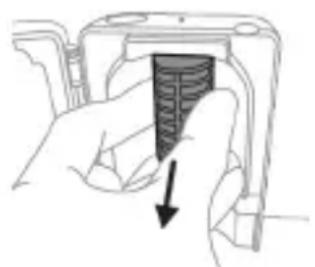
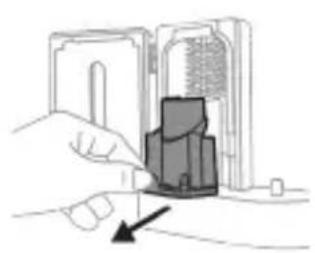
4 Remove the protective screen in front of the UV light bulb.
natural_image
Hand holding a device with a black arrow pointing to a textured interior (no text or symbols visible)To remove the screen, grasp the edges next to the snaps, gently squeeze and pull out the protective screen.
5 Remove the UV light bulb.
To remove the light bulb, grasp it and pull it out of the metal clasp.
6 Clean the protective screen and the UV light bulb with a damp cloth.
7 Reinsert the UV light bulb.
To reinsert the light bulb, align the bottom of the light bulb with the metal clasp and push the bulb into the clasp.
8 Reinsert the protective screen.
To reinsert the screen, align the pegs on the screen with the slots on the reflective surface near the UV light bulb. Push the screen straight into the slots on the sanitizer.
9 Place the drip tray back in the UV sanitizer.
10 After cleaning, make sure the sanitizer is completely dry before you connect it to the mains.
Storage
If you are not going to use the product for an extended period of time, unplug it from the electrical outlet, clean it and store it in a cool and dry place away from direct sunlight.
Replacement
Replace Philips Sonicare brush heads every 3 months to achieve optimal results. Use only Philips Sonicare replacement brush heads.
Locating the model number
Look on the bottom of the Philips Sonicare toothbrush handle for the model number (HX64XX, HX68XX).
Warranty and support
If you need information or support, please visit www.philips.com/support or read the international warranty leaflet.
Warranty exclusions
What is not covered under warranty:
- In mouth attachments including brush heads and nozzles.
- Damage caused by use of unauthorized replacement parts or unauthorized brush heads.
- Damage caused by misuse, abuse, neglect, alterations or unauthorized repair.
- Normal wear and tear, including chips, scratches, abrasions, discoloration or fading.
- UV light bulb.
Recycling
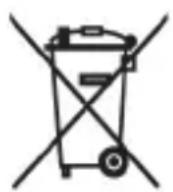
- This symbol means that electrical products and batteries shall not be disposed of with normal household waste.
- Follow your country's rules for the separate collection of electrical products and batteries.
- The UV light bulb of the sanitizer contains mercury. Do not throw the UV light bulb away with the normal household waste at the end of its life. Hand it in at an official collection point for recycling.
Removing the rechargeable battery
The built-in rechargeable battery must only be removed by a qualified professional when the appliance is discarded. Before removing the battery, make sure that the battery is completely empty.
Take any necessary safety precautions when you handle tools to open the appliance and when you dispose of the rechargeable battery. Be sure to protect your eyes, hands, fingers, and the surface on which you work.
When you handle batteries, make sure that your hands, the product and the batteries are dry.
To avoid accidental short-circuiting of batteries after removal, do not let battery terminals come into contact with metal objects (e.g. coins, hairpins, rings). Do not wrap batteries in aluminum foil. Tape battery terminals or put batteries in a plastic bag before you discard them.
To remove the rechargeable battery, you need a towel or cloth, a hammer and a flat-head (standard) screwdriver. Observe basic safety precautions when you follow the procedure outlined below.
1 To deplete the rechargeable battery of any charge, remove the handle from the charger, turn on the toothbrush and let it run until it stops. Repeat this step until you can no longer turn on the toothbrush.
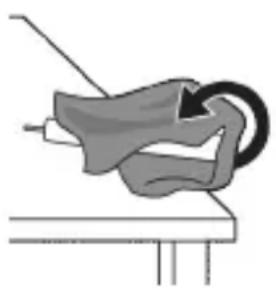
2 Remove and discard the brush head. Cover the entire handle with a towel or cloth.
natural_image
Simple line drawing of a mechanical component or tool with a curved arrow indicating motion (no text or symbols)
3 Hold the top of the handle with one hand and strike the handle housing 0.5 inch above the bottom end. Strike firmly with a hammer on all 4 sides to eject the end cap.
Note: You may have to hit on the end several times to break the internal snap connections.
4 Remove the end cap from the toothbrush handle. If the end cap does not release easily from the housing, repeat step 3 until the end cap is released.
5 Holding the handle upside down, press the shaft down on a hard surface. If the internal components do not easily release from the housing, repeat step 3 until the internal components are released.
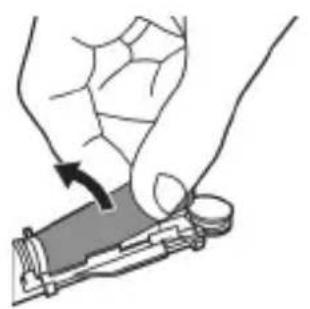
6 Wedge the screwdriver between the battery and the black frame at the bottom of the internal components. Then pry the screwdriver away from the battery to break the bottom of the black frame.
7 Insert the screwdriver between the bottom of the battery and the black frame to break the metal tab connecting the battery to the green printed circuit board. This will release the bottom end of the battery from the frame.
natural_image
Illustration of a hand holding a small object with an arrow indicating motion (no text or symbols)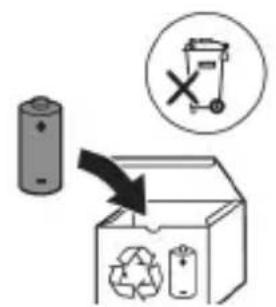
8 Grab the battery and pull it away from the internal components to break the second metal battery tab.
Caution: Be aware of the sharp edges of the battery tabs so as to avoid injury to your fingers.
9 Cover the battery contacts with tape to prevent any electrical short from residual battery charge.
The rechargeable battery can now be recycled and the rest of the product discarded appropriately.
Note: Do not throw away the appliance with the normal household waste at the end of its life, but hand it in at an official collection point for recycling. By doing this, you help to preserve the environment.
Giriş
natural_image
Simple line drawing of an open book with no text or symbols visiblenatural_image
Illustration showing a hand brushing a tooth with a brush, and a close-up of the tooth being smoothed (no text or symbols)natural_image
Illustration of a hand holding a pipette with a magnified inset showing a droplet on a surface (no text or symbols)natural_image
Illustration of a hand holding a segmented object with directional arrows indicating movement or force (no text or symbols)natural_image
Diagram showing dental alignment with a tool interacting with teeth (no text or labels)natural_image
Diagram of a microphone with a sensor icon and signal symbol (no text or labels)natural_image
Simple line diagram showing a circular icon with a traffic light symbol and a star-shaped connector (no text or labels)natural_image
Simple diagram showing a circular icon with a traffic symbol and a small circle connected by a line (no text or labels)natural_image
Simple line drawing of a hand pressing a button on a cylindrical object with an 'Power' icon (no text or symbols)natural_image
Illustration of a dental tool manipulation step showing tool positioning, cutting, and disassembly (no text or symbols)natural_image
Simple line drawing of a mechanical setup with a component and cable (no text or symbols)natural_image
Line drawing of a fork being inserted into a bulb (no text or symbols)natural_image
Illustration of two hands holding a tool with a ruler and connecting rods (no text or symbols)natural_image
Illustration of a hand inserting a component into an electronic device (no text or symbols visible)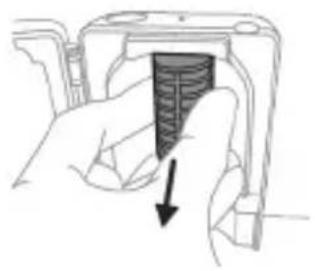
natural_image
Hand holding a device with a textured internal component and an arrow pointing to it (no text or symbols visible)
adrese: www.philips.com/support
www.philips.com/support
natural_image
Simple line drawing of an open book with no text or symbols visible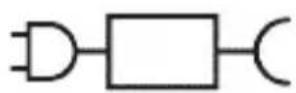

natural_image
Illustration of a hand holding a toothbrush with a directional arrow indicating force or movement (no text or symbols)natural_image
Simple line drawing of a curved object with a checkmark indicating a detail (no text or symbols)natural_image
Illustration of a hand using a tool to apply a product to a textured surface, with an inset showing a magnified view of the product (no text or symbols present)natural_image
Diagram of a toothbrush with a sensor icon and signal symbol (no text or labels)natural_image
Simple line diagram showing a circular icon with a road sign and a star-shaped symbol connected by a line (no text or labels)natural_image
Simple diagram showing a circular icon with a traffic symbol and a connected circle labeled 'n' (no text or symbols beyond the label)natural_image
Simple line drawing of a hand pressing a button on a bottle with a power button (no text or symbols)natural_image
Simple diagram showing a gear mechanism inside an oval and a separate vertical bar with small gear symbols (no text or labels)natural_image
Simple diagram showing gear and gear icons inside an oval and a rectangular shape (no text or symbols)natural_image
Illustration of two hands holding a tool with a pointed tip and a pointed tip, intersected by a diagonal line (no text or symbols)natural_image
Simple line drawing of a mechanical setup with a component and cable (no text or symbols)natural_image
Line drawing of a medical procedure showing a tool interacting with an anatomical structure (no text or symbols)natural_image
Illustration of two hands using a tool to lift or adjust a tool, with no visible text or symbolsnatural_image
Illustration of a hand inserting a component into an electronic device (no text or symbols visible)natural_image
Hand holding a mechanical component with a downward arrow indicating a force or direction (no text or symbols present)www.philips.com/support
natural_image
Simple line drawing of an open book with no text or symbols visible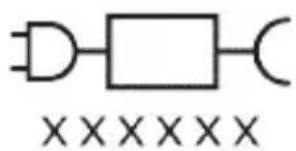
natural_image
Illustration of a hand holding a toothbrush with a directional arrow indicating force or movement (no text or symbols)natural_image
Simple line drawing of a curved object with a checkmark (no text or symbols)natural_image
Illustration of a hand using a pipette to apply liquid onto a surface, with an inset showing a droplet on a surface (no text or symbols present)natural_image
Diagram of a microphone with a circular icon showing signal waves (no text or symbols)natural_image
Abstract geometric design with a starburst symbol and a small star-like shape connected by lines (no text or symbols)natural_image
Simple line drawing of a hand pressing a button on a bottle, with a power button icon nearby (no text or symbols)natural_image
Illustration of two hands using a tool to connect two objects, no text or symbols presentnatural_image
Simple line drawing of a droplet being inserted into a container with a cable (no text or symbols)Opladning på oplader eller UV-renser
natural_image
Line drawing of a medical procedure showing a needle inserted into tissue (no text or symbols)natural_image
Illustration of two hands using a tool to connect two objects, with no visible text or symbolsnatural_image
Illustration of a hand inserting a component into an electronic device (no text or symbols visible)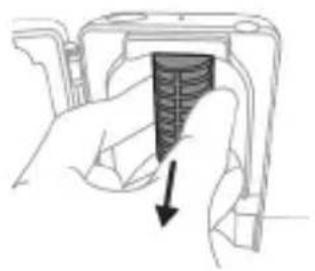
natural_image
Hand holding a mechanical component with a downward arrow indicating a force or direction (no text or symbols present)natural_image
Illustration of a mechanical component with a curved arrow indicating rotation (no text or symbols)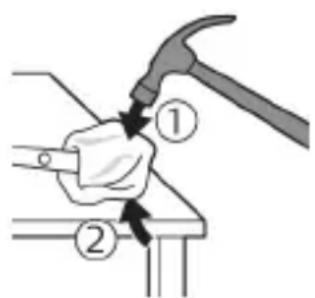
www.philips.com/support
natural_image
Simple line drawing of an open book with no text or symbols visible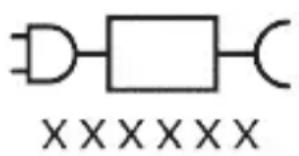
www.philips.com/support
natural_image
Illustration showing a hand holding a brush and a close-up of a tool tip with a checkmark indicating a detail (no text or symbols present)natural_image
Illustration of a toothbrush with a sensor icon and a magnified circular detail (no text or symbols)www.philips.com/toothbrush-heads.
Produktmerkmale
natural_image
Simple line drawing of a gear mechanism with a starburst symbol and a small gear icon, no text or labels present.natural_image
Simple line drawing of a hand pressing a button on a vertical line, with a power symbol and arrowhead (no text or labels)natural_image
Illustration of two hands using a tool to measure a mechanical component, with no visible text or symbols.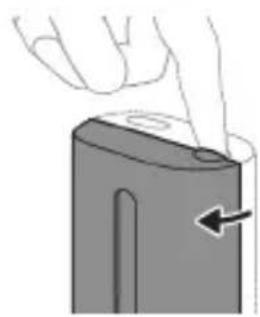
natural_image
Illustration of a hand pressing down on a device component with an arrow indicating the left side (no text or symbols present)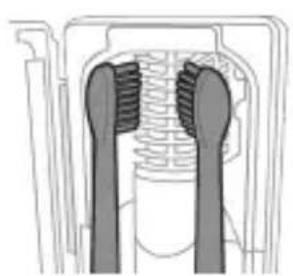
natural_image
Cross-sectional diagram of a mechanical component with two symmetrical slots and textured surfaces (no text or symbols)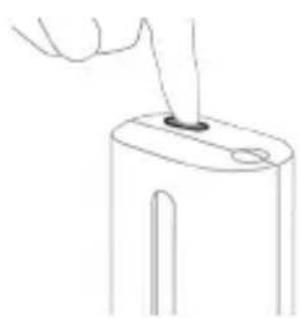
natural_image
Line drawing of a hand holding a small object with a pointed tip, no text or symbols presentnatural_image
Simple line drawing of a device with a starburst symbol above it, showing a downward arrow and a small component below (no text or symbols)natural_image
Line drawing of a medical procedure showing a needle inserted into tissue with a pen inserted (no text or symbols)natural_image
Illustration of hands using a tool to adjust or install a mechanical component, no text or symbols presentnatural_image
Illustration of a hand inserting a component into a device (no text or symbols visible)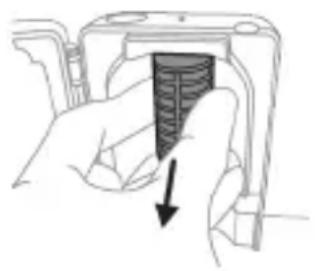
natural_image
Hand holding a device with a textured internal component and a downward arrow indicating action (no text or symbols)natural_image
Diagram of a mechanical assembly with a magnified inset showing a component being inserted (no text or symbols present)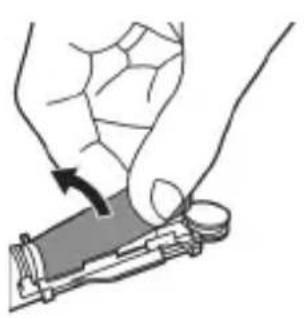
natural_image
Illustration of a hand holding a device with a circular button, showing a curved arrow indicating motion (no text or symbols present)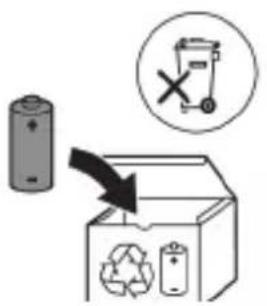
natural_image
Simple line drawing of an open book with no text or symbols visible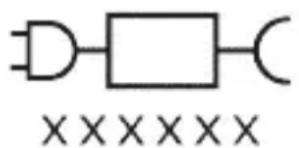
natural_image
Diagram of dental arching technique showing tooth arrangement and tooth penetration (no text or labels)Märkus. Harjased peaksid kergelt laiali minema. Hõõrumine, nagu tavalise hambaharjaga harjates, ei ole soovitatav.
natural_image
Diagram of a microphone with a sensor icon and connection point (no text or symbols)www.philips.com/toothbrush-heads.
Omadused
natural_image
Simple line drawing of a gear icon with a starburst and gear symbol, connected to a vertical line with a star (no text or labels)natural_image
Simple diagram showing a circular icon with a traffic signal inside and a vertical line with a small circle at the end (no text or symbols)natural_image
Simple line drawing of a hand pressing a button on a cylindrical object with a power symbol (no text or labels)natural_image
Simple diagram with gear-like shapes and a rectangular box, no text or symbols presentnatural_image
Simple diagram with gear-like shapes and a rectangular box, no text or symbols presentnatural_image
Illustration of a dental implant procedure showing step-by-step insertion and disassembly (no text or symbols)natural_image
Simple line drawing of a mechanical setup with a component and a base, no text or symbols present.Aku olek
natural_image
Line drawing of a fork being inserted into a tube (no text or symbols)natural_image
Illustration of two hands holding a tool with arrows indicating motion or force (no text or symbols)natural_image
Illustration of a hand inserting a component into an electronic device (no text or symbols visible)Hoiatus. Ärge kastke puhastit vette ega loputage kraani all.
natural_image
Hand holding a device with a black arrow pointing to a textured interior (no text or symbols visible)natural_image
Illustration of a hand holding a device with a circular component, no text or symbols present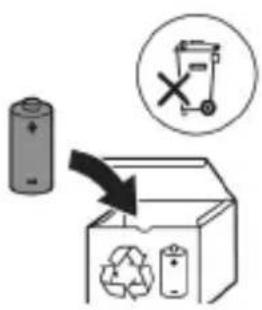
natural_image
Simple line drawing of an open book with no text or symbols visiblenatural_image
Illustration showing a hand brushing a tooth with a brush, and a close-up of the tooth being smoothed (no text or symbols)natural_image
Diagram of dental arching with tooth arrangement and tool (no text or labels)natural_image
Diagram of a microphone with signal icon and connection point (no text or symbols)natural_image
Simple line diagram showing a circular icon with a parking sign and a star-shaped symbol connected to a vertical line (no text or labels)natural_image
Simple line drawing of a hand pressing a button on a bottle, with a power button icon nearby (no text or symbols)natural_image
Simple line drawing of a device with a star-shaped label and an arrow pointing to a small component (no text or symbols)natural_image
Line drawing of a hand holding a pen over a bundle of noodles (no text or symbols)natural_image
Illustration of two hands using a tool to tie a pair of objects, no text or symbols presentnatural_image
Illustration of a hand inserting a component into an open device (no text or symbols visible)natural_image
Hand holding a device with a black arrow pointing to a textured interior (no text or symbols visible)natural_image
Simple line drawing of an open book with no text or symbols visiblenatural_image
Illustration showing a hand brushing a tooth with a brush, and a close-up of the tooth being examined with a tool (no text or symbols present)natural_image
Illustration of a hand using a tool to apply a sample onto a surface, with an inset showing a magnified view of the sample (no text or symbols present)natural_image
Illustration of a hand holding a curved object with directional arrows indicating movement or force (no text or symbols)natural_image
Diagram showing dental alignment with a toothbrush and teeth, no text or symbols presentnatural_image
Diagram of a microphone with signal icon and connection point (no text or symbols)natural_image
Simple line diagram showing a circular icon with a parking sign and a star-shaped symbol connected to a vertical line (no text or labels)natural_image
Simple line drawing of a hand pressing a button on a bottle with a power symbol (no text or labels)natural_image
Simple diagram with two oval shapes and a vertical rectangle, no text or symbols presentnatural_image
Simple line drawing of a capsule with gears and a rectangular block, next to a vertical rectangle (no text or symbols)natural_image
Illustration of hands using a tool to connect two objects, no text or symbols presentnatural_image
Simple line drawing of a mechanical device with a star-shaped component inserted into a base (no text or symbols)natural_image
Line drawing of a hand holding a pen over a biological structure (no text or symbols)natural_image
Illustration of two hands using a tool to tie a pair of objects, no text or symbols presentnatural_image
Illustration of a hand inserting a component into an open device (no text or symbols visible)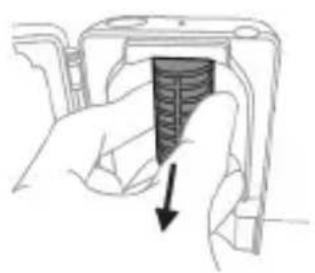
natural_image
Hand holding a device with a black arrow pointing to a textured surface (no text or symbols visible)natural_image
Simple line drawing of an open book with no text or symbols visible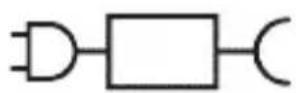

Odvojiv dio jedinice za napajanje: „xxxxx” označava broj modela punjača odobrenih za uporabu. (TCBxxxx, HX6100, HX6110, HX6160 ili WAAxxxx)
Namjena
natural_image
Illustration of a hand holding a toothbrush with a directional arrow indicating force or movement (no text or symbols)natural_image
Simple line drawing of a curved object with a checkmark (no text or symbols)2 Glavu četkice čvrsto pritisnite prema dolje na metalnu osovinu drške sve do kraja.
Napomena: Uobičajeno je vidjeti blagi razmak između glave četkice i drške.
Uporaba četkice za zube Philips Sonicare
Ako prvi put upotrebljavate četkicu za zube Sonicare, normalno je da osjećate više vibracija nego pri upotrebi četkice za zube koja nije električna. Korisnici pri prvoj upotrebi često primjenjuju preveliki pritisak. Samo blago pritisnite i četkanje prepustite četkici za zube. Za najbolje iskustvo slijedite upute za četkanje u nastavku.
Za modele bez mogućnosti odabira intenziteta:
Da biste se jednostavnije naviknuli na novu električnu četkicu za zube Sonicare, ona se isporučuje s aktiviranom značajkom EasyStart. Ta značajka postupno povećava snagu tijekom prvih 14 četkanja kako bi vam pomogla da se priviknete na četkanje četkicom za zube Philips Sonicare.
Za modele s mogućnošću odabira intenziteta:
Da biste se jednostavnije prebacili na svoju novu električnu četkicu za zube Sonicare, upotrebljavajte nižu postavku prvih 1 – 2 tjedna, a zatim prijeđite na višu postavku.
Upute za četkanje
natural_image
Illustration of a hand applying a cotton swab to a small object, with an inset showing a magnified view of the object (no text or symbols present)1 Smočite vlakna četkice i nanesite malu količinu paste za zube.
natural_image
Illustration of a toothbrush with a sensor icon and a magnified view of its base (no text or symbols)Tehnologija BrushSync omogućava glavi četkice da komunicira s drškom s pomoću mikročipa. Simbol na donjem dijelu glave četkice naznačuje da je glava četkice opremljena tom tehnologijom.
Tehnologija BrushSync omogućuje:
natural_image
Simple line diagram showing a circular icon with a parking sign and a star-shaped symbol connected by a line (no text or labels)Quadpacer
natural_image
Simple diagram showing a circular icon with a traffic symbol and a small circle connected by an arrow (no text or labels)natural_image
Simple line drawing of a hand pressing a button on a bottle, with a power button icon nearby (no text or symbols)natural_image
Simple line drawing of a mechanical setup with a component and a star-shaped symbol (no text or labels)Punjenje na punjaču ili u uređaju za UV dezinfekciju
1 Priključite punjač ili uređaj za dezinfekciju u električnu utičnicu.
2 Postavite dršku na punjač ili uređaj za dezinfekciju.
- Drška će emitirati dva kratka zvučna signala kao potvrdu da je drška pravilno postavljena.
- Treperenje indikatora baterije pokazuje da se četkica puni.
- Kad je drška na punjaču potpuno napunjena,
indikator baterije svijetli 30 sekundi u zelenoj boji prije
nego što se isključi.
Stanje baterije
Stanje baterije (drška na priključenom punjaču)
Kad je drška postavljena na punjač, indikator baterije prikazuje razinu napunjenosti baterije.
Stanje baterije (kad je drška na priključenom punjaču / u putnoj torbici za punjenje)
Kada je drška postavljena na punjač ili u putnu torbicu za punjenje, indikator baterije prikazuje razinu napunjenosti baterije.
Stanje baterije Indikator baterije
punjenje Treperi zeleno
natural_image
Line drawing of a medical procedure showing a tool interacting with an anatomical structure (no text or symbols)1 Odvojite glavu četkice i isperite metalnu osovinu toplom vodom. Pobrinite se da uklonite svu preostalu zubnu pastu.
Oprez: Nemojte koristiti oštre predmete za guranje gumene brtve na metalnu osovinu jer to može prouzročiti oštećenja.
2 Cijelu površinu drške obrišite vlažnom tkaninom.
Napomena: Nemojte lupkati drškom po umivaoniku kako biste uklonili višak vode.
Glava četkice
natural_image
Illustration of two hands using a tool to connect two objects, no text or symbols presentnatural_image
Illustration of a hand inserting a component into an electronic device (no text or symbols visible)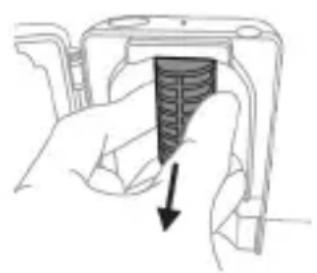
natural_image
Hand holding a camera module with a black arrow pointing to the screen area (no text or symbols visible)Da biste uklonili štitnik, uhvatite rubove štitnika pokraj nosača, nježno pritisnite i zatim izvucite štitnik.
natural_image
Illustration of a hand holding a small object with an arrow indicating motion (no text or symbols)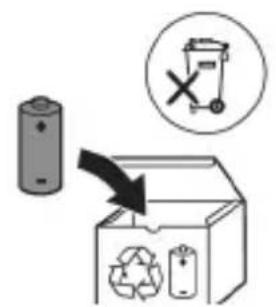
www.philips.com/support
natural_image
Simple line drawing of an open book with no text or symbols visiblenatural_image
Illustration showing a hand brushing a tooth with a brush, and a close-up of the tooth being examined with a tool (no text or symbols present)natural_image
Illustration of a hand holding a pen with a magnified inset showing a droplet on a surface (no text or symbols)natural_image
Illustration of a hand holding a segmented object with directional arrows indicating movement or force (no text or symbols)natural_image
Diagram showing dental alignment with a toothbrush and teeth, no text or symbols presentnatural_image
Diagram of a microphone with a sensor icon and signal symbol, no text or labels presentnatural_image
Simple line diagram showing a circular icon with a parking sign and a star-shaped symbol connected to a vertical line (no text or labels)natural_image
Simple diagram showing a circular icon with a traffic signal inside and a small circle connected to a vertical line (no text or symbols)natural_image
Three-step diagram illustrating a mechanical assembly process: tool insertion, component disassembly, and final assembled view (no text or symbols)natural_image
Line drawing of a hand inserting a small object into a device (no text or symbols)natural_image
Simple line drawing of a mechanical setup with a component and cable (no text or symbols)natural_image
Line drawing of a medical procedure showing a needle inserted into tissue with a pen inserted (no text or symbols)natural_image
Illustration of two hands holding a tool with a ruler and connecting rods (no text or symbols)natural_image
Hand inserting a component into an open device (no text or symbols visible)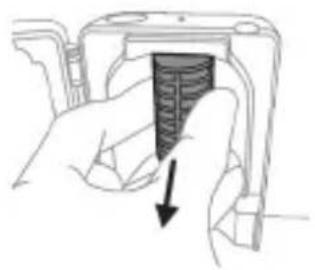
natural_image
Hand holding a device with a textured internal component and a downward arrow indicating action (no text or symbols)www.philips.com/support
natural_image
Simple line drawing of an open book with no text or symbols visible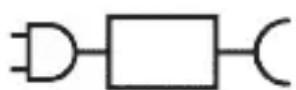

natural_image
Illustration showing a hand brushing a tooth with a brush, and a close-up of the tooth being smoothed (no text or symbols)1 Samitriniet sarus un uzklājiet mazliet zobu pastas.
natural_image
Diagram of a microphone with a sensor icon and connection point (no text or symbols)natural_image
Simple line diagram showing a circular icon with a road sign and a star-shaped symbol connected to a vertical line (no text or labels)natural_image
Simple diagram showing a circular icon with directional arrows and a small circle connected by a line (no text or symbols)natural_image
Simple line drawing of a hand pressing a button on a bottle with a power symbol (no text or labels)natural_image
Pure electrical circuit lines without any symbolsnatural_image
Simple line drawing of a device with a star-shaped sensor above it, no text or symbols present.natural_image
Line drawing of a hand holding a pen over a biological structure (no text or symbols)natural_image
Illustration of two hands holding a tool with ropes and weights, no text or symbols presentnatural_image
Hand inserting a component into an electronic device (no text or symbols visible)natural_image
Hand holding a device with a black arrow pointing to a textured interior (no text or symbols visible)Lai noņemtu ekrānu, satveriet malas blakus fiksatoriem, uzmanīgi saspiediet un noņemiet aizsargekrānu.
5 Nonemiet UV gaismas spuldzi. Lai nonemtu gaismas spuldzi, satveriet to un izvelciet no metāla skavas.
natural_image
Simple line drawing of an open book with no text or symbols visible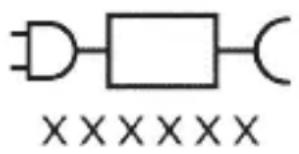
natural_image
Illustration showing a hand brushing a tooth with a brush, and a close-up of the tooth being smoothed (no text or symbols)natural_image
Illustration of a hand using a tool to apply a sample onto a surface, with an inset showing a magnified view of the sample (no text or symbols present)natural_image
Illustration of a hand gripping a segmented object with directional arrows indicating movement (no text or symbols)natural_image
Diagram of dental arching with tooth arrangement and shaded instrument (no text or labels)natural_image
Diagram of a microphone with signal icon and magnified view (no text or symbols)natural_image
Simple line drawing of a vehicle with directional arrows and a starburst symbol (no text or labels)natural_image
Simple line drawing of a hand pressing a button on a bottle, with a power button icon nearby (no text or symbols)natural_image
Simple diagram showing a gear mechanism inside an oval and a separate vertical bar with small gear symbols (no text or labels)natural_image
Illustration showing two-step cleaning procedure: hand holding tool, close-up of brush tip, and close-up of device with handle (no text or symbols)natural_image
Diagram of a mechanical component with two symmetrical slots and textured surfaces (no text or symbols)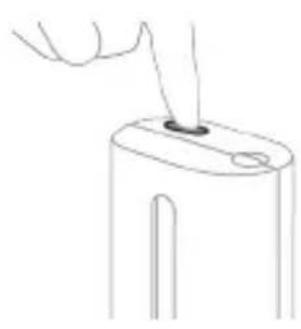
natural_image
Line drawing of a hand holding a small object with a pointed tip, next to a cylindrical device (no text or symbols)natural_image
Simple line drawing of a device with a starburst symbol above it, showing a plug inserted into a base (no text or symbols)Ikrovimas naudojant ikroviklj arba UV nukenksminimo jrenginj
natural_image
Line drawing of a medical procedure showing a needle inserted into tissue (no text or symbols)natural_image
Illustration of hands using a tool to connect two objects, no text or symbols presentnatural_image
Illustration of a hand inserting a component into a device (no text or symbols visible)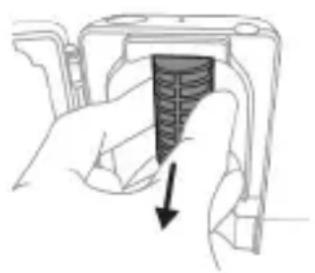
natural_image
Hand holding a device with a black arrow pointing to a textured interior (no text or symbols visible)natural_image
Diagram of a mechanical or electrical component with a curved arrow indicating rotation (no text or symbols)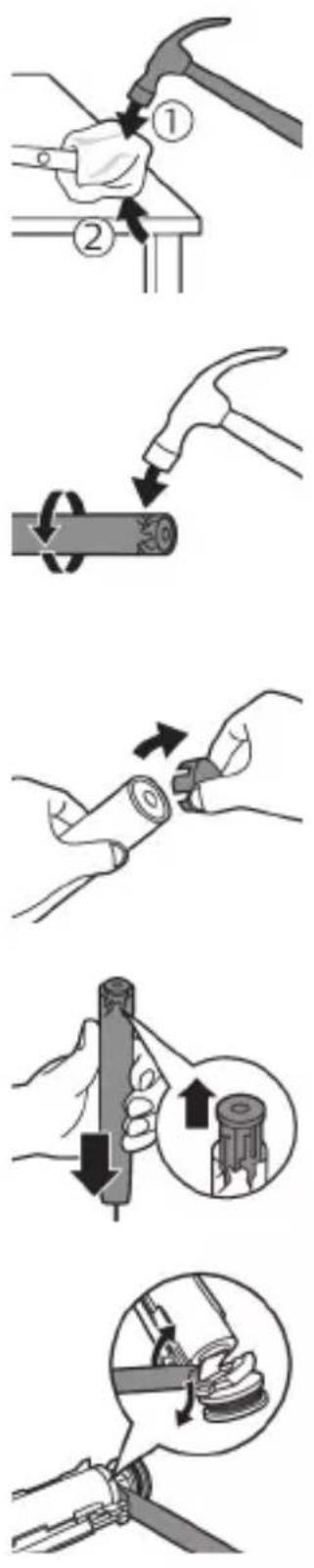
natural_image
Illustration of a hand holding a small electronic device with a circular button, no text or symbols present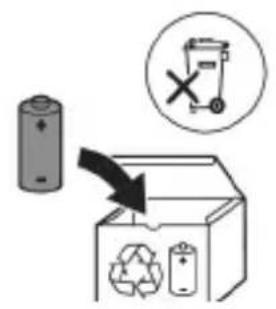
www.philips.com/support
www.philips.com/support
natural_image
Simple line drawing of an open book with no text or symbols visiblenatural_image
Illustration showing a hand brushing a tooth with a brush, and a close-up of the tooth being smoothed (no text or symbols)natural_image
Illustration of a hand using a pen to apply a sample on a surface, with an inset showing a magnified view of the sample (no text or symbols present)natural_image
Illustration of a hand holding a segmented object with directional arrows indicating movement or force (no text or symbols)natural_image
Diagram of a microphone with a circular icon showing signal waves (no text or symbols)natural_image
Simple line diagram showing a circular symbol with directional arrows and a starburst shape connected to a vertical line (no text or labels)natural_image
Simple line drawing of a hand pressing a button on a cylindrical object with an 'Power' icon (no text or symbols)natural_image
Illustration of two hands using a tool to connect two objects, one holding a brush and the other holding a tool (no text or symbols present)natural_image
Illustration of a hand pressing down on a cylindrical device with an arrow indicating the process (no text or symbols present)natural_image
Cross-sectional diagram of a mechanical component with two symmetrical slots and textured surfaces (no text or symbols)natural_image
Line drawing of a hand holding a small object with a pointed tip, no text or symbols presentnatural_image
Simple line drawing of a mechanical setup with a component and a star-shaped symbol (no text or labels)natural_image
Line drawing of a hand holding a pen over a bundle of noodles (no text or symbols)natural_image
Illustration of hands using a tool to connect two objects, with no visible text or symbolsnatural_image
Illustration of a hand inserting a component into an open device (no text or symbols visible)natural_image
Hand holding a device with a black arrow pointing to a textured interior (no text or symbols visible)www.philips.com/support
natural_image
Simple line drawing of an open book with no text or symbols visiblewebsite: www.philips.com/support
natural_image
Illustration showing a hand brushing a tooth with a brush, and a close-up of the tooth being smoothed (no text or symbols)natural_image
Illustration of a hand applying a toothbrush to a tooth, with an inset showing a magnified view of the tooth (no text or symbols present)natural_image
Illustration of a hand holding a curved object with directional arrows indicating movement or force (no text or symbols)natural_image
Diagram showing dental alignment with a tool interacting with teeth (no text or labels)natural_image
Diagram of a microphone with signal icon and connection point (no text or symbols)natural_image
Simple line diagram showing a circular icon with a traffic light symbol and a star-shaped arrow pointing to a vertical line (no text or labels)natural_image
Simple diagram showing a circular icon with a traffic symbol and a small circle connected by a line (no text or labels)natural_image
Hand holding a button next to a power symbol (no text or labels present)natural_image
Three-step diagram illustrating a mechanical assembly process: tool insertion, device pressing, and final assembly with internal components (no text or symbols)natural_image
Line drawing of a hand inserting a small object into a device (no text or symbols)natural_image
Simple line drawing of a mechanical setup with a component and cable (no text or symbols)Opladen op oplader of UV-reiniger
natural_image
Line drawing of a medical procedure showing a needle inserted into tissue with a pen inserted (no text or symbols)natural_image
Illustration of two hands using a tool to adjust or install a mechanical component, with no visible text or symbols.natural_image
Illustration of a hand inserting a component into an electronic device (no text or symbols visible)
natural_image
Hand holding a device component with a black arrow pointing to a textured section (no text or symbols visible)natural_image
Simple line drawing of a mechanical component or tool with a curved arrow indicating motion (no text or symbols)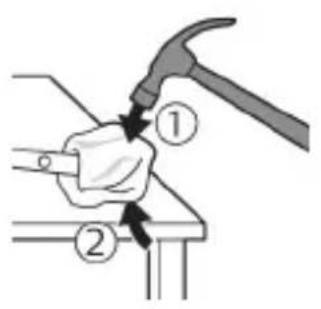
natural_image
Illustration of a hand using a hammer to tighten a cylindrical object with a circular arrow (no text or symbols)natural_image
Illustration of hands fastening a cylindrical object with a black arrow indicating rotation (no text or symbols)natural_image
Illustration of a hand holding a pen with an arrow indicating downward motion, and a magnified inset showing the same pen tip (no text or symbols)natural_image
Diagram of a mechanical assembly with a magnified inset showing a rotating component (no text or symbols)natural_image
Illustration of a hand holding a device with a circular component, no text or symbols present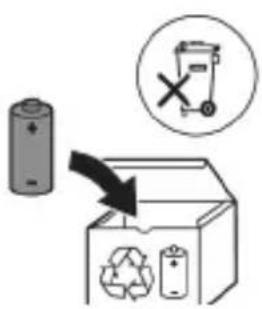
natural_image
Simple line drawing of an open book with no text or symbols visible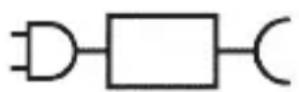

natural_image
Illustration showing a hand brushing a tooth with a brush, and a close-up of the tooth being checked (no text or symbols present)natural_image
Illustration of a hand using a tool to apply a product to a surface, with an inset showing a textured object (no text or symbols present)natural_image
Illustration of a hand holding a small object with directional arrows indicating movement or force (no text or symbols)natural_image
Diagram of dental arching technique showing tooth arrangement and tooth removal (no text or labels)natural_image
Illustration of a toothbrush with a sensor icon and signal symbol (no text or labels)natural_image
Simple line drawing of a location pin icon with a starburst symbol and a small star-like shape connected by a line (no text or symbols)natural_image
Simple diagram showing a circular icon with a traffic signal inside and a vertical line with a small circle at the end (no text or symbols)natural_image
Simple line drawing of a hand pressing a button on a bottle, with a power button icon nearby (no text or symbols)natural_image
Simple line drawing of a capsule with gears and a rectangular block, no text or symbols presentnatural_image
Simple diagram showing a capsule-shaped container with internal gear-like components and a vertical rectangular structure with two smaller circles (no text or symbols)natural_image
Illustration of a medical procedure showing step-by-step steps in handling a tool, including grip, device placement, and insertion (no text or symbols)- Vinduet er ødelagt eller mangler på renseren.
- Renseren avgir røyk eller lukter brent mens den er i gang.
natural_image
Simple line drawing of a device with a star-shaped label and an arrow pointing to a small component (no text or symbols)Lading i lader eller UV-renser
natural_image
Line drawing of a hand holding a pen over an illustration of a squid (no text or symbols)1 Ta av børstehodet, og skyll metallstangen i varmt vann. Pass på at du har fjernet alle tannkremrester.
natural_image
Illustration of two hands using a tool to connect two objects, with no visible text or symbolsnatural_image
Illustration of a hand inserting a component into an electronic device (no text or symbols visible)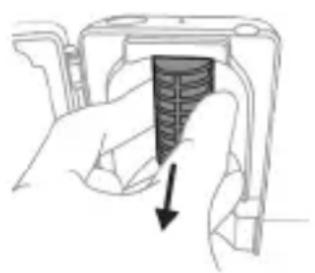
natural_image
Hand holding a device with a black arrow pointing to a textured interior (no text or symbols visible)Advarsel: Ikke senk renseren ned i vann eller skyll det under springen.
natural_image
Simple line drawing of a mechanical component or tool interacting with a base (no text or symbols)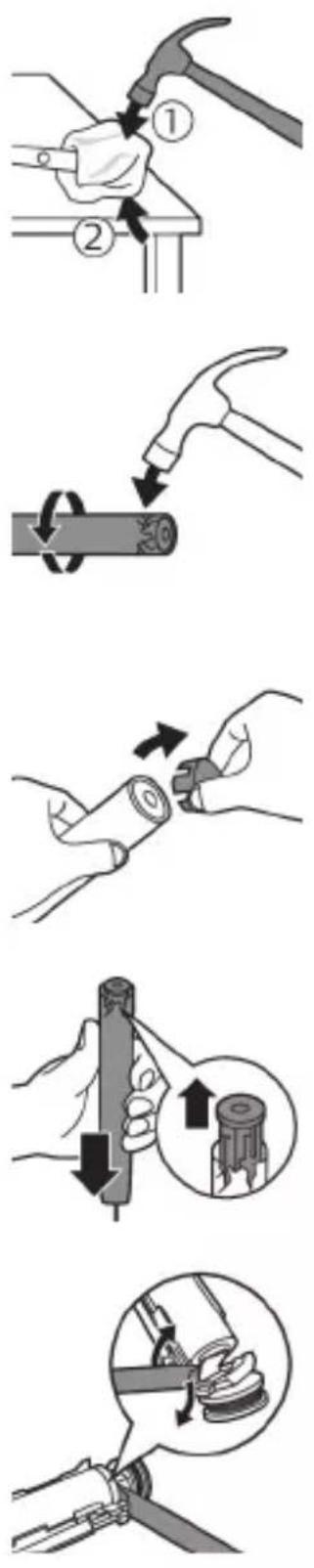
natural_image
Illustration of a hand holding a small electronic device with a black arrow indicating rotation (no text or symbols)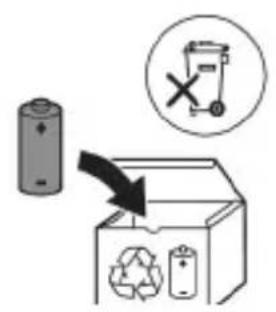
natural_image
Simple line drawing of an open book with no text or symbols visible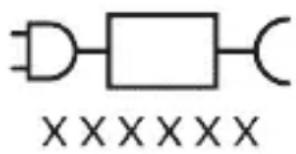
natural_image
Pure electrical circuit lines without any symbolsnatural_image
Illustration showing a hand brushing a tooth with a brush, and a close-up of a tooth being measured by a tool (no text or symbols present)1 Cho'tka tuklari dastaning old qismi bilan bir xil yo'nalishda bo'lishi uchun cho'tka kallagini tekislang.
2 Cho'tka kallagini u boshqa kirmagunigacha metall valga qattiq bosing.
Izoh: Cho'tka kallagi va dasta orasida kichik tirqish ko'rinishi – normal holat.
Philips Sonicare tish pastangizdan foydalanish
Agar Sonicare tish pastasidan birinchi marta foydalanayotgan bo'lsangiz, elektr bo'Imagan tish cho'tkasidan foydalanishga qaraganda ko'proq tebranish sezish normal holat. Odatda birinchi marta foydalanayotgan foydalanuvchilar ortiqcha bosim beradi. Faqat yumshoq bosib bering va tish cho'tkasi siz uchun tozalashiga imkon bering. Eng yaxshi taassurot uchun tish tozalash ko'rsatmalariga amal qiling.
Jadalliklarsiz modellar uchun
natural_image
Illustration of a hand using a pipette to apply a product to a textured surface, with an inset showing a magnified view of the product (no text or symbols present)1 Cho'tkani namlang va unga kam miqdorda tish pastasi surting.
2 Tish cho'tkasini tishlar qarshisida kichik (45 daraja) burchak ostida tuting va cho'tkalar milk chizig'iga yoki milk chizig'ining tagiga yetishi uchun uni qattiq bosing.
Izoh: Cho'tka markazini tishlarga doimi to'liq tekkizib turing.
3 Philips Sonicare qurilmasini yoqish uchun yoqish/o'chirish tugmasini bosing.
natural_image
Illustration of a hand holding a curved object with directional arrows indicating movement or force (no text or symbols)4 Cho'tkani tishlar va milk chizig'iga yengil tutib turing. Cho'tkalar tishlar orasiga kirishi uchun cho'tka kallagini oldinga-orqaqa kichik harakatlar bilan tishlaringizni tozalang. Bu harakatlarni tish tozalash siklingiz yakunlangunga qadar bajaring.
natural_image
Diagram showing dental alignment with a toothbrush and teeth, no text or symbols present5 Old tishlarning ichki yuzalarini tozalash uchun dastani yarim-vertikal qilib ushlang va har bir tishni bir necha vertikal harakatlar bilan birma-bir tozalab chiqing.
natural_image
Illustration of a microphone with a sensor icon and signal symbol (no text or labels)BrushSync texnologiyasi cho'tka kallagining dasta bilan mikrochip orqali muloqot qilishiga yordam beradi.
Cho'tka kallagi ostidagi belgisi cho'tka kallagi ushbu texnologiya bilan jihozlanganini anglatadi.
BrushSync texnologiyasi quyidagilarni faollashtiradi:
- Cho'tka kallagini almashtirishni eslatish funksiyasi Philips Sonicare BrushSync texnologiyasiga ega keng turdagi smart cho'tka kallaklarini taklif qiladi. Tish cho'tkasining cho'tka kallaklari to'liq ko'lami bilan tanishish va sizga eng mos keladigan cho'tka kallagini topish uchun www.philips.com/toothbrush-heads veb-saytiga kiring.
Funksiyalar
- Bosim sensori bildirgisi
- QuadPacer
- SmarTimer
- EasyStart
- Cho'tka kallagini almashtirishni eslatish funksiyasi
natural_image
Simple diagram with a circular icon containing a traffic light symbol and a starburst shape connected to a vertical line with a small arrow (no text or labels)natural_image
Simple diagram showing a circular icon with a traffic symbol and a small circle connected by a line, no text or labels present.Barcha aqlli cho'tka kallaklari cho'tka kallaklarini almashtirishni eslatish funksiyasi yoqilgan holatda yetkaziladi. Cho'tka kallagini almashtirishni eslatish funksiyasini faolsizlantirish uchun qarang: "Funksiyalarni faollashtirish yoki faolsizlantirish".
Funksiyalarni faollashtirish yoki faolsizlantirish
natural_image
Illustration of two hands using a tool to measure a mechanical component, with no visible text or symbols.Ogohlantirish: Cho'tka kallagi sanitayzerda tozalanayotganida cho'tka kallagi qopqog'i cho'tka kallagida emasligini tekshiring.
natural_image
Illustration of a hand pressing down on a device component with an arrow indicating the left side (no text or symbols present)natural_image
Diagram of a mechanical component with two textured surfaces and internal structure (no text or symbols)3 Cho'tka kallagini sanitayzerdagi 2 ta ilgakdan biriga cho'tkalarini chiroqqa qaratgan holda joylang.
Izoh: Sanitayzerda faqat Philips Sonicare biriktiriladigan cho'tka kallaklarini tozalang.
Izoh: Philips Sonicare for Kids cho'tka kallaklarini sanitayzerda tozalamang.
4 Sanitayzer mos keladigan kuchlanishdagi rozetkaga ulanganini tekshiring.
natural_image
Line drawing of a hand inserting a small object into a device (no text or symbols)5 Eshikni yoping va ultrabinafsha nur tozalash siklini tanlash uchun yashil quvvatni yoqish/o'chirish tugmasini bir marta bosing.
natural_image
Simple line drawing of a mechanical setup with a component and a base, no text or symbols present.Quvvatlagich yoki ultrabinafsha sanitayzerda quvvatlash
1 Quvvatlagich yoki sanitayzerni elektr manbaiga ulang.
2 Dastani quvvatlagich yoki sanitayzerga joylang.
- Dasta quvvatlash moslamasiga to'g'ri o'rnatilganini tasdiqlash uchun 2 marta qisqa signal chaladi.
- Batareyaning miltillovchi indikatori tish cho'tkasi quvvatlanayotganini bildiradi.
- Quvvatlagichdagi dasta to'liq quvvatlansa, batareya indikatori 30 soniya yashil rangda yonadi va keyin o'chadi.
Batareya holati
Batareya holati (ulangan quvvatlagichdagi dasta)
Dasta quvvatlagichga joylanganda batareya indikatori batareya darajasini aks ettiradi.
Batareya holati (dasta quvvatlagich/sayohat g'ilofiga ulangan)
Dasta quvvatlagichga yoki sayohat quvvatlagich g'ilofiga joylanganda batareya indikatori batareya darajasini aks ettiradi.
Batareya holati Batareya indikatori
| Quvvatlash Yashil rangda miltillaydi |
| To’lgan 30 soniya yaxlit yashil rangda yonibturadi va keyin o’chadi |
Batareya holati (dasta quvvatlagichga qo'yilmaganida)
Tish cho'tkasi faolligida dasta ostidagi batareya indikatori batareya darajasini aks ettiradi.
Batareya holati Batareya indikatori Tovush
| To’lgan Yaxlit yashil - | |
| Qisman to’lgan Yashil rangda miltillaydi - | |
| Kam Sariq rangda miltillaydi Tish tozalanganidan | keyin dastadan 3 ta qisqa signal jaranglaydi |
| Bo’sh Sariq rangda miltillaydi Tish tozalanganidan | keyin dastadan 5 tadan 2 ta qisqa signal jamlanmasi jaranglaydi |
Izoh: Energiya tejash uchun batareya indikatori ishlatilmayotganida o'chadi.
natural_image
Line drawing of a hand holding a pen inserted into a bundle of noodles (no text or symbols)1 Cho'tka kallagini chiqarib oling va metall val atrofini iliq suv bilan yuving. Har qanday tish pastasi qoldig'ini tozalaganingizni tekshiring.
Ogohlantirish: Metall valdagi rezina zichlagichni o'tkir narsalar bilan bosmang, bu shikastlanishga olib kelishi mumkin.
2 Dastaning butun yuzasini nam mato bilan artib oling.
Izoh: Ortiqcha suvni yo'qotish uchun dastani rakovinaga urmang.
Cho'tka kallagi
natural_image
Illustration of hands using a tool to adjust or install a mechanical component, no text or symbols present1 Cho'tka kallagi va cho'tkani har foydalanishdan keyin yuving.
2 Cho'tka kallagini dastadan chiqarib oling va cho'tka kallagi ulanish qismini kamida haftada bir marta iliq suv bilan yuving. Sayohat qopqog'ini zarur bo'lgancha tez-tez yuvib tashlang.
Quvvatlash moslamasi
1 Tozalashdan avval, quvvatlagichni tarmoqdan uzing.
2 Quvvatlash moslamasining butun yuzasini nam mato bilan artib oling.
Sayohat g'ilofi
Iliq suv bilan yuving va sayohat g'ilofi ichini tozalash uchun nam matodan foydalaning.
Sanitayzerni tozalash
Ogohlantirish: Sanitayzerni suvga botirmang yoki jo'mrak ostida chaymang.
Ogohlantirish: Sanitayzerning ultrabinafsha chirog'i issiqligida sanitayzerni tozalamang.
Optimal samaradorlik uchun sanitayzeringizni har hafta tozalash tavsiya etiladi.
1 Sanitayzerni tarmoqdan uzing.
natural_image
Illustration of a hand inserting a component into an electronic device (no text or symbols visible)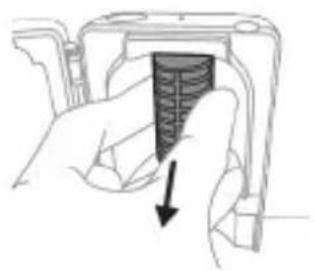
natural_image
Hand holding a mechanical component with a downward arrow indicating a force or direction (no text or symbols present)2 Tomchi tomini to'g'riga tortib chiqaring. Tomchi novini chaying va uni nam mato bilan tozalab arting.
3 Barcha ichki yuzalarini nam mato bilan tozalang.
4 Ultrabinafsha chiroqdan himoya plyonkasini chiqarib oling.
Plyonkani chiqarib olish uchun qisqichlar yonidagi chetlaridan ushlab, himoya plyonkasini tortib oling.
5 Ultrabinafsha chiroqni chiqarib oling.
natural_image
Illustration of a mechanical component with a curved arrow indicating motion (no text or symbols)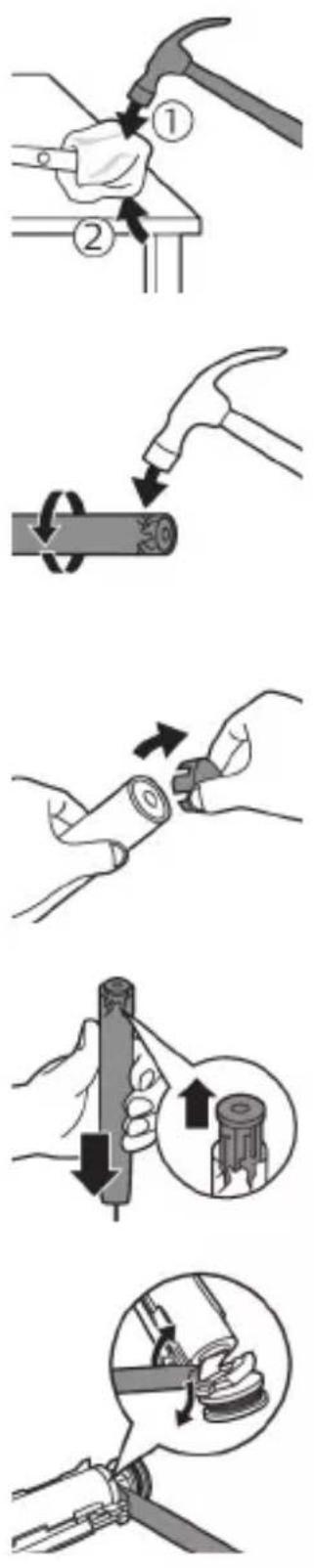
3 Dastaning tepa qismini bir qo'l bilan ushlang va korpusning ostki qismidan 0,5 dyuym (1,3 sm) tepaga uring. Uchidagi qopqoqni chiqarish uchun bolg'a bilan 4 tomonni qattiq uring.
Izoh: Ichki fiksatorli konnektorlarni uzish uchun jihozning uchiga bir necha marta urishingiz kerak bo'lishi mumkin.
4 Tish cho'tkasi dastasi uchining qopqog'ini olib tashlang. Agar jihoz uchidagi qopqoq korpusdan oson chiqmasa, qopqoq chiqquncha 3-bosqichni takrorlang.
natural_image
Illustration of a hand holding a device with a black arrow indicating rotation (no text or symbols)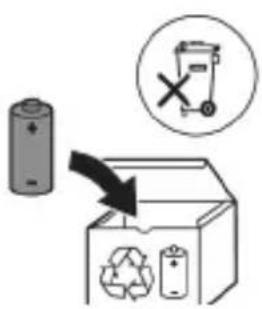
8 Ikkinchi metall tilchani sindirish uchun batareyani oling va uni ichki qismlarga teskari tarafga torting.
Ogohlantirish: Barmog'ingizni tilib olmaslik uchun batareya tilchasining o'tkir qirralaridan ehtiyot bo'ling.
natural_image
Simple line drawing of an open book and a circuit symbol (no text or labels)www.philips.com/support
natural_image
Illustration showing a hand brushing a tooth with a brush, and a close-up of the tooth being adjusted (no text or symbols)natural_image
Diagram of dental arching with tooth structure and tool (no text or labels)natural_image
Diagram of a microphone with signal icon and connection point (no text or symbols)natural_image
Simple line diagram showing a circular icon with a parking sign and a star-shaped symbol connected to a vertical line (no text or labels)natural_image
Simple diagram showing a circular icon with a traffic symbol and a small circle connected by an arrow (no text or labels)natural_image
Simple diagram showing a capsule-shaped object with internal gear-like patterns and two separate rectangular shapes (no text or symbols)natural_image
Simple diagram showing a gear mechanism inside an oval and a vertical rectangle with two small gear symbols (no text or labels)natural_image
Illustration showing two-step procedure: hand holding a tool with a handle, and close-up of a device with a button (no text or symbols)natural_image
Diagram of a mechanical component with two textured surfaces inside a housing (no text or symbols)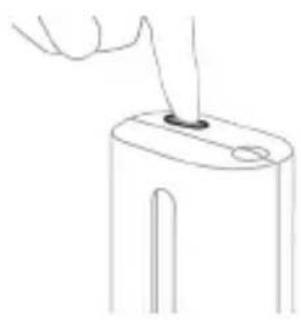
natural_image
Line drawing of a hand holding a small object on a cylindrical base (no text or symbols)natural_image
Simple line drawing of a mechanical component with a starburst symbol and a base, no text or labels present.natural_image
Line drawing of a medical procedure with a needle inserted into tissue (no text or symbols)natural_image
Illustration of two hands using a tool to tie a pair of objects, no text or symbols presentnatural_image
Illustration of a hand inserting a component into an open device (no text or symbols visible)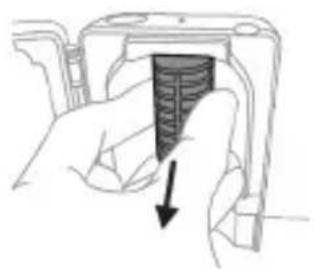
natural_image
Hand holding a device with a black arrow pointing to a textured interior (no text or symbols visible)www.philips.com/support
natural_image
Simple line drawing of an open book with no text or symbols visibleLeia o manual do utilizador.
natural_image
Illustration showing a hand brushing a tooth with a brush, and a close-up of the tooth being smoothed (no text or symbols)natural_image
Illustration of a hand using a pen to apply a small object to a surface, with an inset showing a magnified view of the object (no text or symbols present)natural_image
Illustration of a hand holding a small object with directional arrows indicating movement or force (no text or symbols)natural_image
Diagram of dental arching with tooth structure and tool (no text or labels)natural_image
Diagram of a microphone with a sensor icon and signal symbol, no text or labels presentnatural_image
Simple line diagram showing a circular icon with a road sign and a star-shaped symbol connected to a vertical line (no text or labels)natural_image
Simple diagram showing a circular icon with a traffic symbol and a connected circle labeled 'n' (no text or symbols beyond the label)natural_image
Simple line drawing of a hand pressing a button on a bottle with a power symbol (no text or labels)natural_image
Three-step diagram illustrating a mechanical assembly process: tool insertion, close-up of component, and final assembled view (no text or symbols)natural_image
Line drawing of a hand inserting a small object into a cylindrical device (no text or symbols)natural_image
Simple line drawing of a device with a starburst icon above it, showing a plug inserted into a base (no text or symbols)natural_image
Line drawing of a medical procedure showing a needle inserted into tissue (no text or symbols)natural_image
Illustration of hands using a tool to adjust or install a mechanical component, with no visible text or symbols.natural_image
Illustration of a hand inserting a component into a device housing (no text or symbols visible)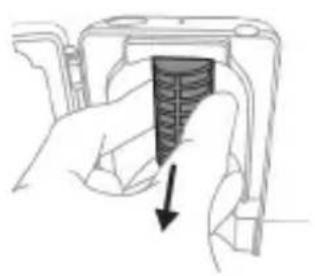
natural_image
Hand holding a device with a black arrow pointing to a textured interior (no text or symbols visible)natural_image
Illustration of a mechanical component with a curved arrow indicating motion (no text or symbols)
natural_image
Illustration of a hand holding a device with a circular component, no text or symbols present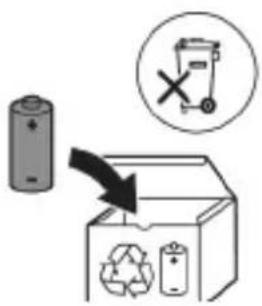
www.philips.com/support
www.philips.com/support
natural_image
Simple line drawing of an open book with no text or symbols visiblenatural_image
Illustration showing a hand brushing a tooth with a brush, and a close-up of the tooth being smoothed (no text or symbols)natural_image
Illustration of a hand using a tool to apply a sample onto a surface, with an inset showing a magnified view of the sample (no text or symbols present)natural_image
Illustration of a hand holding a curved object with directional arrows indicating movement or force (no text or symbols)natural_image
Diagram showing dental alignment with a toothbrush and jawbone structure (no text or labels)natural_image
Diagram of a microphone with a sensor icon and signal symbol, no text or labels presentnatural_image
Simple diagram with a circular icon containing a traffic light symbol and a starburst shape connected to a vertical line with a small arrow (no text or labels)natural_image
Simple diagram showing a circular arrow with a question mark and a small circle connected by a line (no text or symbols)natural_image
Simple line drawing of a hand pressing a button on a bottle with a power symbol (no text or labels)natural_image
Three-step diagram illustrating a mechanical assembly process: tool insertion, component disassembly, and final assembled view (no text or symbols)natural_image
Line drawing of a hand inserting a small object into a device (no text or symbols)natural_image
Simple line drawing of a mechanical component with a starburst symbol above it, no text or labels present.natural_image
Line drawing of a hand holding a pen inserted into a bundle of noodles (no text or symbols)natural_image
Illustration of two hands using a tool to lift or stand, with no visible text or symbolsnatural_image
Illustration of a hand inserting a component into an electronic device (no text or symbols visible)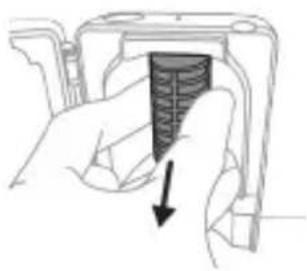
natural_image
Hand holding a mechanical component with a downward arrow indicating force or direction (no text or symbols)www.philips.com/support
natural_image
Simple line drawing of an open book with no text or symbols visible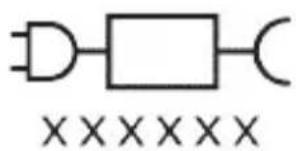
natural_image
Illustration of a hand holding a toothbrush with a downward arrow indicating force or pressure (no text or symbols)natural_image
Simple line drawing of a curved object with a checkmark indicating a detail (no text or symbols)natural_image
Illustration of a hand applying a toothed product to a surface, with an inset showing a magnified view of the tooth (no text or symbols present)natural_image
Diagram of a microphone with a circular icon showing signal waves (no text or symbols)natural_image
Simple line diagram showing a circular symbol with a road sign and a star-shaped connector (no text or labels)natural_image
Simple line drawing of a hand pressing a button on a bottle, with a power button icon nearby (no text or symbols)natural_image
Illustration of four different dental tool manipulation techniques (no text or symbols present)natural_image
Simple line drawing of a device with a starburst symbol above it, showing a downward arrow and a small component below (no text or symbols)Statusi i baterisë
natural_image
Line drawing of a hand holding a pen over a bundle of noodles (no text or symbols)natural_image
Illustration of two hands using a tool to connect two objects, with no visible text or symbolsnatural_image
Illustration of a hand inserting a component into an electronic device (no text or symbols visible)natural_image
Hand holding a device with a black arrow pointing to a textured section (no text or symbols visible)natural_image
Simple line drawing of an open book with no text or symbols visible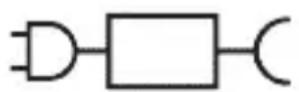

natural_image
Illustration showing a hand brushing a tooth with a brush, and a close-up of the tooth being smoothed (no text or symbols)natural_image
Illustration of a hand gripping a segmented body, with arrows indicating movement or force direction (no text or symbols)natural_image
Diagram of dental arching with tooth arrangement and shaded instrument (no text or labels)natural_image
Diagram of a microphone with signal icon and connection point (no text or symbols)natural_image
Simple diagram with a circular symbol containing a road sign and an arrow pointing to a vertical line (no text or labels)natural_image
Simple diagram showing a circular icon with a traffic symbol and a vertical line with a small circle (no text or labels)natural_image
Simple line drawing of a hand pressing a button on a bottle, with a power button icon nearby (no text or symbols)Korak 2: Pritisnite in pridržite gumb za vklop/izklop:
natural_image
Simple line drawing of a mechanical setup with a component and a base, no text or symbols present.natural_image
Line drawing of a medical procedure showing a needle inserted into tissue (no text or symbols)natural_image
Illustration of two hands holding a tool with a ruler and connecting rod (no text or symbols)natural_image
Hand inserting a component into a device (no text or symbols visible)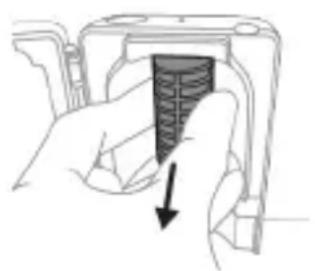
natural_image
Hand holding a device with a black arrow pointing to a textured interior (no text or symbols visible)natural_image
Simple line drawing of a mechanical component or tool with a curved arrow indicating motion (no text or symbols)
natural_image
Simple line drawing of an open book with no text or symbols visiblenatural_image
Illustration showing a hand brushing a tooth with a brush, and a close-up of the tooth being smoothed (no text or symbols)natural_image
Illustration of a hand using a pipette to apply a product to a textured surface, with an inset showing a magnified view of the product (no text or symbols present)natural_image
Illustration of a hand holding a curved object with directional arrows indicating movement or force (no text or symbols)4 Jemne udržujte štetiny v polohe na zuboch a d'asnách. Zuby čistite krátkymi pohybmi dopredu a dozadu tak, aby štetiny dosahovali do priestorov medzi zubami. Tento pohyb opakujte počas celého čistiaceho cyklu.
natural_image
Diagram showing dental tool interacting with teeth and jawbone structure (no text or labels)natural_image
Diagram of a microphone with signal icon and connection point (no text or symbols)natural_image
Simple line diagram showing a circular symbol with a road sign and a starburst shape connected to a vertical line (no text or labels)natural_image
Simple line drawing of a hand pressing a button on a cylindrical object with an 'Power' icon (no text or symbols)natural_image
Simple line drawing of a device with a starburst symbol above it, showing a downward arrow pointing to a small component (no text or symbols present)natural_image
Line drawing of a medical procedure showing a tool interacting with an anatomical structure (no text or symbols)natural_image
Illustration of two hands using a tool to connect two objects, no text or symbols presentnatural_image
Hand inserting a component into an open device (no text or symbols visible)1 Dezinfekčnú jednotku odpojte zo siete.
2 Vytiahnite podnos na odkvapkávanie. Opláchnite ho a utrite dočista navlhčenou handričkou.
3 Všetky vnútorné povrchy očistite navlhčenou handričkou.
4 Odstráňte ochranný štít pred UV žiarovkou.
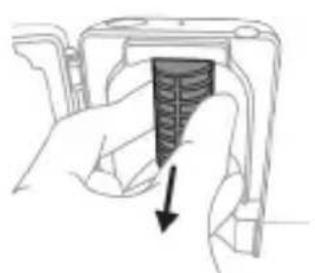
natural_image
Hand holding a device with a black arrow pointing to a textured section (no text or symbols visible)www.philips.com/support
natural_image
Simple line drawing of an open book with no text or symbols visible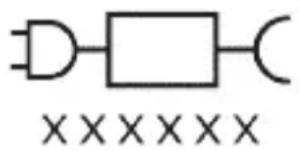
Deo napajanja koji se može skinuti: Oznaka „xxxxx“ predstavlja broj modela odobrenih punjača koji bi trebalo da se koriste. (TCBxxxx, HX6100, HX6110, HX6160 ili WAAxxxx)
Namena
Električne četkice za zube ProtectiveClean namenjene su za uklanjanje nakupljenog kamenca i ostataka hrane sa zuba u cilju sprečavanja karijesa i poboljšavanja oralnog zdravlja. Električne četkice za zube ProtectiveClean namenjene su za ličnu upotrebu. Deca treba da koriste proizvod uz nadzor odraslih.
Philips Sonicare četkice za zube (slika 1)
1 Drška
2 Dugme za uključivanje/isključivanje
3 Podsetnik za zamenu glave sa četkicom
4 Indikator baterije
Dodaci:
5 Poklopac glave četkice
6 Pametne glave četkice
7 Postolje za punjenje
8 Putna torbica
9 UV aparat za dezinfekciju i punjač
Napomena: Isporučeni pribor može da se razlikuje u zavisnosti od kupljenog modela.
Početak rada
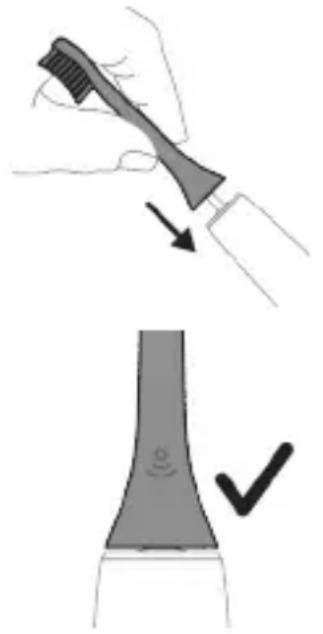
natural_image
Illustration showing a hand brushing a tooth with a brush, and a close-up of the tooth being smoothed (no text or symbols)1 Poravnajte glavu četkice tako da su vlakna okrenuta u istom smeru kao i prednja strana drške.
2 Čvrsto pritisnite glavu četkice na metalnu osovinu do kraja.
natural_image
Illustration of a hand using a tool to apply a product to a surface, with an inset showing a textured surface (no text or symbols)1 Pokvasite vlakna i nanesite malu količinu paste za zube.

2 Postavite vlakna četkice za zube na zube pod blagim uglom (45 stepeni) i čvrsto pritisnite kako bi vlakna dosegla liniju desni ili malo ispod te linije.
natural_image
Illustration of a hand gripping a segmented object with directional arrows indicating movement (no text or symbols)4 Nežno držite vlakna na zubima i desnima. Perite zube blagim pokretima unapred i unazad tako da vlakna mogu da dosegnu između zuba. Nastavite sa ovakvim pokretima tokom celog ciklusa pranja zuba.
natural_image
Diagram showing dental alignment with a tool interacting with teeth (no text or labels)Napomena: Ako primenite preveliki pritisak, bićete upozoreni promenom vibracije drške i žutonarandžastim treperenjem podsetnika za zamenu glave četkice.
natural_image
Diagram of a microphone with a circular icon showing signal waves (no text or symbols)Tehnologija BrushSync omogućava komunikaciju između glave četkice i drške koristeći mikročip. Simbol na donjoj strani glave četkice označava da glava četkice sadrži ovu tehnologiju.
Tehnologija BrushSync omogućava:
- Podsetnik za zamenu glave sa četkicom Philips Sonicare ima široku paletu pametnih glava četkica sa tehnologijom BrushSync. Za više informacija o našoj
cjelokupnoj paleti glava četkica za zube posjetite www.philips.com/toothbrush-heads i pronadite glavu četkice koja vam najviše odgovara.
Funkcije
natural_image
Simple line diagram showing a circular icon with directional arrows and a starburst shape connected to a vertical line (no text or symbols)Četkica za zube Sonicare mjeri pritisak koji koristite prilikom pranja zuba da bi zaštitila vaše desni i zube od oštećivanja.
natural_image
Simple diagram showing a circular icon with a traffic symbol and a small circle connected by a line (no text or labels)Sve pametne glave četkice imaju aktiviranu funkciju podsetnika za zamenu glave četkice. Da biste deaktivirali podsetnik za zamenu glave četkice, pogledajte odeljak „Aktiviranje ili deaktiviranje funkcija“.
Aktiviranje ili deaktiviranje funkcija
natural_image
Simple line drawing of a hand pressing a button on a bottle with an 'Power' icon (no text or symbols)natural_image
Simple diagram with gear-like shapes and a rectangular block, no text or symbols presentAko vidite da indikator baterije i podsetnik na zamenu glave četkice trepeću zeleno 2 puta i čujete 3 tona zvona, od slabog do jakog, onda je funkcija aktivirana.
ILI
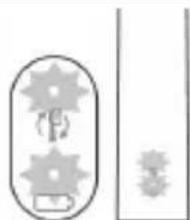
natural_image
Pure electrical circuit lines without any symbolsAko vidite da indikator baterije i podsetnik na zamenu glave četkice trepću narandžasto jednom i čujete 3 tona zvona, od jakog do slabog, onda je funkcija deaktivirana.
natural_image
Three-step diagram illustrating a mechanical assembly process: tool application, close-up of component, and final assembled view (no text or symbols)1 Nakon pranja zuba isperite glavu četkice i otresite višak vode.
natural_image
Line drawing of a hand inserting a small object into a device (no text or symbols)5 Zatvorite poklopac i jedanput pritisnite zeleno dugme za uključivanje/isključivanje da biste izabrali ciklus UV čišćenja.
natural_image
Simple line drawing of a device with a starburst icon above it, showing a plug inserted into a base (no text or symbols)Punjenje na punjaču ili na UV aparatu za dezinfekciju
natural_image
Line drawing of a fork being inserted into a tube (no text or symbols)1 Uklonite glavu četkice i isperite oblast oko metalne osovine toplom vodom. Obavezno uklonite sve ostatke paste za zube.
Oprez: Nemojte da gurate gumenu zaptivku na metalnoj osovini oštrim predmetima pošto to može da dovede do oštećenja.
2 Čitavu površinu drške obrišite vlažnom krpom.
Napomena: Nemojte da udarate ručkom o sudoperu da biste uklonili višak vode.
Glava četkice
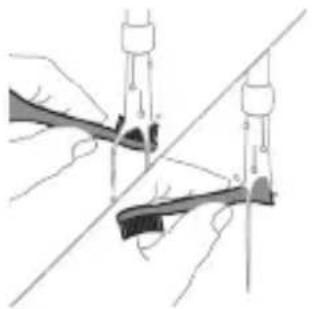
natural_image
Illustration of hands using compasses to measure a tool, no text or symbols present1 Glavu četkice i vlakna isperite nakon svake upotrebe.
2 Bar jednom nedeljno skinite glavu četkice sa drške i toplom vodom isperite njen priključak. Isperite poklopac za putovanja kad god je potrebno.
Punjač
1 Isključite punjač iz električne mreže pre čišćenja.
2 Obrišite površinu punjača vlažnom krpom.
Putna futrola
Isperite toplom vodom i izbrišite unutrašnjost putne futrole vlažnom krpom.
Čišćenje aparata za dezinfekciju
natural_image
Illustration of a hand inserting a component into an open device (no text or symbols visible)1 Isključite uređaj za sanitizaciju.
2 Izvucite posudu za sakupljanje tečnosti. Isperite posudu za sakupljanje tečnosti i obrišite je vlažnom krpom.
3 Očistite sve unutrašnje površine vlažnom krpom.
4 Uklonite zaštitnu foliju koja se nalazi ispred UV lampe.
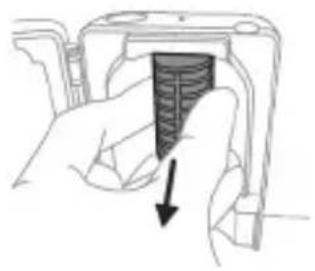
natural_image
Hand holding a device with a textured internal component and an arrow pointing to it (no text or symbols visible)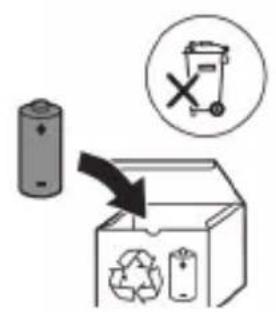
www.philips.com/support
www.philips.com/support
natural_image
Simple line drawing of an open book with no text or symbols visible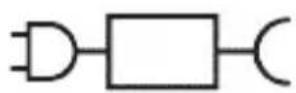
XXXXXX
natural_image
Illustration of a hand holding a toothbrush with a downward arrow indicating force or pressure (no text or symbols)natural_image
Simple line drawing of a vertical pipe or duct with a checkmark indicating a detail (no text or symbols present)natural_image
Illustration of a hand holding a tool with a magnified inset showing a textured surface (no text or symbols)natural_image
Diagram of a microphone with signal icon and connection point (no text or symbols)www.philips.com/toothbrush-heads.
Ominaisuudet
natural_image
Simple line drawing of a gear and star symbol (no text or labels)natural_image
Simple line drawing of a hand pressing a button on a vertical line, with a power button icon at the left (no text or symbols)natural_image
Illustration of two hands using a tool to connect two objects, one holding a brush and the other holding a tool (no text or symbols present)natural_image
Illustration of a hand pressing down on a device component with an arrow indicating the process (no text or symbols present)natural_image
Cross-sectional diagram of a mechanical component with two symmetrical slots and internal channels (no text or labels)natural_image
Line drawing of a hand inserting a small object into a cylindrical device (no text or symbols)Lataus ja akun tila
natural_image
Simple line drawing of a device with a star-shaped label and an arrow pointing to a small component (no text or symbols)natural_image
Line drawing of a fork being inserted into a tube (no text or symbols)natural_image
Illustration of two hands using a tool to connect two objects, with no visible text or symbolsnatural_image
Illustration of a hand inserting a component into a device (no text or symbols visible)natural_image
Hand holding a device component with a downward arrow indicating a process or operation (no text or symbols present)natural_image
Illustration of a hand holding a device with a circular component, showing a curved arrow indicating rotation (no text or symbols present)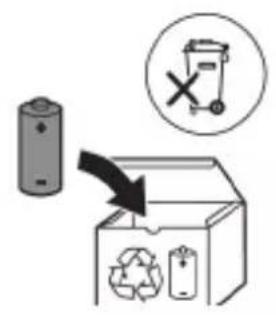
natural_image
Simple line drawing of an open book with no text or symbols visible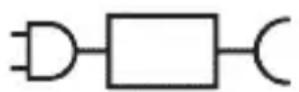

natural_image
Illustration of a hand using a pipette to apply liquid onto a surface, with an inset showing a droplet on a surface (no text or symbols present)natural_image
Diagram showing dental alignment with a tool interacting with teeth (no text or labels)natural_image
Illustration of a toothbrush with a sensor icon and a magnified view of its tip (no text or symbols)natural_image
Simple diagram with a circular icon containing a road sign and a starburst symbol, connected to a vertical line with a small arrow labeled 'n' (no text or symbols beyond the label)natural_image
Simple diagram showing a circular icon with a traffic symbol and a vertical line with a circle containing a number (no text or labels)natural_image
Simple line drawing of a hand pressing a button on a cylindrical object with an 'Power' icon (no text or symbols)natural_image
Simple diagram with a capsule-shaped object and two vertical shapes, no text or symbols present.natural_image
Simple line drawing of a capsule with internal gear-like shapes and a separate rectangular block (no text or symbols)natural_image
Illustration of two hands using a tool to connect two objects, no text or symbols presentnatural_image
Simple line drawing of a medical procedure with a tube and connector (no text or symbols)natural_image
Line drawing of a fork being inserted into a tube (no text or symbols)natural_image
Illustration of two hands holding a rifle with ropes and a diagonal line, no text or symbols presentnatural_image
Illustration of a hand inserting a component into an electronic device (no text or symbols visible)natural_image
Hand holding a device with a black arrow pointing to a textured interior (no text or symbols visible)5 Ta loss UV-lampan.
natural_image
Illustration of a hand holding a device with a circular button, showing a mechanical component (no text or symbols)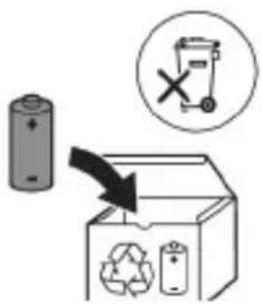
www.philips.com/support
Bellik: Dürli modelleriň ayratynlyklary dürlüçe bolup bilýär. Käbir modeller Bluetooth ýa-da NFC bilen enjamlaşdyrylmadyk bolup biler.
natural_image
Simple line drawing of an open book with no text or symbols visible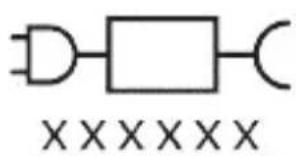
Dakylyan tok beriş blogy: "xxxxx" ulanylmak üçin tassyklanylan zarýadnikleriň model belgisini görkezýär. (TCBxxxx, HX6100, HX6110, HX6160 ya-da WAAxxxx)
Niyetlenilýän ulanys
natural_image
Simple line drawing of an open book with no text or symbols visibleUlanmaga başlamak
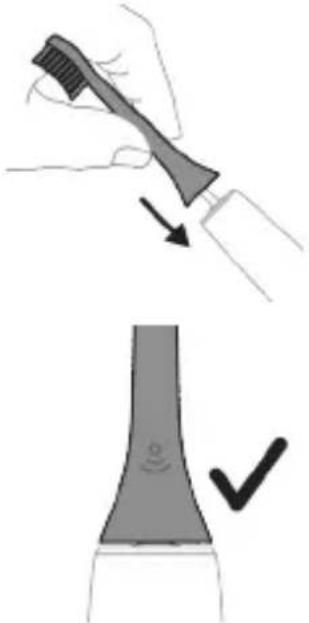
natural_image
Illustration showing a hand brushing a tooth with a brush, and a close-up of the tooth being smoothed (no text or symbols)natural_image
Illustration of a hand using a pen to apply a sample on a surface, with an inset showing a magnified view of the sample (no text or symbols present)1 Gyllary öllään we üstüne azajyk diş pastasyny çalyň.
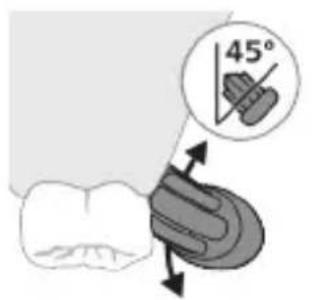
natural_image
Illustration of a hand holding a segmented object with directional arrows indicating movement (no text or symbols)4 Gyllary emaý bilen dişleriň üstünde we diş eti çyzygynda saklaň. Gyllar dişleriň arasyna yeter yaly edip, çalaja öne-yza hereket etdirip, dişleriňizi çotgalaň. Bu hereketi çotgalama döwrăniziň dowamynda dowam ediň.
Bellik: Gyllar çalaja hüžžerip durmalydyr. El bilen ulanylýan diş çotgasynda bolsy ýaly, gazalap çotgalamak maslahat berilmeýär.
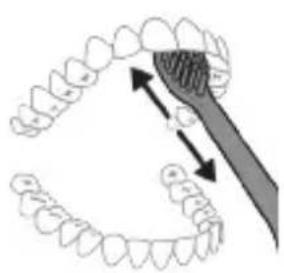
Bellik: Gaty köp basyş etseñiz, size duýduryş bermek üçin, tutawajyň titremesi üýtgär we nasadkany çalışyrmagy yatladyş çyrasy sary reňkde yanyp söner.
natural_image
Diagram of a microphone with a circular icon showing signal waves (no text or symbols)natural_image
Simple line diagram showing a circular symbol with a road sign and a starburst shape connected to a vertical line (no text or labels)Eger artykmaç basyş etseñiz, tutawaç tä basyşy azaldyançaňyz öz titremesini üýtgedýär we nasadkany çalışyrmagy yatladyş şekiljgi sary reňkde yanyp sönýär.
natural_image
Simple line drawing of a mechanical setup with a component and a label (no text or symbols present)Zarýadnikde yá-da ultramelewse dezinfektorda zarýad bermek
natural_image
Line drawing of a fork being inserted into a tube (no text or symbols)natural_image
Illustration of hands using compasses to measure a tool, no text or symbols present1 Her ulanyşdan soň nasadkany we gyllary ýuwup durlaň.
2 Azyndan hepdede bir gezek nasadkany tutawaçdan aýryp, nasadkanyň birikmesini ýyly suw bilen ýuwup durlaň. Syýahat gapagyny näçe ýygylykda zerur bolsa ýuwup durlaň.
Zarýadnik
natural_image
Illustration of a hand inserting a component into a device (no text or symbols visible)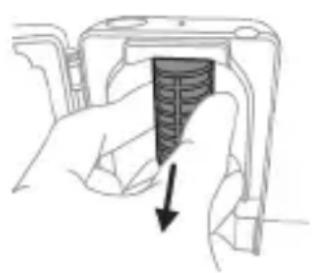
natural_image
Hand holding a device with a black arrow pointing to a textured interior (no text or symbols visible)9 Damja mejimesini ultramelewse arassalaýjydaky yerine dakyň.
10 Arassalanyňyzdan soň, arassalaýjyny toga dakmazdan öň doly guradyň.
Saklamak
Eger önümi uzak wagtlap ulanmajak bolsaňyz, ony rozetkadan sogrup arassalaň we gönümel gün şöhlesi düşmeýän salkyn, gury ýerde saklaň.
Çalşyrmak
Optimal netijeleri almak üçin, Philips Sonicare nasadkalaryny her 3 aydan çalşyryp duruň. Diñe Philips Sonicare ätiýaçlyk nasadkalaryny ulanyň.
natural_image
Diagram of a mechanical assembly with a magnified inset showing a rotating component (no text or symbols)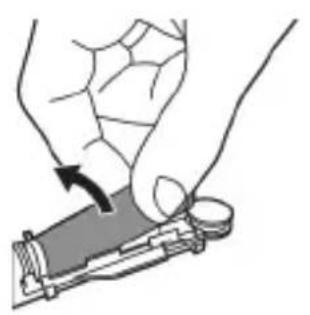
natural_image
Illustration of a hand holding a small electronic device with a black arrow indicating rotation (no text or symbols)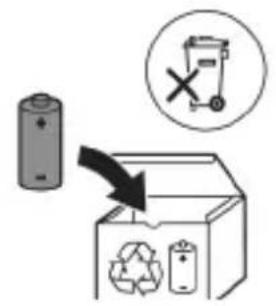
6 Batareya bilen içerki komponentleriň aşagyndaky gara çarçuwanyň arasyna towlaýjyny sokuň. Soňra batareýany towlaýjy arkaly galdyryp, gara çarçuwanyň aşagyny döwüň.
www.philips.com/support
www.philips.com/support
natural_image
Simple line drawing of an open book with no text or symbols visible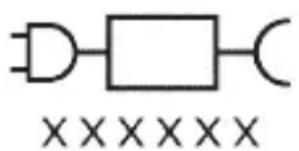
natural_image
Pure electrical circuit lines without any symbolsnatural_image
Illustration of a hand holding a pen with a magnified inset showing a droplet on a surface (no text or symbols)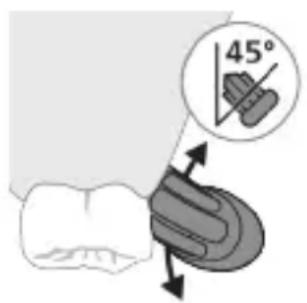
natural_image
Diagram of a microphone with signal icon and connection point (no text or symbols)natural_image
Simple line diagram showing a circular icon with a road sign and a starburst symbol connected to a vertical line (no text or labels)natural_image
Simple diagram showing a circular icon with 'P' and a small circle connected by a line, no text or symbols present.natural_image
Simple line drawing of a hand pressing a button on a cylindrical object with an 'Power' icon (no text or symbols)natural_image
Simple diagram showing a capsule-shaped object with internal gear-like structures and two separate rectangular shapes (no text or symbols)natural_image
Simple line drawing of a capsule-shaped object with internal gear-like shapes and two separate rectangular shapes (no text or symbols)natural_image
Illustration of two hands using a tool to measure a mechanical component, with no visible text or symbols.natural_image
Illustration of a hand pressing down on a device component with an arrow indicating the process (no text or symbols present)natural_image
Diagram of a mechanical or electrical component with two vertical bars and textured surfaces (no text or symbols)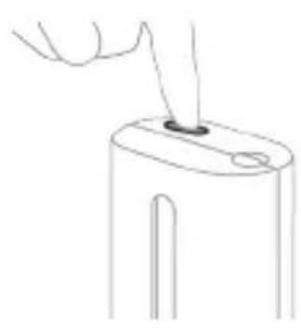
natural_image
Line drawing of a hand holding a small object with a pointed tip, no text or symbols presentnatural_image
Simple diagram showing a droplet being inserted into a container with a cable (no text or symbols)natural_image
Line drawing of a medical procedure showing a tool interacting with a surgical instrument (no text or symbols present)natural_image
Illustration of hands using a tool to connect two objects, no text or symbols presentnatural_image
Illustration of a hand inserting a component into an electronic device (no text or symbols visible)natural_image
Hand holding a device with a textured internal component and an arrow pointing to it (no text or symbols visible)natural_image
Illustration of hands holding a device with an arrow indicating rotation (no text or symbols)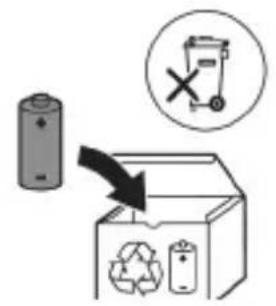
natural_image
Simple line drawing of an open book with no text or symbols visible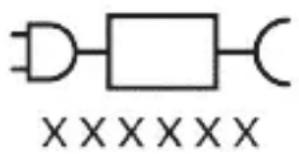
natural_image
Illustration showing a hand holding a toothbrush and a close-up of a tooth with a circular mark, no text or symbols present.natural_image
Diagram of dental arching with tooth structure and tool (no text or labels)natural_image
Diagram of a microphone with a sensor icon and signal symbol (no text or labels)natural_image
Simple line drawing of a gear and gear icon with no text or symbolsnatural_image
Simple diagram showing a circular icon with a traffic symbol and a vertical line with a dot (no text or labels)natural_image
Simple line drawing of a hand pressing a button on a bottle with a power symbol (no text or labels)natural_image
Illustration of hands using a tool to adjust or install a mechanical component, no text or symbols present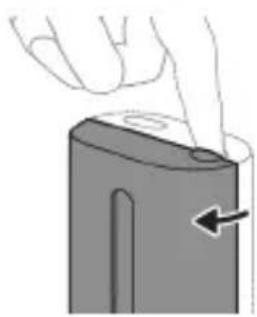
natural_image
Illustration of a hand pressing down on a device component with an arrow indicating left motion (no text or symbols)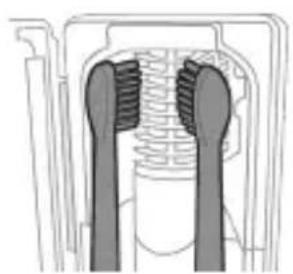
natural_image
Cross-sectional diagram of a mechanical component with two symmetrical slots and textured surfaces (no text or symbols)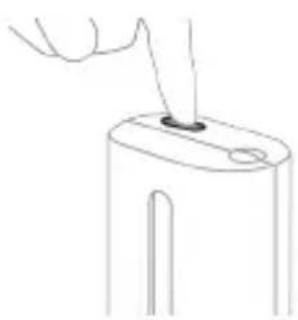
natural_image
Line drawing of a hand holding a small object with a pointed tip, no text or symbols presentnatural_image
Simple line drawing of a mechanical setup with a component and cable (no text or symbols)natural_image
Line drawing of a medical procedure showing a tool interacting with tissue manipulation (no text or symbols)natural_image
Illustration of two hands using a tool to lift or stand, with no visible text or symbolsnatural_image
Hand inserting a component into a device (no text or symbols visible)natural_image
Hand holding a device with a black arrow pointing to a textured interior (no text or symbols visible)natural_image
Illustration of a hand holding a cylindrical object with arrows indicating force direction, and an inset showing a magnified view of the same object (no text or symbols present)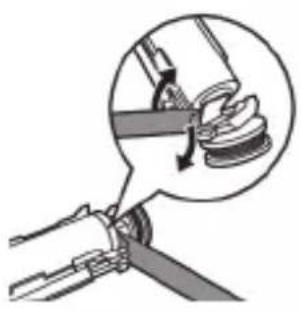
natural_image
Diagram of a mechanical assembly with a magnified inset showing a component being inserted (no text or symbols present)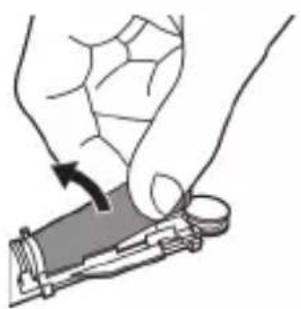
natural_image
Illustration of a hand holding a small object with an arrow indicating motion (no text or symbols)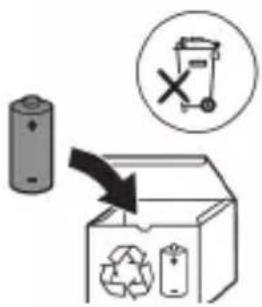
www.philips.com/support
natural_image
Simple line drawing of an open book with no text or symbols visible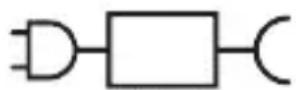

natural_image
Illustration showing a toothbrush applying sealant to a tooth with a circular mark, and a checkmark indicating the correct direction (no text or symbols present)natural_image
Diagram of dental arching with tooth structure and tool (no text or labels)natural_image
Diagram of a microphone with a sensor icon and signal symbol, no text or labels presentnatural_image
Simple line drawing of a parking lot with a star-shaped location pin and a small star symbol (no text or labels)natural_image
Simple diagram showing a circular icon with a traffic symbol and a connected circle with a label (no text or numbers present)natural_image
Simple line drawing of a hand pressing a button on a bottle with an 'Power' icon (no text or symbols)2-кадам: Күйгүзүү/өчүрүү баскычын коё бербей басып туруңуз:
natural_image
Illustration of two hands using a tool to adjust or install a mechanical component, with no visible text or symbols.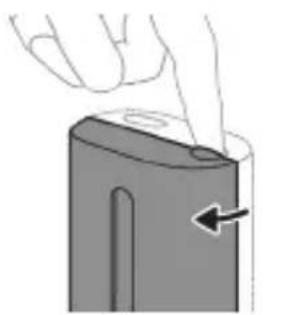
natural_image
Illustration of a hand pressing down on a device component with an arrow indicating the process (no text or symbols present)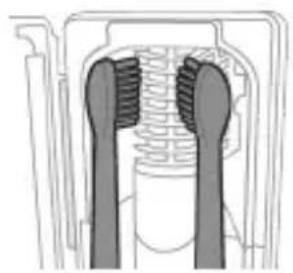
natural_image
Cross-sectional diagram of a mechanical component with two symmetrical slots and textured surfaces (no text or symbols)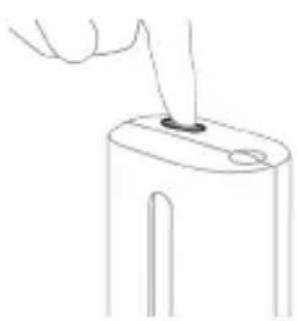
natural_image
Line drawing of a hand inserting a small object into a cylindrical device (no text or symbols)natural_image
Simple line drawing of a mechanical setup with a component and cable (no text or symbols)natural_image
Line drawing of a medical procedure involving a tool and tubing (no text or symbols)natural_image
Illustration of two hands using a tool to adjust or install a mechanical component (no text or symbols visible)natural_image
Hand inserting a component into an electronic device (no text or symbols visible)natural_image
Hand holding a device with a textured internal component and a downward arrow indicating force or direction (no text or symbols)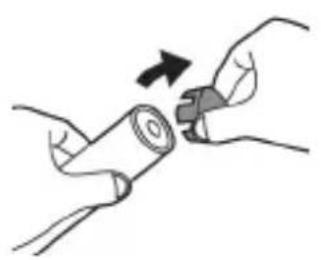
natural_image
Illustration of hands holding a cylindrical object with an arrow indicating rotation (no text or symbols)natural_image
Diagram of a mechanical assembly with a magnified inset showing a rotating component (no text or symbols)natural_image
Illustration of a hand holding a small electronic component with a black arrow indicating rotation (no text or symbols)www.philips.com/support
www.philips.com/support
natural_image
Simple line drawing of an open book with no text or symbols visible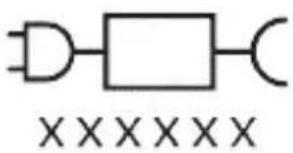
natural_image
Illustration showing a hand brushing a tooth with a brush, and a close-up of the tooth being smoothed (no text or symbols)natural_image
Illustration of a hand using a pipette to apply a sample onto a surface, with an inset showing a magnified view of the sample (no text or symbols present)natural_image
Illustration of a human hand holding a curved object, with arrows indicating movement or force direction (no text or symbols)natural_image
Diagram of dental arching with tooth structure and tool (no text or labels)natural_image
Diagram of a microphone with signal icon and connection point (no text or symbols)natural_image
Simple line diagram showing a circular icon with a parking sign and a star-shaped symbol connected to a vertical line (no text or labels)natural_image
Simple line drawing of a hand pressing a button on a cylindrical object with an 'Power' icon (no text or symbols)natural_image
Illustration of two hands using a tool to adjust or install a mechanical component, with no visible text or symbols.natural_image
Illustration of a hand holding a device with a circular button and an arrow pointing to it (no text or symbols)natural_image
Cross-sectional diagram of a mechanical component with two symmetrical slots and textured surfaces (no text or symbols)natural_image
Line drawing of a hand holding a small object with a pointed tip, no text or symbols presentnatural_image
Simple line drawing of a device with a star-shaped sensor above it, no text or symbols present.natural_image
Line drawing of a fork being inserted into a tube (no text or symbols)natural_image
Illustration of hands using a tool to adjust or install a mechanical component, no text or symbols presentnatural_image
Illustration of a hand inserting a component into an electronic device (no text or symbols visible)natural_image
Hand holding a device with a textured internal component and an arrow pointing to it (no text or symbols visible)natural_image
Illustration of a mechanical component with a curved arrow indicating rotation (no text or symbols)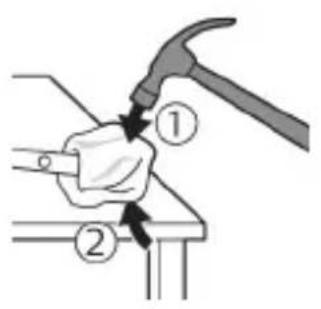
natural_image
Illustration of a hand using a hammer to tighten a cylindrical object with a circular arrow (no text or symbols)natural_image
Illustration of hands holding a battery with a magnifying glass, no text or symbols presentnatural_image
Illustration of a hand holding a pen with an arrow indicating downward motion, and a magnified inset showing the same pen tip (no text or symbols)natural_image
Mechanical diagram showing a lever mechanism with a magnified inset highlighting a curved component (no text or symbols present)natural_image
Illustration of a hand holding a device with a circular button, showing a mechanical component (no text or symbols)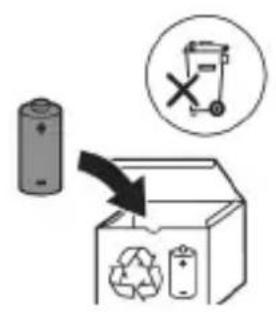
www.philips.com/support
www.philips.com/support
natural_image
Simple line drawing of an open book with no text or symbols visiblenatural_image
Illustration showing a hand brushing a tooth with a brush, and a close-up of the tooth being smoothed (no text or symbols)natural_image
Illustration of a hand using a pipette to apply a product to a textured surface, with an inset showing a magnified view of the product (no text or symbols present)natural_image
Illustration of a human hand holding a small object, with arrows indicating movement or force direction (no text or symbols)natural_image
Diagram of dental arching with tooth structure and toothbrush (no text or labels)natural_image
Diagram of a microphone with a sensor icon and signal symbol (no text or labels)natural_image
Simple diagram with a circular icon containing a road sign and a starburst symbol, connected to a vertical line with a small star (no text or labels)natural_image
Simple line drawing of a hand pressing a button on a cylindrical object with an 'Power' icon (no text or symbols)natural_image
Simple line drawing of a mechanical setup with a component and cable (no text or symbols)natural_image
Line drawing of a hand holding a pen inserted into a bundle of noodles (no text or symbols)natural_image
Illustration of two hands using a tool to connect two objects, no text or symbols presentnatural_image
Illustration of a hand inserting a component into an open device (no text or symbols visible)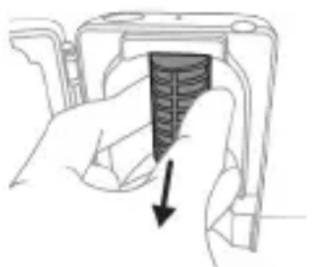
natural_image
Hand holding a device with a black arrow pointing to a textured interior (no text or symbols visible)natural_image
Diagram of a mechanical assembly with a magnified inset showing a rotating component (no text or symbols)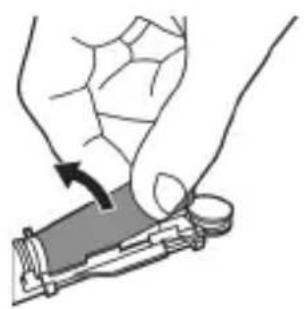
natural_image
Illustration of a hand holding a device with a circular button, showing a mechanical component (no text or symbols)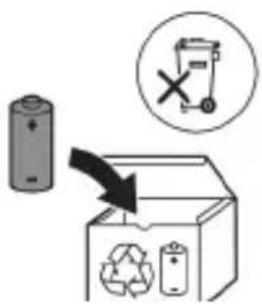
www.philips.com/support
www.philips.com/support
natural_image
Simple line drawing of an open book with no text or symbols visible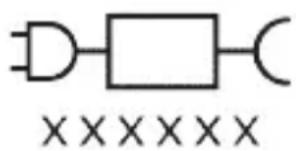
Кисми чудошавандаи таъминоти барк: «xxxxх» раками намунавии барк, пуркунандахоеро, ки бояд истифода шавад, нишон медихад. (TCBxxxx, HX6100, HX6110, HX6160 ё WAAxxxx)
natural_image
Illustration showing a hand brushing a tooth with a brush, and a close-up of the tooth being checked (no text or symbols present)natural_image
Illustration of a hand holding a pen with a magnified inset showing a small object (no text or symbols present)3 Барои фаьол кардани «Philips Sonicare» тугмаи фаьол/хомўшро пахш кунед.
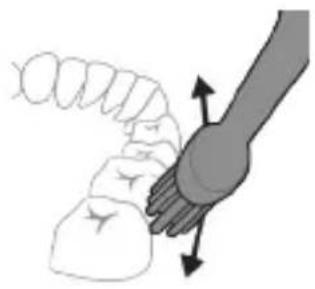
natural_image
Illustration of a hand holding a segmented object with directional arrows indicating movement (no text or symbols)4 Лифхои чўткаро болои дандонхо ва дар хати милки дандонхо ба таври дуруст чойгир кунед. Дандонхои худро бо харакатхои хурди пасу пеш тоза кунед, то ки лифхои чўтка байни дандонхо гузарад. Ин харакатро дар тамоми давраи дандоншўии худ идома дихед.
Тавзех: Мўйякхои чўтка бояд каме васеъ шаванд. Тавсия дода намешавад, ки шумо дандонхоро мисли бо чўткаи дандоншуии дасти тоза кунед.
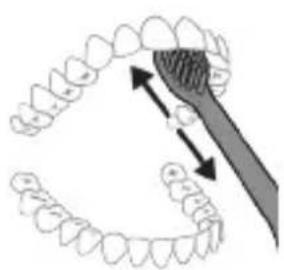
natural_image
Diagram showing dental alignment with a toothbrush and tooth arrangement (no text or labels)natural_image
Illustration of a toothbrush with a sensor icon and signal symbol (no text or labels)natural_image
Simple line drawing of a gear and star symbol (no text or labels)natural_image
Simple diagram showing a circular icon with directional arrows and a small circle connected to a vertical line (no text or symbols)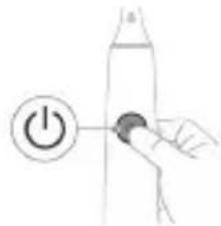
natural_image
Simple line drawing of a hand pressing a button on a cylindrical object with an 'Power' icon (no text or symbols)natural_image
Illustration of two hands holding a tool with a ruler and pointer, no text or symbols presentnatural_image
Illustration of a hand pressing down on a device component with an arrow indicating left motion (no text or symbols)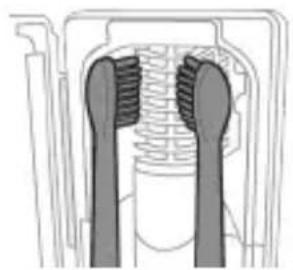
natural_image
Cross-sectional diagram of a mechanical component with two symmetrical slots and textured surfaces (no text or symbols)natural_image
Line drawing of a hand inserting a small object into a cylindrical device (no text or symbols)5 Даричаро пўшед ва тугмаи сабзранги фаьол/хомўшро як маротиба пахш кунед, то ки давраи тозакунии UV интихоб карда шавад.
Тавзех: Тамизкунанда танхо он гох фаьол карда мешавад, агар дарича комилан мақкам шуда бошад.
natural_image
Simple line drawing of a droplet being placed into a container with a probe inserted (no text or symbols)natural_image
Simple line drawing of a fork being inserted into a tube (no text or symbols)natural_image
Illustration of two hands using a tool to connect a pen and a ruler, with no visible text or symbols.natural_image
Illustration of a hand inserting a component into an open device (no text or symbols visible)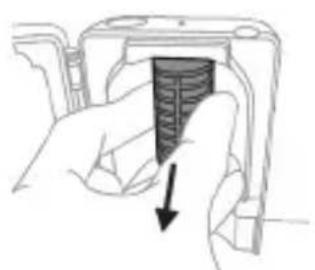
natural_image
Hand holding a device with a black arrow pointing to a textured surface (no text or symbols visible)
natural_image
Simple line drawing of an open book with no text or symbols visiblewww.philips.com/support
natural_image
Pure electrical circuit lines without any symbolsnatural_image
Illustration showing a hand brushing a tooth with a brush, and a close-up of the tooth being smoothed (no text or symbols)natural_image
Diagram of dental arching with tooth structure and tool (no text or labels)natural_image
Diagram of a microphone with a sensor icon and signal symbol, no text or labels presentnatural_image
Simple line drawing of a gear mechanism with a starburst symbol and a small star-like symbol (no text or labels)natural_image
Simple diagram showing a circular icon with a traffic sign and a small circle connected by an arrow (no text or symbols)natural_image
Hand holding a button with a power symbol (no text or labels)natural_image
Simple diagram with a capsule-shaped object and two vertical shapes, no text or symbols present.natural_image
Simple diagram showing a capsule-shaped object with internal gear-like structures and two separate rectangular shapes (no text or symbols)natural_image
Three-step diagram illustrating a mechanical assembly process: tool insertion, close-up of component, and final assembled view (no text or symbols)natural_image
Line drawing of a hand inserting a small object into a device (no text or symbols)natural_image
Simple line drawing of a device with a starburst symbol above it, showing a plug and cable (no text or labels)natural_image
Line drawing of a medical procedure showing a needle inserted into tissue with a magnified inset (no text or symbols)natural_image
Illustration of two hands using a tool to tie a pair of objects, no text or symbols presentnatural_image
Illustration of a hand inserting a component into an electronic device (no text or symbols visible)
natural_image
Hand holding a mechanical component with a downward arrow indicating force or direction (no text or symbols)natural_image
Simple line drawing of a mechanical component or tool interacting with a surface (no text or symbols)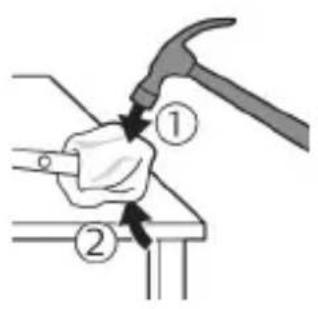
natural_image
Illustration of a hand hammering a cylindrical object with a circular arrow indicating rotation (no text or symbols)natural_image
Illustration of hands fastening a cylindrical battery with a switch (no text or symbols)natural_image
Illustration of a hand holding a pen with an arrow indicating downward motion, and a magnified inset showing the same pen tip (no text or symbols)natural_image
Mechanical diagram showing a lever mechanism with a magnified inset highlighting a curved component (no text or symbols)natural_image
Illustration of a hand holding a device with a circular component, no text or symbols present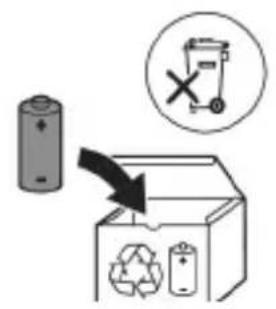
www.philips.com/support

natural_image
Simple line drawing of an open book and a circuit symbol (no text or labels)natural_image
Illustration showing a hand brushing a tooth with a brush, and a close-up of the tooth being smoothed (no text or symbols)natural_image
Illustration of a hand using a tool to apply a product to a textured surface, with an inset showing a magnified view of a textured surface (no text or symbols present)natural_image
Illustration of a hand holding a segmented object with directional arrows indicating movement or force (no text or symbols)natural_image
Diagram showing dental alignment with a tool interacting with teeth (no text or labels)natural_image
Diagram of a microphone with signal icon and speech bubble, no text or symbols presentnatural_image
Simple line diagram showing a circular icon with a road sign and a star-shaped symbol connected to a vertical line (no text or labels)natural_image
Simple diagram showing a circular icon with a traffic symbol and a small circle connected by a line (no text or labels)natural_image
Simple line drawing of a hand pressing a button on a cylindrical object with an 'Power' icon (no text or symbols)natural_image
Simple diagram showing a capsule with internal gear-like components and a vertical container with three smaller gear-like shapes (no text or symbols)natural_image
Simple diagram showing a gear mechanism inside an oval and a separate vertical bar with small gear symbols (no text or labels)natural_image
Illustration showing two-step procedure: hand holding a tool with a pointed tip, and hand using a device to cut the part (no text or symbols present)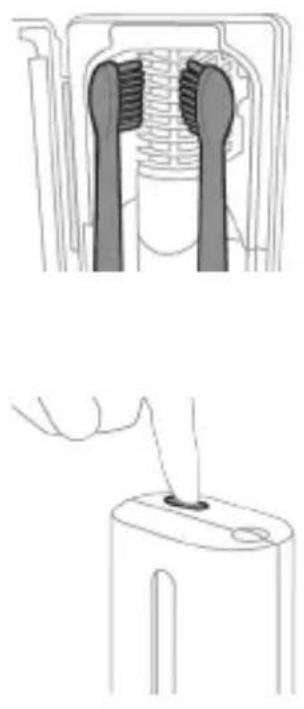
natural_image
Technical illustration showing two views of a mechanical component with textured surfaces and a hand holding a tool (no text or symbols present)natural_image
Simple line drawing of a mechanical setup with a component and a label (no text or symbols)natural_image
Line drawing of a medical procedure showing a needle inserted into tissue (no text or symbols)natural_image
Illustration of two hands holding a tool with numbered components, connected by a diagonal line (no text or symbols)natural_image
Illustration of a hand inserting a component into an electronic device (no text or symbols visible)natural_image
Hand holding a device with a black arrow pointing to a textured interior (no text or symbols visible)natural_image
Mechanical assembly diagram showing a lever and gear mechanism with no visible text or symbols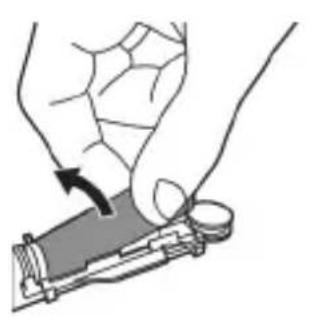
natural_image
Illustration of a hand holding a device with a circular component, showing a curved arrow indicating rotation (no text or symbols present)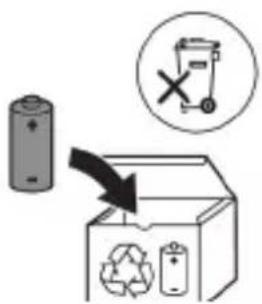
natural_image
Simple line drawing of an open book with no text or symbols visible
XXXXXX
ETUynwnuuniguwu hwunuh uuu. «xxxxxx»-n gnug 5 unwihu hwuunwnuwd jhgpwnnphzutnh uunngh hwufwn, nnn wltup 5 oqnuwqnnduh: (TCBxxxx, HX6100, HX6110, HX6160 lwwu WAAXxxx)
Lwwinnwlywjhù oqinwqnndniú
ProtectiveClean ٤٠٢٥١٣٥٣٧٥٦٥ وَنْمُّهُ ḥِنْقُّيُ وَلُيْتُّمُ ١٠٢٥١٣٥٣٧٥٦٥ تُّ وَنْمُّةُتُّمُ لُيْمُد ρωγιντημιντη μ υ١١٩٠ ١٠٢٥١٣٥٣٧٥٦٥ ٥٣٨٥٧٤١١ ħωίωπ` ωνωύτηρ ρωρωμιν τ̄υλωq̄ḡt̄₁n̄ l ρ̄τρω̄h ḥυπησ̃ hωπησ̃ π̄σ̄π̄ π̄σ̄π̄ π̄σ̄π̄ π̄σ̄π̄ π̄σ̄π̄ π̄σ̄π̄ π̄σ̄π̄ π̄σ̄π̄ π̄σ̄π̄ π̄σ̄π̄ π̄σ̄π̄ π̄σ̄π̄ ₙ Ψωθωμιντη Ηωίωπ: ProtectiveClean ٤٠٢٥١⁴٥٣٧٥٦٥ ωνωίh ḥνωμιντη ١٠٢٥١⁴٥٣٧٥٦٥ tُّ ω̃uδ̃ωμιν oqνωμησ̃ π̄σ̄π̄ π̄σ̄π̄ π̄σ̄π̄ π̄σ̄π̄ π̄σ̄π̄ π̄σ̄π̄ π̄σ̄π̄ π̄σ̄π̄ π̄σ̄π̄ π̄σ̄π̄ π̄σ̆ Υημήg oqνωμησ̃ π̄σ̄π̄ π̄σ̆ π̄ σ̆ ₅ ₕₕ⁻¹ḥ ʊᵗδωνωμιντη Υθηωμιντη π̄σ̆π̄ π̄σ̆π̄ π̄σ̆π̄ π̄σ̆π̄ π̄σ̆π̄ π̄σ̆π̄ π̄σ̆π̄ π̆ ^1
2tn Philips Sonicare-n (Uy. 1.)
natural_image
Illustration showing a hand brushing a tooth with a brush, and a close-up of the tooth being smoothed (no text or symbols)1 hunqwùwlyh qihuhyn hwylwwwnntgntp wjuwtu, nn uwqhuttnu ninnylwó jhtü tuniy unnnnijuwup, húz pnùwlyh nhúwgh ynnún:
2 Uúnín utnútp hunqwùwlyh qihuhlyn útnplú utunwnŋwlywù lħutzh útg, uħùzlu wju lħwùq wnǔh: L2niú' hunqwùwlyh qihuhlyh u pnùwlyh úħzu lħnpn wùgph wnlywjnupjniǔn ûnnúwl ʒ:
2tn Philips Sonicare wunwutph hunquuwlyh oqunwqndnlnp
tpt wwnghù wùqwú tṛ oqunwqnδniú àtn Sonicare wnwúh hunqwùwln, wultih 2wn jānjāng qwwln ünnwú lì hwiútuwinwó nǐ hīyunnwlywù hunqwùwlyh htún: lnnúwl lì, tnp wnwghù wùqwú oqunwqnδnnútnp zwiuhg 2wn tǔ utnúniú qnδwnŋniú: Uhwjù yhnwntp üninp utnúniú u jānyl nuṭr, nnwtuqh wunwúh hunqwùwln àtn yhnhuwntù úwpnh: hünŋniú tūp htinutl uinnpl útnlywjwgulwó hunqwùwlyhg oqunyltini gnigniúutnhù 'luwωqnijù wnŋniúpūtn uunwùwlni hwúwn:
Unwug hùntùuhǔnjuŋniùutnh únntúutnh hwúwn Sonicare LTlqunnwlywù hunqwùwwlyhù wùgniùu wultqh ht2un ηwnàútlni hwúwn, wjù wunwpulniú ț wylunhulwgulwò EasyStart qnpðwnznyjanú: Uju qnpðwnznyjan ηwùnwwnnntú wultlwgūniú ț hnuwùpù wnwghù 14 úwpnniúutnh dwúwùwly` oqùtlni àtq unlqnntl Philips Sonicare wunwúh hunqwùwwlyhg oqunyltjniù:
hùntàuhǔnìpānìùtǎpnù lùnǐtǔtph hūwùn Uǔgnǔn ðtn ñnn Sonicare ḥṭṭyīnnwlywǔ wùnwúh húnqùwlyhù htīzunwgǔtǐnì hūwúwn wùnwghù 1-2 2wṛpwēuìw nǚrèwgpniú oqúnwqqnòtīp wúltúh guòn
ywnqwulnnniú, wjünihtinlu wügtp wultih pwnàn ywnqwulnnúwù:
Uwpnúwù hnwhwùqùtn
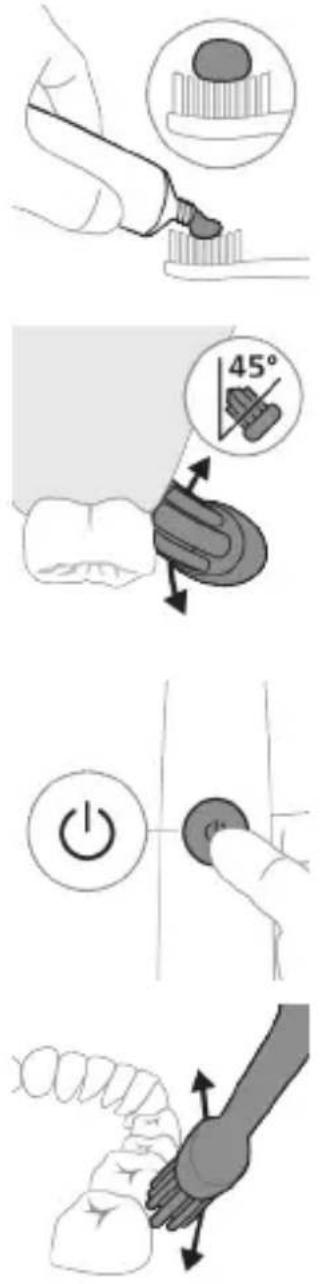
1 άηστρ hunqwùwlyh úwqhúutnŋ u ʊtángntρ wunwúh úwðnílyh phz ρωιμωλημανιώ:
2 Stnwnntp wunwúh hunqwùwlyh úwqhlyuttn wunwúutnh ynw úh ühnpn wùlyjwiù unwú (45 wuunhǎwù)` u niðtn utnútsp, nnwtuqh úwqhlyuttn hwuùtù jùntph tqnwqðhù ywú jùntph tqnwqðhg úh uhnpn utnpu:
L2niù Uúpnnq dwúwùwly hunqwùwlyh ytāunpnùn wwhtp wùnwùtph htún 2yhuìwù útg:
3 Utnútp hnuwúph úhwúwú/wúgwùnúwú lynǎwǔn' Philips Sonicare-n úhwútúnì hwuśwn:
4 Unpntu wuhtp hunqwùwlyh úwqtnú wunwúutph Unw untwnwnnulwó u juntbn hqnwaðniú: Uwpntp wnuwúutpn pārəuwlyh htún ni wnwg 2wndniuútnnu, npwtuqh hunqwùwlyh úwqhúutpn hwuútu wnuwúutphu: Čwnniùwyltp wju 2wndniún átn úwpnuüwú yhnih wúpnng núpwgpniú:
natural_image
Diagram of dental arching with tooth structure and toothbrush (no text or labels)5 Urquh winwutph utnuh uwltnunjputn
uwpntni hwuwn petptp hunqwuwlyh pnuwyn
yhuwninh nhnpnu l u ih pwuh ninnwhwjug
uwpnn 2wndnutn ywnwntp jninwpwusynin
winwuh qnw:
6 Uwpntni yhniu wuwpuntinig htunn ywnn np
lnwgnighs dwuwuwly hwnlywgutl winwutinh
dwunn uwltpnunijrəutpn uwpntniu u wju
hwnulwodupnhu, nnuntn wnwgwuniu 5 pówulnnniu:
ywnn np uwu uwpntl ltqniu` hunqwuwyn
wwhtinu uhwguwd ywi wugwinwö, hüzwtu
uwhpunnnniu tp:
^12 niú 2tn Philips Sonicare wunwúh hunqwùwʊŋ wùlúnwùq t winwútɪŋh pntlytunūtɪŋh (hunqwùwʊŋ qīhʊhʊn 2niún t úw2ʊniú pntlytunūtɪŋh yŋw) u winwútɪŋn ʊtnwʊywùqùnn hwnúwnwùpūtɪŋh (ɪgnùniútɪŋ, 2wwhʊyutn, ʊtǔhnutn) oqnwwqnndúwù ntwɒpnιú, tprā ηnwùp wwwn2wǎ tǔ oqnwwqnndúniú l ʒtǔ huwhunuŋniú:
QuadPacer
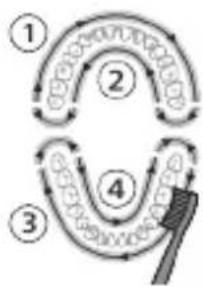
flowchart
graph TD
    A["Step 1"] --> B["Step 2"]
    B --> C["Step 3"]
    C --> D["Step 4"]
    D --> E["End"]
natural_image
Illustration of a toothbrush with a sensor icon and a magnified view of its tip (no text or symbols)BrushSync unthuüninqhwù àtn hunqwùwlyh qlhuhlyhù pniyl 5 unwihu hwnnnnwulgutī pnùwlyh htun úhlynnzhwh oqùnijajwúp: hunqwùwlyh qlhuhlyh uunnnhù hwnnlwðniú qnùulnn 32wùn gniyg 5 unwihu, nn hunqwùwlyh qlhuhlyu wwwhnnluwò 5 wju unthuüninqhwjnu: BrushSync unthuüninqhwù wwwwnnlniú 5.
- ḥnqwùwlyh qIhuhyh yhnhuwnhùuúwù hh2tgniú Philips Sonicare-ǔ wɪnɡwɒpnlyniú ٤ BrushSync (νnqwùwlyhUhùpnnùwgniú) unthuúnlnqhwjnuḥ hʊtīwgh hunqwùwlyh qIhuhyútph lwiju untiuwlywùh: νnqwùwlyútph qIhuhyútph útn wúpnng untiuwlywùniú ðwùnpəwùwɪni u àtbq wútiuwhwuíwwuŋwūnwuuì qIhuhyn qunútni u jnwgnighz untnṭlynipajniúutph hwúwn wjgtitāp www.philips.com/toothbrush-heads:
9nnδwnnijpūtn
natural_image
Simple line drawing of a gear and a star symbol (no text or labels)2tn Sonicare wunwuh hunqwuwyn zwihniú 5 uwpnti ni nupwgpniú àtn lynnúhg qnnδwnŋnuwó áu2niún` àtn lunttqn u wunwúutqn yuuuuwópùtnhg wuu2nwwwùti ni hwúwn:
trāt zhuìhg wùlǐ dǔ2niú qnnòwùntp, wùwù pnuìwùh pánrāngn yùnhuùh, hú lúnqùwùwùh qīhuhùh yùnhuònhùwù hǎ2tgúwù wùwùnytīnwùh yúwūzùh ntūnhù lǐnjūnù' uǐhùzì sǔuìwàgtǔtp dǔ2niún:
^1 2niù Uwnpniu lwwùhuwnnpulwò lvtwnnu wlynhuwgulwò ^5 ǒu2úwù uṭiunnp: Uju qnnòwnnijrǎu wwwwwlunhulwgǔtīni hwiúwn (Stu qlnihu «Ulynhulwgǔtì lwwú wwwwwwlunhulwgǔtì qnnòwnnijrǎutnp»):
Quadpacer
QuadPacer-ŋ hùntŋuŋwɪtŋh dwiúwʒwɪh ʒ, nnù oqūnli ʒ ðtq hwuwwwnwʒwɪh úwpnti ptnwùn` pudwʊtɪnul wjù 4 hwuŋwɔħ: (Stu qlniħu «Uwpnuśwù hnwhwùqutn»)
SmarTimer
SmarTimer-ŋ gnjg ʃ unwɪhu, nn úwpnúwù ʒhnuː wʊwnuːlʊð ʃ ˈ uwpnúwù ʒhniːh ʊtŋəniː wʊlnnúwun ʊtŋwnʊ l wúgwuntɪnʊ winwʊh hunqwùwʊŋ: Uunwúwɒpnɪd-ʊwuːwɑtunɪtɒŋ hunphnɪŋ tǔ unwɪhu úwpntl winwútɒŋ onwʊwù 2 wùqwúhg nʒ wʊwlywu: ˌɔːniʊ ˈ træt utnútp hnuwɪph úhwɡúwù/ wúgwunúwù ynǎwʊŋ úwpnúwù ʒhniːn ulyutɪnɪg htunn, winwʊh hunqwùwʊŋ ʊwùq ʊwnzuh: 30 ʊwjnlyjuː nwnwnhg htunn SmarTimer-ŋ ʊtŋnwʊwjʊjniʊ ʃ:
EasyStart
natural_image
Simple diagram showing a circular icon with a traffic symbol and a small circle connected by a line (no text or labels)natural_image
Simple line drawing of a hand pressing a button on a bottle with a power button (no text or symbols)Pwjl 2. Utnútp u utnúwð wwhtp úhwguwù/wǔgwùnúwù ynǎwlyn.
| EasyStart hnquùwlyhqluhlyhhnhuwnhùuúwùhh2tigniú | ðú2úwù utìunnhwnàwqwùp | ||
| Uhùzlu 3ylwijnljuwùunlunnηnjajwiúp | Uhùzlu 5ylwijnljuwùunlunnηnjajwiúp | ||
| ↓ ↓ ↓ | |||
| Pwjl 3. Fwg jæntp hnuwùph úhwúwù/wùgwunúwùlynǎwln, tnp lutp. | |||
| 1 wqnwù2wù 1 wqnwù2wù,wwuw 2wqnwù2wù | 1 wqnwù2wù, 2wqnwù2wù, www 3wqnwù2wù | ||
| ↓ ↓ ↓ | |||
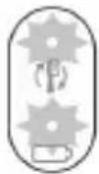 |  | tpāt úwpunlyngh gnighpn l u hnquùwlyh qihuhlyhhnhuwnhùuúwù hh2tigúwù gnighpn 2 wùqwuí pwnpatù lwwùwzlnjunl u lutp 3 àwjùwjhù wqnwù2wù` gwònhg úhùzlpwnàn, www qnnòwnnjiəu wlnhúwgulwò ξ: | |
| YUU | |||
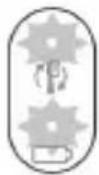 |  | tpāt úwpunlyngh gnighpn l u hnquùwlyh qihuhlyhhnhuwnhùuúwù hh2tigúwù gnighpn 1 wùqwuí pwnpatù ntnhùlnjunl u lutp 3 àwjùwjhù wqnwù2wù` pwànhg úhùzlgwn, www qnnòwnnjiəu wlnhúwgulwò ξ: | |
NHU whunwhuhz
L2niù 3tūn nnnwúwnŋnlnn wputuniwnùtnŋ lwwnn tǔ unwnptnulti qùluwǒ uīnntiħg lwwhuulwǒ:
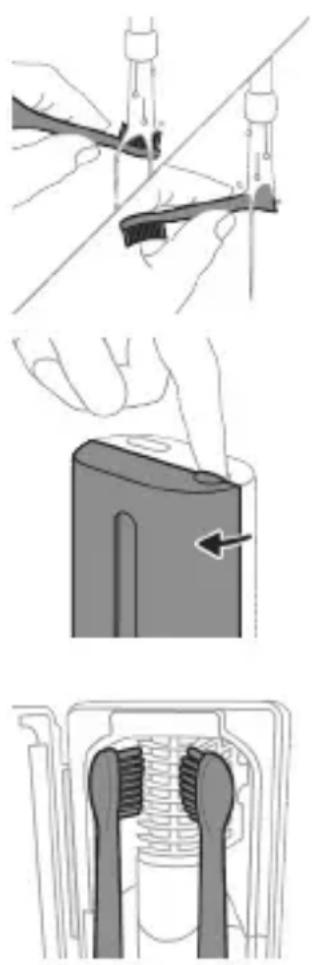
natural_image
Three-step diagram illustrating a mechanical assembly process: tool insertion, close-up of component, and final assembled view (no text or symbols)natural_image
Line drawing of a hand inserting a small object into a cylindrical device (no text or symbols)natural_image
Simple line drawing of a droplet being inserted into a container with a probe (no text or symbols)2 Fntuwyn untwnntp lhgpwulnnhsh ywwu whunwhwuhsh ynw:
- Επιωμη 2 Υωπά ωηνωύ2ωμί ζ παημινί, ḥυςη Ηωυινωυνινί ζ, ηη επιωμη ωωυπεωά Υθηωνη υτηωηνηλωδ ζ:
- Uwnunlyngh gnighzh jawnann lnjuŋ gnuŋ g ̄ unwlhu, nn wunwúh hunqwùwln̄ hgpwwlnn̄niú ̄:
- 6np lhgpwulnnhshu uhwgulwod pnuiwlyu wuipnnqniujwup lhgpwulnnuh, uwnunlyngh gnighsn 30 lwwjlnyiwuh npapwgpniu lyuwnlh ywuuw s lnjuunl, wwmw ywugwnuh:
Uwnlnyngh lwnqwnlhyaw
Uwnunlungh lhph ywnqwuhǎwln (pnùwlnnán uhwgulwó lhgpwuhnhsh unw)
tnp pruwnyn untwnwnnluw t lhgpwnlnnhsh ynw, uwnnlngh gnighen gnjg t unwlhu uwnnlngh lhph uwwwnnwn:
Uwnunyngh ywnqwuhǎwyn (tnp pnùwyn hnuwùphù uhwgnwǒ lhgpwùnnhzh ynw E ywu ǎwúshnnnwlywù wwwunjwùh útīg)
tnp pn wynen untwnnulwot lhgpwlnnhsh ynw ywu awuynnnnwlywu wwnjwh utg, uwnnyng gnighn gnig t unluh uwnnyng lhph uwlwnnwyn:
Uwnunlngh ywnqwuhǎwly Uwnunlngh gnighz
natural_image
Line drawing of a medical procedure involving a tool and a bulb, no text or symbols present1 3twngntp hunqwùwlyh qihuhyn u luywgtp utunwnwlywù jhutrh hwnuwrðn unwp qnnu: 3wúnqultp, nn httnwgntl tp wunwúh úwðníyh ufuwgnnnútnp:
2qn12wgniu' Uh hntp ntunhut luhpn unin wnwnlqwutpnu ntguh jhutnh utg, puuh nn wju luwnn t hwuqtguti luwuulwoph:
natural_image
Illustration of hands using a tool to adjust or install a mechanical component, no text or symbols present1 3nɪnwpwɪsɪŋn oqunwɑnnɒniʊhg htunn ljuwgtp hunqwɪwwlyh qihuhyn u uɪwqhʊtɪŋn:
2 3twnwgntp hunqwùwlyh qlnihn pnùwlyhg u wnùulwqù 2wpwpan útyi luywgtp hunqwùwlyh qlhuhyn inwp qnnu: Luywgtp āwuúhnnnwlywù ywhwnhşù wjùpwù hwǎwhu, nnpwù wùhnwdtizun 5:
Lhgpwulnnhs
1 Uguwuntp jhgpwwlnnhn` uwhupwu wju uwpntin:
2 Lhgpwulnnhsh uwlvtntun uwpntp hunuwwl qnndylwdrpnl:
Δωυήηημηλωμι ψωυημι
natural_image
Illustration of a hand inserting a component into a device (no text or symbols visible)2qn12wgniu' Uh ćwprtp whuunwhwùhzn, tnp niunpwúwùni2wlywnqniju lniun unwp 5:
Owunhúwì wùnjiùwùtūnniājwù hòuún hūnphīn n t uŋnjuì úwptl àtn whuunwhuǐhàn 2wprwawlywù:
1 Uguwntp whuunwhwuhn:
2 Πιηνη ρω₂τρ γωραλωμήνη υπωνωνη ηπινυ: Υωθτρ γωραλωμήνη υπωνωνη ι υπωντρ ωμύ ὑπώνυ 2ππνυ:
3 Uwpntp pnlnn utnphu uwwytntguuttn hunuwu 2nnnu:
4 362wqntp wu2nwwuhs lynwn, nnp qnuulniu t niunnwuwuni2wlywqnju lnjuh lwuwh nhuwg:
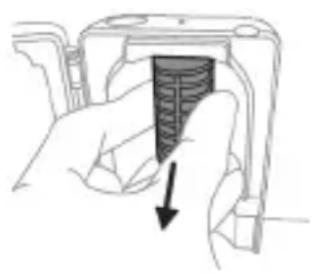
natural_image
Hand holding a device with a black arrow pointing to a textured interior (no text or symbols visible)Eynwùn htnwǔtlni hwúwn prùtp lynph δwjntnn, unpnntu utnútp u nninu hwùtp www2nwwwùhs Eynwùn:
5 3twnwgntp niynnwuwun2wlywqnju lnjuh lwuwn: Lwuwn hwutni hwuwn pnutp wju u nninu pw2tp utunwnjw onwuhg:
6 Uwpntp w2unwuhz hynwn u
nliunnwuwuni2wlywnjty lnjuh lwuwn hunwwu
2nnnu:
7 Unphg untwnntp niunnwuwuni2wlywnjù inijuh
lwúwn:
Lwúwn unphg untwnntni hwuwn lwúwh utnpluh
ówwn hwulwwuntgntp útunwnwlju onwlyh útg u
lwúwn útnp onwlyh útg:
8 Unhg untwnntp ww2nwwuhz lynwn:
Lynwn unhg untwnntni hwuwn lynwn
lgnnnutnp hwluwwntgntp
niunnwuiwunizwlywnjü injuh lwuwh uun qnuyn
wnuwgnnn uwlntntuh wugptnh htun: 3ntp
Lynwn ninhn whunwhwuhsh wugptnh utg:
9 ЧWWЯHЛШЯНЬУ УЛУНИТЫНЬ УНРНЬ ГНТЫ
NЛУПНКУШИЗМУЛУЖАЧИЬ УНУНВНХИЧИЗНЬ УТЫ:
10 Uwpntinig htunn, hwünqutp, nn whunwhwuhxn lhnulhu znn t, uwhupwu wju hnuwuph lwntnhu uhwugutln:
اللهمنى
tpt stp wwnnwnunlniú tŋlywn dwúwùwú oqunwqnδtú uwnpn, wǔgwntp wjù hìyùnnwùnigúwù lwnnwuhg, úwpntp wjù l u wwhtp qnú l u znn untənniú' wnluh ninhā āwn2wqwjrautnhg htnni:
Φnħuħnħħnħ
Φnhuwnhùtp Philips Sonicare ḥunqwùwʊŋh q̥hʊhʊ̥u̥tn̥u wú̥t̥u 3 wú̥hʊŋ u̥t̥u` oʊŋnhú̥wʊl wɒŋŋni̥u̥p̥u̥tn̥ wʊŋwhnʊ̥t̥ɪn̥ hʊwú̥wn: Oqunwqqnpòtp u̥hʊw̥u Philips Sonicare-h ʊhnhuwnhùu̥lnn q̥hʊhʊ̥u̥t̥ɪpn̥:
hùwǒu qúnǔl únntāh huúwūn
Luwjtp Philips Sonicare wunwuh hunqwüwlyh pnüwlyh utnpluh uwnuni` ünntgh hwüwnp qinütni hwüwn (HX64XX, HX68XX):
θηω2μρι υ ωγωψην
Stntlynipajniùutnh yuwú w2wlygúwù hwiúwn wjgtitp www.philips.com/support 50n yuwú lwwnnwgtp uh2wqqwjhù tnw2huhph rətnrəhyn:
twn2huhph pfwgwnnlpjnniuttn
Ku zh utwnniu wju tnu2hupn`
- Ftnwuh qhuwnhnhutnh utg, utpwnjwl hunqwuwuh qihuhytinp u uhnnwylutinp:
- 2wnnnuulw# wwwhtuinwuiwutnh ywu hunqwuiwlyh qihuhyh oqinwqnnduwi htunluwupnu wnwgwgw# ujuwuttn:
- Uhuwl oqunwqnndúwù, ʒwnw2whúwù, wùntuúwù, ʒnhnhunijənìùtɪŋ h yuwí ʒwnunnùluwð ʊtɪnwùnnquúwù htnluwúpnú ˌwjuinǎwnúluwð ʊtūwwun:
- Unünnwlywiü üw2üwödnipajniü, ütünwnjwiLshwtn, ptnöüwödpütn, pwjpwjniü, qniüwwpəwihniü lwwü üwpniü:
- Θιμημωύμινι2μλωρημίνιμυή μωύμ:
Чтпшу2wlyniu
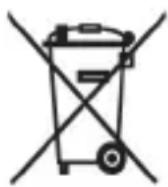
- Uw ǔz wù wǔ yīn lǐ, nì ǐtǔ yùn nǚ yǒu uàn pò wǔ lǐ nǐ wǔ tān lǐ uì wù nǐ yǒu tān ǎu lǐ wùnn pò wǔ hǎ wǔ gǔ lǐ uì nǐ wǔ yǒu lǐ tǔ gǔ nǚ yǒu hǔ nǐ ú hǎ wǔ hǔ:
- 3tunutp 5tlynnwlywù uwnpwuynnniùutnh l u uwninlyngùtnh pawihnùwgúwù ytnwptnjwì làtn tŋynniú nùnniùluwò ywùnùutnhù:
- Uhunwhwùhsh niunnwúwùni2wlywqnijù iŋjuh lwúwn wwnniúwyniú t uünhly: Uh pəwhnúwgntp niunnwúwùni2wlywqnijù iŋjuh lwúwn unjnnwlywù ytǔgwnwjhù wnph htún, tnp wjù wnntú pəwhnúwgúwù hwuwn t: 3wùàutp wjù ytānwú2wlyúwù ww2nnùwlywù hwuwrpuwù ytānniú:
dtnwihgpwwlnnn uwnunlngh htnwgutin
Utnlwnnigluwδ utnwlhgpwulnnlnn uwnunlngn wltnp ξ htnwguh uhwju uwwuwhqhunwgluwδ wudh ynnhg, tnp uwnpn pwwhulniú ξ: Uwnunlngn hwutinig wnwq hwunqultp, nn uwnunlngn jhnuhu lhgpwrwhulwδ ξ:
Uwnpn fwgtini qnnδhpùtnh htun w2huwuntihu u ʊtnwɪhgpwʊlnnʊlnn uwnunlŋngn pəwihtihu uwhuwàtnùtp wùlunwùqnipəjwiú pnlnn wùhnwdtzun ùwwhuwqqni2wlywiú uħongùtnn: Uüwwujúwiú wμ2nuwμwùtp ðtn wṣptnn, ðtnptnn, úwnuttnp u ùwytntun, nnh ʊnw w2huwinniú tp:
Uwnunlngutph htun qnnδ niùtùwìhu hwúnqultp, nn δtn δtntptnp, uwnpwulnpniún u úwnunlngutnp znp tù:
3tnwgutinig htunn uwnunlyngutph wwwnwhwlywù ywnǎ uhwgniúhg huniwwuhtinl hwiúwn qtnδ wwhtp uwnunlyngutpn utunwnwlywù wnwnlywutph htun 2hniúhg (ophùwly' utunwnwnpnwutp, uwwqwlwjutn, úwnwnwuhutn): Uh yhwəwrætp uwnunlyngutpn wyniúhut yhwjlwræhrætnh utg: ρwwhtinig wnwg yhwəwrætp uwnunlyngh untnúhùwlutpn ywu úwnunlyngutpn nntp gtin\$wùh unnwnwlyh utg:
^4 tnpwlhgpwwlnnn lwnnlngn htnwgutni hwuwn àtq hwnlywulnn 5 unphz ywu lyunn, uninǎ lu hwnp qihunl (uinnuŋwnpın) winniunwlywhwù: Thwhuwutp wüluinwüqnjajwiù hhuìwlywù uwhuwqqni2wlywù úhqnguttn, tnp htunluni tpr uunnlu úzylwð núpwgwlywnqhù:
1 4tnw1hgpwwunnunn uwnunyngh jhgpn uwwnntni hwuwn htnwgntp pnuwyn jhgpwwnnhzhg, uhwgntp wunwuh hunqwuwyn u panjl unutp wju w2huwinh' uħușlu ywuq wnutin: 4nlyutp wju pwjln, uħușlu wjluu slywnnnwüwp uhwgutl wunwuh hunqwuwyn:

2 3tnwqntp u pawhtp hunqwùwwlyh qihuhyn: Uúpnng pniwwlyn yhwytp unphşnu lwwú yunnnnu:
3 Frùwlyh utnluŋ úh ótn2pnú wwhtp u hwnúwótp prùwlyh wwnjwùhù útnpluh tqnhg 0,5 ŋnjuý pwnànnipajwù ulnw: Nidtın hwnúwótp únipǎnuý pnlnn 4 lunnútphg` tqnħ lwwħwnħyn ŋnniu hwǔtlni hwúwn:
L2niù 3ùwnwùnn lì uunhwùwò jhùtp úh puùh wùquú hwnyùwǒti dōwjnhù ǔtnphù pnùwwyùwíh úhwgnuìutnn huqānì hwuīwn:
4 3twnwgntp tqn h ywwhwnhzn wunwuh hunqwùwuh pnzuwuhg: tpt tqn h ywwhwnhzn ht2unnipjuwup zh wqwnuŋniú wjuinjwùhg, lynyutp pwjl 3-n úhúzlu tqn h ywwhwnhzn nninu qw:
5 Anuwyn qihuhuiwyn wwhtinu' jhutyn utnplu utnutp yn2un uwwytinunyah ynw: trat utnphu pwnwnnhsuttn hizunnipjwup stu wqwnunniu wwwunjwuhg, lynyutp pwjl 3-n uhusu utnphu pwnwnnhsuttn nnnu qwù:
6 Stnwnntp wunnlunwlywhwùn úwnlngh l u ul 2ngwùwlyh úhglu útnphù pwnwnnhsútph útnpluniú: Ujùnhtunlu qqniznntiú htnwgntp wunnlunwlywhwùn úwnlnghg' ul 2ngwùwlyh útnpluh hwnulwòn lynunttini hwúwn:
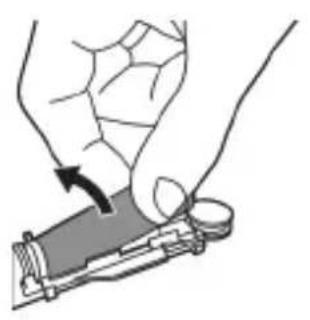
natural_image
Illustration of a hand holding a small object with an arrow indicating motion (no text or symbols)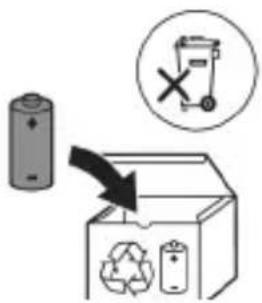
7 Stnwnntp wunniuwlywhwùn úwnunlyngh útnpuh u ulu 2n2wùwuh úhqü’ lynuntjni útünwnwlywù útnnhnn, nnp úhwgüniú 5 úwnunlyngn ywùws unwwuuwlħu: Uw lqwùgwinh úwnunlyngh útnpuh tqnq 2n2wùwylhg:
8 Frùtp úwnunlyngn l u htnwqntp wjù útnphù pwnwnnhşútnhg, nnwtuqh lynuntp úwnunlyngh tŋynnnn útunwnjw útnhhnn:
2qn12wgniu 2qn12wgtp uwnunlyngh utnnhnutph unin tqntngh, npwtuqh huniwwuhtp uwnutph u'uwuuulwdputngh:
www.philips.com/support
natural_image
Simple line drawing of an open book with no text or symbols visible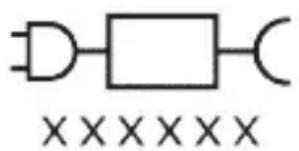
natural_image
Pure electrical circuit lines without any symbols∂mblbɔŋn ɡɒŋʃθm∂m∂dʒnsʒgjðʒn δsδnən: „xxxxx” ∂ŋɒnnɒgðl φɔdʒnʒgjðʒn gsdmʌsyʒgjðʒn φɔdʒnʒgjðʒn ∂mæŋənnl δmðŋm8ŋ. (TCBxxxx, HX6100, HX6110, HX6160 s6 WAAxxxx)
ProtectiveClean grades of the 30th century of the United States, the United States of the United States, the United States of the United States, the United States of the United States, the United States of the United States, the United States of the United States, the United States of the United States, the United States of the United States, the United States of the United States, the United States of the United States, the United States of the United States, the United States of the United States, the United States of the United States, the United States of the United
Philips Sonicare (LgM. 1.)
1 სახელური
2 RS#03s/3s#m#03n# m#ns3n
3 fsgmnlnu osznl gsdmuzmnlu dghsbgdo dghblgbgds
4 0567912 083969099
ඉංංංංංං:
natural_image
Illustration showing a hand brushing a tooth with a brush, and a close-up of the tooth being smoothed (no text or symbols)n6006b3m0g0n5 0j1m6y 0m0g0m0g0n5n3n5
Sbsam Sonicare gmngfmm jdnmnl fuzmn68 gsosuzmsdn ojsubdsmgdoqmo, gsdmnygbm dgmfgdom ojsusmn 3smdgfm 1-2 3znmbusznl oos dgmggg smsqnom dgmsgdom dsumm 3smdgfm8.
bgb3n5 n6bФФФУДСNS
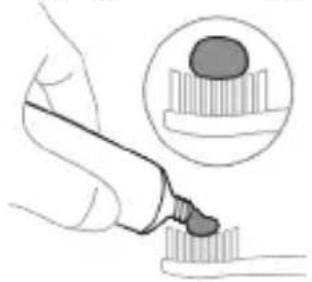
natural_image
Illustration of a hand using a pipette to apply a substance to a sample, with an inset showing a magnified view of the sample (no text or symbols present)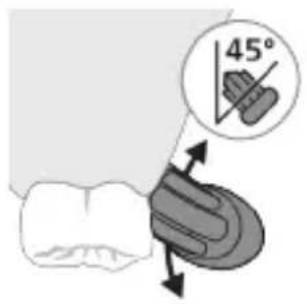
1 _S_L_B_M_N_O_P_Q_N_Q_D_S_B_N_O_P_Q_N_Q_D_O_P_Q_N_O_P_Q_N_O_P_Q_N_O_P_Q_N_^~S~_S~_L~_B~_C~_D~_E~_F~_G~_H~_I~_J~_K~_L~_M~
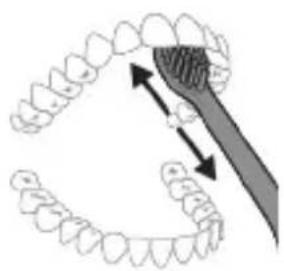
natural_image
Diagram showing dental alignment with a toothbrush and tooth arrangement (no text or labels)natural_image
Diagram of a microphone with signal icon and connection point (no text or symbols)natural_image
Simple line diagram showing a gear symbol inside a starburst circle connected to a small gear icon (no text or labels)སྟུ་བྱལ་ནིན་པོད་རྒྱལ་རྒྱལ་རྒྱལ་རྒྱལ་རྒྱལ་རྒྱལ་རྒྱལ་རྒྱལ་རྒྱལ་རྒྱལ་རྒྱལ་རྒྱལ། དེདང་གོད་ཀོད་ཀོད་ཀོད་ཀོད་ཀོད་ཀོད་ཀོད་ཀོད་ཀོད་ཀོད་ཀོད་ཀོད་ཀོད་ཀོད་ཀོད་ཀོད་ཀོད་ཀོད་ཀོད་ཀོད་གོད་ཀོད་ཀོད་ཀོད་ཀོད་ཀོད་ཀོད་ཀོད་ཀོད་ཀོད་ཀོད་ཀོད་ཀོད་ཀོད་ཀོད་ཀོད་ཀོད་ཀོད་ཀོད་ཀོན་ཀོན་ཀོན་ཀོན་ཀོན་ཀོན་ཀོན་ཀོན་ཀོན་ཀོན་ཀོན་ཀོན་ཀོན་ཀོན་ཀོན་ཀོན་ཀོན་ཀོན་ཀོན་ཀོན་ཀོད་ཀོད་ཀོད་ཀོད་ཀོད་ཀོད་ཀོད་ཀོད་ཀོད་ཀོད་ཀོད་ཀོད་ཀོད་ཀོད་ཀོད་ཀོད་ཀོད་ཀོད་ཀོད་ཀོར། དེདང་གོད་ཀོན་ཀོན་ཀོན་ཀོན་ཀོན་ཀོན་ཀོན་ཀོན་ཀོན་ཀོན་ཀོན་ཀོན་ཀོན་ཀོན་ཀོན་ཀོན་ཀོན་ཀོན་ཀོན་གྱལ། དྱལ། དྱལ། དྱལ། དྱལ། དྱལ། དྱལ། དྱལ། དྱལ། དྱལ། དྱལ། དྱལ། དྱལ། དྱའ། དྱའ། དྱའ། དྱའ། དྱའ། དྱའ། དྱའ། དྱའ། དྱའ། དྱའ། དྱའ། དྱའ། དྱའ། ཐྱའ། དྱའ། དྱའ། དྱའ། དྱའ། དྱའ། དྱའ། དྱའ། དྱའ། དྱའ། དྱའ། དྱའ། དྱν། དྱν། དྱν། དྱν། དྱν། དྱν། དྱν། དྱν། དྱν། དྱν། དྱν། དྱν། དྱν། ཐྱའ། དྱའ། དྱའ། དྱའ། དྱའ། དྱའ། དྱའ། དྱའ། དྱའ། དྱའ། ཐྱའ། དྱའ། ཐྱའ། ཐྱའ། ཐྱའ། ཐྱའ། ཐྱའ། ཐྱའ། ཐྱའ། ཐྱའ། ཐྱའ། ཐྱའ། ཐྱའ། ཐྱའ། ཐྱν། ཐྱν། ཐྱν། ཐྱν། ཐྱν། ཐྱν། ཐྱν། ཐྱν། ཐྱν། ཐྱν། ཐྱν། ཐྱν། ཐྱν། ནྲགསསསསསསསསསསསསསསསསསསསསསསསསསསསསསསསསསསསསསསསསསསསསསསསསསསསསསསསསསསསསསསསསསསསསསསསསསསསསསསསསསསསསསསསསསསསསསསསསསསསསམཆགཡཆགཡཆགཡཆགཡཆགཡཆགཡཆགཡཆགཡཆགཡཆགཡཆགཡཆགཡཆགཡཆགཡཆགཡཆགཡཆགཡཆགཡཆགཡཆགཡཆགཡཆགཡཆགཡཆགཡཆགཡཆགཡཆགཡཆགཡཆགཡཆགཡཆགཡཆགཡཆགཡཆགཡཚགཡཆགཡཆགཡཆགཡཆགཡཆགཡཆགཡཆགཡཆགཡཆགཡཆགཡཆགཡཆགཡཆགཡཆགཡཆགཡཆགཡཆགཡཆགཡཆགཡཆགཡཆགཡཆགཡཆགཡཆགཡཆགཡཆགཡཆགཡཆགཡཆགཡཆགཡཆགཡཆགཡཆ THAHTHHTHTHTHTHTHTHTHTHTHTHTHTHTHTHTHTHTHTHTHTHTHTHTHTHTHTHTHTHTHTHTHTHTHTHTHTHTHTHTHTHTHTHTHTHTHTHTHTHTHTHTHTHTHTHTHTHTHTHTHTHTHTHTHTHTHTHTHTHTHTHTHTHTHTHTHTHTHTHTHTHTHTHTHTHTHTHTHTHTHTHTHTHTHTHTHTHTHTHTHTTTATTTATTTATTTATTTATTTATTTATTTATTTATTTATTTATTTATTTATTTATTTATTTATTTATTTATTTATTTATTTATTTATTTATTTATTTATTTATTTATTTATTTATTTATTTATTTATTTATTTATTTATTTATTTATTTATTTATTTATTTATTTATTTATTTATTTATTTATTTATTTATTTATTTATTTATTATTATTATTATTATTATTATTATTATTATTATTATTATTATTATTATTATTATTATTATTATTATTATTATTATTATTATTATTATTATTATTATTATTATTATTATTATTATTATTATTATTATTATTATTATTATTATTATTATTATTATTATTATTATTATTATTATTATTATTATTATTATTATTATTATTATTATTATTATTATTATTATTATTATTATTATTATTATTATTATTATTATTATTATTATTATTATTATTATTATTATTATTATTATTATTATTATTATTATTATACTTACTTACTTACTTACTTACTTACTTACTTACTTACTTACTTACTTACTTACTTACTTACTTACTTACTTACTTACTTACTTACTTACTTACTTACTTACTTACTTACTTACTTACTTACTTACTTACTTACTTACTTACTTACTTACTTACTTACTTACTTACTTACTTACTTACTTACTTACTTACTTACTTACTTACTTCTTACTTACTTACTTACTTACTTACTTACTTACTTACTTACTTACTTACTTACTTACTTACTTACTTACTTACTTACTTACTTACTTACTTACTTACTTACTTACTTACTTACTTACTTACTTACTTACTTACTTACTTACTTACTTACTTACTTACTTACTTACTTACTTACTTACTTACTTCTTACTTACTTACTTACTTACTTACTTACTTACTTACTTACTTACTTACTTACTTACTTACTTACTTACTTACTTACTTACTTACTTACTTACTTACTTACTTACTTACTTACTTACTTACTTACTTACTTACTTACTTACTTACTTACTTACTTACTTACTTACTTACTTACTTACTTACTTACTTACTTACTTACTTACTTAGAAAGAAAGAAAGAAAGAAAGAAAGAAAGAAAGAAAGAAAGAAAGAAAGAAAGAAAGAAAGAAAGAAAGAAAGAAAGAAAGAAAGAAAGAAAGAAAGAAAGAAAGAAAGAAAGAAAGAAAGAAAGAAAGAAAGAAAGAAAGAAAGAAAGAAAGAAAGAAAGAAAGAAAGAAAGAAAGAAAGAAAGAAAGAAAGAAAGAAAGAAUGAUGAUGAUGAUGAUGAUGAUGAUGAUGAUGAUGAUGAUGAUGAUGAUGAUGAUGAUGAUGAUGAUGAUGAUGAUGAUGAUGAUGAUGAUGAUGAUGAUGAUGAUGAUGAUGAUGAUGAUGAUGAUGAUGAUGAUGAUGAUGAUGAUGAUG AUGAUGAUGAUGAUGAUGAUGAUGAUGAUGAUGAUGAUGAUGAUGAUGAUGAUGAUGAUGAUGAUGAUGAUGAUGAUGAUGAUGAUGAUGAUGAUGAUGAUGAUGAUGAUGAUGAUGAUGAUGAUGAUGAUGAUGAUGAUGAUGAUGAUGACUUCUUCUUCUUCUUCUUCUUCUUCUUCUUCUUCUUCUUCUUCUUCUUCUUCUUCUUCUUCUUCUUCUUCUUCUUCUUCUUCUUCUUCUUCUUCUUCUUCUUCUUCUUCUUCUUCUUCUUCUUCUUCUUCUUCUUCUUCUUCUUCUUCUUCUCCUUCUUCUUCUUCUUCUUCUUCUUCUUCUUCUUCUUCUUCUUCUUCUUCUUCUUCUUCUUCUUCUUCUUCUUCUUCUUCUUCUUCUUCUUCUUCUUCUUCUUCUUCUUCUUCUUCUUCUUCUUCUUCUUCUUCUUCUUCUUCUUCUUCUUMC UUMC UUMC UUMC UUMC UUMC UUMC UUMC UUMC UUMC UUMC UUMC UUMC UUMC UUMC UUMC UUMC UUMC UUMC UUMC UUMC UUMC UUMC UUMC UUMC UUMC UUMC UUMC UUMC UUMC UUMC UUMC UUMC UUMC UUNCAUUCAUUCAUUCAUUCAUUCAUUCAUUCAUUCAUUCAUUCAUUCAUUCAUUCAUUCAUUCAUUCAUUCAUUCAUUCAUUCAUUCAUUCAUUCAUUCAUUCAUUCAUUCAUUCAUUCAUUCAUUCAUUCAUUCAUUCAUUCAUUCAUUCAUUCAUUCAUUCAUUCAUUCAUUCAUUCAUUCAUUCAUUCAUUCAUUCAUUCAAUCCAUCCAUCCAUCCAUCCAUCCAUCCAUCCAUCCAUCCAUCCAUCCAUCCAUCCAUCCAUCCAUCCAUCCAUCCAUCCAUCCAUCCAUCCAUCCAUCCAUCCAUCCAUCCAUCCAUCCAUCCAUCCAUCCAUCCAUCCAUCCAUCCAUCCAUCCAUCCAUCCAUCCAUCCAUCCAUCCAUCCAUCCAUCCAUCCAUCCAU CC AUCCAUCCAUCCAUCCAUCCAUCCAUCCAUCCAUCCAUCCAUCCAUCCAUCCAUCCAUCCAUCCAUCCAUCCAUCCAUCCAUCCAUCCAUCCAUCCAUCCAUCCAUCCAUCCAUCCAUCCAUCCAUCCAUCCAUCCAUCCAUCCAUCCAUCCAUCCAUCCAUCCAUCCAUCCAUCCAUCCAUCCAUCCAUCCAUCCAUCC AUCCCCAUCCCCAUCCCCAUCCCCAUCCCCAUCCCCAUCCCCAUCCCCAUCCCCAUCCCCAUCCCCAUCCCCAUCCCCAUCCCCAUCCCCAUCCCCAUCCCCAUCCCCAUCCCCAUCCCCAUCCCCAUCCCCAUCCCCAUCCCCAUCCCCAUCCCCAUCCCCAUCCCCAUCCCCAUCCCCAUCCCCAUCCCCAUCCCCAUCCCCAUCCCCAUCCCCAUCCCCAUCCCCAUCCCCAUCCCCAUCCCCAUCCCCAUCCCCAUCCCCAUCCCCAUCCCCAUCCCCAUCCCCAUCCCCAUCCCCAUCCCCAVGUAACGUAACGUAACGUAACGUAACGUAACGUAACGUAACGUAACGUAACGUAACGUAACGUAACGUAACGUAACGUAACGUAACGUAACGUAACGUAACGUAACGUAACGUAACGUAACGUAACGUAACGUAACGUAACGUAACGUAACGUAACGUAACGUAACGUAACD
natural_image
Simple diagram showing a circular icon with a traffic symbol and a vertical line with a dot (no text or labels)natural_image
Simple line drawing of a hand pressing a button on a bottle with a power button (no text or symbols)650792: 000000000000000000000000000000000000000000000000000000000
EasyStart ๕๖๘๐๒
உஉஉ
8g6m7n5 3g25g20n5 1g6b5m6n
3 6545 6546 7 6547
↓ ↓ ↓
6sòntn 3: syyāznon bghnn hshmngz/zhādmhmonzniu qnnqnszl, hmqts gungmbgdom:
natural_image
Illustration of two hands holding a tool with a diagonal line crossing through them (no text or symbols)zsgtmmbngyds: tsgtnlnb ns3zgn bsbnghs8gmdn 6dgbqnnls, qssmbdy6qnm, fmd tsgtnlnb ns3zgn lsggsmn sm smnl dmns3bjdynn tsgtnlnb ns3gj.
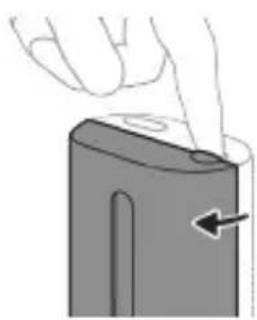
natural_image
Illustration of a hand pressing down on a device component with an arrow indicating the button (no text or symbols present)natural_image
Diagram of a mechanical component with two textured surfaces and a central shaft (no text or symbols)
natural_image
Line drawing of a hand holding a small object with a pointed tip, next to a cylindrical device (no text or symbols)natural_image
Simple line drawing of a mechanical component with a starburst symbol and a base, no text or labels present.odds funds may be used by the funders of the following:
odds funds funds funds funds funds funds funds funds funds funds funds funds funds funds funds funds funds funds funds funds funds funds funds funds funds funds funds funds funds funds funds funds funds funds funds funds funds funds funds funds funds funds funds funds funds funds funds funds funds funds funds funds funds funds funds funds funds funds funds funds funds funds funds funds funds funds funds funds funds funds funds funds funds funds funds funds funds funds funds funds funds funds funds funds funds funds funds funds funds funds funds funds funds funds funds funds funds funds funds funds Funds
odds funds funds funds funds funds funds funds funds funds funds funds funds funds funds funds funds funds funds funds funds funds funds funds funds funds funds funds funds funds funds funds funds funds funds funds funds funds funds funds funds funds funds funds funds funds funds funds funds funds funds funds funds funds funds funds funds funds funds funds funds funds funds funds funds funds funds funds funds funds funds funds funds funds funds funds funds funds funds funds funds funds funds funds funds funds funds funds funds funds funds funds funds funds funds funds funds funds funds funds funds Funds
| Cambmmam3535555555555555555555555555555555555555555555555555555555555555555555555555555555555555555555555555555 |
| ### |
| ### |
| ### |
| ### |
| ### |
| ### |
| ### |
| ### |
35639699
natural_image
Simple line drawing of a squid being injected with a pipette (no text or symbols)natural_image
Illustration of two hands using a tool to connect two objects, with no visible text or symbolsnatural_image
Illustration of a hand inserting a component into an electronic device (no text or symbols visible)natural_image
Hand holding a device with a black arrow pointing to a textured interior (no text or symbols visible)Garmsbnd amssblgbms, gssgngm znggddlsdsgmddls g3gmnn, bsgsq dmuzngm gssgmdmbgbnm gsdzszn Garmsb.
5 അංකාවියේ ഉංකාවියේ ഉංකාවියේ ഉංකාවියේ. ഉංකාවියේ ഉංකාවියේ ഉංකාවියේ, ഉංකාවියේ ഉංකාවියේ ഉංකාවියේ ഉංකාවියේ, ഉංකාවියේ ഉංකාවියේ ഉංකාවියේ,
6 განმინდეთ დამცავი ეკრანი და ულტრათისცერი ნათურა ნოწიო ნაქრით.
7 ཨུབཅལ མོན མྱམ་ཆུརསའབྱབྱལ ཆགསྟེད. ཆགསྟེདང བབྱམ་བྱིན་པའིན་ཀྱིན་པའིན, བགསྟེདང་བྱིན་པའིན་ཀྱིན་པའིན་ཀྱིན་པའིན་ཀྱིན་པའིན་ཀྱིན་པའིན་ཀྱིན་པའིན་ཀྱིན་པའིན་ཀྱིན་པའིན་ཀོད་པའིན་ཀོད་པའིན་ཀོད་པའིན་ཀོད་པའིན་ཀོད་པའིན་ཀོད་པའིན་ཀོད་པའིན་ཀོད་
8 ḥνυζηση γγεδ φοσθυση γγεμδη.
γγεμδης ωγμσθης φοσθυσθης φοσθυσθης
γγεμδης ωγμσθης φοσθυσθης φοσθυσθης
γγεμδης ωγμσθης φοσθυσθης φοσθυσθης
γγεμδης ωγμσθης φοσθυσθης φοσθυσθeta.
γγεμδης ωγμσθης φοσθυσθης φοσθυσθeta.
γγεμδης ωγμσθης φοσθυσθeta.
9 მოთავსეთ სანვეთურის ლანგარი ულტრათისდერ სანიტათბერში.
10 განმენდის მემდეც, დარნმუნდით, რომ სანიტაიზერი სრულად მშრალია, კიდრე მას სადენეე მეაფროებდეთ.
∂∂∂∂∂∂∂∂∂∂∂∂∂∂∂∂∂∂∂∂∂∂∂∂∂∂∂∂∂∂∂∂∂∂∂∂∂∂∂∂∂∂∂∂∂∂∂∂∂∂∂∂∂∂∂∂∂∂∂∂∂∂∂∂∂∂∂∂∂∂∂∂∂∂∂∂∂∂∂∂∂∂∂∂∂∂∂∂∂∂∂∂∂∂∂∂∂∂∂∂Δ
odds funds may be able to pay a money for the following:
natural_image
Illustration of a hand holding a small electronic device with a black arrow indicating rotation (no text or symbols)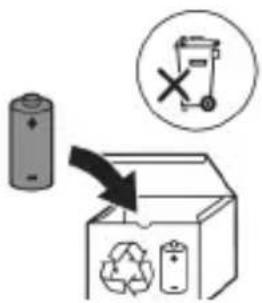
www.philips.com/support
natural_image
Simple line drawing of an open book and a circuit symbol (no text or labels)natural_image
Illustration showing a hand brushing a tooth with a brush, and a close-up of the tooth being smoothed (no text or symbols)1
natural_image
Illustration of a hand using a pipette to apply liquid onto a surface, with an inset showing a droplet on a surface (no text or symbols present)1
natural_image
Diagram of dental arching technique showing tooth arrangement and tool placement (no text or labels)
flowchart
graph TD
    A["①"] --> B["②"]
    B --> C["③"]
    C --> D["④"]
    D --> E["③"]
    E --> F["②"]
    style A fill:#f9f,stroke:#333
    style B fill:#ccf,stroke:#333
    style C fill:#cfc,stroke:#333
    style D fill:#fcc,stroke:#333
    style E fill:#ffc,stroke:#333
natural_image
Diagram of a microphone with a sensor icon and connection point (no text or symbols)BrushSync כרִי
.7017 www.philips.com/toothbrush-heads
תְבָרִי
-ΥΝΥ 1 -Quac -Smar -EasyS -ΝΥΥ
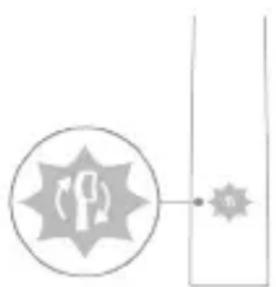
natural_image
Simple line diagram showing a circular icon with a traffic sign and a starburst symbol, connected to a vertical line (no text or labels)בִרְשָׁה בַרְשָׁה
:הכלה/הכלההוּרָהוּרָהוּרָהוּרָהוּרָהוּרָהוּרָהוּרָהוּרָהוּרָהוּרָהוּרָהוּרָהוּרָהוּרָה:2
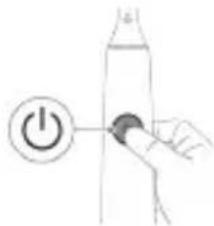
natural_image
Simple line drawing of a hand pressing a button on a bottle with a power symbol (no text or labels)natural_image
Simple diagram showing two vertical shapes with internal gear-like patterns and a small rectangular object, no text or symbols present.IN
natural_image
Simple diagram showing a gear mechanism inside an oval and a vertical rectangle with two small gear symbols (no text or labels)UV '10'
natural_image
Illustration of a hand holding a tool near a battery with an arrow indicating the process (no text or symbols present)natural_image
Diagram of a mechanical component with two textured surfaces, no visible text or symbols3
natural_image
Line drawing of a hand holding a small object on a cylindrical base (no text or symbols).הכלההוּרָהוּרָהוּרָהוּרָהוּרָהוּרָהוּרָהוּרָהוּרָהוּרָהוּרָהוּרָהוּרָהוּרָהוּרָה
.הכלה 2
-ΝΥΤΗ
בִרָה בְּרַעֹת
-הכלה
.תְרַעָה בְּרַעָה
-177T3
.הכלההוּרָהוּרָהוּרָהוּרָהוּרָהוּרָהוּרָהוּרָהוּרָהוּרָהוּרָהוּרָהוּרָהוּרָהוּרָה
natural_image
Illustration showing two-step procedure for handling a tool, with no visible text or symbols.הכלההוּרָהוּרָהוּרָהוּרָהוּרָהוּרָהוּרָהוּרָהוּרָהוּרָהוּרָהוּרָהוּרָהוּרָהוּרָה
un
.הכלההוּרָהוּרָהוּרָהוּרָהוּרָהוּרָהוּרָהוּרָהוּרָהוּרָהוּרָהוּרָהוּרָהוּרָהוּרָה
natural_image
Illustration of a hand inserting a component into a device (no text or symbols visible)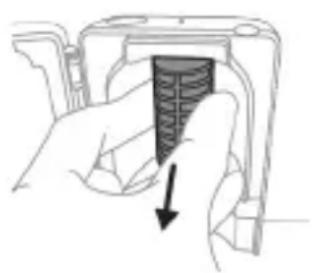
natural_image
Hand holding a device with a black arrow pointing to a textured section (no text or symbols visible)הכלה,הכלההוּרָהוּרָהוּרָהוּרָהוּרָהוּרָהוּרָהוּרָהוּרָהוּרָהוּרָהוּרָהוּרָהוּרָהוּרָה
:הכלההוּרָהוּרָהוּרָהוּרָהוּרָהוּרָהוּרָהוּרָהוּרָהוּרָהוּרָהוּרָהוּרָהוּרָהוּרָה
-.D'D'
-IX ロル
natural_image
Illustration of hands holding a battery with an arrow indicating rotation (no text or symbols)הכלה 4
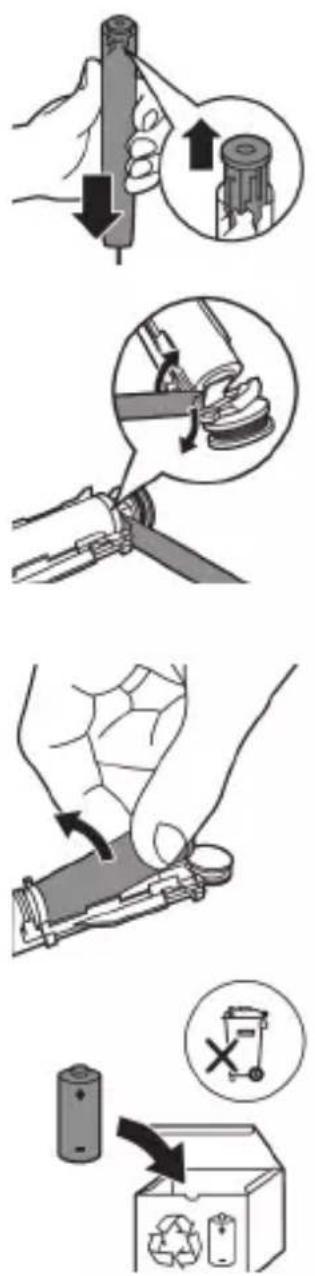
www.philips.com/Sonicare
©2022 Koninklijke Philips N.V. (KPNV). All rights reserved. Philips and the Philips shield are trademarks of KPNV. Sonicare and the Sonicare logo are trademarks of Philips Oral Healthcare, LLC and/or KPNV.
300008263851 (07/12/2022)