LA60 - Hi-fi system Humantechnik - Free user manual and instructions
Find the device manual for free LA60 Humantechnik in PDF.



| Product Type | Magnetic Induction Loop Amplifier |
| Brand | Humantechnik |
| Model | LA60 |
| Dimensions (L x H x D) | 65 x 121 x 35 mm |
| Weight | 150 g |
| Power Supply | 180-265 V AC, 50/60 Hz, 10 VA |
| Output Power | 1.3 A RMS (1.82 A peak) |
| Bandwidth | 100 Hz - 5 kHz |
| Inputs | 2 microphone jacks (Mic 1 and Mic 2) |
| Outputs | Magnetic induction loop connector (LOOP) |
| LED Indicators | POWER (power), LOOP DRIVE (loop signal), OVERLOAD (overload) |
| Settings | Volume and balance (Mic 1/Mic 2 channels) |
| Included accessories (A-4212-0) | Magnetic induction loop pad, connection cable, instruction manual, warranty card |
| Included accessories (A-4213-0) | Magnetic induction loop, connection cable, instruction manual, warranty card |
| Operating principle | Captures sound from an audio source and transmits it via magnetic induction to hearing aids in T or MT position |
| Usage | Connect the audio source to the microphone jacks, adjust the balance, connect the loop/pad, plug into mains, adjust the volume |
| Maintenance and cleaning | Clean with a soft, damp cloth; do not use alcohol, thinner or solvent |
| Safety | Unplug before connecting/disconnecting; do not expose to sunlight, heat, moisture or vibrations |
| Warranty | Manufacturer's warranty includes free repair and return; keep packaging and warranty card |
| CE marking | Compliant with EC Directives 73/23 (low voltage), 89/336 and 92/31 (EMC) |
| Waste disposal | Do not dispose of with household waste; recycle at a collection point for electrical/electronic waste |
Frequently Asked Questions - LA60 Humantechnik
User questions about LA60 Humantechnik
0 question about this device. Answer the ones you know or ask your own.
Ask a new question about this device
Download the instructions for your Hi-fi system in PDF format for free! Find your manual LA60 - Humantechnik and take your electronic device back in hand. On this page are published all the documents necessary for the use of your device. LA60 by Humantechnik.
USER MANUAL LA60 Humantechnik
1 Volume control
2 Microphone connection
3 Balance control
4 Connection for loop pad or loop cable
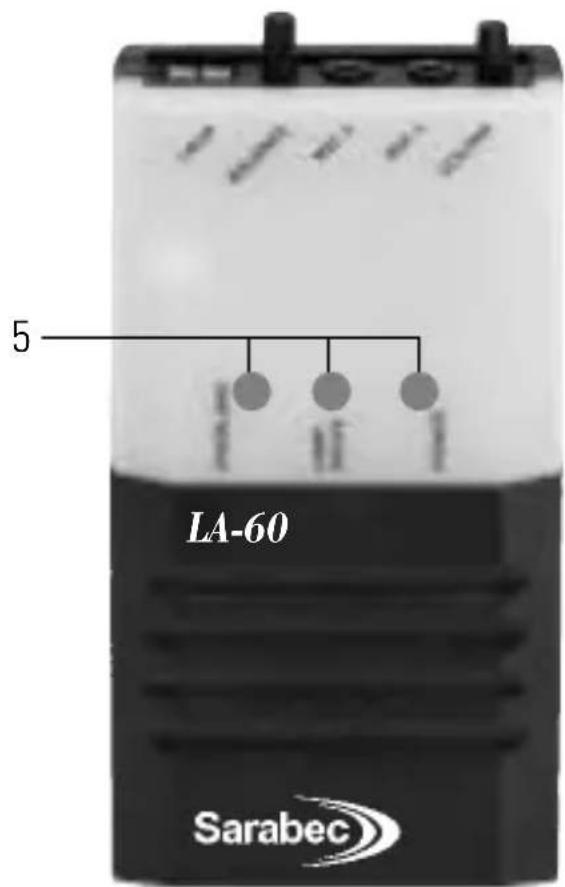
5 Control LED's
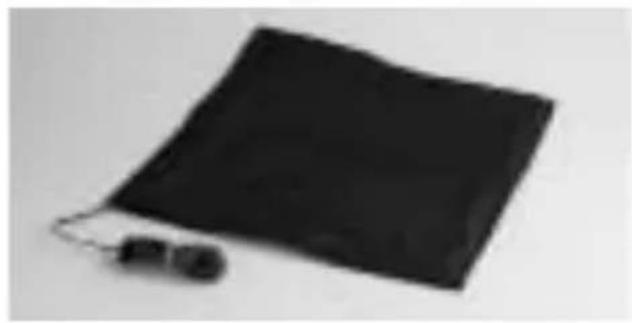
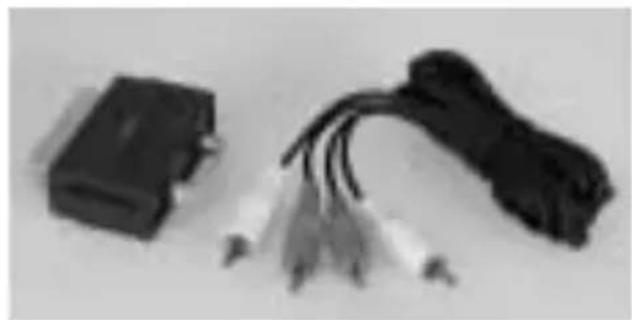
A-4212-0 with loop pad Audio cables
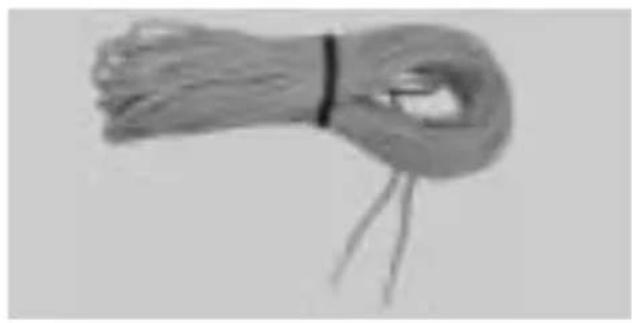
A-4213-0 with loop cable Audio cables
8 English
We would like to congratulate you on purchasing your LA-60 Loop Amplifier. You have chosen a modern, reliable device.
Please first read these operating instructions carefully to initially start the device and to become familiar with all the system options.
How it works
The LA-60 Loop Amplifier provides a practical solution for hearing aid users to listen more easily to conversation or other audio sources via the "T" or "MT" facility of their aid.
The amplifier unit picks up sound via a microphone or direct connection lead and sends the signal to a loop placed in the listening area which transmits the sound inductively, »magnetic sound waves«, to the hearing aid.
Package contents
A-4212-0: A-4213-0:
LA-60 Loop Amplifier
LA-60 Loop Amplifier
- Loop pad - Loop cable
- Audio cable - Audio cable
- Operating instructions - Operating instructions
- Guarantee card - Guarantee card
Functions
-
POWER: This light will be on constantly while power is being supplied to the system.
-
LOOP DRIVE: This light shows that a signal is being passed from the amplifier unit to a loop and that the loop is continuous.
-
OVERLOAD: If the red light is illuminated constantly, adjust the volume control unit the red light is just flickering giving the maximum undistorted output.
VOLUME: This controls the volume level for the user.
BALANCE:
-
This control balances the total level of the output signal between the two inputs.
-
If using only one microphone ensure that you adjust this control to give the maximum output signal.
- Turn the balance control clockwise for channel 1 (mic 1), and anticlockwise for channel 2 (mic 2).
- If using both microphones use the balance control to get optimum performance from both microphones.
- Each microphone channel can alternatively be used as a line input for connection to other audio equipment. (If using this method turn the balance control away from the input being used).
Operation
- When using a microphone, either microphone socket can be used, adjust the balance control to gain the maximum output signal.
- To connect a loop pad push the exposed metal of the lead into the loop connectors ensuring that only the metal is gripped in the terminal. To release the cable press the grey buttons down with a screwdriver and pull the cable free.
- Before switching the unit on ensure that the volume control is set to its minimum level and the balance control is set to the middle position.
- Switch on the amplifier by pressing the POWER button on the mains socket, the green power light will then be illuminated.
- Ensure that the hearing aid wearer switches their aid to the the "T" or "MT" position.
- Adjust the volume control for best results.
- Adjust the balance control to optimise the signal from the microphone or sound source.
Attention:
Before connection/disconnecting cables remove the LA-60 from the main socket.
What to do if problems occur
No sound
- Re-check all connections.
- Check green „POWER" LED light is on.
- Microphone not plugged in or other audio source not connected.
- Hearing aid not on "T" / "MT" or "T" facility not working.
Low sound
- Microphone too far from sound.
- Loop pad incorrectly placed. Check installation instructions.
- Volume control set too low. Turn up volume on amplifier.
Distored sound
- Loop volume control too high. Turn volume down.
- Microphone plug/lead damaged.
Background noise (hum or buzz)
- If noise remains when loop amplifier is turned off but hearing aid is still on "T", this is interference caused by other equipment such as TV, fluorescent lights or dimmer switches. With the loop amplifier turned off and the hearing aid stiff on "T" turns items off in turn until the noise goes away.
- If noise stops when the loop amplifier is turned off there may be a fault in the system or microphone lead or noise is being picked up the microphone.
Maintenance and care
The LA-60 does not require any maintenance. If the unit does become dirty, simply wipe it clean with a soft, damp cloth. Never use spirits, thinners or other organic solvents. Do not set up the unit where it will be exposed to full sunlight for long periods. In addition it must be protected against excessive heat, moisture and severe mechanical shock.
Guarantee
The warranty covers the repair of the product and returning it to you free of charge during the warranty period. It is essential that you send in the product in its original packaging, so do not throw the packaging away. The warranty does not apply to damage caused by incorrect handling or attempts to repair the unit by people not authorized by Repairs under warranty are only carried out providing you have filled in and returned the enclosed warranty card from the dealer as well as a copy of the sales slip. Always specify the product number in any event.
CE Marking
This device complies with the requirements of EU directives: 73/23/EEC, 89/336/EEC and 1999/5/EC. Compliance with these directives is indicated by the CE Marking on the device.
Disposal
Disposal of used electric and electronic units (applicable in the countries of the European Union and other European countries with a separate collection system).
The symbol on the product or the packaging indicates that this product is not to be handled as ordinary household waste but has to be returned to a collecting point for the recycling of electric and electronic units. You protect the environment and health of your fellow men by the correct disposal of this products. Environment and health are endangered by a faulty disposal. Material recycling helps to reduce the consumption of raw material. You will receive further information on the recycling of this product from your local community, your communal disposal company or your local dealer.
Specification
Power supply: 180 V - 265 V AC 50/60 Hz 10 VA
Dimensions (HxWxD): 65 x 121 x 35 mm
Weight: 150 g
Loop output: 1,3 A RMS, 1,82 A peak output
on 100-5 KHz.
Sufficient to meet BS6083 pt4 (IEC118-4) in a loop
using 24 / 0.2 0.75mm^2 cable 0.03 /m
For other service-partners in Europe please contact:
Humantechnik Germany
Tel.: ++49-76 21-95689-0
Fax.: ++49 - 76 21- 9 56 89 - 70