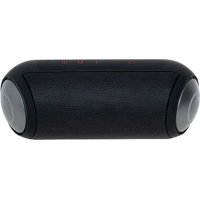
CR 1902 - Speaker CAMRY - Free user manual and instructions
Find the device manual for free CR 1902 CAMRY in PDF.



| Technical Specifications | Bluetooth speaker, 10W output power, frequency response 20Hz - 20kHz |
|---|---|
| Connectivity | Bluetooth 5.0, AUX port, micro SD card |
| Usage | Ideal for listening to music, podcasts, and audiobooks, at home or on the go |
| Battery Life | Up to 8 hours of listening with a full charge |
| Maintenance | Clean with a soft cloth, avoid exposure to water |
| Safety | Do not use near water, avoid extreme temperatures |
| General Information | Compact dimensions, lightweight, modern and portable design |
Frequently Asked Questions - CR 1902 CAMRY
User questions about CR 1902 CAMRY
0 question about this device. Answer the ones you know or ask your own.
Ask a new question about this device
Download the instructions for your Speaker in PDF format for free! Find your manual CR 1902 - CAMRY and take your electronic device back in hand. On this page are published all the documents necessary for the use of your device. CR 1902 by CAMRY.
USER MANUAL CR 1902 CAMRY
natural_image
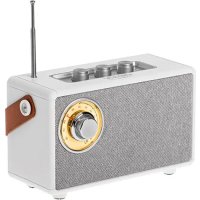
Black portable radio device with adjustable knobs and a rotary dial (no visible text or symbols)CR 1902
SAFETY CONDITIONS IMPORTANT INSTRUCTIONS ON SAFETY OF USE PLEASE READ CAREFULLY AND KEEP FOR FUTURE REFERENCE
The warranty conditions are different, if the device is used for commercial purpose.
- Before using the product please read carefully and always comply with the following instructions. The manufacturer is not responsible for any damages due to any misuse.
- The product is only to be used indoors. Do not use the product for any purpose that is not compatible with its application.
- The applicable voltage is 5V=1A. For safety reasons it is not appropriate to connect multiple devices to one power outlet.
- Please be cautious when using around children. Do not let the children to play with the product. Do not let children or people who do not know the device to use it without supervision.
5.WARNING: This device may be used by children over 8 years of age and persons with reduced physical, sensory or mental capabilities, or persons without experience or knowledge of the device, only under the supervision of a person responsible for their safety, or if they were instructed on the safe use of the device and are aware of the dangers associated with its operation. Children should not play with the device. Cleaning and maintenance of the device should not be carried out by children, unless they are over 8 years of age and these activities are carried out under supervision. - After you are finished using the product always remember to gently remove the plug from the power outlet holding the outlet with your hand. Never pull the power cable!!!
- Never put the power cable, the plug or the whole device into the water. Never expose the product to the atmospheric conditions such as direct sun light or rain, etc.. Never use the product in humid conditions.
-
Periodically check the power cable condition. If the power cable is damaged the product should be turned to a professional service location to be replaced in order to avoid hazardous situations.
-
Never use the product with a damaged power cable or if it was dropped or damaged in any other way or if it does not work properly. Do not try to repair the defected product yourself because it can lead to electric shock. Always turn the damaged device to a professional service location in order to repair it. All the repairs can be done only by authorized service
professionals. The repair that was done incorrectly can cause hazardous situations for the user.
- Never put the product on or close to the hot or warm surfaces or the kitchen appliances like the electric oven or gas burner.
- Never use the product close to combustibles.
- Do not let cord hang over edge of counter or touch hot surfaces.
- Never leave the product connected to the power source without supervision. Even when use is interrupted for a short time, turn it off from the network, unplug the power.
- In order to provide additional protection, it is recommended to install residue current device (RCD) in the power circuit, with residual current rating not more than 30 mA. Contact professional electrician in this matter.
Device description:
- Previous track / Volume - button
a. Previous song (Press and hold)
b. Decrease the volume(Short press)
- Next track / Volume + button
a. Next song (Press and hold)
b. Increase the volume (Short press)
- Play / Pause / Mode button / Mobile Hands-free Calling
a. Change the modes: Bluetooth / FM / USB / Micro-SD / Aux in (Long press)
b. Play/pause (Short press)
c. When there is a call coming, short press to answer it, press and hold to reject it.
d. During calling, short press to hang up.
-
FM antenna
-
Tuning knob
-
ON/OFF switch
-
Line in
-
USB socket
-
USB-C Charging port
-
Micro SD slot
-
Charging / connection indicator
Before first use:
- Remove all packing materials and dispose of it properly.
- Read the manual.
- Clean the device with a damp cloth making sure not to make the device wet.
- Dry the device with a paper towel.
Charging
Connect the included USB cable with the USB charging port (9), the cable has to be connected to a charger or other power source of at least 5V 1A. The LED indicator (11) lights up red and turns off when the speaker is fully charged. Charge the speaker fully before first use.
The speaker emits a sound to indicate battery power is low and needs to be recharged.
FM Radio mode:
-
Turn on the device by switching the ON / Off switch (6) into the ON position.
-
Press the hold the "M" Button (3) repeatedly to select the FM Radio mode. You will hear "FM mode" from the unit.
-
Rotate the Tuning Knob (5) for desired radio station.
Note: The unit is equipped with a FM antenna. To improve FM reception, move the speaker around until the reception is clear without interferences.
Bluetooth Operation
-
Press the hold the "M" Button (3) repeatedly to select the Bluetooth mode, you will hear "Bluetooth mode" from the unit. Note: The indicator (11) will be flashing blue.
-
Turn on the Bluetooth feature of your audio device, search for "CR1902" and pair.
-
Once your device is successfully paired with the unit, you will hear a short confirmation sound from the unit, and the indicator (11) will stop blinking and stay blue.
-
Play and stream music from your device to the unit.
-
During playback, press the Play/Pause Button (3) to suspend and resume song.
-
During playback, press and hold the Backward Skip Button (1) or the Forward Skip Button (2) for the previous or next song.
TWS function activation (how to pair two CR1902 speakers with each other):
-
Make sure the speakers are not paired with any external Bluetooth devices.
-
Turn on the two Bluetooth speakers at the same time.
-
Double-click the "M" button (3) twice on a speaker to initiate TWS pairing.
-
When the second speaker emits a sound, the pairing is successful and the TWS function is active.
-
Activate Bluetooth on the external device, search for the name “CR1902” and choose it to make the Bluetooth pairing.
-
After pairing, the speakers will automatically pair with each other if switched on at the same time.
-
Double-click the "M." (3) button to disconnect TWS.
Playback From USB/Micro SD
-
Insert a USB stick/Micro SD card into the USB (8) / Micro SD (10) socket on the rear of the unit. The unit will start reading the device automatically after the connection. The first track will start playback.
-
Press and hold the Skip +/- (1,2) Button to select your favorite songs.
-
Press Play/Pause Button (3). The unit will stop playback. Press Play/Pause Button (3) again to resume the playback.
Note: The unit will read the last connected device. If you insert a different device while playing another, the unit will stop playback and will start reading the last inserted.
Aux Input Connection
You can connect an audio device to this unit and play your music through this speaker. To do this, turn on the unit, connect a 3.5 mm auxiliary cable between your audio device to the Aux In Jack of this unit and start playing the music.
Note! Transport controls (play/pause, next/previous track) are disabled in AUX in mode Use your smart device to control the music.
|Technical data:
Bluetooth version: 5.1 FM: 87 - 108 MHz
Power input: 5V ==1A
Charging time: 2 hours
Playback time: 5 hours (50% volume)
Output power: 5W
Battery capacity: 1500 mAh
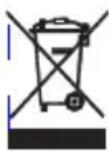
To protect your environment: please separate carton boxes and plastic bags and dispose them in corresponding waste bins. Used appliance should be delivered to the dedicated collecting points due to hazarsous components, which may effect the environment. Electrical appliance must be returned in order to reduce its reuse and utilization. If the device contains batteries they should be delivered to dedicated points separately.
DEUTSCH
Toite sisend: 5V --- 1A
Laadimisaeg: 2 tundi
natural_image
Exterior view of a modern silver kettle with blue liquid, no visible text or symbolsElectric Kettle
natural_image
Black and white photo of a hand mixer with dried coffee beans nearby (no text or symbols visible)Burr Coffee
Milk Frother
AD 4491
natural_image
Black rectangular electronic device with a flat lid and ventilation slots (no visible text or symbols)Sandwich Maker AD 3055
natural_image
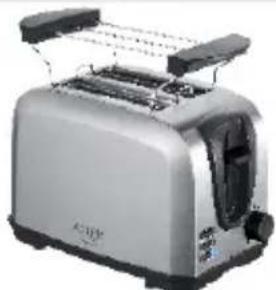
Silver standard 200-degree tower with front grille and side grates (no visible text or symbols)TOASTER 2 SLICE
natural_image
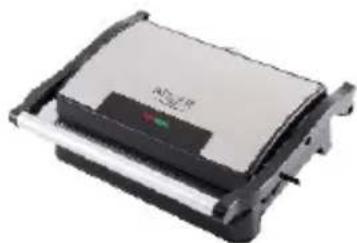
Exterior view of a modern kitchen grater with a flat top and black handle (no visible text or symbols)ELECTRIC GRILL
natural_image
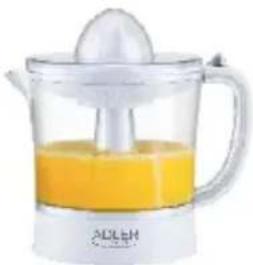
White glass juice organizer with orange liquid and a white spoon, no visible text or symbolsCITRUS
natural_image
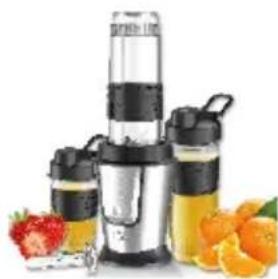
Product photo of a blender with black and white containers, surrounded by fresh oranges and a strawberry (no text or symbols visible)PERSONAL BLENDER
natural_image
Assorted kitchen appliances including a blender, blender, and kitchen utensils (no visible text or labels)FOOD PROCESSOR AD 4224
natural_image
Black and white photo of a hand mixer with a coiled cord, no visible text or symbolsMIXER AD 4225
natural_image
Black air fryer with control panel and side handle (no visible text or symbols)AIR FRYER
natural_image
Exterior view of a modern silver coffee maker with black lid and control buttons (no visible text or symbols)PASTEURIZATION
natural_image
White portable air conditioner unit with control panel and wheels (no visible text or symbols)AIR CONDITIONER AD 7916
natural_image
Black and white photo of a 54-hour water heater (no visible text or symbols)AIR HUMIDIFIER AD 7966
natural_image
White portable heater with heat sink and ventilation grille (no visible text or symbols)FAN HEATER AD 7725
natural_image
Close-up of a stainless steel kitchen pan with digital display (no visible text or symbols)KITCHEN SCALE AD 3166
camry
Premium

natural_image
Clear glass water heater with black handle and side panel (no visible text or symbols)ELECTRIC KETTLE CR 1290
natural_image
Exterior view of a modern espresso machine (no visible text or symbols)ESPRESSO MACHINE CR 4410

natural_image
Exterior view of a modern office building (no signage)SANDWICH MAKER CR 3054
natural_image
Black electronic device with digital display and control buttons (no visible text or symbols)RETRO RADIO CR 1182
natural_image
White portable air conditioner unit with circular vent and grid grille (no visible text or symbols)AIR CONDITIONER CR 7925
natural_image
Modern stainless steel milkshake maker with digital display and control panel (no visible text or symbols)FOOD PROCESSOR CR 4223
natural_image
White hand mixer with whisk, no visible text or symbolsMIXER CR 4220
natural_image
Close-up of a black and silver electric food grater (no visible text or labels)MEAT MINCER

natural_image
Exterior view of a modern air fryer with digital display (no visible text or symbols)AIR FRYER OVEN BAGLESS VACUUM CLEANER CR 6311 CR 7046
natural_image
Exterior view of a modern office building (no signage)CR 7046
natural_image
White portable air purifier with black wheels and a grid of white text on its side (no visible text or symbols)AIR DEHUMIDIFIER CR 7851
Trimmer CR 2921
natural_image
White portable electronic device with a textured gray panel and curved handle (no visible text or symbols)CERAMIC FAN HEATEROIL FILLED RADIATOR
CR 7732 CR 7812
natural_image
Black rectangular water heater with multiple cooling fans and a digital display unit (no visible text or symbols)
natural_image
Exterior view of a modern stainless steel storage unit with open lid (no visible text or symbols)PORTABLE FRIDGE CR 8076
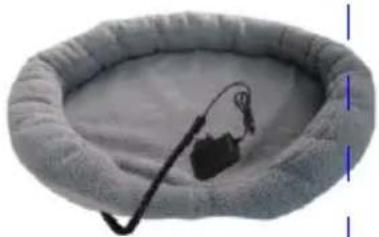
natural_image
Close-up of a gray oval-shaped bed with a black cable and small plug, no visible text or symbolsHEATED ANIMAL DEN CR 7431
camry
Premium

natural_image
Golden kitchen kettle with black handle and silver rim, no visible text or symbols on the device itself.ELECTRIC KETTLE
CR 1292
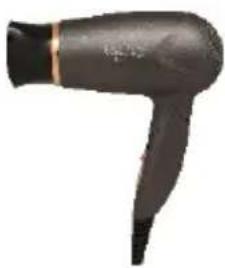
natural_image
Black hair dryer with a long handle and black tip (no text or symbols visible)HAIR DRYIER
CR 2261
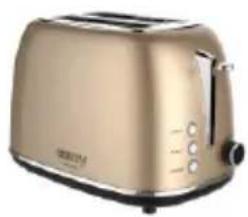
natural_image
Golden Roasted 500 kitchen toaster with black handle and control buttons (no visible text or symbols)TOASTER 2
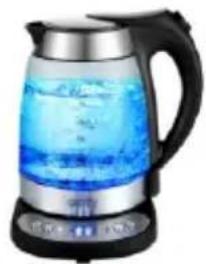
natural_image
Close-up of a modern glass-wrapped teapot with blue liquid and black handle (no visible text or symbols)ELECTRIC GRILL
CR 3044
natural_image
Product photo of a kitchen stand mixer with a pink liquid and black handle (no visible text or symbols)PERSONAL BLENDER
CR 4615

natural_image
Exterior view of a black and white Coatség grater (no visible text or symbols)WAFFLE MAKER
CR 3046

natural_image
Black and white photo of a hairdryer with adjustable handle (no text or symbols visible)GARMENT STEAMER
CR 5033
natural_image
White cylindrical water heater with black control panel and digital display (no visible text or symbols)AIR HUMIDIFIER
CR 7964
natural_image
White electronic device with a small display and 'R' label, no readable text or symbols beyond the logo designGLASS HEATER
CR 7721
natural_image
Exterior view of a modern washing machine (no visible text or symbols)WASHING MACHINE
CR 8054
natural_image
Exterior view of a black rectangular industrial heater with cooling fan and control panel (no visible text or symbols)OIL FILLED RADIATOR
CR 7810
natural_image
White and gray electric guitar device with front panel (no visible text or symbols)HEATING LUNCHBOX
CR 4483
natural_image
Exterior view of a modern electric anti-heat lamp (no visible text or symbols)MOSQUITO KILLER LAMP SONIC TOOTHBRUSH
CR 7935

CR 2173
natural_image
Folded fabric with floral pattern and a small white thermometer on the side (no text or symbols visible)HEATING UNDERBLANKET
CR 7430
natural_image
Exterior view of a modern office building (no signage)HAIR DRYER
CR 2256
Adler Sp. z o.o., Ordona 2a, 01-237 Warsaw, Poland hereby declares that the CR 1902 device complies with Directive 2014/53 / EU. The full text of the EU declaration of conformity is available at the following internet address: