
DD208 - Humidifier QLIMA - Free user manual and instructions
Find the device manual for free DD208 QLIMA in PDF.
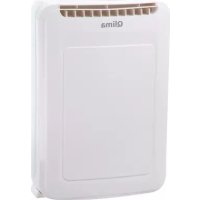



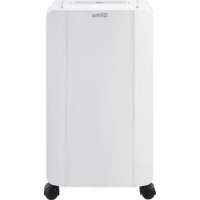
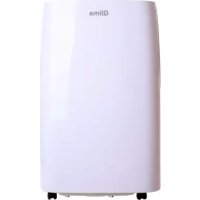
| Product type | Dehumidifier |
| Brand | Qlima |
| Model | DD208 |
| Dimensions (L x D x H) | 351 x 180 x 500 mm |
| Net weight | 6.3 kg |
| Power supply | 220-240 V ~ 50 Hz |
| Tank capacity | 2.0 L |
| Dehumidification (20°C, 60% RH) | 8 L/24h |
| Recommended room area | 120 m³/h (treated volume 40-60 m³) |
| Ambient temperature range | 5 °C to 37 °C (operation) / 1-35 °C (storage) |
| Noise level | 40 dB(A) |
| Main functions | Silent, Normal, Rapid drying modes; Timer 1/2/4/8 h; Ionizer; Swing; Adjustable hygrostat 40/50/60% |
| Continuous drainage | Yes, via hose (not supplied) |
| Maintenance | Clean the air filter regularly; empty the tank |
| Safety | Tip-over protection (automatic shut-off if tilted); Water level protection; Automatic shut-off in case of overheating |
| Warranty | 2 years |
| Spare parts | Replaceable air filter; water tank |
| Reparability | Repairs by an approved professional recommended |
| Protection class | IPX0 |
| Included accessories | User manual |
Frequently Asked Questions - DD208 QLIMA
User questions about DD208 QLIMA
0 question about this device. Answer the ones you know or ask your own.
Ask a new question about this device
Download the instructions for your Humidifier in PDF format for free! Find your manual DD208 - QLIMA and take your electronic device back in hand. On this page are published all the documents necessary for the use of your device. DD208 by QLIMA.
USER MANUAL DD208 QLIMA
guarantee
2
YEARS
| D | GEBRAUCHSANWEISUNG | 2 |
| DK | BRUGSANVISNING | 14 |
| E | INSTRUCCIONES DE USO | 26 |
| F | MANUEL D'UTILISATION | 38 |
| FIN | KÄYTTÖOHJE | 50 |
| GB | OPERATING MANUAL | 60 |
| N | BRUKSANVISNING | 72 |
| NL | GEBRUIKSAANWIJZING | 84 |
| P | MANUAL DE INSTRUÇÕES | 96 |
| PL | INSTRUKCJA OBSŁUGI | 108 |
| S | BRUKSANVISNING | 120 |
| SL | PRIROČNIK ZA UPORABO | 130 |
1 PLEASE READ THE USER'S MANUAL FIRST.
2 IF YOU HAVE ANY DOUBTS, CONSULT YOUR DEALER.
AUTOMATIC RESTART FUNCTION
1 READ THE USER'S MANUAL FIRST. 2 CONTACT YOUR DEALER IF YOU ARE IN DOUBT.
IMPORTANT PARTS
PROTECTION AGAINST INTERNAL OVERHEATING
AUTOMATIC RESTART
CLEANING AND MAINTENANCE

WARNING:

CLEANING AND MAINTENANCE

WARNING:
TECHNICAL SPECIFICATIONS
1 READ THESE INSTRUCTIONS FOR USE FIRST. 2 IF IN DOUBT, CONSULT YOUR DEALER.
MAIN PARTS
INTERNAL OVERHEAT PROTECTION
AUTOMATIC RESTART
- READ THE USER MANUAL FIRST.
- IF YOU ARE UNSURE ABOUT ANYTHING, CONTACT YOUR DEALER.
IMPORTANT COMPONENTS
AUTOMATIC RESTART
CLEAN THE FILTER
Congratulations with the purchase of your dehumidifier. You have acquired a high quality product which will give you many years of pleasure, if you use it responsibly. Please read the user's manual first in order to ensure the optimum life span of your dehumidifier. On behalf of the manufacturer, we provide a two-year warranty on material- or manufacturing defects.
Enjoy your dehumidifier.
Yours sincerely,
PVG Holding B.V.
Customer Service Department
1 PLEASE READ THE USER'S MANUAL FIRST.
2 IF YOU HAVE ANY DOUBTS, CONSULT YOUR DEALER.
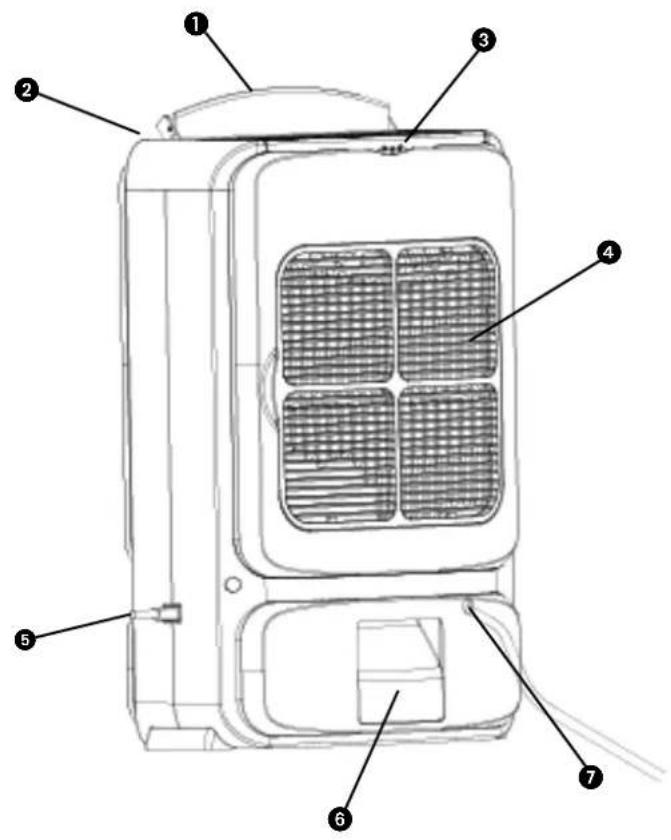
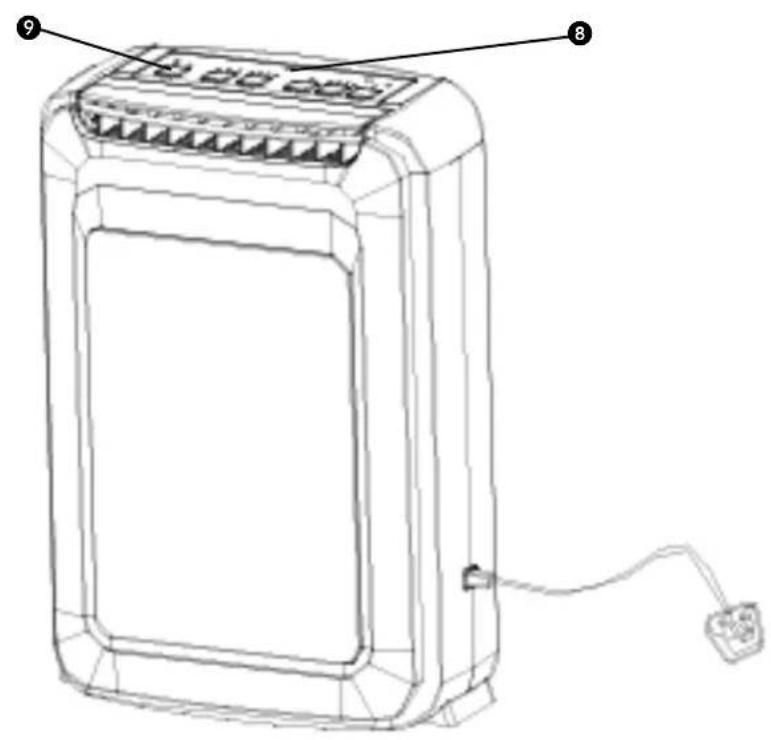
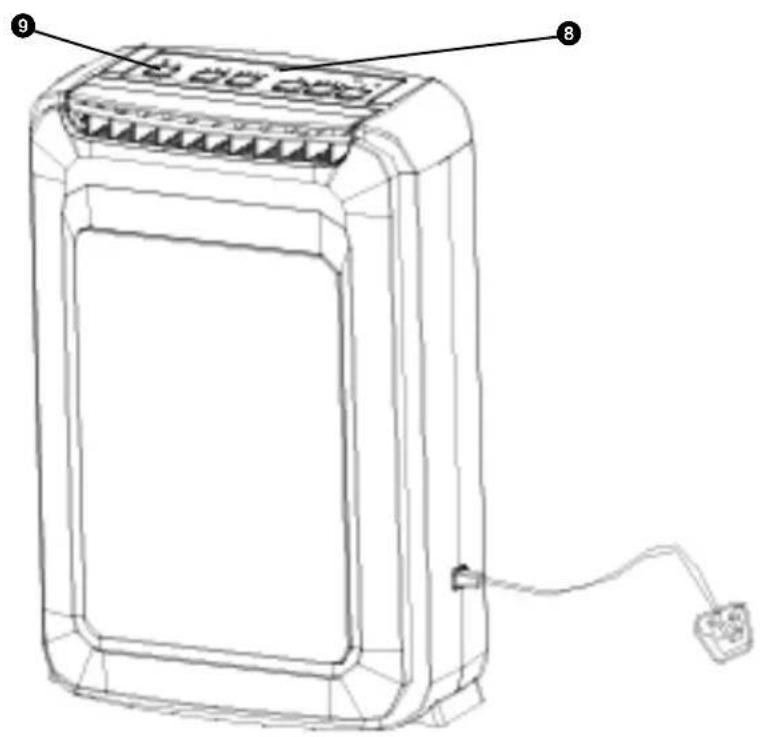
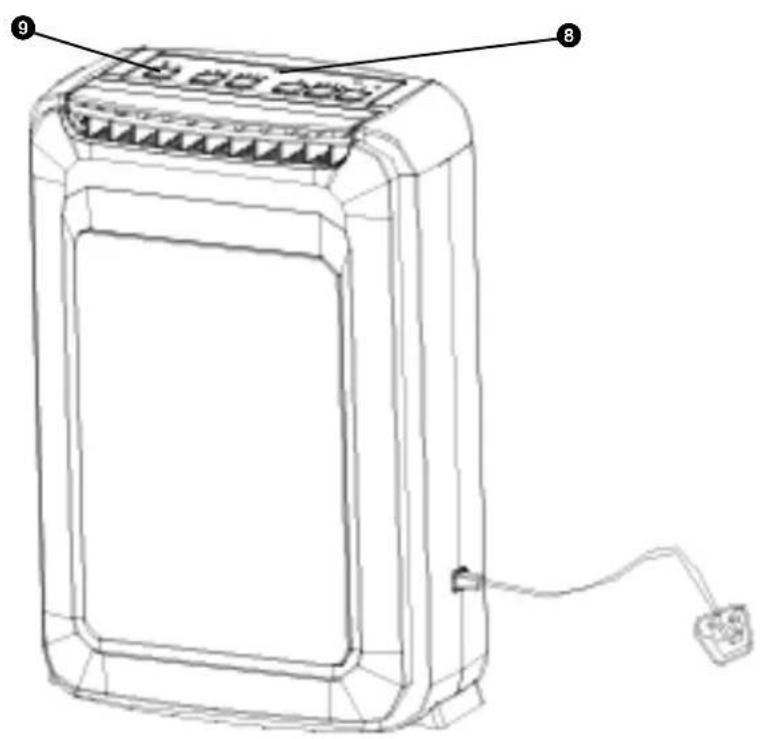
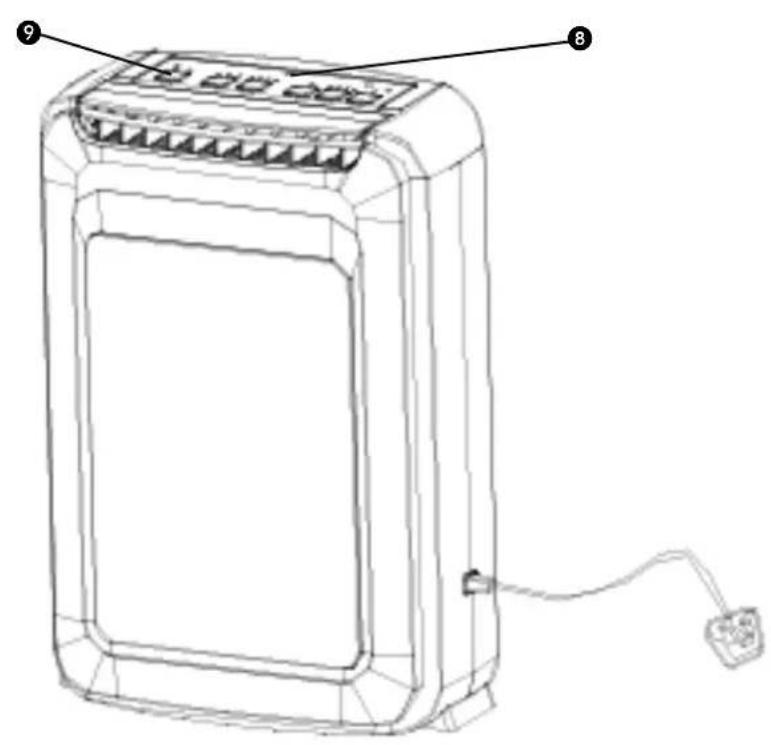
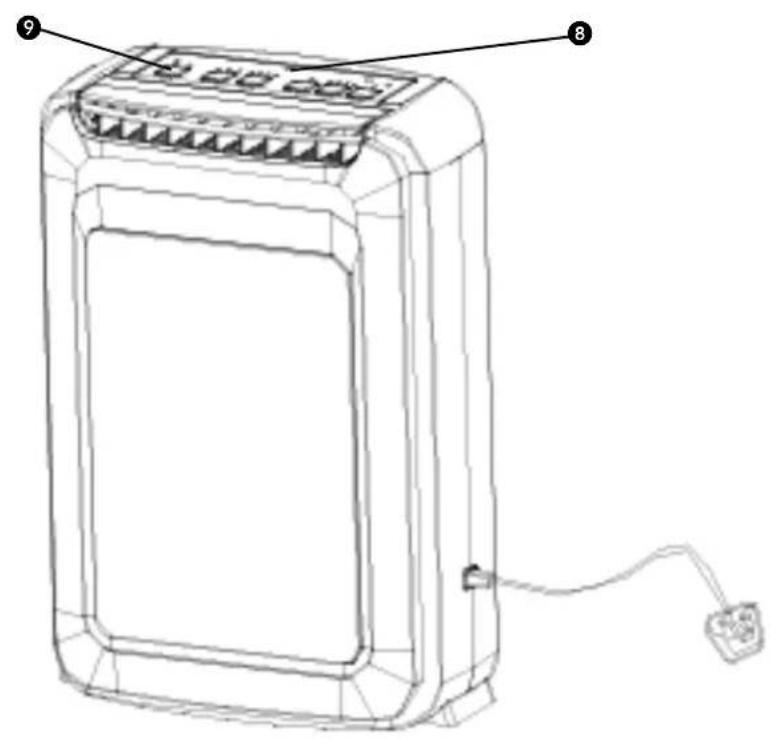
IMPORTANT COMPONENTS
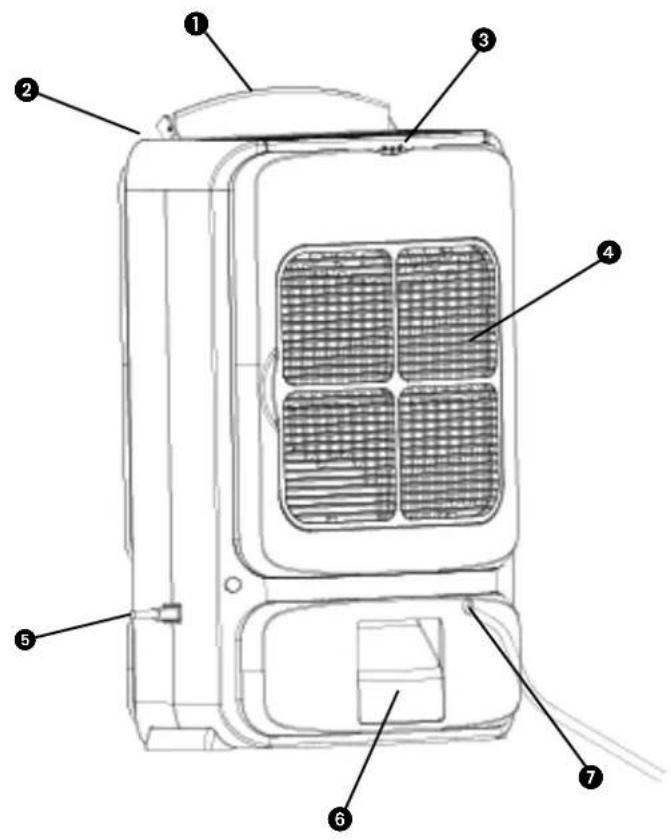
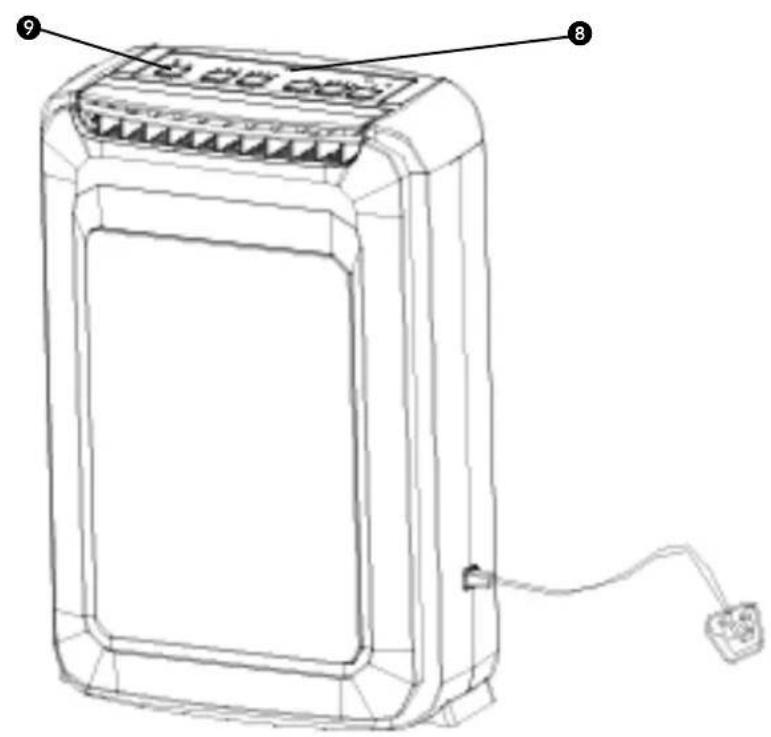
① Auto air guide panel
② Air outlet
3 Handle
④ Air intake grille
⑤ Power cord
6 Water reservoir
⑦ Continuous drainage
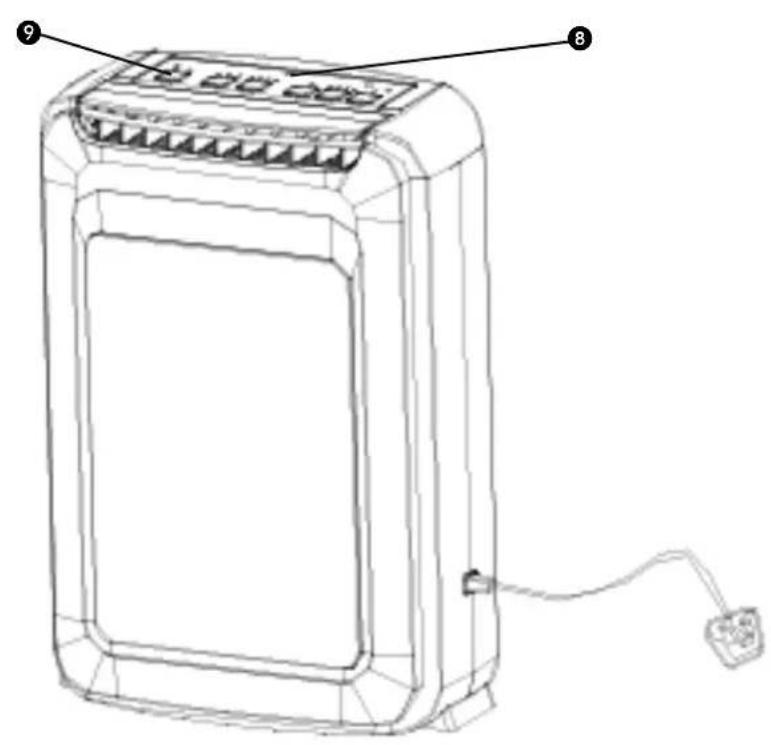
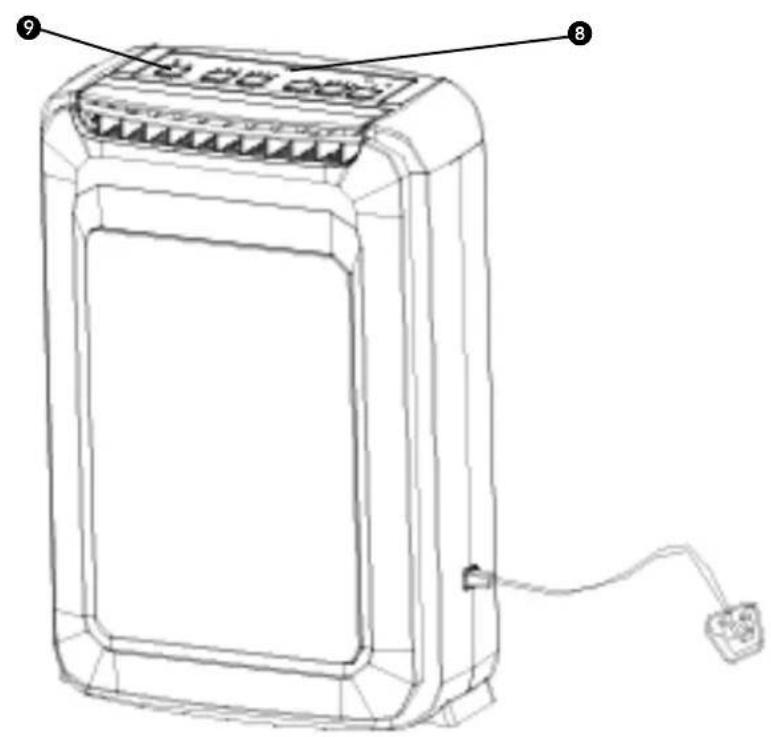
8 Led monitor
9 Control panel
Read this user manual carefully before using the appliance and keep it for future reference. Install this device only when it complies with local/national legislation, ordinances and standards. This product is intended to be used as a dehumidifier in residential houses and is only suitable for use in normal household conditions, indoors in living room, kitchen and garage. This unit is only suitable for earthed sockets, connection voltage 220-240 V. / \~50 Hz.
GENERAL
- Ensure that all windows are closed in order to achieve maximum efficiency.
- The capacity of the dehumidifier depends on the temperature and the humidity in the room.
- Ensure that the screen filter is kept clean. This prevents unnecessary power consumption and guarantees optimum efficiency.
- If the power supply has been interrupted, the dehumidifier will restart after three minutes.
- If the unit ever tips or falls over, unplug the power cord immediately. Make sure the unit has dried out thoroughly before operation if the unit ever tips or falls over when water tank is filled.
- Do not use the unit in bathroom or shower room.
- Do not use the unit near flammable materials or fire.
- Do not unplug unit from power socket with wet hands.
- Switch off the power before removing the plug from power socket.
- Empty the water when water tank full or not in use for a prolonged period.
- To disconnect the power, grip the plug and pull it out from power socket, never drag the cord.

IMPORTANT
The device MUST always have an earthed connection. If the power supply is not earthed, you may not connect the unit. The plug must always be easily accessible when the unit is connected. Read these instructions carefully and follow the instructions.
Before connecting the unit, check the following:
- The voltage supply must correspond with the mains voltage stated on the rating label.
- The socket and power supply must be suitable for the current stated on the rating label.
- The plug on the cable of the device must fit into the wall socket.
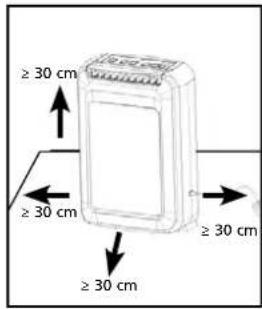
- The device must be placed on a flat and stable surface.
If you have any doubts regarding the compatibility of the electricity supply to the device, it must be checked by a recognised professional.
- This appliance is not intended for use by persons (including children) with reduced physical, sensory or mental capabilities, or lack of experience and knowledge, unless they have been given supervision or instruction concerning use of the appliance by a person responsible for their safety.
- This device is manufactured according to CE safety standards. Nevertheless, you must take care, as with any other electrical device.
- Do not cover the air inlet and/or outlet.
- Empty the water reservoir before moving the unit.
- Never allow the device to come into contact with chemicals.
- Never submerge the unit in water.
- Do not insert objects into the openings of the unit.
- Always remove the plug from the electric power supply before cleaning or replacing the unit or components of the unit.
- Never use an extension cable to connect the device to the electric power supply. If there is no suitable, earthed wall socket available, have one installed by a recognised electrician.
- Children should be supervised to ensure that they do not play with the appliance.
- Have any repairs only carried out by a recognized service engineer or your supplier. Follow the instructions for use and maintenance as indicated in the user manual of this device.
- Always remove the plug of the unit from the wall socket when it is not in use.
- If the power cable is damaged it must be replaced by the manufacturer, its customer service department or persons with comparable qualifications in order to prevent danger.
- This appliance can be used by children aged from 8 years and above and persons with reduced physical, sensory or mental capabilities or lack of experience and knowledge if they have been given supervision or instruction concerning use of the appliance in a safe way and understand the hazards involved.
- Cleaning and user maintenance shall not be made by children without supervision.
Picture 1

ATTENTION!
- Never use the device with a damaged power cord, plug, cabinet or control panel. Never trap the power cord or allow it to come into contact with sharp edges.
ATTENTION!
- Failing to follow the instructions may lead to nullification of the guarantee on this device.
THE CONTROL PANEL
- Lowest ambient working condition: 5°C / 41% relative humidity
- Highest ambient working condition: 37°C / 98% relative humidity
OPERATING INSTRUCTIONS
FUNCTIONS OF CONTROL PANEL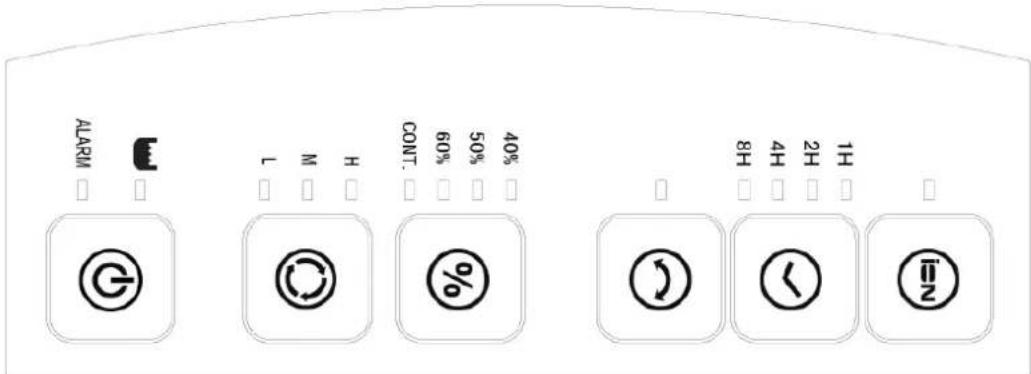
• Power: To turn the unit on and off. • Mode: To select quiet dehumidification (Low speed), normal dehumidification (Medium speed), or faster dry (High speed). • Swing: To switch the swing function on or off. • Timer: To set the unit to turn off after 1, 2, 4, or 8 hours. • Ion: To switch the ionizer on or off.
• Humid: Continuous operation is set when the unit is turned on. The room humidity ratio (40%/50%/60%) can be set by pressing the keypad.
- Plug into a power socket.
- Press POWER (on/off button). The unit enters continuous dehumidification, and the air guide flap raises to 90 degrees.
1. The beeper alarms by responding 3 times when the unit is turned on.
2. The LED monitor defines corresponding functions and status. 3. If the user switches off the unit, the fan motor keeps running for about four more minutes to decrease the temperature of the desiccant and heater after power off. The end-user should not unplug the appliance until no air flow comes from the air outlet.
Press MODE:
Select Quiet (L), normal dehumidification (M), or faster dry (H) and cycle through the above functions.
1. Continuous appears to set the humidity ratio in the room. 2. L (Quiet dehumidification) setting. 3. M (Normal dehumidification) setting. 4. H (Faster dry) setting. Under no circumstance can the humidity ratio be set on. 5. The LED pilot lamp lights up to respond to the functioning status.
Press HUMID:
Set the room humidity ratio to 40%\~50%\~60% and cycle through L, M, and continuous status.
When 40% is set: The humidistat detects that the room RH is lower than 38%, and the unit automatically turns itself off. The dehumidification icon on the LED goes off. The 50% and 60% settings are similar to the above. 2. Continuous drain setting.
Three LED lights indicate the current humidity level for easy observation:
Orange LED light---20%RH-40%RH
Green LED light---41%RH-60%RH
Red LED light---61%RH-97%RH
- Press Swing:
Switching On or Off the swing function.
LED lights when turns on.
- Press ION:
Switching On or Off the ionizer.
LED lights when turns on.
- Press TIMER:
Setting operation time off by entering into 1/2/4/8 hours
PROTECTION OF WATER FULL
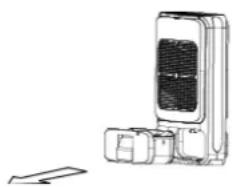
When condensed water is full, beeper will alarm 10 times. Meanwhile, the icon shown on LCD monitor blinks, the unit stop operating automatically. The water reservoir must be removed to empty and reinstalled before the rotary desiccant operates
Remove water reservoir in accordance with arrow direction
PROTECTION OF INTERNAL OVER HEATING
During operating, the abnormal or malfunction may happen due to air intake or exhaust being obstructed or blocked which could occasionally resulting internal temperature ascending, the unit will shut down automatically.
Unplug from power socket immediately and resume to operate after 5 minutes.
PROTECTION AGAINST FALLING OVER
The unit has a heater inside. To avoid overheating, the machine is equipped with a tipping switch that automatically shuts off the unit if it falls over.
CLOTHES DRY (HIGH SPEED) PERFORMANCE:
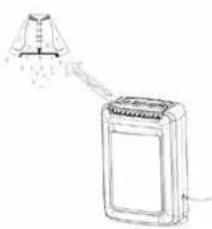
Press H mode to accelerate airflow, which is designed to dry your clothes. The optional air blow direction can be set by pressing "Swing" to adjust the angle of the air guide from 45 degrees to 90 degrees.
If you use this function, please pay close attention: the water from clothes must not drip down onto the unit, as this may damage the unit or cause a risk of electric shock.
CONTINUOUS DRAINAGE
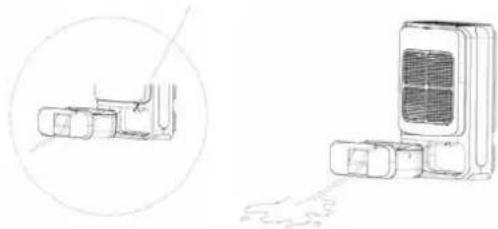
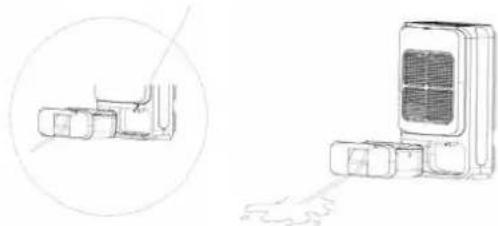
Ensure the unit is unplugged from the power supply. Remove the water reservoir and connect a water drain hose to the spigot (as shown in the figures). The other end of this hose must be led to a drain or a suitable receptacle to collect water.
Drain hoses must be installed at a lower level than the drain hole (water spigot), or water will flow back to the drain hole and into the water tank.
AUTO RESTART FUNCTION
When the power supply is interrupted while the dehumidifier is working, the working mode and required (set) humidity are memorized until the power supply is restored.
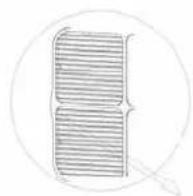
CLEANING THE FILTER
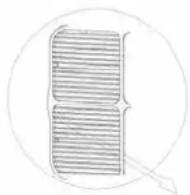
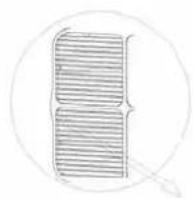
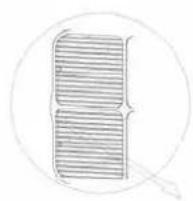
Manually remove the air filter. Use a vacuum cleaner or wash it in cool water to clean the filter (as shown in the figure).
Pull out the filter as shown.
Must dry thoroughly before replacing the filter in the unit.
CLEANING AND MAINTENANCE

WARNING:
- Before cleaning, turn off the dehumidifier and disconnect power. Otherwise it may lead to electric shock.
- Do not wash the dehumidifier with water, or it may lead to electric shock.
- Do not use volatile liquid (such as thinner or gasoline) to clean dehumidifier. Otherwise it will damage unit's appearance.
1
Grille and Case
To clean the case:
When there is dust on the case, use soft towel to dust it off; When the case is very dirty (greasy), use mild detergent to clean it.
To clean the grille: Use a dust catcher or brush.

WARNING:
- Do not operate the dehumidifier without a filter. Otherwise the evaporator will catch dust and affect unit's performance.
- Do not dry the air filter with fire or electric hair dryer. Otherwise the air filter may be unshaped or caught on fire.
- Don't use dust catcher or brush to clean the air filter. Otherwise the air filter may be destroyed
CARE AFTER USE-SEASON
- Disconnect power.
- Clean air filter and case.
- Clean dust and obstacles from the dehumidifier. Empty the water bucket.
LONG-TIME STORAGE
If you will not use the dehumidifier for a long time, we suggest that you follow the steps below in order to maintain the unit in good condition.
Make sure the bucket is clear of water and the drain hose is removed. Clean the unit and wrap it well to prevent the gathering of dust.
CONDITIONS OF WARRANTY
There is a two-year warranty on your dehumidifier from the date of purchase. All material or manufacturing defects will be repaired free of charge.
The following applies:
- All claims for compensation, including consequential damage, will not be entertained.
- Any repairs or replacement of components during the warranty period will not result in an extension of the warranty period.
- The warranty will expire if any alterations have been made, non-genuine components have been fitted, or if the dehumidifier has been repaired by a third party.
- Components subject to normal wear and tear, such as the air filter, are not covered by the warranty.
- The warranty is only valid on presentation of the original, unaltered, and date-stamped purchase receipt.
- The warranty does not cover damage caused by actions that deviate from those described in the user's manual or by neglect.
- Transportation costs and the risks involved during the transportation of the dehumidifier or components shall always be for the account of the purchaser.
To prevent unnecessary expenses, we recommend that you always carefully read the user's manual first. If this does not provide a solution, take the dehumidifier to your distributor for repair.
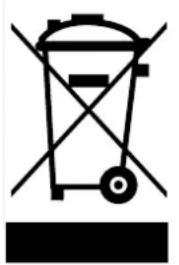
Do not dispose of electrical appliances as unsorted municipal waste, use separate collection facilities. Contact your local government for information regarding the collection systems available. If electrical appliances are disposed of in landfills or dumps, hazardous substances can leak into the groundwater and get into the food chain, damaging your health and well-being. When replacing old appliances with new ones, the retailer is legally obligated to take back your old appliance for disposal at least for free of charge. Do not throw batteries into the fire, where they can explode or release dangerous liquids. If you replace or destroy the remote control, remove the batteries and throw them away in accordance with the applicable regulations because they are harmful to the environment.
TECHNICAL SPECIFICATIONS
| Model DD 208 | ||
| Power consumption (nom / max) kW | 0,65 | |
| Power supply V / Hz / Ph 220-240 / ~ 50 / 1 | ||
| Current (nom.) A 2.9 | ||
| Dehumidifying capacity (moisture removal) at 20°C, 60%RH | L / 24h 8 | |
| Capacity water container L 2,0 | ||
| Air flow (nom.)* m3/h 120 | ||
| For rooms up to* m3 | 40 - 60 | |
| Operating range | °C | 1-35 |
| Hygrostat | Yes | |
| Dimensions (w x d x h ) | mm | 351 x 180 x 500 |
| Net weight | kg | 6,3 |
| Gross weight | kg | 7,0 |
| Sound pressure level * | dB(A) | 40 |
| Unit Protection | IP | IPX0 |
* To be used as indication. Subject to change without prior notice.
Dear customer,
Congratulations on the purchase of your dehumidifier. You have acquired a quality product that you will enjoy for many years to come, provided you use the appliance responsibly. Therefore, please read this user manual first for optimal lifespan of your dehumidifier. On behalf of the manufacturer, we give you a two-year warranty on possible material or manufacturing defects.
1 READ THE USER MANUAL FIRST.
2 CONSULT YOUR DEALER IF YOU ARE IN DOUBT.
IMPORTANT PARTS
PROTECTION AGAINST INTERNAL OVERHEATING
AUTOMATIC RESTART
CLEANING AND MAINTENANCE

WARNING:
PROTECTION AGAINST INTERNAL OVERHEATING
CLOTHES DRYING (HIGH SPEED) PERFORMANCE:
PERMANENT WATER DRAINAGE
AUTOMATIC RESTART FUNCTION
1 READ THE USER MANUAL FIRST. 2 IF IN DOUBT, CONSULT YOUR DEALER.
Orange LED Light — 20%-40% RH
Green LED Light — 41%-60% RH
Red LED Light — 61%–97% RH
- Press Oscillation:
1 READ THE INSTRUCTIONS FOR USE FIRST. 2 IF IN DOUBT, CONSULT YOUR AGENT.
PROTECTION AGAINST TIPPING OVER OF THE UNIT
AUTOMATIC RESTART FUNCTION
1 READ THE INSTRUCTIONS FOR USE FIRST. 2 IF IN DOUBT, CONSULT YOUR RETAILER.
IMPORTANT COMPONENTS
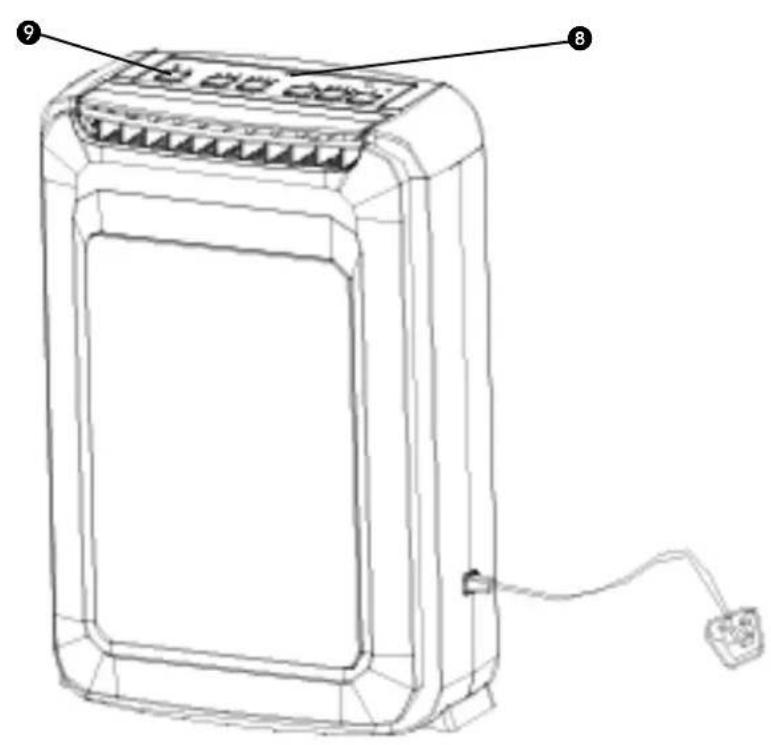
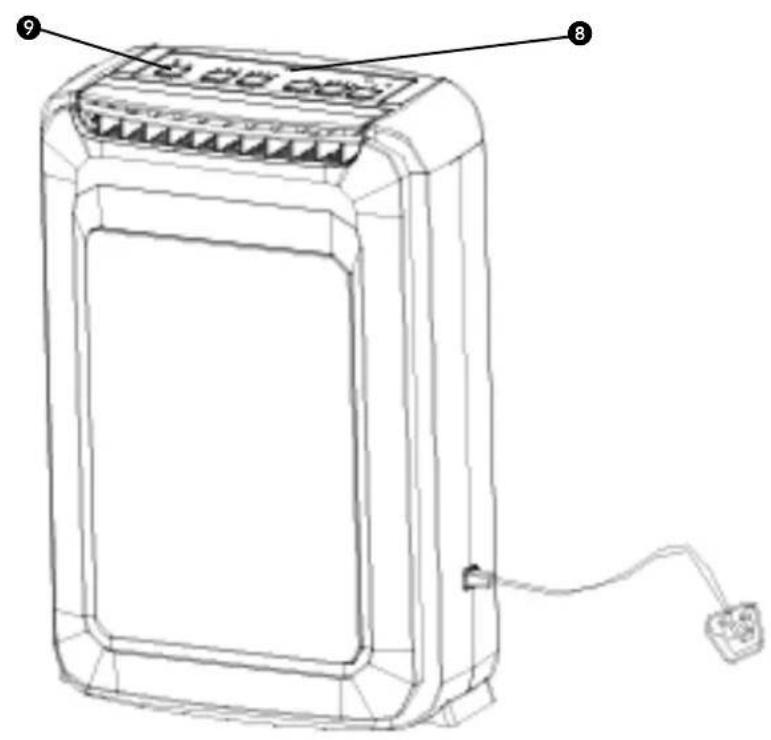
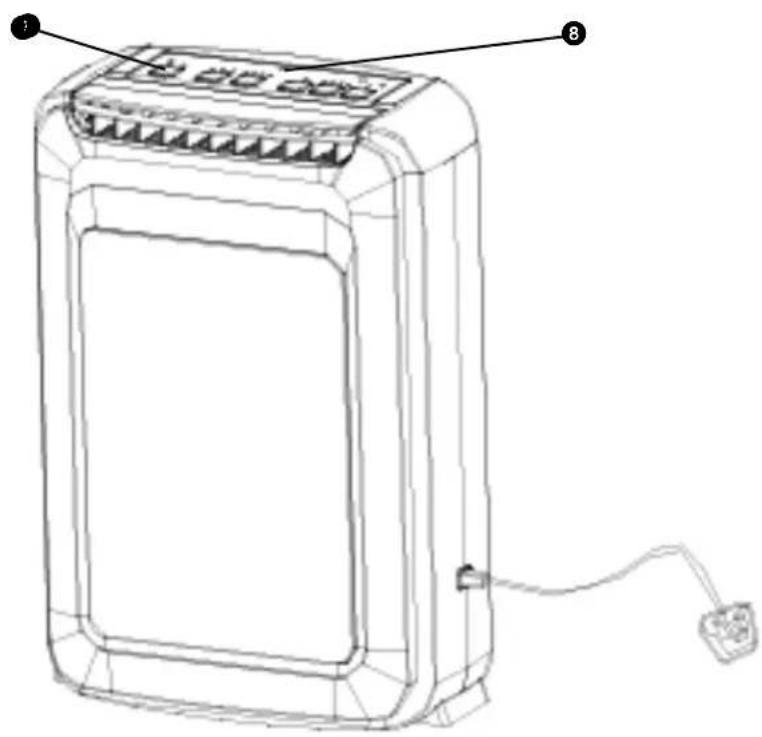
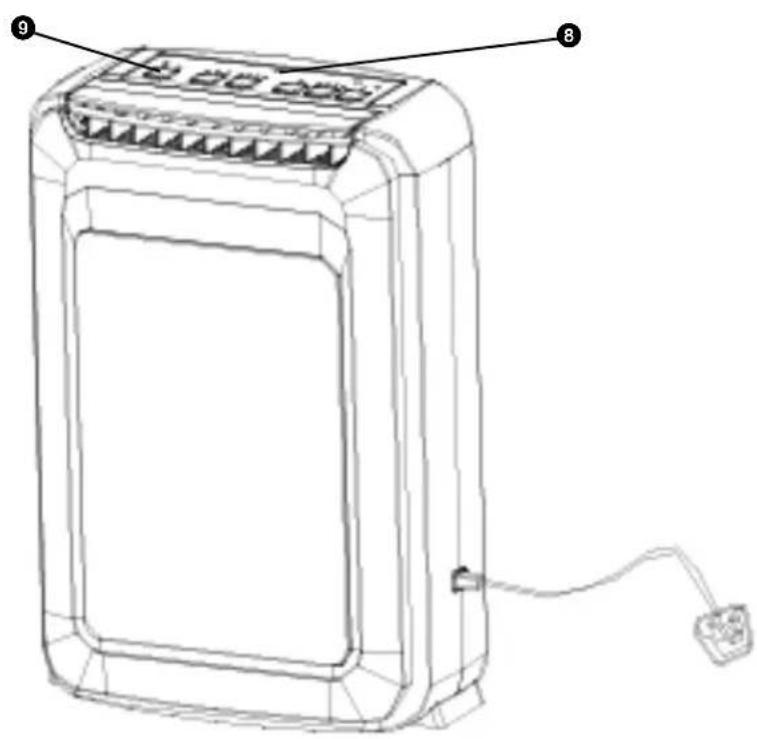
① Automatic air guide panel ② Air outlet 3 Handle ④ Air intake grille ⑤ Power cord 6 Water tank ⑦ Continuous drainage 8 LED display 9 Control panel
PROTECTION AGAINST INTERNAL OVERHEATING
AUTOMATIC RESTART FUNCTION
CLEANING AND MAINTENANCE

WARNING:
1. READ THE USER MANUAL FIRST. 2. IF YOU HAVE ANY DOUBTS, CONSULT YOUR DEALER.
IMPORTANT COMPONENTS
PROTECTION AGAINST INTERNAL OVERHEATING
AUTOMATIC RESTART FUNCTION
CLEANING AND MAINTENANCE

WARNING:
If you need further information or if you encounter any problems, please visit our website www.qlima.com or contact our customer service (phone number on www.qlima.com).
- AUTOMATIC RESTART FUNCTION
- IMPORTANT PARTS
- PROTECTION AGAINST INTERNAL OVERHEATING
- AUTOMATIC RESTART
- CLEANING AND MAINTENANCE
- WARNING
- MAIN PARTS
- INTERNAL OVERHEAT PROTECTION
- IMPORTANT COMPONENTS
- CLEAN THE FILTER
- GENERAL
- IMPORTANT
- ATTENTION
- THE CONTROL PANEL
- OPERATING INSTRUCTIONS
- PROTECTION OF WATER FULL
- PROTECTION OF INTERNAL OVER HEATING
- PROTECTION AGAINST FALLING OVER
- CLOTHES DRY (HIGH SPEED) PERFORMANCE
- CONTINUOUS DRAINAGE
- AUTO RESTART FUNCTION
- CLEANING THE FILTER
- GRILLE AND CASE
- CARE AFTER USE-SEASON
- LONG-TIME STORAGE
- CONDITIONS OF WARRANTY
- TECHNICAL SPECIFICATIONS
- CLOTHES DRYING (HIGH SPEED) PERFORMANCE
- PERMANENT WATER DRAINAGE
- PROTECTION AGAINST TIPPING OVER OF THE UNIT
Brand : QLIMA
Model : DD208
Category : Humidifier