
H408 - Humidifier QLIMA - Free user manual and instructions
Find the device manual for free H408 QLIMA in PDF.
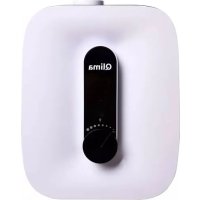



| Product type | Ultrasonic humidifier |
| Brand | Qlima |
| Model | H408 |
| Dimensions (W x D x H) | 259 x 182 x 328 mm |
| Net weight | 2.30 kg |
| Power supply | 220-240 V ~ 50/60 Hz |
| Power consumption | 23 W |
| Water tank capacity | 5.6 L |
| Maximum vaporization output | 7.5 L/day |
| Main functions | Ultrasonic, adjustable mist, aroma box, LED night light, automatic shut-off when water runs out |
| Safety | Automatic shut-off when tank is empty, red LED low water indicator, unplug before cleaning |
| Maintenance and cleaning | Clean the oscillating plate with a brush, descale regularly, change water weekly, do not use harsh household cleaners |
| Spare parts and repairability | Repair by Qlima certified center, original parts only, 2-year warranty under conditions |
| Recommended water type | Fresh drinking water with lime content between 40 and 75 mg/L |
| Intended use | Indoor household use, do not direct mist towards furniture or electrical appliances |
| Warranty | 2 years from purchase date, against manufacturing defects |
Frequently Asked Questions - H408 QLIMA
User questions about H408 QLIMA
0 question about this device. Answer the ones you know or ask your own.
Ask a new question about this device
Download the instructions for your Humidifier in PDF format for free! Find your manual H408 - QLIMA and take your electronic device back in hand. On this page are published all the documents necessary for the use of your device. H408 by QLIMA.
USER MANUAL H408 QLIMA
guarantee
2
YEARS
| D | GEBRAUCHSANWEISUNG | 2 |
| E | INSTRUCCIONES DE USO | 10 |
| F | MANUEL D’UTILISATION | 18 |
| GB | OPERATING MANUAL | 26 |
| I | ISTRUZIONI D’USO | 34 |
| NL | GEBRUIKSAANWIJZING | 42 |
| SLO | NAVODILA ZA UPORABO | 50 |
MAIN COMPONENTS
Congratulations on the purchase of your humidifier. You have acquired a high-quality product that will give you many years of pleasure if you use it responsibly. Please read the user's manual first to ensure the optimum lifespan of your humidifier. On behalf of the manufacturer, we provide a two-year warranty on material or manufacturing defects.
Enjoy your humidifier.
Yours sincerely,
PVG Holding B.V.
Customer Service Department
1 PLEASE READ THE USER'S MANUAL FIRST.
2 IF YOU HAVE ANY DOUBTS, CONSULT YOUR DEALER.
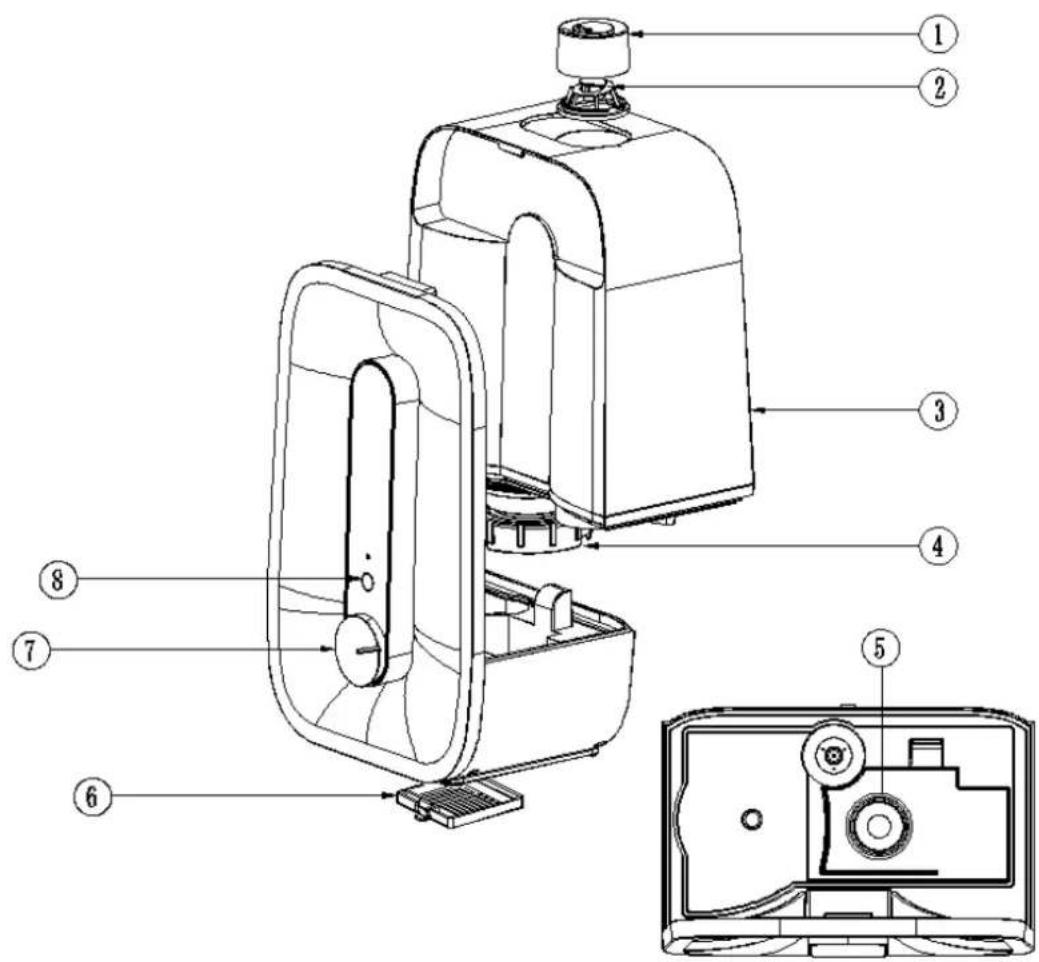
IMPORTANT COMPONENTS
1 Mist nozzle 2 Aroma box 3 Water tank 4 Water softening filter (not included) 5 Ultrasonic Transducer 6 Ash damper 7 Control knob 8 Night light switch
1. SAFETY
- Read this user manual carefully before using the appliance and keep it for future reference.
- The installation must be completely in accordance with local regulations, ordinances and standards.
- This product is only suitable for use as a humidifier in normal indoor household operations.
- The appliance is suitable for mains voltages ranging from 100-240V / 50-60Hz.
- The capacity of the humidifier depends on the temperature and the humidity in the room.
- This appliance is not intended for use by persons (including children) with reduced physical, sensory or mental capabilities, or lack of experience and knowledge, unless they have been given supervision or instruction concerning use of the appliance by a person responsible for their safety.
- The electricity supply to the device must be checked by a recognized professional if you have any doubts regarding the compatibility.
- Always take the plug out of the socket when the device is not in use.
- Do not insert objects into the openings of the device.
- Keep the spraying mouth from directly facing furniture or electronic equipment to avoid damage.
- Never turn on when waterless.
- Never move the appliance when there's water inside.
- Never submerge the product in water or other fluids.
- Due to the emission of steam care should be taken when using the appliance.
- Tap water can only be used when the hardness of the water is between 40 and 75 mg of Calcium Carbonate per litre. Water with a higher level of Calcium Carbonate will likely cause scaling inside the product and/or on surfaces or items surrounding the product (e.g., furniture). Hard water can cause the product to be damaged and to break. This is not covered by the warranty.
- Use a de-scaling fluid to remove scaling.
- To prevent legionella infections, it is necessary to replace the water in the water tank at least once a week.
- Never turn on the unit when the water in the water tank has been there for over a week.
- Do not add other fluids to the (demineralised) water in the water container. Fluids like aroma oils could cause damage to the product.
- This appliance can be used by children aged from 8 years and above and persons with reduced physical, sensory or mental capabilities or lack of experience and knowledge if they have been given supervision or instruction concerning use of the appliance in a safe way and understand the hazards involved. Children shall not play with the appliance.
- Cleaning and user maintenance shall not be made by children without supervision.
- Unplug the appliance during filling and cleaning. The appliance should always be placed on a firm, flat, waterproof surface at least 1.2 m away from bedside and 30 cm from the wall.
2. INSTALLATION
1. Do not place this machine near human body to avoid discomfort of human body; 2. Do not place this machine near wooden furniture to prevent furniture from becoming damp and damaged; 3. Place this machine evenly and keep distance from wall at least 30 cm to keep it running normally;

ATTENTION
Before use, please check the ultrasonic transducer first. When the ultrasonic transducer is damaged, do not use this machine.
1. Be sure the humidifier is switched off (knob turned all the way to the left). Remove the tank from the main housing. Bring the tank to the sink, turn upside down and twist off the tank cap by turning counter clockwise. Fill tank with cool, fresh tap water. DO NOT fill with warm water as this may cause leaking. Replace the cap on tank FIRMLY. Place tank back on to the base. The tank will immediately begin to empty into the base. 2. Connect this machine with 220-240V power socket, then it enters stand-by status. To turn the unit on, turn the Volume Control knob clockwise, and the LED indicator would turn to green color. Turning the knob all the way to the right will produce the highest moisture. Turning to the left will produce lower moisture with longer run time. 3. When the humidifier runs out of water, the LED indicator will turn to red, the transducer and fan will automatically shut off. Once the tank is empty, turn the Power Off and unplug the unit. 4. There is an aroma box in the mist nozzle, you can open the nozzle and put few drops of essential oil in the sponge, then fix the nozzle. When the humidifier is turned on, the aroma would come out together with the mist.
3. OPERATION
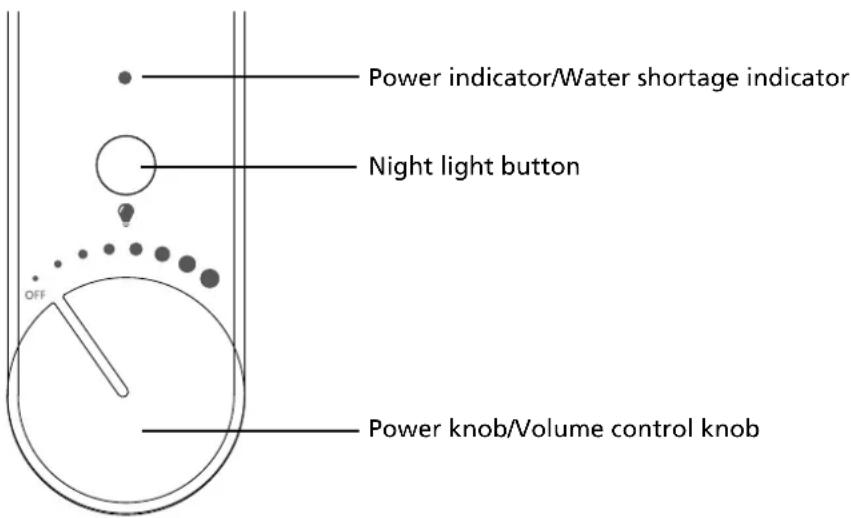
1 Turn the power knob clockwise, the power indicator lights up green; turn the knob counterclockwise to the OFF position, and the indicator light goes off. 2 To turn the unit on, turn the Volume Control knob clockwise. Turning the knob all the way to the right will produce the highest moisture. Turning to the left will produce lower moisture with longer run time. 3 Press the night light button to turn on the night light; press it again to turn off the night light. 4 When the water level is low, the water shortage indicator will turn red and the humidifier will turn off automatically. Please refill the water tank.
4. WARNINGS
1 Never fill the water reservoir with water hotter than 30°C. 2 Never fill the reservoir through the mist nozzle. 3 Ensure that the filler cap of the reservoir is not leaking. Close the filler cap tightly. 4 Ensure that the device and the reservoir are always clean. Remove any dirt before using the device. 5 Do not position the outlet of the cold mist nozzle too close to equipment, furniture, etc. to avoid water damage. 6 Check the actual air humidity regularly in the room to prevent any damage to furniture, equipment, etc. from a too high humidity.
5. MAINTENANCE

WARNING
Before cleaning and maintaining this machine, turn it off and pull out the plug. Make sure the machine is powered off to avoid electric shock.
A. CLEAN OSCILLATING PLATE
1 Take out the water tank of the humidifier. 2 Pour out residual water in the water sink. 3 Use a clean brush to clean the oscillating plate. Do not use household cleaners to clean the oscillating plate, as this will affect its lifetime. It is not recommended to expose the humidifier to candle/lampblack, fireplace ash, and smoke.

ATTENTION
Wear gloves when cleaning the oscillating plate to avoid hand scalds from hot water in the water sink.
B. CLEAN OUTER APPEARANCE OF HUMIDIFIER
1 Power off and pull out the plug. 2 Dip a little soapy water with a towel to clean the outer appearance of the humidifier. 3 Do not let water flow into the inside of the machine. It may cause damage to your machine and electric shock. 4 After cleaning, place the machine in a ventilated area to dry (do not expose to sun). Only when the machine is completely dry can you use it.
6. FAULTS
| Common problems Failure analysis Solutions | ||
| Machine doesn’t work | 1.Power switch is not on2.Forget to plug the power3.Water shortage4.Floating ball has failure | 1.Open switch button2. Check whether power is connected3.Fill water4. Check if floating ball is assembled in proper place |
| Bad mist effect | 1.Mist outlet is blocked2. Water level in water sink is too high | 1. Check and make sure mist outlet is not blocked2. Empty the water tank and the basin and refill tank with cool tap water |
7. TECHNICAL SPECIFICATIONS
| Model H 408 | |
| Mains 220-240~50/60Hz | |
| Electrical consumption 23 W | |
| Capacity water container 5.6 l | |
| Maximum evaporation capacity 7.5 l/day | |
| Dimensions mm (w x d x h) 259x182x328 | |
| Net weight 2.30 KG |
8. CONDITIONS OF WARRANTY
There is a two-year warranty on your humidifier from the date of purchase. All material or manufacturing defects will be repaired free of charge. The following applies:
- All claims for compensation, including consequential damage, will not be entertained.
- Any repairs or replacement of components during the warranty period will not result in an extension of the warranty period.
- The warranty will expire if any alterations have been made, not genuine components have been fitted or if the humidifier has been repaired by a third party.
- Components subject to normal wear and tear, such as the air filter, are not covered by the warranty.
- The warranty is only valid on presentation of the original, unaltered, and date stamped purchase receipt.
- The warranty does not cover damage caused by actions that deviate from those as described in the user's manual or by neglect.
- Transportation costs and the risks involved during the transportation of the humidifier or components shall always be for the account of the purchaser.
To prevent unnecessary expenses, we recommend that you always carefully read the user's manual first. If this does not provide a solution, take the humidifier to your distributor for repair.
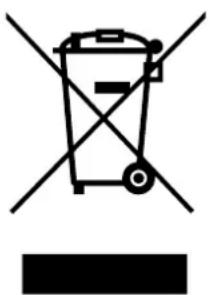
Do not dispose of electrical appliances as unsorted municipal waste, use separate collection facilities. Contact your local government for information regarding the collection systems available. If electrical appliances are disposed of in landfills or dumps, hazardous substances can leak into the groundwater and get into the food chain, damaging your health and well-being. When replacing old appliances with new once, the retailer is legally obligated to take back your old appliance for disposal at least for free of charge.
INTERNET
In order to better be able to be of service to you the most recent version of the user, installation and/or service guide can be downloaded from www.qlima.com.
Dear Sir or Madam,
MAIN COMPONENTS
IMPORTANT PARTS
① Mist nozzle ② Fragrance unit ③ Water tank ④ Water softener filter ⑤ Ultrasonic transducer ⑥ Ash flap ⑦ Control knob ⑧ Night light switch
1. SAFETY
IMPORTANT PARTS
① Mist nozzle ② Fragrance unit ③ Water tank ④ Water softener filter ⑤ Ultrasonic transducer ⑥ Ash flap ⑦ Control knob ⑧ Night light switch
1. SAFETY
If you need more information or encounter any problems, please visit our website www.qlima.com or contact our customer service (phone number on www.qlima.com). For any additional information or if you have any problems with the device, please refer to www.qlima.com or your local customer center (phone numbers can be found at www.qlima.com). If you need information or have a problem, please visit our website www.qlima.com or contact our customer service (you will find the phone number on www.qlima.com). If you wish to obtain additional information or if you encounter a problem, please visit our website (www.qlima.com) or contact our customer service (you will find the address and phone number on www.qlima.com). If you need service assistance, additional information, or if you have problems with the device, please visit our website at www.qlima.com or ask for advice from the PVG consumer service center (www.qlima.com). If you need information or if you have a problem, please visit our website (www.qlima.com) or contact our sales support (you will find its phone number on www.qlima.com). For information and in case of problems, visit the website www.qlima.com or contact the Customer Assistance Center (to find out the phone number, consult www.qlima.com). If you need information, or if you have a problem with the product, you can visit the website www.qlima.com. Alternatively, you can contact the PVG consumer service (phone number at www.qlima.com). If you need information or if you have a problem, please visit our website (www.qlima.com) or contact the sales support department (address and phone on www.qlima.com). If you need information or if you have problems, visit the website www.qlima.com or contact the Assistance Center (phone number at www.qlima.com). In case of problems and for detailed information, visit the Qlima website at www.qlima.com or contact the Qlima contact center (www.qlima.com). If you need service or information or have problems with the device, you can visit www.qlima.com or contact Qlima customer service (you will find the phone number at www.qlima.com). For additional information, visit the company's website at www.qlima.com or call the phone number (www.qlima.com). If you need more information or if you encounter a problem, visit the Qlima website at www.qlima.com or contact the Qlima customer center in your country (phone number: www.qlima.com).
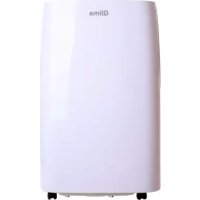
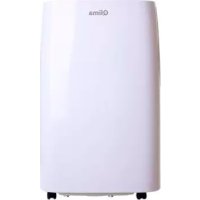
Brand : QLIMA
Model : H408
Category : Humidifier