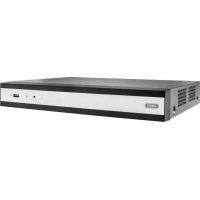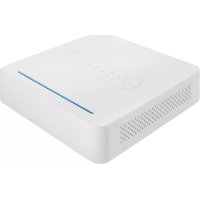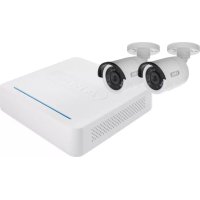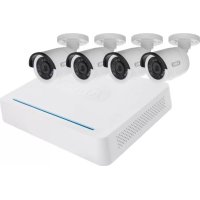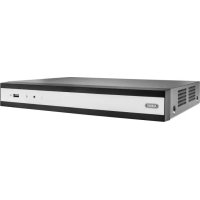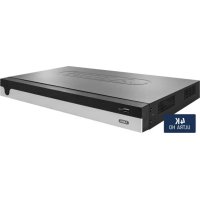
NVR10020 - Digital Video Recorder ABUS - Free user manual and instructions
Find the device manual for free NVR10020 ABUS in PDF.



| Brand | ABUS |
| Model | NVR10020 |
| Product Type | Network Video Recorder (NVR) |
| Number of IP Channels | 8 |
| Total Network Bandwidth (in/out) | 336 Mbit/s (80 Mbit/s in / 256 Mbit/s out) |
| Maximum Live View Resolution | 12 MP |
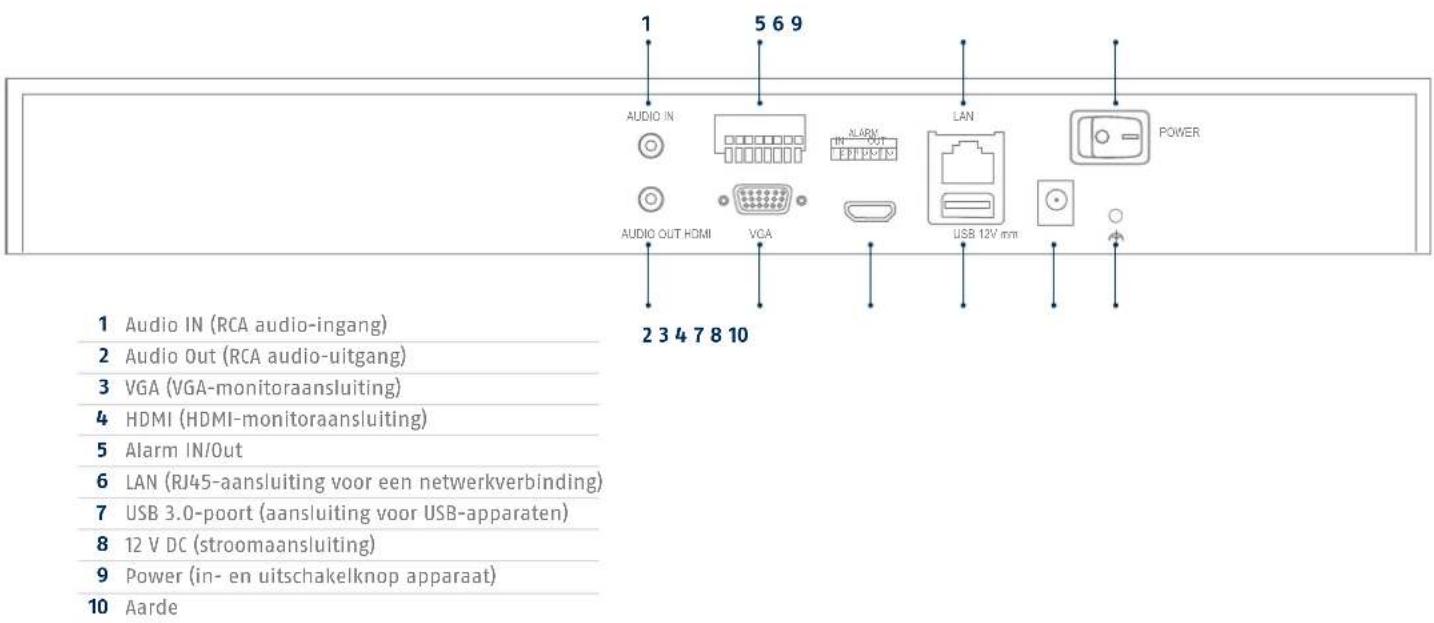
| Monitor Outputs | 1x VGA (1080p), 1x HDMI (4K) |
| Audio | Audio input: 1 RCA channel (2.0 V p-p, 1000 Ω); Audio output: 1 RCA channel (line, 1000 Ω) |
| Internal Storage | 2 SATA slots (hard drives not supplied) |
| Network Connectivity | RJ45 10/100/1000 Mbps |
| Power Supply | DC 12 V |
| Power Consumption | Less than 40 W |
| Operating Temperature | -10 °C to +55 °C |
| Operating Humidity | 90 % max. |
| Recording Modes | Manual, scheduled, motion detection, alarm, VCA |
| Supported Protocols | ONVIF Profile S, ABUS cameras, Axis, Panasonic, Samsung |
| Mobile Access | iDVR Plus/HD (iOS and Android) |
| Management Software | ABUS CMS TVSW1001 |
| Max. Number of Users | 31 (2 levels) |
| Network Functions | Live view, playback, export, configuration |
| Maintenance | Avoid exposure to strong magnetic fields, do not spill liquids, ensure adequate ventilation |
| Security | Administrator password, reset via GUID file |
| Repairability | In case of problems, contact ABUS technical support |
| General Information | Compliant with EU directives EMC, Low Voltage, and RoHS |
Frequently Asked Questions - NVR10020 ABUS
User questions about NVR10020 ABUS
0 question about this device. Answer the ones you know or ask your own.
Ask a new question about this device
Download the instructions for your Digital Video Recorder in PDF format for free! Find your manual NVR10020 - ABUS and take your electronic device back in hand. On this page are published all the documents necessary for the use of your device. NVR10020 by ABUS.
USER MANUAL NVR10020 ABUS
Security Tech Germany

NVR10010 | NVR10020
QUICKGUIDE FÜR NETZWERK VIDEOREKORDER
abus.com/ger/products/NVR10010 [abus.com/ger/products/NVR10020

Scope of delivery 26
Warnings 27
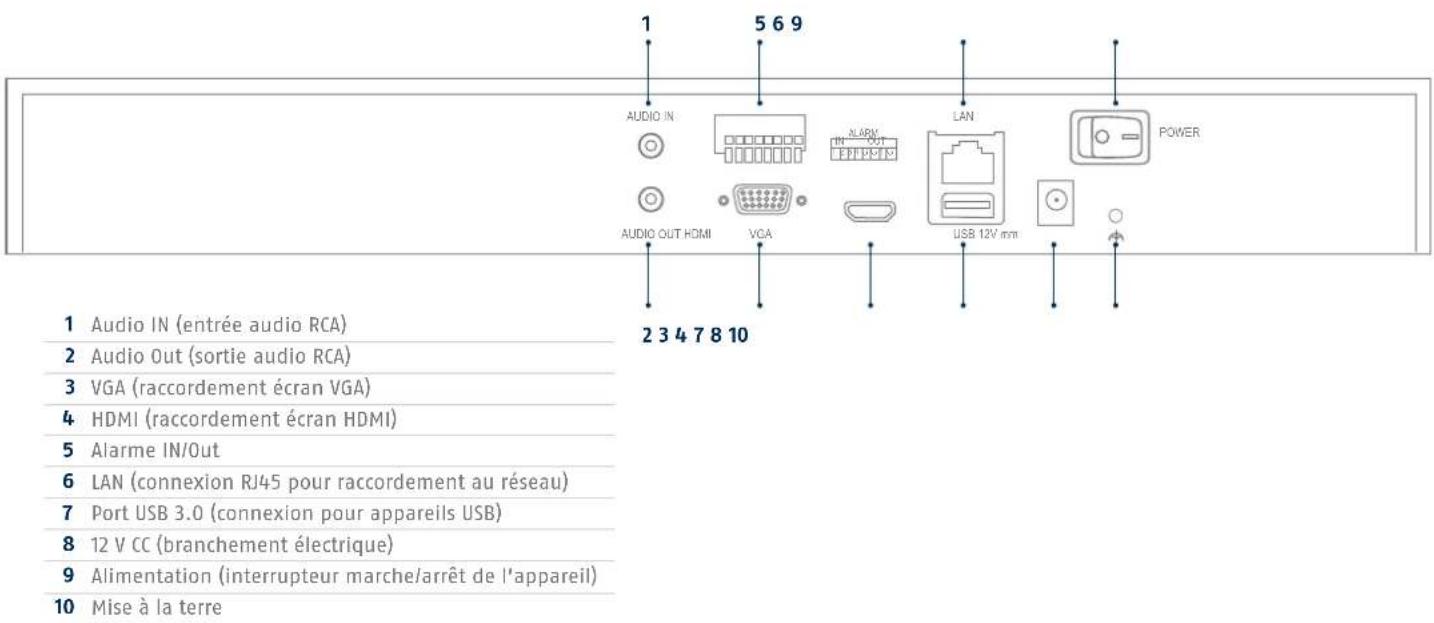
Connections 28
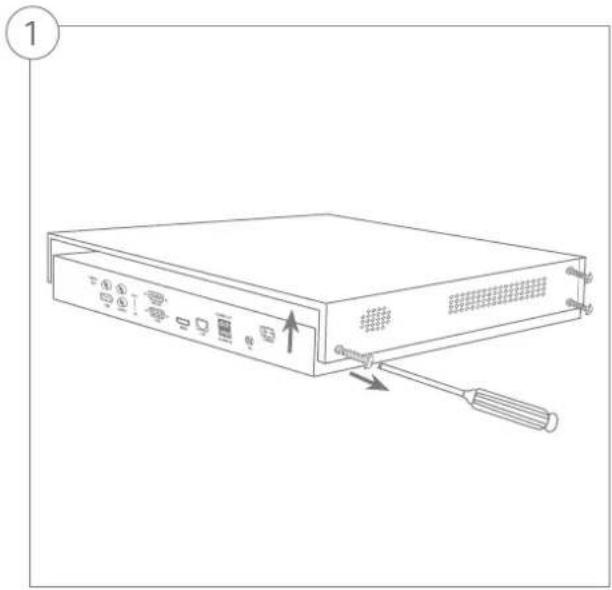
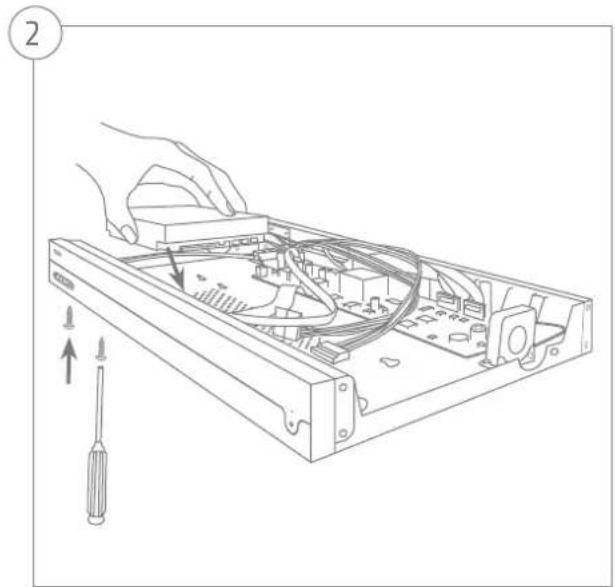
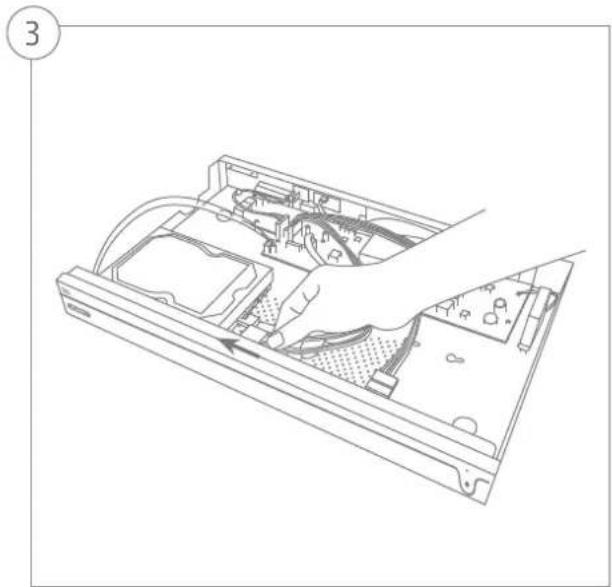
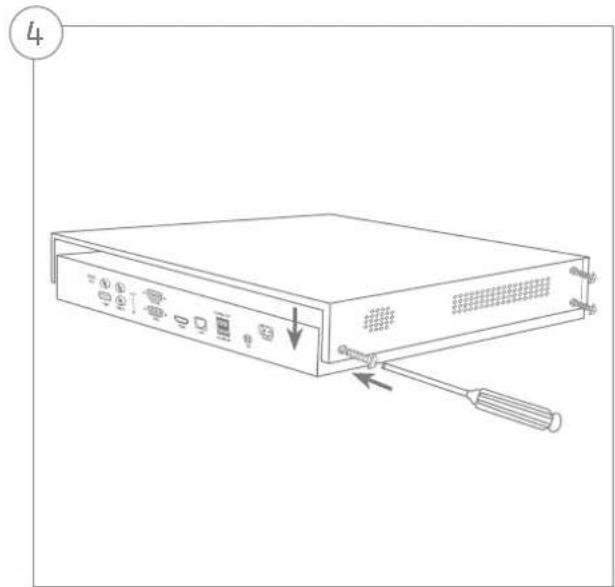
Hardware Installation 30
System activation 32
Resetting the password 33
Software Set-up 34
Specifications 40
Instructions, software and app 43
Nederlands
Leveringsomvang 46
Waarschuwingen 47
Security Tech Germany
Security Tech Germany
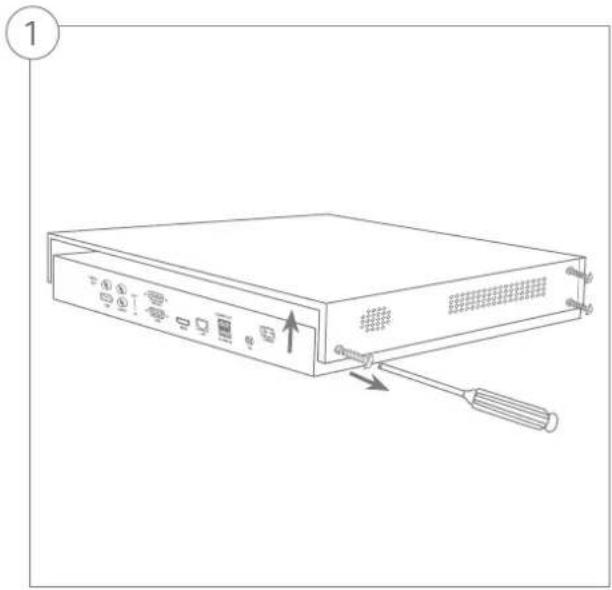
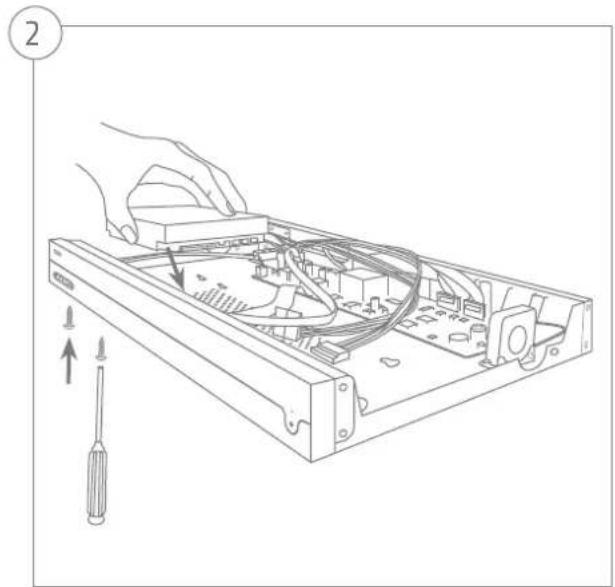
HARDWAREINSTALLATION
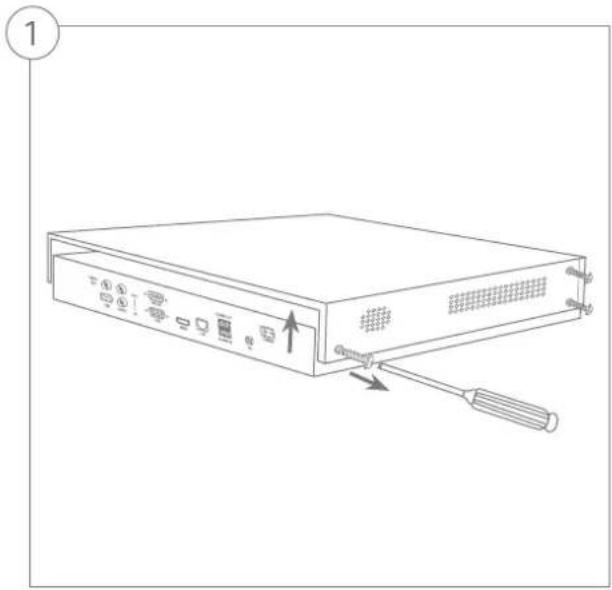
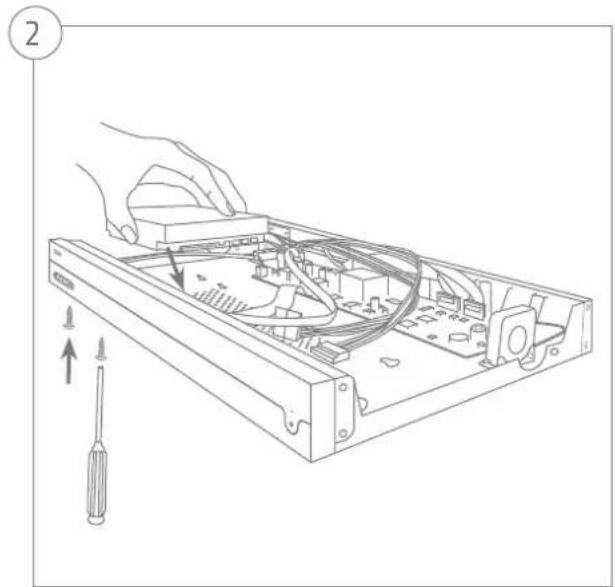

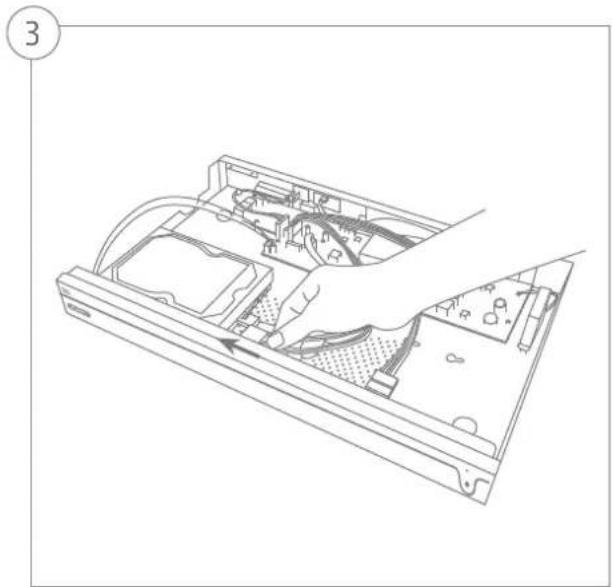
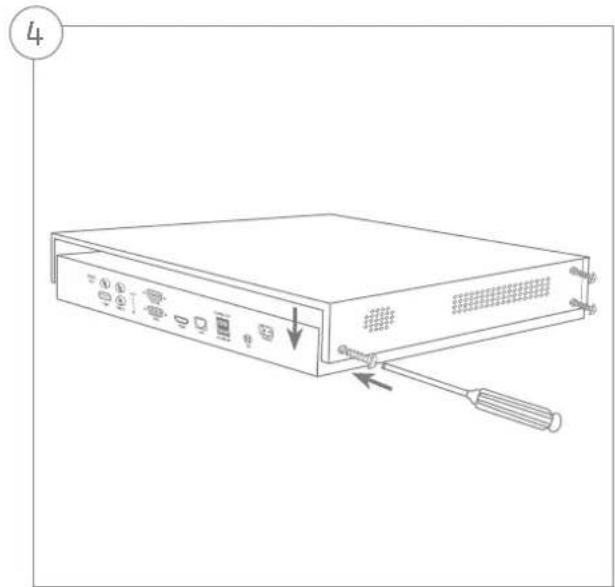
SYSTEMAKTIVIERUNG
1
Security Tech Germany
4
316 MBit/s (60 MBit/s/256 MBit/s) 336 MBit/s (80 MBit/s/256 MBit/s)
Videokanäle IP 58
Monitorausgange 1 x VGA(1080p:1920x1080p), 1 x HDMI(4k:3840x2160p)
Audio Two-way audio: 1-ch, RCA (2,0 Vp-p, 1000 Ω)
Audio output: 1-ch, RCA (Linear, 1000 Ω)
Speichermedium 2 x SATA
This quickstart guide describes the initial installation steps for your network video recorder.
You can download the user guide/installation instructions via the link below:
abus.com/eng/products/NVR10010 |abus.com/eng/products/NVR10020

Dear Customer,
Thank you for purchasing one of our products. This device complies with the requirements of the following EU directives: the EMC Directive (2014/30/EU), the Low Voltage Directive (2014/35/EU) and the RoHS Directive (2011/65/EU).
Conformity has been verified, and the corresponding declarations and documents are kept on file by the manufacturer: ABUS Security-Center GmbH & Co. KG, Linker Kreuthweg 5, 86444 Affing, Germany.
To maintain this standard and guarantee safe operation, it is your obligation as the user to observe this user guide. Read the entire user guide carefully before putting the product into operation and observe all operating and safety information.
All company names and product descriptions are trademarks of the corresponding owner. All rights reserved. If you have any questions, please contact your specialist dealer

SCOPE OF DELIVERY
5 | 8 channel network video recorder
-PSU
- 3x power cable (DE, UK, AU)
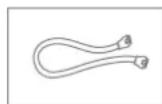
- 2x S-ATA cable and screws for hard disk drives
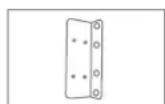
- Mounts and screws for server cabinet
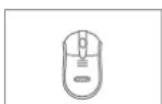
- USB wireless mouse
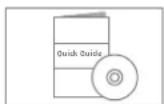
Quick guide
Safety information
- General information
CD (software)


WARNING

Security Tech Germany
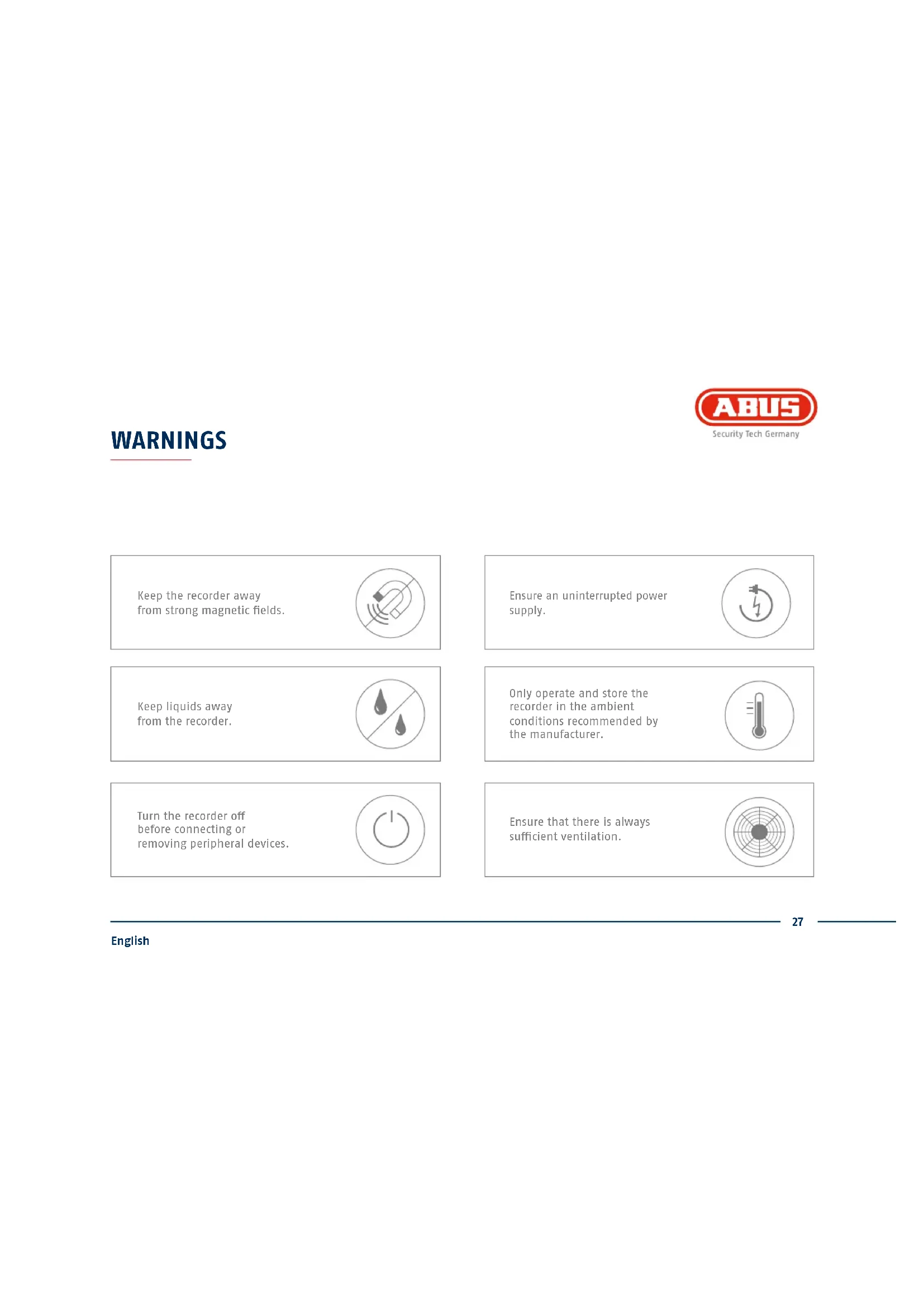
Keep the recorder away from strong magnetic fields.

Ensure an uninterrupted power supply.

Keep liquids away from the recorder.

Only operate and store the recorder in the ambient conditions recommended by the manufacturer.

Turn the recorder off before connecting or removing peripheral devices.

Ensure that there is always sufficient ventilation.
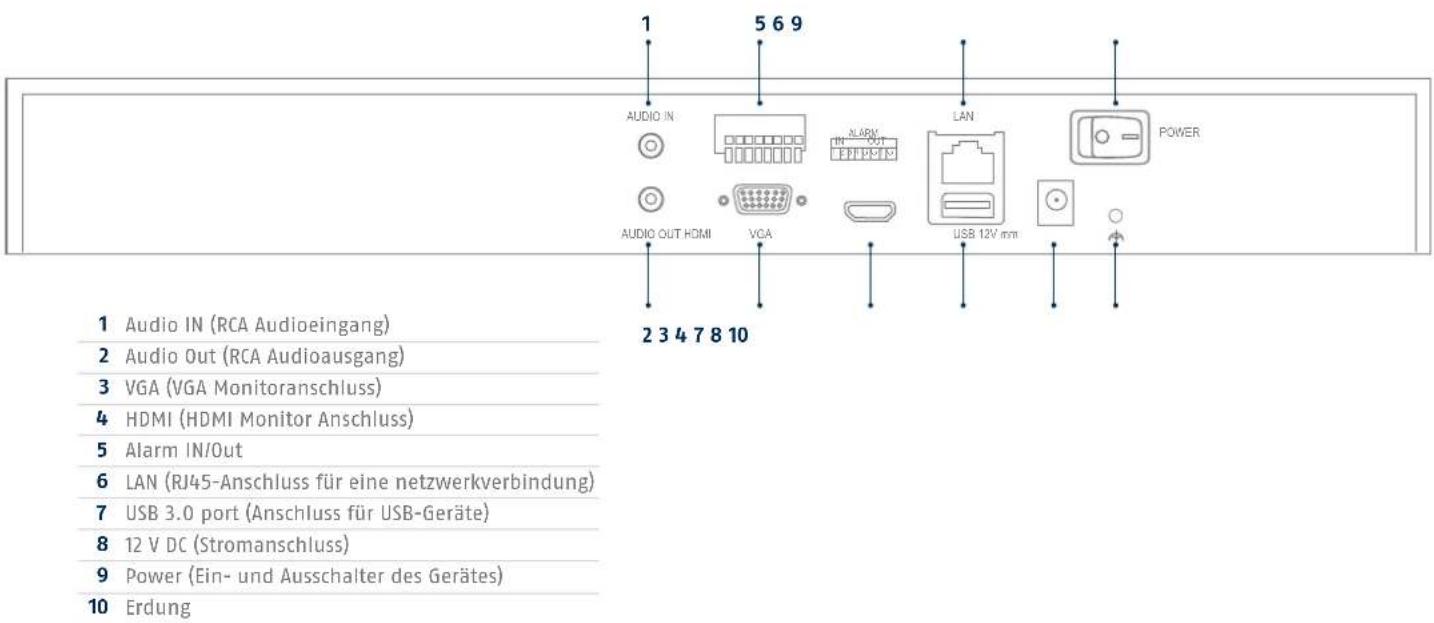
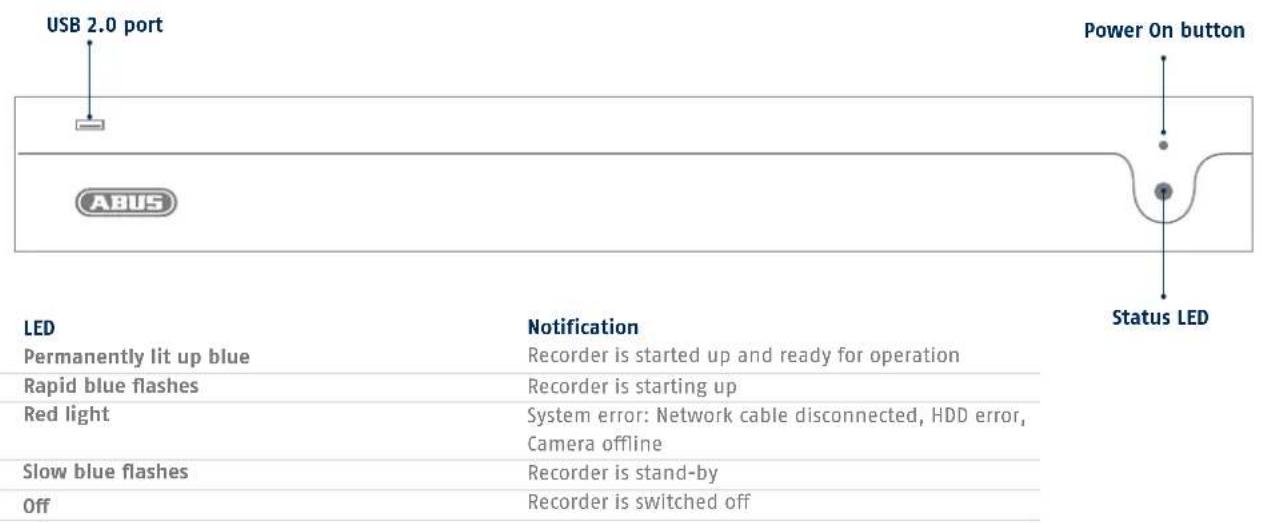
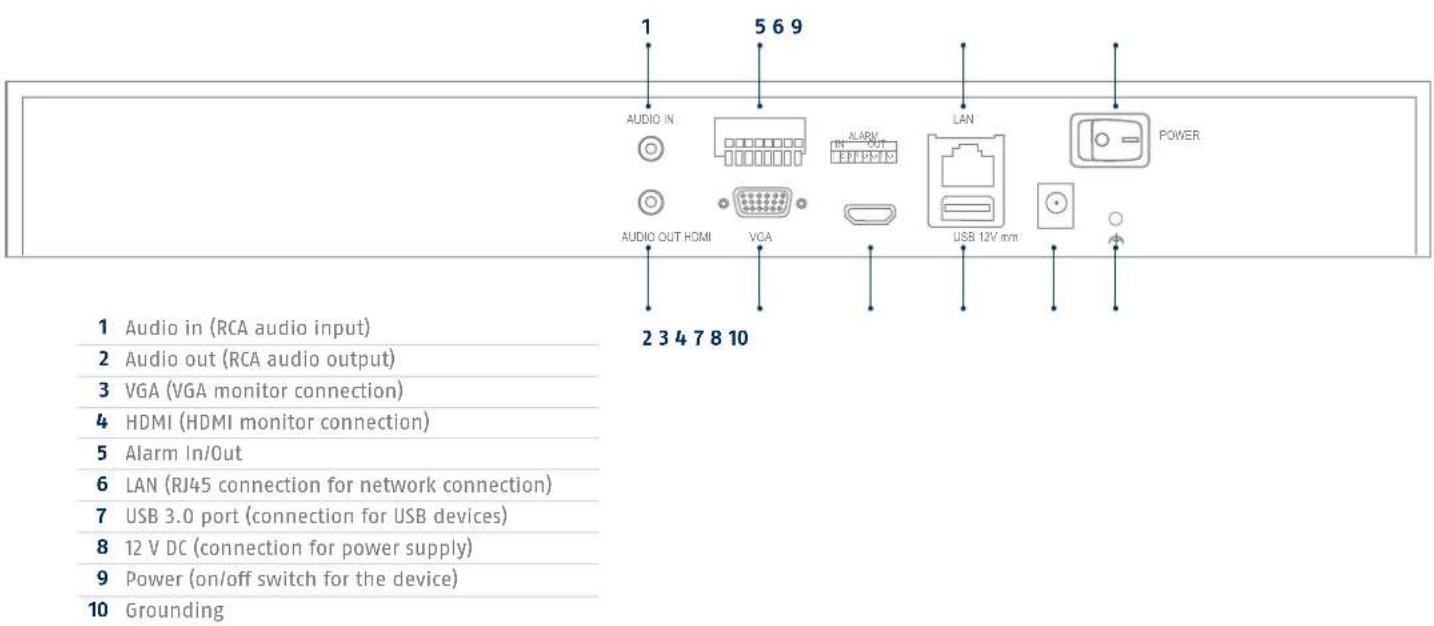
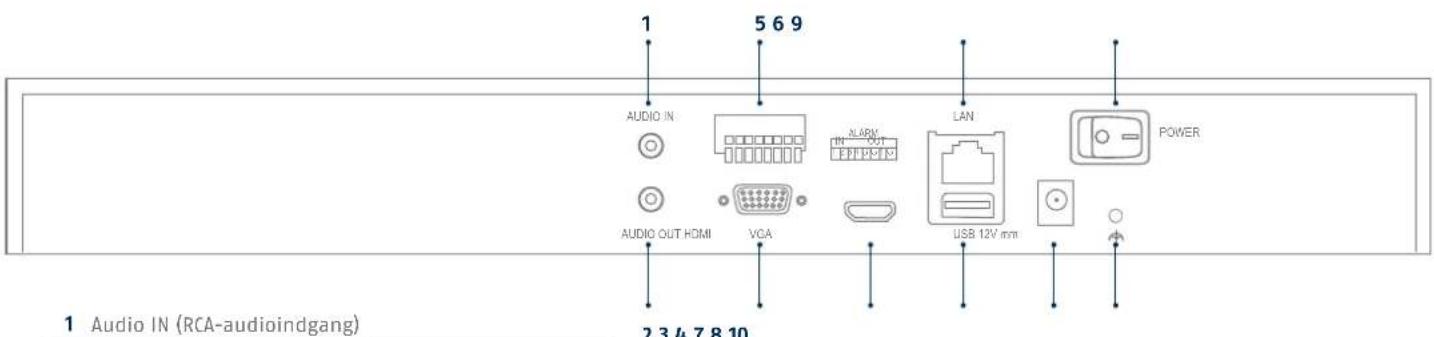
CONNECTIONS AND STATUS LED

Security Tech Germany
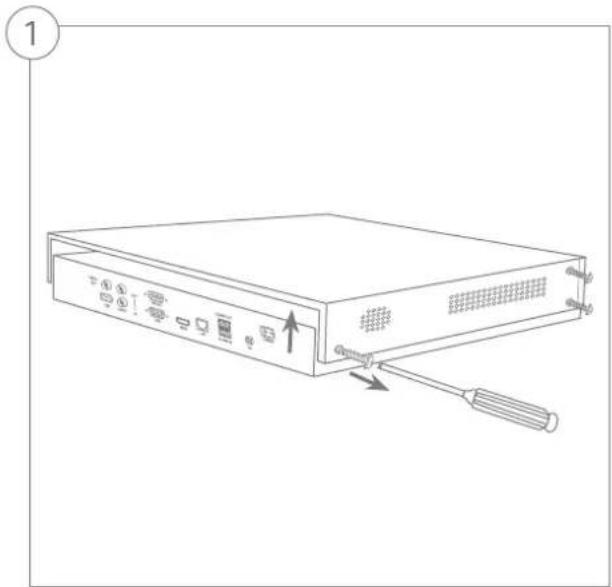
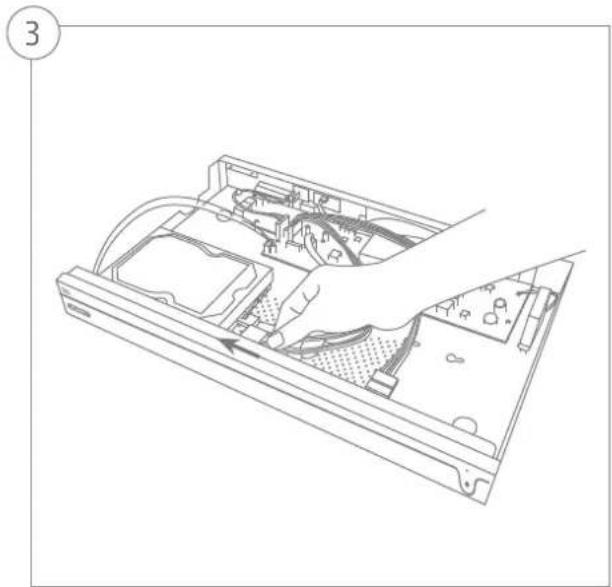
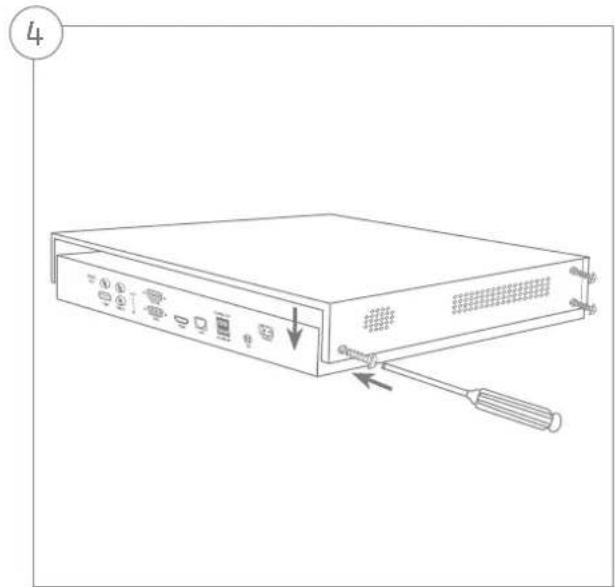
HARDWARE INSTALLATION
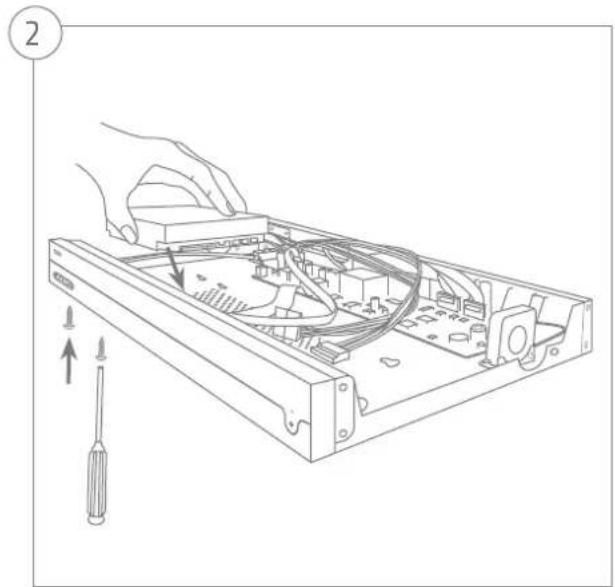

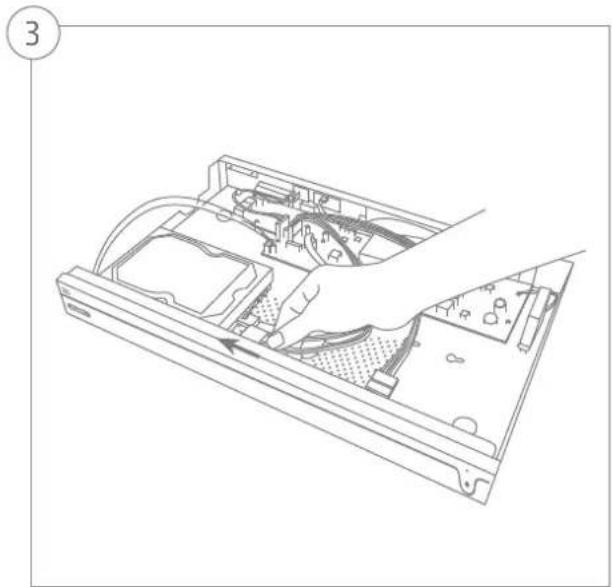
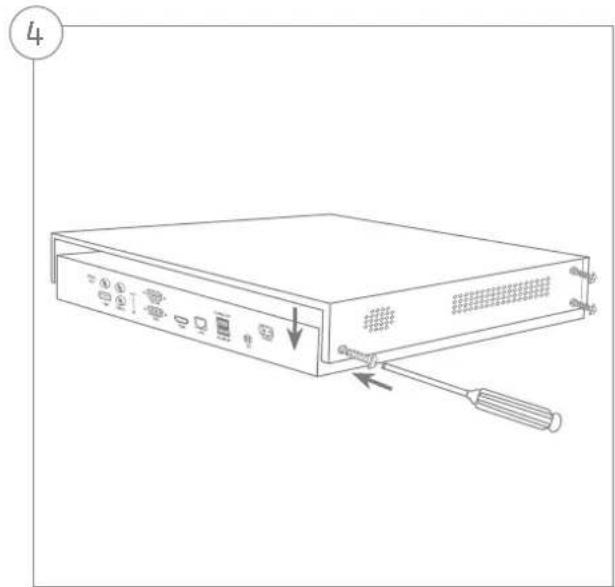
SYSTEM ACTIVATION
1
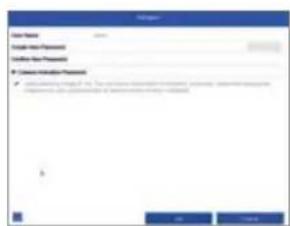
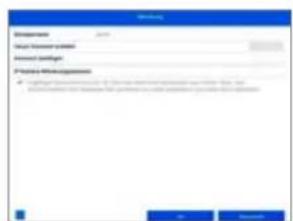
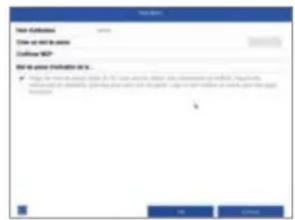
In the field 'New password' enter a password for the admin user. The password must meet the specified minimum requirements. Recommendation: Use a password that is as complex as possible and is classified as 'strong'.
2
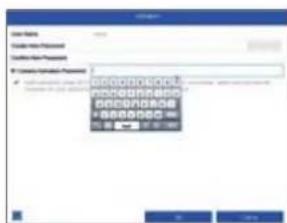
Enter a password here, which the video recorder uses to activate inactive IP cameras.
3
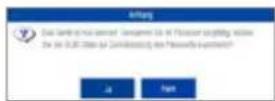
The device is activated and all of its functions can now be used.
You will require the GUI file in order to reset the password yourself. Export the file on to a USB stick and store it securely.
Note: Due to the pre-set default language, the arming process is always in German. Language independently, you can activate the recorder with the ABUS IP-Installer via the network.
Admin password:
RESETTING THE PASSWORD

1
You can only reset the admin password yourself using the GUI file.
Please be aware that this file becomes invalid if the password is subsequently changed or the GUI file has already been used. In both cases, a new file will need to be created manually.
2
GUID import, local interface:
Click on the 'Forgotten password' button in the local login dialog. Insert a USB data carrier containing the secure GUI file and select this file. Click on the 'Import' button to reset the password.
3
GUID import, web interface:
Open your recorder's web interface and click on the 'Forgotten password' button. Insert a USB data carrier containing the secure GUI file and select this file. Click on the 'Import' button to reset the password.
Note: Resetting the admin password is a critical and complex process. Please ensure that you have access to this data in the event of an emergency by storing the password securely (leave a note in these instructions or keep the GUI file on an external data carrier). Therefore, please plan for this eventuality at initial start-up and specify where and how this data will be stored and who will have access to it.
Important: If the password needs to be reset, and the password has not been noted down and the GUI file cannot be accessed (or is no longer valid), you will need to contact Technical Support at the ABUS Security-Center. To reset the password with the help of ABUS, you must have a PC on the premises with a network connection to the recorder, and there must be internet access in order to receive the data that will be provided to you by technical support. If these requirements are not met, it will not be possible to reset the password on the recorder.
SOFTWARE SET-UP
1
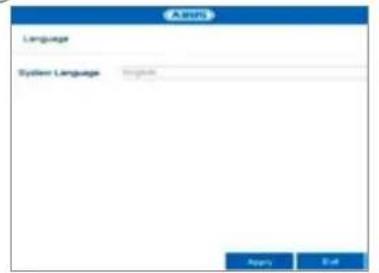
Select the desired language and click "Apply".
2
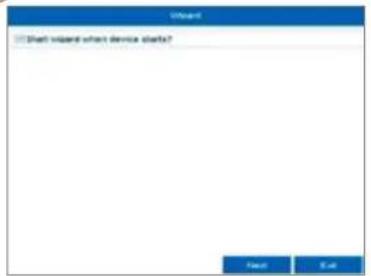
If you untick the checkbox, the set-up wizard will not automatically pop up the next time the software starts up. Click "Next".
3
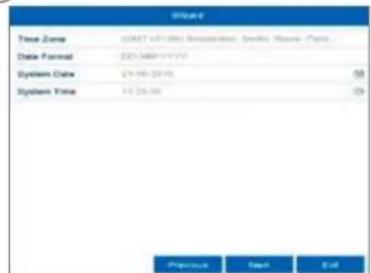
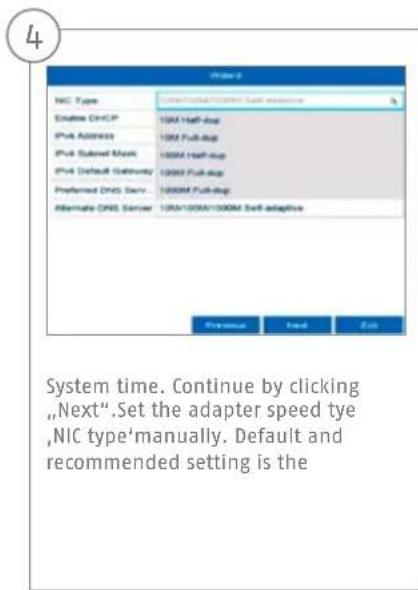
Specify time zone, date and system time. Continue by clicking "Next".

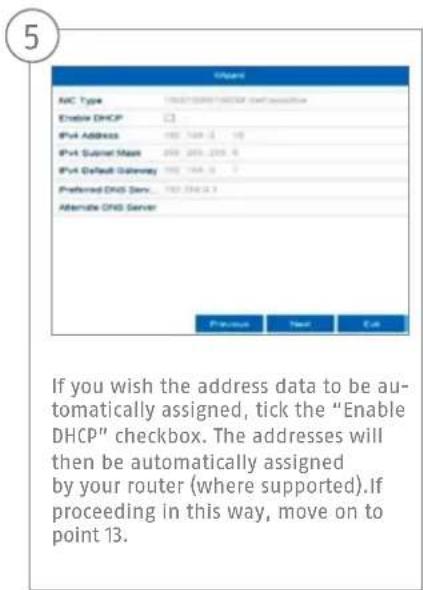
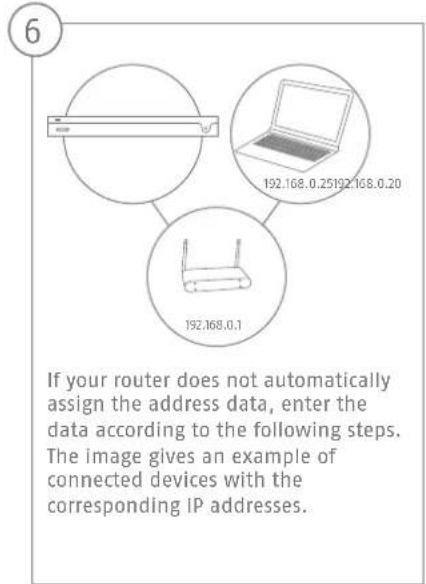
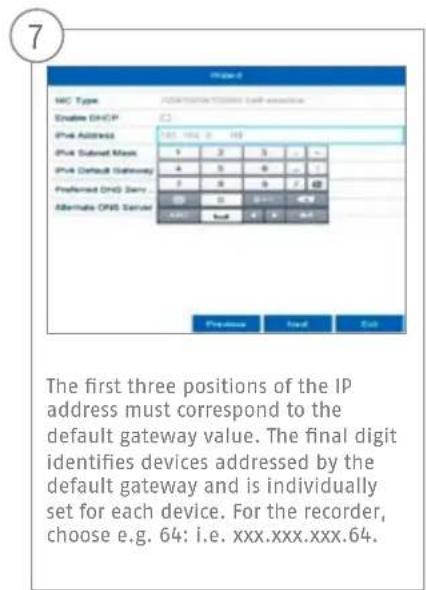
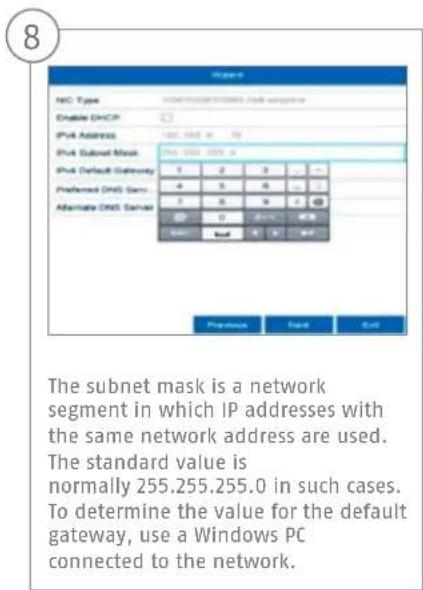
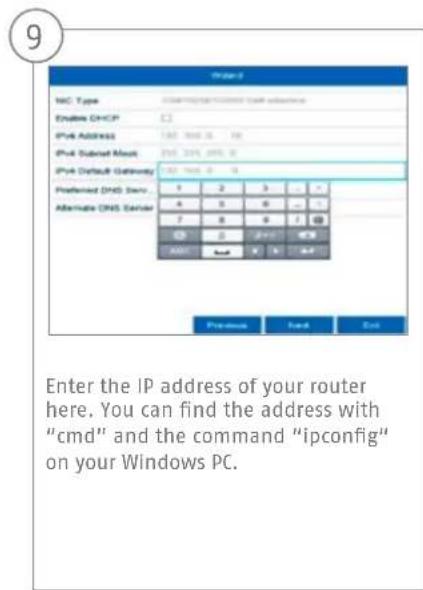

10
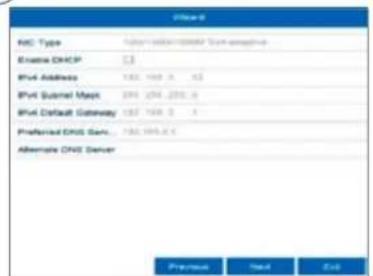
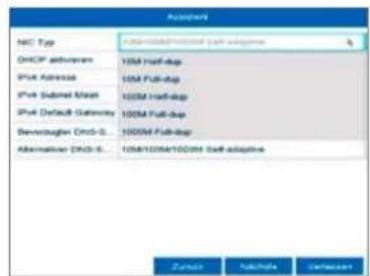
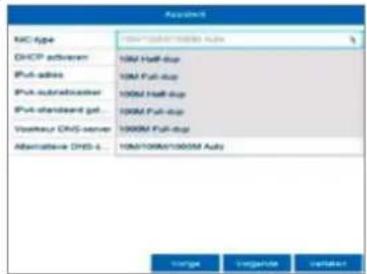
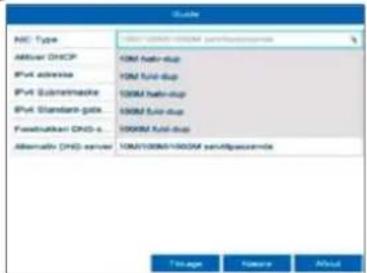
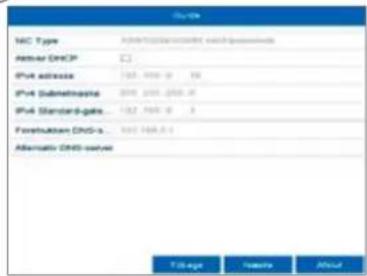
The DNS server "translates" an internet address into an IP address. Enter the value of the default gateway under "Preferred DNS server".
11
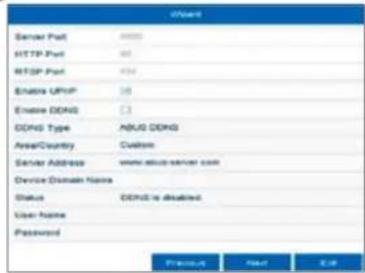
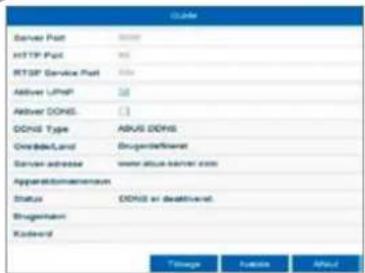
You can manage and, if necessary, edit your ports here. We recommend that the default values are maintained.
12
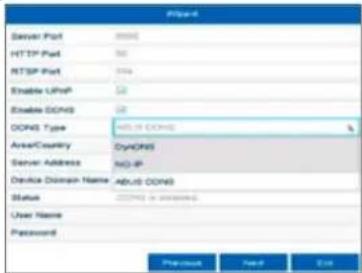
If you wish to set up remote access, tick the "Enable DDNS" checkbox. Then select your DDNS type using the entry field.
13
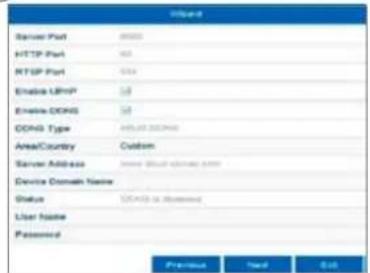
Next, save the server address and the Device Domain Name, user name and password. Go to the next screen with "Next".
14
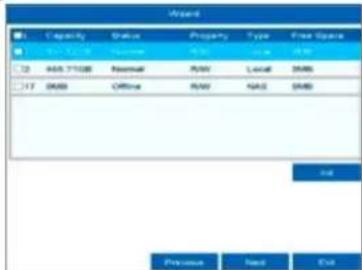
Following installation, the hard disk drive must be initialised before use. Select the hard disk drive to be initialised.
15
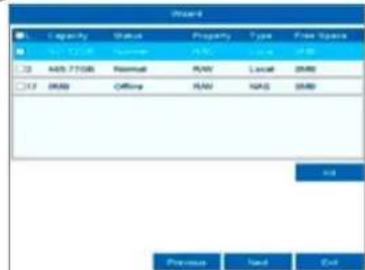
Click on "Init" and confirm the successful initialisation by clicking on "OK". Go to the next screen with "Next".

16
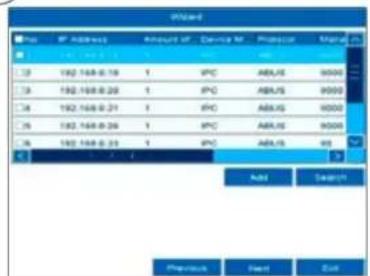
Click on "Search" to look for available network cameras in the network.
17
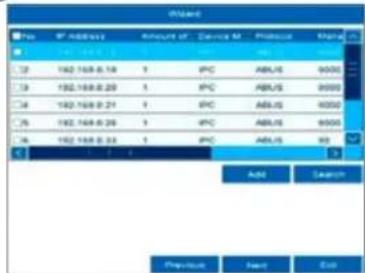
You will find all the compatible network cameras below. Tick the checkbox of the network cameras you wish to use and click on "Add". Go to the next screen with "Next".
18
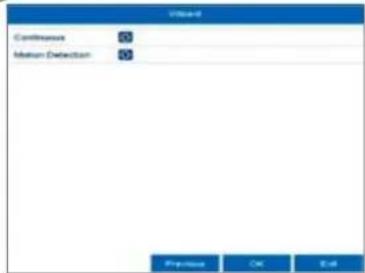
Select the recording type. It is possible to select between "Continuous" and "Motion detection". Close the set-up wizard by clicking "OK".
SPECIFICATIONS
Model NVR10010 NVR10020
Total network throughput (input/output)
316 MBit/s (60 MBit/s/256 MBit/s) 336 MBit/s (80 MBit/s/256 MBit/s)
IP video channels 58
Monitor outputs 1 x VGA(1080p:1920x1080p), 1 x HDMI(4k:3840x2160p)
Live view resolution
12MP / 8MP / 6MP / 5MP / 4MP / 3MP / 1080p / UXGA / 720p / VGA / 4CIF / DCIF / 2CIF / CIF / QCIF
Views1/4/6/8/9/16
Control Mouse
Audio Two-way audio: 1-ch, RCA (2,0 Vp-p, 1000 Ω)
Audio output: 1-ch, RCA (Linear, 1000 Ω)
Storage medium 2 x S-ATA
Total frame rate (PAL) 125 200

| Recording modes | Manual, time schedule, motion detection, alarm, motion detection and alarm, motion detection or alarm, VCA |
| Search modes By event, date and time, Smart Search, VCA | |
| Storage 1 x USB 2.0, 1 x USB 3.0 | |
| Network access RJ45 10/100 / 1000 Mbps | |
| Network functions Live view, playback, data export, settings | |
| Simultaneous network access 128 camera connections | |
| ONVIF Profile S | |
| Network camera protocols | ABUS network cameras, Axis, Panasonic, Samsung (see compatibility list at www.abus.com) |
| Mobiler Zugriff iDVR Plus/HD (Apple iOS & Android) | |
| Software ABUS CMS Software | |
| DDNS Yes | |
| NTP Yes | |
| Video content analysis (VCA) | Tripwire detection, intrusion detection, face detection, defocus detection, scene change detection, PIR alarm |
| Relay output | 1 (max. load: 12 V DC/1 A) |
| Alarm Inputs (NO/NC) | 4 |
| Alarming | Acoustic warning signal, OSD signal, email, VCA |
User levels 2 (max. 31 users)
Operating mode Tiplex
OSD language English, German, French, Dutch, Danish
Dimensions (WxHxD) 380 x 50 x 315
Net weight 1,8
Max. operating temperature 55
Max. humidity 90
Min. operating temperature -10
DC voltage supply 12 Volt
Power consumption < 40
Certifications CE, C-Tick, RoHS II, REACH, FCC, Law Sarkozy compliant
INSTRUCTIONS, SOFTWARE AND APP

Instructions:
Further instructions for operating the online and recorder interfaces can be found under the "Downloads" tab at the following link: http://www.abus.com
Software:

ABUS Central Monitor Station (CMS) allows you to monitor, control and manage the video data from your order on your PC: www.abus.com
BUS IP Installer to find your recorder in the network, to check for and install firmware updates and to
find instruction manuals and quickguides directly to your PC:
www.abus.com
App:
VHD App
tu free, fast remote access
Scorder:

Download on the App Store

SET ON Google Play


NVR10010 | NVR10020
Security Tech Germany
Security Tech Germany
HARDWARE- INSTALLATIE

SYSTEMEFFECTIVEING

Security Tech Germany
4
316 MBit/s (60 MBit/s/256 MBit/s) 336 MBit/s (80 MBit/s/256 MBit/s)
Videokanalen IP 58
Monitoruitgangen 1 x VGA(1080p:1920x1080p), 1 x HDMI(4k:3840x2160p)
Resolutie liveweergave
12MP / 8MP / 6MP / 5MP / 4MP / 3MP / 1080p / UXGA / 720p / VGA / 4CIF / DCIF / 2CIF / CIF / QCIF
Weergaven1/4/6/8/9/16
Besturing Muis
Audio Two-way audio: 1-ch, RCA (2,0 Vp-p, 1000 Ω)
Audio output: 1-ch, RCA (lineair, 1000 Ω)
Opslagmedium 2xSATA
Taal OSD Duits, Engels, Frans, Netherlands, Deens
Afmetingen (bxhxd) 380 x 50 x 315
Nettogewicht 1,8
Certificeringen CE, C-Tick, RoHS II, REACH, FCC, Law Sarkozy conform
HANDLEIDING + SOFTWARE + APP

Handleidingen:
Download on the App Store

SET ON Google Play

Security Tech Germany

NVR10010 | NVR10020
GUIDE RAPIDE POUR ENREGI-STREUR NUMÉRIQUE RÉSEAU
Chere cliente, cher client,
Security Tech Germany
Security Tech Germany
INSTALLATION MATÉRIELLE

ACTIVATION DU SYSTÉME
123
Security Tech Germany
Video Content Analysis (VCA) Tripwire Detection, Intrusion Detection, Face Detection, Defocus Detection, Scene Change Detection, alarme PIR
Sortie relais 1 (charge admissible : 12 V CC/1 A)
Entres alr
Alerte Signal d'alerte acoustique, signal OSD, e-mail, VCA
Dimensions (L x H x P) 380 x 50 x 315
Poids net 1,8
Certifications Conforme CE, C-Tick, RoHS II, REACH, FCC, loi Sarkozy
MANUEL + LOGICIEL + APPLICATION

Manuels:
Download on the App Store

SET IT ON Google Play


NVR10010 | NVR10020
KVIKGUIDE TIL NETVAERKS-VIDEOOPTAGER
abus.com/eng/products/NVR10010 abus.com/eng/products/NVR10020

Kare kunde
Security Tech Germany
Security Tech Germany
4
Security Tech Germany
10
DNS-serveren,oversaetter en internetadresse til en IP-adresse. Hvis du har en foretrukket DNS-server, skal du indtaste vardien for standard-gatewayen.
11
Audio Two-way-audio: 1-ch, RCA (2,0 Vp-p, 1000 Ω) Audio-output: 1-ch, RCA (linear, 1000 Ω)
Lagermedium 2 x SATA
Samlet billedhastighed (PAL) 125 200

| Optagelsesfunktioner | Manuel, tidsplan, bevgelsesregistering, alarm, bevgelsesregistering og alarm, bevgelsesregistering ull alarm, VCA |
| Søgefunktioner Efter hændelse, dato og klokkeslet, Smart-Search, VCA | |
| Datasikring 1 x USB 2.0, 1 x USB 3.0 | |
| Netværktilslutning RJ45 10/100 / 1000 Mbps | |
| Netværksfungtioner Live-visning, afspilning, dataksport, indstlinger | |
| Samtidig netværksadgang 128 kameraforbindelser | |
| ONVIF Profil S | |
| Netværskamera protokoller ABUS-netværskamerae, Axis, Panasonic, Samsung, (se kompatilitetliste på www.abus.com) | |
| Mobil adgang iDVR Plus/HD (Apple iOS & Android) | |
| Software ABUS CMS-software | |
| DDNS Ja | |
| NTP Ja | |
| Video Content Analysis (VCA) | Tripwire Detection, Intrusion Detection, Face Detection, Defocus Detection, Scene Change Detection, PIR-alarm |
| Relaudgang | 1 (belastbarhed: 12 V DC/1 A) |
| Alarmindgange (NO/NC) | 4 |
| Alarmering | Akustisk advertsellssignal, OSD-signal, e-mail, VCA |
Brugerniveauer 2 (max. 31 brugere)
Certificering CE, C-Tick, RoHS II, REACH, FCC, Law Sarkozy conform
VEJLEDNING + SOFTWARE + APP

Vejledninger:

Download on the App Store

GET IT ON Google Play


NVR10010 | NVR10020
GUIDA RAPIDA PERVIDEOREGISTRATORE DI RETE
Security Tech Germany
Gentile clientele,
Security Tech Germany
Download on the App Store

SET ON Google Play