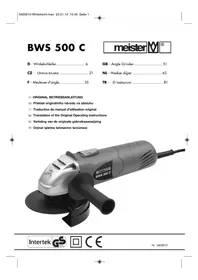
MWS900125 - Grinder Meister Craft - Free user manual and instructions

Find the device manual for free MWS900125 Meister Craft in PDF.

📄 108 pages English EN 💬 AI Question 9 questions ⚙️ Specs
Notice Meister Craft MWS900125 - page 48
Feature Details
Product type Shredder
Power Not specified
Shredding capacity Not specified
Compatible materials Garden waste, branches, leaves
Dimensions Not specified
Weight Not specified
Noise level Not specified
Safety system Overload protection
Usage Ideal for shredding garden waste
Maintenance Regular blade cleaning recommended
Warranty Not specified
Included accessories Not specified

Frequently Asked Questions - MWS900125 Meister Craft

How do I assemble the Meister Craft MWS900125 shredder?
Please follow the instruction manual provided in the package for assembly steps. Make sure all parts are present before starting.
What type of waste can I shred with the Meister Craft MWS900125?
The shredder is designed to handle garden waste such as branches, leaves, and small debris. Avoid shredding hard materials like stones or metals.
What is the motor power of the Meister Craft MWS900125 shredder?
The shredder is equipped with a 2500 W motor, providing sufficient performance for regular shredding tasks.
How do I maintain the Meister Craft MWS900125?
To maintain your shredder, regularly clean the blades and check for any stuck debris. Refer to the manual for detailed maintenance recommendations.
Is the Meister Craft MWS900125 shredder easy to move?
Yes, the shredder is equipped with wheels to facilitate moving it from one place to another in your garden.
What should I do if the shredder does not start?
Check that the device is properly plugged in and that the outlet is working. Also, ensure the safety cover is properly in place.
Is there a warranty for the Meister Craft MWS900125?
Yes, the product typically comes with a 2-year warranty. Please consult the manual or contact customer service for more details.
What is the shredding capacity of the Meister Craft MWS900125?
The shredder can handle branches up to 40 mm in diameter, making it suitable for medium-sized waste.
How do I use the shredder safely?
Always wear protective gloves and safety glasses when using. Never insert hands or objects into the opening while the shredder is running.

User questions about MWS900125 Meister Craft

0 question about this device. Answer the ones you know or ask your own.

Ask a new question about this device

L'email reste privé : il sert seulement à vous prévenir si quelqu'un répond à votre question.

No questions yet. Be the first to ask one.

Download the instructions for your Grinder in PDF format for free! Find your manual MWS900125 - Meister Craft and take your electronic device back in hand. On this page are published all the documents necessary for the use of your device. MWS900125 by Meister Craft.
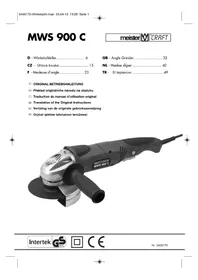
USER MANUAL MWS900125 Meister Craft

natural_image Close-up of a mechanical component with a circular hole and textured base (no visible text or symbols)

Meister Craft MWS900125 - 1

text_image Abb. 8

Meister Craft MWS900125 - 2

Operating instructions & safety hints

Meister Craft MWS900125 - Operating instructions & safety hints - 1

WARNING! To reduce the risk of injury, please read the operating instructions through carefully before using the device, and then store with the machine! When passing the device on to another user, these operating instructions must also be included!

Contents

PagePage
1 – Scope of delivery 487 – Installation and setting58
2 – Technical information488 – Operation59
3 – Components499 – Mode of operation59
4 – Correct use4910 – Maintenance and environmental protection59
5 – General safety instructions50
6 – Safety instructions relating specifically to the equipment5611 – Service instructions60

1 - Scope of delivery

  • Angle grinder with additional handle
  • Assembly tool
    • 1 disc cover for separating discs
    • 1 disc cover for roughing discs
  • Operating Instructions
  • Guarantee

2 - Technical information

Technical data

Current supply 230 V~/50 Hz
Rated power requirement 900 W
Idling speed n = 11000 min-1
Protection class II
Disk size ∅ 125 mm
Joining thread M 14
Mains cable 300 cm
Weight2,31

Technical changes reserved.

Noise emission/vibration

Noise emission

L_PA : 91 dB(A)

L_WA : 102 dB(A)

Measuring inaccuracy:

K_pA : 3,0 dB

K_wA : 3,0 dB

Hand/arm vibrations

Measured values determined in accordance with

EN 60745-1:2009 +A11:2010

EN 60745-2-3:2011+A2:2013+A11:2014. kg

Information about minimising vibrations

Meister Craft MWS900125 - Hand/arm vibrations - 1

Warning: The actual vibration

emission value present during the

use of the machine may deviate from the specification given in the operating instructions or determined by the manufacturer. This may be caused by the following influencing factors that should be taken into account prior to and during each use:

• Is the device being used correctly
- Is the correct type of material being processed
• Is the device in proper working order
- Are the handles or optional vibration handles mounted and fixed securely up against the body of the machine.

If your hands experience an unpleasant sensation or the skin changes colour whilst you are using the machine, stop using the machine immediately. Take sufficient breaks. If you do not take sufficient breaks, this may lead to a hand/arm vibration syndrome.

An estimate of the level of load in conjunction with the work or use of the machine should be carried out and breaks set out accordingly. This method can be used to considerably minimise the level of load during the entire working time. Minimise risks in which you are exposed to vibrations. Take care of your machinery in accordance with the directions in the operation instructions.

If the machine is to be used frequently, contact your dealer and arrange anti-vibration equipment (handles) if necessary.

Avoid using the tool in temperatures of t = 10 °C or lower. Draw up a working schedule which can be used to minimise vibration loads.

Information about minimising noise

A certain amount of noise is unavoidable when using this device.

Ensure you carry out noise-intensive work during permitted times.

Maintain the quiet periods and limit your work to the absolute minimum. For the sake of your personal protection and the protection of persons in close proximity, suitable ear defenders should be worn.

3 - Components

1 On/Off switch mechanism
2 Handle
3 Disc cover for separating discs
4 Spindle with connection thread
5 Screw
6 Spindle locking button
7 Tensioning disc
8 Clamping nut
9 Toroidal coil (Figure 2)
10 Additional handle
11 Flange wrench
12 Disc cover for roughing discs

4 - Correct use

Use in accordance with the intended purpose

An angle grinder is an electrically driven hand-held device with a fast rotating round grinding disc that is operated via an angled drive.

Used as a grinder with the appropriate grinding disc and protective hood, it is possible to remove flash and to carry out finishing work on materials of various steel qualities, bronze and aluminium.

When used as a separator with the appropriate separating disc and protective hood, cuts can be made in steel, cement and stone.

The user of the device must ensure sufficient protective equipment during use in accordance with the operating instructions and the warning pictograms applied to the tool. Prior to each use and during the use of the tool, the tool and the disc should be checked for any electrical or mechanical damages.

If damage to the unit is determined, stop work and contact a specialist workshop.

The machine is intended only for hand-held (not fixed) use in the household. The machine is not suitable for cutting wet materials.

CAUTION! Incorrect use of, or alterations to the drill, as well as the use of parts not tested and approved by the manufacturer, may cause unforeseen damage.

Improper use

All applications carried out with the device that are not listed in the "Proper use" chapter will be considered improper use.

The unit may not be used for the following purposes:

  • Processing of materials other than those listed in the Proper use section,
  • Use with a saw blade,
  • Use as a stationary unit,
    • As a drive for other units.

There is a risk of injury.

The user of the device is liable for all property and personal damages occurring as the result of incorrect use.

If other components or non-original components are used with the machine, the manufacturer guarantee is voided.

Remaining risks

Even when the device is used properly, there is a residual risk that cannot be excluded. The following potential dangers are inherent in the type and construction of the device:

  • Contact with the unprotected grinding disc,
  • Grasping a still rotating grinding disc,
  • Parts flying off of the grinding disc and other parts,
  • Damage to the hearing if the prescribed ear defenders are not worn,
  • Breathing in dust,
  • Electrical shock when touching non-insulated electrical components.

If the instructions in your operating instructions are not observed, incorrect use may result in other residual risks.

5 – General safety instructions for handling power tools

I. General safety information

WARNING! Read all safety warnings and all instructions.

Failure to follow the warnings and instructions may result in electric shock, fire and/or serious injury.

Save all warnings and instructions for future reference.

The term "power tool" in the warnings refers to your mains operated (corded) power tool or battery-operated (cordless) power tool.

1 Work area

a Keep work area clean and well lit. Cluttered and dark areas invite accidents.

b Do not operate power tools in explosive atmospheres, such as in the presence of flammable liquids, gases or dust. Power tools create sparks which may ignite the dust or fumes.

c Keep children and bystanders away while operating a power tool. Distractions can cause you to lose control.

2 Electrical Safety

a Power tool plugs must match the outlet. Never modify the plug in any way. Do not use any adapter plugs with earthed (grounded) power tools. Unmodified plugs and matching outlets will reduce risk of electric shock.

b Avoid body contact with earthed or grounded surfaces, such as pipes, radiators, ranges and refrigerators. There is an increased risk of electric shock if your body is earthed or grounded.

c Do not expose power tools to rain or wet conditions. Water entering a power tool will increase the risk of electric shock.

d Do not abuse the cord. Never use the cord for carrying, pulling or unplugging the power tool. Keep cord away from heat, oil, sharp edges or moving parts. Damaged or entangled cords increase the risk of electric shock.

e When operating a power tool outdoors, use an extension cord suitable for outdoor use. Use of a cord suitable for outdoor use reduces the risk of electric shock.

If it is not possible to avoid using the electrical tool in a damp environment, use a residual current circuit-breaker. The use of a residual current circuit-breaker reduces the risk of an electrical shock.

3 Personal safety

a Stay alert, watch what you are doing and use common sense when operating a power tool. Do not use a power tool while you are tired or under the influence of drugs, alcohol or medication. A moment of inattention while operating power tools may result in serious personal injury.

b Use personal protective equipment. Always wear eye protection. Protective equipment such as dust masks, non-skid safety shoes, hard hat, or hearing protection used for appropriate conditions will reduce personal injuries.

c Prevent unintentional starting. Ensure the switch is in the off-position before connecting to power source and/or battery pack, picking up or carrying the tool. Carrying power tools with your finger on the switch or energising power tools that have the switch on invites accidents.

d Remove any adjusting key or wrench before turning the power tool on. A wrench or a key left attached to a rotating part of the power tool may result in personal injury.

e Do not overreach. Keep proper footing and balance at all times. This enables better control of the power tool in unexpected situations.

f Dress properly. Do not wear loose clothing or jewellery. Keep your hair, clothing and gloves away from

moving parts. Loose clothes, jewellery or long hair can be caught in moving parts.

g Keep handles dry, clean and free from oil and grease. Slippery handles do not allow for safe handling and control of the tool in unexpected situations.

h If devices are provided for the connection of dust extraction and collection facilities, ensure these are connected and properly used. Use of these devices can reduce dust related hazards.

4 Power tool use and care

a Do not force the power tool. Use the correct power tool for your application. The correct power tool will do the job better and safer at the rate for which it was designed.

b Do not use the power tool if the switch does not turn it on and off. Any power tool that cannot be controlled with the switch is dangerous and must be repaired.

c Disconnect the plug from the power source before making any adjustments, changing accessories, or storing power tools. Such preventive safety measures reduce the risk of starting the power tool accidentally.

d Store idle power tools out of the reach of children and do not allow persons unfamiliar with the power tool or these instructions to operate the power tool. Power tools are dangerous in the hands of untrained users.

e Maintain power tools. Check for misalignment or binding of moving parts, breakage of parts and any

other condition that may affect the power tool's operation. If damaged, have the power tool repaired before use. Many accidents are caused by poorly maintained power tools.

f Keep cutting tools sharp and clean. Properly maintained cutting tools with sharp cutting edges are less likely to bind and are easier to control.

g Use the power tool, accessories and tool bits etc. in accordance with these instructions, taking into account the working conditions and the work to be performed. Use of the power tool for operations different from those intended could result in a hazardous situation.

5 Service

a Have your power tool serviced by a qualified repair person using only identical replacement parts. This will ensure that the safety of the power tool is maintained.

II. Safety notes for all applications

General warnings with regard to abrasive cutting and roughing:

a This electrical tool is to be used as a grinder and cutting device. Pay attention to all of the warning notes, instructions, diagrams and data you receive with the unit. If you do not observe the following instructions, it may lead to electrical shock, fire and/or serious injuries.

b This electrical tool is not suitable for sandpaper sanding, working with wire brushes, polishing. Uses for which the tool is not designed may cause risks and injury.

c Do not use accessories that have not been designed and recommended by the manufacturer for use with this electrical tool. Just because you can affix an accessory to your electrical tool, does not guarantee that it is safe to use.

d The permitted revolutions of the tool insert must be at least as high as the highest revolutions specified on the electrical tool. Accessories that rotate faster than permitted can break and fly off.

e The external diameter and thickness of the tool insert must match the dimensions of your electrical tool. Incorrectly measured tool inserts cannot be properly protected or checked.

f Sanding discs, flange, sanding plate or other accessories must fit precisely onto the sanding spindle of your electrical tool. Tool inserts that do not fit precisely into the sanding spindle of the electrical tool will rotate unevenly, vibrate very heavily and may lead to a loss of control.

g Do not use damaged tool inserts. Before each use, check the tool inserts such as sanding discs for splits and tears, sanding plates for tears or wear or weaknesses, wire brushes for loose or broken wires. If the electrical tool or tool insert is dropped, check to make sure it is not damaged, or use an undamaged tool insert. After checking and installing the tool insert, make sure that you and anybody else in the vicinity are outside the area of the rotating tool insert and allow the tool to rotate at top speed for a minute. A

damaged tool insert will usually break within this test period.

h Wear personal protective gear. Depending on application, use full face protection, visor or goggles. Where appropriate, wear dust protection masks, ear defenders, protective gloves or special aprons to keep the tiny grinding and material particles away. The eyes should be protected from the flying objects that are generated by the various applications. Dust or breathing masks should be capable of filtering dust when the unit is used for a purpose during which dust is generated. If you are exposed to loud noises for a longer period of time, you hearing may suffer.

i Ensure that other people are kept at a safe distance to the area in which you are working. Anyone who enters the working area should be wearing personal protective gear. Pieces of the workpiece or broken tools may be thrown up and cause injury even outside the immediate working area.

j Hold the tool by the insulated handle surfaces only when carrying out tasks during which is it possible that the tools will come across hidden power cables or its own cable. Contact with a power-carrying cable can also put metal parts of the unit under power and cause an electric shock.

k Keep the main power cable away from rotating tools. If you loose control of the unit, the power cable may be cut or caught up and your hand or arm may be pulled into the rotating tool.

Never set the electrical tool down before the tool insert has come to a complete standstill. The rotating tool insert may come into contact with the resting surface and cause you to loose control of the electrical tool.

m Never operate the electrical tool while you are carrying it. Your clothes may be accidentally caught in the rotating tool insert and the insert may injure you.

n Regularly clean the ventilation slots of your electrical tool. The motor fan draws dust into the housing, and a large build up of metal dust can lead to electrical risks.

o Never use the electrical tool in the vicinity of flammable materials. Sparks may set fire to these materials.

p Never use tool inserts that require liquid coolant. The use of water or other liquid coolant may cause an electrical shock.

III. Further safety notes for all applications

Kickback and the appropriate warning notes

Kickback is the sudden reaction that follows on from a stuck or blocked rotating tool insert, such as a sanding disc, sanding plate, wire brush etc. Sticking or blocking leads to an abrupt stopping of the rotating tool insert. This results in an uncontrolled electrical tool accelerating against the direction of rotation of the tool insert at the point at which it is blocking.

If, for example, a sanding disc becomes stuck or blocked in the workpiece, it is possible for the edge of the disc caught

in the workpiece to become stuck and the disc breaks out or causes kickback. The disc then either moves towards the operator or away from them, depending on the direction of rotation of the disc at the point of the blockage. Sanding discs may also break during this process.

A kickback is a consequence of incorrect or faulty operation of the electrical tool. It can be prevented by the use of suitable safety measures, as described below.

a Hold the electrical tool securely with both hands and position your body and arms in such a way that you are able to absorb any kickback. Always use an additional handle, if available, to ensure you have the greatest possible level of control over the kickback forces or reaction torque when starting up. The operator is able to control kickback and reaction forces by means of the appropriate safety measures.

b Never bring you hand close to the rotating tool insert. The tool insert may move over your hand in the event of kickback.

c Position your body in such a way that it is not located where the electrical tool is likely to kickback to. The kickback will push the electrical tool in the direction opposite to the movement of the disc at the blockage point.

d Be especially careful around corners, sharp edges etc. Prevent insert tools from bouncing off the workpiece and becoming jammed. The rotating tool insert tends to become jammed at corners, sharp edges or when it bounces. This will lead to a loss of control or kickback.

e Do not use a chain or toothed saw blade. Such tools often cause kick back or the loss of control of the electrical tool.

Particular safety notes with regard to sanding and abrasive cutting:

a Use only grinding tools expressly permitted for use with your electrical tool and the appropriate protective hood for these grinding tools. Grinding tools which are not designed for use with the electrical tool cannot be properly shielded and are unsafe.

b The safety guard must be attached securely to the power tool and adjusted for maximum safety so that as little of the grinding tool is visible to the operator as possible. The safety guard helps protect the operator from fragments, accidental contact with the grinding tool and sparks, which can ignite clothing.

c Grinding tools may only be used for the recommended applications. For example: Never sand using the side surface of a cutting wheel. Cutting wheels are designed to remove material with the edge of the disc. Lateral forces working on these grinding tools may break them.

d Always use undamaged tensioning flanges in the correct size and shape for the sanding disc you have selected. Suitable flanges support the sanding disc and thus reduce the danger of the disc breaking. Flanges for cutting wheels may differ from flanges for other sanding discs.

f Offset grinding discs must be installed so that their surface does not extend beyond the level of the edge of the safety guard. Improperly

mounted grinding discs which extend beyond the level of the edge of the safety guard are not sufficiently shielded.

e Do not use worn sanding discs from larger electrical tools. Sanding discs for larger electrical tools are not designed to handle the higher revolutions of smaller tools and may break.

Additional safety notes with regard to abrasive cutting:

a Avoid blocking the cutting wheel or employing too great a pressure. Do not execute any excessively deep cuts. Overloading the cutting wheel increases the wear and the tendency to tilt or block and thus the possibility of kick back or breaking of the grinding tool.

b Avoid the area in front and behind the rotating cutting wheel. If you move the cutting wheel away from you within the tool, in the event of the electrical tool kicking back, the turning wheel may be thrown in your direction.

c If the cutting wheel blocks or you stop working, switch the unit off and hold it still until the wheel has come to a standstill. Never attempt to pull a running cutting wheel out of the cut, this may cause kick back. Work out and eliminate the cause of the blockage.

d Do not switch the electrical tool back on with it still in the workpiece. Wait until the cutting wheel has reached the full revolutions before you carefully continue with the cut. Otherwise the wheel may get caught, jump out of the workpiece or cause kick back.

e Support boards or large workpieces to reduce the risk of kickback caused by a jammed cutting wheel. Large workpieces may bend under their own weight. The workpiece should be supported on both sides, both in the vicinity of the cut and at the edge.

f Be particularly careful when carrying out a "plunge cut" into an existing wall or an area you can't see into. The plunging cutting wheel may hit gas or water pipes, electrical cables or other objects and cause kick back.

CAUTION! A spindle lock is located on the upper side of the unit. Never press the spindle lock while the grinding body is rotating.

CAUTION! Do not use any reinforced straight grinding discs, reinforced grinding discs and grinding cup wheels.

Handling, transportation and storage of grinding discs:

Grinding discs are fragile and sensitive to impacts and bumps. For this reason, special care must be taken:

a) Never drop discs and avoid sudden impact.
b) Do not use dropped or damaged discs.
c) Avoid vibrations or bumps during work.
d) Avoid damages to the holder hole.
e) Avoid putting loads onto the disc surface.
f) Store grinding discs either flat or upright, dry, frost-free and at a constant medium temperature.

g) Store grinding discs in the original packaging or in special containers and on shelves.

6 – Safety instructions relating specifically to the equipment

  • For power tools with the X connection type that require a specially set-up connection cable to exchange the connection cable: When the connection cable of the power tool is damaged it must be replaced by a specially set-up connection cable that may be obtained via the customer service organisation.s
  • Before changing the tool or carrying out maintenance work, pull out the power plug and wait until motor and spindle have come to rest.
  • Do not press the spindle lock until motor and spindle have come to rest.
  • Do not use cutting disks which exceed the maximum diameter stated.
  • When fixing accessory tools to the machine, note the correct direction of rotation of machine and accessory.
  • The permitted rotation speed of the accessory tool must not be less than the idling speed of the machine.
  • If necessary, wear hand, eye and ear protection.
  • Switch the machine on immediately before contact with workpiece.
  • Never lay the machine aside when it is still running.

- Secure workpiece with clamps etc.

- Never use cutting disks for rough grinding.

- Always store and handle grinding disks carefully in accordance with the manufacturer's directions.

- Check disks before using them. Never use chipped, cracked or otherwise damaged products.

- Ensure that grinding tools are mounted according to the manufacturer's directions.

• Always use spacers or shims if these are supplied with the grinding tool or if they are specified.

- Ensure that the grinding instrument is properly attached and secured prior to use and run the tool at idle speed for 1 minute in a safe location. Stop immediately if considerable vibrations occur or if other faults are determined. If these symptoms occur, check the machine to determine the cause.

- Never use separate reducing sleeves or adapters to fit grinding disks with large holes.

- With grinding tools with thread insert, ensure that the thread is long enough to take the full length of the spindle.

- Ensure that flying sparks do not cause danger, e.g. to other persons or by igniting inflammable substances.

- During dusty work, ensure that the ventilation slits are kept free. If dust has to be removed, first disconnect

the power tool from the power supply. Use non-metallic objects and avoid damaging interior parts of the machine.

- The disk continues to run after the machine is switched off. Do not lay the machine aside until the disk has come to rest.

Meister Craft MWS900125 - – Safety instructions relating specifically to the equipment - 1

• Always protect eyes and ears.

Meister Craft MWS900125 - – Safety instructions relating specifically to the equipment - 2

- Other personal safety equipment, e.g. dust mask, gloves, helmet and clothing (e.g. apron) should also be worn.

This unit may not be used by people (including children) with reduced physical, sensory or mental capacities, with a lack of experience and without the appropriate knowledge, unless they are supervised by someone who is responsible for their safety or have been instructed by such a person with regard to how the unit is to be operated. Children should be supervised to ensure that they do not play with the device.

Safety symbols

The symbols on the housing have the following meanings:

Meister Craft MWS900125 - Safety symbols - 1

Do not dispose of with domestic waste!

Meister Craft MWS900125 - Safety symbols - 2

Important! Observe operating instructions!

Meister Craft MWS900125 - Safety symbols - 3

Wear goggles.

Meister Craft MWS900125 - Safety symbols - 4

Use ear defenders

„Tested Safety“ voluntary quality mark

Meister Craft MWS900125 - Safety symbols - 5

Housing is double insulated

Meister Craft MWS900125 - Safety symbols - 6

CE Mark (conformity to European safety standards)

7 - Installation and setting

Disk guard

The scope of the delivery for this power tool contains a protective hood for cutting discs (3) and one for roughing discs (12).

The position of the disc covers (3/12) can be adapted to suit the relevant working conditions. To do this, loosen the screw (5) with a screwdriver and turn the cover to the new position. Tighten the screw back up again (fig. 3).

CAUTION! The closed part of the disk guard should always point towards the user to protect him from sparks and chippings.

Mounting and removing the disc cover

If necessary, and if the situation requires it, the disc cover can be exchanged. To do this, loosen the screw (5) in such a way that the cover can be removed by turning it out of the guide groove of the sanding head.

Mount in reverse order.

Mounting tools

CAUTION! Before working on the machine, always pull out the power plug!

Separating and roughing discs

All types of separating and roughing discs can be mounted to the spindle (4) (Figure 2) (offset A/B and flat).

Depending on the type of disc and the thickness, a suitable arrangement of the tensioning disc (7) and the clamping nut (8) is selected

Meister Craft MWS900125 - Separating and roughing discs - 1

Press the spindle lock button (6) in deep and hold in position. If necessary, rotate the spindle

with your spare hand until it clicks into place. Then tighten the clamping nut back up again with the supplied flange wrench (Figure 5). We do not recommend using discs thicker than 6 mm.

Meister Craft MWS900125 - Separating and roughing discs - 2

CAUTION! Allow disks to cool down before changing them.

HOT! Always work with the disk guard in position!

Meister Craft MWS900125 - Separating and roughing discs - 3

CAUTION! With accessories, always comply with the

manufacturer's directions. The maximum rotation speed must be greater than the idling speed of the machine.

Additional grip

Depending on the working method, the additional handle (10) can be mounted in three different positions on the grinding head (fig. 4).

8 - Operation

Switching on and off (fig. 7)

The machine has a two button security switch mechanism (1): The machine can only be put into operation if the handle is held firmly and both buttons are pressed. When the handle is released, the machine switches off automatically to ensure that accidental operation is not possible.

Test run

CAUTION! Always carry out a test run before starting work and after every tool change!

Always ensure that the tools are in good condition, correctly mounted and able to turn freely. The trial run should last approx. 30 sec.

9 - Mode of operation

• Always place the workpiece on a firm surface before starting.
- Observe rotation direction and function
- The distance between the user and the machine should be as great as possible.
- Avoid jolting the workpiece.

Meister Craft MWS900125 - - Mode of operation - 1

CAUTION! Never machine material containing asbestos.

Cutting

Apply slight pressure to the cutting disk from above, but NOT from the side. Adjust forward pressure to material and rotation speed. The machine must work in reverse rotation (fig. 8).

Meister Craft MWS900125 - Cutting - 1

CAUTION! Do not cut wet material.

Roughing

Mount the protective hood for roughing discs (12) in accordance with Chapter 7, and set as required.

Hold the machine at an angle of 30^ to 40^ to the workpiece. Move the machine back and forward with moderate pressure.

10 – Maintenance and environmental protection

Meister Craft MWS900125 - – Maintenance and environmental protection - 1

CAUTION! Before any maintenance working on the stance, unplug it from the mains.

Remove dust regularly from machine and ventilation slits. Clean the case only with a damp cloth – Do not use solvents. Then dry well.

Meister Craft MWS900125 - CAUTION! Before any maintenance working on the stance, unplug it from the mains. - 1

CAUTION! Conductive metallic dust may impair the function of machine.

When working frequently with metals, blow the ventilation slots out regularly with compressed air and if necessary install a safety cut-out switch (FI).

Meister Craft MWS900125 - CAUTION! Conductive metallic dust may impair the function of machine. - 1

CAUTION! Electrical and battery operated units that no longer work did not be disposed of in the house - waste! They are to be collected rately, in accordance with the

2012/19/EU directive for the disposal of electrical and electronic waste, and sent for proper and environ mentally-friendly recycling.

Meister Craft MWS900125 - CAUTION! Electrical and battery operated units that no longer work did not be disposed of in the house - waste! They are to be collected rately, in accordance with the - 1

Please discard power tools no longer usable at a local collection point. Collection and disposal of packaging materials separately by types complying with local rules and regulations. For details, please contact your municipal authority concerned.

11 - Service instructions

  • Store the machine, operating instructions and where necessary the accessories in the original packaging. In this way you will always have all the information and parts ready to hand.
  • Meister devices are to a large extent maintenancefree, a damp cloth being sufficient to clean the casing. Do not drop electrical machines in water. Please note additional hints given in the operating instructions.
  • Meister devices are subject to stringent quality control. If however a functional fault should occur, send the device to our servicing address. The repairs will be carried out in a short time.
  • A brief description of the defect speeds up the faulttracing and repair time. If within the guarantee period,

please enclose the guarantee document and the proof of purchase.

- In so far as a repair under guarantee is not concerned, we will charge the repair costs to your account.

PLEASE NOTE! Opening of the device invalidates the guarantee claim.

IMPORTANT! We point out expressly that in accordance with the Product Liability Act we do not take responsibility for any damage caused by our appliances, in so much that said damage is caused by improper repair, or original parts or parts released by us not being used when parts are changed, or repairs not being conducted by Meister Werkzeuge GmbH, Customer Service or an authorised specialist! The same applies analogously to the accessories used.

  • Pack the device well or use the original packaging in order to avoid transit damage.
  • Even after the expiry of the guarantee period, we would like to help you and carry out any repairs at a favourable price.

Meister Craft MWS900125 - - Service instructions - 1

2006/42 EC 2004/108 EC

Angewandte harmonisierte Normen:EN 55014-1:2006+A1:2009+A2:2011
Aplikované súvisiace normy:EN 55014-2:1997+A1:2001+A2:2008
Normes harmonisées utilisées:EN 61000-3-2:2006+A1:2009+A2:2009
Applied, harmonized standarts:EN 61000-3-3:2013
Toegepaste, geharmoniseerde normen:EN 60745-1:2009+A11
Wykorzystane normy sharmonizowane:EN 60745-2-3:2011+A2:2013+A11:2014
Uygulanan normlar:

GB - The object of the declaration described above is in conformity with Directive 2011/65/EU of the European Parliament and of the Council of 8 June 2011 on the restriction of the use of certain hazardous substances in electrical and electronic equipment.

GB - Authorized person for storing the technical documentation

Table of contents Cliquez un titre pour y accéder
Manual assistant
Powered by Anthropic
Waiting for your message
Product information

Brand : Meister Craft

Model : MWS900125

Category : Grinder