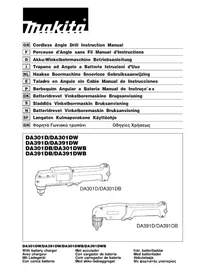
DA391DB - Screwdriver MAKITA - Free user manual and instructions
Find the device manual for free DA391DB MAKITA in PDF.


| Product Type | Cordless Angle Screwdriver |
| Brand | Makita |
| Model | DA391DB |
| Drilling Capacity Steel | 10 mm |
| Drilling Capacity Wood | 12 mm |
| Screwdriving Capacity Wood Screws | 4.5 mm x 20 mm |
| No Load Speed | 0 - 800 min⁻¹ |
| Overall Length | 335 mm |
| Net Weight | 1.3 kg |
| Rated Voltage | 9.6 V DC |
| Battery Type | Makita rechargeable battery (9033, 2.0 Ah, 8 cells) |
| Charging Time | Approx. 100 minutes (normal charge), 24 h (maintenance charge) |
| Chuck | Keyless (hand-tightening) |
| Rotation Direction | Forward/reverse switch with neutral position |
| Speed Control | Yes, by trigger |
| Overload Protector | Yes, reset button |
| Noise Level | Sound pressure ≤ 70 dB(A), operating noise level may exceed 85 dB(A) |
| Vibration | Weighted acceleration ≤ 2.5 m/s² |
| Maintenance | Have any repair done by a Makita authorized service center |
| Included Accessories | Charger, battery, chuck key (depending on version) |
Frequently Asked Questions - DA391DB MAKITA
User questions about DA391DB MAKITA
0 question about this device. Answer the ones you know or ask your own.
Ask a new question about this device
Download the instructions for your Screwdriver in PDF format for free! Find your manual DA391DB - MAKITA and take your electronic device back in hand. On this page are published all the documents necessary for the use of your device. DA391DB by MAKITA.
USER MANUAL DA391DB MAKITA
① Set plate
② Battery cartridge
③ Battery charger
④ Charging light
⑤ Battery charger
⑥ Chuck key
⑦ Sleeve
⑧ Ring
Storage cavity
⑩ Reversing switch lever
⑪ Switch trigger
⑫ Restart button
SPECIFICATIONS
Model DA301D DA391D DA301DB DA391DB
Capacities
| Steel | 10 mm | 10 mm | 10 mm | 10 mm | 10 mm | ||||
| Wood | 10 mm | 12 mm | 10 mm | 12 mm | |||||
| Wood screw | 4.5 mm x 20 mm | 4.5 mm x 20 mm | 4.5 mm x 20 mm | 4.5 mm x 20 mm | |||||
| No load speed (m/h) | 0 - 700 | 0 - 800 | 0 - 700 | 0 - 800 | |||||
| Overall length | 290 mm | 335 mm | 290 mm | 335 mm | |||||
| Net weight | 1.2 kg | 1.3 kg | 1.2 kg | 1.3 kg | |||||
| Rated voltage | D.C. 7.2 V | D.C. 9.6 V | D.C. 7.2 V | D.C. 9.6 V | |||||
- Due to our continuing program of research and development, the specifications herein are subject to change without notice.
Note: Specifications may differ from country to country.
Safety hints
For your own safety, please refer to the enclosed safety instructions.
- Do not disassemble charger or battery cartridge; take it to a qualified serviceman when service or repair is required. Incorrect reassembly may result in a risk of electric shock or fire.
- To reduce risk of electric shock, unplug charger from outlet before attempting any maintenance or cleaning. Turning off controls will not reduce this risk.
IMPORTANT SAFETY INSTRUCTIONS FOR CHARGER & BATTERY CARTRIDGE
- SAVE THESE INSTRUCTIONS - This manual contains important safety and operating instructions for battery charger.
- Before using battery charger, read all instructions and cautionary markings on (1) battery charger, (2) battery, and (3) product using battery.
- CAUTION - To reduce risk of injury, charge only MAKITA type rechargeable batteries. Other types of batteries may burst causing personal injury and damage.
- Do not expose charger to rain or snow.
- Use of an attachment not recommended or sold by the battery charger manufacturer may result in a risk of fire, electric shock, or injury to persons.
- To reduce risk of damage to electric plug and cord, pull by plug rather than cord when disconnecting charger.
- Make sure cord is located so that it will not be stepped on, tripped over, or otherwise subjected to damage or stress.
- Do not operate charger with damaged cord oP plug - replace them immediately.
- Do not operate charger if it has received a sharp blow, been dropped, or otherwise damaged in any way; take it to a qualified serviceman.
ADDITIONAL SAFETY RULES FOR CHARGER & BATTERY CARTRIDGE
- Do not charge Battery Cartridge when temperature is BELOW 10^ (50^) or ABOVE 40^ (104^) .
- Do not attempt to use a step-up transformer, an engine generator or DC power receptacle.
- Do not allow anything to cover or clog the charger vents.
- Always cover the battery terminals with the battery cover when the battery cartridge is not used.
- Do not short the battery cartridge:
(1) Do not touch the terminals with any conductive material.
(2) Avoid storing battery cartridge in a container with other metal objects such as nails, coins, etc.
(3) Do not expose battery cartridge to water or rain.
A battery short can cause a large current flow, overheating, possible burns and even a breakdown.
Do not store the machine and battery cartridge in locations where the temperature may reach or exceed 50^ (122^)
Do not incinerate the battery cartridge even if it is severely damaged or is completely worn out. The battery cartridge can explode in a fire.
- Be careful not to drop, shake or strike battercharging
- Do not charge inside a box or container of kind. The battery must be placed in a well ventilated area during charging.
ADDITIONAL SAFETY RULES FOR MACHINE
- Be aware that this machine is always in an operating condition, because it does not have to be plugged into an electrical outlet.
- Always be sure you have a firm footing. Be sure no one is below when using the machine in high locations.
- Hold the machine firmly.
- Keep hands away from rotating parts.
- When drilling into walls, floors or wherever 5. "live" electrical wires may be encountered, DO NOT TOUCH ANY METAL PARTS OF THE MACHINE! Hold the machine by the insulated grasping surfaces to prevent electric shock if 6. you drill into a "live" wire.
- Do not leave the machine running. Operate the machine only when hand-held.
- Do not touch the drill bit or the workpiece immediately after operation; they may be extremely hot and could burn your skin.
SAVE THESE INSTRUCTIONS.
OPERATING INSTRUCTIONS
Installing or removing battery cartridge (Fig. 1)
- Always switch off the machine before insertion or removal of the battery cartridge.
- To remove the battery cartridge, pull out the set plate on the machine and grasp both sides of the cartridge while withdrawing it from the machine.
- To insert the battery cartridge, align the tongue on the battery cartridge with the groove in the housing and slip it into place. Snap the set plate back into
place. Be sure to close the set plate fully before using the machine to prevent the battery cartridge from accidentally falling out of the machine.
- Do not use force when inserting the battery cartridge. If the cartridge does not slide in easily, it is not being inserted correctly.
Dr DA301D/DA391D (Fig. 2)
- Plug the battery charger into your power source.
- Insert the battery cartridge so that the plus and minus terminals on the battery cartridge are on the same sides as their respective markings on the battery charger. Insert the cartridge fully into the port so that it rests on the charger port floor.
- When the battery cartridge is inserted, the charging light color will flash in red color and charging will begin.
When charging is completed, the charging light goes out. The charging time is as follows: Battery 7000, 7100, 7120, 9000, 9100, 9100A, 9120: approx. 60 minutes.
If you leave the battery cartridge in the charger after the charging cycle is complete, the charger will switch into its "trickle charge (maintenance charge)" mode.
After charging, remove the battery cartridge from the charger and unplug the charger from the power source.
- The battery charger is for charging Makita battery cartridge. Never use it for other purposes or for other manufacturer's batteries.
- When you charge a new battery cartridge or a battery cartridge which has not been used for a long time period of time, it may not accept a full charge. This is a normal condition and does not indicate a problem. You can recharge the battery cartridge 100% fully after discharging it completely and recharging a new couple of times.
- When you charge a battery cartridge from a just-operated machine or a battery cartridge which has been left in a location exposed to direct sunlight or heat for a long time, let it cool off. Then re-insert it and try to charge it once more.
- When you charge a new battery cartridge or a battery cartridge which has not been used for a long period, sometimes the charging light will go out soon. If this occurs, remove the battery cartridge and re-insert it. If the charging light goes out within one minute even after repeating this procedure a couple of times, the battery cartridge is dead. Replace it with a new one.
| Battery type | Capacity (mAh) | Number of cells |
| 7000 1,300 | 6 | |
| 9000 1,300 | 8 |
For DA301DB/DA391DB (Fig. 3)
Plug the battery charger into your power source. Insert the battery cartridge so that the plus and min terminals on the battery cartridge are on the same sides as their respective markings on the battery charger. Insert the cartridge fully into the port so that it rests on the charger port floor.
When the battery cartridge is inserted, the charging light will come on and charging will begin. The charging light will keep lighting up steadily during charging. When charging is completed, the charging light goes out. The charging time is approx. 100 minutes. If y leave the battery cartridge in the charger after the
The charging cycle is complete, the charger will switch to its "trickle charge (maintenance charge)" mode which will last approximately 24 hours.
After charging, unplug the charger from the power source.
| Battery type | Capacity (mAh) | Number of cells |
| 7033 2,200 | 6 | |
| 9033 2,200 | 8 |
CAUTION:
-
If you charge a battery cartridge from a just-operated machine or a battery cartridge which has been left in a location exposed to direct sunlight for a long time, the charging light may flash in red or if this occurs, wait for a while. Charging will begin after the battery cartridge cools.
-
Any of the following conditions indicates damage the charger and/or battery cartridge. Ask your Makita Authorized or Factory Service Center to check them.
1) The charging light does not light up or flash ( when the battery is inserted in the charger port
2) Charging is not completed at even more than three hours after red light comes ON at start charging.
Trickle charge (Maintenance charge)
If you leave the battery cartridge in the charger to prevent spontaneous discharging after full charge, the charger will switch into its "trickle charge (main tenance charge)" mode and keep the battery cartridge fresh and fully charged.
Tips for maintaining maximum battery life
- Charge the battery cartridge before completely discharged.
Always stop machine operation and charge the battery cartridge when you notice less machine power.
- Never recharge a fully charged battery cartridge. Overcharging shortens the battery service life.
- Charge the battery cartridge with room temperature at 10^ - 40^ (50^ - 104^)
Let a hot battery cartridge cool down before charging it.
Installing or removing drill bit or driver bit
Important:
Always be sure that the machine is switched off and the battery cartridge is removed before installing or removing the bit.
For DA301D/DA301DB (Fig. 4 & 6)
To install the bit, place it in the chuck as far as it will be. Tighten the chuck by hand. Place the chuck key in each of the three holes and tighten clockwise. Be sure to tighten all three chuck holes evenly. To remove the chuck, turn the chuck key counterclockwise in just one hole, then loosen the chuck by hand.
infer use, return the chuck key to the storage cavity on the machine.
For DA391D/DA391DB (Fig. 5)
Hold the ring and turn the sleeve counterclockwise to open the chuck jaws. Place the bit in the chuck as far as it will go. Hold the ring firmly and turn the sleeve clockwise to tighten the chuck. To remove the bit, hold the ring and turn the sleeve counterclockwise.
Switch action
(Fig. 7 for DA301D/DA301DB & Fig. 8 for DA391D/DA391DB)
CAUTION:
- Before inserting the battery cartridge into the machine, always check to see that the switch triggers for coldactuates properly and returns to the "OFF" position when released.
Always check the direction of rotation before operation.
Use the reversing switch lever only after the machine comes to a complete stop. Changing the direction of rotation before the machine stops may damage the machine.
When not operating the machine, keep the reversing switch lever in the neutral position.
oSet the reversing switch lever just in front of the switch trigger to / "FWD" side for clockwise rotation or / "REV" side for counterclockwise rotation. To start the machine, simply pull the trigger. Machine speed is increased by increasing pressure on the trigger. Release the trigger to stop. When the reversing switch lever is in the neutral position, the machine will not start even if you pull the trigger.
Drilling operation
- Drilling in wood
When drilling in wood, best results are obtained with wood drills equipped with a guide screw. The guide screw makes drilling easier by pulling the bit into the workpiece. - Drilling in metal
To prevent the bit from slipping when starting a hole, make an indentation with a center punch and hammer at the point to be drilled. Place the point of the bit in the indentation and start drilling.
Use a cutting lubricant when drilling metals. The exceptions are iron and brass which should be drilled dry.
CAUTION:
MAINTENANCE
- Pressing excessively on the machine will not speed up the drilling. In fact, this excessive pressure will CAUTION:
only serve to damage the tip of your bit, decrease Always be sure that the machine is switched off and the machine performance and shorten the service the battery cartridge is removed before carrying out life of the machine. any work on the machine.
-
There is a tremendous twisting force exerted on the machine/bit at the time of hole breakthrough. Hold maintenance or adjustment should be carried out by a the machine firmly and exert care when the bit Makita Authorized Service Center. begins to break through the workpiece. Use both hands to help control the machine.
-
A stuck bit can be removed simply by setting the reversing switch to reverse rotation in order to back out. However, the machine may back out abruptly if you do not hold it firmly.
- Always secure small workpieces in a vise or similar hold-down device.
Screwdriving operation
Place the point of the driver bit in the screw head and apply pressure to the machine. Start the machine.
Release the trigger just as the screw bottoms out. If the trigger is not released, the screw may strip out the hole or the screw and/or bit may be damaged.
NOTE:
- Make sure that the driver bit is inserted straight in the screw head, or the screw and/or bit may be damaged.
- When driving wood screws, predrill pilot holes to make driving easier and to prevent splitting of the workpiece. See the chart.
| Nominal diameter of wood screw (mm) | Recommended size of pilot hole (mm) |
| 3.1 2.0 - 2.2 | |
| 3.5 2.2 - 2.5 | |
| 3.8 2.5 - 2.8 | |
| 4.5 2.9 - 3.2 |
Overload protector (Fig. 9)
The overload protector automatically cuts out to break the circuit and the button pops out, whenever heavy work is prolonged. Wait 20 - 30 seconds before pressing the restart button to resume operation. Your finger should not be on the trigger when you press the restart button, however.
EC-DECLARATION OF CONFORMITY
The undersigned, Yasuhiko Kanzaki, authorized by Makita Corporation, 3-11-8 Sumiyoshi-Cho, Anjo, Aichi, 446 Japan declares that this product
(Serial No.: series production)
manufactured by Makita Corporation in Japan is in compliance with the following standards or standardized documents,
EN50260, EN55014
in accordance with Council Directives, 89/336/EEC and 98/37/EC.
ITALIANO
Michigan Drive, Tongwell, Milton Keynes,
Bucks MK15 8JD, U.K.
PORTUGUES
DECLARACAO DE CONFORMIDADE DA CE
de accordo com as directivas 89/336/CEE e 98/37/CE do Conselho.
NORSK
EUs SAMSVARS-ERKLÄERING
EU-DEKLARATION OM KONFORMITET
Undertegnede, Yasuhiko Kanzaki, med fuldmagt fra Makita Corporation, 3-11-8 Sumiyoshi-Cho, Anjo, Aichi, 446 Japan, erklager hermed, at dette produkt
Michigan Drive, Tongwell, Milton Keynes,
Bucks MK15 8JD, U.K.
DC-1
ENGLISH
EC-DECLARATION OF CONFORMITY
The undersigned, Yasuhiko Kanzaki, authorized by Kao Lung Tamura Electronics Co., Ltd. No. 4 Industry 1st Street, Ping Tung Industry District Chiao Nan Li, Ping Tung City, Taiwan declares that this battery charger
(Serial No.: series production)
manufactured by Kao Lung Tamura Electronics Co., Ltd. in Taiwan is in compliance with the following standards or standardized documents,
in accordance with Council Directives, 73/23/EEC and 89/336/EEC.
*from 1st Jan.2001
FRANÇAISE
DECLARATION DE CONFORMITE CE
Michigan Drive, Tongwell, Milton Keynes,
Bucks MK15 8JD, U.K.
PORTUGUES
DECLARACAO DE CONFORMIDADE DA CE
O abaixo assinado, Yasuhiko Kanzaki, autorizzato pada Kao Lung Tamura Electronics Co., Ltd. No. 4 Industry 1st Street, Ping Tung Industry District Chiao Nan Li, Ping Tung City, Taiwan, declara que este carregarador de bateria
EN60335, EN55014, EN61000* de accordo com as directivas 73/23/CEE e 89/336/CEE do Conselho.
*1 de Janeiro de 2001
DANSK
EU-DEKLARATION OM KONFORMITET
Undertegnede, Yasuhiko Kanzaki, med fuldmagt fra Kao Lung Tamura Electronics Co., Ltd. No. 4 Industry 1st Street, Ping Tung Industry District Chiao Nan Li, Ping Tung City, Taiwan, erklærhermed, at dette batteriopladeren
O unoyapaw, Yasuhiko Kanzaki, eouoiodotnevos ano tvv etaipéia Kao Lung Tamura Electronics Co., Ltd. No. 4 Industry 1st Street, Ping Tung Industry District Chiao Nan Li, Ping Tung City, Taiwan, oT auto to opniotns matapia
(Auwy Ap.: napaywn oipas) kataoekuaopevo ano tyn Etaipea Kao Lung Tamura Electronics Co., Ltd. aty Taiwan, piokeai e ouphiwa ie ta akoloua npotuna n tunonoineva eyypapa,
Michigan Drive, Tongwell, Milton Keynes, Bucks MK15 8JD, U.K.
ENGLISH
Noise And Vibration Of Model DA301D
The typical A-weighted sound pressure level is not more than 70 dB (A).
The noise level under working may exceed 85 dB (A).
Wear ear protection.
The typical weighted root mean square acceleration value is not more than 2.5m / s^2
FRANÇAISE
The typical A-weighted sound pressure level is not more than 70 dB (A).
The noise level under working may exceed 85 dB (A).
- Wear ear protection. -
The typical weighted root mean square acceleration value is not more than 2.5m / s^2