
Level In ANC EOIG930 - Cellphone SAMSUNG - Free user manual and instructions
Find the device manual for free Level In ANC EOIG930 SAMSUNG in PDF.
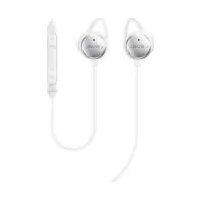



| Product type | Wired in-ear headset with active noise cancellation |
| Brand | Samsung |
| Model | Level In ANC EOIG930 |
| Weight (per earbud) | Approximately 6 g |
| Power supply | Rechargeable lithium-ion battery, charging via USB port (charger sold separately) |
| Battery life | Approximately 5 hours with ANC enabled |
| Charging time | Approximately 2 hours |
| Connectivity | 3.5 mm audio jack, micro-USB charging port |
| Main functions | Active noise cancellation (ANC), Talk-In mode, playback/call controls, volume control |
| Included accessories | Eartips sizes S, M, L, audio cable |
| Operating temperature | 0 °C to 35 °C |
| Storage temperature | -20 °C to 50 °C |
| Maintenance and cleaning | Clean with a soft, dry cloth. Do not use liquids or abrasive products. |
| Safety | Do not use while driving or cycling. Do not disassemble. Avoid exposure to moisture. |
| Spare parts and repairability | Replacement eartips available. Battery not user-replaceable. For repairs, contact an authorized Samsung center. |
| General information | Manual available in multiple languages on the Samsung website. Warranty according to applicable legislation. |
Frequently Asked Questions - Level In ANC EOIG930 SAMSUNG
User questions about Level In ANC EOIG930 SAMSUNG
0 question about this device. Answer the ones you know or ask your own.
Ask a new question about this device
Download the instructions for your Cellphone in PDF format for free! Find your manual Level In ANC EOIG930 - SAMSUNG and take your electronic device back in hand. On this page are published all the documents necessary for the use of your device. Level In ANC EOIG930 by SAMSUNG.
USER MANUAL Level In ANC EOIG930 SAMSUNG
Copyright © 2016 Samsung Electronics
Please read this guide before using the device to ensure safe and proper use.
Images may differ in appearance from the actual product. Content is subject to change without prior notice. Visit www.samsung.com to view device information, the latest guide, and more.
Your consumer rights are governed by the law of the country in which you purchased the product. Please contact your service provider for more information.
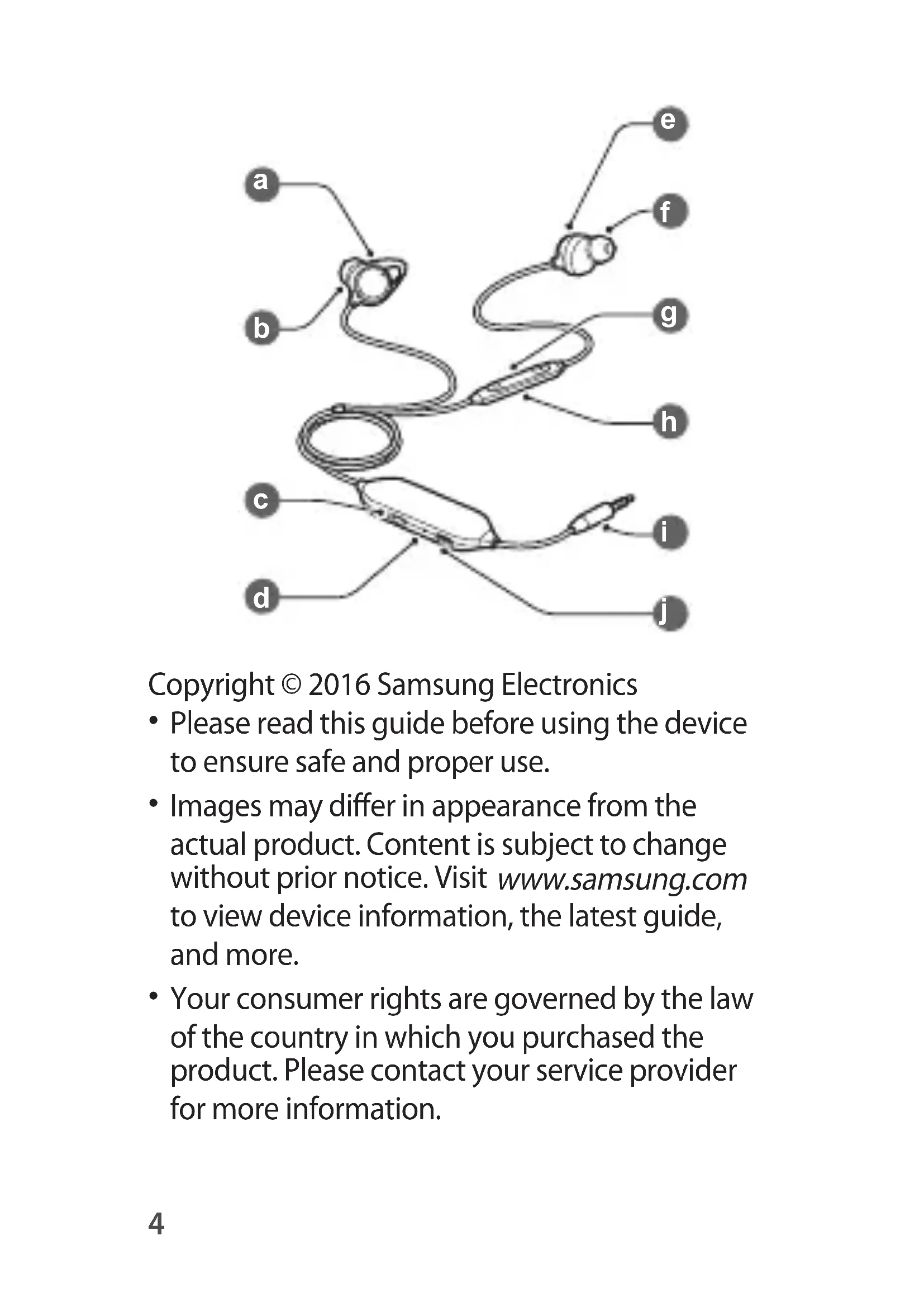
Device layout
 | Earbud Eartip |  | |
 | Left earphone |  | Multifunction button |
 | Switch Microphone |  | |
 | Indicator light Audio |  | ble jack |
 | Right earphone Chal |  | rport |
Charging the battery
Charge the battery before using the headset for the first time or when the headset has been unused for extended periods.
Connect the headset to a charger.
- Chargers are sold separately.
- The charger should remain close to the electric socket and easily accessible while charging.
- The socket-outlet shall be installed near the equipment and shall be easily accessible.
Indicator light identification
| Colour Status | |
| Red Charging | |
| Green Fully charged | |
| Blue Power on |
Using the headset
Plug the audio cable jack into the headset jack of a mobile device.
Use the following functions with the multifunction button.
- Press to play and pause a multimedia file.
- Press to answer or end a call.
- Press and hold to reject a call.
- Press to adjust the volume.
Using the switch
Slide the switch to use the following functions:
• OFF: Deactivate the noise-cancelling feature and Talk-In mode. • ANC: Activate the noise-cancelling feature. - TALK-IN: Enter Talk-In mode. This allows you to hear your surroundings and the audio from your connected device. The effects of Talk-In mode may vary depending on the environment or the currently playing music.
Safety information
Read all safety information before using the device to ensure safe and proper use. To view the full safety information, refer to the Samsung website.
Use manufacturer-approved batteries, chargers, accessories, and supplies
Do not touch the device with wet hands
Do not drop or cause an impact to the charger or the device
The device can be used in locations with an ambient temperature of 0°C to 35°C. You can store the device at an ambient temperature of -20°C to 50°C. Using or storing the device outside of the recommended temperature ranges may damage the device or reduce the battery's lifespan
Do not allow children or animals to chew or suck the device
Do not disassemble, modify, or repair your device
Do not use a headset while driving or riding. Doing so may distract your attention and cause an accident, or may be illegal depending on your region.
To prevent possible hearing damage when using a headset, do not listen to sound at high volume for long periods.
Correct disposal
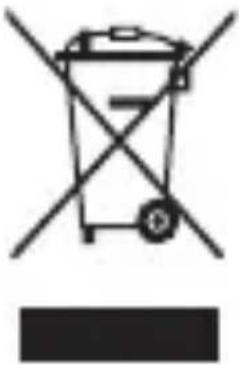
This marking on the product, accessories or literature indicates that the product and its electronic accessories (e.g. charger, headset, USB cable) should not be disposed of with other household waste.
This product is RoHS compliant.
This marking on the battery, manual or packaging indicates that the batteries in this product should not be disposed of with other household waste.
For information on Samsung's environmental commitments and product-specific regulatory obligations, e.g. REACH, WEEE, Batteries, visit samsung.com/uk/aboutsamsung/samsungelectronics/corporatecitizenship/data_corner.html
Removing the battery
- To remove the battery, you must visit an authorised service centre with the provided instructions.
- For your safety, you must not attempt to remove the battery. If the battery is not properly removed, it may lead to damage to the battery and device, cause personal injury, and/or result in the device being unsafe.
- Samsung does not accept liability for any damage or loss (whether in contract or tort, including negligence) which may arise from failure to precisely follow these warnings and instructions, other than death or personal injury caused by Samsung's negligence.
- Open the body by using a flat-edged tool.
- Pull the battery away from the circuit board and cut the connections between them.
- Remove the battery.
Samsung Electronics (UK) Ltd, Euro QA Lab. Blackbushe Business Park. Saxony Way, Yateley, Hampshire, GU46 6GG, United Kingdom
CE
This marking on the product, accessories, or literature indicates that the product and its electronic accessories (e.g., charger, headset, USB cable) should not be disposed of with other household waste.
This marking on the battery, manual, or packaging indicates that the batteries in this product should not be disposed of with other household waste.
For information on Samsung's environmental commitments and legal obligations regarding products, such as the EU REACH Regulation, WEEE Directive, Batteries Directive, etc., visit samsung.com/uk/aboutsamsung/samsungelectronics/corporatecitizenship/data_corner.html
Removing the battery
- To remove the battery, you must visit an authorized service center with the provided instructions.
- For your own safety, you must not attempt to remove the battery. If the battery is not removed properly, it may cause damage to the battery or device, result in injury, and/or compromise the safety of the device.
- Samsung does not accept liability for any damage or loss (whether in contract or tort, including negligence) that may arise from failure to follow these warnings and instructions, other than death or personal injury caused by Samsung's negligence.
- Open the device using a flat tool.
- Lift the battery from the printed circuit board and cut the connections between them.
- Remove the battery.
- Before using the device, read this guide to ensure safe and correct use.
- Images may differ from the actual product. Content is subject to change without prior notice. Visit www.samsung.com for device information, the latest guide, and more.
- Your consumer rights are protected by the law of the country where you purchased the product. Contact your service provider for more information.
Device layout
 | Bubica Završetak slušalica | ||
 | Leva bubica Taster Više funkcija | ||
 | Prekidač Mikrofon | ||
 | Indikatorska lampica | Konektor za audio kabl | |
 | Desna bubica Port za punjač |
Charging the battery
Charge the battery before first use of the earphones or when they have not been used for a long time.
This symbol on the product, accessories, or literature indicates that the product and its electronic accessories (e.g., charger, earphones, USB cable) should not be disposed of with other household waste.
This symbol on the battery, manual, or packaging means that the battery in this product should not be disposed of with other household waste when it no longer works.
For information on environmental commitments and regulatory obligations specific to Samsung products, e.g., REACH, WEEE, Batteries, visit samsung.com/uk/aboutsamsung/samsungelectronics/corporatecitizenship/data_corner.html
Removing the battery
- To remove the battery, you must visit an authorized service center with the provided instructions.
- For your safety, you must not attempt to remove the battery yourself. If the battery is not removed properly, it may cause damage to the battery and device, personal injury, and/or make the device unsafe.
- Samsung does not accept liability for any damage or loss (whether in contract or tort, including negligence) that may arise from failure to follow these warnings and instructions, except for death or personal injury caused by Samsung's negligence.
- Open the body using a flat-tipped tool.
- Pull the battery out of the printed circuit board and cut the connections between them.
- Remove the battery.
- Read this guide carefully before using the device to ensure safe and correct use.
- Images may differ from the actual product. Content is subject to change without prior notice. Visit www.samsung.com for information about the device, the latest guide, and more.
- Your consumer rights are governed by the laws of the country where you purchased the product. Please contact your carrier for more information.
Identifying the indicator light

Identifying the indicator light

Brand : SAMSUNG
Model : Level In ANC EOIG930
Category : Cellphone