
MagicSafe MS670 - Surveillance Camera WAECO - Free user manual and instructions
Find the device manual for free MagicSafe MS670 WAECO in PDF.


| Product type | Vehicle anti-theft alarm system |
| Brand | Waeco |
| Model | MagicSafe MS670 |
| Power supply | 12 V DC (9 – 15 V DC) |
| Power consumption | max. 800 mA (activated), approx. 10 mA (deactivated) |
| Main functions | Activation/deactivation by remote control, immobilizer, programmable optical and acoustic signals, interior surveillance by ultrasound, comfort output, alarm memory |
| Detectors | 2 ultrasonic detectors + ultrasonic module |
| Alarm siren | Integrated, output current max. 5 A |
| Number of electronic keys | Up to 4 |
| Comfort output | Switchable to negative pole, max. current 350 mA |
| Flashing output current | 8 A at 20 °C |
| Engine blocking output current | 8 A at 20 °C |
| Alarm duration | 30 s |
| Operating temperature | -30 °C to +70 °C |
| CAN bus | Yes, for communication with the vehicle |
| Additional inputs | Hood contact switch, door contact switches |
| Maintenance and cleaning | Clean with a damp cloth, do not use sharp objects |
| Safety | Follow installation instructions and disconnect the battery before intervention |
| Warranty | Legal warranty, contact the dealer or WAECO |
| Spare parts and repairability | Contact WAECO or a specialized dealer |
Frequently Asked Questions - MagicSafe MS670 WAECO
User questions about MagicSafe MS670 WAECO
0 question about this device. Answer the ones you know or ask your own.
Ask a new question about this device
Download the instructions for your Surveillance Camera in PDF format for free! Find your manual MagicSafe MS670 - WAECO and take your electronic device back in hand. On this page are published all the documents necessary for the use of your device. MagicSafe MS670 by WAECO.
USER MANUAL MagicSafe MS670 WAECO
Installation and Operating Manual
We will be happy to provide you with further information about WAECO products. Please order our free catalogue with no obligation to buy on our homepage: www.waeco.com
F
Please read this manual carefully before installing and starting up the device and store it in a safe place. If the device is handed over to another person, this operating manual must be handed over along with it.
Contents
1 Notes on using the manual 31
2 Safety and installation instructions. 32
3 Scope of delivery 35
4 Intended use 35
5 Technical description 36
6 Installing MagicSafe. 37
7 Connecting the electrical power to MagicSafe. 41
8 Programming MagicSafe 45
9 Using MagicSafe 49
10 Care and cleaning 52
11 Guarantee 52
12 Disposal 53
13 Technical data 53
1 Notes on using the manual

Caution!
Safety instruction: Failure to observe this instruction can cause material damage and impair the function of the device.

Caution!
Safety instruction relating to a danger from an electrical current or voltage. Failure to observe this instruction can cause material damage or personal injury and impair the function of the device.
Safety and installation instructions MagicSafe MS670

Note
Supplementary information for operating the device.
Action: This symbol indicates that action is required on your part. The required action is described step-by-step.
This symbol describes the result of an action.
fig. 1 5, page 3: This refers to an element in an illustration. In this case, item 5 in figure 1 on page 3.
Please observe the following safety instructions.
2 Safety and installation instructions
Please observe the prescribed safety instructions and stipulations from the vehicle manufacturer and service workshops.

Caution
WAECO International will not be held liable for claims for damage resulting from the following:
Installation errors
- Damage to the device resulting from mechanical influences and overvoltage
- Alterations made to the device without the explicit permission of WAECO International
- Use for purposes other than those described in the operating manual

Warning
To prevent the risk of short circuits, always disconnect the negative terminal of the vehicle's electrical system before working on it. If the vehicle has an additional battery, its negative terminal should also be disconnected.

Warning
Inadequate supply cable connections could result in short circuits, which could have as a consequence that:
Cable fires occur
- The airbag is triggered
Electronic control devices are damaged
- Electric functions fail (indicators, brake light, horn, ignition, lights)
Please observe the following instructions:
-
When working on the following cables, only use insulated cable lugs, plugs and flat push-on receptacles:
-
30 (direct supply from positive battery terminal)
- 15 (connected positive terminal, behind the battery)
- 31 (return line from the battery, earth)
L (indicator lights left)
R (indicator lights right)
Do not use terminal strips.
- Use a crimping tool to connect the cables.
-
When connecting to cable 31 (earth), screw the cable
-
to the vehicle's earth bolt with a cable lug and a gear disc or
to the sheet-metal bodywork with a cable lug and a self-tapping screw.
Ensure that there is a good earth connection.
If you disconnect the negative terminal of the battery, all data stored in the volatile memories will be lost.
- The following data must be set again, depending on the vehicle equipment options:
Radio code
- Vehicle clock
- T i m e r
- On-board computer
-Seat position
You can find instructions for making these settings in the appropriate operating instructions.
Safety and installation instructions MagicSafe MS670
Observe the following installation instructions:
- Secure the parts of the parking aid installed in the vehicle in such a way that they cannot become loose under any circumstances (sudden braking, accidents) and cause injuries to the occupants of the vehicle.
- Secure any parts of the system covered by the bodywork in such a manner that they cannot be come loose or damage other parts and cables or impair vehicle functions (steering, pedals, etc).
- To prevent damage when drilling, make sure there is sufficient space on the other side for the drill head to come out.
- Deburr all drill holes and treat them with a rust-protection agent.
- Always follow the safety instructions of the vehicle manufacturer. Some work (e.g. on retention systems such as the AIRBAG etc.) may only be performed by qualified specialists.
Observe the following instructions when working with electrical parts:
- When testing the voltage in electrical cables, only use a diode test lamp or a voltmeter. Test lamps with an illuminant take up voltages which are too high and which can damage the vehicle's electronic system.
- When making electrical connections, ensure that:
- they are not kinked or twisted
- they do not rub on edges
- they are not laid in sharp edged ducts without protection.
Insulate all connections. - Secure the cables against mechanical wear with cable binders or insulating tape, for example to existing cables.
MagicSafe MS670 Scope of delivery
3 Scope of delivery
| No. in fig. 4, page 4 | Quantity Description | |
| 1 | 1 | Controller |
| 2 | 1 | Electronic key |
| 3 | 1 | Key holder and status-LED |
| 4 | 1 | Alarm siren |
| 5 | 1 | Installation base alarm siren |
| 6 | 1 | Bonnet contact switch |
| 7 | 2 | Ultrasonic sensors |
| 8 | 1 | Ultrasonic module |
| 9 | 1 | Connection cable |
| - | 1 | List with vehicle codes |
| - | - | Securing and installation material |
4 Intended use
UAEco MagicSafe MS670 (Item-no. MS-670) is an alarm system for PKWs. It offers additional protection against the theft of your vehicle and its contents.
5 Technical description
5.1 Function description
UAECO MagicSafe MS670 is an alarm system with two ultrasonic sensors and an alarm siren. It is designed for vehicles with CAN-Bus and an on-board power supply of 12 V.
The MagicSafe alarm system protects vehicles and their contents from theft. If the alarm system is activated, an alarm is triggered as soon as the door, boot or bonnet are opened, the ignition turned on or the shock sensor detects movement in the vehicle interior.
MagicSafe MS670 provides you with the following functions:
- Activation and deactivation with vehicle remote control
- Start block
- Programmable acoustic and optical signals
- Interior monitoring via ultrasonic sensors
- Programmable output for convenience functions. This allows you to e.g. close electric windows by activating the alarm system.
- Input for the connection of additional door contacts or a contact switch for the bonnet or the boot.
- Up to four electronic keys for programming and deactivating the alarm system
5.2 Control element controller
| No. in fig. 5, page 5 | Description |
| 1 | Connection plug |
| 2 | Connection plug for 20-pin connection cable |
| 3 | LED |
| 4 | Button (for programming) |
MagicSafe MS670 Installing MagicSafe
5.3 Possible operating modes of MagicSafe
The alarm system has the following three operating modes:
- Stand-by
The alarm system is constantly on stand-by as soon as it is installed and correctly connected. However, it does not trigger the alarm when in standby.
- Activation time
The alarm system has an activation time of approx. 40 seconds.
As an optical indicator of the activation time the LED is illuminated on the control device (fig. 5 3, page 5).
- Activated
If the alarm system is activated, it can trigger the alarm. This happens if someone breaks into the door, opens the bonnet or enters the vehicle interior. If you wish to drive off, you must first deactivate the alarm system. The system is then in stand-by mode.
As an optical indicator for activation, the LED flashes on the control device (fig. 53, page 5).
- Alarm triggered
When an alarm has been set off, this is indicated by optical and acoustic signals.
6 Installing MagicSafe

Note
If you do not have sufficient technical knowledge for installing and connecting the components in vehicles, you should have a specialist install the alarm system in your vehicle.
Installing MagicSafe MagicSafe MS670
6.1 Tools required (fig. 1, page 3)
For installation and assembly you will need the following tools:
- Measuring ruler (4)
- Centre punch (5)
- Hammer (6)
- Drill head set (7)
- Drill (8)
Screwdriver (9)
To establish and test the electrical connection, the following tools are required:
Diode test lamp (1) or voltmeter (2)
Hot air blower (10)
Crimping tool (11)
- Soldering iron (optional) (12)
- Solder (optional) (13)
Insulating tape (14)
Heat shrinking sleeve
- Cable bushing sleeves (optional)
To secure the cable you may require additional screws and cable binders.
MagicSafe MS670 Installing MagicSafe
6.2 Installing the controller
Select a suitable installation location (fig. 7, page 5).

Note
On selecting the installation location, observe the following instructions:
Install the control unit
In the vehicle interior
- In such a way that you can read the LED and operate the button
Under the dashboard
- Not in areas where strong electrical fields can interfere with it, e. g. ignition cables or central control electronics
- Not directly next to ventilator nozzles.
Where possible, use existing holes in the vehicle.
Screw the control unit firmly to the vehicle with the screws supplied or used double-sided adhesive tape.
6.3 Installing the alarm siren
The alarm siren can be mounted in the engine compartment.

Caution!
When mounting it, ensure that the installation location is
- Not in an area exposed to splashing water
- Not near the exhaust system
Cannot be accessed from underneath the vehicle, to ensure that it cannot be sabotaged.
Install the alarm siren and the fastening rail as shown in fig. 6, page 5.
6.4 Installing the ultrasonic module
Select a suitable installation location on the hinge pillar.
Screw the ultrasonic module firmly to the vehicle with the screws supplied or use double-sided adhesive tape.
Installing MagicSafe MagicSafe MS670
6.5 Installing the ultrasonic sensors
Select a suitable installation location on the left and right A-pillars.
Align the ultrasonic sensors toward the back in the vehicle interior.
6.6 Installing the bonnet contact switch
Installing this switch is only necessary if the vehicle does not already possess such a switch or if the signal is not available via the CAN bus (see code list).
Find a suitable location in the engine compartment and drill a hole with a diameter of 8mm
During installation ensure that the distance to the closed bonnet is a minimum of 22mm and a maximum of 27mm . Use putty to check this distance.
You can further reduce the minimum distance by shortening the switch.
Test the switch function after installation.
6.7 Installing the key holder

Note On selecting the installation location, observe the cable lengths.
Selection a suitable installation location in the area of the dashboard.
Drill a hole with a diameter of 15mm
Push the sensors into the holders until they lock into place.
MagicSafe MS670 Connecting the electrical power to MagicSafe
7 Connecting the electrical power to MagicSafe

Caution!
For vehicles with catalysers, you must shut down the fuel pump while making the electrical connections.
The complete circuit diagram for the alarm system can be found in fig. 8, page 6.
| No. in fig. 8, page 6 | Description |
| 1 | 20-pin plug of the connection cable |
| 2 | Convenience output |
| 3 | Bonnet contact switch |
| 4 | Alarm siren |
| 5 | Start block |
| 6 | Indicator |
| 7 | Red plug connection for key holder |
| 8 | White plug connection for key holder |
| 9 | Key holder incl. status LED |
| 10 | 3-pin plug for connection to the ultrasonic module |
| 11 | Red plug connection for ultrasonic sensor – ultrasonic module |
| 12 | White plug connection for ultrasonic sensor – ultrasonic module |
| 13 | Ultrasonic module |
| 14 | Ultrasonic sensors |
| 15 | Connected positive terminal (ignition, terminal 15) |
| 16 | Battery |
All plugs are coded so that you cannot connect them incorrectly.
Connecting the electrical power to MagicSafe MagicSafe MS670
7.1 Laying cables
When laying the cables, make sure:
They are not kinked or twisted.
They do not rub on edges
- They are not laid in sharp edged ducts without protection (fig. 3, page 4).

Caution!
Before drilling any holes, make sure no electrical cables or other parts of the vehicle can be damaged by drilling, sawing and filing (fig. 2, page 4).
When laying cables in the engine compartment or boot, use existing openings with rubber seals wherever possible.
Where there is no suitable opening, drill a hole with a diameter of approx. 13mm and insert a cable duct sleeve.

Note
Pull the socket connectors of the cables through the cable duct sleeve, before inserting the sleeve in the bodywork.
Lay out the cables in the motor or boot so that they cannot be damaged under any circumstances (e. g. by flying grit).
Insulate all unused cable ends.
7.2 Connecting the connection cable
Insert the plug of the connection cable into the corresponding connection on the control unit (fig. 5 2, page 5).
MagicSafe MS670 Connecting the electrical power to MagicSafe
7.3 Connecting the connection wires of the connection cable (fig. 8, page 6)
Pink (P1)
Leave this cable free.
This cable has a +12V signal when the system is activated.
Connecting the CAN bus

Note
Do not mix up the cables. Otherwise the alarm system will not function.
Connect the red/brown cable (P2) to CAN Low.
Connect the red/grey cable (P3) to CAN High.
Black (P4)
Connect this cable to earth (terminal 31).
Red (P5)
Connect this cable to a cable with a permanent +12V charge (terminal +30).
White/black (P6)
This black cable serves as a convenience output. The convenience output is earthed and can be charged with up to 350mA .
Connect this cable according to your requirements.
Grey (P7)

Note
When the signal "Engine bonnet up" is available via the CAN-bus, this cable can be used as an alarm input cable for earth-switched additional sensors or switches.
Guide this cable through the splash-protection wall to the bonnet contact switch.
Connecting the electrical power to MagicSafe MagicSafe MS670
Brown (P9)
Connect this cable to the blue alarm siren cable.
Green (P11) and green/yellow (P12)
This cable can interrupt any electrical circuit (e. g. fuel pump, starter etc.). The output can be charged with a maximum of 8 A.
Connecting the alarm siren
Guide this cable through the splash-protection wall in the engine compartment.
Connect the red cable of the alarm siren to a cable with a permanent +12V charge (terminal +30).
Connect the blue cable of the alarm siren to the brown cable (terminal P9) of the connection cable.
Connect the grey cable to the engine bonnet contact switch (3).
Connect the black cable to earth (terminal 31).
Connecting the key holder
Insert the red two-pin plug (8) of the connection cable in the red socket (8) of the key holder.
Insert the white two-pin plug (9) of the connection cable in the white socket (9) of the key holder.
Violet (P20)
Connect this cable to a connection which is switched by the ignition (terminal 15).
Connecting the ultrasonic module
Insert the white three-pin plug (11) in the connection of the ultrasonic module.
MagicSafe MS670 Programming MagicSafe
Connecting the ultrasonic senors
Insert the red plug of the ultrasonic sensor cable (12) in the red connection of the ultrasonic sensor (12).
Insert the white plug of the ultrasonic sensor cable (13) in the white connection of the ultrasonic sensor (13).
Connecting the indicator / Yellow/red (P15)
This is cable is used to influence the output signal of both indicator outputs.
If the indicators are positively charged (the cables to the indicators conduct +12V , when the indicators are activated):
Connect this cable to a cable with a permanent +12V charge which is protected by a 10 A fuse.
If the indicators are negatively charged (the cables to the indicators conduct an earthed charged, when the indicators are activated):
Connect this cable to earth (terminal 31).
Yellow (P14 and P16)
Connect one yellow cable (P14) to the right indicator cable.
Connect the other yellow cable (P14) to the left indicator cable.
8 Programming MagicSafe
8.1 Programming the vehicle code
The alarm system must be adjusted to the CAN bus of your vehicle type. To do this, you must enter a vehicle code after the installation and the electrical connection of the alarm system. If necessary, contact your vehicle manufacturer.
To program the vehicle code, proceed as follows:
Press the button (fig. 5 4, page 5) on the control unit and hold it down.
When the LED on the control device (fig. 5 3, page 5) lights up, release the button.
The LED goes out.
Programming MagicSafe MagicSafe MS670
After a pause of 4 s the LED begins to flash.
Count the number of flashes until the number agrees with the first number of your vehicle code:
One flash: Number 1, two flashes: Number 2, ..., nine flashes: Number 9, ten flashes: Number 0.
Press the button again.
After a pause of 4 s the LED begins to flash.
Repeat the steps described above for all the digits of the vehicle code.
After programming, the LED flashes the vehicle code.
Test the alarm system by activating it with your remote control.
✓When you correctly enter the vehicle code, the alarm system will be activated.
If the alarm system is not activated, you have not entered the vehicle code correctly. Repeat the programming.
8.2 Programming
You can program the functions listed in the following table. These functions remain stored even if the battery is disconnected.
To program a function, proceed as follows:
Start the ignition with the alarm system switched off.
The LED on the control device illuminates for two seconds.
Insert the electronic key in the key holder within these two seconds.
To indicate that the programming mode has been activated, the LED flashes three times and the alarm siren produces three signals.
The first function is activated.

Note: Each time you call up the programming mode in this way, all the values of the individual functions are reset to the factory settings (see following table).
MagicSafe MS670 Programming MagicSafe
Function Factory setting Programming
Acoustic signals Off The following acoustic signals are emitted:
Activating: 2 brief signals
Deactivating: 3 brief signals
Deactivating when the alarm has been triggered: 5 brief signals
| Optical signals | Off | This function enables optics signals via the hazard lights system, when the alarm system is connected with it. |
| When the fucntion is programmed, the function “Optical signals during activation/deactivation” cannot be used. |
Optical signals during Off This function can only be activated for vehicles activation/deactivation which do not emit any optical signals (e. g. indicator) during opening or closing.
| Passive alarm | Off | This function automatically activates the alarm system 60 seconds after the ignition has been switched off. |
| When this function is activated, the convenience output and the ultrasonic sensors are deactivated. |
Convenience output Off The factory setting switches the convenience output to negative so that an external system can be connected.
The convenience output can be programmed in such a way that the windows will be closed automatically as soon as the vehicle has a convenience control.
Modifying selected function
Insert the electronic key in the key holder in order to modify the value of the selected function.
√If the factory setting is "On", the value is set to "Off" and vice versa.
- The alarm siren emits an acoustic signal, and the LED on the control device flashes once.
Programming MagicSafe MagicSafe MS670
Activating the next function
Switch the ignition off and on again.
The next function is activated.
Modify the value as described above or switch the ignition off and on again to activate the next function.
Once you have called up all functions in sequence, switch the ignition off and on again to confirm the entered values.
The alarm system indicates the leaving of the programming mode and the storing of the entered values by having the LED on the control device flash three times and the alarm siren emit three acoustic signals.
8.3 Programming a new electronic key
MagicSafe can be operated with up to four electronic keys. If you want to program a fifth key, the first will be deleted from the memory.

Note:
To program a new electronic key, the engine bonnet must be open. When the signal "Engine bonnet up" is available via the CAN bus, the grey cable must be connected to earth.
Proceed as follows to program a new electronic key:
Deactivate the alarm.
Switch the ignition on and off.
Switch the ignition on and off again two more times within 4 seconds.
Switch on the ignition and leave it on.
The alarm siren emits three an acoustic signals, and the LED on the control device flashes once.
Insert the new electronic key in the key holder.
The electronic key is automatically programmed.
√The LED flashes once when the programming is completed.
Repeat the programming steps for each new E-key to be programmed.
Switch the ignition off to exit the programming function.
MagicSafe MS670 Using MagicSafe
- The alarm siren emits three an acoustic signals and the LED flashes three times.
9 Using MagicSafe
9.1 Activating MagicSafe
To activate the alarm system manually, proceed as follows:
Close the vehicle with your remote control.
The alarm siren emits two brief confirmation signals.
✓The vehicle emits optical signals according to the factory settings.

Note
If the vehicle does not have any optical signals, you can program the alarm system so that the indicator emits an optical signal during activation and deactivation.
Activating the alarm system so that the vehicle can remain occupied
You can set the alarm system so that the alarm system does not trigger an alarm, e. g. to leave a pet in the vehicle.
Proceed as follows:
Switch the ignition off.
Deactivate the alarm system (see chapter "Deactivating MagicSafe" on page 50).
Switch on the ignition.
Wait approximately one second, until the LED on the control device goes out.
Insert the electronic key in the key holder.
✓The alarm siren emits two short signals and the LED illuminates for approx. one second.
Switch the ignition off.
Using MagicSafe MagicSafe MS670

Note
If want to immediately reactivate the interior monitoring, switch the ignition on and off again.
Close the vehicle with your remote control.
✓The alarm siren emits two brief confirmation signals.
The vehicle emits optical signals according to the factory settings.
9.2 Deactivating MagicSafe
To deactivate the alarm system manually, proceed as follows:
Open the vehicle with your remote control.
The alarm siren emits a long confirmation signal.
The vehicle emits optical signals according to the factory settings.

Note
If an alarm was triggered, the alarm siren emits a brief acoustic signal (see chapter "Sorting the alarm memory" on page 50).
Sorting the alarm memory
MagicSafe stores triggered alarms. If you hear a short acoustic signal during deactivation, MagicSafe has stored an alarm. You can sort the alarm memory and specify the reason for the alarm.
Proceed as follows:
Switch on the ignition and observe the LED on the key holder.
MagicSafe MS670 Using MagicSafe
The LED shows the reason for the alarm:
| LED display Reason for alarm | Duration of display |
1 x On - 2 s Off - 1 x On Doors opened five times
2 x On - 2 s Off - 2 x On Ignition key was activated constantly
3 x On – 2 s Off – 3 x On Engine bonnet opened five times
5 x On - 2 s Off - 5 x On Interior monitoring was triggered five times
Switch off the ignition when you want to quit the display.
Deactivating MagicSafe with the electronic key
You can completely deactivate the alarm system using the electronic key (emergency deactivation). The alarm system will no longer be activated by the remote control, but will remain completely switched off. Deactivation with the electronic key is only possible while the alarm system is activated, not during block time.
When you activate the alarm system with your remote control, insert the electronic key in the socket.
When you activate the alarm system with the electronic key, insert it in the socket within 10 seconds after opening the vehicle.
The alarm is deactivated.
In order to restore the normal function, you must insert the E-key in the key holder during the block time.
✓The alarm system can once again be activated and deactivated by your remote control.
9.3 Setting the sensitivity of the ultrasonic sensors
The sensitivity of the ultrasonic sensors is set on the ultrasonic module.
Turn the setting screw on the underside of the ultrasonic module in the "+" direction to increase the sensitivity or ... turn the setting screw of the ultrasonic module in the opposite direction to reduce the sensitivity.
To deactivate the ultrasonic module, turn the setting screw of the ultrasonic sensor all the way in the direction opposite to +^
Care and cleaning MagicSafe MS670

Note
If the ultrasonic sensors are set too sensitively, the alarm may be triggered by passing vehicles. For this reason set the sensitivity carefully and not too high.
To find the right setting, proceed as follows:
Deactivate the alarm system (see chapter "Deactivating MagicSafe" on page 50).
Open the front side window about 20~cm
Activate the alarm system with the doors, bonnet and boot closed.
Move an object into the vehicle interior from outside:
-
If an alarm is triggered before you move the object into the vehicle, reduce the sensitivity.
-
If no alarm is triggered, increase the sensitivity.
10 Care and cleaning

Caution
Do not use any sharp or hard objects for cleaning since they may damage the device.
Occasionally clean the device with a damp cloth.
11 Guarantee
The statutory warranty period applies. If the product is defective, please return it to the WAECO location in your country (see the back of the instruction manual for the address) or to your dealer. For repair and guarantee processing, please include the following documents when you send in the device:
A copy of the receipt with purchasing date
A reason for the claim or description of the fault
MagicSafe MS670 Disposal
12 Disposal
Place the packaging material in the appropriate recycling waste bins wherever possible.
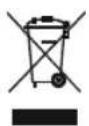
If you wish to finally dispose of the device, ask your local recycling centre or specialist dealer for details about how to do this in accordance with the applicable disposal regulations.
13 Technical data
| Item no. MS-670 | |
| Operating voltage: 12 V DC | |
| Supply voltage: 9 - 15 V DC | |
| Current consumption: max. | 800 mA (activated) approx. 10 mA (deactivated) for 12 V DC |
| Output current for indicator signals: | 8 A at 20 °C |
| Output current for engine block: | 8 A at 20 °C |
| Output current for alarm siren: | 5 A |
| Alarm duration: 30 s | |
| Operating temperature: -30 | °C to +70 °C |
Versions, technical modifications and delivery options reserved.
Certification
Control unit:

Siren:
5 Description technique
Programar MagicSafe MagicSafe MS670
MagicSafe MS670 Programar MagicSafe
Programar MagicSafe MagicSafe MS670

Nota:
MagicSafe MS670 Programar MagicSafe
Activar lasuma的功能
9.2 MagicSafe deactiveren
6 Montering at MagicSafe

Bemaerk
8 Programming at MagicSafe
Programming at MagicSafe MagicSafe MS670
MagicSafe MS670 Anvendelse at MagicSafe
✓Alarmsiren given tre akustiske signaler, og lysdioden blinker tre gange.
9 Anvendelse at MagicSafe
9.1 Aktivering at MagicSafe
Anvendelse at MagicSafe MagicSafe MS670
9.2 Deaktivering at MagicSafe
9.2 Avaktivera MagicSafe
MagicSafe MS670 Montere MagicSafe
6 Montere MagicSafe

Tips
Hvis du ikke har nok tekniisk kunnskap om montering og tilkobling av komponenter i kjoretøy, ma du få fagfolk til Å montere alarmedanlegget i kjoretyet.
6.1 Nodvendig verktoy (fig. 1, side 3)
Montere MagicSafe MagicSafe MS670
MagicSafe MS670 Montere MagicSafe
6.5 Montere ultralydfolere
Overseas + Middle East

WAECO Pacific Pty. Ltd.
1 John Duncan Court
Varsity Lakes QLD 4227
+61 7 55076000
+61 7 55076001
Mail: sales@waeco.com.au

Dometic Switzerland AG
Riedackerstrasse 7a
CH-8153 Rümlang (Zürich)
+41 44 8187171
+41 44 8187191
Mail: info@waeco.ch

Dometic Norway AS Leif Weldingsvei 16 N-3208 Sandefjord +47 33428450 +47 33428459 Mail: firmapost@waeco.no

WAECO Impex Ltd.
Suites 3210-12 - 32/F - Tower 2
The Gateway - 25 Canton Road
Tsim Sha Tsui - Kowloon
Hong Kong
+852 24632750
+852 24639067
Mail: info@waeco.com.hk

Dometic Denmark A/S
Tvaervej 2
DK-6640 Lunderskov
+45 75585966
+45 75586307
Mail: info@waeco.dk

Dometic Benelux B.V.
Ecustraat 3
NL-4879 NP Etten-Leur
+31 76 5029000
+31 76 5029090
Mail: info@dometic.nl

WAECO Impex Ltd.
Toll-free: 01-862-347-591
Taipei Office
2 FL-3 No. 56 Tunghua South Rd, Sec 2
Taipei 106, Taiwan
+886 2 27014090
+886 2 27060119
Mail: marketing@waeco.com.tw

Dometic Spain S.L.
Camé del Mig, 106
Poligono Industrial Les Corts
E-08349 Cabrera de Mar
(Barcelona)
+34 93 7502277
+34 93 7500552
Mail: info@waeco.es

Dometic Scandinavia AB Gustaf Melins gata 7 S-42131 Västra Frölunda (Göteborg) +46 31 7341100 +46 31 7341101 Mail: info@waeco.se

WAECOMiddle East FZCO
R/A8,SD6
Jebel AliDubai
+9714 8833858
+9714 8833868
Mail:waeco@emirates.net.ae

Dometic S.N.C.
ZA du Pré de la Dame Jeanne
F-60128 Plailly
+33 3 44633500
+33 3 44633518
Mail: info@waeco.fr

Dometic UK Ltd.
Dorset DT2 8LY - Unit G1
Roman Hill Business Park
UK-Broadmayne
+44 1305 854000
+44 1305 854288
Mail: sales@waeco.co.uk

Dometic Finland OY
Mestarintie 4
FIN-01730 Vantaa
+358 20 7413220
E +358 9 7593700
Mail: waeco@waeco.fi

www.waeco.com





- F
- Contents
- Notes on using the manual
- Caution!
- Note
- Safety and installation instructions
- Caution
- Warning
- Safety and installation instructions MagicSafe MS670
- Scope of delivery
- Intended use
- Technical description
- Function description
- Control element controller
- MagicSafe MS670 Installing MagicSafe
- Possible operating modes of MagicSafe
- - Stand-by
- - Activation time
- - Activated
- - Alarm triggered
- Installing MagicSafe
- Tools required (fig. 1, page 3)
- Installing the controller
- Installing the alarm siren
- Installing the ultrasonic module
- Installing the ultrasonic sensors
- Installing the bonnet contact switch
- Installing the key holder
- Connecting the electrical power to MagicSafe
- Laying cables
- Connecting the connection cable
- Connecting the connection wires of the connection cable (fig. 8, page 6)
- Pink (P1)
- Connecting the CAN bus
- Black (P4)
- Red (P5)
- White/black (P6)
- Grey (P7)
- Brown (P9)
- Green (P11) and green/yellow (P12)
- Connecting the alarm siren
- Connecting the key holder
- Violet (P20)
- Connecting the ultrasonic module
- MagicSafe MS670 Programming MagicSafe
- Connecting the ultrasonic senors
- Connecting the indicator / Yellow/red (P15)
- Yellow (P14 and P16)
- Programming MagicSafe
- Programming the vehicle code
- Programming MagicSafe MagicSafe MS670
- Programming
- Function Factory setting Programming
- Modifying selected function
- Activating the next function
- Programming a new electronic key
- Note:
- MagicSafe MS670 Using MagicSafe
- Using MagicSafe
- Activating MagicSafe
- Activating the alarm system so that the vehicle can remain occupied
- Deactivating MagicSafe
- Sorting the alarm memory
- Deactivating MagicSafe with the electronic key
- Setting the sensitivity of the ultrasonic sensors
- Care and cleaning
- Guarantee
- Disposal
- Technical data
- Certification
- Description technique
- Programar MagicSafe MagicSafe MS670
- MagicSafe MS670 Programar MagicSafe
- Nota:
- Activar lasuma的功能
- MagicSafe deactiveren
- Montering at MagicSafe
- Bemaerk
- Programming at MagicSafe
- Anvendelse at MagicSafe
- Aktivering at MagicSafe
- Deaktivering at MagicSafe
- Avaktivera MagicSafe
- Montere MagicSafe
- Tips
- Nodvendig verktoy (fig. 1, side 3)
- Montere ultralydfolere
- Overseas + Middle East
Brand : WAECO
Model : MagicSafe MS670
Category : Surveillance Camera