Ironee - Iron Zeegma - Free user manual and instructions
Find the device manual for free Ironee Zeegma in PDF.

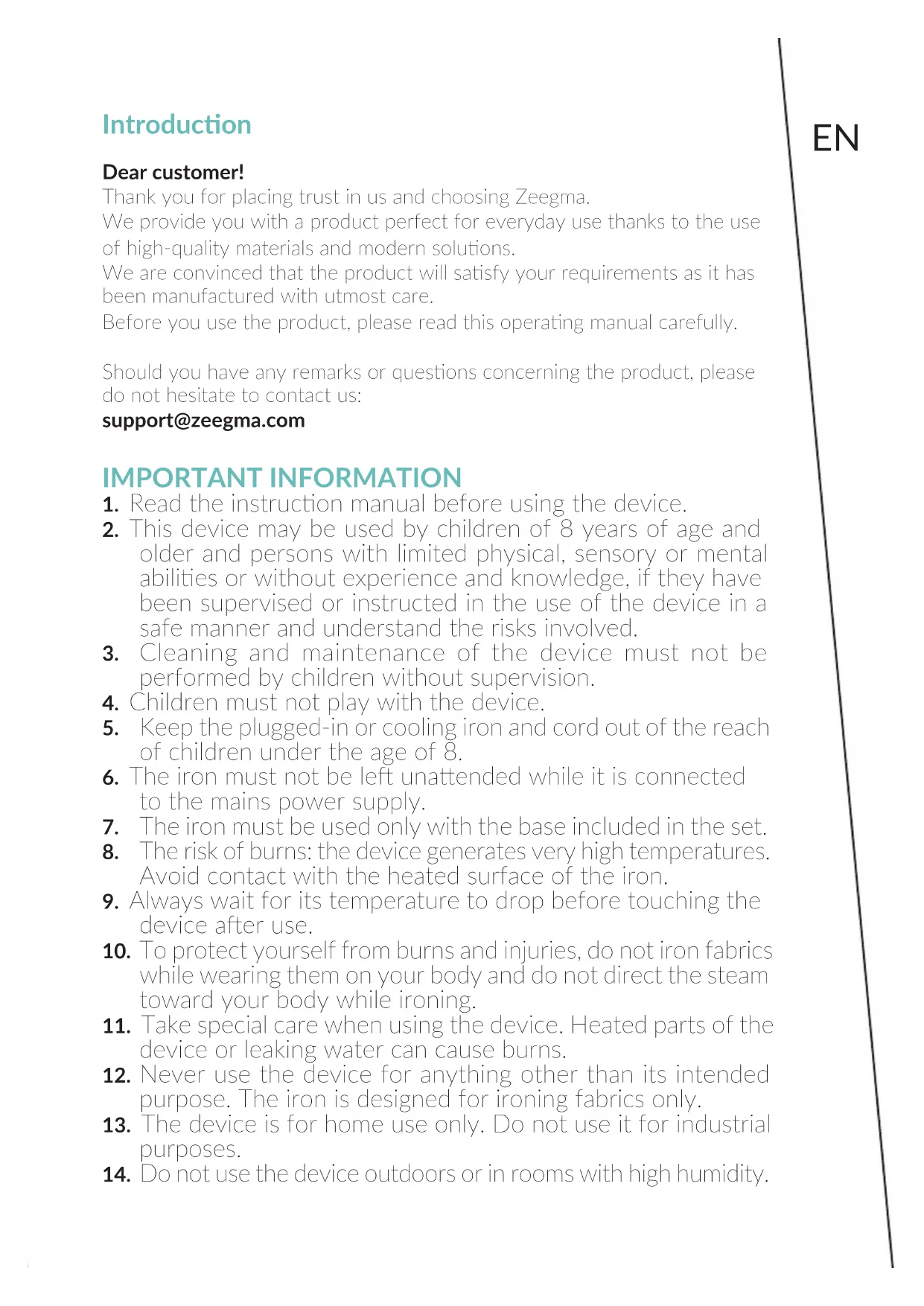


| Technical Features | Zeegma Ironee iron with ceramic soleplate, 2400 W power, 350 ml water tank, vertical steam and anti-drip function. |
|---|---|
| Usage | Ideal for all types of fabrics, with temperature and steam adjustment according to the textile type. |
| Maintenance and Repair | Regular cleaning of the soleplate, descaling recommended every 3 months, checking cables and connections. |
| Safety | Automatic shut-off after 30 seconds in horizontal position, overheat protection, 360° swivel cord. |
| General Information | 2-year warranty, weight 1.5 kg, compact dimensions for easy storage. |
Frequently Asked Questions - Ironee Zeegma
User questions about Ironee Zeegma
0 question about this device. Answer the ones you know or ask your own.
Ask a new question about this device
Download the instructions for your Iron in PDF format for free! Find your manual Ironee - Zeegma and take your electronic device back in hand. On this page are published all the documents necessary for the use of your device. Ironee by Zeegma.
USER MANUAL Ironee Zeegma
Thank you for placing trust in us and choosing Zeegma.
We provide you with a product perfect for everyday use thanks to the use of high-quality materials and modern solutions.
We are convinced that the product will satisfy your requirements as it has been manufactured with utmost care.
Before you use the product, please read this operating manual carefully.
Should you have any remarks or questions concerning the product, please do not hesitate to contact us:
support@zeegma.com
IMPORTANT INFORMATION
- Read the instruction manual before using the device.
- This device may be used by children of 8 years of age and older and persons with limited physical, sensory or mental abilities or without experience and knowledge, if they have been supervised or instructed in the use of the device in a safe manner and understand the risks involved.
- Cleaning and maintenance of the device must not be performed by children without supervision.
- Children must not play with the device.
- Keep the plugged-in or cooling iron and cord out of the reach of children under the age of 8.
- The iron must not be left unattended while it is connected to the mains power supply.
- The iron must be used only with the base included in the set.
- The risk of burns: the device generates very high temperatures. Avoid contact with the heated surface of the iron.
- Always wait for its temperature to drop before touching the device after use.
- To protect yourself from burns and injuries, do not iron fabrics while wearing them on your body and do not direct the steam toward your body while ironing.
- Take special care when using the device. Heated parts of the device or leaking water can cause burns.
- Never use the device for anything other than its intended purpose. The iron is designed for ironing fabrics only.
- The device is for home use only. Do not use it for industrial purposes.
- Do not use the device outdoors or in rooms with high humidity.
EN
- Use the device only on a flat and stable surface.
- If ironing is interrupted, place the iron on the base. Make sure the base is placed on a flat and stable surface.
- Do not immerse the device and cable in water or other liquids.
- Before connecting or disconnecting the device from the power source, set the steam control knob to the "O" position.
- Never pull on the cord when unplugging from an outlet. To disconnect the device from the power source, grab the plug and pull.
- Do not allow the cable to come into contact with sharp edges and hot surfaces.
- Always disconnect the device from the power source when filling or pouring water, and when it is not in use.
- Do not use the iron with a damaged cord or plug, or if the device malfunctions, has been dropped or damaged in any way, and if there are traces of leakage.
- Do not attempt to repair or modify the iron yourself. This could cause a risk of electric shock or damage to the device. In the event of problems, contact an authorized service center.
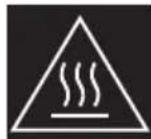
NOTE! Hot surface - surfaces can get hot during use.
PRODUCT DESCRIPTION (FIG. A)
A. Steam control knob / Self-cleaning
F. Temperature control knob
B. Steam ejection button
G. Water tank
C. Spray button
H. Ceramic-coated plate
D. Light indicator
I. Sprinkler
E. Cable cover
J. Water inlet cover
Before using it for the first time, it is necessary to remove any protective film that may have been stuck to the case or sole plate of the iron. The first time the device is used, there may be a slight emission of smoke and a specific odor. This is a normal phenomenon that does not adversely affect the functionality of the device. This does not pose a risk to the safety of use.
FILLING THE WATER TANK
- Before filling the water tank, unplug the iron from the power supply and
set the steam control knob (A, fig. A) to the "0" position (fig. 1).
- Place the device in a horizontal position.
- Open the water inlet cover (J, fig. A), and slowly pour water through the inlet into the water tank (G, fig. A). Do not exceed the level marked MAX (fig. 2). While pouring water into the tank, take breaks to check the level in the vertical position.
- Close the water inlet cover.
- If the water level is low, perform steps 1 to 4 again.
- When you have finished using the device, pour out the remaining water in the tank.
NOTE! In most instances, tap water is suitable for use in this device. Do not use any kind of water additives or substitutes, such as laundry detergent or perfumed water. They can lead to staining of materials and damage to the device itself. The water tank should not be filled above the level marked "MAX".
DRY IRONING
- If necessary, empty the iron by pouring out the water from the tank.
- Place the device in an upright position.
- Connect the device to the power source. The light indicator (D, fig. A) will light up.
- Set the temperature control knob to the MIN position (fig. 3).
- Wait until the iron plate heats up and the light indicator turns blue. The iron is ready for use.
SPRAY FUNCTION
To use this function, place the device in a horizontal position. Fill the water tank (see: Filling the water tank), then press the spray button (C, fig. A).
NOTE! Before using the spray function, check the fabric label for ironing instructions, as some fabrics may be stained or discolored by moisture. The spray function is particularly helpful for removing stubborn creases and where extra wetting is needed. It can be used for both steam and dry ironing.
STEAM IRONING
- Place the device in a horizontal position. Fill the water tank (see: Filling the water tank). Place the device in a vertical position.
- Connect the device to the power source. The light indicator (D, fig. A) will light up.
- Set the temperature control knob to the steam position (fig. 4), selecting a range suitable for the type of fabric.
- Wait until the iron plate heats up and the light indicator turns blue.
EN
- Set the steam control knob to the desired position, adjusting the amount of steam according to the type of fabric.
Note! Steam ironing is only possible at higher temperature settings. Otherwise, water may leak from the machine.
STEAM EJECTION FUNCTION
- Place the device in a horizontal position. Fill the water tank (see: Filling the water tank). Place the device in a vertical position.
- Set the temperature control knob to the "MAX" position.
- Wait until the iron plate heats up and the light indicator turns blue.
- Press the steam ejection button (B, fig. A). Pressing the button several times beforehand may be necessary to prepare the machine for operation.
- Wait a few seconds for the steam to penetrate the fabric before pressing the button again. For maximum efficiency, it is recommended not to use this function more than three times in a row after the light indicator turns blue.
The steam ejection function is particularly helpful in removing stubborn creases. It can be used for both steam and dry ironing.
ANTI CALC SYSTEM
Anti Calc is a system located inside the water tank that eliminates impurities from the water and reduces the problems of scale accumulation. To prolong the effectiveness of this system, perform the following steps periodically:
- Unplug the iron from the power supply and let it cool down.
- Fill the water refill container to about 3 / 4 of its capacity. Add 1 teaspoon of salt to the water and fill the water tank with the prepared solution.
- Leave the solution in the water tank for 15 minutes, shaking it gently from time to time, and then pour out the solution.
- Fill the water tank a second time with the salt water solution, shaking it occasionally, and empty it again after 15 minutes.
- Fill the tank with fresh water to rinse it, and then pour out the water.
ANTI DRIP SYSTEM
Anti Drip is a system that constantly controls the flow of water to the iron plate. Below a certain temperature, the anti drip function interrupts the water flow and prevents water from dripping onto the fabric.
CORDLESS IRONING
To use the device in the cordless version, press the wireless base button (L, Figure A), and then remove the device from the base.
STEPS TO FOLLOW AFTER EACH USE
- Turn off the iron and unplug it from the power source.
- Wait for the iron to cool down before storing it. Empty the iron. Do not store the iron with water inside.
- Always store the iron vertically to protect the iron plate from scratches, corrosion or stains.
- For cordless use: always place the iron on the stand to protect the iron plate from scratches, corrosion or stains. Proper placement of the iron on the stand will signal a click.
SELF-CLEANING FUNCTION
It is recommended to use the self-cleaning function on average once a month or more often, depending on the frequency of use. To use the function:
- Fill the water tank halfway.
- Set the iron on the base.
- Set the temperature control knob to MAX.
- Connect the iron to a power source.
- Allow the iron to heat up until the indicator light turns blue.
- Disconnect the iron from the power source.
- Hold the iron horizontally over the sink.
- Set the steam control knob to the "Self clean" position. Boiling water and steam will now begin to come out of the holes in the iron plate.
Note! Hold down the knob until the self-cleaning function is complete.
- Move the iron back and forth while steam and water are coming out of it. Continue until the water tank is basically empty.
- Turn the steam control knob to the "O" position (fig. 1).
- Connect the iron to a power source.
- Set the temperature knob to the MAX position. Let the iron heat up again. The remaining water in the steam chamber will now evaporate and leave the iron through the plate.
- To clean the iron plate, it is recommended to iron a piece of old fabric.
CLEANING AND MAINTENANCE
- After the iron is unplugged and cooled down, simply wipe it with a damp cloth, and if necessary, use a mild detergent.
- Never use harsh cleaning agents.
- Starch and other deposits can be easily removed from the iron plate by wiping it with a damp cloth.
- To avoid scratching the finish, never use a metal sponge to clean the plate and never place the iron on a rough surface.
If you iron synthetic fabrics at too high a temperature, there is a risk
EN
of damaging the fabric and also covering the iron plate with synthetic material residue. To remove the residue of the synthetic material, turn on the device and then iron a piece of cotton cloth.
Photos are for reference only, the actual appearance of the products may differ from that shown in the photos.
Einführung
H. Piastra rivestita in ceramic
I. Spruzzalore
DESCRIPTION PRODUIT (FIG. A)
SYSTEME ANTI-CALCAIRE (ANTI CALC)
OMSCHRIJVING VAN HET PRODUCT (AFB. A)
A. Stoom-bedieningsknop / Self clean
F. Thermostaatknop
ANTIKALKSYSTEEM (ANTI CALC)
CHIUEHHRAOBCJYROBYAHNRA
BIMKHyBn npacky 3 po3cTK Ta daBun iN OxOJHyTN, IpocTo npOTpiTb II BOIIOIO TKAHNHOIO Ta, JIKUo Heo6xIDHO, CKOpNCaTIeCg M'AKIM MNIOHm 3ac06om.
Hikoli He BnKopncToBvIe CnilbHi 3acobn dnyuHn.
KpoxmaJIb Ta iHsi BiIklAdeHHa MoXHa IeKo BnJaIHTN 3 npackn, npotepn II BOIoroTO TkaHINHO.
- Μιος He πούρραπη πόκριTTγ, Ḍικόλη He Bικόρισθουγῖτε Μεταλέγν Αγδύκυ ἀλημεήνη Πλίπη Ta He Καβά Πρακύ ἡλι Φιρόχήν Νωρερχήο.
JaKUcHTeTnHi TKAHHn npacyBAtn npn HauTo BnCOki TeMnepatypi, icHype n3NK NOxKOJKeHHaTKAHHn, a TaKoK NOKpTTra pacKn 3aJIuShKaMn cnHTeTHHoro MaTePiay. Lio6 BuaNTn 3aJIuShKn cHTeTNIk, yBIMKHITb npIaN, a Notim nponpaCyIte WMaTOK baOBHHOi TKAHHN.
ΦoIpaΦII HabeHJIe IINueI INocIpaUII,peaJIbHNI BnJIaD BnPoGIB MoKe BiIp3HITcBIDIpeDCABHeHO Ha foIorpaΦix.
Ivedimas
Gerbiamas Kliente!
PRODUKTO APRASIYMAS (PAV. A)
A. Garu reguliavimo rankenèle / Savaiminis issivalymas
rankenèle
B. Garu isleidimo mygtukas
G. Vandens bakas
C. Purskimo mygtukas
H. Padas su keramine danga
D. Šviesos indicatorius
I. Purkšluvas
E. Laido apsauga
J. Vandens jleidimo dangtelis
F. Temperaturos reguliavimo
K. Belaidžio stovo mygtukas
PRIETAISO NAUDOJIMAS PASTABA
EN: The product complies with requirements of EU directives.
Pursuant to the Directive 2012/19/EU, this product is subject to selective collection. The product must not be disposed of along with domestic waste as it may pose a threat to the environment and human health. The worn-out product must be handed over to the electrics and electronics recycling center.