
Sonicare ProtectiveClean 4300 HX6803 - Electric toothbrush PHILIPS - Free user manual and instructions
Find the device manual for free Sonicare ProtectiveClean 4300 HX6803 PHILIPS in PDF.
 FR
FR
 AZ
AZ
 BG
BG
 CS
CS
 DA
DA
 DE
DE
 EL
EL
 EN
EN
 ES
ES
 ET
ET
 FI
FI
 HE
HE
 HU
HU
 HY
HY
 IT
IT
 KA
KA
 KK
KK
 KY
KY
 LT
LT
 LV
LV
 MK
MK
 NL
NL
 NO
NO
 PL
PL
 PT
PT
 RO
RO
 RU
RU
 SK
SK
 SL
SL
 SQ
SQ
 SV
SV
 TG
TG
 TK
TK
 UK
UK
 UZ
UZ
| Product Type | Sonic electric toothbrush |
| Brand | Philips |
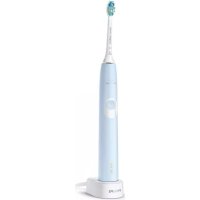
| Model | Sonicare ProtectiveClean 4300 HX6803 |
| Power supply | Rechargeable lithium-ion battery, charger with power adapter (models TCBxxxx, HX6100, HX6110, HX6160 or WAAxxxx) |
| Charging time | Up to 24 hours for a full charge |
| Battery life | Approximately 28 brushing sessions of 2 minutes (14 days with twice-daily use) |
| Brushing mode | 1 mode: Clean (daily cleaning) |
| Intensity settings | 2 levels: Low and High |
| Built-in timer | QuadPacer (4 segments of 30 seconds) and SmartTimer (2-minute cycle) |
| Pressure sensor | Yes, visual alert (orange flashing) and vibration change in case of excessive pressure |
| BrushSync technology | Yes, for brush head wear tracking and replacement reminder |
| EasyStart function | Gradual power increase during the first 14 brushings (enabled by default) |
| Charge indicator | Green (full), flashing green (charging), orange (low), flashing orange (empty) |
| Operating temperature | 0°C to 40°C |
| Storage temperature | -10°C to 60°C |
| Waterproofness | Waterproof handle (can be cleaned under water), charger and UV sanitizer should not be immersed |
| Included accessories | Smart brush head(s), charging station, travel case, UV sanitizer and charger (depending on model) |
| Spare parts | BrushSync compatible smart brush heads (replace every 3 months) |
| Repairability | Built-in battery not user-replaceable; removal possible at end of life by a professional |
| Warranty | International Philips warranty (excludes brush heads, UV bulb, and damage due to misuse) |
| Country of manufacture | Not specified (usually China) |
Frequently Asked Questions - Sonicare ProtectiveClean 4300 HX6803 PHILIPS
User questions about Sonicare ProtectiveClean 4300 HX6803 PHILIPS
0 question about this device. Answer the ones you know or ask your own.
Ask a new question about this device
Download the instructions for your Electric toothbrush in PDF format for free! Find your manual Sonicare ProtectiveClean 4300 HX6803 - PHILIPS and take your electronic device back in hand. On this page are published all the documents necessary for the use of your device. Sonicare ProtectiveClean 4300 HX6803 by PHILIPS.
USER MANUAL Sonicare ProtectiveClean 4300 HX6803 PHILIPS
Welcome to the Philips Sonicare family!
This toothbrush enables you to obtain superior plaque removal, whiter teeth and healthier gums. Using
Sonicare's combination of gentle sonic technology and clinically developed and proven features, you can be confident that you're getting the very best clean, every time.
Further support and product registration are available to you at: www.philips.com/support
Important safety information
Only use the product for its intended purpose. Read this important information carefully before you use the product and its batteries and accessories, and save it for future reference. Misuse can lead to hazards or serious injuries.
Warnings
- Keep the chargers and UV sanitizer away from water.
- After cleaning, make sure the charger and/or sanitizer is completely dry before you connect it to the wall socket.
- This appliance can be used by children and persons with reduced physical, sensory or mental capabilities or lack of experience and knowledge if they have been given supervision or instruction concerning use of the appliance in a safe way and understand the hazards involved. Cleaning and user maintenance shall not be made by children without supervision.
- Children shall not play with the appliance.
- Only use original Philips accessories or consumables. Only use the charger provided with the product. If supplied, only use the original USB cable and USB power supply unit.
- This appliance contains no user-serviceable parts. If the appliance is damaged, stop using it and contact the Consumer Care Center in your country. Devices with cord only: If the cord is damaged, replace the charger with sanitizer with a new one.
- Do not use the charger and/or sanitizer outdoors or near heated surfaces.
- Do not clean any part of the product in the dishwasher.
- This appliance has only been designed for cleaning teeth, gums and tongue.
- Keep the sanitizer out of the reach of children at all times.
- Stop using the sanitizer if the UV light bulb remains on when the door is open. UV light can be harmful to the human eye and skin.
- Only operate the sanitizer with the protective screen in place.
- Do not touch the UV sanitizer's UV light bulb when it is hot.
- Stop using a brush head with crushed or bent bristles. Replace the brush head every 3 months or sooner if signs of wear appear.
- Avoid direct contact with products that contain essential oils or coconut oil. Contact may result in bristles dislodging.
- Stop using the appliance and consult your dentist/doctor if excessive bleeding occurs after use, if bleeding continues to occur after 1 week of use, or if you experience discomfort or pain.
- If you have had oral or gum surgery in the previous 2 months, consult your dentist before you use this appliance.
- If you have a pacemaker or other implanted device, contact your doctor or the manufacturer of the implanted device prior to use.
- If you have medical concerns, consult your doctor before you use this appliance.
- This appliance is a personal care device and is not intended for use on multiple patients in a dental practice or institution.
Battery safety instructions
- This appliance contains batteries that are only to be removed by skilled persons.
- Only use the product for its intended purpose. Read this information carefully before you use the product and its batteries and accessories, and save it for future reference. Misuse can lead to hazards or serious injuries. Accessories supplied may vary for different products.
- Only use original Philips accessories and consumables. Only use detachable supply unit TCBxxxx, HX6100, HX6110, HX6160 or WAAxxxx.
- Keep product and batteries away from fire and do not expose them to direct sunlight or high temperatures.
- If the product becomes abnormally hot or smelly, changes color, or if charging takes longer than usual, stop using and charging the product and contact Philips.
- Do not place products and their batteries in microwave ovens or on induction cookers.
- Do not open, modify, pierce, damage, or dismantle the product or battery to prevent batteries from heating up or releasing toxic or hazardous substances. Do not short-circuit, overcharge, or reverse charge batteries.
- This appliance contains batteries that are non-replaceable. When the battery is at end of life, the appliance shall be properly disposed of, see section on recycling.
- If batteries are damaged or leaking, avoid contact with the skin or eyes. If this occurs, immediately rinse well with water and seek medical care.
- When you handle batteries, make sure that your hands, the product and the batteries are dry.
- To avoid accidental short-circuiting of batteries after removal, do not let battery terminals come into contact with metal objects (e.g. coins, hairpins, rings). Do not wrap batteries in aluminium foil. Tape battery terminals or put batteries in a plastic bag before you discard them.
- Charge, use and store the product at a temperature between 0°C and 40°C (32°F and 104°F).
Storage and transportation conditions
Temperature -10°C to 60°C (14°F to 140°F).
Electromagnetic fields (EMF)
This Philips appliance complies with all applicable standards and regulations regarding exposure to electromagnetic fields.
Radio Equipment Directive
Hereby, Philips declares that electric toothbrushes with radio equipment type (Bluetooth, NFC) are in compliance with Directive 2014/53/EU.
- The Bluetooth radio frequency interface in applicable products operates at 2.4 GHz.
- The maximum output power by the Bluetooth appliance is 3 dBm.
- The NFC radio frequency interface in applicable products operates at 13.56 MHz.
- The maximum RF power transmitted by the appliance is 30.16 dBm.
The full text of the EU declaration of conformity is available at the following internet address:
www.philips.com/support
Note: The features of different models may vary. Some models may not be equipped with Bluetooth or NFC.
The following symbols may appear on the product: Read Operator's Manual.

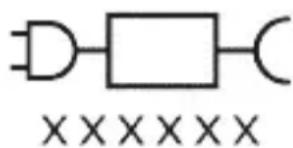
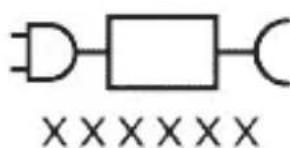
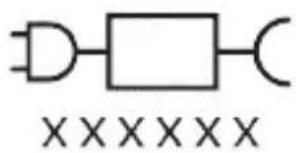
Detachable Power Supply Part: The "xxxxxx" indicates the model number of the approved chargers to be used. (TCBxxxx, HX6100, HX6110, HX6160 or WAAxxxx)
Intended use
ProtectiveClean power toothbrushes are intended to remove adherent plaque and food debris from the teeth to reduce tooth decay and improve and maintain oral
health. ProtectiveClean power toothbrushes are intended for personal use. Use by children should be with adult supervision.
Your Philips Sonicare (Fig 1.)
1 Handle 2 Power on/off button 3 Brush Head Replacement Reminder 4 Battery indicator
Accessories:
5 Brush head cap 6 Smart brush head(s) 7 Charging base 8 Travel case 9 UV sanitizer and charger
Note: Accessories included may vary based on the model purchased.
Getting started
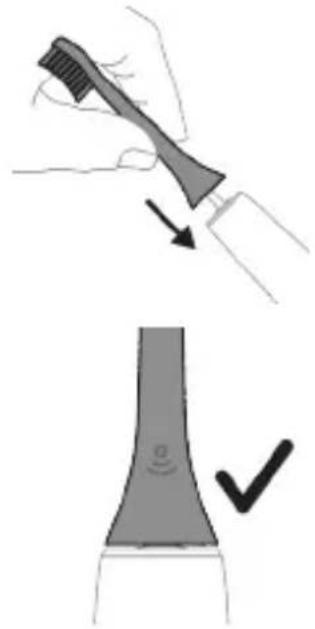
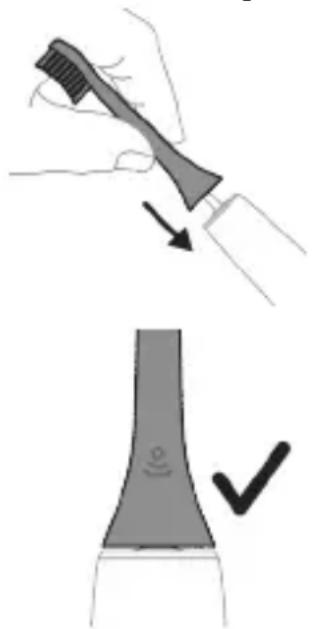
1 Align the brush head so the bristles point in the same direction as the front of the handle. 2 Firmly press the brush head down onto the metal shaft until it will not go any further.
Note: It is normal to see a slight gap between the brush head and the handle.
Using your Philips Sonicare toothbrush
If you are using your Sonicare toothbrush for the first time, it is normal to feel more vibration than when using a non-electric toothbrush. It is common for first-time users to apply too much pressure. Only apply gentle pressure and let the toothbrush do the brushing for you. Please follow the brushing instructions below for the best
experience.
For models without intensities
To help you transition to your new Sonicare power toothbrush, it comes with the EasyStart feature activated. This feature gently increases the power over the first 14 brushings to help you adapt to brushing with a Philips Sonicare toothbrush.
For models with intensities
To help you transition to your new Sonicare power toothbrush, use a lower setting for the first 1-2 weeks then transition to a higher setting.
Brushing instructions
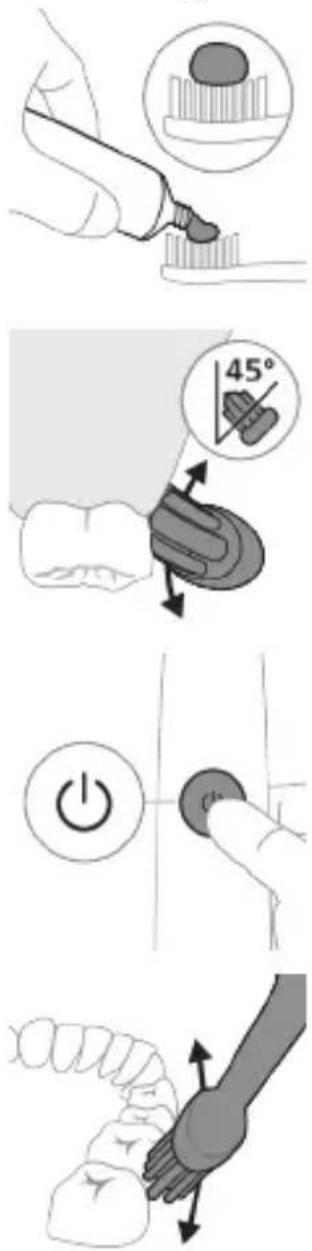
1 Wet the bristles and apply a small amount of toothpaste.
2 Place the toothbrush bristles against the teeth at a slight angle (45 degrees), pressing firmly to make the bristles reach the gumline or slightly beneath the gumline.
Note: Keep the center of the brush in contact with the teeth at all times.
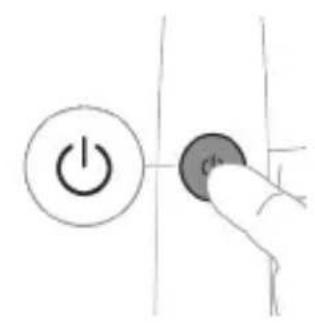
3 Press the power on/off button to switch on the Philips Sonicare.
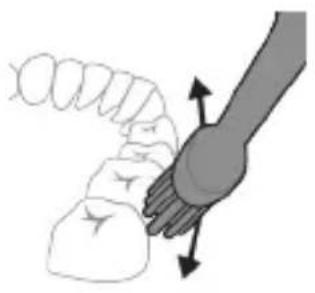
4 Gently keep the bristles placed on the teeth and in the gumline. Brush your teeth with small back and forth motion so the bristles reach between the teeth. Continue this motion throughout your brushing cycle.
Note: The bristles should slightly flare. It is not recommended to scrub as you would with a manual toothbrush.
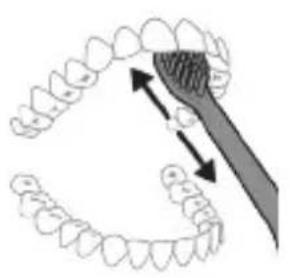
Note: If you apply too much pressure, you will be alerted by a change in vibration of the handle and the brush head replacement reminder flashing amber.
5 To clean the inside surfaces of the front teeth, tilt the brush handle semi-upright and make several vertical overlapping brushing strokes on each tooth. 6 After you have completed the brushing cycle, you can spend additional time brushing the chewing surfaces of your teeth and areas where staining occurs. You can also brush your tongue, with the toothbrush switched on or off, as you prefer.
Note: Your Philips Sonicare toothbrush is safe to use on braces (brush heads wear out sooner when used on braces) and dental restorations (fillings, crowns, veneers) if they are properly adhered and not compromised.
QuadPacer
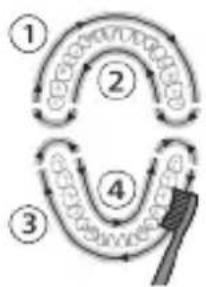
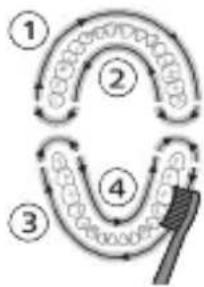
To make sure you brush evenly throughout the mouth, divide your mouth into 4 sections using the QuadPacer feature. The QuadPacer divides the brushing time into 4 equal segments and indicates when you should move to the next area. The segments are indicated with a brief pause in vibration. The toothbrush automatically stops at the end of the brushing session.
Modes
Your power toothbrush is equipped with Clean mode.
Clean
Benefit For exceptional everyday clean
Recommended intensity level (specific models only)
High
Total brushing time 2 minutes
How to brush Brush each segment for 30 seconds.
Intensities (specific models only)
Your power toothbrush comes with 2 different intensity settings:
- Low
- High
Note: When you use the toothbrush for the first time, the default intensity is low intensity.
To change intensity levels:
- Press the power on/off button once to turn on the toothbrush.
- Press a second time within 2 seconds to change the intensity.
- Press a third time within 2 seconds to pause.
- After 2 seconds of brushing, pressing the power on/off button again will also pause the toothbrush.
BrushSync technology
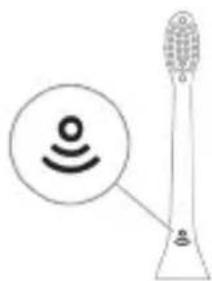
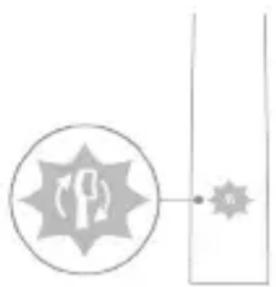
BrushSync technology enables your brush head to communicate with your handle using a microchip. The symbol at the bottom of the brush head indicates that the brush head is equipped with this technology. BrushSync technology enables:
Brush Head Replacement Reminder Philips Sonicare offers a wide range of smart brush heads, equipped with BrushSync technology. To explore our full range of toothbrush brush heads, and find the brush head that is best for you, go to
www.philips.com/toothbrush-heads for more information.
Features
- Pressure Sensor Feedback
- Quadpacer
- SmarTimer
- EasyStart
- Brush Head Replacement Reminder
Pressure Sensor Feedback
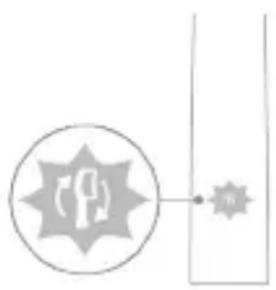
Your Sonicare toothbrush measures the pressure you apply while brushing, to protect your gums and teeth from damage.
If you apply excess pressure, the handle changes its vibration and the brush head replacement reminder icon flashes amber until you reduce the pressure.
Note: Your product comes with the Pressure Sensor activated. To deactivate this feature (see 'Activating or deactivating features').
Quadpacer
The QuadPacer is an interval timer that helps you to brush evenly through the mouth by dividing your mouth into 4 sections. (see 'Brushing instructions')
SmarTimer
The SmarTimer indicates that your brushing cycle is complete by automatically switching off the toothbrush at the end of the brushing cycle.
Dental professionals recommend brushing no less than 2 minutes twice a day.
Note: If you press the power on/off button after you started the brushing cycle, the toothbrush pauses. After a pause of 30 seconds, the SmarTimer resets.
EasyStart
This Philips Sonicare model comes with the EasyStart feature activated (models without intensity options only, models with intensity options can activate the feature). The EasyStart feature gently increases the power over the first 14 brushings to help you get used to brushing with the Philips Sonicare.
When the Philips Sonicare toothbrush is used in clinical studies, it must be used in clean mode at high intensity with the handle fully charged and the EasyStart feature deactivated.
To deactivate or activate EasyStart (see 'Activating or deactivating features').
Brush Head Replacement Reminder
Your Philips Sonicare is equipped with BrushSync technology that tracks the wear of your brush head.
Note: This feature only works with Philips Sonicare smart brush heads with BrushSync technology.
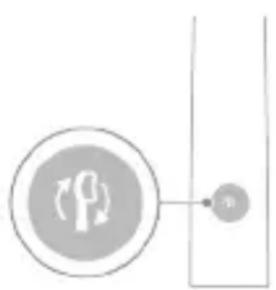
1 When you attach a new smart brush head for the first time, the handle recognizes that you have a Philips brush head with BrushSync technology and begins tracking brush head wear. 2 Over time, based on the pressure you apply and the total time the brush head has been used, the handle tracks brush head wear in order to determine the optimal time to replace your brush head. This feature guarantees the best cleaning and care of your teeth. 3 When the brush head replacement reminder indicator lights up amber, you should replace your brush head.
All smart brush heads come with the brush head replacement reminder feature activated. To deactivate the brush head replacement reminder see 'Activating or deactivating features'.
Activating or deactivating features
You can activate or deactivate the following features of your toothbrush:
- EasyStart
- Brush Head Replacement Reminder -Pressure Sensor Feedback
Note: You can only activate or deactivate the brush head replacement reminder when a smart brush head is on the handle.
Step 1: Place the handle on the plugged in charger.
| Step 2: Press and hold power on/off button for: | ||
| EasyStart Brush Head | Pressure Sensor | |
| Replacement | Feedback | |
| Reminder | ||
| Up to 3 seconds Up to 5 seconds Up to 7 seconds | ||
| ↓ ↓ ↓ | ||
| Step 3: Let go of the power on/off button when you hear: | ||
| 1 beep 1 beep and then | 1 beep, 2 beep and | |
| 2 beep | then 3 beep | |
| ↓ ↓ ↓ | ||
| If you see the battery indicator and the Brush Head Replacement Reminder light flash green 2 times and hear 3 tones from low to high, then the feature has been activated. | ||
| OR | ||
| If you see the battery indicator and Brush Head Replacement Reminder light flash amber 1 time and hear 3 tones high to low, then the feature has been deactivated. | ||
UV sanitizer
Note: Accessories included may vary based on the model purchased.
With the UV sanitizer you can clean your brush head after every use.
Unplug the sanitizer, discontinue use and call Consumer Care if:
- The UV light bulb remains on when the door is open.
- The window is broken or missing from the sanitizer.
- The sanitizer gives off smoke or a burning smell while it is operating.
Note: UV light can be harmful to the human eye and skin. This device should be kept out of reach of children at all times.
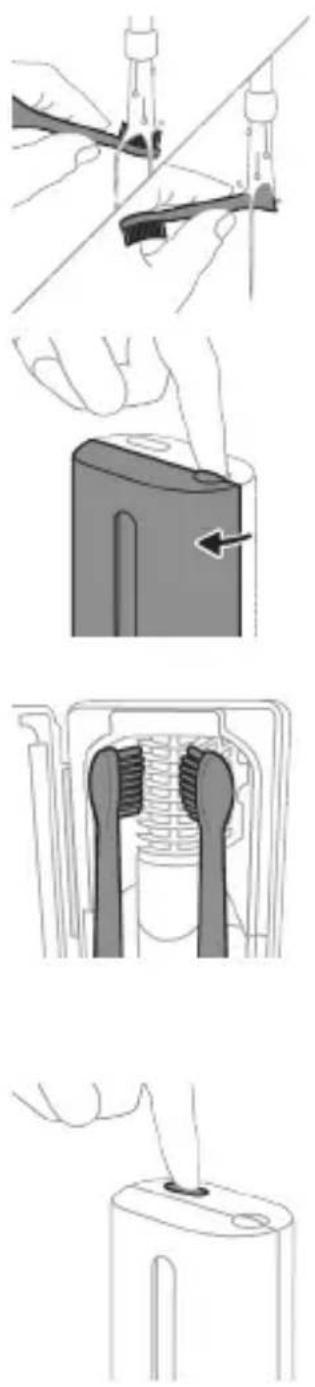
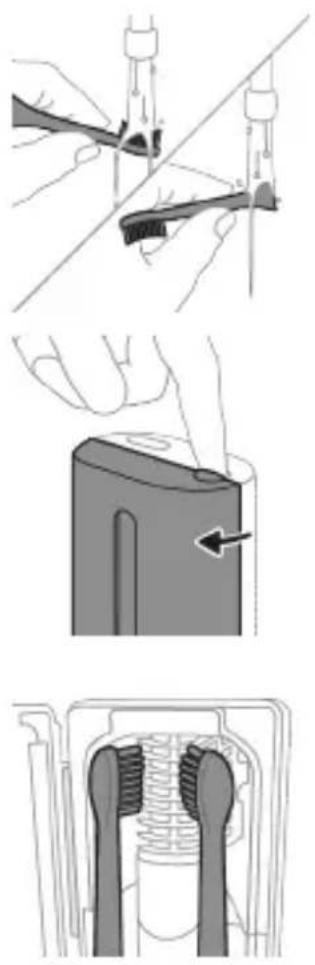
1 After brushing, rinse the brush head and shake off excess water.
Warning: Make sure that the brush head cap is not on the brush head when the brush head is being cleaned in the sanitizer.
2 Place your finger in the door recess on top of the sanitizer and pull open the door. 3 Place the brush head on one of the 2 pegs in the sanitizer with the bristles facing the light bulb.
Note: Only clean Philips Sonicare snap-on brush heads in the sanitizer.
Note: Do not clean Philips Sonicare for Kids brush heads in the sanitizer.
4 Make sure the sanitizer is plugged into a live outlet of appropriate voltage. 5 Close the door and press the green power on/off button once to select the UV clean cycle.
Note: You can only switch on the sanitizer if the door is properly closed.
Note: The sanitizer stops operating if you open the door during the sanitizer cycle.
Note: The sanitizer cycle takes approximately 10 minutes and then switches off automatically.
The sanitizer is in operation when the light glows through the window.
Charging and battery status
This Philips Sonicare toothbrush is designed to provide at least 28 brushing sessions, each session lasting 2 minutes (14 days if used twice per day) on a fully charged battery. The battery indicator shows the battery status when you complete the 2-minute brushing session, when you pause the toothbrush, or while it is charging.
Note: It can take up to 24 hours to fully charge the battery before first use, but you can use the Philips Sonicare toothbrush before it is fully charged.
Charging
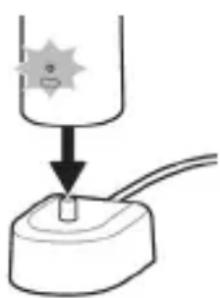
Charging on charger or UV Sanitizer
1 Plug the charger or sanitizer into an electrical outlet. 2 Place the handle on the charger or sanitizer.
- The handle emits 2 short beeps to confirm that the handle is placed properly.
- The flashing light of the battery indicator shows that the toothbrush is charging.
- When the handle is fully charged on the charger, the battery indicator lights up green for 30 seconds and then switches off.
Battery status
Battery status (handle on plugged-in charger)
When the handle is placed on the charger, the battery indicator shows the battery level.
Battery status (handle on plugged in charger/charging travel case)
When the handle is placed on the charger or in the charging travel case, the battery indicator shows the battery level.
Battery status Battery indicator
Charging Flashes green
Full Solid green for 30 seconds and then
switches off
Battery status (when handle is not placed on charger)
When the toothbrush is awake, the battery indicator at the bottom of the handle shows the battery level.
Battery status Battery indicator Sound
| Full Solid green - | |
| Partially full Flashes green - | |
| Low Flashes amber The handle emits 3 | beeps after brushing |
| Empty Flashes amber The handle emits 2 sets | of 5 beeps after brushing |
| Note: To save energy, the battery indicator will switch off when not in use. | |
| Note: When the battery is completely empty, the toothbrush switches off. Place the toothbrush on the charger to charge it. | |
| Note: To keep the battery fully charged at all times, you may keep your toothbrush on the charger when not in use. | |
| Battery status (when handle is not placed on charger/in charging travel case) | |
| When the toothbrush is awake, the battery indicator at the bottom of the handle shows the battery level. | |
| Battery status Battery indicator Sound | |
| Full Solid green - | |
| Partially full Flashes green - | |
| Low Flashes amber The handle emits 3 | beeps after brushing |
Battery status Battery indicator Sound
Empty Flashes amber The handle emits 2 sets
of 5 beeps after brushing
Note: To save energy, the battery indicator will switch off when not in use.
Note: When the battery is completely empty, the toothbrush switches off. Place the toothbrush on the charger or in the charging travel case to charge it.
Note: To keep the battery fully charged at all times, you may keep your toothbrush on the charger when not in use.
Cleaning
Toothbrush handle
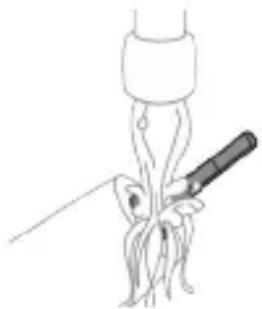
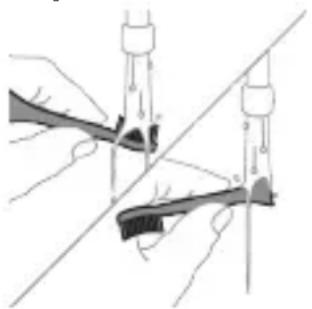
1 Remove the brush head and rinse the metal shaft area with warm water. Make sure you remove any residual toothpaste.
Caution: Do not push on the rubber seal on the metal shaft with sharp objects, as this may cause damage.
2 Wipe the entire surface of the handle with a damp cloth.
Note: Do not tap the handle on the sink to remove excess water.
Brush head
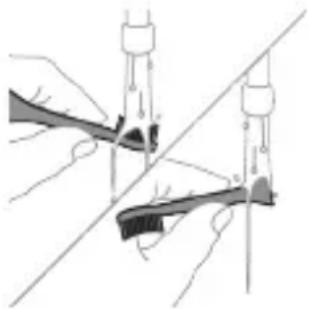
1 Rinse the brush head and bristles after each use. 2 Remove the brush head from the handle and rinse the brush head connection with warm water at least once a week. Rinse the travel cap as often as needed.
Charger
1 Unplug the charger before you clean it. 2 Wipe the surface of the charger with a damp cloth.
Travel case
Rinse with warm water and use a damp cloth to clean inside of travel case.
Cleaning the Sanitizer
Warning: Do not immerse the sanitizer in water or rinse it under the faucet.
Warning: Do not clean the sanitizer when the UV light bulb is hot.
For optimal effectiveness, it is recommended to clean your sanitizer weekly.
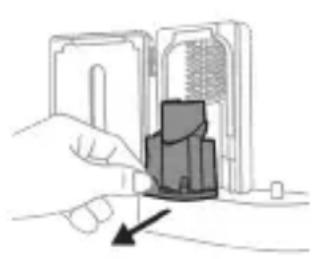
1 Unplug the sanitizer. 2 Pull the drip tray straight out. Rinse the drip tray and wipe it clean with a damp cloth. 3 Clean all interior surfaces with a damp cloth. 4 Remove the protective screen in front of the UV light bulb.
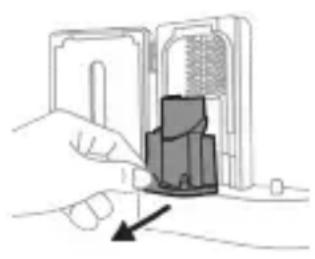
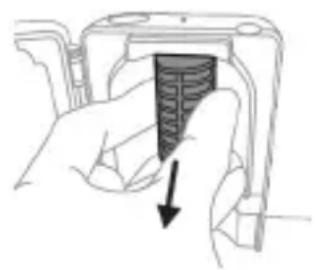
To remove the screen, grasp the edges next to the snaps, gently squeeze and pull out the protective screen.
5 Remove the UV light bulb. To remove the light bulb, grasp it and pull it out of the metal clasp. 6 Clean the protective screen and the UV light bulb with a damp cloth. 7 Reinsert the UV light bulb.
To reinsert the light bulb, align the bottom of the light bulb with the metal clasp and push the bulb into the clasp.
8 Reinsert the protective screen.
To reinsert the screen, align the pegs on the screen with the slots on the reflective surface near the UV light bulb. Push the screen straight into the slots on the sanitizer.
9 Place the drip tray back in the UV sanitizer. 10 After cleaning, make sure the sanitizer is completely dry before you connect it to the mains.
Storage
If you are not going to use the product for an extended period of time, unplug it from the electrical outlet, clean it and store it in a cool and dry place away from direct sunlight.
Replacement
Replace Philips Sonicare brush heads every 3 months to achieve optimal results. Use only Philips Sonicare replacement brush heads.
Locating the model number
Look on the bottom of the Philips Sonicare toothbrush handle for the model number (HX64XX, HX68XX).
Warranty and support
If you need information or support, please visit www.philips.com/support or read the international warranty leaflet.
Warranty exclusions
What is not covered under warranty:
- In-mouth attachments including brush heads and nozzles.
- Damage caused by use of unauthorized replacement parts or unauthorized brush heads.
- Damage caused by misuse, abuse, neglect, alterations or unauthorized repair.
- Normal wear and tear, including chips, scratches, abrasions, discoloration or fading. UV light bulb.
Recycling
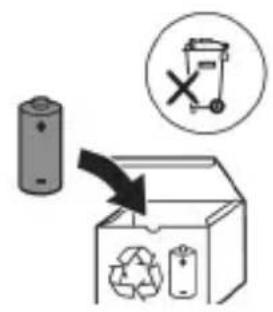
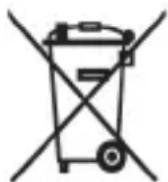
- This symbol means that electrical products and batteries shall not be disposed of with normal household waste.
- Follow your country's rules for the separate collection of electrical products and batteries.
- The UV light bulb of the sanitizer contains mercury. Do not throw the UV light bulb away with the normal household waste at the end of its life. Hand it in at an official collection point for recycling.
Removing the rechargeable battery
The built-in rechargeable battery must only be removed by a qualified professional when the appliance is discarded. Before removing the battery, make sure that the battery is completely empty.
Take any necessary safety precautions when you handle tools to open the appliance and when you dispose of the rechargeable battery. Be sure to protect your eyes, hands, fingers, and the surface on which you work.
When you handle batteries, make sure that your hands, the product and the batteries are dry.
To avoid accidental short-circuiting of batteries after removal, do not let battery terminals come into contact with metal objects (e.g. coins, hairpins, rings). Do not wrap batteries in aluminum foil. Tape battery terminals or put batteries in a plastic bag before you discard them.
To remove the rechargeable battery, you need a towel or cloth, a hammer and a flat-head (standard) screwdriver. Observe basic safety precautions when you follow the procedure outlined below.
1 To deplete the rechargeable battery of any charge, remove the handle from the charger, turn on the toothbrush and let it run until it stops. Repeat this step until you can no longer turn on the toothbrush. 2 Remove and discard the brush head. Cover the entire handle with a towel or cloth.
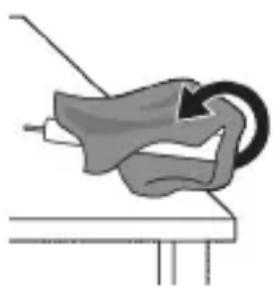
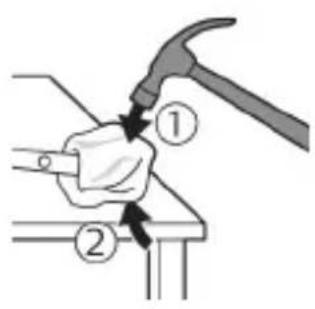
3 Hold the top of the handle with one hand and strike the handle housing 0.5 inch above the bottom end. Strike firmly with a hammer on all 4 sides to eject the end cap.
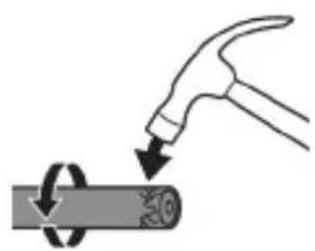
Note: You may have to hit on the end several times to break the internal snap connections.
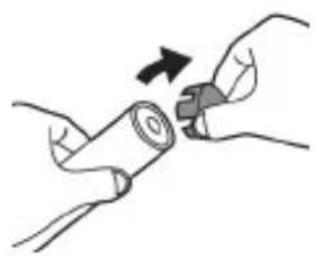
4 Remove the end cap from the toothbrush handle. If the end cap does not release easily from the housing, repeat step 3 until the end cap is released.
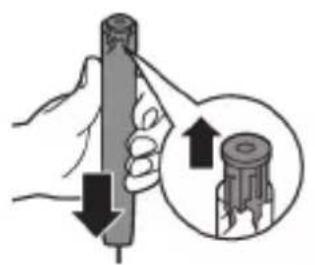
5 Holding the handle upside down, press the shaft down on a hard surface. If the internal components do not easily release from the housing, repeat step 3 until the internal components are released.
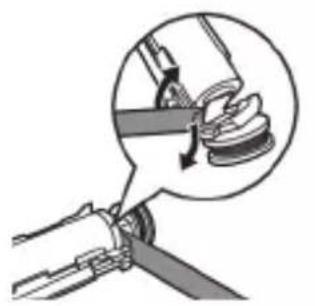
6 Wedge the screwdriver between the battery and the black frame at the bottom of the internal components. Then pry the screwdriver away from the battery to break the bottom of the black frame.
7 Insert the screwdriver between the bottom of the battery and the black frame to break the metal tab connecting the battery to the green printed circuit board. This will release the bottom end of the battery from the frame.
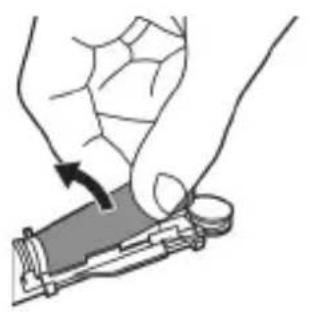
8 Grab the battery and pull it away from the internal components to break the second metal battery tab.
Caution: Be aware of the sharp edges of the battery tabs so as to avoid injury to your fingers.
9 Cover the battery contacts with tape to prevent any electrical short from residual battery charge.
The rechargeable battery can now be recycled and the rest of the product discarded appropriately.
Note: Do not throw away the appliance with the normal household waste at the end of its life, but hand it in at an official collection point for recycling. By doing this, you help to preserve the environment.
Introduction
www.philips.com/support
Note: Features may vary by model. Some models may not be equipped with Bluetooth or NFC.
Address: www.philips.com/support
www.philips.com/support
Model without intensity regulation
Model with intensity regulation
www.philips.com/support
www.philips.com/support
www.philips.com/toothbrush-heads.
Features
- Pressure sensor feedback
- QuadPacer
- SmartTimer
- EasyStart
- Reminder to replace the brush head
Pressure sensor feedback
www.philips.com/support
www.philips.com/support
Note: Functions may differ for different models. Some models may not be equipped with Bluetooth or NFC.
The following symbols may appear on the product: Read the user manual.

Battery status Battery indicator
Battery status Battery indicator
Charged Lights green for 30 seconds and then turns off
Battery status (when the handle is not placed on the charger)
When the toothbrush is active, the battery indicator at the bottom of the handle shows the battery charge level.
Battery status Battery indicator
Sound
Charged Lights green -
Partially charged Flashes green -
Yellowing of the brush head after brushing
www.philips.com/support
www.philips.com/support
website: www.philips.com/support
Using your Philips Sonicare toothbrush
If you are using a Sonicare toothbrush for the first time, it is normal to feel more vibration than with a non-electric toothbrush. First-time users typically apply too much pressure. Simply press gently and let the toothbrush do the cleaning for you. For the best results, follow the brushing instructions.
For models without intensity settings
To help you transition to your new Sonicare power toothbrush, the EasyStart function is activated when you receive it. This function gradually increases the power of the handle over the first 14 brushing sessions to help you get used to brushing with a Philips Sonicare toothbrush.
For models with intensity settings
To help you transition to your new Sonicare power toothbrush, use a lower setting for the first 1-2 weeks, then switch to a higher setting.
Brushing instructions
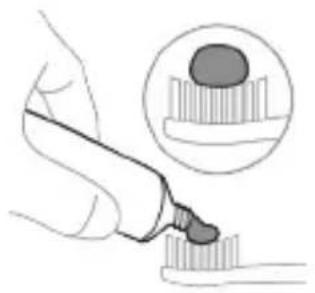
1 Wet the brush and apply a small amount of toothpaste.
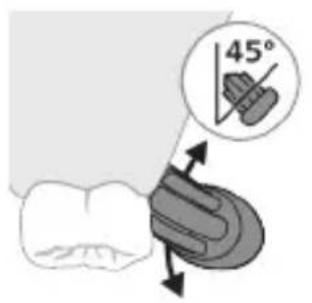
2 Place the toothbrush against your teeth at a small (45-degree) angle and press firmly so the bristles reach the gum line or slightly below it.
Note: Keep the center of the brush in full contact with your teeth at all times.
3 Press the on/off button to turn on the Philips Sonicare device.
Hold the brush gently against the teeth and gum line. Clean your teeth with small back-and-forth movements so the bristles can reach between the teeth. Continue these movements until your brushing cycle is complete.
www.philips.com/support
www.philips.com/support
www.philips.com/support
www.philips.com/support
www.philips.com/support
Note: Functions may vary for different models. Some models may not be equipped with "Bluetooth" or "NFC".
www.philips.com/toothbrush-heads For more information.
Functions
- Pressure sensor alert
- Quadpacer
- SmarTimer
- EasyStart Brush head replacement reminder
Pressure sensor alert
Models with intensity levels
Changing the intensity level:
www.philips.com/support
www.philips.com/support
www.philips.com/toothbrush-heads.
Features
www.philips.com/support
Note: Different models may have different features. Some models may not be equipped with Bluetooth or NFC.
The product may contain the following symbols: Read the operator's manual.

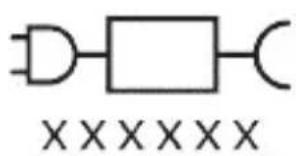
Charging base: "xxxxx" indicates the model number of the approved chargers for use. (TCBxxxx, HX6100, HX6110, HX6160 or WAAxxxx)
Intended use
The ProtectiveClean electric toothbrush is intended to remove plaque and food debris from teeth to reduce tooth decay and maintain oral health. The ProtectiveClean electric toothbrush is intended for personal use. Children should use it under adult supervision.
Your Philips Sonicare device (Fig. 1.)
1 Handle 2 On/off button 3 Brush head replacement reminder 4 Battery indicator
Accessories:
5 Brush head cap 6 Smart brush head(s) 7 Charging base 8 Travel case 9 UV sanitizer and charger
Note: The accessories may vary depending on the model purchased.
Getting started
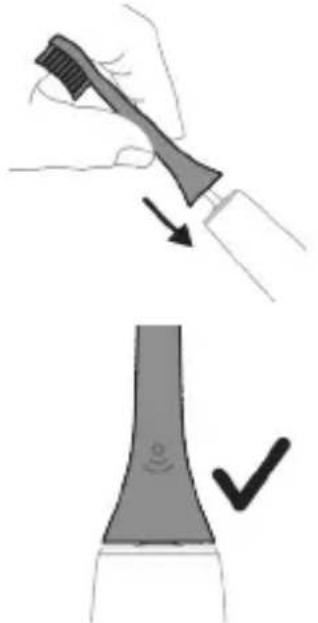
1 Align the brush head so that the bristles face the same direction as the handle. 2 Press the brush head onto the metal shaft until it stops.
Note: It is normal to see a small gap between the brush head and the handle.
Using your Philips Sonicare toothbrush
If you are using the Sonicare toothbrush for the first time, you may notice more vibration than with a non-electric toothbrush; this is normal. It is also normal for first-time users to press too hard. Apply only light pressure and let the toothbrush do the brushing. For the best experience, follow the brushing instructions below.
Easy start For gentle cleaning every day
Recommended frequency High intensity (only on certain models)
Total brushing time 2 minutes
Brushing method Brush each segment for 30 seconds.
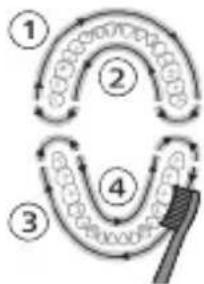
- Brush head replacement reminder
Philips Sonicare offers a wide range of smart brush heads with BrushSync technology. To browse the full assortment of brush heads and find the one that suits you best, visit
www.philips.com/toothbrushheads for more information.
Features
- Pressure sensor feedback
- QuadPacer - Smartimer
- EasyStart
- Replace reminder
Replace reminder
The Philips Sonicare is equipped with BrushSync technology that monitors the wear of your brush head.
Note: This feature only works with Philips Sonicare smart brush heads that have BrushSync technology.
1 When you attach a new smart brush head for the first time, the handle recognizes that you have a Philips brush head with BrushSync technology and starts tracking the wear of the brush head. 2 Over time, based on the pressure you apply and the total time you use the brush head, the handle tracks its wear to determine the optimal time to replace the brush head. This feature ensures you get the best cleaning and care for your teeth. 3 When the replace reminder light glows amber, it is time to replace the brush head.
Smart brush heads come with the replace reminder feature activated. To deactivate the replace reminder,
see the section "Activating or deactivating features".
Activating or deactivating features
You can activate or deactivate the features of your toothbrush as follows:
- EasyStart
- Replace reminder
- Pressure sensor feedback
Note: The replace reminder can only be activated or deactivated when a smart brush head is attached to the handle.
Step 1: Place the appliance on a stable surface.
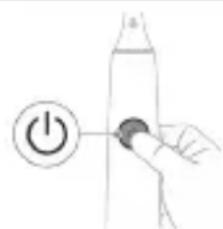
Step 2: Press and hold the on/off button for a while.
| EasyStart Nasadkany calşirmagy yatladyş | Basyş sensory seslenmesi | |
| 3 sekunda çenli 5 sekunda çenli 7 sekunda çenli | ||
| ↓ ↓ ↓ | ||
| Adim 3: Şuny eşideninizde, ac/öçür Düwmesini goþberiñ: | ||
| 1 bipleme 1 bipleme we soñra 2 bipleme | 1 bipleme, 2 bipleme we soñra 3 bipleme | |
| ↓ ↓ ↓ | ||
| Eger batareya görkezijisiniñ we Nasadkany calşirmagy yatladyş cyrasynyn 2 gezek yasırl reñkde yanyp sönenini görseñiz we caladan gata 3 signal eşitseñiz, onda ol aýratynlyk isjeñleşen bolyar. | ||
| YA-DA | ||
| Eger batareya görkezijisiniñ we Nasadkany calşirmagy yatladyş cyrasynyn 1 gezek sary reñkde yanyp sönenini görseñiz we gatydam cala 3 signal eşitseñiz, onda ol aýratynlyk deaktiwirlenen bolyar. | ||
Ultraviolet disinfectant
www.philips.com/support
www.philips.com/support
Battery safety instructions
- This product contains a battery that can only be replaced by qualified personnel. Use the product only for its intended purpose. Before using the product and its accessories, read this information carefully and keep it for future reference. Incorrect use may cause hazards or serious injuries. Accessories supplied may differ from those shown.
- Use only original accessories from Philips. Use only the detachable power module TCBxxxx, HX6100, HX6110, HX6160, and WAAxxxx.
- Keep the product and battery away from fire. Do not expose them to direct sunlight or high temperatures.
- If the product becomes unusually hot or emits an odor, or if the charging indicator flashes more often than usual, stop using and charging it and contact Philips.
- Do not place the product and battery in a microwave oven or on an induction cooker.
- Do not open, modify, puncture, damage, or disassemble the product or battery to avoid causing battery leakage, toxic or hazardous substances. Do not short-circuit the battery, do not charge it improperly, and do not charge it in reverse.
- The battery is non-replaceable. When the battery life has expired, the appliance must be disposed of properly. See the recycling section. If the battery is damaged or leaking, avoid contact with skin or eyes. In case of such contact, rinse immediately with water and seek medical help.
- Always handle the battery carefully, keep the product and the battery dry.
- To avoid accidental short-circuiting of the battery when removing it, do not let the battery terminals come into contact with metal objects (such as coins, clips, rings). Do not immerse the battery in water. Tape the battery terminals or place the battery in a plastic bag before disposing of it.
- Charge, use, and store the product at a temperature between 0°C and 40°C.
Storage and transport conditions
Temperature -10 ° C to 60 ° C .
Electromagnetic fields (EMF)
This Philips product complies with all relevant standards and regulations regarding exposure to electromagnetic fields.
For a gentle cleaning experience
For your comfort when switching to the new Sonicare toothbrush, it comes with the EasyStart function. The function gradually increases
the power of operation during the first 14 sessions, to help you get used to brushing with the Philips Sonicare toothbrush.
For an intensive cleaning experience
Intensive cleaning (only for specific models)
Your electric toothbrush offers 2 different levels of intensity:
- Low
- High
The use of your brush for cleaning teeth is not harmful to the intensity.
To change the intensity:
- Press the on/off button to turn on the brush.
- Press the second time within 2 seconds to change the intensity.
- Press the third time within 2 seconds to pause.
- After 2 seconds of brushing, pressing the on/off button again will pause the brush.
BrushSync technology
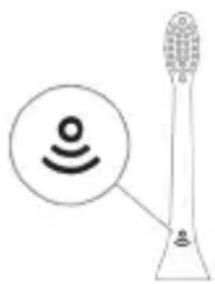
BrushSync technology allows the brush head to send a signal to the handle via microchip. The symbol on the bottom part of the brush head shows that the head is equipped with this technology.
BrushSync technology allows for:
- Reminder for changing the brush head. Philips Sonicare offers a wide range of brush heads equipped with BrushSync technology. To find the best head for you, go to
www.philips.com/toothbrush-heads for more information.
Functions
- Pressure sensor feedback
- QuadPacer
- SmarTimer
- EasyStart
- Warning: Do not replace the brush head while the appliance is switched on.
Feedback from the pressure sensor
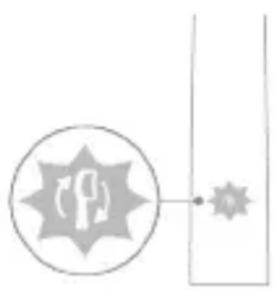
Guarantee and support
If you need information or support, visit www.philips.com/support or read the international warranty leaflet.
Removing the rechargeable battery
The built-in rechargeable battery must only be removed by a qualified specialist when the appliance is discarded. Before removing the battery, make sure the battery is completely discharged.
Take all necessary safety precautions when handling tools for removing the appliance and when disposing of the rechargeable battery. Always wear protective glasses, gloves, and clothing, as well as protect the surface you work on.
When handling the battery, make sure your hands, the product, and the battery are dry.
To avoid accidental short-circuiting of the battery after removal, do not let the battery terminals come into contact with metal objects (such as coins, nails, rings). Do not put the battery in an aluminum foil. Tape the battery terminals or put the battery in a plastic bag before disposing of them.
Removing the rechargeable battery
To remove the rechargeable battery, you need a flat-head (standard) screwdriver. Follow the basic safety precautions when performing the procedure described below.
1 To fully discharge the rechargeable battery, remove the handle from the charging device, switch on the toothbrush and let it run until it stops by itself. Repeat this step until the toothbrush can no longer be switched on.
2 Remove and discard the brush head. Cover the entire handle with a towel or cloth.
3 Hold the top part of the handle with one hand and hit the body of the handle about 1 cm above the bottom edge. Hit hard with a hammer on all 4 sides to remove the end cap.
Note: Before removing the battery, ensure that the internal catches are released.
4. Tilt the handle away from the head of the toothbrush. If it does not come off the body easily, repeat step 3 until it is released.
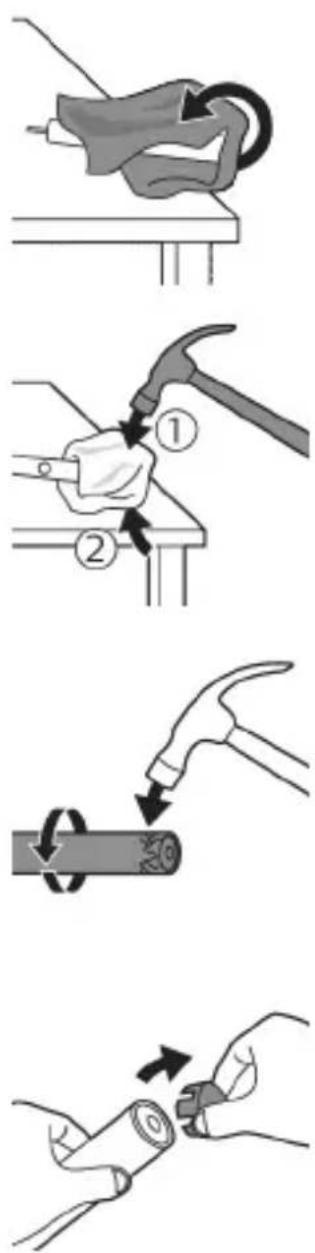
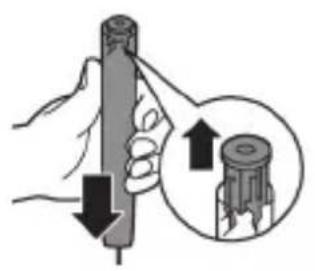
5. While holding the handle with the top part facing down, press it against a hard surface. If the internal components do not come out easily from the body, repeat step 3 until they are released.
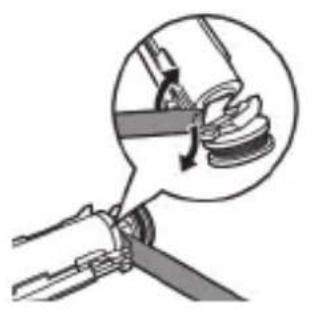
6. Insert the screwdriver between the battery and the black frame at the top part of the internal components. Then, pry the screwdriver away from the battery to release the bottom part of the black frame.
7. Insert the screwdriver between the bottom part of the battery and the gray frame to release the metal clamp connecting the battery to the green circuit board. This will release one side of the battery from the frame.
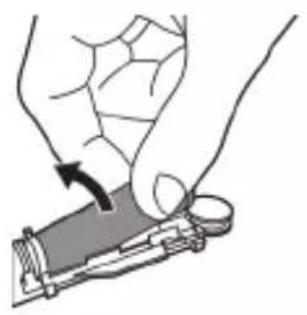
8. Grasp the battery and pull it out of the internal components to release the second metal clamp on the battery.
Caution: Be careful of the sharp edges of the battery clamps to avoid cutting your fingers.
9. Cover the battery contacts with tape to prevent short circuits from residual charge.
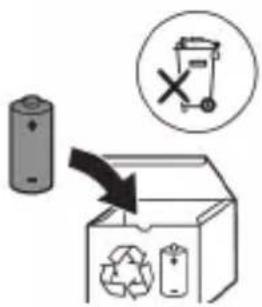
The rechargeable battery can be recycled, and the remaining part of the product can be disposed of properly.
Note: At the end of the product's service life, do not dispose of it with normal household waste, but take it to a collection point for recycling. In this way, you help protect the environment.
Kyrgyz
Philips Sonicare electric toothbrush
This toothbrush is designed to help you remove plaque and improve your oral health. Using Sonicare's advanced sonic technology and clinically proven oscillating action, you can trust that your teeth will be cleaner and your gums healthier.
Additional support information For more help, visit: www.philips.com/support
Product information
Use only the original accessories and consumables. Use only the original battery packs and charger. Using the device in a way that is not recommended may cause the device to malfunction.
Experts
- Keep the device and/or the USB cable away from water. Do not use the device and/or the charger if they have been dropped or damaged.
- If the device gets hot, if it emits an unusual smell or sound, or if it malfunctions, stop using it immediately and contact the Philips Consumer Care Center. If the device is not working properly, contact the Consumer Care Center.
- Use only the original Philips accessories and consumables. Use only the original power supply. If the power supply is damaged, use only the original Philips power supply and USB cable.
- The device contains a battery. If the battery is damaged, do not use the device and contact the Consumer Care Center. If the device is damaged, do not use it and contact the Consumer Care Center.
- Do not use the device and/or the sanitizer if the device is damaged or if the sanitizer is leaking.
- Do not use the device if it is damaged. The device is intended for use on the face and body.
- Keep the sanitizer away from children.
- If the UV lamp is on when the device is opened, stop using the sanitizer. UV light can be harmful to the eyes and skin.
- Use the sanitizer only as intended.
- Do not look directly at the UV lamp when it is on.
- Do not use the device if the head is cracked or broken. Replace the head every 3 months or when the bristles are worn.
- Essential oils or coconut oil may cause the bristles to fall out. If the bristles become too hard or break, or if you experience pain or discomfort, stop using the brush and consult your doctor. If you have had surgery on your mouth or teeth, consult your doctor before using the brush. If you have a pacemaker or other implanted device, consult your doctor before using the brush.
- If you have any medical conditions, consult your doctor before using the brush. This brush is intended for use on teeth and dental appliances, and may be used several times a day.
Battery safety instructions
This brush contains a special battery that must only be replaced by qualified personnel. Use the brush only for its intended purpose. Read all instructions carefully before using the brush and its accessories. Improper use may cause injury or damage. Accessories may be sharp or may cause injury. Only use Philips Sonicare accessories and replacement parts. Use only the charging base model TCBxxxx, HX6100, HX6110, HX6160, or WAAxxxx. Keep the brush and batteries away from heat and direct sunlight. Do not expose them to high temperatures. If the brush becomes unusually hot, emits an odor, changes color, or swells, stop using it and contact Philips. Do not place the brush or its batteries in a microwave or near an induction cooker. Do not disassemble, modify, or repair the brush or batteries. Do not short-circuit the batteries, and do not dispose of them in fire. Keep batteries away from children.
- Batteries that have not been properly maintained Use. When the battery is low, it should be properly replaced. See Operating section.
- If batteries leak or are damaged, stop using them immediately. In this case, seek medical help if contact occurs.
- When inserting batteries, ensure correct polarity and that batteries are dry. -Avoid short-circuiting battery terminals with metal objects (coins, pins, keys, etc.) after batteries are opened. Do not wrap batteries in aluminum foil. Before disposing of batteries, place them in a plastic bag and seal the terminals with tape.
- Use and store the product only at temperatures between 0°C and 40°C.
Storage and transport conditions
Temperature: -10°C to 60°C.
Electromagnetic fields (EMF)
This Philips product complies with all applicable standards and regulations regarding electromagnetic fields.
Radio Equipment Directive
This product with Bluetooth and NFC wireless technology complies with the essential requirements of Directive 2014/53/EU.
-The Bluetooth radio interface operates at 2.4 GHz. -The maximum transmit power of Bluetooth is 3 dBm. -The NFC radio interface operates at 13.56 MHz.
www.philips.com/support
Note: The functions of each unit may differ. Some units may not have Bluetooth and NFC connectivity.
Product symbols may vary: Read the operator's manual.

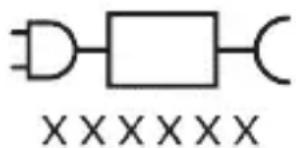
Power rating label: The label on the bottom shows the model number.
(TCBxxxx, HX6100, HX6110, HX6160 and WAAxxxx)
Battery status
ProtectiveClean electric toothbrushes are designed to clean teeth and remove plaque effectively and safely. ProtectiveClean electric toothbrushes are intended for personal use. Follow the instructions before use.
Philips Sonicare toothbrush (Fig. 1)
1 Handle 2 Brush head 3 Brush head release button 4 Battery charge indicator 5 Brush head cap
6 On/off button 7 Charging base 8 Charging plug 9 UV sanitizer
Note: The contents may vary depending on the model purchased.
Getting started
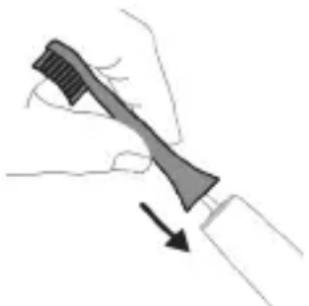
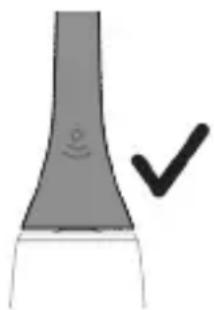
If the handle is turned on, the sanitizer will not work.
Charging and battery status
Philips Sonicare toothbrush is designed to provide 28 brushing sessions (2 minutes each) per charge (about 14 days).
When the battery is low, the charge indicator will blink. When the battery is fully charged, the indicator will light up.
Note: The first charge may take up to 24 hours to fully charge the battery, but you can use the Philips Sonicare toothbrush without charging it first.
Charging
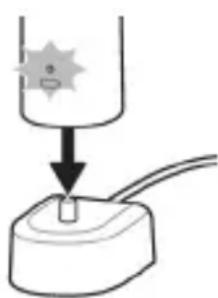
Charge the toothbrush and the UV sanitizer.
1 Plug the power adapter into a de-energized electrical outlet. 2 Insert the plug of the charging adapter into the de-energized adapter. - For the first charge, charge for 2 hours. - The battery indicator light will turn on. [ \text{The adapter will be fully charged} ] - When the adapter is fully charged, the battery indicator will light up for 30 seconds, then turn off.
Battery status
Battery status (when connected to the adapter)
When connected to the adapter, the battery indicator will show the battery level.
Battery status (when connected to the adapter/while charging, check the indicator)
When connected to the adapter and charging, the battery indicator will show the battery level.
Battery status indicator
When the adapter is fully charged
Fully charged for 30 seconds
Charge, then turn off
Battery status (when the adapter is not connected)
When the power is off, the battery indicator below the button will show the battery level.
Battery status indicator
| Толук Туруктуу жашил - | |||
| Жарым-жарылай Толук | Жашил түстө Бүлбүдөн | - | |
| Темен Кочкул capытүстө Бүлбүдөн | Бүлбүдөн | Шүлүк мени Таэлагандан кинin Түүдүдүл Чыгат | |
| Бош Кочкул capытүстө Бүлбүдөн | Бүлбүдөн | Шүлүк мени Таэлагандан кинin Түүдүдүл Си风险管理 | |
| Зсөртme: Күлүнүүмүарынхарыүлүүлүүл. | |||
| Зсөртme: Баразец түлүгү мени Бүшүлүүл. | |||
| Зсөртme: Баразец түлүгү күшүлүүл. | |||
| Зсөртme: Баразец түлүгү күшүлүүл. | |||
| Зсөртme: Баразец түлүгү күшүлүүл. | |||
| Зсөртme: Баразец түлүгү күшүлүүl. | |||
| Зсөртme: Баразец түлүгү күшүлүл. | |||
| Зсөртme: Баразец түлүгү күшүлүл. | |||
| Зсөртme: Баразец түлүгү күшүлүл. | |||
| Зсөртme: Баразец түлүгү күшүлүл. | |||
| Зсөсртme: Баразец түлүгү күшүлүл. | |||
| Зсөртme: Баразец түлүгү күшүлүл. | |||
| Зсөртme: Баразец түлүгү күшүлүл. | |||
| Зсөртme: Баразец т靖лүл. | |||
| Зсөртme: Баразец түл. | |||
| Зсөртme: Баразец түл. | |||
| Зсөртme: Баразец түл. | |||
| Зсөртme: Баразец түл. | |||
| Зсөртme: Баразец түл. | |||
| Зсөртme: Баразец tүл. | |||
| Зсөртme: Баразец tүл. | |||
| Зсөртme: Баразец tүл. | |||
| Зсөртme: Баразец tүл. | |||
| Зсөртme: Баразец tүл. | |||
| Зсөртme: Баразец түл. | |||
| Зсөртme: Баразец tүл. | |||
| Зсөртme: Баразец tүл. | |||
| Зсөртme: Баразец tүл. | |||
| Зсөртme: Баразец түл. | |||
| Зсөртme: Баразец түл. | |||
| Зсөртme: Баразец tүл. | |||
| Зсөртme: Баразец tүл. | |||
| Зсөртme: Баразец түл. | |||
| Зсөртme: Баразец tүл. | |||
| Зсөртme: Баразец түл. | |||
| Зсөртme: Баразец tүл. | |||
| Зсөртme: Баразец tүл. | |||
| Зсөртme: Баразец түл. | |||
| Зсөртme: Баразец түл. | |||
| Зсөртme: Баразец түл. | |||
| Зсөртme: Баразец tүл. | |||
| Зсөртme: Баразец түл. | |||
| Зсөртme: Баразец tүл. | |||
| Зсөртme: Баразец түл. | |||
| Зсөртme: Баразец түл. | |||
| Зсөртme: Баразец tүл. | |||
| Зсөртme: Баразец түл. | |||
| Зсөртme: Баразец түл. | |||
| Зсөртme: Баразец түл. | |||
| Зсөртme: Баразец түл. | |||
| Зсөртme: Баразец/tүл. | |||
| Зсөртme: Баразец/tүл. | |||
| Зсөртme: Баразец/tүл. | |||
| Зсөртme: Баразец/tүл. | |||
| Зсөртme: Баразец/tүл. | |||
| Зсөртme: Баразец/энгэрпиндэ. Жашилүл. | |||
| Зсөртme: Баразец/tүл. | |||
| Зсөртme: Баразец/tүл. | |||
| Зсөртme: Баразец/tүл. | |||
| Зсөртme: Баразец/tүл. | |||
| Зсөртme: Баразец/Tүл. | |||
| Зсөртme: Баразец/tүл. | |||
| Зсөртme: Баразец/tүл. | |||
| Зсөртme: Баразец/tүл. | |||
| Зсөртme: Баразец/tүл. | |||
| Зсөртme: Баразец/gүл. | |||
| Зсөртme: Баразец/tүл. | |||
| Зсөртme: Баразец/tүл. | |||
| Зсөртme: Баразец/tүл. | |||
| Зсөртme: Баразец/tүл. | |||
| Зсөртme: Баразец/Gүл. | |||
| Зсөртme: Баразец/tүл. | |||
| Зсөртme: Баразец/tүл. | |||
| Зсөртme: Баразец/tүл. | |||
| Зсөртme: Баразец/tүл. | |||
| Зсөртme: Баразец/mүчндэ. Жашилүл. | |||
| Зсөртme: Баразец/tүл. | |||
| Зсөртme: Баразец/tүл. | |||
| Зсөртme: Баразец/tүл. | |||
| Зсөртme: Баразец/tүл. | |||
| Зсөрмүйн -энгэрпиндэ. Жашил. | |||
| Зсөрмүйн -энгэрпиндэ. Жашил. | |||
| Зсөрмүйн -энгэрпиндэ. Жашил. | |||
| Зсөрмүйн -энгэрпиндэ. Жашил. | |||
| Зсөрмүйн-энгэрпиндэ. Жашил. | |||
| Зсөрмүйн-энгэрпиндэ. Жашил. | |||
| Зсөрмүйн-энгэрпиндэ. Жашил. | |||
| Зсөрмүйн-энгэрпиндэ. Жашил. | - | ||
| Зсөрмүйн-энгэрпиндэ. Жашил. | |||
| Зсөрмүйн-энгэрпиндэ. Жашил. | - | ||
| Зсөрмүйн-энгэрпиндэ. Жашил. | - | ||
| Зсөрмүйн-энгэрпиндэ. Жашил. | - | ||
| Зсөрмүйн-энгэрпиндэ. Жашил. | - | ||
| Зсөрм tresнгэрпиндэ. Жашил. | - | ||
| Зсөрм tresнгэрпиндэ. Жашил. | - | ||
| Зсөрм tresнгэрпиндэ. Жашил. | - | ||
| Зсөрм tresнгэрпиндэ. Жашил. | - | ||
| Зcөрм tresнгэрпиндэ. Жaшил. | - | ||
| Зcөрм tresнгэрпиндэ. Жaшил. | - | ||
| Зcөрм tresнгэрпиндэ. Жaшил. | - | ||
| Зcөрм tresнгэрпиндэ. Жaшил. | - | ||
| Зcөрм tresнгэрпинdэ. Жaшил. | - | ||
| Зcөрм tresнгэрпинdэ. Жaшил. | - | ||
| Зcөрм tresнгэрпинdэ. Жaшил. | - | ||
| Зcөрм tresнгэрпинdэ. Жaшил. | - | ||
| Зcөрм tresнgэрпинdэ. Жaшил. | - | ||
| Зcөрм tresнgэрпинdэ. Жaшил. | - | ||
| Зcөрм tresнgэрпинdэ. Жaшил. | - | ||
| Зcөрм tresнgэрпинdэ. Жaшил. | - | ||
| Зcөp'mлүйн-энгэрпиндэ. Жaшил. | - | ||
| Зcөрм tresнгэрпинdэ. Жaшил. | - | ||
| Зcөрм tresнgэрпинdэ. Жaшил. | - | ||
| Зcөрм tresнgэрпинdэ. Жaшил. | - | ||
| Зcөрм tresнгэрпинdэ. Жaшил. | - | ||
| Зcөрм tresнgэрпинdэ. Жaшил. | - | ||
| Зcөрм tresнgэрпинdэ. Жaшил. | - | ||
| Зcөp'mлүйн-энгэрпиндэ. Жaшил. | - | ||
Battery status indicator
| Жарым-жартылай Толук | Жашил түстө 6үлүдөгт | - |
| Темен Кочкул capы түстө 6үлүдөгт | Бүлүдөгт | Шүлүдөгн Тазалагандан кийн Тү�示дэн 3 сиrolан чыгат |
| Бош Кочкул capы түстө 6үлүдөгт | Бүлүдөгт | Шүлүдөгн Тазалагандан кийн Тү�示дэн 5ten 2 төлүм сиrolан чыгат |
| Зөртme: КOLTонлбай түганда знэргияны унөмдө ЧУн батуарегнын чарыгь очөт. | ||
| Зөртme: Батаря түлүу менин бoш бOLTогн do, тиш Чүлүдөгт. КүБATTTOO ChYн тиш оүлүдө Чe КүБATTTOOчаякт Күтсуна салынд. | ||
| Зөртme: Батаряны ap дai bim түлүйс күБATTALГАн БОДОн karmaŋ түрчу ChYн, тиш оүлүдө КOLTONBOGOHDo KүБATTBrytsa karmaçаныз boлот. |
Wash the fabric by hand.
1. Wash the fabric in cold water with mild detergent. Rinse thoroughly.
Do not wring: hang the fabric to drip dry in the shade. Do not tumble dry.
2. Do not bleach the fabric.
Warning: To remove excess water, do not twist the fabric.
Fabric care
Ironing
1. Iron the fabric on the reverse side at low temperature. 2. Turn the fabric inside out, place a damp cloth over the fabric and iron with a hot iron. Do not use steam.
1. Remove the ironing board cover. 2. Do not iron the fabric directly.
Drying instructions
To dry the garment, lay it flat on a towel, roll it up, and gently squeeze out excess water.
Cleaning the sanitizer
Warning: Do not immerse the sanitizer in water or rinse it under running water.
Warning: If the power cord is damaged, do not clean the sanitizer.
For optimal performance, clean the sanitizer regularly.
1. Remove the charging plug. 2. Place the handle on the charging base. 3. Place the handle on the charging base and let it charge. 4. Remove the brush head from the handle. To remove the brush head, grasp it firmly and pull it straight off the handle. 5. Remove the brush head. To remove the brush head, grasp it and pull it off the metal shaft.
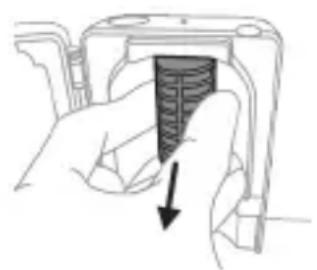
6. Place the brush head on the handle and let it charge. 7. Attach the brush head to the handle. To attach the brush head, align the brush head with the metal shaft and push it on. 8. Attach the brush head to the handle. To attach the brush head, align the brush head with the handle and push it on. 9. Do not insert the handle into the charging base. 10. After charging, unplug the charging base and store it in a dry place.
Caution
If the handle is not used for a long time, unplug it from the electrical outlet, clean it, and store it in a cool, dry place.
Replacement
For optimal performance, replace the Philips Sonicare brush head every 3 months. Use only Philips Sonicare replacement brush heads.
Support
For support, see the Philips Sonicare manual (HX64XX, HX68XX).
Warranty and Support
If you need information or support, visit www.philips.com/support to read the warranty terms.
Warranty restrictions
Warranty terms:
- In your language, the brush head is a consumable item.
- Damage caused by misuse of the brush head is not covered by the warranty. - Damage caused by improper use, such as dropping the device, using unauthorized accessories, or using the device with a damaged brush head, is not covered by the warranty.
- Damage caused by improper use, such as dropping the device, using unauthorized accessories, or using the device with a damaged brush head, is not covered by the warranty.
- YK kapbik lamnpacbl.
Kaipa nwtetyy
- This symbol indicates that the device is intended for alternating current and battery operation. - The device can be operated with the supplied power adapter or batteries. - The device is equipped with a battery indicator. If the battery indicator lights up, replace the batteries. - For optimal performance, use the recommended batteries.
Replacing the battery
The battery must be replaced only by a qualified technician.
Before replacing the battery, disconnect the device from the power supply and turn it off.
If the device is used in a location where the power supply is unstable, or if the battery is depleted, the device may malfunction.
Keep your hands, hair, and clothing away from moving parts.
www.philips.com/support
Important safety information
Read these important instructions before using the product and its battery, and keep them for future reference. Improper use may lead to danger or serious injury.
Warning
- Use the device only with the supplied power adapter. - After cleaning, check that the device and the power adapter are completely dry before use. - This device can be used by children and persons with reduced physical, sensory or mental capabilities or lack of experience and knowledge, provided they have been given supervision or instruction concerning use of the device in a safe way and understand the hazards involved. Children shall not play with the device. - Use only original Philips accessories or consumables. Use only the power adapter supplied with the device. If a USB cable and USB adapter are provided, use only the original USB cable and USB adapter for charging.
- The device contains no user-serviceable parts. If the device is damaged, stop using it and contact the consumer care center in your country. For devices with a cable: If the cable is damaged, replace it with a new one from the manufacturer or its service agent.
- Do not use the device near water or in the vicinity of bathtubs, showers, or basins.
- The device is intended for cleaning teeth and gums. It is not intended for use by children or persons with reduced physical, sensory or mental capabilities, or lack of experience and knowledge, unless they have been given supervision or instruction concerning use of the appliance by a person responsible for their safety.
- Always place the sterilizer out of reach of children. - Keep the sterilizer away from the reach of children at all times.
- The appliance can be used by children aged from 8 years and above and persons with reduced physical, sensory or mental capabilities or lack of experience and knowledge if they have been given supervision or instruction concerning use of the appliance in a safe way and understand the hazards involved. Children shall not play with the appliance. Cleaning and user maintenance shall not be made by children without supervision.
- Handle the sterilizer with care.
- Do not touch the sterilizer while it is hot.
- Do not use the brush head with damaged or bent bristles. Replace the brush head every 3 months or sooner if signs of wear appear. - Avoid direct contact with products containing essential oils or coconut oil. Contact may cause damage to the bristles.
- If you have had oral surgery or a surgical procedure in the past 2 months, consult your dentist before using the device.
- If you have a pacemaker or other implanted device, contact your doctor or the manufacturer of the implanted device before use. - If you have a medical condition, consult your doctor before using the device. - The device is intended for cleaning teeth and is not intended for use by patients in a dental office or institution.
If you have a pacemaker or other implanted device, contact your doctor or the manufacturer of the implanted device before use. - If you have a medical condition, consult your doctor before using the device. - The device is intended for cleaning teeth and is not intended for use by patients in a dental office or institution.
www.philips.com/support
Note: Functions of different models may differ. Some models may not be equipped with Bluetooth or NFC.
The following symbols may appear on the product:
Read the user manual.

Your Philips Sonicare (fig. 1)
1 Handle 2 Brush head 3 On/off button 4 Battery indicator
Additional:
5 Brush head 6 Brush head cap 7 Handle 8 Travel case 9 UV sanitizer and holder
Note: The included accessories may vary depending on the model purchased.
Getting started
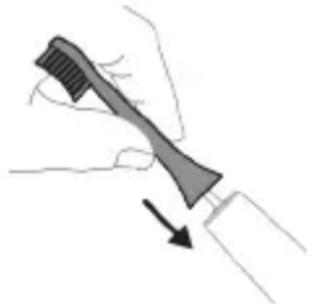
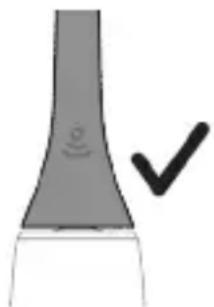
1 Align the brush head so that the bristles are facing the same direction as the front of the handle.
2 Firmly press the brush head onto the metal drive shaft until it clicks into place.
Note: It is normal to see a small gap between the brush head and the handle.
Using your Philips Sonicare toothbrush
If you are using your Sonicare toothbrush for the first time, it is normal to feel more vibration than when using a manual toothbrush. It is also common for first-time users to apply too much pressure. Apply only gentle pressure and let the toothbrush do the brushing for you. Follow the brushing instructions for the best experience.
For models without intensity settings
To activate or deactivate EasyStart (see "Activating or deactivating functions").
Brush head replacement reminder
Your Philips Sonicare toothbrush is equipped with BrushSync technology that monitors the wear of the brush head.
Note: This function works only with Philips Sonicare brush heads with BrushSync technology.
1 When you attach a new brush head for the first time, the handle recognizes that you have a Philips brush head with BrushSync technology and starts tracking the wear of the brush head. 2 Over time, based on the pressure you apply and the total time the brush head is used, the handle tracks the wear of the brush head to determine the optimal time for replacement. This function guarantees the best cleaning and care for your teeth.
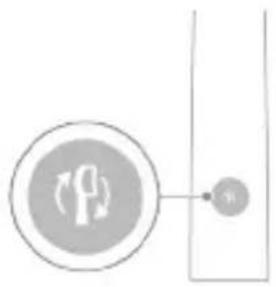
3. The brush head replacement reminder will light up in the order of the colors. You should replace the brush head.
The brush head replacement reminder is activated with the activated function for brush head replacement. To deactivate the brush head replacement reminder, see "Activating or deactivating functions".
Activating or deactivating functions
You can activate or deactivate specific functions of your toothbrush:
- EasyStart - Brush head replacement reminder - Pressure sensor information
Note: You can activate or deactivate the brush head replacement reminder when the handle is in the brush head replacement mode.
Step 1: Place the handle on the charging base.
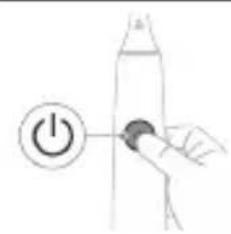
Step 2: Press and hold the on/off button:
- Do not let children play with the appliance.
Use only original accessories and consumables from Philips. Use only the charging device supplied with the appliance. Use only the original USB cable and USB power adapter if they are included in the delivery. This appliance is not intended for use by persons (including children) with reduced physical, sensory or mental capabilities, or lack of experience and knowledge, unless they have been given supervision or instruction concerning use of the appliance by a person responsible for their safety. Children should be supervised to ensure that they do not play with the appliance. If the appliance is damaged, stop using it and contact the consumer support center in your country. Only for appliances with a power cord: If the power cord is damaged, replace the charging device with a new one. Do not use the charging device or the sanitizer outside or near heated surfaces. The appliance parts cannot be washed in the dishwasher. This appliance is intended for cleaning teeth, gums, and tongue. Always store the sanitizer in a place inaccessible to children. Stop using the sanitizer if the ultraviolet (UV) lamp continues to burn with the door open. Ultraviolet radiation can be harmful to eyes and skin. Use the sanitizer only with the protective screen installed. Do not touch the UV lamp of the sanitizer when it is hot. Do not use the brush head with damaged or bent bristles. Replace the brush head every three months or sooner if signs of wear appear. Do not allow direct contact with products that contain essential oils or coconut oil. Such contact can cause damage to the bristles.
Stop using the device and consult your dentist/doctor if you experience severe bleeding after use, if the bleeding does not stop after 1 week of use, or if you experience discomfort or pain. - If you have had oral or gum surgery in the past 2 months, consult your dentist before using this device. - If you have a pacemaker or other implanted device, consult your doctor or the manufacturer of the implanted device before use. - If you have any doubts, consult your doctor before using this device. - This product is a device for oral hygiene, not intended for use by multiple patients in a dental clinic or institution.
Battery safety instructions
www.philips.com/support
Note: Functions may vary by model. Some models may not be equipped with Bluetooth or NFC technology.
The following symbols may appear on the device:

Read the operator's manual.
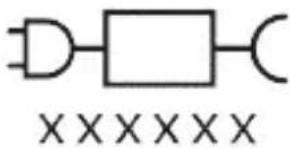
Removable power supply: "XXXXXX" indicates the model number of the charging device approved for use. (TCBxxxx, HX6100, HX6110, HX6160 or WAAxxxx)
Intended use
The Sonicare toothbrush is intended for cleaning teeth and interdental spaces, reducing plaque and improving gum health. The ProtectiveClean toothbrushes are intended exclusively for personal use. Use by children is permitted only under adult supervision.
Philips Sonicare toothbrush (fig. 1)
1 Handle 2 On/Off button 3 Brush head replacement reminder 4 Battery charge level indicator
Additional accessories:
5 Brush head cap 6 Smart brush head or brush head 7 Charger 8 Travel charger 9 UV sanitizer and charger
- Low charge - High charge
Changing the intensity level:
- Briefly press the power button to turn the toothbrush on or off.
- Press the button again within 2 seconds to change the intensity.
- Press the button a third time within 2 seconds to pause the toothbrush.
- If you press the button a fourth time after 2 seconds, the toothbrush will also pause.
BrushSync technology
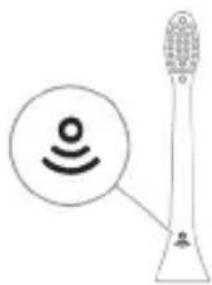
BrushSync technology allows the brush head to communicate with the handle via microchips. The symbol on the bottom of the handle indicates that the handle is equipped with this technology.
BrushSync technology features:
- Brush head replacement reminder
Philips Sonicare offers a wide range of intelligent brush heads with BrushSync technology. To explore the full spectrum of our brush heads and find the most comfortable one for you, visit
www.philips.com/toothbrush-heads for more information.
When the battery is fully discharged, the handle emits 2
series of beeps after cleaning.
Remove and dispose of the brush head. Completely cover the handle with a towel or cloth.
For assistance, visit:
www.philips.com/support
Maximum permissible pressure of the tank.
Before using the maximum pressure, check the tank for damage.
If the tank is damaged, do not use it and replace it.
The pressure gauge must be checked. Use
only a metal hose for connection to the pressure reducer.
The reducer.
Reducer
Before connecting the reducer to the cylinder, make sure the valve is closed.
- After connecting, before opening the valve, check the
connections for leaks by applying soapy water.
When connecting and/or disconnecting the reducer, hold the
wrench.
Handles and knobs should be
turned by hand only, not with tools.
Translation of the passage is not possible due to OCR errors.
Translation of the passage is not possible due to OCR errors.
Translation of the passage is not possible due to OCR errors.
Translation of the passage is not possible due to OCR errors.
Translation of the passage is not possible due to OCR errors.
Translation of the passage is not possible due to OCR errors.
- Translation of the passage is not possible due to OCR errors.
Translation of the passage is not possible due to OCR errors.
- Translation of the passage is not possible due to OCR errors.
- Translation of the passage is not possible due to OCR errors.
- Translation of the passage is not possible due to OCR errors.
www.philips.com/support
Translation of the passage is not possible due to OCR errors.
Translation of the passage is not possible due to OCR errors.
Translation of the passage is not possible due to OCR errors.

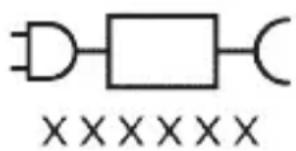
KncmnyoosbaHdAn TabmHOTn 6apK: «xxxxxx» paKaMn HamyHabNb 6apKnypkyHaHdaXoepo, Kn 6oJnCTnfoJa 7aBaI, Hnsoh MeDnXaI. (TCBxxx, HX6100, HX6110, HX6160 e WAAxxx)
IcTnΦoJan ne6HnShyda
Uytkaxon DaHOnShyinn BapKn CnilCnlan 6apon HeCT KApdaHn Ka6aTn Yacnap Ba 6OKIMOnDaXon FIn3O a3 DaHDoHXo 6apon KOxN IdoHn NycnShn DaHDoHXo Ba 6exTap HnFOx DoWtAHN
caIomatn daxoh ne6bHn 7ydaan. YyTKaXoN daHOnShyHn 6apKn cnIcHnAn «ProtectiveClean» 6apon nCTnfoan 7axcne6bHn 7ydaan. NcTnfoan KydaKOH 6oJd TaXtN Ha3OpATn KaIohcoLoH cypaT npad.
«Philips Sonicare»-ишуmo (Pacm1)
1ДаCTaK 2 TyrmanФabOJ/xomy 3 Edpacn nBa3KyHnn capaKn yTka 4 HnwoHdxaHdAn 3apyIn 6aTape
JlabO3nMOT:
5 Capnyu n capa kn yTka 6 CapaK(xo)-n yTkan oKnI 7 NoiroxN 6apKnypkyHaHda 8 KyTTnn caap 9 TaMn3KyuHaHdaI UV Ba 6apKnypKyHaHda
Tab3ex: JIaBo3nMOTxOIN DoXnJUyda MeTaBOHaHd BO6acta 6a MoJeN xapNdUyda fapK KyHaHd.
Ofo3n Kop
1 Capakn ytkapo poct KyHei, To KI Jnphi n ytka 6a camTn neu n daCTak 6ap06ap 7aBaJ. 2 Capa kn ytkapo 6a mexbapn metaJI To caTxn noeh caxT naxu KyHei.
Tav3ex;Дарбайни capakn utka Ba dactaKOn OH KameФocnila nidaH Mykappapn act.
Ba3bnaTn 6aTapey (BaKTe Kn IacTaKn UytKa Iap 6apKnypkyHaHda QoRnp KapDa Hauyaact)
BakTe Kn uytkAn daHDoHsYn dap XoJatN Kopi Me6Owad, HnWoHdNxHaHdaN 6aTapea Nap TaRn daCTaK catxN 3apAaN 6aTapeaPo HnWoH MeDnxaN.
Oxahr
Charging the battery
Changing the intensity:
- Press the button «ON/OFF» to turn on the toothbrush.
- To change the intensity, press the button again after 2 seconds.
- To pause the toothbrush, press the button three times within 2 seconds. If you press the button «ON/OFF» once more after 2 seconds of operation, the toothbrush will also be paused.
BrushSync technology
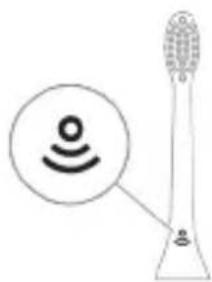
Thanks to BrushSync technology, the brush head connects wirelessly with the handle via a microchip. The symbol on the bottom part of the brush head indicates that it is equipped with BrushSync technology.
BrushSync technology has the following functions:
- Brush head replacement reminder. Philips Sonicare includes a wide range of intelligent brush heads equipped with BrushSync technology. Familiarize yourself with the entire assortment of brush heads for toothbrushes and choose the optimal brush head for you at www.philips.com/toothbrushheads.
Specifications
- Pressure sensor feedback
- Quadpacer
- SmarTimer
- EasyStart
- Brush head replacement reminder
Pressure sensor feedback;
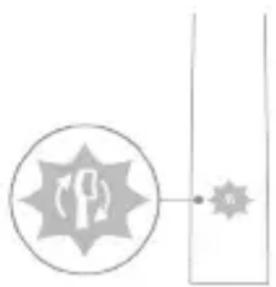
The Sonicare toothbrush is designed to reduce pressure during brushing to protect teeth and gums from damage. If the pressure is too high, the handle will change the vibration characteristics, and the indicator will remind you to reduce pressure until you adjust it.
Note: This product comes with the pressure sensor enabled. For details on how to disable this function, see "Enabling and Disabling Functions".
Quadpacer
QuadPacer is a timer for time intervals that helps to clean the oral cavity evenly, dividing the mouth into 4 sections. (See "Usage Instructions")
SmarTimer
SmarTimer indicates the end of the brushing cycle, automatically turning off the toothbrush. Dentists recommend brushing teeth for at least 2 minutes twice a day.
Note: If you press the "On/Off" button during brushing, the toothbrush will pause. After 30 seconds of pause, SmarTimer will reset.
EasyStart "Easy Start"
Step 2. Press and hold the "On/Off" button for the specified time.
EasyStart reminder of the pressure sensor feedback from "Easy Start"
Up to 3 seconds Up to 5 seconds Up to 7 seconds
Step 3. Release the "On/Off" button when you hear:
1 beep
1 beep, then 2 beeps
1 sound signal, 2 sound signals and 3 sound signals


If the battery charge indicator and the charging indicator for replacing the brush head blink green 2 times and the handle emits a tonal signal (from low to high), this means that the function is activated.
OR


If the battery charge indicator and the charging indicator for replacing the brush head blink once and the handle emits a tonal signal (from high to low), this means that the function is deactivated.
Disinfection block with UV lamp
Note: Accessories included in the kit may vary depending on the model.
With the help of the disinfection block with UV lamp, you can clean the brush head after each use.
Disconnect the disinfection block from the electrical outlet, stop using it and contact the customer service center if:
- The UV lamp continues to glow when the lid is open; - The disinfection block is damaged or missing; - The disinfection block emits smoke or a burning smell when it is operating.
Note: UV light can be harmful to eyes and skin. Disinfection blocks should always be kept away from children.
1 After cleaning, rinse the brush head and shake off excess water.
Attention! Before cleaning, remove the brush head from the handle. Clean the brush head in the disinfection block.
2 Insert the plug with the bent end into the disinfection block and close the lid.
3 Place the brush head on the two pins in the disinfection block with the bristles facing the lamp. Note: Only place Philips Sonicare Inse brush heads in the disinfection block.
Battery disposal
The battery must be replaced by qualified service personnel only.
Before replacing the battery, make sure it is completely discharged.
For assistance, visit our website: www.philips.com/support
Safety instructions
This device is intended for its intended purpose. Keep this device, batteries, and accessories out of reach of children. Do not use the device if it is damaged. Improper use may cause injury or damage.
Electrical
Do not install chargers or detectors near water.
After cleaning, connect the power plug to the socket, and check that the charger and/or detector are dry before use.
- This device can be used by children aged 8 and above and by persons with reduced physical, sensory, or mental capabilities or lack of experience and knowledge if they have been given supervision or instruction concerning use of the appliance in a safe way and understand the hazards involved. Children shall not play with the appliance. Cleaning and user maintenance shall not be made by children without supervision.
- Do not use with other devices.
- Only use Philips accessories or those recommended by the manufacturer. Only use the charger provided with the device. If the charger is damaged, only use a USB cable and USB adapter that meet the specifications.
- This device is intended for professional use. If the device is damaged, stop using it and contact the service center for assistance. Only use the device with the correct power supply: if the power cord is damaged, replace it with a charger that has detectors. Do not use the charger and/or detectors if they are wet or damaged.
- This device is not intended for use by persons (including children) with reduced physical, sensory or mental capabilities, or lack of experience and knowledge, unless they have been given supervision or instruction concerning use of the appliance by a person responsible for their safety.
- This device is intended for use in households and similar applications such as: staff kitchen areas in shops, offices and other working environments; farm houses; by clients in hotels, motels and other residential type environments; bed and breakfast type environments.
- If the supply cord is damaged, it must be replaced by the manufacturer, its service agent or similarly qualified persons in order to avoid a hazard. - The supply cord should be replaced only by the manufacturer or its service agent.
- If the supply cord is damaged, it must be replaced by the manufacturer, its service agent or similarly qualified persons in order to avoid a hazard.
- Do not use the device if the cord or plug is damaged. If the cord or plug is damaged, it must be replaced by the manufacturer or its service agent.
- Do not use the device if it has been dropped or if there are visible signs of damage. If the device is damaged, do not use it and contact the manufacturer or its service agent. - If the device is damaged, do not use it and contact the manufacturer or its service agent.
- Before using this device, if you have had surgery on your stomach, chest, or face, consult your doctor.
- If you have a pacemaker or other implanted device, consult your doctor or the manufacturer of the implanted device before using this device.
- If you have any medical problems, consult your doctor before using this device. - This device is not intended for use by persons with reduced physical, sensory or mental capabilities, or lack of experience and knowledge, unless they have been given supervision or instruction concerning use of the appliance by a person responsible for their safety.
Battery safety warnings
- This device contains batteries that are not replaceable.
- Use the device only for its intended purpose. Before using the device and its accessories, read this manual carefully and keep it for future reference. Misuse can cause injury or damage. Unauthorized accessories may be hazardous.
- Please read the Philips instructions carefully before using the device. TCBxxxx, HX6100, HX6110, HX6160 and WAAxxx are not intended for use by children.
- Keep the device and batteries away from fire and do not expose them to high temperatures.
- If the device gets hot or emits smoke, changes color or is damaged, stop using it and contact Philips.
- Do not place the device or batteries in microwave ovens or on induction cooktops. Do not heat, expose to flames, or immerse the device or batteries in water. Do not short-circuit, overcharge, or reverse-charge the batteries.
- This device contains non-replaceable batteries. When the battery life ends, the device should be disposed of properly. See "Disposal" section. If batteries leak or are damaged, avoid contact with skin or eyes. If contact occurs, rinse with water and seek medical help. Keep the device and batteries away from children. Do not allow metal objects (such as coins, keys, clips) to come into contact with the battery terminals, as this may cause short circuits. Store batteries in a cool, dry place. When disposing, remove the batteries or place the device in a plastic bag.
- Charge, use, and store the device at temperatures between 0-40°C.
Storage and transport conditions
Temperature: -10°C to 60°C.
Electromagnetic fields (EMF)
This Philips device complies with all applicable standards and regulations regarding electromagnetic fields.
Radio Equipment Directive
To turn on the Philips Sonicare toothbrush (Bluetooth, NFC), press the power button. This device complies with the requirements of Directive 2014/53/EU.
- The device is designed to operate with Bluetooth radio interface in the 2.4 GHz frequency band.
- The maximum Bluetooth transmit power is 3 dBm.
- The device is designed to operate with NFC radio interface in the 13.56 MHz frequency band.
- The maximum transmit power for NFC is 30.16 dBm. The full declaration of conformity is available on the following website:
www.philips.com/support

Note: The features of different models may vary. Some models may not have Bluetooth or NFC functionality.
The following symbols may appear: Please read the instructions before use.
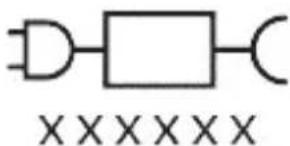
1 press, 1 press, then 1 press, 2 presses, then 2 presses, then 3 presses


If you see the battery indicator and the brush head replacement reminder flashing 2 times, and then 3 presses, it means the brush head needs to be replaced.
OR
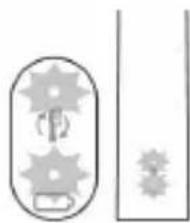
If you see the battery indicator and the brush head replacement reminder flashing 1 time, and then 3 presses, it means the brush head needs to be replaced soon.
UV sanitizer
Note: The device is intended for household use.
Accessories may be sold separately.
The disinfectant is intended for cleaning the brush head after use.
Before inserting the brush head into the disinfectant, unplug the device from the power outlet.
Make sure the device is turned off and unplugged.
Contact customer service for assistance.
- If the brush head is damaged, replace it. - If the disinfectant is cracked or broken, do not use it. - If the disinfectant is leaking or damaged, discard it.
Discard properly.
Warning: The UV light may be harmful to eyes and skin. This device should be kept out of reach of children.
After cleaning the brush head, rinse it thoroughly with water and allow it to dry completely.
Warning: When cleaning the brush head in the disinfectant, do not let the brush head touch the UV lamp.
2 Place the brush head on the peg inside the disinfectant, then close the lid.
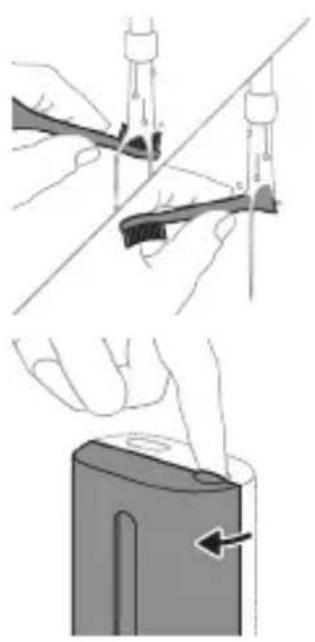
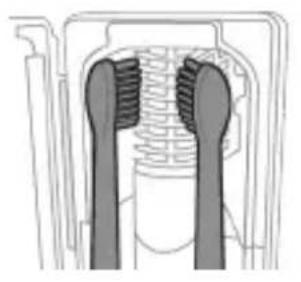
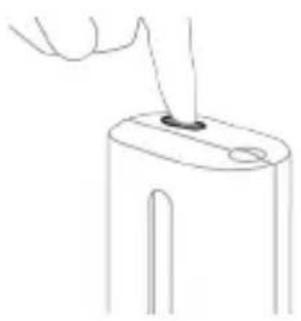
3 Press the button on the disinfectant to start the cleaning cycle. The indicator light will turn on.
Warning: Only clean Philips Sonicare brush heads in the disinfectant.
Note: Do not clean Philips Sonicare for Kids brush heads in the disinfectant.
4 Plug the disinfectant's power cord into an electrical outlet. 5 Press the power button to start the cleaning cycle. The indicator light will turn on.
Warning: If the lid is not closed properly, the disinfectant will not operate.
EckepTne: The disinfectant is indicated for use, the disinfectant is complete.
Ecken: The disinfectant is used for 10 minutes, then the automatic tube is washed.
Tepezezharyk Korps, the disinfectant is complete.
Charging the battery
This Philips Sonicare toothbrush with a fully charged battery can be used for up to 28 times of 2-minute brushing sessions (if you brush twice a day, it lasts for 14 days). The battery indicator will show the remaining charge level when the toothbrush is turned on or off, or when it is charging.
EckepTne: If the battery is completely discharged, it may take up to 24 hours to fully charge, but the Philips Sonicare toothbrush can be used while charging.
Charging
Charging or disinfecting
1 Plug the charger or disinfectant into an electrical outlet.

2 Place the toothbrush on the charger or disinfectant.
- For correct placement, the toothbrush should be placed with the bristles facing up.
- The battery indicator light will flash to indicate that the toothbrush is charging.
- When the toothbrush is placed on the charger, the battery indicator will light up for 30 seconds and then turn off.
Battery status
Battery status (when the toothbrush is placed on the charger)
After the battery is fully charged, the battery indicator will show the battery level.
Battery level (when the battery is fully charged/charge level in the charging column)
After the charging column is fully charged, the battery indicator will show the battery level.
Battery level battery indicator
Charging time
After about 30 seconds, the indicator
Battery level (when the battery is not fully charged)
When the toothbrush is in use, the battery indicator at the bottom will show the battery level.
Battery level battery
Indicator
Low
After about 30 seconds
Full
When fully charged
Charging
| Баразецьи Куй Баразец Индikatopы | Дыбics |
| Темен Capы Түпен ЖылblыКтайды | Шүкамен Тазалayдан Кейн cantan 3 дыбics Шыfasды |
| Бoc Capы Түпен ЖылblыКтайды | Шүкамен Тазалayдан Кейн cantan 5 дыбicstан 2 pet Шыfasды |
| Еckeши: Куат уhemdeу ушin бразец Иndikatopы Колданылмafан Kezeide ошени. | |
| Еckeши: Бразец Куаты Толык тayсылfasн Kezeide, tic шеткасы ошin калады. Tic šе tekасын заюдай ушin оны зарядыtska кочьндiz. | |
| Еckeши: Бразец Куаты Барлык уakbsытta Tolык, Зарядыталган Куйинустай ушin пайданылмайын уakbsытta tic še tekасын заюдай уstayfa boлады. | |
| Бразец Куй (сan заюдыtska/зарядай жол семесин Коклмafан Kezeide) | |
| Тic še tekасы орhalн Kezeide, canын actbндаыбразец Иndikatopы бразец Deнгейн керсeteidi. | |
| Баразецьи Куй Бразец Индikatopы | Дыбics |
| Толык Хасы Доглін Ханын Тур | - |
| Жарылай Түлык Хасы Доглін ЖылblыКтайды | - |
| Темен Capы Түпен ЖылblыКтайды | Шүкамен Тазалayдан Кейн cantan 3 дыбics Шыfasды |
| Бoc Capы Түпен ЖылblыКтайды | Шүкамен Тазалayдан Кейн cantan 5 дыбicstan 2 pet Шыfasды |
Note: When charging the battery, use only the indicators provided.
Note: The battery should only be charged when the temperature is above 0°C. To charge the battery, place it in the charger or the charging slot.
Note: The battery can only be charged when the temperature is above 0°C. To install the battery, place it in the charging slot.
Cleaning
Brush head
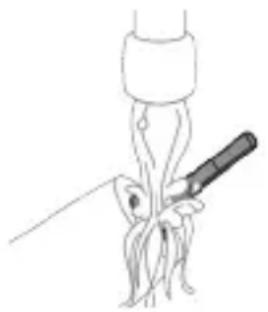
1. Rinse the brush head and the metal part under running water. Then shake off excess water. Note: Do not use sharp objects to clean the metal part, as this may cause damage. 2. Wipe the handle with a damp cloth.
Note: Do not press the handle to supply extra water.
Brush maintenance
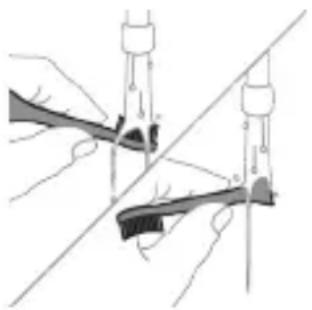
1. After each use, rinse the brush head and the bristles. 2. Gently shake the brush head, then place it in a dry place with the bristles facing up. Do not cover it.
Charging
1. Clean the charging contacts with a dry cloth. 2. Wipe the charging base with a damp cloth.
Handle
Wipe the handle with a damp cloth and dry it with a soft cloth.
Cleaning the disinfectors
Note: Do not immerse the disinfectors in water or place them under running water.
Remove the plug from the wall socket before cleaning the deflectors.
Clean the deflectors with a soft brush before each use.
1 Remove the deflector from the socket. 2 Pull the tab with the tab. Pull the tab and clean with a soft brush. 3 Rinse the bristles with a soft brush. 4 Remove the protective screen in front of the lamp.
To remove the screen, install the electrodes in the holder, press them and pull the protective screen out.
5 Remove the lamp. To remove the lamp, install the holder and pull out the metal pin. 6 Clean the protective screen and the lamp with a soft brush. 7 Insert the lamp.
To insert the lamp, place the lamp, the holder, and the metal pin in the holder and insert the lamp into the socket.
8 Remove the protective screen.
To remove the screen, place the electrodes in the holder against the springs in the lamp. Insert the screen into the slots in the deflector.
9 Insert the tab into the deflector.
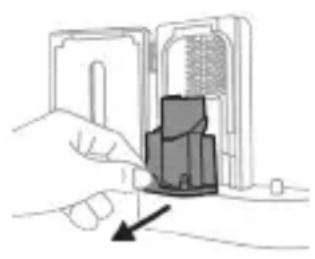
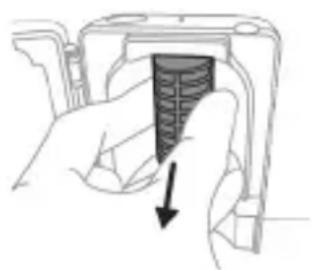
10 After cleaning, check that the deflector is correctly seated with the holder.
Storage
If the device is not used for a long time, unplug it from the electrical outlet, clean it, and then store it in a cool, dry place away from direct sunlight.
Disposal
To dispose of the device, remove the batteries and dispose of them separately. Only use Philips Sonicare brush heads.
Electromagnetic fields (EMF)
Hereby, Philips declares that the radio equipment type [5] is in compliance with Directive 2014/53/EU.
- The Bluetooth® word mark and logos are registered trademarks owned by Bluetooth SIG, Inc. and any use of such marks by Philips is under license. Other trademarks and trade names are those of their respective owners.
- The Bluetooth® antenna has a maximum gain of 3 dBm.
- The NFC antenna operates at a frequency of 13.56 MHz. The maximum radiated power is 30.16 dBm. For more information, visit www.philips.com/support.
This device may be used with or without the charging base. The base is not required for Bluetooth or NFC operation.
The device is intended for home use.
Charging the battery:

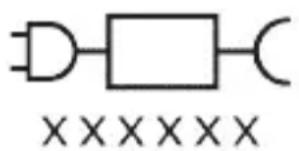
The charging base has a magnetic connector. Place the handle on the base to charge. (TCBxxxx, HX6100, HX6110, HX6160, and WAAxxx)
Using the device
The ProtectiveClean system cleans the handle and brush head, and removes stains and plaque for a thorough clean. The ProtectiveClean system also helps maintain the brush head. The brush head should be replaced every 3 months for optimal performance.
Your Philips Sonicare (U4.1.)
1 Handle 2 Brush head 3 Charging base 4 Charging indicator
Accessories.
5. Brush head 6. Brush head cap 7. Handle 8. Charging base 9. Travel charger
Note: The brush head and handle can be separated for cleaning.
Cleaning
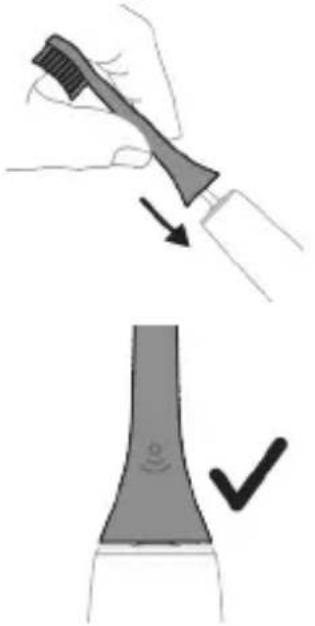
1. Remove the brush head from the handle by pulling it straight off, then rinse the brush head and bristles.
2. Rinse the handle and the brush head area with water, but do not use hot water. Note: Do not immerse the handle in water or place it in the dishwasher.
2. Philips Sonicare brush head replacement
For optimal results, replace the Sonicare brush head every 3 months. Do not use the brush head if the bristles are bent or broken. Replace the brush head sooner if you notice any damage. To maintain the brush head's effectiveness, rinse it under running water after each use.
To get the most out of your Sonicare toothbrush, use the EasyStart feature. This feature gradually increases the power over the first 14 uses, helping you adapt to the Philips Sonicare brushing experience.
The EasyStart feature is activated by default on your Sonicare toothbrush. It can be turned off or on by following these steps:
To turn it off, press and hold the power button for 2 seconds until you hear a beep.
Charging
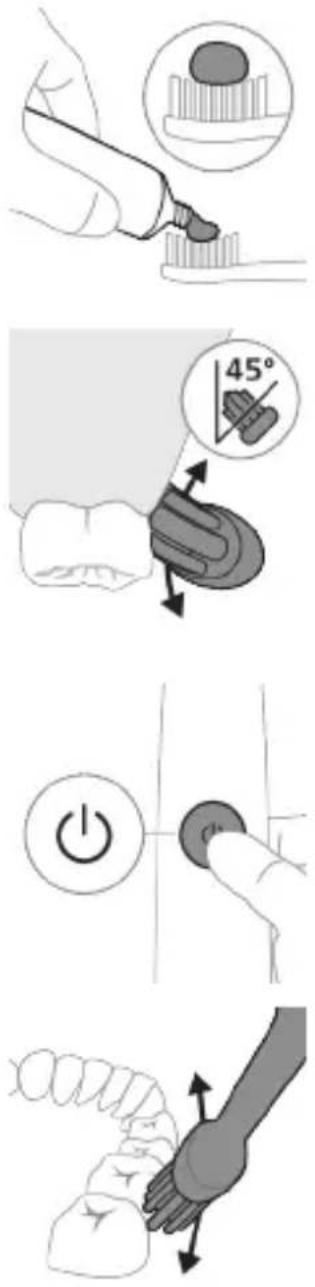
1. Place the brush handle on the charging base.
2. Plug the charging base into an electrical outlet. The charging indicator light will blink until the battery is fully charged, then it will stay on.
Note: The battery is not replaceable. Do not attempt to open the handle.
3. For a full charge, leave the handle on the charger for at least 24 hours.
4 The toothbrush head should be replaced every 3 months, or sooner if the bristles are worn or frayed. Replace the head after any illness to prevent the spread of germs.
The L2nW toothbrush head is not compatible with this model. Do not use it with this device, as it may cause damage to the brush head or the handle.
The L2nU model is designed for use with the following brush heads: the standard brush head, the compact brush head, and the interdental brush head. The brush head should be replaced every 3 months or sooner if the bristles are worn.
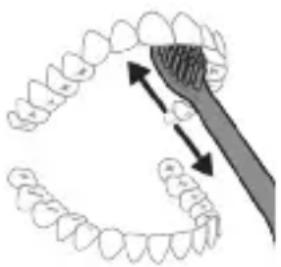
5 To ensure optimal cleaning, the brush head should be replaced every 3 months or sooner if the bristles are frayed. 6 The handle is water-resistant and can be rinsed under running water. Do not immerse the handle in water or any other liquid.
The L2nU 2Tn Philips Sonicare toothbrush is designed for use with the brush heads (the brush head is not included with the device) and the handle is equipped with a timer (2 minutes) and a 30-second interval timer to help you brush evenly.
QuadPacer
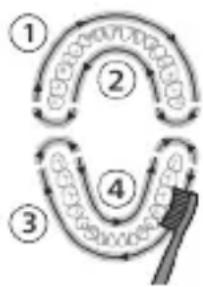
The QuadPacer feature, which is activated after 30 seconds of brushing, signals you to move to the next quadrant of your mouth. The QuadPacer uses a short pause in the brushing action to indicate that it is time to move to the next quadrant. The pause is followed by a brief vibration to confirm the change. This feature helps ensure that you brush all areas of your mouth evenly.
Modes
The toothbrush has the following modes: Clean.
Clean
Settings
Brush head replacement reminder
Intensive cleaning mode (for stained teeth)
Sensitive mode (for gentle cleaning)
Off
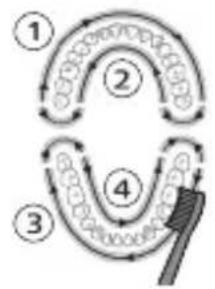
BrushSync technology
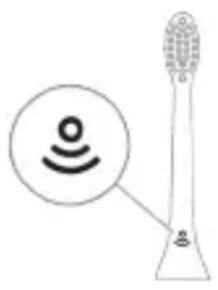
BrushSync technology uses a built-in sensor in the handle to detect which brush head is attached. The handle then automatically selects the appropriate brushing mode and intensity for that brush head. BrushSync technology also tracks your brushing time and reminds you when it's time to replace your brush head. For more information, visit www.philips.com/toothbrush-heads.
Features
- Pressure sensor - Quadpacer - SmarTimer - EasyStart - Brush head identification
Pressure sensor
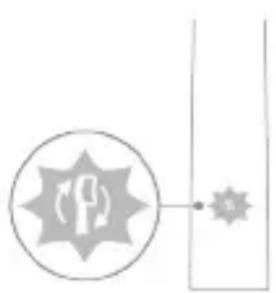
Your Sonicare toothbrush is equipped with a pressure sensor that helps you brush gently. If you apply too much pressure, the handle will vibrate differently to alert you. This feature helps protect your gums and teeth from over-brushing. The pressure sensor is activated by default. You can turn it off in the settings (see "Turning off the pressure sensor").
Quadpacer
The Quadpacer is a timer that signals you to move to the next quadrant of your mouth every 30 seconds. (See "Using the timer")
SmarTimer
The SmarTimer feature gradually increases the brushing time over a period of 12 weeks to help you get used to brushing for the full 2 minutes recommended by dental professionals. It starts with a short brushing time and gradually increases until you reach the full 2 minutes. After 30 uses, the SmarTimer will be fully activated.
EasyStart
The Philips Sonicare is equipped with the EasyStart feature (which can be activated during the first use or later. This feature gradually increases the power over the first 14 uses to help you get used to the Philips Sonicare brushing experience). The EasyStart feature can be activated or deactivated at any time.
Note
If you are already used to the Philips Sonicare brushing experience, you may not need this feature. You can deactivate it at any time.
Activating or deactivating EasyStart (see 'Activating or deactivating features').
Brush head replacement
Your Philips Sonicare comes with the BrushSync (SmartBrush) feature, which automatically tracks the wear of your brush head.
This feature is activated by default with your Philips Sonicare brush head.
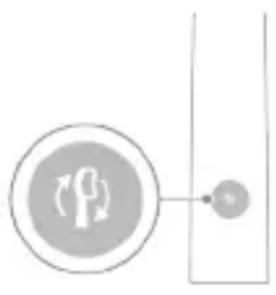
1 To replace your brush head, simply pull it off and push on a new one. You will notice that the new brush head has a BrushSync (SmartBrush) code on it, and it will automatically reset the brush head replacement reminder. 2 When the brush head replacement reminder is activated, the handle will emit a flashing light and a sound to remind you to replace your brush head. This feature is designed to help you maintain optimal brushing performance. 3 If you have a brush head without a BrushSync code, the reminder will not work.
The brush head replacement reminder is activated by default. To deactivate it, see 'Activating or deactivating features'.
Activating or deactivating features
Your brush head has a feature that can be activated or deactivated.
- EasyStart
- Brush head replacement reminder - with the handle
The Philips Sonicare for Kids toothbrush is designed to be safe and effective for children, helping them develop good oral hygiene habits.
Step 1. Attach the brush head to the handle by aligning the two parts.
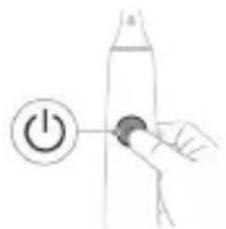
Step 2. Wet the bristles and apply a small amount of toothpaste.
| EasyStart lvnquwuh qihuhy unhhuunhuw hh2tgniu | zhu2wu utunph wnδwqwup | |
| Uhuglu 3 yuwrjw unlunnnpjwup | Uhu5 7 uwrjw unlunnpjwup | |
| ↓ ↓ ↓ | ||
| PwJ 3. Fug rannp hnuwuph uhwgufw/wwgwmuw Unawln, bp ntp. | ||
| 1 wqnw2wu 1 wqnw2wu, wqw2 wqnw2wu | 1 wqnw2wu, 2 wqnw2wu, wqw3 wqnw2wu | |
| ↓ ↓ ↓ | ||
| tpat unwnlungh gniighs u hnquwuh qihuh Unhhuunhuwuh hh2tgwugnighs 2 wqwpu awpatau lwlw2 Injunu l utp 3 awjwuhw qnw2wu' gwohhg uhzlu pwnan, wqw qnnouwnjau wunhugwlu: | ||
| 4uu | ||
| tpat unwnlungh gniighs u hnquwuh qihuh Unhhuunhuwuh hh2tgwugnighs 1 wqwpu awpatau ntanhu Injunu l utp 3 awjwuhw qnw2wu' pwnohhg uhzlu guo, wqw qnnouwnjau wunwulhnlgwlu: | ||
Power On
Press the power button to turn on the toothbrush. It will start with a gentle pulse.
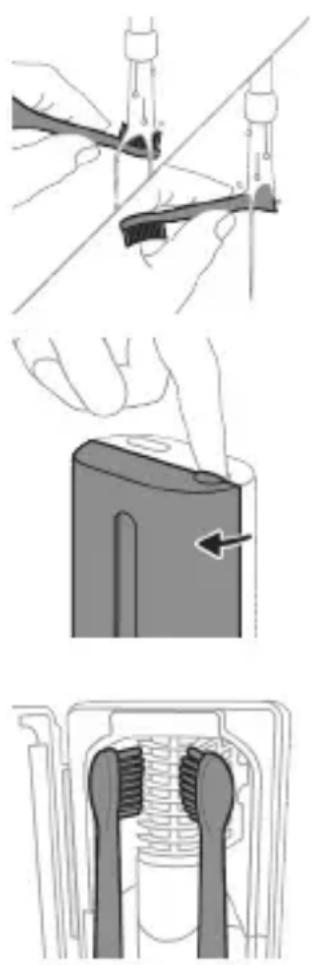
The toothbrush uses sonic technology to gently and effectively clean teeth, removing plaque and improving gum health.
For best results, brush for two minutes, twice a day, and replace the brush head every three months.
- The toothbrush has a two-minute timer with 30-second intervals to help you brush evenly. -The handle is water-resistant and can be rinsed under the tap. -The charging base is easy to clean and holds the toothbrush securely.
The toothbrush comes with a charging base that uses induction charging. Simply place the handle on the base to charge.
The toothbrush is designed for children aged 3 and up, with a small brush head and soft bristles.
1. Rinse the brush head and handle after each use. 2. To clean the handle, wipe it with a damp cloth. Do not immerse it in water. 3. Store the toothbrush upright and allow it to air dry.
The Philips Sonicare for Kids toothbrush is suitable for children.
The Philips Sonicare for Kids toothbrush is designed for children.
4. Replace the brush head every three months or sooner if the bristles become frayed.
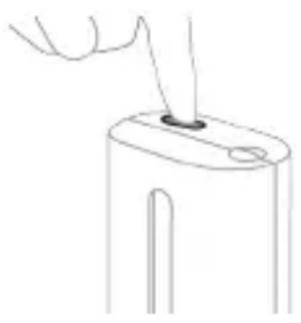
To use the toothbrush, follow the instructions below:
Use the toothbrush, and follow the recommended brushing technique:
Use the toothbrush for 2 to 5 minutes, depending on your needs:
Brush your teeth for 2 minutes, which is the recommended time:
Charging and battery status
This Philips Sonicare toothbrush comes with a rechargeable battery that lasts up to 2 weeks (14 days, depending on usage and charging habits) on a full charge. The battery indicator light will show the charging status. When the battery is low, the indicator will blink, indicating that it is time to charge the toothbrush.
To charge the toothbrush, plug the charger into a power outlet and place the toothbrush handle on the charger. The charging indicator will light up, showing that the toothbrush is charging. It takes up to 24 hours to fully charge the toothbrush.
Charging
Charging the toothbrush with the USB charging cable
1. Connect the USB charging cable to the toothbrush handle.
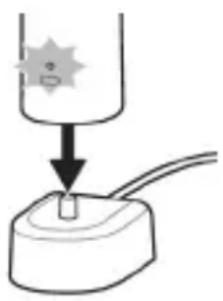
2. Plug the USB cable into a power source.
- Plug the USB cable into a power adapter or computer. The charging indicator will light up, showing that the toothbrush is charging. The battery indicator will show the charging status.
- 30 days of battery life with regular use
Battery status
Battery indicator light (on the toothbrush handle)
The device is intended for use in accordance with the instructions provided in this manual.
Do not use the device if it is damaged or has visible signs of damage, such as cracks or breaks.
The device should be used only for its intended purpose, as described in this manual, and not for any other purpose.
Device description and specifications
Device components and controls
Power supply: 30 V DC
Operating temperature: 0-40°C
Do not use the device if it is damaged or has been dropped.
If the device is not working properly, check the power supply and connections, and contact customer support if the issue persists.
Device specifications
Device dimensions
| Lhpù l'Uniq l'quwus - | |
| Uwuwuh lhpù l'awwnu l'quwus Injunl | - |
| Rhs l'awwnu l'ntnhu qnyjünl | hunqwuwu wu wuwrngh htnn pnuwln 3 wuqwi dwjuwjh uqnw2wu l wnawynu |
| Twnwnu l'awwnu l'ntnhu qnyjünl | hunqwuwu wu wuwrngh htnn pnuwln 5 dwjuwhu wqnw2wutph 2 wnawqu l'wnawynu |
| L2nui Eutnqhw huuwjini hwunw uwnlung hnighn yuwgwnu, bp wju sh oqwnqnnouu: | |
| L2nui lnp uwnlung hgpn lhnhu niwnu l, wunwuh lunqwuwu wugwnu l: Lhgwwnbni hwun wunwuh lunqwuwu untnwnp bghpwunhsh unw: | |
| L2nui Uwnlungn wupnnqnu hghpwunlwnu wuhtini hwunw yunnn bp wunwuh lunqwuw ihgwwnhsh unw yunnl, bp wju sh oqwnqnnouu: | |
| Uwnlung hguwuhwun (tp pnuwln ihgwwnhsh unw yww wunwnnwlw wunwuh utg 2g) | |
| tp wunwuh lunqwuwu wunhlu ydwwnu l, pnuwlu unnhlu hwunwönu quwnlwnu wunlung hgnghn gnuq t unwlu uwnlung hghp uwnwnu: | |
| Uwnlungh ywnqwuhw | Uwnlungh gnighz 2wjutn |
| Lhpù l'Uniq l'quwus - | |
Device specifications and dimensions
| Uwuwuh lhpu l wunpanu l yiwu Injunl | - |
| Phs l wunpanu l ngnhu qnjunl | hnuwuwulwuu wuwninhg htnn pruwun 3 wquw awjwuhu wqnw2wu l wnawunl |
| Twnwnu l l wunpanu l ngnhu qnjunl | hnuwuwulwuu wuwninhg htnn pruwun 5 awjwuhu wqnw2wutph 2 wnawuq l wwnwunl |
| L2niw Eutnqhw hwwjtini hwunw uwnlngh gnighn luwguwnl, tnp wju sh oqwnqnnouu: | |
| L2niw lnp uwnlngh lgpn lhnhu nwnwnl t, wnwuh hnquwuwu wugwnlntu l: Stnwnp duwnwuh hnquwuwu lhpwunngh uwn lyw ihgwunlwnu wauhnnwnu wunjwuh utg' wju ihgwunlntnhi wun: | |
| L2niw Uwnlungn wupnnnugu lhpwunlwnu wuhtini hwunl ywnn bp wunwuh hnquwunl ihgwunnphsh uwn wuhtl, tnp wju sh oqwnqnnouu: |
Weight
Power consumption
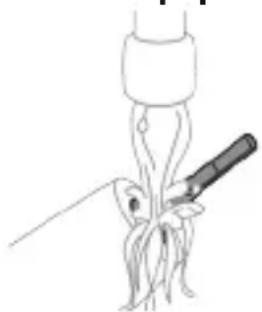
1. General safety instructions: Read all instructions before using the device. Keep these instructions for future reference.
2qni2wgniu'Uh hntp ntunhut yuhpn unin wnunlquutnnl ntuuh lhtnh utg, puuh np wju yunnn t huiqtgbuL uuuuLwph:
2 Fnuwuh wupnnu wuyntun uwpnp hnuwu qnnouopnul:
L2nUUh hwnuotp nnuuynu Luguunwuhu wutnnn nnhntnugutni hwwn:
Jnquuwh qluh
1 3nnpwusynn oqwnqnnonu htnn luugtp hnquuwuh quhun u wqhyutnn: 2 3nwnugntpnquuwuh qinihp nnuuwhg u wnueq 2wupan ubu wgtpnquuwuh quhun unwp gnnl: Luugtp awuhnnuwu ywhunh su wjupw huawhu, npwu wuhnuudt2un 5:
Lhgpwulnnh
1 Uuguuntp hgpwnnns uwhupw wju uwpntin: 2 Lhgpwunnhsh uwyntun uwpnp hnuwqnnuopnul:
zhuynwuyu wunjw
nnnnp qnl gnnl u oqunwqnnotip hnuu wpa awuuhnnwuwu wunjuuh utnuh uwn uwpntn hwun:
Uhunuhuhs uwpnniun
2qni2wgnu Uhunuhwuhn uh uniqp gnh utg u uh lugtp dnpwh unu:
2qni2wgniu Uh uwpntp whuunwhuhsn, np nui npwuwun2wquqnyu niun unup 5:
Owunhuwl unnnniuwrnnnjuwu hwuwn hnnhnnn 5 unnuu uwpnta dn wunwhuwuh2wprawwu:
1 Uugwintpwhunwhwhh2n: 2 Nnhn pW2tp ywahlwHu nwnwyn nnnu: Lluogtp ywhlwHu nwnwyn u wnpntp wju hunuwu 2nnnu: 3 Uwnpbp ninn utnphu uwwutbautn hnuwu 2nnnu: 4 3nwnp w2unwuh2 hnwn, nn qnuu n uunwwun12wqnyu lnuyh wwh nhw:
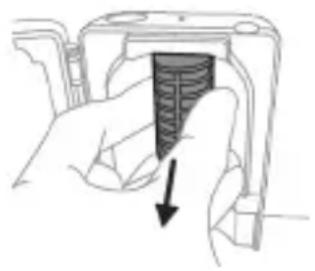
Eynwun htnwugutni hwuw nputp lnnph dwnptn, unpnntu utnutp u nninu hwutp ww2unwuhz Eynwun:
5 3nwngnbp nnnnwwun12wuwqnyu lnjuh Lwwn: Lwwn hwtini hwwn pnubp wju u nninpuw2gp utunwnjw onwhg: 6 Uwnptp wu2unuwuh2 hnwnu n u nnpuwun2wqnyu njuh wwnu hunu w 2nnnu: 7 Unnhg untnwnntp nunnnwuwun2wuwqnu lnuyh luwn: Lwn unnhg untnwnntn hwn uwwuuh utnpuh uwn hwuwwnbgnp utwnwnwuu onwuh ubu wwn untp onwuh ub: 8 Lnnhg intnwnntp ww2unwwhs hnwn: Eynwn unnhg intnwnntn hwwun hnwn Hgnnnutn hwuwwngtnp nunnwun12wqwnj u njuh wuh unn quunn wnunwnuhtn wugptnh htn: 3ntp hnwn ninnwhunwhwhsh wugptnh ubg: 9 Yuwahluwhu ulununtnn unnhg nntp nunwwuwun2wuwqniu whunwhuhsh ubg: 10 Uwptnghtinn, hwnqtp, nn wunwhuuhn hnlu 5, uwhupwu wju hnuwuph lunanhu uhugut:
tpuupwnnnunnu tnywn duwwuwu oqunwqnnotluwnp, uugwuintp wju tuynnwnuuniguwu uwnnyhgh,uwpntp wju uwhtp qnu lu nn untnniw unuh ninn dnwnwqjutnhg htnnl:
Φnhuunu
nhuwnhutp Philips Sonicare hunquwuwh qhuhyutnu wutu 3 wuhun utu owunhuwuwnnnuputn wuwhnutni hwwn: Oqunwqnotip shwu Philips Sonicare-h uhnhuunu nn qhuhyutnn:
huuTu qunutUnntih huaunn
Luwtp Philips Sonicare wunwuh lunquwwuh pnuwuh utnpuh uwnu unnh hwunq qunutni hwuun (HX64XX, HX68XX):
tnw2uhp u w2wugnuf
Stntunjniutnh yu wugwu huwun wgtltp www.philips.com/support 2n yuu uwnugupuhwqqwhu tnwhuhp ahpahn:
tnw2uhphpwguunnpnntu
ku2 sh uwnnui wju gnw2hphpn - Ptanwuh qihuwunhnutnh u8, utnwnjwl hnquwwuh qihuyutnp u hnnwuyutnp: - 2wnnnuwo wuhtuaunwuwutn yuu lunquuwuh quhuh oqunwqnouu hntluwupn uwwugwu uyuwutnp: -Uhwl oqunwqnnouwu, uwnu2whuwu, uuntuwwu, hnnhunuauiutn yuu zwnnnuud 1wnwnnquwu hbnuwupnu wunawunuud uwwun: - Unlwnwyyu uw2uwonjniu, utnwnjwl shwtn, ptnouwputn, pujpwnu, qniuwawchnu ywu uwnnu: - nnnwun2wwnu njuh w
46nuiuyniu
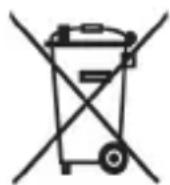
- Uw u2wuulniu 5, nn lbuynnwuu uwnpuunnnutn u wunlngutn 6tu yunn n awhnuwgul ununnuu wu utuguwju u np hhtun uhuhu:
- 3tunutp tlynnnyu u npwnnnnuiutn u uwnlungutnh aunnuugu u utnpntjwl atn tynniu nnniuw ywnuutnh:
- Uhuunwhuwuhh nuunwuwun12wqwnju lnjuh luwwu wwniuwunl uunhy:Uh paunnuwgnnp nunnwuwun12wqwnju lnjuh luwwu ununnwyu uyugwnjhu wnh htn, bp wju wnntu paunnuwgwu hwuw: Rwadupwju uywn2wuyw w2unnwuw huwupwu uyunnu:
The text is in Armenian and appears to be a technical notice. Translation: "The device is designed for measuring the level of liquids, which is used in various fields. The principle of operation is based on the measurement of pressure."
Translation: "The device consists of a sensor, a transmitter, and a display unit. The sensor is installed in the tank, and the transmitter converts the signal into a standard output signal."
Translation: "The device is powered by a DC voltage, and the output signal is proportional to the level."
Translation: "The device can be equipped with various types of sensors, such as hydrostatic, ultrasonic, and radar. The choice of sensor depends on the application and the properties of the liquid."
Translation: "The device has a built-in microprocessor that processes the signal and displays the level on the screen. The device can be configured using the buttons on the front panel."
Translation: "1. Before starting the device, check the power supply voltage. Connect the device to the power source and turn it on. The display will show the current level."

Translation: "2. To calibrate the device, use the calibration menu. 3. For the first calibration, set the empty level by pressing the button for 5 seconds. Then set the full level by pressing the button for 5 seconds. 4. The device will automatically calculate the calibration curve. 5. For the second calibration, repeat the same procedure. 6. To set the output signal, use the output menu."
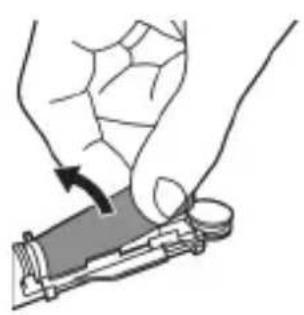
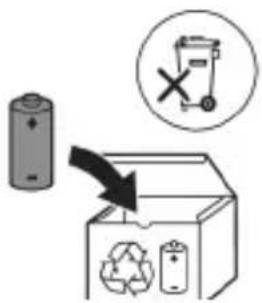
Translation: "7. To set the output signal range, use the output menu. The device will automatically adjust the output signal. 8. To reset the device to factory settings, press and hold the button for 10 seconds."
Translation: "To exit the menu, press the button. The device will save the settings and return to normal operation."
Translation: "9. To check the device, use the test function. The device will perform a self-test and display the result. If the test fails, check the connections and the power supply."
Translation: "The device is protected against reverse polarity and overvoltage. The housing is made of durable plastic. The device is easy to install and maintain."
Congratulations on your purchase and welcome to the Philips Sonicare family! To fully benefit from the support that Philips Sonicare offers, register your product at www.philips.com/welcome.
Important safety instructions
Read these instructions carefully before using the appliance. Save these instructions for future reference. Danger: To reduce the risk of electric shock, do not place or store the appliance where it can fall or be pulled into water or any other liquid.
Warning
- To reduce the risk of burns, electrocution, fire, or injury to persons:
- Do not use this appliance if it has a damaged cord or plug, if it is not working properly, if it has been dropped or damaged, or if it has been dropped into water. Contact Philips Consumer Care for information on examination, repair, or adjustment.
- Register your product with Philips
- Register your product online. Register your
- Register your product online. Register your
- Register your product online. Register your
- Register your product online. Register your
- For proper operation, the device must be installed in accordance with the instructions. The manufacturer is not responsible for any damage caused by improper installation. The following safety precautions must be observed: before installation, ensure that the power is disconnected, and use the appropriate tools.
- The device should be mounted on a stable surface to prevent vibration.
- The electrical connections must be made by a qualified technician.
- For optimal performance, the device should be kept away from direct sunlight and moisture.
- The warranty is void if the device is opened or tampered with by unauthorized personnel.
- Regular maintenance is recommended to ensure long service life. If any malfunction occurs, contact the service center immediately. Do not attempt to repair the device yourself.
- 56n08ynn 2amny6jn abmmmo 0o3 36n6no6 gnonsq.
- 5m aggbmon UV b6n8g mnu ymmnnb3g mnu b6smonb 6snyms, mmogus n b6gmns.
- 26y3000 yfym000m n 6 ymy6yymn 5a3nol 4m62 58mnlnu m3nlu 2ammy6jdo. 8am33000 58mnlu m3n ym30m 3 m3jdn 6 ygmnn dvmg, my 26n6n6jdo 330nnu 6nd6jdon.
- dmfnnogm gomml 800gndu 56 dmmlnu 80nnu 3nmgndoos 3nmgssn 3bdo. 2bdo, 2g038, 2budmm, 2gmn 3m8nns 330mbl.
- 26y3n0g am6ymommmnub gadmy6gds 85uoyomn uomd0mmgl/nd, on 8amyo6gon dagogaaogannm n3b8o0 unubmg6s b6 onn unubmg6s 1 33nml 86a3mmosan admy6gonb adgo8 33m3 gnbn6gds, su39, onbmdgmfnb 6 3n3mnbl 83md6gonb adonb33sn.
- my aoluym 2 m3jdn mnmsmynn 6 mndnmgonl m3jnsn honfohgon, sdo ambymonmmnonl 8aamy6gdsagog gouysongon bmoaahmmal.
- mj ymjjhm 3umnmlndymsomn 6 lb3o nd3m6b0nmdgymn dmymnmms 3d3m, admy6doagw guy3aonmn o35b jndu 6 nd3m6b0nmdgymn dmymnmnn abamdgml.
- my bdoqon6m 3mmoogdgon 8gd30, od dmbyommonu 8ammy6gdoag 8oJbgo nd356u nnad.
- 3b am6ymo mmos 3n mgoon 3ngognb gmls6yms 00 sm smn b6gmo36mnn moag6n838n60 gadmy6gmo so maommmn dmabnymgonbsu 6 agusosanu g6guoymgosan.
n6bfojgJ3o 00fomnb yosogmombn bgsbdo
- 3b am6ymoangmoa oanB3u oohgob, mdoomos amngo aodmogmoa dbmm 3mgobnbumn u an
- 3sdmny60n gl 3mmgjdo n abmmng dnbn o5nb6ymgjdo nssdo. yngmogjdo n bn3no8n gn n6gmndns 3mmgjdo n, anbn do s6mgo n s6b6ymgjdo n aadmy6jdoag o agn6sbom n usdmasmm dmb6mgonblnbl. sm6mdo s6my6jdo, agsdmm, dmso m bs6mnbqdo o uynnm8ym g8ns6jdoag dn3ny35ml. dm6mo9ymgn sgluy6mgon agsdmm 85bb33900mg jlb3000lb33mmgjfobn3nl.
- Philips consumer lifestyle
- This is a general notice.
- This notice applies to the following models: TCBxxxx, HX6100, HX6110, HX6160, and WAAxxx.
- The device is intended for use in the home and similar applications. It is not intended for use in commercial or industrial environments, nor for use in vehicles or outdoors. Use only the accessories provided with the device.
- This device is not intended for use by persons with reduced physical, sensory or mental capabilities, or lack of experience and knowledge, unless they have been given supervision or instruction concerning use of the appliance by a person responsible for their safety.
- Children should be supervised to ensure that they do not play with the appliance. The device is not intended for use by persons with reduced physical, sensory or mental capabilities, or lack of experience and knowledge, unless they have been given supervision or instruction concerning use of the appliance by a person responsible for their safety.
- If the supply cord is damaged, it must be replaced by the manufacturer, its service agent or similarly qualified persons in order to avoid a hazard. Do not use the appliance if the cord or plug is damaged, or if the appliance has been dropped or damaged.
- Do not use the appliance near water or in a bathroom. Do not use the appliance with wet hands. Do not use the appliance outdoors. Do not use the appliance in a place where it can fall into water.
- Keep the appliance dry. Do not immerse the appliance in water or any other liquid.
- Operating temperature: 0°C to 40°C. Storage temperature: -20°C to 60°C.
Battery type: Lithium-ion
0-10°C-60°C-
Electromagnetic field (EMF)
Philips Sonicare is designed to limit the electromagnetic field to safe levels, in accordance with international standards.
Regulatory compliance
This device complies with the essential requirements and other relevant provisions of Directive 2014/53/EU, including Bluetooth and NFC.
- Bluetooth operates in the 2.4 GHz band (2.400-2.4835 GHz). - Maximum Bluetooth transmit power: 3 dBm. - NFC operates at 13.56 MHz. - Maximum NFC transmit power: 30.16 dBm.
For further information, please visit:
www.philips.com/support
Note: Specifications are subject to change without notice.
Disposal of this product
Bluetooth and NFC.
Philips Sonicare BrushSync technology, 360
BrushSync: 16 g96gns 3dsmoB abmmnBrushSync f6mmmgonb djm6j Philips Sonicare-nu 80mnob 33no6 no30no6.
1. Remove the protective cap from the brush head and rinse the brush head under running water. 2. Place the brush head on the handle, aligning the brush head with the handle. Press the brush head down until it clicks into place. The brush head is now ready for use. 3. To remove the brush head, pull it straight off the handle. The brush head is designed for use with the Philips Sonicare BrushSync technology.
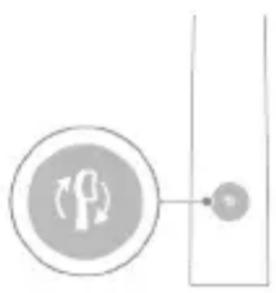
The brush head should be replaced every 3 months for optimal results. Replace the brush head if it shows signs of wear, such as bent or broken bristles.
3. To charge the brush, place the handle on the charger base and plug the charger into an electrical outlet.
Note: The Philips Sonicare for Kids brush head is compatible with the Philips Sonicare for Kids handle.
Philips Sonicare for Kids. The brush head is designed for children.
4. To clean the brush head, rinse it under running water after each use. 5. To store the brush, place it in a dry place, away from direct sunlight.
Note: The brush head is not dishwasher safe.
Note: Do not use the brush head if the bristles are bent or broken.
Note: The brush head should be replaced every 3 months or sooner if the bristles are frayed.
The brush head is compatible with the Philips Sonicare handle.
The brush head is not compatible with other toothbrush handles.
Philips Sonicare 6000, 5000, 3000, 1000, and 28 series brush heads are compatible with the Philips Sonicare handle.
Note:
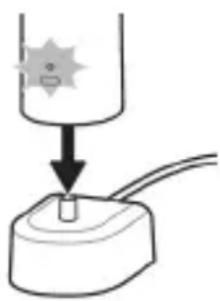
Note: The UV sanitizer is not included.
1. Read all instructions before using this product. - Save these instructions for future reference, and follow all warnings. - 2. When using electrical products, especially when children are present, basic safety precautions should always be followed, including the following.
WARNING
To reduce the risk of electrocution:
1. Do not place or store the product where it can fall or be pulled into a tub or sink.
2. Do not place in or drop into water or other liquid.
3. Do not reach for a product that has fallen into water. Unplug it immediately.
4. Do not use while bathing.
5. Do not place or store the product where it can fall or be pulled into a tub or sink.
6. Do not place in or drop into water or other liquid.
| buj6jyj yj330mnm 66366- | |
| buj6jyj yj330mnm 66366- | |
| buj6jyj yj330mnm 66366- | |
| buj6jyj yj330mnm 66366- | |
| buj6jyj yj330mnm 66366- | |
| buj330gjyj | buj6jyj yj330mnm 66366- |
| buj330gjyj | buj6jyj yj330mnm 66366- |
| buj330gjyj | buj6jyj yj330mnm 66366- |
| buj330gjyj | buj6jyj yj330mnm 66366-2-5-1-5-1-5-1-5-1-5-1-5-1-5-1-5-1-5-1-5-1-5-1-5-1-5-1-5-1-5-1-5-1-5-1-5-1-5-1-5-1-5-1-5-1-5-1-5-1-5-1-5- |
| buj330gjyj | buj6jyj yj330mnm 66366- |
| buj330gjyj | buj6jyj yj330mnm 66366- |
| buj330gjyj | buj6jyj yj330mnm 66366 |
| buj330gjyj | buj6jyj yj330mnm 66366 |
| buj330gjyj | buj6jyj yj330mnm 66366 |
| buj330gjyj | buj6jyj yj330mnm 66366 |
| buj6jyj yj330mnm 66366 | |
| buj6jyj yj330mnm 66366 | |
| buj6jyj yj330mnm 66366 | |
| buj6jyj yj330mnm 66366 | |
| buj6jyj 66366 | |
| buj6jyj yj330mnm 66366 | |
| buj6jyj yj330mnm 66366 | |
| buj6jyj yj330mnm 66366 | |
| buj6jyj yj330mnm 66366 | |
7. Do not reach for a product that has fallen into water. Unplug it immediately.
| 6s6nmmfmo3 l3b0 46366g gndgndg - | |
| gddomn dm3n2n2d | l6b6mynn 3a3mlg3d3 3 10865mb 866g6gnb aagc |
| 366mnn dm3n2n2d | l6b6mynn 3a3mlg3d2-5 5 10865mb 866g6gnb aagc |
8. Do not use while bathing.
9. Do not place or store the product where it can fall or be pulled into a tub or sink. Philips Sonicare is not intended for use by children or persons with reduced physical, sensory, or mental capabilities.
10. Do not place in or drop into water or other liquid. If the product falls into water, unplug it immediately.
11. Do not use while bathing.
12. Do not place or store the product where it can fall or be pulled into a tub or sink.
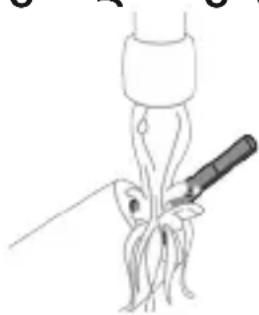
1 ambu6n 8mnb n 3n 0o 8o3mgn 9o oomn b 6b6n m onmn 6ymn. 6m6g6gon, m dmoang 6mh6n 3ngmnl 3sfo.
8oogmnbngos: 6n 0063gno n8n6nb uommb aoumnb oon8j agnmo n 66gon, no8o6u andmgds 8ns6n 6amn63nml.
2 8o0a0mogon lobgmyfnn 8g0s3n6mnm 6gfnnn.
g6nd36: sm hysd2oBubymn 6ngmuaq gon 6ymnb aMbsnmgmo.
58fnnbmb3n
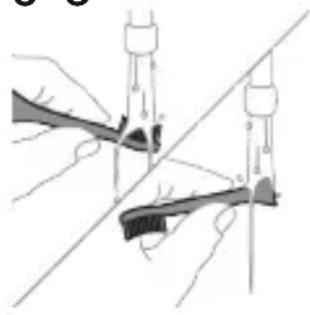
1 83mnnn nnnn nn 3b 05 8my m ym3mn 3g onn 3g 2 20300000000000000000000000000000000000000000000000000000000000000000000000000000000
amgogmnb 6mabnub gosmms
IIOI IINN NINNININNINN, Sonicare
.
:nnn nn nnnn nn nnnn
www.philips.com/support
NINIOXUNYTD
unun 97.tun nn n7wn7n nn un
y7n n971 77 u,17u Dn nn 7710,
77v |127 uinu. 77v |17nIN nnu71 77w uinn
www.philips.com/support
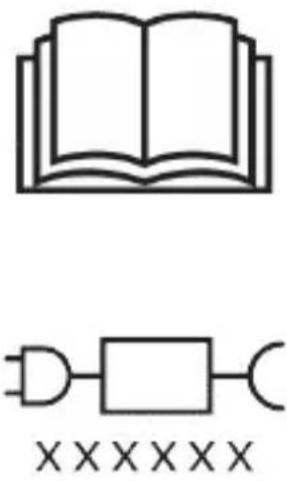
NFC and Bluetooth connectivity for easy pairing with your smartphone.
For more information, see the user manual.
To register your product, visit www.philips.com/welcome and enter the model number (e.g., TCBxxx, HX6100, HX6110).
(WAAxxxx IX HX6160
ProtectiveClean technology helps you get a gentle and effective clean.
EasyStart helps you gradually get used to the Sonicare toothbrush.
.Philips Sonicare
NINXIVD
.
NIXNXIN
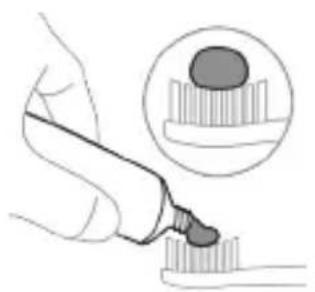
nnn7u n07 nno nn7 1
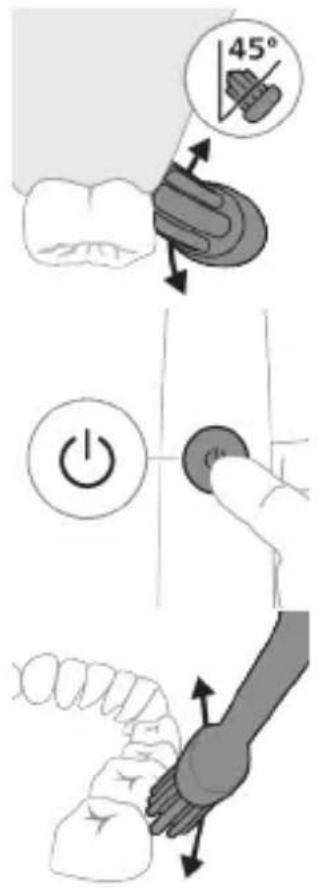
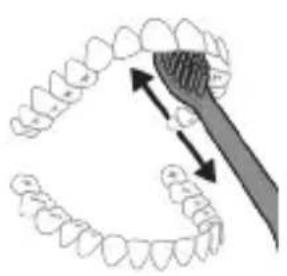
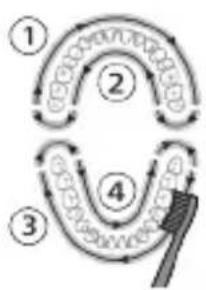
.901 yT7 www.philips.com/toothbrush-heads
#
-7
-Quac
-Smar
-EasyS
-
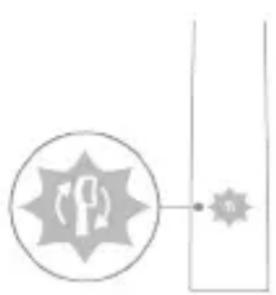
y7
Quadpacer: (with interval timer)
Quadpacer
QuadPacer is a session timer that beeps every 30 seconds to help you brush evenly.
SmarTimer
SmarTimer tracks your brushing time and automatically turns off after 2 minutes.
SmarTimer: automatically turns off after 2 minutes of brushing.
EasyStart
EasyStart: Philips Sonicare EasyStart gently increases power over the first 14 brushings.
EasyStart: (with EasyStart) gradually increases power.
Brush head replacement reminder
BrushSync: Philips Sonicare BrushSync technology.
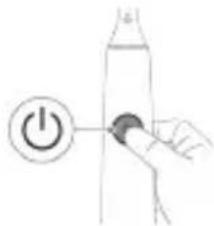
EasyStart


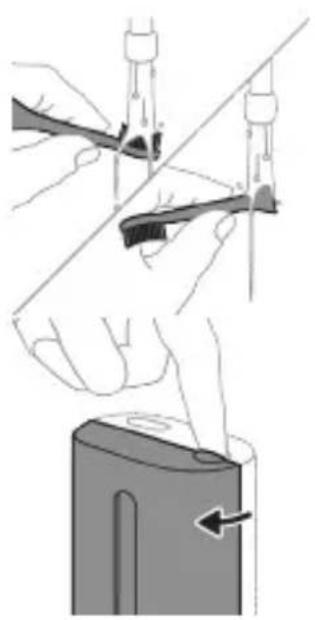
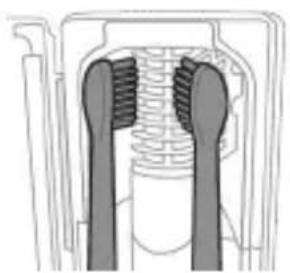
Philips Sonicare
Philips Sonicare 7
forKids
(yoy)
y777777777777777777777777777
.771on nn nn nn 771on Iiinn
n7710 jinn n7710 xn
777777777
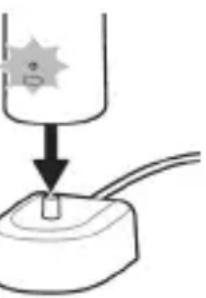
307n7
(ynnnnnn nn nnnn) 77ion
n7710|110,ny 1y n7710
77n7710 11nn n7710
-7D 7777 -7n7n7n7n
3 7
ywnnyn
7u 2 0719 n n n nn7 5
y
11111111111111111111
The device is designed to be used with the following.
nX, nY 7777777777777777777777777777777777
The device is designed to be used with the following.
The device is designed to be used with the following.
The device is designed to be used with the following.
The device is designed to be used with the following.
3 7
The device is designed to be used with the following.
The device is designed to be used with the following.
y
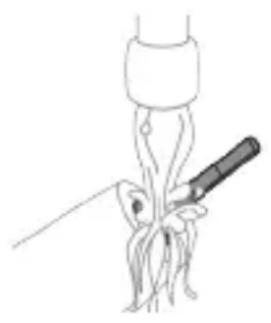
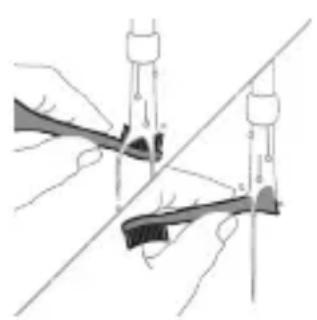
The device is designed to be used with the following.
The device is designed to be used with the following.
nX, nY 770770777777777777777777777777777
17
D
If you do not understand, do not do it: this is the rule.
.7 70n9 2
.1977777777777777
wnnn
1 2
1 2
NIVIO 7
9 77 77 77 77 77 77 77 77 190
XONON 17
qow7 IN Dn nn nnn nn nn 707 nn nn .nnnnnn
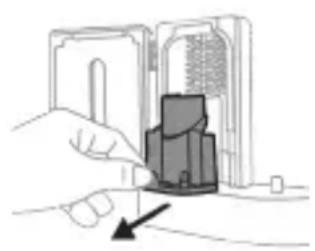
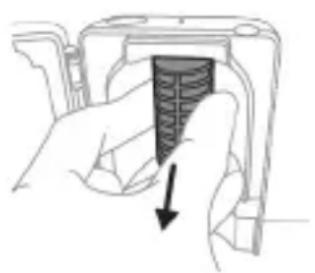
UNN 7UV-nnnn nn
.
.1777
1
(HX64XX, HX68XX) 0Tn 900
ninnnn
77777777n,nnn n77
https://www.philips.co.il/c-w/support-home.html
NNNNnNn
:nnnnn nn 777 n
口D
-1N D
.
-117
-1X
-UVT
#
-
-07
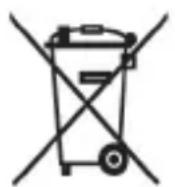
n7nn nnn nn 109n Dn nn 7n7 nity
.77101 77un
nixion7u.nnnnnn7109nyUV-nnn
.
nynnn nn nn
yIN 77n77n77n77n
NT17 7710 NXYIN 97.7WnNnNO
.1017n7 n7n 7710u
y nny ny dnu nnin noyn 7017
Nn nn nn nn nn nn nnnn 7 D7D7
y7 977 .nynn
.
XIN, D'NTW XTTI7 W, N7102 7191n ny
.
IX,INONNX7N7ION 7Y7Y7Y7D Y9N DY INX7N7ION 2017 Y9X7 IX. (NIYIO, YIY NIO, INONNIT) DNNN IN7N7 IN NNOY7ION NXQV7 IN7N7 IN 7Y 90170 Y INX7UNY 97Y0079
nynnnn nn
707 777 777 777 777 777 777 777 777 777 777 777 777 777 777 777 777 777 777 777 777 777 777 777 777 777 7
1 7 7777777777777777777777777777777777777777777777
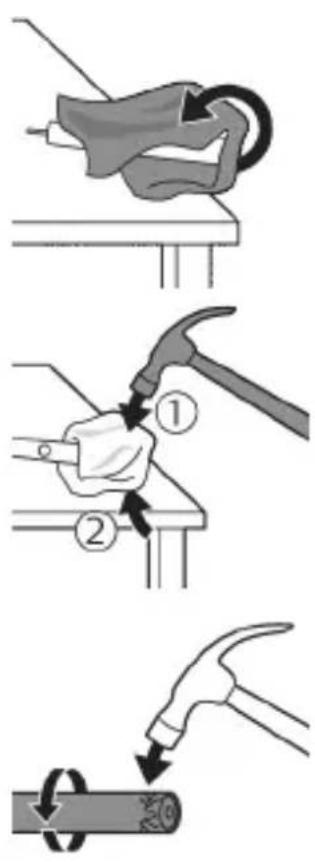
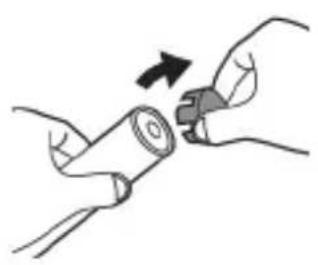
JNNN 7y J7ynn 77nn7 3 n7 .JNNN 77 yN00n n nn XIN7 DTTN Nn 7000n7TIN .
7777777777777777777777
4 1000000000000000000000000000000000000000000
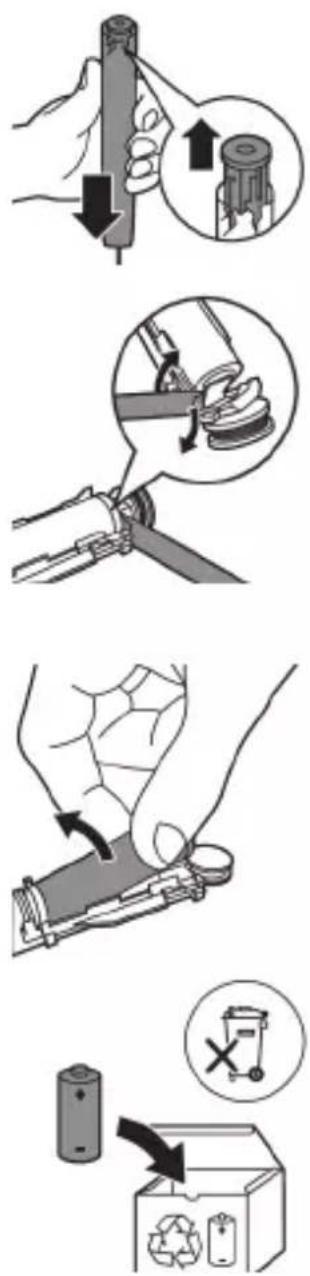
nwn7ynon197yin77i,ni9n nnn7 5 n77Dnnnnx7 Dn9n DnDn .nu7 Dn9n Dnnu T3 7u 7nu n7 u, nn .
nINUNN7 7710|JINN7 6 JINIO7 JINN7.0000000000000000000000000000000000000000000000000000000000000000000000000000000000000000000000000
77 77 77 77 77
77 77 77 77 77 77 77 77 77 77 77 77 77 77 77 77 77 77 77 77 77 77 77 77 77 77 77 77 77 77 77 77

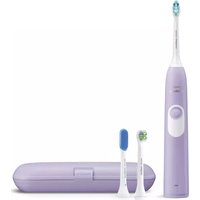


- IMPORTANT SAFETY INFORMATION
- WARNINGS
- BATTERY SAFETY INSTRUCTIONS
- STORAGE AND TRANSPORTATION CONDITIONS
- ELECTROMAGNETIC FIELDS (EMF)
- RADIO EQUIPMENT DIRECTIVE
- WWW.PHILIPS.COM/SUPPORT
- INTENDED USE
- YOUR PHILIPS SONICARE (FIG 1.)
- ACCESSORIES
- GETTING STARTED
- USING YOUR PHILIPS SONICARE TOOTHBRUSH
- FOR MODELS WITHOUT INTENSITIES
- FOR MODELS WITH INTENSITIES
- BRUSHING INSTRUCTIONS
- QUADPACER
- MODES
- CLEAN
- INTENSITIES (SPECIFIC MODELS ONLY)
- BRUSHSYNC TECHNOLOGY
- FEATURES
- PRESSURE SENSOR FEEDBACK
- SMARTIMER
- EASYSTART
- BRUSH HEAD REPLACEMENT REMINDER
- ACTIVATING OR DEACTIVATING FEATURES
- UV SANITIZER
- CHARGING AND BATTERY STATUS
- CHARGING
- CHARGING ON CHARGER OR UV SANITIZER
- BATTERY STATUS
- BATTERY STATUS (HANDLE ON PLUGGED-IN CHARGER)
- BATTERY STATUS (HANDLE ON PLUGGED IN CHARGER/CHARGING TRAVEL CASE)
- BATTERY STATUS BATTERY INDICATOR
- BATTERY STATUS (WHEN HANDLE IS NOT PLACED ON CHARGER)
- BATTERY STATUS BATTERY INDICATOR SOUND
- CLEANING
- TOOTHBRUSH HANDLE
- BRUSH HEAD
- CHARGER
- TRAVEL CASE
- CLEANING THE SANITIZER
- STORAGE
- REPLACEMENT
- LOCATING THE MODEL NUMBER
- WARRANTY AND SUPPORT
- WARRANTY EXCLUSIONS
- RECYCLING
- REMOVING THE RECHARGEABLE BATTERY
- INTRODUCTION
- MODEL WITHOUT INTENSITY REGULATION
- MODEL WITH INTENSITY REGULATION
- BATTERY STATUS (WHEN THE HANDLE IS NOT PLACED ON THE CHARGER)
- SOUND
- FOR MODELS WITHOUT INTENSITY SETTINGS
- FOR MODELS WITH INTENSITY SETTINGS
- FUNCTIONS
- PRESSURE SENSOR ALERT
- MODELS WITH INTENSITY LEVELS
- YOUR PHILIPS SONICARE DEVICE (FIG. 1.)
- REPLACE REMINDER
- ULTRAVIOLET DISINFECTANT
- STORAGE AND TRANSPORT CONDITIONS
- FOR A GENTLE CLEANING EXPERIENCE
- FOR AN INTENSIVE CLEANING EXPERIENCE
- INTENSIVE CLEANING (ONLY FOR SPECIFIC MODELS)
- FEEDBACK FROM THE PRESSURE SENSOR
- GUARANTEE AND SUPPORT
- KYRGYZ
- PRODUCT INFORMATION
- EXPERTS
- PHILIPS SONICARE TOOTHBRUSH (FIG. 1)
- CHARGE THE TOOTHBRUSH AND THE UV SANITIZER
- BATTERY STATUS (WHEN CONNECTED TO THE ADAPTER)
- BATTERY STATUS INDICATOR
- BATTERY STATUS (WHEN THE ADAPTER IS NOT CONNECTED)
- WASH THE FABRIC BY HAND
- FABRIC CARE
- IRONING
- DRYING INSTRUCTIONS
- CAUTION
- SUPPORT
- WARRANTY RESTRICTIONS
- KAIPA NWTETYY
- REPLACING THE BATTERY
- WARNING
- YOUR PHILIPS SONICARE (FIG. 1)
- ADDITIONAL
- ACTIVATING OR DEACTIVATING FUNCTIONS
- ADDITIONAL ACCESSORIES
- REDUCER
- ICTNΦOJAN NE6HNSHYDA
- PHILIPS SONICARE»-ИШУMO (PACM1)
- JLABO3NMOT
- OFO3N KOP
- BA3BNATN 6ATAPEY (BAKTE KN IACTAKN UYTKA IAP 6APKNYPKYHAHDA QORNP KAPDA HAUYAACT)
- SPECIFICATIONS
- EASYSTART "EASY START
- OR
- DISINFECTION BLOCK WITH UV LAMP
- BATTERY DISPOSAL
- SAFETY INSTRUCTIONS
- ELECTRICAL
- BATTERY SAFETY WARNINGS
- CHARGING THE BATTERY
- CHARGING OR DISINFECTING
- BATTERY LEVEL BATTERY INDICATOR
- BRUSH MAINTENANCE
- HANDLE
- CLEANING THE DISINFECTORS
- DISPOSAL
- USING THE DEVICE
- YOUR PHILIPS SONICARE (U4.1.)
- PHILIPS SONICARE BRUSH HEAD REPLACEMENT
- SETTINGS
- PRESSURE SENSOR
- NOTE
- BRUSH HEAD REPLACEMENT
- POWER ON
- CHARGING THE TOOTHBRUSH WITH THE USB CHARGING CABLE
- BATTERY INDICATOR LIGHT (ON THE TOOTHBRUSH HANDLE)
- DO NOT USE THE DEVICE IF IT IS DAMAGED OR HAS VISIBLE SIGNS OF DAMAGE, SUCH AS CRACKS OR BREAKS
- DEVICE DESCRIPTION AND SPECIFICATIONS
- DO NOT USE THE DEVICE IF IT IS DAMAGED OR HAS BEEN DROPPED
- DEVICE SPECIFICATIONS
- DEVICE DIMENSIONS
- WEIGHT
- POWER CONSUMPTION
- JNQUUWH QLUH
- LHGPWULNNH
- ZHUYNWUYU WUNJW
- UHUNUHUHS UWPNNIUN
- ΦNHUUNU
- HUUTU QUNUTUNNTIH HUAUNN
- TNW2UHP U W2WUGNUF
- TNW2UHPHPWGUUNNPNNTU
- NUIUYNIU
- IMPORTANT SAFETY INSTRUCTIONS
- N6BFOJGJ3O 00FOMNB YOSOGMOMBN BGSBDO
- ELECTROMAGNETIC FIELD (EMF)
- REGULATORY COMPLIANCE
- THE BRUSH HEAD IS NOT COMPATIBLE WITH OTHER TOOTHBRUSH HANDLES
- NOTE: THE UV SANITIZER IS NOT INCLUDED
- TO REDUCE THE RISK OF ELECTROCUTION
- DO NOT USE WHILE BATHING
- DO NOT PLACE IN OR DROP INTO WATER OR OTHER LIQUID
- DO NOT PLACE OR STORE THE PRODUCT WHERE IT CAN FALL OR BE PULLED INTO A TUB OR SINK
- FNNBMB3N
- AMGOGMNB 6MABNUB GOSMMS
- NINIOXUNYTD
- Y
- N7710 JINN N7710 XN
- (YNNNNNN NN NNNN) 77ION
- N7710 11NN N
- THE DEVICE IS DESIGNED TO BE USED WITH THE FOLLOWING
- D
- WNNN
- UNN 7UV-NNNN NN
- NINNNN
- NNNNNNN
- NYNNN NN NN
- NYNNNN NN
Brand : PHILIPS
Model : Sonicare ProtectiveClean 4300 HX6803
Category : Electric toothbrush