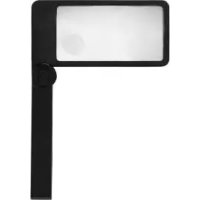
Z29652A - Reading magnifier AURIOL - Free user manual and instructions
Find the device manual for free Z29652A AURIOL in PDF.



Frequently Asked Questions - Z29652A AURIOL
User questions about Z29652A AURIOL
0 question about this device. Answer the ones you know or ask your own.
Ask a new question about this device
Download the instructions for your Reading magnifier in PDF format for free! Find your manual Z29652A - AURIOL and take your electronic device back in hand. On this page are published all the documents necessary for the use of your device. Z29652A by AURIOL.
USER MANUAL Z29652A AURIOL
Operation and safety notes
NL BE
LED-LEESLOEP
natural_image
3D model of a rectangular tray with a circular button labeled '5' pointing to the side (no text or symbols on the tray itself)natural_image
Simple line drawing of a human hand holding an object, no text or symbols presentnatural_image
Symbol of a trash bin with two crossed x-axes, no text or numbers presentList of pictograms used ...... Page 22
Introduction Page 22
Intended use ...... Page 23
Description of parts ...... Page 23
Technical data Page 24
Includes....Page 24
General safety instructions ...... Page 25
Safety instructions for batteries/ rechargeable batteries...... Page 27
Before use...... Page 29
Start of operation...... Page 29
Inserting batteries ...... Page 29
Use Page 30
Using the product ...... Page 30
Replacing the batteries...... Page 30
Cleaning and care...... Page 31
Disposal Page 31
Warranty Page 33
Warranty claim procedure ...... Page 34
Service...... Page 35
| List of pictograms used | |
 | Direct current/voltage |
 | Volt |
 | Watt |
  | Batteries are included. |
LED magnifying glass
- Introduction
We congratulate you on the purchase of your new product. You have chosen a high quality product. The instructions for use are part of
the product. They contain important information concerning safety, use and disposal. Before using the product, please familiarise yourself with all of the safety information and instructions for use. Only use the product as described and for the specified applications. If you pass
the product on to anyone else, please ensure that you also pass on all the documentation with it.
Intended use
The product is designed for 2-/6-fold magnification of objects. The integrated LEDs only serve for better contrast and shadow-free visualization of the object to be enlarged. The product is intended for indoor use only. The product is not intended for commercial use or for use in other applications.
text_image
Not suitable for household room illumination.• Description of parts
1 Lens
2 Battery compartment cover
3 Battery
4 LED
5 ON/OFF switch
- Technical data
LED: 3.2 V, 0.1 W
Batteries - +: 2 x 1.5 V, AAA Type-
Magnification: 2x/6x
Chromaticity coordinate: X < 0.27
Includes
Immediately after unpacking please check the package contents for completeness and if all parts and the product are in good condition. Do not under any circumstances use the product if the delivery is incomplete.
1 x Magnifying glass with LED light
2 x Battery, 1.5 V=, AAA
1 x Pouch
1 x Instructions for use

Batteries are included.

General safety instructions
KEEP ALL THE SAFETY ADVICE AND INSTRUCTIONS IN A SAFE PLACE FOR FUTURE REFERENCE!
natural_image
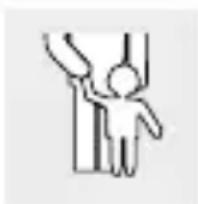
Simple line drawing of a human hand holding an object, no text or symbols presentWARNING! DANGER OF DEATH AND ACCIDENTS FOR TODDLERS AND CHILDREN! Never leave children
unsupervised with the packaging material. The packaging material represents a danger of suffocation. Children frequently underestimate the dangers. Always keep children away from the packaging material. This product is not a toy.
This product can be used by children aged from 8 years and above and persons with reduced physical, sensory or mental capabilities or lack of experience and knowledge if they have been given supervision or instruction concerning use of the product in a safe way and understand the hazards involved. Children shall not play with the product. Cleaning and user maintenance shall not be made by children without supervision.
CAUTION! RISK OF INJURY! Please do not use this product if you find that it is damaged in any way.
Check whether all of the parts are correctly fitted. If the product is not correctly assembled there is a danger of injury.
- Keep the product away from humidity.
CAUTION! RISK OF INJURY! Never look at the sun or other sources of light through the magnifying glass. This could result in serious eye injuries.
CAUTION! FIRE HAZARD! Never expose the magnifying glass to direct sunlight or other sources of light. Do not
leave the product unattended. Otherwise there is a risk of fire through concentrated light rays and concentrated heat.
Do not subject the product to any extreme temperatures or severe mechanical stress. Otherwise this may result in deformation of the product.
Make sure that the lens does not come into contact with sharp or pointed objects. Otherwise this may result in damage to the product.

Safety instructions for batteries/rechargeable batteries
■ DANGER TO LIFE! Keep batteries/rechargeable batteries out of reach of children. If accidentally swallowed seek immediate medical attention.
■ Swallowing may lead to burns, perforation of soft tissue, and death. Severe burns can occur within 2 hours of ingestion.
text_image
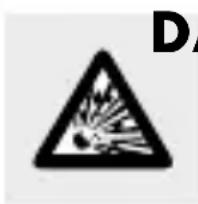
DDANGER OF EXPLOSION! Never
recharge non-rechargeable batteries. Do not short-circuit batteries/rechargeable batteries and/or open them. Overheating, fire or bursting can be the result.
■ Never throw batteries/rechargeable batteries into fire or water.
Do not exert mechanical loads to batteries/rechargeable batteries.
Risk of leakage of batteries/rechargeable batteries
Avoid extreme environmental conditions and temperatures, which could affect batteries/rechargeable batteries, e.g. radiators/direct sunlight.
If batteries/rechargeable batteries have leaked, avoid contact with skin, eyes and mucous membranes with the chemicals! Flush immediately the affected areas with fresh water and seek medical attention!

WEAR PROTECTIVE GLOVES!
Leaked or damaged batteries/rechargeable batteries can cause burns on contact with the skin. Wear suitable protective gloves at all times if such an event occurs.
In the event of a leakage of batteries/rechargeable batteries, immediately remove them from the product to prevent damage.
Only use the same type of batteries/rechargeable batteries. Do not mix used and new batteries/rechargeable batteries.
■ Remove batteries/rechargeable batteries if the product will not be used for a longer period.
Risk of damage of the product
Only use the specified type of battery/rechargeable battery!
Insert batteries/rechargeable batteries according to polarity marks (+) and (-) on the battery/rechargeable battery and the product.
Use a dry lint-free cloth or cotton swab to clean the contacts on the battery/rechargeable battery and in the battery compartment before inserting!
■ Remove exhausted batteries/rechargeable batteries from the product immediately.
Before use
Note: Remove all packaging materials from the product.
- Start of operation
- Inserting batteries
☐ Pull off the battery compartment cover in the direction of the arrow.
☐ Insert the two supplied batteries into the battery compartment.
Note: Ensure correct polarity. This is indicated in the battery compartment.
□ Push the battery compartment cover back on to the handle until it engages.
Use
• Using the product
Slide the ON/OFF switch in the direction of the lit bulb icon 🌿 to switch on the LED 4.
Slide the ON/OFF switch in the direction of the turned off bulb icon 🔒 to switch off the LED 4.
• Replacing the batteries
Pull off the battery compartment cover in the direction of the arrow.
Remove the exhausted batteries.
Insert two new batteries ^3 type 1.5 V=AAA into the battery compartment.
Note: Ensure correct polarity. This is indicated in the battery compartment.
☐ Push the battery compartment cover back on to the handle until it engages.
- Cleaning and care
CAUTION! Clean the lens 1 with great care in order to avoid scratching it.
■ Switch off the product before cleaning.
On no account should you use corrosive or aggressive cleaning agents.
☐ Use a dry, fluff-free cloth for cleaning (not included in delivery).
□ Never immerse the product into water or other liquids.
When the product is not being used it should be stored in such a way that the lens cannot be scratched, e.g. keep in a pouch (included in delivery).
●Disposal
The packaging is made entirely of recyclable materials, which you may dispose of at local recycling facilities.
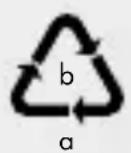
Observe the marking of the packaging materials for waste separation, which are marked with abbreviations (a) and numbers (b) with following meaning: 1–7: plastics/20–22:
paper and fibreboard/80-98: composite materials.

The product and packaging materials are recyclable, dispose of it separately for better waste treatment. The Triman logo is valid in France only.

Contact your local refuse disposal authority for more details of how to dispose of your worn-out product.
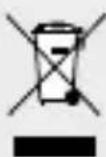
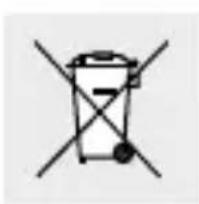
To help protect the environment, please dispose of the product properly when it has reached the end of its useful life and not in the household waste. Information on collection points and their opening hours can be obtained from your local authority.
Faulty or used batteries/rechargeable batteries must be recycled in accordance with Directive 2006/66/EC and its amendments. Please return the batteries/rechargeable batteries and/or the product to the available collection points.
natural_image
Symbol of a trash bin with two crossed x-axes (no text or numbers present)Environmental damage through incorrect disposal of the batteries/ rechargeable batteries!
Batteries/rechargeable batteries may not be disposed of with the usual domestic waste. They may contain toxic heavy metals and are subject to hazardous waste treatment rules and regulations. The chemical symbols for heavy metals are as follows: Cd = cadmium, Hg = mercury, Pb = lead. That is why you should dispose of used batteries/rechargeable batteries at a local collection point.
- Warranty
The product has been manufactured to strict quality guidelines and meticulously examined before delivery. In the event of product defects you have legal rights against the retailer of this product. Your legal rights are not limited in any way by our warranty detailed below.
The warranty for this product is 3 years from the date of purchase. The warranty period begins on the date of purchase. Please keep the original sales receipt in a safe lo-
cation. This document is required as your proof of purchase.
Should this product show any fault in materials or manufacture within 3 years from the date of purchase, we will repair or replace it – at our choice – free of charge to you. This warranty becomes void if the product has been damaged, or used or maintained improperly.
The warranty applies to defects in material or manufacture. This warranty does not cover product parts subject to normal wear, thus possibly considered consumables (e.g. batteries) or for damage to fragile parts, e.g. switches, rechargeable batteries or glass parts.
- Warranty claim procedure
To ensure quick processing of your case, please observe the following instructions:
Please have the till receipt and the item number (IAN 396951_2110) available as proof of purchase. You will find the item number on the rating plate, an engraving on the front page of the instructions for use
(bottom left), or as a sticker on the rear or bottom of the product.
If functional or other defects occur, please contact the service department listed either by telephone or by e-mail. You can return a defective product to us free of charge to the service address that will be provided to you. Ensure that you enclose the proof of purchase (till receipt) and information about what the defect is and when it occurred.
Service
GB Service Great Britain
Tel.: 08000569216
E-Mail: owim@lidl.co.uk
IE Service Ireland
Tel.:1800200736
E-Mail: owim@lidl.ie
CE
natural_image
Simple line drawing of a hand holding an object, no text or symbols presentAVERTISSEMENT! DANGER DE MORT ET RISQUE DE BLESSURE POUR LES ENFANTS ET LES ENFANTS
natural_image
Warning symbol: black exclamation mark inside a triangle (no text or numbers)natural_image
Symbol of a trash bin crossed with two crossed lines, representing waste or discharge (no text or numbers present)natural_image
Simple line drawing of a person standing with arms raised, no text or symbols presentWAARSCHUWING! LEVENSGEVAAR EN GEVAAR VOOR ONGEVALLEN VOOR KLEINE KIN-
natural_image
Symbolic icon of a person recycling a circular arrow, no text or numbers presentnatural_image
Silhouette of a person throwing trash into a bin (no text or symbols)natural_image
Simple line drawing of a trash bin with crossed lines indicating no waste or discharge (no text or symbols)natural_image
Simple icon of an open book with a lowercase 'i' inside, no text or symbols present.natural_image
Simple line drawing of a person standing with arms raised, no text or symbols presentOSTRZEŻENIE! ZAGROŻENIE ŻYCIA ORAZ NIEBEZPIECZEŃSTWO WYPADKU W PRZYPADKU W
natural_image
Symbol of two gloves inside a black circle (no text or numbers)ZAKŁADAĆ RĘKAWICE OCHRONNE!
natural_image
Simple line drawing of a trash bin with crossed handle and base (no text or symbols)natural_image
Symbol of a trash bin with two crossed lines indicating no waste or discharge (no text or numbers present)natural_image
Simple line drawing of a human figure with arms raised, no text or symbols presentVÝSTRAHA! NEBEZPEČÍ OHROŽENÍ ŽIVOTA A ÚRAZU PRO MALÉ DĚTI A DĚTI! Nikdy nenechejte
NOSTE OCHRANNÉ RUKAVICE!

natural_image
Simple line drawing of a trash bin with crossed handle and base (no text or symbols)natural_image
Simple line drawing of a person standing with arms raised (no text or symbols)VAROVANIE! NEBEZPEČEN- STVO OHROZENIA ŽIVOTA A ÚRAZU PRE MALÉ DETI A DETI!
NOSTE OCHRANNÉ RUKAVICE!

natural_image
Symbol of a trash bin with two crossed x-axes (no text or numbers present)natural_image
Simple line drawing of a person standing with arms raised (no text or symbols)text_image
Warning sign with explosion symbol inside triangle, indicating hazard or safety warningnatural_image
Simple line drawing of a person standing with arms raised (no text or symbols)ADVARSEL! RISIKO FOR B∅RNS
text_image
Warning sign with sun, diagonal line, and crossed-out triangle symbol containing a bird silhouettePAS PÅ! RISIKO FOR BRAND!
natural_image
Symbol of two gloves inside a black circle, no text or numbers presentBÆR BESKYTTELSESHANDSKER!
chemical
Recycling symbol with labels a and b, indicating two types of recyclable materialsnatural_image
Silhouette of a person throwing trash into a bin (no text or symbols)natural_image
Simple line drawing of a trash bin with crosshair and horizontal bar (no text or symbols)natural_image
Symbol of a trash bin with two crossed lines indicating no waste or restriction (no text or numbers present)natural_image
Simple line drawing of a human figure with arms raised (no text or symbols)APERICOLONDI
MORTE E DI INCIDENTI PER BAM-
chemical
Recycling symbol with labels a and b, indicating two types of recyclable materialsnatural_image
Symbolic icon of a person recycling with arrows, enclosed in a circle (no text or numbers)natural_image
Silhouette of a person throwing trash into a bin (no text or symbols)natural_image
Simple line drawing of a trash bin with crossed handle and base (no text or symbols)natural_image
Simple line drawing of a trash bin with two crossed lines indicating no text or symbols (no text or numbers present)natural_image
Silhouette of a person throwing trash into a bin (no text or symbols)natural_image
Symbol of a trash bin with two crossed lines indicating no waste or discharge (no text or labels)natural_image
Simple line drawing of a human figure with arms raised, no text or symbols presentOPOZORILO! ŽIVLJENJSKA NEVARNOST IN NEVARNOST NE- ZGOD ZA MAJHNE OTROKE IN
natural_image
Simple line drawing of a trash bin with two crossed lines indicating no text or symbols (no text or numbers present)Pooblaščeni serviser:
OWIM GmbH & Co. KG
Stiftsbergstraße 1
74167 Neckarsulm
NEMČIJA