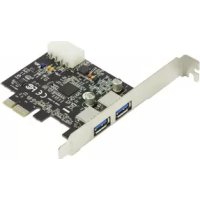
CMPPCIE2USB3 - Network card / adapter KONIG - Free user manual and instructions
Find the device manual for free CMPPCIE2USB3 KONIG in PDF.



| Product Type | Network card / adapter |
| Brand | Konig |
| Model | CMPPCIE2USB3 |
| Bus Interface | PCI-Express 2.0 (x1, x4, x8, x16) |
| Number of USB 3.0 Ports | 2 |
| Maximum Transfer Speed | 5 Gb/s (USB 3.0) |
| Backward Compatibility | USB 2.0 (480 Mb/s) and USB 1.1 (1.5 Mb/s) |
| Chipset | NEC UPD720200 |
| Power Supply | Via PCI-Express bus and 4-pin connector |
| Output Voltage per USB Port | +5 V / 900 mA maximum |
| Plug-and-Play | Yes, hot-swap support |
| Supported Operating Systems | Windows XP / Vista / 7 (32 and 64-bit) |
| System Requirements | Processor ≥ 1.5 GHz, 1 GB RAM, free PCI-Express slot, CD/DVD drive |
| Package Contents | PCI-Express USB 3.0 card, user manual, driver CD, small metal bracket |
| Maintenance | Clean with a dry cloth only, no solvents |
| Safety Instructions | Do not open, unplug in case of problem, avoid water and humidity |
| Warranty | No liability in case of modification or incorrect use |
| General Information | Design and specifications subject to change, trademarks, keep manual |
Frequently Asked Questions - CMPPCIE2USB3 KONIG
User questions about CMPPCIE2USB3 KONIG
0 question about this device. Answer the ones you know or ask your own.
Ask a new question about this device
Download the instructions for your Network card / adapter in PDF format for free! Find your manual CMPPCIE2USB3 - KONIG and take your electronic device back in hand. On this page are published all the documents necessary for the use of your device. CMPPCIE2USB3 by KONIG.
USER MANUAL CMPPCIE2USB3 KONIG
PCI Express Card USB 3.0
ANLEITUNG (s. 7)
PCI Express-Karte USB3.0
MODE D'EMPLOI (p. 12)
Carte PCI Express USB 3.0
MANUAL DE USO (p. 27)
Tarjeta PCI Express USB3.0
HASZNÁLATI UTMUTATO (o. 32.)
PCI Express kártya USB3.0
KÄYTTÖOHJE (s. 37)
PCI Express-kortti USB3.0
- Features
- System requirements
- Installing the hardware device
- Installing the software driver
- Connections
Performance - Package contents
Disclaimer
Introduction:
The new USB 3.0 standard is 10 times faster than USB 2.0. This PCI express card enables you to use this speed to the fullest. It's backwards compatible with USB 2.0 (480 Mbps) and USB 1.1 (1.5 Mbps) so you can still use your old hardware. Move large files quickly from and to external storage devices such as HDDs, digital cameras and other USB devices.
Features:
- 2x Super-Speed USB3.0 (5Gbps) connections.
- NEC UPD720200 chipset.
- Compliant with PCI Express Base Specifications 2.0.
- Compliant with xHCI (eXtensible Host Controller Interface) specifications Revision 0.95.
- Backwards compatible with USB2.0 High-Speed (480Mbps), USB1.1 Low-Speed (1.5Mbps).
- Bus interface: PCI-Express.
- 4-pin power connection for power supply from system.
Supports Plug-n-Play and hot-swapping function.
Each USB port supplies maximum +5V / 900mA power output to USB device.
Supports simultaneous operation of multiple USB 3.0, USB 2.0 and USB 1.1 devices. - Compatible with Windows XP/Vista/7 (32-bit and 64-bit).
System Requirements:
- AMD or Intel Pentium 1.5GHz or better based computer
- Windows® XP / Vista or 7 operating system
1 GB DDR Ram or above.
Free PCI-Express slot with x1, x4, x8 or x16.
CD/DVD-Rom drive
Installing the hardware device:
- Turn your computer off, remove the power connection and the cover from the computer case.
- Remove the metal cover plate on the rear of a PCI-Express card slot.
- Insert the card into the PCI-Express slot and fix it on the brackets side.
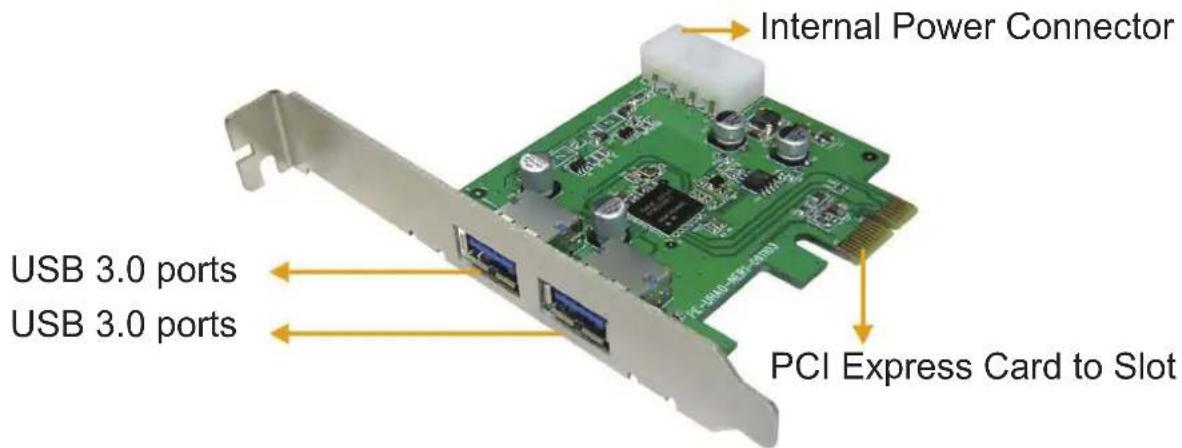
- Connect the internal power on the 4-pin of the PCI-Expres USB3.0 card.
- Place back the cover of the computer case and turn on the computer.
Installing the software driver:
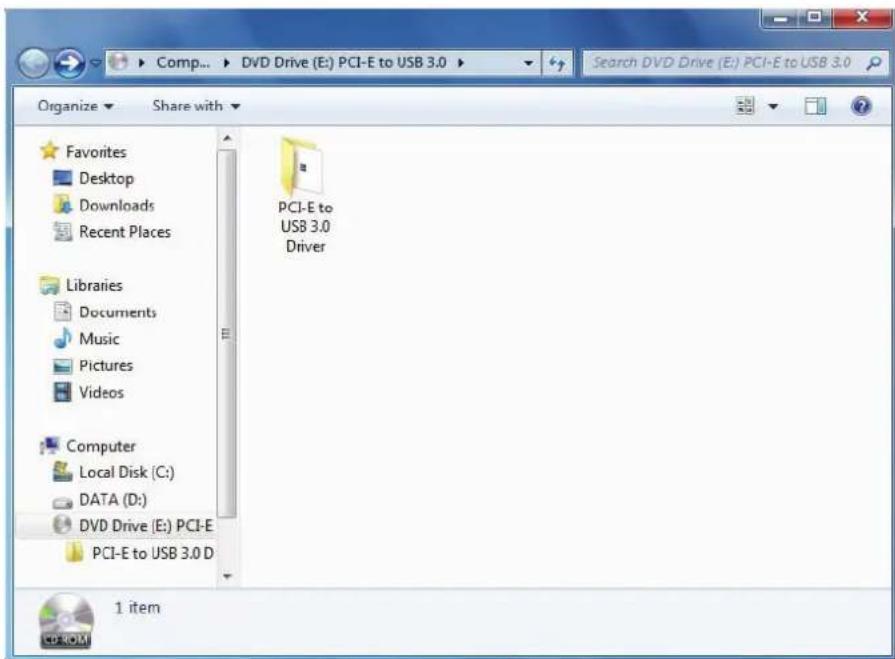
- Please insert the CD into your CD/DVD-ROM drive and click the PCI-E folder.
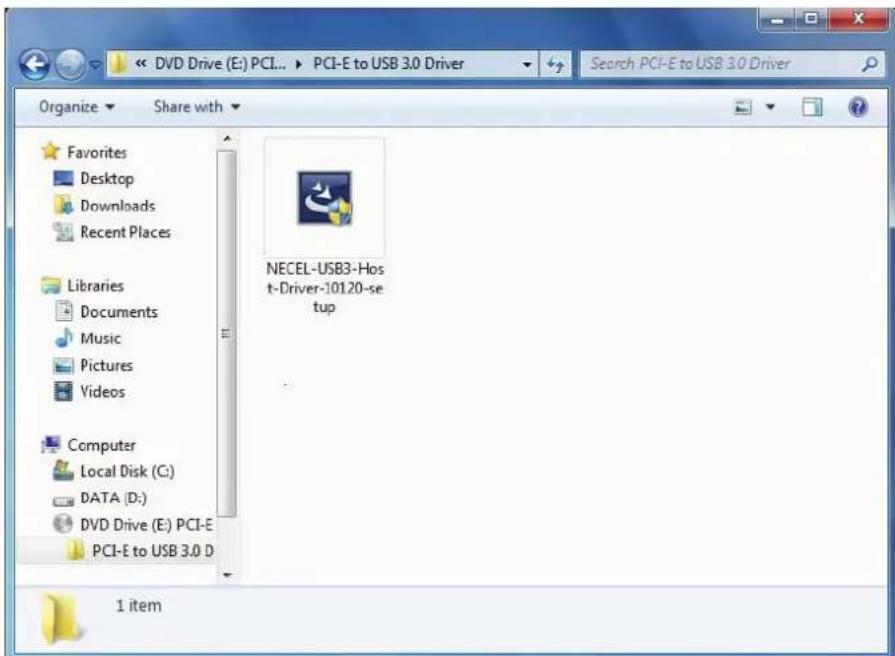
- Please click the "Setup" icon to start the installation.
- When the USB 3.0 Host Controller Driver appears, please click Next.
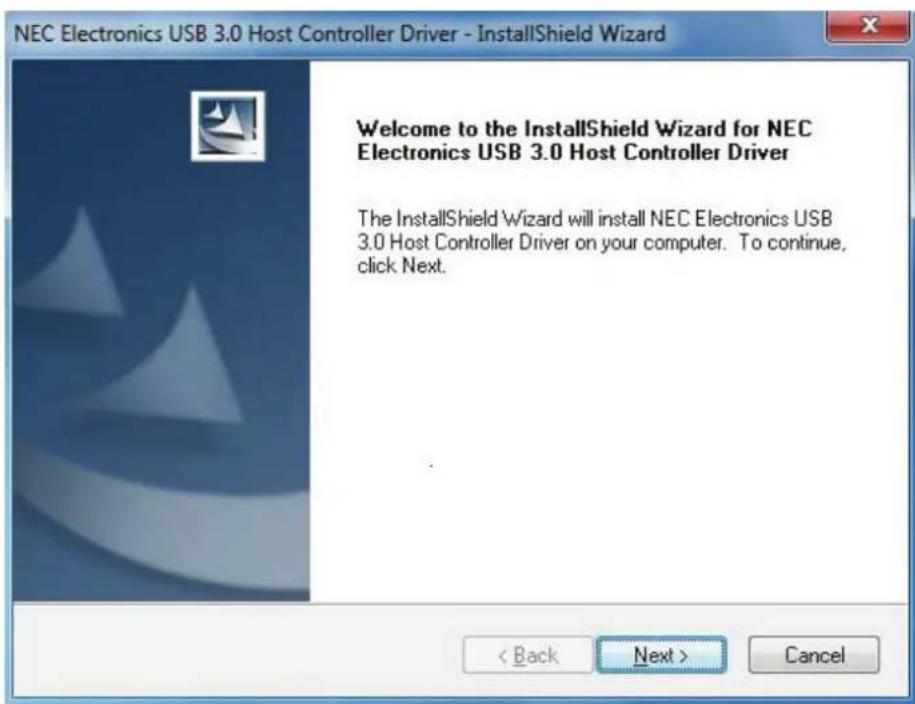
- Please check "accept the license agreement" box and click "Next" to continue.

- Click "Install" to begin the installation and "Next" to continue.

- Click "Finish" to end of the driver installation.

Connections:
Performance:
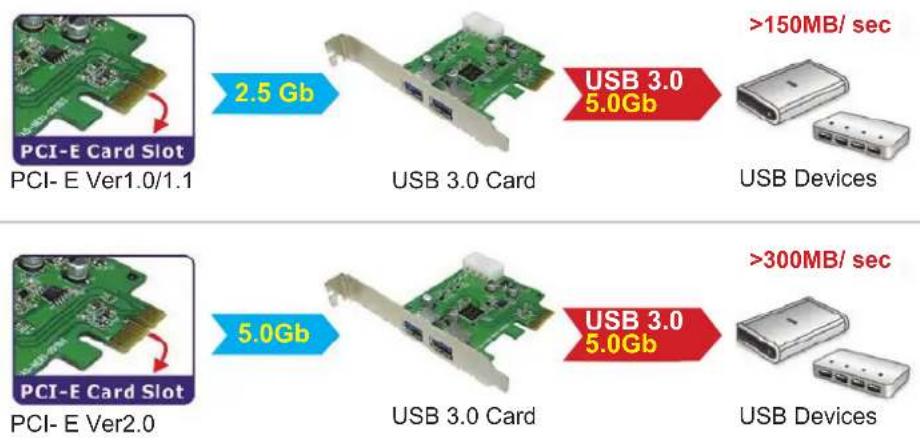
Please use PCI Express Ver 2.0 slot to perform the USB 3.0 data transfer rate of 5.0Gbps.
Package Contents:
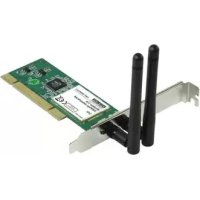
PCI-Express USB3.0 card
- User manual
CD driver
- Short steel slice
Safety precautions:


To reduce risk of electric shock, this product should ONLY be opened by an authorized technician when service is required. Disconnect the product from mains and other equipment if a problem should occur. Do not expose the product to water or moisture.
Maintenance:
Clean only with a dry cloth. Do not use cleaning solvents or abrasives.
Warranty:
No guarantee or liability can be accepted for any changes and modifications of the product or damage caused due to incorrect use of this product.
General:
Designs and specifications are subject to change without notice.
All logos brands and product names are trademarks or registered trademarks of their respective holders and are hereby recognized as such.
Keep this manual and packaging for future reference.
Attention:

This product is marked with this symbol. It means that used electrical and electronic products should not be mixed with general household waste. There is a separate collections system for these products.
DEUTSCH
Einleitung
Please use PCI Express Ver 2.0 slot to perform the USB 3.0 data transfer rate of 5.0Gbps.
Lieferumfang:
Description: PCI Express Card USB 3.0
's-Hertogenbosch, 01 January 2010
Mrs. / Mme. / Mevr. / Sig.ra / D. / Fru / Paní: J. Gilad
Purchase Director / Einkaufsleiterin / Direcrice des Achats / Direeur inkoop / Direttore agli acquisti / Director de compras / értékesitési igazgató / Ostojohtaja / Inköpsansvarig / Obchodni ōditelka / Director achiziti
Brand : KONIG
Model : CMPPCIE2USB3
Category : Network card / adapter